park assist MERCEDES-BENZ CL-Class 2012 C216 Owner's Manual
[x] Cancel search | Manufacturer: MERCEDES-BENZ, Model Year: 2012, Model line: CL-Class, Model: MERCEDES-BENZ CL-Class 2012 C216Pages: 488, PDF Size: 21.88 MB
Page 5 of 488
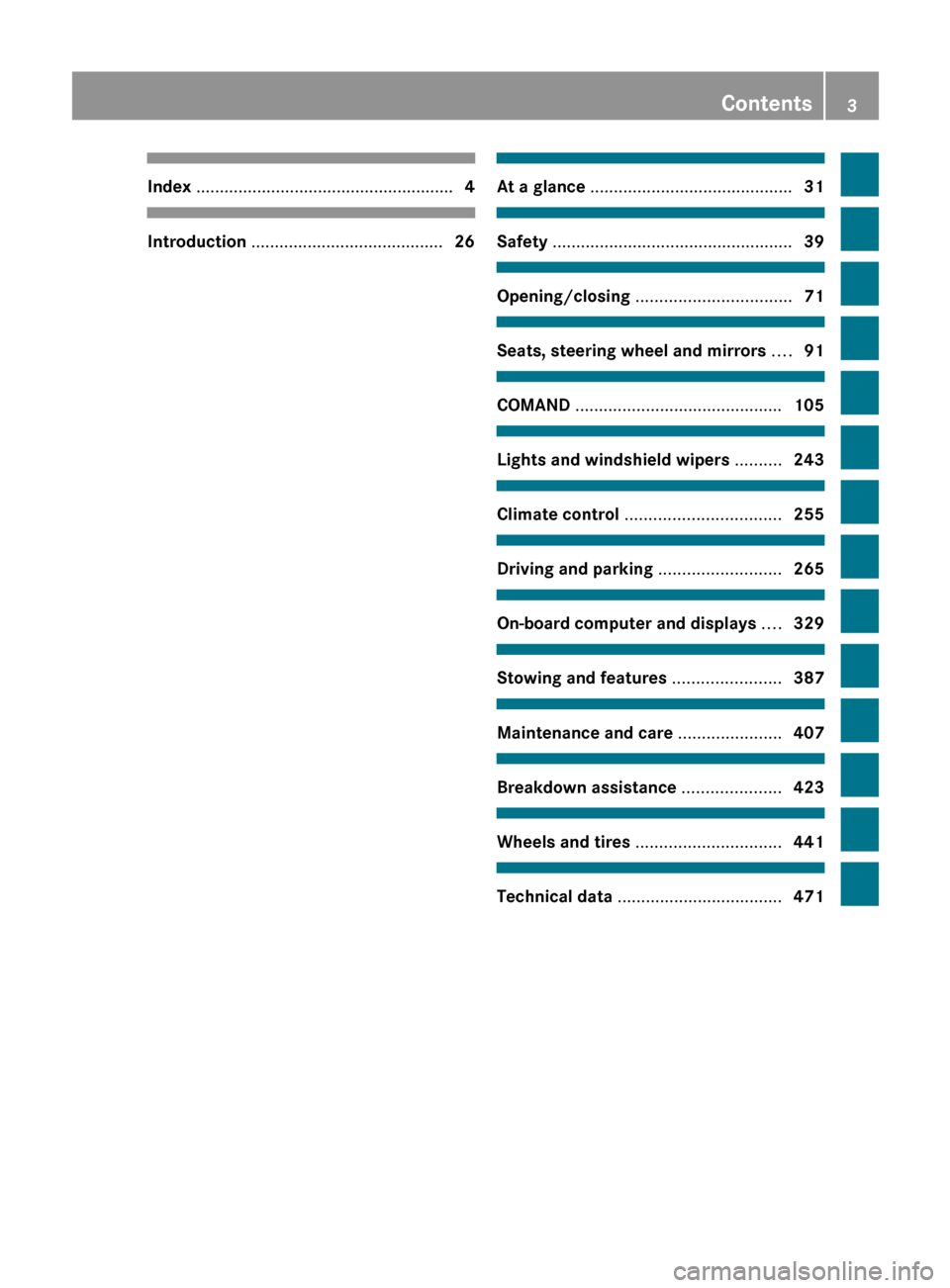
Index ....................................................... 4Introduction ......................................... 26At a glance ........................................... 31Safety ................................................... 39Opening/closing ................................. 71Seats, steering wheel and mirrors ....91COMAND ............................................ 105Lights and windshield wipers ..........243Climate control ................................. 255Driving and parking ..........................265On-board computer and displays ....329Stowing and features .......................387Maintenance and care ......................407Breakdown assistance .....................423Wheels and tires ............................... 441Technical data ................................... 471
Contents3
Page 12 of 488
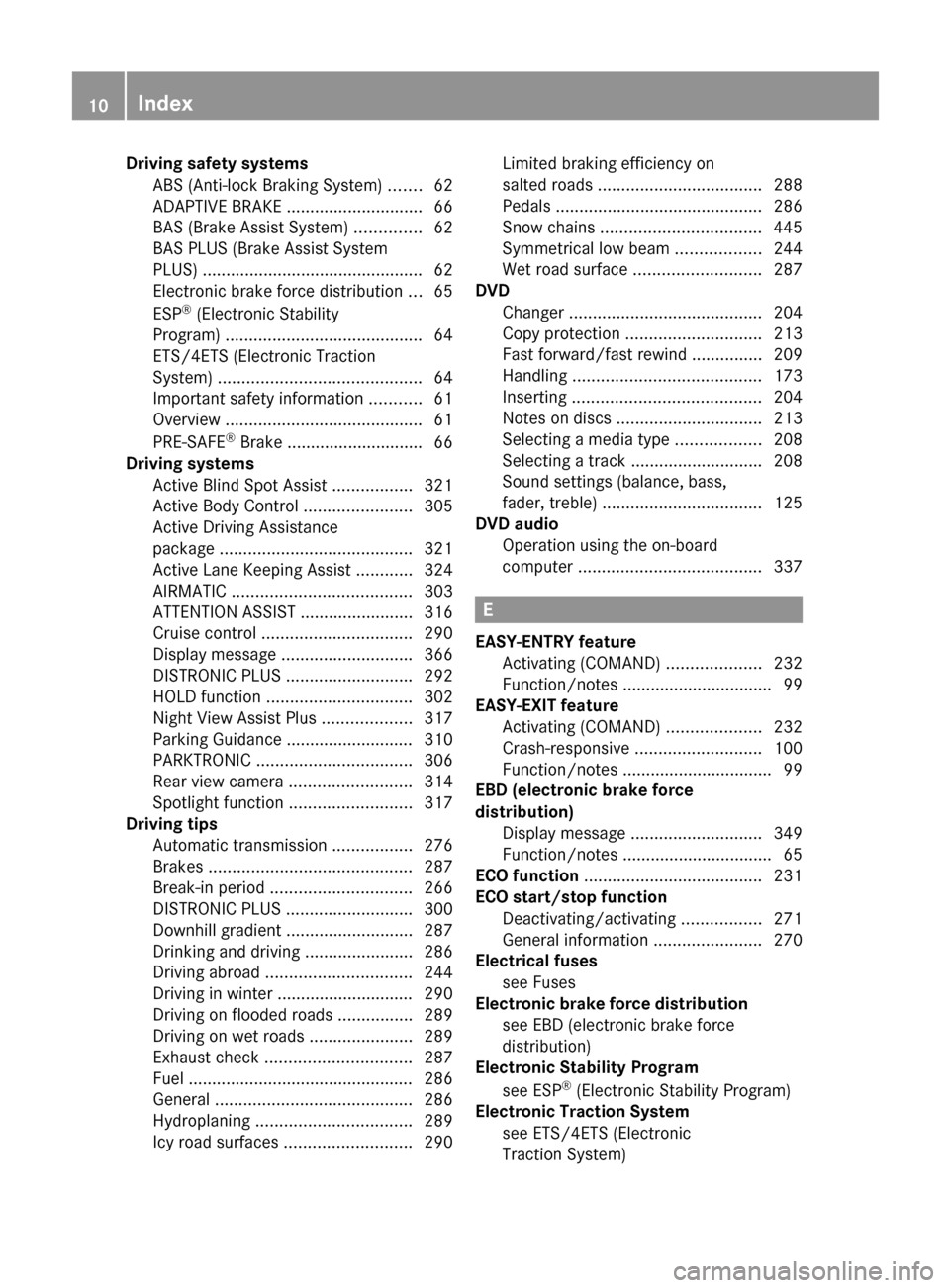
Driving safety systemsABS (Anti-lock Braking System) .......62
ADAPTIVE BRAKE ............................. 66
BAS (Brake Assist System) ..............62
BAS PLUS (Brake Assist System
PLUS) ............................................... 62
Electronic brake force distribution ...65
ESP ®
(Electronic Stability
Program) .......................................... 64
ETS/4ETS (Electronic Traction
System) ........................................... 64
Important safety information ...........61
Overview .......................................... 61
PRE-SAFE ®
Brake ............................. 66
Driving systems
Active Blind Spot Assist .................321
Active Body Control .......................305
Active Driving Assistance
package ......................................... 321
Active Lane Keeping Assist ............324
AIRMATIC ...................................... 303
ATTENTION ASSIST ........................316
Cruise control ................................ 290
Display message ............................ 366
DISTRONIC PLUS ........................... 292
HOLD function ............................... 302
Night View Assist Plus ...................317
Parking Guidance ........................... 310
PARKTRONIC ................................. 306
Rear view camera .......................... 314
Spotlight function .......................... 317
Driving tips
Automatic transmission .................276
Brakes ........................................... 287
Break-in period .............................. 266
DISTRONIC PLUS ........................... 300
Downhill gradient ........................... 287
Drinking and driving .......................286
Driving abroad ............................... 244
Driving in winter ............................. 290
Driving on flooded roads ................289
Driving on wet roads ......................289
Exhaust check ............................... 287
Fuel ................................................ 286
General .......................................... 286
Hydroplaning ................................. 289
Icy road surfaces ........................... 290Limited braking efficiency on
salted roads ................................... 288
Pedals ............................................ 286
Snow chains .................................. 445
Symmetrical low beam ..................244
Wet road surface ........................... 287
DVD
Changer ......................................... 204
Copy protection ............................. 213
Fast forward/fast rewind ...............209
Handling ........................................ 173
Inserting ........................................ 204
Notes on discs ............................... 213
Selecting a media type ..................208
Selecting a track ............................ 208
Sound settings (balance, bass,
fader, treble) .................................. 125
DVD audio
Operation using the on-board
computer ....................................... 337
E
EASY-ENTRY feature Activating (COMAND) ....................232
Function/notes ................................ 99
EASY-EXIT feature
Activating (COMAND) ....................232
Crash-responsive ........................... 100
Function/notes ................................ 99
EBD (electronic brake force
distribution) Display message ............................ 349
Function/notes ................................ 65
ECO function ...................................... 231
ECO start/stop function Deactivating/activating .................271
General information .......................270
Electrical fuses
see Fuses
Electronic brake force distribution
see EBD (electronic brake force
distribution)
Electronic Stability Program
see ESP ®
(Electronic Stability Program)
Electronic Traction System
see ETS/4ETS (Electronic
Traction System)
10Index
Page 14 of 488
Preparing the vehicle .....................425
Raising the vehicle .........................426
Floormat ............................................. 405
Freeway information ......................... 171
Front fog lamps ................................. 246
Display message ............................ 360
Switching on/off ........................... 246
Front-passenger seat
Adjusting from the driver's seat .......94
Front windshield
see Windshield
Fuel
Additives ........................................ 477
Displaying the current
consumption .................................. 334
Displaying the range ......................334
Driving tips .................................... 286
Fuel gauge ....................................... 33
Important safety notes ..................477
Premium-grade unleaded gasoline . 477
Problem (malfunction) ...................283
Refueling ........................................ 280
Specifications ................................ 477
Tank content/reserve fuel .............476
Fuel filler flap, opening/closing ....... 281
Fuel level Calling up the range (on-board
computer) ...................................... 334
Fuel tank
Capacity ........................................ 476
Problem (malfunction) ...................283
Function buttons (COMAND) ............ 109
Fuses Allocation chart ............................. 438
Before changing ............................. 438
Dashboard fuse box .......................438
Engine emergency stop .................439
Fuse box in the engine
compartment ................................. 439
Fuse box in the rear compartment . 438
Important safety notes ..................437
G
Garage door opener Clearing the memory .....................405
Notes ............................................. 402
Opening/closing the garage door ..405
Programming (button in the rear-
view mirror) ................................... 403
Gasoline ............................................. 281
Gear indicator (on-board
computer) .......................................... 337
Gear or selector lever (cleaning
guidelines) ......................................... 420
Genuine Mercedes-Benz parts ......... 472
Glove box ........................................... 388
GPS reception .................................... 135
Gracenote Media Database .............. 210
H
Handbrake see Parking brake
Harman/kardon ®
Logic 7 ®
surround sound system see Surround sound (harman/
kardon ®
surround sound system)
Hazard warning lamps ...................... 247
HD Radio™ ......................................... 199
Heading up (navigation) ................... 168
Headlamp cleaning system Notes ............................................. 480
Headlamps
Adding fluid to cleaning system .....412
Cleaning system (function) ............246
Fogging up ..................................... 249
see Automatic headlamp mode
Head restraints
Adjusting ......................................... 95
Adjusting (electrically) .....................95
Adjusting (rear) ................................ 95
Heating
see Climate control
High-beam headlamps
Changing bulbs .............................. 251
Display message ............................ 360
Switching Adaptive Highbeam
Assist on/off ................................. 248
Switching on/off ........................... 247
Hill start assist .................................. 269
HOLD function Display message ............................ 368
Function/notes ............................. 302
12Index
Page 16 of 488
Light switch ................................... 244
Low-beam headlamps ....................245
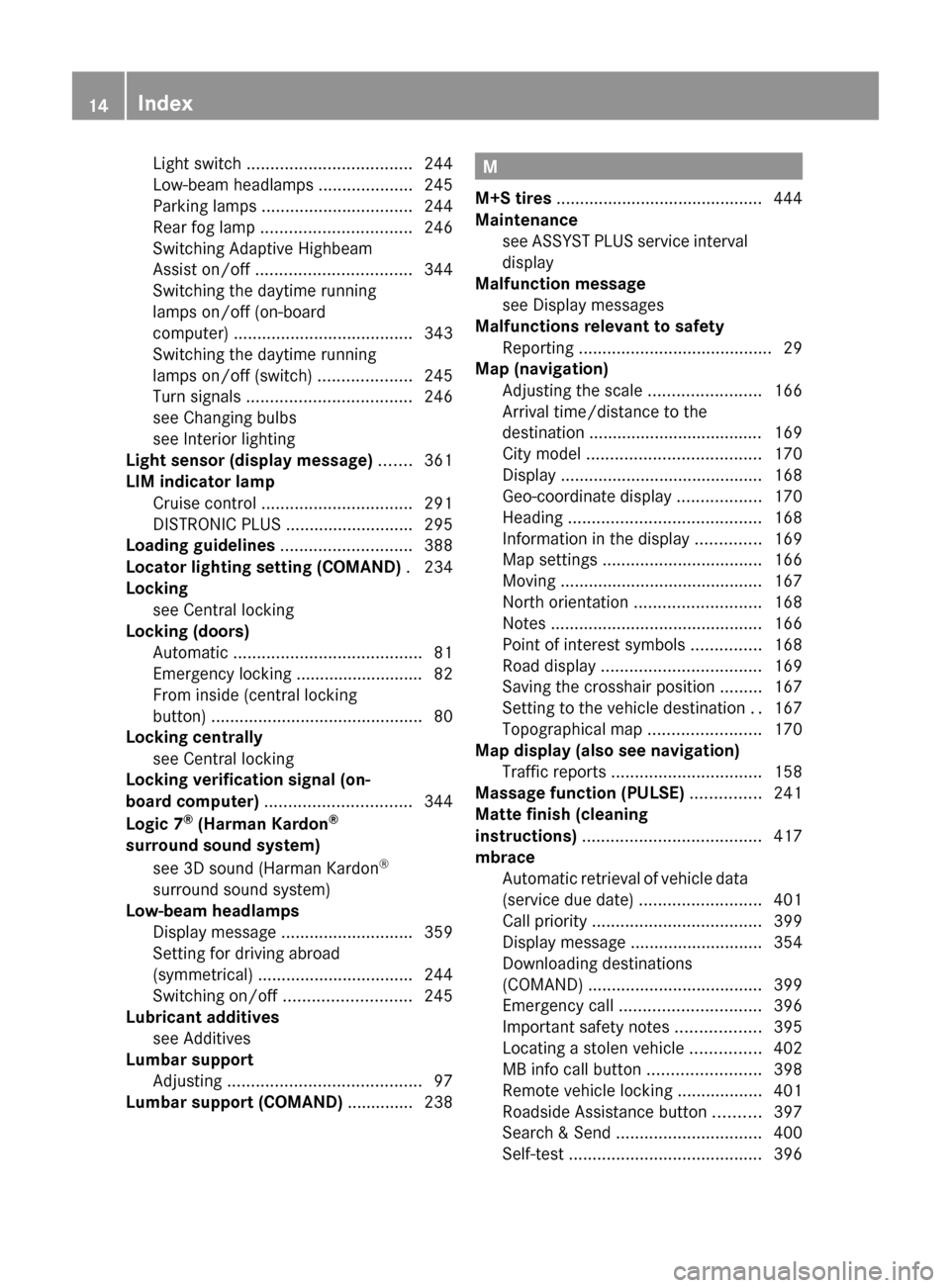
Parking lamps ................................ 244
Rear fog lamp ................................ 246
Switching Adaptive Highbeam
Assist on/off ................................. 344
Switching the daytime running
lamps on/off (on-board
computer) ...................................... 343
Switching the daytime running
lamps on/off (switch) ....................245
Turn signals ................................... 246
see Changing bulbs
see Interior lighting
Light sensor (display message) ....... 361
LIM indicator lamp Cruise control ................................ 291
DISTRONIC PLUS ........................... 295
Loading guidelines ............................ 388
Locator lighting setting (COMAND) . 234
Locking see Central locking
Locking (doors)
Automatic ........................................ 81
Emergency locking ........................... 82
From inside (central locking
button) ............................................. 80
Locking centrally
see Central locking
Locking verification signal (on-
board computer) ............................... 344
Logic 7 ®
(Harman Kardon ®
surround sound system) see 3D sound (Harman Kardon ®
surround sound system)
Low-beam headlamps
Display message ............................ 359
Setting for driving abroad
(symmetrical) ................................. 244
Switching on/off ........................... 245
Lubricant additives
see Additives
Lumbar support
Adjusting ......................................... 97
Lumbar support (COMAND) .............. 238M
M+S tires ............................................ 444
Maintenance see ASSYST PLUS service interval
display
Malfunction message
see Display messages
Malfunctions relevant to safety
Reporting ......................................... 29
Map (navigation)
Adjusting the scale ........................166
Arrival time/distance to the
destination ..................................... 169
City model ..................................... 170
Display ........................................... 168
Geo-coordinate display ..................170
Heading ......................................... 168
Information in the display ..............169
Map settings .................................. 166
Moving ........................................... 167
North orientation ........................... 168
Notes ............................................. 166
Point of interest symbols ...............168
Road display .................................. 169
Saving the crosshair position .........167
Setting to the vehicle destination ..167
Topographical map ........................170
Map display (also see navigation)
Traffic reports ................................ 158
Massage function (PULSE) ............... 241
Matte finish (cleaning
instructions) ...................................... 417
mbrace Automatic retrieval of vehicle data
(service due date) ..........................401
Call priority .................................... 399
Display message ............................ 354
Downloading destinations
(COMAND) ..................................... 399
Emergency call .............................. 396
Important safety notes ..................395
Locating a stolen vehicle ...............402
MB info call button ........................398
Remote vehicle locking ..................401
Roadside Assistance button ..........397
Search & Send ............................... 400
Self-test ......................................... 39614Index
Page 34 of 488
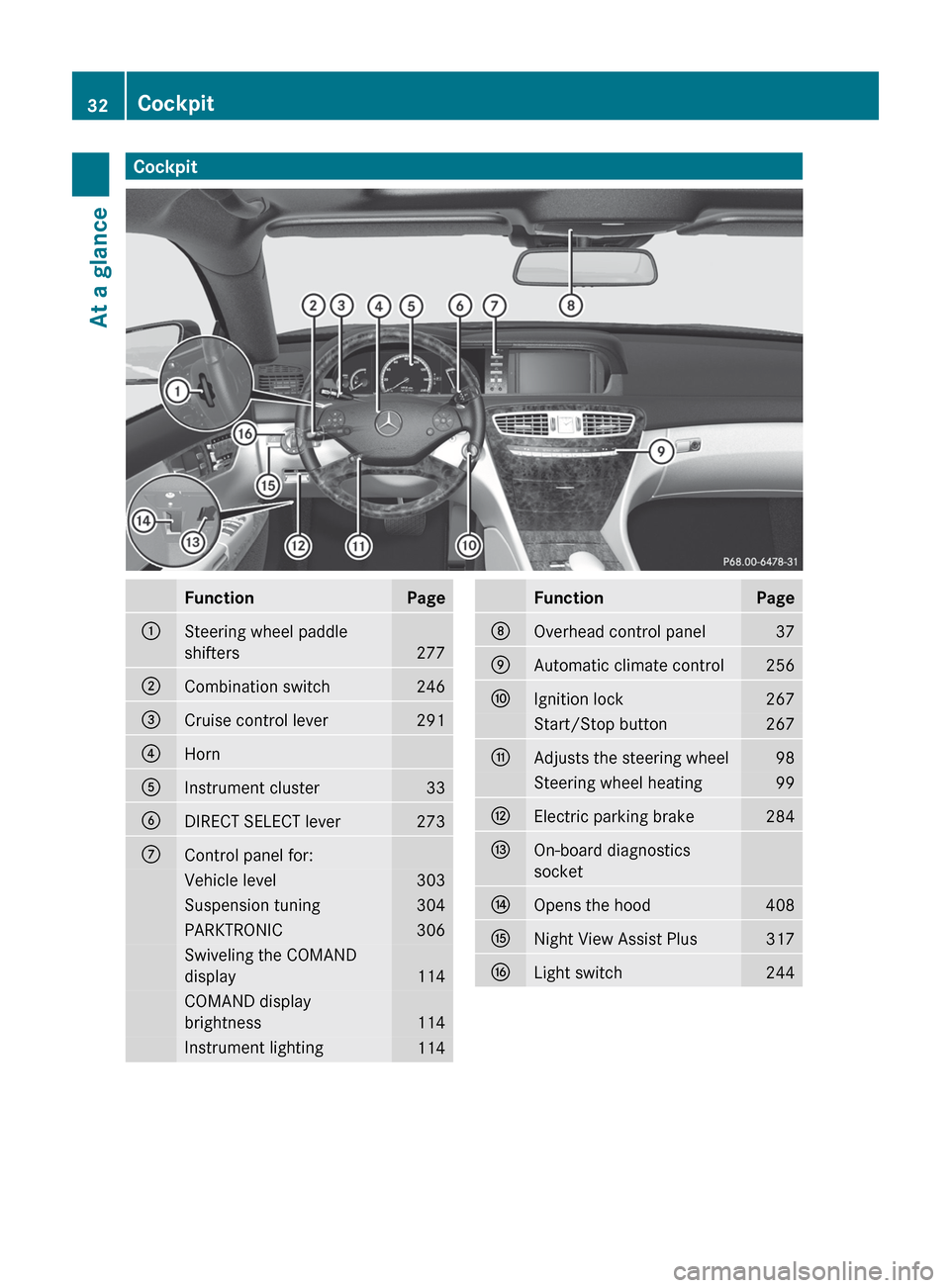
CockpitFunctionPage:Steering wheel paddle
shifters
277
;Combination switch246=Cruise control lever291?HornAInstrument cluster33BDIRECT SELECT lever273CControl panel for:Vehicle level303Suspension tuning304PARKTRONIC306Swiveling the COMAND
display
114
COMAND display
brightness
114
Instrument lighting114FunctionPageDOverhead control panel37EAutomatic climate control256FIgnition lock267Start/Stop button267GAdjusts the steering wheel98Steering wheel heating99HElectric parking brake284IOn-board diagnostics
socketJOpens the hood408KNight View Assist Plus317LLight switch24432CockpitAt a glance
Page 35 of 488

Instrument cluster
Displays
FunctionPage:Coolant temperature330;Fuel gauge=PARKTRONIC306?Multifunction display332SpeedometerATransmission position275BTachometer331CDrive program277DParking Guidance310FunctionPageEUnit of measurement for
the speedometer
344
FOutside temperature331GAdditional speedometer344HHOLD function302Ä PRE-SAFE ®
Brake66IAdaptive Highbeam Assist248Active Lane Keeping Assist324ATTENTION ASSIST316Instrument cluster33At a glance
Page 65 of 488

Any unauthorized modification to this
device could void the user's authority to
operate the equipment.
With the help of the radar sensor system, BAS
PLUS can detect obstacles that are in the
path of your vehicle for an extended period of
time.
At speeds up to approximately
40 mph (70 km/h), BAS PLUS can also detect
stationary obstacles, for example stopped or
parked vehicles.
Should you approach an obstacle and BAS
PLUS has detected a risk of collision, BAS
PLUS calculates the braking force necessary
to avoid a rear-end collision.
R At speeds up to approximately
20 mph(30 km/h) : should you apply the
brakes forcefully, BAS PLUS will
automatically increase the braking force to
a level suitable for the traffic conditions.
R At speeds up to approximately
20 mph(30 km/h) : should you apply the
brakes, BAS PLUS is activated. Braking is
performed as late as possible.
If BAS PLUS demands particularly high
braking force, preventative passenger
protection measures (PRE-SAFE ®
) are
activated simultaneously.XKeep the brake pedal depressed until the
emergency braking situation is over.
ABS prevents the wheels from locking.
The brakes will work normally again if:
R you release the brake pedal.
R there is no longer any danger of a rear-end
collision.
R no obstacle is detected in front of your
vehicle.
BAS PLUS is then deactivated.
For BAS PLUS to assist you when driving, the
radar sensor system must be switched on and
operational, see "Radar sensor system" in the
index.
GWARNING
BAS PLUS cannot always clearly identify
objects and complex traffic situations. BAS
PLUS cannot intervene in these cases.
There is a risk of an accident. Always pay
careful attention to the traffic situation and be
ready to brake.
In particular, the detection of obstacles can
be impaired if there is:
R dirt on the sensors or anything else
covering the sensors
R snow or heavy rain
R interference by other radar sources
R the possibility of strong radar reflections,
for example in parking garages
R a narrow vehicle traveling in front, e.g. a
motorbike
R a vehicle traveling in front on a different line
GWARNING
BAS PLUS does not react:
R to people or animals
R to oncoming vehicles
R to crossing traffic
R in curves
As a result, BAS PLUS cannot intervene in
critical situations. There is a risk of an
accident. Always pay careful attention to the
traffic situation and be ready to brake.
Following damage to the front end of the
vehicle, have the configuration and operation
of the radar sensors checked at a qualified
specialist workshop. This also applies to
collisions at low speeds where there is no
visible damage to the front of the vehicle.
If BAS PLUS is not available due to a
malfunction in the radar sensor system, the
brake system remains available with full
brake boosting effect and BAS.
Driving safety systems63SafetyZ
Page 69 of 488

At speeds up to approximately 40 mph
(70 km/h), PRE-SAFE ®
Brake can also react
to stationary obstacles, for example stopped
or parked vehicles.
If you approach an obstacle and PRE-SAFE ®
Brake detects a risk of collision, the system
will initially alert you both visually and
acoustically. If you do not brake or take
evasive action, the system will warn you by
automatically braking the vehicle gently. If
there is an increased risk of collision,
preventative passenger protection measures
(PRE-SAFE ®
) are activated (Y page 51). If the
risk of collision remains at speeds of over
20 mph (30 km/h) and you do not brake, take
evasive action or accelerate significantly, the
vehicle may perform automatic braking up to
emergency braking. Automatic emergency
braking is not performed until immediately
prior to an accident that can no longer be
avoided.GWARNING
Even if PRE-SAFE ®
Brake slows the vehicle
before an imminent rear-end collision, the
system cannot avert a collision without the
intervention of the driver. There is a risk of an
accident. Brake according to the situation or
take evasive action. Delayed intervention by
the driver can lead to an accident.
GWARNING
PRE-SAFE ®
Brake cannot always detect
complex traffic situations properly.
In these cases, PRE-SAFE(R) Brake may:
R give an unnecessary warning and then
brake the vehicle
R neither give a warning nor intervene
There is a risk of an accident. Always pay
particular attention to the traffic situation and
be ready to brake, especially if PRE-SAFE(R)
Brake warns you. Terminate the intervention
in a non-critical driving situation.
In particular, the detection of obstacles can
be impaired if there is:
R dirt on the sensors or anything else
covering the sensors
R snow or heavy rain
R interference by other radar sources
R the possibility of strong radar reflections,
for example in parking garages
R a narrow vehicle traveling in front, e.g. a
motorbike
R a vehicle traveling in front on a different lineGWARNING
PRE-SAFE ®
Brake does not react:
R to people or animals
R to oncoming vehicles
R to crossing traffic
R in curves
As a result, PRE-SAFE ®
Brake cannot
intervene in critical situations. There is a risk
of an accident. Always pay careful attention
to the traffic situation and be ready to brake.
In order to maintain the appropriate distance
to the vehicle in front and thus prevent a
collision, you must apply the brakes yourself.
XTo activate/deactivate: activate or
deactivate PRE-SAFE ®
Brake in the on-
board computer ( Y page 342).
After activation, the Ä symbol is
displayed on the left in the instrument
cluster.
For PRE-SAFE ®
Brake to assist you when
driving, the radar sensor system must be
switched on ( Y page 344) and operational.
Following damage to the front end of the
vehicle, have the configuration and operation
of the radar sensors checked at a qualified
specialist workshop. This also applies to
collisions at low speeds where there is no
visible damage to the front of the vehicle.
Driving safety systems67SafetyZ
Page 271 of 488

Using KEYLESS-GO to start the engineGWARNING
As long as the SmartKey is in your vehicle, the
vehicle can be started. Therefore, never leave
children unattended in the vehicle, as they
could otherwise accidentally start the engine.
When leaving the vehicle, always take the
SmartKey with you and lock the vehicle. Do
not leave children unattended in the vehicle,
or with access to an unlocked vehicle. A
child's unsupervised access to a vehicle could
result in an accident and/or serious personal
injury.
i The Start/Stop button can be used to
start the vehicle manually without inserting
the SmartKey into the ignition lock. The
Start/Stop button must be inserted into
the ignition lock and the SmartKey must be
in the vehicle. This mode for starting the
engine operates independently of the ECO
start/stop automatic engine start function.
XDepress the brake pedal and keep it
depressed.XPress the Start/Stop button ( Y page 267)
once.
The engine starts.
Pulling away
Automatic transmission
GWARNING
It is dangerous to shift the automatic
transmission out of parking position P or
neutral position N if the engine speed is
higher than idle speed. If your foot is not firmly
on the brake pedal, the vehicle could
accelerate quickly forward or in reverse. You
could lose control of the vehicle and hit
someone or something. Only shift into gear
when the engine is idling normally and when
your right foot is firmly on the brake pedal.
i It is only possible to shift the transmission
from position P to the desired position if
you depress the brake pedal. Only then is
the parking lock released. If you do not
depress the brake pedal, you can move the
DIRECT SELECT lever but the parking lock
remains engaged.XDepress the brake pedal and keep it
depressed.XShift the transmission to position D or R.XRelease the brake pedal.XCarefully depress the accelerator pedal.
The electric parking brake ( Y page 284) is
automatically released.
The red F (USA only) or ! (Canada
only) indicator lamp in the instrument
cluster goes out.
i The vehicle locks centrally once you have
pulled away. The locking knobs in the doors
drop down.
You can open the doors from the inside at
any time.
You can also deactivate the automatic
locking feature ( Y page 234).
i Upshifts take place at higher engine
speeds after a cold start. This helps the
catalytic converter to reach its operating
temperature more quickly.
Hill start assist
Hill start assist helps you when pulling away
forwards or in reverse on an uphill gradient.
It holds the vehicle for a short time after you
have removed your foot from the brake pedal.
This gives you enough time to move your foot
from the brake pedal to the accelerator pedal
and depress it before the vehicle begins to
roll.
GWARNING
Never leave the vehicle when it is held by hill
start assist. After approximately one second,
hill start assist will no longer brake your
vehicle and it could roll away.
Driving269Driving and parkingZ
Page 272 of 488

XTake your foot off the brake pedal.
iOnce you have taken your foot off the
brake pedal, the vehicle is held for around
one second.
XPull away.
Hill start assist will not function if:
R you are pulling away on a level road or a
downhill gradient.
R the transmission is in position N.
R the electric parking brake is applied.
R ESP ®
is malfunctioning.
ECO start/stop function
General information
The ECO start/stop function is only available
for the CL 63 AMG.
The ECO start/stop function is only available
in drive program C.
The ECO start/stop function switches the
engine off automatically when the vehicle
stops moving.
The engine starts automatically when the
driver wants to pull away again. The ECO
start/stop function thereby helps you to
reduce the fuel consumption and emissions
of your vehicle.
The ECO start/stop function is activated each
time the engine is switched on. If all the
requirements are fulfilled for automatic
engine switch-off ( Y page 270), the green
¤ ECO symbol is shown in the
multifunction display and Stop/Start
active appears. If not all of the requirements
are fulfilled, the ¤ ECO symbol is shown
in yellow and Stop/Start inactive
appears.
If the ECO start/stop function is deactivated
( Y page 271), the ¤ symbol is not shown.
GWARNING
If the engine is switched off and the ECO
symbol is shown in green in the multifunction
display, the engine has been switched off
automatically. All of the vehicle's systems
remain active. If you open the door, unfasten
your seat belt or remove your foot from the
brake pedal, the engine will automatically
start. The vehicle may begin moving. You
could suffer serious or even fatal injury or
cause an accident resulting in injury or death.
Never leave the vehicle while the ECO symbol
in the multifunction display is shown in green
or yellow. Always secure the vehicle against
rolling away before leaving it.
! Always switch the ignition off and take the
key with you when leaving the vehicle.
Automatic engine switch-off
The ECO start/stop function switches the
engine off automatically if the vehicle is
braked to a standstill and the brake remains
depressed with the transmission in position
D or N.
i You can still activate the HOLD function
when the vehicle is stationary, even if the
engine has been switched off
automatically. It is then not necessary to
continue applying the brakes during the
automatic stop phase. When you depress
the accelerator pedal, the engine starts
automatically and the braking effect of the
HOLD function is deactivated. Depress the
accelerator pedal carefully, as the engine
must be started first.
The engine is only switched off if:
R the outside temperature is within the range
which is suitable for the system.
R the engine is at normal operating
temperature.
R the set temperature for the vehicle interior
has been reached.
R the battery is sufficiently charged.
R the system detects that the windshield is
not fogged up when the air-conditioning
system is switched on.
R the hood is closed.
270DrivingDriving and parking