warning light MERCEDES-BENZ CL-Class 2012 C216 Owner's Manual
[x] Cancel search | Manufacturer: MERCEDES-BENZ, Model Year: 2012, Model line: CL-Class, Model: MERCEDES-BENZ CL-Class 2012 C216Pages: 488, PDF Size: 21.88 MB
Page 6 of 488
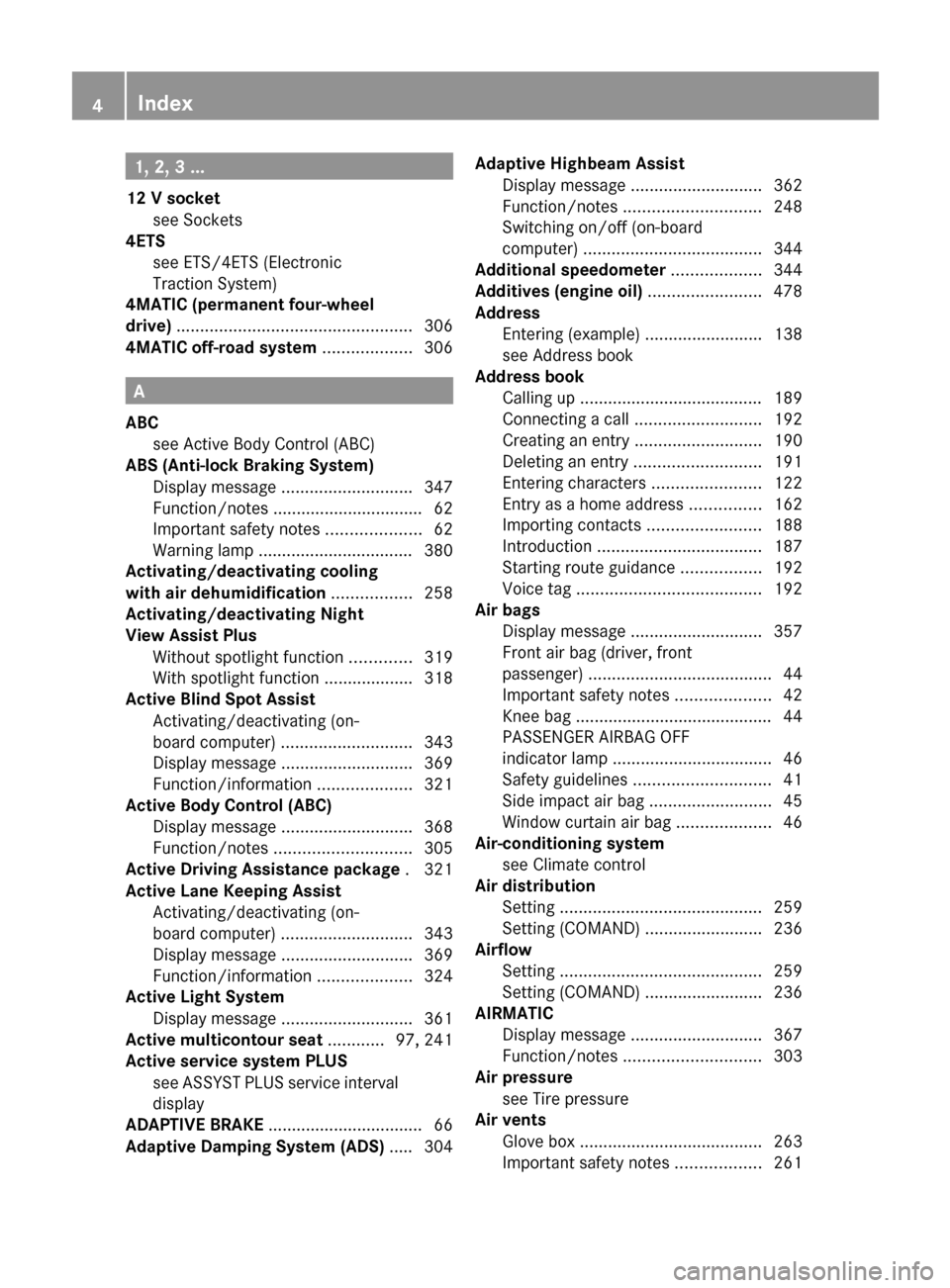
1, 2, 3 ...
12 V socket see Sockets
4ETS
see ETS/4ETS (Electronic
Traction System)
4MATIC (permanent four-wheel
drive) .................................................. 306
4MATIC off-road system ................... 306
A
ABC see Active Body Control (ABC)
ABS (Anti-lock Braking System)
Display message ............................ 347
Function/notes ................................ 62
Important safety notes ....................62
Warning lamp ................................. 380
Activating/deactivating cooling
with air dehumidification ................. 258
Activating/deactivating Night
View Assist Plus Without spotlight function .............319
With spotlight function ................... 318
Active Blind Spot Assist
Activating/deactivating (on-
board computer) ............................ 343
Display message ............................ 369
Function/information ....................321
Active Body Control (ABC)
Display message ............................ 368
Function/notes ............................. 305
Active Driving Assistance package . 321
Active Lane Keeping Assist Activating/deactivating (on-
board computer) ............................ 343
Display message ............................ 369
Function/information ....................324
Active Light System
Display message ............................ 361
Active multicontour seat ............ 97, 241
Active service system PLUS see ASSYST PLUS service interval
display
ADAPTIVE BRAKE ................................. 66
Adaptive Damping System (ADS) ..... 304
Adaptive Highbeam Assist
Display message ............................ 362
Function/notes ............................. 248
Switching on/off (on-board
computer) ...................................... 344
Additional speedometer ................... 344
Additives (engine oil) ........................ 478
Address Entering (example) .........................138
see Address book
Address book
Calling up ....................................... 189
Connecting a call ........................... 192
Creating an entry ........................... 190
Deleting an entry ........................... 191
Entering characters .......................122
Entry as a home address ...............162
Importing contacts ........................188
Introduction ................................... 187
Starting route guidance .................192
Voice tag ....................................... 192
Air bags
Display message ............................ 357
Front air bag (driver, front
passenger) ....................................... 44
Important safety notes ....................42
Knee bag .......................................... 44
PASSENGER AIRBAG OFF
indicator lamp .................................. 46
Safety guidelines ............................. 41
Side impact air bag ..........................45
Window curtain air bag ....................46
Air-conditioning system
see Climate control
Air distribution
Setting ........................................... 259
Setting (COMAND) .........................236
Airflow
Setting ........................................... 259
Setting (COMAND) .........................236
AIRMATIC
Display message ............................ 367
Function/notes ............................. 303
Air pressure
see Tire pressure
Air vents
Glove box ....................................... 263
Important safety notes ..................2614Index
Page 11 of 488
Daytime running lampsDisplay message ............................ 361
Switching on/off (on-board
computer) ...................................... 343
Switching on/off (switch) ..............245
Delayed switch-off
Exterior lighting (COMAND) ...........233
Interior lighting (COMAND) ............233
Destination (navigation)
Displaying information ...................156
Entering a destination by address .. 138
Entering a destination using the
map ............................................... 144
Entering an intermediate stop .......145
Entering a point of interest ............147
Saving ............................................ 163
Selecting from the destination
memory ......................................... 143
Selecting from the list of last
destinations ................................... 143
Destination memory (navigation)
Deleting an entry ........................... 165
Entering/saving your home
address .......................................... 141
Previous destinations ....................165
Dialing a number (telephone) ........... 184
Digital speedometer ......................... 334
Digital TV see TV
DIRECT SELECT lever
see Automatic transmission
Display
Selecting the design ......................127
Settings ......................................... 127
Display (cleaning instructions) ........ 419
Displaying the arrival time ............... 156
Displaying the distance to the
destination ......................................... 156
Display messages Calling up (on-board computer) .....346
Driving systems ............................. 366
Engine ............................................ 362
General notes ................................ 346
Hiding (on-board computer) ...........346
Lights ............................................. 359
Safety systems .............................. 347
Service interval display ..................413
SmartKey ....................................... 376Tires ............................................... 372
Vehicle ........................................... 374
Distance
see Navigation, route overview
Distance display (on-board
computer) .......................................... 341
Distance recorder ............................. 334
see Odometer
see Trip odometer
Distance warning (warning lamp) .... 385
DISTRONIC PLUS Deactivating ................................... 300
Display message ............................ 370
Displays in the multifunction
display ........................................... 299
Driving tips .................................... 300
Function/notes ............................. 292
Important safety notes ..................292
Setting the specified minimum
distance ......................................... 298
Warning lamp ................................. 385
Dolby Digital ...................................... 126
Doors Automatic locking (switch) ............... 81
Central locking/unlocking
(SmartKey) ....................................... 72
Control panel ................................... 38
Display message ............................ 375
Emergency locking ........................... 82
Emergency unlocking .......................81
Important safety notes ....................79
Opening (from inside) ......................80
Power closing feature ......................81
Drinking and driving ......................... 286
Drinks holder see Cup holder
Drive program
Automatic ...................................... 277
Manual ........................................... 279
Driver's door
see Doors
Driver's seat
see Seats
Driving abroad
Mercedes-Benz Service .................414
Symmetrical low beam ..................244Index9
Page 13 of 488
Emergency releaseDriver's door .................................... 81
Trunk ............................................... 85
Vehicle ............................................. 81
Emergency spare wheel
Storage location ............................ 424
Emergency Tensioning Devices
Function ........................................... 55
Safety guidelines ............................. 41
Emissions purification
Service and warranty information ....26
Engine
Check Engine warning lamp ........... 384
Display message ............................ 362
ECO start/stop function ................270
Emergency starting ........................437
Engine number ............................... 474
Irregular running ............................ 272
Starting problems ..........................272
Starting the engine with the
SmartKey ....................................... 268
Starting with KEYLESS-GO .............269
Switching off .................................. 283
Engine electronics
Problem (malfunction) ...................272
Engine emergency stop .................... 439
Engine oil Adding ........................................... 410
Additives ........................................ 478
Checking the oil level ..................... 409
Checking the oil level using the
dipstick .......................................... 409
Checking the oil level using the
on-board computer ........................410
Display message ............................ 364
Filling capacity ............................... 476
Notes about oil grades ................... 478
Notes on oil level/consumption ....409
Temperature (on-board computer) . 337
Viscosity ........................................ 478
Entering the frequency ..................... 196
Entry Deleting ......................................... 121
Saving ............................................ 123ESP®
(Electronic Stability
Program) Deactivating/activating .................342
Deactivating/activating (notes) .......64
Display message ............................ 347
ETS/4ETS ........................................ 64
Function/notes ................................ 64
Important safety information ...........64
Warning lamp ................................. 381
ETS/4ETS (Electronic Traction
System) ................................................ 64
Exhaust check ................................... 287
Exhaust tail pipe (cleaning
instructions) ...................................... 419
Exterior lighting see Exterior lighting
Exterior mirror parking position
Adjusting (COMAND) .....................232
Exterior mirrors
Adjusting ....................................... 100
Dipping (automatic) .......................101
Folding in/out (automatically) .......101
Folding in/out (electrically) ...........101
Out of position (troubleshooting) ...101
Storing settings (memory
function) ........................................ 102
Storing the parking position ..........101
Eyeglasses compartment ................. 389
F
Factory setting (reset function) ....... 134
Fader, setting .................................... 125
Fast forward Audio mode (CD, DVD, MP3) .........209
Video DVD ..................................... 226
Fast rewind
Audio mode (CD, DVD, MP3) .........209
Video DVD ..................................... 226
Favorites (COMAND) ......................... 109
Filler cap see Fuel filler flap
First-aid kit ......................................... 424
Flat tire Changing a wheel/mounting the
spare wheel ................................... 425
MOExtended run-flat system .........429
Index11
Page 15 of 488
Homesee Home address
Home address
Entering and saving .......................141
Selecting from the destination
memory ......................................... 143
Hood
Closing ........................................... 409
Display message ............................ 375
Opening ......................................... 408
Hydroplaning ..................................... 289
I
Ignition lock see Key positions
Immobilizer .......................................... 68
Incident (traffic report) ..................... 158
Indicator lamps see Warning and indicator lamps
Indicators
see Turn signals
Instrument cluster
Overview .......................................... 33
Warning and indicator lamps ...........34
Instrument lighting
see Instrument cluster lighting
Interface (USB, iPod ®
)
see Media Interface
Interior lighting
Ambient light (COMAND) ...............233
Automatic control ..........................250
Interior lighting .............................. 233
Manual control ............................... 250
Overview ........................................ 249
Reading lamp ................................. 249
see Interior lighting
Intermediate stop
Deleting ......................................... 146
Entering ......................................... 145
iPod ®
Alphabetical track selection ..........221
Connecting to the Media
Interface ........................................ 218
Selecting a category/playlist .........220
Supported variants ........................217
J
Jack Storage location ............................ 424
Using ............................................. 426
Jump starting (engine) ...................... 433
K
Key see SmartKey
KEYLESS-GO
Convenience closing feature ............88
Locking ............................................ 73
Start/Stop button .......................... 267
Starting the engine ........................269
Unlocking ......................................... 73
Key positions
KEYLESS-GO .................................. 267
SmartKey ....................................... 267
Kickdown
Driving tips .................................... 276
Manual drive program ....................279
Knee bag .............................................. 44
L
Lamps see Warning and indicator lamps
Lane detection (automatic)
see Lane Keeping Assist
Lap time (RACETIMER) ...................... 338
LATCH-type (ISOFIX) child seat
anchors ................................................ 58
Letter bar see Character bar
License plate lamp (display
message) ............................................ 360
Lighting see Lights
Lights
Automatic headlamp mode ............245
Cornering light function .................248
Display message ............................ 359
Driving abroad ............................... 244
Fog lamps ...................................... 246
Hazard warning lamps ...................247
High beam flasher .......................... 247
High-beam headlamps ...................247
Index13
Page 19 of 488
Opening height restriction for
trunk lid .............................................. 235
Operating system see On-board computer
Outside lighting
Delayed switch-off (COMAND) .......233
Outside temperature display ........... 331
Overhead control panel ...................... 37
Override feature Rear side windows ...........................60
Own address (navigation)
see Home address
P
Paint code number ............................ 473
Paintwork (cleaning instructions) ... 416
Panic alarm .......................................... 60
Parcel net ........................................... 390
Parking ............................................... 283
Important safety notes ..................283
Position of exterior mirror, front-
passenger side ............................... 101
Rear view camera .......................... 314
see PARKTRONIC
Parking aid
Parking Guidance ........................... 310
see Exterior mirrors
see PARKTRONIC
Parking brake
Display message ............................ 350
Electric parking brake ....................284
Parking Guidance
Display message ............................ 370
Important safety notes ..................310
Parking position
Exterior mirrors (COMAND) ...........232
PARKTRONIC
Deactivating/activating .................308
Driving system ............................... 306
Function/notes ............................. 306
Problem (malfunction) ...................310
Range of the sensors .....................307
Warning display ............................. 308
PASSENGER AIRBAG OFF indicator
lamp ...................................................... 46
Pause function
Audio mode (CD, DVD, MP3) .........207
Video DVD ..................................... 227
Pedals ................................................. 286
Permanent four-wheel drive see 4MATIC (permanent four-
wheel drive)
Phone book
Calling up ....................................... 189
Creating an entry ........................... 190
Deleting an entry ........................... 191
Entering characters .......................122
Introduction ................................... 187
Picture settings (TV, video) .............. 224
Plastic trim (cleaning instructions) . 419
Playback options Audio mode (CD, DVD, MP3) .........212
Point of interest (navigation)
Assigning a category ...................... 148
Entering ......................................... 147
Entering a point of interest using
the map ......................................... 150
List ................................................. 148
ZAGAT ®
survey service ..................149
Power closing feature ......................... 81
Power washers .................................. 416
Power windows see Side windows
PRE-SAFE ®
(Preventive occupant
safety system) Display message ............................ 354
Operation ......................................... 51
PRE-SAFE ®
Brake (vehicles with
DISTRONIC PLUS) Display message ............................ 355
Function/notes ................................ 66
Switching on/off ........................... 342
Warning lamp ................................. 385
Preventive occupant safety
system
see PRE-SAFE ®
(Preventive
occupant safety system)
Previous destinations (navigation) .. 165
Product information ............................ 26
Programmable button ....................... 109
Program selector button .................. 277Index17
Page 22 of 488
On-board computer .......................343
Picture (COMAND) .........................224
Sound settings ............................... 125
System settings ............................. 127
Setting the language
COMAND ....................................... 134
Setting the night design ................... 127
Setting the text reader speed .......... 129
Setting the vehicle level ................... 305
Setting the volume Telephone calls .............................. 124
Video AUX ..................................... 230
Side impact air bag ............................. 45
Side marker lamp (display
message) ............................................ 361
Side windows Convenience closing feature ............87
Convenience opening feature ..........87
Important safety information ...........86
Opening/closing .............................. 86
Problem (malfunction) .....................88
Resetting ......................................... 88
Sliding sunroof
Important safety notes ....................89
Opening/closing .............................. 89
Problem (malfunction) .....................90
Resetting ......................................... 90
SmartKey
Changing the battery .......................76
Changing the programming .............75
Checking the battery .......................76
Convenience closing feature ............87
Convenience opening feature ..........87
Display message ............................ 376
Door central locking/unlocking .......72
Important safety notes ....................72
Loss ................................................. 78
Mechanical key ................................ 75
Positions (ignition lock) .................267
Problem (malfunction) .....................78
Starting the engine ........................268
SMS message
see Text message
Snow chains ...................................... 445
Socket Glove box ....................................... 395Sockets
Points to observe before use .........394
Trunk ............................................. 395
Sound menu ....................................... 125
Sounds see Sound settings
Sound settings
Balance and fader ..........................125
Calling up the sound menu ............125
Surround sound ............................. 126
Treble and bass ............................. 125
Spare wheel
Notes/data .................................... 468
Storage location ............................ 424
see Emergency spare wheel
Specialist workshop ............................ 29
Speech control see Voice Control System
Speed, controlling
see Cruise control
Speed Limit Assist
see Speed Limit Assist
Speedometer
Activating/deactivating the
additional speedometer .................344
Digital ............................................ 334
In the Instrument cluster .................33
Selecting the unit of
measurement ................................ 344
see Instrument cluster
SPLITVIEW ......................................... 112
Spotlight function ............................. 317
SRS (Supplemental Restraint
System) Display message ............................ 355
Introduction ..................................... 40
Warning lamp ................................. 383
Warning lamp (function) ................... 40
Standing lamps
Display message ............................ 360
Switching on/off ........................... 244
Starting (engine) ................................ 268
Station memory ................................. 197
Steering (display message) .............. 376
Steering wheel Adjusting (electrically) .....................98
Button overview ............................... 3520Index
Page 42 of 488
Useful information
i This Operator's Manual describes all
models and all standard and optional
equipment of your vehicle available at the
time of publication of the Operator's
Manual. Country-specific differences are
possible. Please note that your vehicle may
not be equipped with all features
described. This also applies to safety-
related systems and functions.
i Please read the information on qualified
specialist workshops ( Y page 29).
Occupant safety
Overview of occupant safety
In this section, you will learn the most
important facts about the restraint system
components of the vehicle.
The restraint system consists of:
R seat belts
R child restraint systems
R LATCH-type (ISOFIX) child seat anchors
Additional protection is provided by:
R SRS (Supplemental Restraint System)
R NECK-PRO head restraints
R PRE-SAFE ®
R Air bag system components with:
- PASSENGER AIR BAG OFF indicator lamp
- front-passenger seat with Occupant
Classification System (OCS)
The different air bag systems work
independently of each other. The protective
functions of the system work in conjunction
with each other. Not all air bags are deployed
in an accident.
GWARNING
Modifications to or work improperly
conducted on restraint system components
or their wiring, as well as tampering with
interconnected electronic systems, can lead
to the restraint systems no longer functioning
as intended.
Air bags or Emergency Tensioning Devices
(ETDs), for example, could deploy
inadvertently or fail to deploy in accidents
although the deceleration threshold for air
bag deployment is exceeded. Therefore,
never modify the restraint systems. Do not
tamper with electronic components or their
software.
i See "Children in the vehicle"
( Y page 55) for more information on
infants and children traveling with you in
the vehicle and restraints for infants and
children.
SRS (Supplemental Restraint System)
Introduction
SRS consists of:
R the 6 SRS warning lamp
R air bags
R air bag control unit (with crash sensors)
R Emergency Tensioning Devices
R belt force limiters
SRS reduces the risk of occupants coming
into contact with the vehicle's interior in the
event of an accident. It can also reduce the
effect of the forces to which occupants are
subjected during an accident.
SRS warning lamp
SRS functions are checked regularly when
you switch on the ignition and when the
engine is running. Therefore, malfunctions
can be detected in good time.
The 6 SRS warning lamp in the instrument
cluster lights up when the ignition is switched
on. It goes out no later than a few seconds
after the engine is started.
The SRS components are in operational
readiness when the 6 SRS warning lamp
is not lit while the engine is running .
40Occupant safetySafety
Page 48 of 488
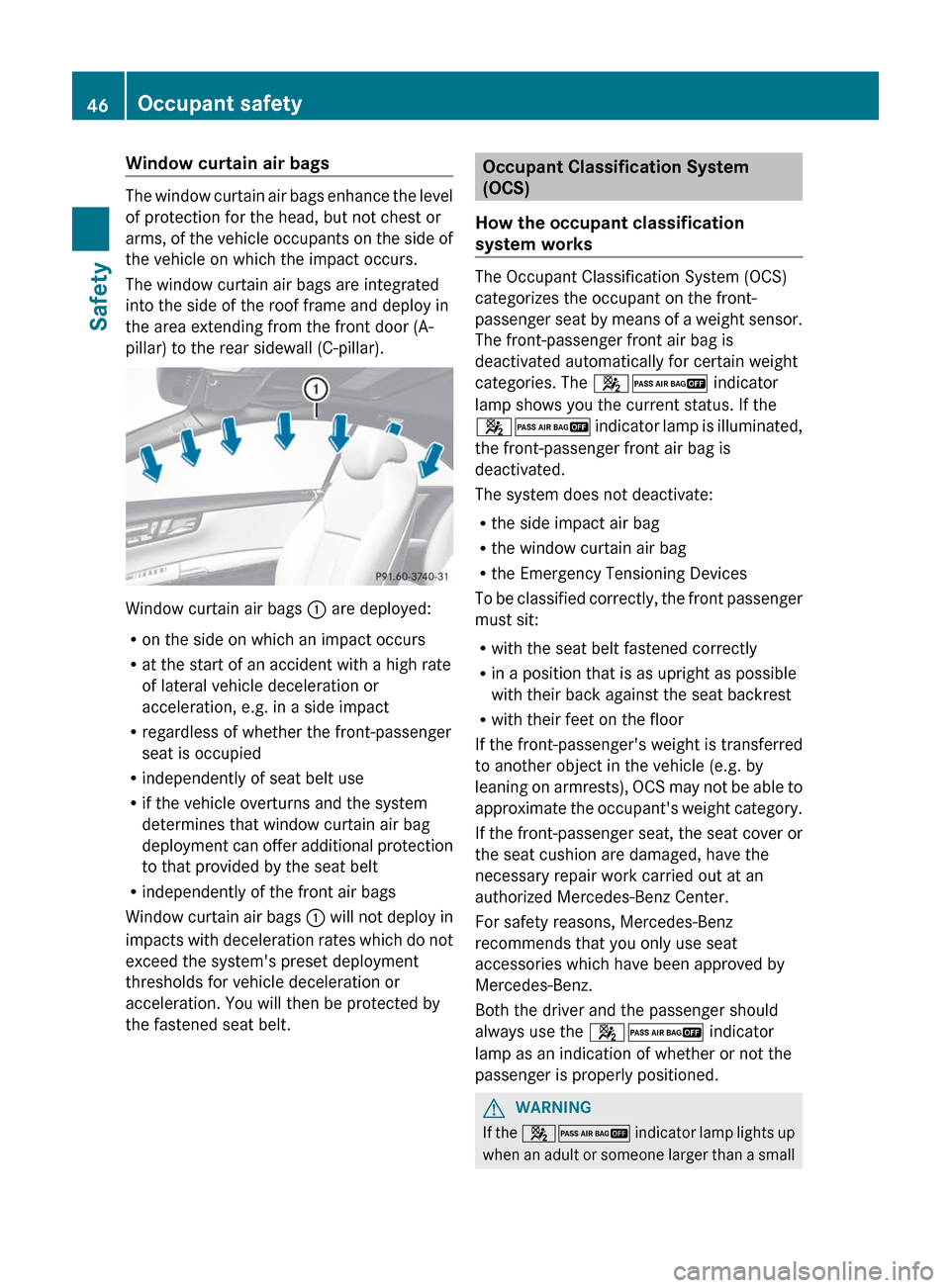
Window curtain air bags
The window curtain air bags enhance the level
of protection for the head, but not chest or
arms, of the vehicle occupants on the side of
the vehicle on which the impact occurs.
The window curtain air bags are integrated
into the side of the roof frame and deploy in
the area extending from the front door (A-
pillar) to the rear sidewall (C-pillar).
Window curtain air bags : are deployed:
R on the side on which an impact occurs
R at the start of an accident with a high rate
of lateral vehicle deceleration or
acceleration, e.g. in a side impact
R regardless of whether the front-passenger
seat is occupied
R independently of seat belt use
R if the vehicle overturns and the system
determines that window curtain air bag
deployment can offer additional protection
to that provided by the seat belt
R independently of the front air bags
Window curtain air bags : will not deploy in
impacts with deceleration rates which do not
exceed the system's preset deployment
thresholds for vehicle deceleration or
acceleration. You will then be protected by
the fastened seat belt.
Occupant Classification System
(OCS)
How the occupant classification
system works
The Occupant Classification System (OCS)
categorizes the occupant on the front-
passenger seat by means of a weight sensor.
The front-passenger front air bag is
deactivated automatically for certain weight
categories. The 42 indicator
lamp shows you the current status. If the
42 indicator lamp is illuminated,
the front-passenger front air bag is
deactivated.
The system does not deactivate:
R the side impact air bag
R the window curtain air bag
R the Emergency Tensioning Devices
To be classified correctly, the front passenger
must sit:
R with the seat belt fastened correctly
R in a position that is as upright as possible
with their back against the seat backrest
R with their feet on the floor
If the front-passenger's weight is transferred
to another object in the vehicle (e.g. by
leaning on armrests), OCS may not be able to
approximate the occupant's weight category.
If the front-passenger seat, the seat cover or
the seat cushion are damaged, have the
necessary repair work carried out at an
authorized Mercedes-Benz Center.
For safety reasons, Mercedes-Benz
recommends that you only use seat
accessories which have been approved by
Mercedes-Benz.
Both the driver and the passenger should
always use the 42 indicator
lamp as an indication of whether or not the
passenger is properly positioned.
GWARNING
If the 42 indicator lamp lights up
when an adult or someone larger than a small
46Occupant safetySafety
Page 51 of 488

If the SmartKey has been removed from the
ignition lock or is in position 0, indicator lamp
42 : does not light up.GWARNING
If the red SRS 6 indicator lamp in the
instrument cluster and the 42
indicator lamp are lit at the same time, there
is a malfunction in the OCS. The front
passenger front air bag will be deactivated in
this case. Have the system checked by
qualified technicians as soon as possible.
Contact an authorized Mercedes-Benz
Center.
Only have the seat repaired or replaced at an
authorized Mercedes-Benz Center.
In order to ensure proper operation of the air
bag system and OCS:
R Sit with the seat belt properly fastened in a
position that is as upright as possible with
your back against the seat backrest.
R When seated, a passenger should not
position him/herself in such a way as to
cause the passenger's weight to be lifted
from the seat cushion as this may result in
the OCS being unable to correctly
approximate the passenger's weight
category.
R Read and observe all warnings in this
chapter.
System self-test
The 42 indicator lamp
illuminates when you:
R turn the SmartKey to position 1 or 2 in the
ignition lock
R press the KEYLESS-GO Start/Stop button
once or twice
If an adult occupant is properly sitting on the
passenger seat and the OCS classifies the
occupant as an adult, the 42
indicator lamp illuminates and goes out again
after approximately 6 seconds.
If the seat is not occupied and the OCS
classifies the front passenger seat as being
unoccupied, the 42 indicator
lamp will illuminate and not go out.GWARNING
If the 4 2 indicator lamp does
not illuminate, the system is not functioning.
You must contact an authorized Mercedes-
Benz Center before seating any child on the
front passenger seat.
For more information, see "Problems with the
Occupant Classification System"
( Y page 50).
GWARNING
Never place anything between seat cushion
and child seat (e.g. a pillow), since it reduces
the effectiveness of the OCS. The underside
and rear side child restraint system must be
placed entirely on the seat cushion and the
backrest of the front-passenger seat
backrest.
If necessary, adjust the tilt of the passenger
seat backrest.
An incorrectly mounted child seat could cause
injuries to the child in case of an accident,
instead of increasing protection for the child.
Follow the manufacturer's instructions for
installation of child restraint systems.
Occupant safety49SafetyZ
Page 53 of 488
PRE-SAFE®
(preventative occupant
protection)GWARNING
The PRE-SAFE ®
system reduces the impact of
an accident on vehicle occupants, as long as
their seat belts have been fastened correctly.
Although your vehicle is equipped with a PRE-
SAFE ®
system, the possibility of injury in the
event of an accident cannot be ruled out. You
should therefore always drive carefully and
adapt your driving style to the prevailing road,
weather and traffic conditions.
PRE-SAFE ®
takes preemptive measures to
protect occupants in certain hazardous
situations.
PRE-SAFE ®
intervenes:
R in emergency braking situations, e.g. if BAS
is activated or, in vehicles with DISTRONIC
PLUS, BAS PLUS intervenes powerfully
R in critical driving situations, e.g. when
physical limits are exceed and the vehicle
understeers or oversteers severely
PRE-SAFE ®
takes the following measures
depending on the hazardous situation
detected:
R it adjusts the front-passenger seat if it is in
an unfavorable position.
R the air pressure in the side bolsters of the
seat cushion and seat backrest of the front
active multicontour seats is increased.
R if the vehicle skids, the side windows and
sliding sunroof are closed so that only a
small gap remains.
If the sliding sunroof or a side window is
obstructed during closing, the closing
procedure is stopped. The obstructed sliding
sunroof or side window opens again slightly.
If the hazardous situation passes without
resulting in an accident, all settings made by
PRE-SAFE ®
can be reversed. The air pressure
in the side bolsters on the active multicontour
seat is reduced again.
If the seat belts are not released:XMove the backrest back slightly, but only
when the vehicle is stationary.
The belt pretensioning is reduced and the
locking mechanism is released.GWARNING
Make sure that nobody can become trapped
as you adjust the seat.
! Make sure that there are no objects in the
footwell or behind the seats when resetting
the seats. There is a risk that the seats
and/or the objects could be damaged.
Seat belts
Important safety notes
The use of seat belts and infant and child
restraint systems is required by law in all 50
states, the District of Columbia, the U.S.
territories and all Canadian provinces.
Even where this is not the case, all vehicle
occupants should have their seat belts
fastened when the vehicle is in motion.
i For further information on infants and
children traveling in the vehicle and on
infant and child restraint systems, see
"Children in the vehicle" ( Y page 55).
GWARNING
Always fasten your seat belt before driving off.
Always make sure all of your passengers are
properly restrained. You and your passengers
should always wear seat belts.
Failure to wear and properly fasten and
position your seat belt greatly increases your
risk of injuries and their likely severity in an
accident.
If you are ever in an accident, your injuries can
be considerably more severe without your
seat belt properly buckled. Without your seat
belt buckled, you are much more likely to hit
the interior of the vehicle or be ejected from
it. You can be seriously injured or killed.
Occupant safety51SafetyZ