ad blue MERCEDES-BENZ CL CLASS 2013 Owner's Guide
[x] Cancel search | Manufacturer: MERCEDES-BENZ, Model Year: 2013, Model line: CL CLASS, Model: MERCEDES-BENZ CL CLASS 2013Pages: 496, PDF Size: 7.5 MB
Page 348 of 496
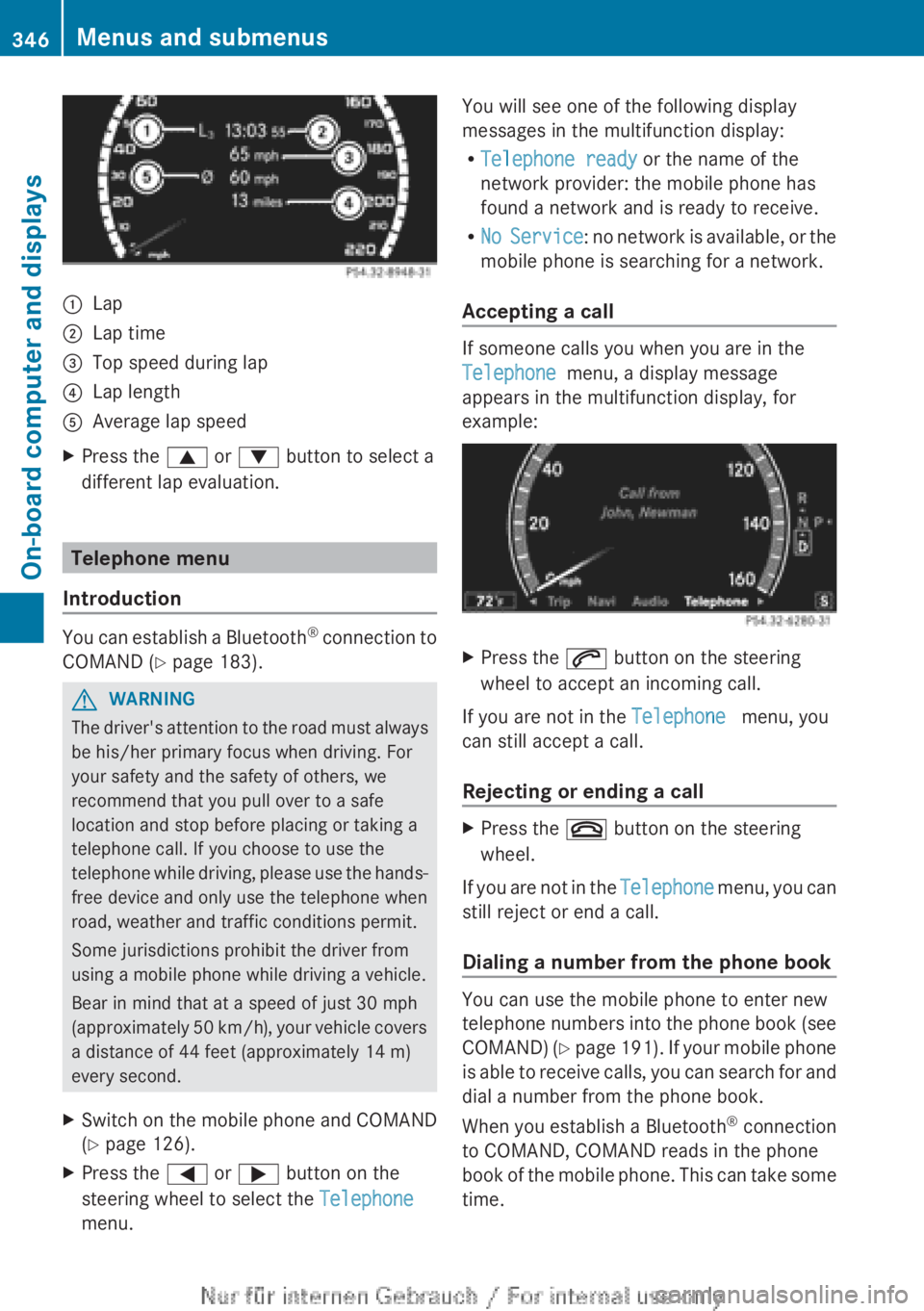
:Lap;Lap time=Top speed during lap?Lap lengthAAverage lap speedXPress the 9 or : button to select a
different lap evaluation.
Telephone menu
Introduction
You can establish a Bluetooth ®
connection to
COMAND ( Y page 183).
GWARNING
The driver's attention to the road must always
be his/her primary focus when driving. For
your safety and the safety of others, we
recommend that you pull over to a safe
location and stop before placing or taking a
telephone call. If you choose to use the
telephone while driving, please use the hands-
free device and only use the telephone when
road, weather and traffic conditions permit.
Some jurisdictions prohibit the driver from
using a mobile phone while driving a vehicle.
Bear in mind that at a speed of just 30 mph
(approximately 50 km/h), your vehicle covers
a distance of 44 feet (approximately 14 m)
every second.
XSwitch on the mobile phone and COMAND
( Y page 126).XPress the = or ; button on the
steering wheel to select the Telephone
menu.You will see one of the following display
messages in the multifunction display:
R Telephone ready or the name of the
network provider: the mobile phone has
found a network and is ready to receive.
R No Service : no network is available, or the
mobile phone is searching for a network.
Accepting a call
If someone calls you when you are in the
Telephone menu, a display message
appears in the multifunction display, for
example:
XPress the 6 button on the steering
wheel to accept an incoming call.
If you are not in the Telephone menu, you
can still accept a call.
Rejecting or ending a call
XPress the ~ button on the steering
wheel.
If you are not in the Telephone menu, you can
still reject or end a call.
Dialing a number from the phone book
You can use the mobile phone to enter new
telephone numbers into the phone book (see
COMAND) (Y page 191). If your mobile phone
is able to receive calls, you can search for and
dial a number from the phone book.
When you establish a Bluetooth ®
connection
to COMAND, COMAND reads in the phone
book of the mobile phone. This can take some
time.
346Menus and submenusOn-board computer and displays
Page 411 of 496
Once the connection has been made, the
Call Connected message appears in the
multifunction display.
The Emergency Call Activated message
is shown in the COMAND display.
All important information on the emergency
is transmitted, for example:
R current location of the vehicle (as
determined by the GPS system)
R vehicle identification number
R information on the type of emergency
i If the Emergency Call Activated
message is shown in the COMAND display,
you cannot use other functions of
COMAND.
Shortly after the emergency call has been
initiated, a voice connection is automatically
established between the Mercedes-Benz
Customer Assistance Center and the vehicle
occupants. If the vehicle occupants respond,
the Mercedes-Benz Customer Assistance
Center attempts to get more information on
the emergency.
i If there is no response from the vehicle
occupants, an ambulance is immediately
sent to the vehicle.GWARNING
If the indicator lamp in the SOS button is
flashing continuously and there was no voice
connection to the Response Center
established, then the mbrace system could
not initiate an emergency call (e.g. the
relevant cellular phone network is not
available).
The message Call Failed appears in the
multifunction display for approximately
10 seconds.
Should this occur, assistance must be
summoned by other means.
i During an emergency call, the
Bluetooth ®
connection on the phone is
canceled automatically. After making the
emergency call, the connection is
automatically re-established.
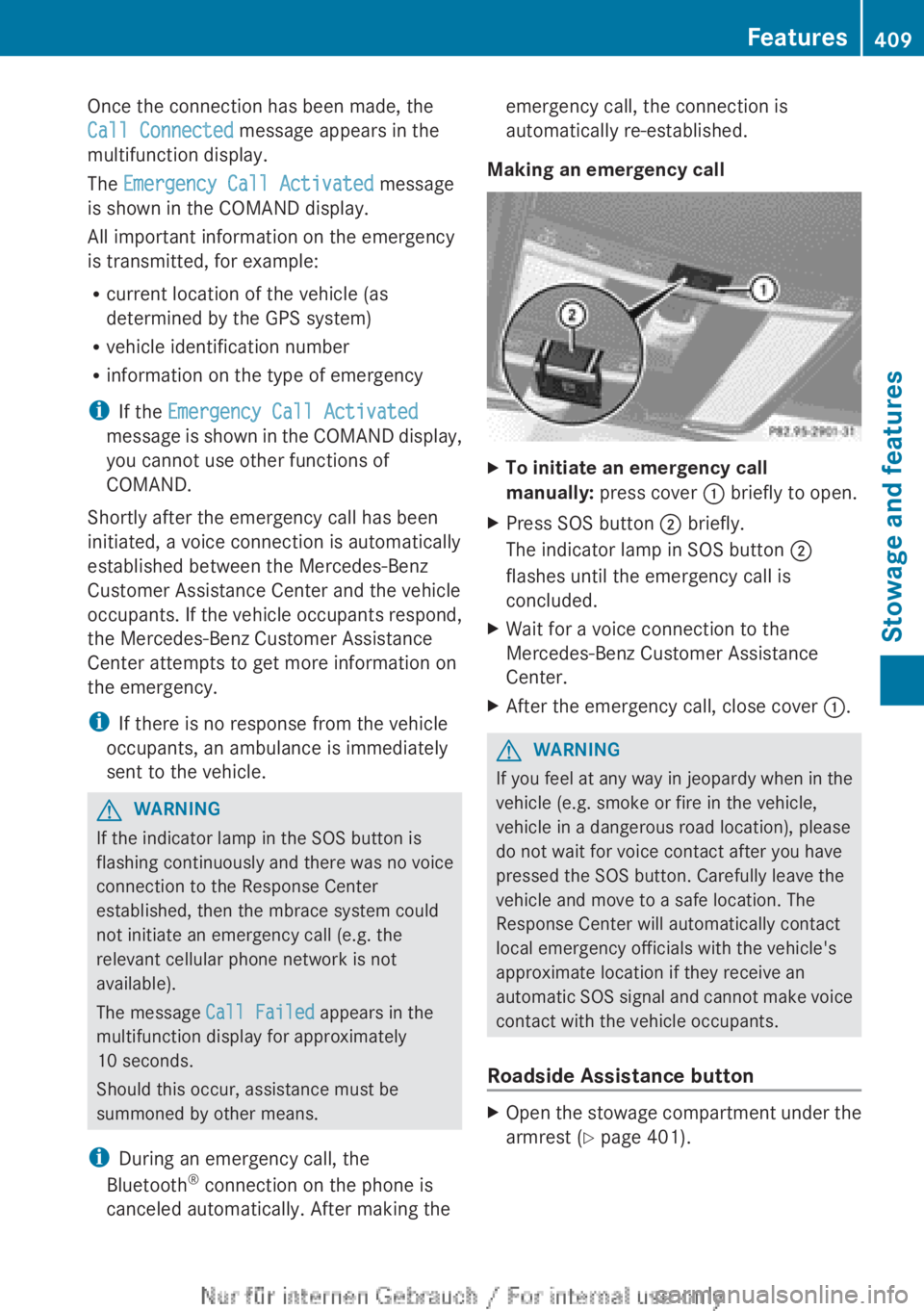
Making an emergency callXTo initiate an emergency call
manually: press cover : briefly to open.XPress SOS button ; briefly.
The indicator lamp in SOS button ;
flashes until the emergency call is
concluded.XWait for a voice connection to the
Mercedes-Benz Customer Assistance
Center.XAfter the emergency call, close cover :.GWARNING
If you feel at any way in jeopardy when in the
vehicle (e.g. smoke or fire in the vehicle,
vehicle in a dangerous road location), please
do not wait for voice contact after you have
pressed the SOS button. Carefully leave the
vehicle and move to a safe location. The
Response Center will automatically contact
local emergency officials with the vehicle's
approximate location if they receive an
automatic SOS signal and cannot make voice
contact with the vehicle occupants.
Roadside Assistance button
XOpen the stowage compartment under the
armrest ( Y page 401).Features409Stowage and featuresZ