start stop button MERCEDES-BENZ CL COUPE 2009 User Guide
[x] Cancel search | Manufacturer: MERCEDES-BENZ, Model Year: 2009, Model line: CL COUPE, Model: MERCEDES-BENZ CL COUPE 2009Pages: 421, PDF Size: 10.78 MB
Page 206 of 421
tutes a health hazard and could lead to loss
of consciousness or even death.
! Do not depress the accelerator pedal
when starting the engine.
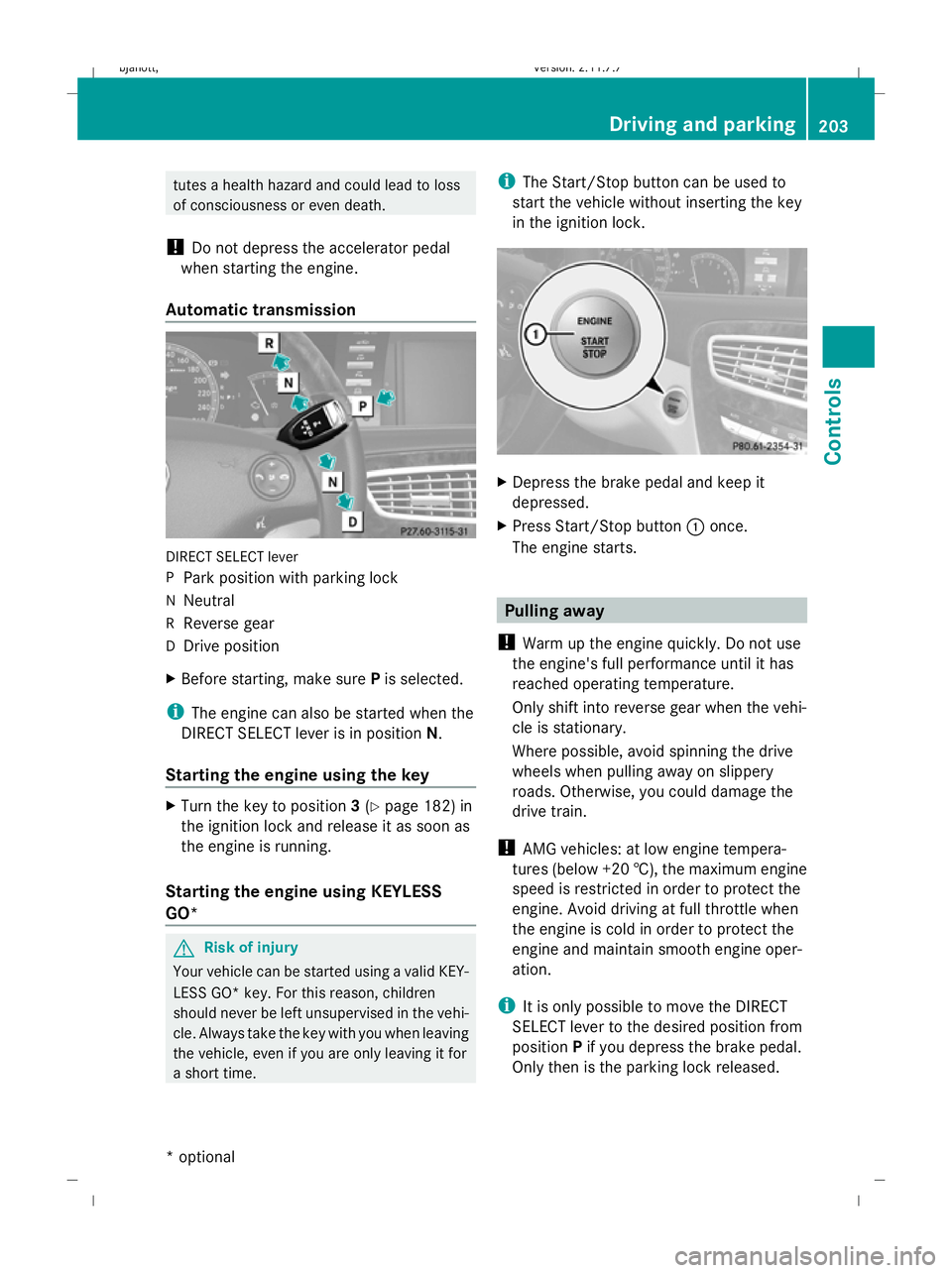
Automatic transmission DIRECT SELECT lever
P
Park position with parking lock
N Neutral
R Reverse gear
D Drive position
X Before starting, make sure Pis selected.
i The engine can also be started when the
DIRECT SELECT lever is in position N.
Starting the engine using the key X
Turn the key to position 3(Y page 182) in
the ignition lock and release it as soon as
the engine is running.
Starting the engine using KEYLESS
GO* G
Risk of injury
Your vehicle can be started using a valid KEY-
LESS GO* key. For this reason, children
should never be left unsupervised in the vehi-
cle. Always take the key with you when leaving
the vehicle, even if you are only leaving it for
a short time. i
The Start/Stop button can be used to
start the vehicle without inserting the key
in the ignition lock. X
Depress the brake pedal and keep it
depressed.
X Press Start/Stop button :once.
The engine starts. Pulling away
! Warm up the engine quickly. Do not use
the engine's full performance until it has
reached operating temperature.
Only shift into reverse gear when the vehi-
cle is stationary.
Where possible, avoid spinning the drive
wheels when pulling away on slippery
roads. Otherwise, you could damage the
drive train.
! AMG vehicles: at low engine tempera-
tures (below +20 †), the maximum engine
speed is restricted in order to protect the
engine. Avoid driving at full throttle when
the engine is cold in order to protect the
engine and maintain smooth engine oper-
ation.
i It is only possible to move the DIRECT
SELECT lever to the desired position from
position Pif you depress the brake pedal.
Only then is the parking lock released. Driving and parking
203Controls
* option al
216_AKB; 2; 3, en-GB
bjanott
,V ersion: 2.11.7.7
2009-02-27T14:54:17+01:00 - Seite 203 Z
Dateiname: 6515230602_buchblock.pdf; erzeugt am 04. Mar 2009 11:15:47; WK
Page 208 of 421
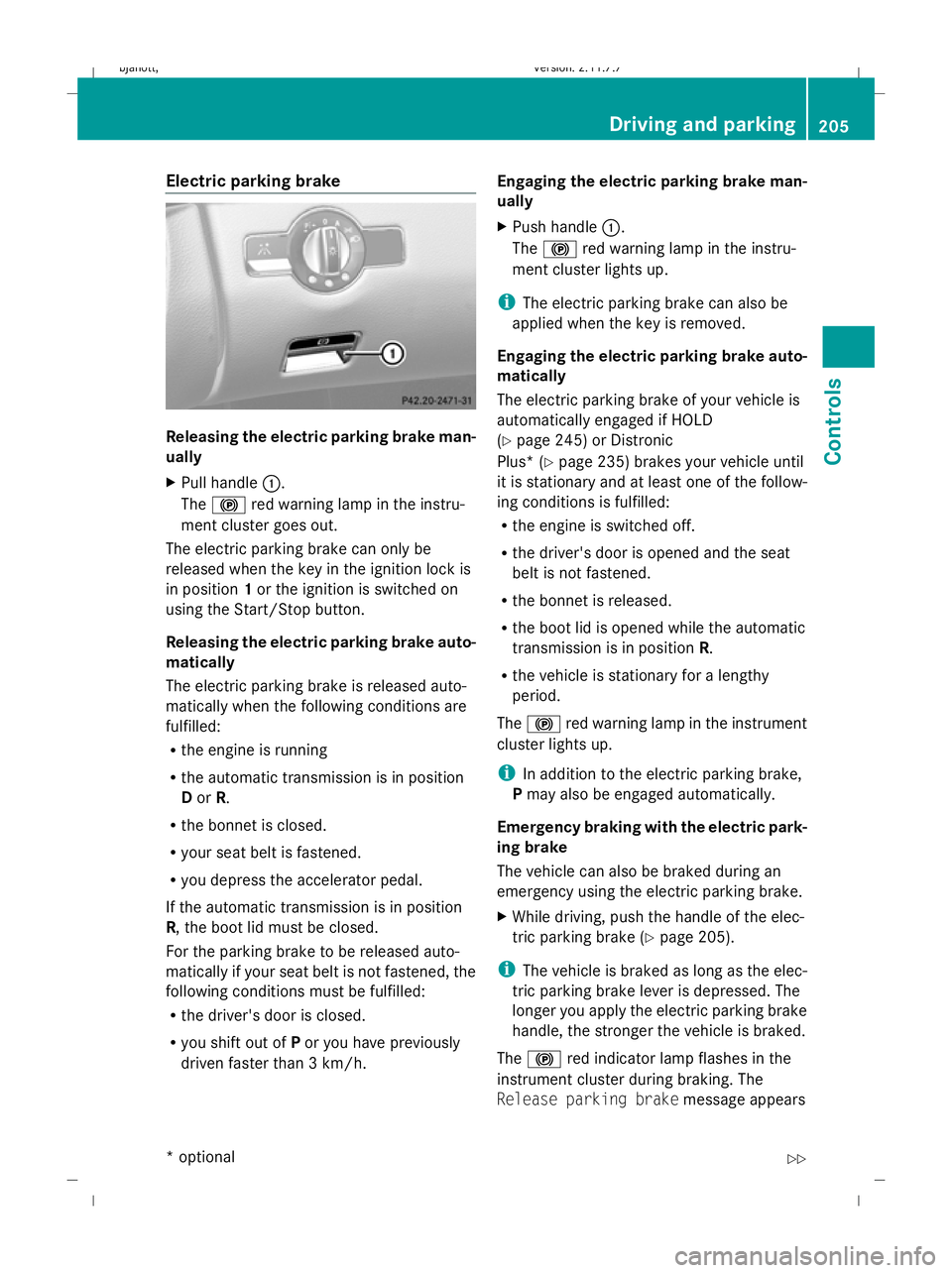
Electric parking brake
Releasing the electric parking brake man-
ually
X
Pull handle :.
The ! red warning lamp in the instru-
ment cluster goes out.
The electric parking brake can only be
released when the key in the ignition lock is
in position 1or the ignition is switched on
using the Start/Stop button.
Releasing the electric parking brake auto-
matically
The electric parking brake is released auto-
matically when the following conditions are
fulfilled:
R the engine is running
R the automatic transmission is in position
D or R.
R the bonnet is closed.
R your seat belt is fastened.
R you depress the accelerator pedal.
If the automatic transmission is in position
R, the boot lid must be closed.
For the parking brake to be released auto-
matically if your seat belt is not fastened, the
following conditions must be fulfilled:
R the driver's door is closed.
R you shift out of Por you have previously
driven faster than 3 km/h. Engaging the electric parking brake man-
ually
X
Push handle :.
The ! red warning lamp in the instru-
ment cluster lights up.
i The electric parking brake can also be
applied when the key is removed.
Engaging the electric parking brake auto-
matically
The electric parking brake of your vehicle is
automatically engaged if HOLD
(Y page 245) or Distronic
Plus* ( Ypage 235) brakes your vehicle until
it is stationary and at least one of the follow-
ing conditions is fulfilled:
R the engine is switched off.
R the driver's door is opened and the seat
belt is not fastened.
R the bonnet is released.
R the boot lid is opened while the automatic
transmission is in position R.
R the vehicle is stationary for a lengthy
period.
The ! red warning lamp in the instrument
cluster lights up.
i In addition to the electric parking brake,
P may also be engaged automatically.
Emergency braking with the electric park-
ing brake
The vehicle can also be braked during an
emergency using the electric parking brake.
X While driving, push the handle of the elec-
tric parking brake (Y page 205).
i The vehicle is braked as long as the elec-
tric parking brake lever is depressed. The
longer you apply the electric parking brake
handle, the stronger the vehicle is braked.
The ! red indicator lamp flashes in the
instrument cluster during braking. The
Release parking brake message appears Driving and parking
205Controls
* option al
216_AKB; 2; 3, en-GB
bjanott
,V ersion: 2.11.7.7
2009-02-27T14:54:17+01:00 - Seite 205 Z
Dateiname: 6515230602_buchblock.pdf; erzeugt am 04. Mar 2009 11:15:48; WK
Page 209 of 421
in the multi-function display and a warning
tone sounds.
When the vehicle has been braked to a stand-
still, the electric parking brake is applied. Switching off the engine
G
Risk of accident
If the engine is not running, there is no power
assistance for the steering and brakes. Steer-
ing and braking will then require significantly
greater effort.
As a result, you might lose control of the vehi-
cle, cause an accident and injure yourself and
others.
Therefore, do not switch off the engine while
you are driving.
X Move the DIRECT SELECT lever to position
P.
Using the key
X Turn the key to position 0(Y page 182) in
the ignition lock and remove it.
The parking lock is activated.
i If you switch the engine off with the trans-
mission in position Ror D, the automatic
transmission automatically shifts to N.
If you then open the driver's door or the
front-passenger door or remove the key
from the ignition, the automatic transmis-
sion shifts to P.
If you shift the automatic transmission to
N before switching off the engine, the auto-
matic transmission remains in Neven when
a door is opened.
Using KEYLESS GO*
X Press the Start/Stop button (Y page 182).
The engine stops and all the indicator
lamps in the instrument cluster go out
(Y page 27).
i If you use the Start/Stop button to switch
off the engine, the automatic transmission automatically shifts to
N. If you open the
driver's or front-passenger door, the auto-
matic transmission shifts to P.
i The engine can be turned off while the
vehicle is in motion by pressing and holding
the Start/Stop button for three seconds. Automatic transmission
Notes on the transmission
G
Risk of accident
The movement of the pedals must not be
impaired in any way. Do not keep any objects
in the driver's footwell. Make sure that floor-
mats or carpets are correctly secured and
that there is sufficient clearance for the ped-
als.
Do not place several floormats on top of one
another. G
Risk of accident
Do not change down for additional engine
braking on a slippery road surface. This could
cause the drive wheels to lose their grip and
the vehicle could skid. This could cause you
to lose control of your vehicle and cause an
accident. Automatic transmission
! Warm up the engine quickly. Do not use
the engine's full performance until it has
reached operating temperature.
Only set the automatic transmission to the
respective drive positions when the vehicle
is stationary.
Where possible, avoid spinning the drive
wheels when pulling away on slippery
roads. Otherwise, you could damage the
drive train. 206
Automatic transmissionCont
rols
* option al
216_AKB; 2; 3, en-GB
bjanott
,V ersion: 2.11.7.7
2009-02-27T14:54:17+01:00 - Seite 206
Dateiname: 6515230602_buchblock.pdf; erzeugt am 04. Mar 2009 11:15:48; WK
Page 210 of 421
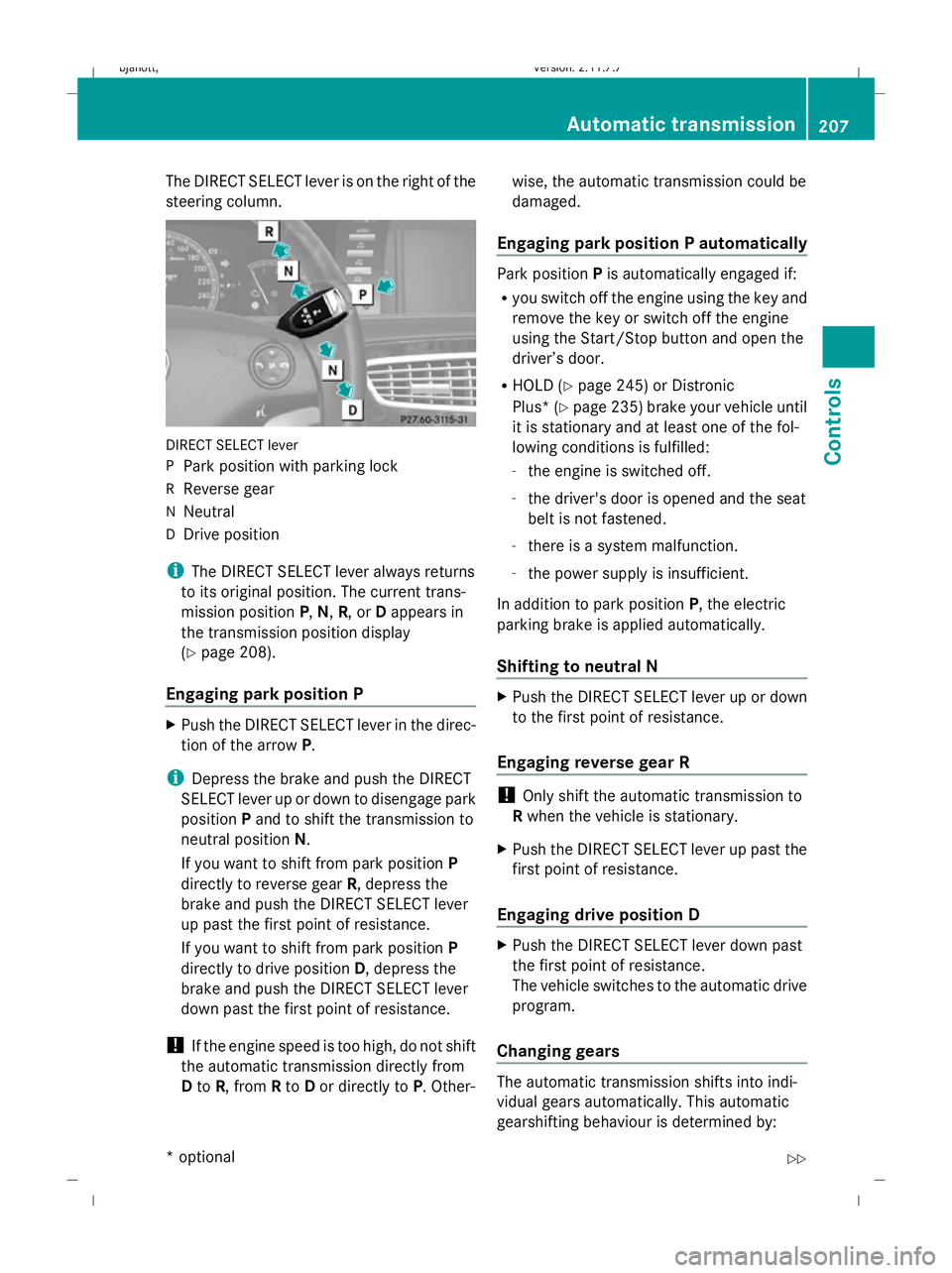
The DIRECT SELECT lever is on the right of the
steering column.
DIRECT SELECT lever
P Park position with parking lock
R Reverse gear
N Neutral
D Drive position
i The DIRECT SELECT lever always returns
to its original position. The current trans-
mission position P,N, R, or Dappears in
the transmission position display
(Y page 208).
Engaging park position P X
Push the DIRECT SELECT lever in the direc-
tion of the arrow P.
i Depress the brake and push the DIRECT
SELECT lever up or down to disengage park
position Pand to shift the transmission to
neutral position N.
If you want to shift from park position P
directly to reverse gear R, depress the
brake and push the DIRECT SELECT lever
up past the first point of resistance.
If you want to shift from park position P
directly to drive position D, depress the
brake and push the DIRECT SELECT lever
down past the first point of resistance.
! If the engine speed is too high, do not shift
the automatic transmission directly from
D to R, from Rto Dor directly to P. Other- wise, the automatic transmission could be
damaged.
Engaging park position P automatically Park position
Pis automatically engaged if:
R you switch off the engine using the key and
remove the key or switch off the engine
using the Start/Stop button and open the
driver’s door.
R HOLD (Y page 245) or Distronic
Plus* (Y page 235) brake your vehicle until
it is stationary and at least one of the fol-
lowing conditions is fulfilled:
- the engine is switched off.
- the driver's door is opened and the seat
belt is not fastened.
- there is a system malfunction.
- the power supply is insufficient.
In addition to park position P, the electric
parking brake is applied automatically.
Shifting to neutral N X
Push the DIRECT SELECT lever up or down
to the first point of resistance.
Engaging reverse gear R !
Only shift the automatic transmission to
R when the vehicle is stationary.
X Push the DIRECT SELECT lever up past the
first point of resistance.
Engaging drive position D X
Push the DIRECT SELECT lever down past
the first point of resistance.
The vehicle switches to the automatic drive
program.
Changing gears The automatic transmission shifts into indi-
vidual gears automatically. This automatic
gearshifting behaviour is determined by: Automatic transmission
207Controls
* optional
216_AKB; 2; 3, en-GB
bjanott,
Version: 2.11.7.7 2009-02-27T14:54:17+01:00 - Seite 207 Z
Dateiname: 6515230602_buchblock.pdf; erzeugt am 04. Mar 2009 11:15:48; WK
Page 211 of 421
R
drive position D(Y page 208) with shift
ranges 6,5,4,3,2and 1(Y page 209)
R the selected drive program
(C/S/M) (Ypage 210)
R the position of the accelerator pedal
(Y page 208)
R the road speed
R a possible shift range restriction
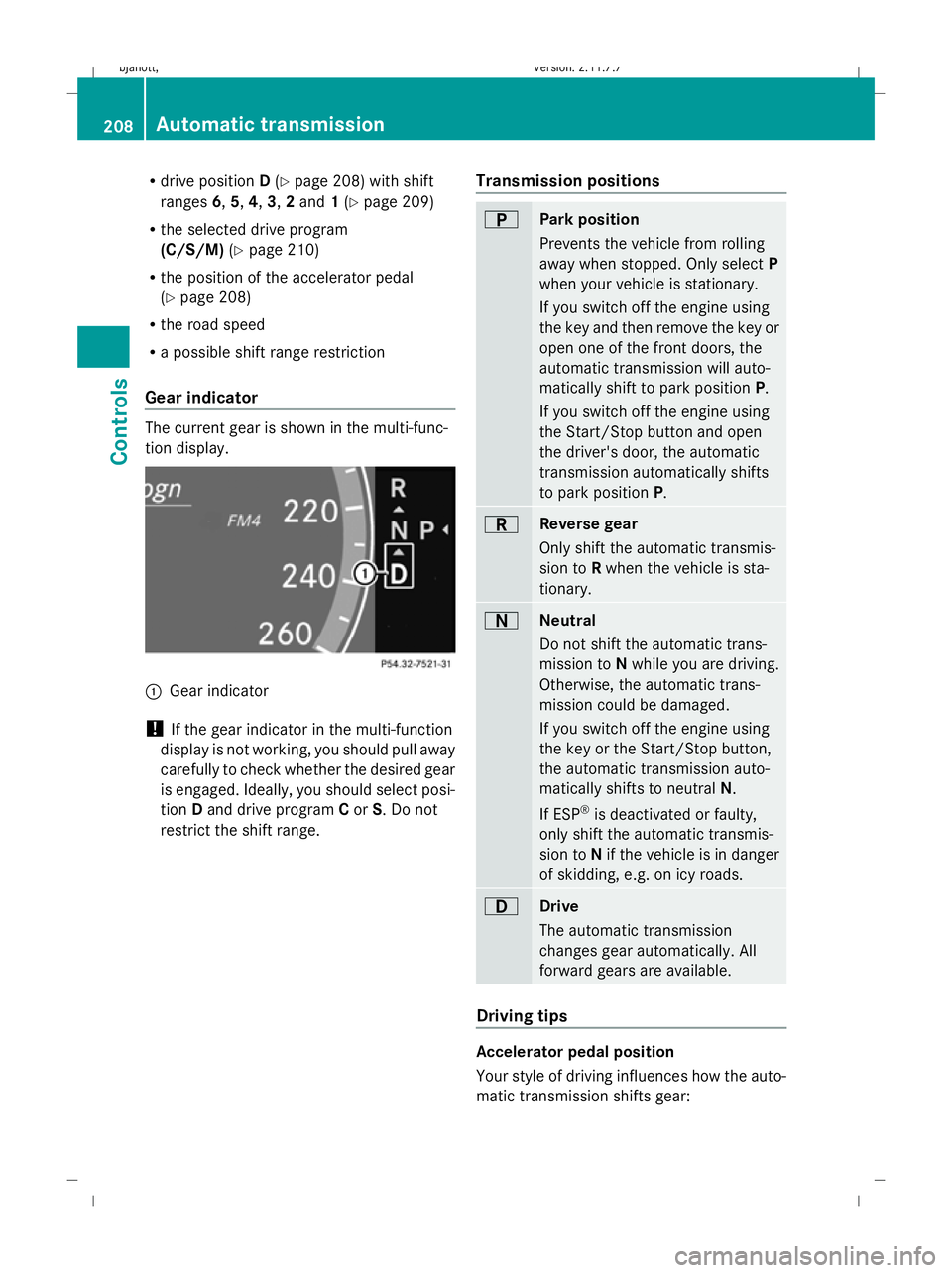
Gear indicator The current gear is shown in the multi-func-
tion display. :
Gear indicator
! If the gear indicator in the multi-function
display is not working, you should pull away
carefully to check whether the desired gear
is engaged. Ideally, you should select posi-
tion Dand drive program Cor S. Do not
restrict the shift range. Transmission positions B
Park position
Prevents the vehicle from rolling
away when stopped. Only select
P
when your vehicle is stationary.
If you switch off the engine using
the key and then remove the key or
open one of the front doors, the
automatic transmission will auto-
matically shift to park position P.
If you switch off the engine using
the Start/Stop button and open
the driver's door, the automatic
transmission automatically shifts
to park position P. C
Reverse gear
Only shift the automatic transmis-
sion to
Rwhen the vehicle is sta-
tionary. A
Neutral
Do not shift the automatic trans-
mission to
Nwhile you are driving.
Otherwise, the automatic trans-
mission could be damaged.
If you switch off the engine using
the key or the Start/Stop button,
the automatic transmission auto-
matically shifts to neutral N.
If ESP ®
is deactivated or faulty,
only shift the automatic transmis-
sion to Nif the vehicle is in danger
of skidding, e.g. on icy roads. 7
Drive
The automatic transmission
changes gear automatically. All
forward gears are available.
Driving tips
Accelerator pedal position
Your style of driving influences how the auto-
matic transmission shifts gear:208
Automatic transmissionControls
216_AKB; 2; 3, en-GB
bjanott
,V ersion: 2.11.7.7
2009-02-27T14:54:17+01:00 - Seite 208
Dateiname: 6515230602_buchblock.pdf; erzeugt am 04. Mar 2009 11:15:49; WK
Page 223 of 421
not receive channel lists): press and briefly
hold the :or9 button.
X Press ato stop the station search func-
tion at the desired station. AMG* menu
Use the buttons on the multi-function steer-
ing wheel.
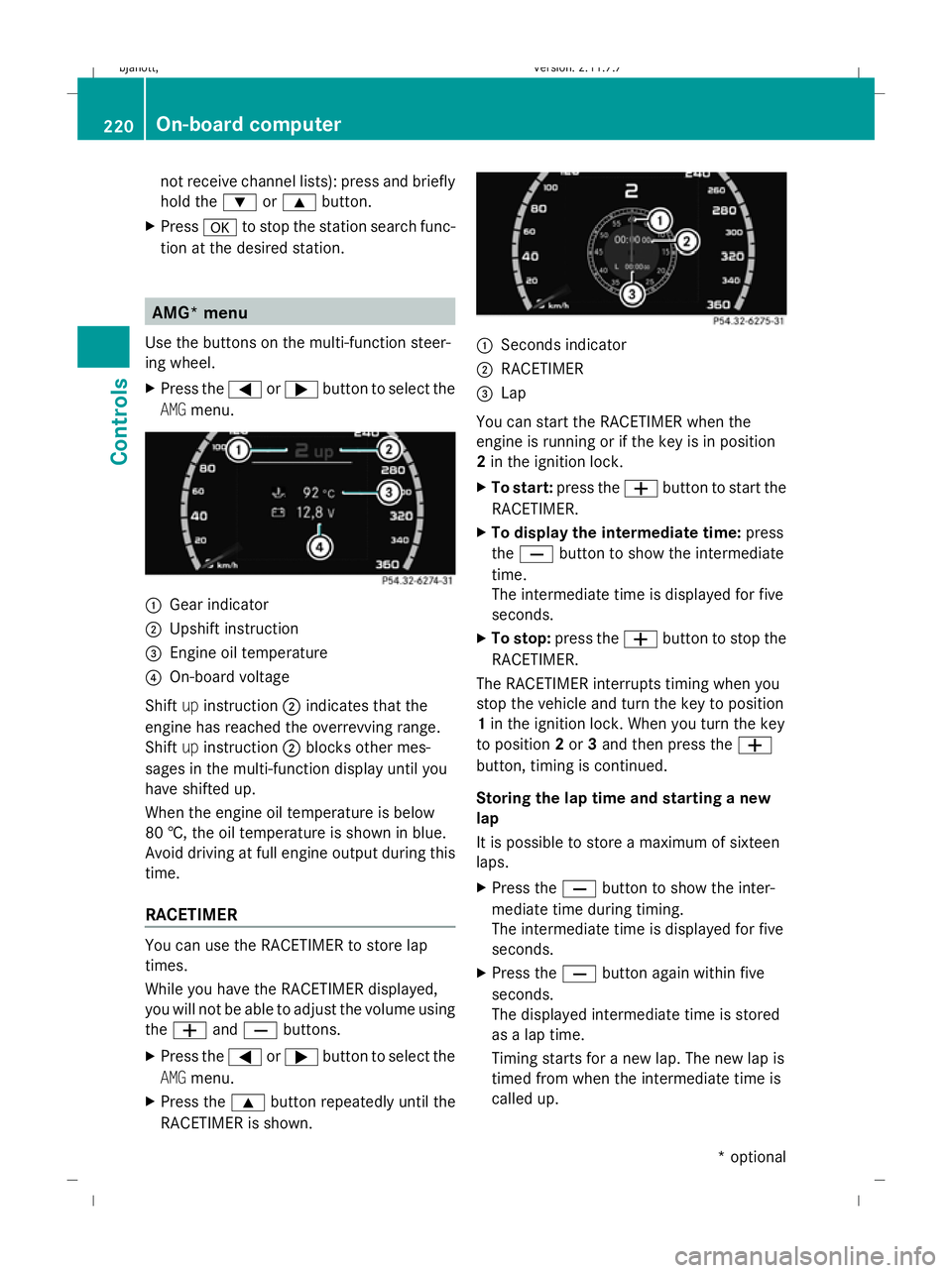
X Press the =or; button to select the
AMG menu. :
Gear indicator
; Upshift instruction
= Engine oil temperature
? On-board voltage
Shift upinstruction ;indicates that the
engine has reached the overrevving range.
Shift upinstruction ;blocks other mes-
sages in the multi-function display until you
have shifted up.
When the engine oil temperature is below
80 †, the oil temperature is shown in blue.
Avoid driving at full engine output during this
time.
RACETIMER You can use the RACETIMER to store lap
times.
While you have the RACETIMER displayed,
you will not be able to adjust the volume using
the W andX buttons.
X Press the =or; button to select the
AMG menu.
X Press the 9button repeatedly until the
RACETIMER is shown. :
Seconds indicator
; RACETIMER
= Lap
You can start the RACETIMER when the
engine is running or if the key is in position
2 in the ignition lock.
X To start: press the Wbutton to start the
RACETIMER.
X To display the intermediate time: press
the X button to show the intermediate
time.
The intermediate time is displayed for five
seconds.
X To stop: press the Wbutton to stop the
RACETIMER.
The RACETIMER interrupts timing when you
stop the vehicle and turn the key to position
1 in the ignition lock. When you turn the key
to position 2or 3and then press the W
button, timing is continued.
Storing the lap time and starting a new
lap
It is possible to store a maximum of sixteen
laps.
X Press the Xbutton to show the inter-
mediate time during timing.
The intermediate time is displayed for five
seconds.
X Press the Xbutton again within five
seconds.
The displayed intermediate time is stored
as a lap time.
Timing starts for a new lap. The new lap is
timed from when the intermediate time is
called up. 220
On-board computerControls
* optional
216_AKB; 2; 3, en-GB
bjanott,
Version: 2.11.7.7 2009-02-27T14:54:17+01:00 - Seite 220
Dateiname: 6515230602_buchblock.pdf; erzeugt am 04. Mar 2009 11:15:53; WK
Page 224 of 421
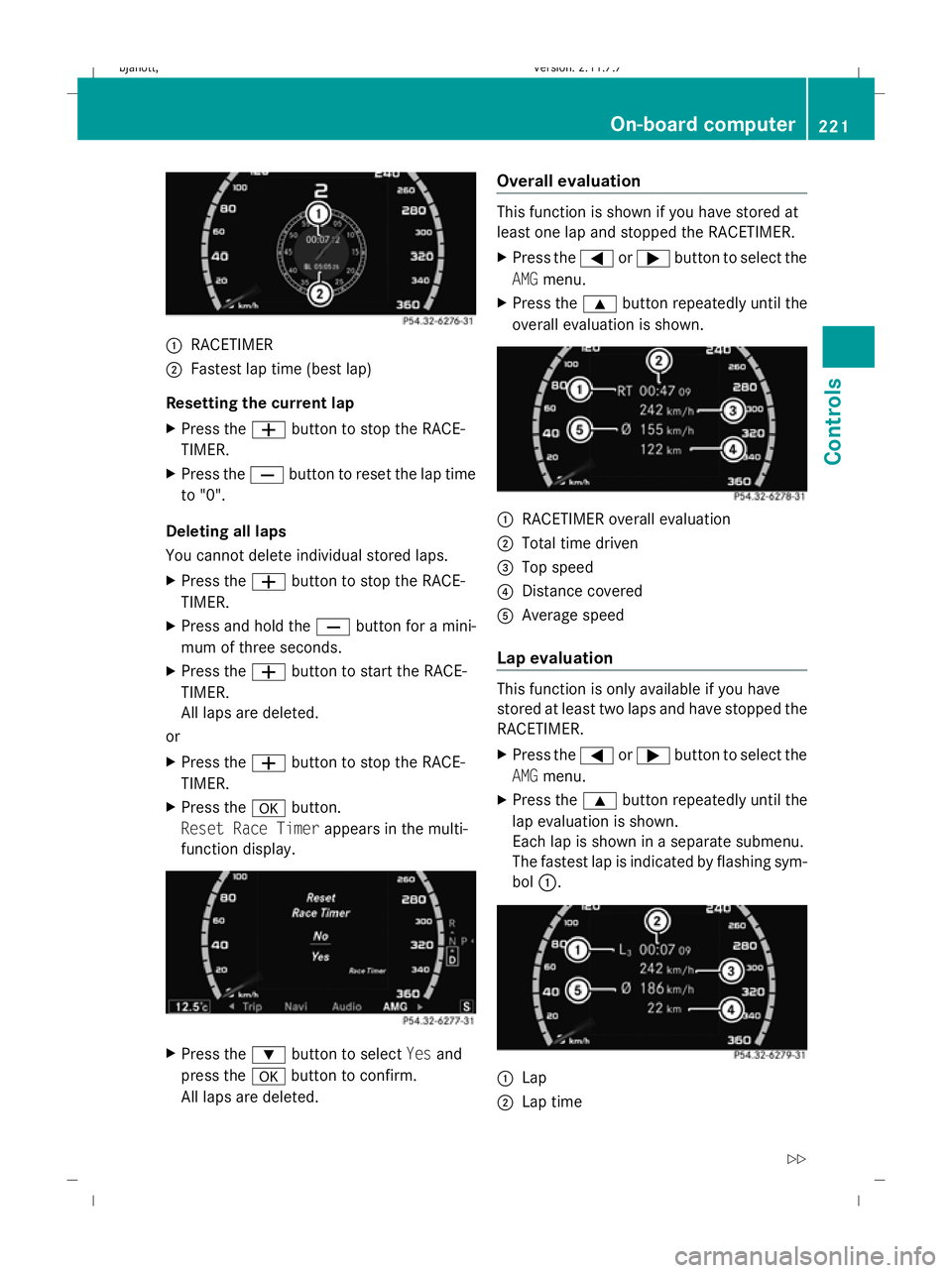
:
RACETIMER
; Fastest lap time (best lap)
Resetting the current lap
X Press the Wbutton to stop the RACE-
TIMER.
X Press the Xbutton to reset the lap time
to "0".
Deleting all laps
You cannot delete individual stored laps.
X Press the Wbutton to stop the RACE-
TIMER.
X Press and hold the Xbutton for a mini-
mum of three seconds.
X Press the Wbutton to start the RACE-
TIMER.
All laps are deleted.
or
X Press the Wbutton to stop the RACE-
TIMER.
X Press the abutton.
Reset Race Timer appears in the multi-
function display. X
Press the :button to select Yesand
press the abutton to confirm.
All laps are deleted. Overall evaluation This function is shown if you have stored at
least one lap and stopped the RACETIMER.
X Press the =or; button to select the
AMG menu.
X Press the 9button repeatedly until the
overall evaluation is shown. :
RACETIMER overall evaluation
; Total time driven
= Top speed
? Distance covered
A Average speed
Lap evaluation This function is only available if you have
stored at least two laps and have stopped the
RACETIMER.
X Press the =or; button to select the
AMG menu.
X Press the 9button repeatedly until the
lap evaluation is shown.
Each lap is shown in a separate submenu.
The fastest lap is indicated by flashing sym-
bol :. :
Lap
; Lap time On-board computer
221Controls
216_AKB; 2; 3, en-GB
bjanott, Version: 2.11.7.7 2009-02-27T14:54:17+01:00 - Seite 221 Z
Dateiname: 6515230602_buchblock.pdf; erzeugt am 04. Mar 2009 11:15:53; WK
Page 226 of 421
While the on-board computer reads in the SIM
card:
R
you can dial a telephone number from the
redial memory ( Calls dialled list).
R you can dial a telephone number from the
telephone book stored in COMAND.
R the multi-function display shows the Read‐
ing data... display message below the
phone book entries.
When the multi-function display shows the
display message Updating data...,
COMAND has finished importing data. The
multi-function display then shows all the
phone book entries in COMAND and the
mobile phone.
X Press the =or; button to select the
Telephone menu.
X Press the :,9ora button to call
up the phone book.
X Press the :or9 button to select the
desired name.
To scroll rapidly, press and hold the :
or 9 button for longer than one second.
After passing through eight entries, the
rapid scroll speeds up.
Rapid scrolling stops when you release the
button or reach the end of the list.
X If several telephone numbers are stored for
one name G: useaor6 to open
the list of stored numbers and press :
or 9 to select the desired telephone
number.
X Press the 6ora button to start dial-
ling.
The number dialled is stored in the redial
memory.
The telephone number dialled appears in
the multi-function display. If the name is stored in the phone book, it is also dis-
played.
or
X If you do not want to make a call: press the
~ or% button.
Redialling The on-board computer saves the last names
or numbers dialled in the redial memory
(Calls dialled
list).
X Press the =or; button to select the
Telephone menu.
X Press the 6button to switch to the
redial memory.
X Press the :or9 button to select the
desired phone number or name.
To scroll rapidly, press and hold the :
or 9 button for longer than one second.
X Press the 6ora button to start dial-
ling. Assistance menu
Use the buttons on the multi-function steer-
ing wheel.
In the Assistance menu you can:
R show the distance display* ( Ypage 223)
R switch ESP ®
on/off (Y page 224)
R activate/deactivate the distance warning
function* (Y page 224)
R activate/deactivate PRE-SAFE ®
Brake*
(Y page 224)
R activate/deactivate Blind Spot
Assist* (Y page 224)
Showing the distance display* This function is only available with Dis-
tronic* or Distronic Plus*. On-board computer
223Controls
* optional
216_AKB; 2; 3, en-GB
bjanott,
Version: 2.11.7.7 2009-02-27T14:54:17+01:00 - Seite 223 Z
Dateiname: 6515230602_buchblock.pdf; erzeugt am 04. Mar 2009 11:15:54; WK
Page 251 of 421
The
AIRMATIC COMFORT message appears
in the multi-function display. Active Body Control (ABC)
Vehicle level Your vehicle automatically adjusts its ride
height to reduce petrol consumption and
improve driving safety.
Depending on the vehicle height that has
been set, the vehicle automatically adjusts its
height dependent on the current speed. The
vehicle is lowered by up to 10 mm as the
speed increases. As the speed is reduced, the
vehicle is raised up to the set vehicle height. G
Risk of injury
The vehicle is lowered when the engine is
switched off. Therefore, make sure that
nobody is in the vicinity of the wheel housing
or under the vehicle when you switch off the
engine. Otherwise, limbs could become trap-
ped.
! The vehicle is lowered by about 5 mm
when the engine is switched off. When
parking, make sure that you stop your vehi-
cle so that it does not make contact with
the kerb as it is lowered. Otherwise, the
vehicle could be damaged.
Setting the vehicle level manually
Select the "Normal" setting for normal road
surfaces and "Raised" for driving with snow
chains or on particularly poor road surfaces. G
Risk of injury
Make sure that nobody is in the vicinity of the
wheel housing or under the vehicle while low-
ering the vehicle when it is stationary. Other-
wise, limbs could become trapped. X
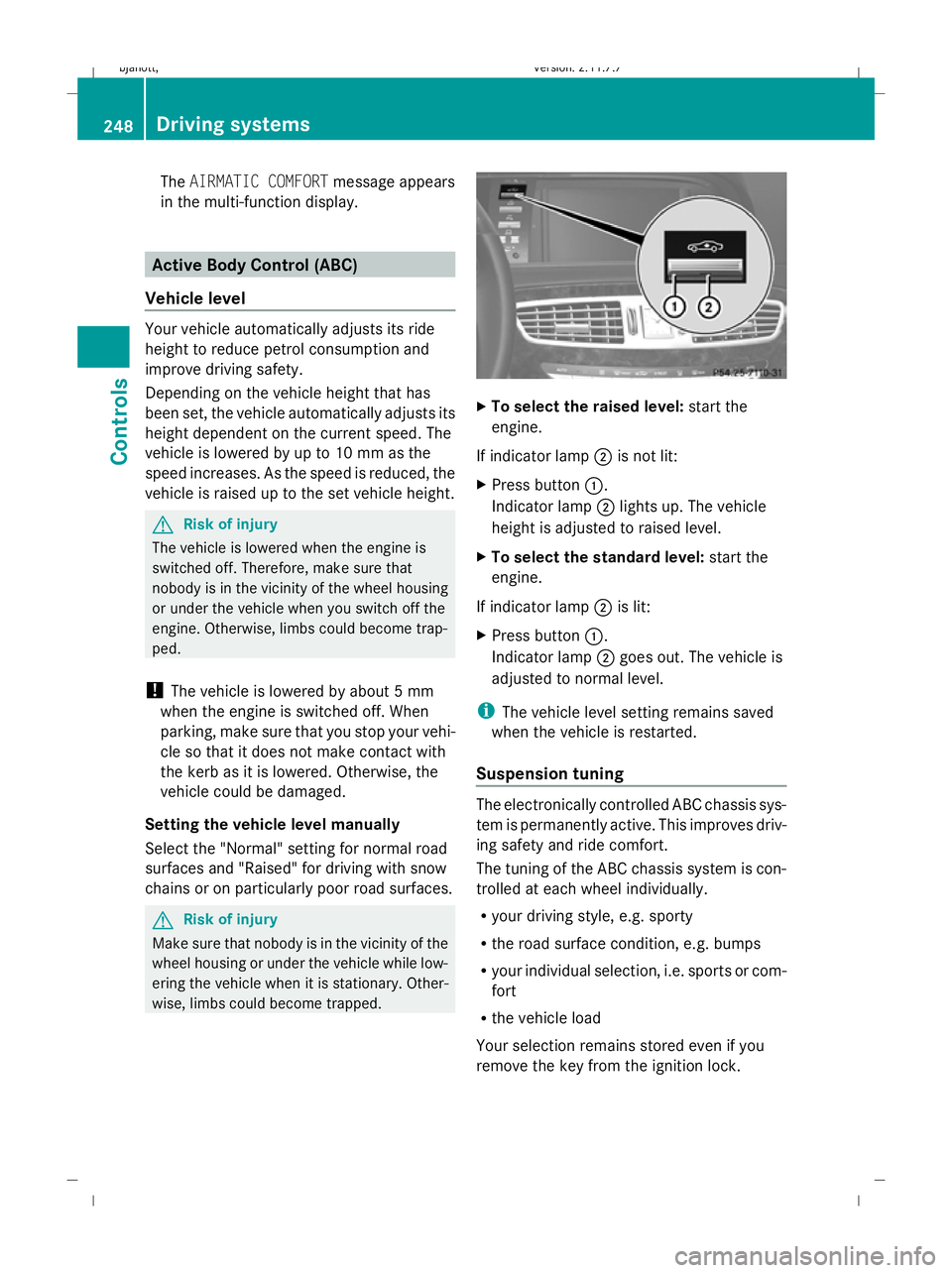
To select the raised level: start the
engine.
If indicator lamp ;is not lit:
X Press button :.
Indicator lamp ;lights up. The vehicle
height is adjusted to raised level.
X To select the standard level: start the
engine.
If indicator lamp ;is lit:
X Press button :.
Indicator lamp ;goes out. The vehicle is
adjusted to normal level.
i The vehicle level setting remains saved
when the vehicle is restarted.
Suspension tuning The electronically controlled ABC chassis sys-
tem is permanently active. This improves driv-
ing safety and ride comfort.
The tuning of the ABC chassis system is con-
trolled at each wheel individually.
R your driving style, e.g. sporty
R the road surface condition, e.g. bumps
R your individual selection, i.e. sports or com-
fort
R the vehicle load
Your selection remains stored even if you
remove the key from the ignition lock. 248
Driving systemsControls
216_AKB; 2; 3, en-GB
bjanott,
Version: 2.11.7.7 2009-02-27T14:54:17+01:00 - Seite 248
Dateiname: 6515230602_buchblock.pdf; erzeugt am 04. Mar 2009 11:16:02; WK
Page 284 of 421
:
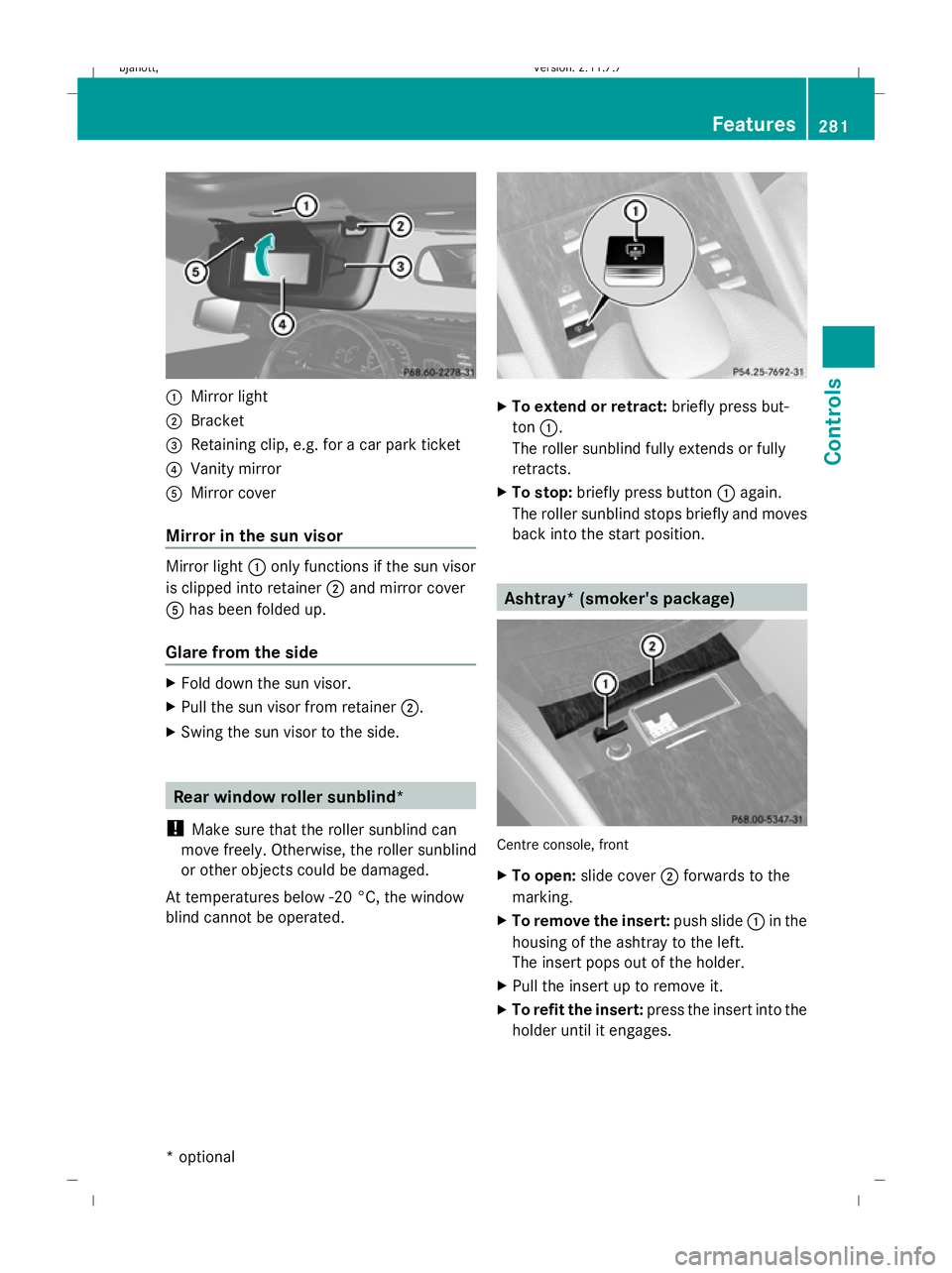
Mirror light
; Bracket
= Retaining clip, e.g. for a car park ticket
? Vanity mirror
A Mirror cover
Mirror in the sun visor Mirror light
:only functions if the sun visor
is clipped into retainer ;and mirror cover
A has been folded up.
Glare from the side X
Fold down the sun visor.
X Pull the sun visor from retainer ;.
X Swing the sun visor to the side. Rear window roller sunblind*
! Make sure that the roller sunblind can
move freely. Otherwise, the roller sunblind
or other objects could be damaged.
At temperatures below -20 °C, the window
blind cannot be operated. X
To extend or retract: briefly press but-
ton :.
The roller sunblind fully extends or fully
retracts.
X To stop: briefly press button :again.
The roller sunblind stops briefly and moves
back into the start position. Ashtray* (smoker's package)
Centre console, front
X
To open: slide cover ;forwards to the
marking.
X To remove the insert: push slide:in the
housing of the ashtray to the left.
The insert pops out of the holder.
X Pull the insert up to remove it.
X To refit the insert: press the insert into the
holder until it engages. Features
281Controls
* optional
216_AKB; 2; 3, en-GB
bjanott,V
ersion: 2.11.7.7
2009-02-27T14:54:17+01:00 - Seite 281 Z
Dateiname: 6515230602_buchblock.pdf; erzeugt am 04. Mar 2009 11:16:20; WK