manual transmission MERCEDES-BENZ CL COUPE 2009 Owners Manual
[x] Cancel search | Manufacturer: MERCEDES-BENZ, Model Year: 2009, Model line: CL COUPE, Model: MERCEDES-BENZ CL COUPE 2009Pages: 421, PDF Size: 10.78 MB
Page 11 of 421

Distronic
. . . . . . . . . . . . . . . . . . . . . . .229
Display message . . . . . . . . . .319, 320
Driving tips . . . . . . . . . . . . . . . . . . .234
Distronic Plus . . . . . . . . . . . . . . . . . . .235
Display messages . . . . . . . . .321, 322
Driving tips . . . . . . . . . . . . . . . . . . .241
Warning lamp . . . . . . . . . . . . . . . . .351
Door
Automatic locking . . . . . . . . . . . . .180
Display message . . . . . . . . . .330, 342
Emergency locking . . . . . . . . . . . . .366
Emergency unlocking . . . . . . . . . . .366
Opening (from the inside) . . . . . . .179
Power closing . . . . . . . . . . . . . . . . .180
Door control panel
Overview . . . . . . . . . . . . . . . . . . . . .33
Drinks holder
see Cup holder
Drive program
Manual . . . . . . . . . . . . . . . . . . . . . .211
Driver's airbag . . . . . . . . . . . . . . . . . . .40
Driver's door Unlocking (KEYLESS GO) . . . . . . . .178
Driver's seat position . . . . . . . . . . ..193
Driving abroad . . . . . . . . . . . . . . . . . .306
Driving safety systems . . . . . . . . . . ..48
ABS . . . . . . . . . . . . . . . . . . . . . . . . .49
ADAPTIVE BRAK E.. . . . . . . . . . . . . .52
Adaptive brake lamps . . . . . . . . . . .50
BAS . . . . . . . . . . . . . . . . . . . . . . . . .49
BAS PLUS . . . . . . . . . . . . . . . . . . . . .49
Distance warning system (vehi-
cles with Distronic) . . . . . . . . . . . . .52
EBV . . . . . . . . . . . . . . . . . . . . . . . . .52
ESP ®
. . . . . . . . . . . . . . . . . . . . . . . .50
PRE-SAFE ®
Brake . . . . . . . . . . . . . . .52
Driving system . . . . . . . . . . . . . . . . . .227
Park Assist . . . . . . . . . . . . . . . . . . .251
Driving systems
4MATIC . . . . . . . . . . . . . . . . . . . . .249
Active Body Control . . . . . . . . . . . .248
AIRMATIC . . . . . . . . . . . . . . . . . . . .246
Blind Spot Assist . . . . . . . . . . . . . .260
Cruise control . . . . . . . . . . . . . . . .227
Distronic . . . . . . . . . . . . . . . . . . . .229
Distronic Plu s.. . . . . . . . . . . . . . . .235
HOLD . . . . . . . . . . . . . . . . . . . . . . .245 Night View Assist . . . . . . . . . . . . .
.259
Parktroni c.. . . . . . . . . . . . . . . . . .249
Reversing camera . . . . . . . . . . . . .257
Speedtronic . . . . . . . . . . . . . . . . . .242
Driving tips
Braking . . . . . . . . . . . . . . . . . . . . . .304
Distronic . . . . . . . . . . . . . . . . . . . .234
Distronic Plu s.. . . . . . . . . . . . . . . .241
Driving abroad . . . . . . . . . . . . . . . .306
Driving on wet roads . . . . . . . . . . .305
Fording . . . . . . . . . . . . . . . . . . . . .305
Winter . . . . . . . . . . . . . . . . . . . . . .303
DTMF tone transmission . . . . . . . . ..114
DVD Inserting . . . . . . . . . . . . . . . . . . . . . .77
Menu . . . . . . . . . . . . . . . . . . . . . . . .87
Playback options . . . . . . . . . . . . . . .83
Selecting a mediu m.. . . . . . . . . . . .81
Selecting a titl e.. . . . . . . . . . . . . . .81
Video . . . . . . . . . . . . . . . . . . . . . . . .84
DVD audio
Operation (on-board computer) . . .219
DVD changer . . . . . . . . . . . . . . . . . . . .78
DVD video Operation (on-board computer) . . .219
Dynamic route guidance . . . . . . . . ..155 E
EASY-ENTRY feature . . . . . . . . . . . ..188
Activating (COMAND) . . . . . . . . . .165
EASY-EXIT feature . . . . . . . . . . . . . ..188
Activating (COMAND) . . . . . . . . . .165
Crash-responsive . . . . . . . . . . . . . .189
EBV (electronic brake force distri-
bution) . . . . . . . . . . . . . . . . . . . . . . . . .52
Display message . . . . . . . . . . . . . .334
Electronic brake force distribution
See EBV . . . . . . . . . . . . . . . . . . . . . .52
Electronic Stability Program
see ESP ®
Electronic Traction Support see ETS
Emergency key element
Lost.. . . . . . . . . . . . . . . . . . . . . . .363
Emergency locking
Vehicle . . . . . . . . . . . . . . . . . . . . . .366 8
Index 216_AKB; 2; 3, en-GB
bjanott,
Version: 2.11.7.7 2009-02-27T14:54:17+01:00 - Seite 8Dateiname: 6515230602_buchblock.pdf; erzeugt am 04. Mar 2009 11:14:34; WK
Page 212 of 421
R
little throttle: early upshifts
R more throttle: late upshifts
Kickdown
Use kickdown for maximum acceleration.
X Depress the accelerator pedal beyond the
pressure point.
The transmission shifts to a lower gear
depending on the engine speed.
X Ease off the accelerator pedal once the
desired speed is reached.
The automatic transmission shifts back up. Steering wheel gearshift paddles and
manual drive program
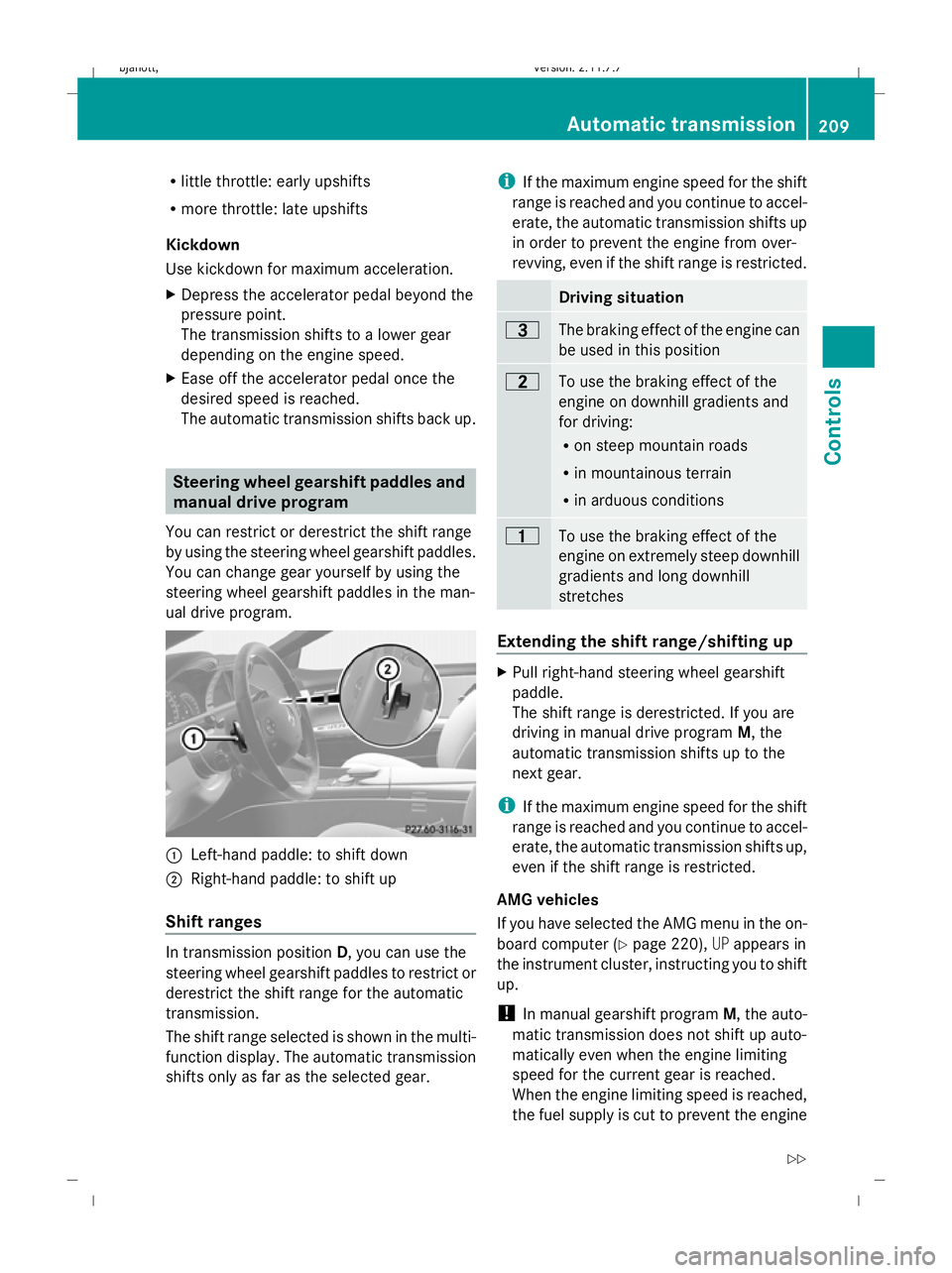
You can restrict or derestrict the shift range
by using the steering wheel gearshift paddles.
You can change gear yourself by using the
steering wheel gearshift paddles in the man-
ual drive program. :
Left-hand paddle: to shift down
; Right-hand paddle: to shift up
Shift ranges In transmission position
D, you can use the
steering wheel gearshift paddles to restrict or
derestrict the shift range for the automatic
transmission.
The shift range selected is shown in the multi-
function display. The automatic transmission
shifts only as far as the selected gear. i
If the maximum engine speed for the shift
range is reached and you continue to accel-
erate, the automatic transmission shifts up
in order to prevent the engine from over-
revving, even if the shift range is restricted. Driving situation
=
The braking effect of the engine can
be used in this position
5
To use the braking effect of the
engine on downhill gradients and
for driving:
R
on steep mountain roads
R in mountainous terrain
R in arduous conditions 4
To use the braking effect of the
engine on extremely steep downhill
gradients and long downhill
stretches
Extending the shift range/shifting up
X
Pull right-hand steering wheel gearshift
paddle.
The shift range is derestricted. If you are
driving in manual drive program M, the
automatic transmission shifts up to the
next gear.
i If the maximum engine speed for the shift
range is reached and you continue to accel-
erate, the automatic transmission shifts up,
even if the shift range is restricted.
AMG vehicles
If you have selected the AMG menu in the on-
board computer (Y page 220),UPappears in
the instrument cluster, instructing you to shift
up.
! In manual gearshift program M, the auto-
matic transmission does not shift up auto-
matically even when the engine limiting
speed for the current gear is reached.
When the engine limiting speed is reached,
the fuel supply is cut to prevent the engine Automatic transmission
209Controls
216_AKB; 2; 3, en-GB
bjanott, Version: 2.11.7.7 2009-02-27T14:54:17+01:00 - Seite 209 Z
Dateiname: 6515230602_buchblock.pdf; erzeugt am 04. Mar 2009 11:15:49; WK
Page 213 of 421
from overrevving. You must make sure that
the engine speed does not reach the red
area of the rev counter. Otherwise, there is
a risk of engine damage.
Restricting the shift range/shifting
down G
Risk of accident
Do not change down for additional engine
braking on a slippery road surface. This could
cause the drive wheels to lose their grip and
the vehicle could skid.
X Pull the left-hand steering wheel gearshift
paddle.
The automatic transmission shifts down
one gear and restricts the shift range to this
gear.
If you are driving in manual drive program
M, the automatic transmission shifts down
to the next gear.
i In order to prevent the engine from over-
revving, the automatic transmission does
not shift down when the engine speed is
too high.
Derestricting the shift range X
Pull on the right-hand paddle until the digit
for the gear disappears from the multi-func-
tion display.
or
X Move the DIRECT SELECT lever to position
D.
The automatic transmission shifts from the
current shift range directly to D.
Selecting the ideal shift range X
Pull the left-hand steering wheel gearshift
paddle repeatedly until the optimum gear
is reached.
The automatic transmission shifts to the
gear which allows ideal acceleration and
deceleration. To do this, the automatic transmission shifts down one or more
gears.
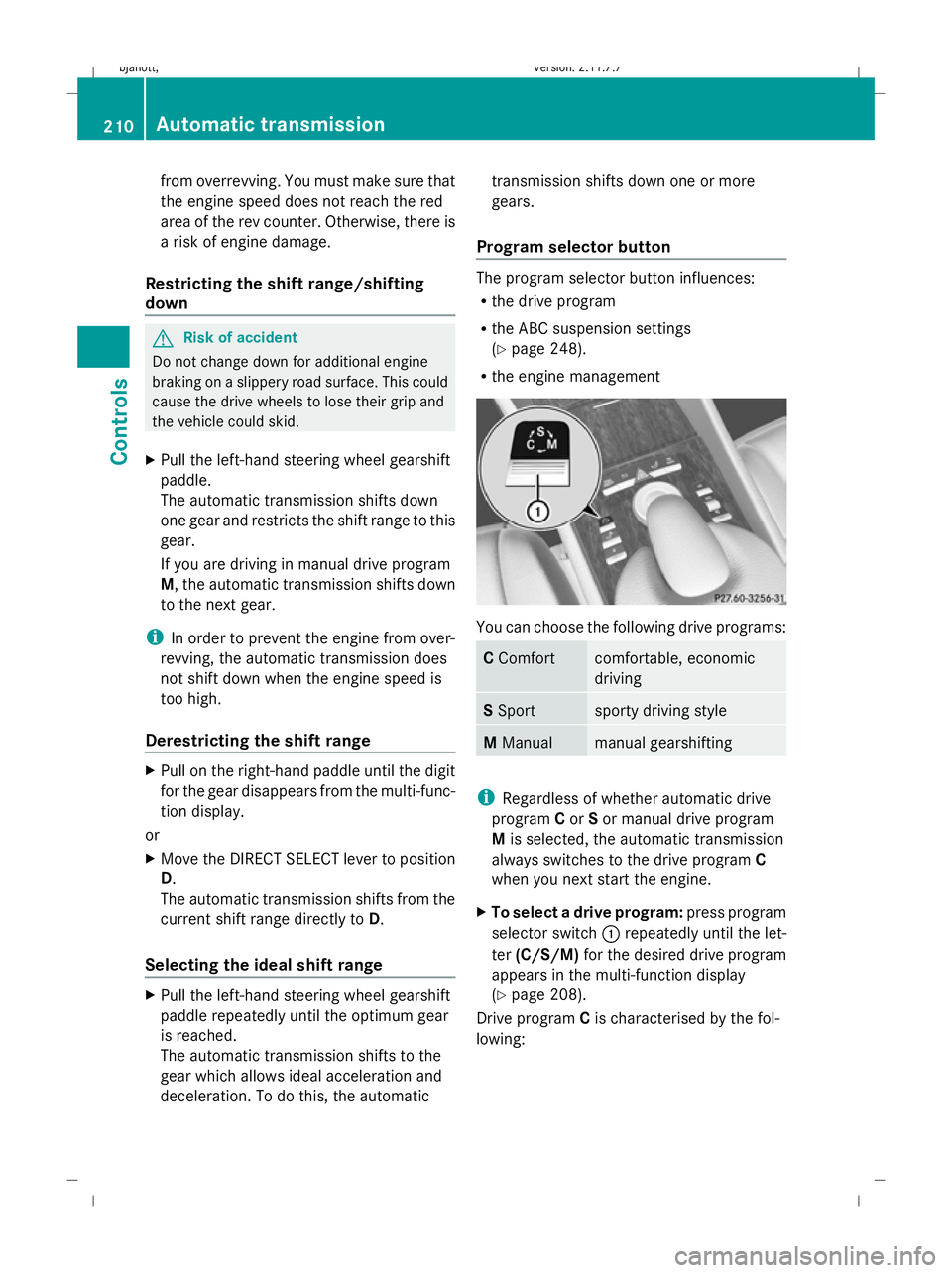
Program selector button The program selector button influences:
R
the drive program
R the ABC suspension settings
(Y page 248).
R the engine management You can choose the following drive programs:
C
Comfort comfortable, economic
driving
S
Sport sporty driving style
M
Manual manual gearshifting
i
Regardless of whether automatic drive
program Cor Sor manual drive program
M is selected, the automatic transmission
always switches to the drive program C
when you next start the engine.
X To select a drive program: press program
selector switch :repeatedly until the let-
ter (C/S/M) for the desired drive program
appears in the multi-function display
(Y page 208).
Drive program Cis characterised by the fol-
lowing: 210
Automatic transmissionControls
216_AKB; 2; 3, en-GB
bjanott,
Version: 2.11.7.7 2009-02-27T14:54:17+01:00 - Seite 210
Dateiname: 6515230602_buchblock.pdf; erzeugt am 04. Mar 2009 11:15:49; WK
Page 214 of 421
R
comfort-oriented engine and suspension
settings.
R optimal fuel consumption resulting from
the automatic transmission shifting up
sooner.
R the vehicle pulling away more gently in
forward and reverse gears, unless the
accelerator pedal is depressed fully.
R increased sensitivity. This improves the
driving stability of the vehicle on slippery
road surfaces, for example.
R the automatic transmission shifting up
sooner, resulting in the vehicle maintaining
lower engine speeds and thereby consum-
ing less fuel.
Drive program Sis characterised by the fol-
lowing:
R sporty engine and suspension configura-
tion.
R the vehicle pulling away in first gear.
R the automatic transmission shifting up
later.
R the late shift point of the automatic trans-
mission can lead to higher fuel consump-
tion.
Manual drive program !
Warm up the engine quickly. Do not use
the engine's full performance until it has
reached operating temperature.
Only set the automatic transmission to the
respective drive positions when the vehicle
is stationary.
Where possible, avoid spinning the drive
wheels when pulling away on slippery
roads. Otherwise, you could damage the
drive train.
You can change gear yourself by using the
steering wheel gearshift paddles in manual
drive program M. As in drive program S, the
engine, transmission and suspension settings
are dynamic. Manual gearshift program Mcan be selected by using the program selec-
tor button.
X
To activate: press program selector but-
ton :repeatedly until Mappears in the
multi-function display.
The automatic transmission changes to
manual drive program M. Automatic gear-
shifting is deactivated.
If the automatic transmission is in position
D, you can shift up or down through the gears.
The gear currently selected and engaged is
shown in the multi-function display
(Y page 208).
X To deactivate: press program selector
button :repeatedly until Cor Sappears
in the multi-function display.
or
X Restart the engine.
The automatic transmission then switches
to drive program C.
Upshifting
X Pull the right-hand steering wheel gearshift
paddle (Y page 209).
The automatic transmission shifts up to the
next gear.
Vehicles with AMG engines
! In manual gearshift program M, the auto-
matic transmission does not shift up auto-
matically even when the engine limiting
speed for the current gear is reached.
When the engine limiting speed is reached,
the fuel supply is cut to prevent the engine
from overrevving. You must make sure that
the engine speed does not reach the red
area of the rev counter. Otherwise, there is
a risk of engine damage.
Downshifting G
Risk of accident
Do not change down for additional engine
braking on a slippery road surface. This could
cause the drive wheels to lose their grip and
the vehicle could skid. Automatic transmission
211Controls
216_AKB; 2; 3, en-GB
bjanott, Version: 2.11.7.7 2009-02-27T14:54:17+01:00 - Seite 211 Z
Dateiname: 6515230602_buchblock.pdf; erzeugt am 04. Mar 2009 11:15:49; WK
Page 215 of 421
X
Pull the left-hand steering wheel gearshift
paddle (Y page 210).
The automatic transmission shifts down to
the next gear.
i If you slow down or stop without shifting
down, the automatic transmission auto-
matically shifts down.
Kickdown
i Vehicles with an AMG engine: it is not
possible to use kickdown in manual drive
program M.
You can also use kickdown for maximum
acceleration in manual drive program M.
X Depress the accelerator pedal beyond the
pressure point.
The transmission shifts to a lower gear
depending on the engine speed.
X Shift back up once the desired speed is
reached.
i Vehicles without an AMG engine: if you
apply full throttle, the automatic transmis-
sion shifts up to the next gear at maximum
engine speed. This prevents the engine
from overrevving. Instrument cluster
Points to remember
You will find an illustration of the instrument
cluster in the "At a glance" section
(Y page 27). G
Risk of accident
If the instrument cluster or the multi-function
display fails, it can no longer show any display
messages.
You will not then be able to see information
about the vehicle status, such as speed, out-
side temperature, warning and indicator
lamps, display messages or the failure of sys-
tems. Handling characteristics may be affec-
ted. Adjust your driving style and speed
accordingly. Immediately consult a qualified specialist
workshop which has the necessary specialist
knowledge and tools to carry out the work
required. Mercedes-Benz recommends that
you use a Mercedes-Benz Service Centre for
this purpose. In particular, work relevant to
safety or on safety-related systems must be
carried out at a qualified specialist workshop. Coolant temperature display
The coolant temperature gauge is in the
instrument cluster on the left-hand side.
Under normal operating conditions and with
the specified coolant level, the coolant tem-
perature may rise to 120 †. Rev counter
The red band in the rev counter indicates the
engine's overrevving range. The fuel supply is
interrupted to protect the engine when the
red band is reached.
! Do not drive in the overrevving range.
Doing so will damage the engine. Outside temperature display
G
Risk of accident
If the temperature is slightly above freezing,
the road may be icy, especially in wooded
areas or on bridges. If you do not adjust your
driving style, the vehicle may start to skid. For
this reason, you should always adjust your
driving style and speed to the weather condi-
tions.
Changes in the outside temperature are dis-
played after a short delay. 212
Instrument clusterControls
216_AKB; 2; 3, en-GB
bjanott,
Version: 2.11.7.7 2009-02-27T14:54:17+01:00 - Seite 212
Dateiname: 6515230602_buchblock.pdf; erzeugt am 04. Mar 2009 11:15:50; WK
Page 249 of 421
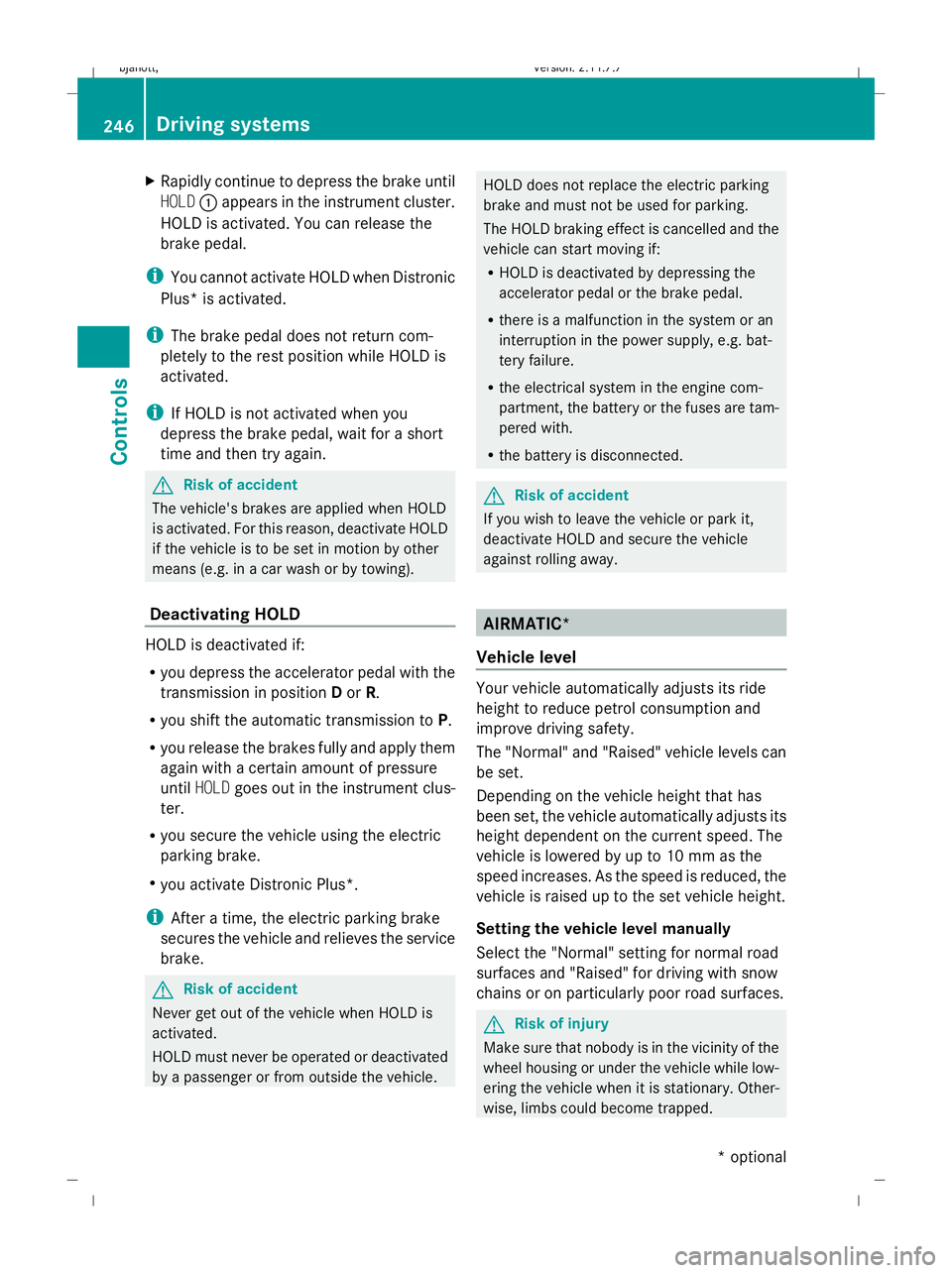
X
Rapidly continue to depress the brake until
HOLD :appears in the instrument cluster.
HOLD is activated. You can release the
brake pedal.
i You cannot activate HOLD when Distronic
Plus* is activated.
i The brake pedal does not return com-
pletely to the rest position while HOLD is
activated.
i If HOLD is not activated when you
depress the brake pedal, wait for a short
time and then try again. G
Risk of accident
The vehicle's brakes are applied when HOLD
is activated. For this reason, deactivate HOLD
if the vehicle is to be set in motion by other
means (e.g. in a car wash or by towing).
Deactivating HOLD HOLD is deactivated if:
R
you depress the accelerator pedal with the
transmission in position Dor R.
R you shift the automatic transmission to P.
R you release the brakes fully and apply them
again with a certain amount of pressure
until HOLD goes out in the instrument clus-
ter.
R you secure the vehicle using the electric
parking brake.
R you activate Distronic Plus*.
i After a time, the electric parking brake
secures the vehicle and relieves the service
brake. G
Risk of accident
Never get out of the vehicle when HOLD is
activated.
HOLD must never be operated or deactivated
by a passenger or from outside the vehicle. HOLD does not replace the electric parking
brake and must not be used for parking.
The HOLD braking effect is cancelled and the
vehicle can start moving if:
R HOLD is deactivated by depressing the
accelerator pedal or the brake pedal.
R there is a malfunction in the system or an
interruption in the power supply, e.g. bat-
tery failure.
R the electrical system in the engine com-
partment, the battery or the fuses are tam-
pered with.
R the battery is disconnected. G
Risk of accident
If you wish to leave the vehicle or park it,
deactivate HOLD and secure the vehicle
against rolling away. AIRMATIC*
Vehicle level Your vehicle automatically adjusts its ride
height to reduce petrol consumption and
improve driving safety.
The "Normal" and "Raised" vehicle levels can
be set.
Depending on the vehicle height that has
been set, the vehicle automatically adjusts its
height dependent on the current speed. The
vehicle is lowered by up to 10 mm as the
speed increases. As the speed is reduced, the
vehicle is raised up to the set vehicle height.
Setting the vehicle level manually
Select the "Normal" setting for normal road
surfaces and "Raised" for driving with snow
chains or on particularly poor road surfaces.
G
Risk of injury
Make sure that nobody is in the vicinity of the
wheel housing or under the vehicle while low-
ering the vehicle when it is stationary. Other-
wise, limbs could become trapped. 246
Driving sys
temsControls
* optional
216_AKB; 2; 3, en-GB
bjanott,
Version: 2.11.7.7 2009-02-27T14:54:17+01:00 - Seite 246
Dateiname: 6515230602_buchblock.pdf; erzeugt am 04. Mar 2009 11:16:01; WK
Page 338 of 421
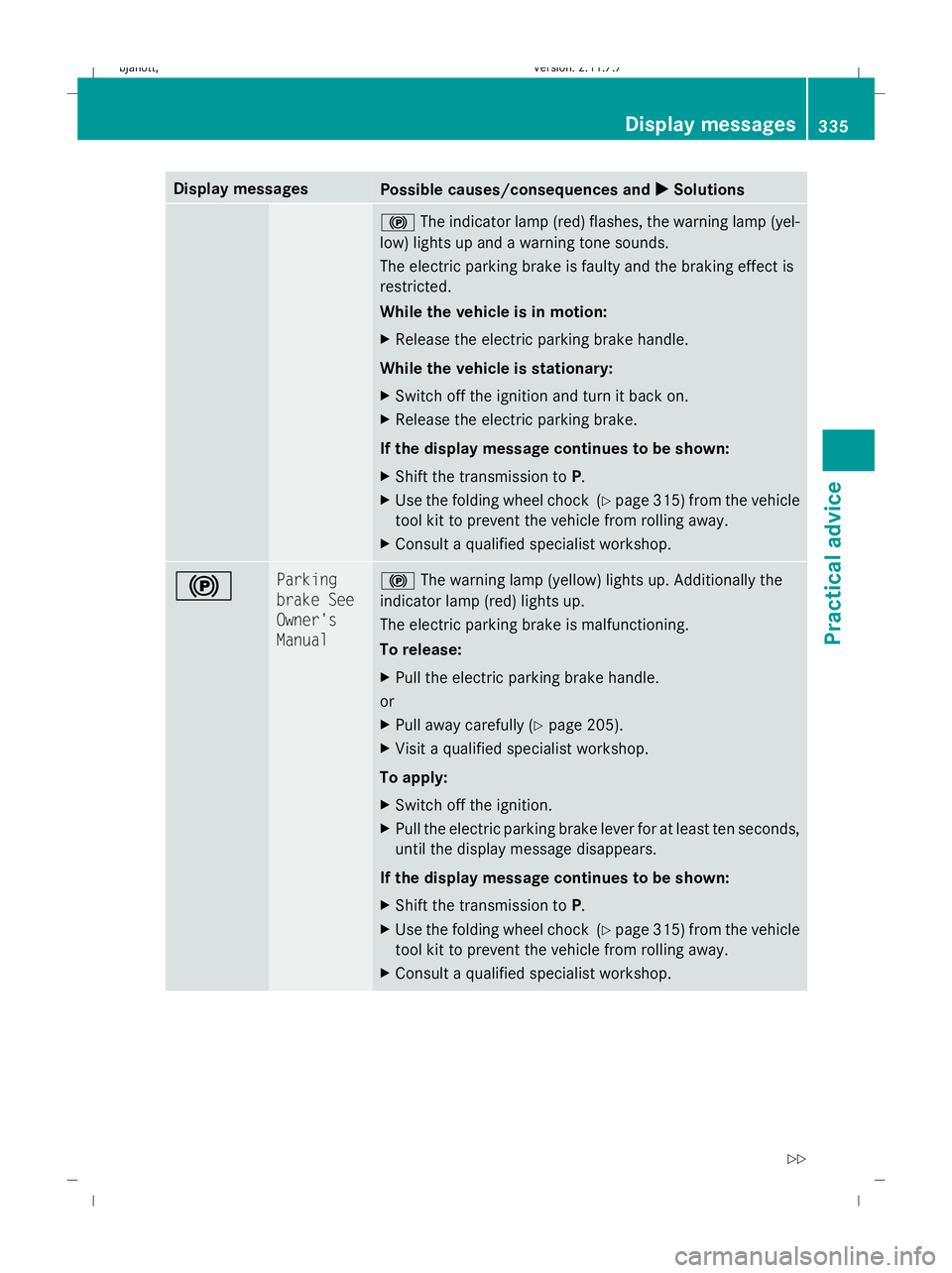
Display messages
Possible causes/consequences and
X
X Solutions !
The indicator lamp (red) flashes, the warning lamp (yel-
low) lights up and a warning tone sounds.
The electric parking brake is faulty and the braking effect is
restricted.
While the vehicle is in motion:
X Release the electric parking brake handle.
While the vehicle is stationary:
X Switch off the ignition and turn it back on.
X Release the electric parking brake.
If the display message continues to be shown:
X Shift the transmission to P.
X Use the folding wheel chock (Y page 315) from the vehicle
tool kit to prevent the vehicle from rolling away.
X Consult a qualified specialist workshop. ! Parking
brake See
Owner's
Manual !
The warning lamp (yellow) lights up. Additionally the
indicator lamp (red) lights up.
The electric parking brake is malfunctioning.
To release:
X Pull the electric parking brake handle.
or
X Pull away carefully (Y page 205).
X Visit a qualified specialist workshop.
To apply:
X Switch off the ignition.
X Pull the electric parking brake lever for at least ten seconds,
until the display message disappears.
If the display message continues to be shown:
X Shift the transmission to P.
X Use the folding wheel chock (Y page 315) from the vehicle
tool kit to prevent the vehicle from rolling away.
X Consult a qualified specialist workshop. Display
messages
335Practical advice
216_AKB; 2; 3, en-GB
bjanott ,V ersion: 2.11.7.7
2009-02-27T14:54:17+01:00 - Seite 335 Z
Dateiname: 6515230602_buchblock.pdf; erzeugt am 04. Mar 2009 11:16:37; WK