ABS MERCEDES-BENZ CLA 2016 User Guide
[x] Cancel search | Manufacturer: MERCEDES-BENZ, Model Year: 2016, Model line: CLA, Model: MERCEDES-BENZ CLA 2016Pages: 374, PDF Size: 9.97 MB
Page 70 of 374
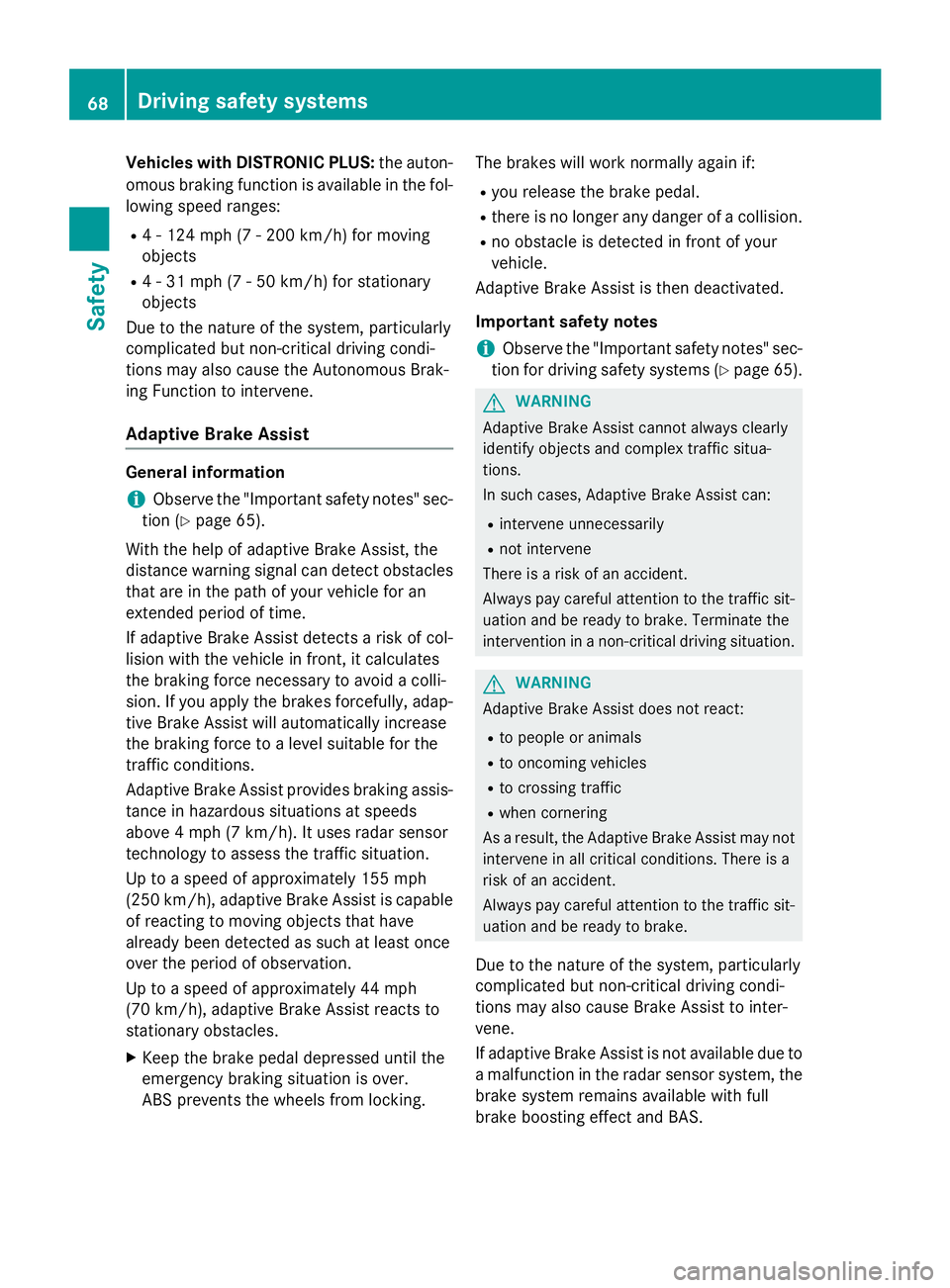
Vehicles with DISTRONIC PLUS: the auton-
omous braking function is available in the fol-
lowing speed ranges: R
4 - 124 mph (7 - 200 km/h) for moving
objects R
4 - 31 mph (7 - 50 km/h) for stationary
objects
Due to the nature of the system, particularly
complicated but non-critical driving condi-
tions may also cause the Autonomous Brak-
ing Function to intervene.
Adaptive Brake Assist General information
i Observe the "Important safety notes" sec-
tion ( Y
page 65).
With the help of adaptive Brake Assist, the
distance warning signal can detect obstacles
that are in the path of your vehicle for an
extended period of time.
If adaptive Brake Assist detects a risk of col-
lision with the vehicle in front, it calculates
the braking force necessary to avoid a colli-
sion. If you apply the brakes forcefully, adap-
tive Brake Assist will automatically increase
the braking force to a level suitable for the
traffic conditions.
Adaptive Brake Assist provides braking assis-
tance in hazardous situations at speeds
above 4 mph (7 km/h). It uses radar sensor
technology to assess the traffic situation.
Up to a speed of approximately 155 mph
(250 km/h), adaptive Brake Assist is capable
of reacting to moving objects that have
already been detected as such at least once
over the period of observation.
Up to a speed of approximately 44 mph
(70 km/h), adaptive Brake Assist reacts to
stationary obstacles. X
Keep the brake pedal depressed until the
emergency braking situation is over.
ABS prevents the wheels from locking. The brakes will work normally again if: R
you release the brake pedal. R
there is no longer any danger of a collision. R
no obstacle is detected in front of your
vehicle.
Adaptive Brake Assist is then deactivated.
Important safety notes
i Observe the "Important safety notes" sec-
tion for driving safety systems ( Y
page 65).
G WARNING
Adaptive Brake Assist cannot always clearly
identify objects and complex traffic situa-
tions.
In such cases, Adaptive Brake Assist can: R
intervene unnecessarily R
not intervene
There is a risk of an accident.
Always pay careful attention to the traffic sit-
uation and be ready to brake. Terminate the
intervention in a non-critical driving situation.
G WARNING
Adaptive Brake Assist does not react: R
to people or animals R
to oncoming vehicles R
to crossing traffic R
when cornering
As a result, the Adaptive Brake Assist may not
intervene in all critical conditions. There is a
risk of an accident.
Always pay careful attention to the traffic sit-
uation and be ready to brake.
Due to the nature of the system, particularly
complicated but non-critical driving condi-
tions may also cause Brake Assist to inter-
vene.
If adaptive Brake Assist is not available due to
a malfunction in the radar sensor system, the
brake system remains available with full
brake boosting effect and BAS.68
Driving safety systems
Safety
Page 194 of 374
dampers. The damping characteristics adapt
to the current operating and driving situation.
The damping is tuned individually to each
wheel and depends on: R
your driving style, e.g. sporty R
the road surface conditions R
the drive program selected R
the vehicle level setting
The drive program can be set using the
DYNAMIC SELECT button ( Y
page 155).
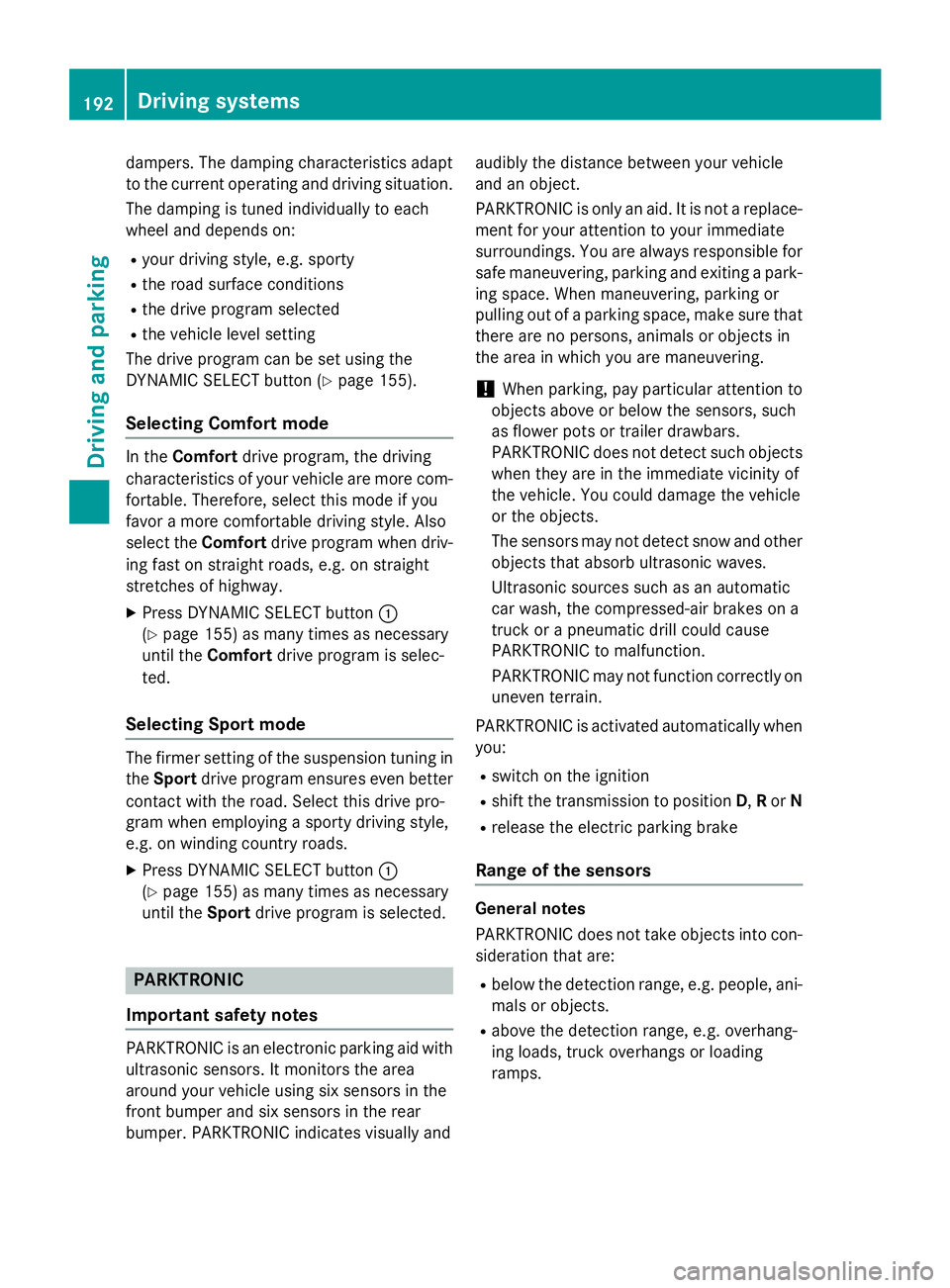
Selecting Comfort mode In the Comfort drive program, the driving
characteristics of your vehicle are more com-
fortable. Therefore, select this mode if you
favor a more comfortable driving style. Also
select the Comfort drive program when driv-
ing fast on straight roads, e.g. on straight
stretches of highway. X
Press DYNAMIC SELECT button C
( Y
page 155) as many times as necessary
until the Comfort drive program is selec-
ted.
Selecting Sport mode
The firmer setting of the suspension tuning in
the Sport drive program ensures even better
contact with the road. Select this drive pro-
gram when employing a sporty driving style,
e.g. on winding country roads. X
Press DYNAMIC SELECT button C
( Y
page 155) as many times as necessary
until the Sport drive program is selected.
PARKTRONIC
Important safety notes
PARKTRONIC is an electronic parking aid with
ultrasonic sensors. It monitors the area
around your vehicle using six sensors in the
front bumper and six sensors in the rear
bumper. PARKTRONIC indicates visually and audibly the distance between your vehicle
and an object.
PARKTRONIC is only an aid. It is not a replace-
ment for your attention to your immediate
surroundings. You are always responsible for
safe maneuvering, parking and exiting a park-
ing space. When maneuvering, parking or
pulling out of a parking space, make sure that
there are no persons, animals or objects in
the area in which you are maneuvering.
! When parking, pay particular attention to
objects above or below the sensors, such
as flower pots or trailer drawbars.
PARKTRONIC does not detect such objects
when they are in the immediate vicinity of
the vehicle. You could damage the vehicle
or the objects.
The sensors may not detect snow and other
objects that absorb ultrasonic waves.
Ultrasonic sources such as an automatic
car wash, the compressed-air brakes on a
truck or a pneumatic drill could cause
PARKTRONIC to malfunction.
PARKTRONIC may not function correctly on
uneven terrain.
PARKTRONIC is activated automatically when
you: R
switch on the ignition R
shift the transmission to position D , R or NR
release the electric parking brake
Range of the sensors
General notes
PARKTRONIC does not take objects into con-
sideration that are: R
below the detection range, e.g. people, ani-
mals or objects. R
above the detection range, e.g. overhang-
ing loads, truck overhangs or loading
ramps.192
Driving systems
Driving and parking
Page 210 of 374
R
the lane markings are worn away, dark or
covered up, e.g. by dirt or snow R
the distance to the vehicle in front is too
small and the lane markings thus cannot be
detected R
the lane markings change quickly, e.g.
lanes branch off, cross one another or
merge R
the road is narrow and winding R
there are strong shadows cast on the road
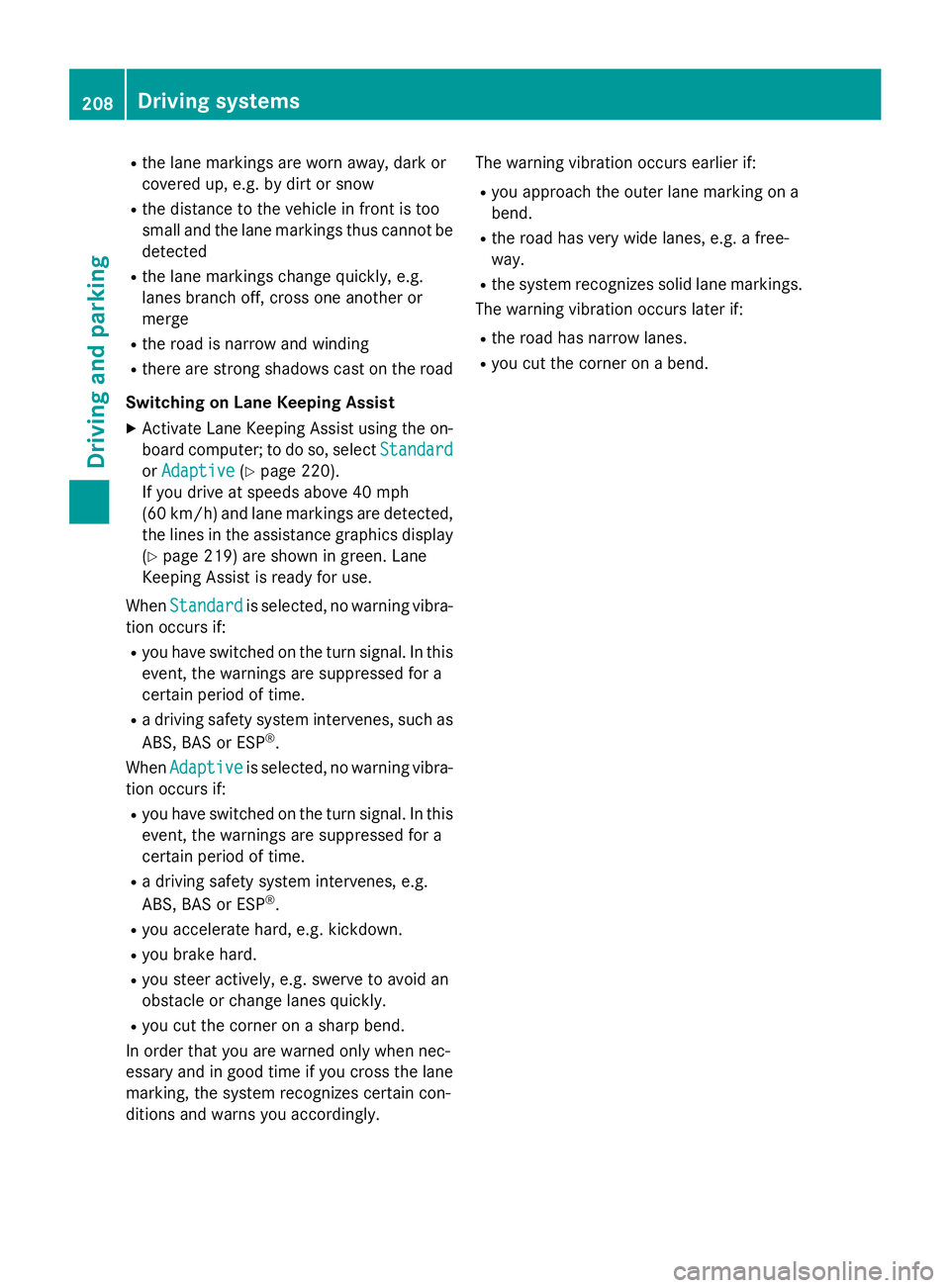
Switching on Lane Keeping Assist X
Activate Lane Keeping Assist using the on-
board computer; to do so, select Standard
or Adaptive ( Y
page 220).
If you drive at speeds above 40 mph
(60 km/h) and lane markings are detected,
the lines in the assistance graphics display
( Y
page 219) are shown in green. Lane
Keeping Assist is ready for use.
When Standard
is selected, no warning vibra-
tion occurs if: R
you have switched on the turn signal. In this
event, the warnings are suppressed for a
certain period of time. R
a driving safety system intervenes, such as
ABS, BAS or ESP ®
.
When Adaptive is selected, no warning vibra-
tion occurs if: R
you have switched on the turn signal. In this
event, the warnings are suppressed for a
certain period of time. R
a driving safety system intervenes, e.g.
ABS, BAS or ESP ®
.R
you accelerate hard, e.g. kickdown. R
you brake hard. R
you steer actively, e.g. swerve to avoid an
obstacle or change lanes quickly. R
you cut the corner on a sharp bend.
In order that you are warned only when nec-
essary and in good time if you cross the lane
marking, the system recognizes certain con-
ditions and warns you accordingly. The warning vibration occurs earlier if: R
you approach the outer lane marking on a
bend. R
the road has very wide lanes, e.g. a free-
way. R
the system recognizes solid lane markings.
The warning vibration occurs later if: R
the road has narrow lanes. R
you cut the corner on a bend.208
Driving system s
Dr ivi ng an d parking
Page 263 of 374
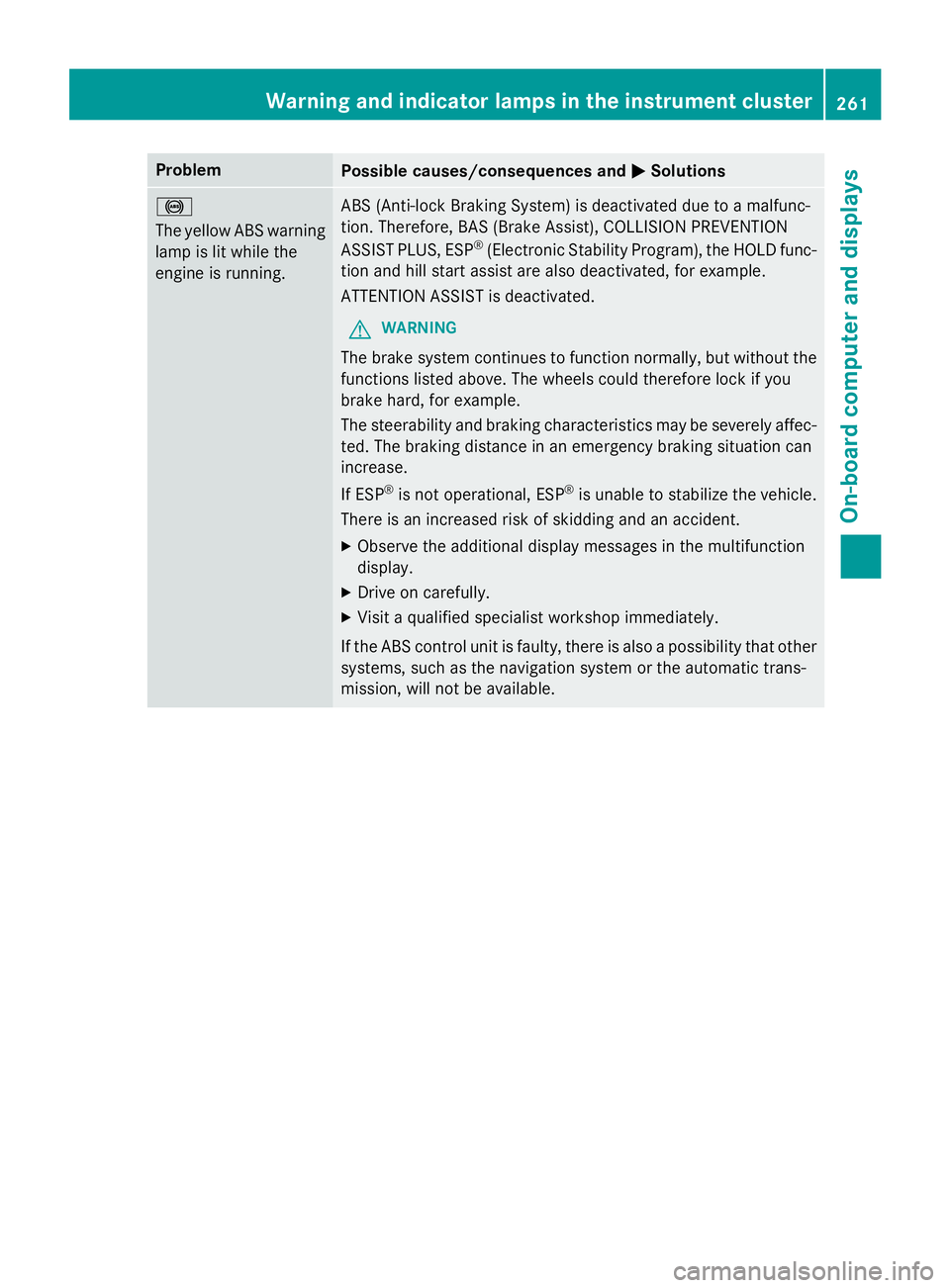
Problem
Possible causes/consequences and P Solutions
%
The yellow ABS warning
lamp is lit while the
engine is running. ABS (Anti-lock Braking System) is deactivated due to a malfunc-
tion. Therefore, BAS (Brake Assist), COLLISION PREVENTION
ASSIST PLUS, ESP ®
(Electronic Stability Program), the HOLD func-
tion and hill start assist are also deactivated, for example.
ATTENTION ASSIST is deactivated.
G WARNING
The brake system continues to function normally, but without the
functions listed above. The wheels could therefore lock if you
brake hard, for example.
The steerability and braking characteristics may be severely affec-
ted. The braking distance in an emergency braking situation can
increase.
If ESP ®
is not operational, ESP ®
is unable to stabilize the vehicle.
There is an increased risk of skidding and an accident. X
Observe the additional display messages in the multifunction
display. X
Drive on carefully. X
Visit a qualified specialist workshop immediately.
If the ABS control unit is faulty, there is also a possibility that other
systems, such as the navigation system or the automatic trans-
mission, will not be available.Warning and indicator lamps in the instrument cluster 261
On-board computer and displays Z
Page 264 of 374
Problem
Possible causes/consequences and P Solutions
%
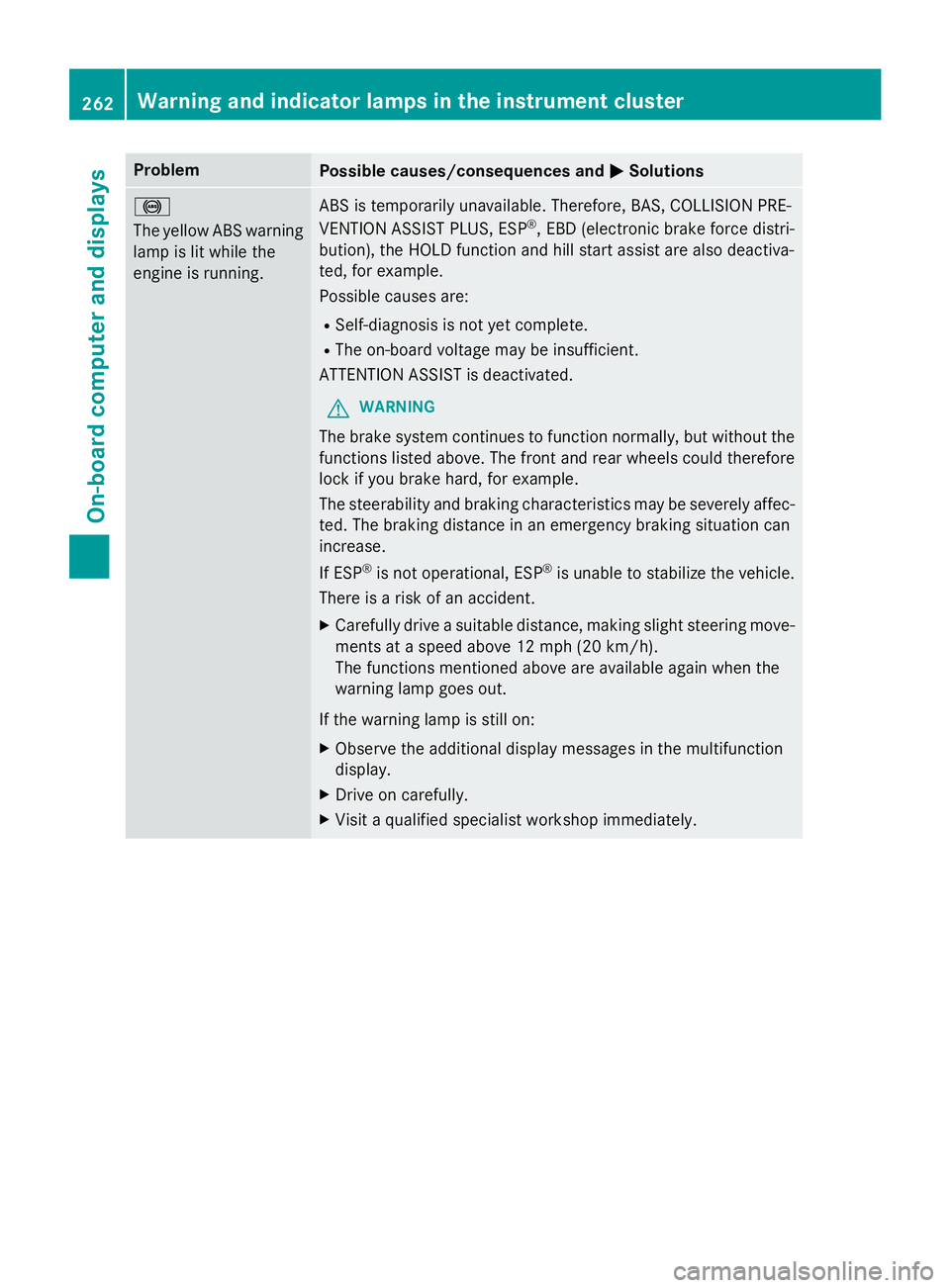
The yellow ABS warning
lamp is lit while the
engine is running. ABS is temporarily unavailable. Therefore, BAS, COLLISION PRE-
VENTION ASSIST PLUS, ESP ®
, EBD (electronic brake force distri-
bution), the HOLD function and hill start assist are also deactiva-
ted, for example.
Possible causes are: R
Self-diagnosis is not yet complete. R
The on-board voltage may be insufficient.
ATTENTION ASSIST is deactivated.
G WARNING
The brake system continues to function normally, but without the
functions listed above. The front and rear wheels could therefore
lock if you brake hard, for example.
The steerability and braking characteristics may be severely affec-
ted. The braking distance in an emergency braking situation can
increase.
If ESP ®
is not operational, ESP ®
is unable to stabilize the vehicle.
There is a risk of an accident. X
Carefully drive a suitable distance, making slight steering move-
ments at a speed above 12 mph (20 km/h).
The functions mentioned above are available again when the
warning lamp goes out.
If the warning lamp is still on: X
Observe the additional display messages in the multifunction
display. X
Drive on carefully. X
Visit a qualified specialist workshop immediately.262
Warning and indicator lamps in the instrument cluster
On-board computer and displays
Page 265 of 374
Problem
Possible causes/consequences and P Solutions
%
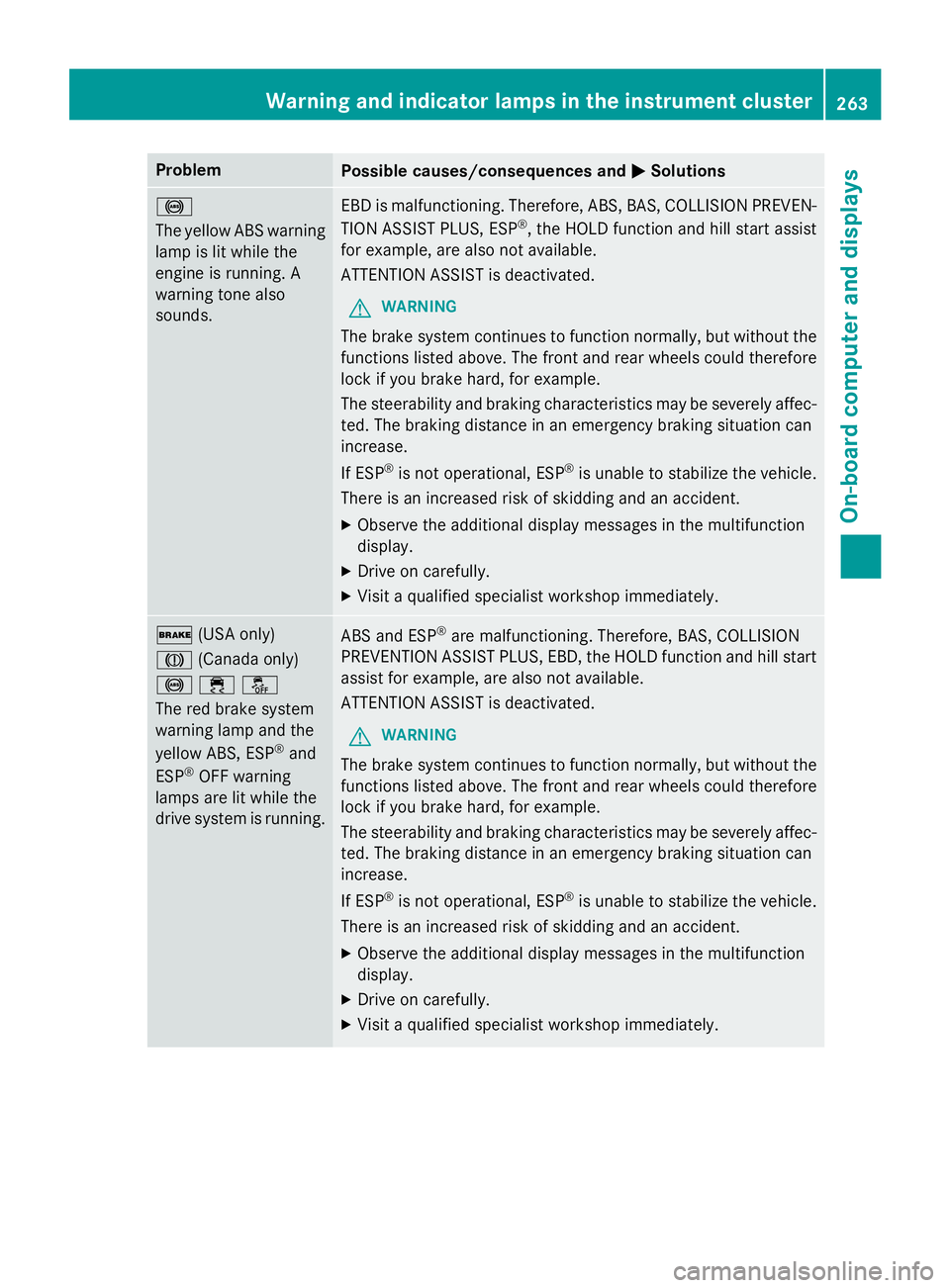
The yellow ABS warning
lamp is lit while the
engine is running. A
warning tone also
sounds. EBD is malfunctioning. Therefore, ABS, BAS, COLLISION PREVEN-
TION ASSIST PLUS, ESP ®
, the HOLD function and hill start assist
for example, are also not available.
ATTENTION ASSIST is deactivated.
G WARNING
The brake system continues to function normally, but without the
functions listed above. The front and rear wheels could therefore
lock if you brake hard, for example.
The steerability and braking characteristics may be severely affec-
ted. The braking distance in an emergency braking situation can
increase.
If ESP ®
is not operational, ESP ®
is unable to stabilize the vehicle.
There is an increased risk of skidding and an accident. X
Observe the additional display messages in the multifunction
display. X
Drive on carefully. X
Visit a qualified specialist workshop immediately.
' (USA only)
M (Canada only)
%
Page 317 of 374
Do not continue driving. Contact a qualified
specialist workshop.
i In cases such as the one mentioned
above, contact an authorized Mercedes-
Benz Center. Or call 1-800-FOR-MERCedes
(in the USA) or 1-800-387-0100 (in Can-
ada). X
Correct the tire pressure if it is still at least
130 kPa (1.3 bar/19 psi). See the Tire and
Loading Information placard on the driver's
side B-pillar or the tire pressure table in the
fuel filler flap for values. X
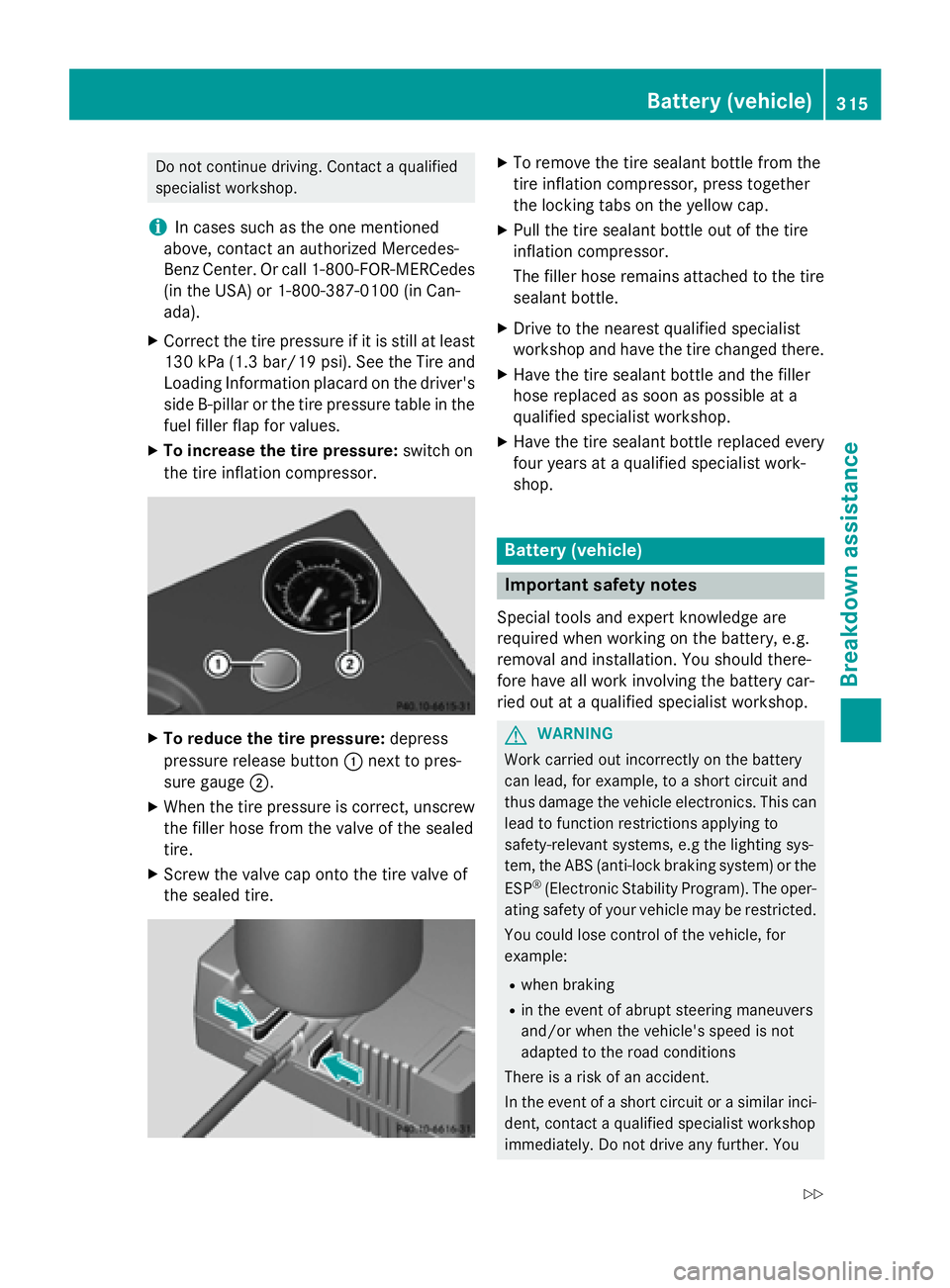
To increase the tire pressure: switch on
the tire inflation compressor.
X
To reduce the tire pressure: depress
pressure release button C next to pres-
sure gauge D .X
When the tire pressure is correct, unscrew
the filler hose from the valve of the sealed
tire. X
Screw the valve cap onto the tire valve of
the sealed tire. X
To remove the tire sealant bottle from the
tire inflation compressor, press together
the locking tabs on the yellow cap. X
Pull the tire sealant bottle out of the tire
inflation compressor.
The filler hose remains attached to the tire
sealant bottle. X
Drive to the nearest qualified specialist
workshop and have the tire changed there. X
Have the tire sealant bottle and the filler
hose replaced as soon as possible at a
qualified specialist workshop. X
Have the tire sealant bottle replaced every
four years at a qualified specialist work-
shop.
Battery (vehicle)
Important safety notes Special tools and expert knowledge are
required when working on the battery, e.g.
removal and installation. You should there-
fore have all work involving the battery car-
ried out at a qualified specialist workshop.
G WARNING
Work carried out incorrectly on the battery
can lead, for example, to a short circuit and
thus damage the vehicle electronics. This can
lead to function restrictions applying to
safety-relevant systems, e.g the lighting sys-
tem, the ABS (anti-lock braking system) or the
ESP ®
(Electronic Stability Program). The oper-
ating safety of your vehicle may be restricted.
You could lose control of the vehicle, for
example: R
when braking R
in the event of abrupt steering maneuvers
and/or when the vehicle's speed is not
adapted to the road conditions
There is a risk of an accident.
In the event of a short circuit or a similar inci-
dent, contact a qualified specialist workshop
immediately. Do not drive any further. YouBattery (vehicle) 315
Breakdown assistance Z
Page 318 of 374
should have all work involving the battery car-
ried out at a qualified specialist workshop.
For further information about ABS and ESP ®
,
see ( Y
page 65) and ( Y
page 69).
G WARNING
Electrostatic build-up can lead to the creation
of sparks, which could ignite the highly explo-
sive gases of a battery. There is a risk of an
explosion.
Before handling the battery, touch the vehicle
body to remove any existing electrostatic
build-up.
The highly flammable gas mixture forms when
charging the battery as well as when jump-
starting.
Always make sure that neither you nor the
battery is electrostatically charged. A build-
up of electrostatic charge can be caused, for
example: R
by wearing clothing made from synthetic
fibers R
due to friction between clothing and seats R
if you push or pull the battery across the
carpet or other synthetic materials R
if you wipe the battery with a cloth
G WARNING
During the charging process, a battery produ-
ces hydrogen gas. If a short circuit occurs or
sparks are created, the hydrogen gas can
ignite. There is a risk of an explosion. R
Make sure that the positive terminal of a
connected battery does not come into con-
tact with vehicle parts. R
Never place metal objects or tools on a bat-
tery. R
It is important that you observe the descri-
bed order of the battery terminals when
connecting and disconnecting a battery. R
When jump-starting, make sure that the
battery poles with identical polarity are
connected. R
It is particularly important to observe the
described order when connecting and dis-
connecting the jumper cables. R
Never connect or disconnect the battery
terminals while the engine is running.
G WARNING
Battery acid is caustic. There is a risk of injury.
Avoid contact with skin, eyes or clothing. Do
not inhale any battery gases. Do not lean over
the battery. Keep children away from batter-
ies. Wash away battery acid immediately with
plenty of clean water and seek medical atten-
tion.
H Environmental note
Batteries contain dangerous
substances. It is against the
law to dispose of them with
the household rubbish. They
must be collected separately
and recycled to protect the
environment.
Dispose of batteries in an
environmentally friendly
manner. Take discharged
batteries to a qualified spe-
cialist workshop or a special
collection point for used bat-
teries.
! Have the battery checked regularly at a
qualified specialist workshop.
Observe the service intervals in the Main-
tenance Booklet or contact a qualified spe-
cialist workshop for more information.
! You should have all work involving the
battery carried out at a qualified specialist
workshop. In the exceptional case that it is
necessary for you to disconnect the battery
yourself, make sure that: R
you switch off the engine and remove the
key. On vehicles with KEYLESS-GO,
ensure that the ignition is switched off.
Check that all the indicator lamps in the
instrument cluster are off. Otherwise,316
Battery (vehicle)
Breakdown assistance
Page 333 of 374
vide the best possible grip in wintry road con-
ditions. Only these tires will allow driving
safety systems such as ABS and ESP ®
to
function optimally in winter. These tires have
been developed specifically for driving in
snow.
Use M+S tires of the same make and tread on
all wheels to maintain safe handling charac-
teristics.
Always observe the maximum permissible
speed specified for the M+S tires you have
mounted.
When you have mounted the M+S tires: X
Check the tire pressures ( Y
page 332).X
Restart the tire pressure monitor
( Y
page 338). X
Restart the tire pressure loss warning sys-
tem (Canada) ( Y
page 336) or restart the
tire pressure monitor (USA, Canada)
( Y
page 338).
Snow chains
G WARNING
If snow chains are mounted on the rear
wheels, the snow chains could cause abrasion
to the vehicle body or to chassis components.
This could cause damage to the vehicle or the
tires. There is a risk of an accident.
To avoid hazardous situations: R
never mount snow chains on the rear
wheels R
only mount snow chains in pairs on the
front wheels.
! On some tire sizes there is not enough
space for snow chains. To avoid damage to
the vehicle or tires, observe the "Wheel and
tire combinations" section under "Tires and
wheels".
! Vehicles with steel wheels: if you
mount snow chains on steel wheels, you
may damage the hub caps. Remove the hub caps from the relevant wheels before
mounting the snow chains.
For safety reasons, Mercedes-Benz recom-
mends that you only use snow chains that
have been specially approved for your vehicle
by Mercedes-Benz, or are of a corresponding
standard of quality. For more information,
please contact a qualified specialist work-
shop.
If you intend to mount snow chains, please
bear the following points in mind: R
Snow chains may not be mounted on all
wheel/tire combinations. Permissible
wheel-tire combinations ( Y
page 355).R
Only use snow chains when driving on
roads completely covered by snow.
Remove the snow chains as soon as possi-
ble when you come to a road that is not
snow-covered. R
Local regulations may restrict the use of
snow chains. Observe the appropriate reg-
ulations if you wish to mount snow chains. R
Do not exceed the maximum permissible
speed of 30 mph (50 km/h). R
When snow chains are installed, never use
Active Parking Assist ( Y
page 195).
You may wish to deactivate ESP ®
when pull-
ing away with snow chains installed
( Y
page 69). You can thereby allow the wheels
to spin in a controlled manner, achieving an
increased driving force (cutting action). Winter operation 331
Wheels and tires Z
Page 371 of 374
Model Capacity
Mercedes ‑ AMG vehi-
cles 5.8 US qt (5.5 l)
All other mod els
5.9 US qt (5.6 l)
Additives
! Do no t use any additive s in th e engin e oil.
This could damag e th e engine.
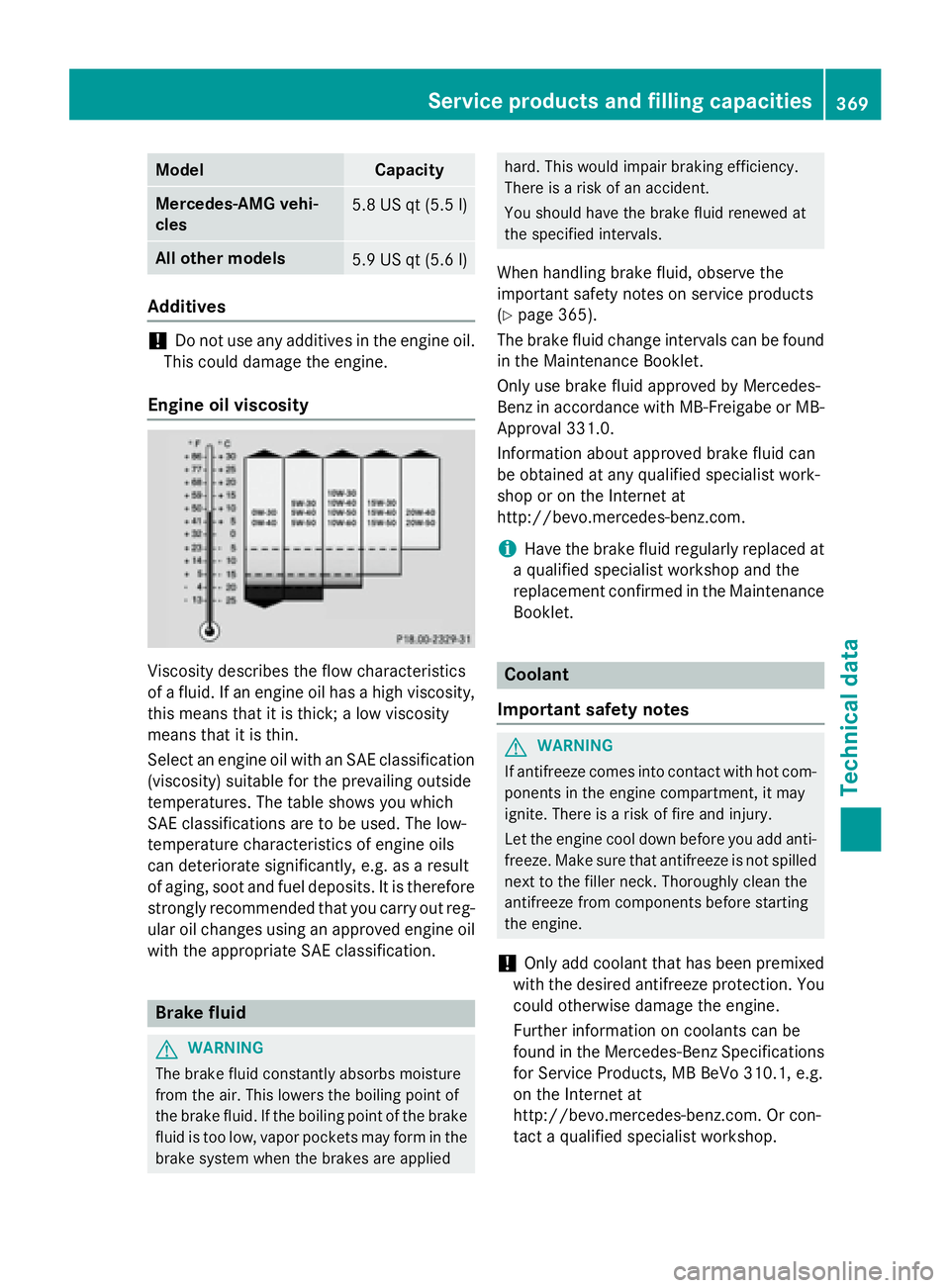
Engine oil viscosity
Viscosit y describe s th e flo w characteristics
of a fluid . If an engin e oil has a high viscosity,
this mean s that it is thick ; a low viscosit y
mean s that it is thin.
Selec t an engin e oil wit h an SA E classification
(viscosity) suitable for th e prevailing outside
temperatures . The table shows you whic h
SA E classification s are to be used. The low-
temperature characteristics of engin e oils
can deteriorat e significantly, e.g. as a result
of aging, soo t and fuel deposits. It is therefor e
strongly recommended that you carry out reg -
ular oil changes usin g an approve d engin e oil
wit h th e appropriat e SA E classification .
Brake fluid
G WARNIN G
The brak e fluid constantl y absorbs moisture
from th e air. This lower s th e boiling poin t of
th e brak e fluid . If th e boiling poin t of th e brak e
fluid is to o low, vapo r pockets may for m in th e
brak e system when th e brakes are applie d hard. This would impair braking efficiency.
There is a ris k of an accident.
You should hav e th e brak e fluid renewed at
th e specifie d intervals.
When handlin g brak e fluid , observ e th e
important saf et y note s on servic e products
( Y
page 365).
The brak e fluid chang e intervals can be foun d
in th e Maintenance Booklet .
Only use brak e fluid approve d by Mercedes-
Benz in accordanc e wit h MB-Freigabe or MB -
Approval 331.0.
Information about approve d brak e fluid can
be obtained at any qualified specialist work-
shop or on th e Internet at
http://bevo.mercedes-benz.co m.
i Have the brake fluid regularly replaced at
a qualified specialist workshop and the
replacement confirmed in the Maintenance
Booklet.
Coolant
Important safety notes
G WARNING
If antifreeze comes into contact with hot com-
ponents in the engine compartment, it may
ignite. There is a risk of fire and injury.
Let the engine cool down before you add anti-
freeze. Make sure that antifreeze is not spilled
next to the filler neck. Thoroughly clean the
antifreeze from components before starting
the engine.
! Only add coolant that has been premixed
with the desired antifreeze protection. You
could otherwise damage the engine.
Further information on coolants can be
found in the Mercedes-Benz Specifications
for Service Products, MB BeVo 310.1, e.g.
on the Internet at
http://bevo.mercedes-benz.com. Or con-
tact a qualified specialist workshop.Service products and filling capacities 369
Technical data Z