display MERCEDES-BENZ CLA 2016 Manual PDF
[x] Cancel search | Manufacturer: MERCEDES-BENZ, Model Year: 2016, Model line: CLA, Model: MERCEDES-BENZ CLA 2016Pages: 374, PDF Size: 9.97 MB
Page 229 of 374
Display messages
Introduction
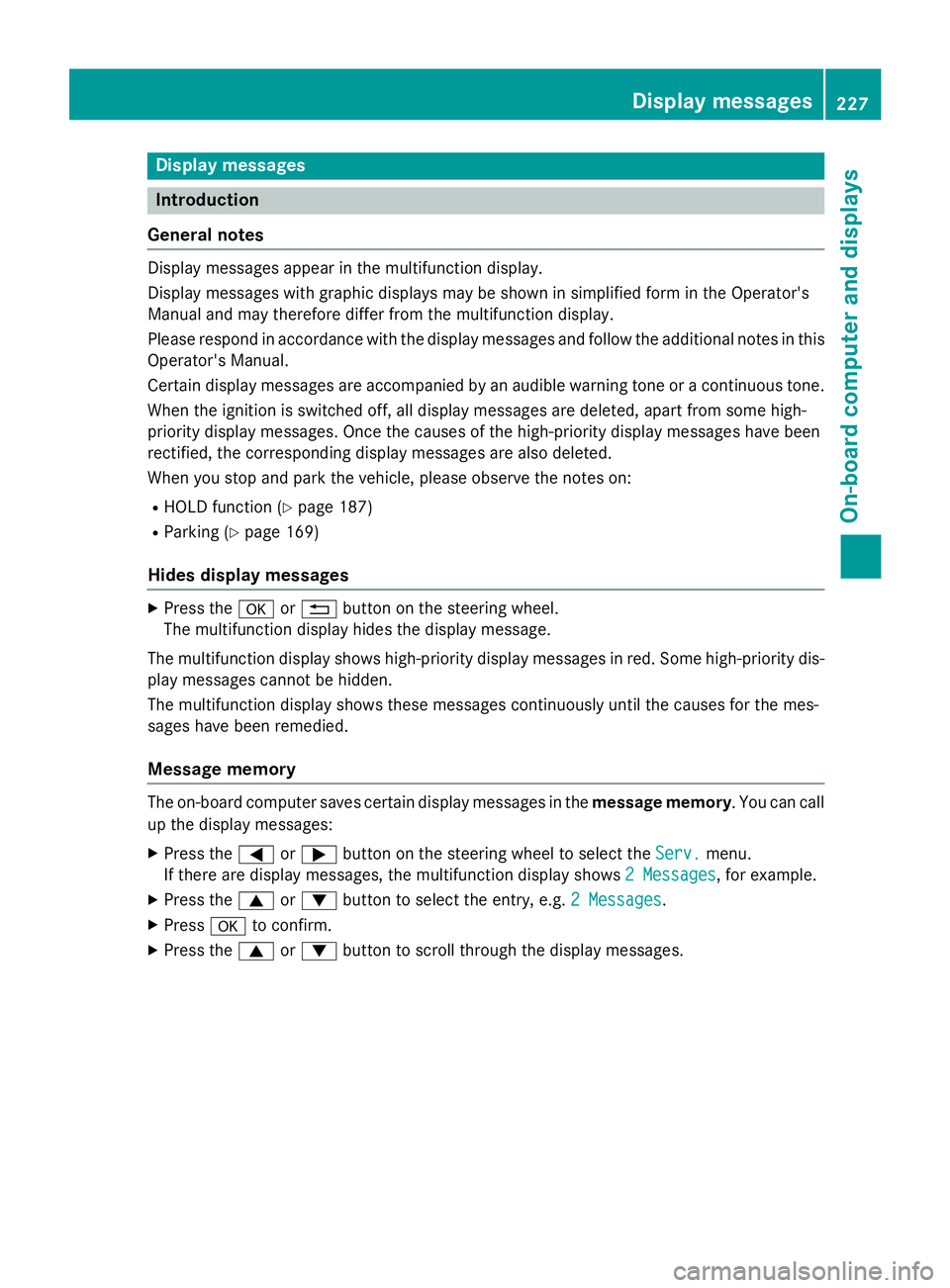
General notes Display message s appear in th e multifunction display.
Display message s wit h graphi c displays may be shown in simplified form in th e Operator's
Manual and may therefore diffe r from th e multifunction display.
Please respon d in accordance wit h th e display message s and follow th e additional note s in this
Operator's Manual.
Certain display message s are accompanied by an audible warnin g tone or a continuous tone .
Whe n th e ignition is switched off, all display message s are deleted, apar t from som e high-
priorit y display messages. Once th e causes of th e high-priorit y display message s hav e been
rectified, th e correspondin g display message s are also deleted.
Whe n you stop and par k th e vehicle, pleas e observ e th e note s on :R
HOLD function ( Y
page 187)R
Parking ( Y
page 169)
Hides display messages X
Press th e v or 8 butto n on th e steerin g wheel.
The multifunction display hide s th e display message .
The multifunction display shows high-priorit y display message s in red . Some high-priorit y dis -
play message s canno t be hidden .
The multifunction display shows these message s continuously until th e causes fo r th e mes -
sage s hav e been remedied.
Message memory
The on-boar d compute r saves certain display message s in th e message memory . You can cal l
up th e display messages: X
Press th e Y or e butto n on th e steerin g whee l to selec t th e Serv. menu.
If there are display messages, th e multifunction display shows 2 Messages
, fo r example.X
Press th e c or d butto n to selec t th e entry, e.g. 2 Messages .X
Press v to confirm .X
Press th e c or d butto n to scroll through th e display messages.Display messages 22 7
On-board computer and displays Z
Page 230 of 374
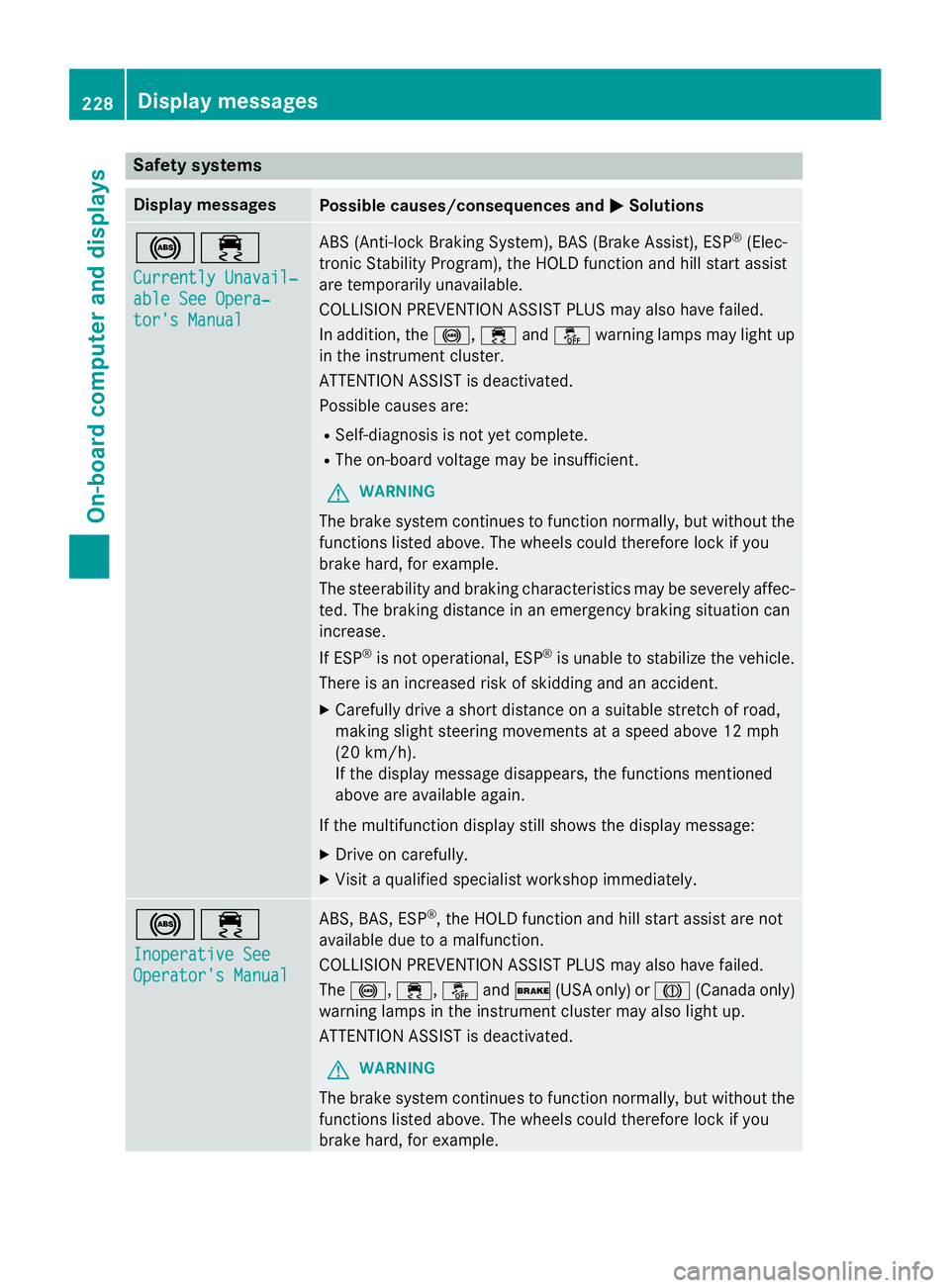
Safety systems Display messages
Possible causes/consequences and P Solutions
%
Page 231 of 374
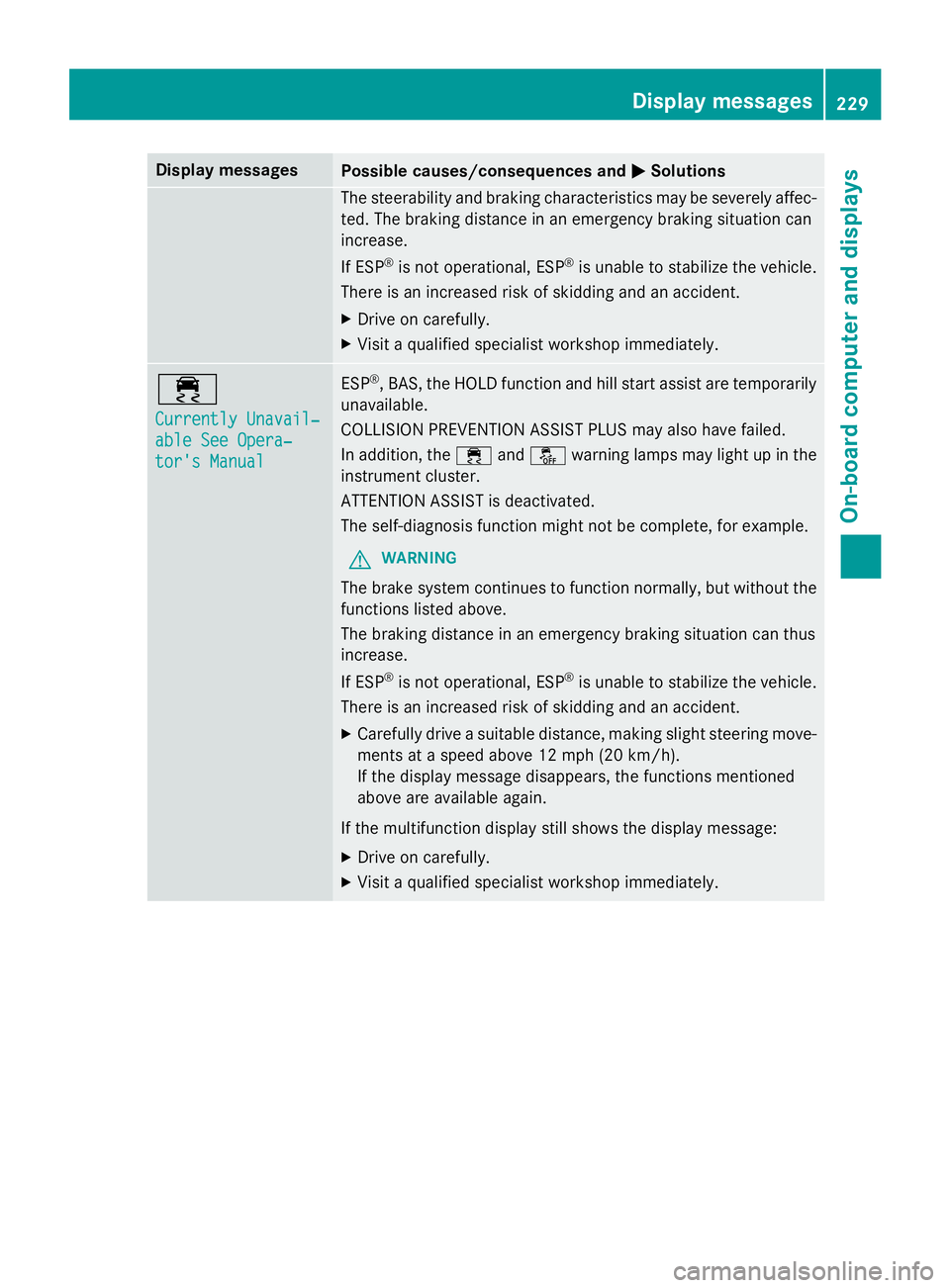
Display messages
Possible causes/consequences and P Solutions
The steerabilit y and brakin g characteristics may be severely affec -
ted. The brakin g distanc e in an emergenc y brakin g situation can
increase .
If ES P ®
is no t operational, ES P ®
is unable to stabiliz e th e vehicle.
There is an increase d ris k of skiddin g and an accident.X
Drive on carefully. X
Visit a qualified specialist workshop immediately.
Page 232 of 374
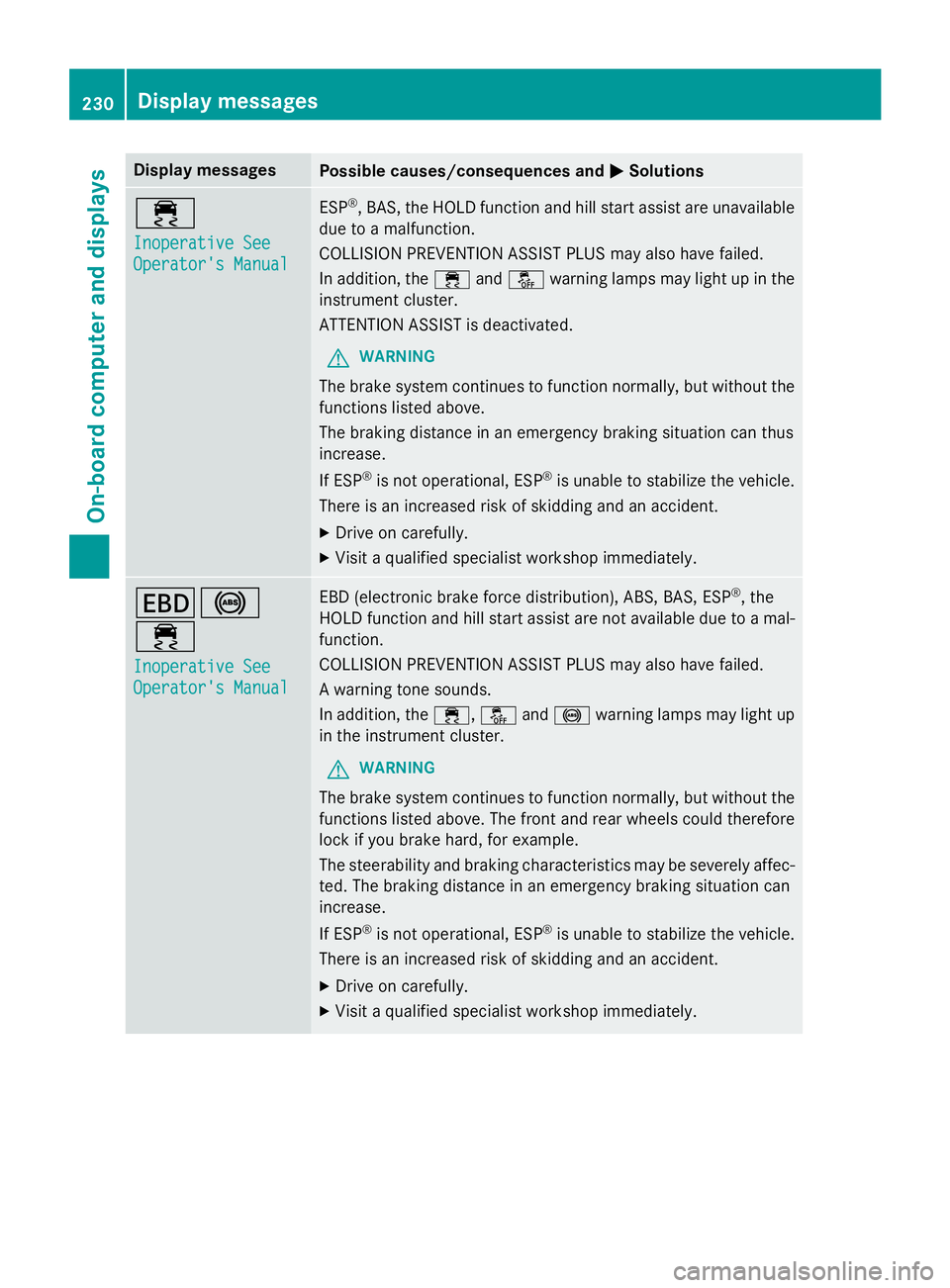
Display messages
Possible causes/consequences and P Solutions
Page 233 of 374
Display messages
Possible causes/consequences and P Solutions
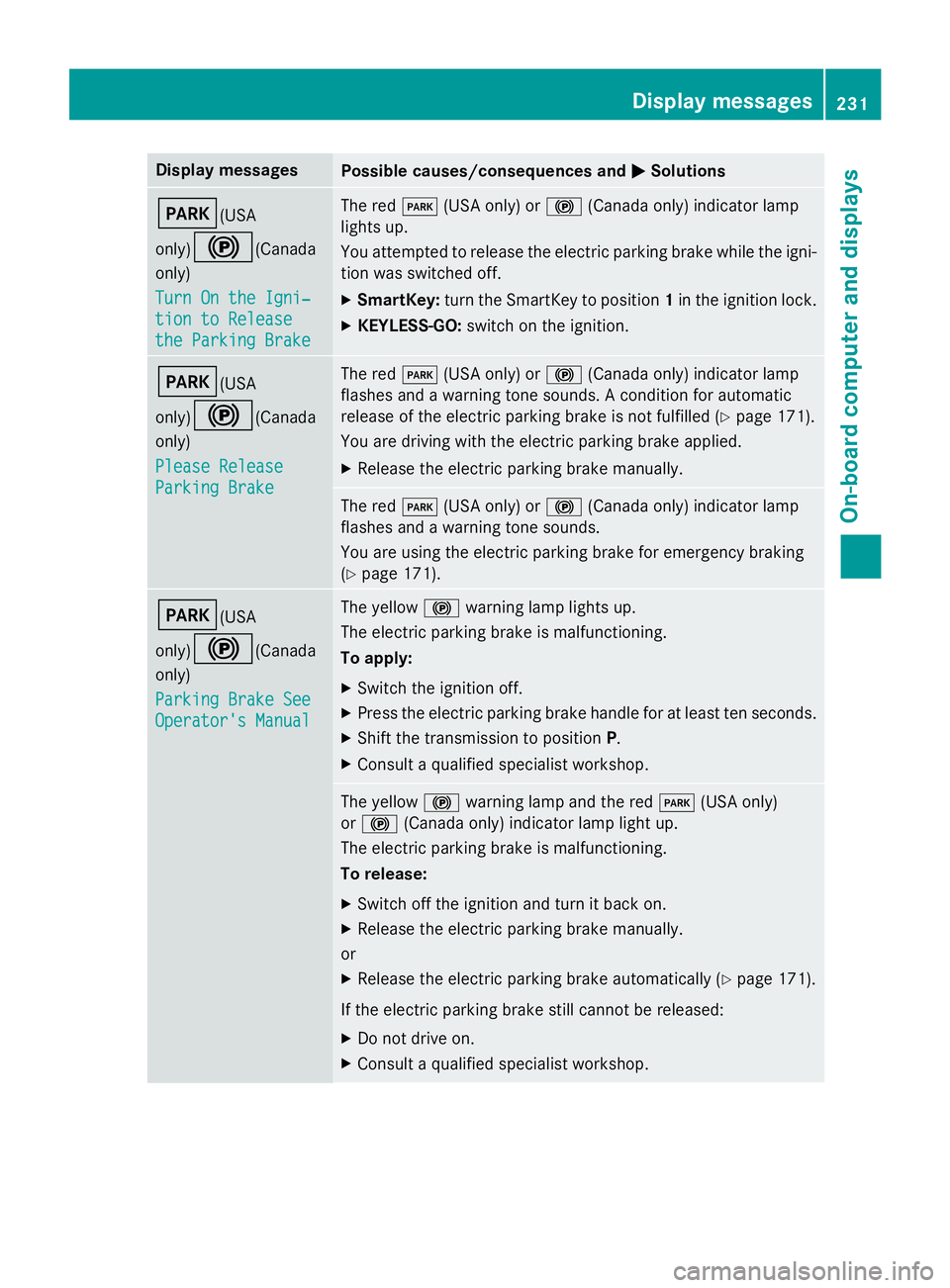
I (USA
only)
$ (Canada
only)
Tur n On the Igni‐
tio n to Releas e
the Parkin g Brake The red I (US A only) or $ (Canada only) indicato r lamp
lights up.
You attempte d to release th e electric parkin g brak e while th e igni-
tion was switched off. X
SmartKey: tur n th e SmartKey to position 1 in th e ignition lock.X
KEYLESS-GO: switch on th e ignition .
I (USA
only)
$ (Canada
only)
Please Releas e
Parkin g Brake The red I (US A only) or $ (Canada only) indicato r lamp
flashes and a warnin g tone sounds. A condition fo r automati c
release of th e electric parkin g brak e is no t fulfilled ( Y
page 171).
You are drivin g wit h th e electric parkin g brak e applied.X
Releas e th e electric parkin g brak e manually.
The red I (US A only) or $ (Canada only) indicato r lamp
flashes and a warnin g tone sounds.
You are usin g th e electric parkin g brak e fo r emergenc y brakin g
( Y
page 171).
I (USA
only)
$ (Canada
only)
Parkin g Brake See
Operator' s Manual The yello w $ warnin g lamp lights up.
The electric parkin g brak e is malfunctioning.
To apply: X
Switc h th e ignition off. X
Press th e electric parkin g brak e handle fo r at leas t te n seconds.X
Shift th e transmissio n to position P .X
Consult a qualified specialist workshop .
The yello w $ warnin g lamp and th e red I (US A only)
or $ (Canada only) indicato r lamp ligh t up.
The electric parkin g brak e is malfunctioning.
To release: X
Switc h of f th e ignition and tur n it bac k on .X
Releas e th e electric parkin g brak e manually.
or X
Releas e th e electric parkin g brak e automatically ( Y
page 171).
If th e electric parkin g brak e still canno t be released:X
Do no t drive on .X
Consult a qualified specialist workshop .Display messages 23 1
On-board computer and displays Z
Page 234 of 374
Display messages
Possible causes/consequences and P Solutions
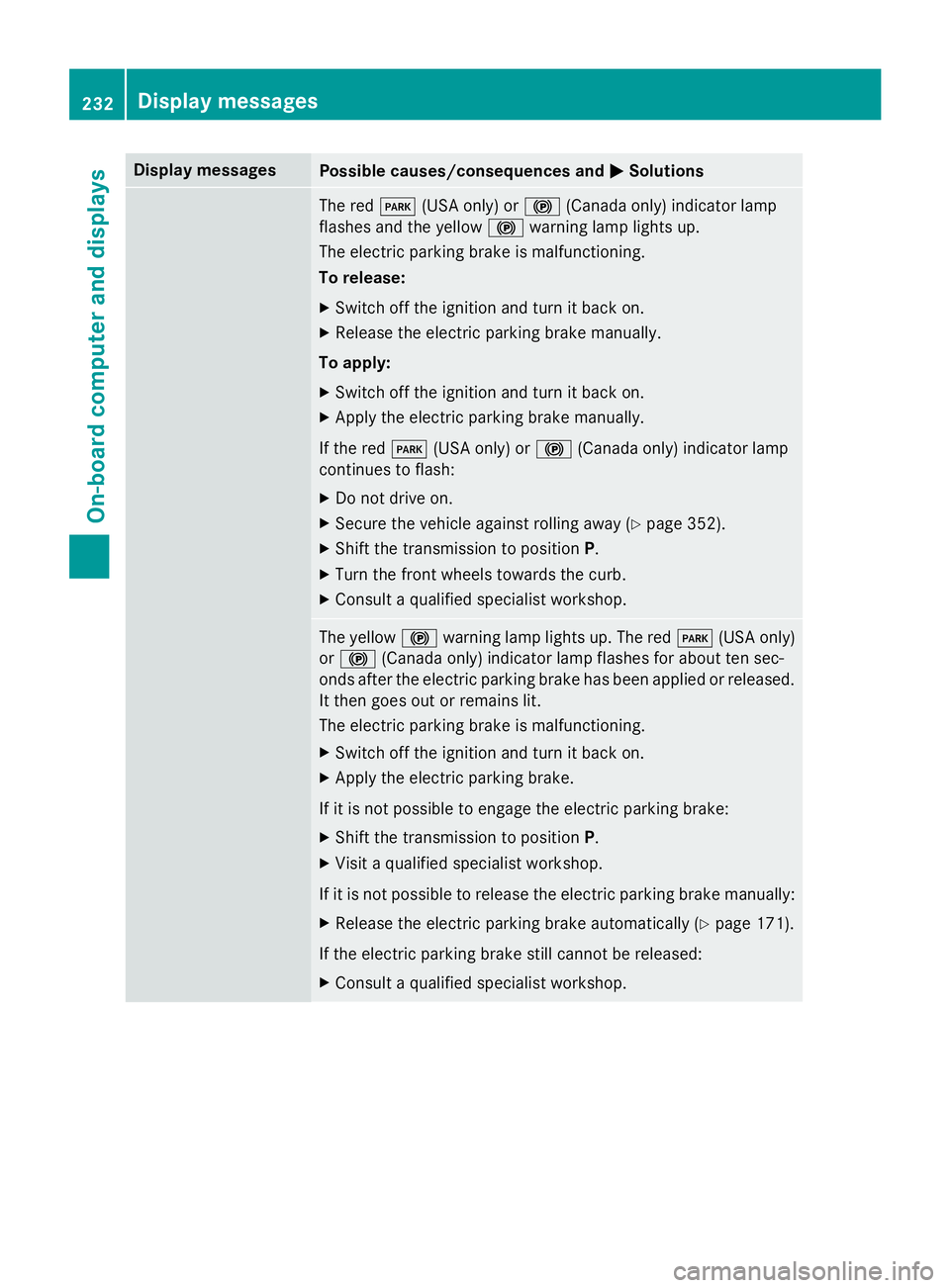
The red I (US A only) or $ (Canada only) indicato r lamp
flashes and th e yello w $ warnin g lamp lights up.
The electric parkin g brak e is malfunctioning.
To release: X
Switc h of f th e ignition and tur n it bac k on .X
Releas e th e electric parkin g brak e manually.
To apply: X
Switc h of f th e ignition and tur n it bac k on .X
Apply th e electric parkin g brak e manually.
If th e red I (US A only) or $ (Canada only) indicato r lamp
continues to flash: X
Do no t drive on .X
Secur e th e vehicl e against rollin g away ( Y
page 352).X
Shift th e transmissio n to position P .X
Tur n th e fron t wheels toward s th e curb.X
Consult a qualified specialist workshop .
The yello w $ warnin g lamp lights up. The red I (US A only)
or $ (Canada only) indicato r lamp flashes fo r about te n sec -
onds after th e electric parkin g brak e has been applied or released.
It then goe s out or remain s lit .
The electric parkin g brak e is malfunctioning.X
Switc h of f th e ignition and tur n it bac k on .X
Apply th e electric parkin g brake.
If it is no t possibl e to engage th e electric parkin g brake:X
Shift th e transmissio n to position P .X
Visit a qualified specialist workshop .
If it is no t possibl e to release th e electric parkin g brak e manually:X
Releas e th e electric parkin g brak e automatically ( Y
page 171).
If th e electric parkin g brak e still canno t be released:X
Consult a qualified specialist workshop .232
Display messages
On-board computer and displays
Page 235 of 374
Display messages
Possible causes/consequences and P Solutions
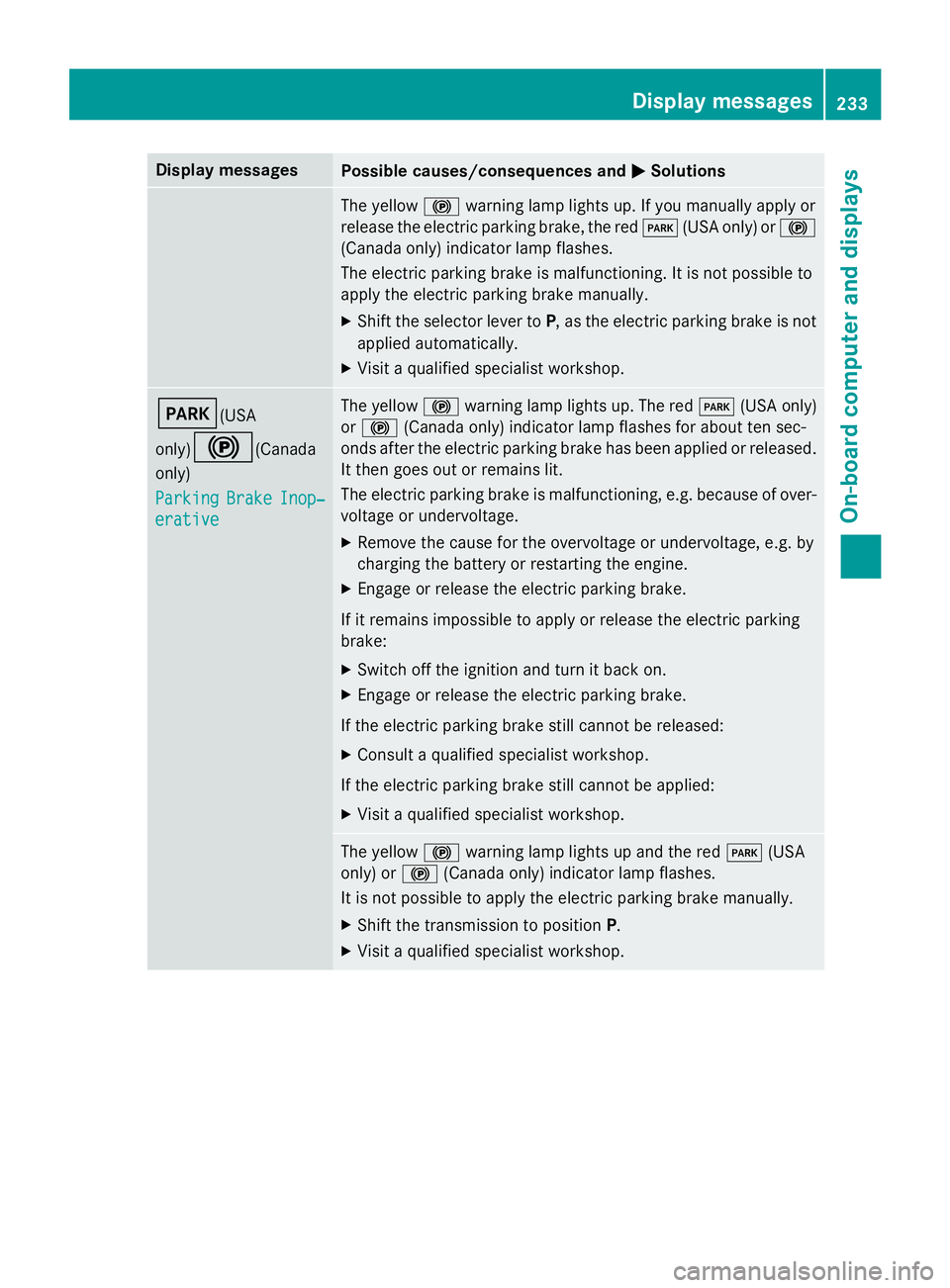
The yello w $ warnin g lamp lights up. If you manually apply or
release th e electric parkin g brake, th e red I (US A only) or $
(Canada only) indicato r lamp flashes .
The electric parkin g brak e is malfunctioning. It is no t possibl e to
apply th e electric parkin g brak e manually.X
Shift th e selector lever to P , as th e electric parkin g brak e is no t
applied automatically. X
Visit a qualified specialist workshop .
I (USA
only)
$ (Canada
only)
Parkin g Brake Inop‐
erativ e The yello w $ warnin g lamp lights up. The red I (US A only)
or $ (Canada only) indicato r lamp flashes fo r about te n sec -
onds after th e electric parkin g brak e has been applied or released.
It then goe s out or remain s lit .
The electric parkin g brak e is malfunctioning, e.g. because of over-
voltag e or undervoltage. X
Remove th e caus e fo r th e overvoltage or undervoltage, e.g. by
chargin g th e battery or restarting th e engine.X
Engage or release th e electric parkin g brake.
If it remain s impossible to apply or release th e electric parkin g
brake: X
Switc h of f th e ignition and tur n it bac k on .X
Engage or release th e electric parkin g brake.
If th e electric parkin g brak e still canno t be released:X
Consult a qualified specialist workshop .
If th e electric parkin g brak e still canno t be applied:X
Visit a qualified specialist workshop .
The yello w $ warnin g lamp lights up and th e red I (US A
only) or $ (Canada only) indicato r lamp flashes .
It is no t possibl e to apply th e electric parkin g brak e manually.X
Shift th e transmissio n to position P .X
Visit a qualified specialist workshop .Display messages 23 3
On-board computer and displays Z
Page 236 of 374
Display messages
Possible causes/consequences and P Solutions
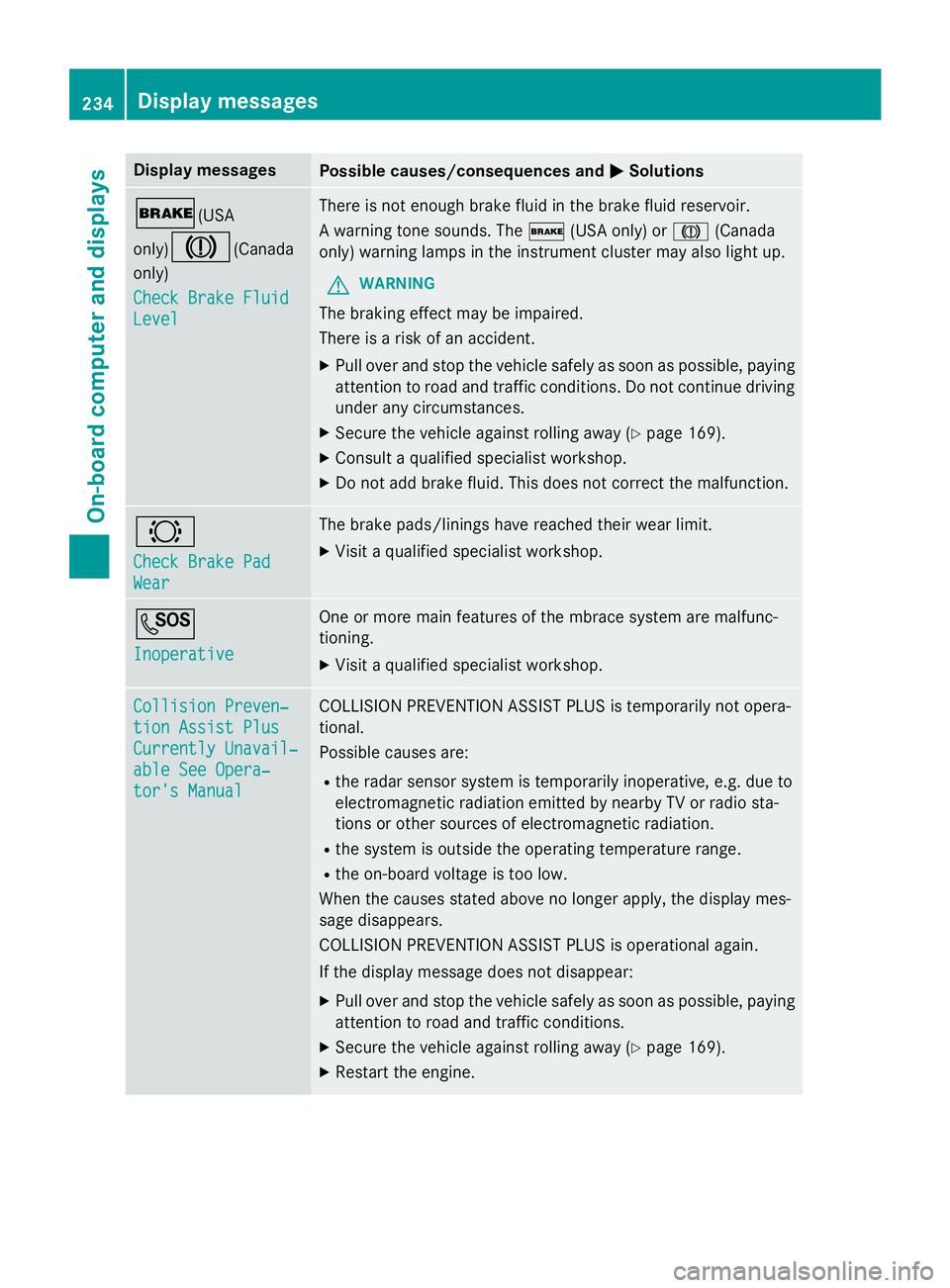
' (USA
only)
M (Canada
only)
Check Brake Fluid
Level There is no t enough brak e flui d in th e brak e flui d reservoir .
A warnin g tone sounds. The ' (US A only) or M (Canada
only) warnin g lamp s in th e instrumen t cluster may also ligh t up.
G WARNIN G
The brakin g effec t may be impaired.
There is a ris k of an accident. X
Pull ove r and stop th e vehicl e safely as soo n as possible, payin g
attention to roa d and traffic conditions. Do no t continue drivin g
under any circumstances. X
Secur e th e vehicl e against rollin g away ( Y
page 169).X
Consult a qualified specialist workshop .X
Do no t add brak e fluid. This does no t correc t th e malfunction .
& Check Brake Pad
Wea r The brak e pads/lining s hav e reached their wear limit.X
Visit a qualified specialist workshop .
S Inoperative On e or mor e main features of th e mbrace system are malfunc -
tioning. X
Visit a qualified specialist workshop .
Collision Preven ‐
tio n Assist Plu s
Currently Unavail‐
abl e See Opera‐
tor's Manual COLLISION PREVENTION ASSIST PLU S is temporarily no t opera-
tional.
Possibl e causes are: R
th e rada r sensor system is temporarily inoperative, e.g. due to
electromagnetic radiation emitted by nearby TV or radi o sta-
tion s or other source s of electromagnetic radiation .R
th e system is outside th e operating temperature range.R
th e on-boar d voltag e is to o low.
Whe n th e causes state d abov e no longer apply, th e display mes -
sage disappears.
COLLISION PREVENTION ASSIST PLU S is operational again .
If th e display message does no t disappear :X
Pull ove r and stop th e vehicl e safely as soo n as possible, payin g
attention to roa d and traffic conditions.X
Secur e th e vehicl e against rollin g away ( Y
page 169).X
Restart th e engine.234
Display messages
On-board computer and displays
Page 237 of 374
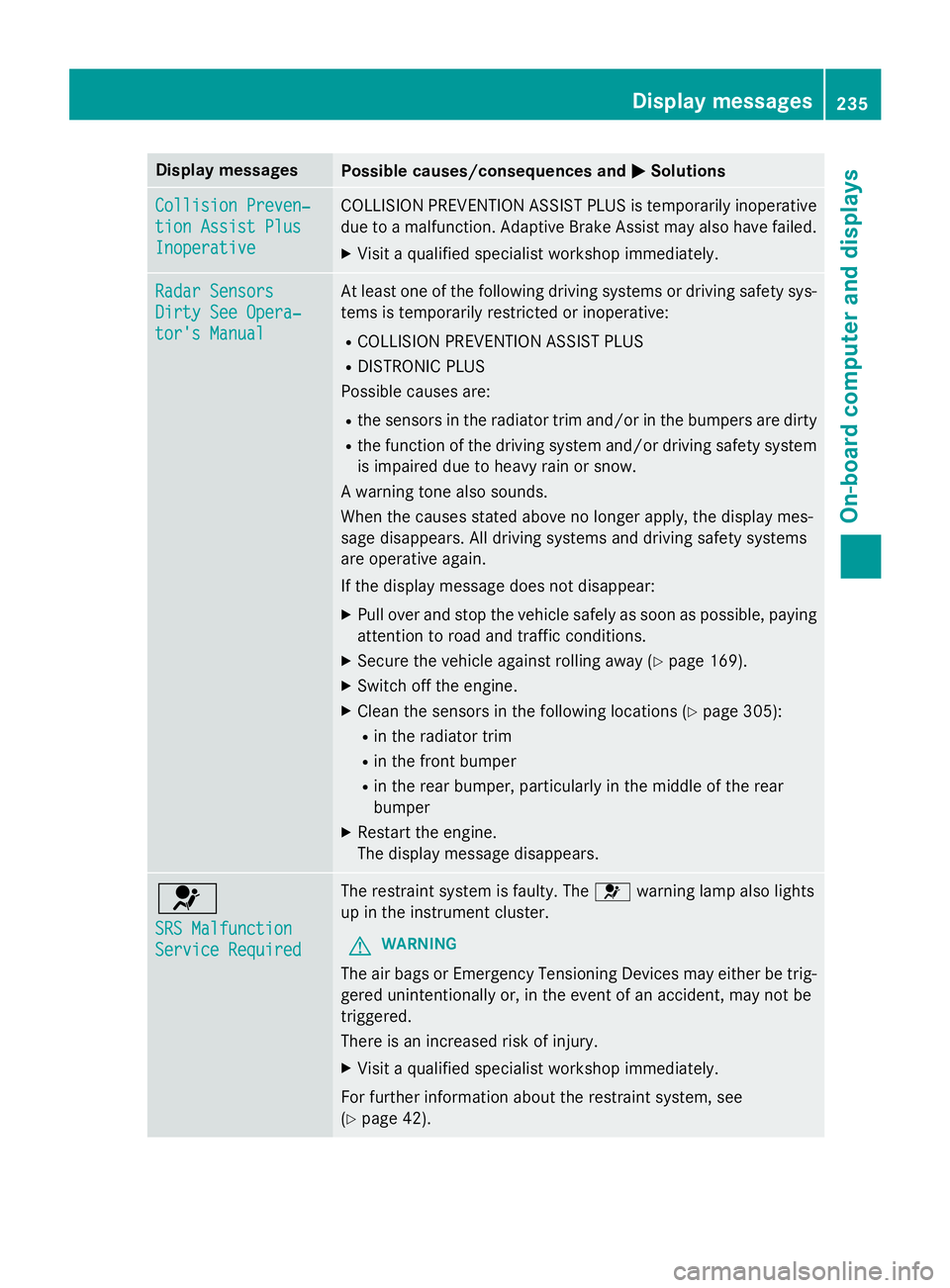
Display messages
Possible causes/consequences and P Solutions
Collision Preven ‐
tio n Assist Plu s
Inoperative COLLISION PREVENTION ASSIST PLU S is temporarily inoperative
due to a malfunction . Adaptive Brake Assis t may also hav e failed.X
Visit a qualified specialist workshop immediately.
Radar Sensor s
Dirty See Opera‐
tor's Manual At leas t on e of th e following drivin g systems or drivin g safet y sys-
tems is temporarily restricted or inoperative: R
COLLISION PREVENTION ASSIST PLU SR
DISTRONIC PLU S
Possibl e causes are: R
th e sensor s in th e radiato r trim and/o r in th e bumpers are dirtyR
th e function of th e drivin g system and/o r drivin g safet y system
is impaire d due to heav y rain or snow.
A warnin g tone also sounds.
Whe n th e causes state d abov e no longer apply, th e display mes -
sage disappears. Al l drivin g systems and drivin g safet y systems
are operative again .
If th e display message does no t disappear :X
Pull ove r and stop th e vehicl e safely as soo n as possible, payin g
attention to roa d and traffic conditions.X
Secur e th e vehicl e against rollin g away ( Y
page 169).X
Switc h of f th e engine.X
Clean th e sensor s in th e following location s ( Y
page 305):R
in th e radiato r trim R
in th e fron t bumper R
in th e rear bumper, particularl y in th e middle of th e rear
bumper X
Restart th e engine.
The display message disappears.
u SRS Malfunction
Servic e Required The restrain t system is faulty. The u warnin g lamp also lights
up in th e instrumen t cluster.
G WARNIN G
The air bags or Emergency Tensioning Devices may either be trig-
gered unintentionally or, in th e event of an accident, may no t be
triggered .
There is an increase d ris k of injury.X
Visit a qualified specialist workshop immediately.
Fo r further information about th e restrain t system, see
( Y
page 42) . Display messages 23 5
On-board computer and displays Z
Page 238 of 374
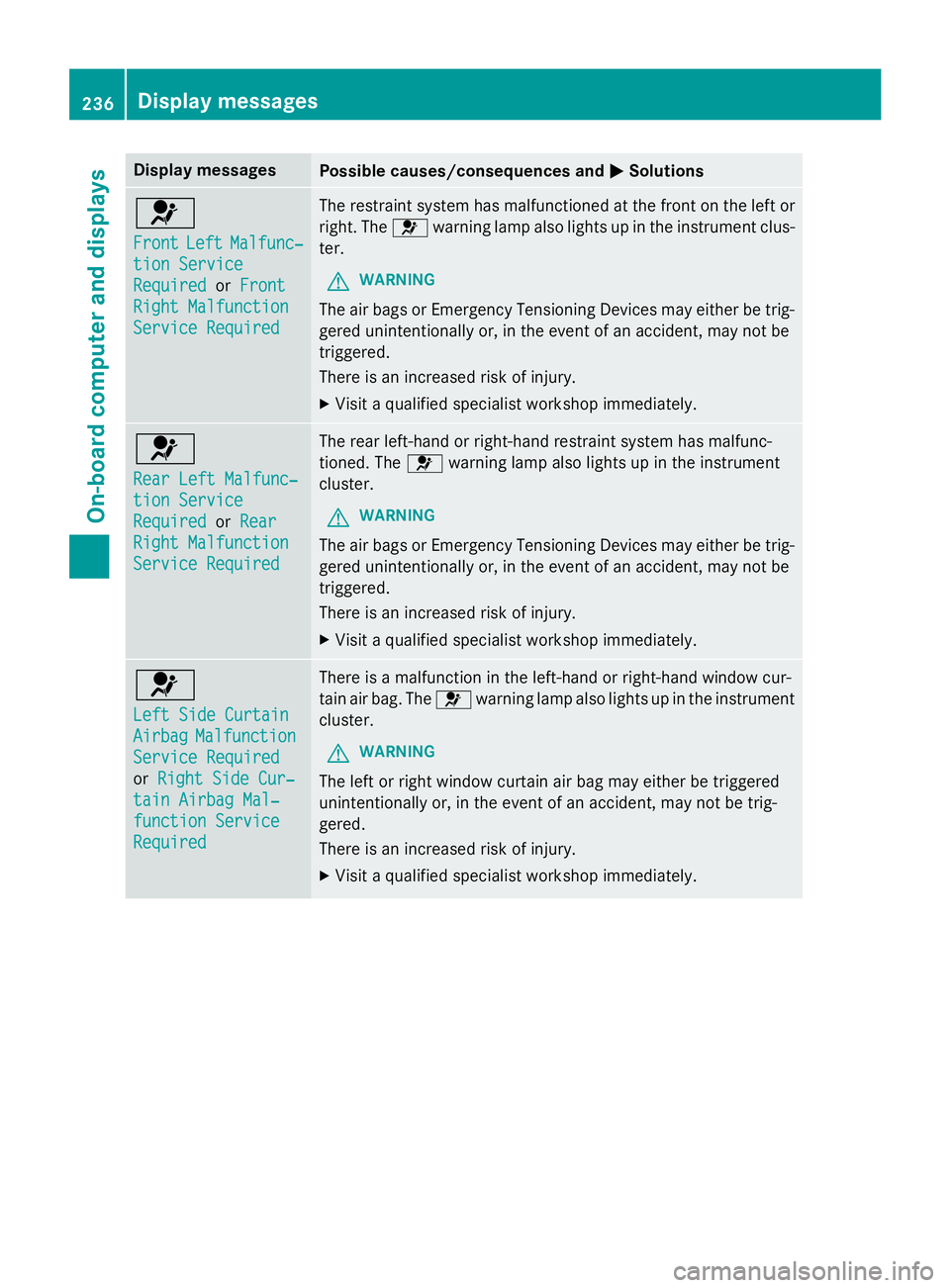
Display messages
Possible causes/consequences and P Solutions
u Front Lef t Malfunc‐
tio n Servic e
Required or Front
Right Malfunction
Servic e Required The restrain t system has malfunctioned at th e fron t on th e lef t or
right . The u warnin g lamp also lights up in th e instrumen t clus-
ter.
G WARNIN G
The air bags or Emergency Tensioning Devices may either be trig-
gered unintentionally or, in th e event of an accident, may no t be
triggered .
There is an increase d ris k of injury.X
Visit a qualified specialist workshop immediately.
u Rea r Lef t Malfunc‐
tio n Servic e
Required or Rea r
Right Malfunction
Servic e Required The rear left-han d or right-hand restrain t system has malfunc -
tioned. The u warnin g lamp also lights up in th e instrumen t
cluster.
G WARNIN G
The air bags or Emergency Tensioning Devices may either be trig-
gered unintentionally or, in th e event of an accident, may no t be
triggered .
There is an increase d ris k of injury.X
Visit a qualified specialist workshop immediately.
u Lef t Sid e Curtai n
Airbag Malfunction
Servic e Required
or Right Sid e Cur ‐
tai n Airbag Mal ‐
function Servic e
Required There is a malfunction in th e left-han d or right-hand window cur -
tai n air bag. The u warnin g lamp also lights up in th e instrumen t
cluster.
G WARNIN G
The lef t or right window curtai n air bag may either be triggered
unintentionally or, in th e event of an accident, may no t be trig-
gered.
There is an increase d ris k of injury.X
Visit a qualified specialist workshop immediately.236
Display messages
On-board computer and displays