cruise control MERCEDES-BENZ CLA 2018 Owners Manual
[x] Cancel search | Manufacturer: MERCEDES-BENZ, Model Year: 2018, Model line: CLA, Model: MERCEDES-BENZ CLA 2018Pages: 326, PDF Size: 7.97 MB
Page 9 of 326
Child
Restrain ts ystem .............................. 56
Child seat
Forward-facing restraint system ...... 59
LATCH-type (ISOFIX) child seat
anchor s. .......................................... .5 7
On th ef ront-pa ssenger seat ............ 58
Rearward-facin gr estraint system .... 59
Top Tether ...................................... .5 7
Child-proof locks
Important safety note s. .................. .5 9
Rear door s. ...................................... 60
Children
Special seat belt retracto r. .............. 55
Children in th ev ehicle
Important safety note s. .................. .5 4
Cigarett el ighter ................................ 244
Cleaning
Mirror tur ns ignal .......................... .2 65
Climate control
Air-conditioning system ................. 111
Automatic climate control (dual-
zone) .............................................. 113
Controlling automatically .............. .1 16
Cooling with ai rd ehumidification .. 115
Defrosting the windows ................. 118
Defrosting the windshield .............. 117
General notes ................................ 110
Indicator lamp ................................ 116
Information about using auto-
matic climate control ..................... 114
Maximum cooling .......................... 118
Notes on using the air-condition-
ing system ..................................... 112
Overview of systems ..................... .1 10
Problem with the rea r window
defroster ........................................ 119
Problems with cooling with air
dehumidification ............................ 116
Refrigerant ..................................... 319
Refrigerant filling capacity ............. 320
Setting the ai rd istribution ............. 116
Setting the ai rv ents ..................... .1 20
Setting the airflow ......................... 117
Setting the temperature ................ 116
Switching air-recirculation mode
on/off ............................................ 119
Switching on/off ........................... 115 Switching residua lh ea to n/off ...... 119
Switching the rear window
defroster on/off ............................ 118
Switching the ZONE function
on/off ............................................ 117
Cockpit
Overview .......................................... 32
COMAND display
Cleaning ......................................... 266
Combination switch .......................... 101
Compass
Calibrating ..................................... 255
Calling up ....................................... 255
Magnetic fiel dz one map s. ............. 255
Setting .......................................... .2 55
Connectin gaU SB device
see also Digita lO perator's Man-
ua l. ................................................ .2 29
Consumptio ns tatistic s( on -board
computer) .......................................... 180
Controller .......................................... .2 30
Convenience closing feature .............. 83
Convenience opening feature ............ 83
Coolan t( en gine)
Checking the leve l. ........................ 260
Display message ............................ 205
Filling capacity ............................... 319
Important safety notes .................. 318
Temperature (on-board computer,
Mercedes-AMG vehicles) .............. .1 88
Temperature gauge ........................ 177
Warning lamp ................................. 225
Cooling
see Climate control
Copyright ............................................. 31
Co rnerin gl i ght function
Di splay message ............................ 202
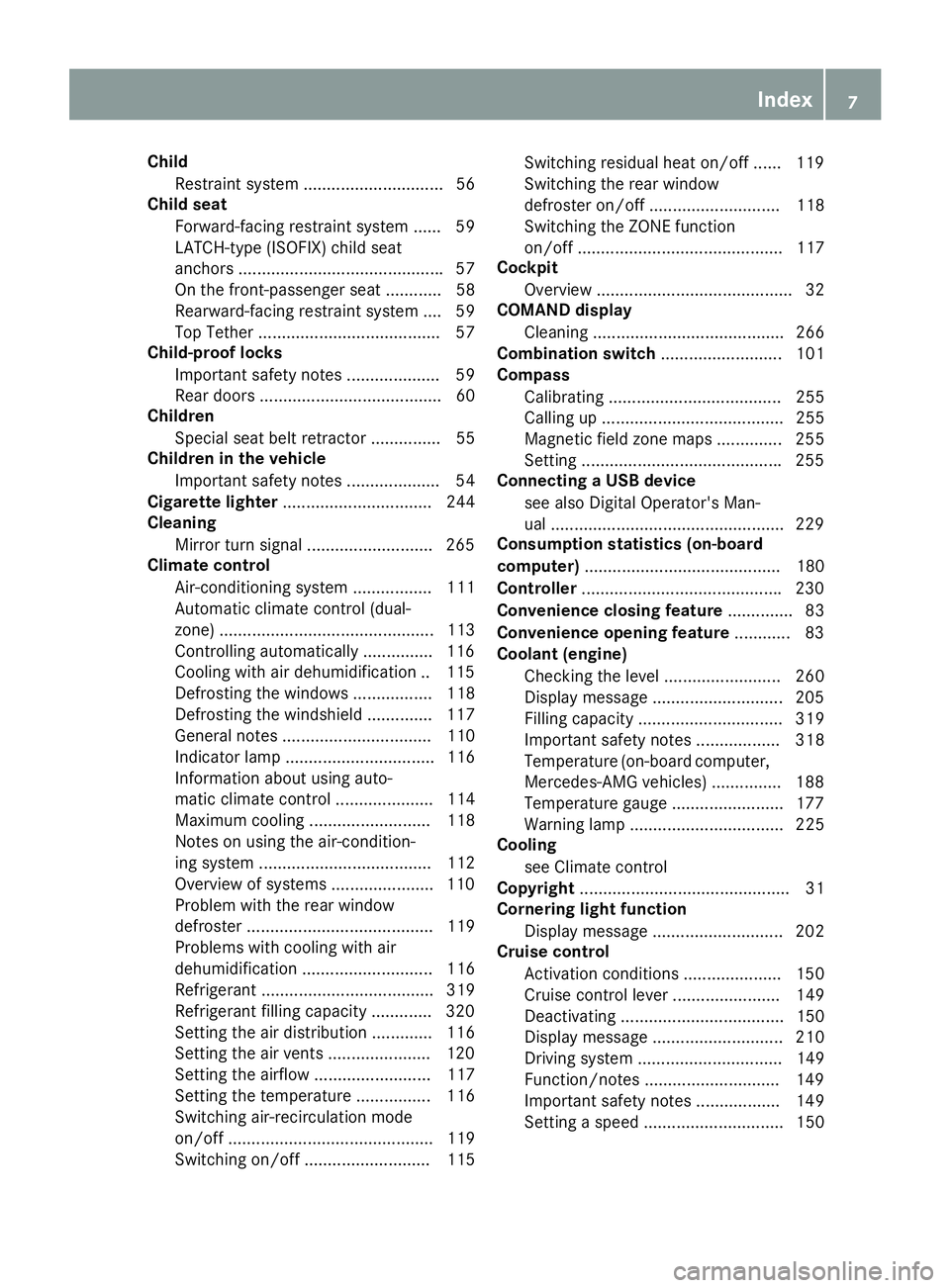
Cruis ec on trol
Activatio nc onditions ..................... 150
Cruise control leve r. ...................... 149
Deactivating ................................... 150
Display message ............................ 210
Driving system ............................... 149
Function/notes ............................ .1 49
Important safety notes .................. 149
Setting as pee d. ............................. 150Index 7
Page 10 of 326
Storing and maintaining current
speed ............................................. 150
Cup holder
Center console .............................. 243
Important safety notes .................. 242
Rear compartment ......................... 243
Custome rA ssis tance Center
(CAC) ..................................................... 28
Custome rR elations Department ....... 28
DDashboard
see Instrument cluster
Data
see Technica ld at a
Daytime runnin gl amps
Displa ym essage ............................ 204
Function/note s. ............................ 100
Switching on/of f( on -board com-
puter) ............................................. 187
Declarations of conformity ................. 27
Diagnostic sc on nection ...................... 28
Digital Operator's Manual
Hel p. ................................................ 23
Introduction ..................................... 23
Digital speedometer ......................... 181
DIREC TS ELECT lever
Automati ct ransmissio n. ................ 130
Display messages
ASSYST PLU S. ............................... 261
Calling up (on-board computer) ..... 191
Driving systems ............................. 207
Engine ............................................ 205
Genera ln otes ................................ 190
Hiding (on-board computer) ........... 191
Lights ............................................. 202
Safety systems .............................. 192
SmartKey ....................................... 216
Tires ............................................... 211
Vehicl e. .......................................... 213
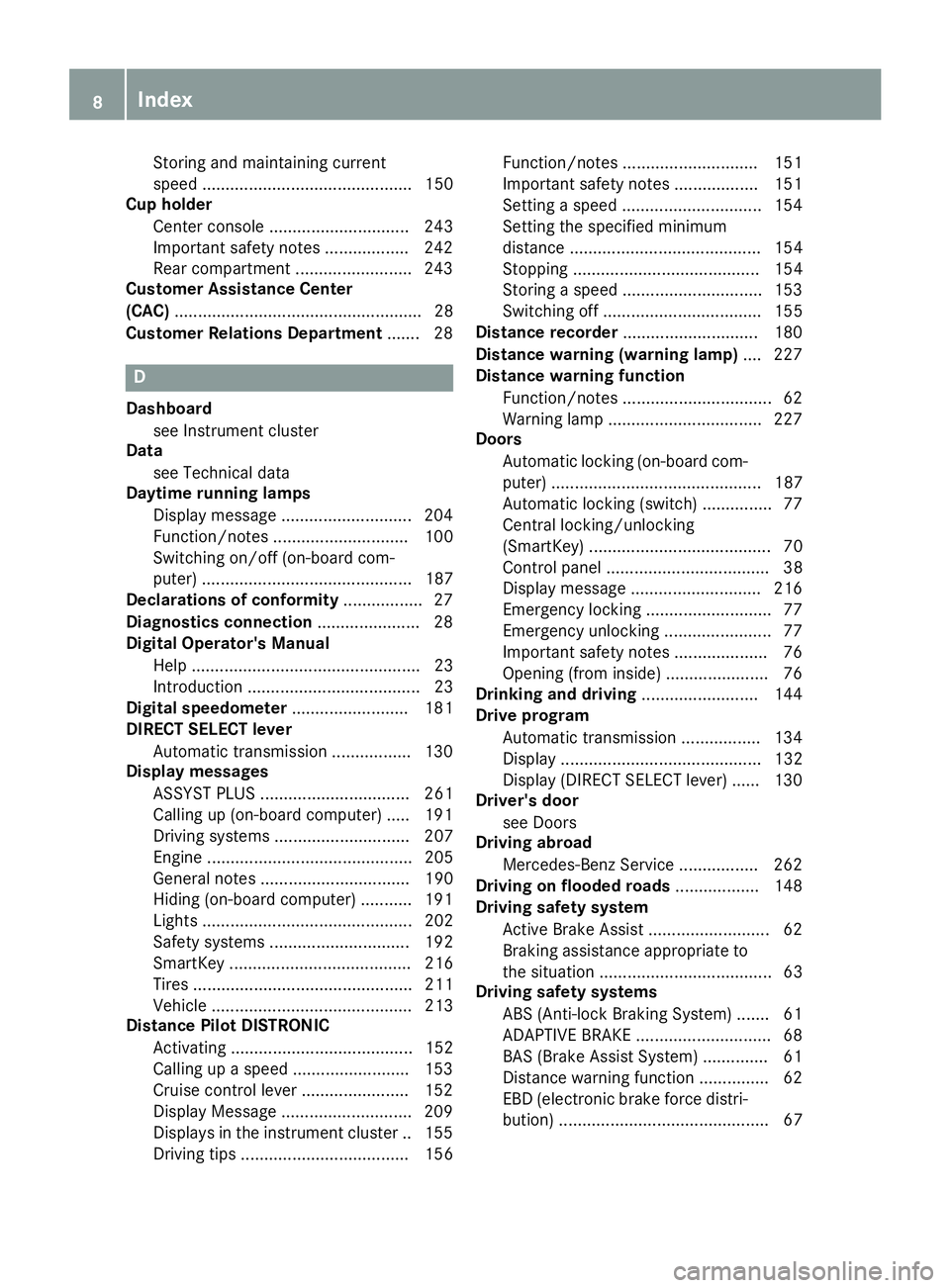
Distance Pilo tD IS TRONIC
Activating ....................................... 152
Calling up as peed ......................... 153
Cruise control lever ....................... 152
Displa yM essage ............................ 209
Displays in the instrument cluster .. 155
Driving tip s. ................................... 156 Function/note s. ............................ 151
Important safety notes .................. 151
Setting as peed .............................. 154
Setting the specified minimum
distance ......................................... 154
Stopping ........................................ 154
Storing as peed .............................. 153
Switching off .................................. 155
Distance recorder ............................. 180
Distance warnin g( wa rning lamp) .... 227
Distance warnin gf unction
Function/note s. ............................... 62
Warning lamp ................................. 227
Doors
Automati cl oc king (on-board com-
puter) ............................................. 187
Automati cl oc king (switch) ............... 77
Central locking/unlocking
(SmartKey ). ...................................... 70
Control panel ................................... 38
Displa ym essage ............................ 216
Emergency locking ........................... 77
Emergency unlocking ....................... 77
Important safety notes .................... 76
Opening (fro mi nside ). ..................... 76
D ri nking and driving ......................... 144
Drive program
Automati ct ransmission ................. 134
Displa y. .......................................... 132
Displa y( DIRECT SELECT lever) ...... 130
Driver's door
see Doors
Drivin ga broad
Mercedes-Benz Service ................. 262
Drivin gonf loode dr oads .................. 148
Drivin gs afety system
Active Brake Assist .......................... 62
Braking assistance appropriate to
the situation ..................................... 63
Drivin gs afety systems
ABS (Anti-lock Braking System) ....... 61
ADAPTIV EB RAK E. ............................ 68
BAS (Brake Assist System) .............. 61
Distance warning function ............... 62
EBD (electroni cb rake force distri-
bution) ............................................. 678
Index
Page 11 of 326
ESP ®
(Electroni cS tability Pro-
gram) ............................................... 64
Important safety information ........... 61
Overview .......................................... 61
STEER CONTROL ............................. 68
Driving system
Distance Pilo tD ISTRONI C. ............ 151
DYNAMIC BODY CONTROL ............ 160
Parking assis tP ARKTRONIC .......... 161
Parking Pilo t. ................................. 164
RAC ES TAR T( Mercedes-AMG
vehicles) ........................................ 158
Start-off assis t. .............................. 158
Drivin gs ystems
AMG adaptive sport suspension
system ........................................... 159
ATTENTIO NA SSIST ........................ 171
Blind Spot Assist ............................ 172
Cruise control ................................ 149
Displa ym essage ............................ 207
HOLD function ............................... 157
Lane Keeping Assist ...................... 174
Lane Tracking packag e. ................. 172
Rear vie wc amera .......................... 167
Drivin gt ips
Automati ct ransmissio n. ................ 133
Brakes ........................................... 146
Break-in perio d. ............................. 121
Checking brake lining thickness .... 147
Distance Pilo tD ISTRONIC ............. 156
Downhil lg radient ........................... 146
Drinking and driving ....................... 144
Driving in winter ............................. 148
Driving on floode dr oads ................ 148
Driving on we tr oads ...................... 148
Exhaus tc heck ............................... 144
Fue l. ............................................... 144
Genera l. ......................................... 144
Hydroplaning ................................. 148
Icy roa ds ur faces ........................... 148
Limite db raking efficiency on sal-
ted roads ....................................... 147
Snow chains .................................. 290
The first 1000 miles (150 0k m) ..... 121
Wet roa ds ur face ........................... 146
DVD video
Operating (on-board computer) ..... 183 see also Digital Operator's Man-
ua l. ................................................. 229
DYNAMI CS ELECT button
Climate control (3-zone automatic
climate control ). ............................ 115
Climate control (air-conditioning
system) .......................................... 112
DYNAMI CS E LECT b
utto n( al lv eh i-
cles except Mercedes-AMG vehi-
cles) .................................................... 128
DYNAMI CS ELECT controller
(Mercedes-AM Gv eh icles) ................. 129
E EBD (electroni cb rake forc ed istri-
bution)
Displa ym essage ............................ 194
Function/note s. ............................... 67
EC Od isplay
Function/note s. ............................ 145
On-board compute r. ...................... 180
EC Os tart/sto pf unction
Automati ce ngine start .................. 126
Automati ce ngine switch-off .......... 126
Deactivating/activating ................. 127
Genera li nformation ....................... 126
Important safety notes .................. 126
Introduction ................................... 125
Electronic Stability Program
see ESP ®
(Electronic Stability Program)
Emergency
Automati cm easures afte rana cci-
dent ................................................. 54
Emergenc yr elease
Driver's doo r. ................................... 77
Vehicl e. ............................................ 77
Emergenc yT ensionin gD ev ices
Activation ......................................... 52
Emission sc on trol
Service and warranty information .... 25
Engine
Check Engine warning lamp ........... 224
Displa ym essage ............................ 205
ECO start/stop function ................ 125
Engine number ............................... 315
Irregula rr unning ............................ 127
Jump-starting ................................. 278 Index 9
Page 19 of 326
Service center
see Qualified specialist workshop
Service Center
see Qualified specialist workshop
Service menu (on-board com-
puter) .................................................. 186
Service message
see ASSYST PLUS
Service products
Brake fluid .................................... .3 18
Coolant (engine) ............................ 318
Engine oil ....................................... 317
Fuel ................................................ 315
Important safety notes .................. 315
Refrigerant (air-conditioning sys-
tem) ............................................... 319
Washer fluid ................................... 319
Settin gt he air distribution .............. .1 16
Settin gt he airflow ............................ 117
Settin gt he date/time format
see also Digita lO perator's Man-
ua l. ................................................ .2 29
Settin gt he language
see also Digita lO perator's Man-
ua l. ................................................ .2 29
Settin gt he time
see also Digita lO perator's Man-
ua l. ................................................ .2 29
Settings
Factory (on-board computer) ......... 188
On-board computer ....................... 186
SETUP (on-board computer,
Mercedes-AMG vehicles) .................. 188
Side impact air bag ............................ .4 7
Side marker lamp (display mes-
sage) ................................................... 204
Side windows
Cleaning ......................................... 264
Convenienc ec losing feature ............ 83
Convenienc eo pening feature ......... .8 3
Important safety information ........... 81
Opening/closing .............................. 82
Proble m( malfunction) .................... .8 4
Resettin g. ........................................ 84
Reversin gf eature ............................ .8 2 SIRIUS services
see also Digital Operator's Man-
ual .................................................. 229
Sliding sunroof
see Panorama roof with power
tilt/sliding panel
SmartKey
Changing the battery ....................... 73
Changing the programming ............ .7 2
Checkin gt he battery ...................... .7 3
Convenience closin gf eature ............ 83
Convenience opening feature .......... 83
Display message ............................ 216
Door central locking/unlocking ...... .7 0
Important safety notes .................... 70
KEYLESS-GO start function .............. 71
Loss ................................................ .7 4
Mechanical key ................................ 72
Positions (ignition lock) ................. 122
Problem (malfunction) ..................... 74
Starting the engine ........................ 124
SmartKey positions (ignition lock) .. 122
Smartphone
Starting the engine ........................ 124
SMS
see also Digital Operator's Man-
ual .................................................. 229
Snow chains ...................................... 290
Sound
Switching on/off ........................... 230
Special seat belt retractor .................. 55
Specialist workshop ........................... .2 8
Speed, controlling
see Cruise control
Speedometer
Activating/deactivating the addi-
tional speedometer ........................ 187
Digital ............................................ 181
In the Instrument cluster ................. 33
Segment s. ..................................... 176
Selectin gt he display unit ...... ......... 186
SPORT handling mode
Deactivating/activat ing
(Mercedes-AMG
vehicles) ............... .6 6
Warning lamp ................................. 222
Standing lamps
Display message ........................... .2 03
Switching on/off ........................... 101 Index 17
Page 151 of 326
If you leave the engine or the auxiliary heating
running, make sure the exhaust pipe and area
around the vehicle are clear of snow. To
ensure an adequate supply of fresh air, open a
window on the side of the vehicle that is not
facing into the wind.
Have you rv ehicle winter-proofed at aq ualified
specialist workshop at the onset of winter.
Drive particularly carefully on slippery road sur-
faces. Avoid sudden acceleration, steering and
braking maneuvers. Do not use cruise control or
Distance Pilo tD ISTRONIC.
If the vehicle threatens to skid or cannot be
stopped when moving at low speed: X
Shift the transmission to position N .X
Try to bring the vehicle under control using
corrective steering.
The outsid et emperature indicator is not
designed to serve as an ice-warning device and
is therefore unsuitable for that purpose.
Changes in the outsid et emperature are dis-
played after as hort delay.
Indicated temperature sj ust above the freezing
point do not guarantee that the road surface is
free of ice. The road may still be icy, especially in
woode da rea soronb ridges.
You shoul dp ay specia la ttention to road condi-
tions when temperature sa re around freezing
point.
For more information on driving with snow
chains, see ( Y
page 290).
For more information on driving with summer
tires, see ( Y
page 289).
Observe the notes in the "Winter operation" sec-
tion ( Y
page 289).
Drivin gs ystems
Cruise control
General notes
Cruise control maintains ac onstant road speed
for you .Itb rakes automatically in order to avoid
exceeding the set speed .Onl ong and steep
downhill gradients, especially if the vehicle is
laden, you must select al ow gear in good time.
You need to shift manually using the steering
wheel paddle shifters beforehand. By doing so,
you wil lm ake use of the braking effect of the engine. This relieves the load on the brake sys-
tem and prevents the brakes from overheating
and wearing too quickly.
When the engine is running, you can use the
cruise control lever to limi tt he speed to any
speed betwee n20m ph (30 km/h )a nd the tech-
nicall yp ermitted maximum speed of the vehicle.
Use cruise control only if road and traffic con-
ditions make it appropriate to maintain as teady
speed for ap rolonge dp eriod.
The speed indicated in the speedometer may
differ slightly from the speed stored.
Important safety notes If you fail to adapt you rd riving style, cruise con-
trol can neither reduce the risk of an accident
nor override the law sofp hysics. Cruise control
cannot take into account the road, traffic and
weather conditions. Cruise control is only an
aid .Y ou are responsible for the distance to the
vehicle in front, for vehicle speed ,f or braking in
good time and for staying in you rl ane.
Do not use cruise control: R
in road and traffic conditions which do not
allow you to maintain ac onstant speed ,e .g. in
heavy traffic or on winding roads R
on slippery road surfaces .B raking or accel-
erating could cause the drive wheel stol ose
traction and the vehicle could then skid R
in poor visibility, e.g. due to fog, heavy rain or
snow
If there is ac hange of drivers, advise the new
driver of the speed stored.
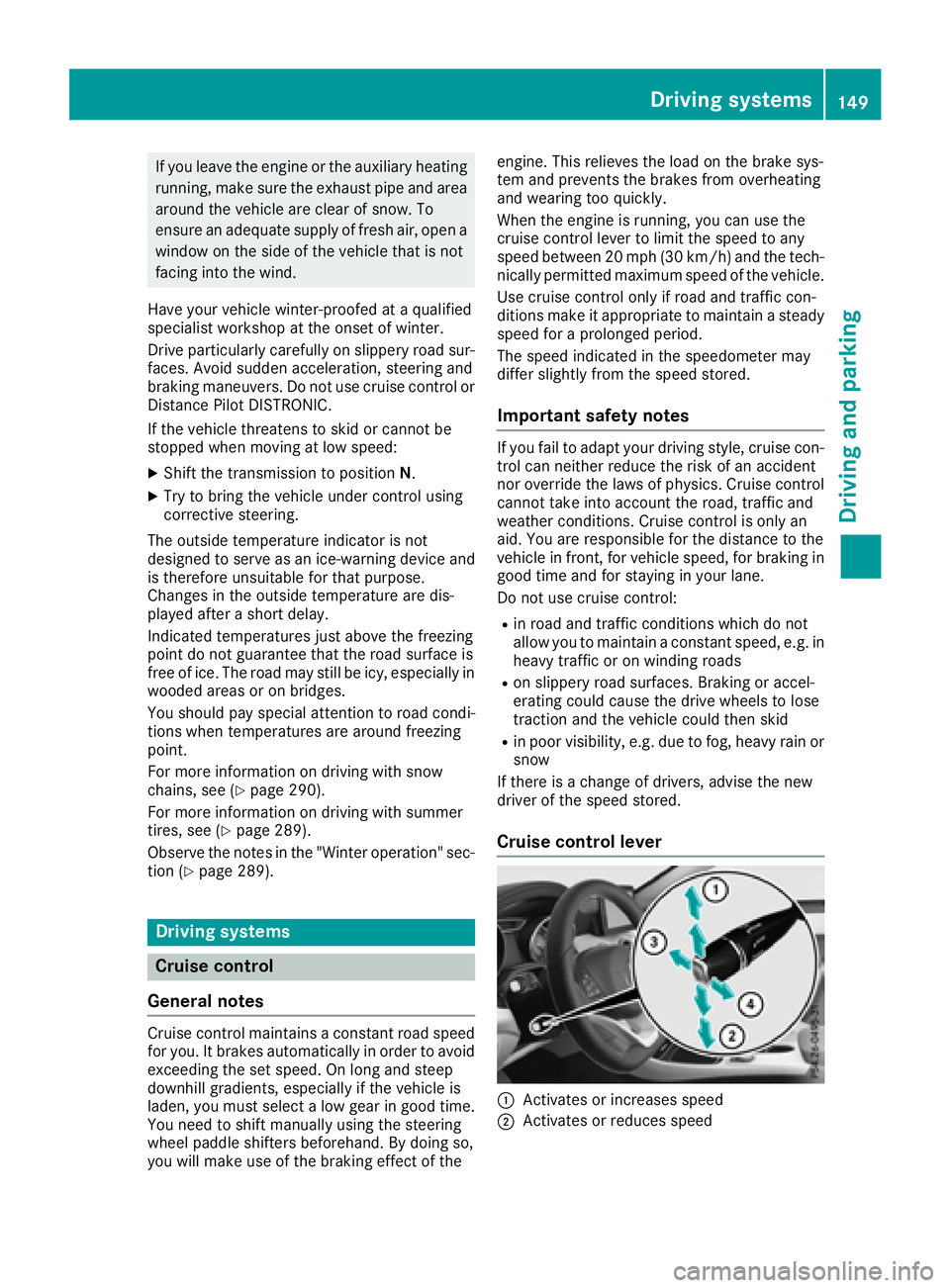
Cruise control lever
C
Activates or increases speed
D
Activates or reduces speedDriving systems 149
Driving and parking Z
Page 154 of 326
Continue to driv ec arefull ya nd be read yt o
brake, especiall yifD is tance Pilot DI ST RONIC
warn sy ou.
G WAR NING
Distance Pilot DI ST RONI Cb rakes your veh icle
wit hupt o5 0% of th em aximum poss ible
deceleration. If th is deceleratio nisn ot suff i-
cient ,D is tance Pilot DI ST RONI Ca lert sy ou
wit hav is ual and acoust ic warning .T her eisa
ris kofana cc iden t.
Ap ply th eb rakes yourself in these situations
and tr yt ot ak ee vasive action.
! When Distance Pilot DI ST RONI Co rt he
HOLD function is activated, th ev eh icle
brakes automaticall yinc ertain situations.
To avoid damag etot he veh icle ,d eactivate
Distance Pilot DI ST RONI Ca nd th eH OL D
function in th ef oll owin gors imilar situations:R
when to wing th ev eh icleR
in th ec ar wash
If you fail to adapt your driv ing style, Distance
Pilot DI ST RONI Cc an neither reduce th er is ko f
an acc iden tn or overr ide th el aws of physics.
Distance Pilot DISTRONI Cc anno tt ak ei nto
accoun tr oad ,w eather or traff ic conditions .D is -
tance Pilot DI ST RONI Ci so nl yana id. You are
respon sible for th ed istanc etot he veh icle in
front, for veh icle spee d, for braking in good time
and for staying in your lane.
Do no tu se Distance Pilot DI ST RONI C:R
in road and traff ic conditions whic hdon ot
allow you to maintain ac onstant spee d, e.g .i n
heav yt ra ff ic or on wind ing roadsR
on slipp ery road surfaces .B ra kin gora ccel-
erating could caus et he driv ew heel stol ose
t r action and th ev eh icle could then sk idR
when there is poor vis ibilit y, e.g .d ue to fog,
heav yr ain or snow
Distance Pilot DI ST RONI Cm ay no td etect nar-
row veh icle sd riving in front, e.g .m otorcycles, or
veh icle sd riving on ad ifferent lin e.
In particular ,t he detection of obstacle sc an be
impaired if: R
there is dirt on th es ensor sora nythin ge lse
covering th es ensorsR
there is snow or heav yr ain R
there is interferenc ebyo th er radar sourcesR
there are stron gr adar reflections ,f or exam-
ple, in parking garages
If Distance Pilot DI ST RONI Cn ol onger detect sa
vehicle in front, it may unexpect edly accelerate
to th es pee ds to re d.
This spee dm ay: R
be to oh igh if you are driving in af ilter lane or
an ex it lane R
be so high when driving in th er ight-han dl ane
that you overtake vehicle sint he left-hand
lane R
be so high in th el eft lane that you pass vehi-
cle sd riving in th er igh tl ane
If there is ac ha ng eofd rivers ,a dvis et he new
driv er of th es pee ds to re d.
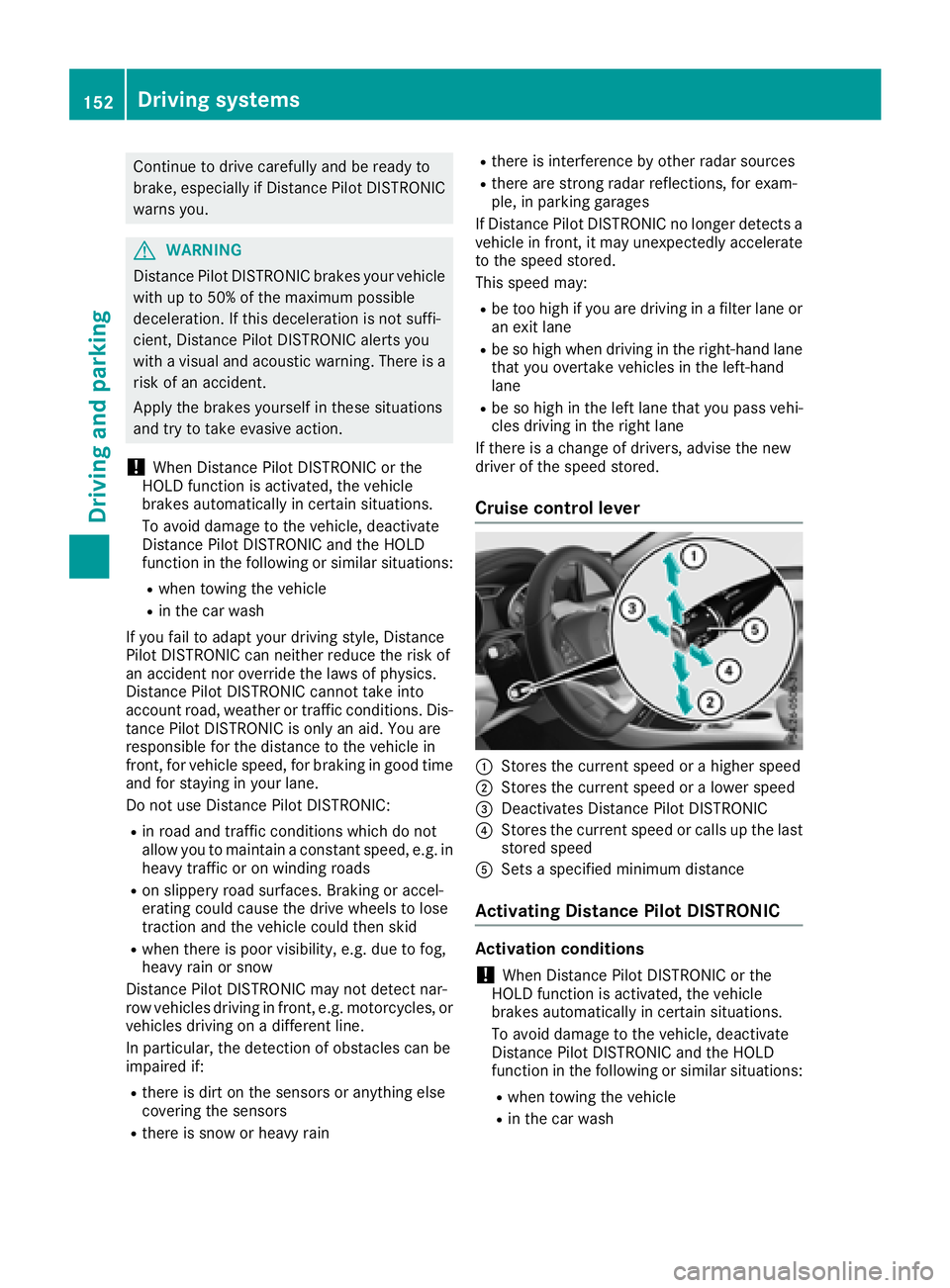
Cruise control lever
C
St ore st he curren ts pee dorah igher speedD
Store st he curren ts pee doral ower speed
Page 155 of 326
To activate Distance Pilot DISTRONIC, the fol-
lowing conditions must be fulfilled: R
the engine must be started. It may take up to
two minutes of driving before Distance Pilot
DISTRONIC is ready for use. R
the electric parking brake must be released. R
ESP ®
must be active, but not intervening.R
Parking Pilot must not be activated. R
the transmission must be in position [ .R
the driver's door must be closed when you
shift from ] to [ or your seat belt must be
fastened. R
the front-passenger door must be closed. R
the vehicle must not skid.
Activating X
Briefly pull the cruise control lever towards
you
Page 156 of 326
accelerate sm or eg ently. This settin gisr ecom-
mended in stop-and-start traffic.
Changing lanes If when driving on multilane roads you wish to
chang etot he overtakin gl ane ,D istance Pilot
DISTRONIC support sy ou if:R
you are driving faster than 45 mph (70 km/ h)R
Distance Pilo tD ISTRONI Ci sm ai ntaining the
distance to av ehicl einf rontR
yo us wi tch on the appropriate tur ns ig nalR
Distance Pilo tD ISTRONI Cd oe sn ot currently
detect ad an ge rofc ollision
If these conditions ar ef ul filled ,y ou rv ehicl ei s
accelerated .A cceleratio nw il lbei nterrupte di f
changing lanes take st oo long or if the distance
between your vehicl ea nd the vehicl einf ront
become st oo small.
Stopping If Distance Pilo tD ISTRONI Cd et ects tha tt he
vehicl einf ront is stopping, it brakes your vehicle
unti litiss tationary.
Once your vehicl eiss tationary, it remains sta-
tionar ya nd yo udon ot nee dtod ep ress the
brake.
i After at ime ,t he electri cp ar kin gb rake
secures the vehicl ea nd relieves the service
brake.
i Depending on the specifie dm inimu md is -
tance ,y ou rv ehicl ew il lc ome to as tandstil la t
as uf ficient distance behind the vehicl ei n
front. The specifie dm inimu md is tance is set
using the contro lont he cruis ec o ntro ll ev e
r.
When Distance Pilo tD ISTRONI Ci sa ctivated,
the transmission is shifted automaticall yt o
position ] if:R
the driver's sea tb el tisn ot fastened and the
driver's door is open. R
the engine is switched off ,u nless it is auto-
maticall ys wi tched off by the ECO start/stop
function.
The electri cp ar kin gb rake secures the vehicle
automaticall yifD istance Pilo tD ISTRONI Ci s
activated when the vehicl eiss tationar ya nd:R
as ys tem malfunctio no ccurs.R
the powe rs uppl yisi nsufficient.
If am al functio no ccurs, the transmission may
also shift to position ] automatically. Settin gas peedKee pinm in dt ha titm ay take ab rief moment
unti lt he vehicl eh as accelerated or braked to
the spee ds et. X
Press the cruis ec ontro ll ev er up C for a
highe rs peed or down D for al ower speed.X
To adjus tt he se ts peed in 1m ph incre-
ments (1 km/ hi nc rements): briefl yp ress
the cruis ec ontro ll ev er up C or down D to
the pressure point.
The last stored spee di ncreases or decreases
in 1m ph (1 km/h )i ncrements.X
To adjus tt he se ts peed in 5m ph incre-
ments (1 0k m/h increments): briefly press
the cruise control lever up C or down D
beyond the pressure point.
The last stored speed increases or decreases
in 5m ph (10 km/h) increments.
i Distance Pilot DISTRONIC is not deactivated
if you depress the accelerator pedal. If you
accelerat etoo vertake, Distance Pilot
DISTRONIC adjusts the vehicle's speed to the
last speed stored after you have finished over-
taking.
Setting as pecified minimum distanceYou can set the specified minimum distanc ef or
Distance Pilot DISTRONIC by varying the time
span between one and two seconds. With this
function you can set the minimum distanc et hat
Distance Pilot DISTRONIC maintains to the vehi-
cle in front, dependen tonv ehicle speed. You
can see this distanc eint he multifunction dis-
play ( Y
page 161).
The specified minimum distanc ec an be
changed while Distance Pilot DISTRONIC is
switched on or off.
i Make sure that you maintain the minimum
distanc etot he vehicle in fron tasr equired by
law. Adjust the distanc etot he vehicle in front
if necessary.154
Driving systems
Driving and parking
Page 212 of 326
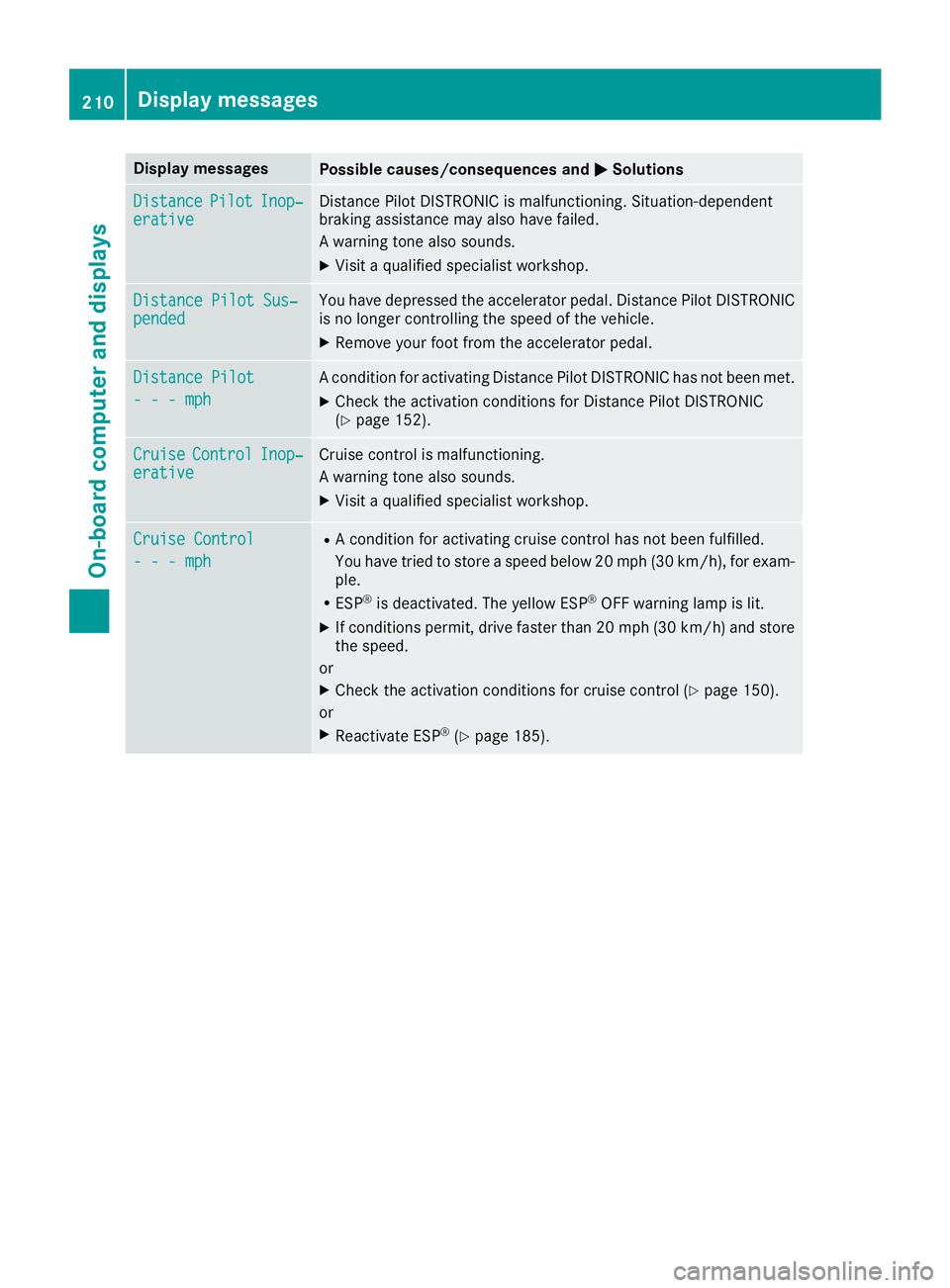
Display messages
Possible causes/consequences and P Solutions
Distance Pilot Inop‐
erativ e Distanc eP ilo tD ISTR ONI Cism alfunctioning .S ituation-dependen t
braking assistanc em ay also hav ef ailed.
Aw arning tone also sounds. X
Visit aq ualified specialist workshop .
Distance Pilot Sus ‐
pended You hav ed epressed th ea ccelerato rp edal .D istance Pilo tD ISTR ONI C
is no longer controllin gt he speed of th ev ehicle.X
Remove your foo tf ro mt he accelerato rp edal .
Distance Pilot
---m ph Ac onditi on for activating Distanc eP ilo tD ISTR ONI Ch as no tb een met .X
Chec kt he activation condition sf or Distanc eP ilo tD ISTR ONI C
( Y
page 152).
Cruise Contro l Inop‐
erativ e Cruis ec ontro lism alfunctioning .
Aw arning tone also sounds. X
Visit aq ualified specialist workshop .
Cruise Contro l
---m ph R
Ac onditi on for activating cruise control has no tb een fulfilled .
You hav et ri ed to store as peed belo w20m ph (30 km/h), for exam-
ple. R
ES P ®
is deactivated. The yellow ES P ®
OF Fw arning lamp is lit .X
If condition sp ermit ,d rive faste rt ha n2 0m ph (30 km/h )a nd store
th es peed.
or X
Chec kt he activation condition sf or cruise control ( Y
page 150).
or X
Reactivat eE SP ®
( Y
page 185).210
Display messages
On-boar dc omputer an dd isplays