air condition MERCEDES-BENZ CLA 2019 Owner's Manual
[x] Cancel search | Manufacturer: MERCEDES-BENZ, Model Year: 2019, Model line: CLA, Model: MERCEDES-BENZ CLA 2019Pages: 330, PDF Size: 23.57 MB
Page 152 of 330
For this reason, in the event of heavy rain or inconditions in which hydroplaning may occur,you must drive in the following manner:
Rlower your speed
Ravoid ruts
Ravoid sudden steering movements
Rbrake carefully
Driving on flooded roads
!Do not drive through flooded areas. Checkthe depth of any water before driving throughit. Drive slowly through standing water. Oth-erwise, water could enter the vehicle interioror engine compartment. It can then damagethe engine's or automatic transmission'selectronic components. It can also be suckedin by the engine's air intake connection andcause engine damage.
Winter driving
GWARNING
If you shift down on a slippery road surface in
an attempt to increase the engine's braking
effect, the drive wheels could lose their grip.
There is an increased danger of skidding and
accidents.
Do not shift down for additional engine brak-
ing on a slippery road surface.
GDANGER
If the exhaust pipe is blocked or adequate
ventilation is not possible, poisonous gases
such as carbon monoxide (CO) may enter the
vehicle. This is the case, e.g. if the vehicle
becomes trapped in snow. There is a risk of
fatal injury.
If you leave the engine or the auxiliary heating
running, make sure the exhaust pipe and area
around the vehicle are clear of snow. To
ensure an adequate supply of fresh air, open a
window on the side of the vehicle that is not
facing into the wind.
Have your vehicle winter-proofed at a qualifiedspecialist workshop at the onset of winter.
Drive particularly carefully on slippery road sur-faces. Avoid sudden acceleration, steering andbraking maneuvers. Do not use cruise control orActive Distance Assist DISTRONIC.
If the vehicle threatens to skid or cannot bestopped when moving at low speed:
XShift the transmission to position\\.
XTry to bring the vehicle under control usingcorrective steering.
The outside temperature indicator is notdesigned to serve as an ice-warning device andis therefore unsuitable for that purpose.Changes in the outside temperature are dis-played after a short delay.
Indicated temperatures just above the freezingpoint do not guarantee that the road surface isfree of ice. The road may still be icy, especially inwooded areas or on bridges.
You should pay special attention to road condi-tions when temperatures are around freezingpoint.
For more information on driving with snowchains, see (Ypage 293).
For more information on driving with summertires, see (Ypage 292).
Observe the notes in the "Winter operation" sec-tion (Ypage 292).
Driving systems
Cruise control
General notes
Cruise control maintains a constant road speedfor you. It brakes automatically in order to avoidexceeding the set speed. On long and steepdownhill gradients, especially if the vehicle isladen, you must select a low gear in good time.You need to shift manually using the steeringwheel paddle shifters beforehand. By doing so,you will make use of the braking effect of theengine. This relieves the load on the brake sys-tem and prevents the brakes from overheatingand wearing too quickly.
When the engine is running, you can use thecruise control lever to limit the speed to anyspeed between 20 mph (30 km/h) and the tech-nically permitted maximum speed of the vehicle.
Use cruise control if road and traffic conditionsmake it appropriate to maintain a steady speedfor a prolonged period.
150Driving systems
Driving and parking
Page 155 of 330
iCanada only: This device complies withRSS-210 of Industry Canada. Operation issubject to the following two conditions:
1. This device may not cause interference,and
2. This device must accept any interferencereceived, including interference that maycause undesired operation of the device.
Removal, tampering, or altering of the devicewill void any warranties, and is not permitted.Do not tamper with, alter, or use in any non-approved way.
Any unauthorized modification to this devicecould void the user's authority to operate theequipment.
Important safety notes
GWARNING
Active Distance Assist DISTRONIC does not
react to:
Rpeople or animals
Rstationary objects in the road, e.g. stopped
or parked vehicles
Roncoming vehicles and crossing traffic
As a result, Active Distance Assist DISTRONIC
may neither give warnings nor intervene in
such situations. There is a risk of an accident.
Always pay careful attention to the traffic sit-
uation and be ready to brake.
GWARNING
Active Distance Assist DISTRONIC cannot
always clearly identify other road users and
complex traffic situations.
In such cases, Active Distance Assist
DISTRONIC can:
Rgive an unnecessary warning and then
brake the vehicle
Rneither give a warning nor intervene
Raccelerate or brake unexpectedly
There is a risk of an accident.
Continue to drive carefully and be ready to
brake, especially if Active Distance Assist
DISTRONIC warns you.
GWARNING
Active Distance Assist DISTRONIC brakes
your vehicle with up to 50% of the maximum
possible deceleration. If this deceleration is
not sufficient, Active Distance Assist
DISTRONIC alerts you with a visual and acous-
tic warning. There is a risk of an accident.
Adjust your speed in these cases and main-
tain sufficient distance.
Apply the brakes yourself and/or take evasive
action.
!When Active Distance Assist DISTRONIC orthe HOLD function is activated, the vehiclebrakes automatically in certain situations.
To avoid damage to the vehicle, deactivateActive Distance Assist DISTRONIC and theHOLD function in the following or similar sit-uations:
Rwhen towing the vehicle
Rin the car wash
Active Distance Assist DISTRONIC can neitherreduce the risk of an accident if you fail to adaptyour driving style, nor override the laws of phys-ics. Active Distance Assist DISTRONIC cannottake into account road, weather or traffic con-ditions. Active Distance Assist DISTRONIC isonly an aid. You are responsible for the distanceto the vehicle in front, for vehicle speed, forbraking in good time and for staying in your lane.
Do not use Active Distance Assist DISTRONIC:
RIn road and traffic conditions which do notallow you to maintain a constant speed, e.g. inheavy traffic or on winding roads
ROn slippery road surfaces. Braking or accel-erating could cause the drive wheels to losetraction and the vehicle could then skid
RIn poor visibility, e.g. due to fog, heavy rain orsnow
Active Distance Assist DISTRONIC may notdetect narrow vehicles driving in front, e.g.motorcycles, or vehicles driving in a staggeredformation.
In particular, the detection of obstacles can beimpaired if:
RThere is dirt on the sensors or anything elsecovering the sensors
RThere is snow or heavy rain
Driving systems153
Driving and parking
Z
Page 164 of 330
cle with all wheels in full contact with theground.
4MATIC, together with ESP®, improves the trac-tion of your vehicle whenever a drive wheelspins due to insufficient grip.
If you fail to adapt your driving style, 4MATIC canneither reduce the risk of accident nor overridethe laws of physics. 4MATIC cannot takeaccount of road, weather and traffic conditions.4MATIC is only an aid. You are responsible forthe distance to the vehicle in front, for vehiclespeed, for braking in good time and for staying inyour lane.
If a drive wheel spins due to insufficient grip:
ROnly depress the accelerator pedal as far asnecessary when pulling away.
RAccelerate less when driving.
iIn wintry driving conditions, the maximumeffect of 4MATIC can only be achieved if youuse winter tires (M+S tires), with snow chainsif necessary.
DYNAMIC BODY CONTROL
General notes
DYNAMIC BODY CONTROL offers improveddriving comfort and continuously controls thecalibration of the dampers. The damping char-acteristics adapt to the current operating anddriving situation.
The damping is tuned individually to each wheeland depends on:
Ryour driving style, e.g. sporty
Rthe road surface conditions
Rthe drive program selected
The drive program can be set using theDYNAMIC SELECT button (Ypage 129).
Selecting Comfort mode
In theComfortdrive program, the driving char-acteristics of your vehicle are more comforta-ble. Therefore, select this drive program if youprefer a more comfortable driving style. Alsoselect theComfortdrive program when drivingfast on straight roads, e.g. on straight stretchesof highway.
XPress DYNAMIC SELECT button (Ypage 129)as many times as necessary until theCom-fortdrive program is selected.
Selecting Sport mode
The firmer setting of the suspension tuning intheSportdrive program ensures even bettercontact with the road. Select this drive programwhen employing a sporty driving style, e.g. onwinding country roads.
XPress DYNAMIC SELECT button (Ypage 129)as many times as necessary until theSportdrive program is selected.
Parking Assist PARKTRONIC
Important safety notes
Parking Assist PARKTRONIC is an electronicparking aid with ultrasound. It monitors the areaaround your vehicle using six sensors in thefront bumper and six sensors in the rearbumper. Parking Assist PARKTRONIC visuallyand audibly indicates the distance between yourvehicle and an object.
Parking Assist PARKTRONIC is only an aid. It isnot a replacement for your attention to yourimmediate surroundings. You are alwaysresponsible for safe maneuvering, parking andexiting a parking space. Make sure that thereare no persons, animals or objects in the maneu-vering area when you are maneuvering or park-ing.
!When parking, pay particular attention toobjects above or below the sensors, such asflower pots or trailer drawbars. Parking AssistPARKTRONIC does not detect such objectswhen they are in the immediate vicinity of thevehicle. You could damage the vehicle or theobjects.
The sensors may not detect snow and otherobjects that absorb ultrasonic waves.
Ultrasonic sources such as an automatic carwash, the compressed-air brakes of a truck ora pneumatic drill could cause Parking AssistPARKTRONIC to malfunction.
Parking Assist PARKTRONIC may not functioncorrectly on uneven terrain.
162Driving systems
Driving an d parking
Page 178 of 330
Switching on Blind Spot Assist
XMake sure that Blind Spot Assist is activatedin the on-board computer (Ypage 188).
XTurn the SmartKey to positionHin the igni-tion lock.Warning lampsCin the exterior mirrors lightup red for approximately 1.5 seconds andthen turn yellow.
Lane Keeping Assist
General notes
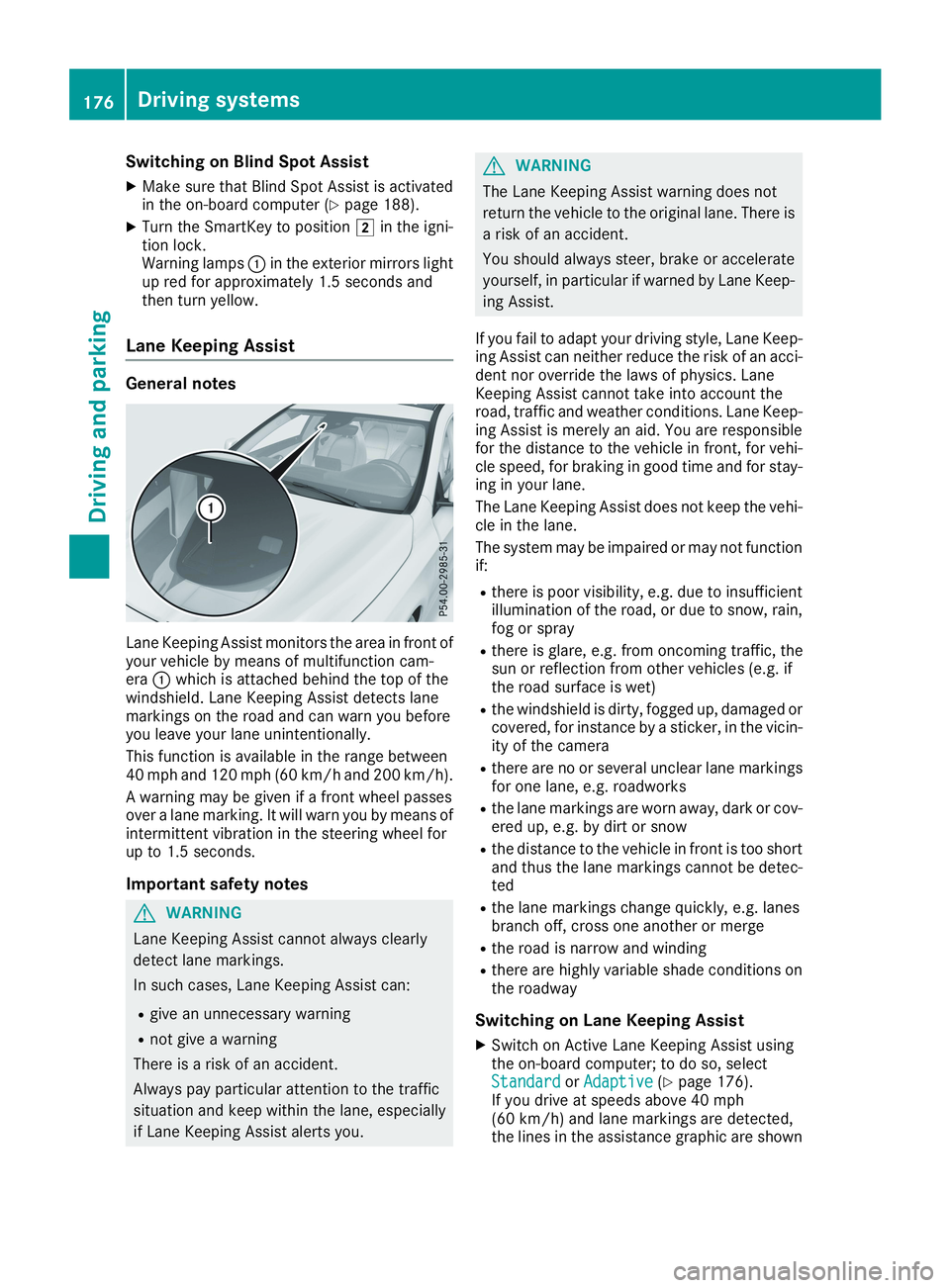
Lane Keeping Assist monitors the area in front ofyour vehicle by means of multifunction cam-eraCwhich is attached behind the top of thewindshield. Lane Keeping Assist detects lanemarkings on the road and can warn you beforeyou leave your lane unintentionally.
This function is available in the range between40 mph and 120 mph (60 km/h and 200 km/h).
A warning may be given if a front wheel passesover a lane marking. It will warn you by means ofintermittent vibration in the steering wheel forup to 1.5 seconds.
Important safety notes
GWARNING
Lane Keeping Assist cannot always clearly
detect lane markings.
In such cases, Lane Keeping Assist can:
Rgive an unnecessary warning
Rnot give a warning
There is a risk of an accident.
Always pay particular attention to the traffic
situation and keep within the lane, especially
if Lane Keeping Assist alerts you.
GWARNING
The Lane Keeping Assist warning does not
return the vehicle to the original lane. There is
a risk of an accident.
You should always steer, brake or accelerate
yourself, in particular if warned by Lane Keep-
ing Assist.
If you fail to adapt your driving style, Lane Keep-ing Assist can neither reduce the risk of an acci-dent nor override the laws of physics. LaneKeeping Assist cannot take into account theroad, traffic and weather conditions. Lane Keep-ing Assist is merely an aid. You are responsiblefor the distance to the vehicle in front, for vehi-cle speed, for braking in good time and for stay-ing in your lane.
The Lane Keeping Assist does not keep the vehi-cle in the lane.
The system may be impaired or may not functionif:
Rthere is poor visibility, e.g. due to insufficientillumination of the road, or due to snow, rain,fog or spray
Rthere is glare, e.g. from oncoming traffic, thesun or reflection from other vehicles (e.g. ifthe road surface is wet)
Rthe windshield is dirty, fogged up, damaged orcovered, for instance by a sticker, in the vicin-ity of the camera
Rthere are no or several unclear lane markingsfor one lane, e.g. roadworks
Rthe lane markings are worn away, dark or cov-ered up, e.g. by dirt or snow
Rthe distance to the vehicle in front is too shortand thus the lane markings cannot be detec-ted
Rthe lane markings change quickly, e.g. lanesbranch off, cross one another or merge
Rthe road is narrow and winding
Rthere are highly variable shade conditions onthe roadway
Switching on Lane Keeping Assist
XSwitch on Active Lane Keeping Assist usingthe on-board computer; to do so, selectStandardStandardorAdaptiveAdaptive(Ypage 176).If you drive at speeds above 40 mph(60 km/h) and lane markings are detected,the lines in the assistance graphic are shown
176Driving systems
Driving and parking
Page 180 of 330
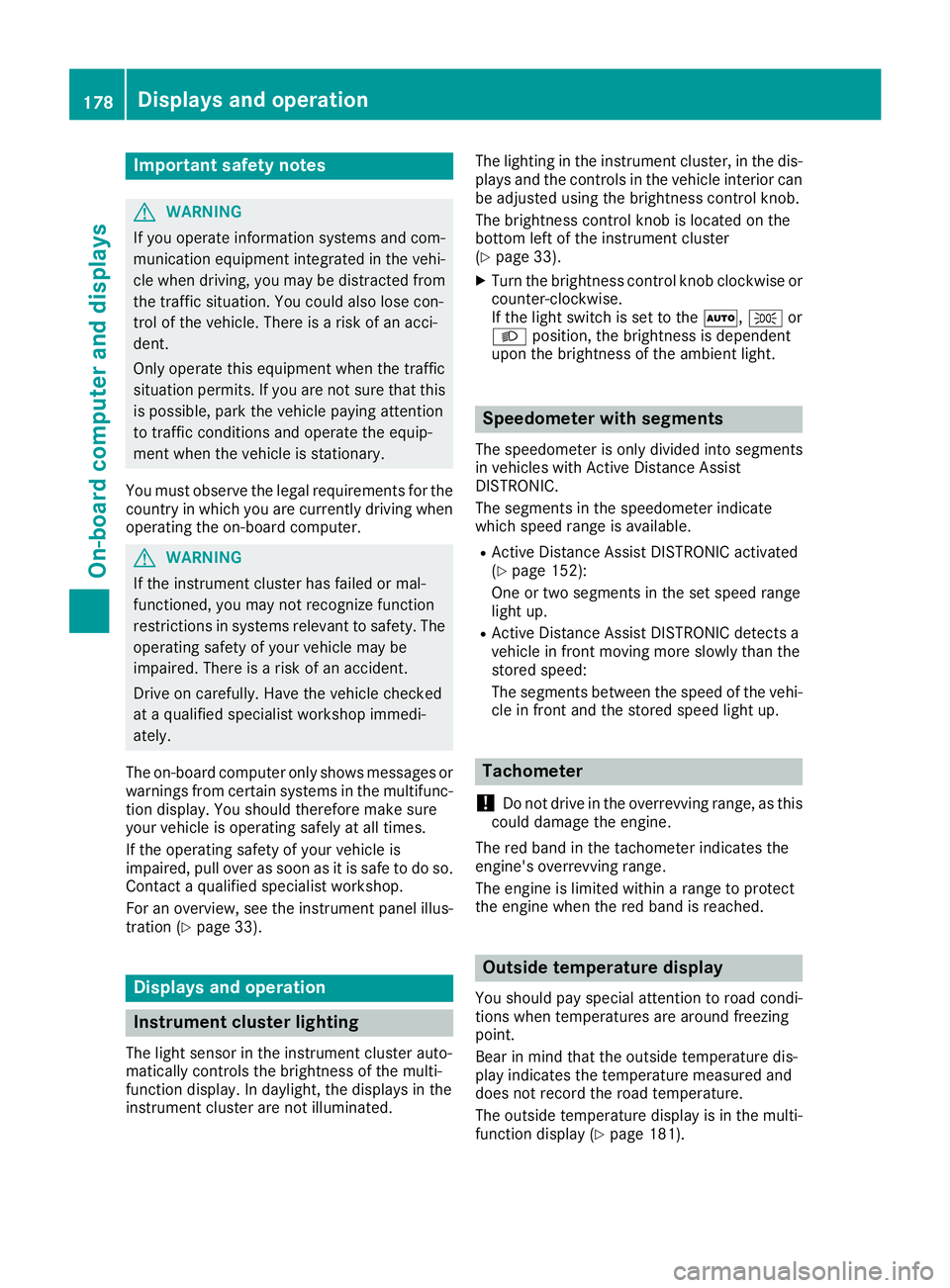
Important safety notes
GWARNING
If you operate information systems and com-
munication equipment integrated in the vehi-
cle when driving, you may be distracted from
the traffic situation. You could also lose con-
trol of the vehicle. There is a risk of an acci-
dent.
Only operate this equipment when the traffic
situation permits. If you are not sure that this
is possible, park the vehicle paying attention
to traffic conditions and operate the equip-
ment when the vehicle is stationary.
You must observe the legal requirements for thecountry in which you are currently driving whenoperating the on-board computer.
GWARNING
If the instrument cluster has failed or mal-
functioned, you may not recognize function
restrictions in systems relevant to safety. The
operating safety of your vehicle may be
impaired. There is a risk of an accident.
Drive on carefully. Have the vehicle checked
at a qualified specialist workshop immedi-
ately.
The on-board computer only shows messages orwarnings from certain systems in the multifunc-tion display. You should therefore make sureyour vehicle is operating safely at all times.
If the operating safety of your vehicle isimpaired, pull over as soon as it is safe to do so.Contact a qualified specialist workshop.
For an overview, see the instrument panel illus-tration (Ypage 33).
Displays and operation
Instrument cluster lighting
The light sensor in the instrument cluster auto-matically controls the brightness of the multi-function display. In daylight, the displays in theinstrument cluster are not illuminated.
The lighting in the instrument cluster, in the dis-plays and the controls in the vehicle interior canbe adjusted using the brightness control knob.
The brightness control knob is located on thebottom left of the instrument cluster(Ypage 33).
XTurn the brightness control knob clockwise orcounter-clockwise.If the light switch is set to theX,`orXposition, the brightness is dependentupon the brightness of the ambient light.
Speedometer with segments
The speedometer is only divided into segmentsin vehicles with Active Distance AssistDISTRONIC.
The segments in the speedometer indicatewhich speed range is available.
RActive Distance Assist DISTRONIC activated(Ypage 152):
One or two segments in the set speed rangelight up.
RActive Distance Assist DISTRONIC detects avehicle in front moving more slowly than thestored speed:
The segments between the speed of the vehi-cle in front and the stored speed light up.
Tachometer
!Do not drive in the overrevving range, as thiscould damage the engine.
The red band in the tachometer indicates theengine's overrevving range.
The engine is limited within a range to protectthe engine when the red band is reached.
Outside temperature display
You should pay special attention to road condi-tions when temperatures are around freezingpoint.
Bear in mind that the outside temperature dis-play indicates the temperature measured anddoes not record the road temperature.
The outside temperature display is in the multi-function display (Ypage 181).
178Displays and operation
On-board computer and displays
Page 201 of 330
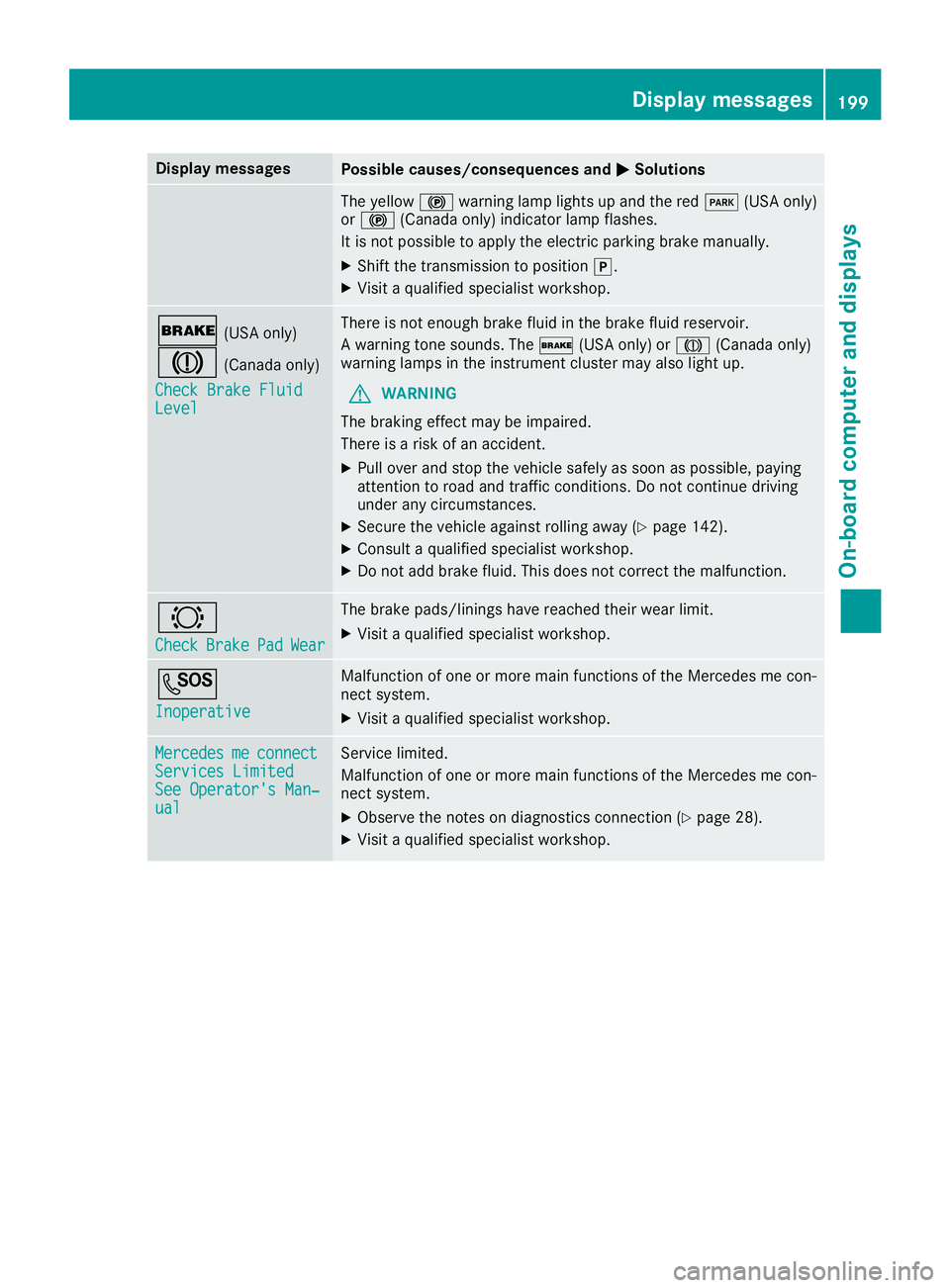
Display messagesPossible causes/consequences andPPSolutions
The yellow$warning lamp lights up and the redI(USA only)or$(Canada only) indicator lamp flashes.
It is not possible to apply the electric parking brake manually.
XShift the transmission to position].
XVisit a qualified specialist workshop.
'(USA only)
M(Canada only)
Check Brake FluidCheck Brake FluidLevelLevel
There is not enough brake fluid in the brake fluid reservoir.
A warning tone sounds. The'(USA only) orM(Canada only)warning lamps in the instrument cluster may also light up.
GWARNING
The braking effect may be impaired.
There is a risk of an accident.
XPull over and stop the vehicle safely as soon as possible, payingattention to road and traffic conditions. Do not continue drivingunder any circumstances.
XSecure the vehicle against rolling away (Ypage 142).
XConsult a qualified specialist workshop.
XDo not add brake fluid. This does not correct the malfunction.
&
CheckCheckBrakeBrakePadPadWearWear
The brake pads/linings have reached their wear limit.
XVisit a qualified specialist workshop.
S
InoperativeInoperative
Malfunction of one or more main functions of the Mercedes me con-nect system.
XVisit a qualified specialist workshop.
MercedesMercedesmemeconnectconnectServices LimitedServices LimitedSee Operator's Man‐See Operator's Man‐ualual
Service limited.
Malfunction of one or more main functions of the Mercedes me con-nect system.
XObserve the notes on diagnostics connection (Ypage 28).
XVisit a qualified specialist workshop.
Displaymessages199
On-b oard computer and displays
Z
Page 204 of 330
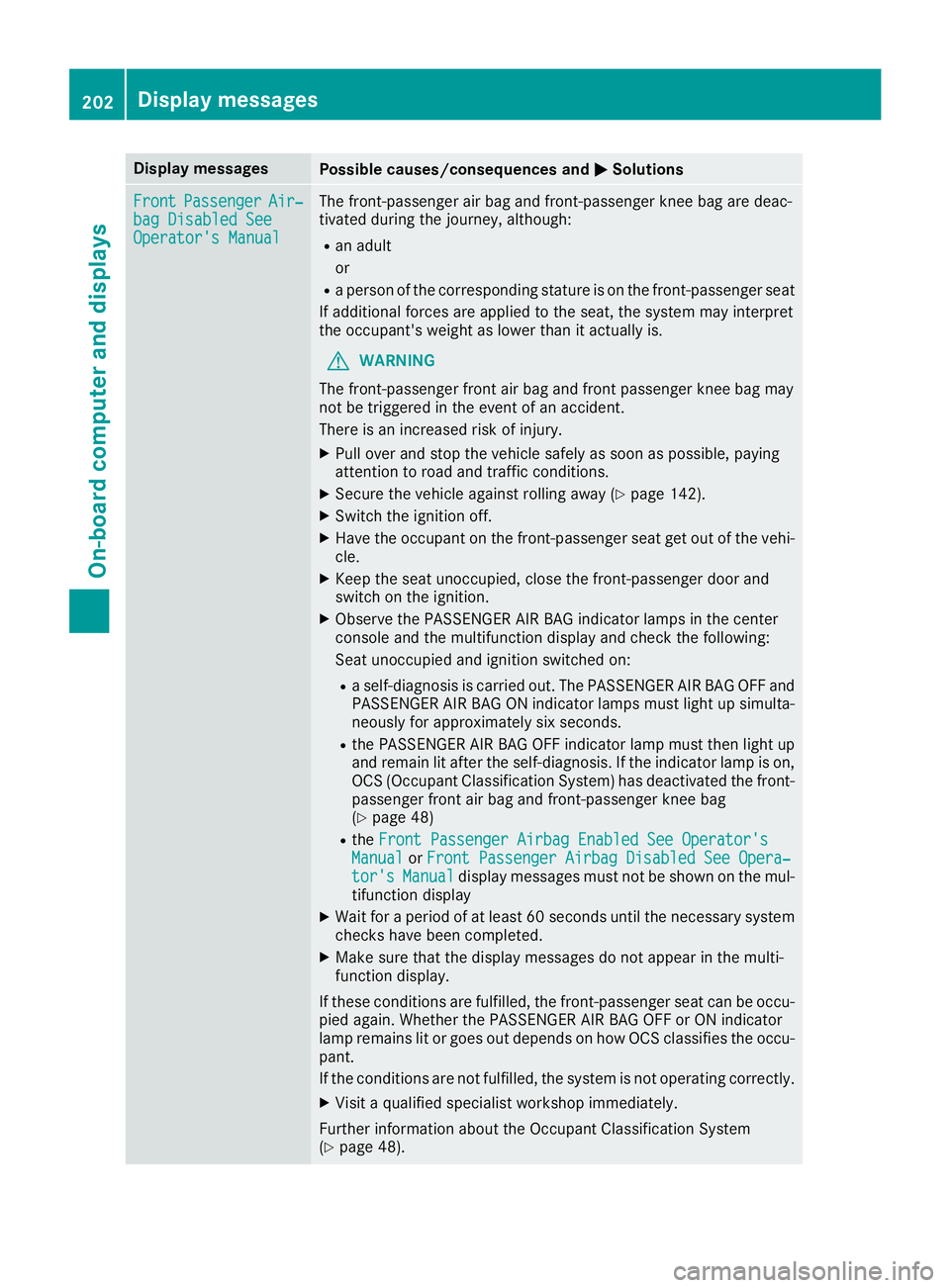
Display messagesPossible causes/consequences andPPSolutions
FrontFrontPassengerPassengerAir‐Air‐bag Disabled Seebag Disabled SeeOperator's ManualOperator's Manual
The front-passenger air bag and front-passenger knee bag are deac-tivated during the journey, although:
Ran adult
or
Ra person of the corresponding stature is on the front-passenger seat
If additional forces are applied to the seat, the system may interpretthe occupant's weight as lower than it actually is.
GWARNING
The front-passenger front air bag and front passenger knee bag maynot be triggered in the event of an accident.
There is an increased risk of injury.
XPull over and stop the vehicle safely as soon as possible, payingattention to road and traffic conditions.
XSecure the vehicle against rolling away (Ypage 142).
XSwitch the ignition off.
XHave the occupant on the front-passenger seat get out of the vehi-cle.
XKeep the seat unoccupied, close the front-passenger door andswitch on the ignition.
XObserve the PASSENGER AIR BAG indicator lamps in the centerconsole and the multifunction display and check the following:
Seat unoccupied and ignition switched on:
Ra self-diagnosis is carried out. The PASSENGER AIR BAG OFF andPASSENGER AIR BAG ON indicator lamps must light up simulta-neously for approximately six seconds.
Rthe PASSENGER AIR BAG OFF indicator lamp must then light upand remain lit after the self-diagnosis. If the indicator lamp is on,OCS (Occupant Classification System) has deactivated the front-passenger front air bag and front-passenger knee bag(Ypage 48)
RtheFront Passenger Airbag Enabled See Operator'sFront Passenger Airbag Enabled See Operator'sManualManualorFront Passenger Airbag Disabled See Opera‐Front Passenger Airbag Disabled See Opera‐tor'stor'sManualManualdisplay messages must not be shown on the mul-tifunction display
XWait for a period of at least 60 seconds until the necessary systemchecks have been completed.
XMake sure that the display messages do not appear in the multi-function display.
If these conditions are fulfilled, the front-passenger seat can be occu-pied again. Whether the PASSENGER AIR BAG OFF or ON indicatorlamp remains lit or goes out depends on how OCS classifies the occu-pant.
If the conditions are not fulfilled, the system is not operating correctly.
XVisit a qualified specialist workshop immediately.
Further information about the Occupant Classification System(Ypage 48).
202Displaymessages
On-b oard computer and displays
Page 205 of 330
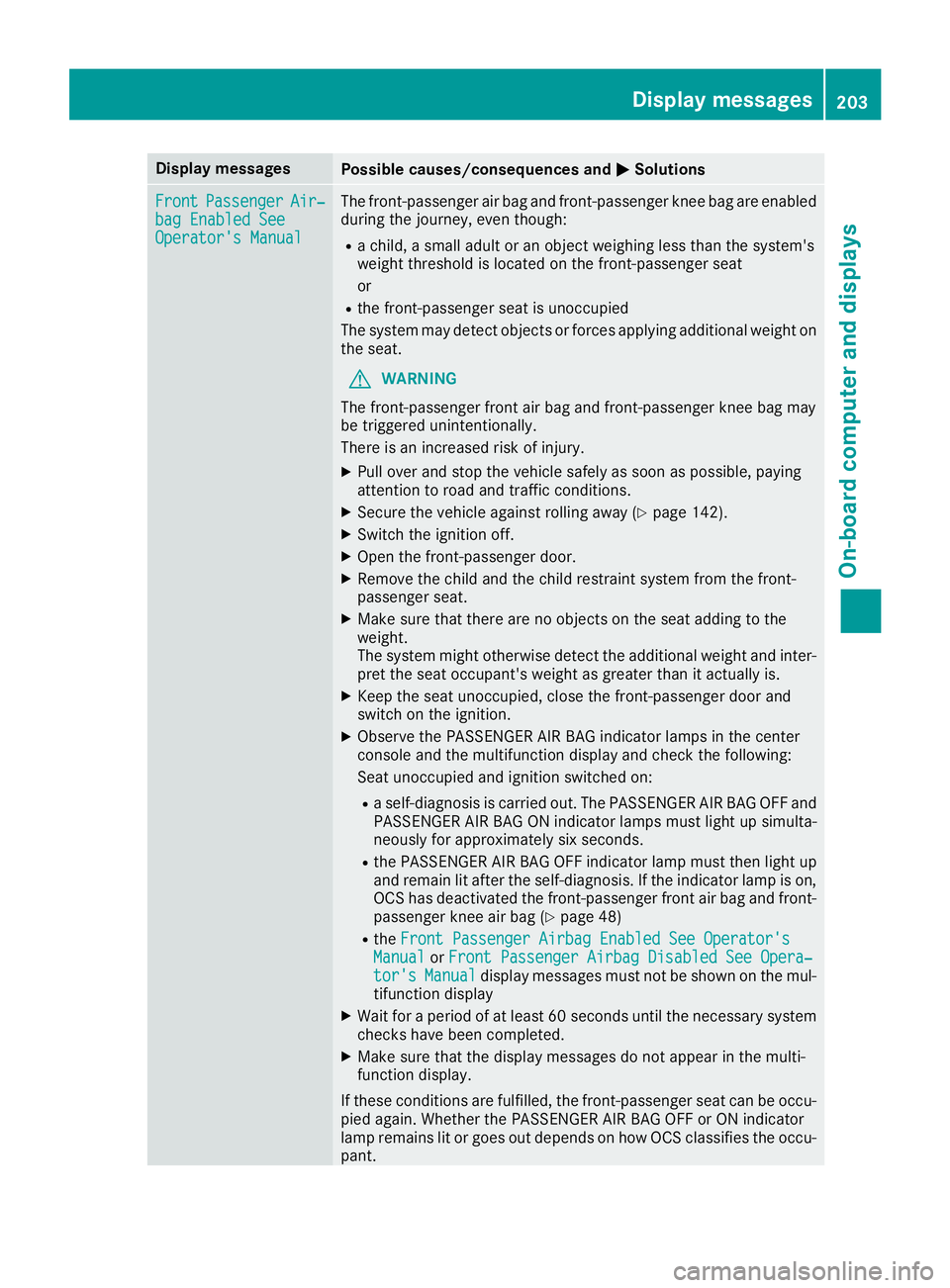
Display messagesPossible causes/consequences andPPSolutions
FrontFrontPassengerPassengerAir‐Air‐bag Enabled Seebag Enabled SeeOperator's ManualOperator's Manual
The front-passenger air bag and front-passenger knee bag are enabledduring the journey, even though:
Ra child, a small adult or an object weighing less than the system'sweight threshold is located on the front-passenger seat
or
Rthe front-passenger seat is unoccupied
The system may detect objects or forces applying additional weight onthe seat.
GWARNING
The front-passenger front air bag and front-passenger knee bag maybe triggered unintentionally.
There is an increased risk of injury.
XPull over and stop the vehicle safely as soon as possible, payingattention to road and traffic conditions.
XSecure the vehicle against rolling away (Ypage 142).
XSwitch the ignition off.
XOpen the front-passenger door.
XRemove the child and the child restraint system from the front-passenger seat.
XMake sure that there are no objects on the seat adding to theweight.The system might otherwise detect the additional weight and inter-pret the seat occupant's weight as greater than it actually is.
XKeep the seat unoccupied, close the front-passenger door andswitch on the ignition.
XObserve the PASSENGER AIR BAG indicator lamps in the centerconsole and the multifunction display and check the following:
Seat unoccupied and ignition switched on:
Ra self-diagnosis is carried out. The PASSENGER AIR BAG OFF andPASSENGER AIR BAG ON indicator lamps must light up simulta-neously for approximately six seconds.
Rthe PASSENGER AIR BAG OFF indicator lamp must then light upand remain lit after the self-diagnosis. If the indicator lamp is on,OCS has deactivated the front-passenger front air bag and front-passenger knee air bag (Ypage 48)
RtheFront Passenger Airbag Enabled See Operator'sFront Passenger Airbag Enabled See Operator'sManualManualorFront Passenger Airbag Disabled See Opera‐Front Passenger Airbag Disabled See Opera‐tor'stor'sManualManualdisplay messages must not be shown on the mul-tifunction display
XWait for a period of at least 60 seconds until the necessary systemchecks have been completed.
XMake sure that the display messages do not appear in the multi-function display.
If these conditions are fulfilled, the front-passenger seat can be occu-pied again. Whether the PASSENGER AIR BAG OFF or ON indicatorlamp remains lit or goes out depends on how OCS classifies the occu-pant.
Displaymessages203
On-b oard computer and displays
Z
Page 212 of 330
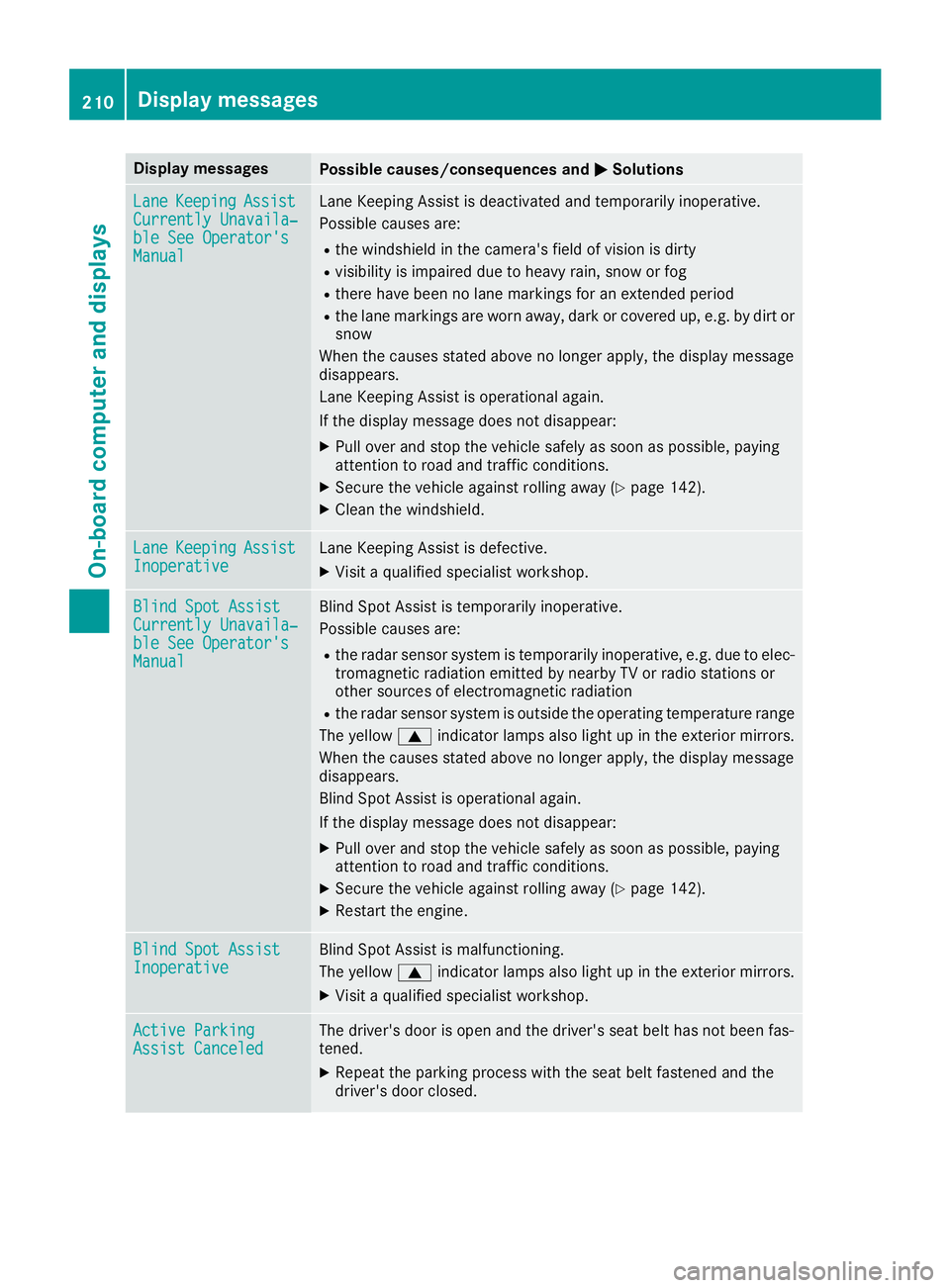
Display messagesPossible causes/consequences andPPSolutions
LaneLaneKeepingKeepingAssistAssistCurrently Unavaila‐Currently Unavaila‐ble See Operator'sble See Operator'sManualManual
Lane Keeping Assist is deactivated and temporarily inoperative.
Possible causes are:
Rthe windshield in the camera's field of vision is dirty
Rvisibility is impaired due to heavy rain, snow or fog
Rthere have been no lane markings for an extended period
Rthe lane markings are worn away, dark or covered up, e.g. by dirt orsnow
When the causes stated above no longer apply, the display messagedisappears.
Lane Keeping Assist is operational again.
If the display message does not disappear:
XPull over and stop the vehicle safely as soon as possible, payingattention to road and traffic conditions.
XSecure the vehicle against rolling away (Ypage 142).
XClean the windshield.
LaneLaneKeepingKeepingAssistAssistInoperativeInoperativeLane Keeping Assist is defective.
XVisit a qualified specialist workshop.
Blind Spot AssistBlind Spot AssistCurrently Unavaila‐Currently Unavaila‐ble See Operator'sble See Operator'sManualManual
Blind Spot Assist is temporarily inoperative.
Possible causes are:
Rthe radar sensor system is temporarily inoperative, e.g. due to elec-tromagnetic radiation emitted by nearby TV or radio stations orother sources of electromagnetic radiation
Rthe radar sensor system is outside the operating temperature range
The yellowcindicator lamps also light up in the exterior mirrors.
When the causes stated above no longer apply, the display messagedisappears.
Blind Spot Assist is operational again.
If the display message does not disappear:
XPull over and stop the vehicle safely as soon as possible, payingattention to road and traffic conditions.
XSecure the vehicle against rolling away (Ypage 142).
XRestart the engine.
Blind Spot AssistBlind Spot AssistInoperativeInoperativeBlind Spot Assist is malfunctioning.
The yellowcindicator lamps also light up in the exterior mirrors.
XVisit a qualified specialist workshop.
Active ParkingActive ParkingAssist CanceledAssist CanceledThe driver's door is open and the driver's seat belt has not been fas-tened.
XRepeat the parking process with the seat belt fastened and thedriver's door closed.
210Displaymessages
On-b oard computer and displays
Page 215 of 330
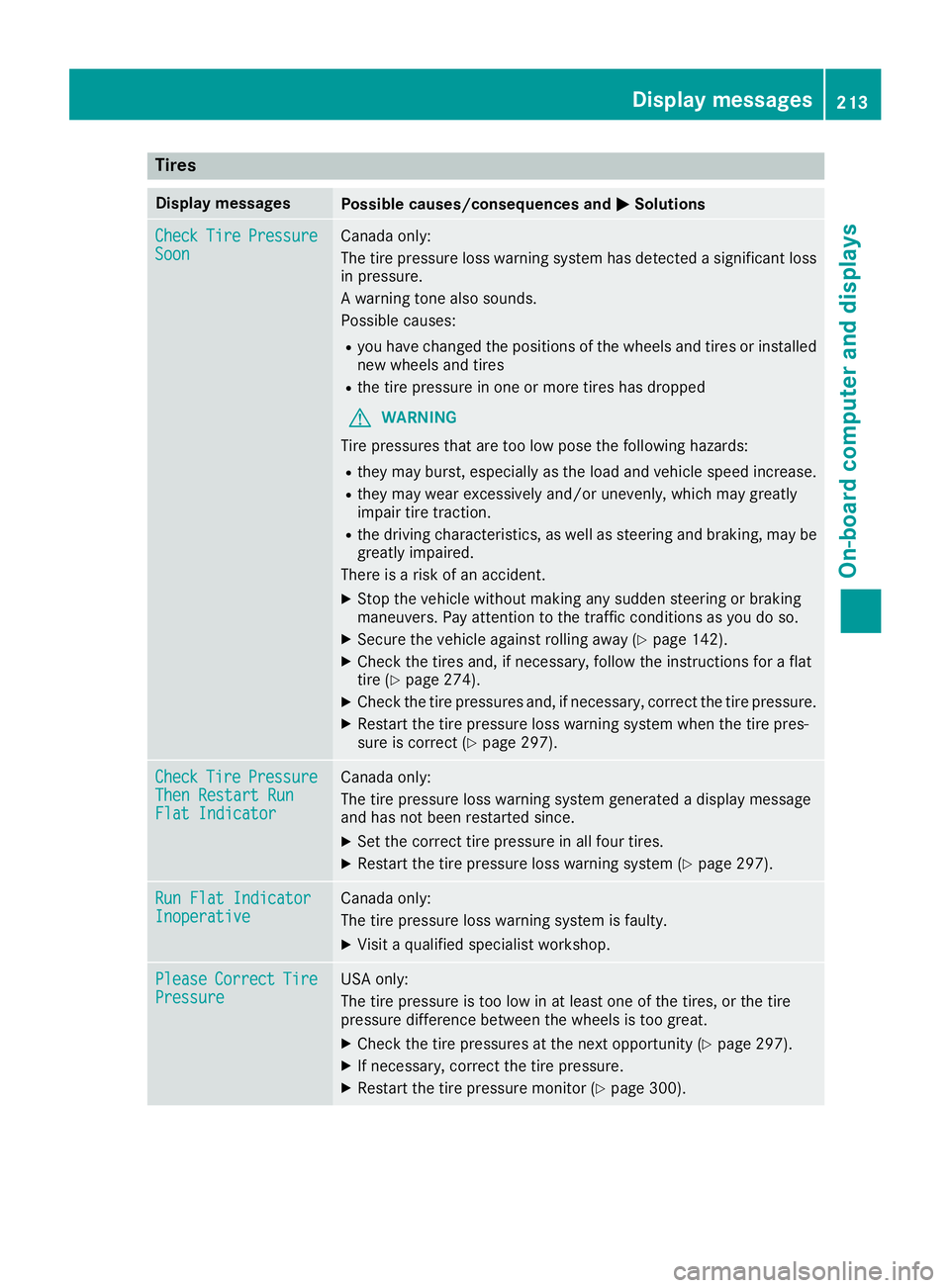
Tires
Display messagesPossible causes/consequences andPPSolutions
CheckCheckTireTirePressurePressureSoonSoonCanada only:
The tire pressure loss warning system has detected a significant lossin pressure.
A warning tone also sounds.
Possible causes:
Ryou have changed the positions of the wheels and tires or installednew wheels and tires
Rthe tire pressure in one or more tires has dropped
GWARNING
Tire pressures that are too low pose the following hazards:
Rthey may burst, especially as the load and vehicle speed increase.
Rthey may wear excessively and/or unevenly, which may greatlyimpair tire traction.
Rthe driving characteristics, as well as steering and braking, may begreatly impaired.
There is a risk of an accident.
XStop the vehicle without making any sudden steering or brakingmaneuvers. Pay attention to the traffic conditions as you do so.
XSecure the vehicle against rolling away (Ypage 142).
XCheck the tires and, if necessary, follow the instructions for a flattire (Ypage 274).
XCheck the tire pressures and, if necessary, correct the tire pressure.
XRestart the tire pressure loss warning system when the tire pres-sure is correct (Ypage 297).
CheckCheckTireTirePressurePressureThen Restart RunThen Restart RunFlat IndicatorFlat Indicator
Canada only:
The tire pressure loss warning system generated a display messageand has not been restarted since.
XSet the correct tire pressure in all four tires.
XRestart the tire pressure loss warning system (Ypage 297).
Run Flat IndicatorRun Flat IndicatorInoperativeInoperativeCanada only:
The tire pressure loss warning system is faulty.
XVisit a qualified specialist workshop.
PleasePleaseCorrectCorrectTireTirePressurePressureUSA only:
The tire pressure is too low in at least one of the tires, or the tirepressure difference between the wheels is too great.
XCheck the tire pressures at the next opportunity (Ypage 297).
XIf necessary, correct the tire pressure.
XRestart the tire pressure monitor (Ypage 300).
Displaymessages213
On-b oard computer and displays
Z