engine MERCEDES-BENZ CLA 2019 Manual PDF
[x] Cancel search | Manufacturer: MERCEDES-BENZ, Model Year: 2019, Model line: CLA, Model: MERCEDES-BENZ CLA 2019Pages: 330, PDF Size: 23.57 MB
Page 170 of 330
As soon as the parking procedure is complete,theActive Parking Assist FinishedActive Parking Assist Finishedmes-sage appears and a warning tone sounds. Thevehicle is now parked.
The vehicle is kept stationary without the driverhaving to depress the brake pedal. The brakingeffect is canceled when you depress the accel-erator pedal.
Active Parking Assist no longer supports youwith steering interventions and brake applica-tions. When Active Parking Assist is finished,you must steer and brake again yourself. ActiveParking Assist is still available.
Parking tips:
RThe way your vehicle is positioned in the park-ing space after parking is dependent on vari-ous factors. These include the position andshape of the vehicles parked in front andbehind it and the conditions of the location. Itmay be the case that Active Parking Assistguides you too far into a parking space, or notfar enough into it. In some cases, it may alsolead you across or onto the curb. If necessary,cancel the parking procedure with ActiveParking Assist.
RYou can also preselect transmission position[. The vehicle redirects and does not driveas far into the parking space. Should thetransmission change take place too early, theparking procedure is canceled. A sensibleparking position can no longer be achievedfrom this position.
Exiting a parking space
In order that Active Parking Assist can supportyou when exiting the parking space:
Ryou need to have parked using Active ParkingAssist.
Rthe border of the parking space must be highenough at the front and the rear. A curb stoneis too small, for example.
Rthe border of the parking space must not betoo wide, as the position of the vehicle mustnot exceed an angle of 45° to the startingposition as it is maneuvered into the parkingspace.
Ra maneuvering distance of at least 3.3 ft(1.0m) must be available.
Active Parking Assist can only assist you withexiting a parking space if you have parked thevehicle parallel to the direction of travel usingActive Parking Assist.
iIf Active Parking Assist detects obstacles,Active Parking Assist brakes automaticallywhile the vehicle is exiting the parking space.You are responsible for braking in good time.
XStart the engine.
XRelease the electric parking brake.
XSwitch on the turn signal in the direction youwill drive out of the parking space.
XShift the transmission to position[or^.TheStart Parking Assist?Start Parking Assist?Yes: OKYes: OKNo:No:8message appears on the multifunctiondisplay.
XTo cancel the procedure:press the8button on the multifunction steering wheel orpull away.
or
XTo exit a parking space using Active Park-ing Assist:press thevbutton on the mul-tifunction steering wheel.TheParkingParkingAssistAssistActiveActiveAccelerateAccelerateand Brakeand BrakeObserve SurroundingsObserve Surroundingsmes-sage appears on the multifunction display.
XLet go of the multifunction steering wheel.
XPull away, being ready to brake at all times. Donot exceed a maximum speed of approx-imately 6 mph (10 km/h) when exiting a park-ing space. Otherwise, Active Parking Assistwill be canceled.
XDepending on the message or as required,shift the transmission to position[or^.Active Parking Assist immediately steers inthe other direction. TheParking AssistParking AssistActive Accelerate and BrakeActive Accelerate and BrakeObserveObserveSurroundingsSurroundingsmessage appears on the mul-tifunction display.
iYou will achieve the best results by waitingfor the steering procedure to complete beforepulling away.
If you back up after activation, the steeringwheel is moved to the straight-ahead posi-tion.
XDrive forwards and reverse as prompted bythe Active Parking Assist warning displays,several times if necessary.
Once you have exited the parking space com-pletely, the steering wheel is moved to thestraight-ahead position. You hear a tone and theActive Parking Assist FinishedActive Parking Assist Finishedmessageappears on the multifunction display. You willthen have to steer and merge into traffic on yourown. Active Parking Assist is still available. You
168Driving systems
Driving an d parking
Page 180 of 330
Important safety notes
GWARNING
If you operate information systems and com-
munication equipment integrated in the vehi-
cle when driving, you may be distracted from
the traffic situation. You could also lose con-
trol of the vehicle. There is a risk of an acci-
dent.
Only operate this equipment when the traffic
situation permits. If you are not sure that this
is possible, park the vehicle paying attention
to traffic conditions and operate the equip-
ment when the vehicle is stationary.
You must observe the legal requirements for thecountry in which you are currently driving whenoperating the on-board computer.
GWARNING
If the instrument cluster has failed or mal-
functioned, you may not recognize function
restrictions in systems relevant to safety. The
operating safety of your vehicle may be
impaired. There is a risk of an accident.
Drive on carefully. Have the vehicle checked
at a qualified specialist workshop immedi-
ately.
The on-board computer only shows messages orwarnings from certain systems in the multifunc-tion display. You should therefore make sureyour vehicle is operating safely at all times.
If the operating safety of your vehicle isimpaired, pull over as soon as it is safe to do so.Contact a qualified specialist workshop.
For an overview, see the instrument panel illus-tration (Ypage 33).
Displays and operation
Instrument cluster lighting
The light sensor in the instrument cluster auto-matically controls the brightness of the multi-function display. In daylight, the displays in theinstrument cluster are not illuminated.
The lighting in the instrument cluster, in the dis-plays and the controls in the vehicle interior canbe adjusted using the brightness control knob.
The brightness control knob is located on thebottom left of the instrument cluster(Ypage 33).
XTurn the brightness control knob clockwise orcounter-clockwise.If the light switch is set to theX,`orXposition, the brightness is dependentupon the brightness of the ambient light.
Speedometer with segments
The speedometer is only divided into segmentsin vehicles with Active Distance AssistDISTRONIC.
The segments in the speedometer indicatewhich speed range is available.
RActive Distance Assist DISTRONIC activated(Ypage 152):
One or two segments in the set speed rangelight up.
RActive Distance Assist DISTRONIC detects avehicle in front moving more slowly than thestored speed:
The segments between the speed of the vehi-cle in front and the stored speed light up.
Tachometer
!Do not drive in the overrevving range, as thiscould damage the engine.
The red band in the tachometer indicates theengine's overrevving range.
The engine is limited within a range to protectthe engine when the red band is reached.
Outside temperature display
You should pay special attention to road condi-tions when temperatures are around freezingpoint.
Bear in mind that the outside temperature dis-play indicates the temperature measured anddoes not record the road temperature.
The outside temperature display is in the multi-function display (Ypage 181).
178Displays and operation
On-board computer and displays
Page 181 of 330
There is a short delay before a change in outsidetemperature appears in the multifunction dis-play.
Coolant temperature gauge
GWARNING
Opening the hood when the engine is over-
heated or when there is a fire in the engine
compartment could expose you to hot gases
or other service products. There is a risk of
injury.
Let an overheated engine cool down before
opening the hood. If there is a fire in the
engine compartment, keep the hood closed
and contact the fire department.
!A display message is shown if the coolanttemperature is too high.
If the coolant temperature is over 248 ‡(120 †), do not continue driving. The enginewill otherwise be damaged.
The coolant temperature gage is in the instru-ment cluster on the right-hand side (Ypage 33).
TheHmarking in the coolant temperature gaugecorresponds to a coolant temperature ofapproximately 248 ‡ (120 †).
Under normal operating conditions and at thecorrect coolant level, the coolant temperaturegauge may rise to theHmarking.
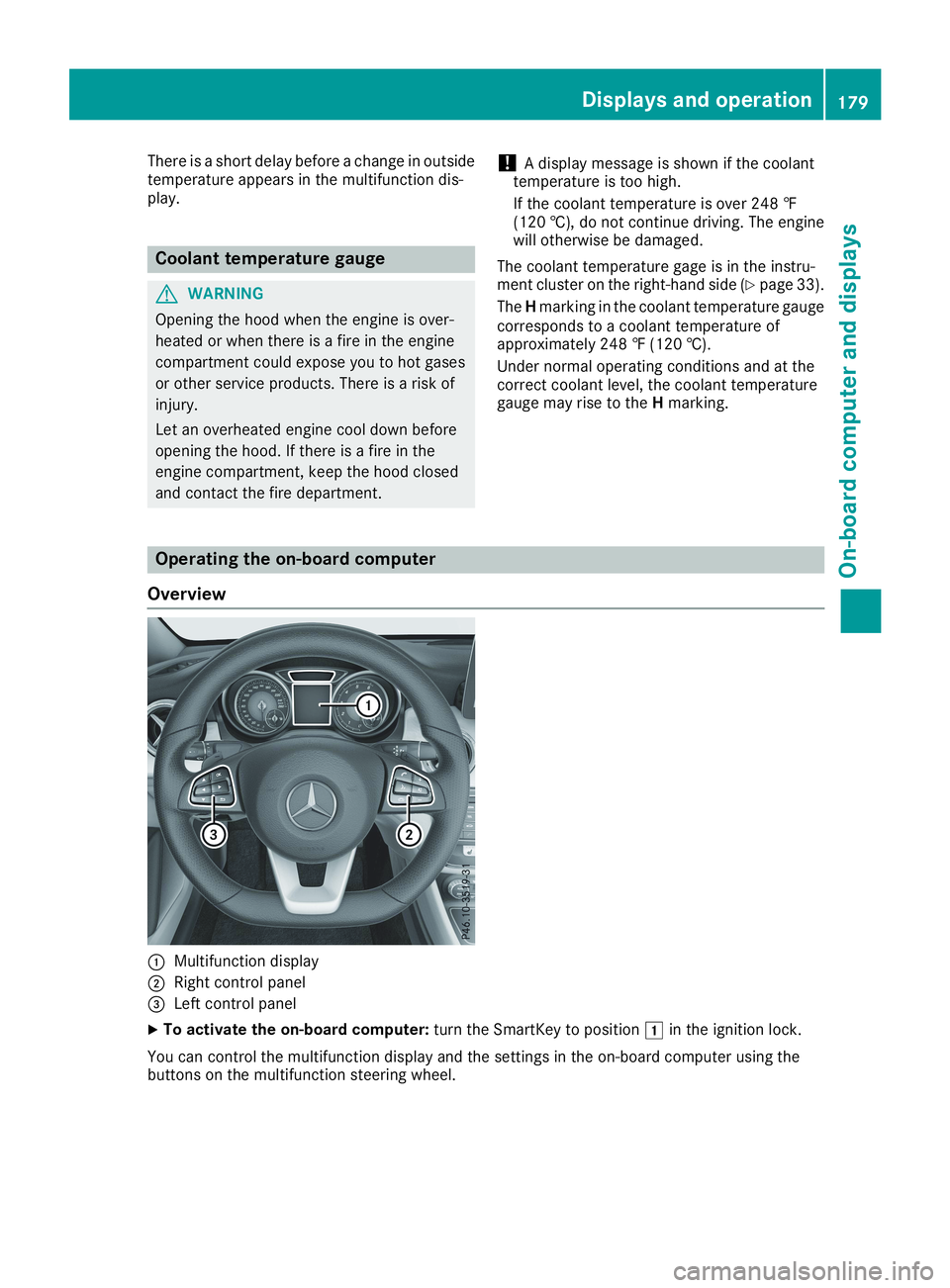
Operating the on-board computer
Overview
CMultifunction display
DRight control panel
Page 189 of 330
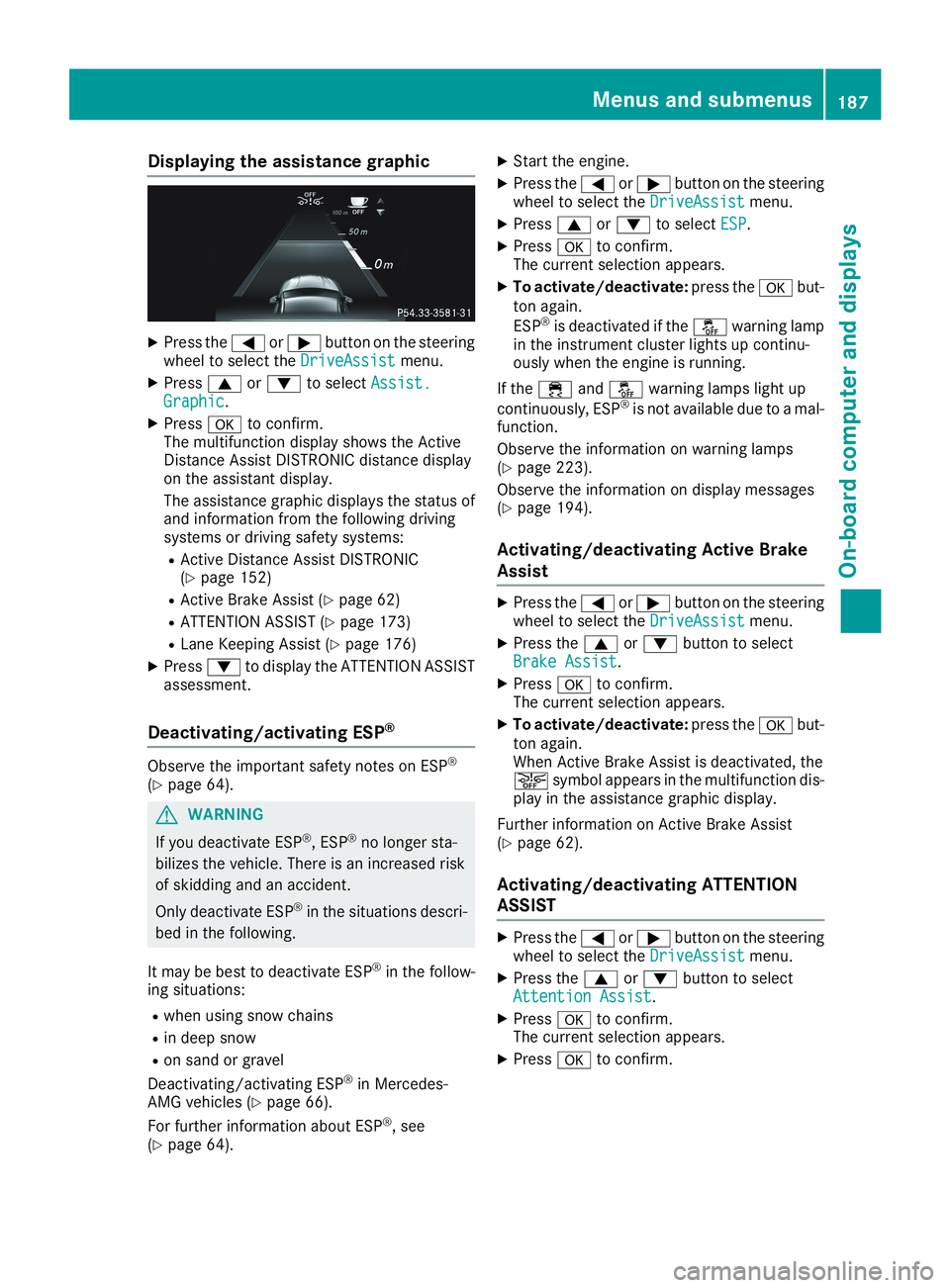
Displaying the assistance graphic
XPress theYorebutton on the steeringwheel to select theDriveAssistDriveAssistmenu.
XPresscordto selectAssist.Assist.GraphicGraphic.
XPressvto confirm.The multifunction display shows the ActiveDistance Assist DISTRONIC distance displayon the assistant display.
The assistance graphic displays the status ofand information from the following drivingsystems or driving safety systems:
RActive Distance Assist DISTRONIC(Ypage 152)
RActive Brake Assist (Ypage 62)
RATTENTION ASSIST (Ypage 173)
RLane Keeping Assist (Ypage 176)
XPressdto display the ATTENTION ASSISTassessment.
Deactivating/activating ESP®
Observe the important safety notes on ESP®
(Ypage 64).
GWARNING
If you deactivate ESP®, ESP®no longer sta-
bilizes the vehicle. There is an increased risk
of skidding and an accident.
Only deactivate ESP®in the situations descri-
bed in the following.
It may be best to deactivate ESP®in the follow-ing situations:
Rwhen using snow chains
Rin deep snow
Ron sand or gravel
Deactivating/activating ESP®in Mercedes-AMG vehicles (Ypage 66).
For further information about ESP®, see(Ypage 64).
XStart the engine.
XPress theYorebutton on the steeringwheel to select theDriveAssistDriveAssistmenu.
XPresscordto selectESPESP.
XPressvto confirm.The current selection appears.
XTo activate/deactivate:press thevbut-ton again.
ESP®is deactivated if the
Page 193 of 330
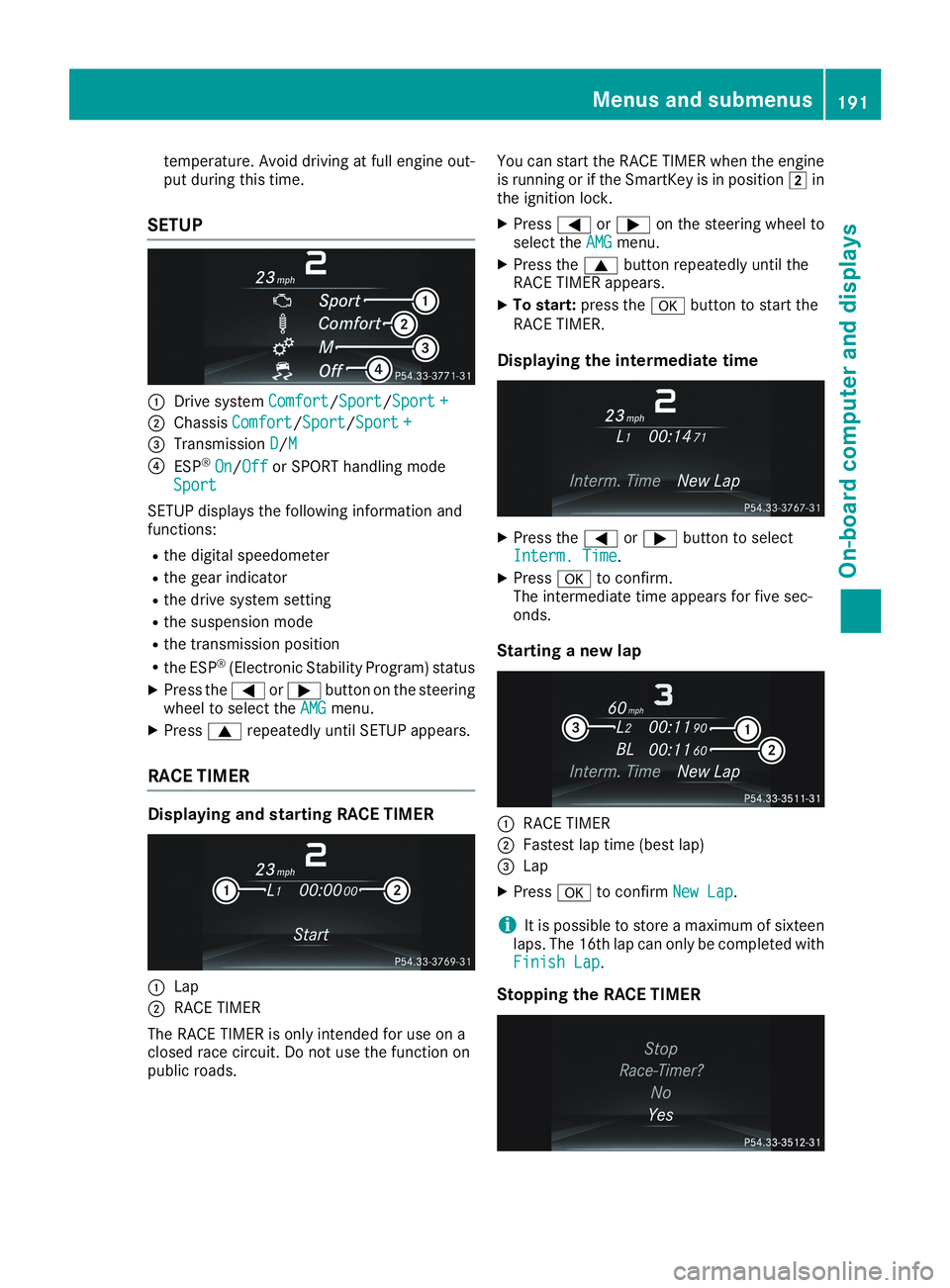
temperature. Avoid driving at full engine out-put during this time.
SETUP
CDrive systemComfortComfort/SportSport/Sport +Sport +
DChassisComfortComfort/SportSport/Sport +Sport +
Page 194 of 330
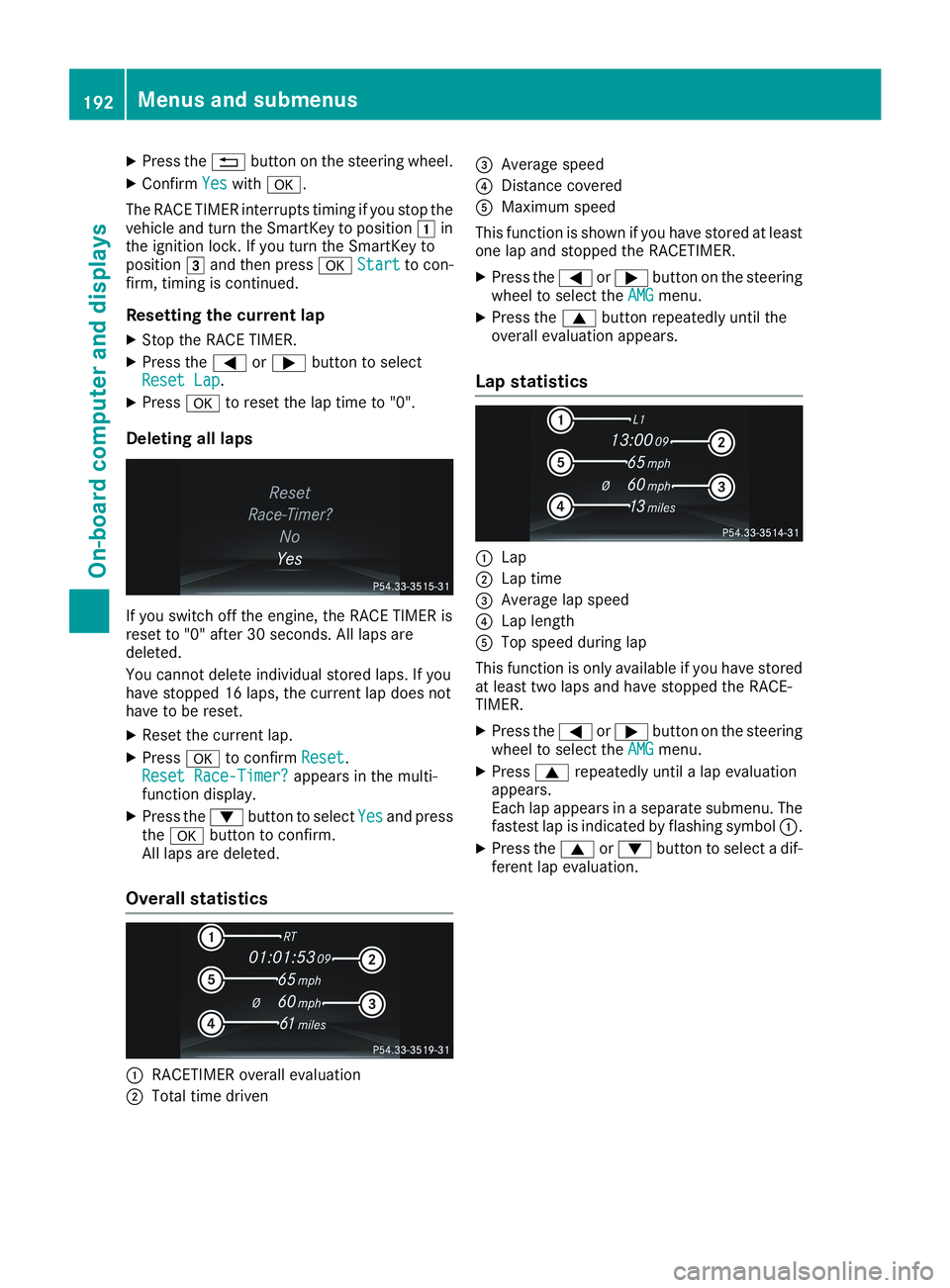
XPress the8button on the steering wheel.
XConfirmYesYeswithv.
The RACE TIMER interrupts timing if you stop thevehicle and turn the SmartKey to positionGinthe ignition lock. If you turn the SmartKey topositionIand then pressvStartStartto con-firm, timing is continued.
Resetting the current lap
XStop the RACE TIMER.
XPress theYorebutton to selectReset LapReset Lap.
XPressvto reset the lap time to "0".
Deleting all laps
If you switch off the engine, the RACE TIMER isreset to "0" after 30 seconds. All laps aredeleted.
You cannot delete individual stored laps. If youhave stopped 16 laps, the current lap does nothave to be reset.
XReset the current lap.
XPressvto confirmResetReset.Reset Race-Timer?Reset Race-Timer?appears in the multi-function display.
XPress thedbutton to selectYesYesand pressthevbutton to confirm.All laps are deleted.
Overall statistics
CRACETIMER overall evaluation
DTotal time driven
Page 200 of 330
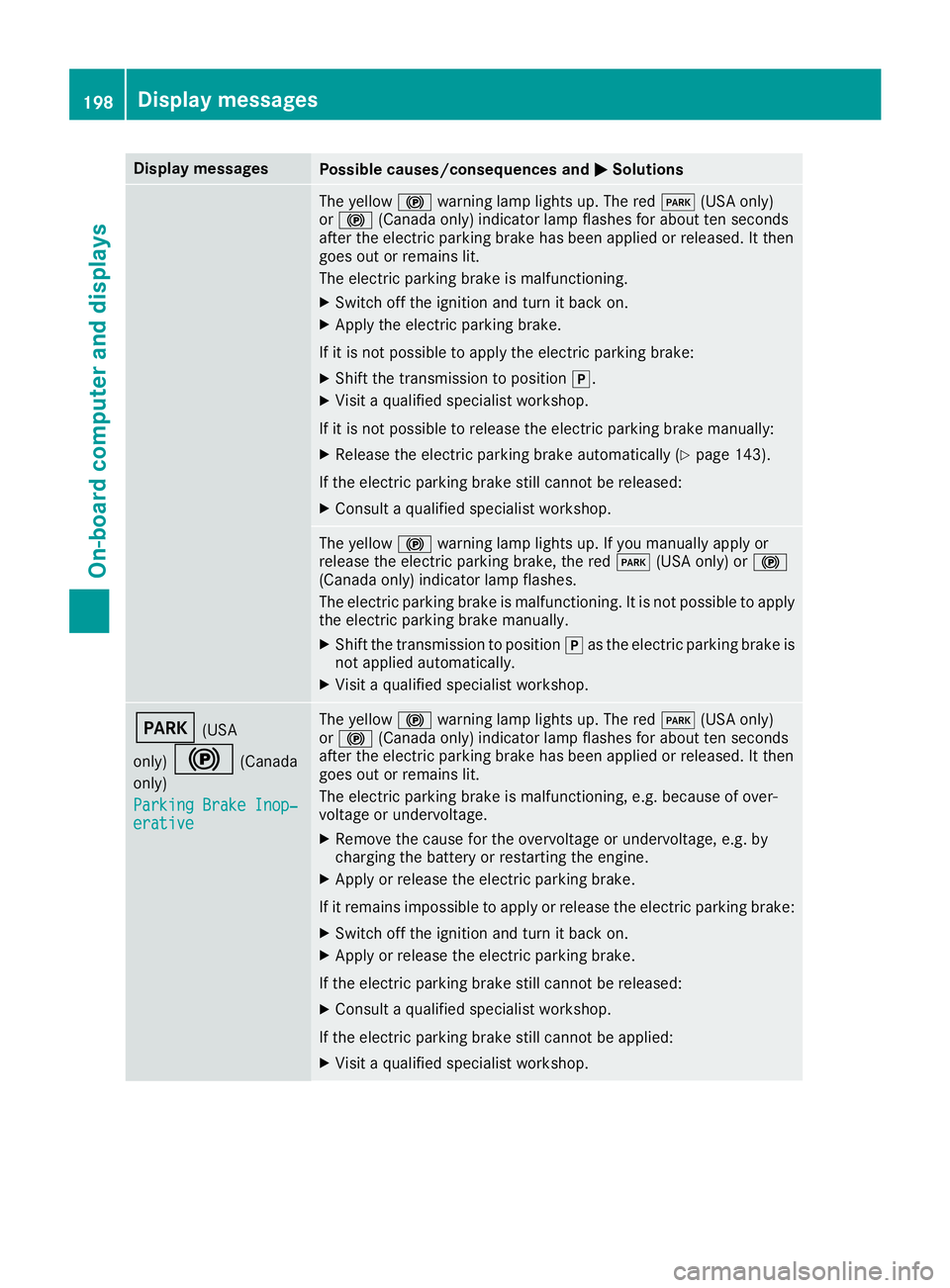
Display messagesPossible causes/consequences andPPSolutions
The yellow$warning lamp lights up. The redI(USA only)or$(Canada only) indicator lamp flashes for about ten secondsafter the electric parking brake has been applied or released. It thengoes out or remains lit.
The electric parking brake is malfunctioning.
XSwitch off the ignition and turn it back on.
XApply the electric parking brake.
If it is not possible to apply the electric parking brake:
XShift the transmission to position].
XVisit a qualified specialist workshop.
If it is not possible to release the electric parking brake manually:
XRelease the electric parking brake automatically (Ypage 143).
If the electric parking brake still cannot be released:
XConsult a qualified specialist workshop.
The yellow$warning lamp lights up. If you manually apply orrelease the electric parking brake, the redI(USA only) or$(Canada only) indicator lamp flashes.
The electric parking brake is malfunctioning. It is not possible to applythe electric parking brake manually.
XShift the transmission to position]as the electric parking brake isnot applied automatically.
XVisit a qualified specialist workshop.
I(USA
only)$(Canada
only)
Parking Brake Inop‐Parking Brake Inop‐erativeerative
The yellow$warning lamp lights up. The redI(USA only)or$(Canada only) indicator lamp flashes for about ten secondsafter the electric parking brake has been applied or released. It thengoes out or remains lit.
The electric parking brake is malfunctioning, e.g. because of over-voltage or undervoltage.
XRemove the cause for the overvoltage or undervoltage, e.g. bycharging the battery or restarting the engine.
XApply or release the electric parking brake.
If it remains impossible to apply or release the electric parking brake:
XSwitch off the ignition and turn it back on.
XApply or release the electric parking brake.
If the electric parking brake still cannot be released:
XConsult a qualified specialist workshop.
If the electric parking brake still cannot be applied:
XVisit a qualified specialist workshop.
198Displaymessages
On-b oard computer and displays
Page 202 of 330
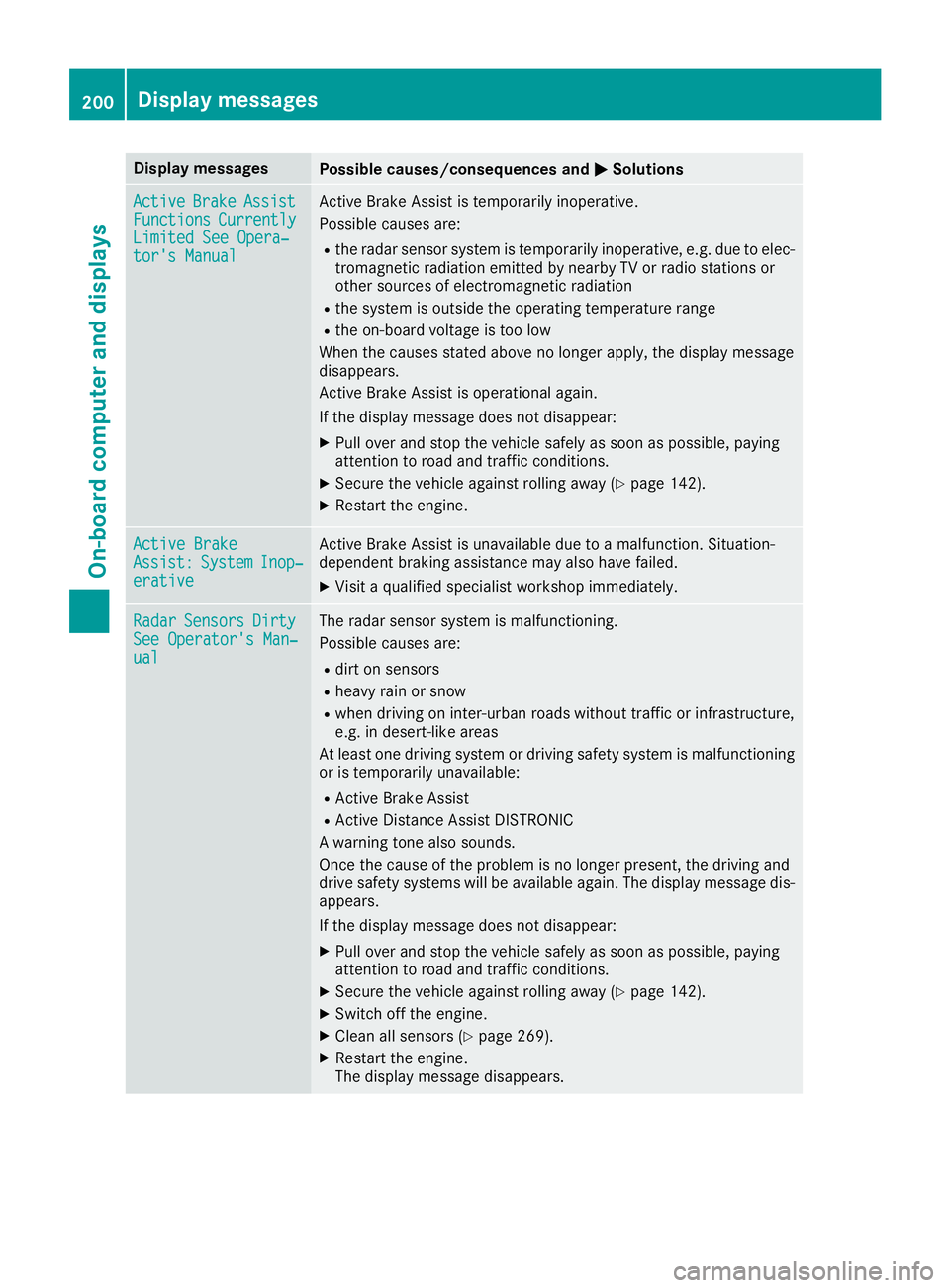
Display messagesPossible causes/consequences andPPSolutions
ActiveActiveBrakeBrakeAssistAssistFunctionsFunctionsCurrentlyCurrentlyLimited See Opera‐Limited See Opera‐tor's Manualtor's Manual
Active Brake Assist is temporarily inoperative.
Possible causes are:
Rthe radar sensor system is temporarily inoperative, e.g. due to elec-tromagnetic radiation emitted by nearby TV or radio stations orother sources of electromagnetic radiation
Rthe system is outside the operating temperature range
Rthe on-board voltage is too low
When the causes stated above no longer apply, the display messagedisappears.
Active Brake Assist is operational again.
If the display message does not disappear:
XPull over and stop the vehicle safely as soon as possible, payingattention to road and traffic conditions.
XSecure the vehicle against rolling away (Ypage 142).
XRestart the engine.
Active BrakeActive BrakeAssist:Assist:SystemSystemInop‐Inop‐erativeerative
Active Brake Assist is unavailable due to a malfunction. Situation-dependent braking assistance may also have failed.
XVisit a qualified specialist workshop immediately.
RadarRadarSensorsSensorsDirtyDirtySee Operator's Man‐See Operator's Man‐ualual
The radar sensor system is malfunctioning.
Possible causes are:
Rdirt on sensors
Rheavy rain or snow
Rwhen driving on inter-urban roads without traffic or infrastructure,e.g. in desert-like areas
At least one driving system or driving safety system is malfunctioningor is temporarily unavailable:
RActive Brake Assist
RActive Distance Assist DISTRONIC
A warning tone also sounds.
Once the cause of the problem is no longer present, the driving anddrive safety systems will be available again. The display message dis-appears.
If the display message does not disappear:
XPull over and stop the vehicle safely as soon as possible, payingattention to road and traffic conditions.
XSecure the vehicle against rolling away (Ypage 142).
XSwitch off the engine.
XClean all sensors (Ypage 269).
XRestart the engine.The display message disappears.
200Displaymessages
On-b oard computer and displays
Page 209 of 330
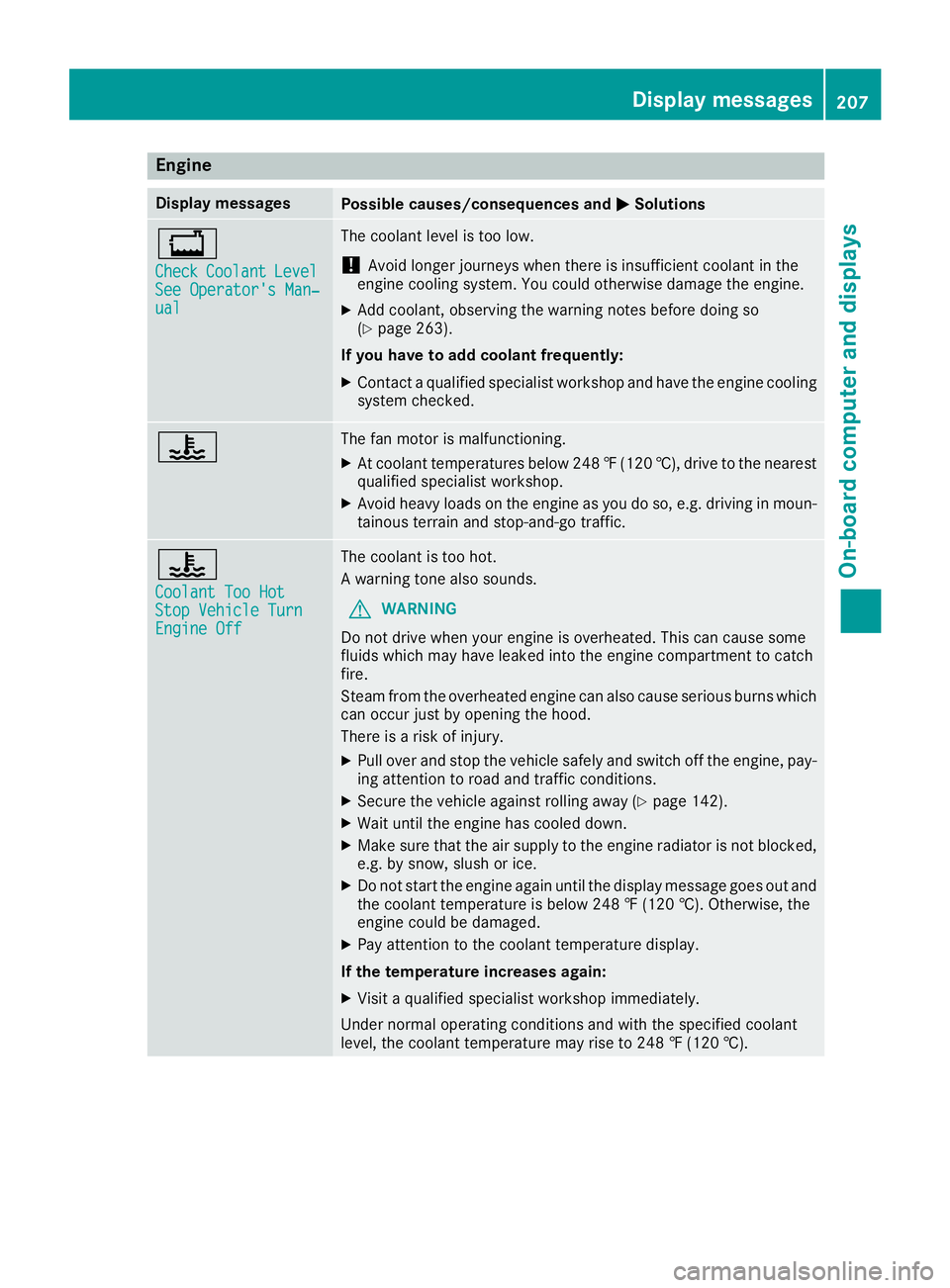
Engine
Display messagesPossible causes/consequences andPPSolutions
Page 210 of 330
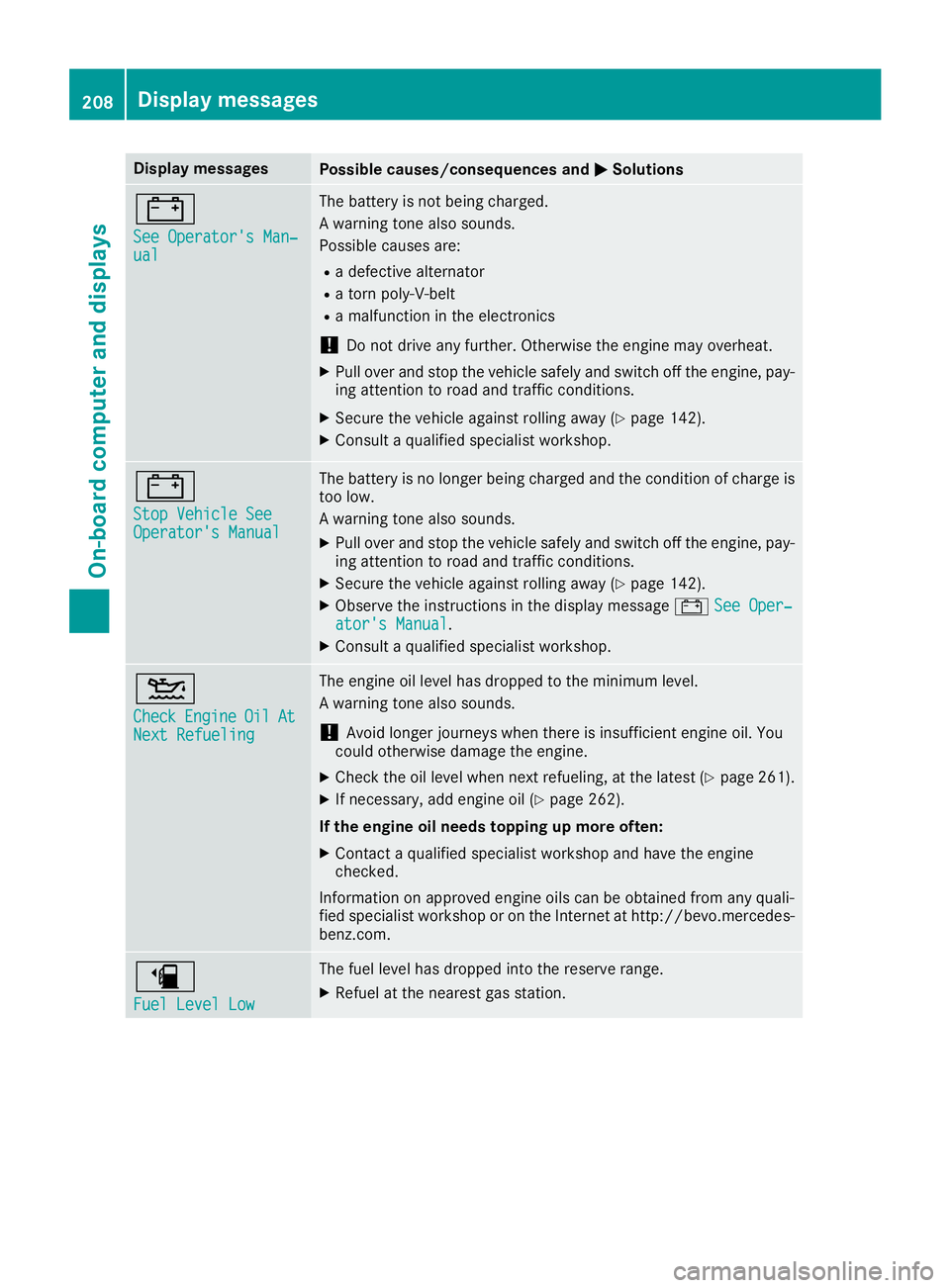
Display messagesPossible causes/consequences andPPSolutions
=
See Operator's Man‐See Operator's Man‐ualual
The battery is not being charged.
A warning tone also sounds.
Possible causes are:
Ra defective alternator
Ra torn poly-V-belt
Ra malfunction in the electronics
!Do not drive any further. Otherwise the engine may overheat.
XPull over and stop the vehicle safely and switch off the engine, pay-ing attention to road and traffic conditions.
XSecure the vehicle against rolling away (Ypage 142).
XConsult a qualified specialist workshop.
=
Stop Vehicle SeeStop Vehicle SeeOperator's ManualOperator's Manual
The battery is no longer being charged and the condition of charge istoo low.
A warning tone also sounds.
XPull over and stop the vehicle safely and switch off the engine, pay-ing attention to road and traffic conditions.
XSecure the vehicle against rolling away (Ypage 142).
XObserve the instructions in the display message=See Oper‐See Oper‐ator's Manualator's Manual.
XConsult a qualified specialist workshop.