warning MERCEDES-BENZ CLA 2020 Owner's Manual
[x] Cancel search | Manufacturer: MERCEDES-BENZ, Model Year: 2020, Model line: CLA, Model: MERCEDES-BENZ CLA 2020Pages: 570, PDF Size: 18.59 MB
Page 176 of 570
R
Ifth er ear enar row vehicles infront, suchas
bicy cles ormo torcyc les.
In addition ,on slipper yro ads, brakin gor acc el‐
er atin gcan caus eon eor severalwheels tolose
tr act ion and theve hicle could then skid.
Do notuse ActiveDis tance AssistDIS TRONI Cin
th ese situation s. &
WARNIN GRisk ofacci dent from acce ler‐
ati on orbraki ng byActiveDis tance
Assi stDIS TRONI C
Ac tiveDis tance AssistDIS TRONI Cma yacc el‐
er ateor brak ein thefo llo wing cases ,fo r
ex am ple:
R Ifth eve hicle pullsaway usin gAc tiveDis ‐
ta nce AssistDIS TRONI C.
R Ifth estor ed speed iscalled upand is
considera blyfaster or slo werth an the
cur rently driven spe ed.
R IfAc tiveDis tance AssistDIS TRONI Cno
lo ng er detects ave hicle infront ordoes
no tre act toreleva nt objects. #
Alw ayscar efully observethetraf fic con‐
di tions andbeready tobrak eat all
times. #
Take intoacc ount thetra ffic situat ion
bef orecallin gup thestor ed speed. &
WARNIN GRisk ofacci dent dueto insuf ‐
fi cie ntdece lera tio nby ActiveDis tance
Assi stDIS TRONI C
Ac tiveDis tance AssistDIS TRONI Cbrak es
yo ur vehicle withup to50% ofthemaximum
possible deceleration.Ifth is decele ratio nis
no tsu fficien t,Ac tiveDis tance Assist
DIS TRONI Caler ts youwit havis ual and
aco ustic warning. #
Inthese cases, adjustyo ur spee dand
ke ep asuf ficie ntdist anc e. #
Brak eth eve hicle yourself and/or take
ev asiv eact ion. &
WARNIN GRisk ofacci dent ifde tection
functi onofActiveDis tance Assist
DIS TRONI Cis impai red
Ac tiveDis tance AssistDIS TRONI Cdo es not
re act orhas alimit edreact ion:
R when drivin gon adif fere nt lane orwh en
ch ang inglane s
R topedes trians, animals, bicycles orsta‐
tio nar yve hicles, orune xpect edobs tacle s
R tocom plex traf fic condi tions
R tooncom ingvehicles andcrossing traf fic
As are sult, ActiveDis tance Assist
DIS TRONI Cma ynei ther giv ewa rnings nor
int erve ne insuch situations. #
Alw aysobser vethetra ffic con dition s
car efull yand react accordin gly. Oper
ating Activ eDi stance AssistDI ST RO NIC
Re quirement s:
R The vehicle hasbeen star ted.
R The elect ric pa rking brak eis released.
R ESP®
is act ivat ed and isno tint erve ning . 17
4
Driving and parking
Page 182 of 570
ex
pect ach ang efrom active to passiv emode or
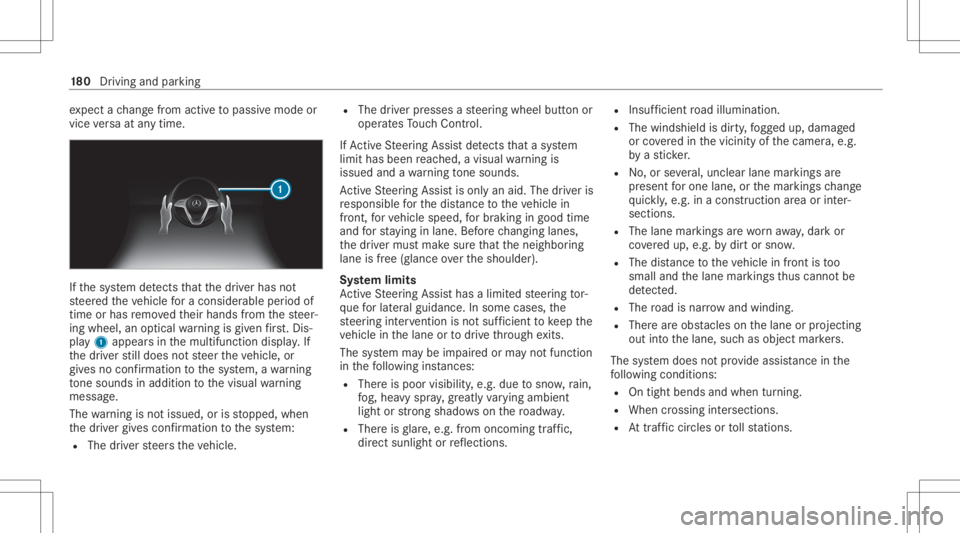
vice versaat anytim e. If
th esy stem detects that thedr iver has not
st eer edtheve hicle fora consider ableper iod of
time orhas remo vedth eir hands from thesteer‐
ing wheel, anoptical warning isgiv en firs t. Dis ‐
pl ay 1 appear sin themultifunc tiondispla y.If
th edr iver still does notst eer theve hicle, or
giv es no conf irmation tothesy stem, awa rning
to ne sou nds inad ditio nto thevisual warning
mess age.
The warning isno tissued, orisstopped, when
th edr iver giv es con firm atio nto thesy stem:
R The driver steer sth eve hicle. R
The driver presses ast eer ing wheel buttonor
oper ates Touc hCon trol.
If Ac tiveSt eer ing Assis tde tects that asy stem
limit hasbeen reac hed, avisual warning is
issued andawa rning tone sou nds.
Ac tiveSt eer ing Assis tis onl yan aid. Thedriver is
re sponsible forth edis tance totheve hicle in
fr ont, forve hicle speed, forbr aking ingood time
and forst ay ing inlane. Beforech ang inglane s,
th edr iver mus tmak esur eth at theneighbor ing
lane isfree (glance overth eshoulder).
Sy stem limit s
Ac tiveSt eer ing Assis thas alimit edsteer ing tor‐
qu efo rlat eral gui dance. Insome cases, the
st eer ing interve ntio nis no tsu fficien tto keep the
ve hicle inthelane ortodrive th ro ugh exits.
The system maybe impair edorma yno tfunc tion
in thefo llo wing instan ces:
R The reispoor visibilit y,e.g. due tosno w,rain,
fo g, hea vyspr ay,gr ea tly varying ambien t
light orstro ng sha dows onthero adw ay.
R Ther eis glar e, e.g .fr om oncom ingtraf fic,
di re ct sunli ght orreflect ions. R
Insuf ficie ntroad illumin ation.
R The wind shieldisdir ty,fo gg ed up, damag ed
or coveredin thevicin ityofthecamer a,e.g.
by ast icke r.
R No, orseveral,unc lear lane markingsare
pr esen tfo rone lane, orthemar king sch ang e
qu ickl y, e.g. inacon stru ction area orinter‐
secti ons.
R The lane mar kings arewo rnaw ay,dar kor
co veredup, e.g. bydirtor sno w.
R The distance totheve hicle infront istoo
small andthelane marking sth us can notbe
de tected.
R The road isnar row and windin g.
R Ther ear eobs tacle son thelane orprojec ting
out intoth elane, suchas objec tmar kers.
The system does notpr ov ide assis tance inthe
fo llo wing condition s:
R Ontigh tbends andwhen turnin g.
R When crossin gint ersect ions.
R Attraf fic cir cle sor tollst atio ns. 18
0
Driving and parking
Page 185 of 570
The
system mayalso beimpair edorma yno t
func tion inthefo llo wing situat ions:
R The sensorsin there ar bum peraredir ty,
damag edorcoveredby ast icke ror ice and
sno w,forex am ple.
R The exterior lighting showsafa ult.
% The ActiveLa ne Chang eAssi stsensor s
adjus taut omaticall ywhile acer tain dis tance
is be ing driven afte rth eve hicle hasbeen
deliv ered. ActiveLa ne Chang eAssi stis
una vailable oronl ypar tiall yav ailable during
th is teac h-in proce ss;noarro w appear sne xt
to theØ ActiveSt eer ing Assis tsymbol
when thetur nsignal indicat orisactiv ated.
Ac tiv atin g/deac tivatin gAc tiv eLan eCha nge
As sist
Multimedia system:
4 © 5
Set ting s5
Assist ance
5 Act ive Lane Change Assist #
Activateor deacti vate thefunc tion.
Fu nction ofActiv eEme rgency Stop Assis t
If th edr iver con tinuall yignor esthevisual or
acous ticwarning toput their hands onthesteer‐ ing
wheel, theBeginn ingEmer gencySt op mes‐
sag eappear sin themultifunc tiondispla y.Ifth e
dr iver still does notre spond, ActiveDis tance
Assi stDIS TRONI Creduces thespeed. Thevehi‐
cle isdeceler ated instag es toast ands till.
De pen dingon thecount ry,at speeds below
40 mph(60 km/h) thehazar dwa rning light s
switc hon aut omat ically.
When theve hicle isstatio nary,thefo llo wing
act ions arecar ried out :
R The vehicle issecur edwithth eelectr icpar k‐
ing brak e
R ActiveDis tance AssistDIS TRONI Cis end ed
R The vehicle isunloc ked
R Ifpossib le,an emer gency callis place dto
th eMer cedes- Benzemergency callcent er
The driver can cance lth edeceler ationatany
time byper form ing one ofthefo llo wing actions :
R Steer ing
R Braking oracceler ating
R Pressing ast eer ing-wheel button
R Oper ating Touc hCon trol R
Activati ng ordeacti vating ActiveDis tance
Assi stDIS TRONI C Ov
erview ofActiv eDi stance Assist
DI ST RO NIC displa ysintheins trum ent clus‐
te r The
assis tance grap hicand thest atus displa y
sho wthest atus ofthefo llo wing functionsin the
ins trumen tclus ter:
R ActiveDis tan ceAssi stDIS TRONI C
R Route-based speedadap tatio n
R ActiveSt eer ing Assis t Dr
iving andparking 18
3
Page 195 of 570
If
th eé symbol issho wninthemultifunc tion
displa y,Pa rking AssistPA RK TRONI Cis no t
act ive.
Mult imed iasystem:
4 Setting s5
Quick Access
5 PARKTRONIC #
Activateor deacti vate thefunc tion.
% Parking AssistPA RK TRONI Cis aut omat ically
act ivat ed when theve hicle isstar ted.
Ad jus tingthe warning tones ofParking
Assis tPA RK TRONI C
Mu ltimed iasystem:
4 © 5
Set ting s5
Assist ance
5 Camera &Parkin g
Ad jus tingthe volum eof thewa rning tones #
Select Warning ToneVolume. #
Seta va lue.
Ad jus tingthe pitchof the warning tones #
Select Warning TonePitch. #
Seta va lue. Specif
yingthest ar ting pointfo rthe warning
to nes
Yo ucan spec ifywhe ther thePa rking Assist
PA RK TRONI Cwa rning tones should comm ence
wh en theve hicle isfur ther aw ay from anobs ta‐
cle . #
Sele ctWa rnEarl yAll Arou nd. #
Activateor deacti vate thefunc tion.
Ac tiv atin g/deac tivatin gaudi ofa deo ut
Yo ucan spec ifywhe ther thevo lume ofamedia
sour ceinthemultimedia system isto be
re duced whenParking AssistPA RK TRONI C
soun dsawa rning tone. #
Select Aud ioFad eou tDuri ngWa rning Tones. #
Activateor deacti vate thefunc tion. Re
versing camer a Fu
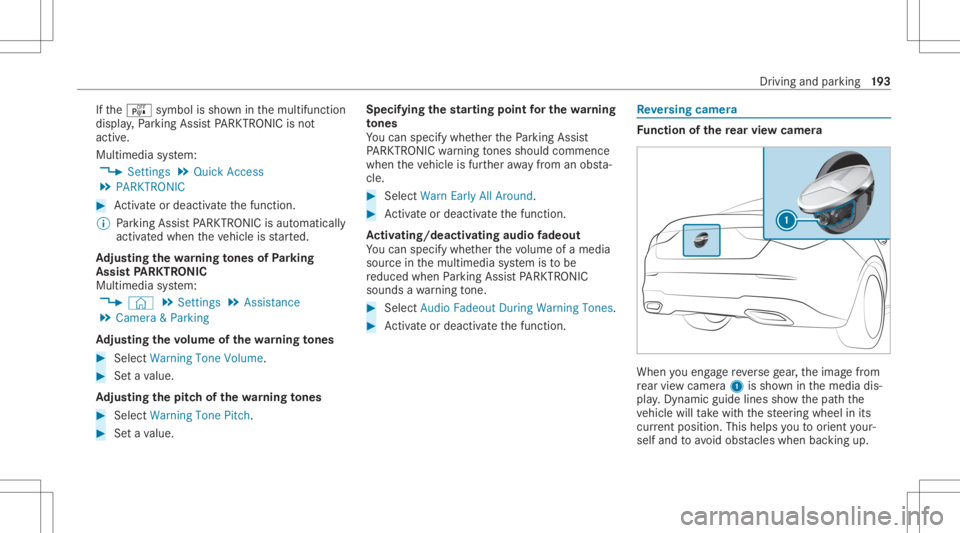
nction ofthere ar vie wcamer a When
youen gage reve rsege ar,th eimag efrom
re ar vie wcam era1 issho wninthemedia dis‐
pla y.Dyna micguide lines showthepat hth e
ve hicle willtake wit hth esteer ing wheel inits
cur rent positio n.Thi shel psyouto orient your‐
self and toavoid obstacle swhe nba cking up. Dr
ivin gand parking19
3
Page 199 of 570
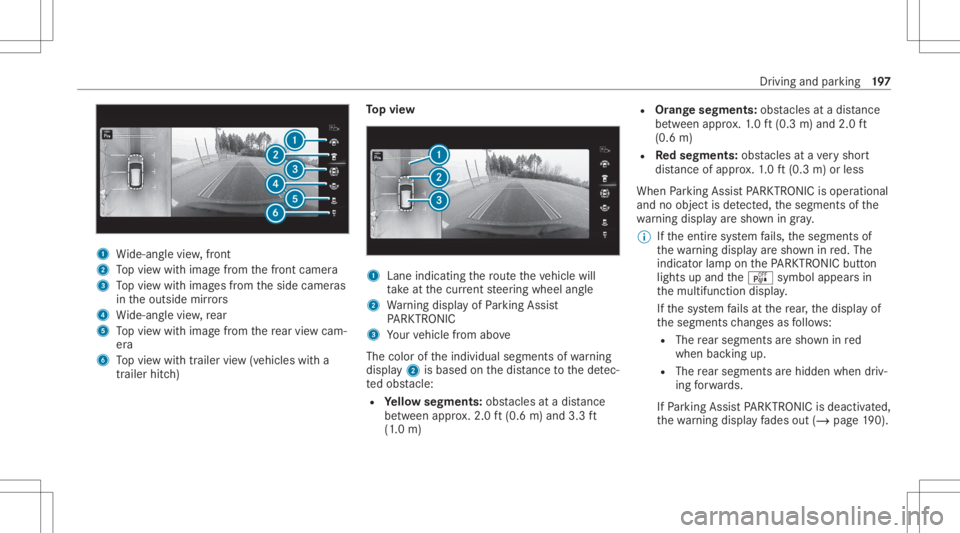
1
Wide-ang levie w, front
2 Topvie wwit himag efrom thefront camer a
3 Topvie wwit himag esfrom theside camer as
in theoutside mirrors
4 Wide-ang levie w, rear
5 Topvie wwit himag efrom there ar vie wcam ‐
er a
6 Topvie wwit htrailer view(vehicles witha
tra iler hitch) To
pvie w 1
Lane indicati ngthero uteth eve hicle will
ta ke atthecur rent steer ing wheel angle
2 Warning displa yof Parking Assist
PA RK TRONI C
3 Your vehicle from above
The color oftheindividual segmentsof wa rning
displa y2 isbased onthedis tance tothede tec‐
te dobs tacle :
R Yello wsegment s:obs tacle sat adi st anc e
be tween appr ox.2.0 ft(0.6 m)and 3.3ft
(1 .0 m) R
Orang esegment s:obs tacle sat adi st anc e
be tween appr ox.1. 0 ft (0.3 m)and 2.0ft
(0.6 m)
R Redse gme nts: obstacle sat ave ry shor t
dis tance ofapprox .1. 0 ft (0.3 m)orless
When Parking AssistPA RK TRONI Cis operatio nal
and noobj ectis de tected, thesegment sof the
wa rning displa yar esho wningray .
% Ifth eent ire sy stem fails, thesegment sof
th ewa rning displa yar esho wninred. The
indicat orlam pon thePA RK TRONI Cbut ton
light sup and theé symbol appearsin
th emultifunc tiondispla y.
If th esy stem fails atthere ar,th edispla yof
th esegment sch ang esasfollo ws :
R The rear segm entsar esho wninred
when backingup.
R The rear segm entsar ehidde nwhen driv‐
ing forw ards.
If Pa rking AssistPA RK TRONI Cis deac tiva ted,
th ewa rning displa yfa des out(/ page19 0). Dr
iving andparking 19
7
Page 208 of 570
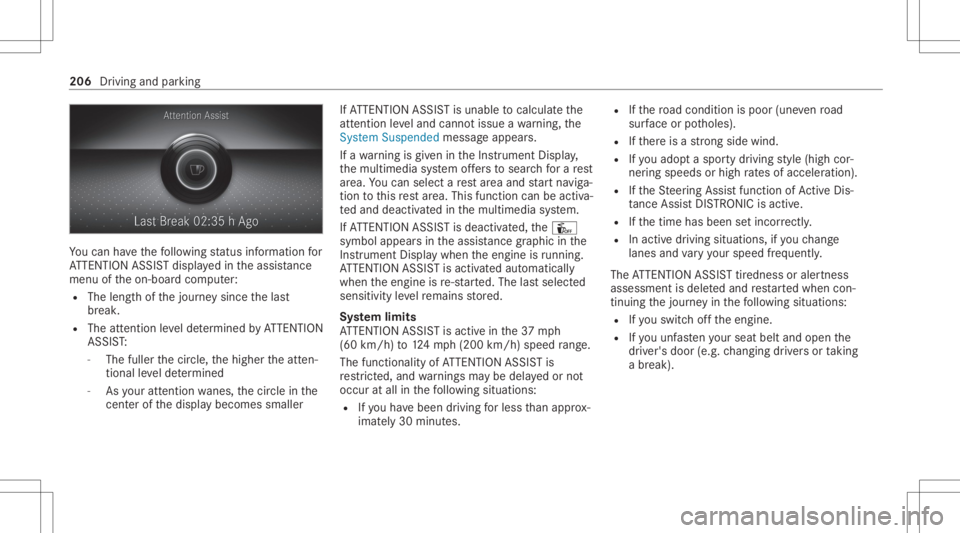
Yo
ucan have thefo llo wing status informat ionfor
AT TENTION ASSISTdispla yedin theassis tance
menu oftheon- boar dcom puter:
R The lengt hof thejour neysince thelas t
br eak .
R The attent ion leve lde term ined byATTENTION
ASS IST:
- The fuller thecir cle, thehigher theatt en‐
tion alleve lde term ined
- Asyour att entio nwa nes, thecir cle inthe
cent erofthedispla ybecomes smaller If
AT TENTION ASSISTis unable tocal cul ateth e
att ent ion leve land cannotissue awa rning, the
Sys tem Suspend edmes sage appear s.
If awa rning isgiv en intheIns trument Display,
th emultimedia system offers to sear chfora re st
ar ea. Youcan selectare st area and star tna vig a‐
tio nto this rest area. This function can beact iva‐
te dand deactiv ated inthemultimedia system.
If AT TENTION ASSISTis deactiv ated, theÛ
symbol appearsin theassis tance grap hicin the
Ins trument Displaywhen theengine isrunning .
AT TENTION ASSISTis activ ated aut omaticall y
when theengine isre-sta rted. The lastselect ed
sensit ivityleve lre mains stor ed.
Sy stem limit s
AT TENTION ASSISTis activ ein the37 mph
(60 km/ h)to 124mp h(2 00 km/h) speedra ng e.
The func tional ity ofATTENTION ASSISTis
re strict ed, and warnings maybe dela yedor not
occ uratall inthefo llo wing situat ions:
R Ifyo uha ve been driving forless than appr ox‐
imat ely30 min utes. R
Ifth ero ad con dition ispoor (unevenro ad
sur face orpotholes).
R Ifth er eis ast ro ng side wind.
R Ifyo uadop ta spor tydrivin gst yle (high cor‐
ner ing speeds orhigh ratesof acceler ation).
R Ifth eSt eer ing Assis tfunc tion ofActiveDis ‐
ta nce AssistDIS TRONI Cis acti ve.
R Ifth etime hasbeen setincor rectly .
R Inacti vedriving situation s,ifyo uch ang e
lane sand vary your spee dfreq uen tly.
The ATTENTION ASSISTtir edness oraler tnes s
assessment isdele tedand restar tedwhen con‐
tin uing thejour neyin thefo llo wing situat ions:
R Ifyo uswit choffth eengine.
R Ifyo uunf astenyo ur seat beltandopen the
dr iver's door (e.g.chang ingdriver sor taking
a br ea k). 20
6
Driving and parking
Page 209 of 570
Se
tting ATTENTI ONASSIST
Multimedia system:
4 © 5
Set ting s5
Assist ance
5 Atten tion Assist
Se tting options #
Select Standard, SensitiveorOff.
Sugg esting are st area #
Select SuggestRes tArea. #
Activateor deacti vate thefunc tion.
If AT TENTION ASSISTde tects fatig ue or
incr easing lack ofatt ention ,it sugg ests a
re st area inthevicinit y. #
Select thesugg estedre st area.
Yo uar eguided totheselect edrest area. Tr
af fic Sign Assis t Fu
nction ofTraf fic Sign Assis t Tr
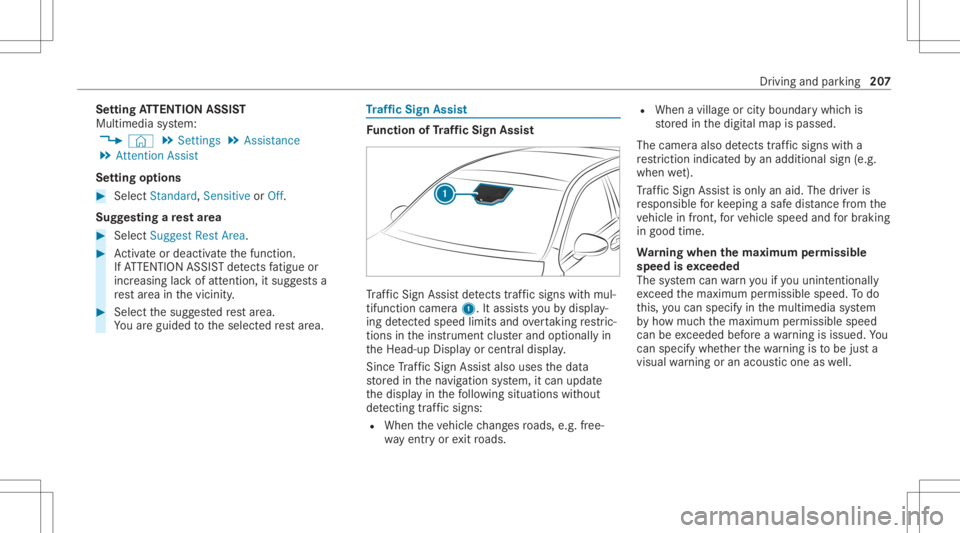
af fic Sign Assistdetects traf fic sig ns with mul‐
tifunction camera1. Itassi stsyo uby displa y‐
ing detected spe edlimits andovertakin gre stric‐
tions intheins trument clusterand optionally in
th eHead-up Displayor cent raldispla y.
Since Traf fic Sign Assistalso uses thedat a
st or ed inthena vig ation system, itcan updat e
th edispla yin thefo llo wing situat ionswithout
de tecting traf fic sig ns:
R Whe nth eve hicle chang esroads, e.g.fr ee‐
wa yen try or exitro ads. R
When avillag eor cityboun darywhic his
st or ed inthedigit almap ispassed.
The camer aalso detects traf fic sig ns with a
re striction indicatedbyan addit ionalsign (e.g.
when wet).
Tr af fic Sign Assistisonl yan aid. Thedriver is
re sponsible forke eping asaf edis tance from the
ve hicle infront, forve hicle speed andforbr aking
in good time.
Wa rning when thema xim um permis sible
speed isexc eeded
The system can warnyouif yo uunin tentio nally
exc eed themaximum permissible speed.Todo
th is, youcan spec ifyinthemultimedia system
by howmuc hth emaximum permissible speed
can beexc eeded beforeawa rning isissued. You
can specify whether thewa rning isto be justa
visual warning oran acous ticone aswell. Dr
ivin gand parking20
7
Page 211 of 570
Multimedia
system:
4 © 5
Set ting s5
Assist ance
5 Traffic SignAssist
Ac tiv atin g/deac tivatin gaut omati cadop tion
of spe edlimits (onlyve hicl eswith Drivin g
Ass istanc ePa ckag e) #
Select LimitAdoptio n. #
Activateor deacti vate thefunc tion.
The speed limitsdetected byTraf fic Sign
Assi stareaut omat icallyadop tedby Active
Dis tance AssistDIS TRONI C.
% Ifone ofthefo llo wing systems isactiv ated,
th espeed detected can bemanu ally ad op ted
as thespeed limit:
R ActiveDis tance AssistDIS TRONI C
R Cruise contr ol
R Variable limiter
Fu rther information (/page17 4).
Dis playin gde tected traf fic signs inthe
me diadispla y #
Select DisplayinCentra lDispl ay. #
Activateor deacti vate thefunc tion.
Ad jus tingthe type ofwa rning #
Selec tVisual &Audible ,Visual orOff .
Ad jus tingthe warning threshold
This value determ ines thespeed atwhic ha
wa rning isissued whenexceeded. #
Select Warning Threshold. #
Setth edesir edspeed. Blind
SpotAssis tand Activ eBli nd Spo t
As sist wit hex itwa rning Fu
nction ofBlind SpotAssis tand Activ e
Bli nd Spo tAs sist wit hex itwa rning
Blin dSpo tAss istand ActiveBli nd Spo tAssi st
use twolat eral, rear-facin gra dar sensor sto
monit orthear ea up to130ft (40 m)behind and
10 ft(3 m) next to your vehicle.
If ave hicle isde tected atspe eds aboveappr ox‐
imat ely8 mp h(12 km/h) andthis vehicle subse‐
qu ent lyent ersth emonit oring rang edire ctly next
to your vehicle, thewa rning lam pin theoutside
mir rorlig hts upred. If
ave hicle isde tected clos eto theside ofyour
ve hicle, there dwa rning lam pin theoutside mir‐
ro rflashes .If yo uswit chon thetur nsignal indi‐
cat orinthecor responding direction, awa rning
to ne sou nds once .If th etur nsignal indicat or
re mains switchedon,allother detected vehicles
ar eindicat edonlyby theflashin gof there d
wa rning lam p.
If yo uove rtak eave hicle quickl y, no warning is
giv en. &
WARNIN GRisk ofacci dent despite Blind
Spo tAssi st
Bli nd Spo tAssi stdoes notre act tovehicles
appr oaching andovertakin gyo uat agr ea tly
di ffer ent speed.
As are sult, Blind SpotAssis tcanno twa rn
dr iver sin this situat ion. #
Alw ayspa ycar eful attention tothetra f‐
fi c situ ation and maintain asaf edis‐
ta nce attheside oftheve hicle. Blind
SpotAssis tand ActiveBli nd Spo tAssi st
ar eon lyaids. Theyma yfa ilto detect some vehi‐ Dr
iving andparking 209
Page 216 of 570
The
system maybe impair edorma yno tfunc tion
in thefo llo wing situat ions:
R Ifth er eis poor visibility ,e.g. due toinsuf fi‐
cie ntillu mina tionofthero ad, ifth er ear e
highl yva riable shade condition sor inrain,
sno w,fogor hea vyspr ay.
R Ifth er eis glar e, e.g .fr om oncom ingtraf fic,
th esun orreflect ions.
R Ifth ewindshield inthear ea ofthemultifunc ‐
tion camer ais dir ty,or ifth ecamer ais fog‐
ge dup, damag edorcovered.
R Ifth er ear eno lane marking s,or several
unc lear lane markingsarepr esen tfo rone
lane, e.g.around roadw orks .
R Ifth elane marking sar ewo rn,dar kor cov‐
er ed.
R Ifth edis tance totheve hicle infront istoo
shor tand thus thelane marking scann otbe
de tected.
R Ifth elane marking sch ang equ ickl y, e.g.
lanes branc hof f,cr oss one another or
mer ge.
R Ifth ero adw ayisvery nar row and wind ing. Ve
hicl eswithout Drivin gAss istanc ePa ck‐
ag e:Ac tiveLa ne Keeping Assistuses radar sen‐
sor sto monit orseveralar eas around theve hicle.
If th era dar sensor sin there ar bum peraredir ty
or coveredwit hsno w,thesy stem maybe
im pair edorma yno tfunc tion.If an obs tacle in
th elane inwhic hyo uar edr ivin ghas been detec‐
te d, no lane-c orrecting brak eap plica tion occu rs.
Ac tiv atin g/deac tivatin gAc tiv eLan eKe eping
Assis t
Multi media system:
4 © 5
Set ting s5
Quick Access
5 Act ive Lane Keeping Assist #
Activateor deacti vate thefunc tion.
Se tting Activ eLan eKe eping Assist
Multi media system:
4 © 5
Set ting s5
Assist ance
5 Act ive Lane Keeping Assist
Se tting thesensit ivity
% The availabilit yof this func tion isdepen dent
on thecount ry. #
Select Stand ard,Sensi tiveorOff. Ac
tiv atin g/deac tivatin gthe hapticwarning #
Selec tWarnin g.
Ac tivateor deacti vate thefunc tion. Ve
hicl eto wing instruct ions
The vehicle isno tsuit able forth euse oftow bar
sy stems that areused forflat towing ording hy
to wing, forex am ple. Attach ing and using tow bar
sy stems canlead todamag eon theve hicle.
When youar eto wing ave hicle withto w bar sys‐
te ms, safedr iving charact eristic scan notbe
guar anteed forth eto wing vehicle ortheto we d
ve hicle. Thevehicle-tr ailercombination may
sw erve from side toside. Complywithth eper‐
mitt edtowing methods (/page41 3) and the
ins truct ions forto wing withbo th axle son the
gr ou nd (/ page 414). 21
4
Driving and parking
Page 223 of 570
00CE
Ad
aptiveHig hbeam Assis t(/ page11 6)
Ve hicl eswith Traf fic Sign Assis t:De tected
ins tructi ons and traf fic sig ns (/ page 207). Ad
jus tingthe inst ru men tlighti ng #
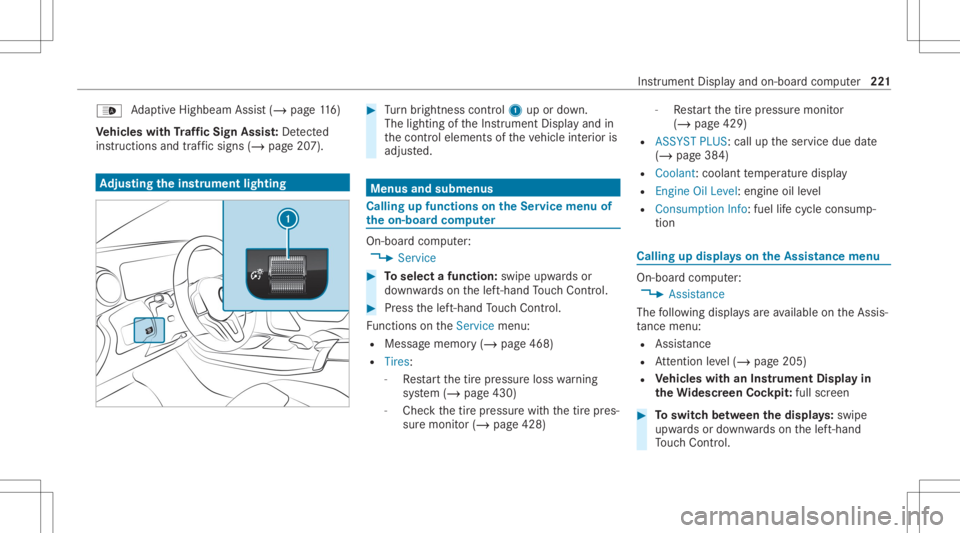
Turn brightn esscontrol 1 upordown.
The lightin gof theIns trument Displayand in
th econ trol element sof theve hicle interior is
adjus ted. Menus
andsubmenu s Calling
upfunctions ontheSer vice menu of
th eon-boa rdcom puter On-boar
dcom puter:
4 Service #
Toselect afunction: swipeupwards or
do wn wardson thelef t-hand Touc hCon trol. #
Press thelef t-hand Touc hCon trol.
Fu nctio nson theServ icemenu:
R Messag ememor y(/ page468)
R Tires :
- Restar tth etir epr essur eloss warning
sy stem (/ page430)
- Chec kth etir epr essur ewit hth etir epr es‐
sur emonit or(/ page428) -
Restar tth etir epr essur emonit or
(/ page429)
R ASSYST PLUS: calluptheser vice duedate
(/ page38 4)
R Coolant: coolanttemp eratur edispla y
R Engine OilLevel: engine oilleve l
R Con sump tionInfo: fuel life cy cle consum p‐
tio n Calli
ngup displa yson theAssis tance menu On
-bo ardcom puter:
4 Assist anc e
The follo wing displa ysareav ailable ontheAssis‐
ta nce menu :
R Assi stanc e
R Attentio nleve l(/ page205)
R Vehicl eswith anIns trument Displayin
th eWi des cree nCo ckpit :ful lscr een #
Toswitc hbe tw een thedisp lays :sw ipe
up wa rdsor down wardson thelef t-hand
To uc hCon trol. In
stru ment Displa yand on-boar dcom puter 22
1