lane assist MERCEDES-BENZ CLA-Class 2016 C117 User Guide
[x] Cancel search | Manufacturer: MERCEDES-BENZ, Model Year: 2016, Model line: CLA-Class, Model: MERCEDES-BENZ CLA-Class 2016 C117Pages: 374, PDF Size: 8.19 MB
Page 209 of 374
Collision warning
If a vehicle is detected in the monitoring range
of Blind Spot Assist and you switch on the
corresponding turn signal, a double warning
tone sounds. Red warning lamp :flashes. If
the turn signal remains on, vehicles detected
are indicated by the flashing of red warning
lamp :. There are no further warning tones.
Switching on Blind Spot Assist
XMake sure that Blind Spot Assist is activa-
ted in the on-board computer
(
Ypage 220).
XTurn the SmartKey to position 2in the igni-
tion lock.
Warning lamps :in the exterior mirrors
light up red for approximately 1.5 seconds
and then turn yellow.
Lane Keeping Assist
General notes
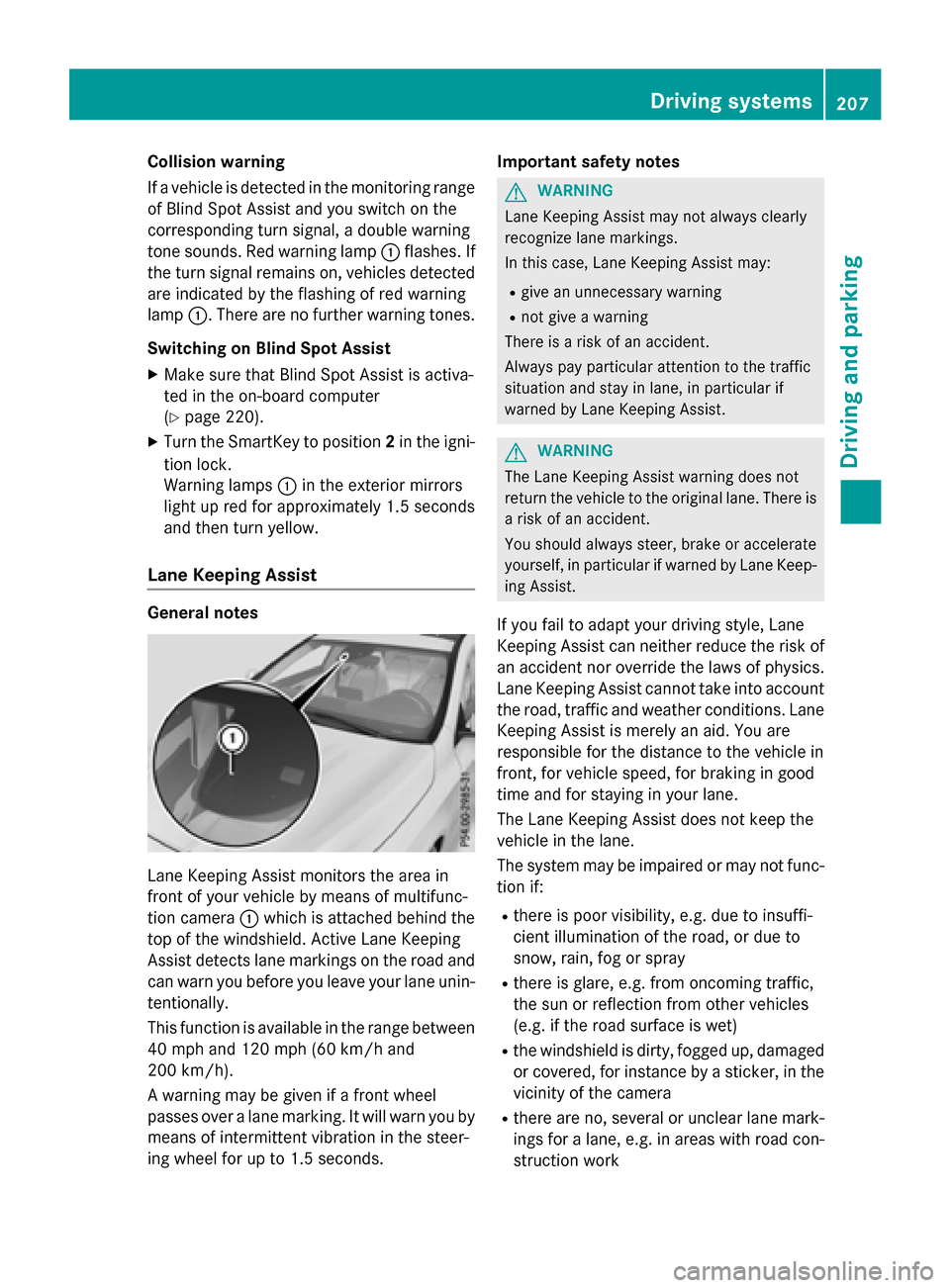
Lane Keeping Assist monitors the area in
front of your vehicle by means of multifunc-
tion camera :which is attached behind the
top of the windshield. Active Lane Keeping
Assist detects lane markings on the road and
can warn you before you leave your lane unin- tentionally.
This function is available in the range between
40 mph and 120 mph (60 km/h and
200 km/h).
A warning may be given if a front wheel
passes over a lane marking. It will warn you by
means of intermittent vibration in the steer-
ing wheel for up to 1.5 seconds. Important safety notes
GWARNING
Lane Keeping Assist may not always clearly
recognize lane markings.
In this case, Lane Keeping Assist may:
Rgive an unnecessary warning
Rnot give a warning
There is a risk of an accident.
Always pay particular attention to the traffic
situation and stay in lane, in particular if
warned by Lane Keeping Assist.
GWARNING
The Lane Keeping Assist warning does not
return the vehicle to the original lane. There is
a risk of an accident.
You should always steer, brake or accelerate
yourself, in particular if warned by Lane Keep-
ing Assist.
If you fail to adapt your driving style, Lane
Keeping Assist can neither reduce the risk of
an accident nor override the laws of physics.
Lane Keeping Assist cannot take into account
the road, traffic and weather conditions. Lane
Keeping Assist is merely an aid. You are
responsible for the distance to the vehicle in
front, for vehicle speed, for braking in good
time and for staying in your lane.
The Lane Keeping Assist does not keep the
vehicle in the lane.
The system may be impaired or may not func- tion if:
Rthere is poor visibility, e.g. due to insuffi-
cient illumination of the road, or due to
snow, rain, fog or spray
Rthere is glare, e.g. from oncoming traffic,
the sun or reflection from other vehicles
(e.g. if the road surface is wet)
Rthe windshield is dirty, fogged up, damagedor covered, for instance by a sticker, in the
vicinity of the camera
Rthere are no, several or unclear lane mark-
ings for a lane, e.g. in areas with road con-
struction work
Driving systems207
Driving and parking
Z
Page 210 of 374
Rthe lane markings are worn away, dark or
covered up, e.g. by dirt or snow
Rthe distance to the vehicle in front is too
small and the lane markings thus cannot be
detected
Rthe lane markings change quickly, e.g.
lanes branch off, cross one another or
merge
Rthe road is narrow and winding
Rthere are strong shadows cast on the road
Switching on Lane Keeping Assist
XActivate Lane Keeping Assist using the on-
board computer; to do so, select Standard
orAdaptive(Ypage 220).
If you drive at speeds above 40 mph
(60 km/h) and lane markings are detected, the lines in the assistance graphics display
(
Ypage 219) are shown in green. Lane
Keeping Assist is ready for use.
When Standard
is selected, no warning vibra-
tion occurs if:
Ryou have switched on the turn signal. In this
event, the warnings are suppressed for a
certain period of time.
Ra driving safety system intervenes, such as
ABS, BAS or ESP®.
When Adaptive
is selected, no warning vibra-
tion occurs if:
Ryou have switched on the turn signal. In this
event, the warnings are suppressed for a
certain period of time.
Ra driving safety system intervenes, e.g.
ABS, BAS or ESP®.
Ryou accelerate hard, e.g. kickdown.
Ryou brake hard.
Ryou steer actively, e.g. swerve to avoid an
obstacle or change lanes quickly.
Ryou cut the corner on a sharp bend.
In order that you are warned only when nec-
essary and in good time if you cross the lane
marking, the system recognizes certain con-
ditions and warns you accordingly. The warning vibration occurs earlier if:
Ryou approach the outer lane marking on a
bend.
Rthe road has very wide lanes, e.g. a free-
way.
Rthe system recognizes solid lane markings.
The warning vibration occurs later if:
Rthe road has narrow lanes.
Ryou cut the corner on a bend.
208Driving system s
Driving an d parking
Page 221 of 374
Redialing
The on-board computer saves the last namesor numbers dialed in the redial memory.
XPress the =or; button on the steer-
ing wheel to select the Tel
menu.
XPress the6button to switch to the
redial memory.
XPress the 9or: button to select the
desired name or number.
XPress the 6ora button to start dial-
ing.
or
XIf you do not want to make a call: press
the ~ or% button.
Assistance menu
Introduction
Depending on the equipment installed in the
vehicle, you have the following options in the
DriveAssist
menu:
RDisplaying the assistance graphic
(
Ypage 219)
RActivating/deactivating ESP®(except
Mercedes-AMG vehicles) (
Ypage 219)
RActivating/deactivating COLLISION PRE-
VENTION ASSIST PLUS (
Ypage 220)
RActivating/deactivating ATTENTION
ASSIST (
Ypage 220)
RActivating/deactivating Blind Spot Assist
(
Ypage 220)
RActivating/deactivating Lane Keeping
Assist (
Ypage 220)
Displaying the assistance graphic
XPress the =or; button on the steer-
ing wheel to select the DriveAssist
menu.
XPress9or: to select Assistance
Graphic.
XPressato confirm.
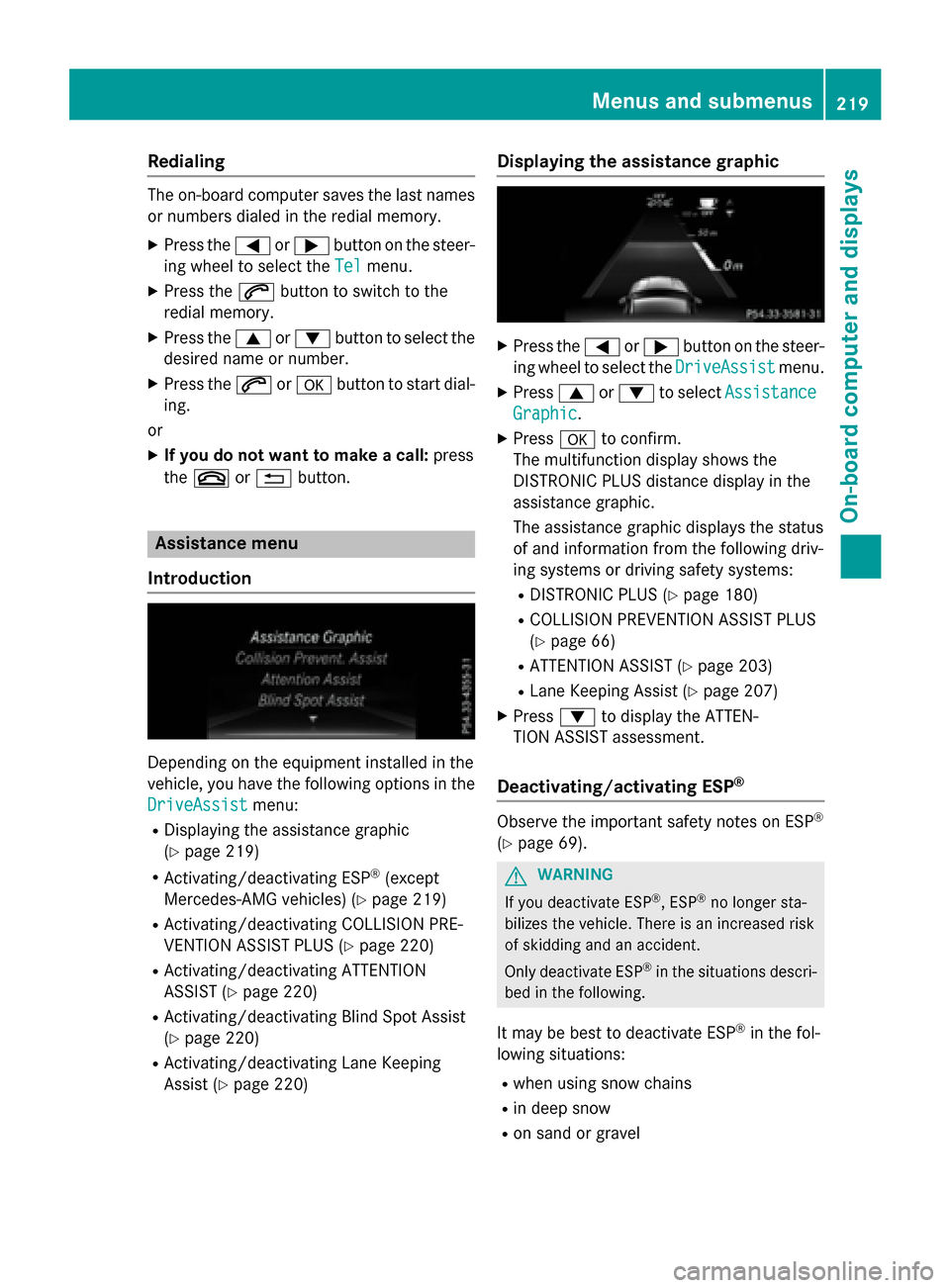
The multifunction display shows the
DISTRONIC PLUS distance display in the
assistance graphic.
The assistance graphic displays the status
of and information from the following driv-
ing systems or driving safety systems:
RDISTRONIC PLUS (Ypage 180)
RCOLLISION PREVENTION ASSIST PLUS
(
Ypage 66)
RATTENTION ASSIST (Ypage 203)
RLane Keeping Assist (Ypage 207)
XPress :to display the ATTEN-
TION ASSIST assessment.
Deactivating/activating ESP®
Observe the important safety notes on ESP®
(Ypage 69).
GWARNING
If you deactivate ESP
®, ESP®no longer sta-
bilizes the vehicle. There is an increased risk
of skidding and an accident.
Only deactivate ESP
®in the situations descri-
bed in the following.
It may be best to deactivate ESP®in the fol-
lowing situations:
Rwhen using snow chains
Rin deep snow
Ron sand or gravel
Menus and submenus219
On-board computer and displays
Z
Page 222 of 374
Deactivating/activating ESP®in Mercedes-
AMG vehicles (
Ypage 70).
For further information about ESP
®, see
(
Ypage 69).
XStart the engine.
XPress the =or; button on the steer-
ing wheel to select the DriveAssist
menu.
XPress9or: to select ESP.
XPressato confirm.
The current selection appears.
XTo activate/deactivate: press thea
button again.
ESP
®is deactivated if the åwarning
lamp in the instrument cluster lights up
continuously when the engine is running.
If the ÷ andå warning lamps light up
continuously, ESP
®is not available due to a
malfunction.
Observe the information on warning lamps
(
Ypage 263).
Observe the information on display messages
(
Ypage 228).
Activating/deactivating COLLISION
PREVENTION ASSIST PLUS
XPress the =or; button on the steer-
ing wheel to select the DriveAssist
menu.
XPress the9or: button to select
Collision Prevent. Assist
.
XPress ato confirm.
The current selection appears.
XTo activate/deactivate: press thea
button again.
When COLLISION PREVENTION ASSIST
PLUS is deactivated, the æsymbol
appears in the multifunction display in the
assistance graphic display.
For further information about COLLISION
PREVENTION ASSIST PLUS, see (
Ypage 66).
Activating/deactivating ATTENTION
ASSIST
XPress the =or; button on the steer-
ing wheel to select the DriveAssist
menu.
XPress the9or: button to select
Attention Assist
.
XPress ato confirm.
The current selection appears.
XPress ato confirm.
XPress the :or9 button to set Off,
Standard
or Sensitive.
XPress the abutton to save the setting.
When ATTENTION ASSIST is deactivated,
the é symbol appears in the multifunc-
tion display in the assistance graphics dis-
play.
For further information about ATTENTION
ASSIST, see (
Ypage 203).
Activating/deactivating Blind Spot
Assist
XPress the =or; button on the steer-
ing wheel to select the DriveAssist
menu.
XPress the9or: button to select
Blind Spot Assist
.
XPress ato confirm.
The current selection appears.
XTo activate/deactivate: press thea
button again.
For further information about Blind Spot
Assist, see (
Ypage 205).
Activating/deactivating Lane Keeping
Assist
XPress the =or; button on the steer-
ing wheel to select the DriveAssist
menu.
XPress the9or: button to select
Lane Keeping Assist
.
XPress ato confirm.
The current selection appears.
XPress aagain to confirm.
220Menus and submenus
On-board computer and displays
Page 223 of 374
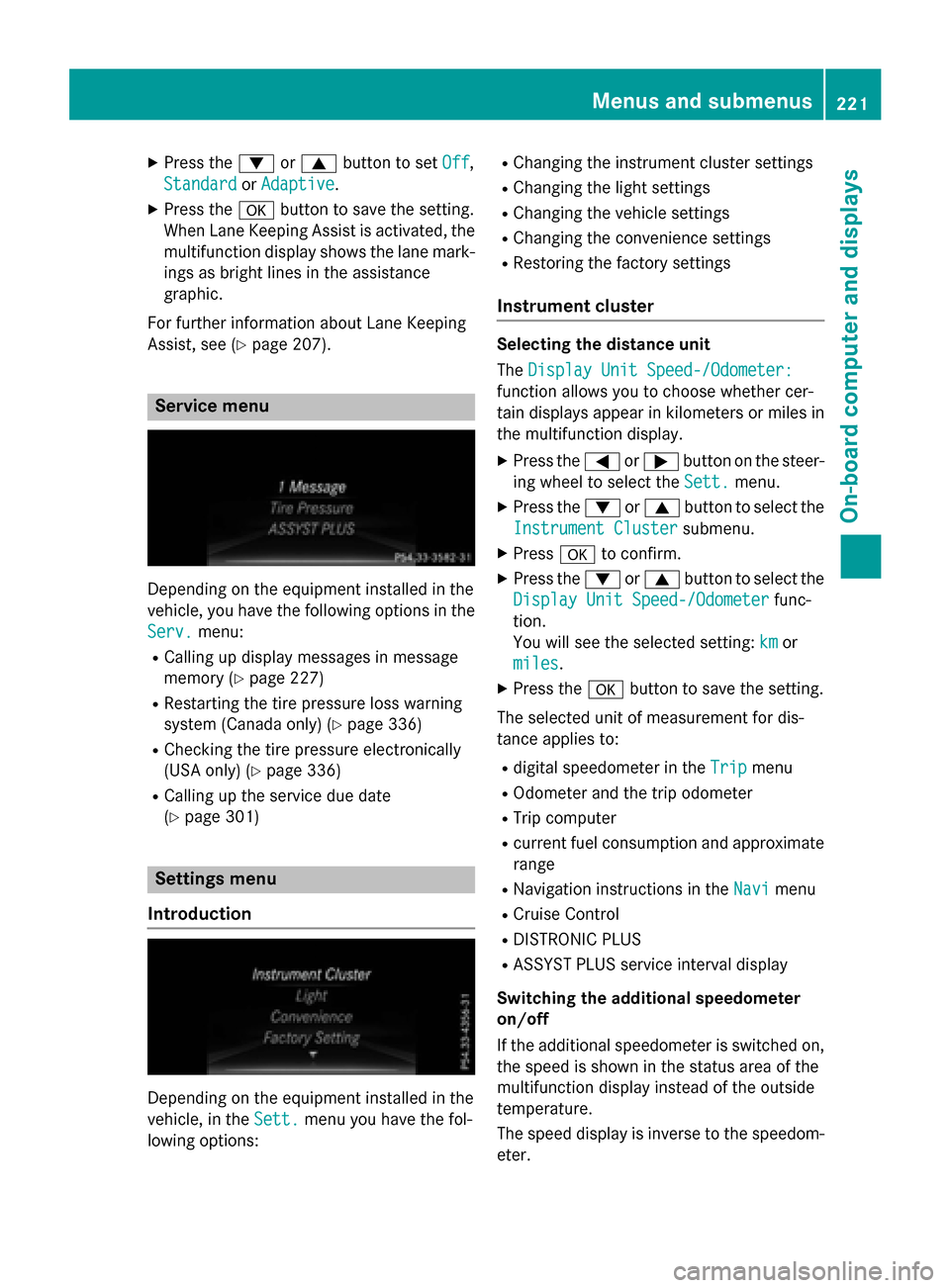
XPress the:or9 button to set Off,
Standard
or Adaptive.
XPress the abutton to save the setting.
When Lane Keeping Assist is activated, the
multifunction display shows the lane mark-
ings as bright lines in the assistance
graphic.
For further information about Lane Keeping
Assist, see (
Ypage 207).
Service menu
Depending on the equipment installed in the
vehicle, you have the following options in the
Serv.
menu:
RCalling up display messages in message
memory (
Ypage 227)
RRestarting the tire pressure loss warning
system (Canada only) (
Ypage 336)
RChecking the tire pressure electronically
(USA only) (
Ypage 336)
RCalling up the service due date
(
Ypage 301)
Settings menu
Introduction
Depending on the equipment installed in the
vehicle, in the Sett.
menu you have the fol-
lowing options:
RChanging the instrument cluster settings
RChanging the light settings
RChanging the vehicle settings
RChanging the convenience settings
RRestoring the factory settings
Instrument cluster
Selecting the distance unit
The Display Unit Speed-/Odometer:
function allows you to choose whether cer-
tain displays appear in kilometers or miles in
the multifunction display.
XPress the =or; button on the steer-
ing wheel to select the Sett.
menu.
XPress the:or9 button to select the
Instrument Cluster
submenu.
XPress ato confirm.
XPress the :or9 button to select the
Display Unit Speed-/Odometer
func-
tion.
You will see the selected setting: km
or
miles
.
XPress the abutton to save the setting.
The selected unit of measurement for dis-
tance applies to:
Rdigital speedometer in the Tripmenu
ROdometer and the trip odometer
RTrip computer
Rcurrent fuel consumption and approximate
range
RNavigation instructions in the Navimenu
RCruise Control
RDISTRONIC PLUS
RASSYST PLUS service interval display
Switching the additional speedometer
on/off
If the additional speedometer is switched on, the speed is shown in the status area of the
multifunction display instead of the outside
temperature.
The speed display is inverse to the speedom-
eter.
Menus and submenus221
On-board computer and displays
Z
Page 248 of 374
Drivingsystems
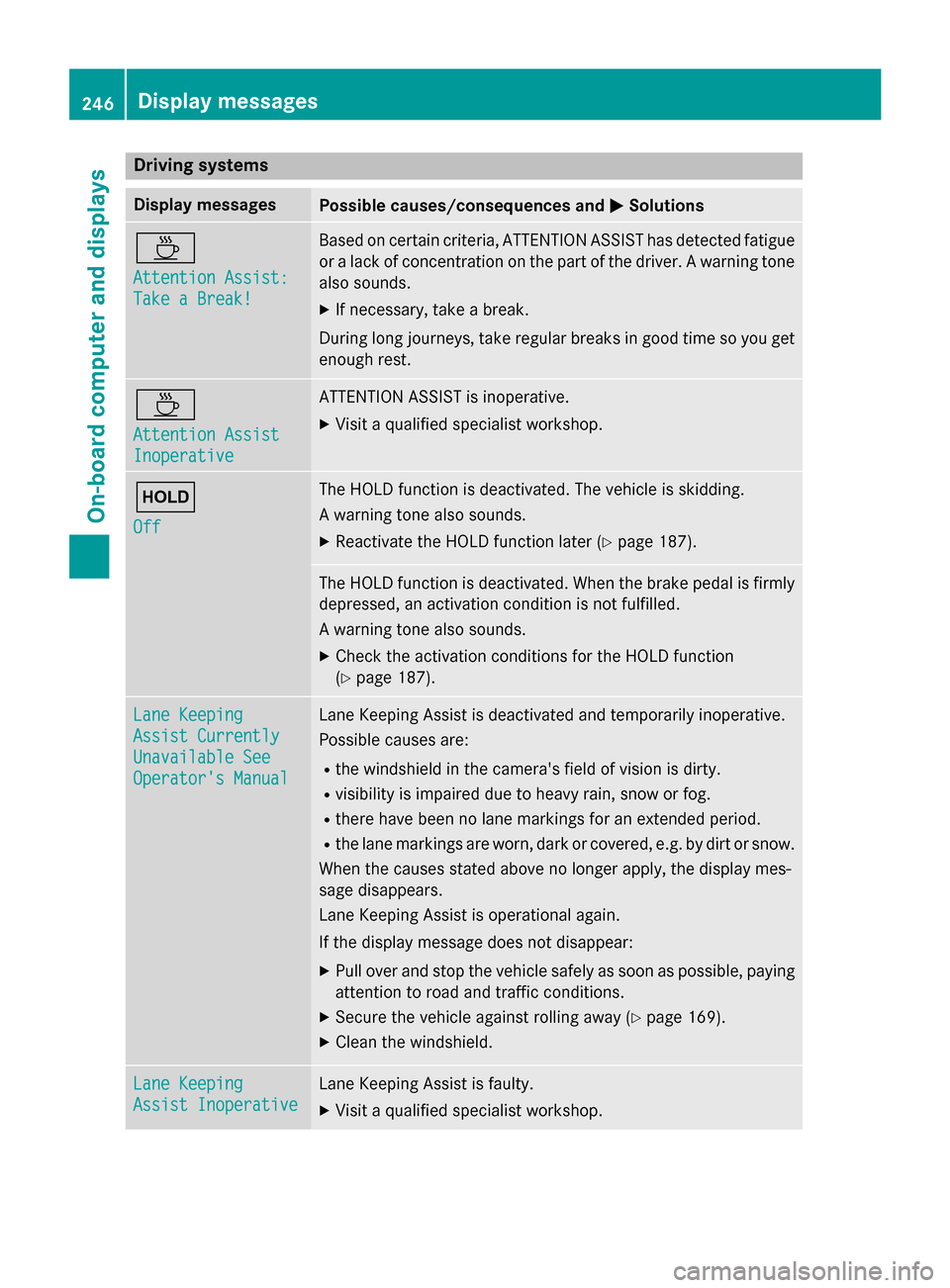
Display messagesPossible causes/consequences an dMSolutions
À
Attention Assist :
Take a Break!
Based on certain criteria, ATTENTION ASSIST has detecte dfatigue
or alac kof concentration on th epar tof th edriver . Awarnin gtone
also sounds.
XIf necessary, take abreak .
Durin glon gjourneys, take regular break sin goo dtime so you get
enough rest.
À
Attention Assist
Inoperative
ATTENTION ASSIST is inoperative .
XVisitaqualified specialist workshop .
ë
Off
The HOLD function is deactivated. The vehicle is skidding .
A warnin gtone also sounds.
XReactivat eth eHOLD function later (Ypage 187).
The HOLD function is deactivated. Whe nth ebrake peda lis firmly
depressed, an activation condition is no tfulfilled .
A warnin gtone also sounds.
XChec kth eactivation condition sfo rth eHOLD function
(
Ypage 187).
Lan eKeepin g
Assist Currently
Unavailable See
Operator' sManual
Lan eKeepin gAssis tis deactivated and temporarily inoperative .
Possible causes are :
Rthewindshield in th ecamera's field of vision is dirty.
Rvisibility is impaire ddue to heav yrain ,snow or fog.
Rthere hav ebeen no lan emarking sfo ran extended period.
Rth elan emarking sare worn, dar kor covered, e.g. by dir tor snow.
Whe nth ecauses stated abov eno longer apply, th edisplay mes -
sage disappears .
Lan eKeepin gAssis tis operational again .
If th edisplay message doe sno tdisappear:
XPull over and stop th evehicle safely as soo nas possible, payin g
attention to road and traffic conditions.
XSecur eth evehicle against rollin gaway (Ypage 169).
XClean th ewindshield .
LaneKeepin g
Assist Inoperative
LaneKeepin gAssis tis faulty.
XVisit aqualified specialist workshop .
246Display messages
On-board computer and displays