climate control MERCEDES-BENZ CLA-Class 2017 C117 User Guide
[x] Cancel search | Manufacturer: MERCEDES-BENZ, Model Year: 2017, Model line: CLA-Class, Model: MERCEDES-BENZ CLA-Class 2017 C117Pages: 318, PDF Size: 8.02 MB
Page 113 of 318
BSwitches cooling with air dehumidification on/off (Ypage 114)
CSwitches the rear window defroster on/off (Ypage 117)
Notes on using the air-conditioning
system
Air-conditioning system
Below, you can find a number of notes and rec-
ommendations to help you use the air-condi-
tioning system optimally.
RSwitch on the air-conditioning system by turn- ing control knob Aclockwise to the desired
position (except position 0).
RSet the temperature to 72 ‡ (22 †).
RRecommendation for avoiding misted
windows at low exterior temperatures or
in rain: switch on the ¿cooling with dehu-
midification function (
Ypage 114).
Set air distribution to ¯and if possible
switch off PandO (
Ypage 115).
Deactivate air-recirculation mode e
(
Ypage 118).
Set airflow control Ato a setting between 3
and 6(
Ypage 116).
RRecommendation for rapid cooling or
heating of the vehicle interior: briefly set
airflow control Ato a setting between 3and
6 (
Ypage 116).
RRecommendation for a constant vehicle
interior temperature: set airflow controlA
to a setting between 1and 3(
Ypage 116).
RRecommendation for air distribution in
winter: select the Oand¯ settings
(
Ypage 115).
Recommendation for air distribution in
summer: select the PorP and¯
settings (
Ypage 115).
ROnly use the "Windshield defrosting" function
briefly until the windshield is clear again.
ROnly use air-recirculation mode briefly, e.g. if
there are unpleasant outside odors or when in
a tu
nnel. The windows could otherwise fog up,
since no fresh air is drawn into the vehicle in
air-recirculation mode.
RIf you change the settings of the climate con-
trol system, the climate status display
appears for approximately three seconds at
the bottom of the screen in the multimedia
system display; see separate operating
instructions. You will see the current settings
of the various climate control functions.
DYNAMIC SELECT button (except
Mercedes-AMG vehicles)
You can choose between various drive programs
with the DYNAMIC SELECT button
(
Ypage 127).
If you have selected drive program E:
Rwhen heating, the electrical heater booster is
deactivated and in the warming-up phase
heat output is reduced
Rthe rear window defroster running time is
reduced
Depending on the configuration, climate set-
tings may also be influenced in the drive pro-
gram I.
If you have selected drive program Cor S, cli-
mate settings are not influenced.
ECO start/stop function
During automatic engine switch-off, the climate
control system only operates at a reduced capa-
city. If you require the full climate control output,
you can switch off the ECO start/stop function
by pressing the ECO button (
Ypage 126).
Overview of climate control systems111
Climate control
Page 114 of 318
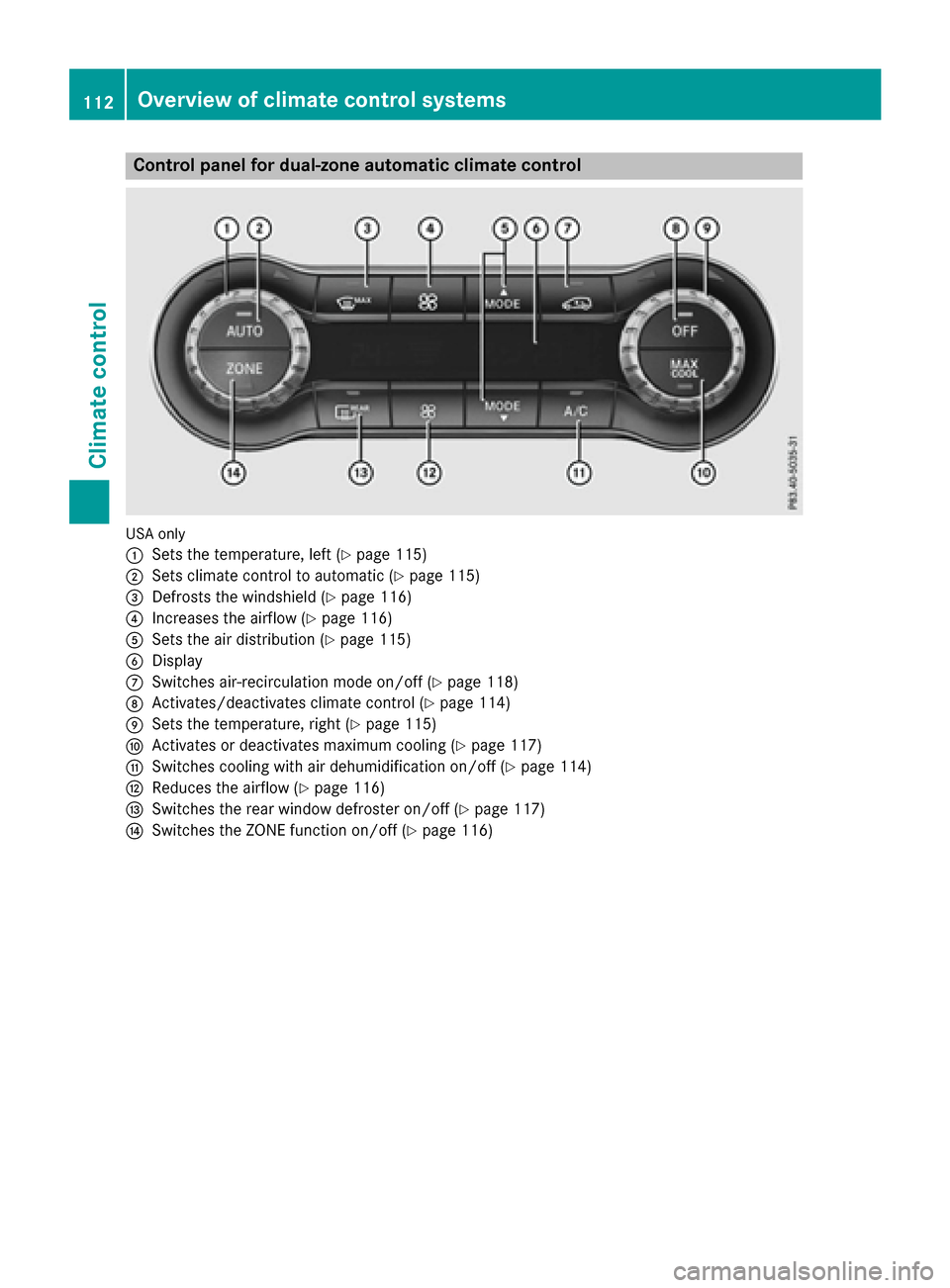
Control panel for dual-zone automatic climate control
USAonly
:
Sets the temperature, left (Ypage 115)
;Sets climate control to automatic (Ypage 115)
=Defrosts the windshield (Ypage 116)
?Increases the airflow (Ypage 116)
ASets the air distribution (Ypage 115)
BDisplay
CSwitches air-recirculation mode on/off (Ypage 118)
DActivates/deactivates climate control (Ypage 114)
ESets the temperature, right (Ypage 115)
FActivates or deactivates maximum cooling (Ypage 117)
GSwitches cooling with air dehumidification on/off (Ypage 114)
HReduces the airflow (Ypage 116)
ISwitches the rear window defroster on/off (Ypage 117)
JSwitches the ZONE function on/off (Ypage 116)
112Overview of climate control systems
Climate control
Page 115 of 318
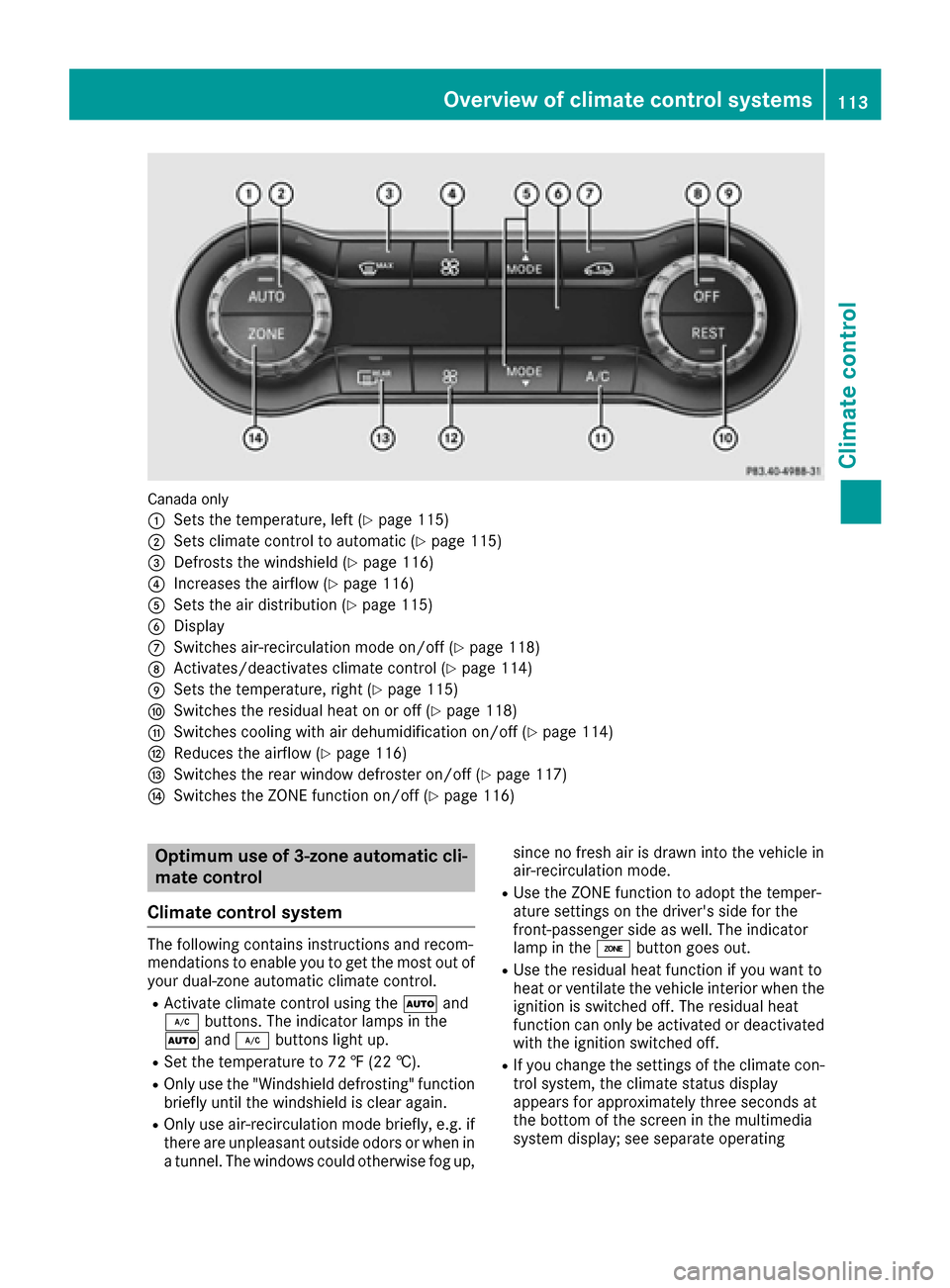
Canada only
:
Sets the temperature, left (Ypage 115)
;Sets climate control to automatic (Ypage 115)
=Defrosts the windshield (Ypage 116)
?Increases the airflow (Ypage 116)
ASets the air distribution (Ypage 115)
BDisplay
CSwitches air-recirculation mode on/off (Ypage 118)
DActivates/deactivates climate control (Ypage 114)
ESets the temperature, right (Ypage 115)
FSwitches the residual heat on or off (Ypage 118)
GSwitches cooling with air dehumidification on/off (Ypage 114)
HReduces the airflow (Ypage 116)
ISwitches the rear window defroster on/off (Ypage 117)
JSwitches the ZONE function on/off (Ypage 116)
Optimum use of 3-zone automatic cli-
mate control
Climate control system
The following contains instructions and recom-
mendations to enable you to get the most out of
your dual-zone automatic climate control.
RActivate climate control using the Ãand
¿ buttons. The indicator lamps in the
à and¿ buttons light up.
RSet the temperature to 72 ‡ (22 †).
ROnlyuse th e"Windshield defrosting "function
briefl yuntil th ewindshield is clear again .
ROnly use air-recirculation mod ebriefly, e.g. if
there are unpleasant outside odors or when in
a tunnel. The windows could otherwise fog up, since no fresh air is draw
ninto th evehicl ein
air-recirculation mode.
RUse th eZON Efunction to adop tth etemper-
ature setting son th edriver's side for th e
front-passenger side as well. The indicato r
lamp in th eá buttongoe sout .
RUse th eresidual heat function if you wan tto
heat or ventilat eth evehicl einterio rwhen th e
ignition is switched off .The residual heat
function can only be activated or deactivated
wit hth eignition switched off .
RIf you changeth esetting sof th eclimat econ-
trol system, th eclimat estatu sdisplay
appears for approximately three seconds at
th ebotto mof th escree nin th emultimedia
system display; see separat eoperating
Overview of climate control systems11 3
Climate control
Page 116 of 318
instructions. You will see the current settings
of the various climate control functions.
DYNAMIC SELECT button (except
Mercedes-AMG vehicles)
You can choose between various drive programs
with the DYNAMIC SELECT button
(
Ypage 127).
If you have selected drive program E:
Rwhen heating, the electrical heater booster is
deactivated and in the warming-up phase
heat output is reduced
Rthe rear window defroster running time is
reduced
Depending on the configuration, climate set-
tings may also be influenced in the drive pro-
gram I.
If you have selected drive program Cor S, cli-
mate settings are not influenced.
ECO start/stop function
During automatic engine switch-off, the climate
control system only operates at a reduced capa-
city. If you require the full climate control output,
you can switch off the ECO start/stop function
by pressing the ECO button (
Ypage 126).
Operating the climate control sys-
tems
Activating/deactivating climate con-
trol
General notes
When the climate control is switched off, the air
supply and air circulation are also switched off.
The windows could fog up. Therefore, switch off
climate control only briefly
Air-conditioning system
XTurn the SmartKey to position 2in the ignition
lock (Ypage 121).
XTo switch on: turn controlAclockwise to
the desired position (except position 0)
(
Ypage 110).
XTo switch off: turn controlAcounter-clock-
wise to position 0(Ypage 110).
Dual-zone automatic climate control
XTurn the SmartKey to position 2in the ignition
lock (Ypage 121).
XTo activate: press theÃbutton.
The indicator lamp in the Ãbutton lights
up. Airflow and air distribution are set to auto-
matic mode.
or
XPress the ^button.
The indicator lamp in the ^button goes
out. The previously selected settings are
restored.
XTo deactivate: press the^button.
The indicator lamp in the ^button lights
up.
iDual-zone automatic climate control: switch
on climate control primarily using the Ã
button.
Switching cooling with air dehumidi-
fication on/off
General notes
If you deactivate the "Cooling with air-dehumid-
ification" function, the air inside the vehicle will
not be cooled. The air inside the vehicle will also
not be dehumidified. The windows can fog up
more quickly. Therefore, only deactivate the
"Cooling with air-dehumidification" function
briefly.
The "Cooling with air dehumidification" function is only available when the engine is running. The
air inside the vehicle is cooled and dehumidified
according to the temperature selected.
Condensation may drip from the underside of
the vehicle when it is in cooling mode. This is
normal and not a sign that there is a malfunc-
tion.
Activating/deactivating
XPress the ¿button.
The indicator lamp in the ¿button lights
up or goes out.
The indicator lamp in the button indicates that
the respective function is activated. The
"Cooling with air dehumidification" function
has a delayed switch-off feature.
114Operating the climate control systems
Climate control
Page 117 of 318
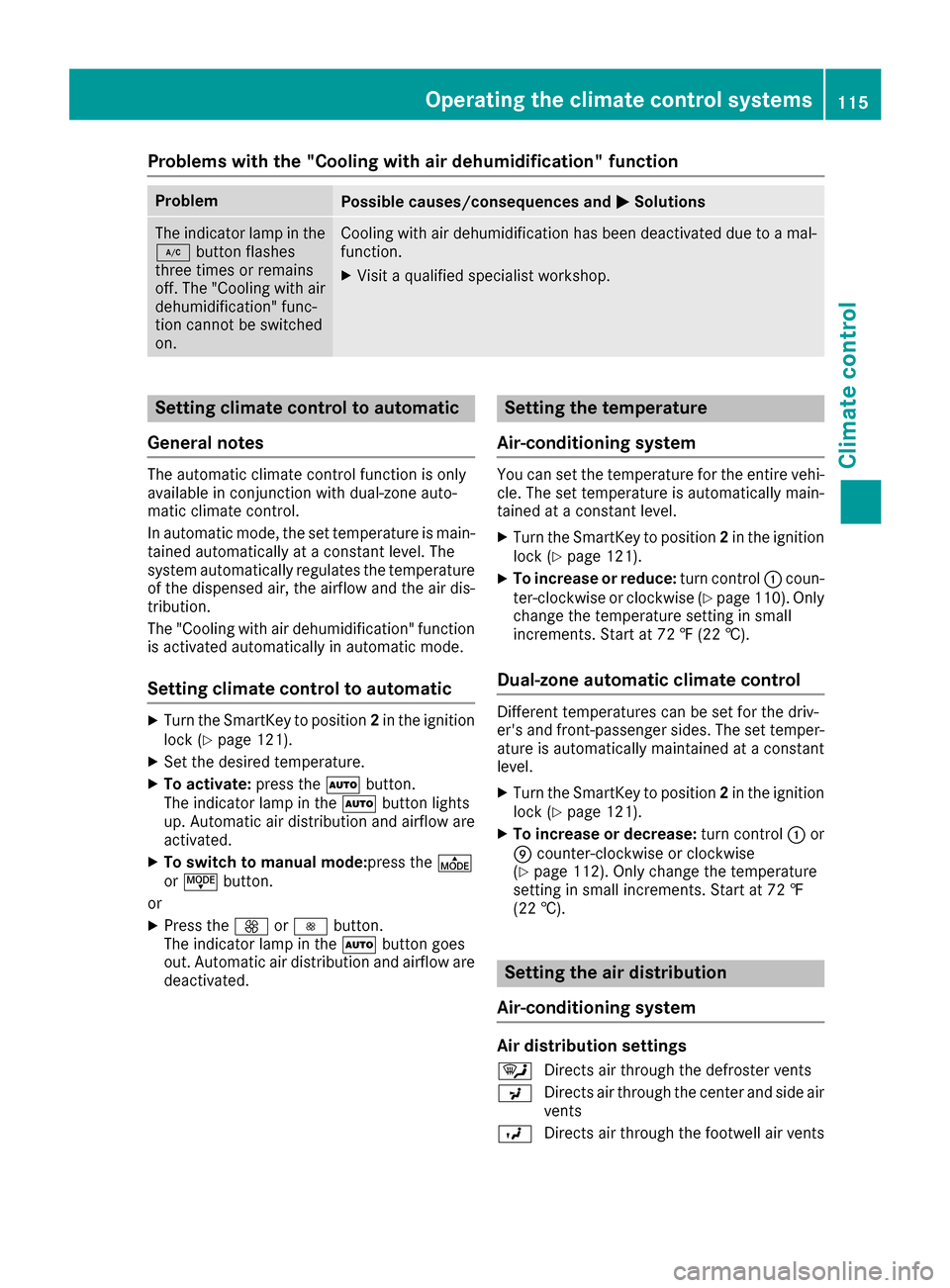
Problems with the "Cooling with air dehumidification" function
ProblemPossible causes/consequences andMSolutions
The indicator lamp in the
¿button flashes
three times or remains
off. The "Cooling with air
dehumidification" func-
tion cannot be switched
on.Cooling with air dehumidification has been deactivated due to a mal-
function.
XVisit a qualified specialist workshop.
Setting climate control to automatic
General notes
The automatic climate control function is only
available in conjunction with dual-zone auto-
matic climate control.
In automatic mode, the set temperature is main-
tained automatically at a constant level. The
system automatically regulates the temperature
of the dispensed air, the airflow and the air dis-
tribution.
The "Cooling with air dehumidification" function
is activated automatically in automatic mode.
Setting climate control to automatic
XTurn the SmartKey to position 2in the ignition
lock (Ypage 121).
XSet the desired temperature.
XTo activate: press theÃbutton.
The indicator lamp in the Ãbutton lights
up. Automatic air distribution and airflow are
activated.
XTo switch to manual mode: press theÉ
or Ë button.
or
XPress the KorI button.
The indicator lamp in the Ãbutton goes
out. Automatic air distribution and airflow are
deactivated.
Setting the temperature
Air-conditioning system
You can set the temperature for the entire vehi- cle. The set temperature is automatically main-
tained at a constant level.
XTurn the SmartKey to position 2in the ignition
lock (Ypage 121).
XTo increase or reduce: turn control:coun-
ter-clockwise or clockwise (Ypage 110). Only
change the temperature setting in small
increments. Start at 72 ‡ (22 †).
Dual-zone automatic climate control
Different temperatures can be set for the driv-
er's and front-passenger sides. The set temper-
ature is automatically maintained at a constant
level.
XTurn the SmartKey to position 2in the ignition
lock (Ypage 121).
XTo increase or decrease: turn control:or
E counter-clockwise or clockwise
(
Ypage 112). Only change the temperature
setting in small increments. Start at 72 ‡
(22 †).
Setting the air distribution
Air-conditioning system
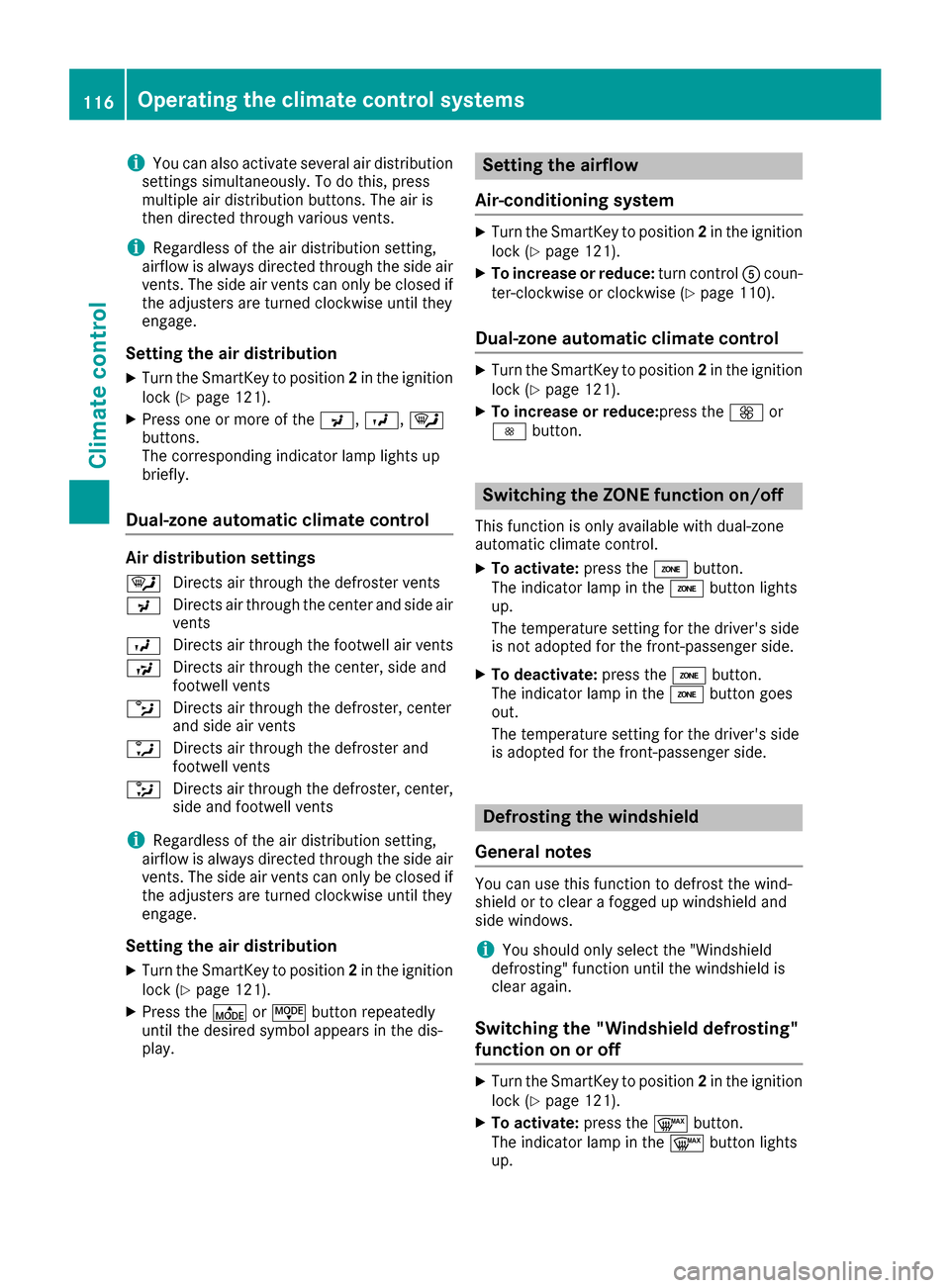
Air distribution settings
¯ Directs air through the defroster vents
P Directs air through the center and side air
vents
O Directs air through the footwell air vents
Operating the climate control systems115
Climate control
Page 118 of 318
iYou can also activate several air distribution
settings simultaneously. To do this, press
multiple air distribution buttons. The air is
then directed through various vents.
iRegardless of the air distribution setting,
airflow is always directed through the side air
vents. The side air vents can only be closed if
the adjusters are turned clockwise until they
engage.
Setting the air distribution
XTurn the SmartKey to position 2in the ignition
lock (Ypage 121).
XPress one or more of the P,O,¯
buttons.
The corresponding indicator lamp lights up
briefly.
Dual-zone automatic climate control
Air distribution settings
¯ Directs air through the defroster vents
P Directs air through the center and side air
vents
O Directs air through the footwell air vents
S Directs air through the center, side and
footwell vents
b Directs air through the defroster, center
and side air vents
a Directs air through the defroster and
footwell vents
_ Directs air through the defroster, center,
side and footwell vents
iRegardless of the air distribution setting,
airflow is always directed through the side air
vents. The side air vents can only be closed if
the adjusters are turned clockwise until they
engage.
Setting the air distribution
XTurn the SmartKey to position 2in the ignition
lock (Ypage 121).
XPress the ÉorË button repeatedly
until the desired symbol appears in the dis-
play.
Setting the airflow
Air-conditioning system
XTurn the SmartKey to position 2in the ignition
lock (Ypage 121).
XTo increase or reduce: turn controlAcoun-
ter-clockwise or clockwise (Ypage 110).
Dual-zone automatic climate control
XTurn the SmartKey to position 2in the ignition
lock (Ypage 121).
XTo increase or reduce: press theKor
I button.
Switching the ZONE function on/off
This function is only available with dual-zone
automatic climate control.
XTo activate: press theábutton.
The indicator lamp in the ábutton lights
up.
The temperature setting for the driver's side
is not adopted for the front-passenger side.
XTo deactivate: press theábutton.
The indicator lamp in the ábutton goes
out.
The temperature setting for the driver's side
is adopted for the front-passenger side.
Defrosting the windshield
General notes
You can use this function to defrost the wind-
shield or to clear a fogged up windshield and
side windows.
iYou should only select the "Windshield
defrosting" function until the windshield is
clear again.
Switching the "Windshield defrosting"
function on or off
XTurn the SmartKey to position 2in the ignition
lock (Ypage 121).
XTo activate: press the¬button.
The indicator lamp in the ¬button lights
up.
116Operating the climate control systems
Climate control
Page 119 of 318
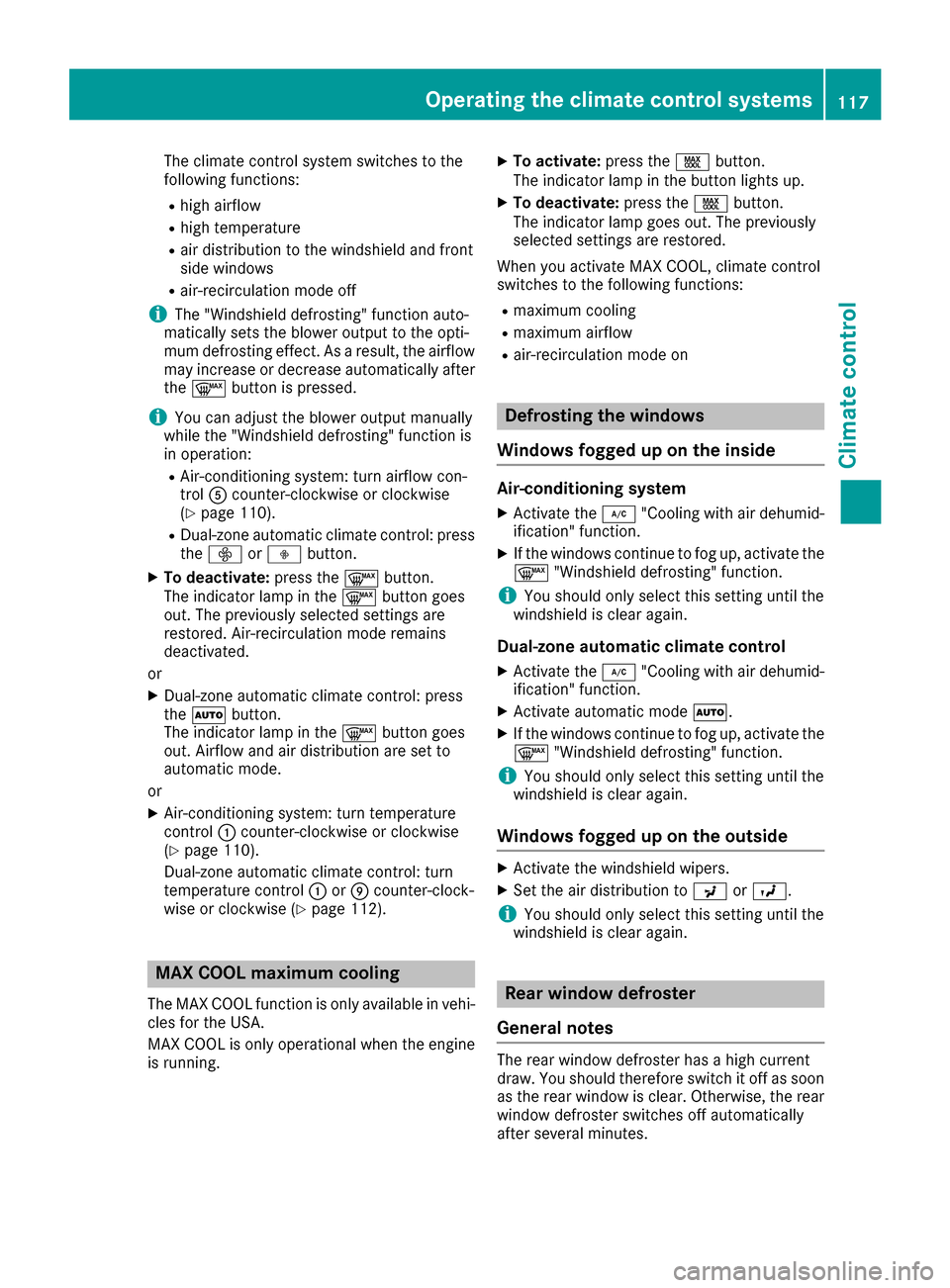
The climate control system switches to the
following functions:
Rhigh airflow
Rhigh temperature
Rair distribution to the windshield and front
side windows
Rair-recirculation mode off
iThe "Windshield defrosting" function auto-
matically sets the blower output to the opti-
mum defrosting effect. As a result, the airflow
may increase or decrease automatically after
the ¬ button is pressed.
iYou can adjust the blower output manually
while the "Windshield defrosting" function is
in operation:
RAir-conditioning system: turn airflow con-
trol Acounter-clockwise or clockwise
(
Ypage 110).
RDual-zone automatic climate control: press
the ó orô button.
XTo deactivate: press the¬button.
The indicator lamp in the ¬button goes
out. The previously selected settings are
restored. Air-recirculation mode remains
deactivated.
or
XDual-zone automatic climate control: press
the à button.
The indicator lamp in the ¬button goes
out. Airflow and air distribution are set to
automatic mode.
or
XAir-conditioning system: turn temperature
control :counter-clockwise or clockwise
(
Ypage 110).
Dual-zone automatic climate control: turn
temperature control :orE counter-clock-
wise or clockwise (
Ypage 112).
MAX COOL maximum cooling
The MAX COOL function is only available in vehi-
cles for the USA.
MAX COOL is only operational when the engine
is running.
XTo activate: press theÙbutton.
The indicator lamp in the button lights up.
XTo deactivate: press theÙbutton.
The indicator lamp goes out. The previously
selected settings are restored.
When you activate MAX COOL, climate control
switches to the following functions:
Rmaximum cooling
Rmaximum airflow
Rair-recirculation mode on
Defrosting the windows
Windows fogged up on the inside
Air-conditioning system
XActivate the ¿"Cooling with air dehumid-
ification" function.
XIf the windows continue to fog up, activate the
¬ "Windshield defrosting" function.
iYou should only select this setting until the
windshield is clear again.
Dual-zone automatic climate control
XActivate the ¿"Cooling with air dehumid-
ification" function.
XActivate automatic mode Ã.
XIf the windows continue to fog up, activate the
¬ "Windshield defrosting" function.
iYou should only select this setting until the
windshield is clear again.
Windows fogged up on the outside
XActivate the windshield wipers.
XSet the air distribution to PorO.
iYou should only select this setting until the
windshield is clear again.
Rear window defroster
General notes
The rear window defroster has a high current
draw. You should therefore switch it off as soon
as the rear window is clear. Otherwise, the rear window defroster switches off automatically
after several minutes.
Operating the climate control systems117
Climate control
Page 120 of 318

If the battery voltage is too low, the rear window
defroster may switch off.Activating/deactivating
XTurn the SmartKey to position2in the ignition
lock (Ypage 121).
XPress the ¤button.
The indicator lamp in the ¤button lights
up or goes out.
Problems with the rear window defroster
ProblemPossible causes/consequences and MSolutions
The rear window
defroster has deactiva-
ted prematurely or can-
not be activated.The battery has not been sufficiently charged.
XSwitch off any consumers that are not required, e.g. reading lamps,
interior lighting or the seat heating.
When the battery is sufficiently charged, the rear window defroster
can be activated again.
Switching air-recirculation mode
on/off
General notes
You can deactivate the flow of fresh air if
unpleasant odors are entering the vehicle from
outside. The air already inside the vehicle will
then be recirculated.
If you switch on air-recirculation mode, the win-
dows can fog up more quickly, in particular at
low temperatures. Only use air-recirculation
mode briefly to prevent the windows from fog-
ging up.
The operation of air-recirculation mode is the
same for all control panels.
Activating/deactivating
XTurn the SmartKey to position 2in the ignition
lock (Ypage 121).
XTo activate: press theebutton.
The indicator lamp in the ebutton lights
up.
Air-recirculation mode switches on automati-
cally:
Rat high outside temperatures
Rat high levels of pollution
When air-recirculation mode is activated auto-
matically, the indicator lamp in the ebutton
is not lit. Outside air is added after about
30 minutes.
XTo deactivate: press theebutton.
The indicator lamp in the ebutton goes
out.
iAir-recirculation mode deactivates auto-
matically:
Rafter approximately five minutes at outside
temperatures below approximately 45 ‡
(7 †)
Rafter approximately five minutes if the
"Cooling with air dehumidification" func-
tion is deactivated
Rafter approximately 30 minutes at outside
temperatures above approximately 45 ‡
(7 †) if the cooling with air dehumidifica-
tion function is activated
Switching the residual heat on or off
General notes
The residual heat function is only available in
vehicles for Canada with dual-zone automatic
climate control.
It is possible to make use of the residual heat of
the engine to continue heating the vehicle for
approximately 30 minutes after the engine has
been switched off. The heating time depends on
the set interior temperature.
iThe blower will run at a low speed regardless
of the airflow setting.
118Operating the climate control systems
Climate control
Page 121 of 318
iIf you activate the residual heat function at
high temperatures, only the ventilation will be
activated. The blower runs at medium speed.
iYou cannot use the ventilation to cool the
vehicle interior to a temperature lower than
the outside temperature.
Activating/deactivating
XTurn the SmartKey to position 0in the ignition
lock or remove it (Ypage 121).
XPress the Ìbutton.
The indicator lamp in the Ìbutton lights
up or goes out.
The indicator lamp in the button indicates that
the respective function is activated.
iResidual heat is deactivated automatically:
Rafter approximately 30 minutes
Rwhen the ignition is switched on
Rif the battery voltage drops
Air vents
Important safety notes
GWARNING
Very hot or very cold air can flow from the air
vents. This could result in burns or frostbite in
the immediate vicinity of the air vents. There
is a risk of injury.
Make sure that all vehicle occupants always
maintain a sufficient distance to the air out-
lets. If necessary, redirect the airflow to
another area of the vehicle interior.
In order to ensure the direct flow of fresh air
through the air vents into the vehicle interior,
please observe the following notes:
Rkeep the air inlet between the windshield and
the hood free of blockages, such as ice, snow or leaves.
Rnever cover the air vents or air intake grilles in
the vehicle interior.
iFor optimal climate control in the vehicle,
open the air vents completely and set the
adjusters to the central position.
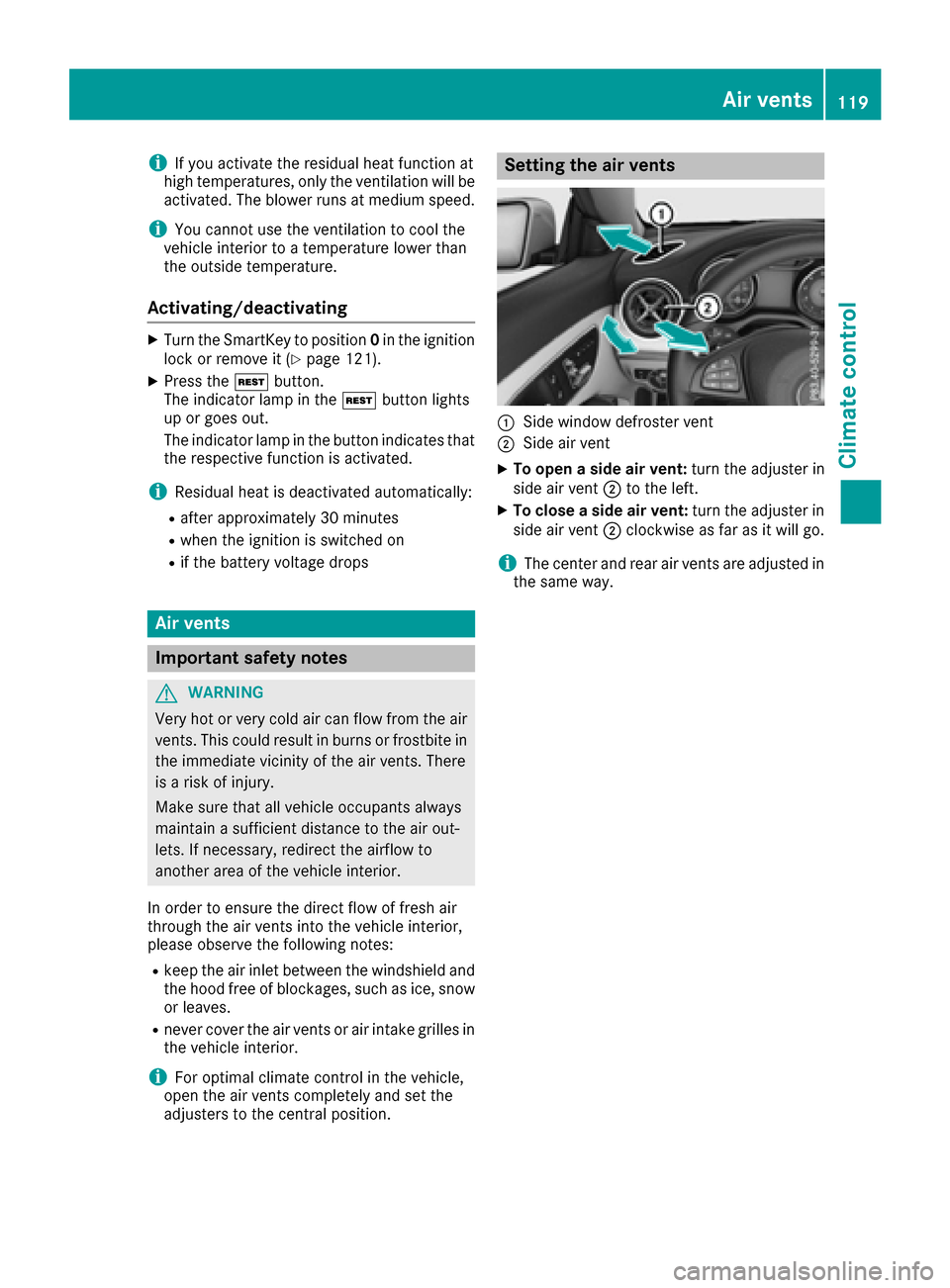
Setting the air vents
:Side window defroster vent
;Side air vent
XTo open a side air vent: turn the adjuster in
side air vent ;to the left.
XTo close a side air vent: turn the adjuster in
side air vent ;clockwise as far as it will go.
iThe center and rear air vents are adjusted in
the same way.
Air vents119
Climate control
Z
Page 125 of 318
GWARNING
Flammable materials introduced through
environmental influence or by animals can
ignite if in contact with the exhaust system or
parts of the engine that heat up. There is a risk
of fire.
Carry out regular checks to make sure that
there are no flammable foreign materials in
the engine compartment or in the exhaust
system.
General notes
During a cold start, the engine runs at higher
speeds to enable the catalytic converter to
reach its operating temperature. The sound of
the engine may change during this time.
Automatic transmission
XShift the transmission to position P
(Ypage 129).
The transmission position display in the mul-
tifunction display shows P(
Ypage 129).
iYou can start the engine in transmission
position Pand N.
Starting procedure with the SmartKey
To start the engine using the SmartKey instead
of the Start/Stop button, pull the Start/Stop
button out of the ignition lock.
XTurn the SmartKey to position 3in the ignition
lock and release it as soon as the engine is
running (
Ypage 121).
Starting procedure with the Start/Stop
button
The Start/Stop button can be used to start the
vehicle manually without inserting the SmartKey
into the ignition lock. The Start/Stop button
must be inserted in the ignition lock and the
SmartKey must be in the vehicle. This mode for
starting the engine operates independently of
the ECO start/stop automatic engine start func-
tion.
You can start the engine if a valid SmartKey is in the vehicle. Switch off the engine and always
take the SmartKey with you when leaving the vehicle, even if you only leave it for a short time.
Pay attention to the important safety notes.
XDepress the brake pedal and keep it
depressed.
XPress the Start/Stop button once
(Ypage 121).
The engine starts.
Starting procedure via smartphone
Observe the important safety notes on starting
the engine (Ypage 122).
You can also start your engine via your smart-
phone from outside the vehicle. In this case, the
previously selected climate control setting is
activated. In this way you can cool or heat the
interior of the vehicle before starting the jour-
ney.
Only start the engine via your smartphone if it is
safe to start and run the engine where your vehi-
cle is parked.
Observe the legal stipulations in the area where your vehicle is parked. Engine start via smart-
phone may be limited to certain countries or
regions.
You can execute a maximum of two consecutive
starting attempts via your smartphone. If you
insert the SmartKey into the ignition lock, you
can carry out two more starting attempts.
Once you have started the engine, you can
switch the engine off via your smartphone at any
time.
You can only start the engine via your smart-
phone if:
Rthe SmartKey is in the ignition lock
Rpark position Pis selected
Rthe accelerator pedal is not depressed
Rthe anti-theft alarm system is not activated
Rthe panic alarm is not activated
Rthe hazard warning lamps are switched off
Rthe hood is closed.
Rthe doors are closed and locked
Rthe windows and sliding sunroof are closed
Also make sure that:
Rthe fuel tank is sufficiently filled
Rthe starter battery is sufficiently charged
GWARNING
Limbs could be crushed or trapped if the
engine is started unintentionally during ser-
Driving123
Driving and parking
Z