reset MERCEDES-BENZ CLA COUPE 2019 Owner's Manual
[x] Cancel search | Manufacturer: MERCEDES-BENZ, Model Year: 2019, Model line: CLA COUPE, Model: MERCEDES-BENZ CLA COUPE 2019Pages: 645, PDF Size: 10.94 MB
Page 383 of 645
If
th e map data on your vehicle has been ins tal‐
led at thefa ctory and you wish toreins tall it, you
do not need toenter the activation code.
Fo r map data that you ha vepur chased in the
fo rm of a data storage medium, you must en ter
th e accompanying activation code.
% Ifyo u sa vethe map data on a data storage
medium with the online map update service,
no entry isrequ ired. The activation code is
st ored on the data storage medium during
th e downloading process.
Obser vethefo llowing when entering the activa‐
tion code:
R The activation code can be used for one vehi‐
cle
R The activation code is not transferable
R The activation code has six digits
In theeve nt of thefo llowing problems, please
con tact a Mercedes-Benz service centre:
R The multimedia sy stem does not accept the
activation code
R You ha velost the activation code Displaying
the compass
Multimedia sy stem:
4 © 5
Navigation 5
¡ 5
Position #
Select Compass.
The compass display sho wsthefo llowing
information:
R the cur rent di rection of tr avel with bear‐
ing (360° form at) and compass direction
R longitude and latitude coo rdinates in
degrees, minutes and seconds
R height (rounded)
R number of satellites from which a signal
can be recei ved
The information is not available in every count ry.
Displaying Qibla
Multimedia sy stem:
4 © 5
Navigation 5
¡ 5
Position #
Select Qibla.
The ar rowonthe compass sho wsthe direc‐
tion toMecca in relation tothe cur rent di rec‐
tion of tr avel. The number of satellites
recei ved is shown.
% This function is not available in all countries.
Setting the map scale automatically
Multimedia sy stem:
4 © 5
Navigation 5
Z
5 Advanced #
Select View. #
Select Map orientation. #
Activate Auto zoom.
The display button is acti vated. The map
scale is set automatically depending on your
driving speed and the type of road.
% The automatically selec ted map scale can be
ch anged manuall y.After a few seconds, this
is automatically reset.
Displaying the satellite map
Multimedia sy stem:
4 © 5
Navigation 5
Z
5 Advanced #
Select View. #
Select Map elements. 380
MBUX multimedia sy stem
Page 412 of 645
Setting control of
the application but tons
(Android Auto)
Multimedia sy stem:
4 © 5
Mercedes me & Apps
5 Smartphone 5
Android Auto 5
Z
5 General #
Toswitch Control via application buttons on:
activate the LED symbol. #
Todeactivate Control via application buttons :
deactivate the LED symbol.
Ending Android Auto #
Toend the connection of Android Auto
(with cable): disconnectthe connection via
th e connecting cable between the mobile
phone and multimedia sy stem.
% Mercedes-Benz recommends disconnecting
th e connecting cable only when theve hicle
is stationar y. Tr
ansfer redve hicle data with Android Auto
and Apple CarPlay™ Overview of transfer
redve hicle data
When using Android Autoor Apple CarPlay™,
cer tain vehicle data is transfer redto the mobile
phone. This enables youto getth e best out of
selected mobile phone services. Vehicle data is
not directly accessible.
The following sy stem information is transmit ted:
R Software release of the multimedia sy stem
R System ID (anonymised)
The transfer of this data is used tooptimise
communication between theve hicle and the
mobile phone.
To do this, and toassign se veralve hicles tothe
mobile phone, a vehicle identifier is randomly
ge nerated.
This has no connection totheve hicle identifica‐
tion number (VIN) and is dele ted when the multi‐
media sy stem is reset (/ page 336).
The following driving status data is transmitted:
R Transmission position engaged R
Distinction between par ked, standstill, rolling
and driving
R Day/night mode of the instrument clus ter
The transfer of this data is used toalter how
con tent is displ ayed tocor respond tothe driving
situation.
The following position data is transmitte d:
R Coordinates
R Speed
R Compass direction
R Acceleration di rection
This da tais only transfer red while the navigation
sy stem is active, in order toimpr oveit (e.g. so it
can continue functioning when in a tunnel). Mercedes me connect
Note
s on Mercedes me connect
Mercedes me connect consists of multiple serv‐
ices. MBUX multimedia sy
stem 409
Page 443 of 645
Setting
the frequency band Multimedia sy
stem:
4 © 5
Radio #
Select a frequency band. Selecting a
radio station Multimedia sy
stem:
4 © 5
Radio #
Swipe tothe left or right on the control ele‐
ment. Calling up
thera dio station list Multimedia sy
stem:
4 © 5
Radio #
Select .
The station list appears. #
Select a station. Sear
ching forra dio stations using station
names or frequency entry Multimedia sy
stem:
4 © 5
Radio #
Select è. #
Ente r astation name or frequenc y. #
Select a station. St
oring radio stations Multimedia sy
stem:
4 © 5
Radio #
Select a radio station.
Memory slots are available in station presets #
Select f.
or #
Press and hold on thera dio station.
Re placing an entry in the station presets #
Press and hold on an entry in thest ation pre‐
sets. #
Select Yes. Editing
station presets Multimedia sy
stem:
4 © 5
Þ Radio
Moving stations #
Press and hold a stored station. #
Select Move. #
Movethest ation tothe new position.
Deleting channels #
Press and hold a station. #
Select Delete.
Re placing a station #
Press and hold a station. #
Select Replace radio station . Calling up a slide show (FM/DAB
radio mode) Multimedia sy
stem:
4 © 5
Radio
The slide show displa ysadditional information
pr ov ided bythest ation as an image. This can 440
MBUX multimedia sy stem
Page 449 of 645
fi
ed based on the actual operating conditions
and/or loads.
Examples of arduous operating conditions:
R regular city driving with frequent intermedi‐
ate stops
R mainly short-dis tance driving
R frequent operation in mountainous terrain or
on poor road sur faces
R when the engine is of ten le ftidling for long
periods
R operation in particula rly dusty conditions
and/or if air-recirculation mode is frequently
used
In these or similar operating conditions, ha vethe
interior air filter, engine air cleaner, engine oil
and oil filter etc. changed more frequent ly. The
ty re s must be checked more frequently if the
ve hicle is operated under increased loads. Fur‐
th er information can be obtained at a qualified
specialist workshop. Battery disconnection periods
The ASS
YST PLUS se rvice inter val display
can only calculate the service due da tewhen
th e bat tery is connected. #
Notedown the service due date displa yed on
th e instrument display before disconnecting
th e battery (/ page445). Engine comp
artment Ac
tive bonn et(pedestrian pr otection) Operation of
the active bonnet (pedestrian
pr otection)
In cer tain accident situations, therisk of injury
to pedestrians can be reduced bythe actuation
of the active bonn et. The rear area of the engine
bonn etisraised byappr oximately 70 mm.
Fo rth e drive tothewo rkshop, reset the trig‐
ge red active bonn etyourself. Af terth e active
bonn ethas been triggered, pedestrian pr otection
may be limited.
A qu alified specialist workshop must re-ins tate
th e full functionality of the active bonn et. The active bonnet is not
available in all coun‐
tries.
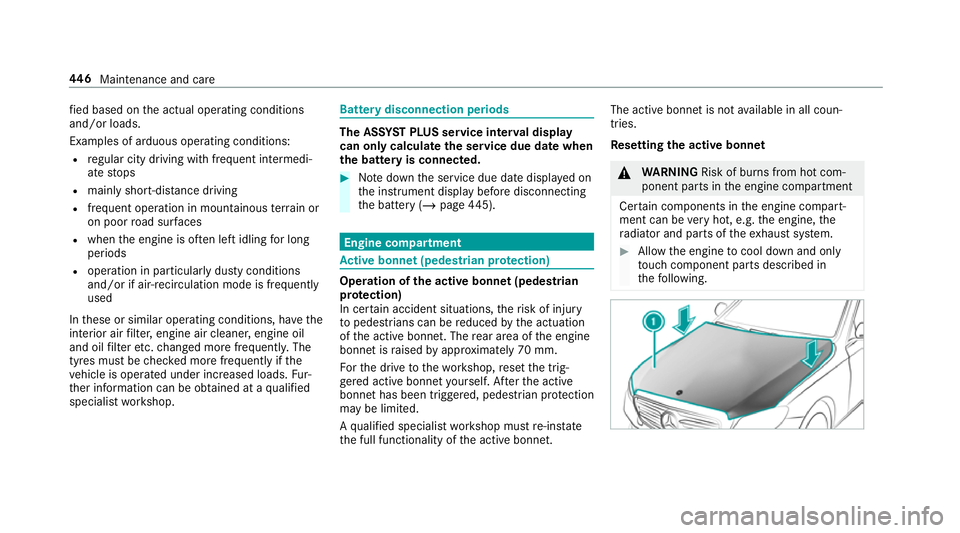
Re setting the active bonnet &
WARNING Risk of bu rns from hot com‐
ponent parts in the engine compartment
Cer tain components in the engine compart‐
ment can be very hot, e.g. the engine, the
ra diator and parts of theex haust sy stem. #
Allow the engine tocool down and only
to uch co mponent parts described in
th efo llowing. 446
Maintenance and care
Page 456 of 645
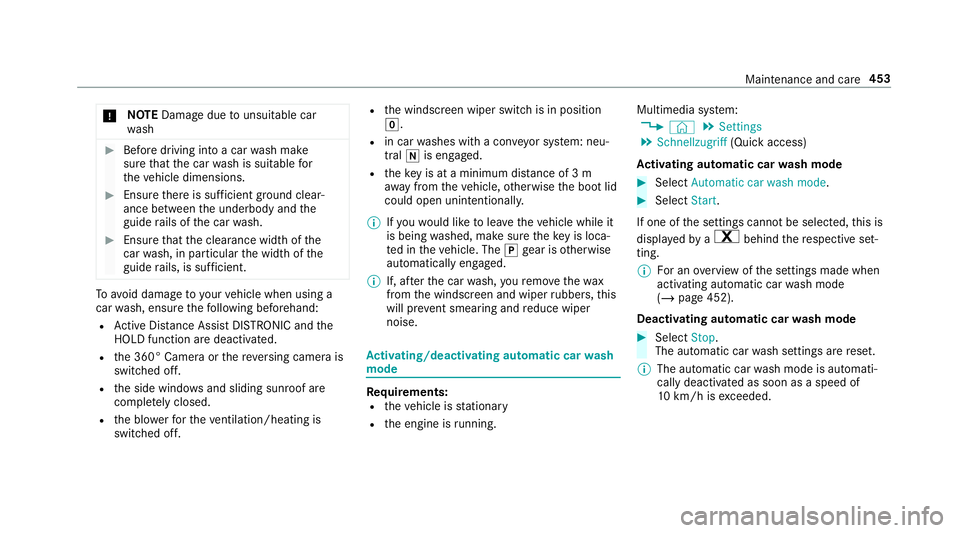
*
NO
TEDama gedue tounsuitable car
wa sh #
Before driving into a car wash make
sure that the car wash is suitable for
th eve hicle dimensions. #
Ensure there is suf ficient ground clear‐
ance between the underbody and the
guide rails of the car wash. #
Ensure that the clearance width of the
car wash, in particular the width of the
guide rails, is suf ficient. To
avo id damage to yourvehicle when using a
car wash, ensure thefo llowing beforehand:
R Active Dis tance Assi stDISTRONIC and the
HOLD function are deactivated.
R the 360° Camera or there ve rsing camera is
switched off.
R the side windo wsand sliding sun roof are
comple tely closed.
R the blo werfo rth eve ntilation/heating is
switched off. R
the windscreen wiper switch is in position
g.
R in car washes with a con veyo r sy stem: neu‐
tral iis engaged.
R theke y is at a minimum dis tance of 3 m
aw ay from theve hicle, otherwise the boot lid
could open unintentionally.
% Ifyo uwo uld like tolea vetheve hicle while it
is being washed, make sure theke y is loca‐
te d in theve hicle. The jgear is otherwise
automatically engaged.
% If, af terth e car wash, youre mo vethewax
from the windscreen and wiper rubbers, this
will pr event smearing and reduce wiper
noise. Ac
tivating/deactivating automatic car wash
mode Re
quirements:
R theve hicle is stationary
R the engine is running. Multimedia sy
stem:
4 © 5
Settings
5 Schnellzugriff (Quick access)
Ac tivating automatic car wash mode #
Select Automatic car wash mode. #
Select Start.
If one of the settings cann otbe selected, this is
displa yedby a% behind there spective set‐
ting.
% For an overview of the settings made when
activating automatic car wash mode
(/ page 452).
Deactivating automatic car wash mode #
Select Stop.
The automatic car wash settings are reset.
% The automatic car wash mode is automati‐
cally deactivated as soon as a speed of
10 km/h is exceeded. Maintenance and care
453
Page 603 of 645
Au
tomatic front passen ger front air‐
bag shu toff .......................................... 44, 46
Fu nction of the automatic front
passenger front airbag deactivation
sy stem ................................................... 44
PA SSENGER AIR BAG indicator lamp .... .46
Au tomatic mir rorfo lding function
Ac tivating/deactivating ...................... .144
Au tomatic transmission
DIRECT SELECT le ver ........................... 17 0
Drive program display .......................... 16 6
Drive programs .................................... 16 6
DY NA MIC SELECT switch .................... 16 6
Engaging drive position ........................ 172
Engaging neutral .................................. 171
Engaging pa rkposition ........................ 171
Engaging reve rsege ar .......................... 171
Kickdown ............................................. 173
Manual gear changing .......................... 172
St eering wheel gearshift paddles ........ .172
Tr ansmission position display .............. 17 0
Tr ansmission positions ........................ 17 0
Au tomatic transmission (problem)
see Transmission (problem) Axle load
Perm issible .......................................... 512
Tr ailer operation .................................. 526 B
Baidu CarLife Trans ferred vehicle data ......................4 09
Ball neck Folding out/in .................................... .252
BA S (Brake Assist Sy stem) .................... .192
Battery Cha rging (Remo teOnline) .................... 16 0
Ke y ........................................................ 78
Re mo tecontrol (s tationary heater) ...... 15 3
Battery see Battery (vehicle)
Battery (vehicle) ...................................... 475
Charging .............................................. 474
Charging (Remo teOnline) .................... 16 0
No tes ................................................... 470
No tes (s tarting assis tance and
ch arging) ............................................ .472
Re placing .............................................4 75
St arting assis tance .............................. 474Belt
see Seat belt
Bic ycle rack
Tr ailer operation .................................. 255
Blind Spot Assist .................................... .246
Ac tivating/deactivating ...................... .249
Fu nction .............................................. 24 6
Sy stem limitations ...............................2 46
Blo wer
see Climate control
BlueTEC see AdBlue ®
Blue tooth ®
............................................... 328
Information .......................................... 328
Setting up an Internet connection ....... 422
Switching on/off ................................. 328
Bonnet Resetting (active bonnet) .................... 446
Boot lid Closing .................................................. 87
HANDS-FREE ACCESS .......................... .87
Opening .................................................85
Opening dimensions ............................5 23600
Index
Page 622 of 645
Switching mo
torw ay information
on/off ................................................ .377
Up dating .............................................. 379
Massage prog rammes
Re setting the settings .......................... 104
Massage prog rams
Selecting the front seats ..................... 104
Massage settings Resetting ............................................. 104
Matt finish (cleaning instructions) ........ 455
Maximum gross vehicle weight .............. 512
Maximum speed see Limiter
MBUX in-car assistant (multimedia
sy stem) .................................................... 298
No tes .................................................. 298
Operating functions thro ugh pr oxim‐
ity of the hand .....................................3 00
Operating functions using poses ......... 301
Overview ............................................. 298
Selecting settings ................................ 302
Switching there ading light forthe
driver and front passenger on/off .......3 02MBUX
Touch ............................................. 331
Managing devices ................................ 331
Mecca ...................................................... .380
Media Menu (on-boa rdcompu ter) .................. 269
Media display Notes ................................................... 291
Media mode Adding a favo urite song ...................... .435
Connecting Blue tooth®
audio equip‐
ment .................................................... 434
Connecting USB devices .................... .434
Controlling media playba ck................. 435
Co pyright and trademar ks................... 431
Making video settings ......................... 438
No tes about the sear chfunction in
categories .......................................... .437
Overview of the media menu ............... 433
Playing back similar music tra cks ........ 435
Re moving a favo urite song .................. 435
Sea rching for a music track accord‐
ing tomood ........................................ .438
St arting a sear chin categories ............ 437
St arting media playback ...................... 435 Suppor
tedfo rm at and data storage
media .................................................. 430
Surprise mix ........................................4 35
Using theke yword sear ch................... 438
Media playback Ope rating (on-board compu ter) .......... .269
Media source Selecting (on-boa rdcompu ter) ............ 269
Memory function Head-up display — Calling up stored
settings ............................................... 109
Head-up display — Storing settings ...... 109
Operating ............................................ 109
Outside mir rors — Calling up stored
settings ............................................... 109
Outside mir rors —St oring settings ...... 109
Seat — Calling up stored settings ......... 109
Seat — Storing settings ........................ 109
Menu (on-board computer) Assis tant display ................................. 265
Designs ................................................ 261
Head-up display ................................... 270
Media .................................................. 269
Na vigation ........................................... 267 Index
619
Page 628 of 645
Pr
otection of the environment
No tes ..................................................... 21
Ta ke -ba ckof end-of-life vehicles ............ 21 Q
Qibla ......................................................... 380
QR code Rescue card .......................................... 30
Qualified specialist workshop ................. 29 R
Ra dar senso rs
Fo il co vering ........................................ 191
Ra dio
Ac tivating/deactivating radio text ....... 441
Ac tivating/deactivating traf fic
announcements .................................. .441
Calling up a slide show ........................ 440
Calling up thest ation list .................... .440
Deleting channels ................................ 440
Direct frequency entry ........................ 440
Displ aying information ........................ .441
Displ aying radio text ............................ 441
Editing station presets ........................ 440Fr
equency fix ....................................... 441
Menu (on-board computer) .................. 268
Moving stations .................................. .440
Overview ............................................. 439
Sear ching forst ations ........................ .440
Setting a channel ................................ 440
Setting station tracking ...................... .441
Setting the frequency band ................. 440
Setting the traf fic information
service volume inc rease ...................... 441
St oring radio stations .......................... 440
Switching on ....................................... 438
Ra dio stations
Dialling (on-boa rdcompu ter) ............... 268
Ra in closing function
Sliding sunroof ...................................... 95
Ra in-closing feature
Side wind ows ........................................90
Ra nge
Ad Blue ®
............................................... 264
Displaying ............................................ 265
REA CHregulation ...................................... 30
Re ading light
see Interior lighting Re
alwo od (Care) .................................... .460
Re ar door (child saf ety lock) .................... 73
Re ar fog light
Switching on/off .................................1 29
Re ar seat
see Seat
Re ar seat belt
St atus display ........................................ 40
Re ar seat belt status display .................... 40
Re ar window heater ................................ 14 6
Re ar-view mir ror
see Outside mir rors
Re cycling
see Take -ba ckof end-of-life vehicles
Re ducing agent
see AdBlue ®
Re fuelling
Re fuelling theve hicle ........................... 175
To pping up AdBlue ®
............................. 17 9
Re gistration
Ve hicle .................................................. 29 Index
625
Page 629 of 645
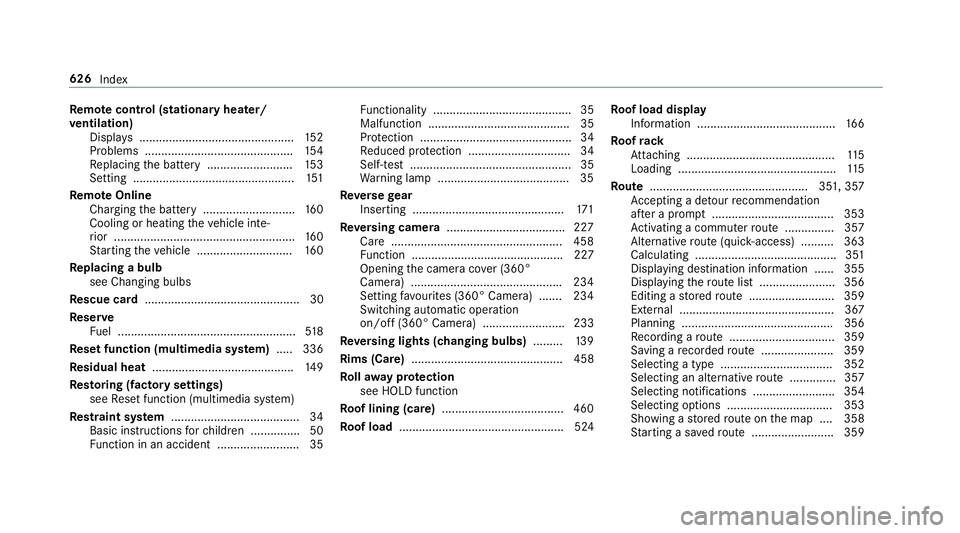
Re
mo tecont rol (stationa ryheater/
ve ntilation)
Displa ys............................................... 15 2
Problems ............................................. 154
Re placing the battery .......................... 15 3
Setting ................................................. 151
Re mo teOnline
Charging the battery ............................1 60
Cooling or heating theve hicle inte‐
ri or .......................................................1 60
St arting theve hicle ............................. 16 0
Re placing a bulb
see Changing bulbs
Re scue card ............................................... 30
Re ser ve
Fu el ...................................................... 51 8
Re set function (multimedia sy stem) .....3 36
Re sidual heat ...........................................1 49
Re storing (factory settings)
see Reset function (multimedia sy stem)
Re stra int sy stem ...................................... .34
Basic instructions forch ildren .............. .50
Fu nction in an accident ......................... 35 Fu
nctionality .......................................... 35
Malfunction ........................................... 35
Pr otection ..............................................34
Re duced pr otection ...............................34
Self-test ................................................. 35
Wa rning lamp ........................................ 35
Re versege ar
Inserting .............................................. 171
Re versing camera .................................... 227
Care .................................................... 458
Fu nction .............................................. 227
Opening the camera co ver (360°
Camera) ............................................. .234
Setting favo urites (360° Camera) ...... .234
Switching auto matic operation
on/off (360° Camera) ......................... 233
Re versing lights (changing bulbs) .........139
Rims (Care) .............................................. 458
Ro llaw ay protection
see HOLD function
Ro of lining (care) .................................... .460
Ro of load .................................................. 524 Ro
of load display
In fo rm ation .......................................... 16 6
Ro ofrack
At tach ing ............................................ .115
Loading ................................................ 11 5
Ro ute ................................................ 351, 357
Ac cepting a de tour recommendation
af te r a prom pt..................................... 353
Ac tivating a commuter route .............. .357
Alternati veroute (quic k-access) .......... 363
Calculating .......................................... .351
Displ aying destination information ...... 355
Displaying thero ute list ...................... .356
Editing a stored route .......................... 359
Ex tern al .............................................. .367
Planning ..............................................3 56
Re cording a route ................................ 359
Saving a recorded route ...................... 359
Selecting a type .................................. 352
Selecting an alternative route .............. 357
Selecting notifications ........................ .354
Selecting options ................................ 353
Showing a stored route on the map ....3 58
St arting a sa vedro ute ........................ .359 626
Index
Page 632 of 645
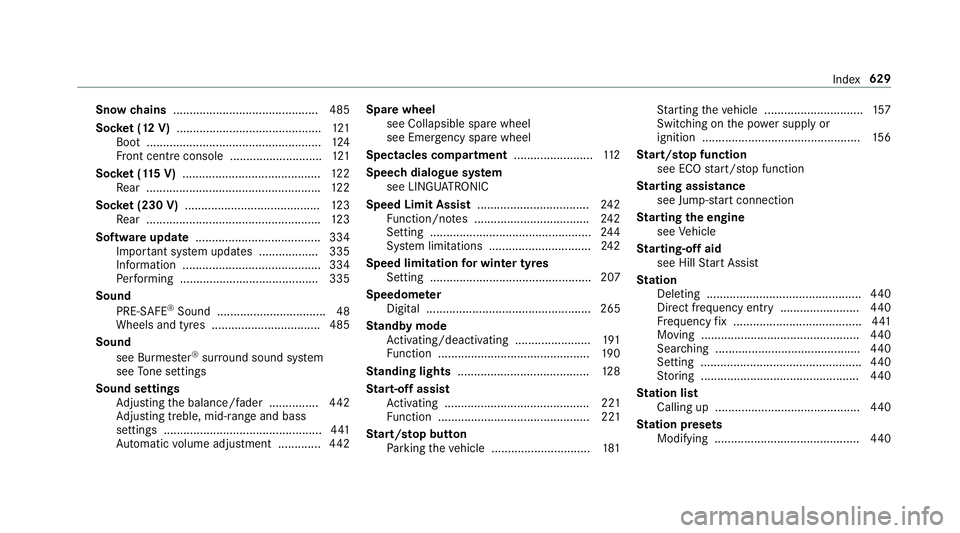
Snow
chains ............................................ 485
Soc ket (12 V) ............................................ 121
Boot ..................................................... 124
Fr ont centre console ............................ 121
Soc ket (1 15V) .......................................... 12 2
Re ar .................................................... .122
Soc ket (230 V) ......................................... 12 3
Re ar .................................................... .123
Software update ...................................... 334
Impor tant sy stem updates .................. 335
Information .......................................... 334
Pe rforming .......................................... 335
Sound PRE-SAFE ®
Sound ................................. 48
Wheels and tyres ................................. 485
Sound see Burmes ter®
sur round sound sy stem
see Tone settings
Sound settings Adjusting the balance/fader ............... 442
Ad justing treble, mid-range and bass
settings ................................................ 441
Au tomatic volume adjustment ............ .442 Spare wheel
see Collapsible spa rewheel
see Emer gency spa rewheel
Spectacles compa rtment ........................ 11 2
Speech dialogue sy stem
see LINGU ATRO NIC
Speed Limit Assist .................................. 24 2
Fu nction/no tes ................................... 24 2
Setting ................................................. 24 4
Sy stem limitations ...............................2 42
Speed limitation for winter tyres
Setting ................................................. 207
Speedome ter
Digital .................................................. 265
St andby mode
Ac tivating/deactivating ...................... .191
Fu nction .............................................. 19 0
St anding lights ........................................ 12 8
St art-off assi st
Ac tivating ............................................ 221
Fu nction .............................................. 221
St art/s top button
Pa rking theve hicle .............................. 181St
arting theve hicle .............................. 157
Switching on the po wer supply or
ignition ................................................ 15 6
St art/s top function
see ECO start/ stop function
St arting assi stance
see Jump -sta rt connection
St arting the engine
see Vehicle
St arting-o ffaid
see Hill Start Assist
St ation
Deleting ............................................... 440
Direct frequency entry ........................ 440
Fr equency fix ....................................... 441
Moving ................................................ 440
Sea rching ............................................ 440
Setting ................................................. 440
St oring ................................................ 440
St ation list
Calling up ............................................ 440
St ation presets
Modifying ............................................ 440 Index
629