radio MERCEDES-BENZ CLK-CLASS 2002 Owner's Manual
[x] Cancel search | Manufacturer: MERCEDES-BENZ, Model Year: 2002, Model line: CLK-CLASS, Model: MERCEDES-BENZ CLK-CLASS 2002Pages: 341, PDF Size: 10.67 MB
Page 138 of 341
135 Audio system
Te ch n i c a l
data Instruments
and controlsOperationDrivingInstrument
cluster displayPractical hints Car care Index CD mode
General notes on CD mode
Should excessive temperatures occur while in CD mode,
“TEMP HIGH” will appear in the display and muting
will take place. The unit will then switch back to radio
mode until the temperature has decreased to a safe
operating level.
Should temperatures occur while in CD mode which are
too low, “TEMP LOW” will be displayed, but the CD will
play. It will be sensitive to skipping if you are driving
over rough roads.
Handle CDs carefully to prevent interference during
playback.
Avoid fingerprints and dust on CDs. Do not write on the
CDs or apply any label to the CDs.
Clean CDs from time to time with a commercially
available cleaning cloth. No solvents, anti-static sprays,
etc. should be used.
Replace the CD in its container after use. Protect CDs
from heat and direct sunlight.Only use CDs, which bear the
label shown and that conform to
the compact disc digital audio
standard (IEC 60908).
Use of CDs which do not meet this
standard may cause damage to the
CD changer. Do not play single-CDs (80 mm) with an
adapter.
1Optional equipmentWa r n i n g !
The CD changer
1 is a Class 1 laser product. There is
a danger of invisible laser radiation if the cover is
opened or damaged.
Do not remove the cover. The CD changer
1 does not
contain any parts which can be serviced by the
user. For safety reasons, have any service work
which may be necessary performed only by
qualified personnel.
ProCarManuals.com
Page 139 of 341
136 Audio system
Te ch n i c a l
data Instruments
and controlsOperationDrivingInstrument
cluster displayPractical hints Car care Index
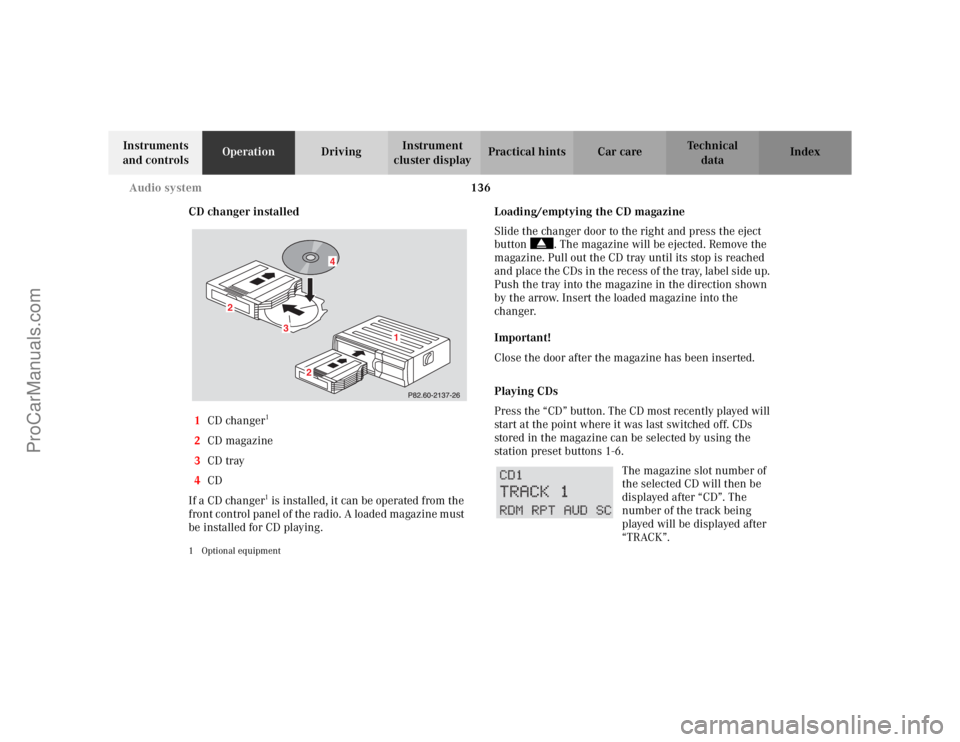
CD changer installed
1CD changer
1
2CD magazine
3CD tray
4CD
If a CD changer1 is installed, it can be operated from the
front control panel of the radio. A loaded magazine must
be installed for CD playing.
1 Optional equipment
Loading/emptying the CD magazine
Slide the changer door to the right and press the eject
button . The magazine will be ejected. Remove the
magazine. Pull out the CD tray until its stop is reached
and place the CDs in the recess of the tray, label side up.
Push the tray into the magazine in the direction shown
by the arrow. Insert the loaded magazine into the
changer.
Important!
Close the door after the magazine has been inserted.
Playing CDs
Press the “CD” button. The CD most recently played will
start at the point where it was last switched off. CDs
stored in the magazine can be selected by using the
station prese t buttons 1-6.
The magazine slot number of
the selected CD will then be
displayed after “CD”. The
number of the track being
played will be displayed after
“TRACK”.
3
2
2
1
4
ProCarManuals.com
Page 142 of 341
139 Audio system
Te ch n i c a l
data Instruments
and controlsOperationDrivingInstrument
cluster displayPractical hints Car care Index Telephone operation
Various functions of the Mercedes-Benz integrated
cellular telephone
1 can be performed and displayed via
the car radio. Further instructions for operating the car
telephone can be found in the operation guide for the
cellular telephone1.
Switching the telephone on and off
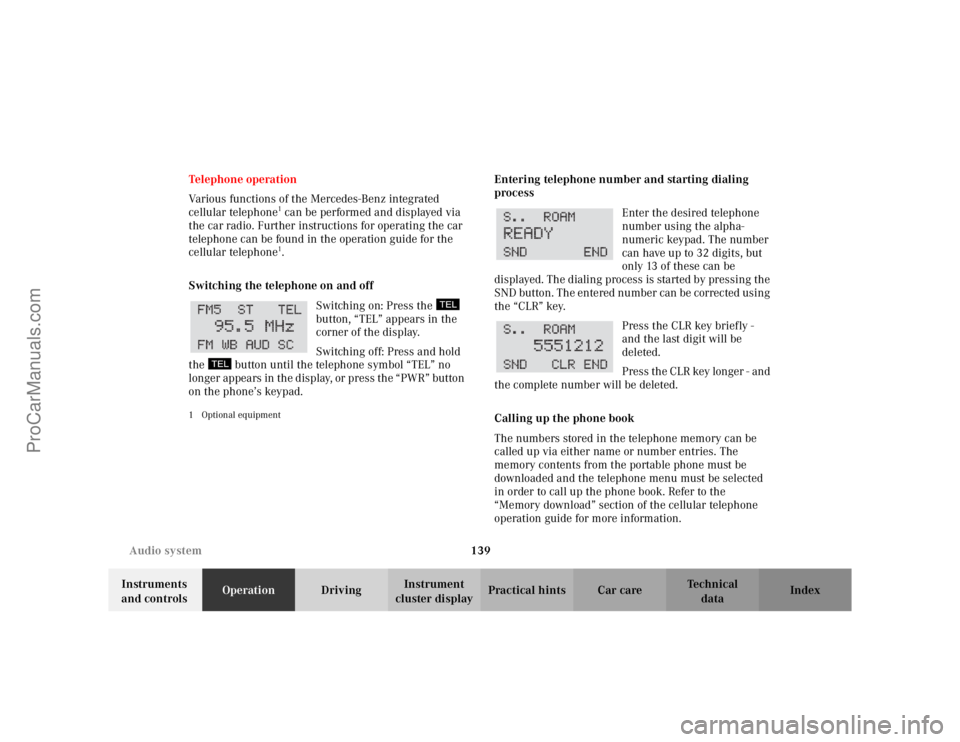
Switching on: Press the
button, “TEL” appears in the
corner of the display.
Switching off: Press and hold
the button until the telephone symbol “TEL” no
longer appears in the display, or press the “PWR” button
on the phone’s keypad.
1 Optional equipment
Entering telephone number and starting dialing
process
Enter the desired telephone
number using the alpha-
numeric keypad. The number
can have up to 32 digits, but
only 13 of these can be
displayed. The dialing process is started by pressing the
SND button. The entered number can be corrected using
the “CLR” key.
Press the CLR key briefly -
and the last digit will be
deleted.
Press the CLR key longer - and
the complete number will be deleted.
Calling up the phone book
The numbers stored in the telephone memory can be
called up via either name or number entries. The
memory contents from the portable phone must be
downloaded and the telephone menu must be selected
in order to call up the phone book. Refer to the
“Memory download” section of the cellular telephone
operation guide for more information.
ProCarManuals.com
Page 144 of 341
141 Audio system
Te ch n i c a l
data Instruments
and controlsOperationDrivingInstrument
cluster displayPractical hints Car care Index Accepting incoming call in telephone mode
With an incoming call, the ringing tone will be heard
and the message “CALL” appears in the display. Press
the SND key to answer the call.
Accepting incoming call in tape, CD or radio mode
If the telephone is activated in the background
(telephone symbol in the display), then a switch is made
automatically to telephone when an incoming call is
received. The audio source is muted, the ringing tone is
heard and the message “CALL” appears. After the call
has been terminated, the previously selected audio
source is resumed.
Terminating call
A current call can be terminated by pressing the END
key.Component malfunctions
The radio, CD changer
1, and Mercedes-Benz integrated
cellular telephone
1 are part of a fiberoptic networked
system. Failure of one of the components can lead to
malfunctions of the other components. Please contact
your authorized Mercedes-Benz Center or call
1-800-FOR-MERCedes for more information in the event
of a malfunction.
1Optional equipment
ProCarManuals.com
Page 156 of 341
153 Telephone
Te ch n i c a l
data Instruments
and controlsOperationDrivingInstrument
cluster displayPractical hints Car care Index Te l e p h o n e , ge n e ra lNote:
See separate instruction manual for instructions on how
to operate the telephone.
Cellular telephone
The vehicle is prepared for the installation of a cellular
telephone. For further information and installation
contact your authorized Mercedes-Benz Center.
Wa r n i n g !
A driver’s attention to the road must always be his/
her primary focus when driving. For your safety
and the safety of others, we recommend that you
pull over to a safe location and stop before placing
or taking a telephone call. If you choose to use the
telephone while driving, please use the hands-free
device and only use the telephone when road,
weather and traffic conditions permit.Some jurisdictions prohibit the driver from using a
cellular telephone while driving a vehicle.Bear in mind that at a speed of just 30 mph
(approximately 50 km/h), your vehicle is covering
a distance of approximately 50 feet (approximately
14 m ) e v e r y s e c o n d . Never operate radio transmitters equipped with a
built-in or attached antenna (i.e. without being
connected to an external antenna) from inside the
vehicle while the engine is running. Doing so could
lead to a malfunction of the vehicle’s electronic
system, possibly resulting in an accident and
personal injury.
Wa r n i n g !
Some jurisdictions prohibit the driver from using a
cellular telephone while driving a vehicle. Whether
or not prohibited by law, for safety reasons, the
driver should not use the cellular telephone while
the vehicle is in motion. Stop the vehicle in a safe
location before answering or placing a call.
ProCarManuals.com
Page 176 of 341
173
Te ch n i c a l
data Instruments
and controlsOperationDrivingInstrument
cluster displayPractical hints Car care Index
DrivingControl and operation of radio
transmitters ............................... 174
The first 1 000 miles
(1 500 km) ................................. 175
Maintenance ................................... 175
Catalytic converter ........................ 176
Emission control ............................ 177
Tele Aid ........................................... 178
Steering lock ................................... 188
Starting and turning off the
engine ......................................... 190Automatic transmission ................ 191
Parking brake ................................ 200
Driving instructions ...................... 201
Drive sensibly – save fuel ........ 201
Drinking and driving ................ 201
Pedals .......................................... 201
Power assistance ........................ 202
Brakes .......................................... 202
Driving off ................................... 203
Parking ........................................ 204
Tires ............................................. 204
Snow chains ............................... 207
Winter driving instructions ..... 207
Standing water ........................... 209
Passenger compartment ........... 209
Traveling abroad ........................ 209Cruise control ................................. 210
Brake assist system (BAS) ............ 212
Antilock brake system (ABS) ....... 214
Electronic stability program
(ESP) ........................................... 216
What you should know at the gas
station .........................................220
Check regularly and before a long
trip ...............................................222
ProCarManuals.com
Page 177 of 341
174 Control and operation of radio transmitters
Te ch n i c a l
data Instruments
and controlsOperationDrivingInstrument
cluster displayPractical hints Car care Index
Control and operation of radio transmitters
COMAND, radio and telephone
1 Observe all legal requirements.
Telephones and two-way radio
Radio transmitters, such as a portable telephone or a
citizens band unit should only be used inside the
vehicle if they are connected to an antenna that is
installed on the outside of the vehicle.
Refer to the radio transmitter operation instructions
regarding use of an external antenna.
Wa r n i n g !
Please do not forget that your primary
responsibility is to drive the vehicle. Only operate
the COMAND (Cockpit Management and Data
System), radio or telephone
1 if road and traffic
conditions permit.
Bear in mind that at a speed of just 30 mph
(approximately 50 km/h), your vehicle is covering
a distance of approximately 50 feet (approximately
14 m ) e v e r y s e c o n d .
Wa r n i n g !
Never operate radio transmitters equipped with a
built-in or attached antenna (i.e. without being
connected to an external antenna) from inside the
vehicle while the engine is running. Doing so could
lead to a malfunction of the vehicle’s electronic
system, possibly resulting in an accident and
personal injury.
ProCarManuals.com
Page 188 of 341
185 Tele Aid
Te ch n i c a l
data Instruments
and controlsOperationDrivingInstrument
cluster displayPractical hints Car care Index Important!
If the indicator lamp continues to flash or the system
does not reset, contact the Response Center at
1-800-756-9018 (in the USA) or 1-888-923-8367 (in
Canada), or Mercedes-Benz Customer Assistance at
1-800-FOR-MERCedes (1-800-367-6372) in the USA or
Customer Service at 1-800-387-0100 in Canada.
Notes:
The indicator lamp in the respective button flashes until
the call is concluded. Calls can only be terminated by a
Response Center or Customer Assistance Center
representative except Roadside Assistance and
Information calls, which can also be terminated by
pressing ìbutton on the multifunction steering
wheel.When a Tele Aid call has been initiated, the audio
system or the COMAND system audio (only vehicles
with COMAND) is muted and the selected mode (radio,
tape or CD) pauses. The optional cellular phone (if
installed) switches off. If you must use this phone, the
vehicle must be parked. Disconnect the coiled cord and
place the call. The COMAND navigation system (if
engaged) will continue to run. The display in the
instrument cluster is available for use and spoken
commands are only available by pressing the RPT
button on the COMAND unit. A pop-up window will
appear in the COMAND display to indicate that a Tele
Aid call is in progress.
ProCarManuals.com
Page 327 of 341
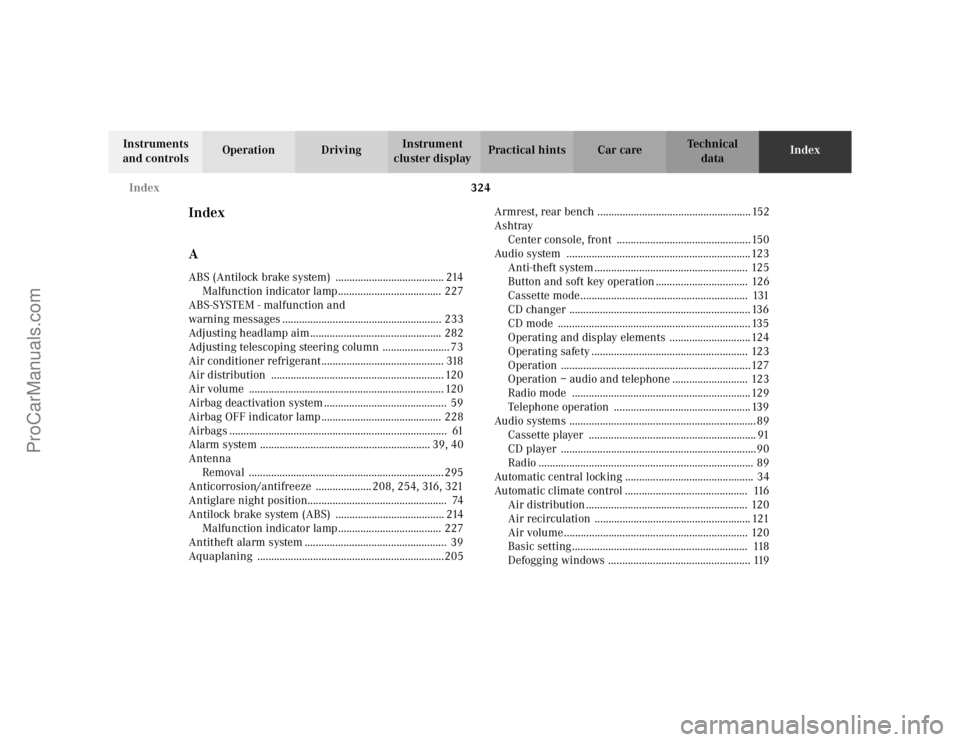
324 Index
Te ch n i c a l
data Instruments
and controlsOperation DrivingInstrument
cluster displayPractical hints Car careIndex
Index
AABS (Antilock brake system) ....................................... 214
Malfunction indicator lamp..................................... 227
ABS-SYSTEM - malfunction and
warning messages ......................................................... 233
Adjusting headlamp aim............................................... 282
Adjusting telescoping steering column ........................ 73
Air conditioner refrigerant............................................ 318
Air distribution .............................................................. 120
Air volume ...................................................................... 120
Airbag deactivation system ............................................ 59
Airbag OFF indicator lamp ........................................... 228
Airbags .............................................................................. 61
Alarm system ............................................................. 39, 40
Antenna
Removal ...................................................................... 295
Anticorrosion/antifreeze .................... 208, 254, 316, 321
Antiglare night position.................................................. 74
Antilock brake system (ABS) ....................................... 214
Malfunction indicator lamp..................................... 227
Antitheft alarm system ................................................... 39
Aquaplaning ...................................................................205Armrest, rear bench ....................................................... 152
Ashtray
Center console, front ................................................ 150
Audio system ..................................................................123
Anti-theft system ....................................................... 125
Button and soft key operation ................................. 126
Cassette mode ............................................................ 131
CD changer ................................................................. 136
CD mode ..................................................................... 135
Operating and display elements .............................124
Operating safety ........................................................ 123
Operation ....................................................................127
Operation – audio and telephone ........................... 123
Radio mode ................................................................ 129
Telephone operation ................................................. 139
Audio systems ................................................................... 89
Cassette player ............................................................ 91
CD player ......................................................................90
Radio ............................................................................. 89
Automatic central locking .............................................. 34
Automatic climate control ............................................ 116
Air distribution .......................................................... 120
Air recirculation ........................................................ 121
Air volume.................................................................. 120
Basic setting............................................................... 118
Defogging windows ................................................... 119
ProCarManuals.com
Page 329 of 341
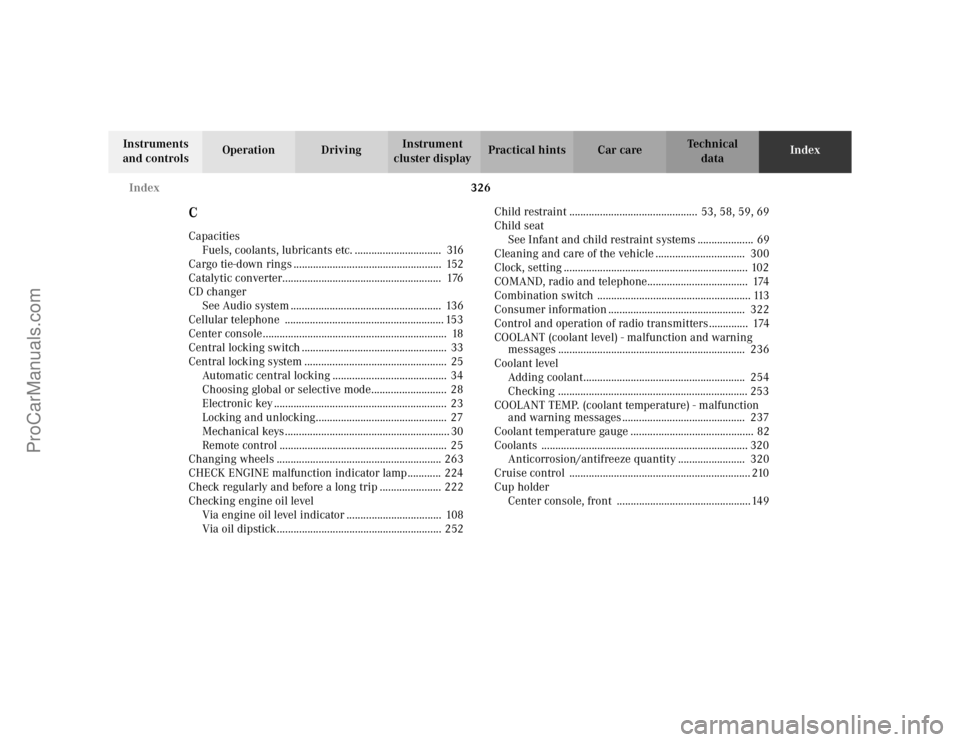
326 Index
Te ch n i c a l
data Instruments
and controlsOperation DrivingInstrument
cluster displayPractical hints Car careIndex
CCapacities
Fuels, coolants, lubricants etc. ............................... 316
Cargo tie-down rings ..................................................... 152
Catalytic converter......................................................... 176
CD changer
See Audio system ...................................................... 136
Cellular telephone ......................................................... 153
Center console .................................................................. 18
Central locking switch .................................................... 33
Central locking system ................................................... 25
Automatic central locking ......................................... 34
Choosing global or selective mode........................... 28
Electronic key .............................................................. 23
Locking and unlocking............................................... 27
Mechanical keys ........................................................... 30
Remote control ............................................................ 25
Changing wheels ........................................................... 263
CHECK ENGINE malfunction indicator lamp............ 224
Check regularly and before a long trip ...................... 222
Checking engine oil level
Via engine oil level indicator .................................. 108
Via oil dipstick........................................................... 252Child restraint .............................................. 53, 58, 59, 69
Child seat
See Infant and child restraint systems .................... 69
Cleaning and care of the vehicle ................................ 300
Clock, setting .................................................................. 102
COMAND, radio and telephone.................................... 174
Combination switch ....................................................... 113
Consumer information ................................................. 322
Control and operation of radio transmitters .............. 174
COOLANT (coolant level) - malfunction and warning
messages ................................................................... 236
Coolant level
Adding coolant.......................................................... 254
Checking .................................................................... 253
COOLANT TEMP. (coolant temperature) - malfunction
and warning messages ............................................ 237
Coolant temperature gauge ............................................ 82
Coolants .......................................................................... 320
Anticorrosion/antifreeze quantity ........................ 320
Cruise control ................................................................. 210
Cup holder
Center console, front ................................................ 149
ProCarManuals.com