high beam MERCEDES-BENZ CLS 2012 User Guide
[x] Cancel search | Manufacturer: MERCEDES-BENZ, Model Year: 2012, Model line: CLS, Model: MERCEDES-BENZ CLS 2012Pages: 356, PDF Size: 14.25 MB
Page 183 of 356
Night View Assist Plus
Important safety notes
In addition to the illumination provided by the
normal headlamps, Night View Assist Plus
uses infrared light to illuminate the road. The
Night View Assist Plus camera picks up the
infrared light and displays a grayscale image
in the COMAND display. The image displayed
in COMAND corresponds to a road lit up by
high-beam headlamps. This enables you to
see the road's course and any obstacles in
good time. If pedestrian recognition is
activated, pedestrians recognized by the
system are highlighted in the Night View
Assist Plus display.
GWARNING
Night View Assist Plus is only an aid designed
to assist driving. It is not a substitute for
attentive driving. Do not rely solely on the
Night View Assist Plus display. Continue to
look through the windshield. You are
responsible for safety and must drive in
accordance with traffic conditions. You could
otherwise put yourself and others in danger.
The system may be impaired or unavailable if:
R there is poor visibility, e.g. due to snow,
rain, fog or heavy spray.
R the windshield is dirty, fogged up or
covered, for instance by a sticker, in the
vicinity of the camera.
R you are driving on bends, uphill gradients
or downhill gradients.
Light from the headlamps of oncoming
vehicles does not affect the Night View Assist
Plus display in the multifunction display. This
is also the case if you cannot switch on the
high-beam headlamps because of oncoming
traffic.
GWARNING
The Night View Assist Plus cannot record
objects immediately in front of or next to the
vehicle. When maneuvering, continue to look
through the windshield. Make sure no
persons or animals are in the area in which
you are maneuvering. You could otherwise
injure them.
i Infrared light is not visible to the human
eye and therefore does not glare. Night
View Assist Plus can therefore remain
switched on even if there is oncoming
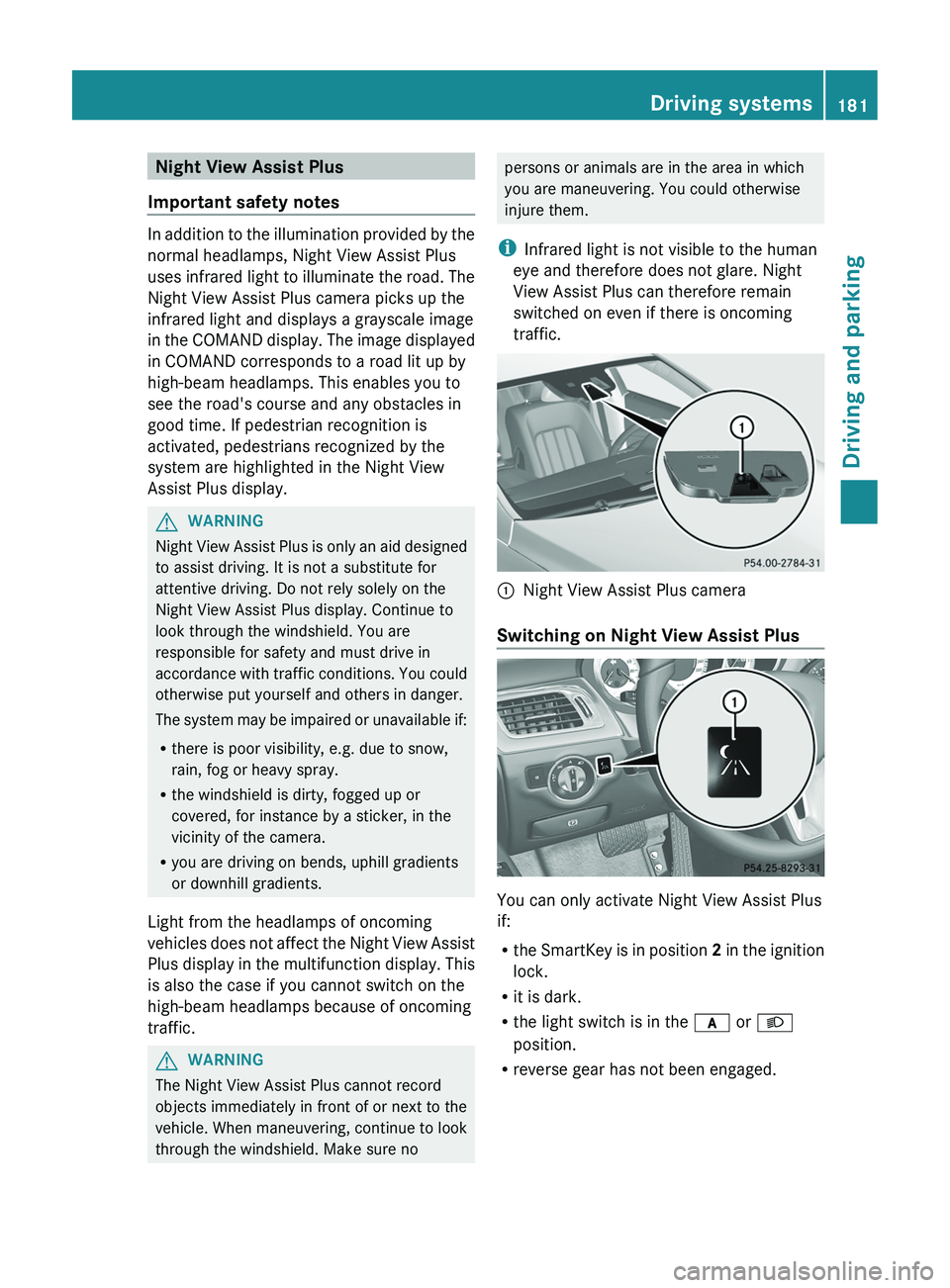
traffic.:Night View Assist Plus camera
Switching on Night View Assist Plus
You can only activate Night View Assist Plus
if:
R the SmartKey is in position 2 in the ignition
lock.
R it is dark.
R the light switch is in the c or L
position.
R reverse gear has not been engaged.
Driving systems181Driving and parkingZ
Page 201 of 356
XTo show menu bar ;: press the =
or ; button on the steering wheel.
Further information on displaying the
transmission position ( Y page 140).
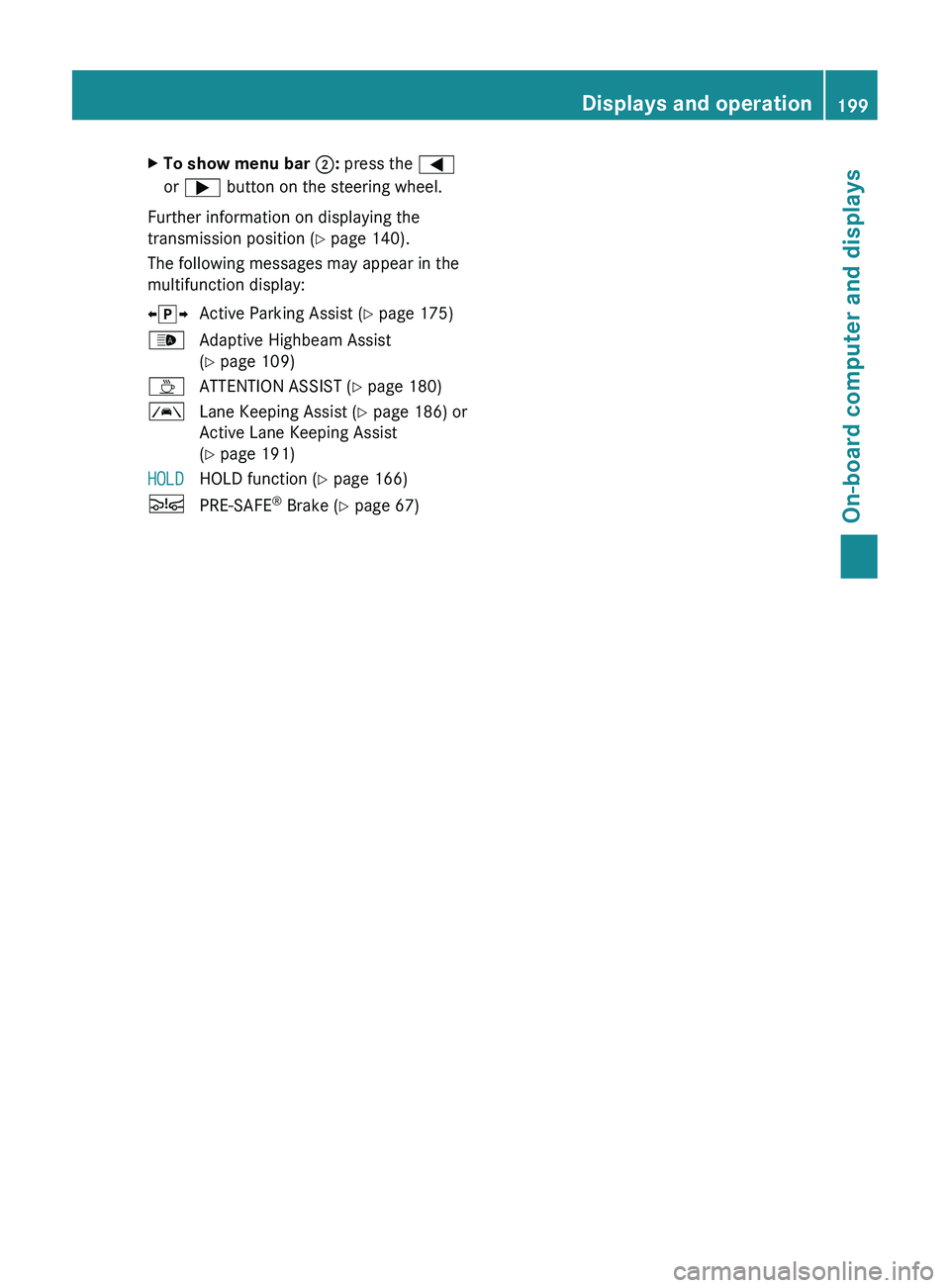
The following messages may appear in the
multifunction display:
X j YActive Parking Assist ( Y page 175)_Adaptive Highbeam Assist
( Y page 109)ÀATTENTION ASSIST ( Y page 180)ÃLane Keeping Assist ( Y page 186) or
Active Lane Keeping Assist
( Y page 191)HOLDHOLD function ( Y page 166)ÄPRE-SAFE ®
Brake ( Y page 67)Displays and operation199On-board computer and displaysZ
Page 211 of 356
Lights
Setting the brightness of the instrument
cluster lighting and switches
XPress the = or ; button on the
steering wheel to select the Settings
menu.XPress the : or 9 button to select the
Lights submenu.XPress the a button to confirm.XPress the : or 9 button to select the
Brightness Display/Switches:
function.
You will see the selected setting.XPress the a button to confirm.XPress the : or 9 button to adjust the
brightness to any level from Level 1 to
Level 5 (bright).XPress the a or % button to save the
setting.
Switching the daytime running lamps on/
off
This function is not available in Canada.
If you have activated the Day Lights
function and the light switch is set to Ã,
the daytime running lamps are automatically
switched on during daylight hours when the
engine is running.
In the dark, the following also light up:
R the low-beam headlamps
R the parking lamps
R the tail lamps
R the license plate lamp
R the side marker lamps
XPress the = or ; button on the
steering wheel to select the Settings
menu.XPress the : or 9 button to select the
Lights submenu.XPress the a button to confirm.XPress the : or 9 button to select the
Day Lights function.
If the Daytime Running Lights have
been switched on, the cone of light and the
W symbol in the multifunction display
are shown in red.XPress the a button to save the setting.
Switching Adaptive Highbeam Assist on/
off
XPress the = or ; button on the
steering wheel to select the Sett. menu.XPress the : or 9 button to select the
Lights submenu.XPress the a button to confirm.XPress : or 9 to select the Adapt.
Highbeam function.
If the Adapt. Highbeam function has been
switched on, the cone of light and the
_ symbol in the multifunction display
are shown in red.XPress the a button to save the setting.
Setting the brightness of the ambient
lighting
XPress the = or ; button on the
steering wheel to select the Settings
menu.XPress the : or 9 button to select the
Lights submenu.XPress the a button to confirm.XPress the : or 9 button to select
Amb. light +/- .XPress the a button to confirm.XPress the : or 9 button to adjust the
brightness to any level from Off to Level
5 (bright).XPress the a or % button to save the
setting.Menus and submenus209On-board computer and displaysZ
Page 226 of 356
GWARNING
If the 45 indicator lamp remains lit with an adult occupant on the front-passenger seat
even after performing the above corrective steps, do not have any passenger use the front-
passenger seat until the system has been repaired.
Lights
i Display messages about LEDs:
This display message will only appear if all LEDs have failed.
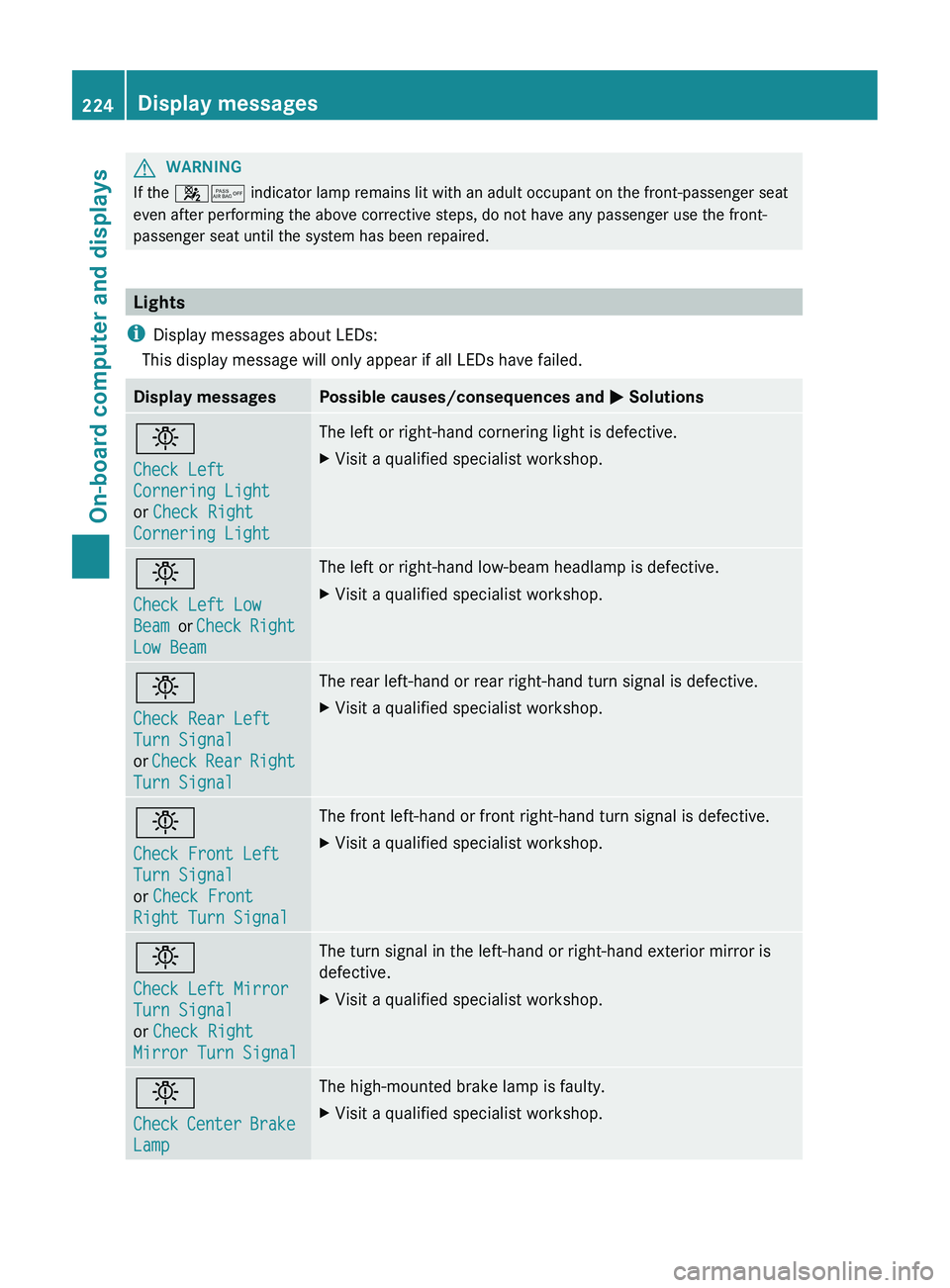
Display messagesPossible causes/consequences and M Solutionsb
Check Left
Cornering Light
or Check Right
Cornering LightThe left or right-hand cornering light is defective.XVisit a qualified specialist workshop.b
Check Left Low
Beam or Check Right
Low BeamThe left or right-hand low-beam headlamp is defective.XVisit a qualified specialist workshop.b
Check Rear Left
Turn Signal
or Check Rear Right
Turn SignalThe rear left-hand or rear right-hand turn signal is defective.XVisit a qualified specialist workshop.b
Check Front Left
Turn Signal
or Check Front
Right Turn SignalThe front left-hand or front right-hand turn signal is defective.XVisit a qualified specialist workshop.b
Check Left Mirror
Turn Signal
or Check Right
Mirror Turn SignalThe turn signal in the left-hand or right-hand exterior mirror is
defective.XVisit a qualified specialist workshop.b
Check Center Brake
LampThe high-mounted brake lamp is faulty.XVisit a qualified specialist workshop.224Display messagesOn-board computer and displays
Page 227 of 356
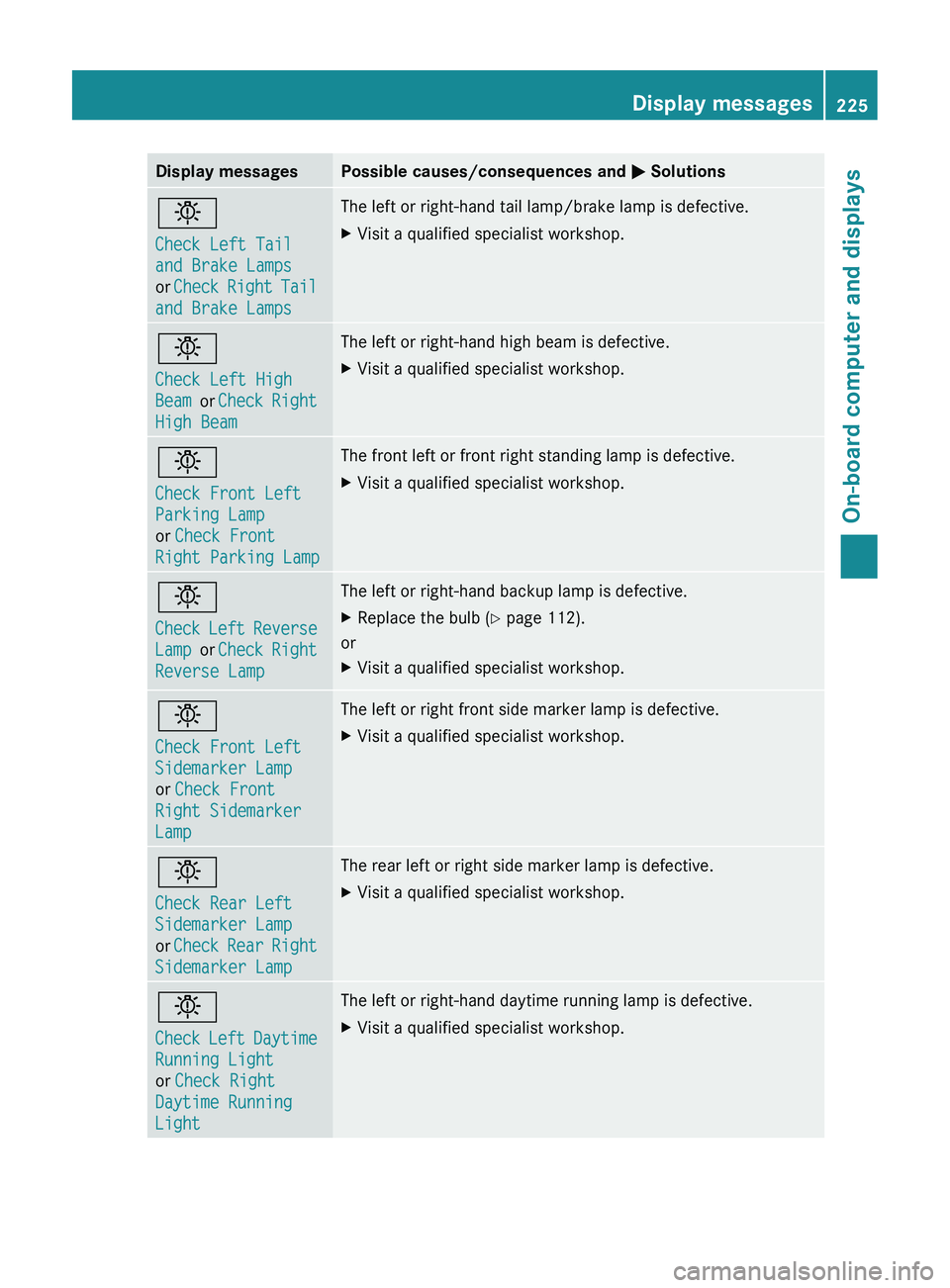
Display messagesPossible causes/consequences and M Solutionsb
Check Left Tail
and Brake Lamps
or Check Right Tail
and Brake LampsThe left or right-hand tail lamp/brake lamp is defective.XVisit a qualified specialist workshop.b
Check Left High
Beam or Check Right
High BeamThe left or right-hand high beam is defective.XVisit a qualified specialist workshop.b
Check Front Left
Parking Lamp
or Check Front
Right Parking LampThe front left or front right standing lamp is defective.XVisit a qualified specialist workshop.b
Check Left Reverse
Lamp or Check Right
Reverse LampThe left or right-hand backup lamp is defective.XReplace the bulb ( Y page 112).
or
XVisit a qualified specialist workshop.b
Check Front Left
Sidemarker Lamp
or Check Front
Right Sidemarker
LampThe left or right front side marker lamp is defective.XVisit a qualified specialist workshop.b
Check Rear Left
Sidemarker Lamp
or Check Rear Right
Sidemarker LampThe rear left or right side marker lamp is defective.XVisit a qualified specialist workshop.b
Check Left Daytime
Running Light
or Check Right
Daytime Running
LightThe left or right-hand daytime running lamp is defective.XVisit a qualified specialist workshop.Display messages225On-board computer and displaysZ
Page 228 of 356
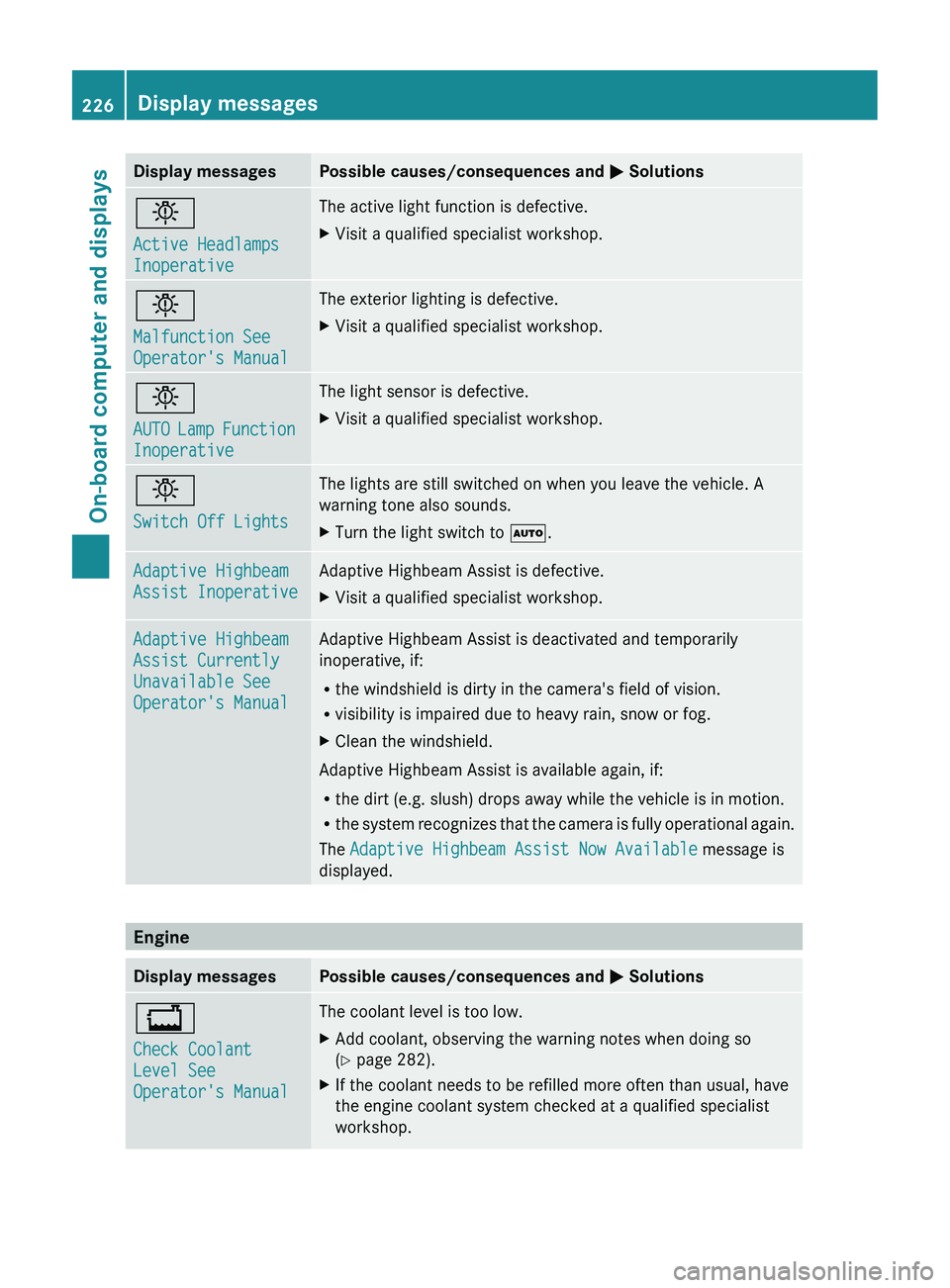
Display messagesPossible causes/consequences and M Solutionsb
Active Headlamps
InoperativeThe active light function is defective.XVisit a qualified specialist workshop.b
Malfunction See
Operator's ManualThe exterior lighting is defective.XVisit a qualified specialist workshop.b
AUTO Lamp Function
InoperativeThe light sensor is defective.XVisit a qualified specialist workshop.b
Switch Off LightsThe lights are still switched on when you leave the vehicle. A
warning tone also sounds.XTurn the light switch to Ã.Adaptive Highbeam
Assist InoperativeAdaptive Highbeam Assist is defective.XVisit a qualified specialist workshop.Adaptive Highbeam
Assist Currently
Unavailable See
Operator's ManualAdaptive Highbeam Assist is deactivated and temporarily
inoperative, if:
R the windshield is dirty in the camera's field of vision.
R visibility is impaired due to heavy rain, snow or fog.XClean the windshield.
Adaptive Highbeam Assist is available again, if:
R the dirt (e.g. slush) drops away while the vehicle is in motion.
R the system recognizes that the camera is fully operational again.
The Adaptive Highbeam Assist Now Available message is
displayed.
Engine
Display messagesPossible causes/consequences and M Solutions+
Check Coolant
Level See
Operator's ManualThe coolant level is too low.XAdd coolant, observing the warning notes when doing so
( Y page 282).XIf the coolant needs to be refilled more often than usual, have
the engine coolant system checked at a qualified specialist
workshop.226Display messagesOn-board computer and displays