lane assist MERCEDES-BENZ CLS 2012 Owner's Manual
[x] Cancel search | Manufacturer: MERCEDES-BENZ, Model Year: 2012, Model line: CLS, Model: MERCEDES-BENZ CLS 2012Pages: 356, PDF Size: 14.25 MB
Page 209 of 356
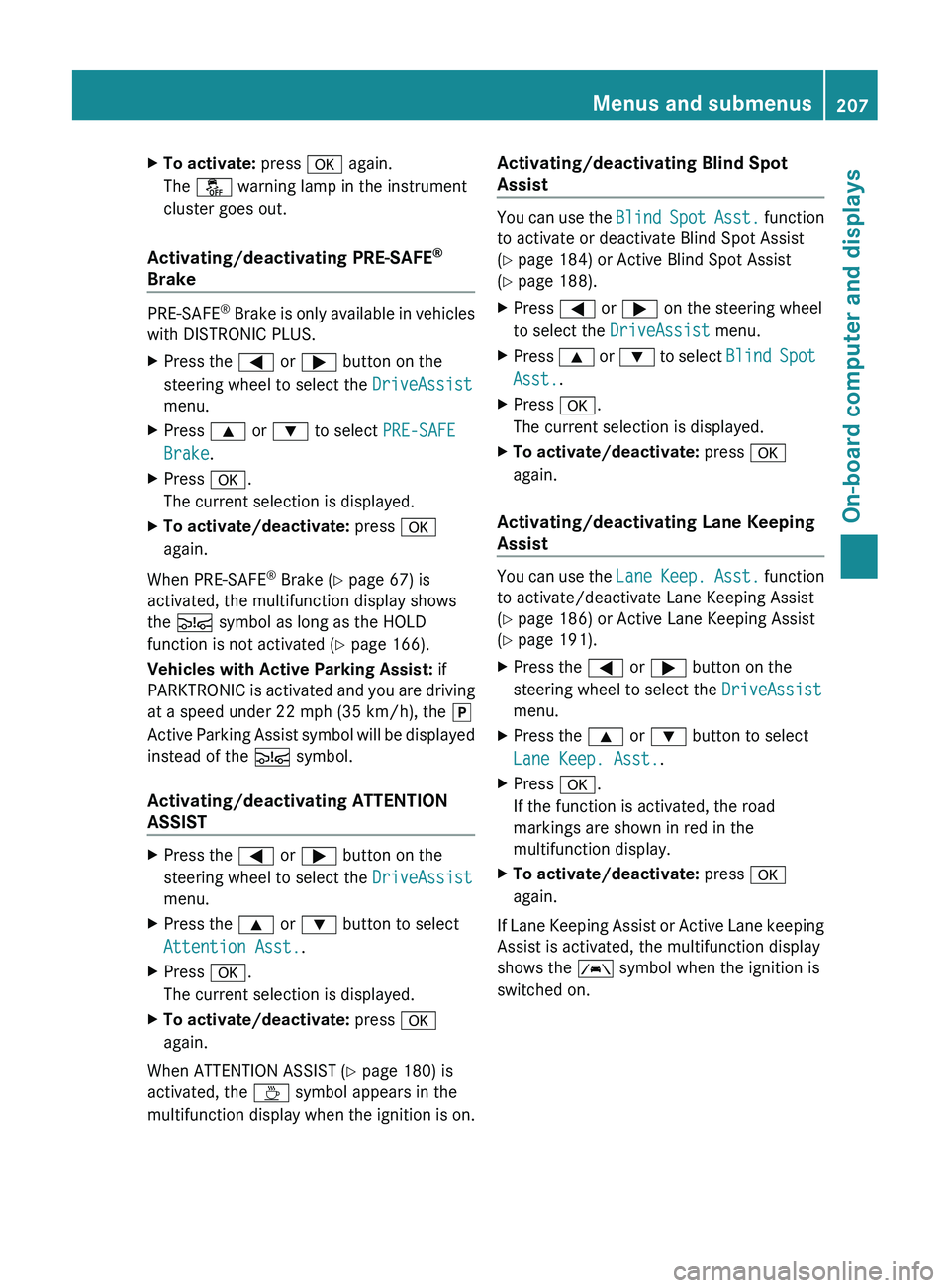
XTo activate: press a again.
The å warning lamp in the instrument
cluster goes out.
Activating/deactivating PRE-SAFE ®
Brake
PRE-SAFE ®
Brake is only available in vehicles
with DISTRONIC PLUS.
XPress the = or ; button on the
steering wheel to select the DriveAssist
menu.XPress 9 or : to select PRE-SAFE
Brake .XPress a.
The current selection is displayed.XTo activate/deactivate: press a
again.
When PRE-SAFE ®
Brake ( Y page 67) is
activated, the multifunction display shows
the Ä symbol as long as the HOLD
function is not activated ( Y page 166).
Vehicles with Active Parking Assist: if
PARKTRONIC is activated and you are driving
at a speed under 22 mph (35 km/h), the j
Active Parking Assist symbol will be displayed
instead of the Ä symbol.
Activating/deactivating ATTENTION
ASSIST
XPress the = or ; button on the
steering wheel to select the DriveAssist
menu.XPress the 9 or : button to select
Attention Asst. .XPress a.
The current selection is displayed.XTo activate/deactivate: press a
again.
When ATTENTION ASSIST ( Y page 180) is
activated, the À symbol appears in the
multifunction display when the ignition is on.
Activating/deactivating Blind Spot
Assist
You can use the Blind Spot Asst. function
to activate or deactivate Blind Spot Assist
( Y page 184) or Active Blind Spot Assist
( Y page 188).
XPress = or ; on the steering wheel
to select the DriveAssist menu.XPress 9 or : to select Blind Spot
Asst. .XPress a.
The current selection is displayed.XTo activate/deactivate: press a
again.
Activating/deactivating Lane Keeping
Assist
You can use the Lane Keep. Asst. function
to activate/deactivate Lane Keeping Assist
( Y page 186) or Active Lane Keeping Assist
( Y page 191).
XPress the = or ; button on the
steering wheel to select the DriveAssist
menu.XPress the 9 or : button to select
Lane Keep. Asst. .XPress a.
If the function is activated, the road
markings are shown in red in the
multifunction display.XTo activate/deactivate: press a
again.
If Lane Keeping Assist or Active Lane keeping
Assist is activated, the multifunction display
shows the à symbol when the ignition is
switched on.
Menus and submenus207On-board computer and displaysZ
Page 233 of 356
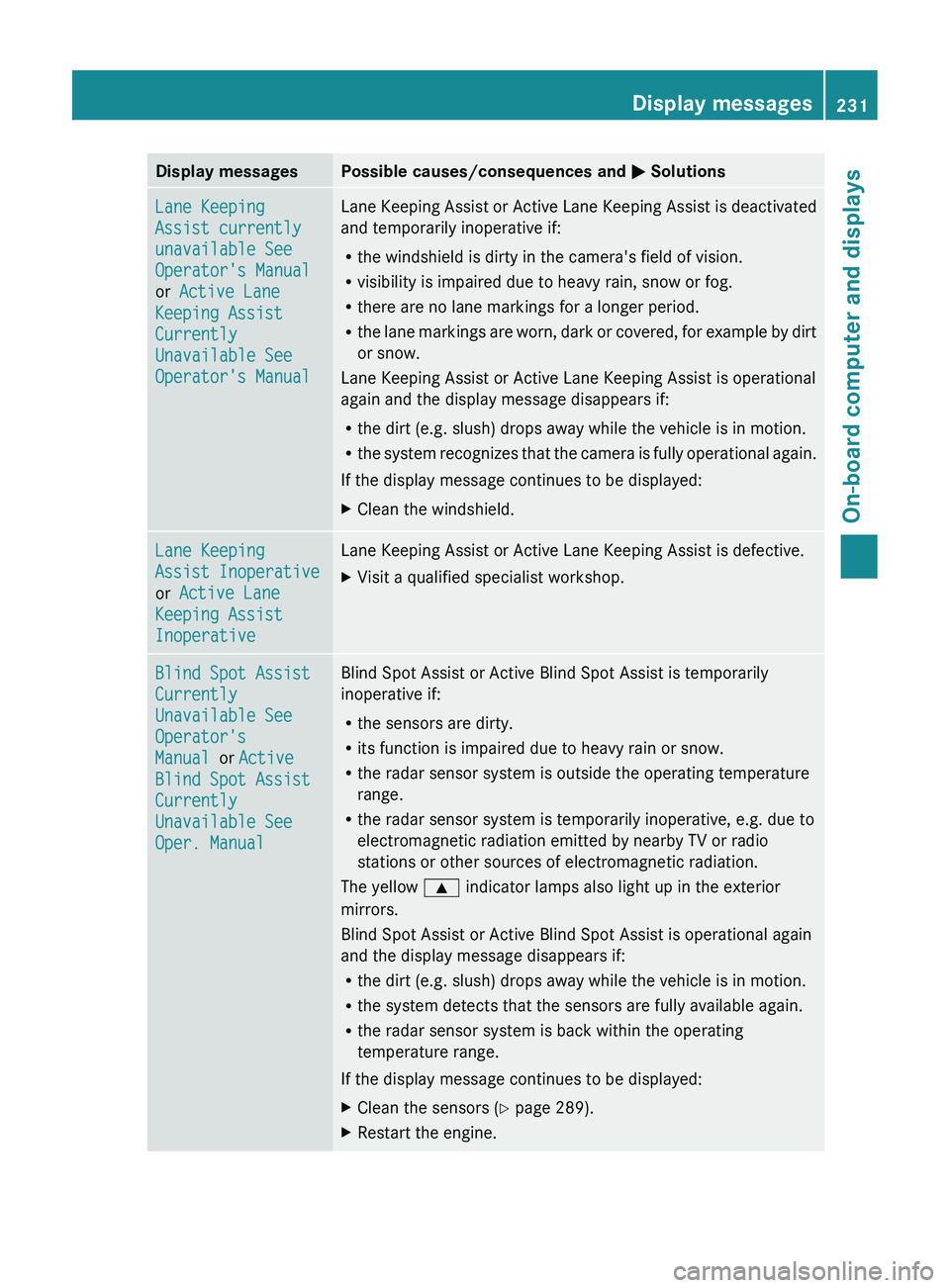
Display messagesPossible causes/consequences and M SolutionsLane Keeping
Assist currently
unavailable See
Operator's Manual
or Active Lane
Keeping Assist
Currently
Unavailable See
Operator's ManualLane Keeping Assist or Active Lane Keeping Assist is deactivated
and temporarily inoperative if:
R the windshield is dirty in the camera's field of vision.
R visibility is impaired due to heavy rain, snow or fog.
R there are no lane markings for a longer period.
R the lane markings are worn, dark or covered, for example by dirt
or snow.
Lane Keeping Assist or Active Lane Keeping Assist is operational
again and the display message disappears if:
R the dirt (e.g. slush) drops away while the vehicle is in motion.
R the system recognizes that the camera is fully operational again.
If the display message continues to be displayed:XClean the windshield.Lane Keeping
Assist Inoperative
or Active Lane
Keeping Assist
InoperativeLane Keeping Assist or Active Lane Keeping Assist is defective.XVisit a qualified specialist workshop.Blind Spot Assist
Currently
Unavailable See
Operator's
Manual or Active
Blind Spot Assist
Currently
Unavailable See
Oper. ManualBlind Spot Assist or Active Blind Spot Assist is temporarily
inoperative if:
R the sensors are dirty.
R its function is impaired due to heavy rain or snow.
R the radar sensor system is outside the operating temperature
range.
R the radar sensor system is temporarily inoperative, e.g. due to
electromagnetic radiation emitted by nearby TV or radio
stations or other sources of electromagnetic radiation.
The yellow 9 indicator lamps also light up in the exterior
mirrors.
Blind Spot Assist or Active Blind Spot Assist is operational again
and the display message disappears if:
R the dirt (e.g. slush) drops away while the vehicle is in motion.
R the system detects that the sensors are fully available again.
R the radar sensor system is back within the operating
temperature range.
If the display message continues to be displayed:XClean the sensors ( Y page 289).XRestart the engine.Display messages231On-board computer and displaysZ