immobilizer MERCEDES-BENZ CLS 2016 Owners Manual
[x] Cancel search | Manufacturer: MERCEDES-BENZ, Model Year: 2016, Model line: CLS, Model: MERCEDES-BENZ CLS 2016Pages: 342, PDF Size: 10.12 MB
Page 13 of 342
Head restraints
Adjusting ........................................ .9 6
Adjusting (electrically) ..................... 96
Adjusting (rear) ................................ 96
Installing/removing (rear) ................ 97
Luxury .............................................. 96
see NECK-PRO head restraints
see NECK-PRO luxury head restraints
Headlamps
Cleaning system (notes) ................ 335
Fogging up .................................... .1 10
see Automatic headlamp mode
Heating
see Climate control
High beam flasher ............................ .1 08
High-beam headlamps
Adaptive Highbeam Assist ............. 109
Display message ............................ 221
Switching on/off ........................... 108
Hill start assist .................................. 130
HOLD function
Activating ....................................... 165
Deactivating ................................... 165
Display message ............................ 225
Function/notes ............................ .1 64
Home address
see also Digital Operator's Man-
ual ................................................. .2 45
Hood
Closing .......................................... .2 75
Display message ............................ 233
Important safety notes .................. 274
Opening ......................................... 274
Horn ...................................................... 33
Hydroplaning ..................................... 152
I
Ignition lock
see Key positions
Immobilizer .......................................... 74
Indicator and warning lamps
COLLISION PREVENTION ASSIST
PLUS .............................................. 243
Indicator lamps
see Warning and indicator lamps
Indicators
see Turn signals Instrument cluster
Overview .......................................... 34
Settings ......................................... 205
Warning and indicator lamps ........... 34
Instrument cluster lighting .............. 206
Interior lighting
Automatic control .......................... 111
Delayed switch-off (on-board
computer) ...................................... 207
Overview ........................................ 110
Reading lamp ................................. 110
Setting the brightness of the
ambient lighting (on-board com-
puter) ............................................. 206
Setting the brightness of the dis-
play/switch (on-board computer) .. 206
Setting the color of the ambient
lighting (on-board computer) ......... 207
iPod ®
see also Digital Operator's Man-
ual ................................................. .2 45
J Jack
Storage location ............................ 286
Using ............................................. 322
Jump starting (engine) ..................... .2 94
K
Key positions
KEYLESS-GO .................................. 127
SmartKey ....................................... 127
KEYLESS-GO
Convenience closing feature ............ 88
Deactivation ..................................... 76
Display message ............................ 234
Locking ............................................ 76
Removing the Start/Stop button ... 128
Start/Stop button .......................... 127
Starting the engine ........................ 129
Unlocking ......................................... 76
Kickdown
Driving tips ................................... .1 38
Manual drive program .................... 142
Knee bag .............................................. 47 Index 11
Page 17 of 342
PARKTRONIC
Deactivating/activating ................. 172
Driving system .............................. .1 70
Function/notes ............................ .1 70
Important safety notes .................. 170
Problem (malfunction) ................... 173
Range of the sensors ..................... 170
Warning display ............................. 171
PASSENGER AIR BAG
Display message ............................ 219
PASSENGER AIR BAG OFF
Indicator lamp .................................. 42
Problems (malfunctions) ................ 219
Pets in the vehicle ............................... 63
Phone book
see also Digital Operator's Man-
ual .................................................. 245
Plastic trim (cleaning instruc-
tions) .................................................. 283
Power washers .................................. 280
Power windows
see Side windows
PRE-SAFE ®
(anticipatory occupant
protection)
Display message ............................ 215
Operation ......................................... 56
PRE-SAFE ®
Brake
Activating/deactivating ................. 204
Display message ............................ 216
Function/notes ................................ 73
Important safety notes .................... 73
Warning lamp ................................. 243
PRE-SAFE ®
PLUS (anticipatory
occupant protection PLUS)
Display message ............................ 216
Operation ......................................... 57
Program selector button .................. 138
Protection against theft
ATA (Anti-Theft Alarm system) ......... 75
Immobilizer ...................................... 74
Protection of the environment
General notes .................................. 25
Pulling away
General notes ................................ 129
Pulling away (automatic transmis-
sion) .................................................... 129 Q QR code
Mercedes-Benz Guide App ................. 1
Rescue card ..................................... 30
Qualified specialist workshop ........... 29
R RACE START (Mercedes-AMG vehi-
cles) .................................................... 165
RACETIMER (on-board computer) .... 210
Radio
Selecting a station ......................... 201
see separate operating instructions
Radio mode
see also Digital Operator's Man-
ual .................................................. 245
Radio-wave reception/transmis-
sion in the vehicle
Declaration of conformity ................ 28
Reading lamp ..................................... 110
Rear compartment
Setting the airflow ......................... 122
Setting the temperature ................ 121
Rear fog lamp
Display message ............................ 221
Rear seat (folding the backrest for-
wards/back) ...................................... 254
Rear seats
Display message ............................ 234
Rear view camera
Cleaning instructions ..................... 282
Display in the multimedia system .. 178
Function/notes ............................. 177
Switching on/off ........................... 178
Rear window blind ............................ 260
Rear window defroster
Problem (malfunction) ................... 124
Switching on/off ........................... 123
Rear-view mirror
Dipping (automatic) ....................... 104
Refrigerant (air-conditioning sys-
tem)
Important safety notes .................. 335
Refueling
Fuel gauge ....................................... 34
Important safety notes .................. 143 Index 15
Page 77 of 342
X
To activate with the SmartKey: remove the
SmartKey from the ignition lock. X
To activate with KEYLESS-GO: switch the
ignition off and open the driver's door. X
To deactivate: switch on the ignition.
When leaving the vehicle, always take the
SmartKey with you and lock the vehicle. Anyone
can start the engine if a valid SmartKey has been
left inside the vehicle.
i The immobilizer is always deactivated when
you start the engine.
In the event that the engine cannot be started
(yet the vehicle's battery is charged), the sys-
tem is not operational. Contact an authorized
Mercedes-Benz Center or call
1-800-FOR-MERCedes (in the USA) or
1-800-387-0100 (in Canada).
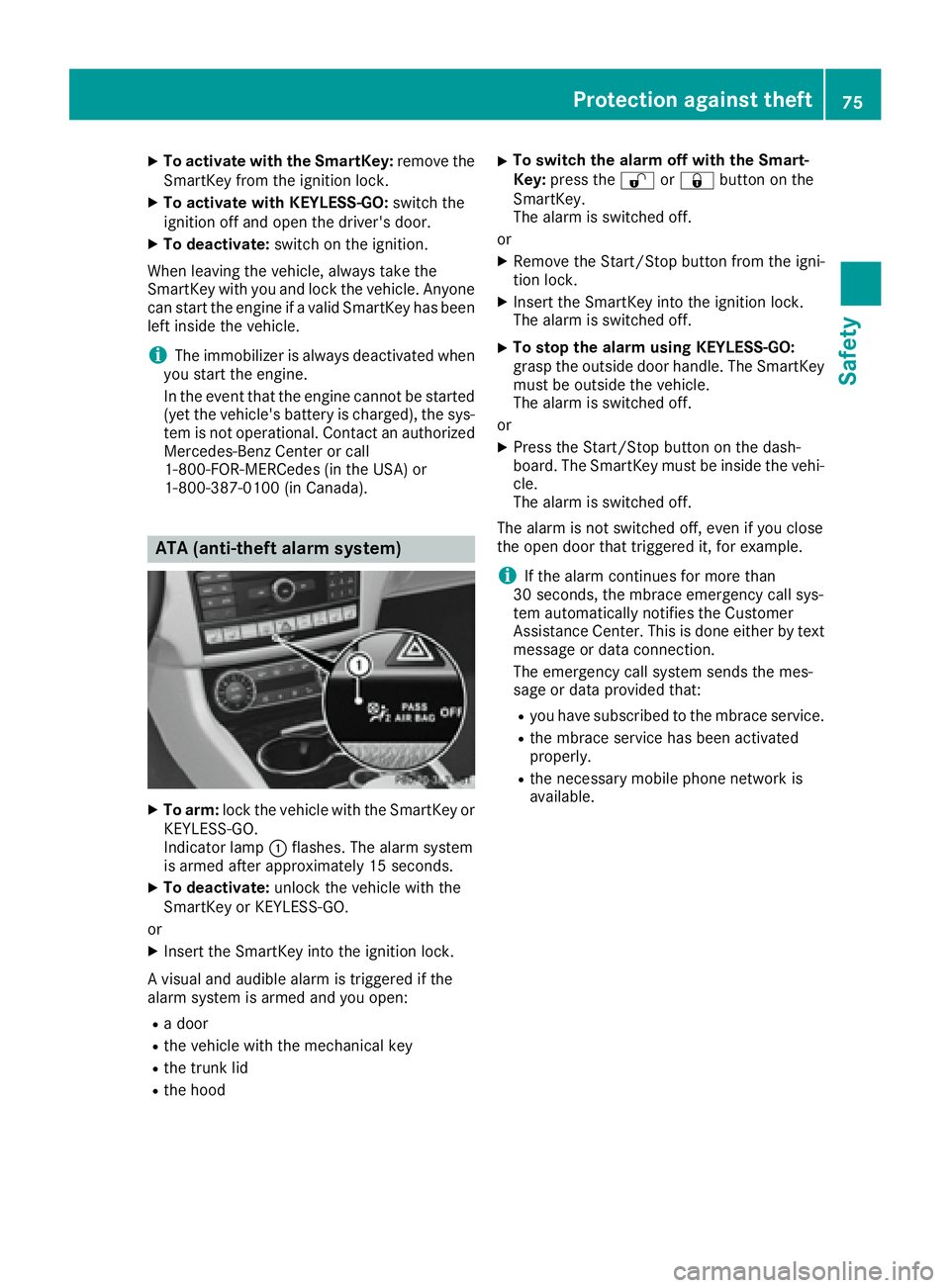
ATA (anti-theft alarm system)
X
To arm: lock the vehicle with the SmartKey or
KEYLESS-GO.
Indicator lamp C flashes. The alarm system
is armed after approximately 15 seconds. X
To deactivate: unlock the vehicle with the
SmartKey or KEYLESS-GO.
or X
Insert the SmartKey into the ignition lock.
A visual and audible alarm is triggered if the
alarm system is armed and you open: R
a door R
the vehicle with the mechanical key R
the trunk lid R
the hood X
To switch the alarm off with the Smart-
Key: press the 6 or 7 button on the
SmartKey.
The alarm is switched off.
or X
Remove the Start/Stop button from the igni-
tion lock. X
Insert the SmartKey into the ignition lock.
The alarm is switched off. X
To stop the alarm using KEYLESS-GO:
grasp the outside door handle. The SmartKey
must be outside the vehicle.
The alarm is switched off.
or X
Press the Start/Stop button on the dash-
board. The SmartKey must be inside the vehi-
cle.
The alarm is switched off.
The alarm is not switched off, even if you close
the open door that triggered it, for example.
i If the alarm continues for more than
30 seconds, the mbrace emergency call sys-
tem automatically notifies the Customer
Assistance Center. This is done either by text
message or data connection.
The emergency call system sends the mes-
sage or data provi ded that: R
you have subscribed to the mbrace service. R
the mbrace service has been activated
properly. R
the necessary mobile phone network is
available.Protection against theft 75
Safety Z
Page 149 of 342
To ensure that the vehicle is secured against
rolling away unintentionally: R
the parking brake must be applied. R
the transmission must be in position P and the
Smartkey must be removed from the ignition
lock. R
the front wheels must be turned towards the
curb on steep uphill or downhill gradients.
Switching off the engine
Important safety notes
G WARNING
The automatic transmission switches to neu-
tral position N when you switch off the engine.
The vehicle may roll away. There is a risk of an
accident.
After switching off the engine, always switch
to parking position P . Prevent the parked vehi-
cle from rolling away by applying the parking
brake.
Vehicles with automatic transmission X
Apply the parking brake firmly. X
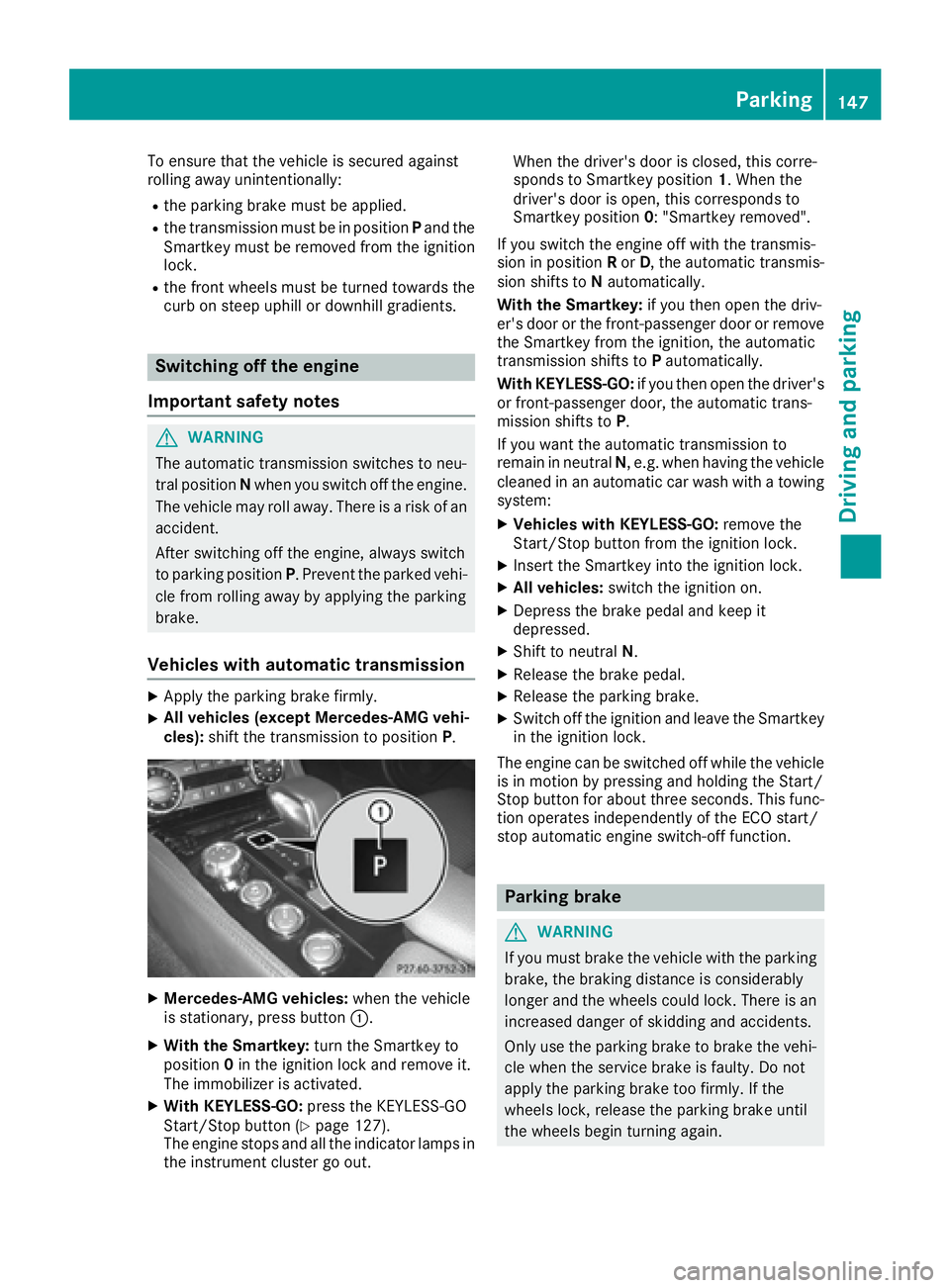
All vehicles (except Mercedes-AMG vehi-
cles): shift the transmission to position P .
X
Mercedes-AMG vehicles: when the vehicle
is stationary, press button C .X
With the Smartkey: turn the Smartkey to
position 0 in the ignition lock and remove it.
The immobilizer is activated. X
With KEYLESS-GO: press the KEYLESS-GO
Start/Stop button ( Y
page 127).
The engine stops and all the indicator lamps in
the instrument cluster go out. When the driver's door is closed, this corre-
sponds to Smartkey position 1 . When the
driver's door is open, this corresponds to
Smartkey position 0 : "Smartkey removed".
If you switch the engine off with the transmis-
sion in position R or D , the automatic transmis-
sion shifts to N automatically.
With the Smartkey: if you then open the driv-
er's door or the front-passenger door or remove
the Smartkey from the ignition, the automatic
transmission shifts to P automatically.
With KEYLESS-GO: if you then open the driver's
or front-passenger door, the automatic trans-
mission shifts to P .
If you want the automatic transmission to
remain in neutral N , e.g. when having the vehicle
cleaned in an automatic car wash with a towing
system: X
Vehicles with KEYLESS-GO: remove the
Start/Stop button from the ignition lock. X
Insert the Smartkey into the ignition lock. X
All vehicles: switch the ignition on. X
Depress the brake pedal and keep it
depressed. X
Shift to neutral N . X
Release the brake pedal. X
Release the parking brake. X
Switch off the ignition and leave the Smartkey
in the ignition lock.
The engine can be switched off while the vehicle
is in motion by pressing and holding the Start/
Stop button for about three seconds. This func-
tion operates independently of the ECO start/
stop automatic engine switch-off function.
Parking brake
G WARNING
If you must brake the vehicle with the parking
brake, the braking distance is considerably
longer and the wheels could lock. There is an
increased danger of skidding and accidents.
Only use the parking brake to brake the vehi-
cle when the service brake is faulty. Do not
apply the parking brake too firmly. If the
wheels lock, release the parking brake until
the wheels begin turning again. Parking 147
Driving and parking Z