change wheel MERCEDES-BENZ CLS 2017 User Guide
[x] Cancel search | Manufacturer: MERCEDES-BENZ, Model Year: 2017, Model line: CLS, Model: MERCEDES-BENZ CLS 2017Pages: 334, PDF Size: 10.18 MB
Page 153 of 334
Do not use DISTRONIC PLUS: R
in road and traffic conditions that do not allow
you to maintain a constant speed, e.g. in
heavy traffic or on winding roads R
on slippery road surfaces. Braking or accel-
erating can cause the drive wheels to lose
traction and the vehicle could then skid R
when there is poor visibility, e.g. due to fog,
heavy rain or snow
DISTRONIC PLUS may not detect narrow vehi-
cles driving in front, e.g. motorcycles, or vehi-
cles driving on a different line.
In particular, the detection of obstacles can be
impaired if: R
there is dirt on the sensors or anything else
covering the sensors R
there is snow or heavy rain R
there is interference by other radar sources R
there are strong radar reflections, for exam-
ple, in parking garages
If DISTRONIC PLUS no longer detects a vehicle
in front, DISTRONIC PLUS may unexpectedly
accelerate the vehicle to the stored speed.
This speed may: R
be too high if you are driving in a filter lane or
an exit lane R
be so high in the right lane that you pass vehi-
cles driving on the left (left-hand drive coun-
tries) R
be so high in the left lane that you pass vehi-
cl es driving on the right (right-hand drive
countries)
If there is a change of drivers, advise the new
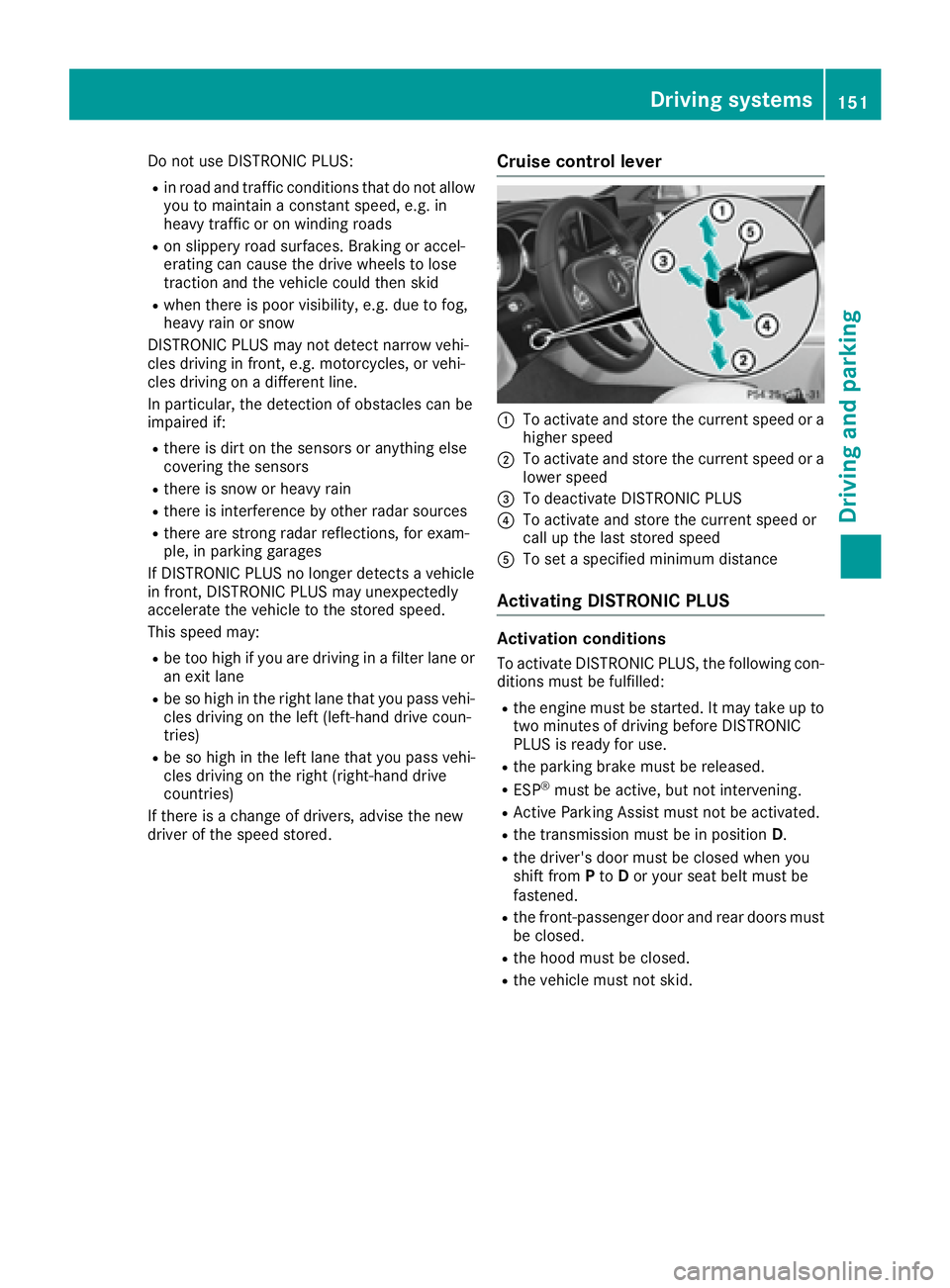
driver of the speed stored. Cruise control lever
C
To activate and store the current speed or a
higher speed D
To activate and store the current speed or a
lower speed
Page 158 of 334
DISTRONIC PLUS with Steering Assist and
Stop&Go Pilot aids you in keeping the vehicle in
the center of the driving lane by means of mod-
erate steering interventions in a speed range
from 0 - 125 mph (0 - 200 km/h).
It monitors the area in front of your vehicle by
means of multifunction camera C , at the top of
the windshield.
At speeds of 0 - 37 mph (0 - 60 km/h), Stop&Go
Pilot focuses on the vehicle in front, taking into
account lane markings, e.g. when following vehi-
cles in a traffic jam.
At speeds of more than 37 mph (60 km/h)
Steering Assist focuses on detected lane mark-
ings (left and right), and only on the vehicle in
front if lane markings are missing.
If these conditions are not present, Steering
Assist and Stop&Go Pilot cannot provide assis-
tance.
DISTRONIC PLUS must be active in order for the
function to be available.
Important safety notes If you fail to adapt your driving style, DISTRONIC
PLUS with Steering Assist and Stop&Go Pilot
can neither reduce the risk of an accident nor
override the laws of physics. It cannot take
account of road, weather and traffic conditions.
DISTRONIC PLUS with Steering Assist and
Stop&Go Pilot is only an aid. Yo u a re responsible
fo
r the distance to the vehicle in front, for vehi-
cle speed, for braking in good time and for stay-
ing in your lane.
DISTRONIC PLUS with Steering Assist and
Stop&Go Pilot does not detect road and traffic
conditions and does not detect all road users. If
you are following a vehicle which is driving
towards the edge of the road, your vehicle could
come into contact with the curb or other road
boundaries. Be particularly aware of other road
users, e.g. cyclists, that are directly next to your
vehicle.
Obstacles such as building site huts on the lane
or projecting out into the lane are not detected.
An inappropriate steering intervention, e.g. after
intentionally driving over a lane marking, can be
corrected at any time if you steer slightly in the
opposite direction.
DISTRONIC PLUS with Steering Assist and
Stop&Go Pilot cannot continuously keep your
vehicle in lane. In some cases, the steering
intervention is not sufficient to bring the vehicle
back to the lane. In such cases, you must steer the vehicle yourself to ensure that it does not
leave the lane.
The support provided by the system can be
impaired if: R
there is poor visibility, e.g. due to insufficient
i llumination of the road, or due to snow, rain,
fog or spray R
there is glare, e.g. from oncoming traffic, the
sun or reflection from other vehicles (e.g. if
the road surface is wet) R
the windshield is dirty, fogged up, damaged or
covered, for instance by a sticker, in the vicin-
ity of the camera R
no, or several, unclear lane markings are pres-
ent for one lane, e.g. in a construction area R
the lane markings are worn away, dark or cov-
ered up, e.g. by dirt or snow R
the distance to the vehicle in front is too small
and the lane markings thus cannot be detec-
ted R
the lane markings change quickly, e.g. lanes
branch off, cross one another or merge R
the road is narrow and winding R
there are strong shadows cast on the road
The system is switched to passive and no longer
assists you by performing steering interventions
if: R
you actively change lanes R
you switch on the turn signal R
take your hands off the steering wheel or do
not steer for a prolonged period of time
i After you have finished changing lanes,
Steering Assist and Stop&Go Pilot are auto-
matically active again.
DISTRONIC PLUS Stee ring As sist does not pro-
vi
de assistance: R
on very sharp corners R
when a loss of tire pressure or a defective tire
has been detected and displayed
Pay attention also to the important safety notes
for DISTRONIC PLUS ( Y
page 150).
The steering interventions are carried out with a
limited steering moment. The system requires
the driver to keep his hands on the steering
wheel and to steer himself.
If you do not steer yourself or if you take your
hands off the steering wheel for a prolonged
period of time, the system will first alert you with
a visual warning. A steering wheel symbol
appears in the multifunction display. If you have156
Driving system s
Dr ivi ng an d parking
Page 161 of 334
Activating RACE START X
Depress th e brak e pedal wit h your lef t foo t
and keep it depressed. X
Turn th e drive program selector clockwise
( Y
page 134) until th e RS lamp lights up.
The RAC E START Confirm: Paddle UP
Cancel : Paddle DOW N message appear s in
th e multifunction display.
i If th e activation condition s are no longer ful-
filled, RACE START is canceled. The RAC E
START Canceled message appear s in th e
multifunction display. X
To cancel: pull th e lef t steering whee l paddl e
shifte r ( Y
page 135).
or X
To confirm : pull th e right steering whee l pad-
dle shifte r ( Y
page 135).
The RAC E START available Depres s
accelerator message appear s in th e multi-
function display.
i If you do no t depress th e accelerato r pedal
fully within two seconds, RACE START is can -
celed. The RAC E START Not Possible See
Operator' s Manual message appear s in th e
multifunction display. X
Full y depress th e accelerato r pedal .
The engin e spee d rises to approximately
3,500 rpm.
The RAC E START Releas e brake to start
message appear s in th e multifunction display.
i If you do no t release th e brak e pedal within
fiv e seconds, RACE START is canceled. The
RAC E START Canceled message appear s in
th e multifunction display.X
Tak e your foo t off th e brake, but keep th e
accelerato r pedal depressed.
The vehicl e pulls away at maximum acceler -
ation .
The RAC E START active message appear s in
th e multifunction display.
RACE START is deactivated when th e vehicl e
reaches a spee d of approximately 30 mph (Can -
ada: 50 km/h). Drive program S+ is activated.
SPORT handlin g mod e remain s switched on .
RACE START is deactivated immediately if you
release th e accelerato r pedal during RACE
START or if any of th e activation condition s are
no longer fulfilled . The RAC E START Not Pos ‐
sible See Operator' s Manual message
appear s in th e multifunction display. i If RACE START is used repeatedly within a
short period of time, it is only available again
after th e vehicl e has been driven a certain
distance.
AIRMATIC
Vehicle level Important safety notes
G WARNIN G
When th e vehicl e is bein g lowered, people
could become trapped if their limb s are
between th e vehicl e body and th e wheels or
underneat h th e vehicle. There is a ris k of
injury.
Mak e sur e no on e is underneat h th e vehicl e or
in th e immediat e vicinity of th e whee l arches
when th e vehicl e is bein g lowered.
Your vehicl e regulates it s height automatically.
All-roun d level control ensures th e best possibl e
suspension and constan t ground clearance ,
eve n wit h a laden vehicle. When you drive fast,
th e vehicl e is lowered automatically to improve
drivin g safet y and to reduce fuel consumption .
The followin g vehicl e levels are possible:R
Normal R
Raised : th e vehicl e is raised by approximately
0.80 in (20 mm ) when compared with the nor-
mal level R
Lowered: the vehicle is raised by approx-
imately 0.40 in (10 mm ) when compared with
the normal level
i These changes in level are so slight that you
are hardly aware of them.
The "Normal" and "Raised" vehicle levels can be
set manually.
The "Lowered” vehicle level is set automatically: R
at speeds above 70 mph (113 km/h) R
if you have selected "Sports tuning"
( Y
page 160)
Setting the vehicle level
Select the "Normal" setting for normal road sur-
faces and "Raised" for driving with snow chains
or on particularly poor road surfaces. YourDriving systems 159
Driving and parking Z
Page 170 of 334
X
Let go of the multifunction steering wheel. X
Back up the vehicle, being ready to brake at all
times. When backing up, drive at a speed
below approximately 6 mph (10 km/h). Oth-
erwise Active Parking Assist will be canceled.
Active Parking Assist brakes the vehicle to a
standstill when the vehicle approaches the
rear border of the parking space.
Maneuvering may be required in tight parking
spaces.
The Park Assist Active Select D
Observe Surroundings message appears in
the multifunction display. X
Shift the transmission to position D while the
vehicle is stationary.
Active Parking Assist immediately steers in
the other direction.
The Park Assist Active Accelerate
and Brake Observe Surroundings mes-
sage appears in the multifunction display.
i You will achieve the best results by waiting
for the steering procedure to complete before
pulling away. X
Drive forwards and be ready to brake at all
times.
Active Parking Assist brakes the vehicle to a
standstill when the vehicle approaches the
rear border of the parking space.
The Park Assist Active Select R
Observe Surroundings message appears in
the multifunction display.
Further transmission shifts may be necessary.
As soon as the parking procedure is complete,
the Park Assist Finished message appears
in the multifunction display and you will hear a
tone. The vehicle is now parked. The vehicle is
kept stationary without the driver having to
depress the brake pedal. The braking effect is
canceled when you depress the accelerator
pedal.
Active Parking Assist no longer supports you
with steering interventions and brake applica-
tions. When Active Parking Assist is finished,
you must steer and brake again yourself.
PARKTRONIC is still available. X
Maneuver if necessary. X
Always observe the warning messages dis-
played by PARKTRONIC ( Y
page 164).
Parking tips: R
The way your vehicle is positioned in the park-
ing space after parking is dependent on vari- ous factors. These include the position and
shape of the vehicles parked in front and
behind it and the conditions of the location. It
may be the case that Active Parking Assist
guides you too far into a parking space, or not
far enough into it. In some cases, it may also
lead you across or onto the curb. If necessary,
you should cancel the parking procedure with
Active Parking Assist. R
You can also select preselect transmission
position D . The vehicle redirects and does not
drive as far into the parking space. Should the
transmission change take place too early, the
parking procedure will be canceled. A sensi-
ble parking position can no longer be ach-
ieved from this position.
Exiting a parking space In order that Active Parking Assist can support
you when exiting the parking space: R
the border of the parking space must be high
enough at the front and the rear. A curb is too
small, for example. R
the border of the parking space must not be
too wide. Your vehicle can be maneuvered
into a position at a maximum of 45° to the
starting position in the parking space. R
a maneuvering distance of at least 3.3 ft
(1.0 m) must be available.
i If PARKTRONIC detects obstacles, Active
Parking Assist brakes automatically whilst the
vehicle exits the parking space. You are
responsible for braking in good time.
Active Parking Assist can only assist you with
exiting a parking space if you have parked the
vehicle parallel to the direction of travel using
Active Parking Assist. X
Start the engine. X
Release the parking brake. X
Switch on the turn signal in the direction you
are pulling away. X
Shift the transmission to position D or R .
The Start Park Assist? Yes: OK No:
8 message appears in the multifunction
display. X
To cancel the procedure: press the 8
button on the multifunction steering wheel or
pull away.
or168
Driving systems
Driving and parking
Page 183 of 334
Lane Keeping Assist General notes
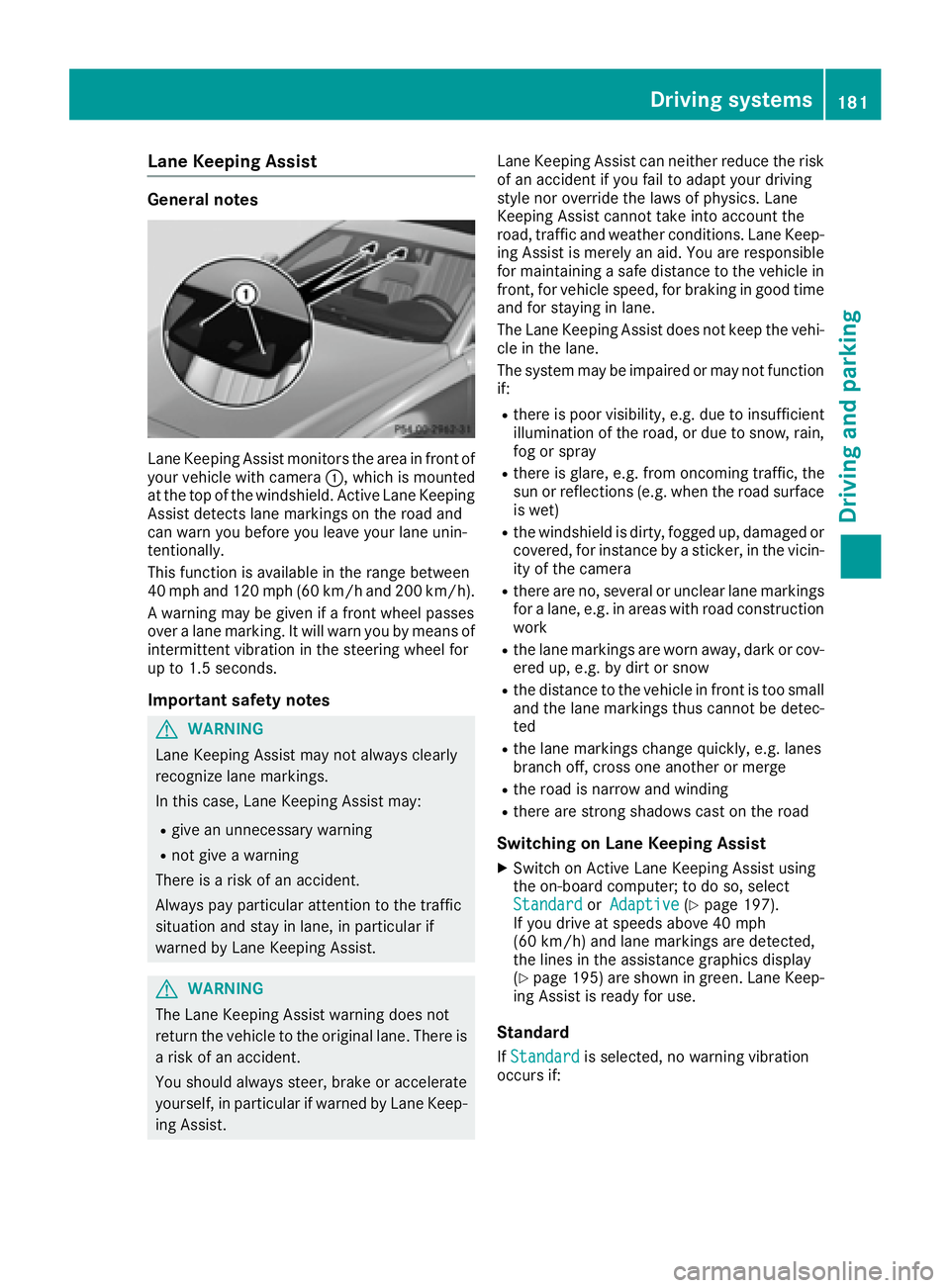
Lane Keeping Assist monitors the area in front of
your vehicle with camera C , which is mounted
at the top of the windshield. Active Lane Keeping
Assist detects lane markings on the road and
can warn you before you leave your lane unin-
tentionally.
This function is available in the range between
40 mph and 120 mph (60 km/h and 200 km/h).
A warning may be given if a front wheel passes
over a lane marking. It will warn you by means of
intermittent vibration in the steering wheel for
up to 1.5 seconds.
Important safety notes
G WARNING
Lane Keeping Assist may not always clearly
recognize lane markings.
In this case, Lane Keeping Assist may: R
give an unnecessary warning R
not give a warning
There is a risk of an accident.
Always pay particular attention to the traffic
situation and stay in lane, in particular if
warned by Lane Keeping Assist.
G WARNING
The Lane Keeping Assist warning does not
return the vehicle to the original lane. There is
a risk of an accident.
You should always steer, brake or accelerate
yourself, in particular if warned by Lane Keep-
ing Assist. Lane Keeping Assist can neither reduce the risk
of an accident if you fail to adapt your driving
style nor override the laws of physics. Lane
Keeping Assist cannot take into account the
road, traffic and weather conditions. Lane Keep-
ing Assist is merely an aid. You are responsible
for maintaining a safe distance to the vehicle in
front, for vehicle speed, for braking in good time
and for staying in lane.
The Lane Keeping Assist does not keep the vehi-
cle in the lane.
The system may be impaired or may not function
if: R
there is poor visibility, e.g. due to insufficient
illumination of the road, or due to snow, rain,
fog or spray R
there is glare, e.g. from oncoming traffic, the
sun or reflections (e.g. when the road surface
is wet) R
the windshield is dirty, fogged up, damaged or
covered, for instance by a sticker, in the vicin-
ity of the camera R
there are no, several or unclear lane markings
for a lane, e.g. in areas with road construction
work R
the lane markings are worn away, dark or cov-
ered up, e.g. by dirt or snow R
the distance to the vehicle in front is too small
and the lane markings t hus cannot be detec-
t ed R
the lane markings change quickly, e.g. lanes
branch off, cross one another or merge R
the road is narrow and winding R
there are strong shadows cast on the road
Switching on Lane Keeping Assist X
Switch on Active Lane Keeping Assist using
the on-board computer; to do so, select
Standard or Adaptive ( Y
page 197).
If you drive at speeds above 40 mph
(60 km/ h) and lane markings are detected,
the lines in the assistance graphics display
( Y
page 195) are shown in green. Lane Keep-
ing Assist is ready for use.
Standard
If Standard is selected, no warning vibration
occurs if:Driving systems 181
Driving and parking Z
Page 187 of 334
vehicle are also monitored with the aid of the
radar sensor system. Active Lane Keeping
Assist detects lane markings on the road and
can warn you before you leave your lane unin-
tentionally. If you do not react to the warning, a
lane-correcting application of the brakes can
bring the vehicle back into the original lane.
This function is available in the range between
40 mph and 120 mph (60 km/h and 200 km/h).
For Active Lane Keeping Assist to assist you
when driving, the radar sensor system must be
operational
Important safety notes If you fail to adapt your driving style, Active Lane
Keeping Assist can neither reduce the risk of
accident nor override the laws of physics. Active
Lane Keeping Assist cannot take account of
road and weather conditions. It may not recog-
nize traffic situations. Active Lane Keeping
Assist is only an aid. You are responsible for the
distance to the vehicle in front, for vehicle
speed, for braking in good time and for staying in
your lane.
Active Lane Keeping Assist cannot continuously
keep your vehicle in its lane.
G WARNING
Active Lane Keeping Assist cannot always
clearly detect lane markings.
In such cases, Active Lane Keeping Assist
can: R
give an unnecessary warning and then
make a course-correcting brake application
to the vehicle R
not give a warning or intervene
There is a risk of an accident.
Always pay particular attention to the traffic
situation and keep within the lane, especially
if Active Lane Keeping Assist alerts you. Ter-
minate the intervention in a non-critical driv-
ing situation.
The system may be impaired or may not function
if: R
there is poor visibility, e.g. due to insufficient
illumination of the road, or due to snow, rain,
fog or spray R
there is glare, e.g. from oncoming traffic, the
sun or reflections (e.g. when the road surface
is wet) R
the windshield is dirty, fogged up, damaged or
covered, for instance by a sticker, in the vicin-
ity of the camera R
the radar sensors in the front or rear bumpers
or the radiator trim are dirty, e.g. obscured by
snow R
there are no, several or unclear lane markings
for a lane, e.g. in areas with road construction
work R
the lane markings are worn away, dark or cov-
ered up, e.g. by dirt or snow R
the distance to the vehicle in front is too small
and the lane markings thus cannot be detec-
ted R
the lane markings change quickly, e.g. lanes
branch off, cross one another or merge R
the road is narrow and winding R
there are strong shadows cast on the road
If no vehicle is detected in the adjacent lane and
broken lane markings are detected, no lane-cor-
recting brake application is made.
Warning vibration in the steering wheel A warning may be given if a front wheel passes
over a lane marking. It will warn you by means of
intermittent vibration in the steering wheel for
up to 1.5 seconds.
Lane-correcting brake application
G WARNING
A lane-correcting brake application cannot
always bring the vehicle back into the original
lane. There is a risk of an accident.
Always steer, brake or accelerate yourself,
especially if Active Lane Keeping Assist warns
you or makes a lane-correcting brake appli-
cation.
G WARNING
Active Lane Keeping Assist only detects traf-
fic conditions or road users to a limited
extent. In very rare cases, the system may
make an inappropriate brake application, e.g.
after intentionally driving over a solid lane
marking. There is a risk of an accident.
An inappropriate brake application may be
interrupted at any time if you steer slightly in
the opposite direction. Always make sure thatDriving systems 185
Driving and parking Z
Page 188 of 334
there is sufficient distance on the side for
other traffic or obstacles.
If you leave your lane, under certain circumstan-
ces the vehicle will brake briefly on one side.
This is meant to assist you in bringing the vehicle
back to the original lane.
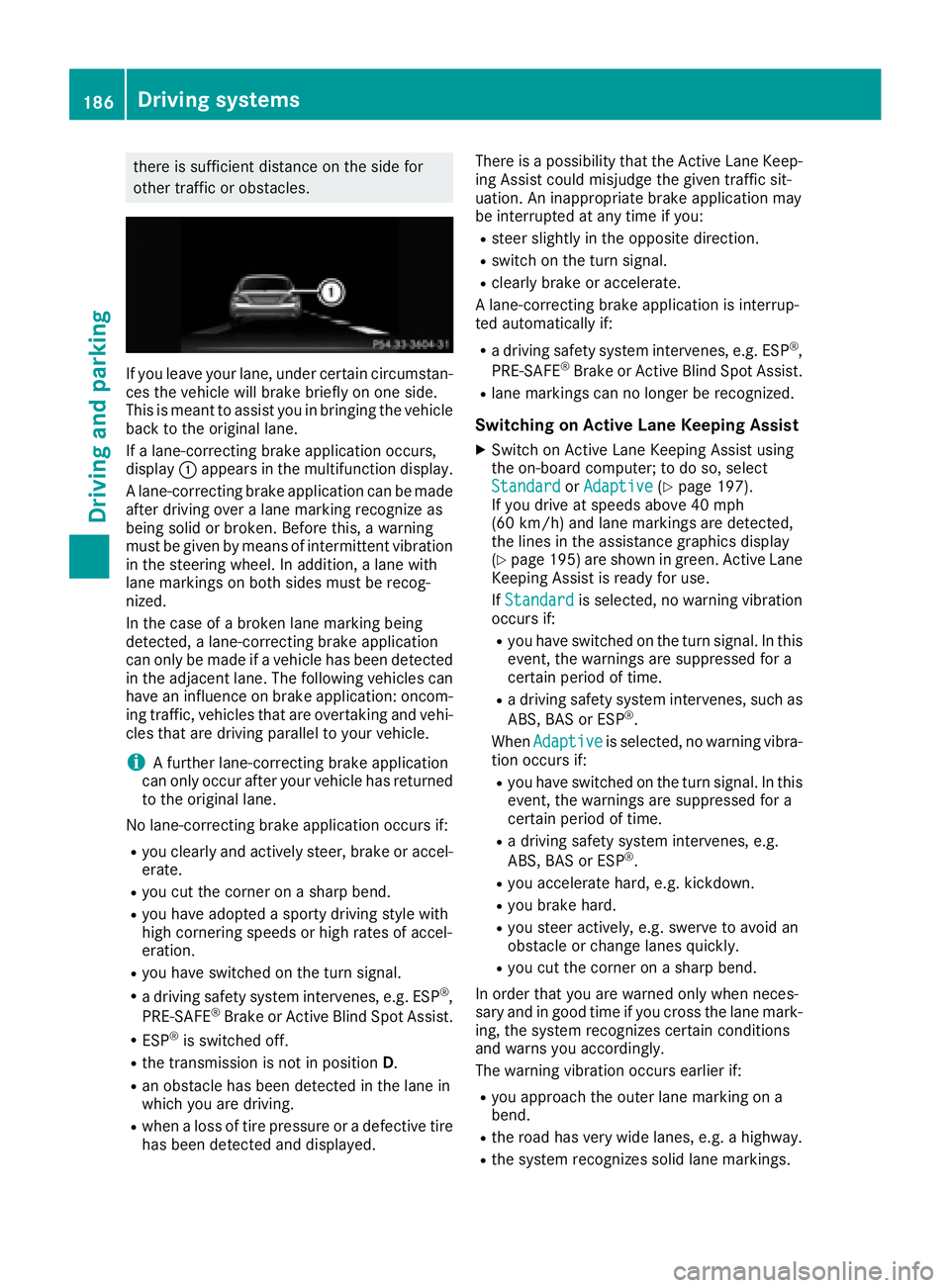
If a lane-correcting brake application occurs,
display C appears in the multifunction display.
A lane-correcting brake application can be made
after driving over a lane marking recognize as
being solid or broken. Before this, a warning
must be given by means of intermittent vibration
in the steering wheel. In addition, a lane with
lane markings on both sides must be recog-
nized.
In the case of a broken lane marking being
detected, a lane-correcting brake application
can only be made if a vehicle has been detected
in the adjacent lane. The following vehicles can
have an influence on brake application: oncom-
ing traffic, vehicles that are overtaking and vehi-
cles that are driving parallel to your vehicle.
i A further lane-correcting brake application
can only occur after your vehicle has returned
to the original lane.
No lane-correcting brake application occurs if: R
you clearly and actively steer, brake or accel-
erate. R
you cut the corner on a sharp bend. R
you have adopted a sporty driving style with
high cornering speeds or high rates of accel-
eration. R
you have switched on the turn signal. R
a driving safety system intervenes, e.g. ESP ®
,
PRE-SAFE ®
Brake or Active Blind Spot Assist.R
ESP ®
is switched off.R
the transmission is not in position D .R
an obstacle has been detected in the lane in
which you are driving. R
when a loss of tire pressure or a defective tire
has been detected and displayed. There is a possibility that the Active Lane Keep-
ing Assist could misjudge the given traffic sit-
uation. An inappropriate brake application may
be interrupted at any time if you: R
steer slightly in the opposite direction. R
switch on the turn signal. R
clearly brake or accelerate.
A lane-correcting brake application is interrup-
ted automatically if: R
a driving safety system intervenes, e.g. ESP ®
,
PRE-SAFE ®
Brake or Active Blind Spot Assist. R
lane markings can no longer be recognized.
Switching on Active Lane Keeping Assist X
Switch on Active Lane Keeping Assist using
the on-board computer; to do so, select
Standard or Adaptive ( Y
page 197).
If you drive at speeds above 40 mph
(60 km/h) and lane markings are detected,
the lines in the assistance graphics display
( Y
page 195 )a re shown in green. Active Lane
Keeping Assist is ready for use.
If Standard is selected, no warning vibration
occurs if: R
you have switched on the turn signal. In this
event, the warnings are suppressed for a
certain period of time. R
a driving safety system intervenes, such as
ABS, BAS or ESP ®
.
When Adaptive
is selected, no warning vibra-
tion occurs if: R
you have switched on the turn signal. In this
event, the warnings are suppressed for a
certain period of time. R
a driving safety system intervenes, e.g.
ABS, BAS or ESP ®
.R
you accelerate hard, e.g. kickdown. R
you brake hard. R
you steer actively, e.g. swerve to avoid an
obstacle or change lanes quickly. R
you cut the corner on a sharp bend.
In order that you are warned only when neces-
sary and in good time if you cross the lane mark-
ing, the system recognizes certain conditions
and warns you accordingly.
The warning vibration occurs earlier if: R
you approach the outer lane marking on a
bend. R
the road has very wide lanes, e.g. a highway. R
the system recognizes solid lane markings.186
Driving systems
Driving and parking
Page 194 of 334
You can reset the values of the following func-
tions: R
Trip odometer R
"From Start" trip computer R
"From Reset" trip computer R
ECO display
i If you reset the values in the ECO display,
the values in the "From Start" trip computer
are also reset. If you reset the values in the
"From Start" trip computer, the values in the
ECO display are also reset.
Navigation system menu
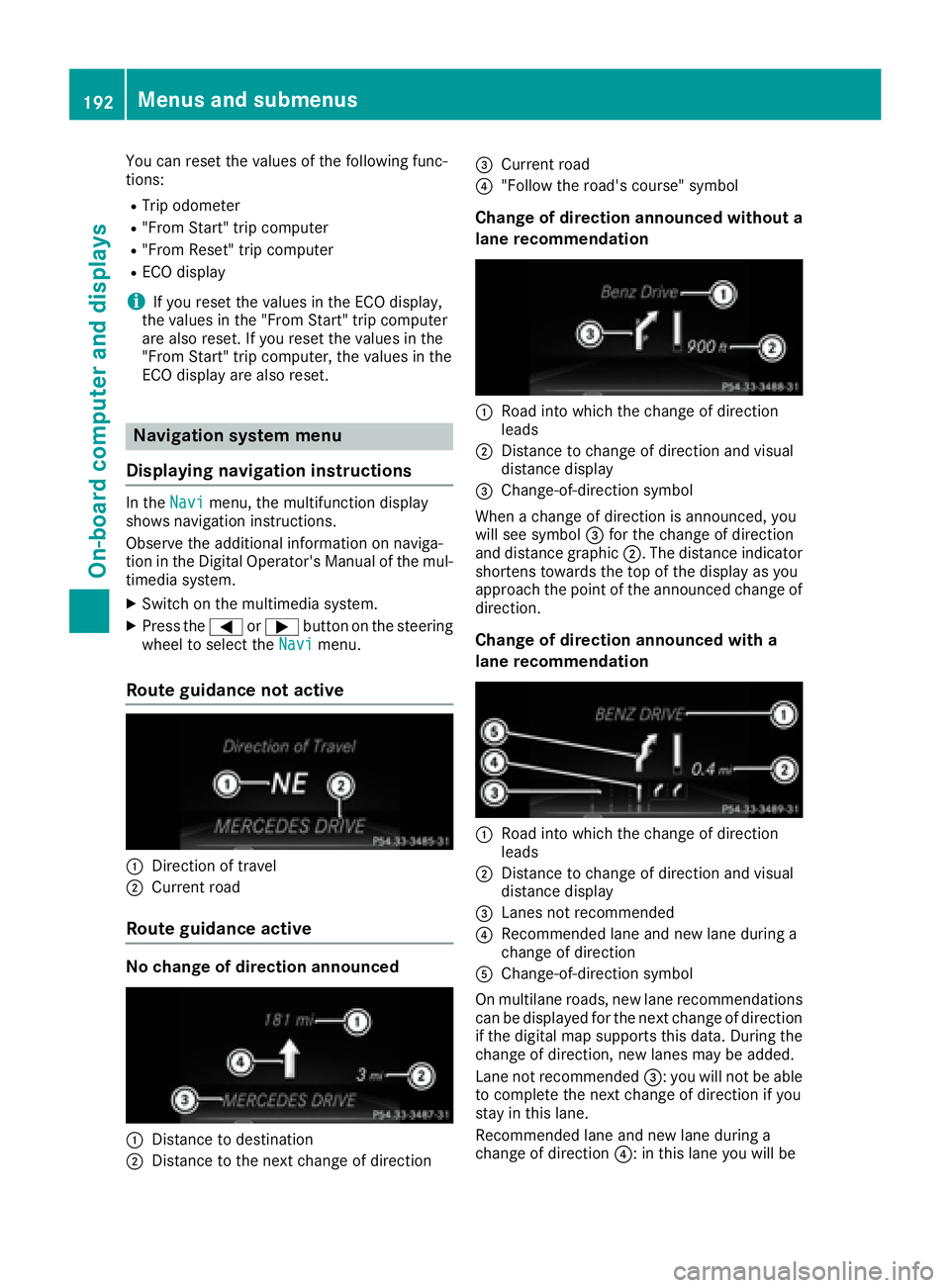
Displaying navigation instructions In the Navi menu, the multifunction display
shows navigation instructions.
Observe the additional information on naviga-
tion in the Digital Operator's Manual of the mul-
timedia system. X
Switch on the multimedia system. X
Press the Y or e button on the steering
wheel to select the Navi menu.
Route guidance not active
C
Direction of travelD
Current road
Route guidance active
No change of direction announced
C
Distance to destination
D
Distance to the next change of direction
Page 195 of 334
able to complete the next two changes of direc-
tion without changing lane.
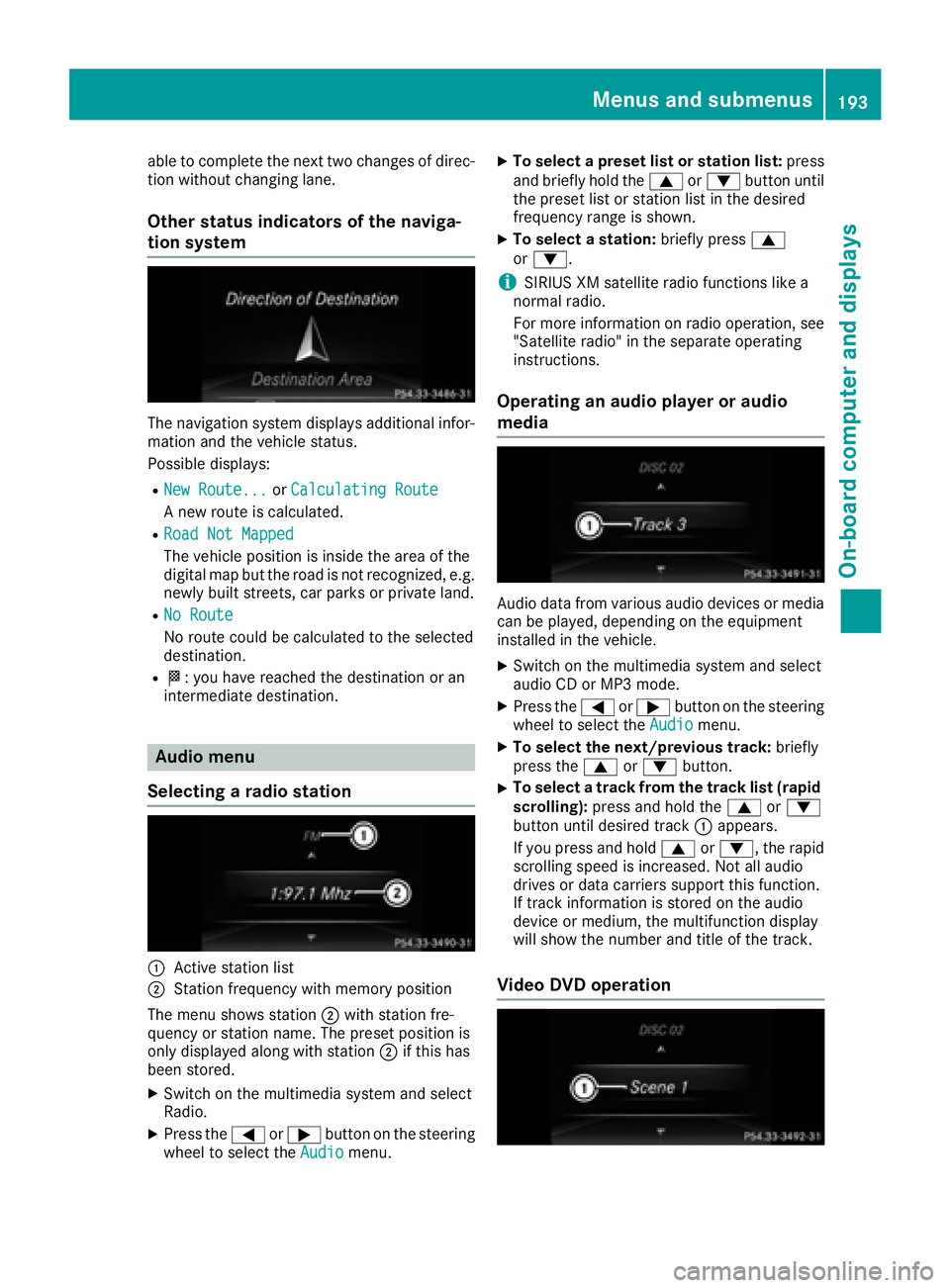
Other status indicators of the naviga-
tion system
The navigation system displays additional infor-
mation and the vehicle status.
Possible displays: R
New Route... or Calculating Route
A new route is calculated. R
Road Not Mapped
The vehicle position is inside the area of the
digital map but the road is not recognized, e.g.
newly built streets, car parks or private land. R
No Route
No route could be calculated to the selected
destination. R
K : you have reached the destination or an
intermediate destination.
Audio menu
Selecting a radio station
C
Active station list
D
Station frequency with memory position
The menu shows station D with station fre-
quency or station name. The preset position is
only displayed along with station D if this has
been stored. X
Switch on the multimedia system and select
Radio. X
Press the Y or e button on the steering
wheel to select the Audio menu. X
To select a preset list or station list: press
and briefly hold the c or d button until
the preset list or station list in the desired
frequency range is shown. X
To select a station: briefly press c
or d .
i SIRIUS XM satellite radio functions like a
normal radio.
For more information on radio operation, see
"Satellite radio" in the separate operating
instructions.
Operating an audio player or audio
media
Audio data from various audio devices or media
can be played, depending on the equipment
installed in the vehicle. X
Switch on the multimedia system and select
audio CD or MP3 mode. X
Press the Y or e button on the steering
wheel to select the Audio menu.X
To select the next/previous track: briefly
press the c or d button.X
To select a track from the track list (rapid
scrolling): press and hold the c or d
button until desired track C appears.
If you press and hold c or d , the rapid
scrolling speed is increased. Not all audio
drives or data carriers support this function.
If track information is stored on the audio
device or medium, the multifunction display
will show the number and title of the track.
Video DVD operationMenus and submenus 193
On-board computer and displays Z
Page 223 of 334
Tires Display messages
Possible causes/consequences and P Solutions
Check
Tire Pressure Soon The tire pressure loss warning system has detected a significant loss
in pressure.
A warning tone also sounds.
Possible causes: R
you have changed the positions of the wheels and tires or installed
new wheels and tires. R
the tire pressure in one or more tires has dropped.
G WARNING
Tire pressures that are too low pose the following hazards: R
they may burst, especially as the load and vehicle speed increase. R
they may wear excessively and/or unevenly, which may greatly
impair tire traction. R
the driving characteristics, as well as steering and braking, may be
greatly impaired.
There is a risk of an accident. X
Stop the vehicle without making any sudden steering or braking
maneuvers. Pay attention to the traffic conditions as you do so. X
Secure the vehicle against rolling away ( Y
page 141).X
Check the tires and, if necessary, follow the instructions for a flat
tire ( Y
page 278). X
Check the tire pressures and, if necessary, correct the tire pressure. X
Restart the tire pressure loss warning system when the tire pres-
sure is correct ( Y
page 299).
Check Tire Pressure
Then Restart Run
Flat Indicator The tire pressure loss warning system generated a display message
and has not been restarted since. X
Set the correct tire pressure in all four tires. X
Restart the tire pressure loss warning system ( Y
page 299).
Run Flat Indicator
Inoperative The tire pressure loss warning system is faulty. X
Visit a qualified specialist workshop.
Correct
Tire Pressure The tire pressure is too low in at least one of the tires, or the tire
pressure difference between the wheels is too great. X
Check the tire pressures at the next opportunity ( Y
page 299).X
If necessary, correct the tire pressure. X
Restart the tire pressure monitor ( Y
page 302).Displa y messages 22 1
On-board computer and displays Z