start stop button MERCEDES-BENZ CLS 2018 User Guide
[x] Cancel search | Manufacturer: MERCEDES-BENZ, Model Year: 2018, Model line: CLS, Model: MERCEDES-BENZ CLS 2018Pages: 334, PDF Size: 7.87 MB
Page 126 of 334
the vehicle. This occurs, for example, when
starting the engine.
To start the vehicle without actively using the
SmartKey: R
the Start/Stop button must be inserted in the
ignition lock. R
the SmartKey must be in the vehicle. R
the vehicle must not be locked with the
SmartKey or KEYLESS-GO ( Y
page 76).
Do not keep the KEYLESS-GO key: R
with electronic devices, e.g. a mobile phone
or another SmartKey. R
with metallic objects, e.g. coins or metal foil. R
inside metallic objects, e.g. a metal case.
This can affect the functionality of KEYLESS-GO.
If you lock the vehicle with the SmartKey's
remote control or with KEYLESS-GO, after a
short time: R
you will not be able to switch on the ignition
with the Start/Stop button. R
you will not be able to start the engine with the
Start/Stop button until the vehicle is
unlocked again.
The engine can be switched off while the vehicle
is in motion by pressing and holding the Start/
Stop button for three seconds. This function
operates independently of the ECO start/stop
automatic engine switch-off function.
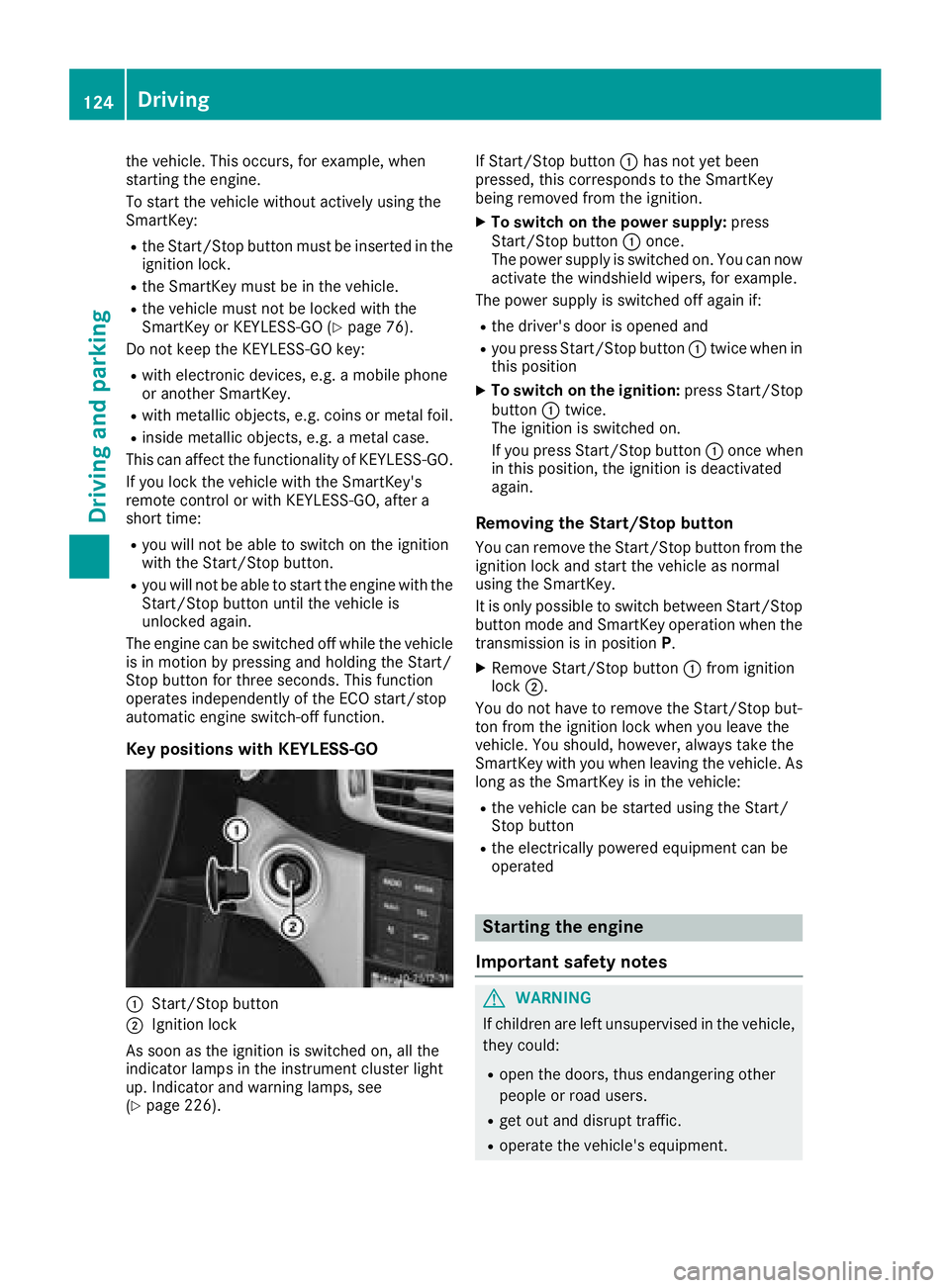
Key positions with KEYLESS-GO
C
Start/Stop button
D
Ignition lock
As soon as the ignition is switched on, all the
indicator lamps in the instrument cluster light
up. Indicator and warning lamps, see
( Y
page 226). If Start/Stop button C has not yet been
pressed, this corresponds to the SmartKey
being removed from the ignition. X
To switch on the power supply: press
Start/Stop button C once.
The power supply is switched on. You can now
activate the windshield wipers, for example.
The power supply is switched off again if: R
the driver's door is opened and R
you press Start/Stop button C twice when in
this position X
To switch on the ignition: press Start/Stop
button C twice.
The ignition is switched on.
If you press Start/Stop button C once when
in this position, the ignition is deactivated
again.
Removing the Start/Stop button You can remove the Start/Stop button from the
ignition lock and start the vehicle as normal
using the SmartKey.
It is only possible to switch between Start/Stop
button mode and SmartKey operation when the
transmission is in position P .X
Remove Start/Stop button C from ignition
lock D .
You do not have to remove the Start/Stop but-
ton from the ignition lock when you leave the
vehi cle. You should, however, always take the
SmartKey
with you when leaving the vehicle. As
long as the SmartKey is in the vehicle: R
the vehicle can be started using the Start/
Stop button R
the electrically powered equipment can be
operated
Starting the engine
Important safety notes
G WARNING
If children are left unsupervised in the vehicle,
they could: R
open the doors, thus endangering other
people or road users. R
get out and disrupt traffic. R
operate the vehicle's equipment.124
Driving
Dr ivi ng an d parking
Page 127 of 334
Additionally, children could set the vehicle in
motion if, for example, they: R
release the parking brake. R
shifting the automatic transmission out of
park position PR
Start the engine.
There is a risk of an accident and injury.
When leaving the vehicle, always take the
SmartKey with you and lock the vehicle. Never
leave children or animals unattended in the
vehicle. Always keep the SmartKey out of
reach of children.
G WARNING
Combustion engines emit poisonous exhaust
gases such as carbon monoxide. Inhaling
these exhaust gases leads to poisoning. There
is a risk of fatal injury. Therefore never leave
the engine running in enclosed spaces with-
out sufficient ventilation.
G WARNING
Flammable materials introduced through
environmental influence or by animals can
ignite if in contact with the exhaust system or
parts of the engine that heat up. There is a risk
of fire.
Carry out regular checks to make sure that
there are no flammable foreign materials in
the engine compartment or in the exhaust
system.
General notes
i The catalytic converter is preheated for up
to 30 seconds after a cold start. The sound of
the engine may change during this time.
Automatic transmission X
Shift the transmission to position P .
The transmission position display in the mul-
tifunction display shows P .
i You can start the engine in transmission
position P and N . Starting procedure with the SmartKey
i To start the engine using the SmartKey
instead of KEYLESS-GO, pull the Start/Stop
button out of the ignition lock. X
Turn the SmartKey to position 3 in the ignition
lock ( Y
page 123 )a nd release it as soon as the
engine is running.
Using KEYLESS-GO to start the engine
i The Start/Stop button can be used to start
the vehicle manually without inserting the
SmartKey into the ignition lock. The Start/
Stop button must be inserted in the ignition
lock and the SmartKey must be in the vehicle.
This mode for starting the engine operates
independently of the ECO start/stop auto-
matic engine start function. X
Depress the brake pedal and keep it
depressed. X
Press the Start/Stop button once
( Y
page 123).
The engine starts.
Pulling away
General notes
G WARNING
If the engine speed is above the idling speed
and you engage transmission position D or R ,
the vehicle could pull away suddenly. There is
a risk of an accident.
When engaging transmission position D or R ,
always firmly depress the brake pedal and do
not simultaneously accelerate.
! If a warning tone sounds and the Release
Park. Brake message appears in the multi-
function display, the parking brake is still
applied. Release the parking brake.
Depress the accelerator carefully when pulling
away.
The vehicle locks centrally once you have pulled
away. The locking knobs in the doors drop down.
You can open the doors from the inside at any
time.
You can also deactivate the automatic locking
feature ( Y
page 199).Driving 125
Driving an d parking Z
Page 129 of 334
R
the system detects that the windshield is not
fogged up when the air-conditioning system is
switched on R
the hood is closed R
the driver's door is closed and the driver's
seat belt is fastened
i All of the vehicle's systems remain active
when the engine is stopped automatically.
i The HOLD function can also be activated if
the engine has been switched off automati-
cally. It is then not necessary to continue
applying the brakes during the automatic stop
phase. When you depress the accelerator
pedal, the engine starts automatically and the
braking effect of the HOLD function is deac-
tivated.
Automatic engine switch-off can take place a
maximum of four times in a row (initial stop, then
three subsequent stops).
Mercedes-AMG vehicles: the number of con-
secutive automatic engine switch-offs is unlimi-
ted.
All other models: automatic engine switch-off
can take place a maximum of four times in a row
(initial switch-off, then three subsequent switch-
offs).
Automatic engine start The engine starts automatically if: R
you switch off the ECO start/stop function by
pressing the ECO button R
in transmission position D or N the brake
pedal is released and the HOLD function is not
active R
you depress the accelerator pedal R
you engage reverse gear RR
you move the transmission out of position PR
you switch to drive program S , S+ or M
(Mercedes-AMG vehicles) R
you unfasten your seat belt or open the driv-
er's door R
the vehicle starts to roll R
the brake system requires this R
the temperature in the vehicle interior devi-
ates from the set range R
the system detects moisture on the wind-
shield when the air-conditioning system is
switched on R
the battery's condition of charge is too low i Shifting the transmission to position P does
not start the engine.
Deactivating or activating the ECO
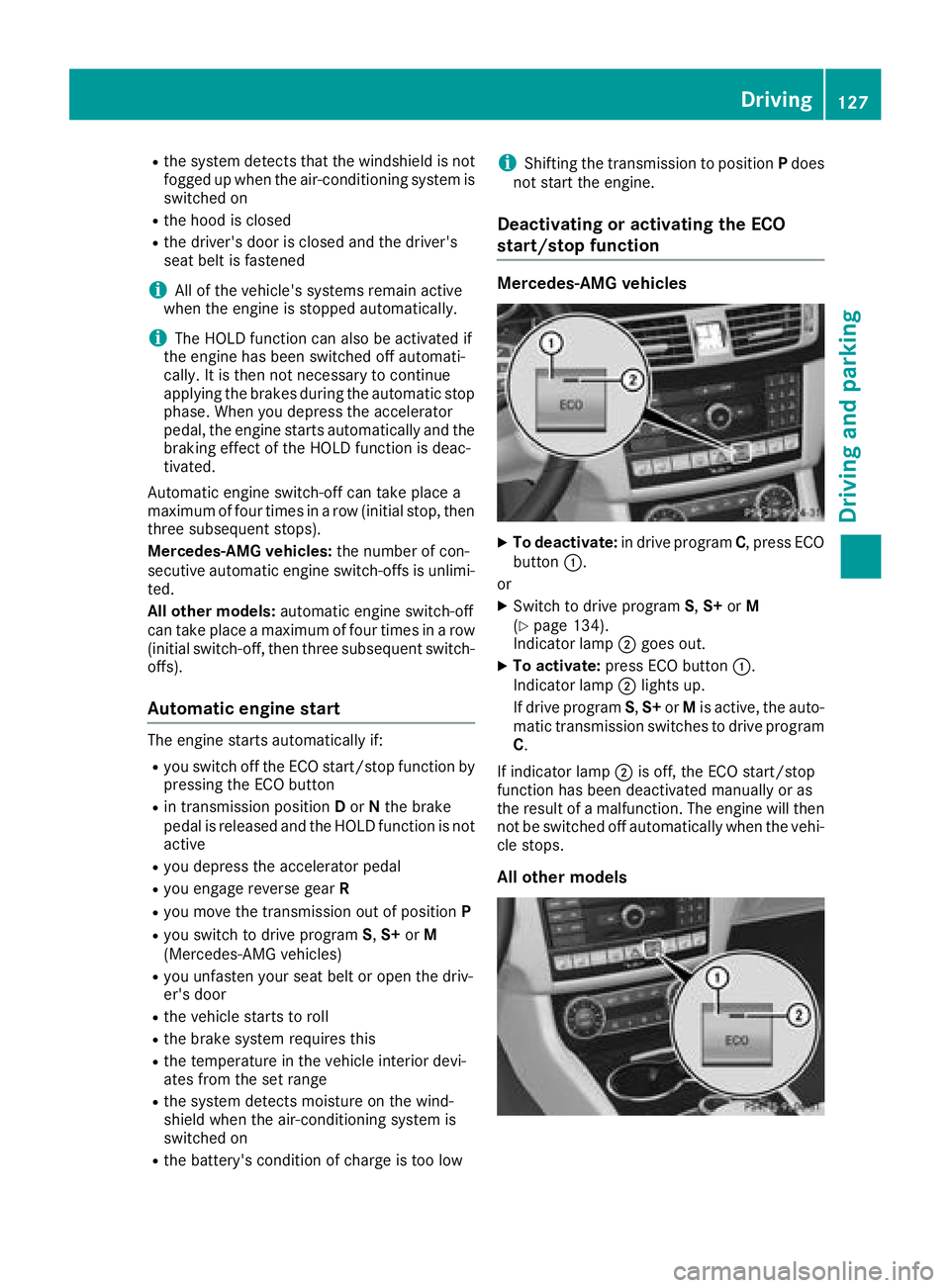
start/stop function Mercedes-AMG vehicles X
To deactivate: in drive program C , press ECO
button C .
or X
Switch to drive program S , S+ or M
( Y
page 134).
Indicator lamp D goes out.X
To activate: press ECO button C .
Indicator lamp D lights up.
If drive program S , S+ or M is active, the auto-
matic transmission switches to drive program
C .
If indicator lamp D is off, the ECO start/stop
function has been deactivated manually or as
the result of a malfunction. The engine will then
not be switched off automatically when the vehi-
cle stops.
All other models Driving 127
Dr ivi ng an d parking Z
Page 130 of 334
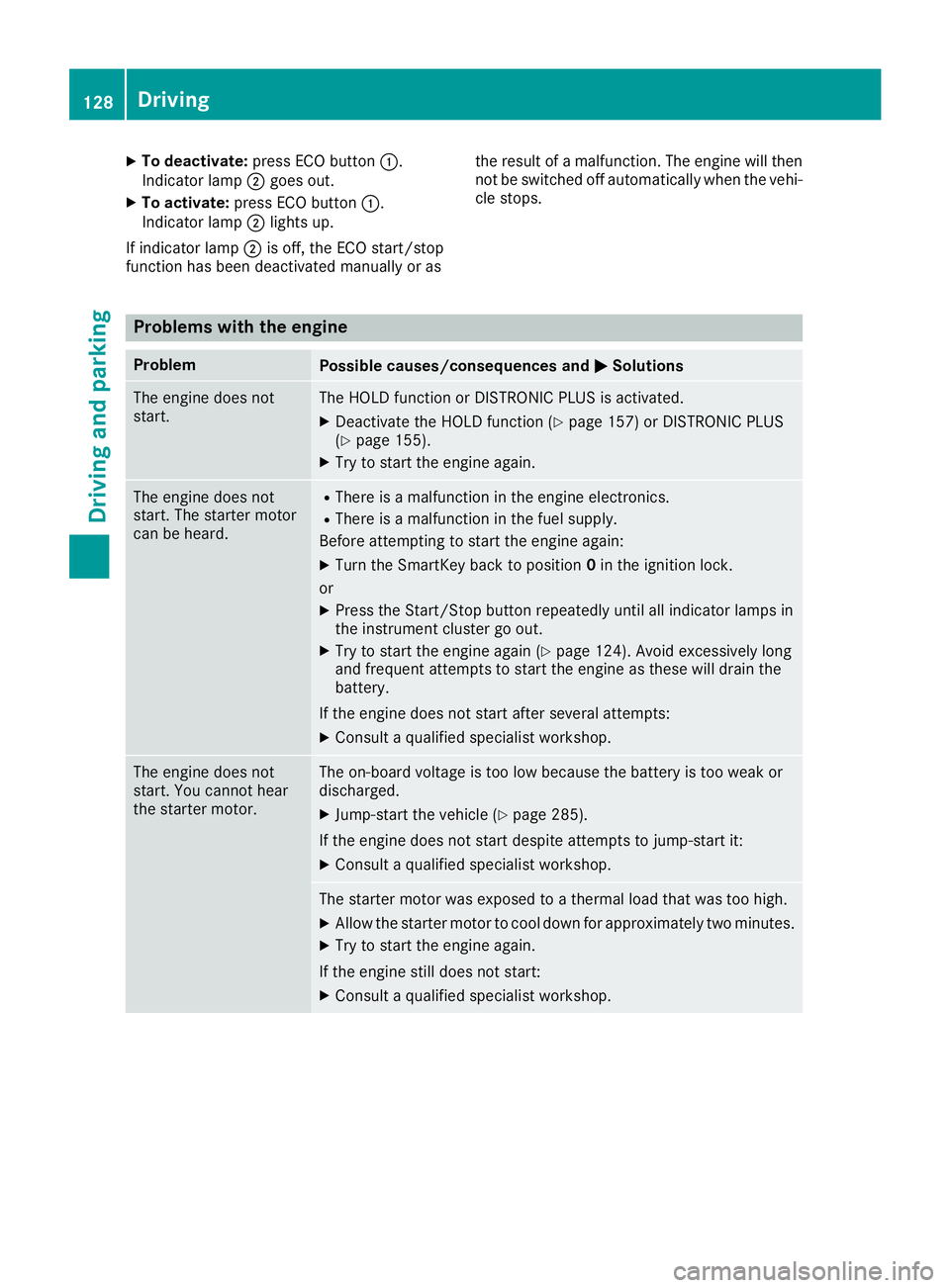
X
To deactivate: press ECO button C .
Indicator lamp D goes out.X
To activate: press ECO button C .
Indicator lamp D lights up.
If indicator lamp D is off, the ECO start/stop
function has been deactivated manually or as the result of a malfunction. The engine will then
not be switched off automatically when the vehi-
cle stops.
Problems with the engine Problem
Possible causes/consequences and P Solutions
The engine does not
start. The HOLD function or DISTRONIC PLUS is activated. X
Deactivate the HOLD function ( Y
page 157) or DISTRONIC PLUS
( Y
page 155). X
Try to start the engine again.
The engine does not
start. The starter motor
can be heard. R
There is a malfunction in the engine electronics. R
There is a malfunction in the fuel supply.
Before attempting to start the engine again: X
Turn the SmartKey back to position 0 in the ignition lock.
or X
Press the Start/Stop button repeatedly until all indicator lamps in
the instrument cluster go out. X
Try to start the engine again ( Y
page 124). Avoid excessively long
and frequent attempts to start the engine as these will drain the
battery.
If the engine does not start after several attempts: X
Consult a qualified specialist workshop.
The engine does not
start. You cannot hear
the starter motor. The on-board voltage is too low because the battery is too weak or
discharged. X
Jump-start the vehicle ( Y
page 285).
If the engine does not start despite attempts to jump-start it: X
Consult a qualified specialist workshop.
The starter motor was exposed to a thermal load that was too high. X
Allow the starter motor to cool down for approximately two minutes. X
Try to start the engine again.
If the engine still does not start: X
Consult a qualified specialist workshop.128
Driving
Driving an d parking
Page 133 of 334
Engaging park position P
! If the engine speed is too high or the vehicle
is moving, do not shift the automatic trans-
mission directly from D to R , from R to D or
directly to P . The automatic transmission
could otherwise be damaged. X
Push the DIRECT SELECT lever in the direction
of arrow P .
Transmission position display P is shown in
the multifunction display.
Depressing the brake and pushing the DIRECT
SELECT lever up or down disengages the park-
ing lock. The transmission is in N neutral.
In order to shift from park position P directly into
R or D :R
depress the brake pedal and R
push the DIRECT SELECT lever up or down
past the first point of resistance
Engaging park position P automatically Park position P is automatically engaged if:R
you switch off the engine using the Smartkey
and remove the SmartKey R
you switch off the engine using the Smartkey
or using the Start/Stop button and open the
driver's door or front-passenger door R
the driver's door is opened when the vehicle is
stationary or driving at very low speed and the
transmission is in position D or R
Under certain conditions, the automatic trans-
mission shifts automatically to transmission
position P if the HOLD function or DISTRONIC
PLUS is activated. Observe the information on
the HOLD function ( Y
page 158) and on
DISTRONIC PLUS ( Y
page 153).
Engaging reverse gear R
! Only shift the automatic transmission to R
when the vehicle is stationary. X
If the transmission is in position D or N : push
the DIRECT SELECT lever up past the first
point of resistance. X
If the transmission is in position P : depress
the brake pedal and push the DIRECT SELECT
lever up past the first point of resistance.
The ECO start/stop function is not available
when reverse gear is engaged. Further informa- tion on the ECO start/stop function
( Y
page 126).
Shifting to neutral N
G WARNING
If children are left unsupervised in the vehicle,
they could: R
open the doors, thus endangering other
people or road users. R
get out and disrupt traffic. R
operate the vehicle's equipment.
Additionally, children could set the vehicle in
motion if, for example, they: R
release the parking brake. R
shifting the automatic transmission out of
park position P R
Start the engine.
There is a risk of an accident and injury.
When leaving the vehicle, always take the
SmartKey with you and lock the vehicle. Never
leave children or animals unattended in the
vehicle. Always keep the SmartKey out of
reach of children. X
If the transmission is in position D or R : push
the DIRECT SELECT lever up or down to the
first point of resistance. X
If the transmission is in position P : depress
the brake pedal and push the DIRECT SELECT
lever up or down to the first point of resist-
ance.
If you switch the engine off with the transmis-
sion in position R or D , the automatic transmis-
sion shifts to N automatically.
With the Smartkey: if you then open the driv-
er's door or the front-passenger door or remove
the Smartkey from the ignition, the automatic
transmission shifts to P automatically.
With KEYLESS-GO: if you then open the driver's
or f r
ont-passenger door, the automatic trans-
mission shifts to P .
If you want the automatic transmission to
remain in neutral N , e.g. when having the vehicle
cleaned in an automatic car wash with a towing
system:Automatic transmission 131
Driving and parking Z
Page 134 of 334
X
Vehicles with KEYLESS-GO: remove the
Start/Stop button from the ignition lock. X
Insert the Smartkey into the ignition lock. X
All vehicles: switch the ignition on.X
Depress the brake pedal and keep it
depressed. X
Shift to neutral N .X
Release the brake pedal. X
Release the parking brake. X
Switch off the ignition and leave the Smartkey
in the ignition lock.
Engaging drive position D X
If the transmission is in position R or N : push
the DIRECT SELECT lever down past the first
point of resistance. X
If the transmission is in position P : depress
the brake pedal and push the DIRECT SELECT
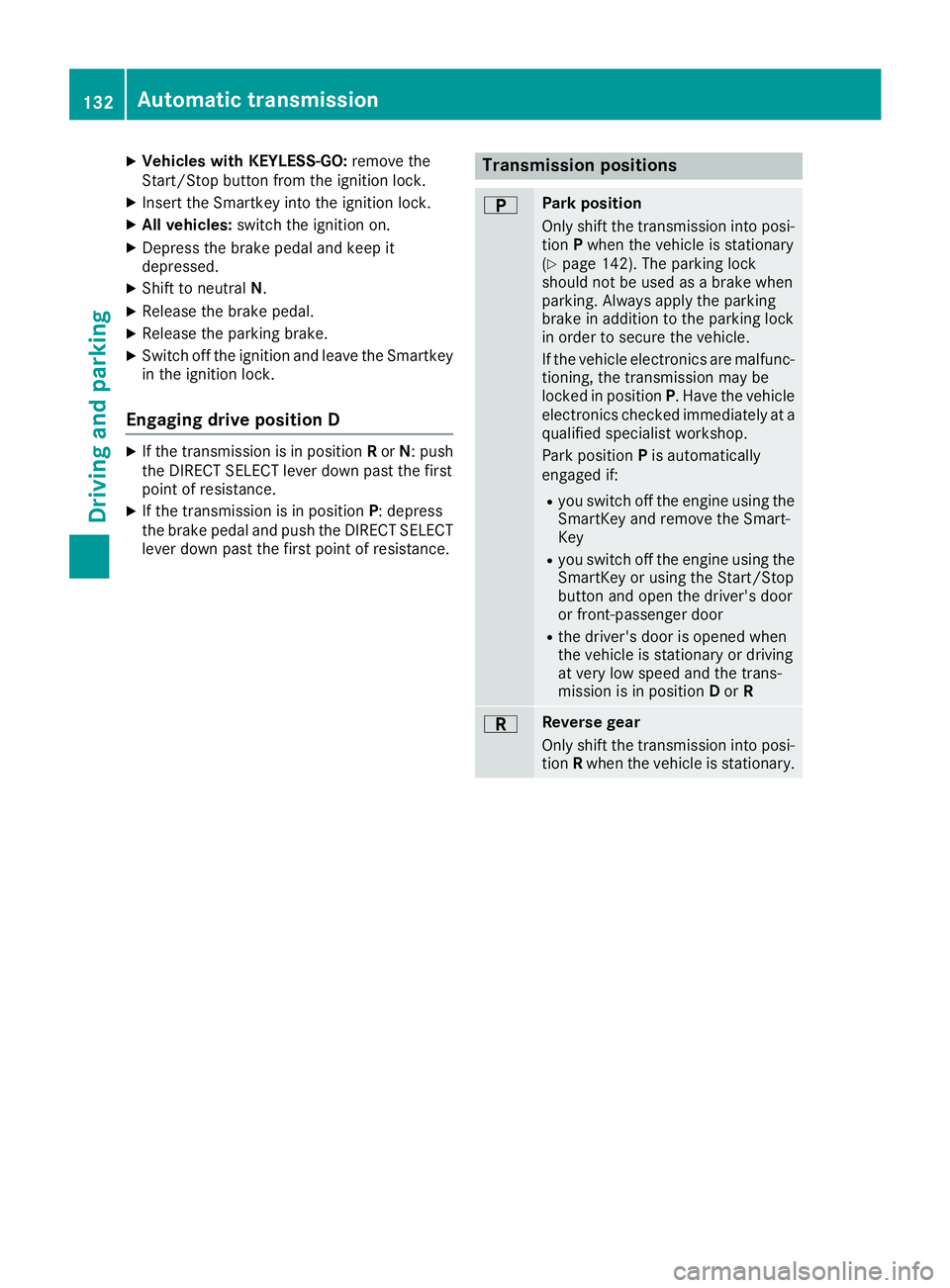
lever down past the first point of resistance. Transmission positions E Park position
Only shift the transmission into posi-
tion P when the vehicle is stationary
( Y
page 142). The parking lock
should not be used as a brake when
parking. Always apply the parking
brake in addition to the parking lock
in order to secure the vehicle.
If the vehicle electronics are malfunc-
tioning, the transmission may be
locked in position P . Have the vehicle
electronics checked immediately at a
qualified specialist workshop.
Park position P is automatically
engaged if: R
you switch off the engine using the
SmartKey and remove the Smart-
Key R
you switch off the engine using the
SmartKey or using the Start/Stop
button and open the driver's door
or front-passenger door R
the driver's door is opened when
the vehicle is stationary or driving
at very low speed and the trans-
mission is in position D or R
F Reverse gear
Only shift the transmission into posi-
tion R when the vehicle is stationary.132
Automatic transmission
Driving and parking
Page 144 of 334
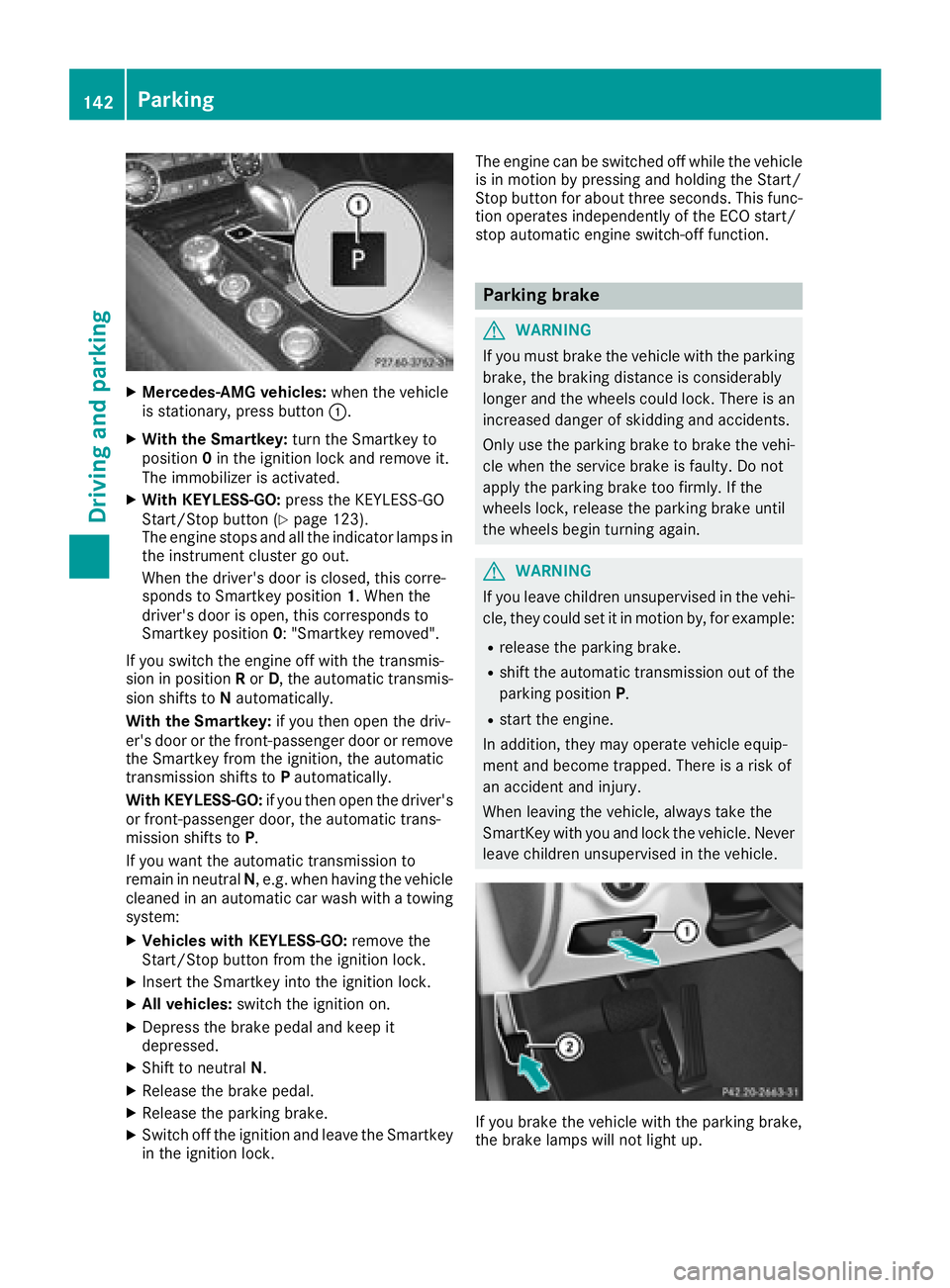
X
Mercedes-AMG vehicles: when the vehicle
is stationary, press button C .X
With the Smartkey: turn the Smartkey to
position 0 in the ignition lock and remove it.
The immobilizer is activated. X
With KEYLESS-GO: press the KEYLESS-GO
Start/Stop button ( Y
page 123).
The engine stops and all the indicator lamps in
the instrument cluster go out.
When the driver's door is closed, this corre-
sponds to Smartkey position 1 . When the
driver's door is open, this corresponds to
Smartkey position 0 : "Smartkey removed".
If you switch the engine off with the transmis-
sion in position R or D , the automatic transmis-
sion shifts to N automatically.
With the Smartkey: if you then open the driv-
er's door or the front-passenger door or remove
the Smartkey from the ignition, the automatic
transmission shifts to P automatically.
With KEYLESS-GO: if you then open the driver's
or front-passenger door, the automatic trans-
mission shifts to P .
If you want the automatic transmission to
remain in neutral N , e.g. when having the vehicle
cleaned in an automatic car wash with a towing
system: X
Vehicles with KEYLESS-GO: remove the
Start/Stop button from the ignition lock. X
Insert the Smartkey into the ignition lock. X
All vehicles: switch the ignition on.X
Depress the brake pedal and keep it
depressed. X
Shift to neutral N .X
Release the brake pedal. X
Release the parking brake. X
Switch off the ignition and leave the Smartkey
in the ignition lock. The engine can be switched off while the vehicle
is in motion by pressing and holding the Start/
Stop button for about three seconds. This func-
tion operates independently of the ECO start/
stop automatic engine switch-off function.
Parking brake
G WARNING
If you must brake the vehicle with the parking
brake, the braking distance is considerably
longer and the wheels could lock. There is an
increased danger of skidding and accidents.
Only use the parking brake to brake the vehi-
cle when the service brake is faulty. Do not
apply the parking brake too firmly. If the
wheels lock, release the parking brake until
the wheels begin turning again.
G WARNING
If you leave children unsupervised in the vehi-
cle, they could set it in motion by, for example: R
release the parking brake. R
shift the automatic transmission out of the
parking position P .R
start the engine.
In addition, they may operate vehicle equip-
ment and become trapped. There is a risk of
an accident and injury.
When leaving the vehicle, always take the
SmartKey with you and lock the vehicle. Never
leave children unsupervised in the vehicle.
If you brake the vehicle with the parking brake,
the brake lamps will not light up.142
Parking
Driving and parking
Page 148 of 334
Have the brake system checked immediately.
Consult a qualified specialist workshop to
arrange this.
! Vehicles with 4MATIC: function or per-
formance tests may only be carried out on a 2-
axle dynamometer. If you wish to operate the
vehicle on such a dynamometer, please con-
sult a qualified specialist workshop in
advance. You could otherwise damage the
drive train or the brake system.
! Vehicles with 4MATIC: as the ESP ®
sys-
tem operates automatically, the engine and
the ignition must be switched off (SmartKey in
position 0 or 1 in the ignition lock or Start/
Stop button in position 0 or 1 ) while the park-
ing brake is being tested on a brake dyna-
mometer.
Braking maneuvers triggered automatically
by ESP ®
may seriously damage the brake sys-
tem.
! Vehicles with 4MATIC: as the ESP ®
sys-
tem operates automatically, the engine and
the ignition system must be switched off
(SmartKey in position 0 or 1 in the ignition
lock or Start/Stop button in position 0 or 1 )
when: R
testing the parking brake on a brake dyna-
mometer. R
you intend to have the vehicle towed with
one of the axles raised.
Braking maneuvers triggered automatically
by ESP ®
may seriously damage the brake sys-
tem.
All checks and maintenance work on the brake
system must be carried out at a qualified spe-
cialist workshop.
Have brake pads installed and brake fluid
replaced at a qualified specialist workshop.
If the brake system has only been subject to
moderate loads, you should test the functional-
ity of your brakes at regular intervals. To do so,
press firmly on the brake pedal when driving at a
high speed. This improves the grip of the brake
pads.
You can find a description of Brake Assist (BAS)
on ( Y
page 65) or of BAS PLUS on ( Y
page 65). The braking characteristics of the vehicle can be
seriously impaired if: R
brake pads other than those recommended
are installed R
the recommended brake fluid is not used
Safe braking can no longer be guaranteed.
AMG high-performance and ceramic
brakes The high-performance brake system is only
installed on the Mercedes-AMG
CLS 63 S 4MATIC model.
The AMG brake systems are designed for heavy
loads. This may lead to noise when braking. This
will depend on: R
Speed R
Braking force R
Environmental conditions, such as tempera-
ture and humidity
The wear of individual components of the brake
system, such as the brake pads/linings or brake
discs, depends on the individual driving style
and operating conditions.
For this reason, it is impossible to state a mile-
age that will be valid under all circumstances. An
aggressive driving style will lead to high wear.
You can obtain further information about this
from your authorized Mercedes-Benz Center.
New and replaced brake pads and discs only
reach their optimum braking effect after several
hundred kilometers of driving. Compensate for
this by applying greater force to the brake pedal.
Keep this in mind, and adapt your driving and
braking accordingly during this break-in period.
Excessive heavy braking results in correspond-
ingly high brake wear. Observe the brake wear
warning lamp in the instrument cluster and note
any brake status messages in the multifunction
display. Especially for high performance driving,
it is important to maintain and have the brake
system checked regularly.146
Driving tips
Driving and parking
Page 196 of 334
Only for vehicles with a COMAND multimedia
system: you can use the Audio menu to play
video DVDs. X
Switch on the multimedia system and select
video DVD. X
Press the Y or e button on the steering
wheel to select the Audio menu.X
To select the next or previous scene:
briefly press the c or d button.X
To select a scene from the scene list
(rapid scrolling): press and hold the c
or d button until desired scene C
appears.
Telephone menu
Introduction
G WARNING
If you operate information systems and com-
munication equipment integrated in the vehi-
cle while driving, you will be distracted from
traffic conditions. You could also lose control
of the vehicle. There is a risk of an accident.
Only operate the equipment when the traffic
situation permits. If you are not sure that this
is possible, park the vehicle paying attention
to traffic conditions and operate the equip-
ment when the vehicle is stationary.
When telephoning, you must observe the legal
requirements for the country in which you are
currently driving. X
Switch on the mobile phone (see the manu-
facturer’s operating instructions). X
Switch on the multimedia system. X
Establish a Bluetooth ®
connection to the mul-
timedia system (see Digital Operator's Man-
ual). X
Press the Y or e button on the steering
wheel to select the Tel menu.
You will see one of the following display mes-
sages in the multifunction display: R
Phone READY or the name of the network
provider: the mobile phone has found a net-
work and is ready to receive. R
Phone No Service : there is no network
available or the mobile phone is searching for
a network. Accepting a call If someone calls you when you are in the Tel
menu, a display message appears in the multi-
function display.
You can accept a call at any time regardless of
the menu selected. X
Press the a button on the steering wheel
to accept an incoming call.
Rejecting or ending a call X
Press the v button on the steering wheel
to reject or end a call.
Selecting an entry in the phone book X
Press the Y or e button on the steering
wheel to select the Tel menu.X
Press the c , d or v button to
switch to the phone book. X
Authorize access to the phone book on the
phone. X
Press the c or d button to select the
desired name.
or X
To start rapid scrolling: press and hold d
or c for longer than one second.
The names in the phone book are displayed
quickly one after the other.
Rapid scrolling stops when you release the
button or reach the end of the list. X
If only one telephone number is stored for
a name: press the a or v button to
start dialing.
or X
If there is more than one number for a
particular name: press the a or v
button to display the numbers. X
Press the c or d button to select the
number you want to dial. X
Press the a or v button to start dialing.
or X
To exit the telephone book: press the v
or 8 button.194
Menus and submenus
On-board computer and displays
Page 197 of 334
Redialing The on-board computer saves the last names or
numbers dialed in the redial memory. X
Press the Y or e button on the steering
wheel to select the Tel menu.X
Press the a button to switch to the redial
memory. X
Press the c or d button to select the
desired name or number. X
Press the a or v button to start dialing.
or X
To exit the redial memory: press the v
or 8 button.
Assistance menu
Introduction Depending on the equipment installed in the
vehicle, you have the following options in the
DriveAssist menu:R
Displaying the assistance graphic
( Y
page 195) R
Deactivating/activating ESP ®
(except
Mercedes ‑ AMG vehicles) ( Y
page 195)R
Activating/deactivating Steering Assist and
Stop&Go Pilot of DISTRONIC PLUS
( Y
page 196) R
Activating/deactivating PRE-SAFE ®
Brake
( Y
page 196) R
Activating/deactivating COLLISION PREVEN-
TION ASSIST PLUS ( Y
page 196)R
Activating/deactivating ATTENTION ASSIST
( Y
page 196) R
Activating/deactivating Blind Spot Assist or
Active Blind Spot Assist ( Y
page 196)R
Activating/deactivating Lane Keeping Assist
or Active Lane Keeping Assist ( Y
page 197)
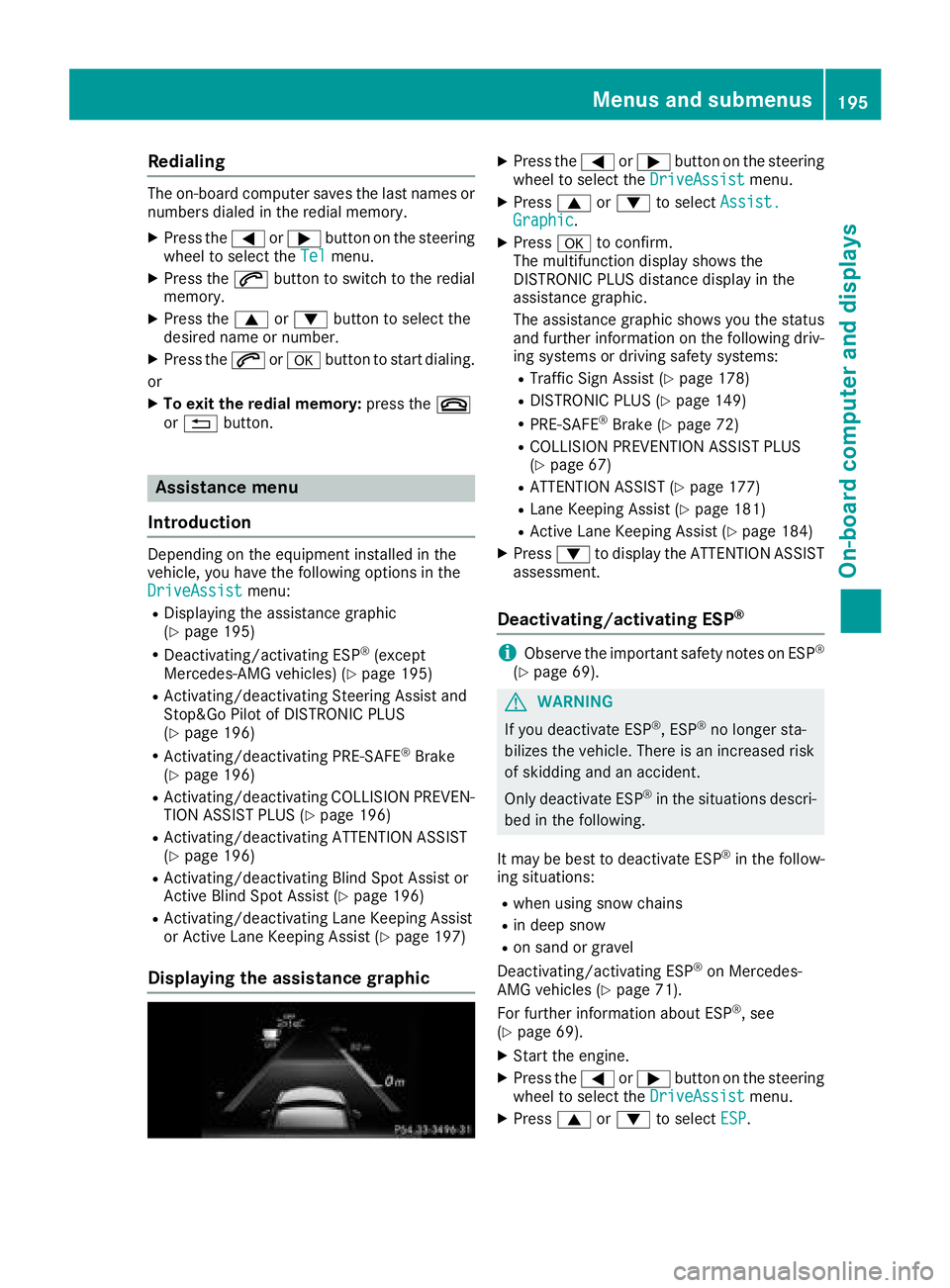
Displaying the assistance graphic X
Press the Y or e button on the steering
wheel to select the DriveAssist menu.X
Press c or d to select Assist.
Graphic . X
Press v to confirm.
The multifunction display shows the
DISTRONIC PLUS distance display in the
assistance graphic.
The assistance graphic shows you the status
and further information on the following driv-
ing systems or driving safety systems: R
Traffic Sign Assist ( Y
page 178)R
DISTRONIC PLUS ( Y
page 149)R
PRE-SAFE ®
Brake ( Y
page 72)R
COLLISION PREVENTION ASSIST PLUS
( Y
page 67) R
ATTENTION ASSIST ( Y
page 177)R
Lane Keeping Assist ( Y
page 181)R
Active Lane Keeping Assist ( Y
page 184)X
Press d to display the ATTENTION ASSIST
assessment.
Deactivating/activating ESP ®
i Observe the important safety notes on ESP ®
( Y
page 69).
G WARNING
If you deactivate ESP ®
, ESP ®
no longer sta-
bilizes the vehicle. There is an increased risk
of skidding and an accident.
Only deactivate ESP ®
in the situations descri-
bed in the following.
It may be best to deactivate ESP ®
in the follow-
ing situations: R
when using snow chains R
in deep snow R
on sand or gravel
Deactivating/activating ESP ®
on Mercedes-
AMG vehicles ( Y
page 71).
For further information about ESP ®
, see
( Y
page 69). X
Start the engine. X
Press the Y or e button on the steering
wheel to select the DriveAssist menu.X
Press c or d to select ESP .Menus and submenus 195
On-board computer and displays Z