lane assist MERCEDES-BENZ CLS-Class 2014 W218 User Guide
[x] Cancel search | Manufacturer: MERCEDES-BENZ, Model Year: 2014, Model line: CLS-Class, Model: MERCEDES-BENZ CLS-Class 2014 W218Pages: 382, PDF Size: 5.36 MB
Page 211 of 382
indicator lamp goes out and Blin
dSpot Assist
is operational.
If av ehicle is detected within the monitoring
rang eofB lindS pot Assist at speeds above
20 mph (30 km/h), warnin glamp 001Aon the
correspondin gside light supred. This warning
is always emitted when avehicle enters the
blind spot monitoring rang efrom behind or
from the side .When you overtake avehicle,
the warning only occurs if the difference in
speed is less than 7mph (12km/h).
The yellow indicator lamp goes out if reverse
gear is engaged. In this event ,Blind Spot
Assist is no longer active.
The brightness of the indicator/warning
lamps is adjusted automatically according to
the ambient light.
Collision warning
If av ehicle is detected in the monitoring range
of Blind Spot Assist and you switc honthe
correspondin gturn signal, adouble warning
ton esounds. Red warning lamp 001Aflashes. If
the turn signal remains on, vehicles detected
are indicated by the flashing of red warning
lamp 001A.There are no further warning tones.
Switching on Blind Spot Assist
X Make sure that Blind Spot Assist
(Y page 228) is activated in the on-board
computer.
X Turn the SmartKey to position 2in the
ignition lock.
Warning lamps 001Ain the exterior mirrors
light up red for approximately
1.5 seconds and then turn yellow.
Lane Keeping Assist Important safety notes
G
WARNING
Lane Keeping Assist may not always clearly
recognizel ane markings. In this case, Lane Keeping Assist may:
R
give an unnecessary warning
R not give awarning
There is arisk of an accident.
Always pay particular attention to the traffic
situation and stay in lane, in particular if
warned by Lane Keeping Assist. G
WARNING
The Lane Keeping Assist warning does not
return the vehicle to the original lane. There
is ar isk of an accident.
You should always steer, brake or accelerate
yourself, in particular if warned by Lane
Keeping Assist.
If you fail to adapt your driving style, Lane
Keeping Assist can neither reduce the risk of
an accident nor override the laws of physics.
Lane Keeping Assist cannot take into account
the road, traffic and weather conditions. Lane
Keeping Assist is merely an aid. You are
responsible for the distance to the vehicle in
front,f or vehicle speed, for braking in good
time and for staying in your lane.
The Lane Keeping Assist does not keep the
vehicle in the lane.
The system may be impaired or may not
function if:
R there is poor visibility, e.g. due to
insufficient illumination of the road, or due
to snow, rain, fog or spray
R there is glare, e.g. from oncomingt raffic,
the sun or reflections (e.g. when the road
surface is wet)
R the windshield is dirty, fogged up, damaged
or covered, for instancebyas ticker, in the
vicinity of the camera
R there are no, several or unclear lane
markings for alane, e.g. in areas with road
construction work
R the lane markings are worn away,d ark or
covered up, e.g. by dirt or snow Driving systems
209Driving and parking Z
Page 212 of 382
R
the distance to the vehicl einfront is too
small and the lane markings thu scannot be
detected
R the lane markings change quickly, e.g.
lanes branch off ,cros sone anothe ror
merge
R the road is narrow and winding
R there are strong shadows cast on the lane
General notes Lane Keeping Assist monitors the area in
front of yourv ehicle with camera 001A,which is
mounted at the top of the windshield. Lane
Keeping Assist detects lane markings on the
road and warns you before you leave your
lane unintentionally.
If you have chosen the function DisplayUnit Speed-/Odometer: (Y
page 229)a nd
selected the display unit km in the on-board
computer, Active Lane Keeping Assist
supports you from aspeed of 60 km/h. If the
miles display unit is selected, the assistance
range begins at 40 mph.
Aw arning may be given if afront wheel
passeso veralane marking. It willw arn you
by means of intermittent vibration in the
steering wheelf or up to 1.5 seconds.
Switching on Lane Keeping Assist
X Switch on Active Lane Keeping Assist using
the on-board computer; to do so, select
Standard or
Adaptive (Y
page 229).
If you drive at speedsa bove 40 mph
(60 km/h) and lane markings are detected,
the lines in the assistance graphics display (Y
page 227) are shown in green. Lane
Keeping Assist is ready for use.
Standard
If Standard is selected, no warning vibration
occurs if:
R you switch on the turn signals. In this event,
the warnings are suppressed for acertain
periodoft ime.
R ad riving safety system intervenes, such as
ABS, BAS or ESP ®
.
Adaptive
If Adaptive is selected, no warning vibration
occurs if:
R you switch on the turn signals. In this event,
the warnings are suppressed for acertain
periodoft ime.
R ad riving safety system intervenes, e.g.
ABS, BAS or ESP ®
.
R you accelerate hard, e.g. kickdown.
R you brake hard.
R you steer actively ,e.g. swerve to avoid an
obstacle or change lanes quickly.
R you cut the corner on asharp bend.
In order that you are warned only when
necessary and in good time if you cross the
lane marking, the system recognizes certain
conditions and warns you accordingly.
The warning vibration occurs earlier if:
R you approach the outer lane marking on a
bend.
R the road has very widel anes, e.g. a
highway.
R the system recognizes solidl ane markings.
The warning vibratio noccurs later if:
R the roa dhasnarro wlanes.
R yo uc ut the corner on abend. 210
Drivin
gsystemsDrivin gand parking
Page 213 of 382
Active Driving Assistance package
Genera lnotes The Active Drivin
gAssistance package
consist sofDISTRONICPLUS(Ypage 177),
Active Blind Spot Assis t(Y page 211) and
Active Lan eKeepin gAssist( Ypage 214).
Active Blind Spot Assist Genera
lnotes
Active Blind Spot Assis tuses aradar sensor
system, pointed toward the rear of the
vehicle, to monitor the area to the sides of the
vehicle which the driver is unable to see. A
warning displayint he exterior mirrors draws
your attention to vehicles detected in the
monitored area. If you then switch on the
corresponding turn signal to change lane, you
will also receive an optical and audible
warning. If arisk of lateral collision is
detected, corrective braking may help you
avoid acollision. Before acourse-correcting
brake application, Active Blind Spot Assist
evaluates the space in the direction of travel
and at the sides of the vehicle. For this, Active
Blind Spot Assist uses radar sensors which
are pointed in the direction of travel.
Active Blind Spot Assist supports you from a
speed of approximately 20 mph (30 km/h).
For Active Blind Spot Assist to assist you
when driving, the radar sensor system must
be:
R activated(Y page 232)
R operational
Important safety notes
Active Blind Spot Assist is only an aid and is
not asubstitute for attentive driving. G
WARNING
Active Blind Spot Assist does not react to:
R vehicles overtaken too closely on the side,
placing them in the blind spot area
R vehicles which approach with alarge speed
differential and overtak eyour vehicle As
aresult, Active Blind Spot Assist may
neither give warnings nor intervene in such
situations. There is arisk of an accident.
Always observe the traffic conditions
carefully, and maintain asafe lateral distance.
i USA only:
This device has been approved by the FCC
as a"Vehicular RadarS ystem". The radar
sensor is intended fo ruse in an automotive
radar system only. Removing, tampering
with, or altering the device will void any
warranties, and is not permitted by the
FCC. Do not tamper with, alter, or use in
any non-approved way.
Any unauthorized modification to this
device could void the user’s authority to
operate the equipment.
i Canada only: This device complies with
RSS-210ofI ndustry Canada.O peration is
subject to the following two conditions:
1. This device may not cause harmful
interference, and
2. this device must accept any interference
received, including interference that may
cause undesired operation of the device.
Removal, tampering, or altering of the
device will void any warranties, and is not
permitted. Do not tamper with, alter, or use
in any non-approved way.
Any unauthorized modification to this
device could void the user's authority to
operate the equipment.
Radars ensors
The Active Blind Spot Assist radar sensors are
integrated into the front and rear bumpers
and behind acover in the radiator grill. Make
sure that the bumpers and the cover in the
radiator grill are free of dirt, ice or slush. The
rear sensors must not be covered, for
example by cycle racks or overhanging cargo.
Following asevere impact or in the event of
damage to the bumpers, have the function of
the radar sensors checked at aqualified Driving systems
211Driving and parking Z
Page 214 of 382

specialist workshop. Active Blind Spot Assist
may otherwise no longer work properly.
Monitoring area G
WARNING
Active Blind Spot Assist does not detect all
traffic situations and road users. There is a
risk of an accident.
Always make sure that there is sufficient
distance on the side for other traffic or
obstacles. Active Blind Spot Assist monitors the area up
to 10 ft (3.0 m) behind your vehicle and
directly next to your vehicle, as shown in the
diagram.
The detection of obstacles can be impaired in
the case of:
R dirt on the sensors or anything else
covering the sensors
R poor visibility, e.g. due to rain, snow or
spray
Vehicles in the monitoring range are then not
indicated or indicated with adelay.
Active Blind Spot Assist may not detect
narrow vehicles, such as motorcycles or
bicycles, or may only detect them too late.
If the lanes are narrow, vehicles driving in the
lane beyond the lane next to your vehicle may
be indicated, especially if the vehicles are not driving in the middle of their lane. This may
be the case if there are vehicles at the edge
of their lane.
Due to the nature of the system:
R warnings may be issued in error when
driving close to crash barriers or similar
solid lane borders.
R the warning is canceled when driving for an
extended period next to long vehicles, such
as trucks.
Indicator and warning display 001A
Yellowi ndicator lamp/red warning lamp
Active Blind Spot Assist is not active at
speeds below approximately 20 mph
(30 km/h). Vehicles in the monitoring range
are then not indicated.
When active Blind Spot Assist is activated,
indicator lamp 001Ain the exterior mirrors lights
up yellow at speeds of up to
20 mph(30 km/h). At speeds above 20 mph
(30 km/h), the indicator lamp goes out and
active Blind Spot Assist is operational.
If av ehicle is detected within the monitoring
range of Blind Spot Assist at speeds above
20 mph (30 km/h), warning lamp 001Aon the
corresponding side lights up red. This warning
is always given when avehicle enters the
blind spot monitoring range from behind or
from the side. When you overtake avehicle,
the warning only occurs if the difference in
speed is less than 7mph (12km/h).
The yellow indicator lamp goes out if reverse
gear is engaged. In this event ,Active Blind
Spot Assist is no longer active. 212
Driving systemsDriving and parking
Page 215 of 382

The brightness of the indicator/warning
lamps is adjusted automatically accordin gto
the ambient light.
Visual and acoustic collision warning
If you switch on the turn signals to change
lanes and avehicle is detected in the side
monitoring range, you receive avisual and
acoustic collision warning. You then hear a
double warning tonea nd red warning
lamp 001Aflashes. If the turn signal remains on,
detected vehicles are indicated by the
flashing of red warning lamp 001A.There are no
further warning tones.
Course-correcting brake application G
WARNING
Ac ourse-correctingb rake application cannot
alwaysp reventacollision. There is arisk of
an accident.
Always steer, brake or accelerate yourself,
especially if Active Blind Spot Assist warns
you or makes acourse-correcting brake
application. Always maintain asafe distance
at the sides. If Active Blind Spot Assist detect
sarisk of a
lateral collision in the monitoring range, a course-correcting brake application is carried
out. This is meant to assist you in avoiding a
collision.
If
ac ourse-correcting brake application
occurs, red warning lamp 001Aflashes in the
exterior mirror and adual warning tone
sounds. In addition, the display shown in the
lower image appears in the multifunction
display.
In very rare cases, the system may make an
inappropriate brake application. An
inappropriate course-correcting brake
application may be interrupted at any time if
you steer slightly in the opposite direction or
accelerate, for example.
The course-correcting brake application is
available in the speed range between
20 mph (30 km/h) and 120 mph (200 km/h).
Either no braking application, or acourse-
correcting brake application adapted to the
driving situation occurs if:
R there are vehicles or obstacles, e.g. crash
barriers, located on both sides of your
vehicle.
R av ehicle approaches you too closely at the
side.
R you have adopted asporty driving style with
high cornering speeds.
R you clearly brake or accelerate.
R ad riving safety system intervenes, e.g.
ESP ®
or PRE-SAFE ®
Brake.
R ESP ®
is switched off.
R al oss of tire pressure or adefectiv etire is
detected.
Switching on Active Blind Spot Assist
X Make sure that the radar sensor system
(Y page 232) and Active Blind Spot Assist
(Y page 228) are activated in the on-board
computer.
X Turn the SmartKey to position 2in the
ignition lock.
Warning lamps 001Ain the exterior mirrors
light up red for approximately
1.5 seconds and then turn yellow. Driving systems
213Driving and parking Z
Page 216 of 382
Active Lan
eKeeping Assist Genera
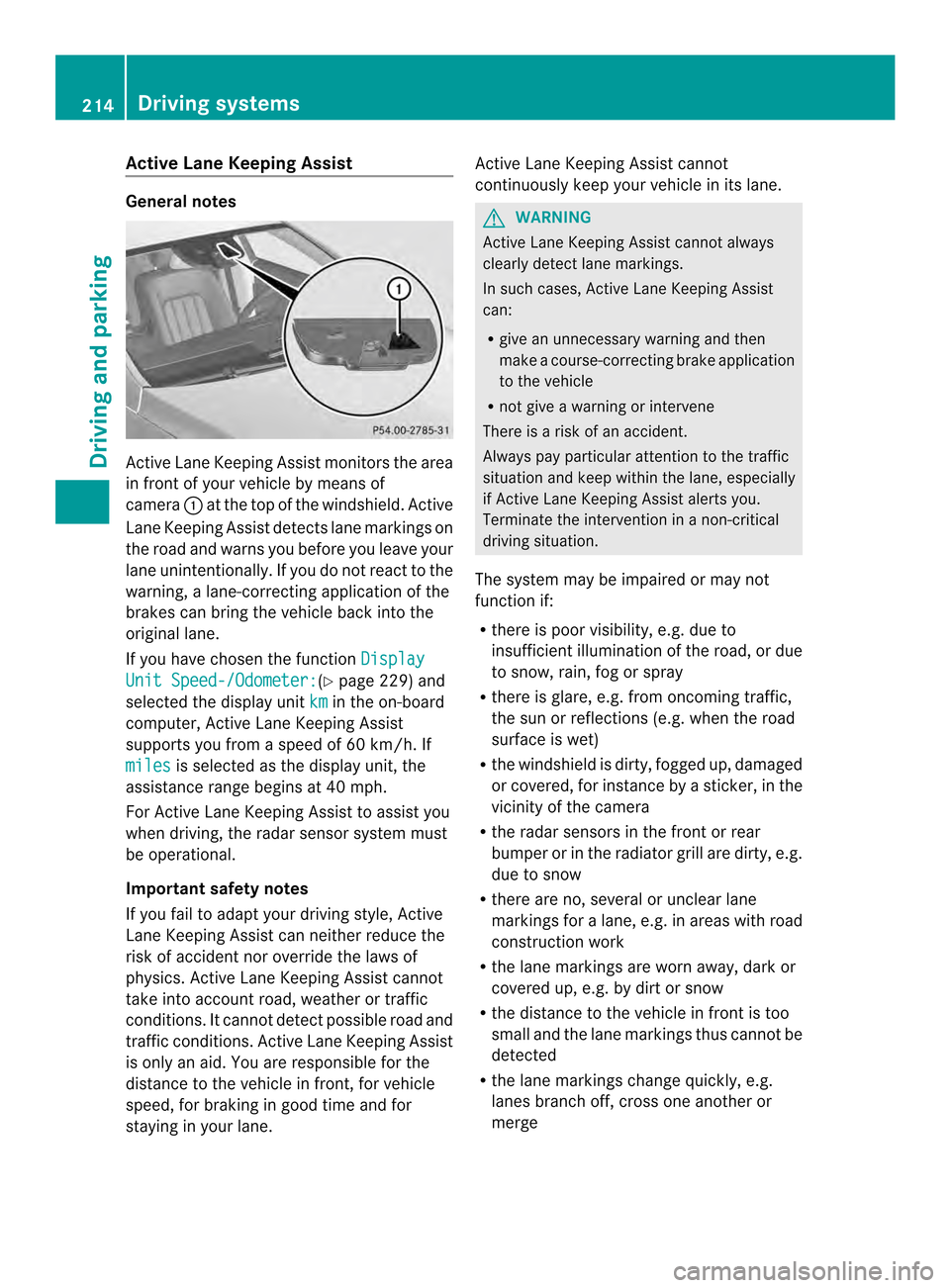
lnotes Active Lan
eKeepin gAssistm onitor sthe area
in front of your vehicle by means of
camera 001Aat the top of the windshield. Active
Lane Keeping Assist detect slane markings on
th er oad and warn syou before you leave your
lane unintentionally. If you do no treact to the
warning, alane-correctinga pplication of the
brakes can bring the vehicle back intot he
original lane.
If you have chosen the function DisplayUnit Speed-/Odometer: (Y
page 229)a nd
selected the display unit km in the on-board
computer, Active Lane Keeping Assist
supports you from aspeed of 60 km/h. If
miles is selected as the display unit, the
assistanc erange begins at 40 mph.
For Active Lane Keeping Assist to assist you
when driving, the radar sensor system must
be operational.
Important safet ynotes
If you fail to adapt your driving style, Active
Lane Keeping Assist can neither reduce the
risk of acciden tnor override the laws of
physics. Active Lane Keeping Assist cannot
take into account road, weather or traffic
conditions. It cannot detect possible road and
traffic conditions. Active Lane Keeping Assist
is only an aid. You are responsible for the
distance to the vehicle in front,f or vehicle
speed, for braking in good time and for
staying in your lane. Active Lane Keeping Assist cannot
continuously keep your vehicle in its lane. G
WARNING
Active Lane Keeping Assist cannot always
clearly detect lane markings.
In such cases, Active Lane Keeping Assist
can:
R give an unnecessary warning and then
make acourse-correcting brake application
to the vehicle
R not give awarning or intervene
There is arisk of an accident.
Always pay particular attention to the traffic
situation and keep within the lane, especially
if Active Lane Keeping Assist alerts you.
Terminate the intervention in anon-critical
driving situation.
The system may be impaired or may not
function if:
R there is poor visibility, e.g. due to
insufficient illumination of the road, or due
to snow, rain, fog or spray
R there is glare, e.g. from oncoming traffic,
the sun or reflections (e.g. when the road
surface is wet)
R the windshield is dirty, fogged up, damaged
or covered, for instance by asticker, in the
vicinit yofthe camera
R the radar sensors in the front or rear
bumper or in the radiator grill are dirty, e.g.
due to snow
R there are no, several or unclear lane
markings for alane, e.g. in areas with road
construction work
R the lane markings are worn away,d ark or
covered up, e.g. by dirt or snow
R the distance to the vehicle in front is too
small and the lane markings thus cannot be
detected
R the lane markings change quickly, e.g.
lanes branch off, cross one another or
merge 214
Driving systemsDriving and parking
Page 217 of 382
R
the roa disnarrow and winding
R there ar estrong shadows cas tonthe lane
If no vehicle is detected in the adjacent lane
and there are broken lane markings detected,
no lane-correcting brake application is made.
Warning vibration in the steering wheel
Aw arning may be given if afront wheel
passes over alane marking. It will warn you
by means of intermittent vibration in the
steering wheel for up to 1.5 seconds.
Lane-correcting brake application G
WARNING
Al ane-correcting brake application cannot
always bring the vehicle back into the original
lane. There is arisk of an accident.
Always steer, brake or accelerate yourself,
especially if Active Lane Keeping Assist warns
you or makes alane-correcting brake
application. G
WARNING
Active Lane Keeping Assist does not detect
traffic conditionsorr oad users. In very rare
cases, the system may make an inappropriate
brake application, e.g. after intentionally
driving over asolid lane marking. There is a
risk of an accident.
An inappropriate brake application may be
interrupted at any time if you steer slightly in
the opposite direction. Always make sure that
there is sufficient distance on the side for
other traffic or obstacles. If you leave your lane, under certain
circumstances the vehicle will brake briefly
on one side. This is meant to assist you in
bringing the vehicle back to the original lane.
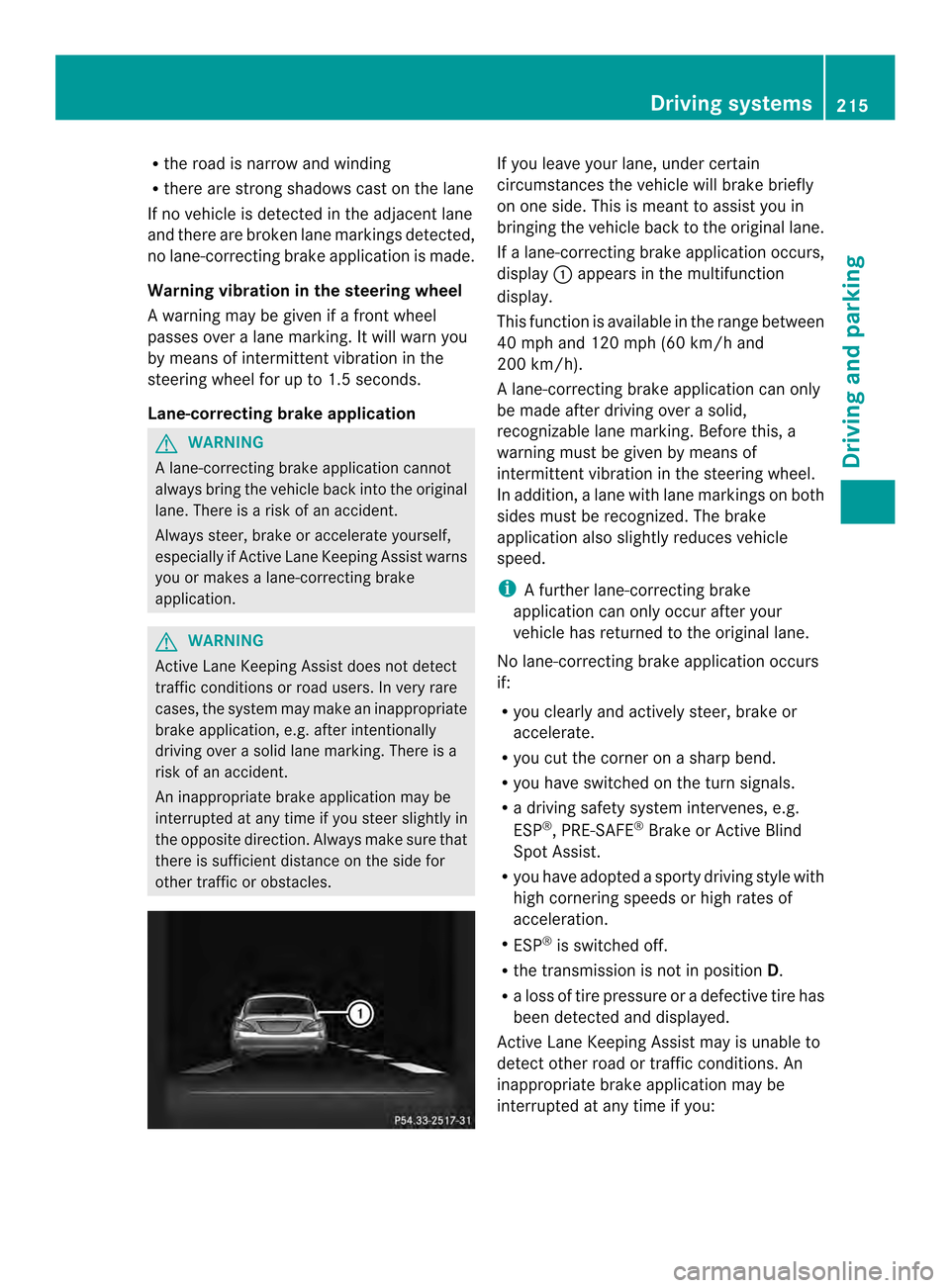
If al ane-correcting brake application occurs,
display 001Aappears in the multifunction
display.
This function is available in the range between
40 mph and 120 mph (60 km/h and
200 km/h).
Al ane-correcting brake application can only
be made after driving over asolid,
recognizable lane marking. Before this, a
warning must be given by means of
intermittent vibration in the steering wheel.
In addition, alane with lane markings on both
sides must be recognized. The brake
application also slightly reduces vehicle
speed.
i Afurther lane-correcting brake
application can only occur after your
vehicle has returned to the original lane.
No lane-correcting brake application occurs
if:
R you clearly and actively steer, brake or
accelerate.
R you cut the corner on asharp bend.
R you have switched on the turn signals.
R ad riving safety system intervenes, e.g.
ESP ®
,P RE-SAFE ®
Brake or Active Blind
Spot Assist.
R you have adopted asporty driving style with
high cornering speeds or high rates of
acceleration.
R ESP ®
is switched off.
R the transmission is not in position D.
R aloss of tire pressure or adefective tire has
been detected and displayed.
Active Lane Keeping Assist may is unable to
detect other road or traffic conditions. An
inappropriate brake application may be
interrupted at any time if you: Driving systems
215Driving and parking Z
Page 218 of 382
R
steer slightly in the opposite direction
R use aturn signal
R clearly brake or accelerate
Al ane-correcting brak eapplicatio nis
interrupted automatically if:
R ad rivin gsafet ysystem intervenes ,e.g.
ESP ®
,P RE-SAFE ®
Brake or Activ eBlind
Spot Assist.
R lane markings can no longer be recognized.
Switching on Active Lane Keeping Assist
X Switch on Activ eLane Keepin gAssist using
the on-board computer ;todoso, select
Standard or
Adaptive (Y
page 229).
If you drive at speeds above 40 mph
(60 km/h) and lane markings are detected,
the lines in the assistanc egraphic sdisplay
(Y page 227 )are shown in green .Lane
Keepin gAssist is ready for use.
If Standard is selected, no warning
vibration occurs if:
R you have switched on the tur nsignals .In
thi se vent, the warnings ar esuppr essed
for acertai nperio doft ime.
R ad riving safety syste mintervenes, such
as ABS, BAS or ESP ®
.
If Adaptive is selected, no warning
vibratio noccurs if:
R yo uh aves witched on the tur nsignals .In
thi se vent, the warnings ar esuppr essed
for acertai nperio doft ime.
R ad riving safety syste mintervenes, e.g.
ABS, BAS or ESP ®
.
R yo ua ccelerate hard, e.g .kickdown.
R you brak ehard.
R you steer actively, e.g. swerv etoavoid
an obstacle or change lanes quickly.
R you cut the corner on asharp bend.
In order that you are warne donly when
necessary and in good tim eifyou cross the
lane marking, the system recognizes certain
conditions and warns you accordingly. The warning vibration occurs earlier if:
R
you approach the outer lane marking on a
bend.
R the road has very wide lanes, e.g. a
highway.
R the system recognizes solid lane markings.
The warning vibration occurs later if:
R the road has narrow lanes.
R you cut the corner on abend. 216
Driving systemsDriving and parking
Page 229 of 382
X
Press the 0006or0005 button to select the
desired name.
or
X To begin rapid scrolling: press and hold
the 0006 or0005 button for longer than
one second.
Rapid scrolling stops when you release the
button or reach the end of the list.
X If only one telephone number is stored
for aname: press the 0006or000C button
to start dialing.
or
X If thereism ore thanone number for a
particular name: press the0006or000C
button to display the numbers.
X Press the 0006or0005 button to select the
number you want to dial.
X Press the 0006or000C button to start
dialing.
or
X To exit the telephone book: press the
0008 or0002 button.
Redialing The on-board computer saves the last names
or numbers dialed in the redial memory.
X Press the 000Aor0004 button on the
steerin gwheel to select the Tel menu.
X Press the 0006button to switch to the
redial memory.
X Press the 0006or0005 button to select the
desired name or number.
X Press the 0006or000C button to start
dialing.
or
X To exit the redial memory: press the
0008 or0002 button. Assistance menu
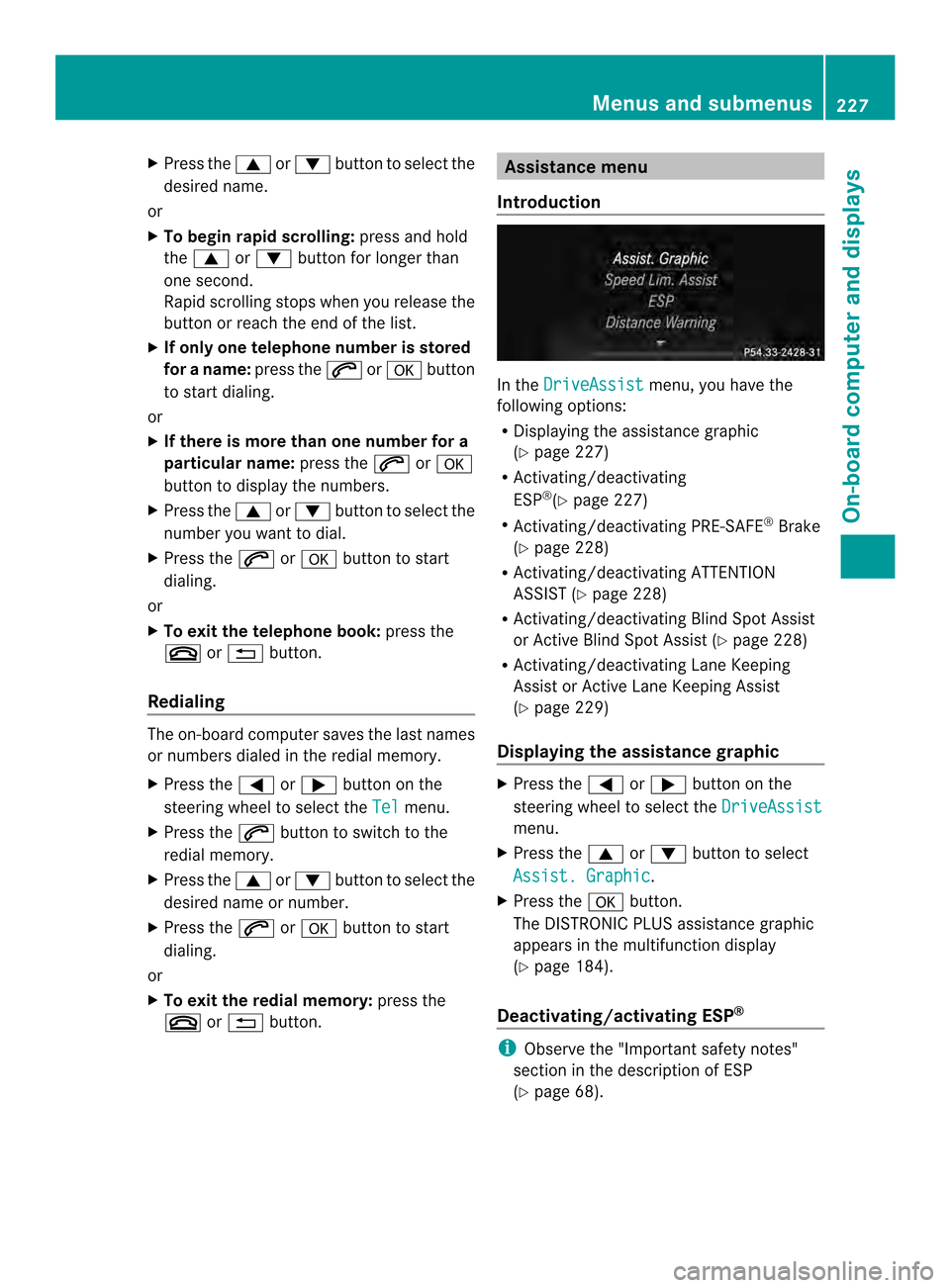
Introduction In the
DriveAssist menu, you have the
following options:
R Displaying the assistanc egraphic
(Y page 227)
R Activating/deactivating
ESP ®
(Y page 227)
R Activating/deactivating PRE-SAFE ®
Brake
(Y page 228)
R Activating/deactivating ATTENTION
ASSIST (Y page 228)
R Activating/deactivating Blind Spot Assist
or Active Blind Spot Assist (Y page 228)
R Activating/deactivating Lane Keeping
Assist or Active Lane Keeping Assist
(Y page 229)
Displaying the assistance graphic X
Press the 000Aor0004 button on the
steerin gwheel to select the DriveAssist menu.
X Press the 0006or0005 button to select
Assist. Graphic .
X Press the 000Cbutton.
The DISTRONIC PLUS assistanc egraphic
appears in the multifunction display
(Y page 184).
Deactivating/activating ESP ® i
Observe the "Importan tsafet ynotes"
sectio ninthedescription of ESP
(Y page 68). Menu
sand submenus
227On-boardcomputer and displays Z
Page 231 of 382

X
Press the 000Cbutton.
The curren tselection is displayed.
X To activate/deactivate: press the000C
button again.
If the Blind Spot Assist Sensors Deactivated or
Act. Blind Spot Asst. Sensors Deactivated message appears,
the radar sensor system is deactivated.
X Switc hont he radar sensor system
(Y page 232).
For further information about Blind Spot
Assist ,see (Y page 207).
For further information about Active Blind
Spot Assist ,see (Y page 211).
Activating/deactivating Lane Keeping
Assist X
Press 000Aor0004 on the steering wheel
to select the DriveAssist menu.
X Press the 0006or0005 button to select
Lane Keep. Asst. X
Press the 000Cbutton.
The curren tselection is displayed.
X Press 000Cto confirm.
X Press the 0005or0006 button to set Off ,
Standard or
Adaptive .
X Press the 000Cbutton to save the setting.
For further information about Lane Keeping
Assist ,see (Y page 209).
For further information about Active Lane
Keeping Assist ,see (Y page 214). Maintenance menu
In the
Serv. menu, you have the following
options: R
Calling up display messages in message
memory (Y page 237)
R Restarting the tire pressure loss warning
system (Y page 342)
R Checkin gthe tire pressure electronically
(Y page 342)
R Calling up the servic edue date
(Y page 310) Settings menu
Introduction In the
Sett. menu, you have the following
options:
R Changing the instrument cluster settings
(Y page 229)
R Changing the light settings (Y page 230)
R Changing the vehicle settings
(Y page 232)
R Changing the convenience settings
(Y page 233)
R Restorin gthe factory settings
(Y page 234)
Instrument cluster Selecting the unit of measurement for
distance
The
Display Unit Speed-/Odometer: function allows you to choose whether
certain displays appear in kilometers or miles
in the multifunction display. Menus and submenus
229On-boardcomputer and displays Z