Button MERCEDES-BENZ CLS-Class 2015 W218 Manual Online
[x] Cancel search | Manufacturer: MERCEDES-BENZ, Model Year: 2015, Model line: CLS-Class, Model: MERCEDES-BENZ CLS-Class 2015 W218Pages: 398, PDF Size: 7.43 MB
Page 216 of 398
You can have current status information dis-
played in the assistance menu (Y page 235)
of the on-board computer.
X Select the Assistance display for ATTEN-
TION ASSIST using the on-board computer
(Y page 235).
The following information is displayed:
R length of the journey since the last break.
R the attention level determined by ATTEN-
TION ASSIST, displayed in a bar display in
five levels from high to low.
R if ATTENTION ASSIST is unable to calculate
the attention level and cannot output a
warning, the System Suspended System Suspended message
appears. The bar display then changes the
display, e.g. if you are driving at a speed
below 37 mph (60 km/h) or above 124 mph
(200 km/h).
Activating ATTENTION ASSIST X
Activate ATTENTION ASSIST using the on-
board computer (Y page 236).
The system determines the attention level
of the driver depending on the setting
selected:
Standard selected: the sensitivity with
which the system determines the attention
level is set to normal.
Sensitive selected: the sensitivity is set
higher. The attention level detected by Atten- tion Assist is adapted accordingly and the
driver is warned earlier.
When ATTENTION ASSIST is deactivated, the À symbol and OFF appear in the multi-
function display in the assistance display
when the engine is running.
When ATTENTION ASSIST has been deactiva- ted, it is automatically reactivated after the
engine has been stopped. The sensitivity
selected corresponds to the last selection
activated (standard/sensitive). Warning in the multifunction display If fatigue or increasing lapses in concentra-
tion are detected, a warning appears in the
multifunction display: Attention Assist:
Attention Assist:
Take a Break! Take a Break!
In addition to the message shown in the mul-
tifunction display, you will then hear a warn-
ing tone.
X If necessary, take a break.
X Confirm the message by pressing the a
button on the steering wheel.
On long journeys, take regular breaks in good time to allow yourself to rest properly. If you
do not take a break, you will be warned again
after 15 minutes at the earliest. This will only
happen if ATTENTION ASSIST still detects
typical indicators of fatigue or increasing lap-
ses in concentration.
Vehicles with COMAND: if a warning is
issued in the multifunction display, a service
station search is performed in COMAND. You
can select a service station and navigation to this service station will then begin. This func- tion can be activated and deactivated in
COMAND. Lane Tracking package
General notes The Lane Tracking package consists of Blind
Spot Assist (Y
page 214) and Lane Keeping
Assist (Y page 216).
Blind Spot Assist General notes
Blind Spot Assist uses a radar sensor system
to monitor the areas on both sides of your
vehicle. It supports you from a speed of
approximately 20 mph (30 km/h). A warning
display in the exterior mirrors draws your
attention to vehicles detected in the moni-
tored area. If you then switch on the corre-
sponding turn signal to change lanes, you will also receive an optical and audible collision 214
Driving systemsDriving and parking
Page 229 of 398
Outside temperature display
You should pay special attention to road con-
ditions when temperatures are around freez-
ing point.
Bear in mind that the outside temperature
display indicates the temperature measured
and does not record the road temperature.
The outside temperature display is in the mul- tifunction display (Y page 229).
Changes in the outside temperature are dis-
played after a short delay. Speedometer with segments
The segments in the speedometer indicate
which speed range is available.
R Cruise control activated (Y page 178):
The segments light up from the stored
speed to the maximum speed.
R DISTRONIC PLUS activated (Y page 181):
One or two segments in the set speed
range light up.
R DISTRONIC PLUS detects a vehicle in front:
The segments between the speed of the
vehicle in front and the stored speed light
up. Operating the on-board computer
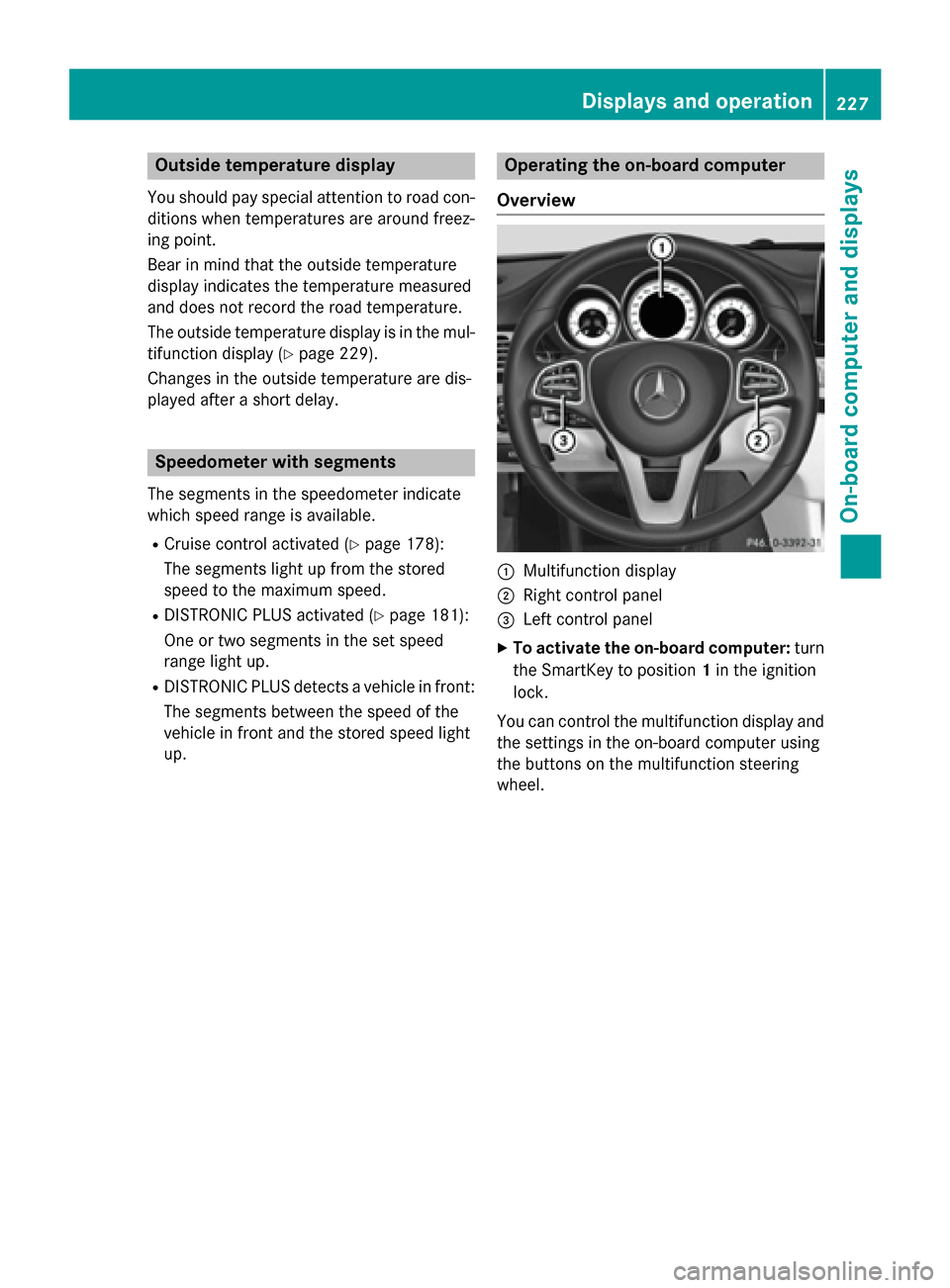
Overview :
Multifunction display
; Right control panel
= Left control panel
X To activate the on-board computer: turn
the SmartKey to position 1in the ignition
lock.
You can control the multifunction display and the settings in the on-board computer using
the buttons on the multifunction steering
wheel. Displays and operation
227On-board computer and displays Z
Page 231 of 398
Multifunction display
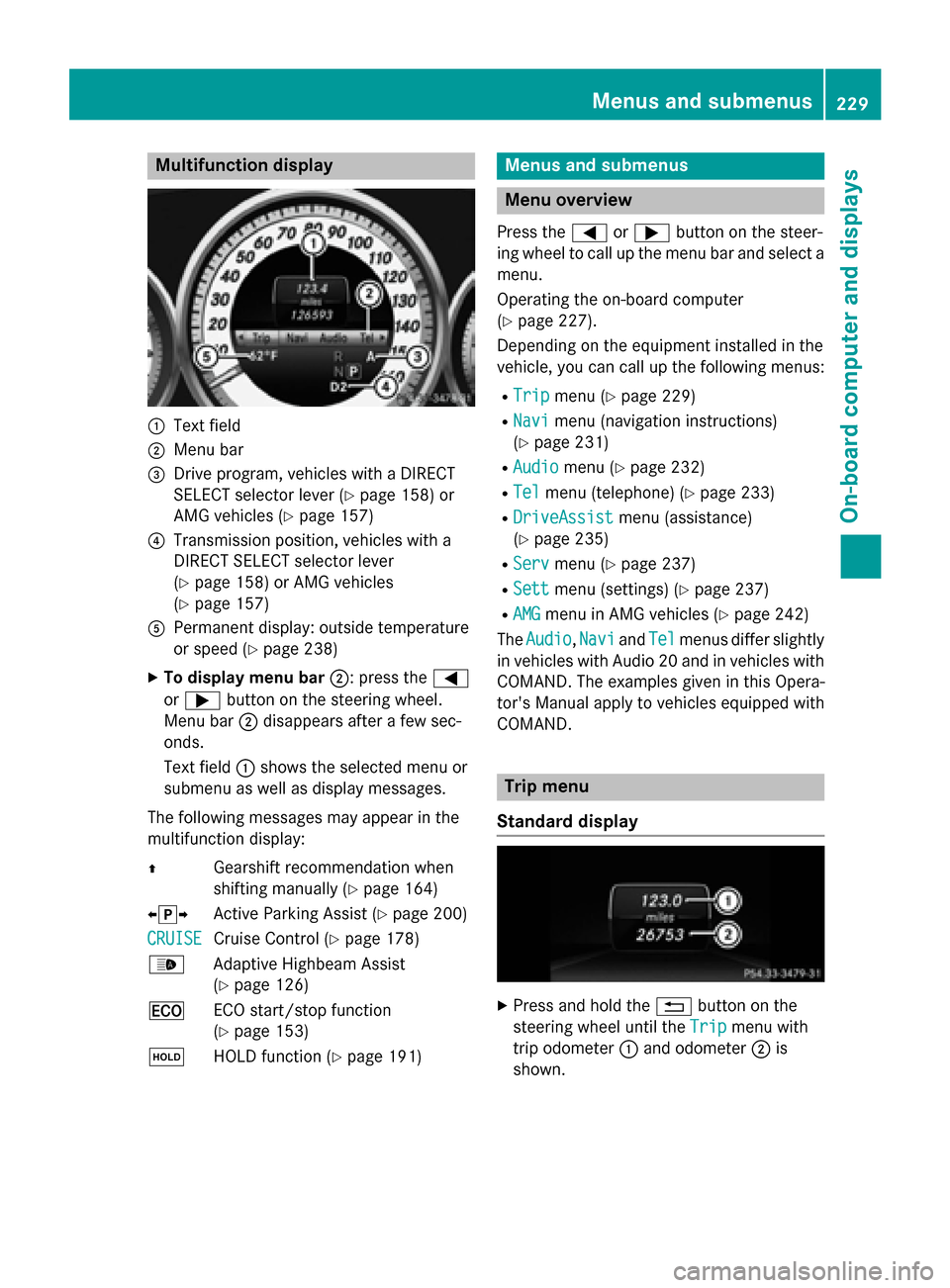
:
Text field
; Menu bar
= Drive program, vehicles with a DIRECT
SELECT selector lever (Y page 158) or
AMG vehicles (Y page 157)
? Transmission position, vehicles with a
DIRECT SELECT selector lever
(Y page 158) or AMG vehicles
(Y page 157)
A Permanent display: outside temperature
or speed (Y page 238)
X To display menu bar ;: press the=
or ; button on the steering wheel.
Menu bar ;disappears after a few sec-
onds.
Text field :shows the selected menu or
submenu as well as display messages.
The following messages may appear in the
multifunction display:
Z Gearshift recommendation when
shifting manually (Y page 164)
XjY Active Parking Assist (Y page 200)
CRUISE
CRUISE Cruise Control (Y
page 178)
_ Adaptive Highbeam Assist
(Ypage 126)
¤ ECO start/stop function
(Ypage 153)
ë HOLD function (Y page 191) Menus and submenus
Menu overview
Press the =or; button on the steer-
ing wheel to call up the menu bar and select a
menu.
Operating the on-board computer
(Y page 227).
Depending on the equipment installed in the
vehicle, you can call up the following menus:
R Trip Trip menu (Y page 229)
R Navi
Navi menu (navigation instructions)
(Y page 231)
R Audio
Audio menu (Y page 232)
R Tel
Tel menu (telephone) (Y page 233)
R DriveAssist
DriveAssist menu (assistance)
(Y page 235)
R Serv
Serv menu (Y page 237)
R Sett
Sett menu (settings) (Y page 237)
R AMG
AMG menu in AMG vehicles (Y page 242)
The Audio
Audio, Navi
NaviandTel
Tel menus differ slightly
in vehicles with Audio 20 and in vehicles with COMAND. The examples given in this Opera-
tor's Manual apply to vehicles equipped with
COMAND. Trip menu
Standard display X
Press and hold the %button on the
steering wheel until the Trip Tripmenu with
trip odometer :and odometer ;is
shown. Menus and submenus
229On-board computer and displays Z
Page 232 of 398
Trip computer "From Start" or "From
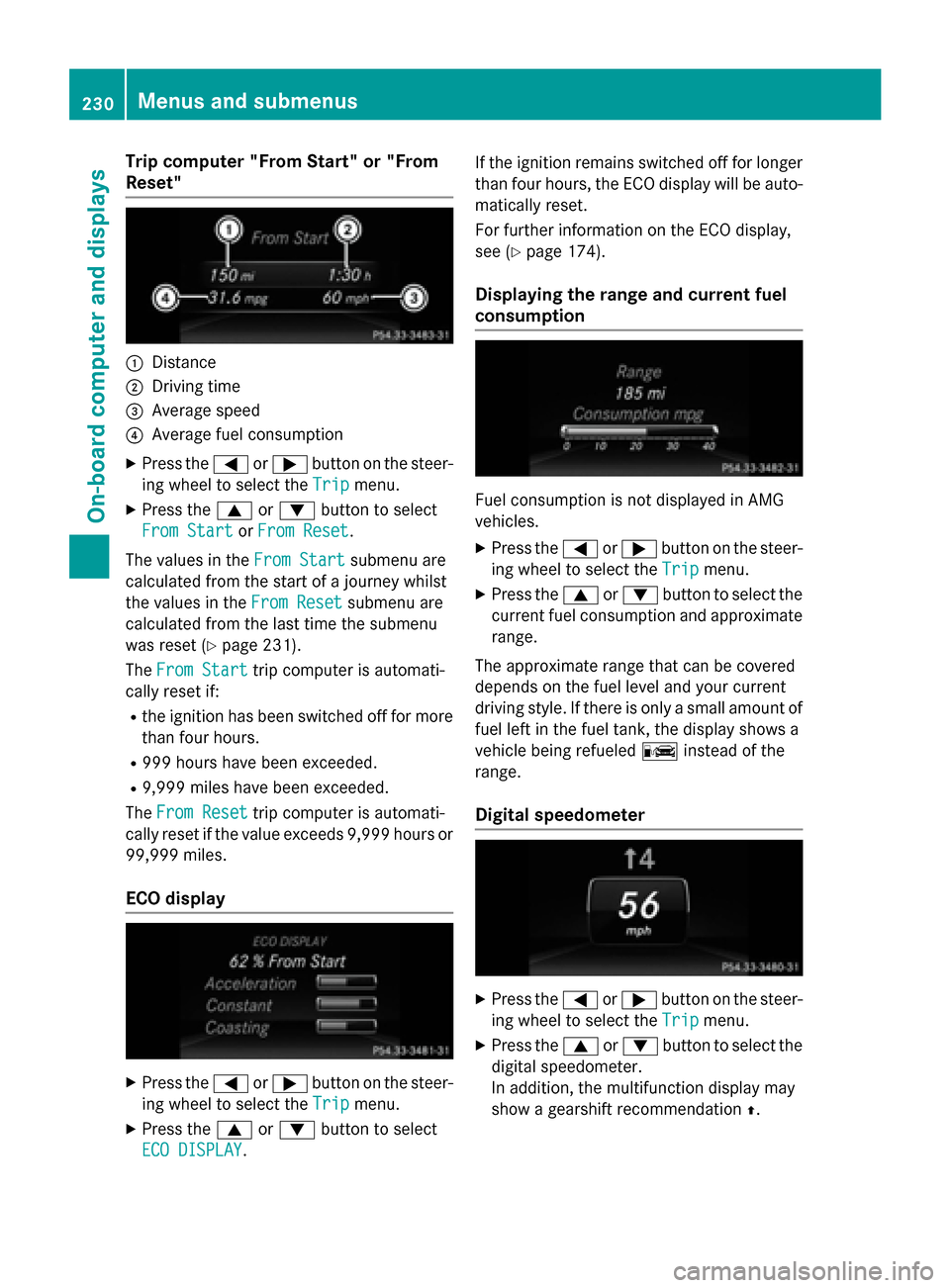
Reset" :
Distance
; Driving time
= Average speed
? Average fuel consumption
X Press the =or; button on the steer-
ing wheel to select the Trip
Trip menu.
X Press the 9or: button to select
From Start
From Start orFrom Reset
From Reset.
The values in the From Start
From Startsubmenu are
calculated from the start of a journey whilst
the values in the From Reset
From Reset submenu are
calculated from the last time the submenu
was reset (Y page 231).
The From Start
From Start trip computer is automati-
cally reset if:
R the ignition has been switched off for more
than four hours.
R 999 hours have been exceeded.
R 9,999 miles have been exceeded.
The From Reset
From Reset trip computer is automati-
cally reset if the value exceeds 9,999 hours or
99,999 miles.
ECO display X
Press the =or; button on the steer-
ing wheel to select the Trip
Tripmenu.
X Press the 9or: button to select
ECO DISPLAY
ECO DISPLAY. If the ignition remains switched off for longer
than four hours, the ECO display will be auto- matically reset.
For further information on the ECO display,
see (Y page 174).
Displaying the range and current fuel
consumption Fuel consumption is not displayed in AMG
vehicles.
X Press the =or; button on the steer-
ing wheel to select the Trip
Trip menu.
X Press the 9or: button to select the
current fuel consumption and approximate range.
The approximate range that can be covered
depends on the fuel level and your current
driving style. If there is only a small amount of
fuel left in the fuel tank, the display shows a
vehicle being refueled Cinstead of the
range.
Digital speedometer X
Press the =or; button on the steer-
ing wheel to select the Trip Tripmenu.
X Press the 9or: button to select the
digital speedometer.
In addition, the multifunction display may
show a gearshift recommendation Z.230
Menus and submenusOn-board computer and displays
Page 233 of 398
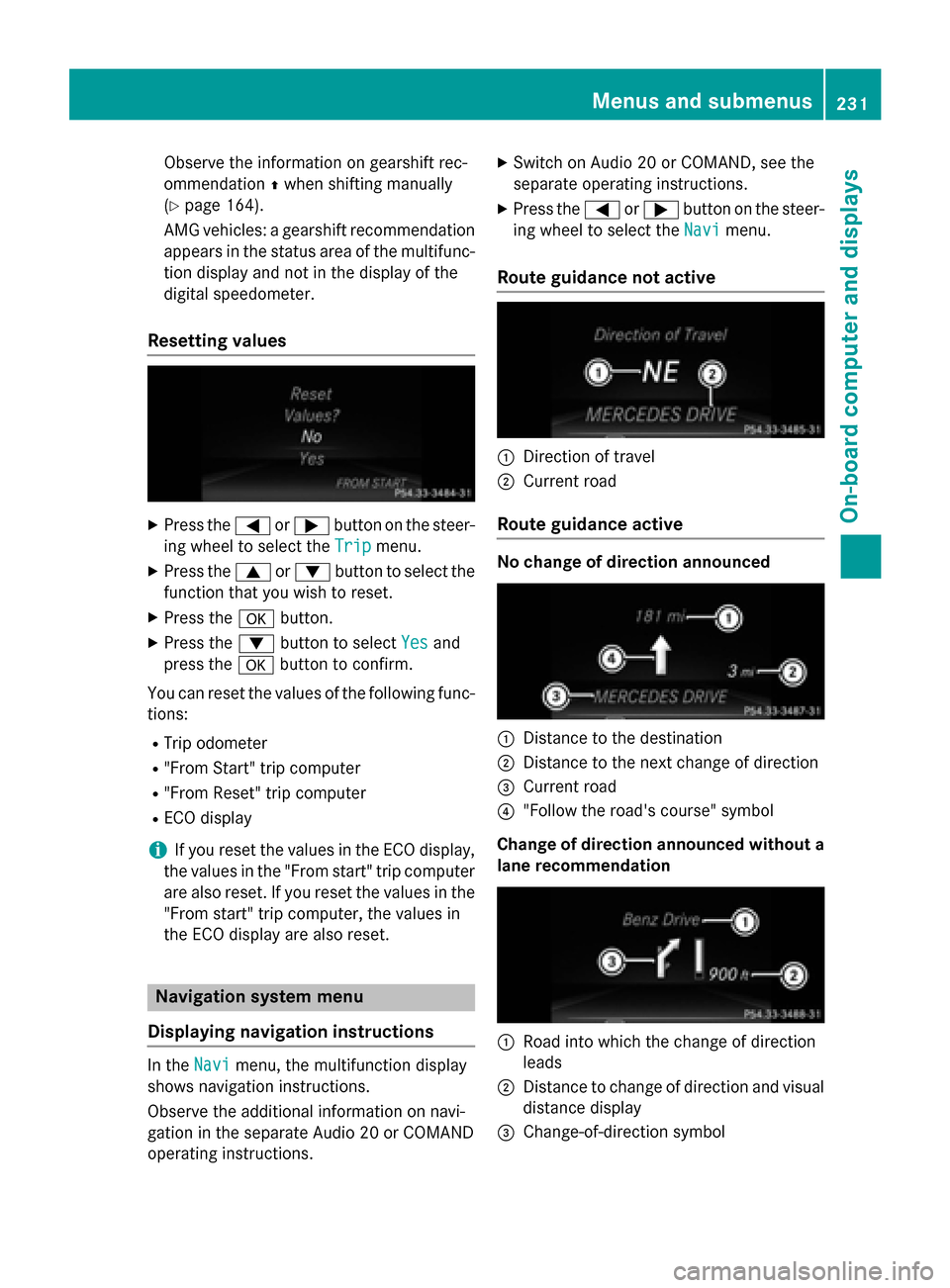
Observe the information on gearshift rec-
ommendation
Zwhen shifting manually
(Y page 164).
AMG vehicles: a gearshift recommendation
appears in the status area of the multifunc- tion display and not in the display of the
digital speedometer.
Resetting values X
Press the =or; button on the steer-
ing wheel to select the Trip
Trip menu.
X Press the 9or: button to select the
function that you wish to reset.
X Press the abutton.
X Press the :button to select Yes Yesand
press the abutton to confirm.
You can reset the values of the following func-
tions:
R Trip odometer
R "From Start" trip computer
R "From Reset" trip computer
R ECO display
i If you reset the values in the ECO display,
the values in the "From start" trip computer are also reset. If you reset the values in the
"From start" trip computer, the values in
the ECO display are also reset. Navigation system menu
Displaying navigation instructions In the
Navi Navimenu, the multifunction display
shows navigation instructions.
Observe the additional information on navi-
gation in the separate Audio 20 or COMAND
operating instructions. X
Switch on Audio 20 or COMAND, see the
separate operating instructions.
X Press the =or; button on the steer-
ing wheel to select the Navi
Navi menu.
Route guidance not active :
Direction of travel
; Current road
Route guidance active No change of direction announced
:
Distance to the destination
; Distance to the next change of direction
= Current road
? "Follow the road's course" symbol
Change of direction announced without a lane recommendation :
Road into which the change of direction
leads
; Distance to change of direction and visual
distance display
= Change-of-direction symbol Menus and submenus
231On-board computer and displays Z
Page 234 of 398
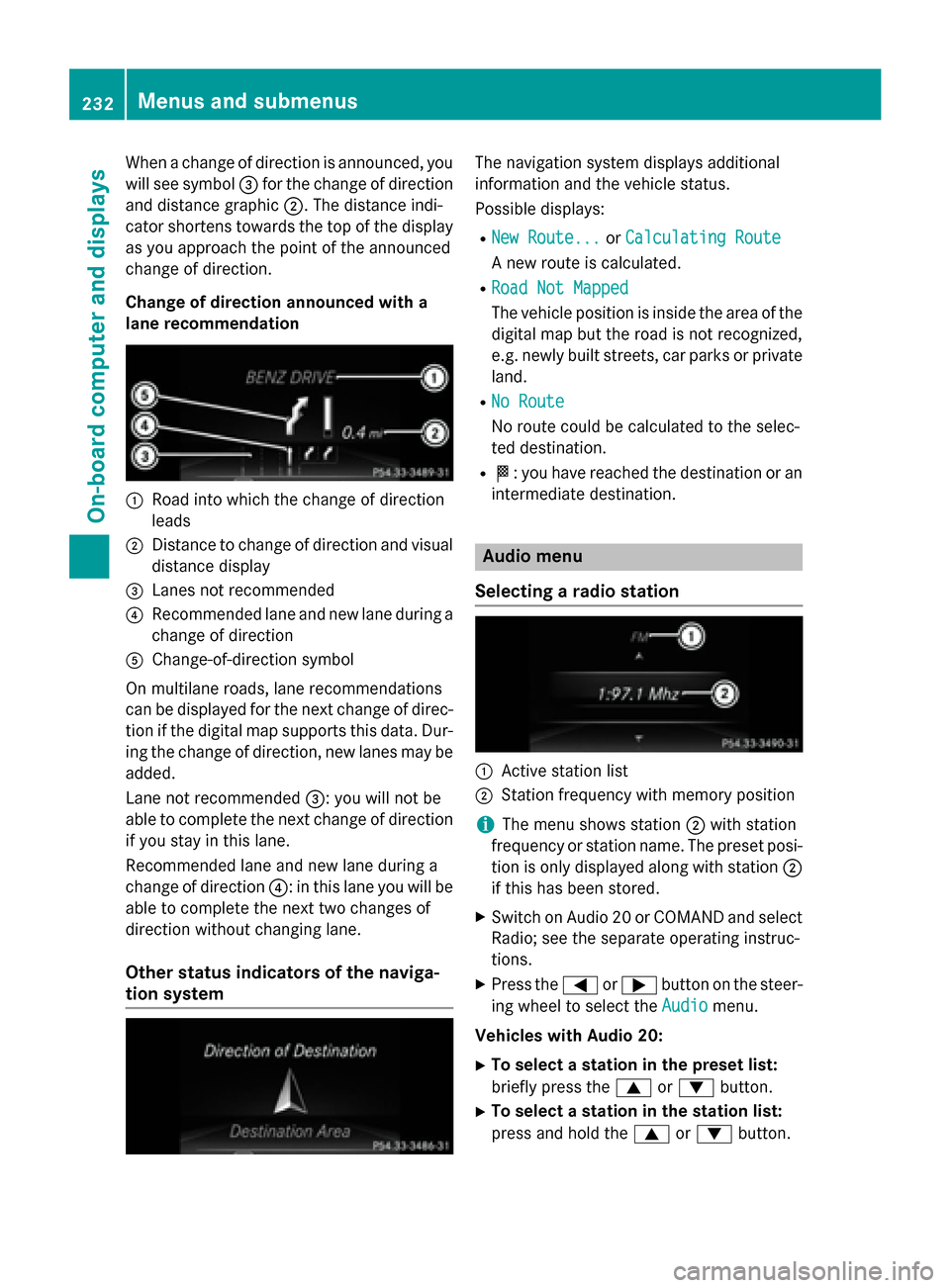
When a change of direction is announced, you
will see symbol =for the change of direction
and distance graphic ;. The distance indi-
cator shortens towards the top of the display as you approach the point of the announced
change of direction.
Change of direction announced with a
lane recommendation :
Road into which the change of direction
leads
; Distance to change of direction and visual
distance display
= Lanes not recommended
? Recommended lane and new lane during a
change of direction
A Change-of-direction symbol
On multilane roads, lane recommendations
can be displayed for the next change of direc- tion if the digital map supports this data. Dur-
ing the change of direction, new lanes may be added.
Lane not recommended =: you will not be
able to complete the next change of direction
if you stay in this lane.
Recommended lane and new lane during a
change of direction ?: in this lane you will be
able to complete the next two changes of
direction without changing lane.
Other status indicators of the naviga-
tion system The navigation system displays additional
information and the vehicle status.
Possible displays:
R New Route... New Route... orCalculating Route
Calculating Route
A new route is calculated.
R Road Not Mapped
Road Not Mapped
The vehicle position is inside the area of the
digital map but the road is not recognized,
e.g. newly built streets, car parks or private
land.
R No Route No Route
No route could be calculated to the selec-
ted destination.
R O: you have reached the destination or an
intermediate destination. Audio menu
Selecting a radio station :
Active station list
; Station frequency with memory position
i The menu shows station
;with station
frequency or station name. The preset posi- tion is only displayed along with station ;
if this has been stored.
X Switch on Audio 20 or COMAND and select
Radio; see the separate operating instruc-
tions.
X Press the =or; button on the steer-
ing wheel to select the Audio Audiomenu.
Vehicles with Audio 20:
X To select a station in the preset list:
briefly press the 9or: button.
X To select a station in the station list:
press and hold the 9or: button. 232
Menus and submenusOn-board computer and displays
Page 235 of 398
Vehicles with COMAND:
X
To select a preset list or station list:
press and briefly hold the 9or:
button until the preset list or station list in
the desired frequency range is shown.
X To select a station: press9or:
briefly.
i SIRIUS XM satellite radio functions like a
normal radio.
Further information on navigation can be
found in the "Satellite radio" section in the separate Audio 20 or COMAND operating
instructions.
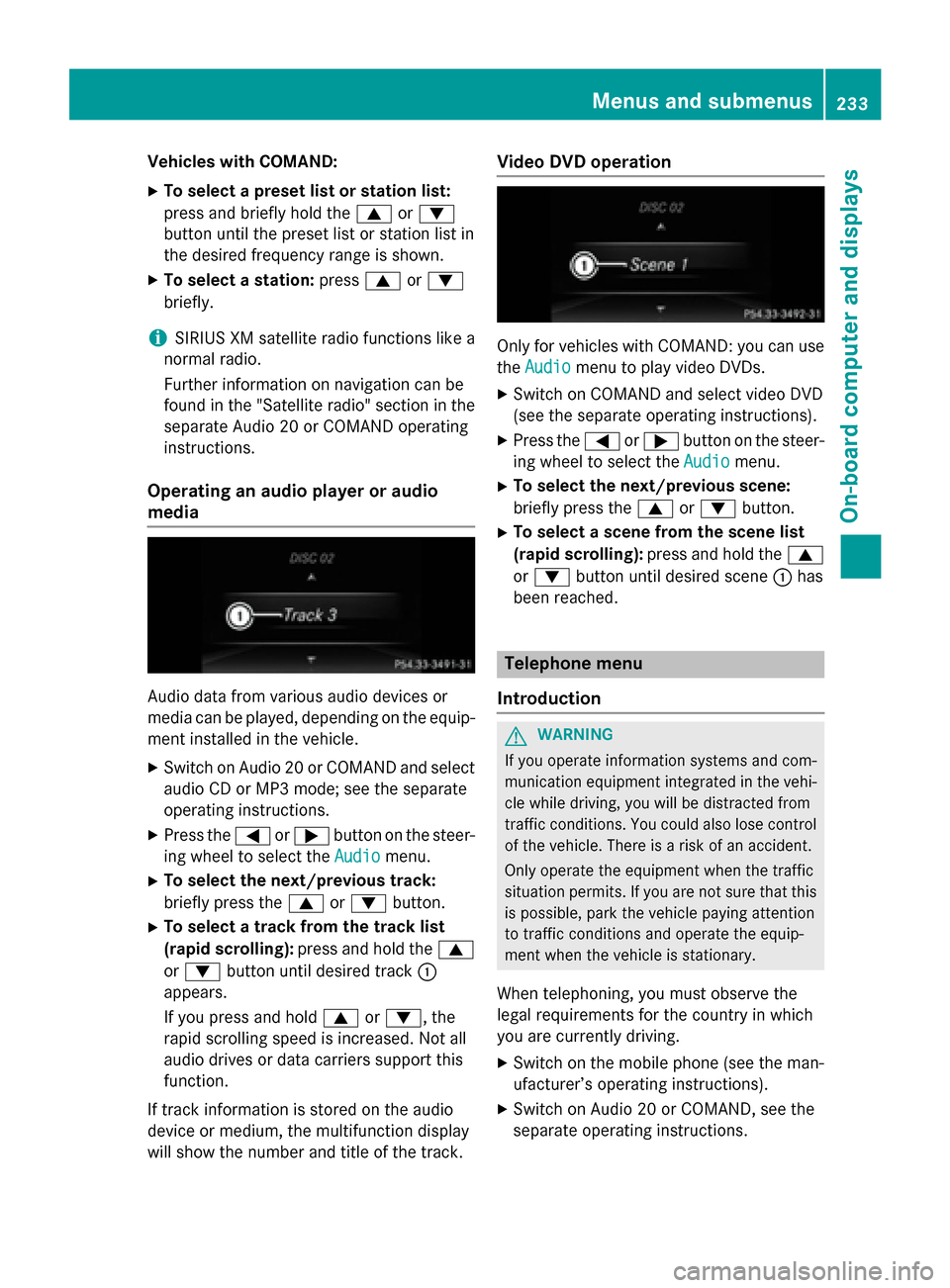
Operating an audio player or audio
media Audio data from various audio devices or
media can be played, depending on the equip-
ment installed in the vehicle.
X Switch on Audio 20 or COMAND and select
audio CD or MP3 mode; see the separate
operating instructions.
X Press the =or; button on the steer-
ing wheel to select the Audio Audiomenu.
X To select the next/previous track:
briefly press the 9or: button.
X To select a track from the track list
(rapid scrolling): press and hold the 9
or : button until desired track :
appears.
If you press and hold 9or:, the
rapid scrolling speed is increased. Not all
audio drives or data carriers support this
function.
If track information is stored on the audio
device or medium, the multifunction display
will show the number and title of the track. Video DVD operation
Only for vehicles with COMAND: you can use
the Audio Audio menu to play video DVDs.
X Switch on COMAND and select video DVD
(see the separate operating instructions).
X Press the =or; button on the steer-
ing wheel to select the Audio Audiomenu.
X To select the next/previous scene:
briefly press the 9or: button.
X To select a scene from the scene list
(rapid scrolling): press and hold the 9
or : button until desired scene :has
been reached. Telephone menu
Introduction G
WARNING
If you operate information systems and com-
munication equipment integrated in the vehi- cle while driving, you will be distracted from
traffic conditions. You could also lose control of the vehicle. There is a risk of an accident.
Only operate the equipment when the traffic
situation permits. If you are not sure that this
is possible, park the vehicle paying attention
to traffic conditions and operate the equip-
ment when the vehicle is stationary.
When telephoning, you must observe the
legal requirements for the country in which
you are currently driving.
X Switch on the mobile phone (see the man-
ufacturer’s operating instructions).
X Switch on Audio 20 or COMAND, see the
separate operating instructions. Menus and submenus
233On-board computer and displays Z
Page 236 of 398
X
Establish a Bluetooth ®
connection to Audio
20 or COMAND, see the separate operating instructions.
X Press the =or; button on the steer-
ing wheel to select the Tel
Tel menu.
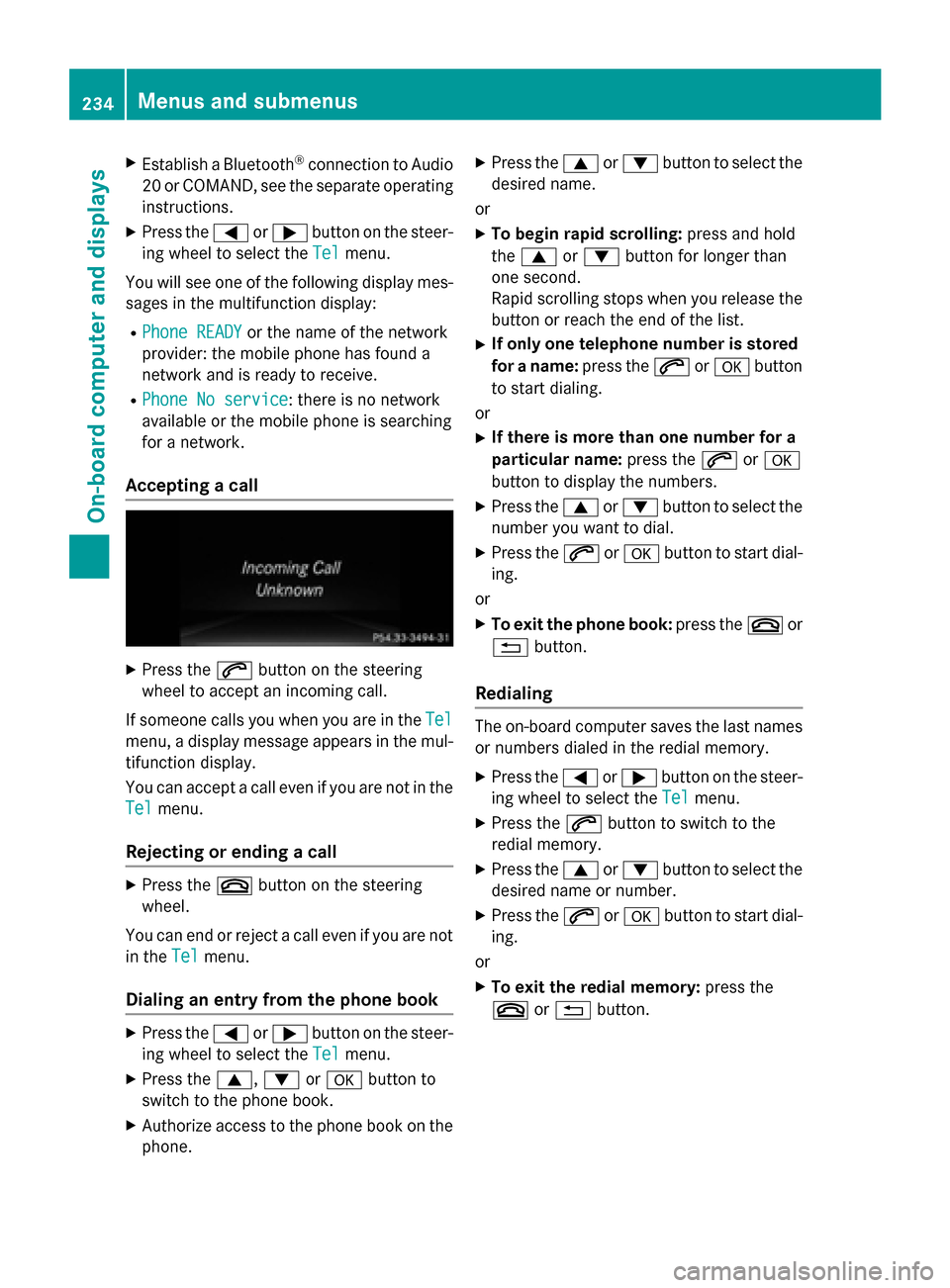
You will see one of the following display mes-
sages in the multifunction display:
R Phone READY Phone READY or the name of the network
provider: the mobile phone has found a
network and is ready to receive.
R Phone No service
Phone No service: there is no network
available or the mobile phone is searching
for a network.
Accepting a call X
Press the 6button on the steering
wheel to accept an incoming call.
If someone calls you when you are in the Tel Tel
menu, a display message appears in the mul- tifunction display.
You can accept a call even if you are not in the
Tel
Tel menu.
Rejecting or ending a call X
Press the ~button on the steering
wheel.
You can end or reject a call even if you are not
in the Tel
Tel menu.
Dialing an entry from the phone book X
Press the =or; button on the steer-
ing wheel to select the Tel
Tel menu.
X Press the 9,:ora button to
switch to the phone book.
X Authorize access to the phone book on the
phone. X
Press the 9or: button to select the
desired name.
or
X To begin rapid scrolling: press and hold
the 9 or: button for longer than
one second.
Rapid scrolling stops when you release the
button or reach the end of the list.
X If only one telephone number is stored
for a name: press the6ora button
to start dialing.
or
X If there is more than one number for a
particular name: press the6ora
button to display the numbers.
X Press the 9or: button to select the
number you want to dial.
X Press the 6ora button to start dial-
ing.
or X To exit the phone book: press the~or
% button.
Redialing The on-board computer saves the last names
or numbers dialed in the redial memory.
X Press the =or; button on the steer-
ing wheel to select the Tel
Tel menu.
X Press the 6button to switch to the
redial memory.
X Press the 9or: button to select the
desired name or number.
X Press the 6ora button to start dial-
ing.
or X To exit the redial memory: press the
~ or% button. 234
Menus and submenusOn-board computer and displays
Page 237 of 398
Assistance menu
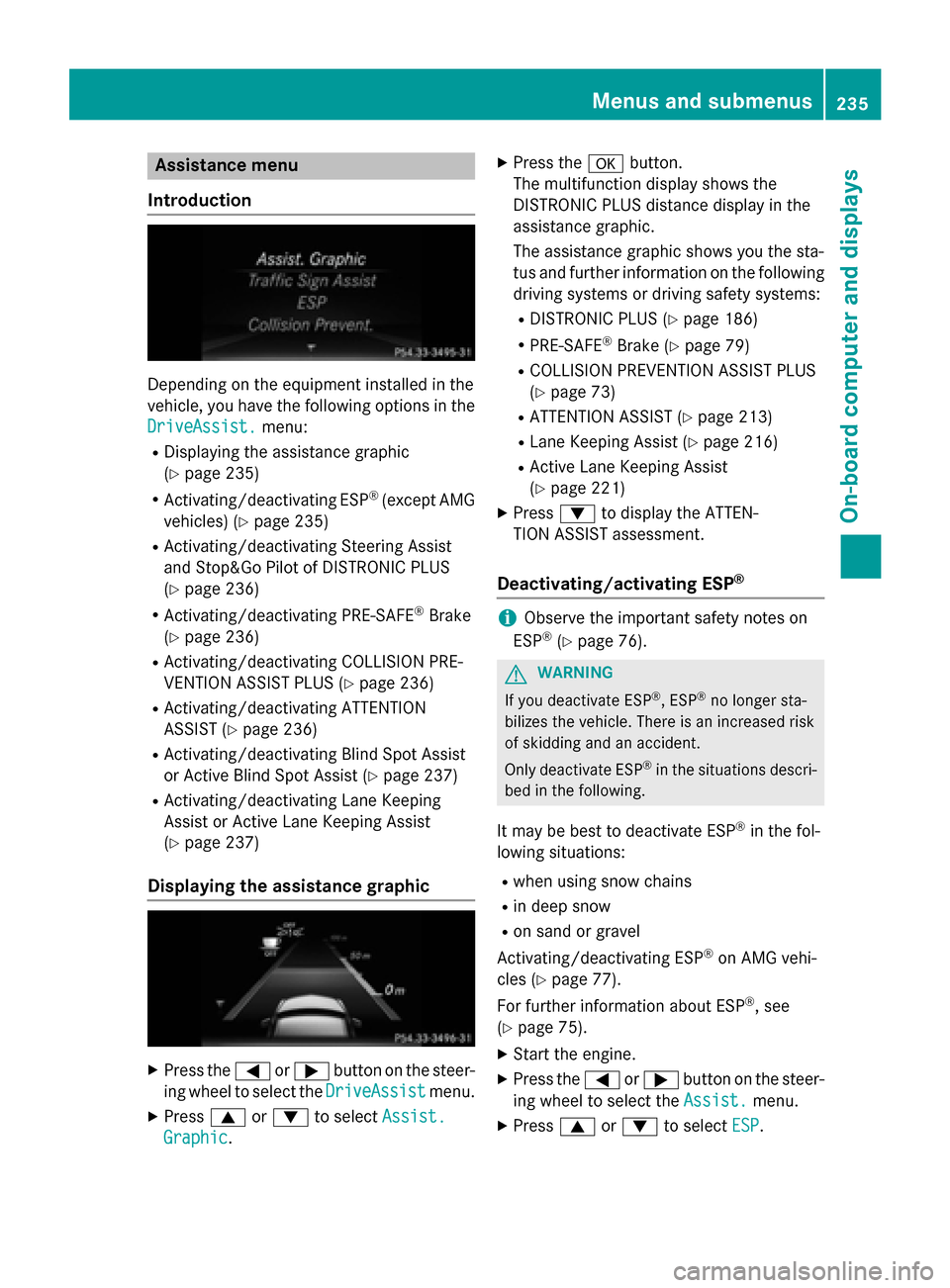
Introduction Depending on the equipment installed in the
vehicle, you have the following options in the
DriveAssist. DriveAssist. menu:
R Displaying the assistance graphic
(Y page 235)
R Activating/deactivating ESP ®
(except AMG
vehicles) (Y page 235)
R Activating/deactivating Steering Assist
and Stop&Go Pilot of DISTRONIC PLUS
(Y page 236)
R Activating/deactivating PRE-SAFE ®
Brake
(Y page 236)
R Activating/deactivating COLLISION PRE-
VENTION ASSIST PLUS (Y page 236)
R Activating/deactivating ATTENTION
ASSIST (Y page 236)
R Activating/deactivating Blind Spot Assist
or Active Blind Spot Assist (Y page 237)
R Activating/deactivating Lane Keeping
Assist or Active Lane Keeping Assist
(Y page 237)
Displaying the assistance graphic X
Press the =or; button on the steer-
ing wheel to select the DriveAssist DriveAssistmenu.
X Press 9or: to select Assist. Assist.
Graphic Graphic. X
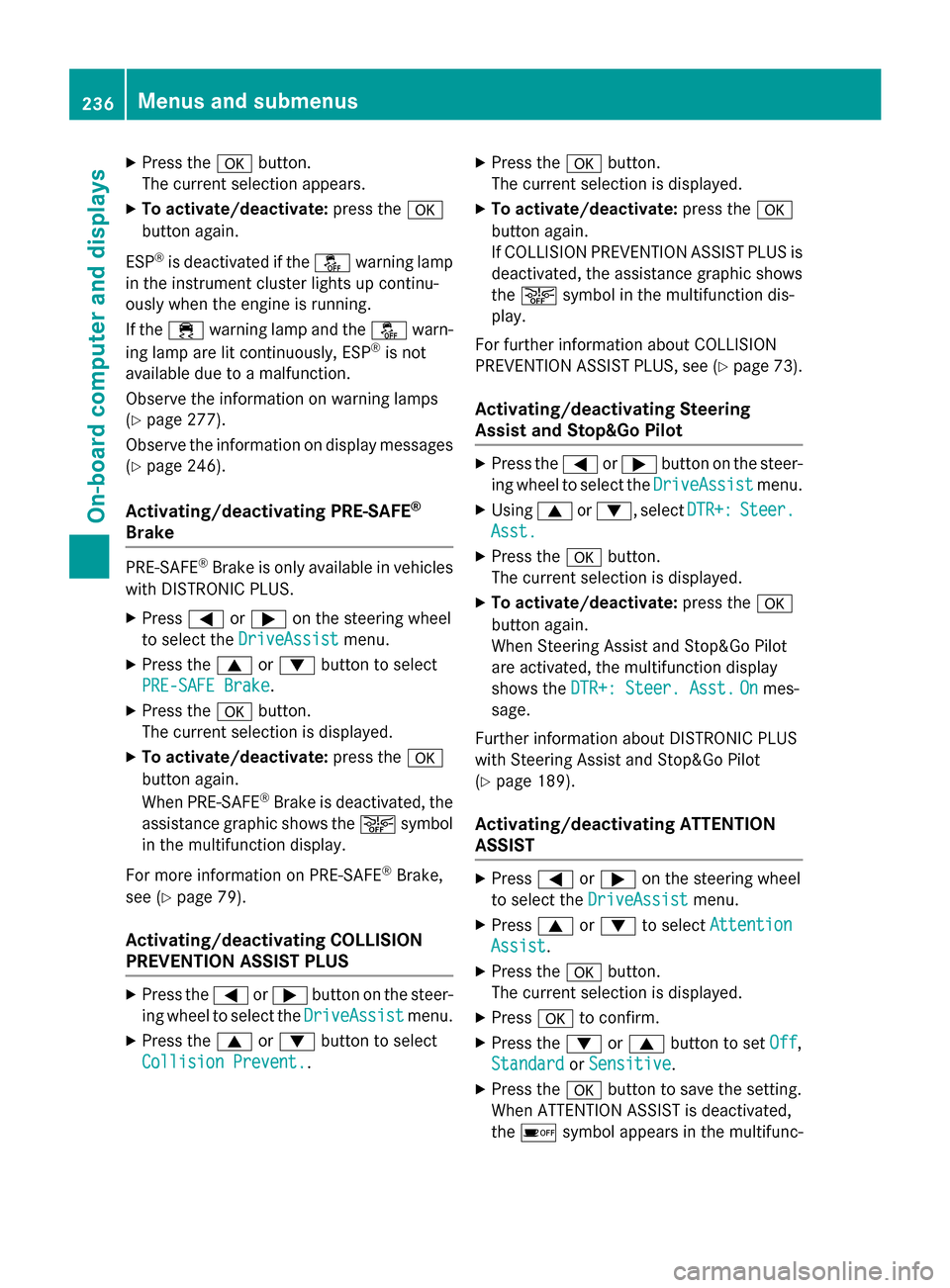
Press the abutton.
The multifunction display shows the
DISTRONIC PLUS distance display in the
assistance graphic.
The assistance graphic shows you the sta-
tus and further information on the following
driving systems or driving safety systems:
R DISTRONIC PLUS (Y page 186)
R PRE-SAFE ®
Brake (Y page 79)
R COLLISION PREVENTION ASSIST PLUS
(Y page 73)
R ATTENTION ASSIST (Y page 213)
R Lane Keeping Assist (Y page 216)
R Active Lane Keeping Assist
(Y page 221)
X Press :to display the ATTEN-
TION ASSIST assessment.
Deactivating/activating ESP ® i
Observe the important safety notes on
ESP ®
(Y page 76). G
WARNING
If you deactivate ESP ®
, ESP ®
no longer sta-
bilizes the vehicle. There is an increased risk
of skidding and an accident.
Only deactivate ESP ®
in the situations descri-
bed in the following.
It may be best to deactivate ESP ®
in the fol-
lowing situations:
R when using snow chains
R in deep snow
R on sand or gravel
Activating/deactivating ESP ®
on AMG vehi-
cles (Y page 77).
For further information about ESP ®
, see
(Y page 75).
X Start the engine.
X Press the =or; button on the steer-
ing wheel to select the Assist. Assist.menu.
X Press 9or: to select ESP
ESP. Menus and sub
menus
235On-board computer and displays Z
Page 238 of 398
X
Press the abutton.
The current selection appears.
X To activate/deactivate: press thea
button again.
ESP ®
is deactivated if the åwarning lamp
in the instrument cluster lights up continu-
ously when the engine is running.
If the ÷ warning lamp and the åwarn-
ing lamp are lit continuously, ESP ®
is not
available due to a malfunction.
Observe the information on warning lamps
(Y page 277).
Observe the information on display messages
(Y page 246).
Activating/deactivating PRE-SAFE ®
Brake PRE‑SAFE
®
Brake is only available in vehicles
with DISTRONIC PLUS.
X Press =or; on the steering wheel
to select the DriveAssist
DriveAssist menu.
X Press the 9or: button to select
PRE-SAFE Brake
PRE-SAFE Brake.
X Press the abutton.
The current selection is displayed.
X To activate/deactivate: press thea
button again.
When PRE-SAFE ®
Brake is deactivated, the
assistance graphic shows the æsymbol
in the multifunction display.
For more information on PRE‑SAFE ®
Brake,
see (Y page 79).
Activating/deactivating COLLISION
PREVENTION ASSIST PLUS X
Press the =or; button on the steer-
ing wheel to select the DriveAssist DriveAssistmenu.
X Press the 9or: button to select
Collision Prevent.
Collision Prevent.. X
Press the abutton.
The current selection is displayed.
X To activate/deactivate: press thea
button again.
If COLLISION PREVENTION ASSIST PLUS is deactivated, the assistance graphic shows
the æ symbol in the multifunction dis-
play.
For further information about COLLISION
PREVENTION ASSIST PLUS, see (Y page 73).
Activating/deactivating Steering
Assist and Stop&Go Pilot X
Press the =or; button on the steer-
ing wheel to select the DriveAssist DriveAssistmenu.
X Using 9or:, select DTR+:
DTR+:Steer.
Steer.
Asst.
Asst.
X Press the abutton.
The current selection is displayed.
X To activate/deactivate: press thea
button again.
When Steering Assist and Stop&Go Pilot
are activated, the multifunction display
shows the DTR+: Steer. Asst. DTR+: Steer. Asst. On
Onmes-
sage.
Further information about DISTRONIC PLUS
with Steering Assist and Stop&Go Pilot
(Y page 189).
Activating/deactivating ATTENTION
ASSIST X
Press =or; on the steering wheel
to select the DriveAssist DriveAssist menu.
X Press 9or: to select Attention
Attention
Assist
Assist.
X Press the abutton.
The current selection is displayed.
X Press ato confirm.
X Press the :or9 button to set Off
Off,
Standard
Standard orSensitive
Sensitive .
X Press the abutton to save the setting.
When ATTENTION ASSIST is deactivated,
the é symbol appears in the multifunc- 236
Menus and submenusOn-board computer and displays