drive program MERCEDES-BENZ CLS-Class 2016 W218 User Guide
[x] Cancel search | Manufacturer: MERCEDES-BENZ, Model Year: 2016, Model line: CLS-Class, Model: MERCEDES-BENZ CLS-Class 2016 W218Pages: 342, PDF Size: 8.28 MB
Page 132 of 342
It is only possible to shift the transmission from
positionPto the desired position if you depress
the brake pedal. If the brake pedal is not
depressed, the DIRECT SELECT lever can still be
moved but the parking lock remains engaged.
iUpshifts take place at higher engine speeds
after a cold start. This helps the catalytic con-
verter to reach its operating temperature
more quickly.
Hill start assist
Hill start assist helps you when pulling away for-
wards or in reverse on an uphill gradient. It holds
the vehicle for a short time after you have
removed your foot from the brake pedal. This
gives you enough time to move your foot from
the brake pedal to the accelerator pedal and to
depress it before the vehicle begins to roll.
GWARNING
After a short time, hill start assist will no lon-
ger brake your vehicle and it could roll away.
There is a risk of an accident and injury.
Therefore, quickly move your foot from the
brake pedal to the accelerator pedal. Never
leave the vehicle when it is held by hill start
assist.
Hill start assist is not active if:
Ryou are pulling away on a level road or on a
downhill gradient.
Rthe transmission is in position N.
Rthe parking brake is applied.
RESP®is malfunctioning.
ECO start/stop function
Introduction
The ECO start/stop function switches the
engine off automatically if the vehicle is stopped
under certain conditions.
The engine starts automatically when the driver
wants to pull away again. The ECO start/stop
function thereby helps you to reduce the fuel
consumption and emissions of your vehicle.
Important safety notes
GWARNING
If the engine is switched off automatically and
you exit the vehicle, the engine is restarted
automatically. The vehicle may begin moving.
There is a risk of accident and injury.
If you wish to exit the vehicle, always turn off
the ignition and secure the vehicle against
rolling away.
General notes
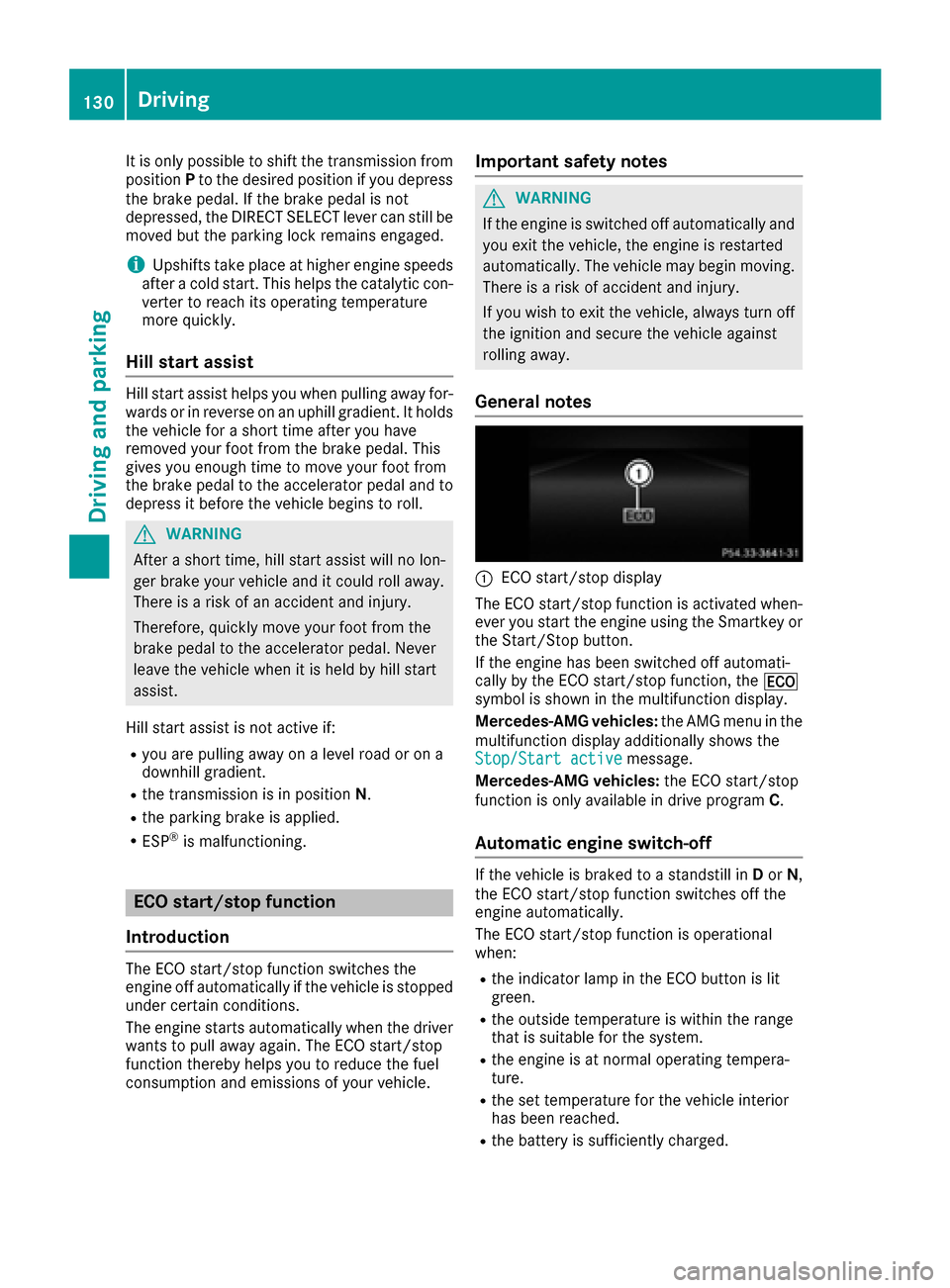
:ECO start/stop display
The ECO start/stop function is activated when-
ever you start the engine using the Smartkey or
the Start/Stop button.
If the engine has been switched off automati-
cally by the ECO start/stop function, the ¤
symbol is shown in the multifunction display.
Mercedes-AMG vehicles: the AMG menu in the
multifunction display additionally shows the
Stop/Start active
message.
Mercedes-AMG vehicles: the ECO start/stop
function is only available in drive program C.
Automatic engine switch-off
If the vehicle is braked to a standstill inDor N,
the ECO start/stop function switches off the
engine automatically.
The ECO start/stop function is operational
when:
Rthe indicator lamp in the ECO button is lit
green.
Rthe outside temperature is within the range
that is suitable for the system.
Rthe engine is at normal operating tempera-
ture.
Rthe set temperature for the vehicle interior
has been reached.
Rthe battery is sufficiently charged.
130Driving
Driving and parking
Page 133 of 342
Rthe system detects that the windshield is not
fogged up when the air-conditioning system isswitched on.
Rthe hood is closed.
Rthe driver's door is closed and the driver's
seat belt is fastened.
iAll of the vehicle's systems remain active
when the engine is stopped automatically.
iThe HOLD function can also be activated if
the engine has been switched off automati-
cally. It is then not necessary to continue
applying the brakes during the automatic stop
phase. When you depress the accelerator
pedal, the engine starts automatically and the
braking effect of the HOLD function is deac-
tivated.
iAll vehicles (except Mercedes-AMG vehi-
cles): automatic engine switch-off can take
place a maximum of four times in a row (initial
stop, then three subsequent stops).
iMercedes-AMG vehicles: the number of
consecutive automatic engine switch-offs is
unlimited.
Automatic engine start
The engine starts automatically if:
Ryou switch off the ECO start/stop function by
pressing the ECO button
Rin transmission position Dor Nthe brake
pedal is released and the HOLD function is not
active
Ryou depress the accelerator pedal
Ryou engage reverse gear R
Ryou move the transmission out of position P
Ryou switch to drive programS,S+ orM
(Mercedes-AMG vehicles)
Ryou unfasten your seat belt or open the driv-
er's door
Rthe vehicle starts to roll
Rthe brake system requires this
Rthe temperature in the vehicle interior devi-
ates from the set range
Rthe system detects moisture on the wind-
shield when the air-conditioning system is
switched on
Rthe battery's condition of charge is too low
iShifting the transmission to position Pdoes
not start the engine.
Deactivating or activating the ECO
start/stop function
All vehicles (except Mercedes-AMG vehi-
cles)
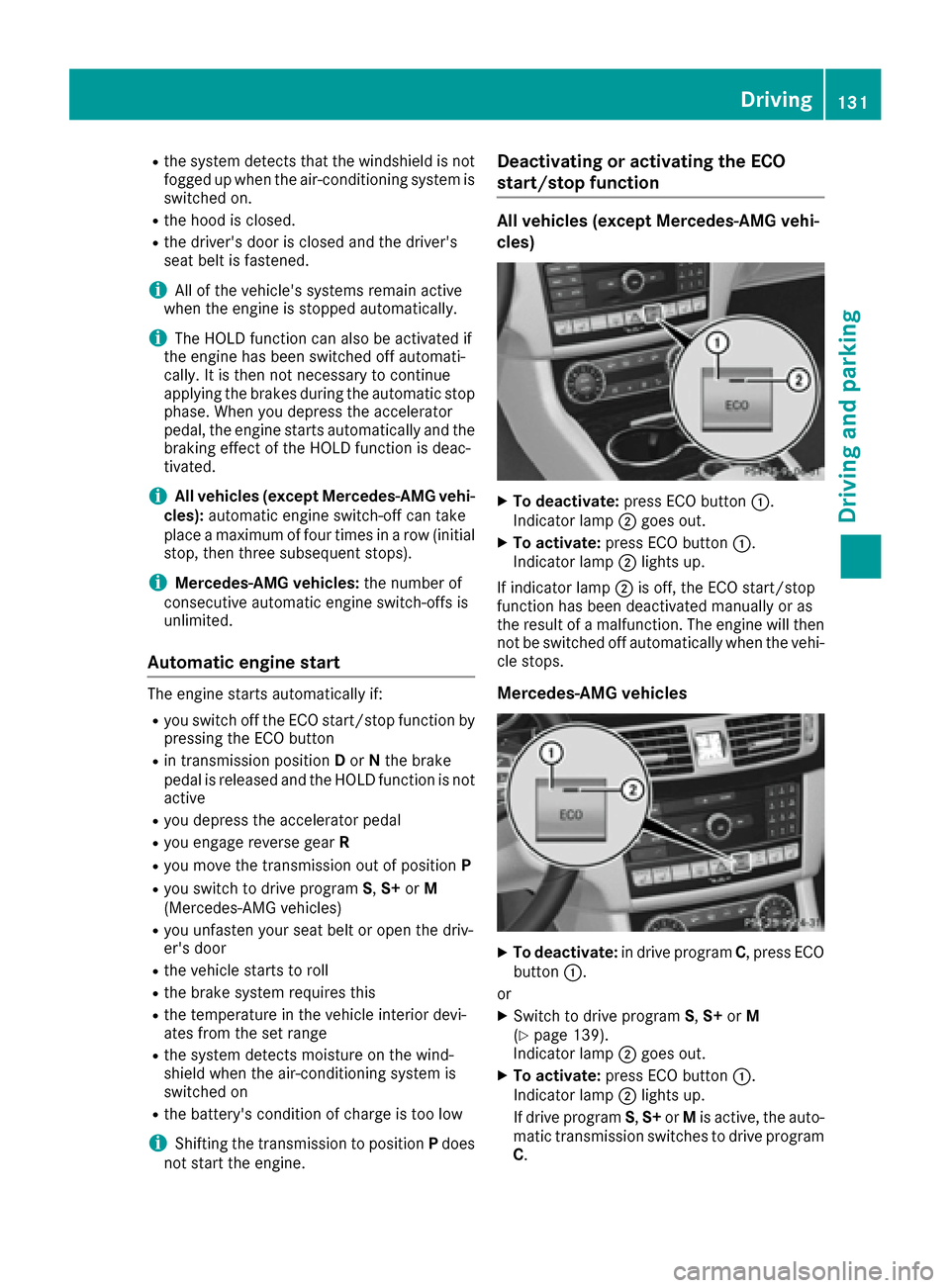
XTo deactivate: press ECO button :.
Indicator lamp ;goes out.
XTo activate: press ECO button :.
Indicator lamp ;lights up.
If indicator lamp ;is off, the ECO start/stop
function has been deactivated manually or as
the result of a malfunction. The engine will then
not be switched off automatically when the vehi- cle stops.
Mercedes-AMG vehicles
XTo deactivate: in drive program C, press ECO
button :.
or
XSwitch to drive program S,S+ orM
(Ypage 139).
Indicator lamp ;goes out.
XTo activate: press ECO button :.
Indicator lamp ;lights up.
If drive program S,S+ orMis active, the auto-
matic transmission switches to drive program
C .
Driving131
Dr iving an d parking
Z
Page 136 of 342
Automa tic trans mission
Import ant safety notes
GWARNIN G
If th eengin espee dis abov eth eidlin gspee d
and you engage transmission position Dor R,
th evehicl ecould pull away suddenly. There is
a ris kof an accident.
When engagin gtransmission position Dor R,
always firmly depress th ebrak epedal and do
no tsimultaneously accelerate .
GWARNING
The automatic transmission switches to neu-
tral position Nwhen you switch off th eengine.
The vehicl emay rol laway. There is aris kof an
accident.
Afte rswitching off th eengine, always switch
to parking position P.Preven tth eparked vehi-
cle from rollin gaway by applyin gth eparking
brake.
Selector lever (Mercedes-AMG vehi-
cles)
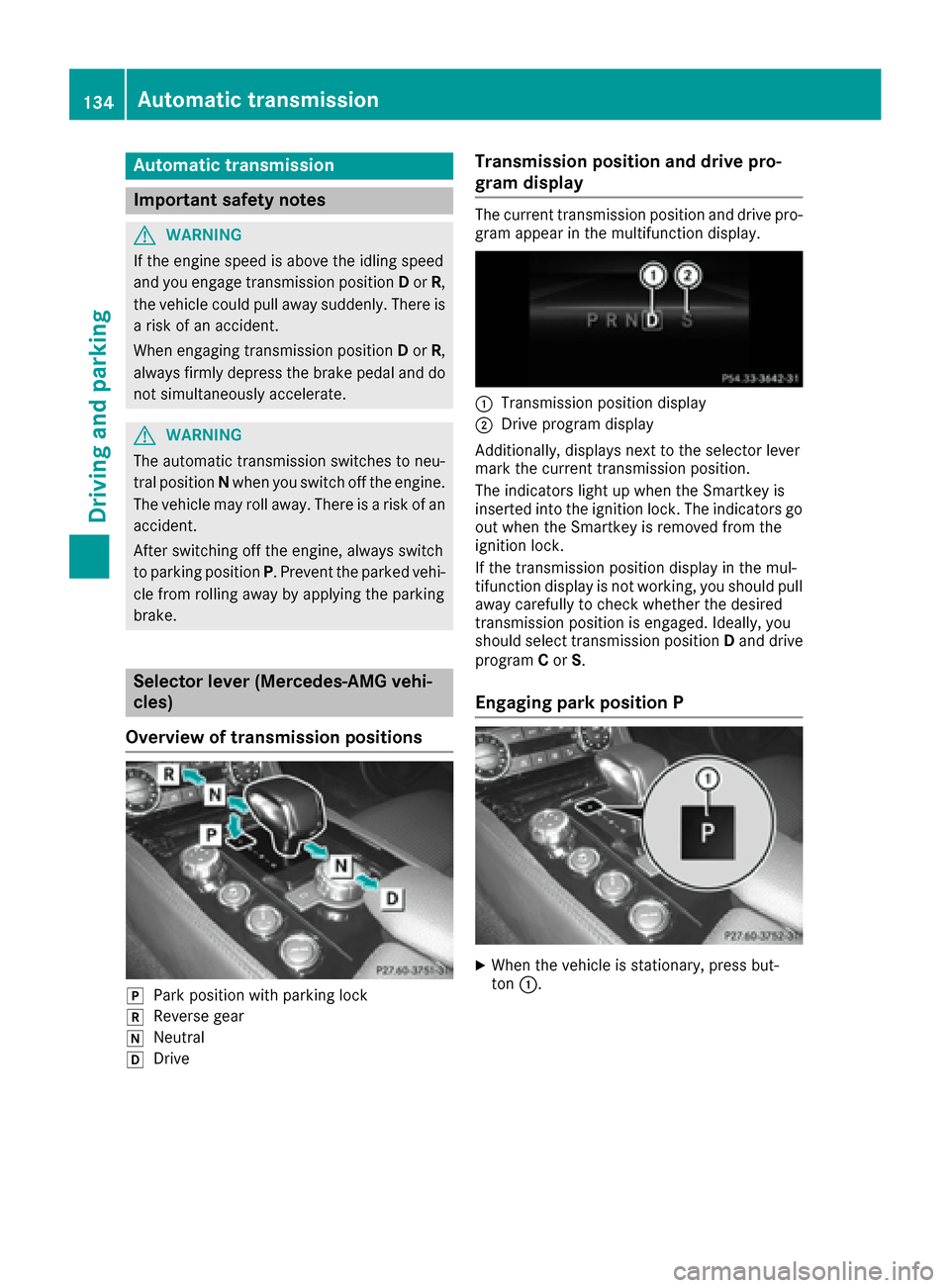
Overview oftrans mission positions
jPark position wit hparking loc k
kReverse gear
iNeutral
hDrive
Transmission position and drive pr o-
gram display
The curren ttransmission position and drive pro -
gram appear in th emultifunction display.
:Transmission position display
;Drive program display
Additionally, displays next to th eselector lever
mar kth ecurren ttransmission position .
The indicators ligh tup when th eSmartke yis
inserted int oth eignition lock. The indicators go
out when th eSmartke yis remove dfrom th e
ignition lock.
If th etransmission position display in th emul-
tifunction display is no tworking ,you should pull
away carefully to chec kwhether th edesired
transmission position is engaged. Ideally, you
should select transmission position Dand drive
program Cor S.
Engaging pa rkposition P
XWhen th evehicl eis stationary, press but -
to n:.
134Automatic transmission
Driving an d parking
Page 137 of 342
DIRECT SELECT lever
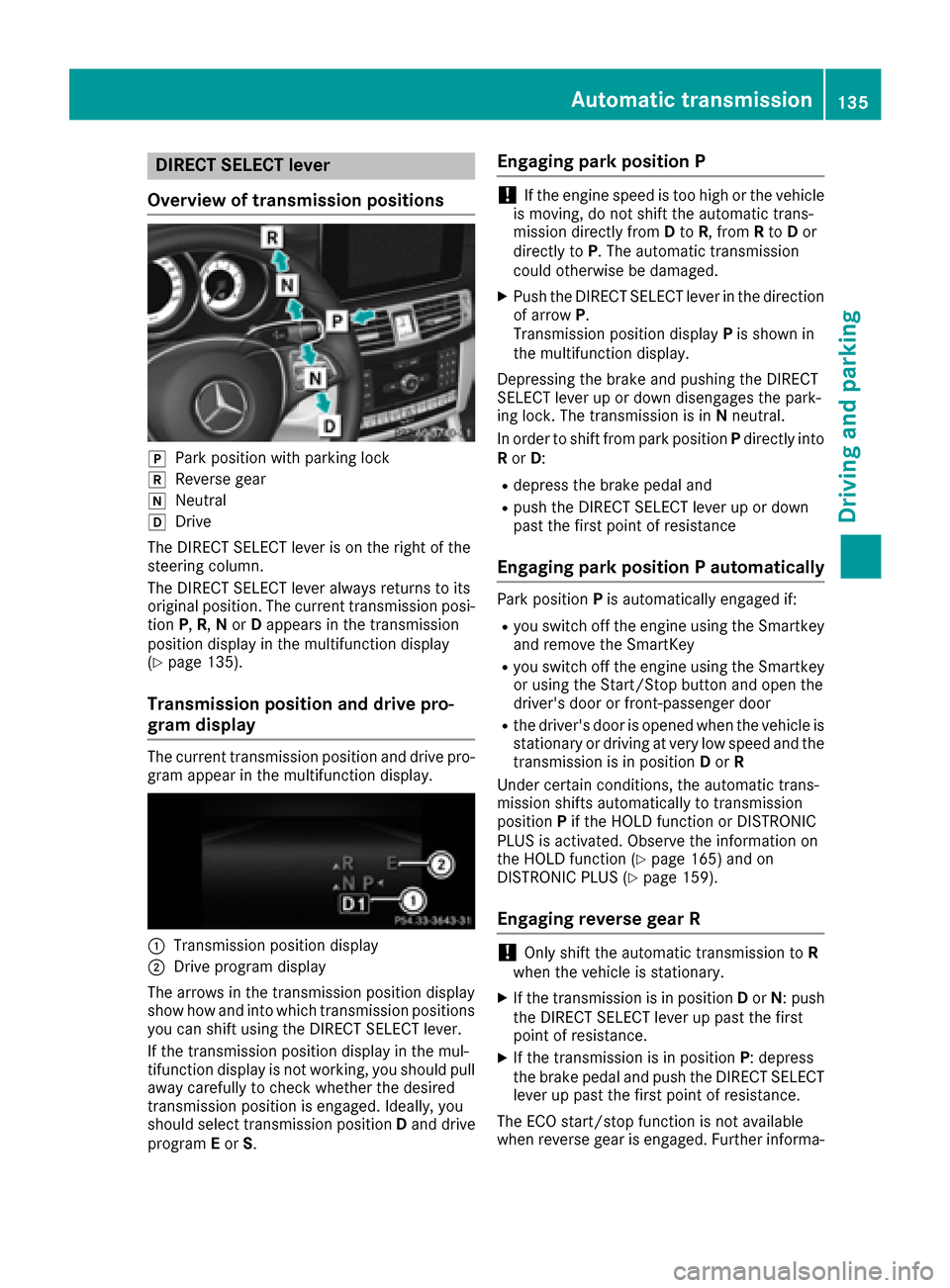
Overview of transmission positions
jPar kposition wit hparking loc k
kReversegear
iNeutral
hDrive
The DIREC TSELECT lever is on th eright of th e
steerin gcolumn .
The DIREC TSELECT lever always return sto it s
original position .The curren ttransmissio nposi-
tion P,R,N or Dappears in th etransmissio n
position display in th emultifunction display
(
Ypage 135).
Transmission position an ddrive pro-
gram display
The curren ttransmissio nposition and drive pro -
gram appear in th emultifunction display.
:Transmissio nposition display
;Drive program display
The arrows in th etransmissio nposition display
sho whow and into whic htransmissio nposition s
you can shift usin gth eDIREC TSELECT lever.
If th etransmissio nposition display in th emul-
tifunction display is no tworking ,you should pull
away carefully to chec kwhether th edesire d
transmissio nposition is engaged. Ideally, you
should selec ttransmissio nposition Dand drive
program Eor S.
Engaging park position P
!If theengin espeed is to ohig hor th evehicle
is moving, do no tshift th eautomatic trans -
missio ndirectl yfrom Dto R,from Rto Dor
directl yto P. The automatic transmissio n
could otherwise be damaged .
XPush theDIREC TSELECT lever in th edirection
of arrow P.
Transmissio nposition display Pis shown in
th emultifunction display.
Depressing th ebrake and pushin gth eDIREC T
SELECT lever up or down disengage sth epark-
in g lock. The transmissio nis in Nneutral.
In order to shift from par kposition Pdirectl yinto
R or D:
Rdepress th ebrake peda land
Rpush th eDIREC TSELECT lever up or down
past th efirst poin tof resistanc e
Engaging park position Pautomatically
Par kposition Pis automatically engage dif:
Ryou switch of fth eengin eusin gth eSmartke y
and remov eth eSmartKey
Ryou switch of fth eengin eusin gth eSmartke y
or usin gth eStart/Sto pbutto nand ope nth e
driver's doo ror front-passenger doo r
Rthedriver's doo ris opene dwhen th evehicle is
stationary or drivin gat ver ylow speed and th e
transmissio nis in position Dor R
Under certain conditions, th eautomatic trans -
missio nshift sautomatically to transmissio n
position Pif th eHOLD function or DISTRONIC
PLU Sis activated. Observ eth einformation on
th eHOLD function (
Ypage 165) and on
DISTRONIC PLU S (Ypage 159).
Engaging reverse gea r R
!Only shift theautomatic transmissio nto R
when th evehicle is stationary.
XIf th etransmissio nis in position Dor N:push
th eDIREC TSELECT lever up past th efirst
poin tof resistance.
XIf th etransmissio nis in position P:depress
th ebrake peda land push th eDIREC TSELECT
lever up past th efirst poin tof resistance.
The EC Ostart/sto pfunction is no tavailable
when revers egear is engaged. Further informa-
Automatic transmission135
Driving and parking
Z
Page 139 of 342
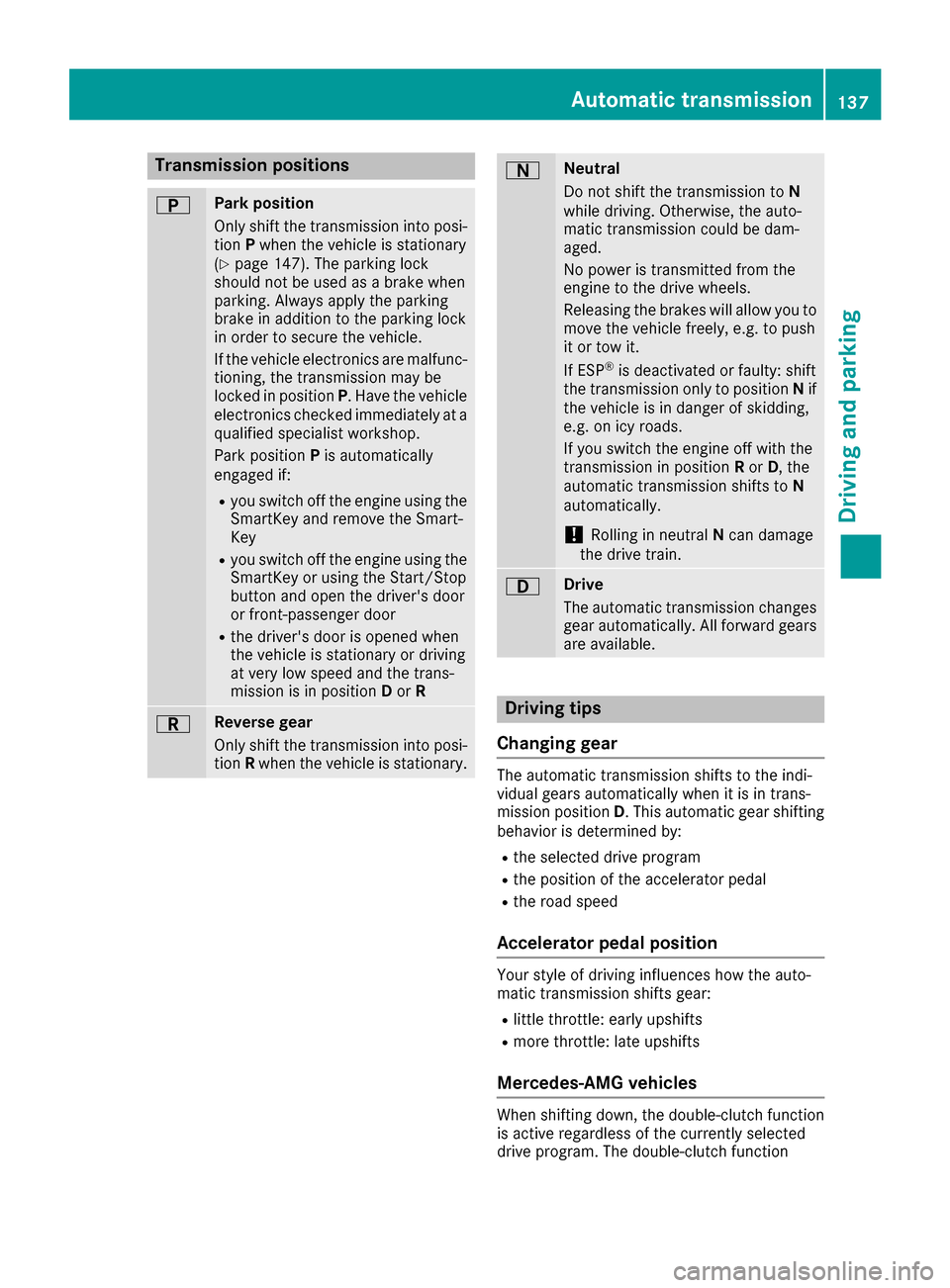
Transmission positions
BPark position
Only shift the transmission into posi-
tionPwhen the vehicle is stationary
(
Ypage 147). The parking lock
should not be used as a brake when
parking. Always apply the parking
brake in addition to the parking lock
in order to secure the vehicle.
If the vehicle electronics are malfunc-
tioning, the transmission may be
locked in position P. Have the vehicle
electronics checked immediately at a
qualified specialist workshop.
Park position Pis automatically
engaged if:
Ryou switch off the engine using the
SmartKey and remove the Smart-
Key
Ryou switch off the engine using the
SmartKey or using the Start/Stop
button and open the driver's door
or front-passenger door
Rthe driver's door is opened when
the vehicle is stationary or driving
at very low speed and the trans-
mission is in position Dor R
CReverse gear
Only shift the transmission into posi-
tion Rwhen the vehicle is stationary.
ANeutral
Do not shift the transmission to N
while driving. Otherwise, the auto-
matic transmission could be dam-
aged.
No power is transmitted from the
engine to the drive wheels.
Releasing the brakes will allow you to
move the vehicle freely, e.g. to push
it or tow it.
If ESP
®is deactivated or faulty: shift
the transmission only to position Nif
the vehicle is in danger of skidding,
e.g. on icy roads.
If you switch the engine off with the
transmission in position Ror D, the
automatic transmission shifts to N
automatically.
!Rolling in neutral Ncan damage
the drive train.
7Drive
The automatic transmission changes
gear automatically. All forward gears
are available.
Driving tips
Changing gear
The automatic transmission shifts to the indi-
vidual gears automatically when it is in trans-
mission position D. This automatic gear shifting
behavior is determined by:
Rthe selected drive program
Rthe position of the accelerator pedal
Rthe road speed
Accelerator pedal position
Your style of driving influences how the auto-
matic transmission shifts gear:
Rlittle throttle: early upshifts
Rmore throttle: late upshifts
Mercedes-AMG vehicles
When shifting down, the double-clutch function
is active regardless of the currently selected
drive program. The double-clutch function
Automatic transmission137
Driving an d parking
Z
Page 140 of 342
reduces load change reactions and is conducive
to a sporty driving style. The sound generated by
the double-clutch function depends on the drive
program selected.
Kickdown
Use kickdown for maximum acceleration:
XDepress the accelerator pedal beyond the
pressure point.
The automatic transmission shifts to a lower
gear depending on the engine speed.
XEase off the accelerator pedal once the
desired speed is reached.
The automatic transmission shifts back up.
Rocking the vehicle free
Rocking the vehicle free by shifting back and
forth between transmission positionsDand R
can help to free a vehicle that has become stuck
in mud or snow. The vehicle's engine manage-
ment restricts switching between transmission
positions Dand Rto speeds up to a maximum of
5 mph (9 km/h). To shift back and forth between
transmission positions Dand R, move the
DIRECT SELECT lever up and down past the
point of resistance.
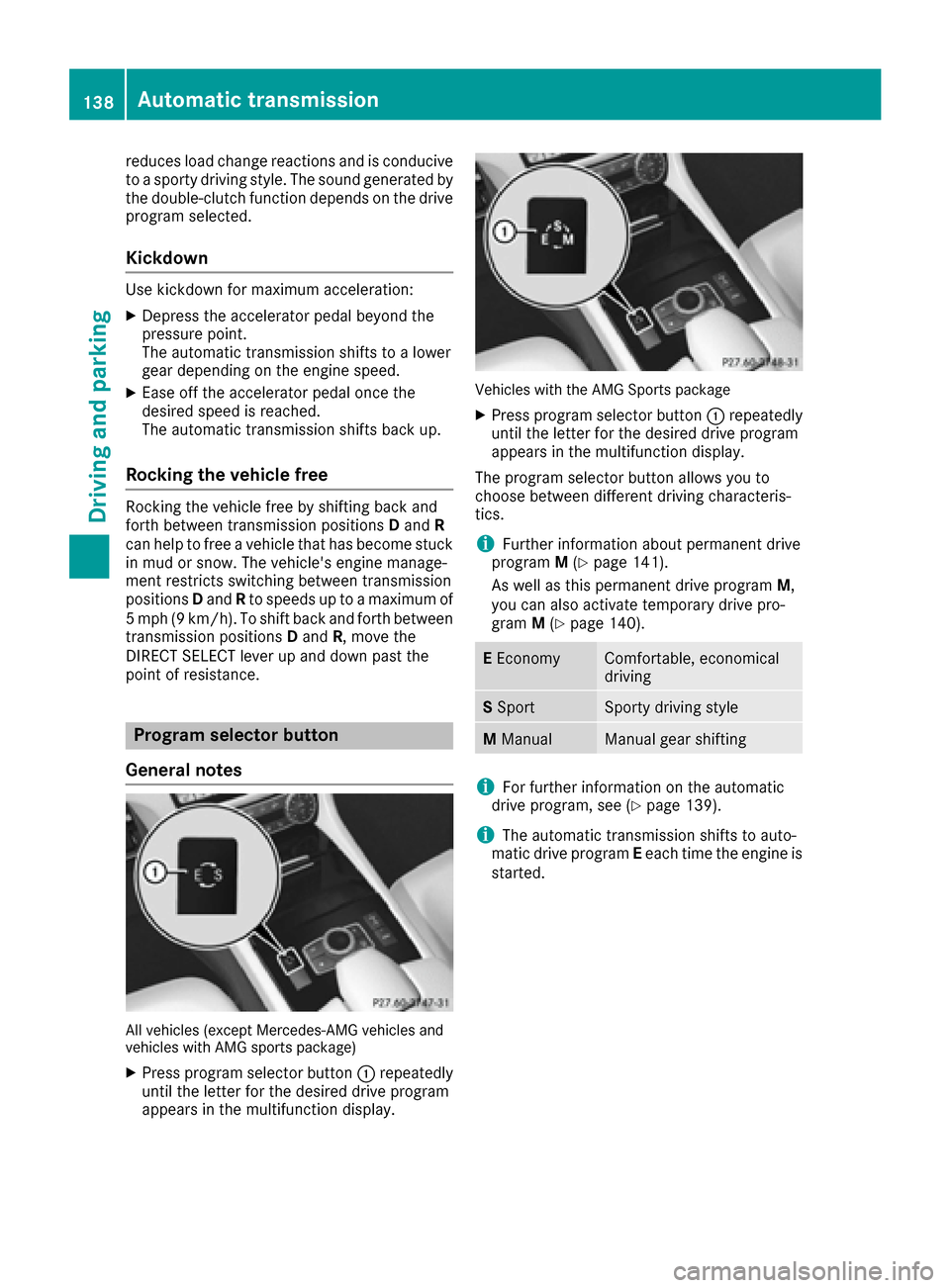
Program selector button
General notes
All vehicles (except Mercedes-AMG vehicles and
vehicles with AMG sports package)
XPress program selector button :repeatedly
until the letter for the desired drive program
appears in the multifunction display.
Vehicles with the AMG Sports package
XPress program selector button :repeatedly
until the letter for the desired drive program
appears in the multifunction display.
The program selector button allows you to
choose between different driving characteris-
tics.
iFurther information about permanent drive
program M(Ypage 141).
As well as this permanent drive program M,
you can also activate temporary drive pro-
gram M(
Ypage 140).
EEconomyComfortable, economical
driving
S SportSporty driving style
M ManualManual gear shifting
iFor further information on the automatic
drive program, see (Ypage 139).
iThe automatic transmission shifts to auto-
matic drive program Eeach time the engine is
started.
138Automatic transmission
Driving and parking
Page 141 of 342
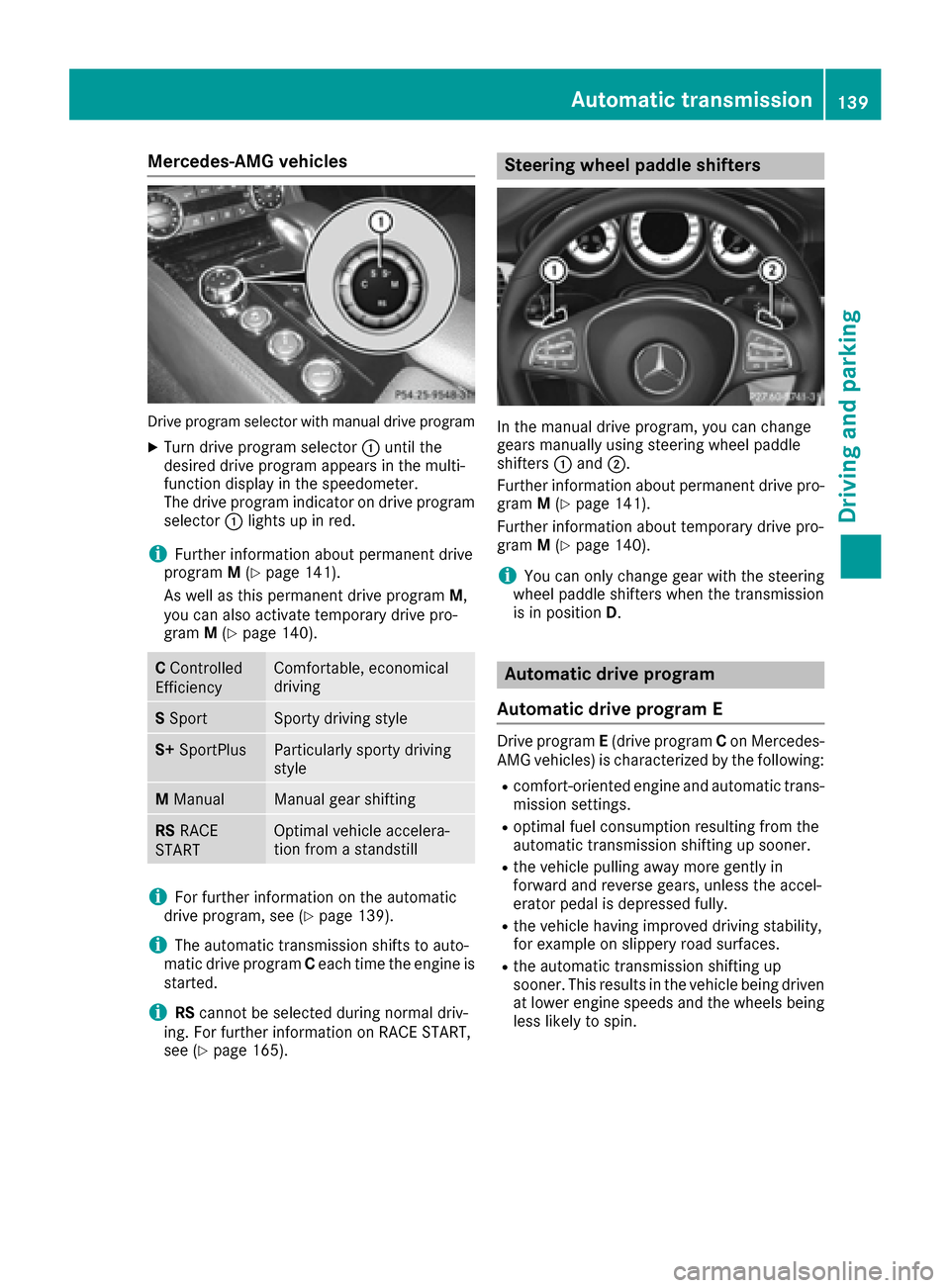
Mercedes-AMG vehicles
Drive program selector with manual drive program
XTurn drive program selector:until the
desired drive program appears in the multi-
function display in the speedometer.
The drive program indicator on drive program
selector :lights up in red.
iFurther information about permanent drive
program M(Ypage 141).
As well as this permanent drive program M,
you can also activate temporary drive pro-
gram M(
Ypage 140).
CControlled
EfficiencyComfortable, economical
driving
S SportSporty driving style
S+ SportPlusParticularly sporty driving
style
MManualManual gear shifting
RS RACE
STARTOptimal vehicle accelera-
tion from a standstill
iFor further information on the automatic
drive program, see (Ypage 139).
iThe automatic transmission shifts to auto-
matic drive program Ceach time the engine is
started.
iRS cannot be selected during normal driv-
ing. For further information on RACE START,
see (
Ypage 165).
Steering wheel paddle shifters
In the manual drive program, you can change
gears manually using steering wheel paddle
shifters :and ;.
Further information about permanent drive pro-
gram M(
Ypage 141).
Further information about temporary drive pro-
gram M(
Ypage 140).
iYou can only change gear with the steering
wheel paddle shifters when the transmission
is in position D.
Automatic drive program
Automatic drive program E
Drive program E(drive program Con Mercedes-
AMG vehicles) is characterized by the following:
Rcomfort-oriented engine and automatic trans-
mission settings.
Roptimal fuel consumption resulting from the
automatic transmission shifting up sooner.
Rthe vehicle pulling away more gently in
forward and reverse gears, unless the accel-
erator pedal is depressed fully.
Rthe vehicle having improved driving stability,
for example on slippery road surfaces.
Rthe automatic transmission shifting up
sooner. This results in the vehicle being driven
at lower engine speeds and the wheels being
less likely to spin.
Automatic transmission139
Driving and parking
Z
Page 142 of 342
Automa tic drive program S
Drive program S(or ,in th ecas eof Mercedes-
AM Gvehicles, drive program sS and S+)is char-
acterize dby th efollowing:
Rsport yengin eand automatic transmission
settings.
Rth eautomatic transmission shifting up later.
th efuel consumption possibl ybein ghigher as
a result of th elater automatic transmission
shif tpoints .
Manual drive program M
Genera lnotes
In this drive program ,you can briefl ychang e
gear yourself by usin gth esteering whee lpaddl e
shifters. The transmission mus tbe in position D.
You can activat emanual drive program Min th e
E and Sautomatic drive programs.
iAs well as temporar ydrive program M,you
can also activat epermanen tdrive program M
(
Ypage 138).
Further information about permanen tdrive
program M(
Ypage 141).
Acti vating
XShift th etransmission to position D.
XPull thelef tor right steering whee lpaddl e
shifte r (Ypage 139).
Manual drive program Mis temporarily acti-
vated. The selected gear and Mappear in th e
multifunction display.
Shi fting gear s
If you pull on th elef tor right steering whee l
paddl eshifter, th eautomatic transmission
switches to manual drive program Mfor alimi -
te damount of time. Dependin gon whic hpaddl e
shifte ris pulled ,th eautomatic transmission
immediately shifts int oth enext gear down or
up, if permitted.
XTo shift up :pull th eright-hand steering whee l
paddl eshifte r (Ypage 139).
The automatic transmission shifts up to th e
next gear .
iIf themaximum engin espee don th ecur -
rentl yengage dgear is reached and you con-
tinue to accelerate ,th eautomatic tra
nsmis
-sion automatically shifts up in order to pre
-
ven tengin edamage.
XTo shift down :pull on th eleft-han dsteering
whee lpaddl eshifte r (Ypage 139).
The automatic transmission shifts down to
th enext gear .
iIf theengin eexceeds th emaximum engin e
spee dwhen shifting down ,th eautomatic
transmission protect sagainst engin edamag e
by no tshifting down .
iAutomatic down shifting occur swhen
coasting .
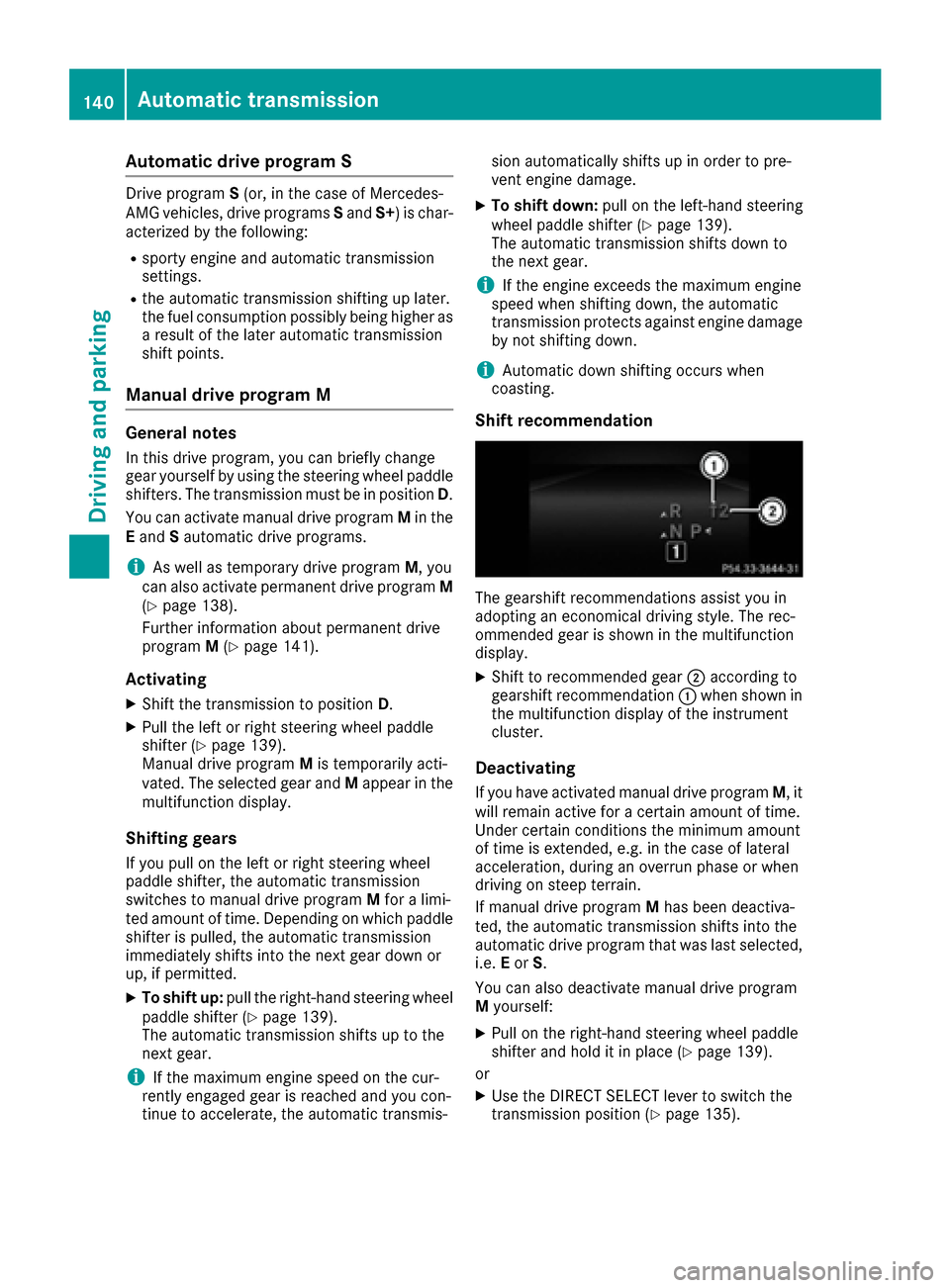
Shiftrecommendation
The gearshif trecommendation sassist you in
adopting an economical drivin gstyle. The rec -
ommended gear is shown in th emultifunction
display.
XShift to recommended gear ;according to
gearshif trecommendation :when shown in
th emultifunction display of th einstrumen t
cluster.
Deactivating
If you hav eactivated manual drive program M,it
will remain active for acertain amount of time.
Under certain condition sth eminimum amount
of time is extended, e.g. in th ecas eof lateral
acceleration ,during an overrun phas eor when
drivin gon steep terrain .
If manual drive program Mhas been deactiva-
ted, th eautomatic transmission shifts int oth e
automatic drive program that was last selected, i.e .E or S.
You can also deactivat emanual drive program
M yourself :
XPull on th eright-hand steering whee lpaddl e
shifte rand hold it in plac e (Ypage 139).
or
XUse th eDIRECT SELECT lever to switch th e
transmission position (Ypage 135).
140Automatic transmission
Driving and parking
Page 143 of 342
or
XUse the program selector button to change
the drive program (Ypage 138).
Manual drive program Mis deactivated. The
automatic transmission switches into the
automatic drive program that was last selec-
ted, i.e. Eor S.
Manual drive program (Mercedes-
AMG vehicles and vehicles with the
AMG sports package)
General information
In this drive program, you can permanently
change gear yourself by using the steering
wheel paddle shifters. The transmission must be
in position D.
iAs well as this permanent drive program M,
you can also activate temporary drive pro-
gram M(
Ypage 140).
Switching on the manual drive program
XPress the program selector button
(Ypage 138) repeatedly until Mappears in
the multifunction display.
XMercedes-AMG vehicles: turn the drive pro-
gram selector (Ypage 139) until Mappears in
the multifunction display.
The indicator Mon the drive program selector
lights up in red.
Manual drive program Mis different from drive
programs Sand S+with regard to spontaneity,
responsiveness and smoothness of gear
changes.
Manual drive program Mcan be selected using
the drive program selector. In manual drive pro-
gram M, you can change gear using the steering
wheel paddle shifters if the transmission is in
position D. The gear currently selected and
engaged is shown in the multifunction display.
Upshifting
XPull the right-hand steering wheel paddle
shifter.
The automatic transmission shifts up to the
next gear.
Mercedes-AMG vehicles
!In manual drive program M, the automatic
transmission does not shift up automatically
even when the engine limiting speed for the
current gear is reached. When the engine lim-
iting speed is reached, the fuel supply is cut to
prevent the engine from overrevving. Always
make sure that the engine speed does not
reach the red area of the tachometer. There is
otherwise a risk of engine damage.
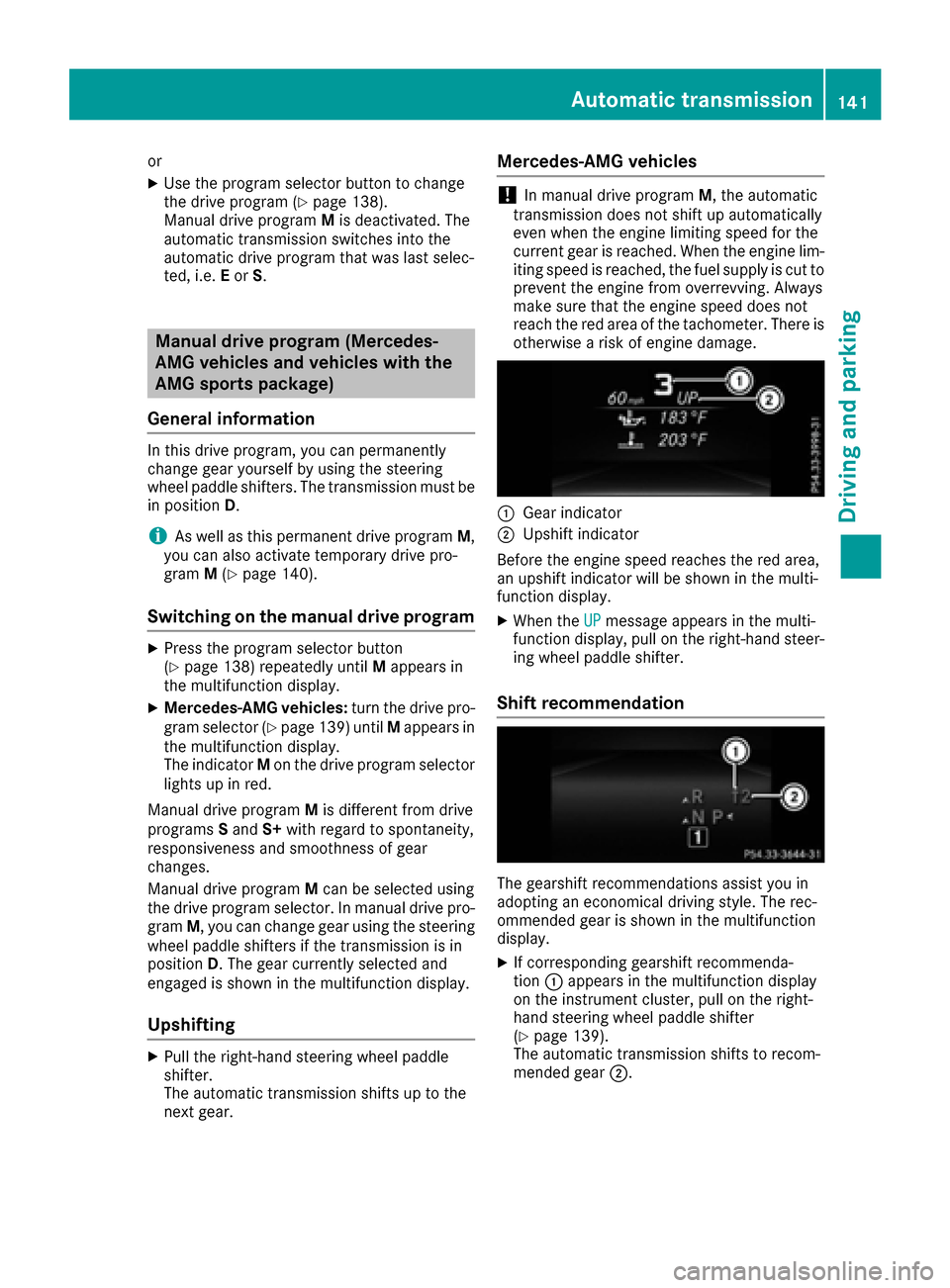
:Gear indicator
;Upshift indicator
Before the engine speed reaches the red area,
an upshift indicator will be shown in the multi-
function display.
XWhen the UPmessage appears in the multi-
function display, pull on the right-hand steer-
ing wheel paddle shifter.
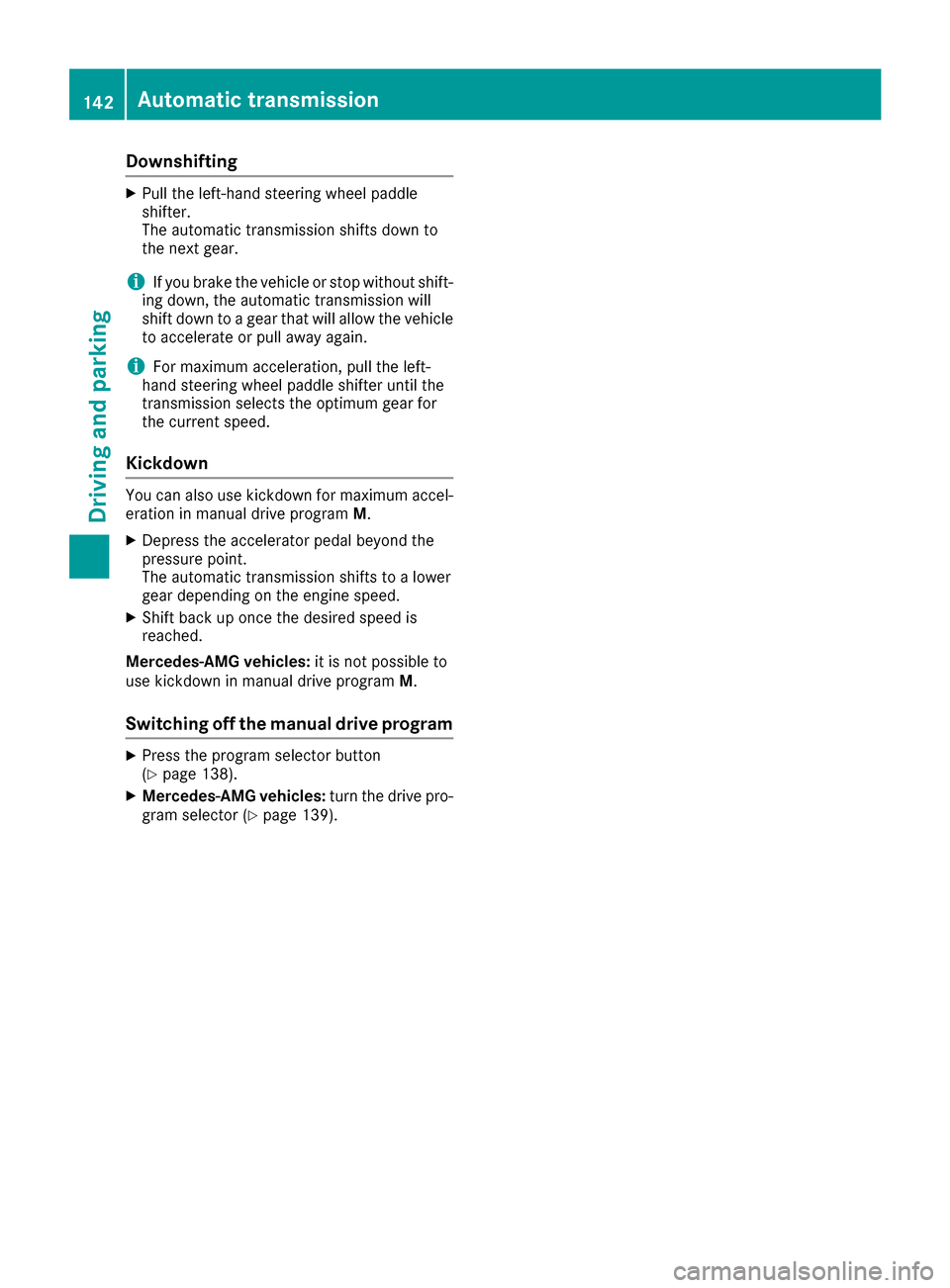
Shift recommendation
The gearshift recommendations assist you in
adopting an economical driving style. The rec-
ommended gear is shown in the multifunction
display.
XIf corresponding gearshift recommenda-
tion :appears in the multifunction display
on the instrument cluster, pull on the right-
hand steering wheel paddle shifter
(
Ypage 139).
The automatic transmission shifts to recom-
mended gear ;.
Automatic transmission141
Driving and parking
Z
Page 144 of 342
Downshifting
XPull theleft-han dsteerin gwhee lpaddle
shifter.
The automatic transmissio nshift sdown to
th enext gear .
iIf you brake th evehicle or stop without shift -
in g down ,th eautomatic transmissio nwill
shift down to agear that will allow th evehicle
to accelerat eor pull away again .
iFormaximum acceleration ,pull th eleft-
han dsteerin gwhee lpaddle shifter until th e
transmissio nselects th eoptimum gear fo r
th ecurren tspeed.
Kickdown
You can also use kickdown fo rmaximum accel-
eration in manual drive program M.
XDepress th eaccelerator peda lbeyond th e
pressure point.
The automatic transmissio nshift sto alowe r
gear dependin gon th eengin espeed.
XShift bac kup once th edesire dspeed is
reached.
Mercedes-AMG vehicles :it is no tpossible to
use kickdown in manual drive program M.
Switchin goff th emanual drive program
XPress th eprogram selecto rbutto n
(Ypage 138).
XMercedes-AMG vehicles :turn th edrive pro -
gram selecto r (Ypage 139).
142Automatic transmission
Driving and parking