drive program MERCEDES-BENZ CLS-Class 2016 W218 Owner's Guide
[x] Cancel search | Manufacturer: MERCEDES-BENZ, Model Year: 2016, Model line: CLS-Class, Model: MERCEDES-BENZ CLS-Class 2016 W218Pages: 342, PDF Size: 8.28 MB
Page 152 of 342
The evaluation of your driving style is carried out
using the following three categories:
RAcceleration(evaluation of all acceleration
processes):
-The bar fills up: moderate acceleration,
especially at higher speeds
-The bar empties: sporty acceleration
RConstant(assessment of driving behavior at
all times):
-The bar fills up: constant speed and avoid-
ance of unnecessary acceleration and
deceleration
-The bar empties: fluctuations in speed
RCoasting(assessment of all deceleration
processes):
-The bar fills up: anticipatory driving, keep-
ing your distance and early release of the
accelerator. The vehicle can coast without
use of the brakes.
-The bar empties: frequent braking
iAn economical driving style specially
requires driving at moderate engine speeds.
To achieve a higher value in the categories
Acceleration
and Constant:
Robserve the gearshift recommendations.
Rdrive in drive program E.
iOn long journeys at a constant speed, e.g.
on the highway, only the bar for Constantwill
change.
iThe ECO display summarizes the driving
characteristics from the start of the journey to
its completion. For this reason, the bars
change dynamically at the beginning of the
journey. On longer journeys, there are fewer
changes. For more dynamic changes, carry
out a manual reset.
For further information on the ECO display, see
(
Ypage 199).
Braking
Important safety notes
GWARNING
If you shift down on a slippery road surface in an attempt to increase the engine's braking
effect, the drive wheels could lose their grip.
There is an increased danger of skidding and
accidents.
Do not shift down for additional engine brak-
ing on a slippery road surface.
Downhill gradients
!On long and steep gradients, you must
reduce the load on the brakes by shifting to a lower gear in good time. This allows you to
take advantage of the engine's braking effect.
This helps you to avoid overheating the
brakes and wearing them out excessively.
When you take advantage of engine braking, a
drive wheel may not turn for some time, e.g.
on a slippery road surface. This could cause
damage to the drive train. This type of damage
is not covered by the Mercedes-Benz war-
ranty.
Do not depress the brake pedal continuously
while the vehicle is in motion, e.g. causing the
brakes to rub by constantly applying light pres-
sure to the pedal. This results in excessive and
premature wear to the brake pads.
Change into a lower gear in good time on long
and steep downhill gradients. This is especially
important if the vehicle is laden.
Heavy and light loads
GWARNING
If you rest your foot on the brake pedal while
driving, the braking system can overheat. This increases the stopping distance and can even
cause the braking system to fail. There is a
risk of an accident.
Never use the brake pedal as a footrest. Never
depress the brake pedal and the accelerator
pedal at the same time.
!Depressing the brake pedal constantly
results in excessive and premature wear to
the brake pads.
If the brakes have been subjected to a heavy
load, do not stop the vehicle immediately, but
drive on for a short while. This allows the airflow
to cool the brakes more quickly.
150Driving tips
Driving and parking
Page 160 of 342
stored speed, the vehicle could accelerate orbrake unexpectedly. There is a risk of an acci-
dent.
Pay attention to the road and traffic condi-
tions before calling up the stored speed. If you
do not know the stored speed, store the
desired speed again.
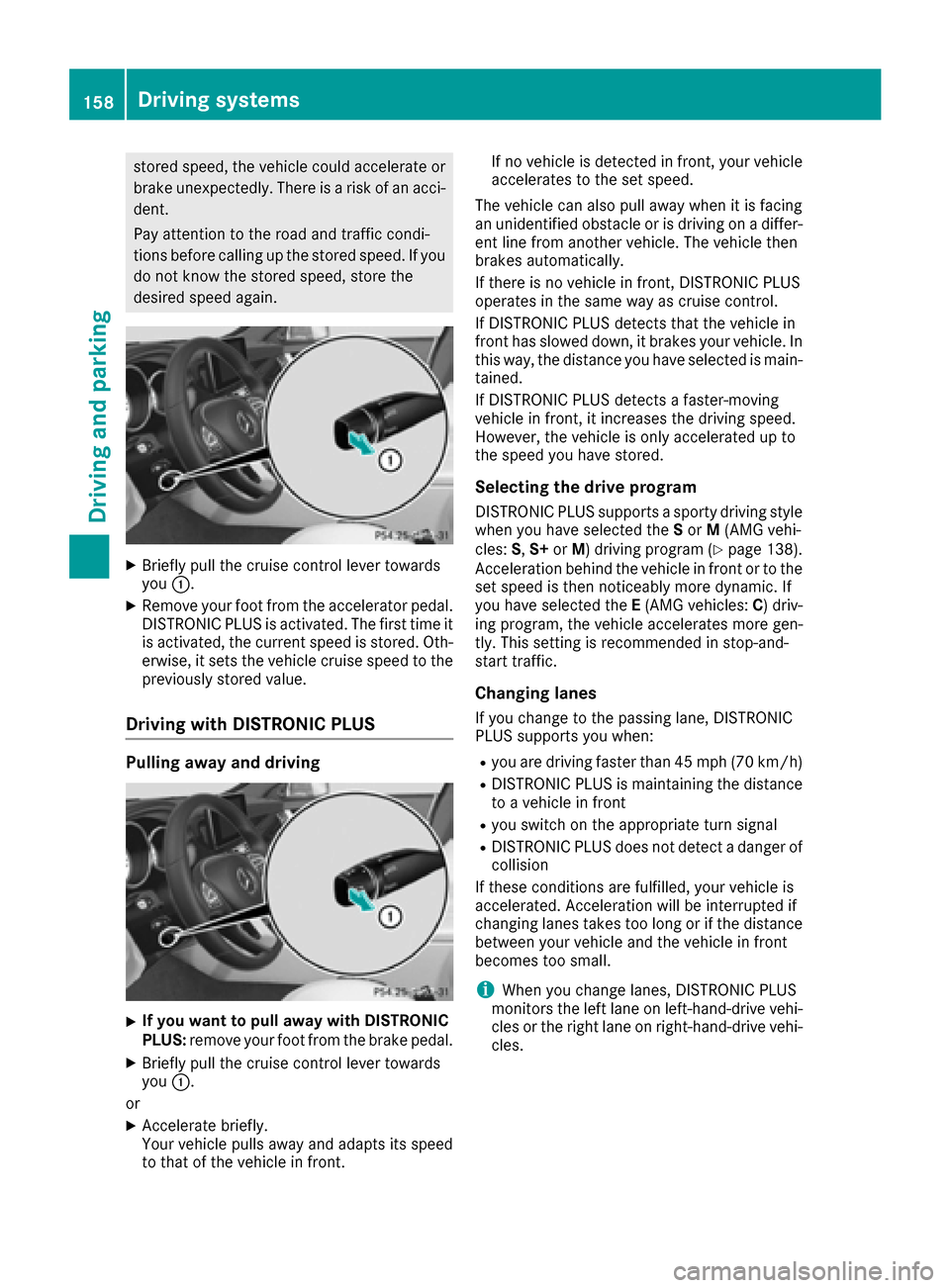
XBriefly pull the cruise control lever towards
you :.
XRemove your foot from the accelerator pedal.
DISTRONIC PLUS is activated. The first time it
is activated, the current speed is stored. Oth-
erwise, it sets the vehicle cruise speed to the
previously stored value.
Driving with DISTRONIC PLUS
Pulling away and driving
XIf you want to pull away with DISTRONIC
PLUS: remove your foot from the brake pedal.
XBriefly pull the cruise control lever towards
you:.
or
XAccelerate briefly.
Your vehicle pulls away and adapts its speed
to that of the vehicle in front. If no vehicle is detected in front, your vehicle
accelerates to the set speed.
The vehicle can also pull away when it is facing
an unidentified obstacle or is driving on a differ- ent line from another vehicle. The vehicle then
brakes automatically.
If there is no vehicle in front, DISTRONIC PLUS
operates in the same way as cruise control.
If DISTRONIC PLUS detects that the vehicle in
front has slowed down, it brakes your vehicle. In
this way, the distance you have selected is main-
tained.
If DISTRONIC PLUS detects a faster-moving
vehicle in front, it increases the driving speed.
However, the vehicle is only accelerated up to
the speed you have stored.
Selecting the drive program
DISTRONIC PLUS supports a sporty driving style when you have selected the Sor M(AMG vehi-
cles: S,S+ orM) driving program (
Ypage 138).
Acceleration behind the vehicle in front or to the
set speed is then noticeably more dynamic. If
you have selected the E(AMG vehicles: C) driv-
ing program, the vehicle accelerates more gen-
tly. This setting is recommended in stop-and-
start traffic.
Changing lanes
If you change to the passing lane, DISTRONIC
PLUS supports you when:
Ryou are driving faster than 45 mph (70 km/h)
RDISTRONIC PLUS is maintaining the distance
to a vehicle in front
Ryou switch on the appropriate turn signal
RDISTRONIC PLUS does not detect a danger of
collision
If these conditions are fulfilled, your vehicle is
accelerated. Acceleration will be interrupted if
changing lanes takes too long or if the distance
between your vehicle and the vehicle in front
becomes too small.
iWhen you change lanes, DISTRONIC PLUS
monitors the left lane on left-hand-drive vehi-
cles or the right lane on right-hand-drive vehi-
cles.
158Driving systems
Driving and parking
Page 167 of 342
Activating the HOLD function
XMakesur ethat th eactivation condition sare
met .
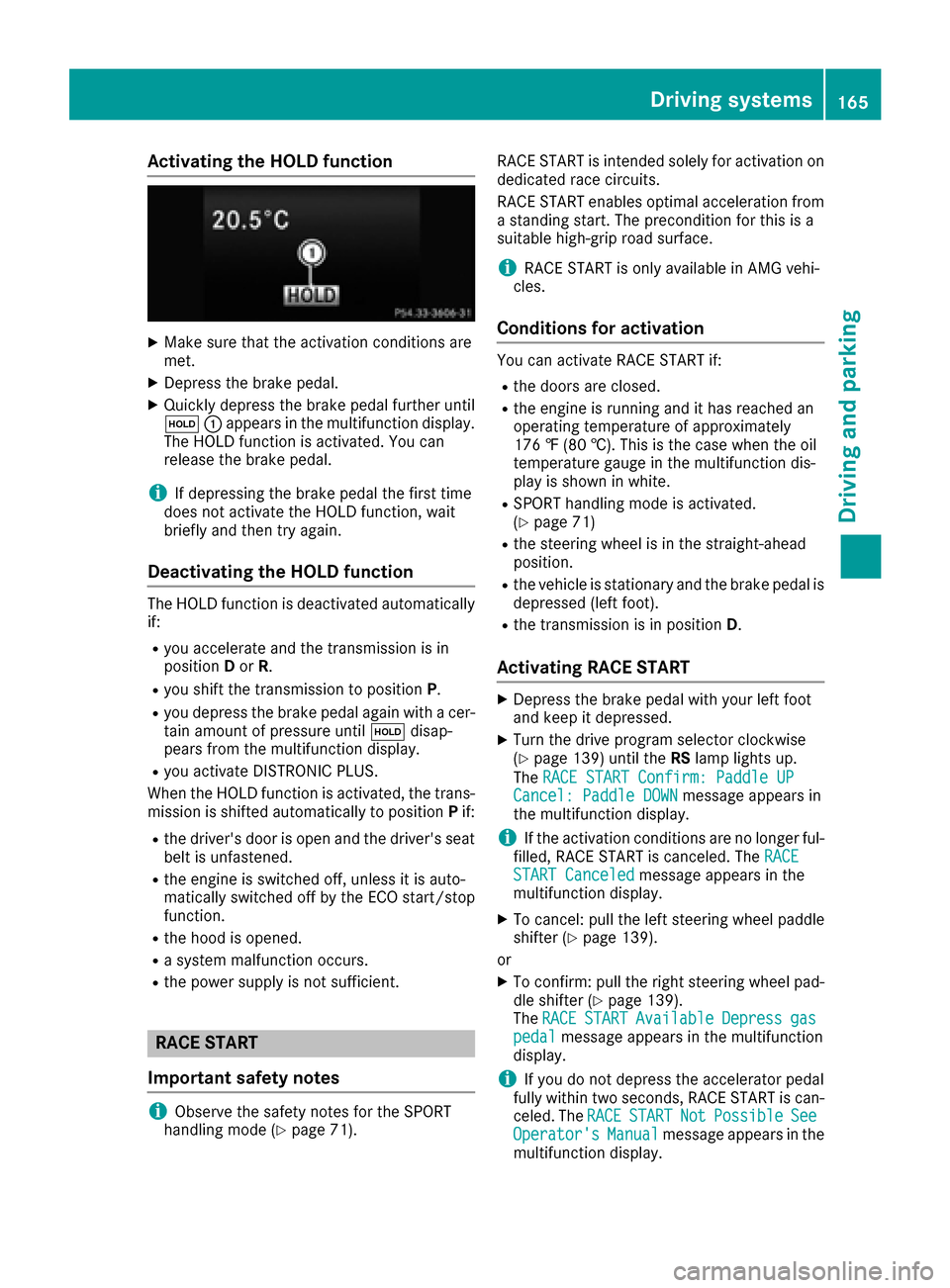
XDepress th ebrak epedal .
XQuickl ydepress th ebrak epedal further until
ë :appear sin th emultifunction display.
The HOLD function is activated. You can
release th ebrak epedal .
iIf depressing th ebrak epedal th efirst time
does no tactivat eth eHOLD function ,wait
briefl yand then tr yagain .
Deactivating the HOLD function
The HOLD function is deactivated automatically
if:
Ryou accelerate and th etransmission is in
position Dor R.
Ryou shif tth etransmission to position P.
Ryou depress thebrak epedal again wit h acer-
tai namount of pressur euntil ë disap-
pear sfrom th emultifunction display.
Ryou activat eDISTRONI CPLUS.
When th eHOLD function is activated, th etrans -
mission is shifte dautomatically to position Pif:
Rth edriver's door is open and th edriver's seat
belt is unfastened.
Rth eengin eis switched off ,unless it is auto -
matically switched off by th eECO start/sto p
function .
Rthehoo dis opened.
Rasystem malfunction occurs.
Rth epowe rsupply is no tsufficient.
RACE START
Import ant safety notes
iObserveth esafet ynote sfor th eSPORT
handlin gmod e (Ypage 71). RACE START is intended solely for activation on
dedicate
drac ecircuits.
RACE START enables optimal acceleration from
a standing start .The precondition for this is a
suitable high-grip road surface.
iRACE START is only available in AM Gvehi-
cles.
Conditions for activati on
You can activateRACE START if:
Rth edoor sare closed.
Rth eengin eis runnin gand it has reached an
operating temperature of approximately
17 6 ‡ (80 †) .This is the case when the oil
temperature gauge in the multifunction dis-
play is shown in white.
RSPORT handling mode is activated.
(Ypage 71)
Rthe steering wheel is in the straight-ahead
position.
Rthe vehicle is stationary and the brake pedal is
depressed (left foot).
Rthe transmission is in position D.
Activating RACE START
XDepress the brake pedal with your left foot
and keep it depressed.
XTurn the drive program selector clockwise
(Ypage 139) until theRSlamp lights up.
The RACE START Confirm: Paddle UP
Cancel: Paddle DOWNmessage appears in
the multifunction display.
iIf the activation conditions are no longer ful-
filled, RACE START is canceled. The RACE
START Canceledmessage appears in the
multifunction display.
XTo cancel: pull the left steering wheel paddle
shifter (Ypage 139).
or
XTo confirm: pull the right steering wheel pad- dle shifter (Ypage 139).
The RACESTARTAvailableDepressgaspedalmessage appears in the multifunction
display.
iIf you do not depress the accelerator pedal
fully within two seconds, RACE START is can-
celed. The RACE
STARTNotPossibleSeeOperator'sManualmessage appears in the
multifunction display.
Driving systems165
Driving and parking
Z
Page 168 of 342
XFully depress the accelerator pedal.
The engine speed rises to approximately
3,500 rpm.
TheRACE
STARTReleasebraketostartmessage appears in the multifunction display.
iIf you do not release the brake pedal within
five seconds, RACE START is canceled. The
RACE START Canceled
message appears in
the multifunction display.
XTake your foot off the brake, but keep the
accelerator pedal depressed.
The vehicle pulls away at maximum acceler-
ation.
The RACE
STARTActivemessage appears in
the multifunction display.
RACE START is deactivated when the vehicle
reaches a speed of approximately 30 mph (Can-
ada: 50 km/h). Drive program S+is activated.
SPORT handling mode remains activated.
RACE START is deactivated immediately if you
release the accelerator pedal during RACE
START or if any of the activation conditions are
no longer fulfilled. The RACE START Not Pos‐
sible See Operator's Manualmessage
appears in the multifunction display.
iIf RACE START is used repeatedly within a
short period of time, it is only available again
after the vehicle has been driven a certain
distance.
AIRMATIC
Vehicle level
Important safety notes
GWARNING
When the vehicle is being lowered, people
could become trapped if their limbs are
between the vehicle body and the wheels or
underneath the vehicle. There is a risk of
injury.
Make sure no one is underneath the vehicle or
in the immediate vicinity of the wheel arches
when the vehicle is being lowered.
Your vehicle regulates its height automatically.
All-round level control ensures the best possible
suspension and constant ground clearance,
even with a laden vehicle. When you drive fast, the vehicle is lowered automatically to improve
driving safety and to reduce fuel consumption.
The following vehicle levels are possible:
RNormal
RRaised: the vehicle is raised by approximately
0.80 in (20 mm) when compared with the nor-
mal level
RLowered: the vehicle is raised by approx-
imately 0.40 in (10 mm) when compared with
the normal level
iThese changes in level are so slight that you
are hardly aware of them.
The "Normal" and "Raised" vehicle levels can be
set manually.
The "Lowered” vehicle level is set automatically:
Rat speeds above 70 mph (113 km/h)
Rif you have selected "Sports tuning"
(Ypage 167)
Setting the vehicle level
Select the "Normal" setting for normal road sur-
faces and "Raised" for driving with snow chains or on particularly poor road surfaces. Your
selection remains stored even if yo u remove the
Sma
rtKey from the ignition lock.
Setting raised level
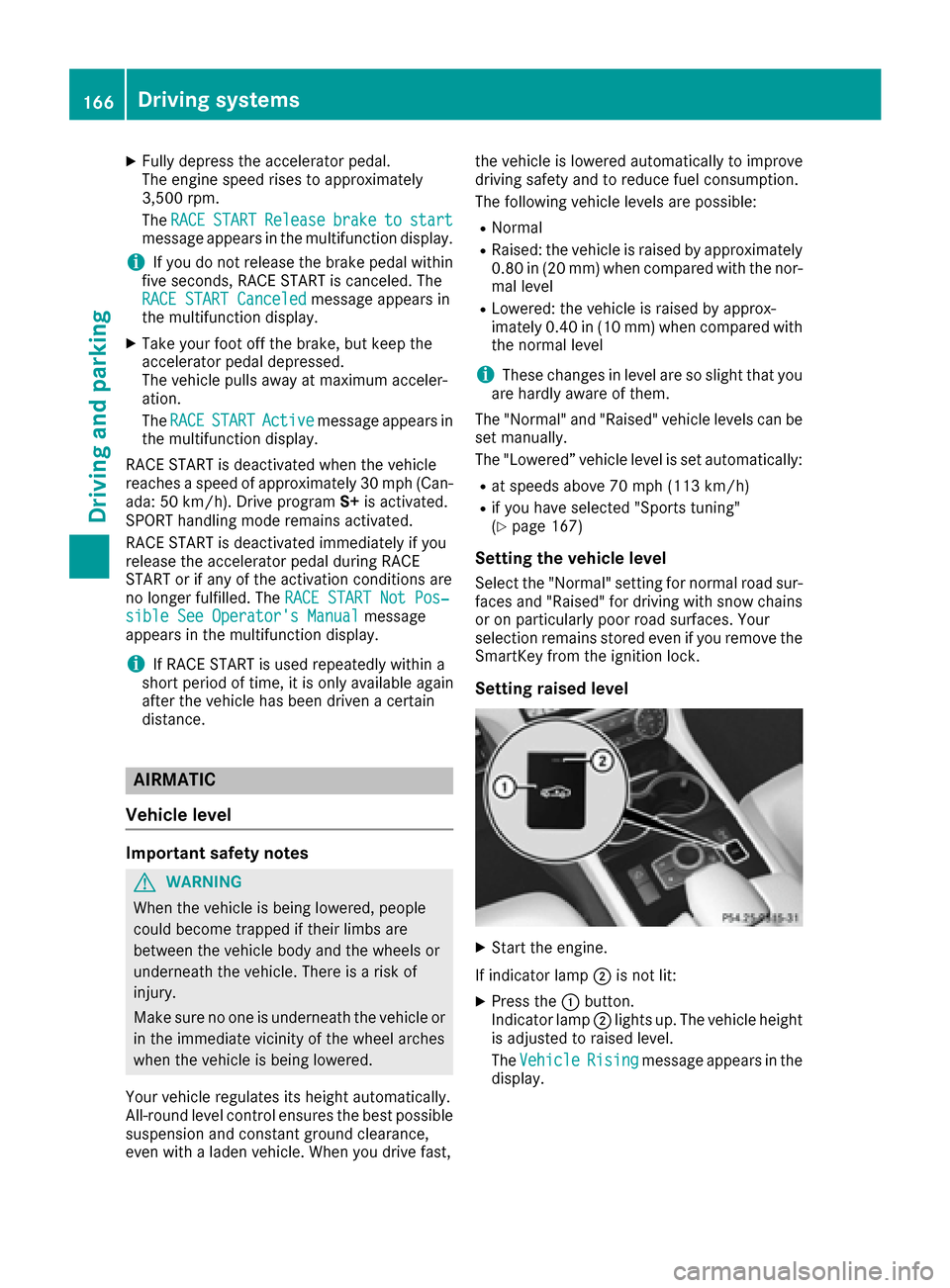
XStart the engine.
If indicator lamp ;is not lit:
XPress the :button.
Indicator lamp ;lights up. The vehicle height
is adjusted to raised level.
The Vehicle
Risingmessage appears in the
display.
166Driving systems
Driving and parking
Page 171 of 342
oriented driving style. Select comfort mode also
when driving fast on straight roads, e.g. on
straight stretches of highway.
XPress button:repeatedly until indicator
lamps =and ?go out.
You have selected Comfort mode.
The AMG
SuspensionSystemCOMFORTmes-
sage appears in the multifunction display.
Storing and calling up settings
Once the suspension setting and drive program
have been selected, you can store and call up
your settings using AMG button ;.
XTo store:press and hold AMG button ;until
you hear a tone.
XTo call up: press AMG button ;.
The stored suspension setting and drive pro-
gram are selected.
XTo display: briefly press AMG button ;.
Your selection appears in the multifunction
display.
Vehicle level
Important safety notes
GWARNING
When the vehicle is being lowered, people
could become trapped if their limbs are
between the vehicle body and the wheels or
underneath the vehicle. There is a risk of
injury.
Make sure no one is underneath the vehicle or
in the immediate vicinity of the wheel arches
when the vehicle is being lowered.
The vehicle may be lowered if you press the sus-
pension setting selector button or the AMG but-
ton. The vehicle also lowers if it is stationary.
!If Sport or Sport + suspension tuning has
been selected, the vehicle's ground clearance
decreases. Make sure that no objects
become trapped or that the vehicle does not
become damaged, for example, on the curb.
iThe vehicle level may change visibly at the
rear axle if you park the vehicle and the out-
side temperature changes. If the temperature
drops, the vehicle level lowers; with an
increase in temperature, the vehicle level
rises.
Changing the rear axle ride height
This function is only available on the Mercedes-
AMG CLS 63 4MATIC.
The vehicle level at the rear axle depends on the
selected suspension mode and the vehicle
speed.
The vehicle level at the rear axle changes while
driving depending on which suspension mode is
selected:
RComfort: +0.4 in (+10 mm)
RSport + and Sport: -0.6 in (-15 mm)
When changing from Comfort to Sport or Sport
+, the axle is lowered approximately 1.0 in
(25 mm). When changing from Sport or Sport +
to Comfort, the axle is raised approximately
1.0 in (25 mm). This level change also takes
place when the vehicle is stationary.
If you drive faster than 105 mph (170 km/h) , the
rear axle level is set to a middle level. This
increases driving safety and reduces air resist-
ance. If you then drive slower than 93 mph
(150 km/h), the level of the rear axle is again
adjusted to correspond to the selected suspen-
sion mode.
Load compensation
The vehicle can compensate differences in the
vehicle level by raising or lowering the rear axle.
This is the case, for example, if people get out or
if luggage is being loaded.
Load compensation takes place if:
Ra door, the trunk lid or the tailgate is opened
Rthe parked vehicle is unlocked
For larger level changes, the engine must be
running.
4MATIC (permanent four-wheel drive)
If you fail to adapt your driving style, 4MATIC can
neither reduce the risk of accident nor override the laws of physics. 4MATIC cannot take
account of road, weather and traffic conditions.
4MATIC is only an aid. You are responsible for
the distance to the vehicle in front, for vehicle
speed, for braking in good time and for staying in
your lane.
If a drive wheel spins due to insufficient grip:
ROnly depress the accelerator pedal as far as
necessary when pulling away.
RAccelerate less when driving.
Driving systems169
Driving and parking
Z
Page 200 of 342
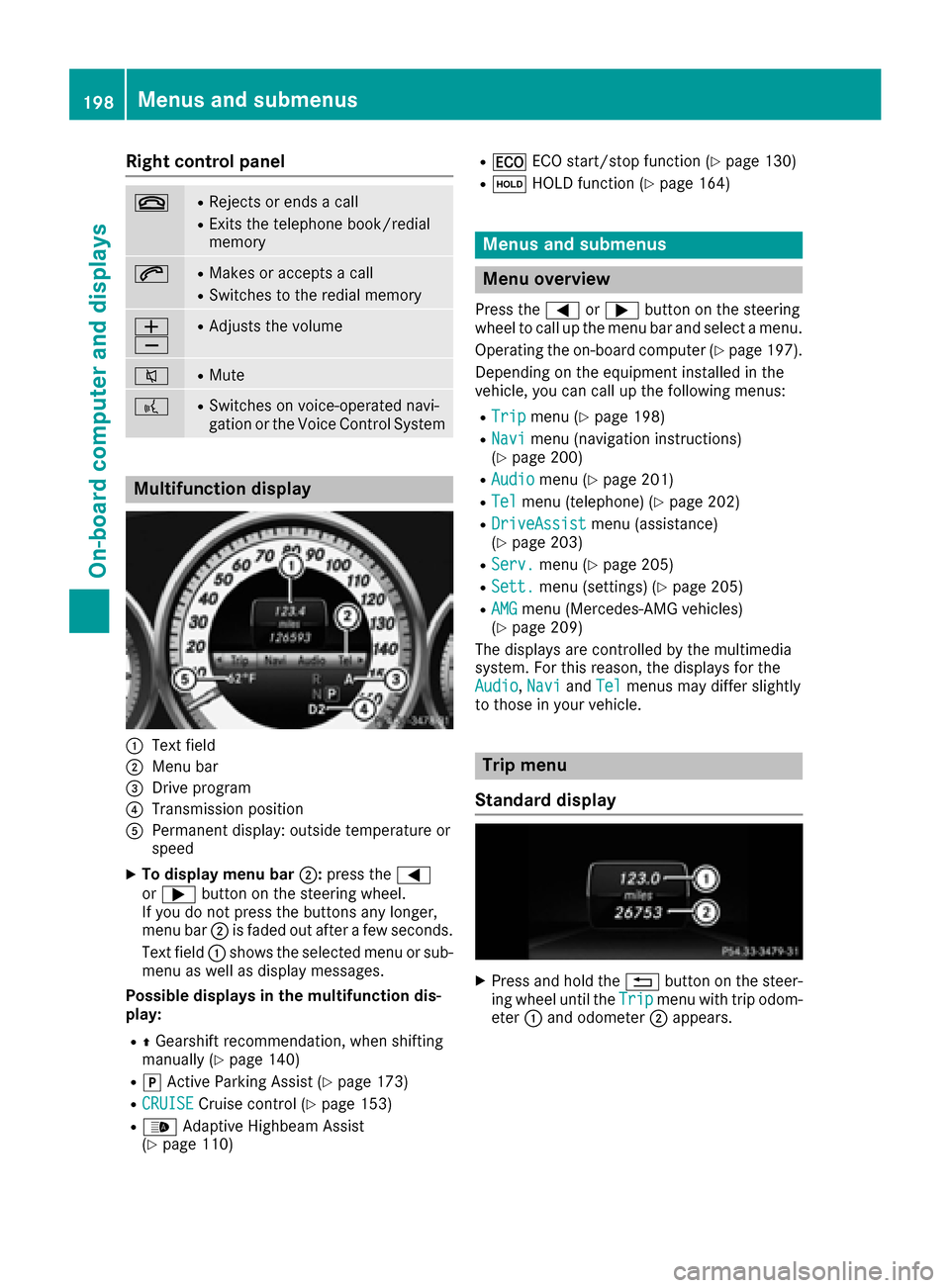
Right control panel
~RRejects or ends a call
RExits the telephone book/redial
memory
6RMakes or accepts a call
RSwitches to the redial memory
W
XRAdjusts the volume
8RMute
?RSwitches on voice-operated navi-
gation or the Voice Control System
Multifunction display
:Text field
;Menu bar
=Drive program
?Transmission position
APermanent display: outside temperature or
speed
XTo display menu bar;:press the =
or ; button on the steering wheel.
If you do not press the buttons any longer,
menu bar ;is faded out after a few seconds.
Text field :shows the selected menu or sub-
menu as well as display messages.
Possible displays in the multifunction dis-
play:
RZ Gearshift recommendation, when shifting
manually (Ypage 140)
Rj Active Parking Assist (Ypage 173)
RCRUISECruise control (Ypage 153)
R_ Adaptive Highbeam Assist
(Ypage 110)
R¤ ECO start/stop function (Ypage 130)
RëHOLD function (Ypage 164)
Menus and submenus
Menu overview
Press the =or; button on the steering
wheel to call up the menu bar and select a menu.
Operating the on-board computer (
Ypage 197).
Depending on the equipment installed in the
vehicle, you can call up the following menus:
RTripmenu (Ypage 198)
RNavimenu (navigation instructions)
(Ypage 200)
RAudiomenu (Ypage 201)
RTelmenu (telephone) (Ypage 202)
RDriveAssistmenu (assistance)
(Ypage 203)
RServ.menu (Ypage 205)
RSett.menu (settings) (Ypage 205)
RAMGmenu (Mercedes-AMG vehicles)
(Ypage 209)
The displays are controlled by the multimedia
system. For this reason, the displays for the
Audio
, Naviand Telmenus may differ slightly
to those in your vehicle.
Trip menu
Standard display
XPress and hold the %button on the steer-
ing wheel until the Tripmenu with trip odom-
eter :and odometer ;appears.
198Menus and submenus
On-board computer and displays
Page 211 of 342
XPress the:or9 button to select the
Auto. Mirror Foldingfunction.
If the Auto. Mirror Foldingfunction is
switched on, the multifunction display shows
the vehicle's exterior mirror in orange.
XPress the abutton to save the setting.
If you have switched on the Auto. MirrorFoldingfunction and you fold in the exterior
mirrors by pressing button :, the exterior mir-
rors will not fold out automatically (
Ypage 104).
You can then only fold out the exterior mirrors
using button :.
Restoring the factory settings
XPress the=or; button on the steering
wheel to select the Sett.menu.
XPress the:or9 button to select the
Factory Settingsubmenu.
XPress ato confirm.
The Reset All Settings?function
appears.
XPress the :or9 button to select Noor
Yes.
XPress ato confirm the selection.
If you have selected Yesand confirmed, the
multifunction display shows a confirmation
message.
For safety reasons, the Day Lights
function in
the Lightssubmenu is only reset if the vehicle
is stationary.
AMG menu (Mercedes-AMG vehicles)
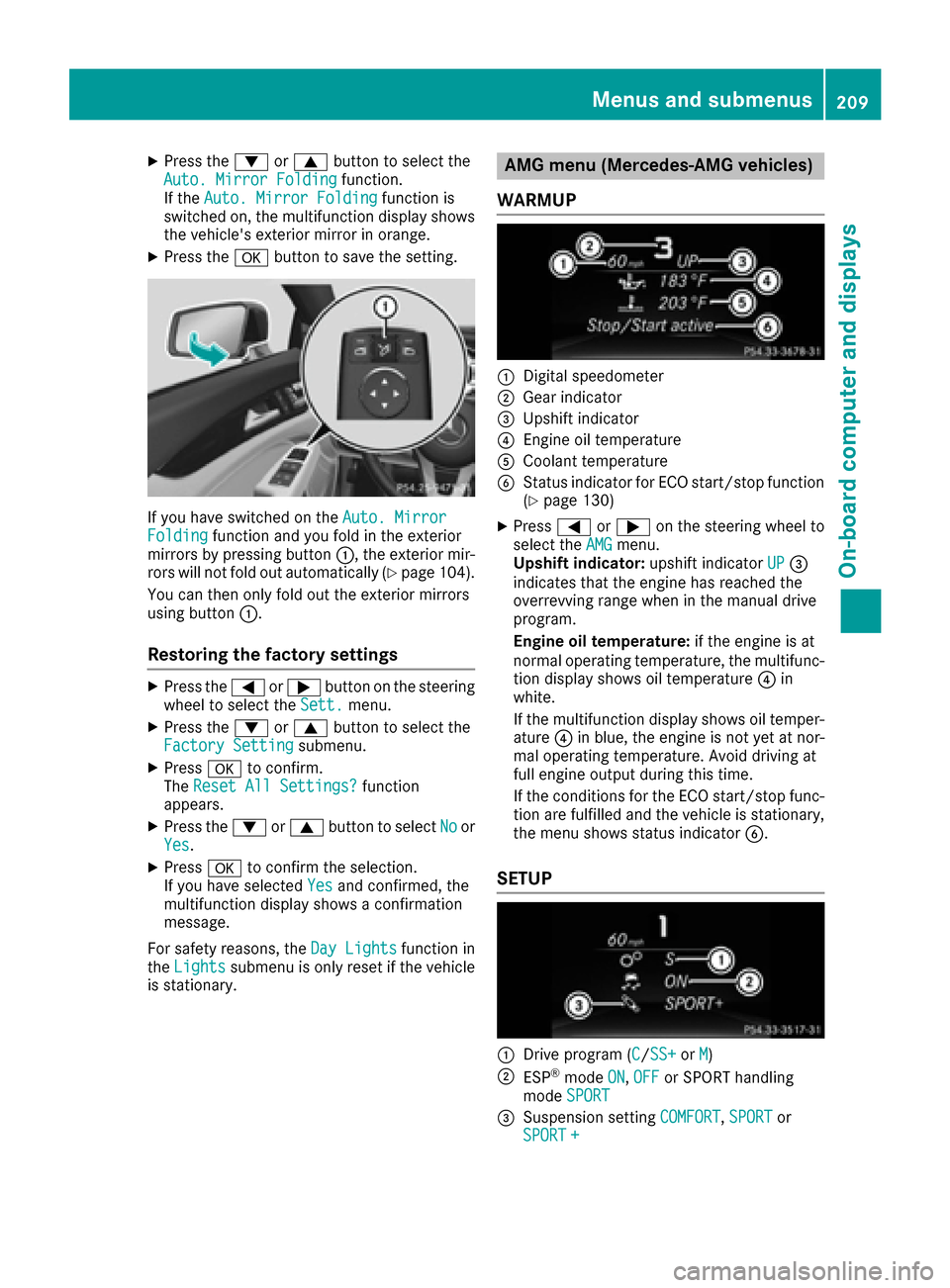
WARMUP
:Digital speedometer
;Gear indicator
=Upshift indicator
?Engine oil temperature
ACoolant temperature
BStatus indicator for ECO start/stop function
(Ypage 130)
XPress =or; on the steering wheel to
select the AMGmenu.
Upshift indicator: upshift indicatorUP=
indicates that the engine has reached the
overrevving range when in the manual drive
program.
Engine oil temperature: if the engine is at
normal operating temperature, the multifunc- tion display shows oil temperature ?in
white.
If the multifunction display shows oil temper-
ature ?in blue, the engine is not yet at nor-
mal operating temperature. Avoid driving at
full engine output during this time.
If the conditions for the ECO start/stop func-
tion are fulfilled and the vehicle is stationary,
the menu shows status indicator B.
SETUP
:Drive program (C/SS+orM)
;ESP®mode ON,OFFor SPORT handling
mode SPORT
=Suspension setting COMFORT,SPORTor
SPORT +
Menus and submenus209
On-board computer and displays
Z
Page 212 of 342
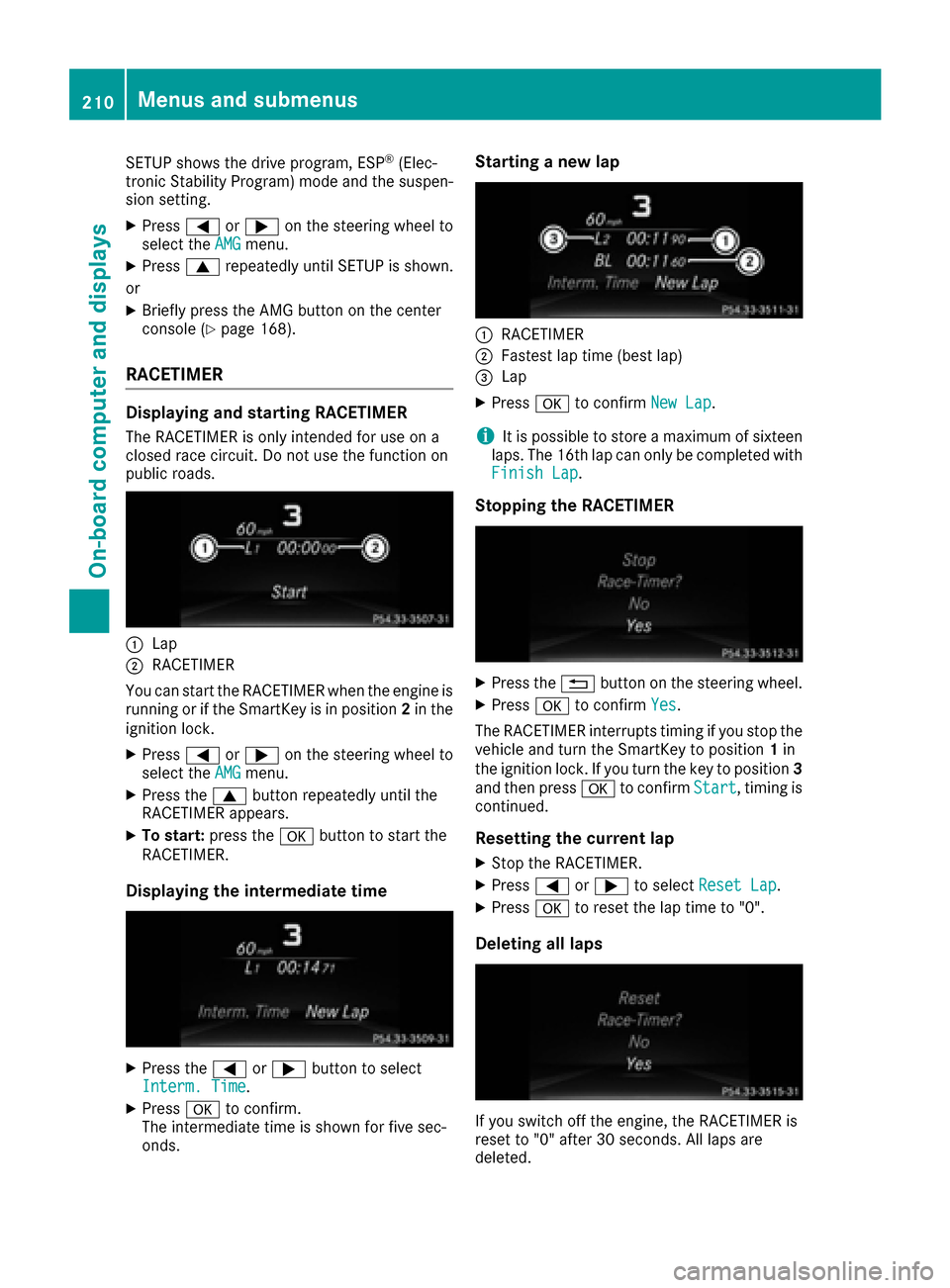
SETUP shows the drive program, ESP®(Elec-
tronic Stability Program) mode and the suspen-
sion setting.
XPress =or; on the steering wheel to
select the AMGmenu.
XPress9repeatedly until SETUP is shown.
or
XBriefly press the AMG button on the center
console (Ypage 168).
RACETIMER
Displaying and starting RACETIMER
The RACETIMER is only intended for use on a
closed race circuit. Do not use the function on
public roads.
:Lap
;RACETIMER
You can start the RACETIMER when the engine is
running or if the SmartKey is in position 2in the
ignition lock.
XPress =or; on the steering wheel to
select the AMGmenu.
XPress the9button repeatedly until the
RACETIMER appears.
XTo start: press the abutton to start the
RACETIMER.
Displaying the intermediate time
XPress the =or; button to select
Interm. Time.
XPress ato confirm.
The intermediate time is shown for five sec-
onds.
Starting a new lap
:RACETIMER
;Fastest lap time (best lap)
=Lap
XPress ato confirm New Lap.
iIt is possible to store a maximum of sixteen
laps. The 16th lap can only be completed with
Finish Lap
.
Stopping the RACETIMER
XPress the %button on the steering wheel.
XPress ato confirm Yes.
The RACETIMER interrupts timing if you stop the
vehicle and turn the SmartKey to position 1in
the ignition lock. If you turn the key to position 3
and then press ato confirm Start
, timing is
continued.
Resetting the current lap
XStop the RACETIMER.
XPress =or; to select Reset Lap.
XPressato reset the lap time to "0".
Deleting all laps
If you switch off the engine, the RACETIMER is
reset to "0" after 30 seconds. All laps are
deleted.
210Menus and submenus
On-board computer and displays
Page 272 of 342
Use the integrated garage door opener only on
garage doors that:
Rhave safety stop and reverse features and
Rmeet current U.S. federal safety standards
Once programed, the integrated garage door
opener in the rear-view mirror will assume the
function of the garage door system's remote
control. Please also read the operating instruc-
tions for the garage door system.
When programming a garage door opener, park
the vehicle outside the garage. Do not run the
engine while programming.
Certain garage door drives are incompatible
with the integrated garage door opener. If you
have difficulty programing the integrated garage door opener, contact an authorized Mercedes-
Benz Center.
Alternatively, you can call the following tele-
phone assistance services:
RUSA: Mercedes-Benz Customer Assistance
Center at 1-800-FOR-MERCedes
RCanada: Customer Service at
1-800-387-0100
RHomeLink®hotline 1-800-355-3515 (free of
charge)
More information on HomeLink
®and/or com-
patible products is also available online at
http://www.homelink.com.
Notes on the declaration of conformity
(
Ypage 28).
USA: FCC ID: CB2HMIHL4
Canada: IC: 279B-HMIHL4
Important safety notes
GWARNING
When you operate or program the garage door
with the integrated garage door opener, per-
sons in the range of movement of the garage
door can become trapped or struck by the
garage door. There is a risk of injury.
When using the integrated garage door
opener, always make sure that nobody is
within the range of movement of the garage
door.
GWARNING
Combustion engines emit poisonous exhaust
gases such as carbon monoxide. Inhaling
these exhaust gases leads to poisoning. There
is a risk of fatal injury. Therefore never leave
the engine running in enclosed spaces with-
out sufficient ventilation.
Programming
Programming buttons
Pay attention to the "Important safety notes"
(Ypage 270).
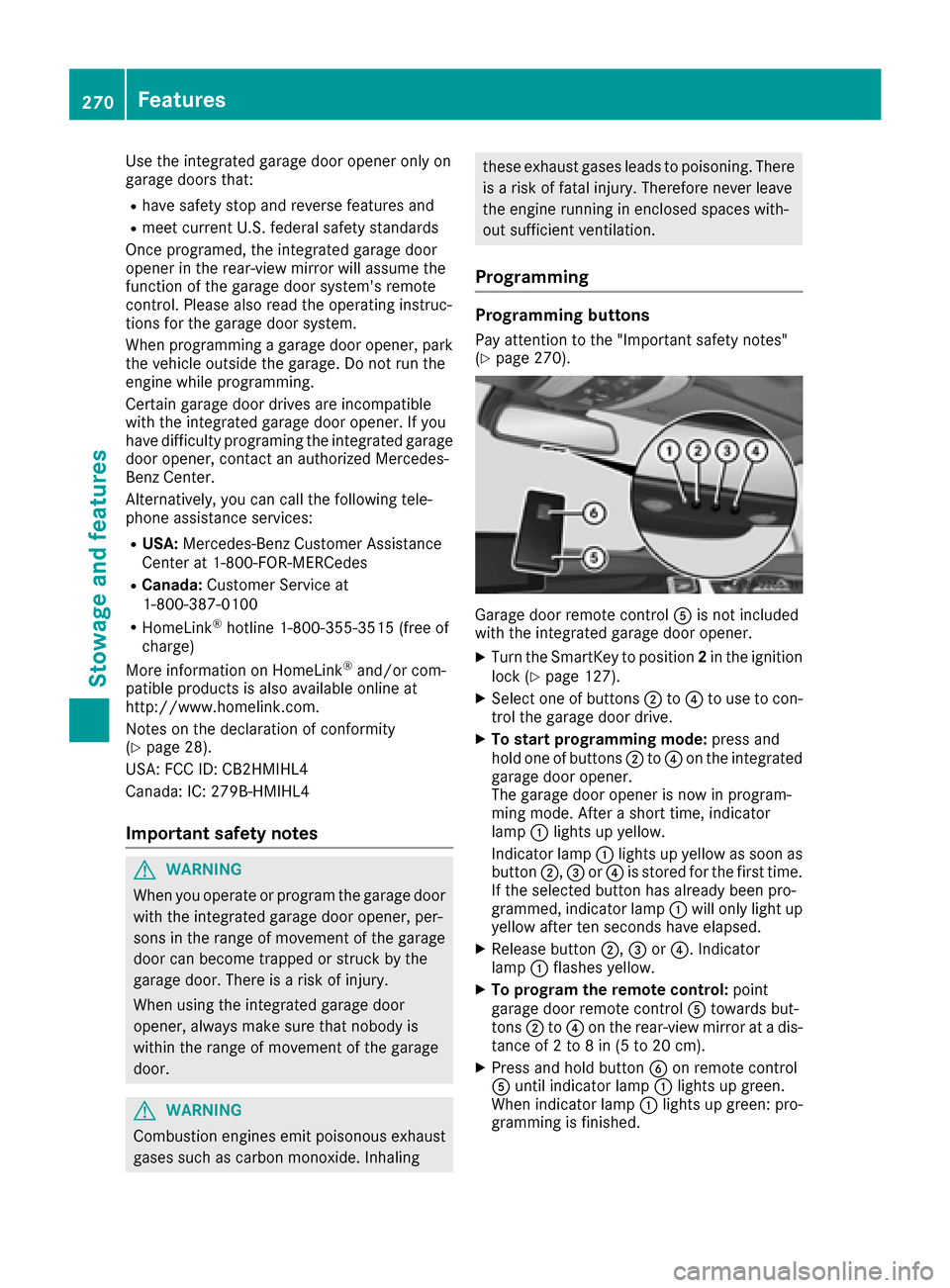
Garage door remote control Ais not included
with the integrated garage door opener.
XTurn the SmartKey to position 2in the ignition
lock (Ypage 127).
XSelect one of buttons ;to? to use to con-
trol the garage door drive.
XTo start programming mode: press and
hold one of buttons ;to? on the integrated
garage door opener.
The garage door opener is now in program-
ming mode. After a short time, indicator
lamp :lights up yellow.
Indicator lamp :lights up yellow as soon as
button ;,=or? is stored for the first time.
If the selected button has already been pro-
grammed, indicator lamp :will only light up
yellow after ten seconds have elapsed.
XRelease button ;,=or?. Indicator
lamp :flashes yellow.
XTo program the remote control: point
garage door remote control Atowards but-
tons ;to? on the rear-view mirror at a dis-
tance of 2 to 8 in (5 to 20 cm).
XPress and hold button Bon remote control
A until indicator lamp :lights up green.
When indicator lamp :lights up green: pro-
gramming is finished.
270Features
Stowage and features
Page 273 of 342
When indicator lamp:flashes green: pro-
gramming was successful. The next step is to
synchronize the rolling code (
Ypage 271).
XRelease button Bon remote control Afor
the garage door drive system.
If indicator lamp :lights up red: repeat the
programing procedure for the corresponding
button on the rear-view mirror. When doing
so, vary the distance between remote control
A and the rear-view mirror.
The required distance between remote con-
trol Aand the integrated garage door opener
depends on the garage door drive system.
Several attempts might be necessary. You
should test every position for at least
25 seconds before trying another position.
Synchronizing the rolling code
Pay attention to the "Important safety notes"
(Ypage 270).
If the garage door system uses a rolling code,
you will also have to synchronize the garage
door system with the integrated garage door
opener in the rear-view mirror. To do this you will
need to use the programming button on the door
drive control panel. The programming button
may be located in different places depending on
the manufacturer. It is usually located on the
door drive unit on the garage ceiling.
Familiarize yourself with the garage door drive
operating instructions, e.g. under "Program-
ming additional remote controls", before carry-
ing out the following steps.
Your vehicle must be within reach of the garage
door or gate opener drive. Make sure that nei-
ther your vehicle nor any persons/objects are
present within the sweep of the door or gate.
XTurn the SmartKey to position 2in the ignition
lock (Ypage 127).
XGet out of the vehicle.
XPress the programming button on the door
drive unit.
Usually, you now have 30 seconds to initiate
the next step.
XGet into the vehicle.
XPress previously programmed button ;,=
or ? on the integrated garage door opener
repeatedly and in quick succession until the
door closes.
The rolling code synchronization is then com- plete.
Notes on programming the remote con-
trol
Canadian radio frequency laws require a "break"
(or interruption) of the transmission signals
after broadcast
ing for a few seconds. Therefore,
these signals may not last long enough for the
integrated garage door opener. The signal is not
recognized during programming. Comparable
with Canadian law, some U.S. garage door open-
ers also feature a "break".
Proceed as follows:
Rif you live in Canada
Rif you have difficulties programming the
garage door opener (regardless of where you
live) when using the programming steps
XPress and hold one of buttons ;to? on the
integrated garage door opener.
After a short time, indicator lamp :lights up
yellow.
XRelease the button.
Indicator lamp :flashes yellow.
XPress button Bof garage door remote con-
trol Afor two seconds, then release it for two
seconds.
XPress button Bagain for two seconds.
XRepeat this sequence on button Bof remote
control Auntil indicator lamp :lights up
green.
When indicator lamp :lights up green: pro-
gramming is finished.
When indicator lamp :flashes green: pro-
gramming was successful. The next step is to
synchronize the rolling code.
XRelease button Bof remote control Aof the
garage door drive.
If indicator lamp :lights up red: repeat the
programming process for the corresponding
button on the rear-view mirror. When doing
so, vary the distance between remote control
A and the rear-view mirror.
The required distance between remote con-
trol Aand the integrated garage door opener
depends on the garage door drive system.
Several attempts might be necessary. You
should test every position for at least
25 seconds before trying another position.
Features271
Stowage and features
Z