keyless MERCEDES-BENZ CLS-Class 2016 W218 Owner's Manual
[x] Cancel search | Manufacturer: MERCEDES-BENZ, Model Year: 2016, Model line: CLS-Class, Model: MERCEDES-BENZ CLS-Class 2016 W218Pages: 342, PDF Size: 8.28 MB
Page 9 of 342
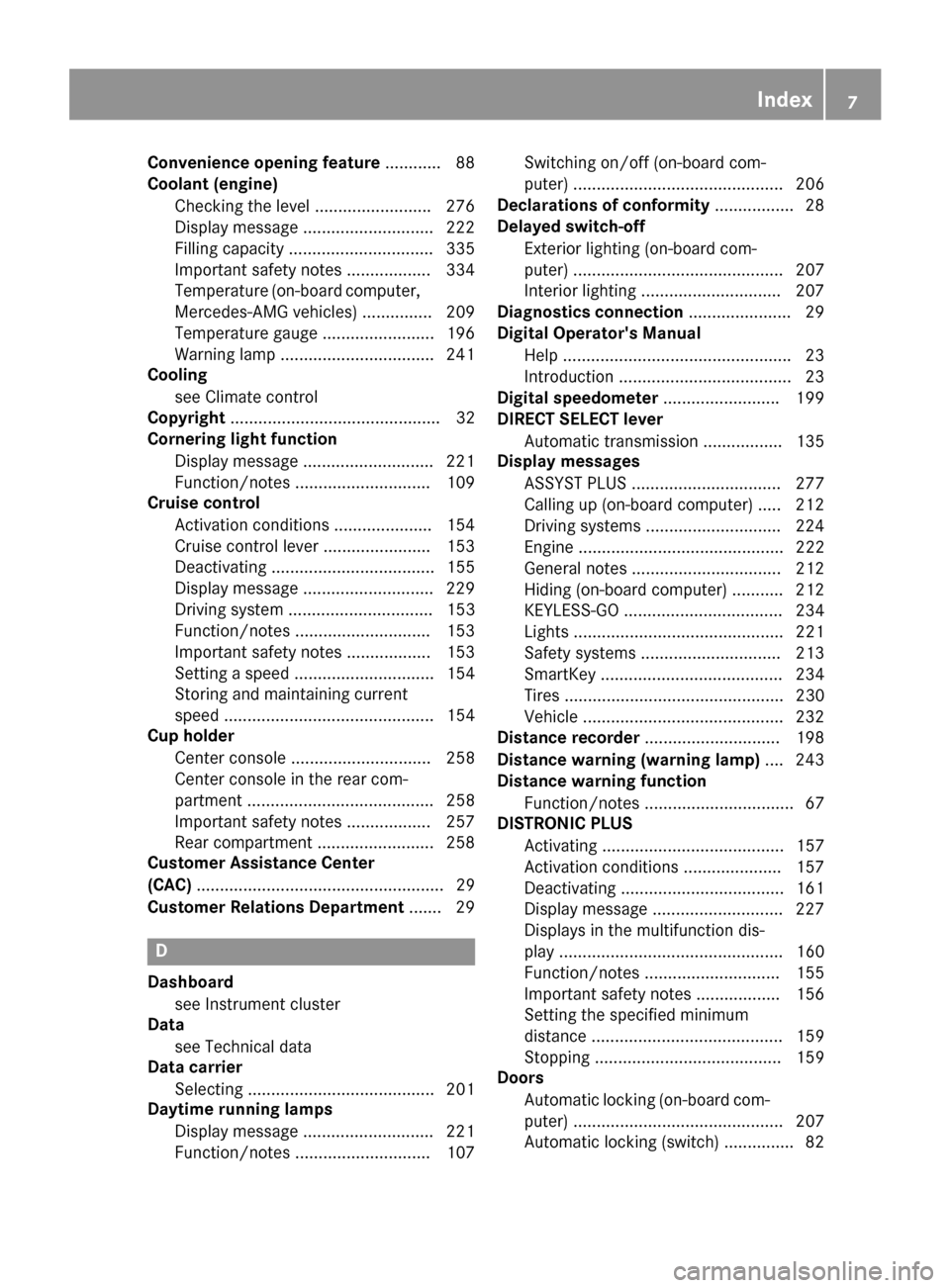
Convenience opening feature............ 88
Coolant (engine)
Checking the level ........................ .276
Display message ............................ 222
Filling capacity ............................... 335
Important safety notes .................. 334
Temperature (on-board computer,
Mercedes-AMG vehicles) ...............2 09
Temperature gauge ........................ 196
Warning lamp ................................. 241
Cooling
see Climate control
Copyright ............................................. 32
Cornering light function
Display message ............................ 221
Function/notes .............................1 09
Cruise control
Activation conditions ..................... 154
Cruise control lever ....................... 153
Deactivating ................................... 155
Display message ............................ 229
Driving system ............................... 153
Function/notes .............................1 53
Important safety notes .................. 153
Setting a speed .............................. 154
Storing and maintaining current
speed ............................................. 154
Cup holder
Center console .............................. 258
Center console in the rear com-
partment ........................................ 258
Important safety notes .................. 257
Rear compartment ......................... 258
Customer Assistance Center
(CAC) ..................................................... 29
Customer Relations Department ....... 29
D
Dashboard
see Instrument cluster
Data
see Technical data
Data carrier
Selecting ........................................ 201
Daytime running lamps
Display message ............................ 221
Function/notes .............................1 07Switching on/off (on-board com-
puter) ............................................. 206
Declarations of conformity ................. 28
Delayed switch-off
Exterior lighting (on-board com-
puter) ............................................. 207
Interior lighting .............................. 207
Diagnostics connection ......................29
Digital Operator's Manua l
Help ................................................ .23
Introduction .....................................2 3
Digital speedomete r........................ .199
DIRECT SELECT lever
Automatic transmission ................. 135
Display messages
ASSYST PLUS ................................ 277
Calling up (on-board computer) ..... 212
Driving systems .............................2 24
Engine ............................................ 222
General notes ................................ 212
Hiding (on-board computer) ........... 212
KEYLESS-GO .................................. 234
Lights ............................................. 221
Safety systems .............................. 213
SmartKey ....................................... 234
Tires ............................................... 230
Vehicle ...........................................2 32
Distance recorder .............................1 98
Distance warning (warning lamp) .... 243
Distance warning function
Function/notes ................................ 67
DISTRONIC PLUS
Activating ....................................... 157
Activation conditions ..................... 157
Deactivating ................................... 161
Display message ............................ 227
Displays in the multifunction dis-
play ................................................ 160
Function/note s ............................. 155
Imp
ortant safety notes .................. 156
Setting the specified minimum
distance ......................................... 159
Stopping ........................................ 159
Doors
Automatic locking (on-board com-
puter) ............................................. 207
Automatic locking (switch) ............... 82
Index7
Page 11 of 342
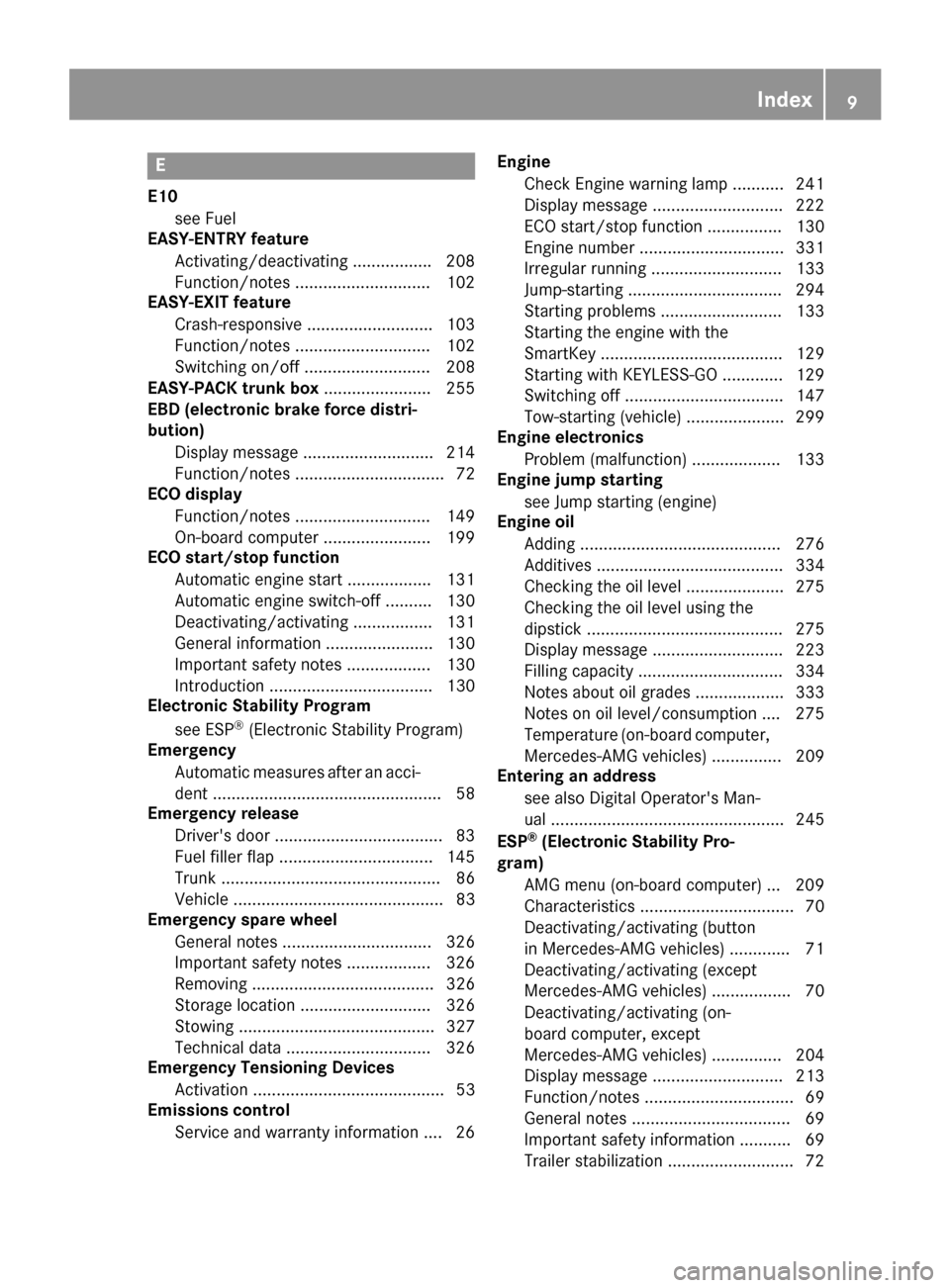
E
E10see Fuel
EASY-ENTRY feature
Activating/deactivating ................ .208
Function/notes .............................1 02
EASY-EXIT feature
Crash-responsive ........................... 103
Function/notes .............................1 02
Switching on/off ........................... 208
EASY-PACK trunk box ....................... 255
EBD (electronic brake force distri-
bution)
Display message ............................ 214
Function/notes ................................ 72
ECO display
Function/notes .............................1 49
On-board computer ....................... 199
ECO start/stop function
Automatic engine start .................. 131
Automatic engine switch-off .......... 130
Deactivating/activating ................. 131
General information ....................... 130
Important safety notes .................. 130
Introduction ................................... 130
Electronic Stability Program
see ESP
®(Electronic Stability Program)
Emergency
Automatic measures after an acci-
dent ................................................. 58
Emergency release
Driver's door ....................................8 3
Fuel filler flap ................................. 145
Trunk ............................................... 86
Vehicle ............................................. 83
Emergency spare wheel
General notes ................................ 326
Important safety notes .................. 326
Removing ....................................... 326
Storage location ............................ 326
Stowing .......................................... 327
Technical data ............................... 326
Emergency Tensioning Devices
Activation ......................................... 53
Emissions control
Service and warranty information .... 26 Engine
Check Engine warning lamp ........... 241
Display message ............................ 222
ECO start/stop function ................ 130
Engine number ............................... 331
Irregular running ............................ 133
Jump-starting ................................. 294
Starting problems .......................... 133
Starting the engine with the
SmartKey ....................................... 129
Starting with KEYLESS-GO ............. 129
Switching off .................................. 147
Tow-starting (vehicle) ..................... 299
E
ngine electronics
Problem (malfunction) ................... 133
Engine jump starting
see Jump starting (engine)
Engine oil
Adding ........................................... 276
Additives ........................................ 334
Checking the oil level ..................... 275
Checking the oil level using the
dipstick .......................................... 275
Display message ............................ 223
Filling capacity ............................... 334
Notes about oil grades ................... 333
Notes on oil level/consumption .... 275
Temperature (on-board computer,
Mercedes-AMG vehicles) ............... 209
Entering an address
see also Digital Operator's Man-
ual .................................................. 245
ESP
®(Electronic Stability Pro-
gram)
AMG menu (on-board computer) ... 209
Characteristics ................................. 70
Deactivating/activating (button
in Mercedes-AMG vehicles) ............. 71
Deactivating/activating (except
Mercedes‑ AMG vehicles) ................. 70
Deactivating/activating (on-
board computer, except
Mercedes-AMG vehicles) ............... 204
Display message ............................ 213
Function/notes ................................ 69
General notes .................................. 69
Important safety information ........... 69
Trailer stabilization ........................... 72
Index9
Page 13 of 342
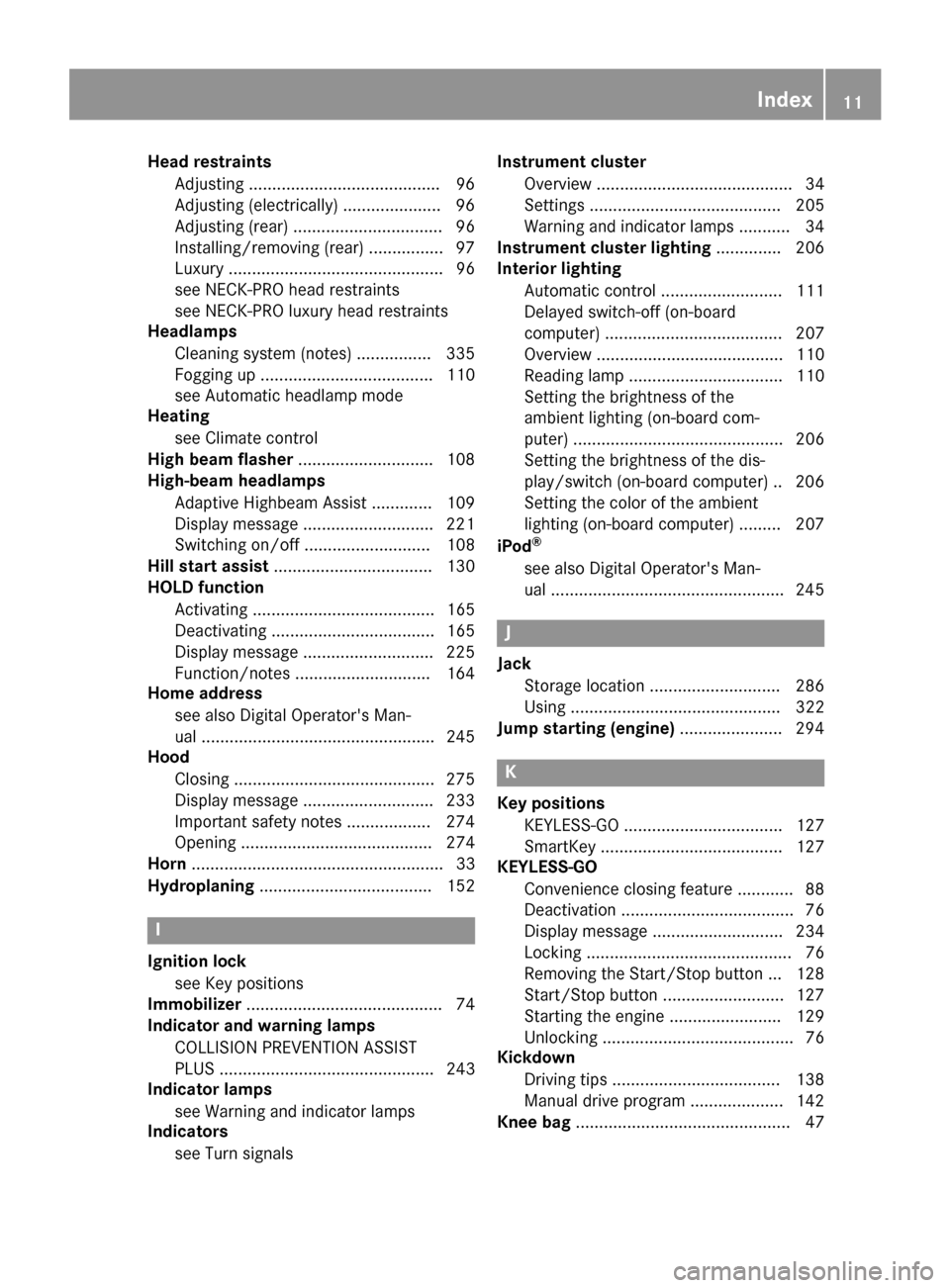
Head restraintsAdjusting .........................................9 6
Adjusting (electrically) ..................... 96
Adjusting (rear) ................................ 96
Installing/removing (rear) ................ 97
Luxury .............................................. 96
see NECK-PRO head restraints
see NECK-PRO luxury head restraints
Headlamps
Cleaning system (notes) ................ 335
Fogging up .....................................1 10
see Automatic headlamp mode
Heating
see Climate control
High beam flasher .............................1 08
High-beam headlamps
Adaptive Highbeam Assist ............. 109
Display message ............................ 221
Switching on/off ........................... 108
Hill start assist .................................. 130
HOLD function
Activating ....................................... 165
Deactivating ................................... 165
Display message ............................ 225
Function/notes .............................1 64
Home address
see also Digital Operator's Man-
ual ..................................................2 45
Hood
Closing ...........................................2 75
Display message ............................ 233
Important safety notes .................. 274
Opening ......................................... 274
Horn ...................................................... 33
Hydroplaning ..................................... 152
I
Ignition lock
see Key positions
Immobilizer .......................................... 74
Indicator and warning lamps
COLLISION PREVENTION ASSIST
PLUS .............................................. 243
Indicator lamps
see Warning and indicator lamps
Indicators
see Turn signals Instrument cluster
Overview .......................................... 34
Settings ......................................... 205
Warning and indicator lamps ........... 34
Instrument cluster lighting .............. 206
Interior lighting
Automatic control .......................... 111
Delayed switch-off (on-board
computer) ...................................... 207
Overview ........................................ 110
Reading lamp ................................. 110
Setting the brightness of the
ambient lighting (on-board com-
puter) ............................................. 206
Setting the brightness of the dis-
play/switch (on-board computer) .. 206
Setting the color of the ambient
lighting (on-board computer) ......... 207
iPod
®
see also Digital Operator's Man-
ual ..................................................2 45
J
Jack
Storage location ............................ 286
Using ............................................. 322
Jump starting (engine) ......................294
K
Key positions
KEYLESS-GO .................................. 127
SmartKey ....................................... 127
KEYLESS-GO
Convenience closing feature ............ 88
Deactivation ..................................... 76
Display message ............................ 234
Locking ............................................ 76
Removing the Start/Stop button ... 128
Start/Stop button .......................... 127
Starting the engine ........................ 129
Unlocking ......................................... 76
Kickdown
Driving tips ....................................1 38
Manual drive program .................... 142
Knee bag .............................................. 47
Index11
Page 43 of 342
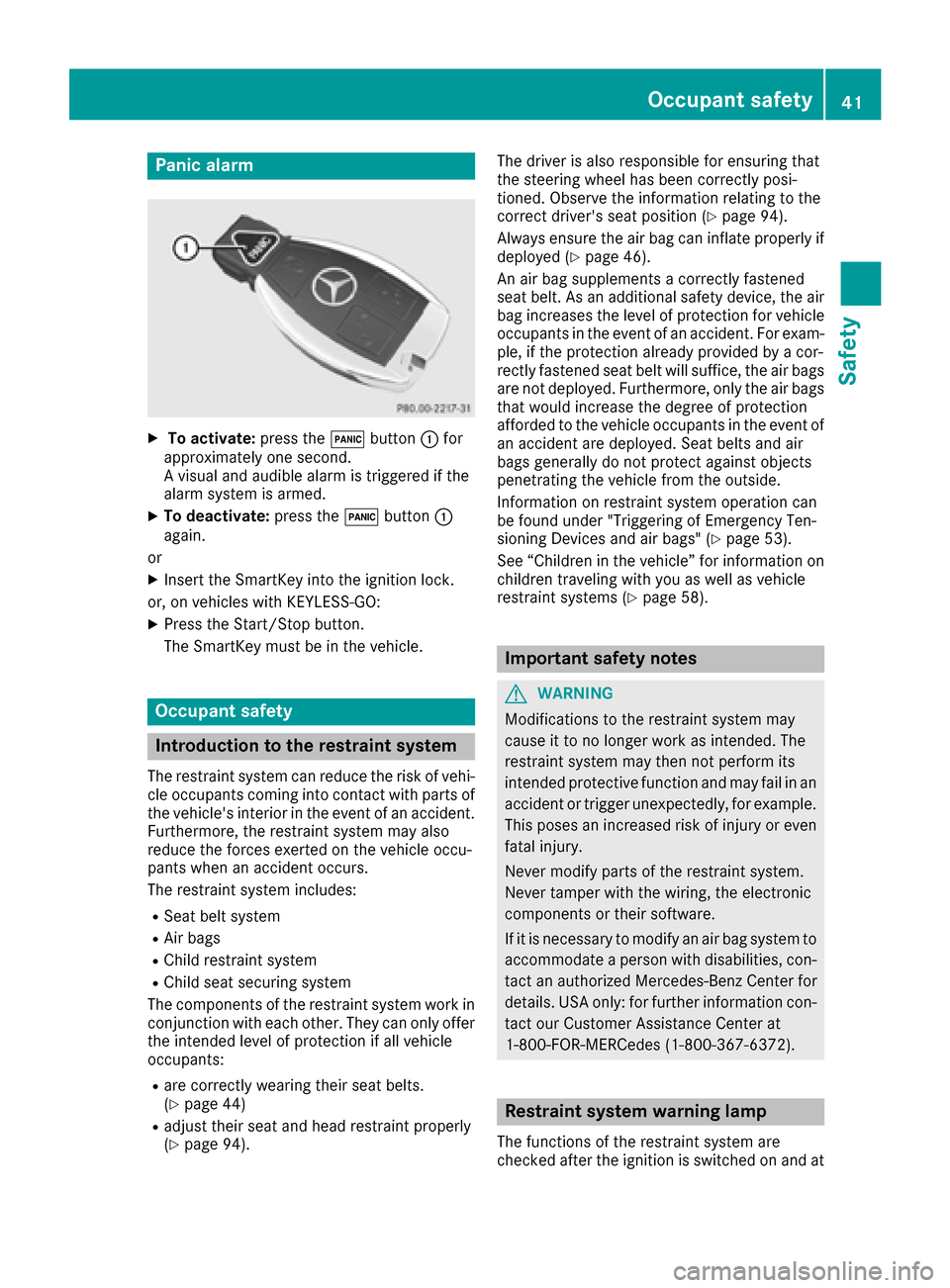
Panic alarm
XTo activate:press the!button :for
approximately one second.
A visual and audible alarm is triggered if the
alarm system is armed.
XTo deactivate: press the!button :
again.
or
XInsert the SmartKey into the ignition lock.
or, on vehicles with KEYLESS‑GO:
XPress the Start/Stop button.
The SmartKey must be in the vehicle.
Occupant safety
Introduction to the restraint system
The restraint system can reduce the risk of vehi- cle occupants coming into contact with parts of
the vehicle's interior in the event of an accident.
Furthermore, the restraint system may also
reduce the forces exerted on the vehicle occu-
pants when an accident occurs.
The restraint system includes:
RSeat belt system
RAir bags
RChild restraint system
RChild seat securing system
The components of the restraint system work in
conjunction with each other. They can only offer
the intended level of protection if all vehicle
occupants:
Rare correctly wearing their seat belts.
(Ypage 44)
Radjust their seat and head restraint properly
(Ypage 94). The driver is also responsible for ensuring that
the steering wheel has been correctly posi-
tioned. Observe the information relating to the
correct driver's seat position (
Ypage 94).
Always ensure the air bag can inflate properly if
deployed (
Ypage 46).
An air bag supplements a correctly fastened
seat belt. As an additional safety device, the air
bag increases the level of protection for vehicle
occupants in the event of an accident. For exam-
ple, if the protection already provided by a cor-
rectly fastened seat belt will suffice, the air bags
are not deployed. Furthermore, only the air bags that would increase the degree of protection
afforded to the vehicle occupants in the event of
an accident are deployed. Seat belts and air
bags generally do not protect against objects
penetrating the vehicle from the outside.
Information on restraint system operation can
be found under "Triggering of Emergency Ten-
sioning Devices and air bags" (
Ypage 53).
See “Children in the vehicle” for information on
children traveling with you as well as vehicle
restraint systems (
Ypage 58).
Important safety notes
GWARNING
Modifications to the restraint system may
cause it to no longer work as intended. The
restraint system may then not perform its
intended protective function and may fail in an
accident or trigger unexpectedly, for example.
This poses an increased risk of injury or even fatal injury.
Never modify parts of the restraint system.
Never tamper with the wiring, the electronic
components or their software.
If it is necessary to modify an air bag system to
accommodate a person with disabilities, con-
tact an authorized Mercedes-Benz Center for
details. USA only: for further information con-
tact our Customer Assistance Center at
1-800-FOR-MERCedes (1‑800‑367‑6372).
Restraint system warning lamp
The functions of the restraint system are
checked after the ignition is switched on and at
Occupant safety41
Safety
Z
Page 52 of 342
PASSENGER AIRBAG OFF indicator lamp:
indicates whether the front-passenger front air
bag is disabled.
XTurn the SmartKey to position 1or 2in the
ignition lock, or in vehicles with KEYLESS-GO, press the start/stop button once or twice.
The system carries out a self-diagnosis test.
The PASSENGER AIR BAG OFF indicator lamp
must light up for about six seconds.
The PASSENGER AIR BAG OFF indicator lamp
then shows the status of the front-passenger
front air bag. If the status of the front-passenger
front air bag changes whilst the vehicle is in
motion, an air bag display message may appear
in the instrument cluster (
Ypage 219). Always
observe the PASSENGER AIR BAG OFF indicator
lamp when the front-passenger seat is occu-
pied. Make sure that the status of the front-
passenger front air bag is correct before and
during a journey.
If the PASSENGER AIRBAG OFF indicator
lamp:
Rlights up, the front-passenger front air bag is
disabled. It will then not be deployed in the
event of an accident.
Rdoes not light up, the front-passenger front
air bag is enabled. If, in the case of an acci-
dent, all deployment criteria are met, the
front-passenger front air bag is deployed.
GWARNING
If the PASSENGER AIR BAG OFF indicator
lamp is lit, the front-passenger front air bag is
disabled. It will not be deployed in the event of
an accident and cannot perform its intended
protective function. A person in the front-
passenger seat could then, for example, come
into contact with the vehicle's interior, espe-
cially if the person is sitting too close to the
dashboard. This poses an increased risk of
injury or even fatal injury.
When the front-passenger seat is occupied,
always ensure that:
Rthe classification of the person in the front- passenger seat is correct and the front-
passenger front air bag is enabled or disa-
bled in accordance with the person in the
front-passenger seat
Rthe front-passenger seat has been moved
back as far back as possible.
Rthe person is seated correctly.
Make sure, both before and during the jour-
ney, that the status of the front-passenger
front air bag is correct.
GWARNING
If you secure a child in a child restraint system on the front-passenger seat and the
PASSENGER AIR BAG OFF indicator lamp is
off, the front-passenger front air bag can
deploy in the event of an accident. The child
could be struck by the air bag. This poses an
increased risk of injury or even fatal injury.
Make sure that the front-passenger front air
bag has been disabled. The PASSENGER AIR
BAG OFF indicator lamp must be lit.
GWARNING
If you secure a child in a forward-facing child
restraint system on the front-passenger seat
and you position the front-passenger seat too close to the dashboard, the child could, in the
event of an accident:
Rcome into contact with the vehicle's inte-
rior if the PASSENGER AIR BAG OFF indi-
cator lamp is lit, for example
Rbe struck by the air bag if the PASSENGER
AIR BAG OFF indicator lamp is off
This poses an increased risk of injury or even
fatal injury.
Move the front-passenger seat as far back as
possible. Always make sure that the shoulder
belt strap is correctly routed from the vehicle
belt sash guide to the shoulder belt guide on
the child restraint system. The shoulder belt
strap must be routed forwards and down-
wards from the vehicle belt sash guide. If nec- essary, adjust the vehicle belt sash guide and
the front-passenger seat accordingly. Always
observe the child restraint system manufac-
turer's installation instructions.
50Occupant safety
Safety
Page 77 of 342
XTo activate with the SmartKey:remove the
SmartKey from the ignition lock.
XTo activate with KEYLESS-GO: switch the
ignition off and open the driver's door.
XTo deactivate: switch on the ignition.
When leaving the vehicle, always take the
SmartKey with you and lock the vehicle. Anyone
can start the engine if a valid SmartKey has been
left inside the vehicle.
iThe immobilizer is always deactivated when
you start the engine.
In the event that the engine cannot be started
(yet the vehicle's battery is charged), the sys-
tem is not operational. Contact an authorized
Mercedes-Benz Center or call
1-800-FOR-MERCedes (in the USA) or
1-800-387-0100 (in Canada).
ATA (anti-theft alarm system)
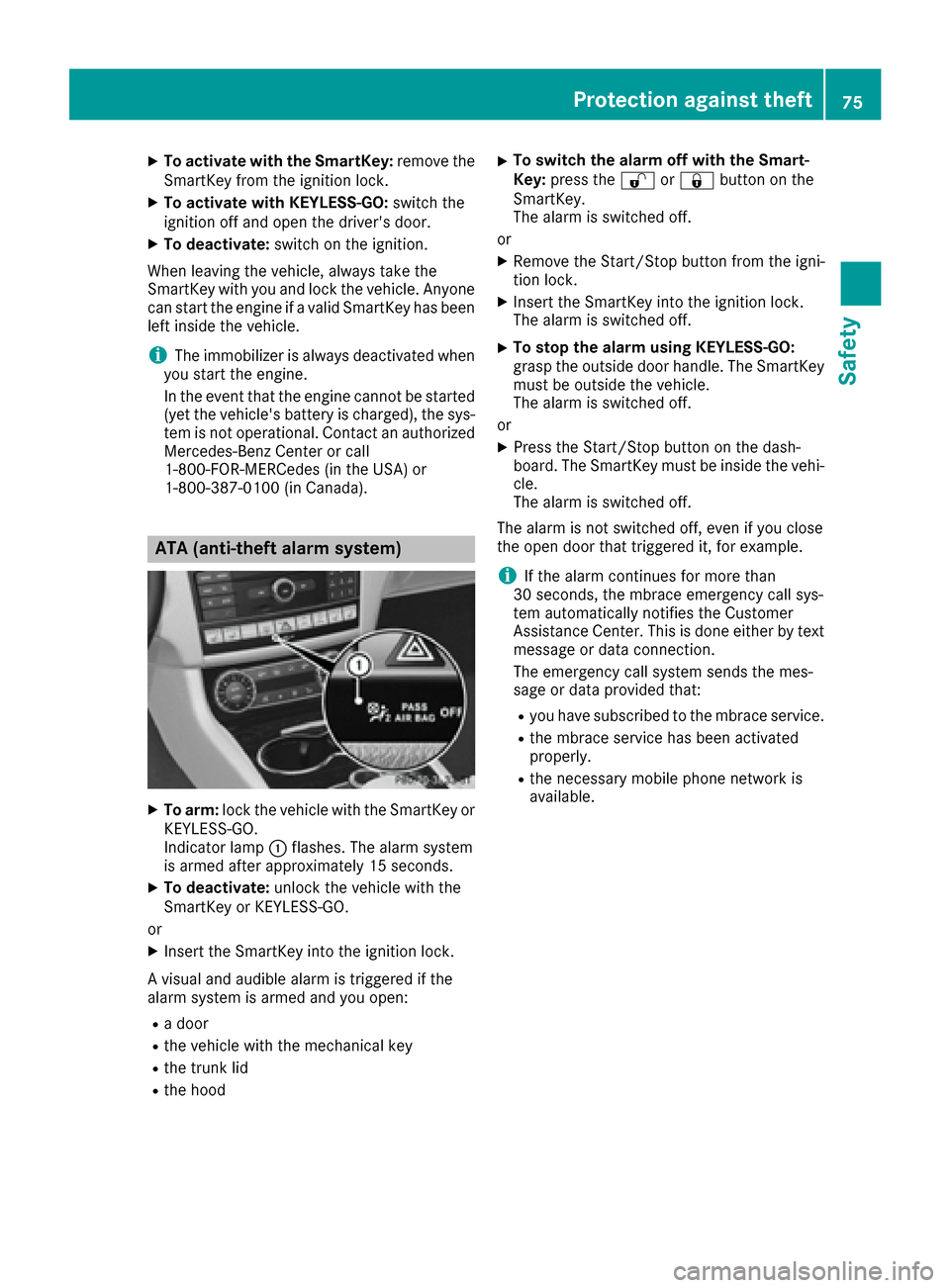
XTo arm: lock the vehicle with the SmartKey or
KEYLESS-GO.
Indicator lamp :flashes. The alarm system
is armed after approximately 15 seconds.
XTo deactivate: unlock the vehicle with the
SmartKey or KEYLESS-GO.
or
XInsert the SmartKey into the ignition lock.
A visual and audible alarm is triggered if the
alarm system is armed and you open:
Ra door
Rthe vehicle with the mechanical key
Rthe trunk lid
Rthe hood
XTo switch the alarm off with the Smart-
Key: press the %or& button on the
SmartKey.
The alarm is switched off.
or
XRemove the Start/Stop button from the igni-
tion lock.
XInsert the SmartKey into the ignition lock.
The alarm is switched off.
XTo stop the alarm using KEYLESS-GO:
grasp the outside door handle. The SmartKey
must be outside the vehicle.
The alarm is switched off.
or
XPress the Start/Stop button on the dash-
board. The SmartKey must be inside the vehi-
cle.
The alarm is switched off.
The alarm is not switched off, even if you close
the open door that triggered it, for example.
iIf the alarm continues for more than
30 seconds, the mbrace emergency call sys-
tem automatically notifies the Customer
Assistance Center. This is done either by text message or data connection.
The emergency call system sends the mes-
sage or data provi
ded that:
Ryou have subscribed to the mbrace service.
Rthe mbrace service has been activated
properly.
Rthe necessary mobile phone network is
available.
Protection against theft75
Safety
Z
Page 78 of 342
SmartKey
Important safety notes
GWARNING
If children are left unsupervised in the vehicle,
they could:
Ropen the doors, thus endangering other
people or road users.
Rget out and disrupt traffic.
Roperate the vehicle's equipment.
Additionally, children could set the vehicle in
motion if, for example, they:
Rrelease the parking brake.
Rshifting the automatic transmission out of
park position P
RStart the engine.
There is a risk of an accident and injury.
When leaving the vehicle, always take the
SmartKey with you and lock the vehicle. Never
leave children or animals unattended in the
vehicle. Always keep the SmartKey out of
reach of children.
GWARNING
If you attach heavy or large objects to the
SmartKey, the SmartKey could be uninten-
tionally turned in the ignition lock. This could
cause the engine to be switched off. There is a risk of an accident.
Do not attach any heavy or large objects to the
SmartKey. Remove any bulky key rings before
inserting the SmartKey into the ignition lock.
!Keep the SmartKey away from strong mag-
netic fields. Otherwise, the remote control
function could be affected.
Strong magnetic fields can occur in the vicin-
ity of powerful electrical installations.
Do not keep the SmartKey:
Rwith electronic devices, e.g. a mobile phone
or another SmartKey.
Rwith metallic objects, e.g. coins or metal foil.
Rinside metallic objects, e.g. a metal case.
This can affect the functionality of the Smart- Key.
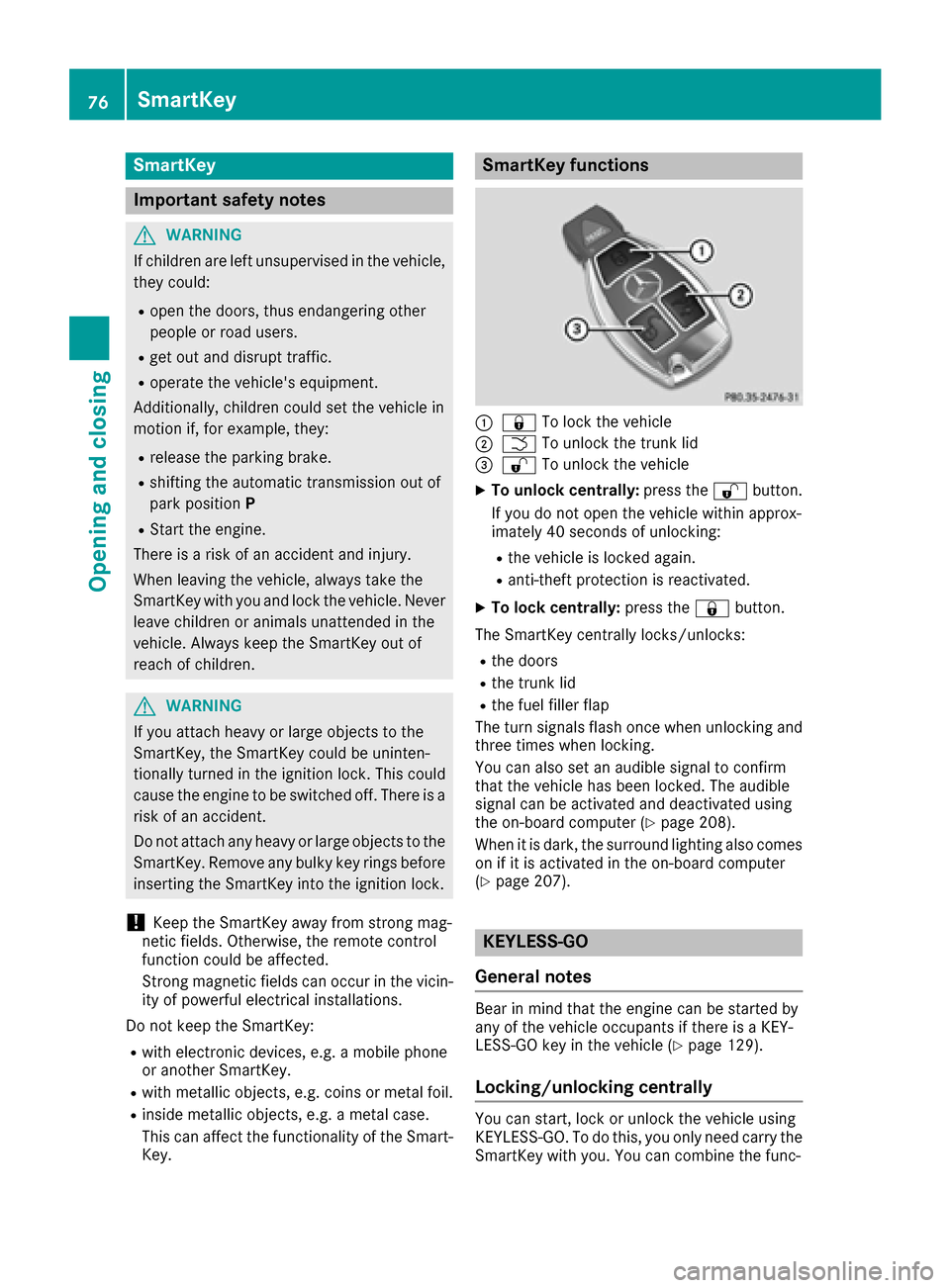
SmartKey functions
:& To lock the vehicle
;FTo unlock the trunk lid
=%To unlock the vehicle
XTo unlock centrally: press the%button.
If you do not open the vehicle within approx-
imately 40 seconds of unlocking:
Rthe vehicle is locked again.
Ranti-theft protection is reactivated.
XTo lock centrally: press the&button.
The SmartKey centrally locks/unlocks:
Rthe doors
Rthe trunk lid
Rthe fuel filler flap
The turn signals flash once when unlocking and
three times when locking.
You can also set an audible signal to confirm
that the vehicle has been locked. The audible
signal can be activated and deactivated using
the on-board computer (
Ypage 208).
When it is dark, the surround lighting also comes
on if it is activated in the on-board computer
(
Ypage 207).
KEYLESS-GO
General notes
Bear in mind that the engine can be started by
any of the vehicle occupants if there is a KEY-
LESS-GO key in the vehicle (
Ypage 129).
Locking/unlocking centrally
You can start, lock or unlock the vehicle using
KEYLESS-GO. To do this, you only need carry the
SmartKey with you. You can combine the func-
76SmartKey
Opening and closing
Page 79 of 342
tions of KEYLESS-GO with those of a conven-
tional SmartKey. Unlock the vehicle by using
KEYLESS-GO, for instance, and lock it using the
&button on the SmartKey.
When locking or unlocking with KEYLESS-GO,
the distance between the SmartKey and the cor-
responding door handle must not be greater
than 3 ft (1 m).
A check which periodically establishes a radio
connection between the vehicle and the Smart-
Key determines whether a valid SmartKey is in
the vehicle. This occurs, for example:
Rwhen the external door handles are touched
Rwhen starting the engine
Rwhile the vehicle is in motion
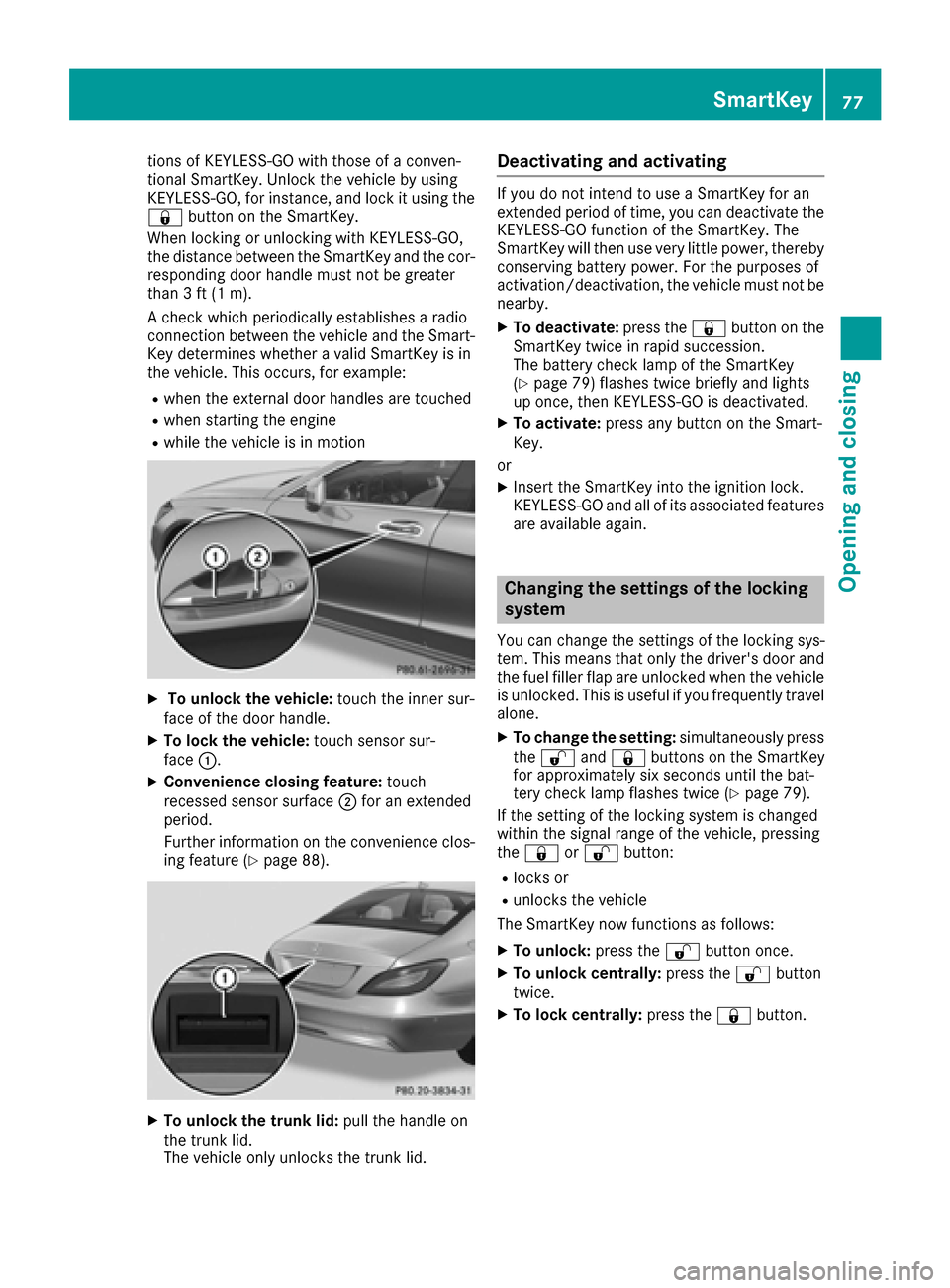
XTo unlock the vehicle: touch the inner sur-
face of the door handle.
XTo lock the vehicle: touch sensor sur-
face :.
XConvenience closing feature: touch
recessed sensor surface ;for an extended
period.
Further information on the convenience clos-
ing feature (
Ypage 88).
XTo unlock the trunk lid: pull the handle on
the trunk lid.
The vehicle only unlocks the trunk lid.
Deactivating and activating
If you do not intend to use a SmartKey for an
extended period of time, you can deactivate the
KEYLESS-GO function of the SmartKey. The
SmartKey will then use very little power, thereby
conserving battery power. For the purposes of
activation/deactivation, the vehicle must not be
nearby.
XTo deactivate: press the&button on the
SmartKey twice in rapid succession.
The battery check lamp of the SmartKey
(
Ypage 79) flashes twice briefly and lights
up once, then KEYLESS-GO is deactivated.
XTo activate: press any button on the Smart-
Key.
or
XInsert the SmartKey into the ignition lock.
KEYLESS-GO and all of its associated features
are available again.
Changing the settings of the locking
system
You can change the settings of the locking sys-
tem. This means that only the driver's door and
the fuel filler flap are unlocked when the vehicle
is unlocked. This is useful if you frequently travel
alone.
XTo change the setting: simultaneously press
the % and& buttons on the SmartKey
for approximately six seconds until the bat-
tery check lamp flashes twice (
Ypage 79).
If the setting of the locking system is changed
within the signal range of the vehicle, pressing
the & or% button:
Rlocks or
Runlocks the vehicle
The SmartKey now functions as follows:
XTo unlock: press the%button once.
XTo unlock centrally: press the%button
twice.
XTo lock centrally: press the&button.
SmartKey77
Opening and closing
Z
Page 80 of 342
The KEYLESS-GO function is changed as fol-
lows:
XTo unlock the driver's door:touch the inner
surface of the door handle on the driver's
door.
XTo unlock centrally: touch the inner surface
of the door handle on the front-passenger
door or the rear door.
XTo lock centrally: touch the outer sensor
surface on one of the door handles.
XTo restore the factory settings: press and
hold down the %and& buttons simul-
taneously for approximately six seconds until
the battery check lamp flashes twice
(
Ypage 79).
Mechanical key
General notes
If the vehicle can no longer be locked or
unlocked with the SmartKey, use the mechani-
cal key.
If you use the mechanical key to unlock and
open the driver's door or the trunk lid, the anti-
theft alarm system will be triggered. Switch off
the alarm (
Ypage 75).
If you unlock the vehicle using the mechanical
key, the fuel filler flap will not be unlocked auto-
matically.
XTo unlock the fuel filler flap: insert the
SmartKey into the ignition lock.
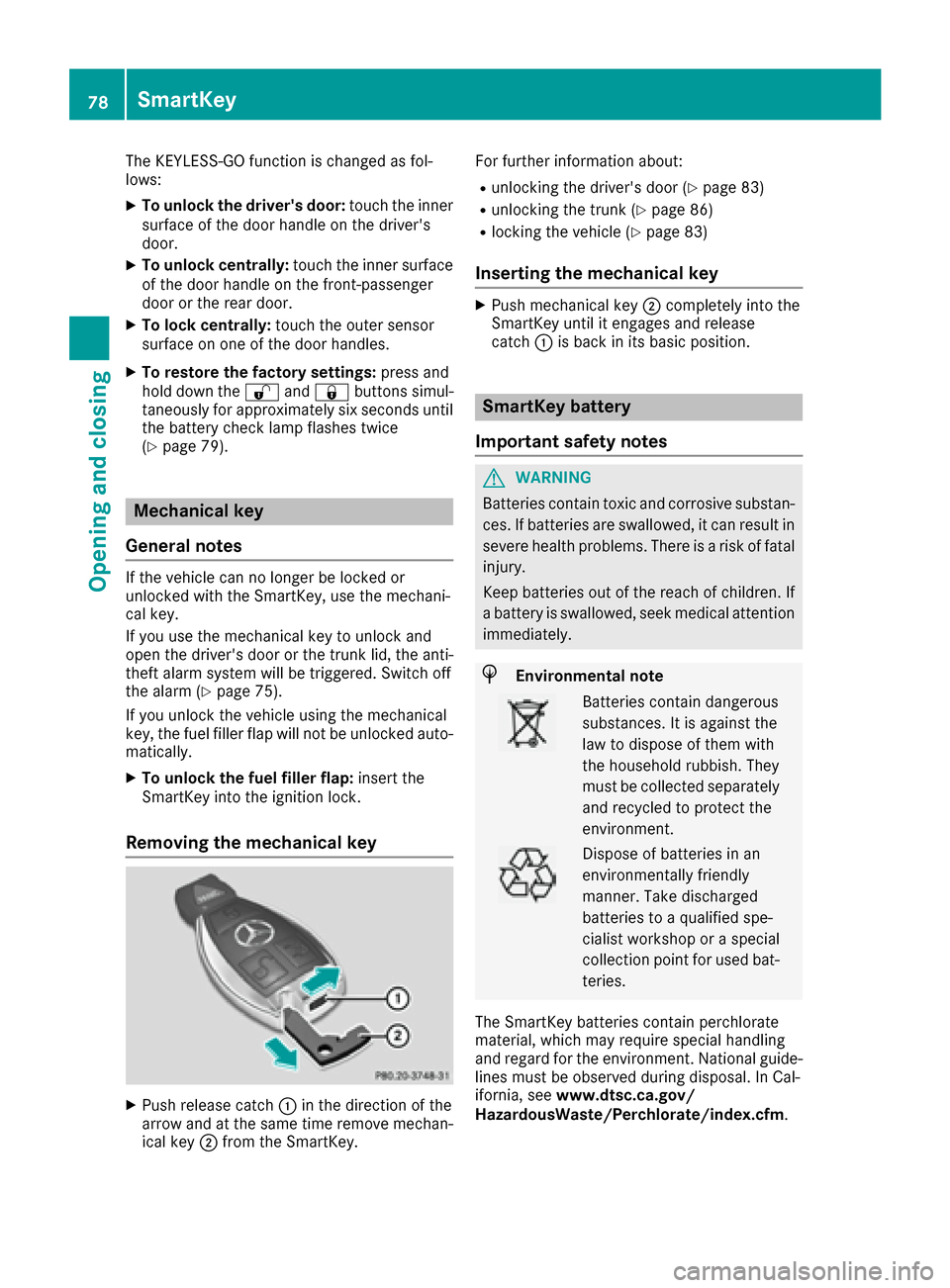
Removing the mechanical key
XPush release catch :in the direction of the
arrow and at the same time remove mechan- ical key ;from the SmartKey. For further information about:
Runlocking the driver's door (Ypage 83)
Runlocking the trunk (Ypage 86)
Rlocking the vehicle (Ypage 83)
Inserting the mechanical key
XPush mechanical key
;completely into the
SmartKey until it engages and release
catch :is back in its basic position.
SmartKey battery
Important safety notes
GWARNING
Batteries contain toxic and corrosive substan- ces. If batteries are swallowed, it can result in
severe health problems. There is a risk of fatalinjury.
Keep batteries out of the reach of children. If
a battery is swallowed, seek medical attention immediately.
HEnvironmental note
Batteries contain dangerous
substances. It is against the
law to dispose of them with
the household rubbish. They
must be collected separatelyand recycled to protect the
environment.
Dispose of batteries in an
environmentally friendly
manner. Take discharged
batteries to a qualified spe-
cialist workshop or a special
collection point for used bat-
teries.
The SmartKey batteries contain perchlorate
material, which may require special handling
and regard for the environment. National guide-
lines must be observed during disposal. In Cal-
ifornia, see www.dtsc.ca.gov/
HazardousWaste/Perchlorate/index.cfm.
78SmartKey
Opening and closing
Page 82 of 342
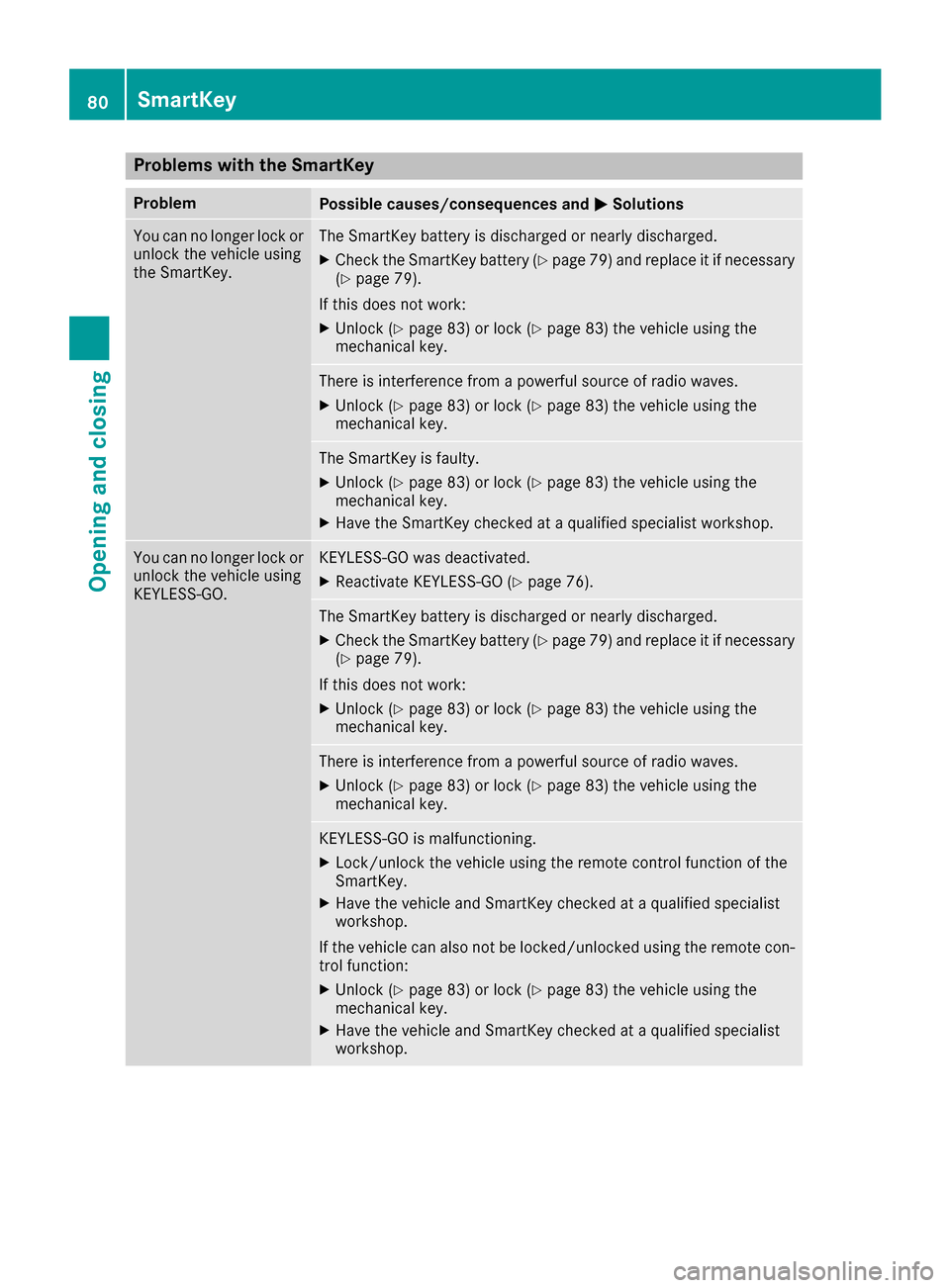
Problems with the SmartKey
ProblemPossible causes/consequences andMSolutions
You can no longer lock or
unlock the vehicle using
the SmartKey.The SmartKey battery is discharged or nearly discharged.
XCheck the SmartKey battery (Ypage 79) and replace it if necessary
(Ypage 79).
If this does not work:
XUnlock (Ypage 83) or lock (Ypage 83) the vehicle using the
mechanical key.
There is interference from a powerful source of radio waves.
XUnlock (Ypage 83) or lock (Ypage 83) the vehicle using the
mechanical key.
The SmartKey is faulty.
XUnlock (Ypage 83) or lock (Ypage 83) the vehicle using the
mechanical key.
XHave the SmartKey checked at a qualified specialist workshop.
You can no longer lock or
unlock the vehicle using
KEYLESS-GO.KEYLESS-GO was deactivated.
XReactivate KEYLESS-GO (Ypage 76).
The SmartKey battery is discharged or nearly discharged.
XCheck the SmartKey battery (Ypage 79) and replace it if necessary
(Ypage 79).
If this does not work:
XUnlock (Ypage 83) or lock (Ypage 83) the vehicle using the
mechanical key.
There is interference from a powerful source of radio waves.
XUnlock (Ypage 83) or lock (Ypage 83) the vehicle using the
mechanical key.
KEYLESS-GO is malfunctioning.
XLock/unlock the vehicle using the remote control function of the
SmartKey.
XHave the vehicle and SmartKey checked at a qualified specialist
workshop.
If the vehicle can also not be locked/unlocked using the remote con-
trol function:
XUnlock (Ypage 83) or lock (Ypage 83) the vehicle using the
mechanical key.
XHave the vehicle and SmartKey checked at a qualified specialist
workshop.
80SmartKey
Opening and closing