Index MERCEDES-BENZ CLS-Class 2017 W218 Comand Manual
[x] Cancel search | Manufacturer: MERCEDES-BENZ, Model Year: 2017, Model line: CLS-Class, Model: MERCEDES-BENZ CLS-Class 2017 W218Pages: 206, PDF Size: 6.66 MB
Page 14 of 206

Picture settings .............................. 168
Playing conditions .......................... 167
Safety notes ..................................166
Selecting a scene/chapter ............ 170
Stop function ................................. 170
Switching to ................................... 167
Video menu ................................... 169
Voice Control System
Settings ...........................................3 6
Volume, adjusting
Navigation messages ....................... 26
W
Weather map (SIRIUS)Activating/deactivating display
levels ............................................. 182
Calling up ....................................... 181
Legend ........................................... 184
Moving ........................................... 181
Showing/hiding the menu ............. 182
Time stamp .................................... 184
Weather memory (SIRIUS)
Selecting an area ........................... 181
Storing an area .............................. 181
Web browser
Entering a web address ................. 135
WiFi
Activating (Canada) .......................... 37
Activating (USA) ............................... 37
Connecting a device via WPS PBC(CANADA) ........................................ 39
Connecting a device via WPS PBC
(USA) ............................................... 38
Connecting a device via WPS PIN
(CANADA) ........................................ 38
Connecting a device via WPS PIN
(USA) ............................................... 38
Connecting the device ..................... 37
Overview .......................................... 36
Selecting a hotspot .......................... 38
12Index
Page 181 of 206
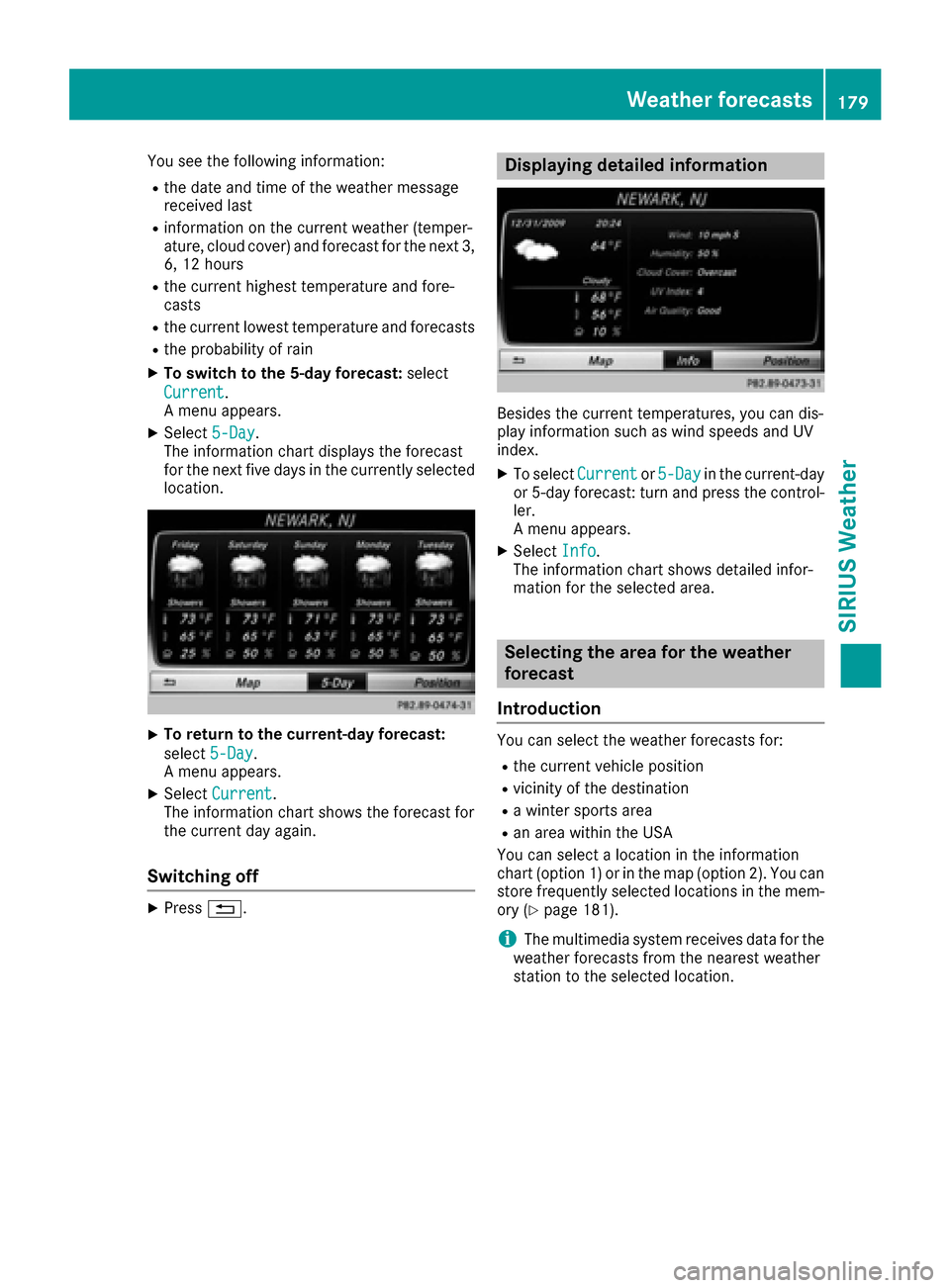
You see the following information:
Rthe date and time of the weather message
received last
Rinformation on the current weather (temper-
ature, cloud cover) and forecast for the next 3,
6, 12 hours
Rthe current highest temperature and fore-
casts
Rthe current lowest temperature and forecasts
Rthe probability of rain
XTo switch to the 5-day forecast:select
Current
.
A menu appears.
XSelect 5-Day.
The information chart displays the forecast
for the next five days in the currently selected
location.
XTo return to the current-day forecast:
select 5-Day
.
A menu appears.
XSelect Current.
The information chart shows the forecast for
the current day again.
Switching off
XPress %.
Displaying detailed information
Besides the current temperatures, you can dis-
play information such as wind speeds and UV
index.
XTo select Currentor5-Dayin the current-day
or 5-day forecast: turn and press the control-
ler.
A menu appears.
XSelect Info.
The information chart shows detailed infor-
mation for the selected area.
Selecting the area for the weather
forecast
Introduction
You can select the weather forecasts for:
Rthe current vehicle position
Rvicinity of the destination
Ra winter sports area
Ran area within the USA
You can select a location in the information
chart (option 1) or in the map (option 2). You can
store frequently selected locations in the mem-
ory (
Ypage 181).
iThe multimedia system receives data for the
weather forecasts from the nearest weather
station to the selected location.
Weather forecasts179
SIRIUS Weather