fuse MERCEDES-BENZ CLS-Class 2017 W218 Owner's Manual
[x] Cancel search | Manufacturer: MERCEDES-BENZ, Model Year: 2017, Model line: CLS-Class, Model: MERCEDES-BENZ CLS-Class 2017 W218Pages: 334, PDF Size: 8.22 MB
Page 5 of 334
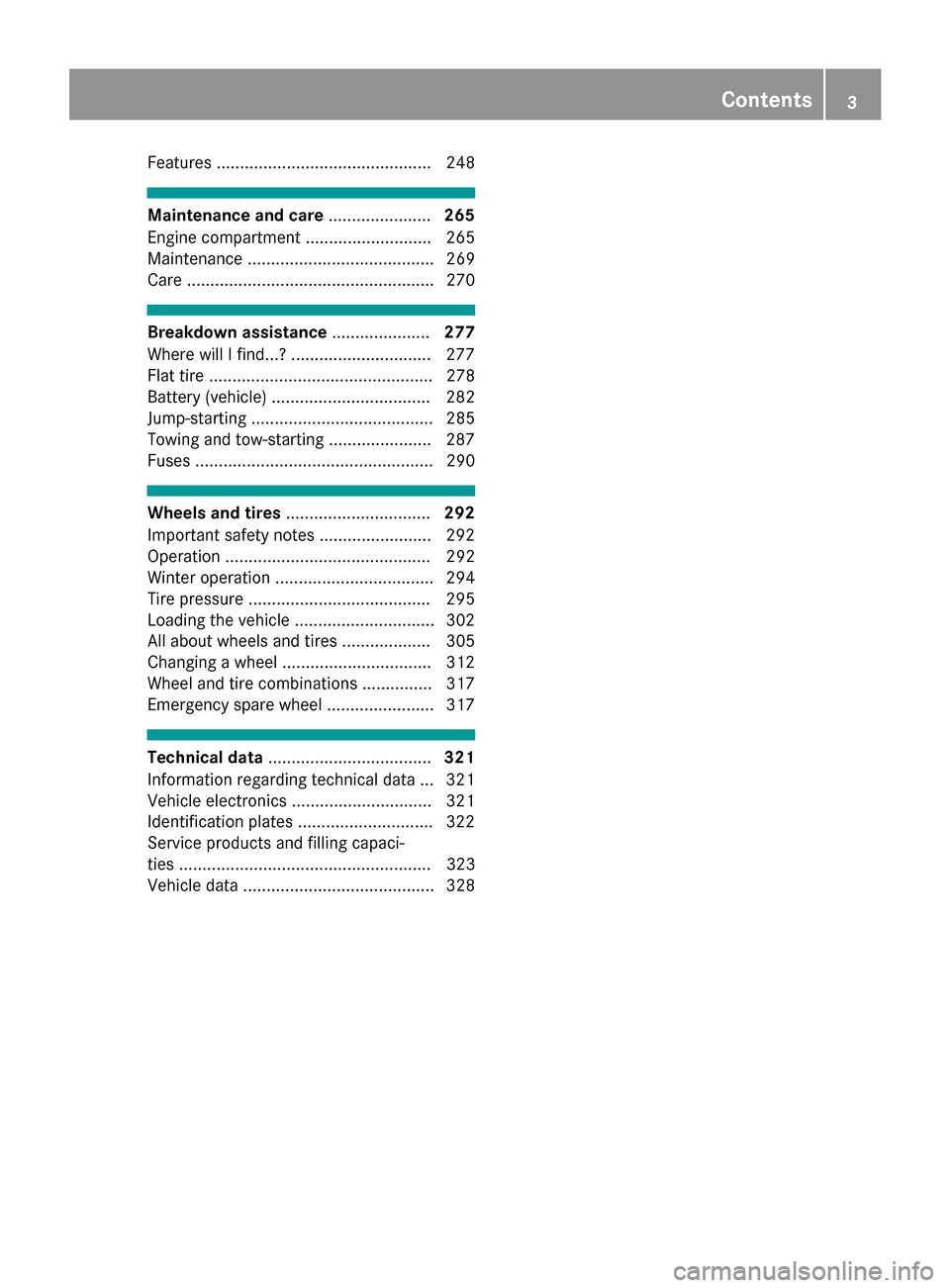
Features .............................................. 248
Maintenance and care......................265
Engine compartment ........................... 265
Maintenance ........................................ 269
Care ..................................................... 270
Breakdown assistance .....................277
Where will I find...? .............................. 277
Flat tire ................................................ 278
Battery (vehicle) .................................. 282
Jump-starting ....................................... 285
Towing and tow-starting ...................... 287
Fuses ................................................... 290
Wheels and tires ............................... 292
Important safety notes ........................ 292
Operation ............................................ 292
Winter operation .................................. 294
Tire pressure ....................................... 295
Loading the vehicle .............................. 302
All about wheels and tires ................... 305
Changing a wheel ................................ 312
Wheel and tire combinations ............... 317
Emergency spare wheel ....................... 317
Technical data ................................... 321
Information regarding technical data ... 321
Vehicle electronics .............................. 321
Identification plates ............................. 322
Service products and filling capaci-
ties ...................................................... 323
Vehicle data ......................................... 328
Contents3
Page 13 of 334
Warning lamp ................................. 229
ETS/4ETS (Electronic Traction Sys-
tem) ...................................................... 69
Exhaust check ................................... 144
Exhaust pipe (cleaning instruc-
tions) .................................................. 274
Exterior lighting
Setting options .............................. 105
see Lights
Exterior mirrors
Adjusting ....................................... 101
Dipping (automatic) ....................... 102
Folding in when locking (on-board
computer) ...................................... 200
Folding in/out (automatically) .......1 02
Folding in/out (electrically) ........... 101
Out of position (troubleshooting) ... 102
Setting ...........................................1 01
Storing settings (memory func-
tion) ............................................... 104
Storing the parking position .......... 102
Eyeglasses compartment ................. 243
F
Favorites
Overview ........................................ 238
Filler cap
see Refueling
Flat tire
MOExtended tires .......................... 278
Preparing the vehicle ..................... 278
TIREFIT kit ...................................... 279
see Emergency spare wheel
Floormats ...........................................2 64
Frequencies
Mobile phone ................................. 321
Two-way radio ................................ 321
Fuel
Additives ........................................ 325
Consumption statistics .................. 191
Displaying the current consump-
tion ................................................ 191
Displaying the range ......................1 91
Driving tips ....................................1 43
Fuel gauge ....................................... 34
Grade (gasoline) ............................ 324
Important safety notes .................. 324 Notes for CLS 400, CLS 400
4MATIC .......................................... 325
Problem (malfunction) ................... 140
Refueling ........................................ 138
Tank content/reserve fuel ............. 324
Fuel filler flap
Emergency release ........................ 140
Opening ......................................... 139
Fuel level
Calling up the range (on-board
computer) ...................................... 191
Fuel tank
Capacity ........................................ 324
Problem (malfunction) ................... 140
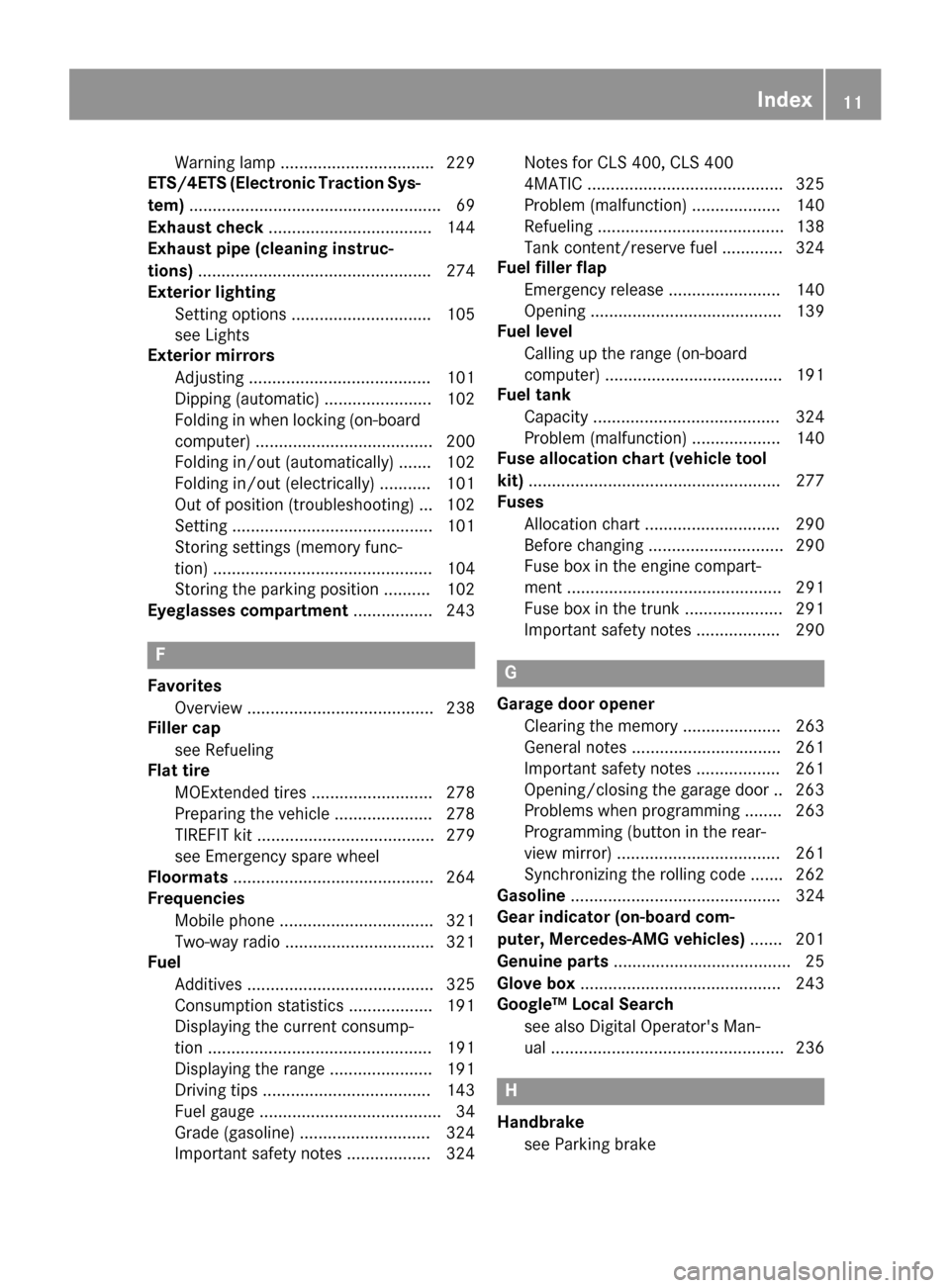
Fuse allocation chart (vehicle tool
kit) ...................................................... 277
Fuses
Allocation chart .............................2 90
Before changing .............................2 90
Fuse box in the engine compart-
ment .............................................. 291
Fuse box in the trunk ..................... 291
Important safety notes .................. 290G
Garage door opener
Clearing the memory ..................... 263
General notes ................................ 261
Important safety notes .................. 261
Opening/closing the garage door .. 263
Problems when programming ........2 63
Programming (button in the rear-
view mirror) ................................... 261
Synchronizing the rolling code ....... 262
Gasoline ............................................. 324
Gear indicator (on-board com-
puter, Mercedes-AMG vehicles) ....... 201
Genuine parts ...................................... 25
Glove box ...........................................2 43
Google™ Local Search
see also Digital Operator's Man-
ual ..................................................2 36
H
Handbrake
see Parking brake
Index11
Page 76 of 334
Ra narrow vehicle is traveling in front, e.g. a
motorbike
Ra vehicle is traveling in front on a different line
relative to the center of your vehicle
Recognition by the camera system is also
impaired in the event of:
Rdirt on the camera or if the camera is covered
Rglare on the camera system, e.g. from the sun being low in the sky
Rdarkness
Ror if:
-pedestrians move quickly, e.g. into the path
of the vehicle
-the camera system no longer recognizes a
pedestrian as a person due to special cloth-ing or other objects
-a pedestrian is concealed by other objects
-the typical outline of a person is not distin-
guishable from the background
Following damage to the front end of the vehicle,
have the configuration and operation of the
radar sensors checked at a qualified specialist
workshop. This also applies to collisions at slow
speeds where there is no visible damage to the
front of the vehicle.
Following damage to the windshield, have the
configuration and operation of the camera sys-
tem checked at a qualified specialist workshop.
Function
XTo activate/deactivate: activate or deacti-
vate PRE-SAFE®Brake in the on-board com-
puter (Ypage 196).
If the PRE-SAFE®Brake is not activated, the
æ symbol appears in the multifunction dis-
play.
At or above a speed of approximately 4 mph
(7 km/ h),this function warns you if you rapidly
approach a vehicle in front. An intermittent
warning tone will then sound and the ·dis-
tance warning lamp will light up in the instru-
ment cluster.
XBrake immediately to defuse the situation.
or
XTake evasive action provided it is safe to do
so. PRE-SAFE
®Brake can also brake the vehicle
automatically under the following conditions:
Rthe driver and front passenger have their seat
belts fastened
Rthe vehicle speed is between approximately
4 mph (7 km/h) and 124 mph (200 km/h)
Up to a speed of approximately 44 mph
(70 km/h), PRE-SAFE
®Brake can also detect:
Rstationary objects in the path of your vehicle,
e.g. stopped or parked vehicles
Rpedestrians in the path of your vehicle
iIf there is an increased risk of a collision,
preventive passenger protection measures
(PRE-SAFE
®) are triggered (Ypage 56).
If the risk of collision with the vehicle in front
re
mains and you do not brake, take evasive
action or accelerate significantly, the vehicle
may perform automatic emergency braking, up
to the point of full brake application. Automatic
emergency braking is not performed until imme-
diately prior to an imminent accident.
You can prevent the intervention of the PRE-
SAFE
®Brake at any time by:
Rdepressing the accelerator pedal further.
Ractivating kickdown.
Rreleasing the brake pedal.
The braking action of PRE-SAFE®Brake is ended
automatically if:
Ryou maneuver to avoid the obstacle.
Rthere is no longer a risk of collision.
Rthere is no longer an obstacle detected in
front of your vehicle.
Protection against theft
Immobilizer
The immobilizer prevents your vehicle from
being started without the correct SmartKey.
XTo activate with the SmartKey: remove the
SmartKey from the ignition lock.
XTo activate with KEYLESS-GO: switch the
ignition off and open the driver's door.
XTo deactivate: switch on the ignition.
When leaving the vehicle, always take the
SmartKey with you and lock the vehicle. Anyone
can start the engine if a valid SmartKey has been
left inside the vehicle.
74Protection against theft
Safety
Page 117 of 334
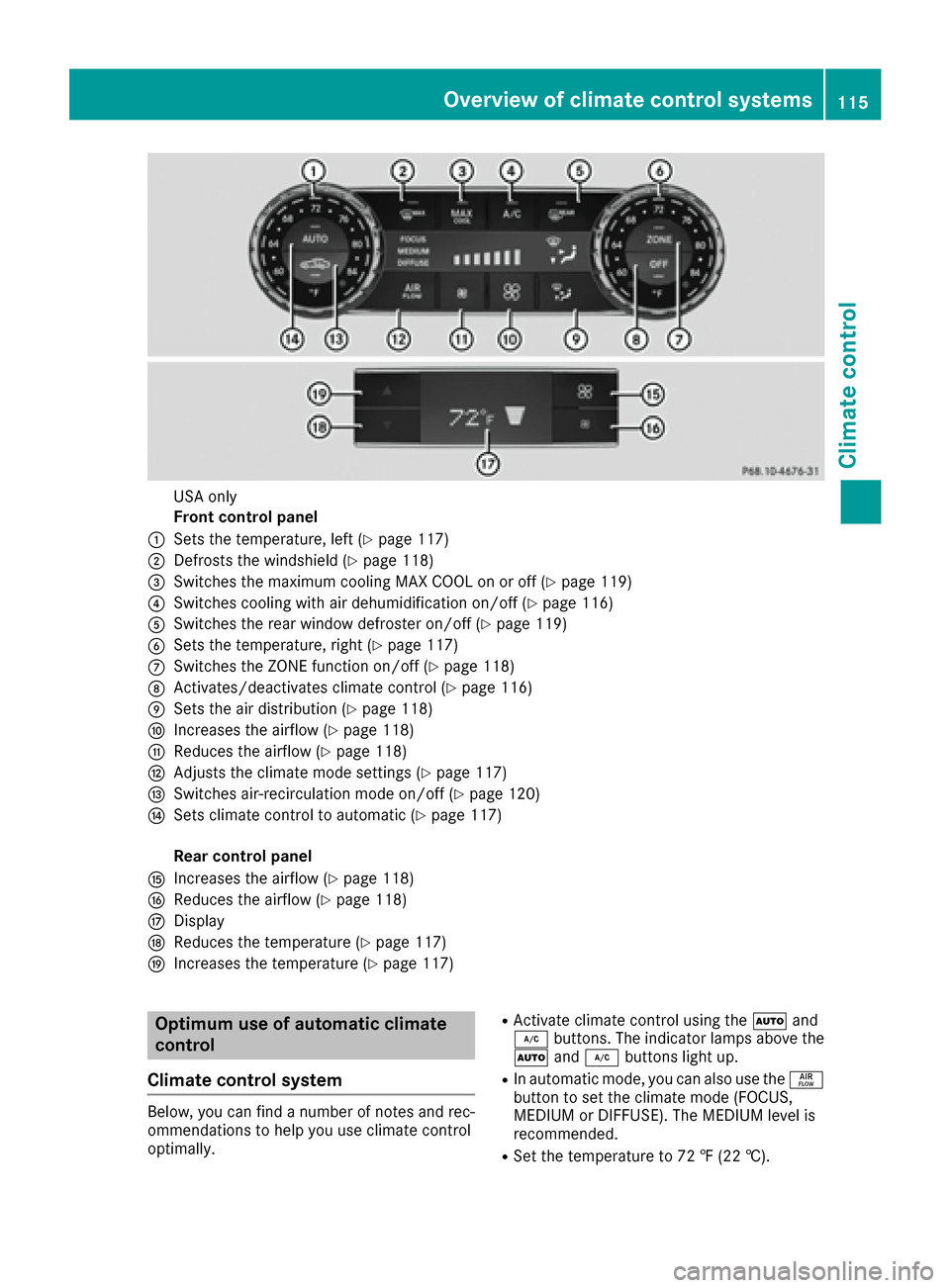
USA only
Front control panel
:Sets the temperature, left (Ypage 117)
;Defrosts the windshield (Ypage 118)
=Switches the maximum cooling MAX COOL on or off (Ypage 119)
?Switches cooling with air dehumidification on/off (Ypage 116)
ASwitches the rear window defroster on/off (Ypage 119)
BSets the temperature, right (Ypage 117)
CSwitches the ZONE function on/off (Ypage 118)
DActivates/deactivates climate control (Ypage 116)
ESets the air distribution (Ypage 118)
FIncreases the airflow (Ypage 118)
GReduces the airflow (Ypage 118)
HAdjusts the climate mode settings (Ypage 117)
ISwitches air-recirculation mode on/off (Ypage 120)
JSets climate control to automatic (Ypage 117)
Rear control panel
KIncreases the airflow (Ypage 118)
LReduces the airflow (Ypage 118)
MDisplay
NReduces the temperature (Ypage 117)
OIncreases the temperature (Ypage 117)
Optimum use of automatic climate
control
Climate control system
Below, you can find a number of notes and rec-
ommendations to help you use climate control
optimally.
RActivate climate control using the Ãand
¿ buttons. The indicator lamps above the
à and¿ buttons light up.
RIn automatic mode, you can also use the ñ
button to set the climate mode (FOCUS,
MEDIUM or DIFFUSE). The MEDIUM level is
recommended.
RSet the temperature to 72 ‡ (22 †).
Overview of climate control systems115
Climate control
Page 119 of 334
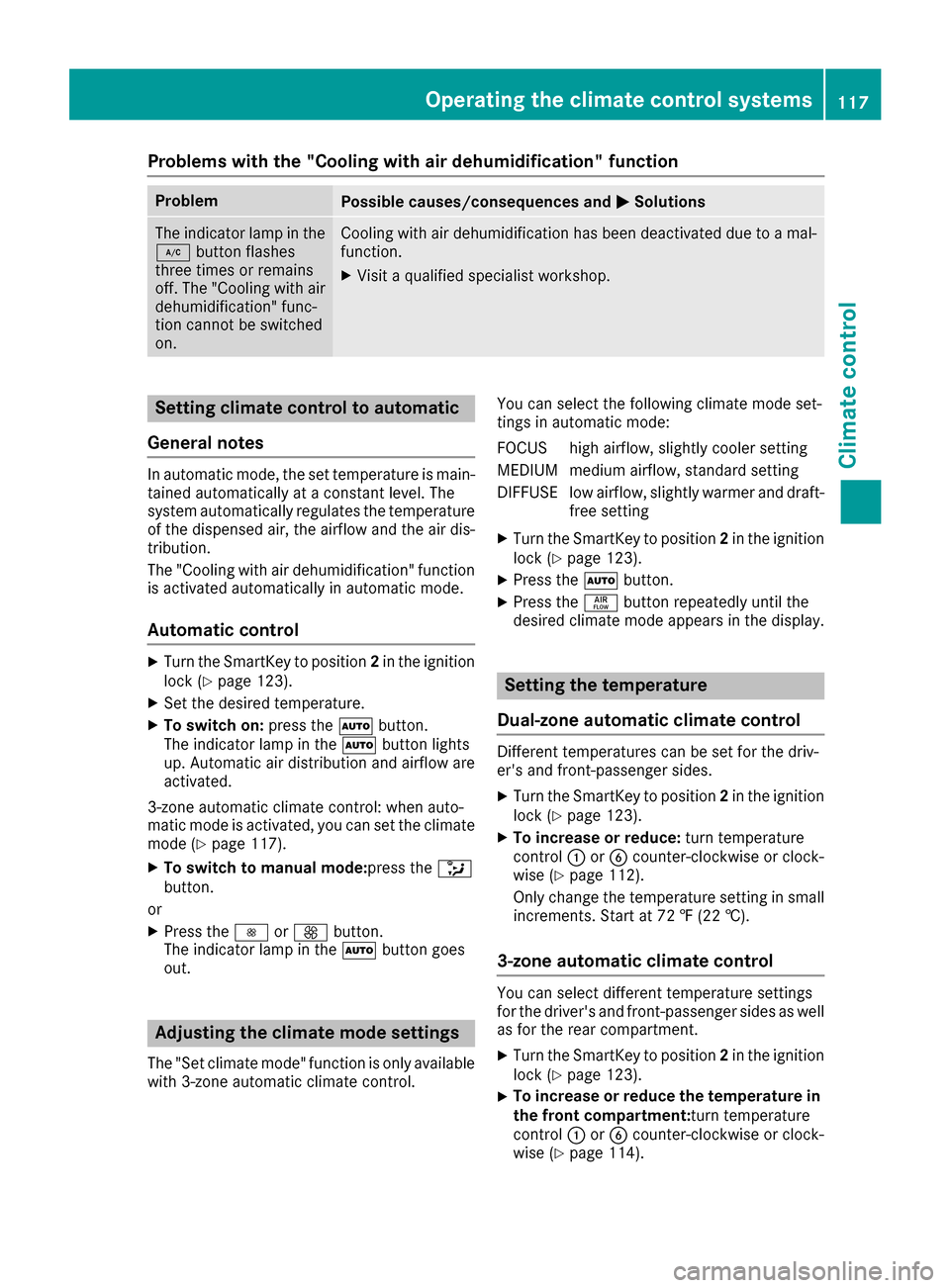
Problems with the "Cooling with air dehumidification" function
ProblemPossible causes/consequences andMSolutions
The indicator lamp in the
¿button flashes
three times or remains
off. The "Cooling with air
dehumidification" func-
tion cannot be switched
on.Cooling with air dehumidification has been deactivated due to a mal-
function.
XVisit a qualified specialist workshop.
Setting climate control to automatic
General notes
In automatic mode, the set temperature is main-
tained automatically at a constant level. The
system automatically regulates the temperature
of the dispensed air, the airflow and the air dis-
tribution.
The "Cooling with air dehumidification" function
is activated automatically in automatic mode.
Automatic control
XTurn the SmartKey to position 2in the ignition
lock (Ypage 123).
XSet the desired temperature.
XTo switch on: press theÃbutton.
The indicator lamp in the Ãbutton lights
up. Automatic air distribution and airflow are
activated.
3-zone automatic climate control: when auto-
matic mode is activated, you can set the climate mode (
Ypage 117).
XTo switch to manual mode: press the_
button.
or
XPress the IorK button.
The indicator lamp in the Ãbutton goes
out.
Adjusting the climate mode settings
The "Set climate mode" function is only available
with 3-zone automatic climate control. You can select the following climate mode set-
tings in automatic mode:
FOCUS high airflow, slightly cooler setting
MEDIUM medium airflow, standard setting
DIFFUSE low airflow, slightly warmer and draft-
free setting
XTurn the SmartKey to position 2in the ignition
lock (Ypage 123).
XPress the Ãbutton.
XPress the ñbutton repeatedly until the
desired climate mode appears in the display.
Setting the temperature
Dual-zone automatic climate control
Different temperatures can be set for the driv-
er's and front-passenger sides.
XTurn the SmartKey to position 2in the ignition
lock (Ypage 123).
XTo increase or reduce: turn temperature
control :orB counter-clockwise or clock-
wise (
Ypage 112).
Only change the temperature setting in small
increments. Start at 72 ‡ (22 †).
3-zone automatic climate control
You can select different temperature settings
for the driver's and front-passenger sides as well
as for the rear compartment.
XTurn the SmartKey to position 2in the ignition
lock (Ypage 123).
XTo increase or reduce the temperature in
the front compartment: turn temperature
control :orB counter-clockwise or clock-
wise (
Ypage 114).
Operating the climate control systems117
Climate control
Page 155 of 334
between your vehicle and the vehicle in front
becomes too small.
iWhen you change lanes, DISTRONIC PLUS
monitors the left lane on left-hand-drive vehi-
cles or the right lane on right-hand-drive vehi-
cles.
Stopping
GWARNING
When leaving the vehicle, even if it is braked
only by DISTRONIC PLUS, it could roll away if:
Rthere is a malfunction in the system or in
the voltage supply.
RDISTRONIC PLUS has been deactivated
with the cruise control lever, e.g. by a vehi-
cle occupant or from outside the vehicle.
Rthe electrical system in the engine com-
partment, the battery or the fuses have
been tampered with.
Rthe battery is disconnected.
Rthe accelerator pedal has been depressed, e.g. by a vehicle occupant.
There is a risk of an accident.
If you wish to exit the vehicle, always turn off
DISTRONIC PLUS and secure the vehicle
against rolling away.
For further information on deactivating
DISTRONIC PLUS (
Ypage 155).
If DISTRONIC PLUS detects that the vehicle in
front has stopped, it will cause your vehicle to
brake and come to a halt.
Once your vehicle is stationary, it remains sta-
tionary and you do not need to depress the
brake.
Depending on the specified minimum distance,
your vehicle will come to a standstill at a suffi-
cient distance behind the vehicle in front. The
specified minimum distance is set using the
control on the cruise control lever.
When DISTRONIC PLUS is activated, the trans-
mission is shifted automatically to position Pif:
Rthe driver's door is open and the driver's seat
belt is unfastened.
Rthe engine is switched off, unless it is auto-
matically switched off by the ECO start/stop
function.
Ra system malfunction occurs.
Rthe power supply is not sufficient.
Setting a speed
XPress the cruise control lever up :for a
higher speed or down ;for a lower speed.
XTo adjust the set speed in1 mphincre-
ments (1 km/hincrements): briefly move
the cruise control lever up :or down ;to
the pressure point.
Every time the cruise control lever is pressed
up : or down ;, the last speed stored is
increased or reduced.
XTo adjust the set speed in5 mphincre-
ments (10 km/hincrements): briefly move
the cruise control lever up :or down ;
beyond the pressure point.
Every time the cruise control lever is pressed
up : or down ;, the last speed stored is
increased or reduced.
iIf you accelerate to overtake, DISTRONIC
PLUS adjusts the vehicle's speed to the last
speed stored after you have finished overtak-
ing.
Setting a specified minimum distance
You can set the specified minimum distance for
DISTRONIC PLUS by varying the time span
between one and two seconds. With this func-
tion, you can set the minimum distance that
DISTRONIC PLUS keeps to the vehicle in front,
dependent on vehicle speed. You can see this
distance in the multifunction display
(
Ypage 154).
iMake sure that you maintain a sufficient
distance to the vehicle in front and comply
with the minimum distance as required by
law. Adjust the distance to the vehicle in front
if necessary.
Driving systems153
Driving and parking
Z
Page 159 of 334
still not started to steer and have not taken hold
of the steering wheel after five seconds at the
latest, a warning tone also sounds to remind you
to take control of the vehicle. Steering Assist
and Stop&Go Pilot are switched to passive.
DISTRONIC PLUS remains active.
Activating Steering Assist and Stop&Go
Pilot
XActivate the DISTRONIC PLUS with Steering
Assist and Stop&Go Pilot function using the
on-board computer (
Ypage 196).
The DTR+: Steering Assistant Onmes-
sage appears in the multifunction display.
Steering Assist and Stop&Go Pilot are active.
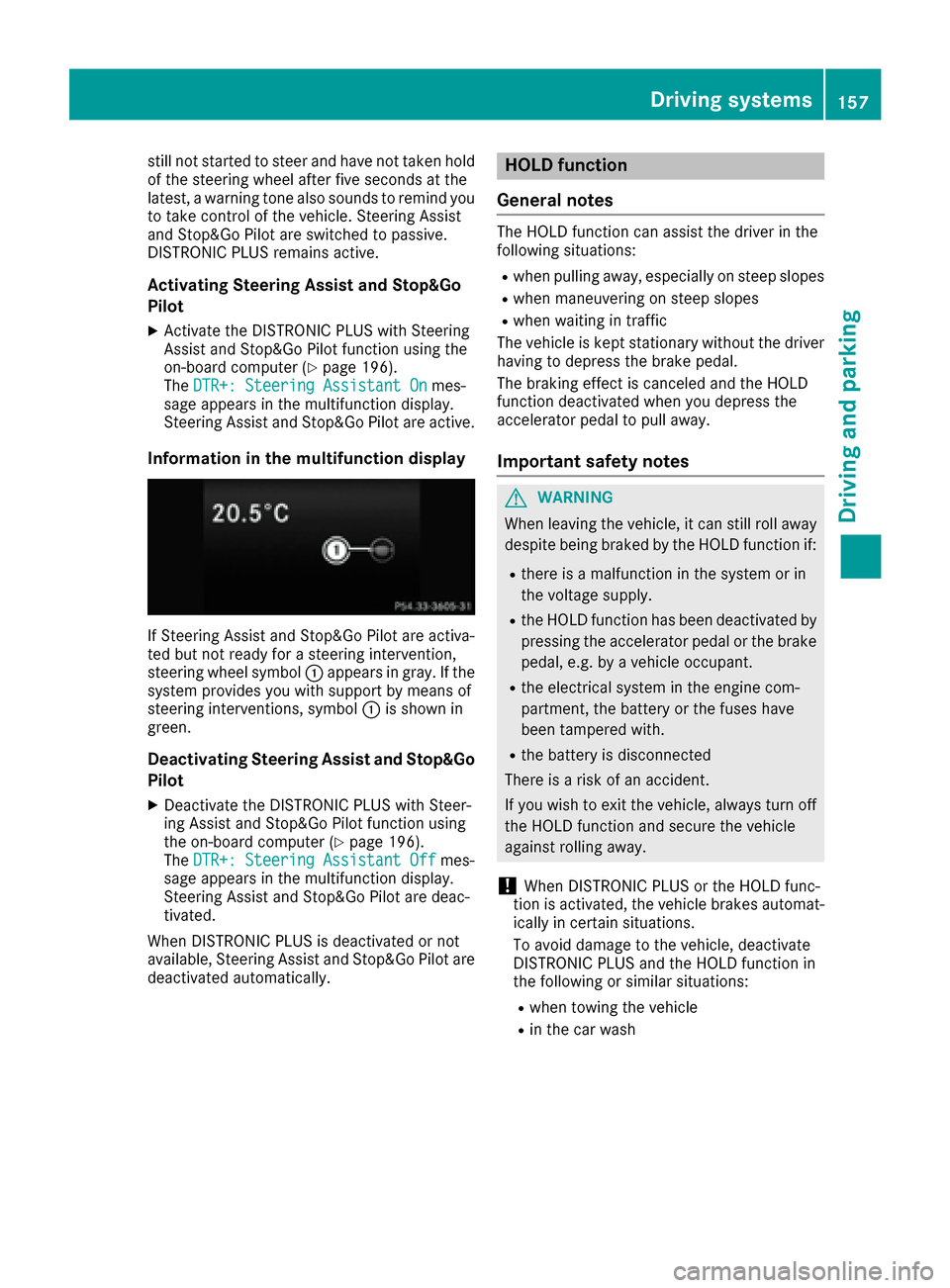
Information in the multifunction display
If Steering Assist and Stop&Go Pilot are activa-
ted but not ready for a steering intervention,
steering wheel symbol :appears in gray. If the
system provides you with support by means of
steering interventions, symbol :is shown in
green.
Deactivating Steering Assist and Stop&Go
Pilot
XDeactivate the DISTRONIC PLUS with Steer-
ing Assist and Stop&Go Pilot function using
the on-board computer (
Ypage 196).
The DTR+: Steering Assistant Offmes-
sage appears in the multifunction display.
Steering Assist and Stop&Go Pilot are deac-
tivated.
When DISTRONIC PLUS is deactivated or not
available, Steering Assist and Stop&Go Pilot are deactivated automatically.
HOLD function
General notes
The HOLD function can assist the driver in the
following situations:
Rwhen pulling away, especially on steep slopes
Rwhen maneuvering on steep slopes
Rwhen waiting in traffic
The vehicle is kept stationary without the driver having to depress the brake pedal.
The braking effect is canceled and the HOLD
function deactivated when you depress the
accelerator pedal to pull away.
Important safety notes
GWARNING
When leaving the vehicle, it can still roll away despite being braked by the HOLD function if:
Rthere is a malfunction in the system or in
the voltage supply.
Rthe HOLD function has been deactivated by
pressing the accelerator pedal or the brake
pedal, e.g. by a vehicle occupant.
Rthe electrical system in the engine com-
partment, the battery or the fuses have
been tampered with.
Rthe battery is disconnected
There is a risk of an accident.
If you wish to exit the vehicle, always turn off the HOLD function and secure the vehicle
against rolling away.
!When DISTRONIC PLUS or the HOLD func-
tion is activated, the vehicle brakes automat-
ically in certain situations.
To avoid damage to the vehicle, deactivate
DISTRONIC PLUS and the HOLD function in
the following or similar situations:
Rwhen towing the vehicle
Rin the car wash
Driving systems157
Driving and parking
Z
Page 169 of 334
Rthe area is too small for the vehicle to maneu-
ver into
Rthe parking space is bordered by an obstacle,
e.g. a tree, a post or a trailer
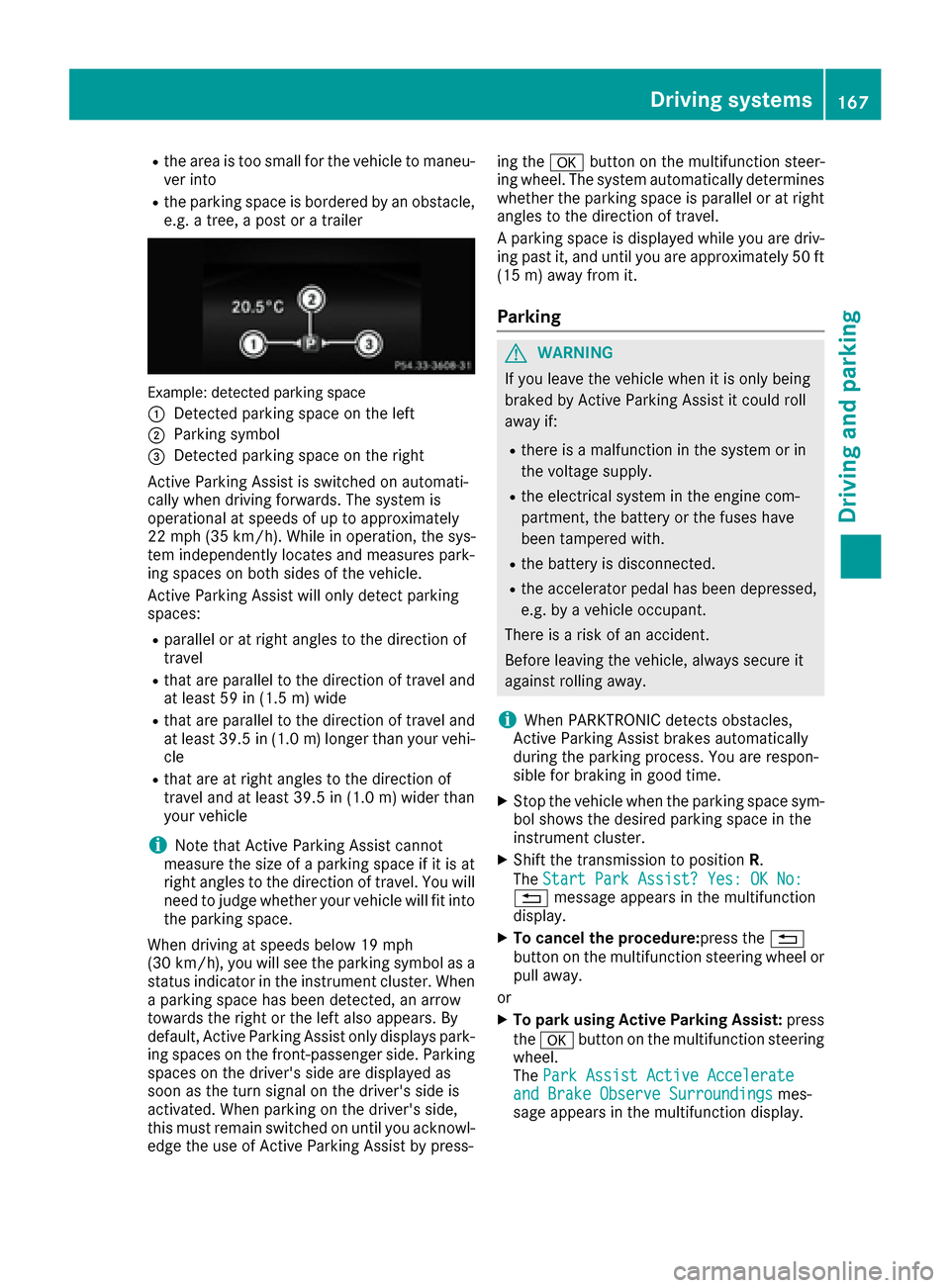
Example: detected parking space
:
Detected parking space on the left
;Parking symbol
=Detected parking space on the right
Active Parking Assist is switched on automati-
cally when driving forwards. The system is
operational at speeds of up to approximately
22 mph (35 km/h). While in operation, the sys-
tem independently locates and measures park-
ing spaces on both sides of the vehicle.
Active Parking Assist will only detect parking
spaces:
Rparallel or at right angles to the direction of
travel
Rthat are parallel to the direction of travel and
at least 59 in (1.5 m) wide
Rthat are parallel to the direction of travel and
at least 39.5 in (1.0 m)longer than your vehi-
cle
Rthat are at right angles to the direction of
travel and at least 39.5 in (1.0 m) wider than
your vehicle
iNote that Active Parking Assist cannot
measure the size of a parking space if it is at
right angles to the direction of travel. You will
need to judge whether your vehicle will fit into the parking space.
When driving at speeds below 19 mph
(30 km/h), you will see the parking symbol as a
status indicator in the instrument cluster. When
a parking space has been detected, an arrow
towards the right or the left also appears. By
default, Active Parking Assist only displays park-
ing spaces on the front-passenger side. Parking
spaces on the driver's side are displayed as
soon as t
he turn signal on the driver's side is
activated. When parking on the driver's side,
this must remain switched on until you acknowl-
edge the use of Active Parking Assist by press- ing the
abutton on the multifunction steer-
ing wheel. The system automatically determines
whether the parking space is parallel or at right
angles to the direction of travel.
A parking space is displayed while you are driv-
ing past it, and until you are approximately 50 ft (15 m) away from it.
Parking
GWARNING
If you leave the vehicle when it is only being
braked by Active Parking Assist it could roll
away if:
Rthere is a malfunction in the system or in
the voltage supply.
Rthe electrical system in the engine com-
partment, the battery or the fuses have
been tampered with.
Rthe battery is disconnected.
Rthe accelerator pedal has been depressed,
e.g. by a vehicle occupant.
There is a risk of an accident.
Before leaving the vehicle, always secure it
against rolling away.
iWhen PARKTRONIC detects obstacles,
Active Parking Assist brakes automatically
during the parking process. You are respon-
sible for braking in good time.
XStop the vehicle when the parking space sym- bol shows the desired parking space in the
instrument cluster.
XShift the transmission to position R.
The Start Park Assist? Yes: OK No:
% message appears in the multifunction
display.
XTo cancel the procedure: press the%
button on the multifunction steering wheel or
pull away.
or
XTo park using Active Parking Assist: press
the a button on the multifunction steering
wheel.
The Park Assist Active Accelerate
and Brake Observe Surroundingsmes-
sage appears in the multifunction display.
Driving systems167
Driving and parking
Z
Page 279 of 334
Where will I find...?
Vehicle tool kit
General notes
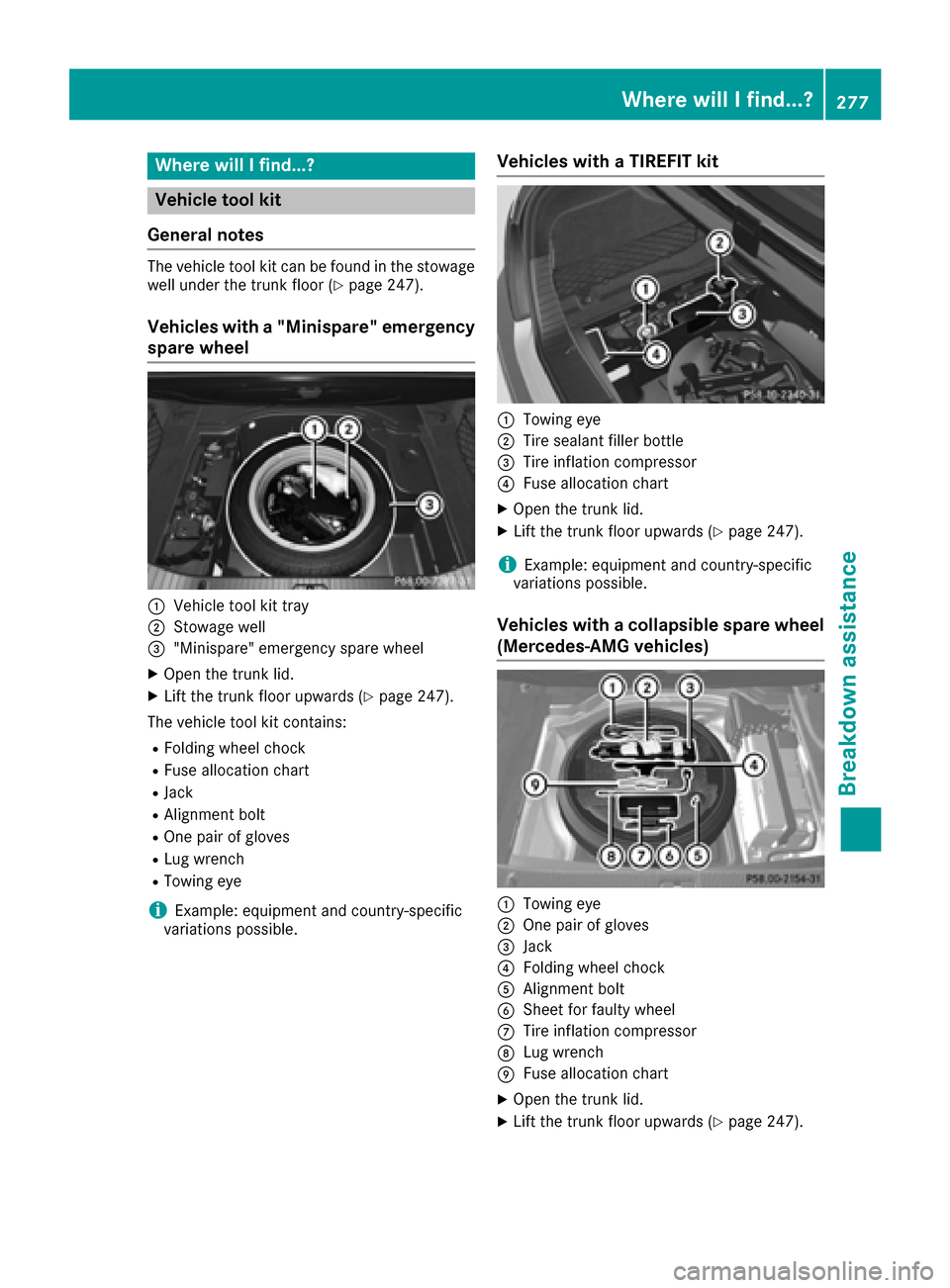
The vehicle tool kit can be found in the stowage
well under the trunk floor (Ypage 247).
Vehicles with a "Minispare" emergency
spare wheel
:Vehicle tool kit tray
;Stowage well
="Minispare" emergency spare wheel
XOpen the trunk lid.
XLift the trunk floor upwards (Ypage 247).
The vehicle tool kit contains:
RFolding wheel chock
RFuse allocation chart
RJack
RAlignment bolt
ROne pair of gloves
RLug wrench
RTowing eye
iExample: equipment and country-specific
variations possible.
Vehicles with a TIREFIT kit
:Towing eye
;Tire sealant filler bottle
=Tire inflation compressor
?Fuse allocation chart
XOpen the trunk lid.
XLift the trunk floor upwards (Ypage 247).
iExample: equipment and country-specific
variations possible.
Vehicles with a collapsible spare wheel
(Mercedes-AMG vehicles)
:Towing eye
;One pair of gloves
=Jack
?Folding wheel chock
AAlignment bolt
BSheet for faulty wheel
CTire inflation compressor
DLug wrench
EFuse allocation chart
XOpen the trunk lid.
XLift the trunk floor upwards (Ypage 247).
Where will I find...?277
Breakdown assistance
Page 292 of 334
As soonas the vehicle has been loaded:
XPrevent the veh iclefrom rolling away by
applyin g the parking brake.
XShift the automat ictransmission to posi-
tion P.
XTurn the SmartKey to position 0inthe ignition
lock and remove it.
XSecure the veh icle.
Notes on 4MATIC vehicles
!
Vehicle swit h 4MATIC must not betowed
wit h either the front or the rear axle raised, as
doin g so willdamage the transmission.
If the veh iclehas transmission damage or dam-
age to the front or rear axle, have ittransported
on a transporter or trailer.
In the event ofdama ge to the electrical sys-
tem
If the battery isdefective, the automat ictrans-
mission will belocked inposition P. To shift the
automat ictransmission to position N, you must
pro vide power to the veh icle's electrical system
in the same way as when jump-starting
(
Ypage 285).
Have the veh icletransported on a transporter or
trailer.
Tow-starting (emergency engine
starting)
!
Vehicle swit h automat ictransmission must
not bestarted bytow-starting. This could oth-
erwise damage the transmission.
iYou can find information on "Jump-starting"
under (Ypage 285).
Fuses
Important safety notes
GWAR NING
If you man ipulate orbridge a faulty fuse or if
you replace it with a fuse with a higher amper-
age, the electr iccables could beoverloaded.
This could result ina fire. There isa risk of an
acc iden t and injury.
Alwa ys replace faulty fuses with the specified
new fuses having the correct amperage.
Blo wn fuses must bereplaced with fuses of the
same rating, which you can recognize bythe
color and value. The fuse ratings are listed inthe
fuse allocation chart.
The fuse allocation chart is located in the vehicle
tool kit in the stowage compartment under the
trunk floor (
Ypage 277).
If a ne wlyinserted fuse also blows, have the
cause traced and rectified at a qualified special-
ist workshop, e.g. an authorized Mercedes-Benz
Center.
!Only use fuses that have been approved for
Mercedes-Benz vehicles and which have the
correct fuse rating for the system concerned.
Otherwise, components or systems could be
damaged.
!Make sure that no moisture can enter the
fuse box when the cover isopen.
!When closing the cover, make sure that it is
lying correctly on the fuse box. Moisture seep-
ing inor dirt could otherwise impair the oper-
ation of the fuses.
The fuses in your vehicle serve to closedown
faulty circuits. Ifa fuse blows, all the compo-
nents on the circuit and their functions stop
operating.
Before changing a fuse
Pay attention to the important safety notes
(Ypage 290).
XSwit ch off the engine.
XSwitch off all electrical consumers.
XMake sure that the ignition is switched off
(Ypage 123).
or
XWhen using the SmartKey, turn the SmartKey
to position 0in the ignition lock and remove it
(
Ypage 123).
XSecure the vehicle against rolling away
(Ypage 141).
All indicator lamps in the instrument cluster
must be off.
290Fuses
Breakdown assistance