reset MERCEDES-BENZ CLS COUPE 2008 User Guide
[x] Cancel search | Manufacturer: MERCEDES-BENZ, Model Year: 2008, Model line: CLS COUPE, Model: MERCEDES-BENZ CLS COUPE 2008Pages: 329, PDF Size: 29.26 MB
Page 87 of 329
Mirrors
84 Exterior mirrors
G
Risk of accident
The exterior mirrors reduce the size of the
image. Objects are actually closer than
they appear. You could misjudge the dis-
tance from vehicles driving behind and
cause an accident, e.g. when changing
lane. For this reason, make sure of the
actual distance from the vehicle driving
behind by glancing over your shoulder.
The convex exterior mirrors give a larger field
of vision.
At low outside temperatures, the exterior mir-
rors are heated automatically.
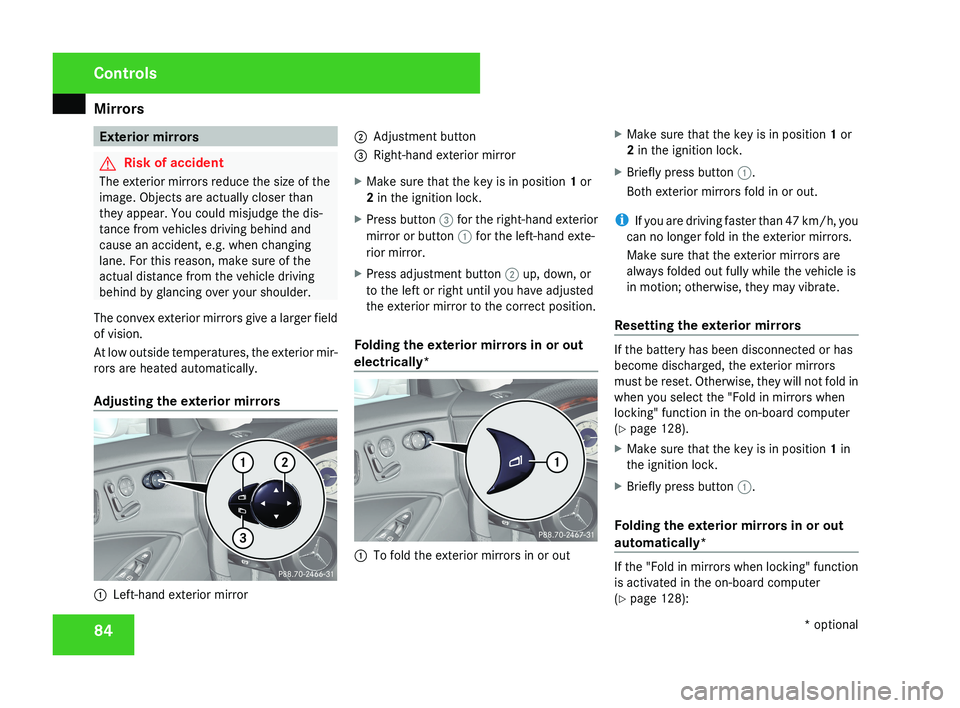
Adjusting the exterior mirrors 1
Left-hand exterior mirror 2
Adjustment button
3 Right-hand exterior mirror
X Make sure that the key is in position 1 or
2 in the ignition lock.
X Press button 3 for the right-hand exterior
mirror or button 1 for the left-hand exte-
rior mirror.
X Press adjustment button 2 up, down, or
to the left or right until you have adjusted
the exterior mirror to the correct position.
Folding the exterior mirrors in or out
electrically* 1
To fold the exterior mirrors in or out X
Make sure that the key is in position 1 or
2 in the ignition lock.
X Briefly press button 1.
Both exterior mirrors fold in or out.
i If you are driving faster than 47 km/h, you
can no longer fold in the exterior mirrors.
Make sure that the exterior mirrors are
always folded out fully while the vehicle is
in motion; otherwise, they may vibrate.
Resetting the exterior mirrors If the battery has been disconnected or has
become discharged, the exterior mirrors
must be reset. Otherwise, they will not fold in
when you select the "Fold in mirrors when
locking" function in the on-board computer
(Y page 128).
X
Make sure that the key is in position 1 in
the ignition lock.
X Briefly press button 1.
Folding the exterior mirrors in or out
automatically* If the "Fold in mirrors when locking" function
is activated in the on-board computer
(Y page 128):Controls
* optional
219_AKB; 2; 4, en-GB
mkalafa,
2007-11-13T09:28:36+01:00 - Seite 84
Page 89 of 329
Memory functions*
86
X
Make sure that button 2 for the exterior
mirror on the front-passenger side is
pressed.
X Engage reverse gear.
The exterior mirror on the front-passenger
side moves to the stored parking position.
The exterior mirror on the front-passenger
side moves back to its original position:
R as soon as you exceed a speed of
10 km/h
R about ten seconds after you have disen-
gaged reverse gear
R if you press button 1 for the exterior mir-
ror on the driver's side Memory functions*
Storing settings
You can store up to three different settings
using the memory button.
The following settings are stored as a single
memory preset:
R Position of the seat, backrest and head
restraint
R Dynamic driving seat*: activated/deacti-
vated
R Driver's side: steering-wheel position
R Driver's side: position of the exterior mir-
rors on the driver's and front-passenger
sides G
Risk of injury
The memory function can also be used
when the key has been removed. For this
reason, children should never be left unsu-
pervised in the vehicle. They could other-
wise become trapped when moving the
seat or the steering wheel. G
Risk of accident
Only activate the memory function on the
driver’s side when the vehicle is stationary.
You could otherwise be distracted from the traffic conditions by the steering wheel and
seat moving of their own accord, and as a
result cause an accident.
! If PRE-SAFE ®
* has been activated, the
front-passenger seat is moved to a more
favourable position. When you move the
seat, make sure that there are no objects
in the footwell or behind the seats. Other-
wise, you could damage the seats and the
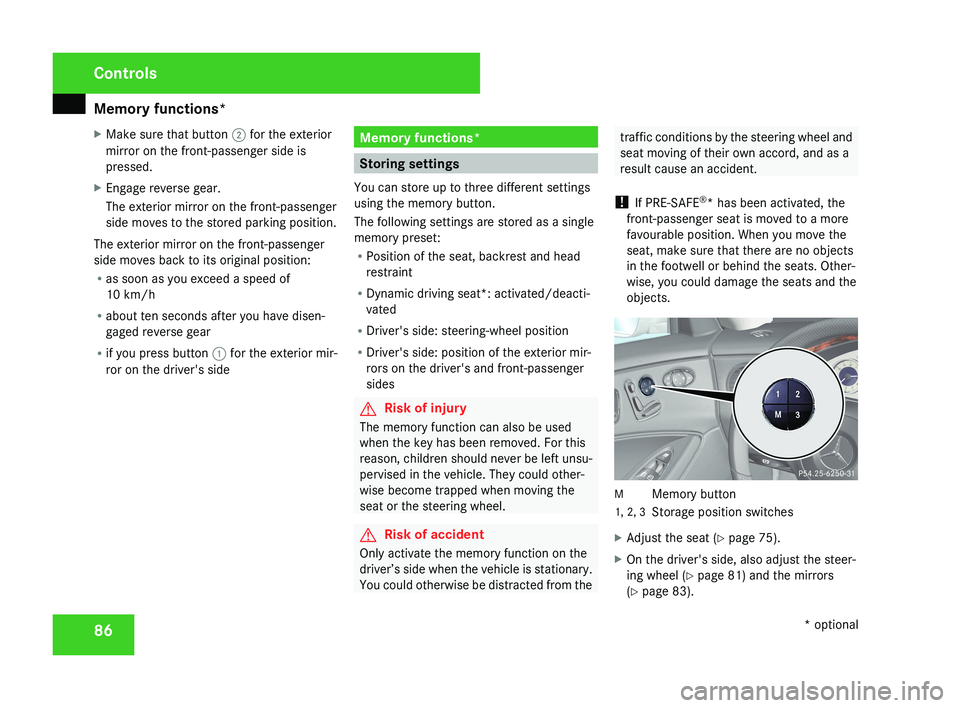
objects.M Memory button
1, 2, 3 Storage position switches
X Adjust the seat ( Y page 75).
X On the driver's side, also adjust the steer-
ing wheel ( Y page 81) and the mirrors
(Y page 83).
Controls
* optional
219_AKB; 2; 4, en-GB
mkalafa,
2007-11-13T09:28:36+01:00 - Seite 86
Page 98 of 329
Lights
95Adjusting the headlamp range (vehi-
cles with halogen headlamps)
The headlamp range control allows you to
adjust the cone of light from the headlamps
according to how your vehicle is laden.
You can only adjust the headlamp range while
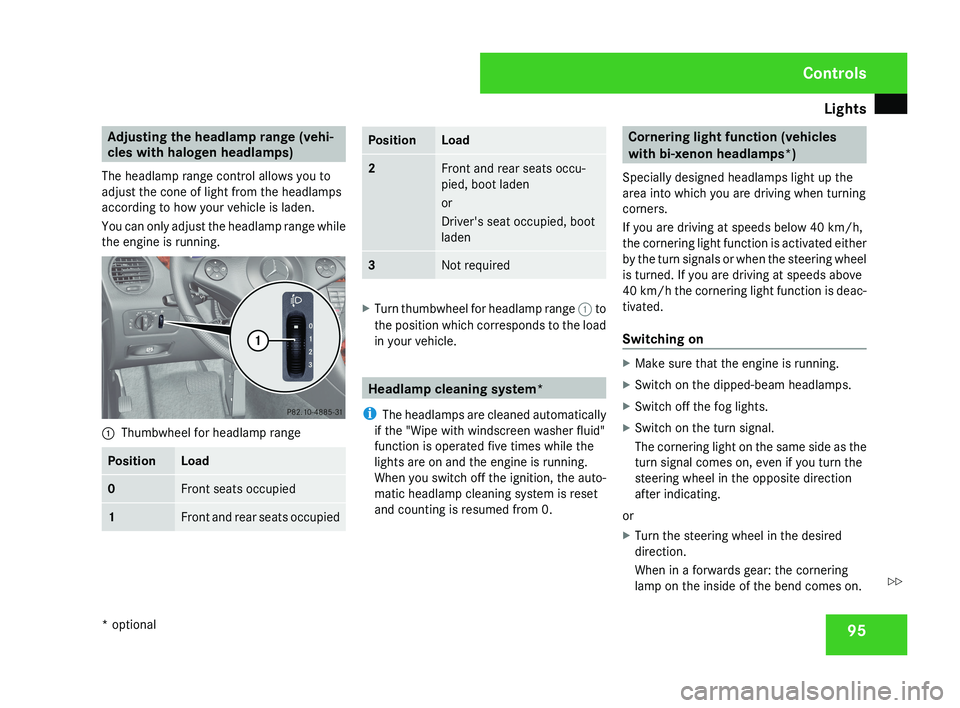
the engine is running.1 Thumbwheel for headlamp range
PositionLoad
0Front seats occupied
1Front and rear seats occupied
PositionLoad
2Front and rear seats occu-
pied, boot laden
or
Driver's seat occupied, boot
laden
3Not required
X
Turn thumbwheel for headlamp range 1 to
the position which corresponds to the load
in your vehicle.
Headlamp cleaning system*
i The headlamps are cleaned automatically
if the "Wipe with windscreen washer fluid"
function is operated five times while the
lights are on and the engine is running.
When you switch off the ignition, the auto-
matic headlamp cleaning system is reset
and counting is resumed from 0.
Cornering light function (vehicles
with bi-xenon headlamps*)
Specially designed headlamps light up the
area into which you are driving when turning
corners.
If you are driving at speeds below 40 km/h,
the cornering light function is activated either
by the turn signals or when the steering wheel
is turned. If you are driving at speeds above
40 km/h the cornering light function is deac-
tivated.
Switching on
X Make sure that the engine is running.
X Switch on the dipped-beam headlamps.
X Switch off the fog lights.
X Switch on the turn signal.
The cornering light on the same side as the
turn signal comes on, even if you turn the
steering wheel in the opposite direction
after indicating.
or
X Turn the steering wheel in the desired
direction.
When in a forwards gear: the cornering
lamp on the inside of the bend comes on.
Controls
* optional
219_AKB; 2; 4, en-GB
mkalafa,
2007-11-13T09:28:36+01:00 - Seite 95
Z
Page 103 of 329
Side windows
100
If a side window locks up again during closing
and has reopened again slightly:
X
Immediately after the window locks up, pull
the switch upwards until the window is fully
closed.
The side window is closed without the anti-
entrapment feature. Resetting the windows
Each side window must be reset if the battery
was disconnected or discharged.
X Make sure that the key is in position 2 in
the ignition lock.
X Pull the switch upwards until the window is
closed, and hold it in this position for
another second. Summer opening
You can ventilate the vehicle before a journey.
To do this, you can use the key to simultane-
ously:
R open the side windows
R open the sliding/tilting sunroof*
R Switch on the seat ventilation*
i The "Summer opening" feature can only
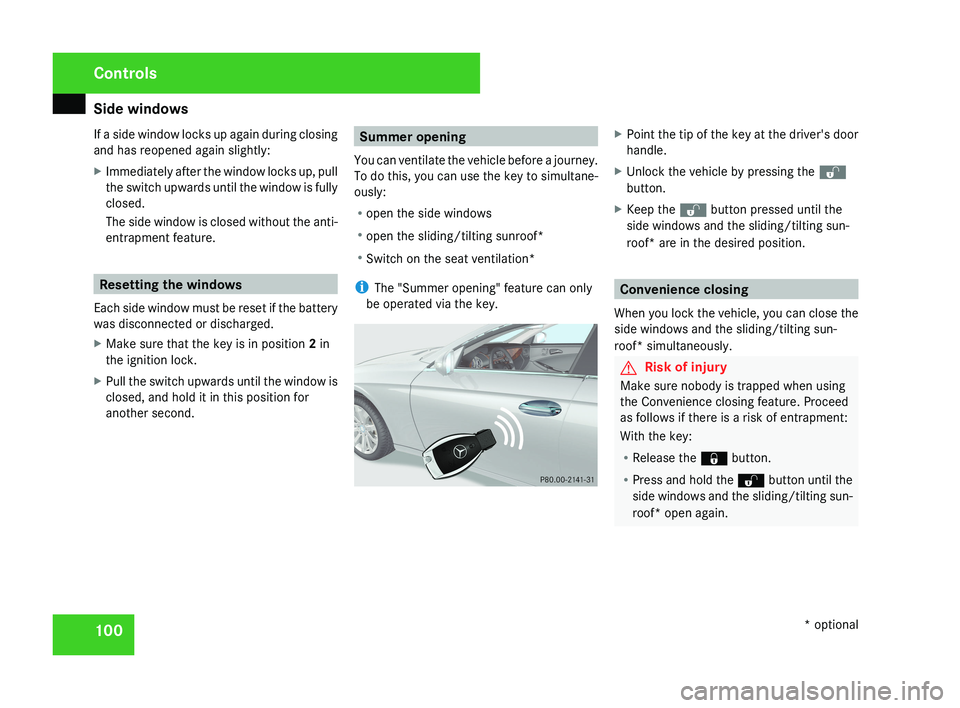
be operated via the key.X Point the tip of the key at the driver's door
handle.
X Unlock the vehicle by pressing the k
button.
X Keep the k button pressed until the
side windows and the sliding/tilting sun-
roof* are in the desired position.
Convenience closing
When you lock the vehicle, you can close the
side windows and the sliding/tilting sun-
roof* simultaneously.
G Risk of injury
Make sure nobody is trapped when using
the Convenience closing feature. Proceed
as follows if there is a risk of entrapment:
With the key:
R Release the j button.
R Press and hold the k button until the
side windows and the sliding/tilting sun-
roof* open again.
Controls
* optional
219_AKB; 2; 4, en-GB
mkalafa,
2007-11-13T09:28:36+01:00 - Seite 100
Page 113 of 329
Instrument cluster
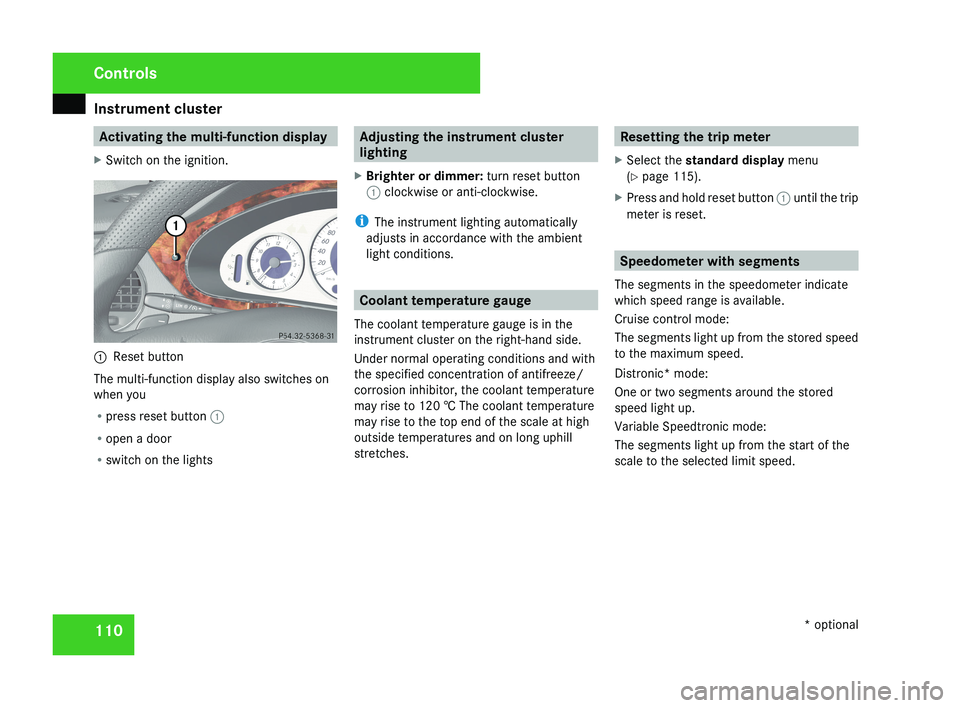
110 Activating the multi-function display
X Switch on the ignition.1 Reset button
The multi-function display also switches on
when you
R press reset button 1
R open a door
R switch on the lights
Adjusting the instrument cluster
lighting
X Brighter or dimmer: turn reset button
1 clockwise or anti-clockwise.
i The instrument lighting automatically
adjusts in accordance with the ambient
light conditions.
Coolant temperature gauge
The coolant temperature gauge is in the
instrument cluster on the right-hand side.
Under normal operating conditions and with
the specified concentration of antifreeze/
corrosion inhibitor, the coolant temperature
may rise to 120 † The coolant temperature
may rise to the top end of the scale at high
outside temperatures and on long uphill
stretches.
Resetting the trip meter
X Select the standard display menu
(Y page 115).
X Press and hold reset button 1 until the trip
meter is reset.
Speedometer with segments
The segments in the speedometer indicate
which speed range is available.
Cruise control mode:
The segments light up from the stored speed
to the maximum speed.
Distronic* mode:
One or two segments around the stored
speed light up.
Variable Speedtronic mode:
The segments light up from the start of the
scale to the selected limit speed.
Controls
* optional
219_AKB; 2; 4, en-GB
mkalafa,
2007-11-13T09:28:36+01:00 - Seite 110
Page 118 of 329
On-board computer
115Function
1 Basic display menu (Y page 115)
R
Digital speedometer 12
(Y page 116)
R Outside tempera-
ture 12
(Y page 116)
R ASSYST PLUS service display
(Y page 209)
R Tyre pressure loss warning system
(Y page 201) or tyre pressure mon-
itor* (Y page 202) 2
AMG* menu (Y page 116)
3
Audio/TV*/DVD*
(Y page 118)
menu
R Radio station ( Y page 119)
R Audio drive or media ( Y page 119)
R TV* (Y page 119)
R DVD video* (Y page 120) 4
Navigation* menu (Y page 120) Function
5
Distronic
* menu (distance display)
(Y page 135) 6
Message memory menu
13
(fault and
warning messages) ( Y page 121) 7 Settings menu (Y page 121)
R
Resetting to factory settings
(Y page 121)
R Selecting a submenu ( Y page 122) 8 Trip computer
menu
R Consumption statistics
(Y page 130)
R Range ( Y page 130) 9
Telephone*
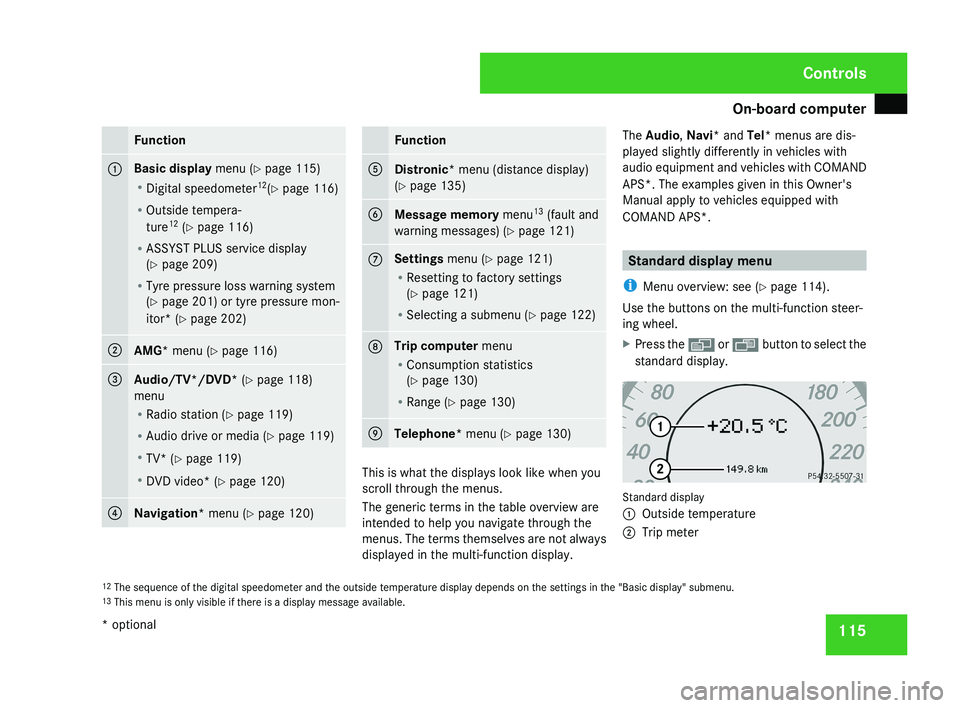
menu (Y page 130) This is what the displays look like when you
scroll through the menus.
The generic terms in the table overview are
intended to help you navigate through the
menus. The terms themselves are not always
displayed in the multi-function display.The Audio
, Navi* and Tel* menus are dis-
played slightly differently in vehicles with
audio equipment and vehicles with COMAND
APS*. The examples given in this Owner's
Manual apply to vehicles equipped with
COMAND APS*. Standard display menu
i Menu overview: see ( Y page 114).
Use the buttons on the multi-function steer-
ing wheel.
X Press the è or · button to select the
standard display. Standard display
1
Outside temperature
2 Trip meter
12 The sequence of the digital speedometer and the outside temperature display depends on the settings in the "Basic display" submenu.
13 This menu is only visible if there is a display message available. Controls
* optional
219_AKB; 2; 4, en-GB
mkalafa,
2007-11-13T09:28:36+01:00 - Seite 115
Page 121 of 329
On-board computer
118
Resetting the current lap
X
Press the æ button to stop the RACE-
TIMER.
X Press the ç button to reset the lap time
to "0".
Deleting all laps
If you have switched off the engine, the RACE-
TIMER is reset to "0" after 30 seconds. All laps
are deleted.
It is not possible to delete a single stored lap
on its own.
X Press the æ button to stop the RACE-
TIMER.
X Press the reset button on the left of the
instrument cluster twice.
X Press the æ button to start the RACE-
TIMER.
All laps are deleted.
Overall evaluation This function is only available if you have
stored at least one lap and have stopped the
RACETIMER.
X
Press the j button repeatedly until the
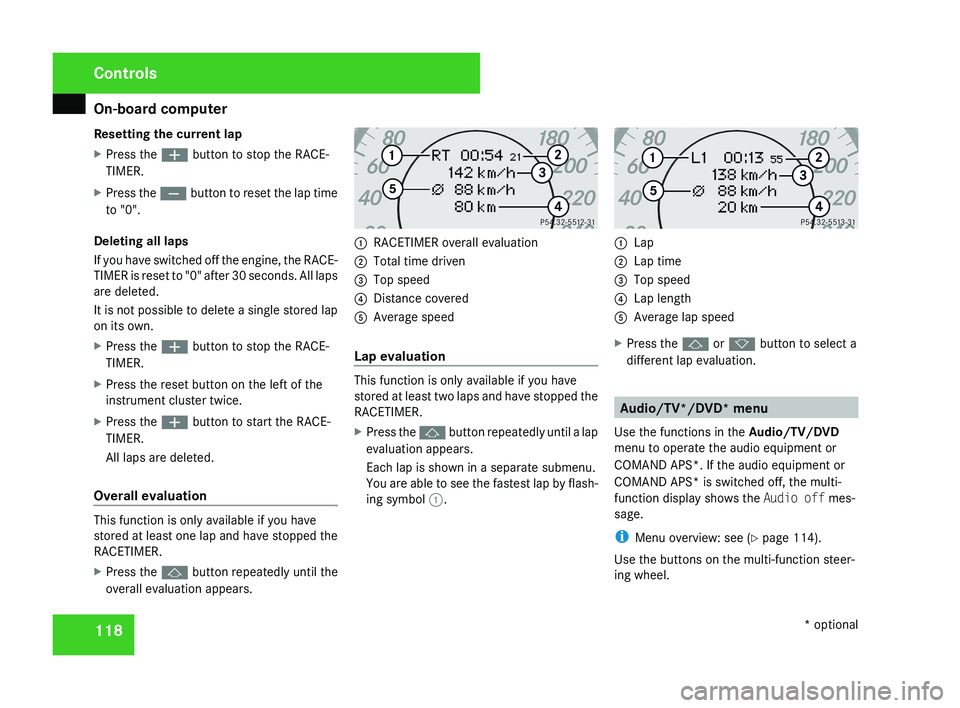
overall evaluation appears. 1
RACETIMER overall evaluation
2 Total time driven
3 Top speed
4 Distance covered
5 Average speed
Lap evaluation This function is only available if you have
stored at least two laps and have stopped the
RACETIMER.
X
Press the j button repeatedly until a lap
evaluation appears.
Each lap is shown in a separate submenu.
You are able to see the fastest lap by flash-
ing symbol 1. 1
Lap
2 Lap time
3 Top speed
4 Lap length
5 Average lap speed
X Press the j or k button to select a
different lap evaluation. Audio/TV*/DVD* menu
Use the functions in the Audio/TV/DVD
menu to operate the audio equipment or
COMAND APS*. If the audio equipment or
COMAND APS* is switched off, the multi-
function display shows the Audio off mes-
sage.
i Menu overview: see ( Y page 114).
Use the buttons on the multi-function steer-
ing wheel. Controls
* optional
219_AKB; 2; 4, en-GB
mkalafa,
2007-11-13T09:28:36+01:00 - Seite 118
Page 122 of 329
On-board computer
119
X
Use the è or · button to select the
Audio/TV/DVD menu.
Selecting a radio station You can only store new stations using the
audio system or COMAND APS*. Please refer
to the separate operating instructions for
notes on how to do this.
X
Switch on the audio equipment or
COMAND APS* and select Radio (see the
separate operating instructions).
X To select a stored station: briefly press
the j or k button.
X To select a channel from the channel
list: press and hold the j or k but-
ton.
X To select a station using the station
search (only if no station list is being
received): press and hold the j or
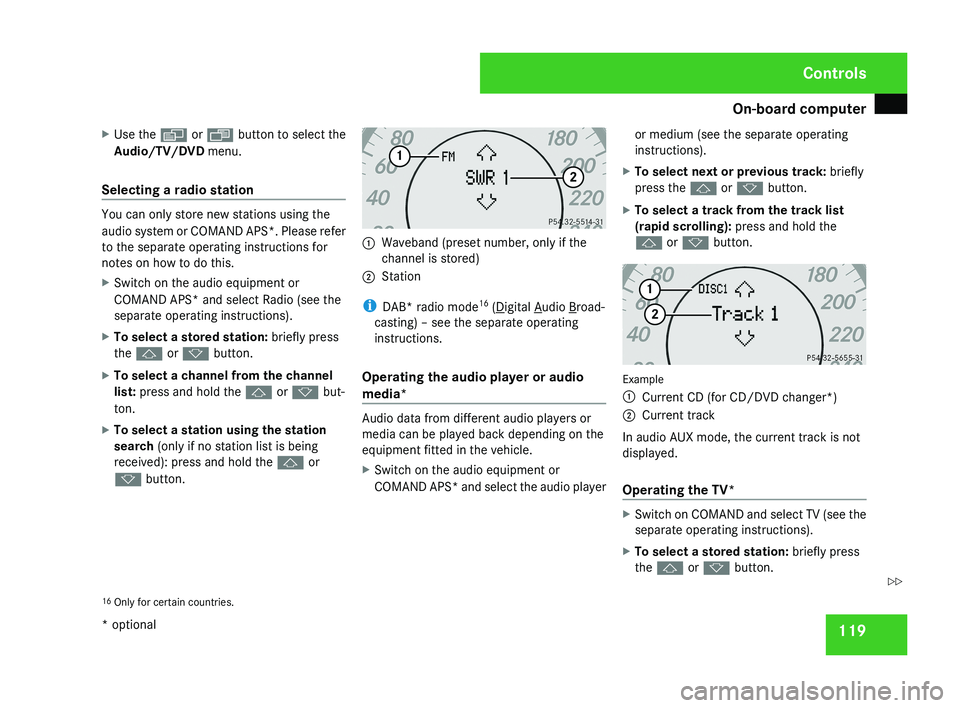
k button. 1
Waveband (preset number, only if the
channel is stored)
2 Station
i DAB* radio mode 16
( Digital Audio Broad-
casting) – see the separate operating
instructions.
Operating the audio player or audio
media* Audio data from different audio players or
media can be played back depending on the
equipment fitted in the vehicle.
X
Switch on the audio equipment or
COMAND APS* and select the audio player or medium (see the separate operating
instructions).
X To select next or previous track: briefly
press the j or k button.
X To select a track from the track list
(rapid scrolling): press and hold the
j or k button. Example
1
Current CD (for CD/DVD changer*)
2 Current track
In audio AUX mode, the current track is not
displayed.
Operating the TV* X
Switch on COMAND and select TV (see the
separate operating instructions).
X To select a stored station: briefly press
the j or k button.
16 Only for certain countries. Controls
* optional
219_AKB; 2; 4, en-GB
mkalafa,
2007-11-13T09:28:36+01:00 - Seite 119 Z
Page 123 of 329
On-board computer
120
X
To select a channel from the channel
list: press and hold the j or k but-
ton.
X To select a channel with the channel
search (only if COMAND is not receiving a
channel list): press and hold the j or
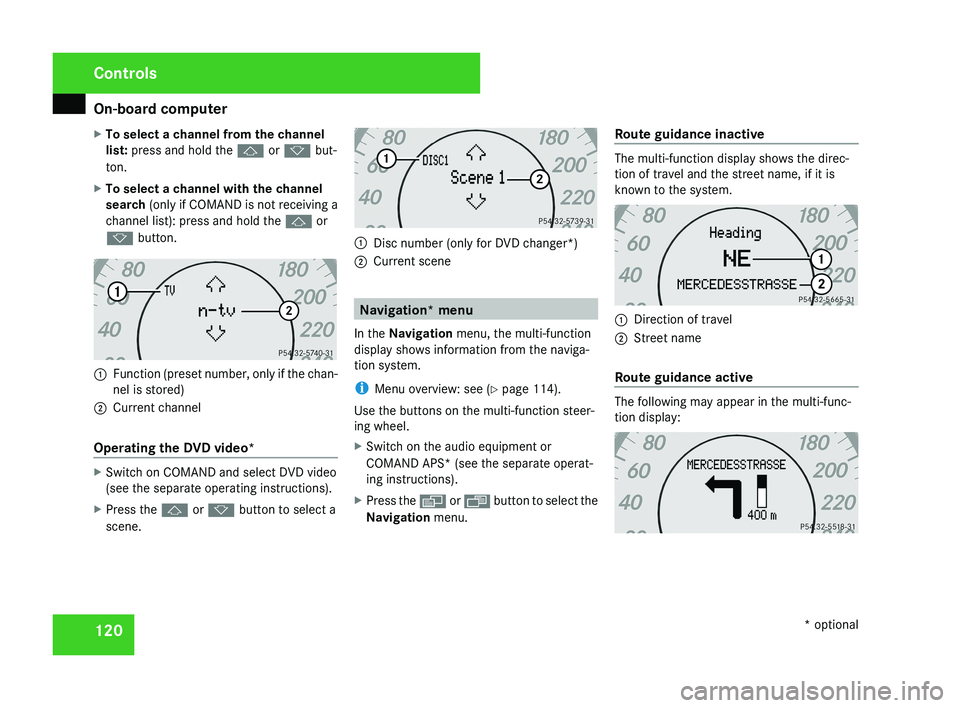
k button.1 Function (preset number, only if the chan-
nel is stored)
2 Current channel
Operating the DVD video*
X Switch on COMAND and select DVD video
(see the separate operating instructions).
X Press the j or k button to select a
scene.
1 Disc number (only for DVD changer*)
2 Current scene
Navigation* menu
In the Navigation menu, the multi-function
display shows information from the naviga-
tion system.
i Menu overview: see ( Y page 114).
Use the buttons on the multi-function steer-
ing wheel.
X Switch on the audio equipment or
COMAND APS* (see the separate operat-
ing instructions).
X Press the è or · button to select the
Navigation menu. Route guidance inactive
The multi-function display shows the direc-
tion of travel and the street name, if it is
known to the system.
1
Direction of travel
2 Street name
Route guidance active
The following may appear in the multi-func-
tion display:
Controls
* optional
219_AKB; 2; 4, en-GB
mkalafa,
2007-11-13T09:28:36+01:00 - Seite 120
Page 124 of 329
On-board computer
121Distronic* menu
You can read the current Distronic settings in
the Distronic menu. (Y page 135)
i Menu overview: see ( Y page 114).Message memory menu
Previous display messages can be called up
in
the Message memory menu. You will only
see the Message memory menu if there are
any display messages. G
Risk of accident
The on-board computer only records and
displays messages and warnings from cer-
tain systems. For this reason, you should
always make sure that your vehicle is safe
to
drive. You could otherwise cause an acci-
dent by driving an unsafe vehicle.
Switching off the ignition clears the Message
memory except for the highest priority dis-
play messages. The on-board computer will
delete these display messages only after the
reason for the message has been rectified.
i Menu overview: see ( Y page 114). Displaying messages Use the buttons on the multi-function steer-
ing wheel.
X
Press the è or · button repeatedly
until either the original menu or the Mes-
sage memory menu appears.
If the Message memory menu does not
appear, there are no display messages.
If there are messages, the following mes-
sage may appear in the multi-function dis-
play, for example: 2 messages.
X Press the j or k
button to call up a
display message.
You can scroll through the display mes-
sages in sequence. The possible display
messages are explained in the "Practical
advice" section ( Y page 219). Settings menu
There are two functions in the Settings...
menu:
the To reset: Press reset button
for 3 seconds function, which you can use
to reset most settings to the factory settings.
There are also submenus in which you can
make individual settings for your vehicle.
i Menu overview: see ( Y page 114).
Use the buttons on the multi-function steer-
ing wheel.
Resetting to factory settings For safety reasons, not all functions are reset:
permanent
Speedtronic can only be set in the
Vehicle menu. The Headlamp mode function
in the Lighting submenu is only reset if the
vehicle is stationary.
X Press the è
or · button to select the
Settings... menu.
X Press and hold the reset button on the left-
hand side of the instrument cluster for
approximately three seconds.
A
prompt appears in the multi-function dis-
play asking you to press the reset button
again to confirm. Controls
* optional
219_AKB; 2; 4, en-GB
mkalafa,
2007-11-13T09:28:36+01:00 - Seite 121 Z