lock MERCEDES-BENZ CLS COUPE 2012 Owners Manual
[x] Cancel search | Manufacturer: MERCEDES-BENZ, Model Year: 2012, Model line: CLS COUPE, Model: MERCEDES-BENZ CLS COUPE 2012Pages: 373, PDF Size: 9.12 MB
Page 227 of 373
X
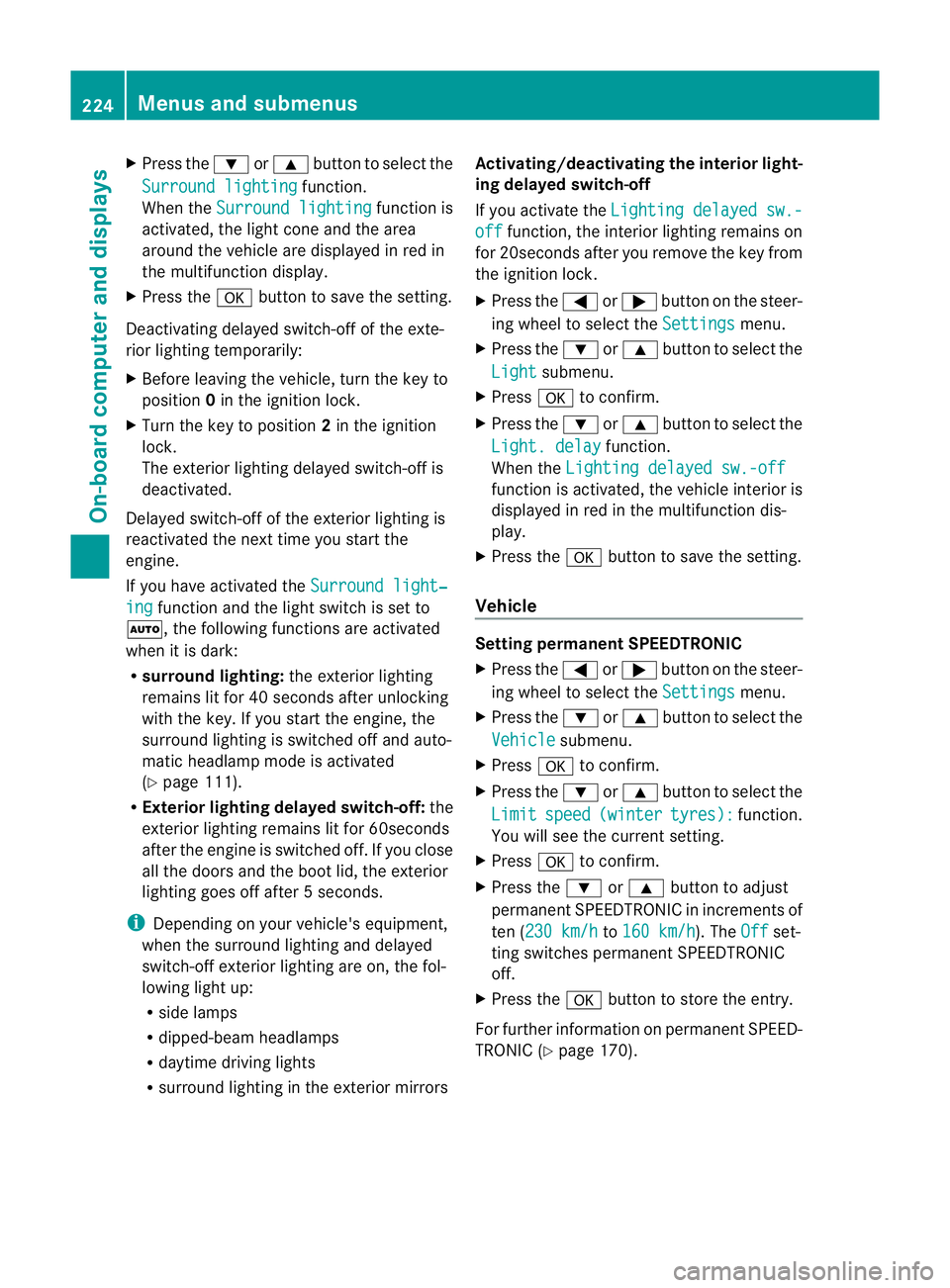
Press the :or9 button to select the
Surround lighting function.
When the Surround lighting function is
activated, the light cone and the area
around the vehicle are displaye dinred in
the multifunction display.
X Press the abutton to save the setting.
Deactivating delayed switch-off of the exte-
rior lighting temporarily:
X Before leaving the vehicle, turn the key to
position 0in the ignition lock.
X Turn the key to position 2in the ignition
lock.
The exterior lighting delayed switch-off is
deactivated.
Delayed switch-off of the exterior lighting is
reactivated the next time you start the
engine.
If you have activated the Surround light‐ing function and the light switch is set to
Ã,t he following functions are activated
when it is dark:
R surround lighting: the exterior lighting
remains lit for 40 seconds after unlocking
with the key. If you start the engine, the
surround lighting is switched off and auto-
matic headlamp mode is activated
(Y page 111).
R Exterior lighting delayed switch-off: the
exterior lighting remains lit for 60seconds
after the engine is switched off. If you close
all the doors and the boot lid, the exterior
lighting goes off after 5seconds.
i Depending on your vehicle's equipment,
when the surround lighting and delayed
switch-off exterior lighting are on, the fol-
lowing light up:
R side lamps
R dipped-beam headlamps
R daytime driving lights
R surround lighting in the exterior mirrors Activating/deactivating the interior light-
ing delayed switch-off
If you activat
ethe Lightin gdelayed sw.- off function
,the interior lighting remains on
for 20seconds after you remove the key from
the ignition lock.
X Press the =or; button on the steer-
ing wheel to select the Settings menu.
X Press the :or9 button to select the
Light submenu.
X Press ato confirm.
X Press the :or9 button to select the
Light. delay function.
When the Lightingdelayed sw.-off function is activated, the vehicle interior is
displayed in red in the multifunction dis-
play.
X Press the abutton to save the setting.
Vehicle Setting permanent SPEEDTRONIC
X
Press the =or; button on the steer-
ing wheel to select the Settings menu.
X Press the :or9 button to select the
Vehicle submenu.
X Press ato confirm.
X Press the :or9 button to select the
Limit speed (winter tyres): function.
You will see the curren tsetting.
X Press ato confirm.
X Press the :or9 button to adjust
permanen tSPEEDTRONIC in increment sof
ten ( 230 km/h to
160 km/h ). The
Off set-
ting switches permanent SPEEDTRONIC
off.
X Press the abutton to store the entry.
For furthe rinformation on permanent SPEED-
TRONI C(Ypage 170). 224
Menus and submenusOn-board computer and displays
Page 228 of 373
Switching the automatic locking feature
on/off
X
Press the =or; button on the steer-
ing wheel to select the Settings menu.
X Press the :or9 button to select the
Vehicle submenu.
X Press ato confirm.
X Press the :or9 button to select the
Auto. door locks function.
When the Automatic door locks func-
tion is activated, the vehicle doors are dis-
played in red in the multifunction display.
X Press the abutton to save the setting.
If you activate the Automatic door locks function, the vehicle is centrally locked above
as
peed of around 15 km/h.
For further information on the automatic lock-
ing feature, see (Y page 84).
Activating/deactivating the acoustic
locking confirmation
If you switch on the Acoustic Lock function,
an acoustic signal sounds when you lock the
vehicle.
X Press the =or; button on the steer-
ing wheel to select the Settings menu.
X Press the :or9 button to select the
Vehicle submenu.
X Press ato confirm.
X Press the :or9 button to select the
Acoustic Lock function.
If the Acoustic Lock function is activated,
the & symbol in the multifunction dis-
play lights up red.
X Press the abutton to save the setting.
Activating/deactivating the radar sensor
system
X Press the =or; button on the steer-
ing wheel to select the Settings menu.
X Press the :or9button to select the
Vehicle submenu.
X Press ato confirm. X
Press the 9or: button to select
Radar sensor (See Owner's Man.): .
You will see the selected setting: on or
off .
X Press the abutton to save the setting.
i You must deactivate the radar sensor sys-
tem in certain countries and near radio
telescope facilities. For further informa-
tion, see (Y page 368).
When you are close to radio telescope facili-
ties, the radar sensor system will be deacti-
vated automatically.
The following systems are switched off when
the radar sensor system is deactivated:
R DISTRONIC PLUS (Y page 170)
R BAS PLUS (Y page 64)
R PRE-SAFE ®
Brake (Y page 68)
R Blind Spot Assist (Y page 197)
R Active Blind Spot Assist (Y page 201)
Heating Auxiliary heating departuret
ime G
WARNING
Exhaust fumes are produced when the auxili-
ary heating is in operation. Inhaling these
exhaust fumes can be poisonous. You should
therefore switch off the auxiliary heating in
confined spaces without an extraction sys-
tem, e.g. agarage. G
WARNING
When operating the auxiliary heating parts of
the vehicle can get very hot. Make sure that
the exhaust system does not under any cir-
cumstances come into contact with easily
ignitable material such as dry grass or fuels.
The material could otherwise ignite and set
the vehicle alight. Choose your parking spot
accordingly.
Operating the auxiliary heating is thus pro-
hibited at filling stations or when your vehicle
is being refuelled. You must therefore switch
off the auxiliary heating at filling stations. Menus and submenus
225On-board computer and displays Z
Page 230 of 373
X
Press the :or9 button to select the
Easy Entry/Exit: function.
If the Easy Entry/Exit function is activa-
ted, the vehicle steerin gwheel is displayed
in red in the multifunction display.
X Press the abutton to save the setting.
Further information on the EASY-ENTRY/EXIT
feature (Y page 104).
Switching the belt adjustment on/off
X Press the =or; button on the steer-
ing wheel to select the Settings menu.
X Press the :or9 button to select the
Convenience submenu.
X Press ato confirm.
X Press the :or9 button to select the
Belt adjustment function.
When the Belt adjustment function is
activated, the vehicle seat belt is displayed
in red in the multifunction display.
X Press the abutton to save the setting.
For further information on belt adjustment,
see (Y page 50).
Switching the fold-in mirrors when lock-
ing function on/off
This function is only availabl eonvehicles with
Memory Function (Y page 107).
When you activat ethe Auto. fold in func-
tion, the exterior mirrors are folded in when
the vehicle is locked. When you unlock the
vehicle and then open adoor, the exterior
mirrors fold out again.
X Press the =or; button on the steer-
ing wheel to select the Settings menu.
X Press the :or9 button to select the
Convenience submenu.
X Press ato confirm.
X Press the :or9 button to select the
Auto. fold in function.
If the Auto. fold in function is activated,
the vehicle's exterior mirror is displaye din
red in the multifunction display.
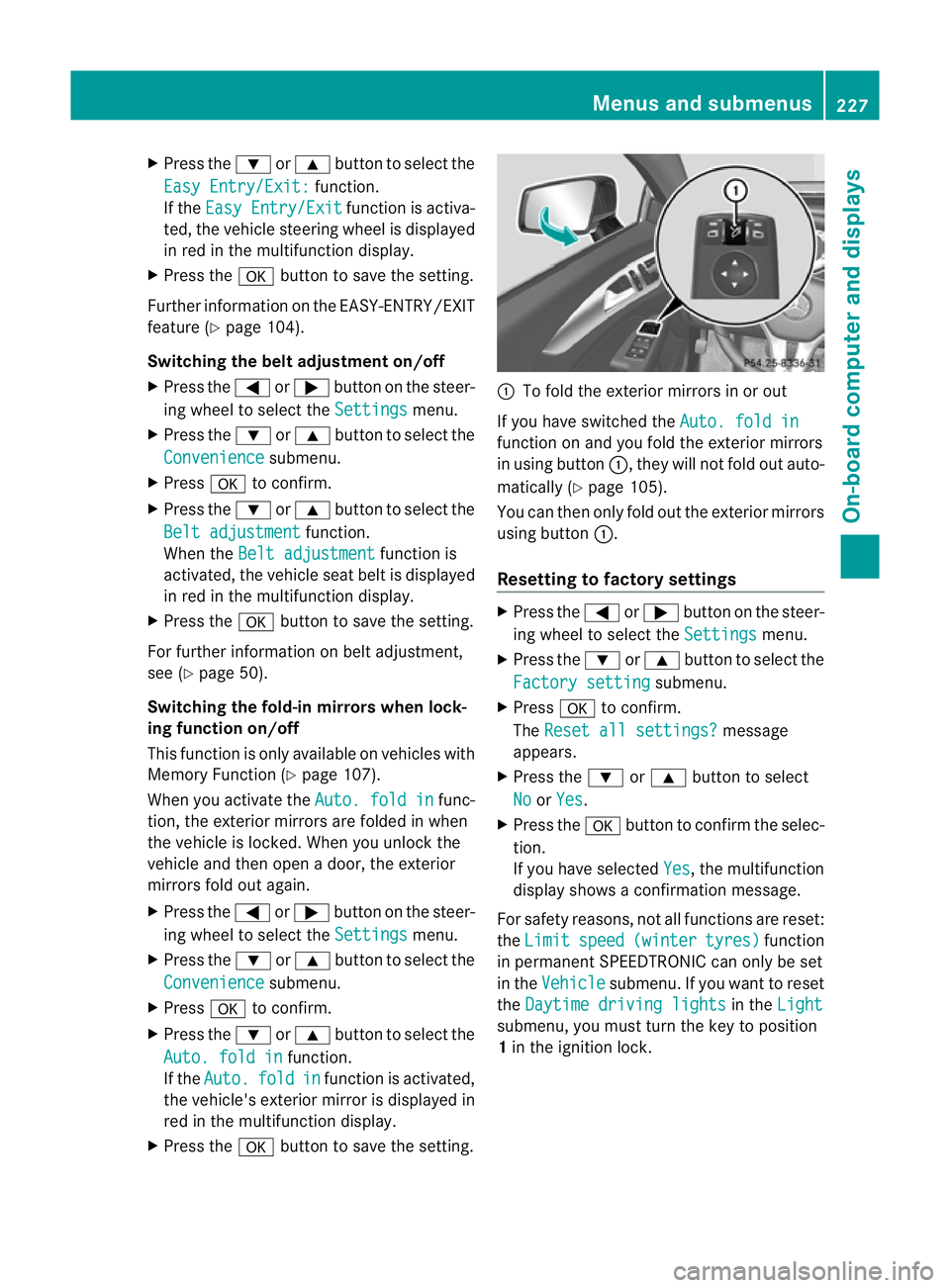
X Press the abutton to save the setting. :
To fold the exterior mirrors in or out
If you have switched the Auto. fold in function on and you fold the exterior mirrors
in using button
:,they will not fold out auto-
matically (Y page 105).
You can then only fold out the exterior mirrors
using button :.
Resetting to factor ysettings X
Pres sthe = or; button on th esteer-
ing wheel to selec tthe Settings menu.
X Press the :or9 button to select the
Factory setting submenu.
X Press ato confirm.
The Reset all settings? message
appears.
X Press the :or9 button to select
No or
Yes .
X Press the abutton to confirm the selec-
tion.
If you have selected Yes ,t
he multifunction
displays howsaconfirmation message.
For safety reasons, not all functions are reset:
the Limit speed (winter tyres) function
in permanent SPEEDTRONIC can only be set
in the Vehicle submenu. If you want to reset
the Daytime driving lights in the
Light submenu, you must turn the key to position
1
in the ignition lock. Menus and submenus
227On-board computer and displays Z
Page 231 of 373
AMG men
uinAMG vehicles
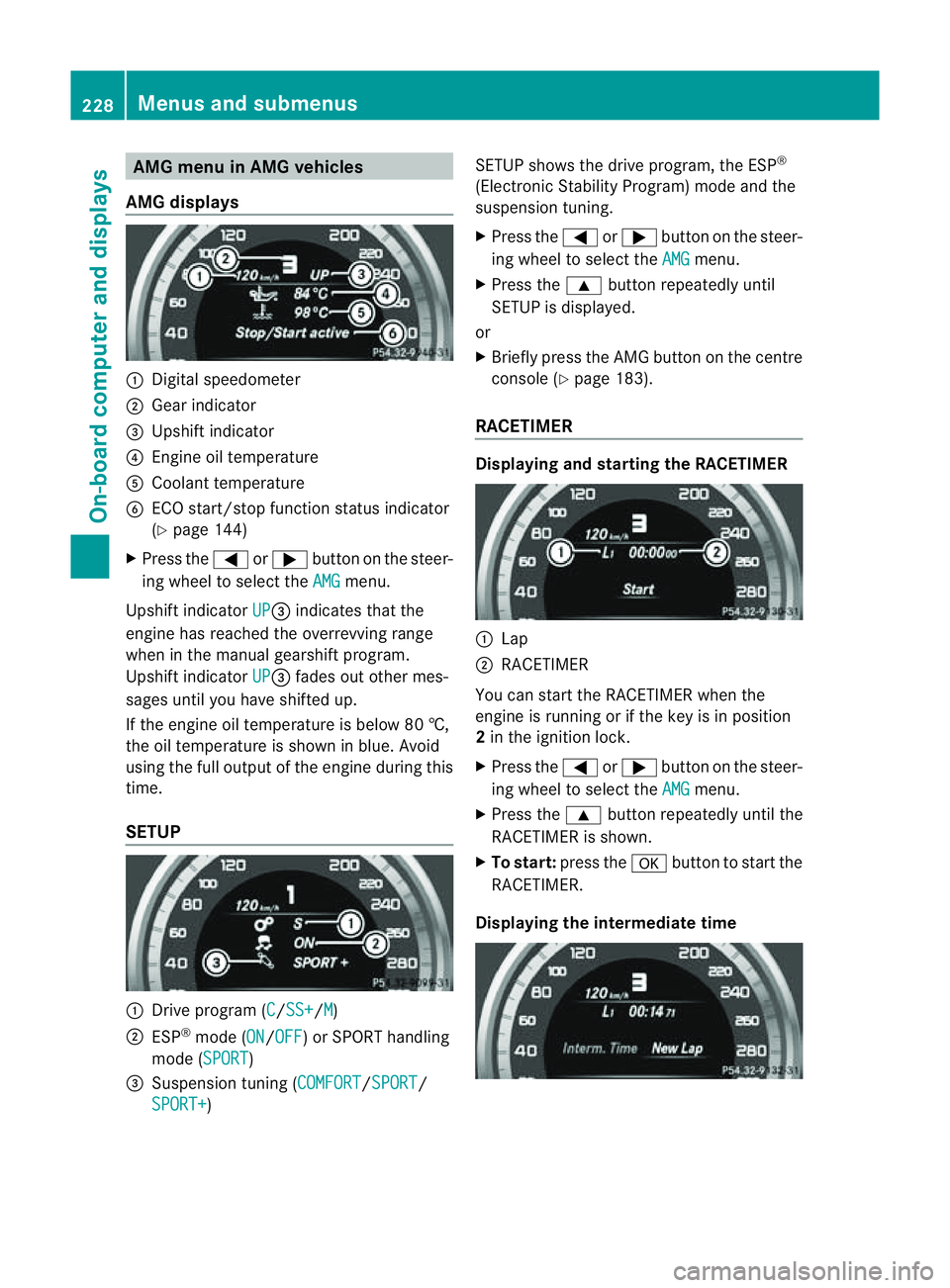
AMG displays :
Digital speedometer
; Gear indicator
= Upshift indicator
? Engine oil temperature
A Coolant temperature
B ECO start/stop function status indicator
(Y page 144)
X Press the =or; button on the steer-
ing wheel to select the AMG menu.
Upshift indicator UP =
indicates that the
engin ehas reached the overrevving range
when in the manual gearshift program.
Upshift indicator UP =
fades out other mes-
sages until you have shifted up.
If the engin eoil temperature is below 80 †,
the oil temperature is shown in blue. Avoid
using the full output of the engin eduring this
time.
SETUP :
Driv eprogram (C /SS+ /M )
; ESP ®
mode (ON /OFF )orS
PORT handling
mode (SPORT )
= Suspension tunin g(COMFORT /SPORT /
SPORT+ ) SETUP shows the drive program, the ESP
®
(Electronic Stability Program) mode and the
suspension tuning.
X Press the =or; button on the steer-
ing wheel to select the AMG menu.
X Press the 9button repeatedly until
SETUP is displayed.
or
X Briefly press the AMG button on the centre
console (Y page 183).
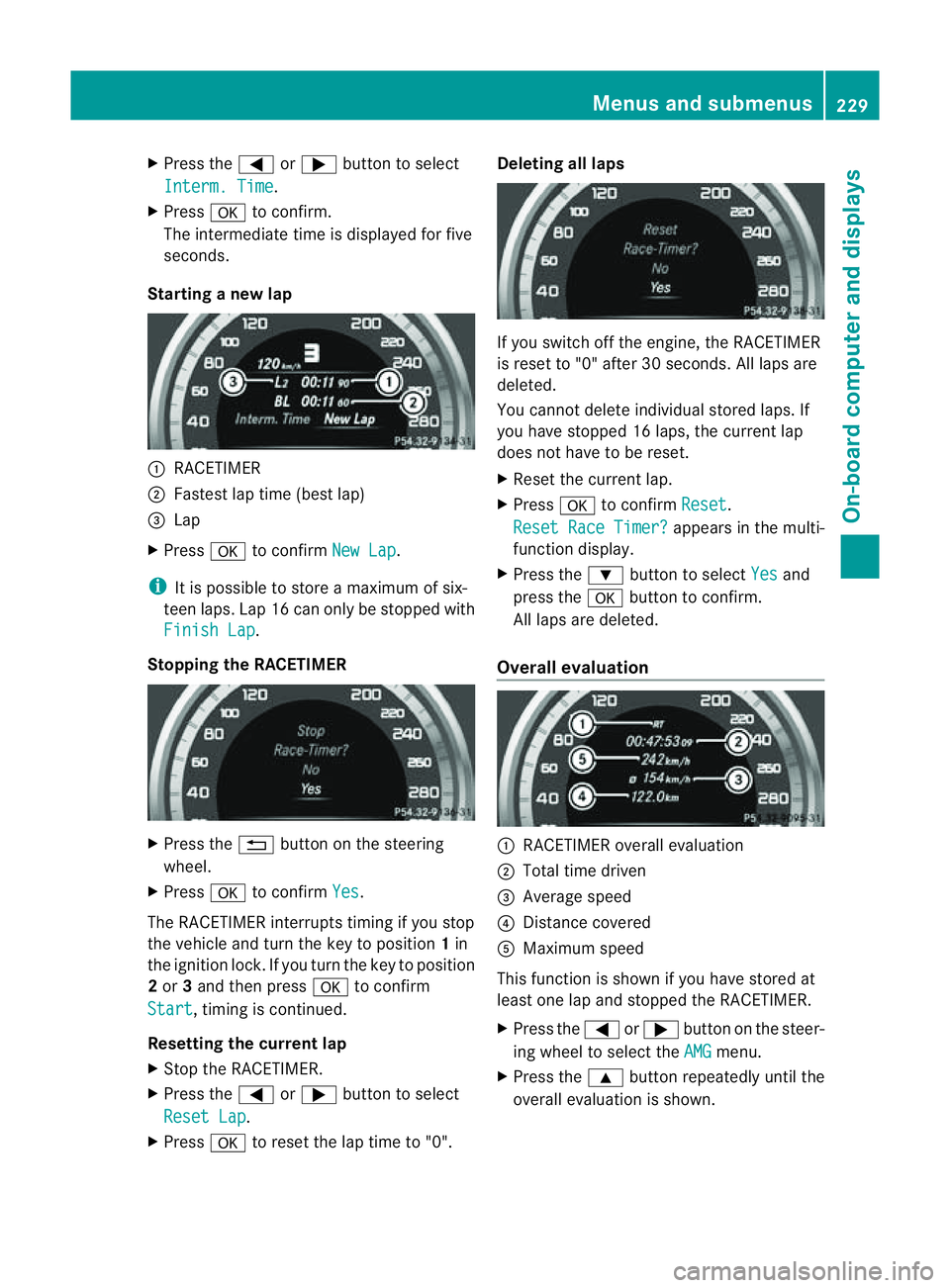
RACETIMER Displaying and starting the RACETIMER
:
Lap
; RACETIMER
You can start the RACETIME Rwhen the
engin eisrunning or if the key is in position
2 in the ignition lock.
X Press the =or; button on the steer-
ing wheel to select the AMG menu.
X Press the 9button repeatedly until the
RACETIME Risshown.
X To start: press the abutton to start the
RACETIMER.
Displaying the intermediat etime 228
Menus and submenusOn-boar
dcomputer and displays
Page 232 of 373
X
Press the =or; button to select
Interm. Time .
X Press ato confirm.
The intermediate time is displaye dfor five
seconds.
Starting anew lap :
RACETIMER
; Fastest lap time (best lap)
= Lap
X Press ato confirm New Lap .
i It is possible to store amaximum of six-
teen laps. Lap 16 can only be stopped with
Finish Lap .
Stopping the RACETIMER X
Press the %button on the steering
wheel.
X Press ato confirm Yes .
The RACETIME Rinterrupts timing if you stop
the vehicle and turn the key to position 1in
the ignition lock. If you turn the key to position
2 or 3and then press ato confirm
Start ,t
iming is continued.
Resetting the current lap
X Stop the RACETIMER.
X Press the =or; button to select
Reset Lap .
X Press ato reset the lap time to "0". Deleting all laps
If you switch off the engine, the RACETIMER
is reset to "0" after 30 seconds. All laps are
deleted.
You cannot delete individual stored laps. If
you have stopped 16 laps, the curren tlap
does no thave to be reset.
X Reset th ecurren tlap.
X Press ato confirm Reset .
Reset Rac eTimer? appear
sinthemulti-
function display.
X Press the :buttontos electYes and
pres sthe a buttontoc onfirm.
All laps are deleted.
Overall evaluation :
RACETIMER overall evaluation
; Total tim edriven
= Averag espeed
? Distance covered
A Maximum speed
This function is shown if you have store dat
least on elap and stopped th eRACETIMER.
X Press the =or; button on the steer-
ing whee ltoselect the AMG menu.
X Press the 9button repeatedly unti lthe
overall evaluation is shown. Menus and submenus
229On-board computer and displays Z
Page 235 of 373
Safety systems
Display messages Possible causes/consequences and
M Solutions
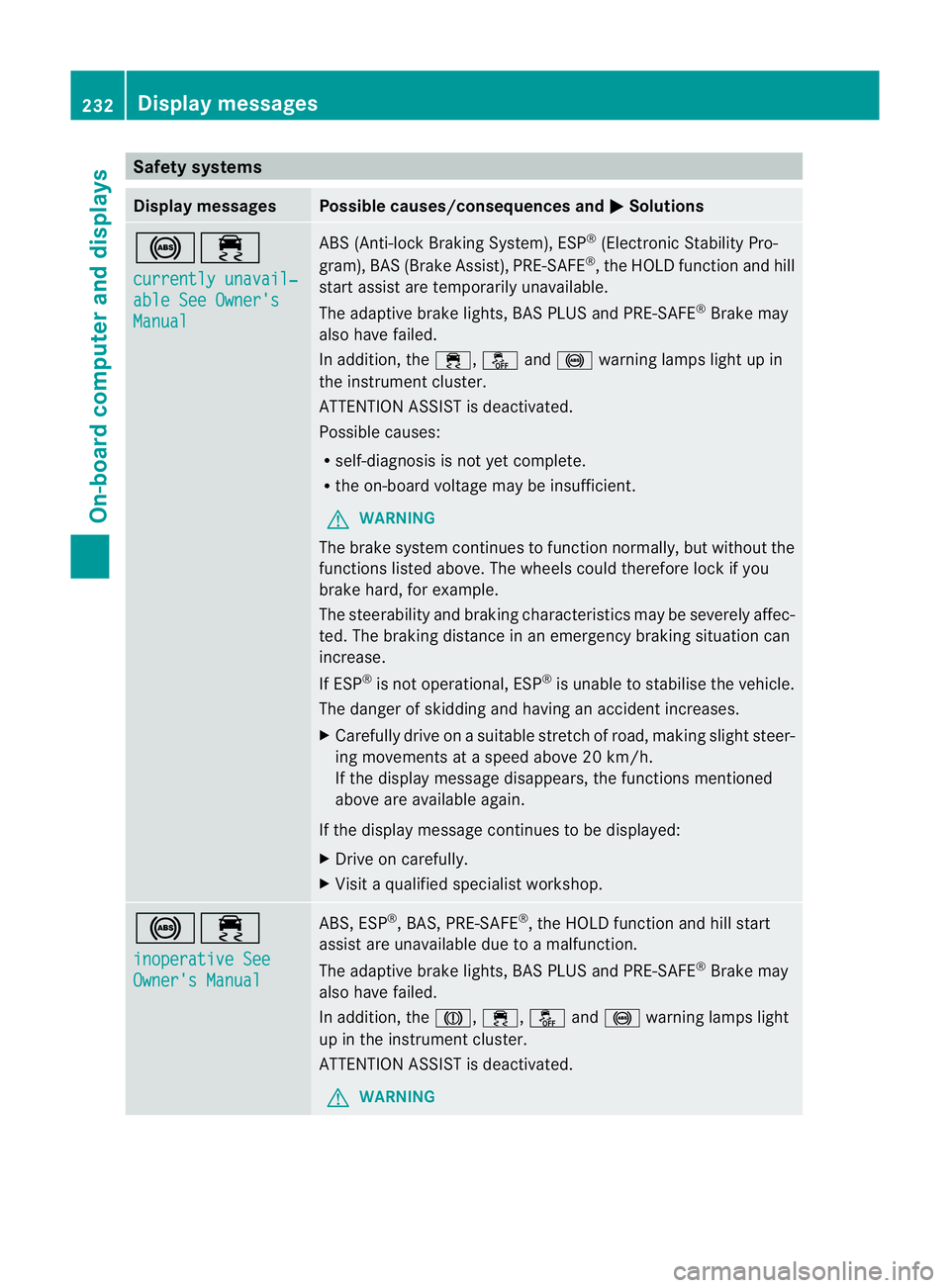
!÷
currently unavail‐
able See Owner's
Manual ABS (Anti-lock Braking System), ESP
®
(Electronic Stability Pro-
gram), BAS (Brake Assist), PRE-SAFE ®
,t he HOLD function and hill
start assist are temporarily unavailable.
The adaptive brake lights, BAS PLUS and PRE-SAFE ®
Brake may
also have failed.
In addition, the ÷,åand! warning lamps light up in
the instrumen tcluster.
ATTENTION ASSIST is deactivated.
Possible causes:
R self-diagnosis is not yet complete.
R the on-board voltage may be insufficient.
G WARNING
The brake system continues to function normally, but without the
functions listed above. The wheels could therefore lock if you
brake hard, for example.
The steerability and braking characteristics may be severely affec-
ted. The braking distance in an emergency braking situation can
increase.
If ESP ®
is not operational, ESP ®
is unable to stabilise the vehicle.
The danger of skidding and having an accident increases.
X Carefullyd rive onasuitable stretch of road, making slight steer-
ing movementsatas peed above 20 km/h.
If the display message disappears, the functions mentioned
above are available again.
If the display message continues to be displayed:
X Drive on carefully.
X Visit aqualified specialist workshop. !÷
inoperative See
Owner's Manual ABS,E
SP®
,B AS ,PRE-SAFE ®
,t he HOLD function and hill start
assist are unavailable due to amalfunction.
The adaptive brake lights, BAS PLUS and PRE-SAFE ®
Brake may
also have failed.
In addition, the J,÷,åand! warning lamps light
up in the instrumen tcluster.
ATTENTION ASSIST is deactivated.
G WARNING 232
Display messagesOn-board computer and displays
Page 237 of 373
Display messages Possible causes/consequences and
M Solutions
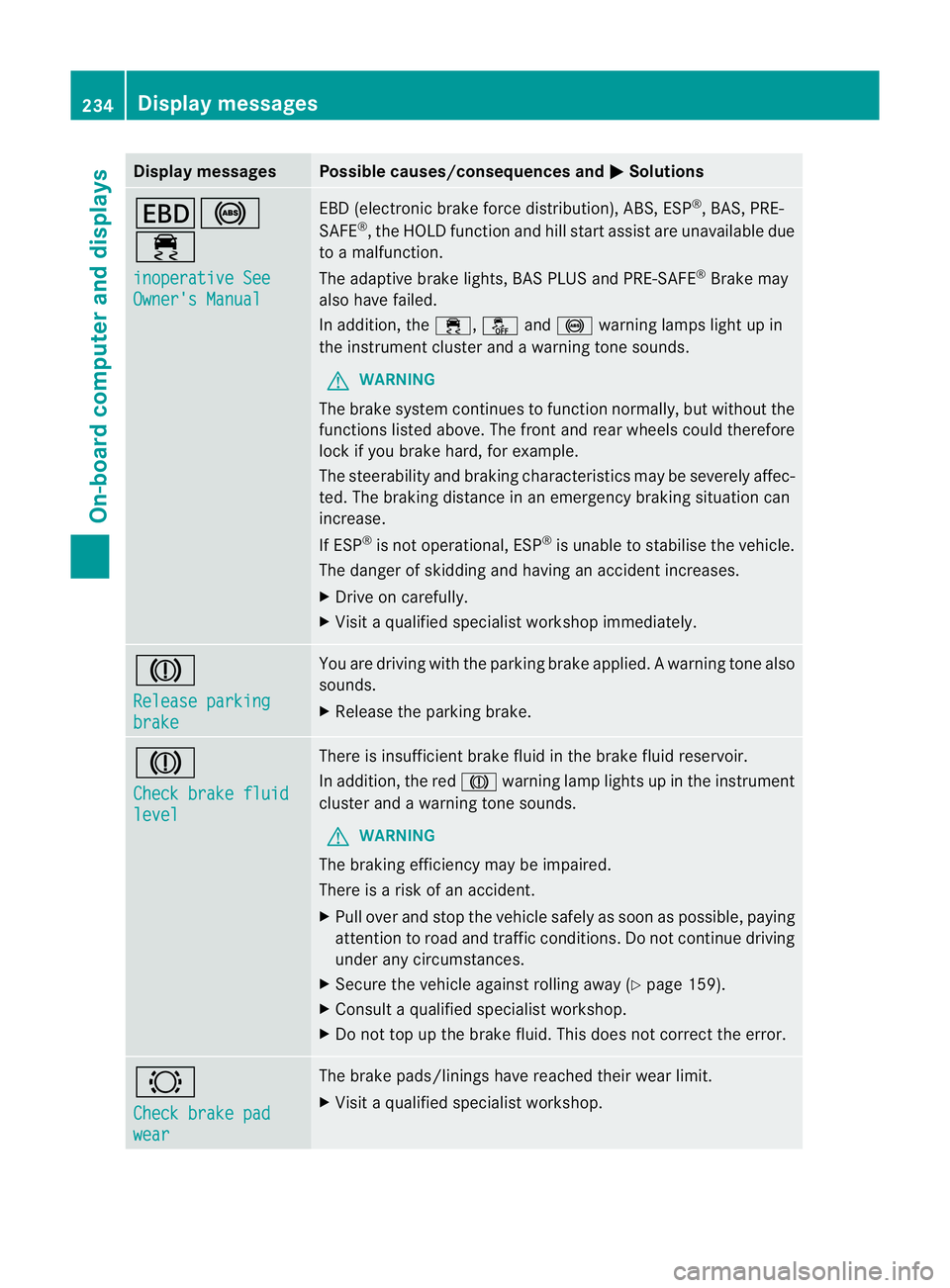
T!
÷
inoperative See
Owner'
sManual EB
D( electronic brak eforce distribution), ABS, ESP ®
,B AS ,PRE-
SAFE ®
,t he HOLD function and hill start assist are unavailable due
to am alfunction.
The adaptive brak elights ,BAS PLU Sand PRE-SAFE ®
Brake may
also hav efailed.
In addition ,the ÷ ,å and! warnin glamp sligh tupin
the instrument cluster and awarning ton esounds.
G WARNING
The brake system continues to function normally, but without the
function slisted above. The fron tand rea rwheels could therefore
lock if you brake hard, for example.
The steerability and braking characteristics may be severely affec-
ted. The braking distance in an emergency braking situation can
increase.
If ESP ®
is not operational, ESP ®
is unable to stabilise the vehicle.
The danger of skidding and having an accident increases.
X Drive on carefully.
X Visit aqualified specialist workshop immediately. J
Release parking
brake You are driving with the parking brake applied.
Awarning tone also
sounds.
X Release th eparking brake. J
Check brake fluid
level Ther
eisi nsufficient brak efluid in the brak efluid reservoir.
In addition, the red Jwarnin glamp light supinthe instrument
cluster and awarnin gtones ounds.
G WARNING
The braking efficiency may be impaired.
There is arisk of an accident.
X Pull over and stop the vehicle safely as soon as possible ,paying
attention to road and traffic conditions. Do not continue driving
under any circumstances.
X Secure the vehicle against rollin gaway (Y page 159).
X Consult aqualified specialist workshop.
X Do not top up the brak efluid. This does not correc tthe error. #
Chec
kbrakep ad wear The brak
epads/linings have reached their wear limit.
X Visit aqualified specialist workshop. 234
Display messagesOn-board computer and displays
Page 244 of 373
Display messages Possible causes/consequences and
M Solutions
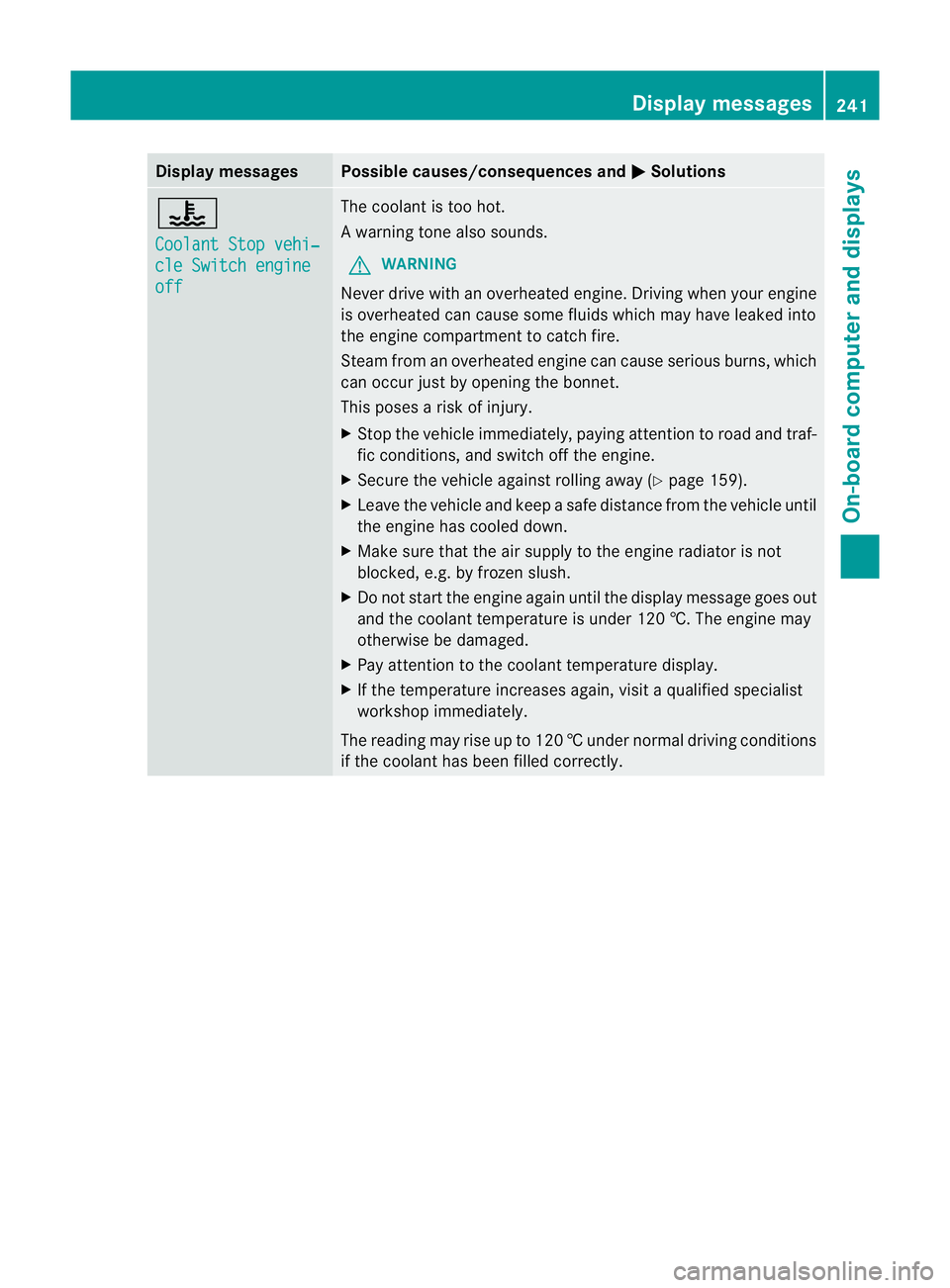
?
Coolan
tStopv ehi‐ cle Switch engine
off The coolan
tistoo hot.
Aw arning tone also sounds.
G WARNING
Never driv ewithano verheate dengine. Drivin gwhen your engine
is overheate dcan caus esom efluids which may have leaked into
the engine compartmen ttocatch fire.
Steam fro manoverheated engine can caus eserious burns, which
can occur just by opening the bonnet.
This pose sarisk of injury.
X Stop the vehicl eimmediately, paying attention to road and traf-
fic conditions, and switch off the engine.
X Secure the vehicl eagainst rolling away (Y page159).
X Leave the vehicl eand keep asafe distance from the vehicl euntil
the engine has coole ddown.
X Make sure that the air supply to the engine radiator is not
blocked ,e.g. by frozen slush.
X Do not start the engine again until the display message goes out
and the coolant temperature is under 120 †. The engine may
otherwise be damaged.
X Pay attention to the coolant temperature display.
X If the temperature increases again, visi taqualified specialist
workshop immediately.
The reading may rise up to 120 †undernormal driving conditions
if the coolant has been filled correctly. Display messages
241On-board computer and displays Z
Page 258 of 373
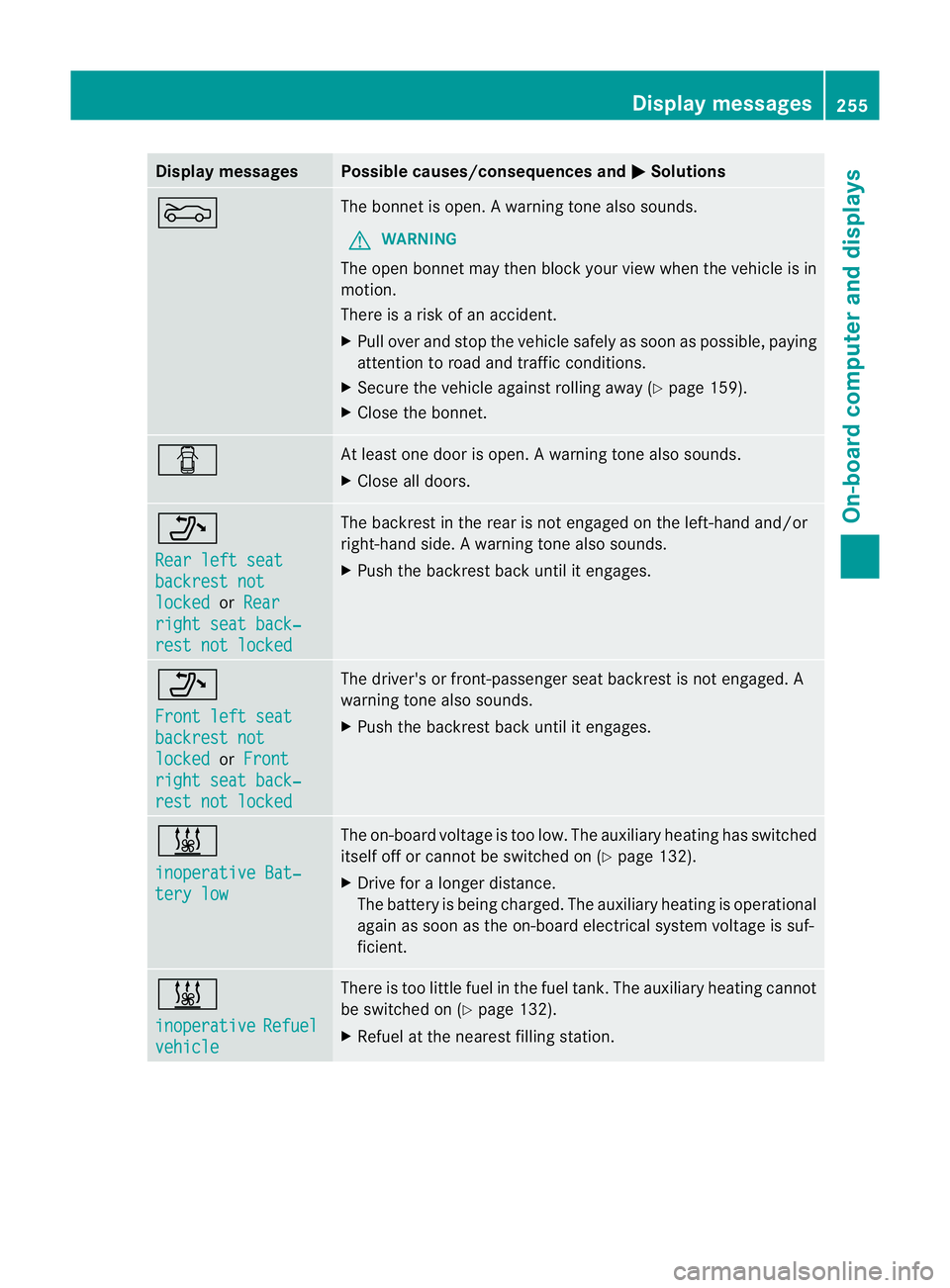
Display messages Possible causes/consequences and
M Solutions
M The bonne
tisopen. Awarning tone also sounds.
G WARNING
The open bonne tmay then bloc kyour view when the vehicle is in
motion.
There is arisk of an accident.
X Pull over and stop the vehicle safely as soon as possible, paying
attention to road and traffic conditions.
X Secure the vehicle against rolling away (Y page 159).
X Close the bonnet. C At least one door is open.
Awarning tone also sounds.
X Close all doors. _
Rea
rl efts eat backrest not
locked or
Rear right sea
tback‐ res
tn ot locked The backres
tinthe rear is not engaged on the left-hand and/or
right-hand side. Awarning tone also sounds.
X Push th ebackres tback until it engages. _
Front lef
tseat backrest not
locked or
Front right sea
tback‐ res
tn ot locked The driver'
sorfront-pa ssenger seat backres tisnot engaged. A
warning tone also sounds.
X Push the backrest back until it engages. &
inoperative Bat‐
tery low The on-board voltage is too low. The auxiliary heating has switched
itself off or cannot be switched on (Y
page 132).
X Drive for alonger distance.
The battery is being charged. The auxiliary heating is operational
againass oon as the on-board electrical system voltage is suf-
ficient. &
inoperative
Refuel
vehicle There is too little fuel in the fuel tank. The auxiliary heating cannot
be switched on (Y
page 132).
X Refuel at the nearest filling station. Display messages
255On-board computer and displays Z
Page 259 of 373
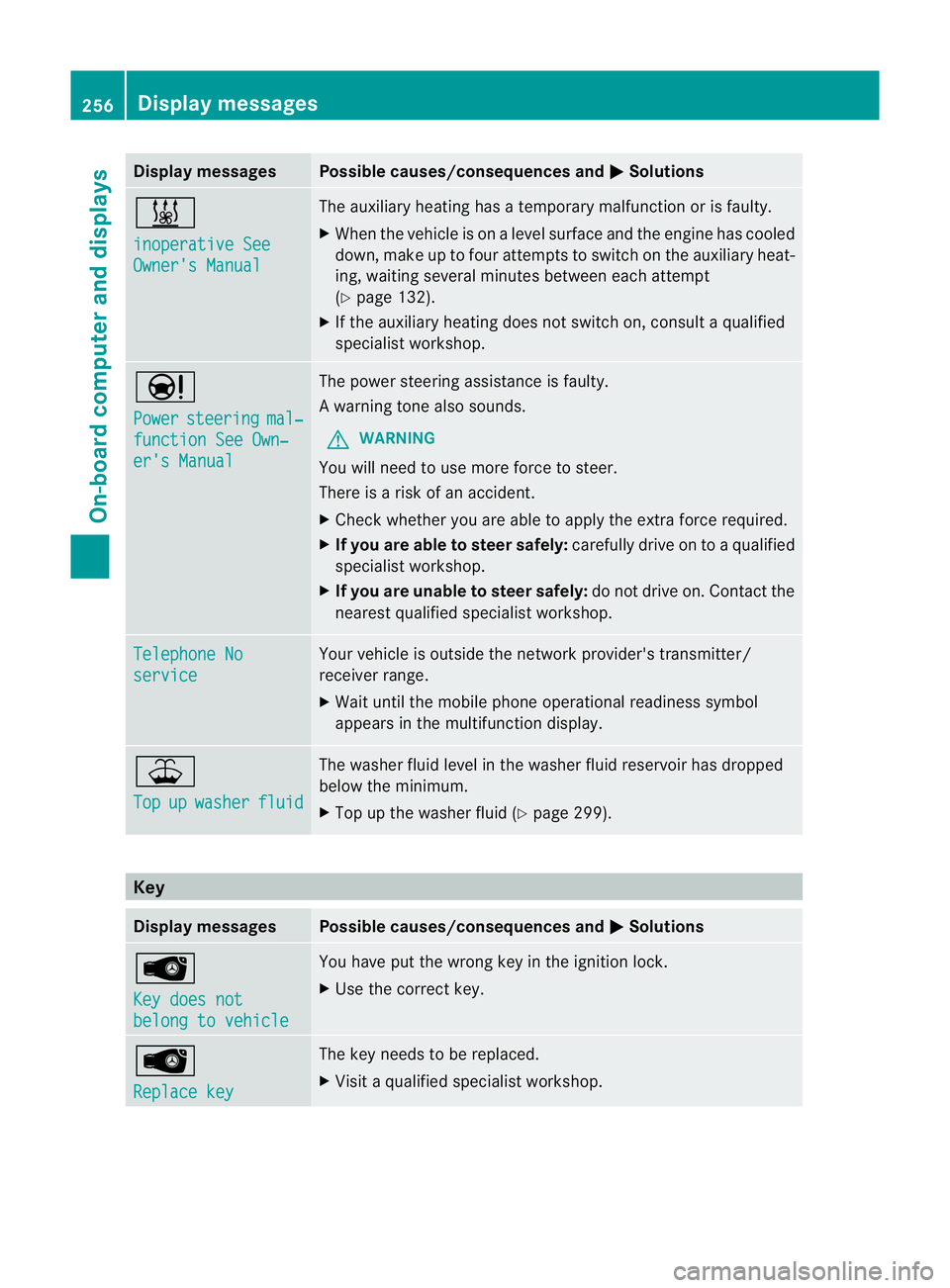
Display messages Possible causes/consequences and
M Solutions
&
inoperative See
Owner'
sManual The auxiliar
yheatin ghasatem porar ymalfunction or is faulty.
X Whe nthe vehicle is on alevel surface and the engin ehas cooled
down, make up to four attempts to switch on the auxiliary heat-
ing, waiting several minutes between each attempt
(Y page 132).
X If the auxiliary heating does not switch on, consult aqualified
specialist workshop. Ð
Power
steering mal‐
functio
nSee Own‐ er's Manual The power steering assistanc
eisfaulty.
Aw arning tone also sounds.
G WARNING
You will need to use mor eforce to steer.
Ther eisar iskofana ccident.
X Check whethe ryou are able to apply the extraf orce required.
X If you are able to steer safely: carefully drive on toaqualified
specialist workshop.
X If you are unable to steer safely: do not drive on. Contact the
nearest qualified specialist workshop. Telephone No
service Your vehicle is outside the network provider's transmitter/
receiver range.
X
Wait until the mobile phone operational readiness symbol
appears in the multifunction display. ¥
Top
up washer fluid The washer fluid level in the washer fluid reservoir has dropped
below the minimum.
X
Top up the washer fluid (Y page 299).Key
Display messages Possible causes/consequences and
M Solutions
Â
Key does not
belong to vehicle You have put the wrong key in the ignition lock.
X
Use the correc tkey. Â
Replace key The key needs to be replaced.
X
Visit aqualified specialist workshop. 256
Display messagesOn-board computer and displays