automatic transmission MERCEDES-BENZ CLS COUPE 2012 Owner's Manual
[x] Cancel search | Manufacturer: MERCEDES-BENZ, Model Year: 2012, Model line: CLS COUPE, Model: MERCEDES-BENZ CLS COUPE 2012Pages: 373, PDF Size: 9.12 MB
Page 168 of 373
Slippery road surfaces
G
WARNING
If you shift down on aslippery road surface in
an attempt to increase the engine's braking
effect,t he drive wheels could lose their grip.
This increases the risk of skidding and having
an accident.
Do not shift down for additional engine brak-
ing on aslippery road surface.
If the vehicle threaten stoskid or cannot be
stopped when moving at low speed:
X Move the transmission to position N.
X Try to bring the vehicle under control by
using corrective steering.
You should drive particularly carefully on slip-
pery road surfaces. Avoid sudden accelera-
tion, steering and braking manoeuvres.
i For more information on driving with
snow chains, see (Y page 331). Driving systems
Cruise control
Important safety notes G
WARNING
Do not change down for additional engine
braking on aslippery road surface. This could
cause the drive wheels to lose their grip and
the vehicle could skid. G
WARNING
Cruise control cannot take account of road
and traffic conditions.
Always pay attention to traffic conditions
even when cruise control is activated.
Cruise control is only an aid designed to assist
driving. You are responsible for the vehicle's
speed and for braking in good time. G
WARNING
Do not use cruise control
R in traffic condition sthat do not allow you to
drive at aconstant speed (e.g. heavy traffic
or winding roads). You may otherwise
cause an accident.
R on slippery roads. The drive wheels may
lose their grip when braking or accelerating
and the vehicle may skid.
R when there is low visibility, e.g. due to fog,
heavy rain or snow.
General notes Cruise control maintains
aconstant road
speed for you. It brakes automatically in order
to avoid exceeding the set speed. On long and
steep downhill gradients, especially if the
vehicle is laden, you must select shift range
1, 2or 3in good time. By doing so, you will
make use of the braking effect of the engine.
This relieves the load on the brake system and
preventst he brakes from overheating and
wearing too quickly.
Use cruise control only if road and traffic con-
ditions make it appropriate to maintain a
steady speed for aprolonged period. You can
store any road speed above 30 km/h.
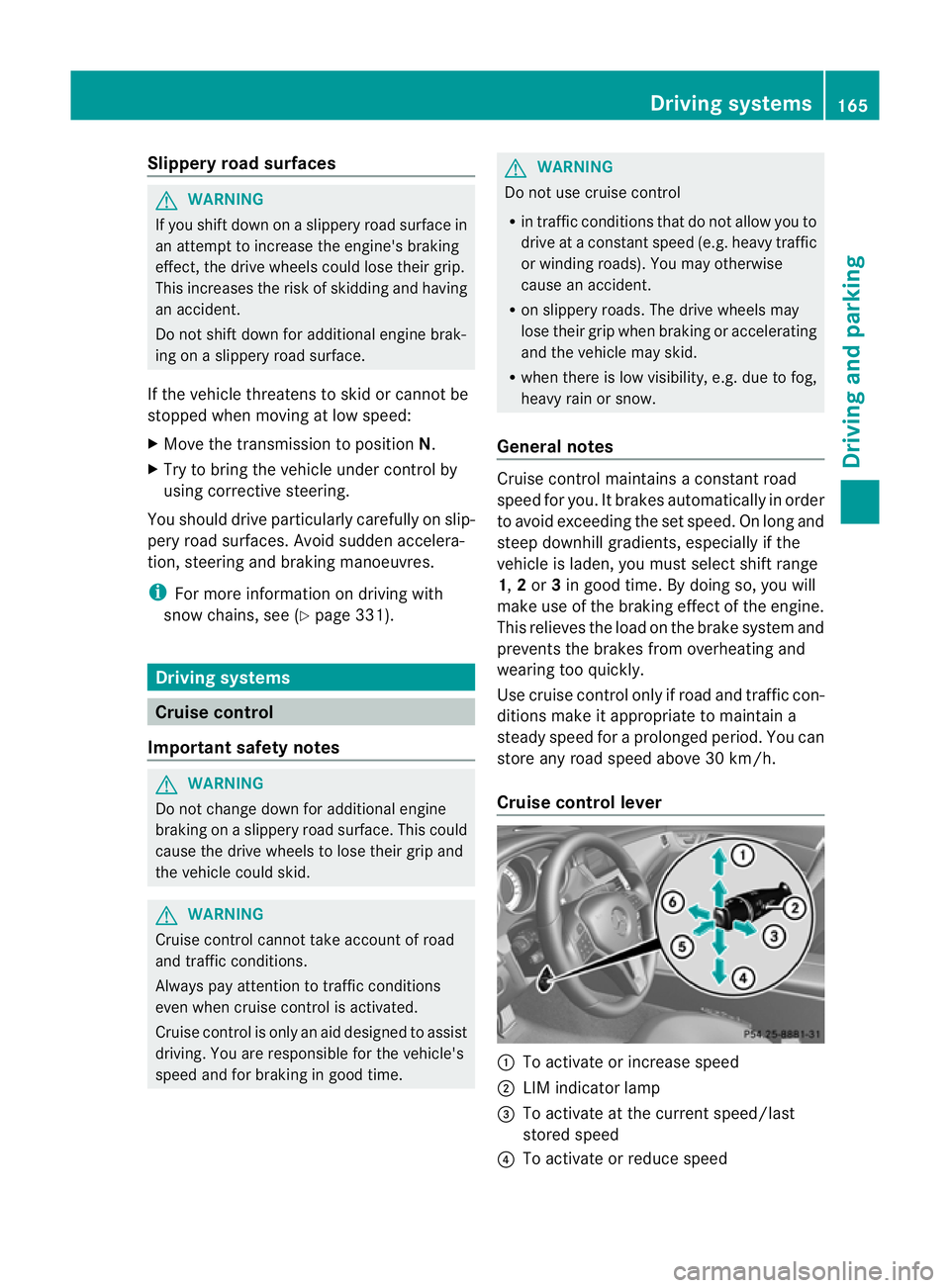
Cruise control lever :
To activate or increase speed
; LIM indicator lamp
= To activate at the current speed/last
stored speed
? To activate or reduce speed Driving systems
165Driving and parking Z
Page 169 of 373
A
To switch between cruise control and var-
iable SPEEDTRONIC
B To deactivate cruise control
You can operate cruise control and variable
SPEEDTRONIC with the cruise control lever.
The LIM indicator lamp on the cruise control
lever indicates which system you have selec-
ted:
R LIM indicator lamp off: cruise control is
selected.
R LIM indicator lamp on: variable SPEED-
TRONIC is selected.
When you activat ecruise control, the stored
speed is shown in the multifunction display
for five seconds. In the multifunction display,
the segment sbetween the stored speed and
the maximum speed light up.
Activation conditions To activat
ecruise control, all of the following
activation conditions must be fulfilled:
R the parking brake must be released.
R you must be driving faster than 30 km/h.
R ESP ®
must be switched on, but not inter-
vening.
R the transmission must be in position D.
R the cruise control function must be selec-
ted (Y page 166).
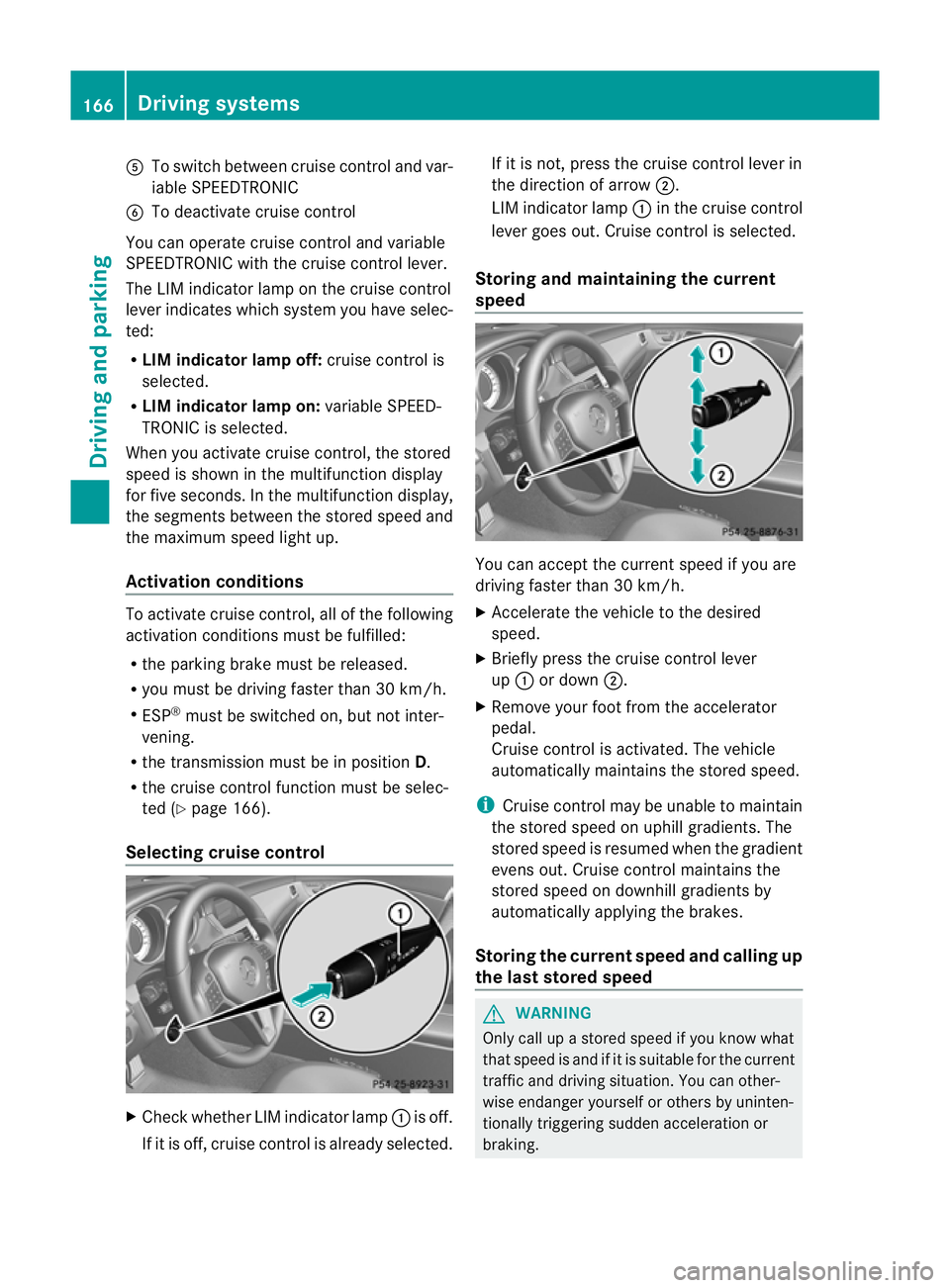
Selecting cruise control X
Check whether LIM indicator lamp :is off.
If it is off, cruise control is already selected. If it is not,p
ress the cruise control lever in
the direction of arrow ;.
LIM indicator lamp :in the cruise control
lever goes out. Cruise control is selected.
Storing and maintaining the current
speed You can accept the curren
tspeed if you are
driving faster than 30 km/h.
X Accelerat ethe vehicle to the desired
speed.
X Briefly press the cruise contro llever
up : or down ;.
X Remove your foot from the accelerator
pedal.
Cruise contro lisactivated. The vehicle
automatically maintains the stored speed.
i Cruise contro lmay be unable to maintain
the stored speed on uphill gradients. The
stored speed is resumed when the gradient
evens out. Cruise contro lmaintains the
store dspee dond ownhill gradients by
automaticall yapplyin gthe brakes.
Storing th ecurren tspee dand calling up
the last stored speed G
WARNING
Only call up astored speed if you know what
that speed is and if it is suitable for the current
traffic and driving situation .You can other-
wise endanger yourself or other sbyuninten-
tionally triggering sudden acceleration or
braking. 166
Driving systemsDriving and parking
Page 170 of 373
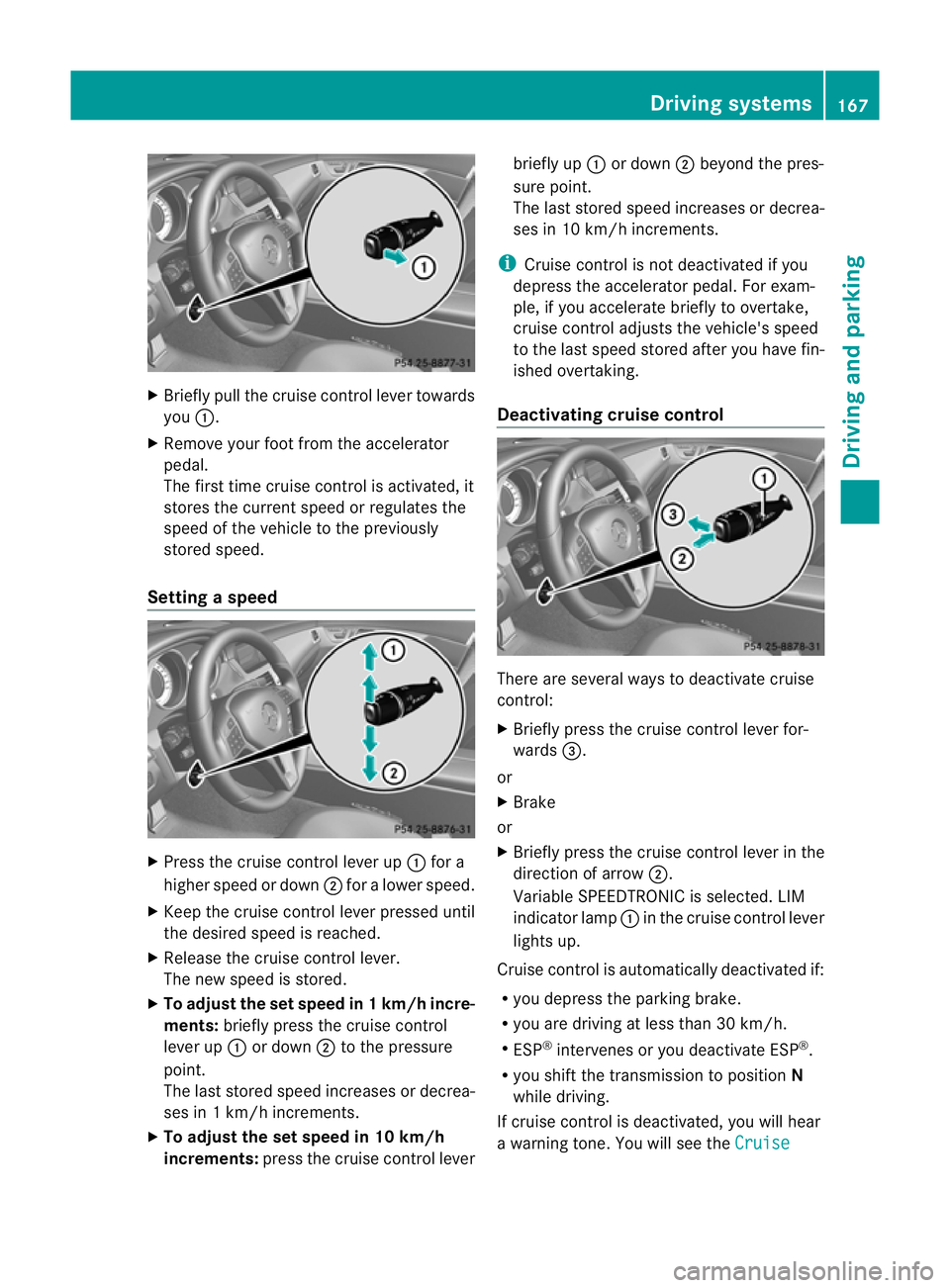
X
Briefly pull the cruise control lever towards
you :.
X Remove your foot from the accelerator
pedal.
The firs ttime cruise control is activated, it
stores the current speed or regulates the
speed of the vehicle to the previously
stored speed.
Setting aspeed X
Press the cruise control lever up :for a
highe rspeed or down ;for alower speed.
X Keep the cruise contro llever pressed until
the desired speed is reached.
X Release the cruise contro llever.
The new speed is stored.
X To adjust the set speed in 1km/h incre-
ments: briefly press the cruise control
lever up :or down ;to the pressure
point.
The last stored speed increases or decrea-
ses in 1km/ hincrements.
X To adjust the set speed in 10 km/h
increments: press the cruise contro llever briefly up
:or down ;beyond the pres-
sure point.
The last stored speed increases or decrea-
ses in 10 km/ hincrements.
i Cruise contro lisnot deactivated if you
depress the accelerator pedal. For exam-
ple, if you accelerate briefly to overtake,
cruise contro ladjusts the vehicle's speed
to the last speed stored after you have fin-
ished overtaking.
Deactivating cruise control There are several ways to deactivate cruise
control:
X
Briefly press the cruise contro llever for-
wards =.
or
X Brake
or
X Briefly press the cruise contro llever in the
direction of arrow ;.
Variable SPEEDTRONIC is selected. LIM
indicator lamp :in the cruise contro llever
lights up.
Cruise control is automatically deactivated if:
R you depress the parkin gbrake.
R you are driving at less than 30 km/h.
R ESP ®
intervenes or you deactivat eESP®
.
R you shift the transmission to position N
while driving.
If cruise control is deactivated, you will hear
aw arning tone. You will see the Cruise Driving systems
167Driving and parking Z
Page 178 of 373
When DISTRONIC PLUS is activated, the
transmission is shifted automatically to posi-
tion Pif:
R the driver's door is open and the driver's
seat belt is unfastened.
R the engine is switched off, unless it is auto-
matically switched off by the ECO start/
stop function.
R the bonnet is opened.
R as ystem fault occurs.
R the power supply is not sufficient.
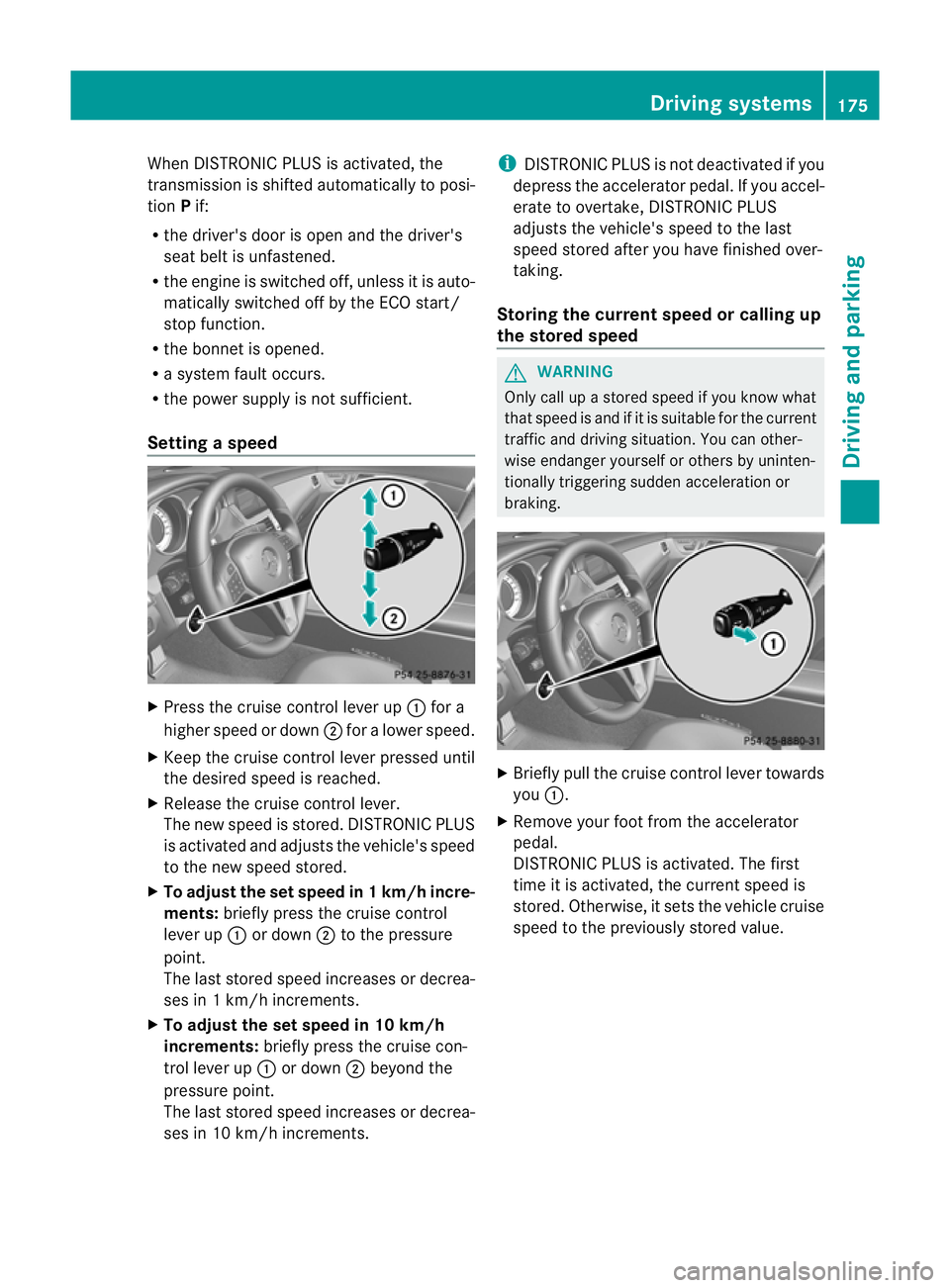
Setting aspeed X
Press the cruise control lever up :for a
highe rspeed or down ;for alower speed.
X Keep the cruise contro llever pressed until
the desired speed is reached.
X Release the cruise contro llever.
The new speed is stored. DISTRONIC PLUS
is activated and adjusts the vehicle's speed
to the new speed stored.
X To adjust the set speed in 1km/h incre-
ments: briefly press the cruise control
lever up :or down ;to the pressure
point.
The last stored speed increases or decrea-
ses in 1km/ hincrements.
X To adjust the set speed in 10 km/h
increments: briefly press the cruise con-
tro llever up :or down ;beyond the
pressure point.
The last stored speed increases or decrea-
ses in 10 km/ hincrements. i
DISTRONIC PLUS is not deactivated if you
depress the accelerator pedal. If you accel-
erate to overtake, DISTRONIC PLUS
adjusts the vehicle's speed to the last
speed stored after you have finished over-
taking.
Storing the current speed or calling up
the stored speed G
WARNING
Only call up astored speed if you know what
that speed is and if it is suitable for the current
traffic and drivin gsituation .You can other-
wise endanger yourself or other sbyuninten-
tionally triggering sudden acceleration or
braking. X
Briefly pull the cruise contro llever towards
you :.
X Remove your foot from the accelerator
pedal.
DISTRONIC PLUS is activated. The first
time it is activated, the curren tspeed is
stored. Otherwise, it sets the vehicle cruise
speed to the previously stored value. Driving systems
175Driving and parking Z
Page 180 of 373
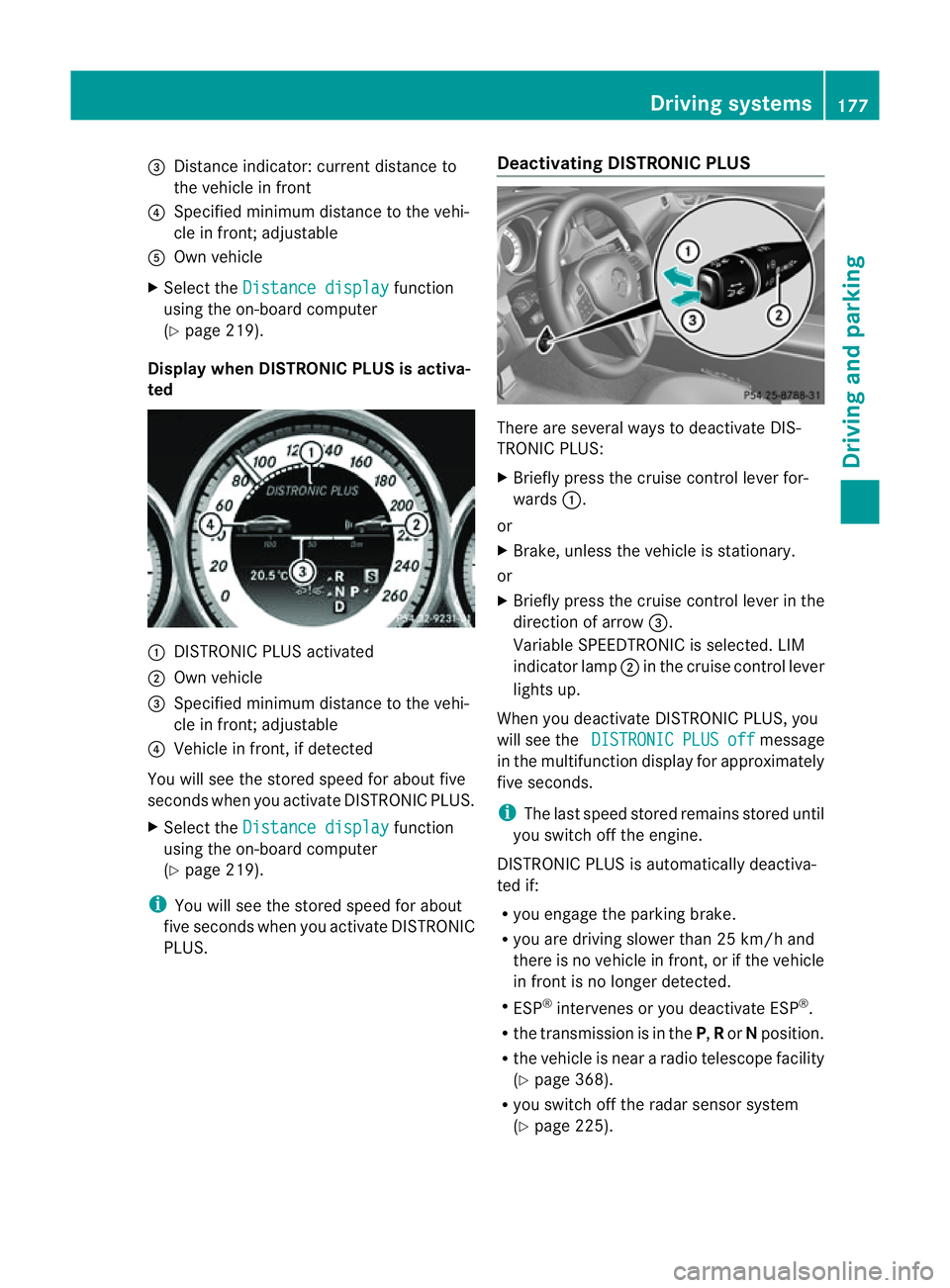
=
Distance indicator: current distance to
the vehicl einfront
? Specifie dminimum distance to the vehi-
cle in front; adjustable
A Ownvehicle
X Select the Distancedisplay function
using the on-board computer
(Y page 219).
Display when DISTRONIC PLUS is activa-
ted :
DISTRONIC PLUS activated
; Own vehicle
= Specified minimum distanc etothe vehi-
cle in front; adjustable
? Vehicle in front, if detected
You will see the stored speed for about five
seconds when you activat eDISTRONIC PLUS.
X Select the Distancedisplay function
using the on-board computer
(Y page 219).
i You will see the stored speed for about
five seconds when you activat eDISTRONIC
PLUS. Deactivating DISTRONIC PLUS There are several ways to deactivat
eDIS-
TRONIC PLUS:
X Briefly press the cruise control lever for-
wards :.
or
X Brake, unless the vehicle is stationary.
or
X Briefly press the cruise control lever in the
direction of arrow =.
Variable SPEEDTRONIC is selected. LIM
indicator lamp ;in the cruise control lever
lights up.
When you deactivat eDISTRONIC PLUS, you
will see the DISTRONIC PLUS off message
in the multifunction display for approximately
five seconds.
i The last speed stored remains stored until
you switch off the engine.
DISTRONIC PLUS is automatically deactiva-
ted if:
R you engage the parkin gbrake.
R you are driving slower than 25 km/ha nd
ther eisnov ehicle in front, or if the vehicle
in fron tisnol onger detected.
R ESP ®
intervenes or you deactivat eESP®
.
R the transmission is in the P,Ror Nposition.
R the vehicle is near aradio telescope facility
(Y page 368).
R you switch off the radar sensor system
(Y page 225). Driving systems
177Driving and parking Z
Page 183 of 373
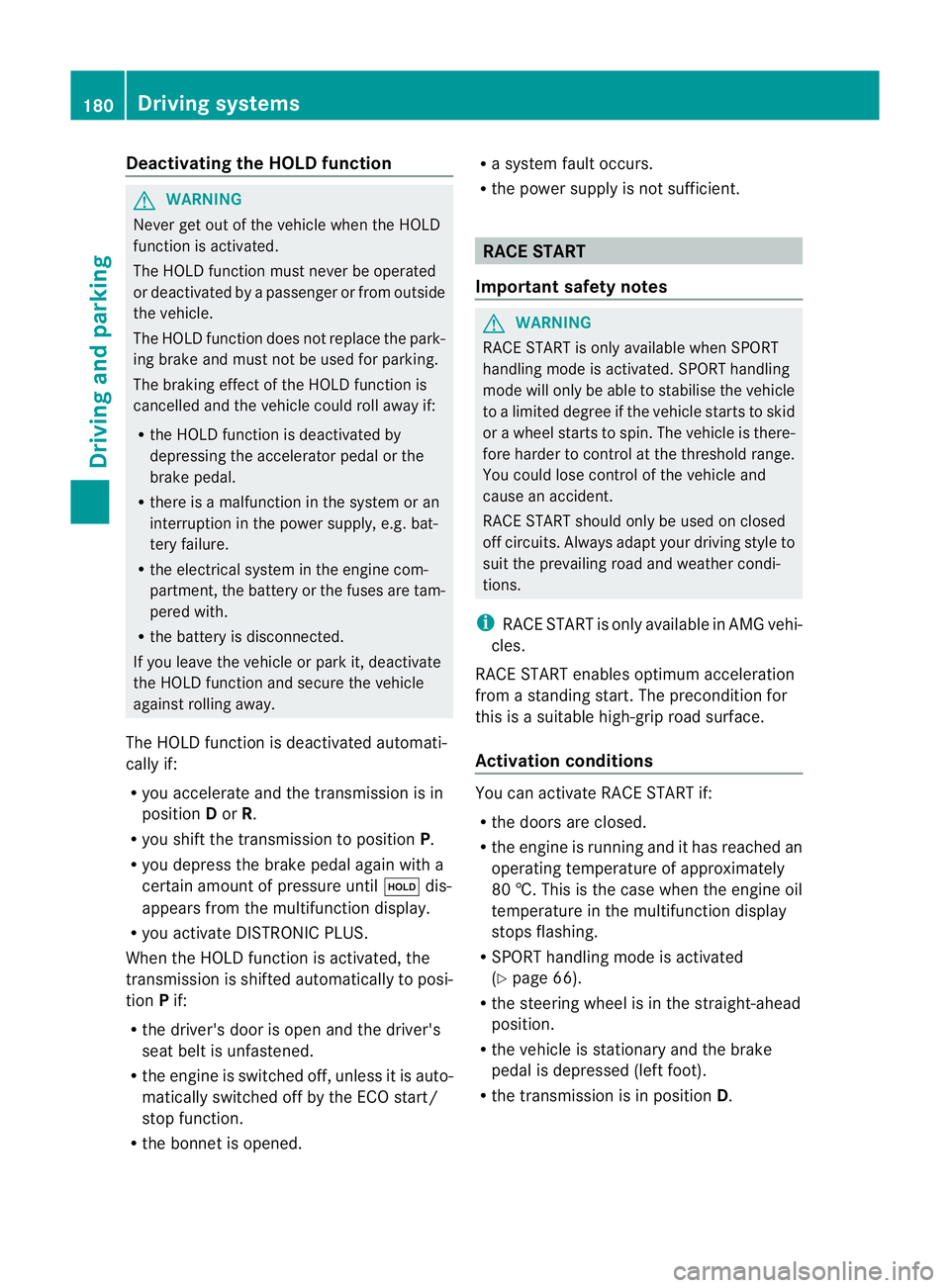
Deactivating th
eHOLDf unction G
WARNING
Never get out of th evehicle when th eHOLD
function is activated.
The HOLD function mus tnever be operated
or deactivated by apassenger or from outside
th ev ehicle.
The HOLD function doe snot replac ethe park-
ing brake and must not be used for parking.
The braking effec tofthe HOLD function is
cancelled and the vehicle could roll away if:
R the HOLD function is deactivated by
depressing the accelerator pedal or the
brake pedal.
R there is amalfunction in the system or an
interruption in the power supply, e.g. bat-
tery failure.
R the electrical system in the engine com-
partment, the batter yorthe fuses are tam-
pered with.
R the batter yisdisconnected.
If you leave the vehicle or park it, deactivate
the HOLD function and secure the vehicle
against rolling away.
The HOLD function is deactivated automati-
cally if:
R you accelerat eand the transmission is in
position Dor R.
R you shift the transmission to position P.
R you depress the brake pedal again with a
certain amount of pressure until ëdis-
appears from the multifunction display.
R you activat eDISTRONIC PLUS.
When the HOLD function is activated, the
transmission is shifted automatically to posi-
tion Pif:
R the driver's door is open and the driver's
seat belt is unfastened.
R the engine is switched off, unless it is auto-
matically switched off by the ECO start/
stop function.
R the bonnet is opened. R
as ystem fault occurs.
R the power supply is not sufficient. RACE START
Important safety notes G
WARNING
RACE START is only available when SPORT
handling mode is activated. SPORT handling
mode will only be able to stabilise the vehicle
to alimited degree if the vehicle start stoskid
or aw heel start stospin. The vehicle is there-
fore harder to control at the threshold range.
You could lose control of the vehicle and
cause an accident.
RACE START should only be used on closed
off circuits. Always adapt your driving style to
suit the prevailing road and weather condi-
tions.
i RACE START is only available in AMG vehi-
cles.
RACE START enables optimum acceleration
from astanding start .The precondition for
this is asuitable high-grip road surface.
Activation conditions You can activat
eRACE START if:
R the doors are closed.
R the engine is running and it has reached an
operatin gtemperature of approximately
80 †. This is the case when the engine oil
temperature in the multifunction display
stops flashing.
R SPORT handling mode is activated
(Y page 66).
R the steerin gwheel is in the straight-ahead
position.
R the vehicle is stationary and the brake
pedal is depressed (left foot).
R the transmission is in position D.180
Driving systemsDriving and parking
Page 188 of 373
PARKTRONIC
Important safety notes G
WARNING
PARKTRONIC is only an aid and may not
detect all obstacles. It is not asubstitute for
attentive driving.
You are always responsible for safety and
must continue to pay attention to your imme-
diate surroundings when parking and
manoeuvring. You could otherwise endanger
yourself and others. G
WARNING
Make sure that no persons or animals are in
the manoeuvring range. Otherwise, they
could be injured.
PARKTRONIC is an electronic parking aid with
ultrasonic sensors. It indicates visuallya nd
audibly the distance between your vehicle
and an object.
PARKTRONIC is activated automatically if
you:
R switch on the ignition
R shift the transmission to position D,Ror N
R release the parking brake
PARKTRONIC is deactivated at speeds above
18 km/h. It is reactivated at lower speeds.
PARKTRONIC monitorst he area around your
vehicle using six sensors in the front bumper
and four sensors in the rear bumper.
Range of the sensors General notes
!
When parking, pay particular attention to
objectsa bove or below the sensors, such
as flower pots or trailer drawbars. PARK-
TRONIC does not detect such objectsw hen
they are in the immediate vicinity of the
vehicle. You could damage the vehicle or
the objects.
The sensors may not detect snow and
objectsw hich absorb ultrasonic sources. Ultrasonic sources, such as an automatic
car wash,
alorry's compressed-air brakes
or ap neumatic drill, could cause PARK-
TRONIC to malfunction.
PARKTRONIC may not function correctly on
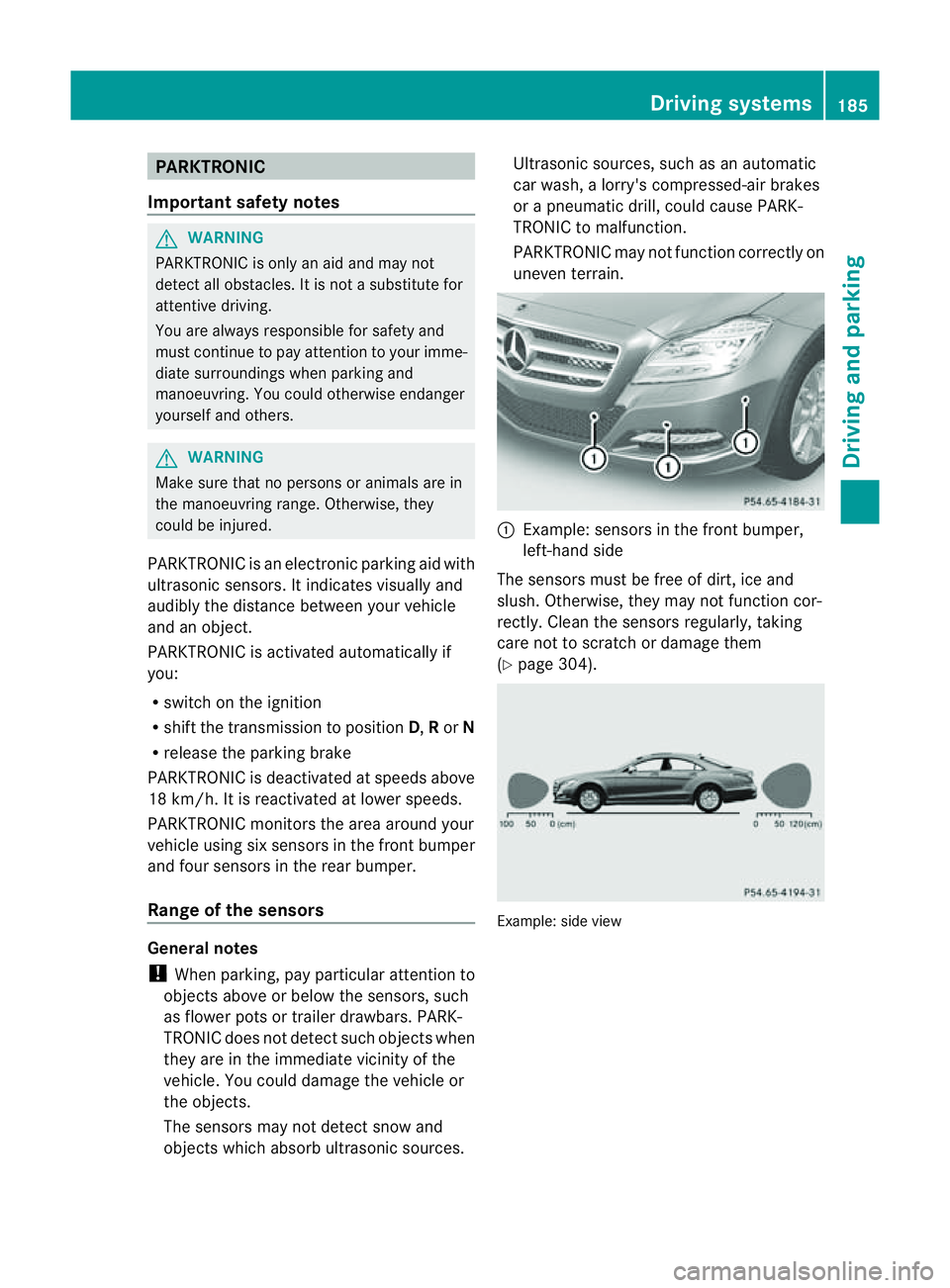
uneven terrain. :
Example: sensors in the front bumper,
left-han dside
The sensors must be free of dirt, ice and
slush. Otherwise, they may not function cor-
rectly. Cleant he sensors regularly,t aking
care not to scratchord amage them
(Y page 304). Example: side view Driving systems
185Driving and parking Z
Page 189 of 373
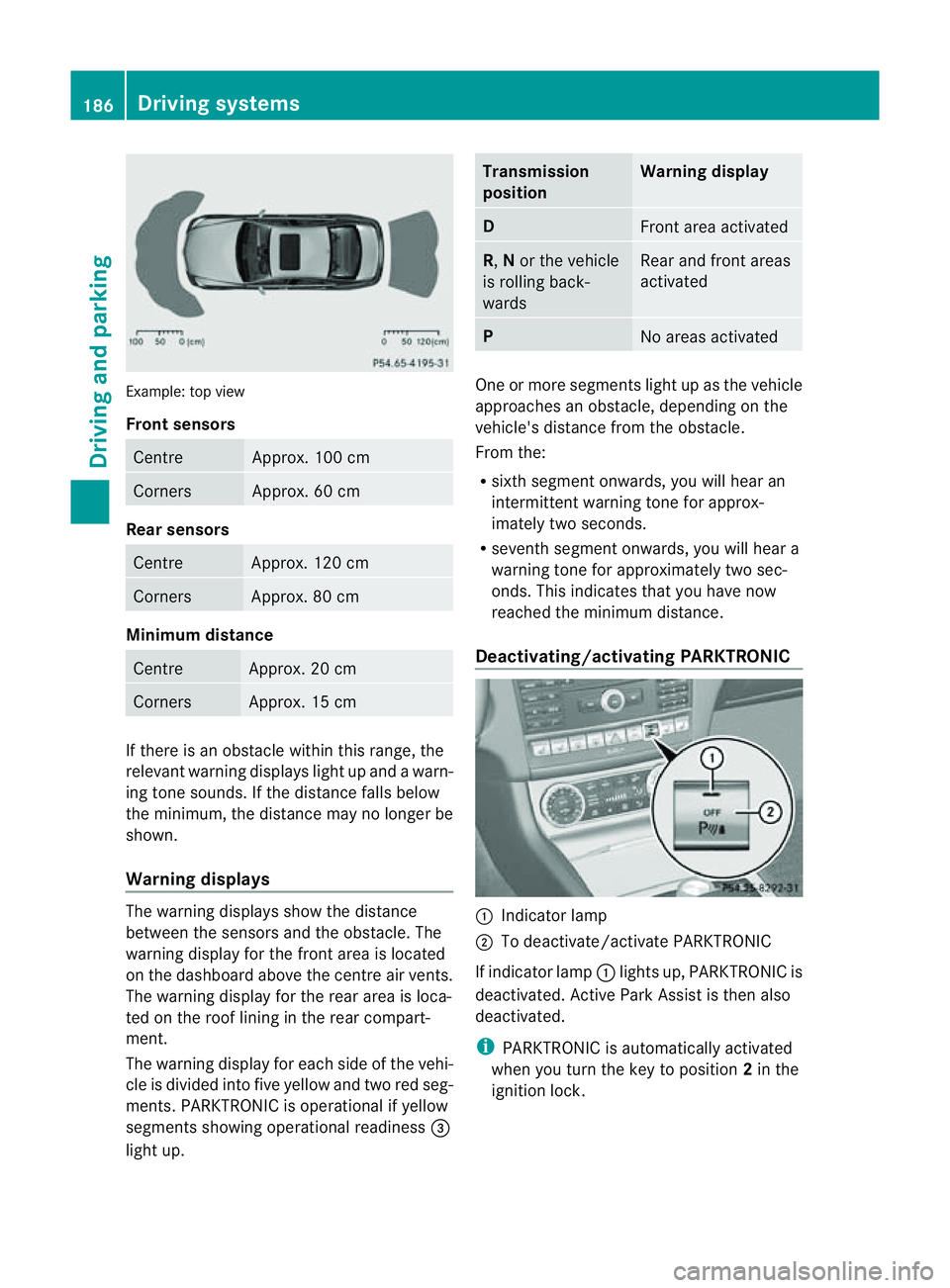
Example: top view
Front sensors
Centre Approx. 100 cm
Corners Approx. 60 cm
Rea
rsensors Centre Approx
.120 cm Corners Approx
.80cm Minimum distance
Centre Approx
.20cm Corners Approx
.15cm If there is an obstacle within this range, the
relevant warning displays light up and awarn-
ing tone sounds. If th edistanc efalls below
the minimum, the distanc emay no longer be
shown.
Warning displays The warning displays sho
wthe distance
between th esensor sand th eobstacle. The
warning display for the fron tarea is located
on the dashboard above the centre air vents.
The warning display for the rear area is loca-
ted on the roof lining in the rear compart-
ment.
The warning display for each side of the vehi-
cle is divided into five yellow and two red seg-
ments. PARKTRONIC is operational if yellow
segments showing operational readiness =
light up. Transmission
position Warning display
D
Front area activated
R,
Nor the vehicle
is rolling back-
wards Reara
nd front areas
activated P
No area
sactivated One or more segments light up as the vehicle
approache
sanobstacle, depending on the
vehicle's distance from the obstacle.
From the:
R sixth segment onwards, you willh earan
intermitten twarnin gtonef or approx-
imately two seconds.
R sevent hsegment onwards, you will hear a
warning tonef or approximately two sec-
onds. This indicates that you have now
reached the minimum distance.
Deactivating/activating PARKTRONIC :
Indicator lamp
; To deactivate/activate PARKTRONIC
If indicator lamp :lights up, PARKTRONIC is
deactivated. Active Park Assist is then also
deactivated.
i PARKTRONIC is automatically activated
when you turn the key to position 2in the
ignition lock. 186
Driving systemsDriving and parking
Page 209 of 373
R
ESP ®
is deactivated.
R the transmission is not in position D.
R al ossoft yrep ressure or adefective tyre
ha sb eend etecte dand displayed.
Activ eLaneK eeping Assist does not detect
roa dand traffi cconditions .Aninappropriate
brake applicatio nmay be interrupted at any
tim eif:
R you steer slightly in th eopposite direction.
R you use aturn signal.
R you clearly brake or accelerate.
Al ane-correcting brak eapplicatio nisinter-
rupted automaticallyi f:
R ad riving safety system intervenes, such as
ESP ®
,P RE-SAFE ®
Brake or Active Blind
Spot Assist.
R lane markings can no longer be recognised.
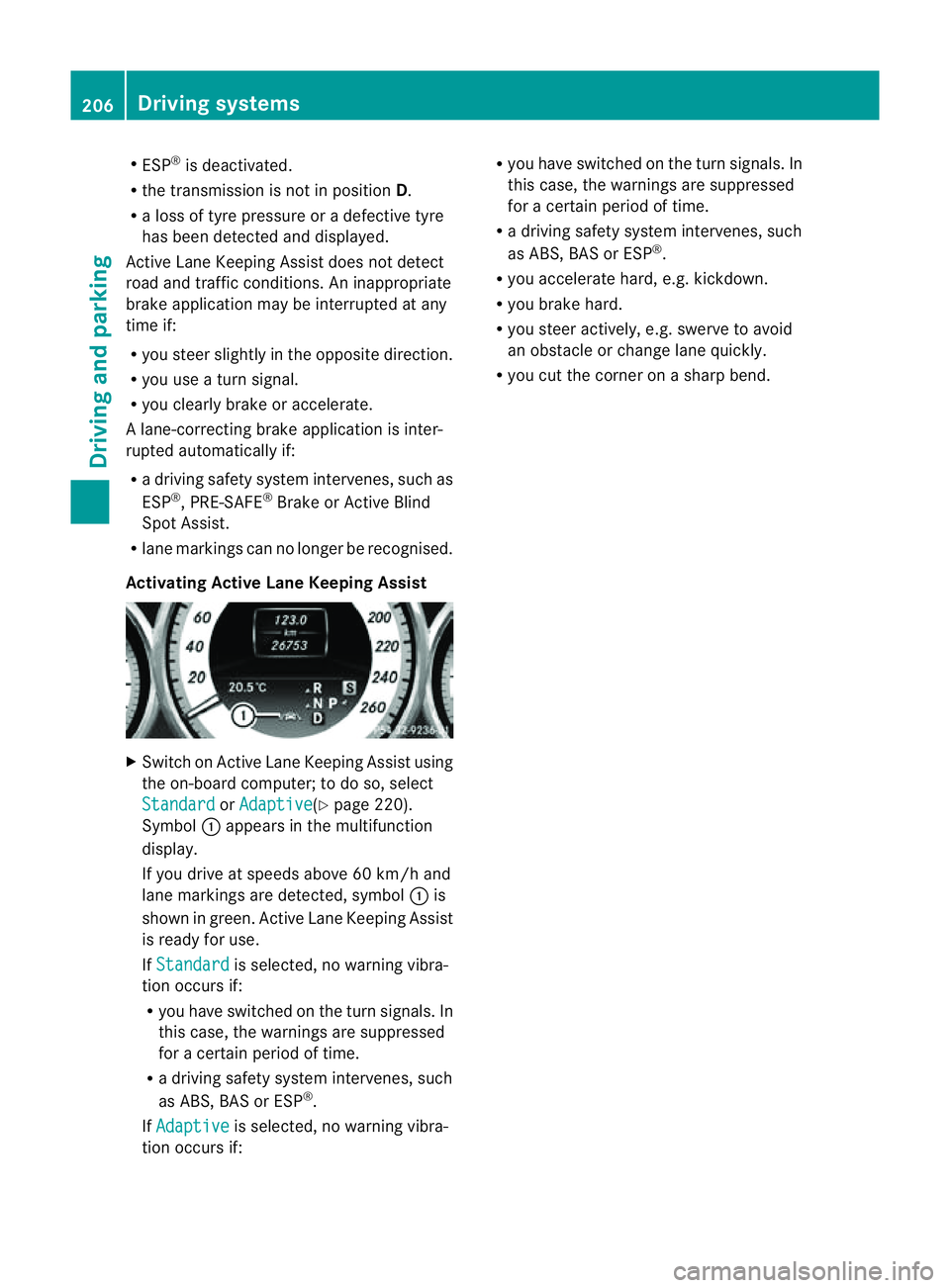
Activating Active Lane Keeping Assist X
Switch on Active Lane Keeping Assist using
the on-board computer; to do so, select
Standard or
Adaptive (Y
page 220).
Symbol :appears in the multifunction
display.
If you drive at speeds above 60 km/h and
lane markings are detected, symbol :is
shown in green. Active Lane Keeping Assist
is ready for use.
If Standard is selected, no warning vibra-
tion occurs if:
R you have switched on the turn signals. In
this case, the warnings are suppressed
for acertain period of time.
R ad riving safety system intervenes, such
as ABS,B AS or ESP ®
.
If Adaptive is selected, no warning vibra-
tion occurs if: R
you have switched on the turn signals. In
this case, the warnings are suppressed
for acertain period of time.
R ad riving safety system intervenes, such
as ABS,B AS or ESP ®
.
R you accelerate hard, e.g. kickdown.
R you brake hard.
R you steer actively, e.g. swerve to avoid
an obstacle or change lane quickly.
R you cut the corner on asharp bend. 206
Driving systemsDriving and parking
Page 257 of 373
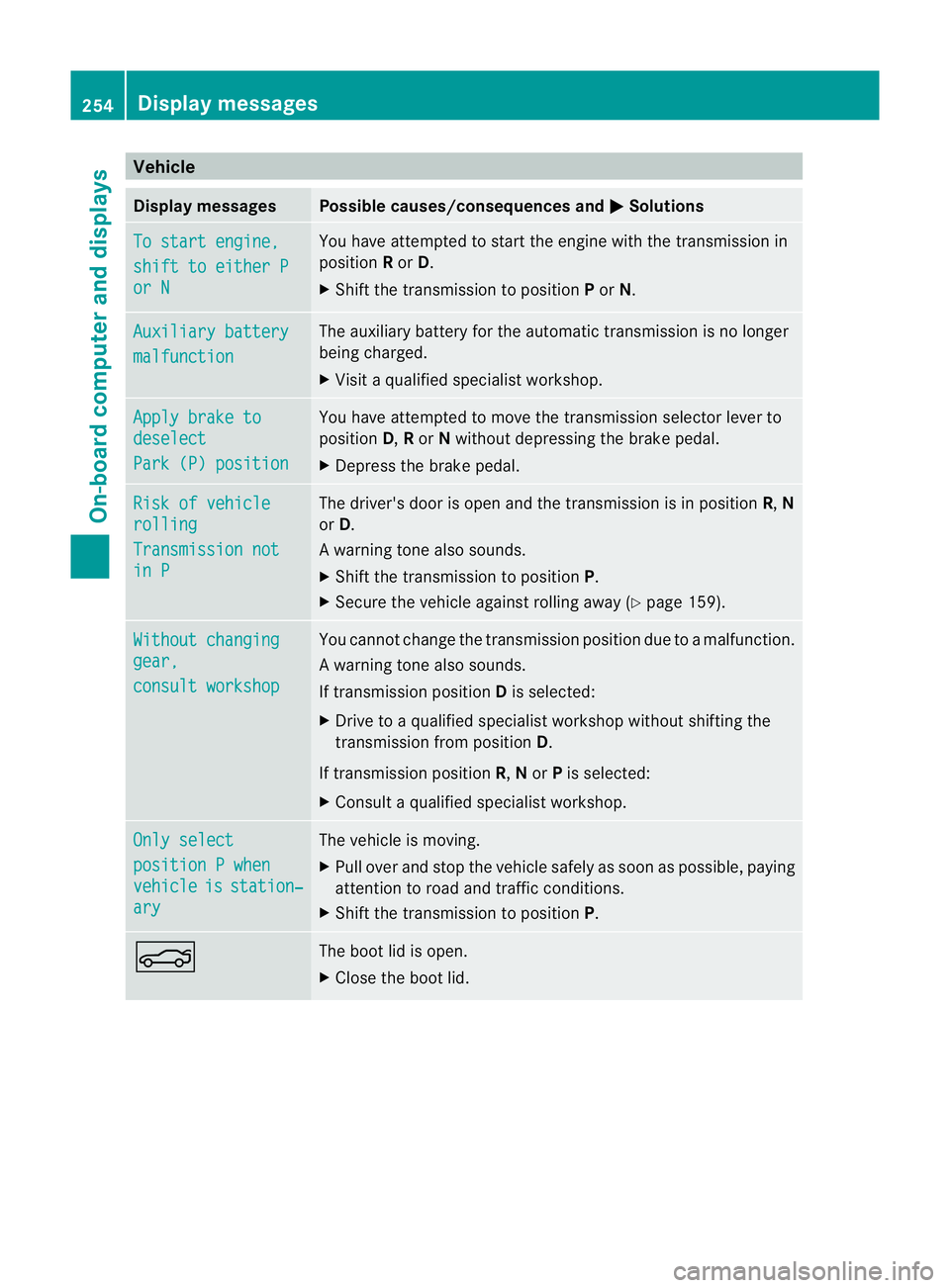
Vehicle
Display messages Possible causes/consequences and
M Solutions
To start engine,
shift to either P
or N Yo
uh avea ttempte dtostart the engine with the transmission in
position Ror D.
X Shift the transmission to position Por N. Auxiliary battery
malfunction The auxiliary battery for the automatic transmission is no longer
being charged.
X
Visit aquali fied specialist workshop. Apply brake to
deselect
Par
k(P) position Yo
uh avea ttempte dtomove the transmission selector lever to
position D,Ror Nwithou tdepressing the brake pedal.
X Depress the brake pedal. Risk of vehicle
rolling
Transmission not
in P The driver's door is open and the transmission is in position
R,N
or D.
Aw arning tone also sounds.
X Shift th etransmission to position P.
X Secure th evehicle against rolling away ( Ypage 159). Withou
tchanging gear,
consul
tworkshop You canno
tchange the transmission position due to amalfunction.
Aw arning tone also sounds.
If transmission position Dis selected:
X Drive to aqualified specialist worksho pwithout shiftin gthe
transmission from position D.
If transmission position R,Nor Pis selected:
X Consult aqualified specialist workshop. Onl
ys elect position
Pwhen vehicle is station‐
ary The vehicle is moving.
X
Pull ove rand stop the vehicl esafelyass oonasp ossible,p aying
attention to road and traffic conditions.
X Shift the transmission to position P.N The boot lid is open.
X
Close the boot lid. 254
Display messagesOn-board computer and displays