aux video MERCEDES-BENZ E-Class 2014 W212 Comand Manual
[x] Cancel search | Manufacturer: MERCEDES-BENZ, Model Year: 2014, Model line: E-Class, Model: MERCEDES-BENZ E-Class 2014 W212Pages: 270, PDF Size: 5.82 MB
Page 6 of 270
1, 2, 3 ...
360° camera Displaying images ............................ 56
Switching on/off .............................. 56
911 emergency call .......................... 125A
Access data of the mobile phone
network provider Deleting .........................................1 65
Editing .......................................... .165
Making entries ............................... 162
Selecting ........................................ 161
Active partition (USB devices only)
Selecting ........................................ 202
Address book
Browsing ........................................ 147
Calling up ....................................... 147
Changing an entry .......................... 149
Connecting a call ........................... 150
Creating an entry ........................... 148
Deleting an entry ........................... 148
Deleting contacts ........................... 153
Details about an entry ................... 149
Entering characters ......................... 33
Entry as a home address .............. .103
Hiding contact details .................... 154
Importing contacts ........................ 152
Introduction ................................... 146
Receiving vCards ........................... 153
Searching for an entry ................... 148
Starting route guidance ................. 150
Voice tags ...................................... 151
Address entry menu ............................ 64
Adjusting the sound settings
Balance ............................................ 30
Alternative Route ................................ 93
Audio
Radio mode ................................... 186
Audio CD/DVD and MP3 mode
Switching to (Rear Seat Entertain-
ment System) ................................ 245
Audio format, setting
Video DVD ..................................... 231
Autostore .......................................... .189 AUX (audio)
Notes/socket ................................ 223
Switching to ................................... 223
AUX (video)
Setting the volume and sound ....... 232
Showing/hiding the menu ............. 232
Switching to ................................... 232
AUX jacks
CD/DVD drive ............................... 238
Avoiding an area ................................ 115 B
Back button ......................................... 27
Balance, adjusting ............................... 30
Bass, setting ........................................ 30
Bird's-eye view (navigation) ............. 109
Bluetooth®
Activating audio mode ................... 215
Activating/deactivating ................... 45
Conditions (telephone) .................. 125
Connecting another mobile
phone ............................................ 129
Connecting audio devices .............. 212
Device list ...................................... 212
Entering the passcode ................... 128
External authorization .................... 129
General information ......................... 44
Interface ........................................ 124
Introduction ................................... 124
Reconnecting an audio device ....... 214
Searching for a mobile phone ....... .127
Settings .......................................... .44
Telephone basic menu ...................1 31
Telephony ...................................... 125
Telephony notes ............................ 124
Bluetooth® audio basic display ....... 215
Brightness, setting (TV, video) ......... 226
Buttons on the COMAND control-
ler .......................................................... 27 C
Call Accepting/ending/rejecting .......... 132
see Telephone
Call lists
Displaying details ........................... 141 4
Index
Page 11 of 270
North orientation (navigation)
......... 109O
Off-map ................................................ 98
Online and Internet functions
Ending the connectio n................... 166
Establishing/ending the connec-
tion ................................................ 166
Further Mercedes-Benz App s......... 174
Manually setting the access data
of the mobile phone network pro-
vider .............................................. 162
Mercedes-Benz Mobile Website ..... 174
Options menu ................................ 172
Resetting settings .......................... 174
Selecting options for the local
search ............................................ 172
Selecting the access data of the
mobile phone network provider ..... 161
Setting options for destination/
route download .............................. 173
Own address ...................................... 103 P
Pause function Audio mode (CD, MP3 ).................. 198
Video DVD ..................................... 229
Personal POIs
Acoustic notification ........................ 83
Calling up the menu ......................... 82
Displaying on the map ..................... 82
Managing categories ........................ 83
Saving .............................................. 84
Selecting as the destination ............. 85
Setting s........................................... 82
Visual information ............................ 83
Phone book
Adding a number to an address
book entry ..................................... 139
Calling up ....................................... 137
Creating a new entry ..................... 139
Deleting an entry ........................... 138
Entering characters ......................... 33
Searching for an entry ................... 137
Symbol overview ............................ 137 Phone call
Dialing ........................................... 132
Picture settings (TV, video) .............. 226
Picture viewer
Displaying picture s........................ 233
Introduction ................................... 232
Playback options
Audio mode (CD, MP3 ).................. 202
POI (navigation)
Category .......................................... 79
Defining the position for the POI
search .............................................. 78
Entering ........................................... 76
Entering a point of interest using
the map ........................................... 81
List ................................................... 79
ZAGAT® survey service ................... 81
see Personal POIs
POI icons
Setting ........................................... 110
POI list
With character bar ........................... 80
Previous destinations (navigation) .. 107 R
Radio Overview ........................................ 186
Setting a station ............................ 188
Sound settings (balance, bass,
treble) .............................................. 30
Storing stations ............................. 188
Switching HD Radio on/of f............ 187
Switching on .................................. 186
Switching wavebands .................... 187
Read-aloud function .......................... 102
Reading out
Traffic reports on the route ............ 102
Real-time traffic reports ..................... 99
Rear Seat Entertainment System
Active COMAND source ................. 252
Adjusting sound settings ............... 242
Adjusting the brightness ................ 242
Adjusting the color ........................ 242
Adjusting the contrast ................... 242
AUX mode ...................................... 254
CD/DVD audio and MP3 mode ...... 244
Changing the batteries .................. 240 Index
9
Page 12 of 270
Changing the picture format .......... 243
Cordless headphones .................... 239
Multiple user
s................................ 242
Operating with the headphones ..... 241
Picture settings .............................. 242
System settings ............................. 243
Using the main loudspeaker .......... 241
Video DVD mode ........................... 247
Rear view camera
Displaying the image ........................ 55
Rear-compartment screens .............. 237
Receiving vCards ............................... 153
Redialing (telephone) ........................ 133
Remote control
Button lighting ............................... 238
Rear Seat Entertainment System ... 237
Reset function ..................................... 47
Resetting (factory settings) ............... 47
Route
Estimated time of arrival .................. 94
Route (navigation)
Calling up the "Routes" menu .......... 96
Displaying the distance to the des-tination ............................................ 94
Recording ........................................ 95
Route overview ................................ 94
Selecting an alternative route .......... 93
Setting route options (avoiding:
highways, toll roads, tunnels, fer-
ries) ................................................. 62
Setting the route type (short
route, fast route, dynamic route or
economic route) ............................... 62
Starting calculation .......................... 69
Route demonstration .......................... 95
Route guidance
Canceling ......................................... 92
Continuing ....................................... 92
Destination reached ......................... 92
General notes .................................. 87
Lane recommendations ................... 89
Off-road ........................................... 97
Traffic reports .................................. 99 S
Safety notes Audio CD and MP3 mode ............... 195 Using the telephone ....................... 124
Video DVD mode ........................... 226
Satellite radio
Displaying information ................... 195
Registering .................................... 191
Switching to ................................... 191
SatRadio
Notes ............................................. 190
Selecting a category ...................... 192
Saving the crosshair position .......... 108
Screen
Selecting for the remote control .... 237
SD memory card
Ejecting .......................................... 196
Inserting ........................................ 196
Search & Send ...................................... 86
Seats
Active multicontour seat .................. 52
Adjusting the lumbar support
(COMAND) ....................................... 53
Balance (seat heating) ..................... 54
Multicontour seat ............................ 52
Resetting settings ............................ 55
Seat functions (COMAND) ............... 52
Selecting for adjustment
(COMAND) ....................................... 52
Selecting a province ........................... 64
Selecting a state .................................. 64
Selecting stations
Radi o............................................. 188
Sending DTMF tones ......................... 134
Setting the audio format
Rear Seat Entertainment System ... 251
Setting the language
COMAND ......................................... 45
Rear Seat Entertainment System ... 251
Setting the night design ..................... 42
Setting the text reader speed ............ 44
Setting the volume
Telephone calls ................................ 30
Video AUX ..................................... 232
Settings
Menu overview ................................. 22
Picture (COMAND) ......................... 226
Sound settings ................................. 30
SIRIUS weather display
5-day forecast ................................ 259 10
Index
Page 14 of 270
Storing sender in address book ..... 146
Storing the sender as a new
address book entry ........................ 146
Time
Setting ............................................. 44
Setting summer/standard time ....... 43
Setting the format ............................ 43
Setting the time ............................... 42
Setting the time manually ................ 42
Setting the time zone ....................... 43
Setting the time/date format .......... 43
Tone settings
Balance and fader ............................ 30
Track
Selecting (CD, MP3) ....................... 199
Selecting using the number key-
pad ................................................ 199
Track information .............................. 247
Traffic jam function ............................. 92
Traffic reports
Calling up a list .............................. 100
Real-time traffic report .................. 101
Treble, adjusting (sound) .................... 30
True Image™ ........................................ 32
TV
Automatic picture shutoff .............. 226
Picture settings .............................. 226
Sound settings (balance, bass,
treble) .............................................. 30 U
Updating the digital map .................. 118
USB
see Media Interface V
Vehicle Data acquisition ............................... 15
Video
see Video DVD
Video AUX
Setting the picture ......................... 226
Video DVD
Automatic picture shutoff .............. 226
DVD menu ..................................... 230
Fast forward/rewind ...................... 228 Function restrictions ...................... 227
Interactive content ........................ 231
Notes on discs ............................... 227
Operation ....................................... 226
Pause function ............................... 229
Playing conditions .......................... 227
Safety notes .................................. 226
Selecting ........................................ 230
Selecting a film/title ...................... 229
Selecting a scene/chapter ............ 229
Setting the audio format ................ 231
Setting the language ...................... 231
Setting the picture ......................... 226
Showing/hiding the control
menu ............................................. 228
Showing/hiding the menu ............. 228
Stop function ................................. 229
Subtitles ........................................ 231
Switching to ................................... 227
Voice Control System
Setting s........................................... 44
Volume, adjusting
COMAND ......................................... 29
Navigation messages ....................... 29 W
Way points Accepting for the route .................... 76
Creating ........................................... 73
Editing .............................................. 75
Entering ........................................... 73
Searching for a gas station when
the fuel level is lo w.......................... 76
Weather Band
Searching for a channel ................. 189
Switching on .................................. 189
Weather map (SIRIUS)
Activating/deactivating display
levels ............................................. 263
Calling up ....................................... 262
Legend ........................................... 267
Moving ........................................... 262
Showing/hiding the menu ............. 262
Time stamp .................................... 267
Weather memory (SIRIUS)
Selecting an area ........................... 261
Storing an area .............................. 261 12
Index
Page 24 of 270
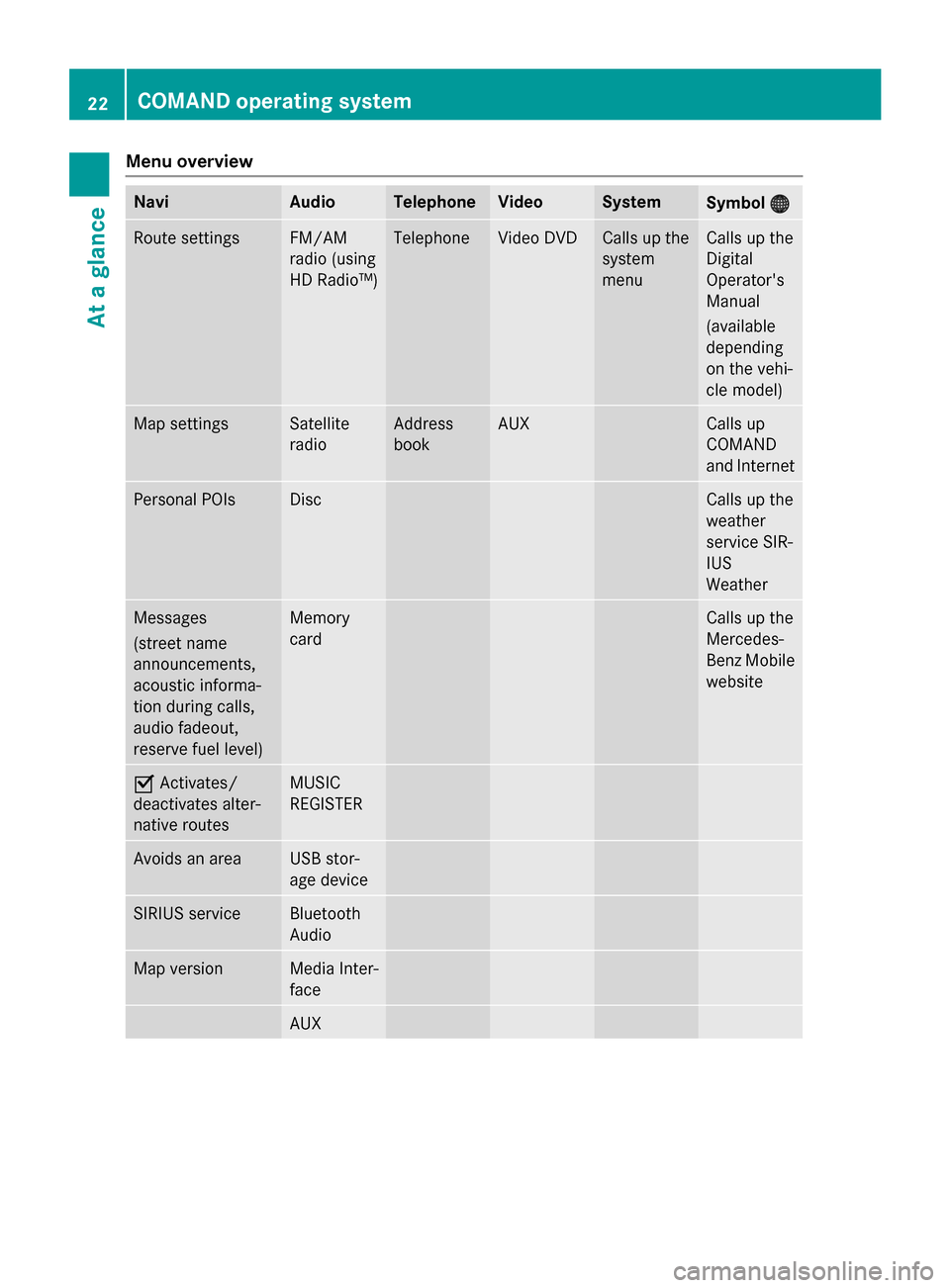
Menu overview
Navi Audio Telephone Video System
Symbol
00A7
00A7 Route settings FM/AM
radio (using
HD Radio™) Telephone Video DVD Calls up the
system
menu Calls up the
Digital
Operator's
Manual
(available
depending
on the vehi-
cle model)
Map settings Satellite
radio Address
book AUX Calls up
COMAND
and Internet
Personal POIs Disc Calls up the
weather
service SIR-
IUS
Weather
Messages
(street name
announcements,
acoustic informa-
tion during calls,
audio fadeout,
reserve fuel level) Memory
card Calls up the
Mercedes-
Benz Mobile
website 0073
Activates/
deactivates alter-
native routes MUSIC
REGISTER
Avoids an area USB stor-
age device
SIRIUS service Bluetooth
Audio
Map version Media Inter-
face
AUX22
COMAND operating systemAt a glance
Page 33 of 270
Equipped with Bang & Olufsen sound sys-
tem: for the best sound focus, choose the
setting 0
0.
X Select Bal/Fad
Bal/Fad (balance/fader) in the
sound menu by turning 00790052007Athe COMAND
controller and press 0098to confirm.
X Select a balance setting by sliding 009500520096the
COMAND controller and press 0098to con-
firm. Surround
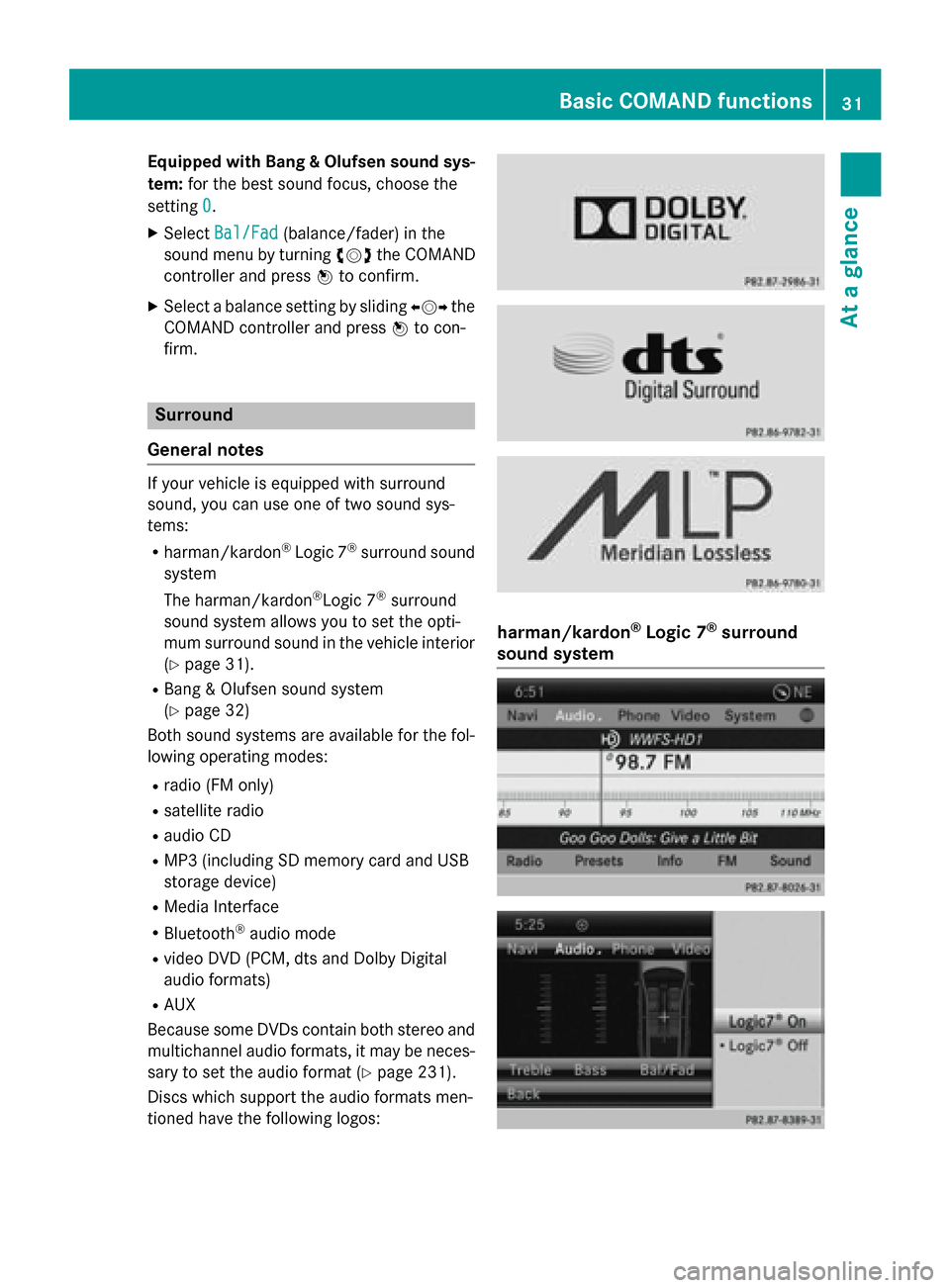
General notes If your vehicle is equipped with surround
sound, you can use one of two sound sys-
tems:
R harman/kardon ®
Logic 7 ®
surround sound
system
The harman/kardon ®
Logic 7 ®
surround
sound system allows you to set the opti-
mum surround sound in the vehicle interior
(Y page 31).
R Bang & Olufsen sound system
(Y page 32)
Both sound systems are available for the fol-
lowing operating modes:
R radio (FM only)
R satellite radio
R audio CD
R MP3 (including SD memory card and USB
storage device)
R Media Interface
R Bluetooth ®
audio mode
R video DVD (PCM, dts and Dolby Digital
audio formats)
R AUX
Because some DVDs contain both stereo and multichannel audio formats, it may be neces-
sary to set the audio format (Y page 231).
Discs which support the audio formats men-
tioned have the following logos: harman/kardon
®
Logic 7 ®
surround
sound system Basic COMAND functions
31At a glance
Page 40 of 270
To do so, use the special cordless head-
phones (Y page 239). Using the headphones
on the correct sides ensures an optimal
sound.
You can connect your own headphones to a
special headphones jack. You can use the
remote control to operate them. Points to remember
R You can only adjust the volume for the
headphones supplied, directly on the head-
phones.
R Only entertainment functions, i.e. audio,
TV, video and Internet, for example, may be used with SPLITVIEW.
R Different media can be used on the driver
and front-passenger sides as long as they
use different media sources. Example: if a
medium from the single DVD drive is being
played on the driver's side, then another
medium that is also played from the single
DVD drive cannot be played separately on
the front-passenger side. However, other
media can be used at the same time on the
front-passenger side, including radio,
memory card, MUSIC REGISTER, Media
Interface, USB or AUX.
R If you use the same medium on both sides,
you can both carry out the respective set-
tings.
R Internet use is only available at any one
time to the driver or the front passenger.
A corresponding message appears on the
display.
R Internet can only be used, if it is set and
connected via a telephone on the driver's
side.
R The multifunction steering wheel can only
be used for functions which relate to the
driver's side. Switching SPLITVIEW on/off
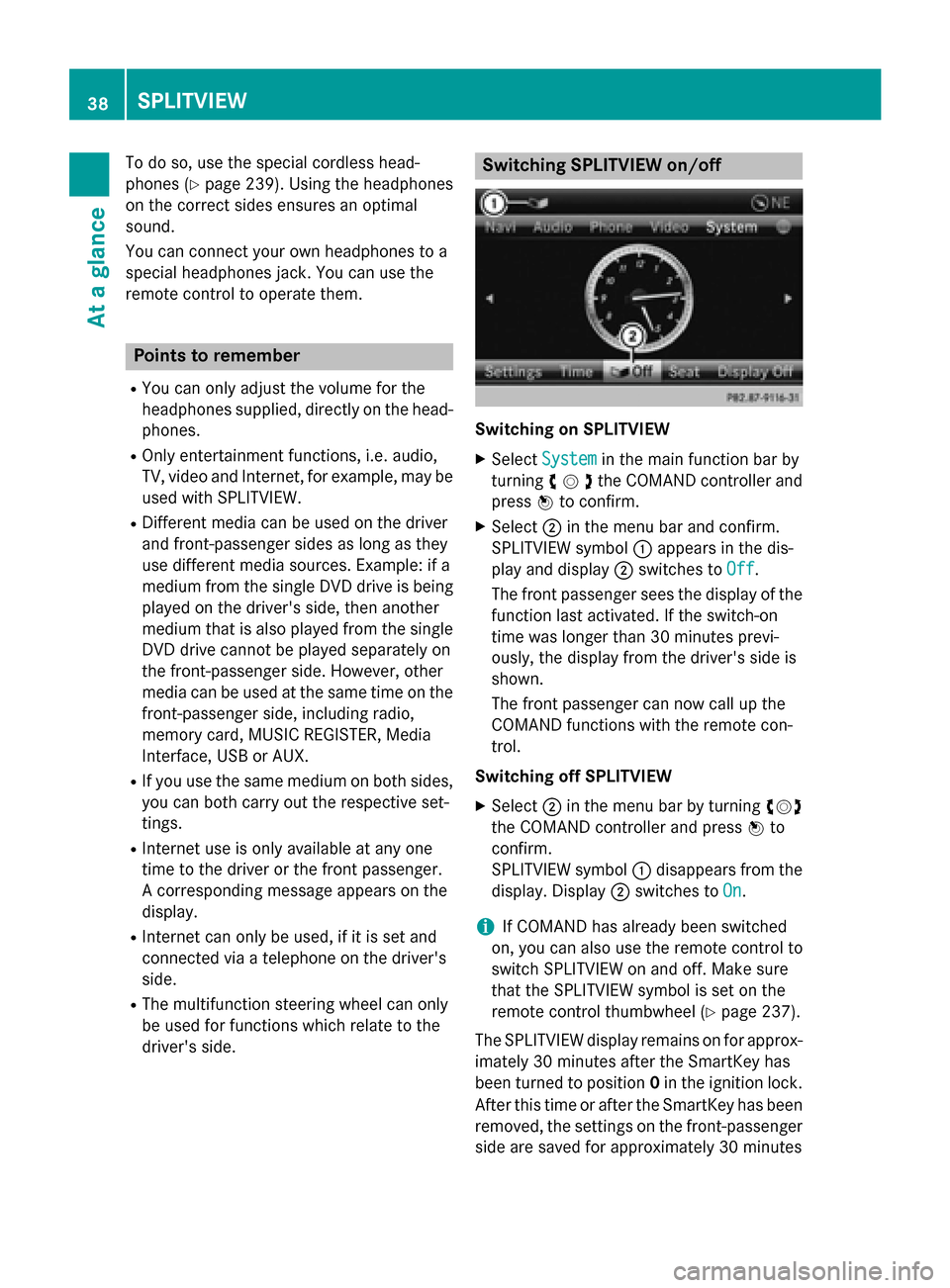
Switching on SPLITVIEW
X Select System System in the main function bar by
turning 00790052007Athe COMAND controller and
press 0098to confirm.
X Select 0044in the menu bar and confirm.
SPLITVIEW symbol 0043appears in the dis-
play and display 0044switches to Off
Off .
The front passenger sees the display of the
function last activated. If the switch-on
time was longer than 30 minutes previ-
ously, the display from the driver's side is
shown.
The front passenger can now call up the
COMAND functions with the remote con-
trol.
Switching off SPLITVIEW X Select 0044in the menu bar by turning 00790052007A
the COMAND controller and press 0098to
confirm.
SPLITVIEW symbol 0043disappears from the
display. Display 0044switches to On
On.
i If COMAND has already been switched
on, you can also use the remote control to
switch SPLITVIEW on and off. Make sure
that the SPLITVIEW symbol is set on the
remote control thumbwheel (Y page 237).
The SPLITVIEW display remains on for approx-
imately 30 minutes after the SmartKey has
been turned to position 0in the ignition lock.
After this time or after the SmartKey has been
removed, the settings on the front-passenger side are saved for approximately 30 minutes 38
SPLITVIEWAt a glance
Page 199 of 270
Connecting a USB device
The USB port is located in the stowage com-
partment in the center console.
Electrical consumption at this connection
must not exceed a continuous current of
500 mA. If the electrical consumption is
higher, use a separate source to provide
power for the USB device (e.g.
12 V power supply).
X Connect the USB device (e.g. USB stick) to
the USB port.
If no MP3 tracks can be found, you will seea message to this effect.
The first 100 MP3 tracks are loaded. The
first MP3 track is then played. Further
tracks are loaded in the background; this is
indicated by an hourglass symbol.
i Due to the wide range of USB devices
available on the market, playback cannot
be guaranteed for all brands of USB device.
Information about suitable USB devices
can be obtained from an authorized
Mercedes-Benz Center.
MP3 players must support Media Transfer
Protocol (MTP). The MTP mode must be
active. Switching to audio CD or MP3 mode
Inserting or connecting a medium X
Insert CDs (Y page 196)
or
X Insert an SD memory card (Y page 196)
or
X Connect a USB device (Y page 197).
COMAND loads the medium inserted and
starts to play it.
Switching on using the button X
Press the 003Abutton one or more times. By pressing the
003Abutton repeatedly, you
can switch modes in the following order:
R
R CD/video DVD/MP3 CD/MP3 DVD in the
single DVD drive (disc mode)
R Memory card mode
R MUSIC REGISTER
R USB storage device
R Media Interface or audio AUX mode
R Bluetooth ®
audio mode
X Select an audio medium from the media list
(Y page 198).
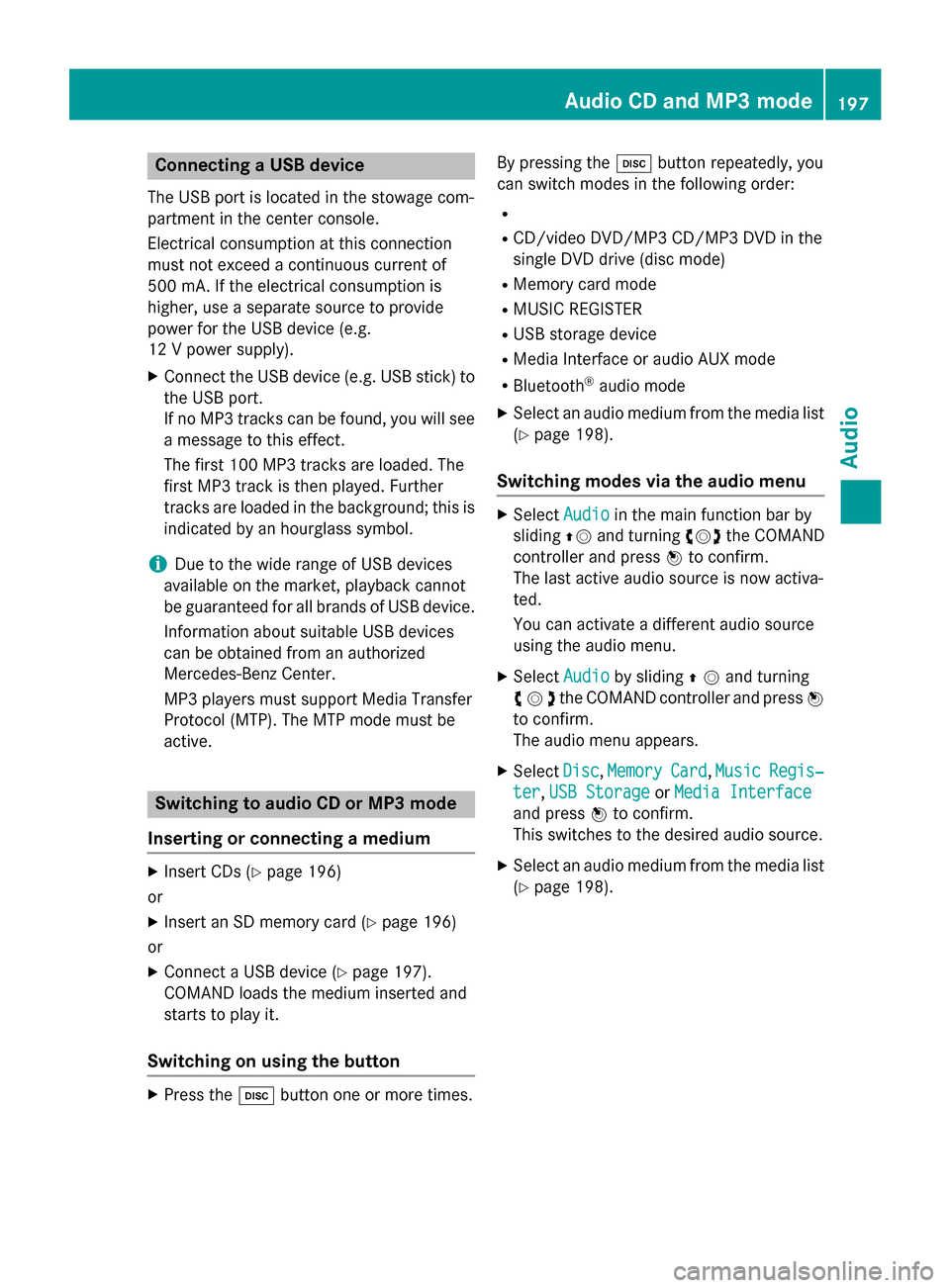
Switching modes via the audio menu X
Select Audio Audioin the main function bar by
sliding 00970052and turning 00790052007Athe COMAND
controller and press 0098to confirm.
The last active audio source is now activa-
ted.
You can activate a different audio source
using the audio menu.
X Select Audio Audioby sliding 00970052and turning
00790052007Athe COMAND controller and press 0098
to confirm.
The audio menu appears.
X Select Disc Disc,Memory
Memory Card
Card,Music
Music Regis‐
Regis‐
ter
ter ,USB Storage
USB Storage orMedia Interface
Media Interface
and press 0098to confirm.
This switches to the desired audio source.
X Select an audio medium from the media list
(Y page 198). Audio CD and MP3 mode
197Audio Z
Page 227 of 270
Your COMAND equipment
................226
General information .........................226
Basic settings .................................... 226
Video DVD mode ............................... 226
Video AUX mode ............................... 231
Picture viewer ................................... 232 225Video
Page 228 of 270
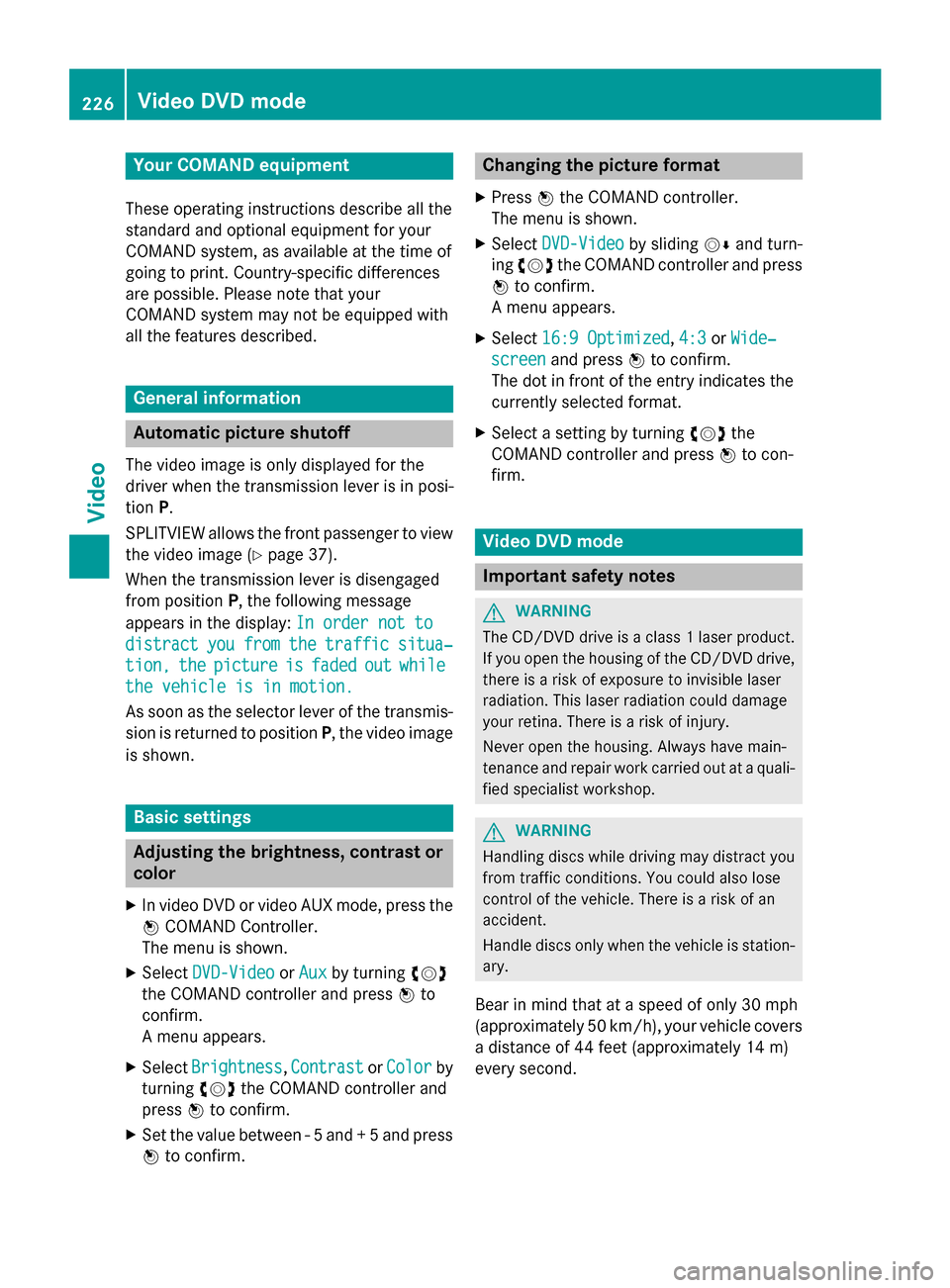
Your COMAND equipment
These operating instructions describe all the
standard and optional equipment for your
COMAND system, as available at the time of
going to print. Country-specific differences
are possible. Please note that your
COMAND system may not be equipped with
all the features described. General information
Automatic picture shutoff
The video image is only displayed for the
driver when the transmission lever is in posi-
tion P.
SPLITVIEW allows the front passenger to view the video image (Y page 37).
When the transmission lever is disengaged
from position P, the following message
appears in the display: In order not to
In order not to
distract distract you
youfrom
from the
thetraffic
traffic situa‐
situa‐
tion,
tion, the
thepicture
picture is
isfaded
faded out
outwhile
while
the vehicle is in motion.
the vehicle is in motion.
As soon as the selector lever of the transmis-
sion is returned to position P, the video image
is shown. Basic settings
Adjusting the brightness, contrast or
color
X In video DVD or video AUX mode, press the
0098 COMAND Controller.
The menu is shown.
X Select DVD-Video DVD-Video orAux
Aux by turning 00790052
the COMAND controller and press 0098to
confirm.
A menu appears.
X Select Brightness
Brightness, Contrast ContrastorColor
Color by
turning 00790052007Athe COMAND controller and
press 0098to confirm.
X Set the value between - 5 and + 5 and press
0098 to confirm. Changing the picture format
X Press 0098the COMAND controller.
The menu is shown.
X Select DVD-Video
DVD-Video by sliding00520064and turn-
ing 00790052 the COMAND controller and press
0098 to confirm.
A menu appears.
X Select 16:9 Optimized 16:9 Optimized, 4:3 4:3orWide‐
Wide‐
screen
screen and press 0098to confirm.
The dot in front of the entry indicates the
currently selected format.
X Select a setting by turning 00790052the
COMAND controller and press 0098to con-
firm. Video DVD mode
Important safety notes
G
WARNING
The CD/DVD drive is a class 1 laser product. If you open the housing of the CD/DVD drive,
there is a risk of exposure to invisible laser
radiation. This laser radiation could damage
your retina. There is a risk of injury.
Never open the housing. Always have main-
tenance and repair work carried out at a quali- fied specialist workshop. G
WARNING
Handling discs while driving may distract you from traffic conditions. You could also lose
control of the vehicle. There is a risk of an
accident.
Handle discs only when the vehicle is station-
ary.
Bear in mind that at a speed of only 30 mph
(approximately 50 km/h), your vehicle covers
a distance of 44 feet (approximately 14 m)
every second. 226
Video DVD
modeVideo