aux video MERCEDES-BENZ E-Class 2014 W212 Comand Manual
[x] Cancel search | Manufacturer: MERCEDES-BENZ, Model Year: 2014, Model line: E-Class, Model: MERCEDES-BENZ E-Class 2014 W212Pages: 270, PDF Size: 5.82 MB
Page 229 of 270
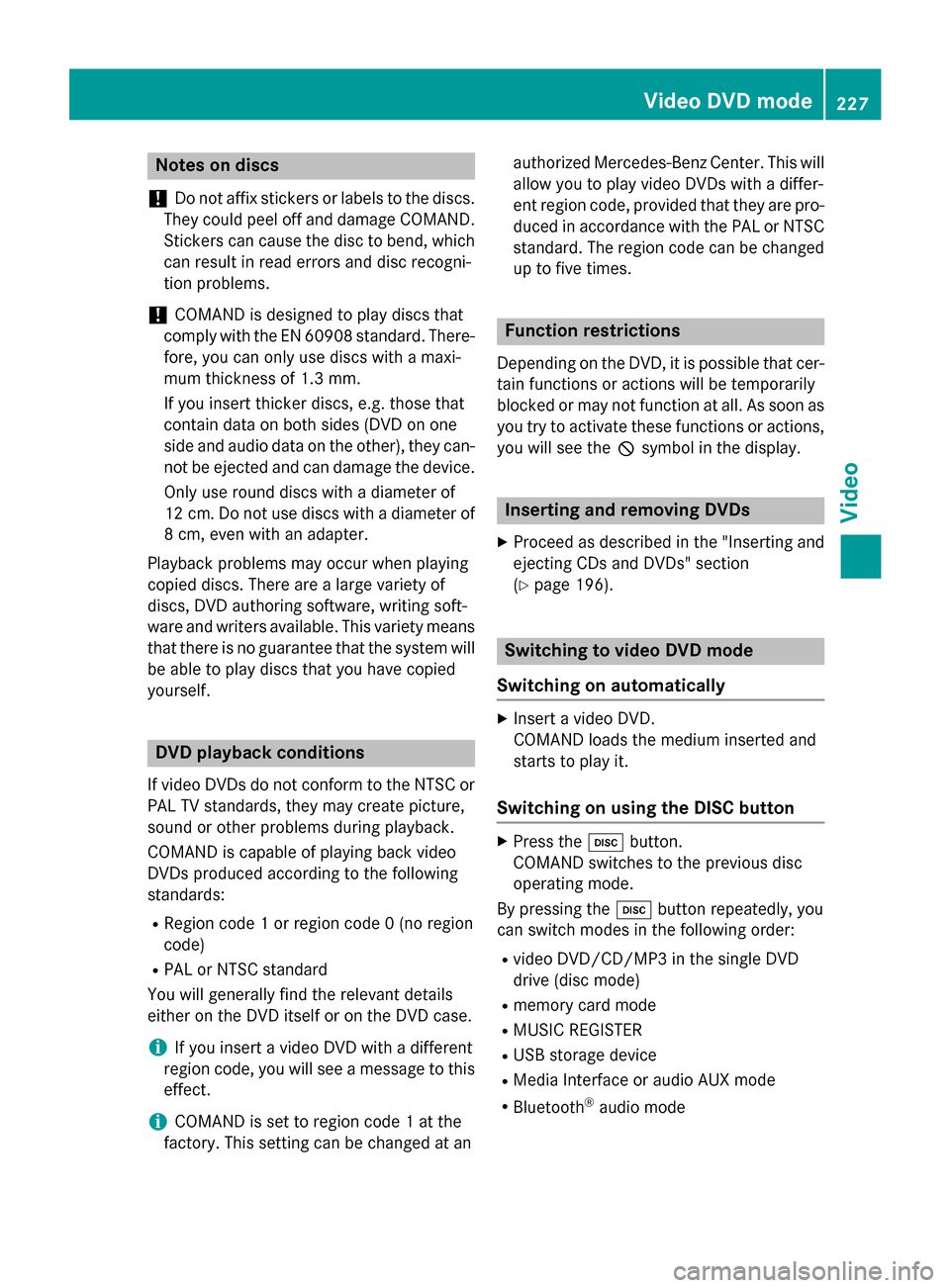
Notes on discs
! Do not affix stickers or labels to the discs.
They could peel off and damage COMAND.
Stickers can cause the disc to bend, which can result in read errors and disc recogni-
tion problems.
! COMAND is designed to play discs that
comply with the EN 60908 standard. There-
fore, you can only use discs with a maxi-
mum thickness of 1.3 mm.
If you insert thicker discs, e.g. those that
contain data on both sides (DVD on one
side and audio data on the other), they can- not be ejected and can damage the device.
Only use round discs with a diameter of
12 cm. Do not use discs with a diameter of 8 cm, even with an adapter.
Playback problems may occur when playing
copied discs. There are a large variety of
discs, DVD authoring software, writing soft-
ware and writers available. This variety means that there is no guarantee that the system will
be able to play discs that you have copied
yourself. DVD playback conditions
If video DVDs do not conform to the NTSC or PAL TV standards, they may create picture,
sound or other problems during playback.
COMAND is capable of playing back video
DVDs produced according to the following
standards:
R Region code 1 or region code 0 (no region
code)
R PAL or NTSC standard
You will generally find the relevant details
either on the DVD itself or on the DVD case.
i If you insert a video DVD with a different
region code, you will see a message to this
effect.
i COMAND is set to region code 1 at the
factory. This setting can be changed at an authorized Mercedes-Benz Center. This will
allow you to play video DVDs with a differ-
ent region code, provided that they are pro- duced in accordance with the PAL or NTSC
standard. The region code can be changed up to five times. Function restrictions
Depending on the DVD, it is possible that cer- tain functions or actions will be temporarily
blocked or may not function at all. As soon as
you try to activate these functions or actions, you will see the 0047symbol in the display. Inserting and removing DVDs
X Proceed as described in the "Inserting and
ejecting CDs and DVDs" section
(Y page 196). Switching to video DVD mode
Switching on automatically X
Insert a video DVD.
COMAND loads the medium inserted and
starts to play it.
Switching on using the DISC button X
Press the 003Abutton.
COMAND switches to the previous disc
operating mode.
By pressing the 003Abutton repeatedly, you
can switch modes in the following order:
R video DVD/CD/MP3 in the single DVD
drive (disc mode)
R memory card mode
R MUSIC REGISTER
R USB storage device
R Media Interface or audio AUX mode
R Bluetooth ®
audio mode Video
DVDmode
227Video Z
Page 233 of 270
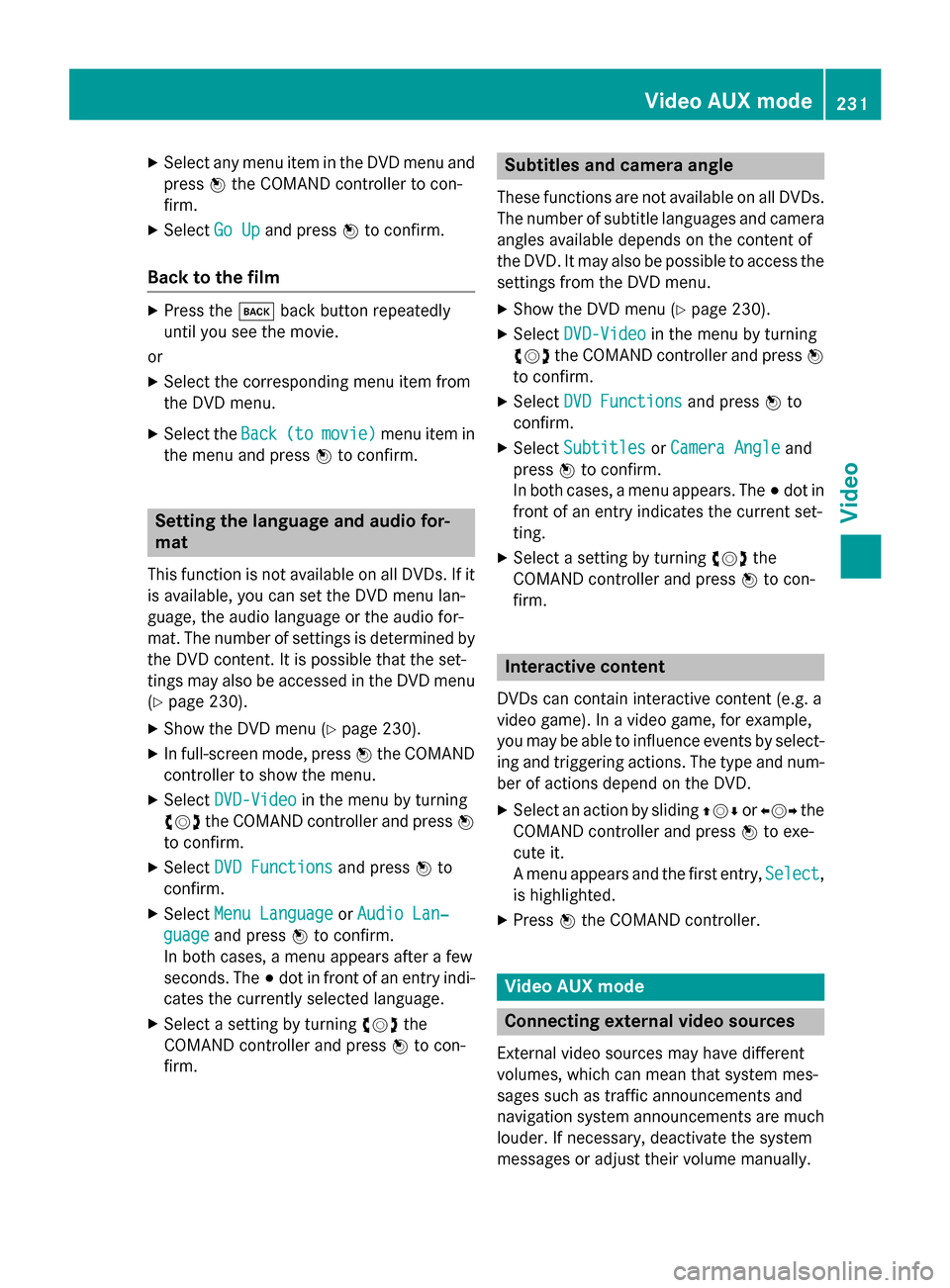
X
Select any menu item in the DVD menu and
press 0098the COMAND controller to con-
firm.
X Select Go Up
Go Up and press 0098to confirm.
Back to the film X
Press the 003Dback button repeatedly
until you see the movie.
or X Select the corresponding menu item from
the DVD menu.
X Select the Back Back(to
(tomovie)
movie) menu item in
the menu and press 0098to confirm. Setting the language and audio for-
mat
This function is not available on all DVDs. If it is available, you can set the DVD menu lan-
guage, the audio language or the audio for-
mat. The number of settings is determined by
the DVD content. It is possible that the set-
tings may also be accessed in the DVD menu (Y page 230).
X Show the DVD menu (Y page 230).
X In full-screen mode, press 0098the COMAND
controller to show the menu.
X Select DVD-Video
DVD-Video in the menu by turning
00790052007A the COMAND controller and press 0098
to confirm.
X Select DVD Functions
DVD Functions and press0098to
confirm.
X Select Menu Language
Menu Language orAudio Lan‐ Audio Lan‐
guage
guage and press 0098to confirm.
In both cases, a menu appears after a few
seconds. The 003Bdot in front of an entry indi-
cates the currently selected language.
X Select a setting by turning 00790052007Athe
COMAND controller and press 0098to con-
firm. Subtitles and camera angle
These functions are not available on all DVDs.
The number of subtitle languages and camera
angles available depends on the content of
the DVD. It may also be possible to access the settings from the DVD menu.
X Show the DVD menu (Y page 230).
X Select DVD-Video DVD-Video in the menu by turning
00790052007A the COMAND controller and press 0098
to confirm.
X Select DVD Functions
DVD Functions and press0098to
confirm.
X Select Subtitles
Subtitles orCamera Angle
Camera Angle and
press 0098to confirm.
In both cases, a menu appears. The 003Bdot in
front of an entry indicates the current set-
ting.
X Select a setting by turning 00790052007Athe
COMAND controller and press 0098to con-
firm. Interactive content
DVDs can contain interactive content (e.g. a
video game). In a video game, for example,
you may be able to influence events by select- ing and triggering actions. The type and num-
ber of actions depend on the DVD.
X Select an action by sliding 009700520064or009500520096 the
COMAND controller and press 0098to exe-
cute it.
A menu appears and the first entry, Select Select,
is highlighted.
X Press 0098the COMAND controller. Video AUX mode
Connecting external video sources
External video sources may have different
volumes, which can mean that system mes-
sages such as traffic announcements and
navigation system announcements are much louder. If necessary, deactivate the system
messages or adjust their volume manually. Video AUX mode
231Video Z
Page 234 of 270
If your vehicle is equipped with Media Inter-
face, you can connect an external video
source (AUX video) (Y page 217).
The 1/8 inch audio/video jacks are in the
center console stowage compartment.
i In vehicles with a rear view camera, the
AUX video jack cannot be used for external video sources. Switching to AUX video mode
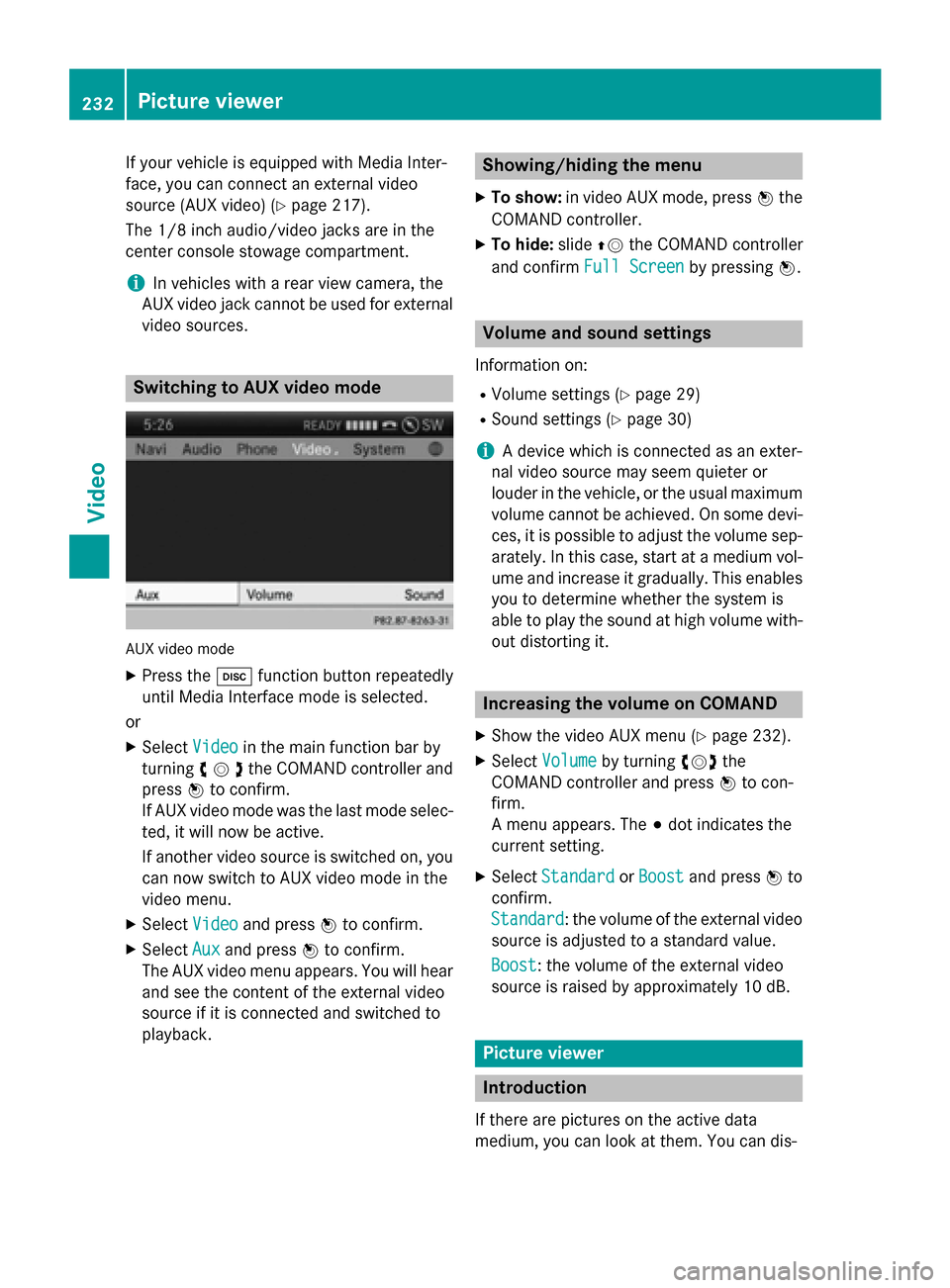
AUX video mode
X Press the 003Afunction button repeatedly
until Media Interface mode is selected.
or X Select Video
Videoin the main function bar by
turning 00790052007Athe COMAND controller and
press 0098to confirm.
If AUX video mode was the last mode selec-
ted, it will now be active.
If another video source is switched on, you can now switch to AUX video mode in the
video menu.
X Select Video
Video and press 0098to confirm.
X Select Aux
Aux and press 0098to confirm.
The AUX video menu appears. You will hear
and see the content of the external video
source if it is connected and switched to
playback. Showing/hiding the menu
X To show: in video AUX mode, press 0098the
COMAND controller.
X To hide: slide00970052the COMAND controller
and confirm Full Screen Full Screen by pressing0098. Volume and sound settings
Information on:
R Volume settings (Y page 29)
R Sound settings (Y page 30)
i A device which is connected as an exter-
nal video source may seem quieter or
louder in the vehicle, or the usual maximum
volume cannot be achieved. On some devi-
ces, it is possible to adjust the volume sep-
arately. In this case, start at a medium vol- ume and increase it gradually. This enables
you to determine whether the system is
able to play the sound at high volume with-
out distorting it. Increasing the volume on COMAND
X Show the video AUX menu (Y page 232).
X Select Volume
Volume by turning 00790052007Athe
COMAND controller and press 0098to con-
firm.
A menu appears. The 003Bdot indicates the
current setting.
X Select Standard Standard orBoost
Boost and press 0098to
confirm.
Standard Standard: the volume of the external video
source is adjusted to a standard value.
Boost Boost: the volume of the external video
source is raised by approximately 10 dB. Picture viewer
Introduction
If there are pictures on the active data
medium, you can look at them. You can dis- 232
Picture viewerVideo
Page 237 of 270
Your COMAND equipment
................236
Overview ............................................ 236
Basic functions ................................. 241
System settings ................................ 243
CD/audio DVD and MP3 mode ........244
Video DVD mode ............................... 247
Operation with an active COMAND source ................................................ 252
AUX mode .......................................... 254 235Rea
r Seat Entertainment System
Page 238 of 270
Your COMAND equipment
These operating instructions describe all the
standard and optional equipment for your
COMAND system, as available at the time of
going to print. Country-specific differences
are possible. Please note that your
COMAND system may not be equipped with
all the features described. Overview
Important safety notes
G
WARNING
The CD/DVD drive is a class 1 laser product. If you open the housing of the CD/DVD drive,
there is a risk of exposure to invisible laser
radiation. This laser radiation could damage
your retina. There is a risk of injury.
Never open the housing. Always have main-
tenance and repair work carried out at a quali- fied specialist workshop. G
WARNING
If objects such as headphones/headsets or
external audio/video sources are not secured in the passenger compartment, they can be
flung around and hit vehicle occupants. There
is a risk of injury, for example in the event of
sudden braking or a sudden change in direc-
tion.
Always stow these items or similar objects
carefully so that they cannot be flung around, for example in a lockable vehicle stowage
compartment. equipment
Observe that a range of Rear Seat Entertain-
ment Systems are available for Mercedes-
Benz vehicles. In this Operator's Manual, the
Rear Seat Entertainment System Code 864 is
used for illustration purposes. If you have a
different Rear Seat Entertainment System in your vehicle, please refer to the separate prin-
ted operating instructions . Components
The Rear Seat Entertainment System
includes:
R two screens for the rear behind the front-
seat head restraints
R two remote controls
R a CD/DVD drive
R AUX jacks on both screens (AUX display)
and on the CD/DVD drive (AUX drive)
R two sets of cordless headphones 236
OverviewRea
r Seat Entertainment System
Page 240 of 270
X
Point the remote control at the rear-com-
partment screen which has been selected
for remote operation.
X Press button 0043on the remote control
(Y page 237).
The respective rear-compartment screen
switches on or off.
i You can only switch the screens on using
the remote control if the ignition is
switched on.
Switching the button lighting on/off X
Press button 0044on the remote control
(Y page 237).
Depending on the previous status, the but-
ton lighting is switched on or off.
i If you do not use the remote control for
about 15 seconds, the button lighting
switches off automatically.
Switching the sound on or off X
Press button 0084on the remote control
(Y page 237).
The sound is switched on/off.
Selecting a menu/menu item and con-
firming your selection X
Select a menu/menu item using the
0059006500630064 buttons on the
remote control and press the 008Bbutton to
confirm. CD/DVD drive and AUX jacks
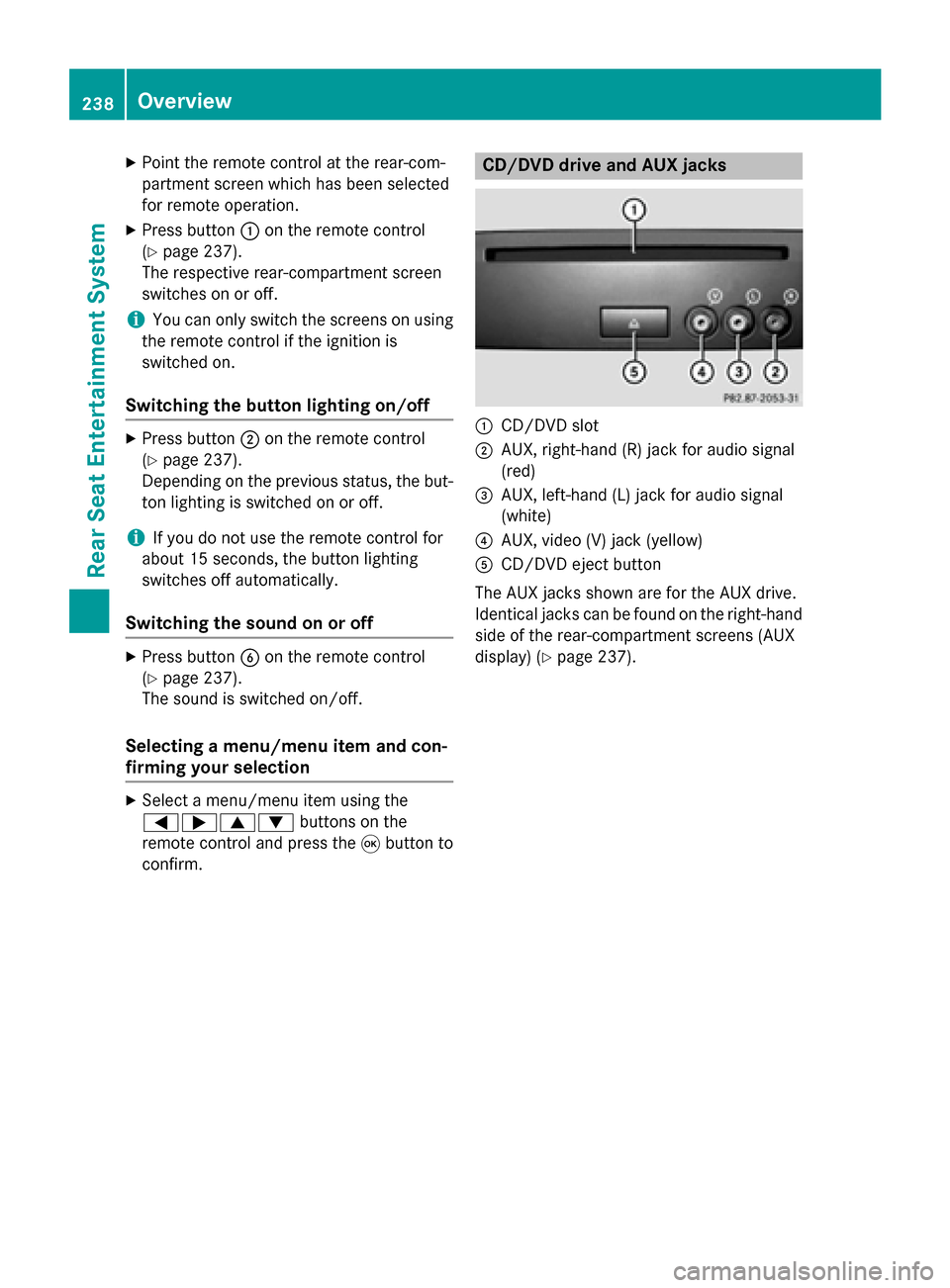
0043
CD/DVD slot
0044 AUX, right-hand (R) jack for audio signal
(red)
0087 AUX, left-hand (L) jack for audio signal
(white)
0085 AUX, video (V) jack (yellow)
0083 CD/DVD eject button
The AUX jacks shown are for the AUX drive.
Identical jacks can be found on the right-hand side of the rear-compartment screens (AUX
display) (Y page 237).238
OverviewRear Seat Entertainment System
Page 244 of 270
i
The headphones' volume setting does not
affect the main loudspeakers. Selecting sound settings
You can select the sound settings in the CD/
MP3, video DVD and AUX modes.
X Switch on an operating mode (e.g. audio
CD mode) (Y page 244).
X Select Treble
Treble orBass
Bass using
the 006400590065 buttons on the remote
control and press the 008Bbutton to confirm.
An adjustment scale appears.
X Select a setting using the 00630064but-
tons and press the 008Bbutton to confirm. Multiple users
Simultaneous use of the rear-compart-
ment disc drive The two rear-compartment screens can be
operated almost entirely independently from
one another. However, there can be a conflict
in some menus if the two screens are used
simultaneously.
If the rear-compartment disc drive is being
used for both screens simultaneously, select- ing certain menus or settings on one of the
screens also affects the other screen.
The following functions affect both screens:
R changing playback options
R selecting a track (from a track list or folder)
R using the play, pause and stop functions
R fast forwarding/rewinding or scrolling
R calling up the DVD menu and navigating
within it
R setting the language, subtitles and camera
angle
R calling up interactive DVD content The following functions affect only one
screen:
R audio and video functions as well as picture
settings
R switching between full screen and the
menu
Switching between operating modes When you exit an operating mode (e.g. audio
CD mode), the current setting is saved. If youcall up this operating mode again later, there
are two possibilities:
R the operating mode has been changed on
the other screen.
R the operating mode has not been changed.
In the first case, the operating mode appears as it is on the other screen.
In the second case, the setting appears on the
screen as it was when you last exited the
operating mode. Picture settings
Overview You can select picture settings in video DVD
and AUX mode (Y
page 254).
Adjusting the brightness, contrast and
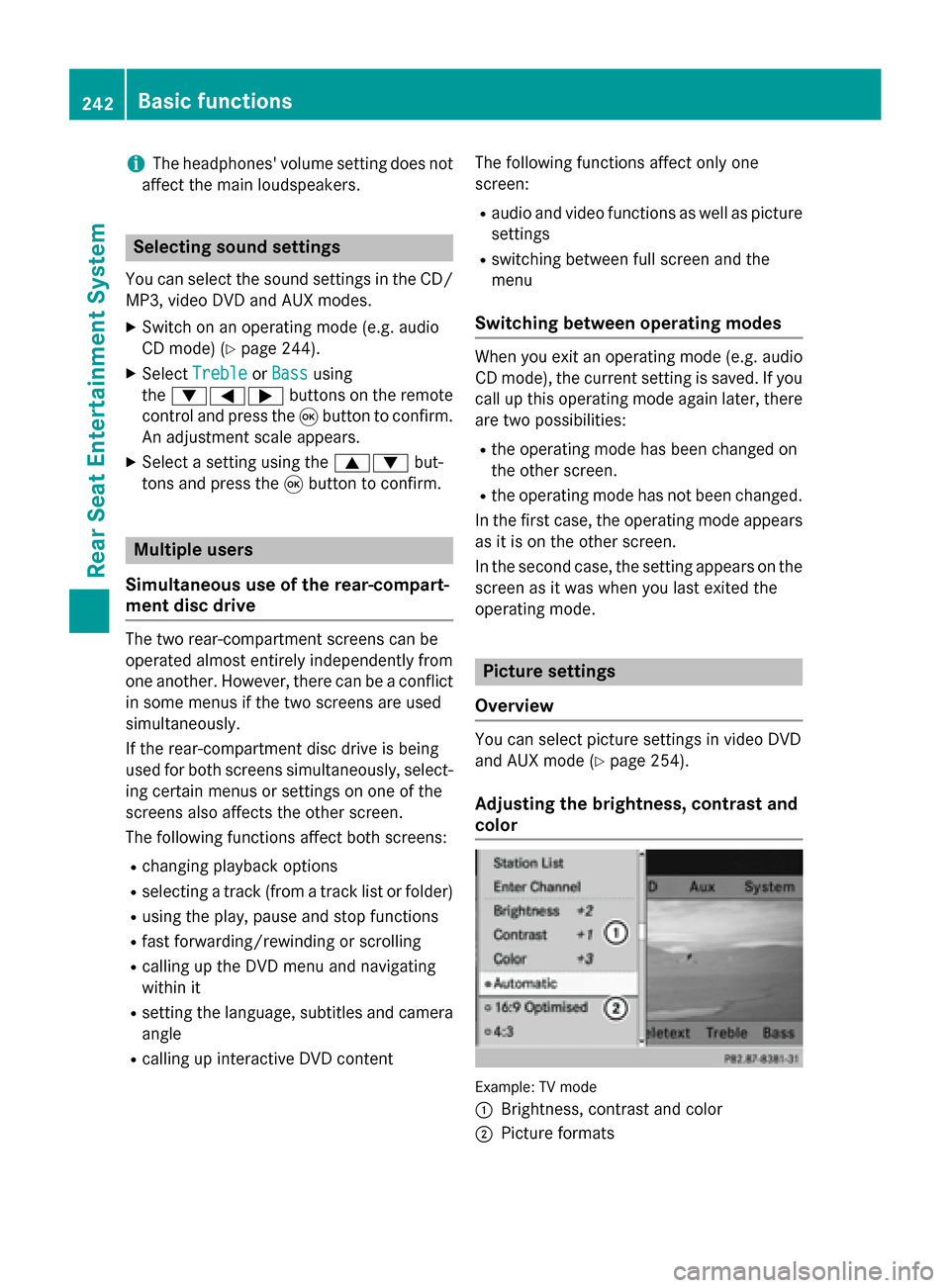
color Example: TV mode
0043
Brightness, contrast and color
0044 Picture formats 242
Basic functionsRear Seat Entertainment System
Page 256 of 270
X
To select a folder: press the0064button
on the remote control.
X Highlight one of the two folder symbols
with the 0059or0065 button and press 008B
to confirm.
Depending on your selection, the previous
or next folder is selected and the first track
is played.
Additional setting option:
R Adjusting the sound settings (Y page 242)
Video DVD mode X
To hide a menu: confirmMenu Menuwith the 008B
button.
The video image is played in full screen
mode.
Additional setting options: R Adjusting the brightness, contrast and
color (Y page 242)
R Changing the picture format (Y page 243)
R Adjusting the sound settings (Y page 242)AUX mode
Introduction
You can connect one external video source to each of the displays of the Rear Seat Enter-
tainment System (AUX display) and also one
external video source to the rear-compart-
ment CD/DVD drive (AUX drive) with a sound
and video signal.
Please see the corresponding operating
instructions for information on how to oper-
ate the external video source.
For further details about external video sour- ces, please consult an authorized Mercedes-
Benz Center. Connecting AUX equipment
AUX drive The AUX drive jacks are located on the
CD/DVD drive next to the CD/DVD eject but-
ton (Y page 238).
Displaying AUX The AUX display jacks are on the side of the
screen (Y
page 237).
Audio and video connection X
Insert the audio plugs for the left and right
signals into the corresponding Land R
jacks.
X Insert the video plug into the Vjack. Activating AUX mode
AUX drive X
Select Aux Auxin the menu using the
006300590065 buttons on the remote
control and press the 008Bbutton to confirm.
The AUX menu appears.
X Select Source Source from the AUX menu and
press the 008Bbutton to confirm.
X Select Disc Drive Aux
Disc Drive Aux and press the008B
button to confirm.
You will hear and see the content of the
external video source if it is connected to
the CD/DVD drive and switched to play-
back. If no video image is available from the AUX source connected, you will see an
audio menu.
Displaying AUX X
Select the screen by turning the scroll
wheel on the remote control (Y page 237)254
AUX modeRear Seat Entertainment System
Page 257 of 270
until "L
REAR " (left screen) or "REAR R"
(right screen) is highlighted in the window.
X Select Aux
Aux in the menu using the
006300590065 buttons on the remote
control and press the 008Bbutton to confirm.
X Select Source
Source from the AUX menu and
press the 008Bbutton to confirm.
X Select Display Aux
Display Aux and press the008Bbut-
ton to confirm.
You will see and hear the content of the
video source if it is switched to playback. If no video image is available from the AUX
source connected, you will see an audio
menu. Adjusting treble and bass
X Select Treble Treble orBass
Bass in the AUX menu
and press the 008Bbutton on the remote
control to confirm.
An adjustment scale appears.
X Select a setting using the 0063or0064
button and press the 008Bbutton to confirm. Adjusting the brightness, contrast or
color
X Select Display Display Aux
AuxorDisc
Disc Drive
Drive Aux
Aux in
the AUX menu and press the 008Bbutton to
confirm.
X Select Brightness
Brightness, Contrast
ContrastorColor
Color
and press the 008Bbutton to confirm.
An adjustment scale appears.
X Select a setting using the 0063or0064
button and press the 008Bbutton to confirm. Changing the picture format
X Select Display
Display Aux
AuxorDisc
Disc Drive
Drive Aux
Auxin
the AUX menu and press the 008Bbutton to
confirm.
X Select 16:9 Optimized
16:9 Optimized ,4:3
4:3 orWide‐
Wide‐
screen
screen using the 00630064 buttons and
press the 008Bbutton to confirm.
The dot in front of a menu item indicates
the current setting. AUX mode
255Rear Seat Entertainment System Z