phone MERCEDES-BENZ E-Class 2014 W212 Comand Manual
[x] Cancel search | Manufacturer: MERCEDES-BENZ, Model Year: 2014, Model line: E-Class, Model: MERCEDES-BENZ E-Class 2014 W212Pages: 270, PDF Size: 5.76 MB
Page 153 of 270
X
Press 0098the COMAND controller to con-
firm.
X Select Call
Call and press 0098to confirm.
The phone makes the call. The display
switches to telephone mode. Storing the phone number as a speed
dial number
X Display details for an address book entry
(Y page 149).
X Select the phone number data field by turn-
ing 00790052007A the COMAND controller.
X Select the list symbol to the right of the
data field by sliding 00520096the COMAND con-
troller and press 0098to confirm.
X Select Speed Dial
Speed Dial and press0098to con-
firm.
You can now store the number in one of the
ten speed dial presets (Y page 143).Starting route guidance to an entry
Address book entry with navigable data This function is available as soon as you have
stored a destination in the destination mem-
ory (Y page 105).
X Search for an address book entry with the
0048 symbol and select it from the list
(Y page 148).
X Display details for an address book entry
(Y page 149).
X Select the address data field by turning
00790052007A the COMAND controller and press
0098 to confirm.
Route guidance begins.
or
X Select the list symbol to the right of the
entry by sliding 00520096the COMAND control-
ler and press 0098to confirm.
X Select Navigate
Navigate and press0098to confirm.
Route guidance begins. Address book entry without navigable
data Route guidance can also be started for an
address book entry without the
0048symbol. If
the address data or designations do not
match the digital map, COMAND prompts you
to re-enter the address.
X Enter the destination address (Y page 63)
X Start route guidance.
The navigable address is automatically
added to the address book entry.
i This will provide you with an address book
entry that is suitable for navigation. The
next time the navigation is started, the
address data in the navigation, rather than
the postal address, is used if you have
changed address in the address entry
menu. Therefore, make sure that the des-
tination address is the desired destination
when starting navigation from the address
book. Voice tags
Introduction You can enter voice tags via the Voice Control
System (see the separate operating instruc-
tions). Once you have assigned a voice tag to
an address book entry, you can call up this
entry with a voice command and dial a phone
number, for example. You can add one voice
tag per address book entry.
Adding or changing a voice tag
X
Search for an address book entry with or
without a voice tag (¦) (Y page 148).
X Select the list symbol to the right of the
entry by sliding 00520096the COMAND control-
ler and press 0098to confirm. Using the address book
151Telephone Z
Page 154 of 270
X
Select Voice Name
Voice Name and press0098to con-
firm.
X Select Add
Add orChange
Change and press 0098to con-
firm.
Subsequent operation is voice-controlled.
The Voice Control System guides you
through the dialogs.
Deleting a voice tag X
Search for an address book entry with a
voice tag (Y page 148).
X Select the list symbol to the right of the
entry by sliding 00520096the COMAND control-
ler and press 0098to confirm.
X Select Voice Name
Voice Name and press0098to con-
firm.
X Select Delete
Delete and press 0098to confirm.
A deletion prompt appears.
X Select Yes
Yes orNo No and press the 008Bbutton
to confirm.
If you select Yes
Yes , COMAND deletes the
voice tag.
If you select No
No, the process will be can-
celed.
Listening to a voice tag X
Search for an address book entry with a
voice tag (Y page 148).
X Select the list symbol to the right of the
entry by sliding 00520096the COMAND control-
ler and press 0098to confirm.
X Select Voice Name
Voice Name and press0098to con-
firm.
X Select Listen
Listen and press 0098to confirm.
You hear the voice tag. Importing phone book entries
This function allows you to store phone book
entries from the mobile phone in the address
book. The following can be used as a source:
R
the mobile phone
R the memory card
R the USB device
R the Bluetooth ®
Interface
Imported phone book entries are indicated in
the phone book by different symbols
(Y page 137).
X Search for an entry in the phone book on
the mobile phone 0034(Ypage 138).
X Select the list symbol to the right of the
entry by sliding 00520096the COMAND control-
ler and press 0098to confirm.
X Select Save Entry Save Entry and press0098to con-
firm.
The Data Saved Data Saved message appears. The
phone book entry is now saved as an
address book entry.
The 0034symbol is replaced by the ¥sym-
bol. Importing contacts
Information and requirements You can import contacts (vCards) from the
memory card and a USB device into the
address book, or receive vCards via Blue-
tooth ®
.
i Up to 2500 entries can be imported into
the address book. A message notifies you
when the maximum number is reached.
You then have to delete existing entries in
order to import new entries ( Ypage 149).
Depending on the source of the contact data,
different requirements apply: 152
Using the address bookTelephone
Page 155 of 270
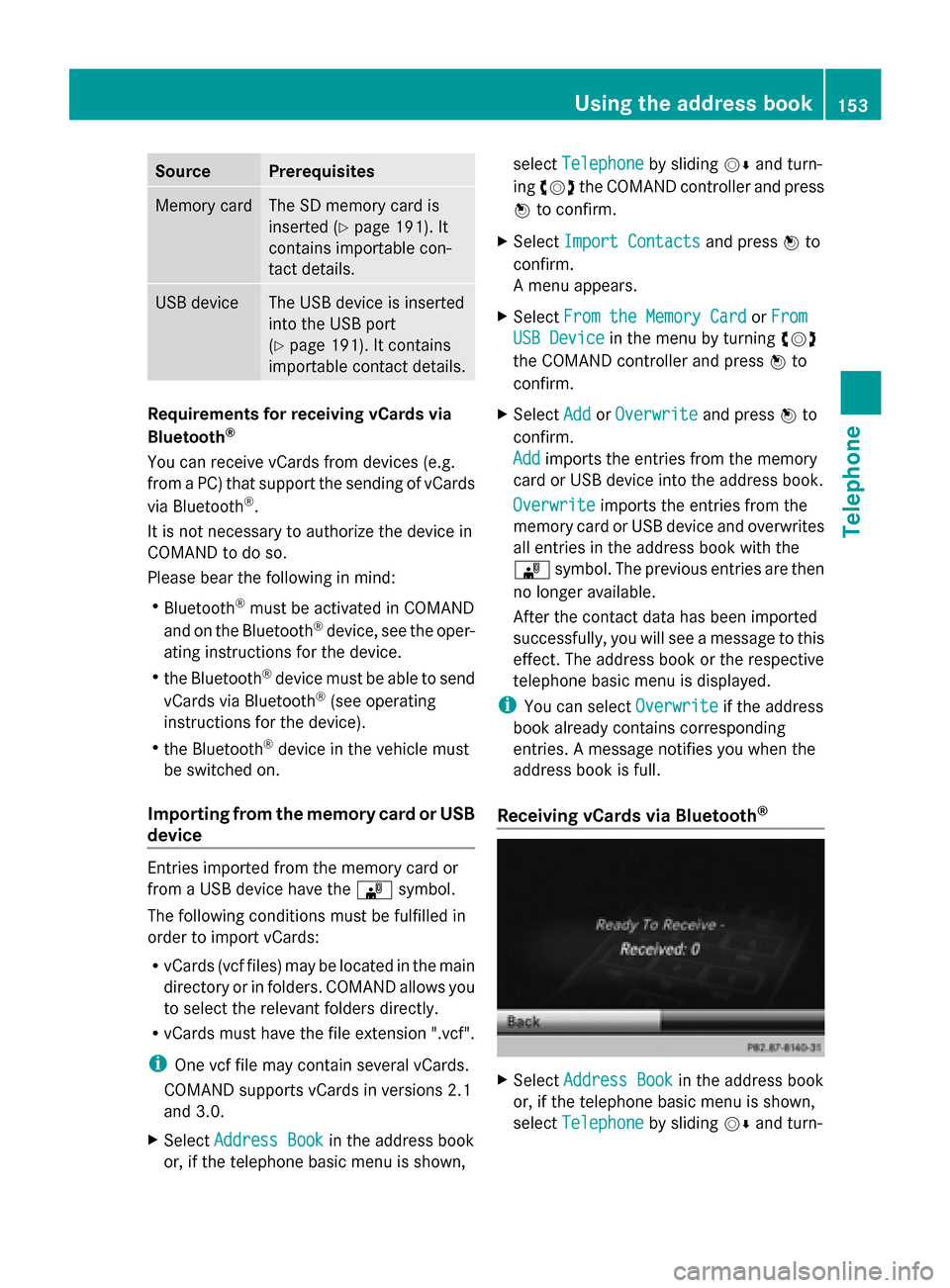
Source Prerequisites
Memory card The SD memory card is
inserted (Y page 191). It
contains importable con-
tact details. USB device The USB device is inserted
into the USB port
(Y
page 191). It contains
importable contact details. Requirements for receiving vCards via
Bluetooth
®
You can receive vCards from devices (e.g.
from a PC) that support the sending of vCards
via Bluetooth ®
.
It is not necessary to authorize the device in
COMAND to do so.
Please bear the following in mind:
R Bluetooth ®
must be activated in COMAND
and on the Bluetooth ®
device, see the oper-
ating instructions for the device.
R the Bluetooth ®
device must be able to send
vCards via Bluetooth ®
(see operating
instructions for the device).
R the Bluetooth ®
device in the vehicle must
be switched on.
Importing from the memory card or USB
device Entries imported from the memory card or
from a USB device have the
00BBsymbol.
The following conditions must be fulfilled in
order to import vCards:
R vCards (vcf files) may be located in the main
directory or in folders. COMAND allows you
to select the relevant folders directly.
R vCards must have the file extension ".vcf".
i One vcf file may contain several vCards.
COMAND supports vCards in versions 2.1
and 3.0.
X Select Address Book Address Book in the address book
or, if the telephone basic menu is shown, select
Telephone
Telephone by sliding00520064and turn-
ing 00790052007A the COMAND controller and press
0098 to confirm.
X Select Import Contacts
Import Contacts and press0098to
confirm.
A menu appears.
X Select From the Memory Card From the Memory Card orFrom From
USB Device
USB Device in the menu by turning 00790052007A
the COMAND controller and press 0098to
confirm.
X Select Add
Add orOverwrite
Overwrite and press0098to
confirm.
Add Add imports the entries from the memory
card or USB device into the address book.
Overwrite Overwrite imports the entries from the
memory card or USB device and overwrites
all entries in the address book with the
00BB symbol. The previous entries are then
no longer available.
After the contact data has been imported
successfully, you will see a message to this
effect. The address book or the respective
telephone basic menu is displayed.
i You can select Overwrite Overwriteif the address
book already contains corresponding
entries. A message notifies you when the
address book is full.
Receiving vCards via Bluetooth ® X
Select Address Book Address Book in the address book
or, if the telephone basic menu is shown,
select Telephone Telephone by sliding00520064and turn- Using the address book
153Telephone Z
Page 156 of 270
ing
00790052007A the COMAND controller and press
0098 to confirm.
A menu appears.
X Select Import Contacts
Import Contacts and press0098to
confirm.
X Select Receive
Receive Contacts
Contacts From
FromPhone
Phone in
the menu by turning 00790052007Athe COMAND
controller and press 0098to confirm.
This interrupts the Bluetooth ®
connection
between COMAND and your active mobile
phone. COMAND is, however, ready to
receive vCards from another Bluetooth ®
device (PC, mobile phone).
X Start the data transfer on the external Blue-
tooth ®
device (see the operating instruc-
tions for the device).
The number of vCards received is dis-
played.
X To end reception: press0098or the 0038
back button.
COMAND then reconnects to the mobile
phone.
Received vCards are identified by the 00BA
symbol in the address book.
i If you switch to another main function,
e.g. navigation, while receiving vCards, the
reception of vCards will be terminated.
Deleting contacts X
Select Address Book Address Book in the address book
or, if the telephone basic menu is shown,
select Telephone
Telephone by sliding00520064and turn-
ing 00790052007A the COMAND controller and press
0098 to confirm.
A menu appears.
X Select Delete Contacts
Delete Contacts and press0098to
confirm.
X Select one of the following options:
R Internal Contacts
Internal Contacts
R Contacts From Storage Devices
Contacts From Storage Devices R
Received Business Cards
Received Business Cards
R Delete All
Delete All
A prompt corresponding to your selection
appears.
X Select Yes YesorNo
No and press 0098to confirm.
If you select Yes
Yes, the contacts are deleted
according to your selection.
If you select No No, the process will be can-
celed.
Switching importing of contacts on/off You can choose whether contacts are auto-
matically downloaded when a mobile phone
is connected to COMAND, or whether the
automatic download is suppressed.
Connecting a mobile phone (Y
page 126)
X Select Tel
Tel in the telephone basic menu by
sliding 00520064and turning 00790052007Athe COMAND
controller and press 0098to confirm.
A menu appears.
X Select Import Contacts from
phone> and press 0098to confirm.
You can allow 0073or suppress 0053the auto-
matic download. 154
Using the address bookTelephone
Page 157 of 270
Proceed as follows if you do not want to save
sensitive contacts in the address book:
X Connect the mobile phone to COMAND.
Contacts are automatically downloaded to
the address book.
X Delete sensitive contacts in the address
book.
X Switch off the Import Contacts from
Import Contacts from
The next time you connect your mobile
phone to COMAND, no more contacts will
be downloaded, not even newly-added con-
tacts.
Switching the display of contact details
(privacy) on/off Using the
Hide Data Hide Data setting, you can decide
whether the phone and address book data are
to be visible on the screen. You can therefore,
for example, prevent a passenger from seeing
the name of a caller.
Activating the function has the following
effects:
R The mobile phone's phone book and
address book data are hidden. They can
therefore not be used to make calls, send
text messages or to navigate.
You still have access to the phone book and
address book stored on COMAND.
R During incoming calls, the caller's name is
not displayed if there is an address book
entry for the number that is calling.
R During outgoing calls where the number is
entered manually, the recipient's name is
not displayed, even if there is an address
book entry for the entered number.
R The call list is hidden.
R Redialing is not possible.
R The received text messages list is hidden.
There is still a notification for incoming text
messages. For this to be the case, the con-
nected mobile phone must support the
MAP profile. However, it is not possible
that, for example, the passenger could see the phone number or have access to the
message.
Connecting a mobile phone (Y
page 126)
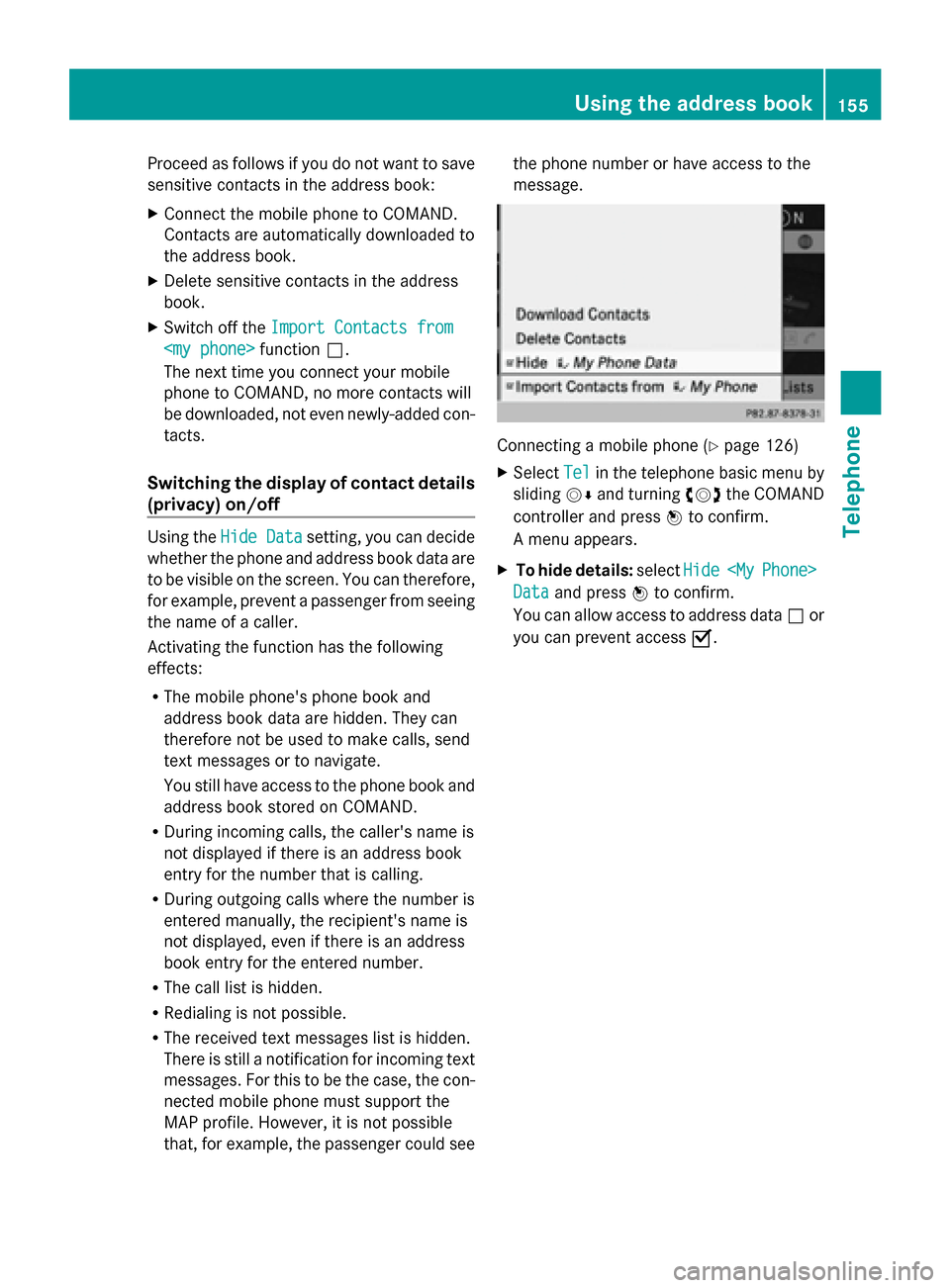
X Select Tel Telin the telephone basic menu by
sliding 00520064and turning 00790052007Athe COMAND
controller and press 0098to confirm.
A menu appears.
X To hide details: selectHide
Hide
Phone>
Data
Data and press 0098to confirm.
You can allow access to address data 0053or
you can prevent access 0073. Using the address book
155Telephone Z
Page 163 of 270
manently in the destination memory
(Y
page 105).
X To call up a destination: selectCall Callwith
the COMAND controller and press 0098to
confirm.
You then switch to the telephone function
and make the call (Y page 132).
You then switch to the telephone function
and make the call.
i If there is no phone number available, the
menu item cannot be selected.
X To import a destination: selectImport
Import
with the COMAND controller and press 0098
to confirm.
You can choose whether you want to save
the POI as a personal POI on the SD mem-
ory card or in the address book.
i If there is no SD memory card in the slot,
the Save As Personal POI Save As Personal POI menu item
cannot be selected.
X Insert the SD memory card (Y page 191).
X To save as a personal POI: confirmSave
Save
As Personal POI
As Personal POI by pressing0098the
COMAND controller.
The entry is saved as a personal POI on the
SD memory card.
i You can use a personal POI in navigation
mode for route calculation (Y page 85).
If the personal POI is saved on the SD mem-
ory, you can also use it for route calculation
in another vehicle.
X To save to the address book: select
Save to Address Book Save to Address Book by turning00790052007A
the COMAND controller and press 0098to
confirm.
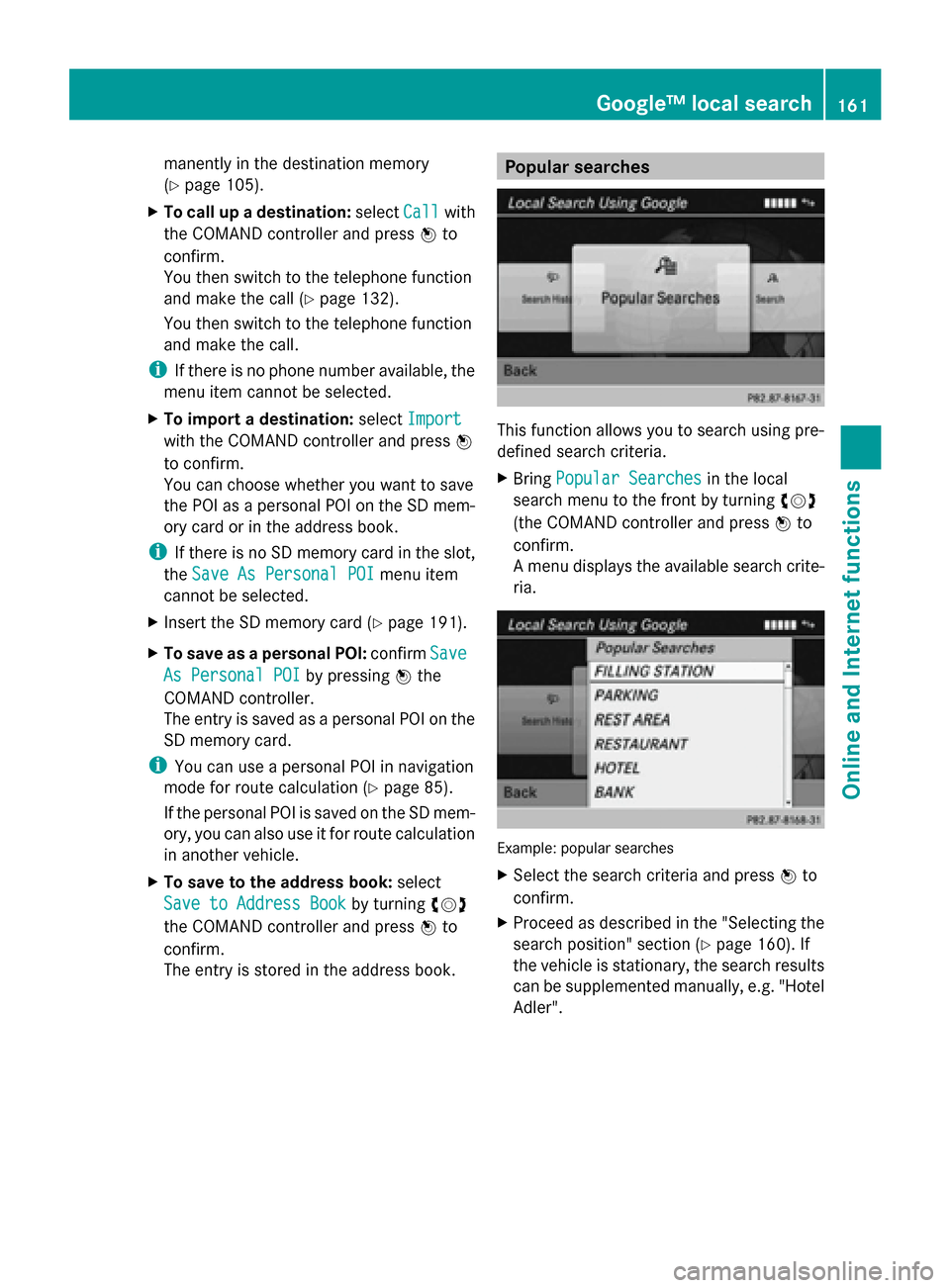
The entry is stored in the address book. Popular searches
This function allows you to search using pre-
defined search criteria.
X
Bring Popular Searches Popular Searches in the local
search menu to the front by turning 00790052007A
(the COMAND controller and press 0098to
confirm.
A menu displays the available search crite-
ria. Example: popular searches
X
Select the search criteria and press 0098to
confirm.
X Proceed as described in the "Selecting the
search position" section (Y page 160). If
the vehicle is stationary, the search results
can be supplemented manually, e.g. "Hotel
Adler". Google™ local search
161Online and Internet functions
Page 165 of 270
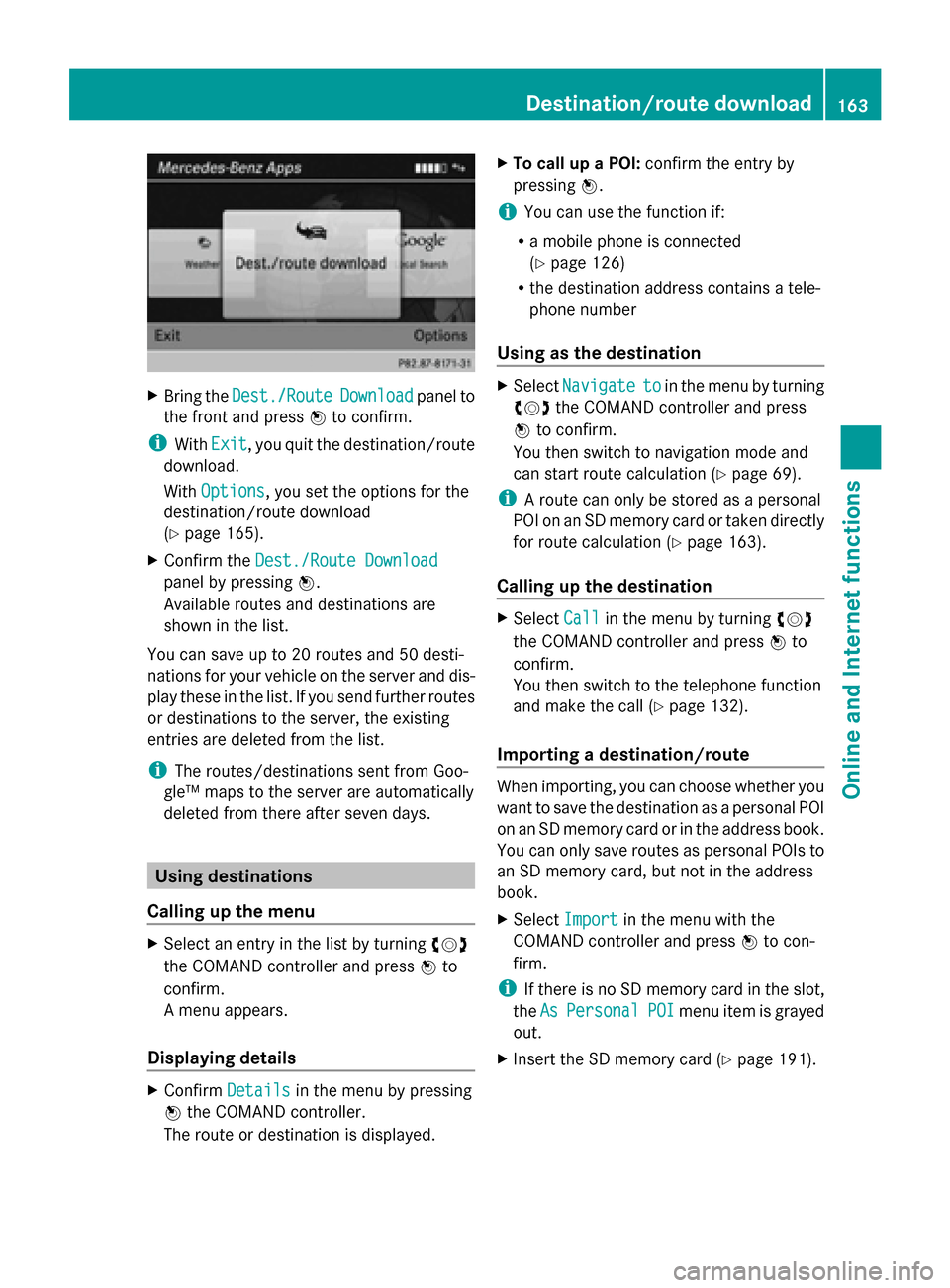
X
Bring the Dest./Route
Dest./Route Download
Downloadpanel to
the front and press 0098to confirm.
i With Exit
Exit , you quit the destination/route
download.
With Options
Options, you set the options for the
destination/route download
(Y page 165).
X Confirm the Dest./Route Download
Dest./Route Download
panel by pressing 0098.
Available routes and destinations are
shown in the list.
You can save up to 20 routes and 50 desti-
nations for your vehicle on the server and dis-
play these in the list. If you send further routes
or destinations to the server, the existing
entries are deleted from the list.
i The routes/destinations sent from Goo-
gle™ maps to the server are automatically
deleted from there after seven days. Using destinations
Calling up the menu X
Select an entry in the list by turning 00790052007A
the COMAND controller and press 0098to
confirm.
A menu appears.
Displaying details X
Confirm Details
Details in the menu by pressing
0098 the COMAND controller.
The route or destination is displayed. X
To call up a POI: confirm the entry by
pressing 0098.
i You can use the function if:
R a mobile phone is connected
(Y page 126)
R the destination address contains a tele-
phone number
Using as the destination X
Select Navigate Navigate to
toin the menu by turning
00790052007A the COMAND controller and press
0098 to confirm.
You then switch to navigation mode and
can start route calculation (Y page 69).
i A route can only be stored as a personal
POI on an SD memory card or taken directly
for route calculation (Y page 163).
Calling up the destination X
Select Call Callin the menu by turning 00790052007A
the COMAND controller and press 0098to
confirm.
You then switch to the telephone function
and make the call (Y page 132).
Importing a destination/route When importing, you can choose whether you
want to save the destination as a personal POI
on an SD memory card or in the address book.
You can only save routes as personal POIs to
an SD memory card, but not in the address
book.
X
Select Import Import in the menu with the
COMAND controller and press 0098to con-
firm.
i If there is no SD memory card in the slot,
the As AsPersonal Personal POI
POImenu item is grayed
out.
X Insert the SD memory card (Y page 191). Destination/route download
163Online and Internet functions
Page 169 of 270
To call up Facebook:
X
Select the 00A7icon in the main function bar
by turning 00790052007Athe COMAND controller
and press 0098to confirm.
The carousel view appears.
X Bring the Mercedes-Benz Apps
Mercedes-Benz Apps panel to
the front by turning 00790052007Athe COMAND
controller and pressing 0098to confirm.
The Mercedes-Benz Apps menu is dis-
played.
X Select Facebook Facebook by turning 00790052007Athe
COMAND controller and press 0098to con-
firm.
The Facebook home page appears.
X To call up Google™ services: this is done
through Google™ Local Search
(Y page 161).
i Facebook is a social network. This App
allows you to log in from your vehicle and
use Facebook's many functions.
Google™ Street View allows you to view
streets in 360-degree panoramas.
Google™ Panoramio expands Google Local
Search to include photos at the selected
position. Internet radio
General notes
A good Internet connection is required to
transmit audio data efficiently. To ensure the
best-possible reception, your mobile phone
should be connected to the vehicle's exterior
antenna via the phone bracket (optional).
Bear in mind that a relatively large volume of
data can be transmitted when using the Inter-
net radio. An average 128 kbit per second
data transfer rate can transfer 56 MB of data
in one hour.
The data transfer rate of a station is displayed
while receiving data. Calling up the Internet radio
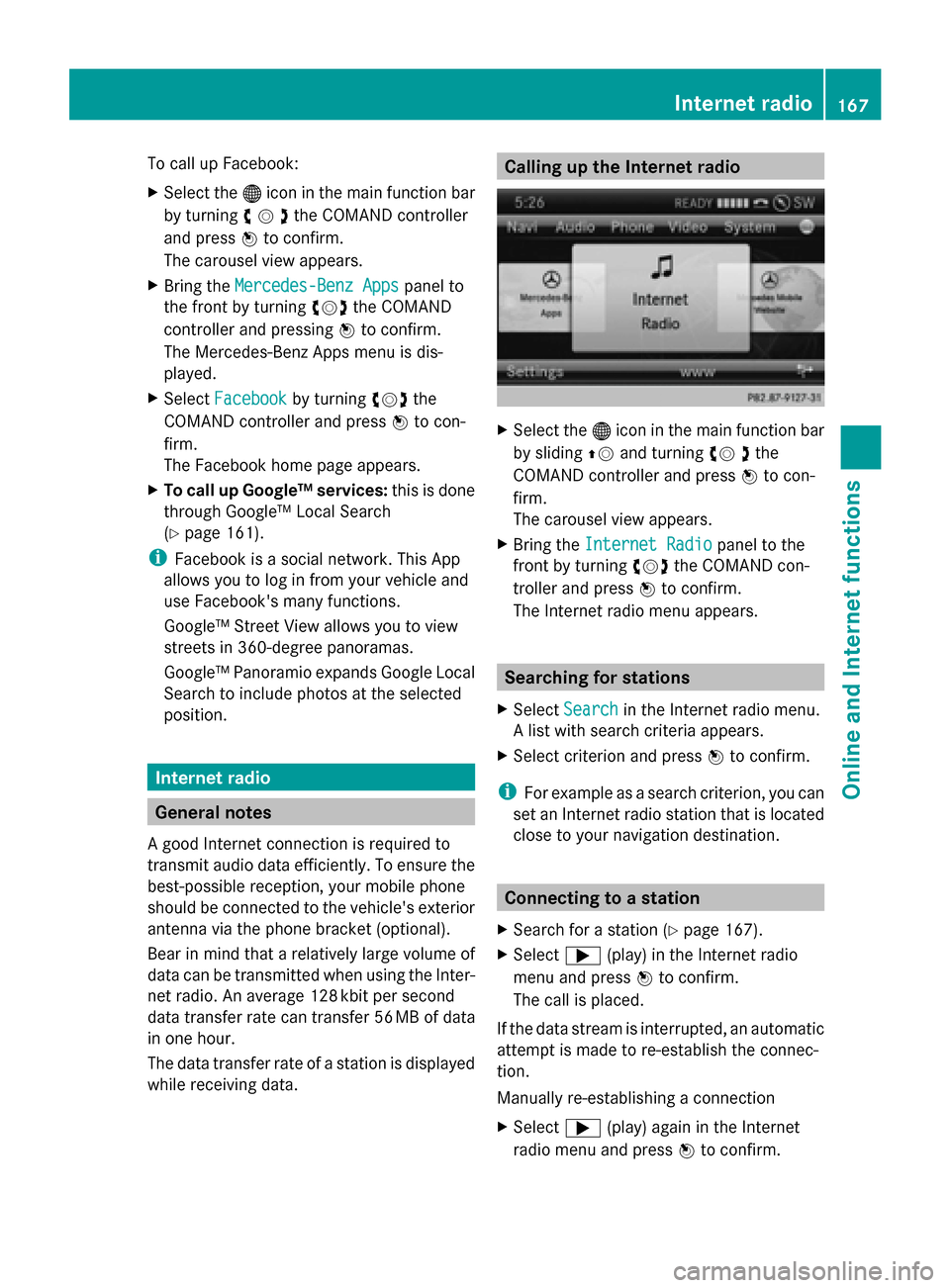
X
Select the 00A7icon in the main function bar
by sliding 00970052and turning 00790052the
COMAND controller and press 0098to con-
firm.
The carousel view appears.
X Bring the Internet Radio Internet Radio panel to the
front by turning 00790052007Athe COMAND con-
troller and press 0098to confirm.
The Internet radio menu appears. Searching for stations
X Select Search
Search in the Internet radio menu.
A list with search criteria appears.
X Select criterion and press 0098to confirm.
i For example as a search criterion, you can
set an Internet radio station that is located
close to your navigation destination. Connecting to a station
X Search for a station ( Ypage 167).
X Select 0065(play) in the Internet radio
menu and press 0098to confirm.
The call is placed.
If the data stream is interrupted, an automatic
attempt is made to re-establish the connec-
tion.
Manually re-establishing a connection
X Select 0065(play) again in the Internet
radio menu and press 0098to confirm. Internet radio
167Online andInternet functions
Page 174 of 270
X
Call up the menu ( Ypage 171).
X Select View
Viewby turning 00790052007Aor sliding
009700520064 the COMAND controller and press
0098 to confirm.
or
X Press the 0090key on the number keypad.
i You cannot use the 0090key if a phone
call is being made.
X To position the selection window: con-
firm Fullscreen View of Current Fullscreen View of Current
Page
Page by pressing 0098the COMAND control-
ler.
A selection window appears on the web-
site.
X Slide 009500520096,009700520064 or009100520078 the COMAND
controller and position the selection win-
dow on the website.
X Press 0098the COMAND controller.
The selected section is enlarged.
X To display and select open windows:
select Display Open Windows Display Open Windows by turning
00790052007A or sliding 009700520064the COMAND control-
ler and press 0098to confirm.
The carousel view appears.
X Press 0098the COMAND controller.
The website is displayed.
Exiting the menu X
Call up the menu ( Ypage 171).
X Select Exit
Exitby turning 00790052007Aor sliding
009700520064 the COMAND controller and press
0098 to confirm.
The Internet browser is closed. If other win-
dows are opened in the background,
another prompt appears.
Other menu functions Opening in a new window
You can open up to five windows simultane-
ously. X
Call up the menu ( Ypage 171).
X Select Open In A New Window
Open In A New Window by turning
00790052007A or sliding 009700520064the COMAND control-
ler and press 0098to confirm.
X To select a window: selectView Viewand press
0098 to confirm.
X Select the website in the carousel view by
turning 00790052007Aor sliding 009500520096the COMAND
controller and press 0098to confirm.
Add To Favorites
Adds the current website to the favorites. The
website can then be called up using the car-
ousel view. You can save up to 20 favorites in
the carousel view.
X Call up the menu ( Ypage 171).
X Select Add To Favorites Add To Favorites by turning
00790052007A or sliding 009700520064the COMAND control-
ler and press 0098to confirm.
The following message appears: The
Thepage
page
has been added to your favorites
has been added to your favorites .
Displaying favorites
X Call up the menu ( Ypage 171).
X Select Display Favorites Display Favorites by turning
00790052007A or sliding 009700520064the COMAND control-
ler and press 0098to confirm.
The favorites are shown in the carousel
view.
Further information on favorites
(Y page 173).
Refreshing a website
X Call up the menu ( Ypage 171).
X Select Reload Reload by turning 00790052007Aor sliding
009700520064 the COMAND controller and press
0098 to confirm. 172
InternetOnline and Internet functions
Page 175 of 270
Closing the active window
X
Call up the menu ( Ypage 171).
X Select Close Active Window Close Active Window by turning
00790052007A or sliding 009700520064the COMAND control-
ler and press 0098to confirm.
or
X Press the 0084button to the right of the
COMAND controller.
i You cannot use the 0084button if a
phone call is being made.
Displaying the complete web address of the
selected link
X Call up the menu ( Ypage 171).
X Select Link Details
Link Details by turning00790052007Aor
sliding 009700520064the COMAND controller and
press 0098to confirm.
The URL appears.
X Press 0098the COMAND controller and close
the display.
Settings
The settings are described in a separate sec-
tion (Y page 175). Favorites
Introduction Favorites are frequently visited websites.
You have the following options for creating a
favorite:
R in the carousel view (Y page 173)
R via the menu item Add to Favorites Add to Favorites
(Y page 172)
Before creating a favorite in the carousel
view, you must first close active connections
(Y page 159).
You can select and edit favorites that you
have created. Creating favorites Creating favorites in the carousel view
X
Call up the carousel view (Y page 168).
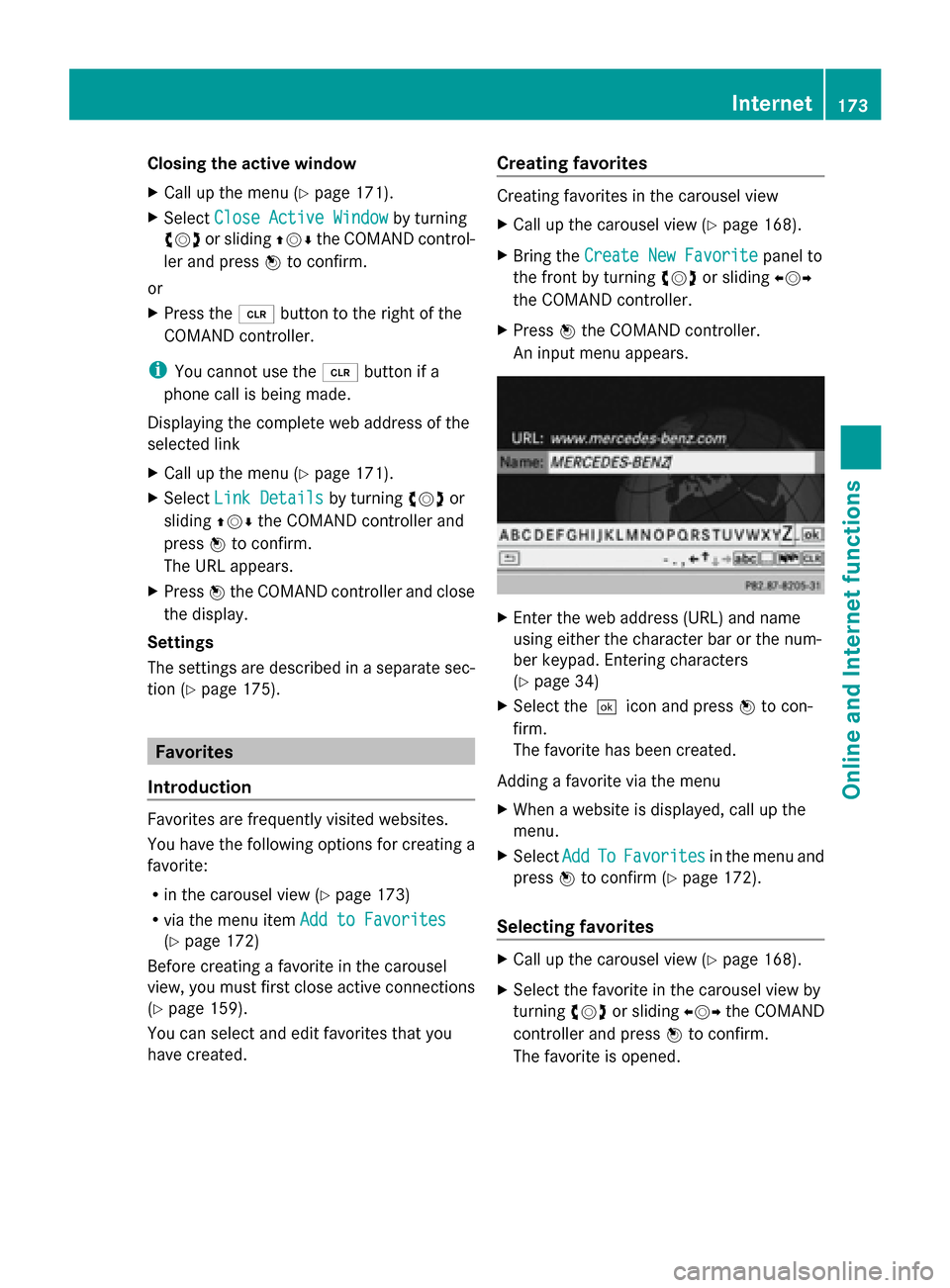
X Bring the Create New Favorite Create New Favorite panel to
the front by turning 00790052007Aor sliding 009500520096
the COMAND controller.
X Press 0098the COMAND controller.
An input menu appears. X
Enter the web address (URL) and name
using either the character bar or the num-
ber keypad. Entering characters
(Y page 34)
X Select the0054icon and press 0098to con-
firm.
The favorite has been created.
Adding a favorite via the menu
X When a website is displayed, call up the
menu.
X Select Add AddTo
ToFavorites
Favorites in the menu and
press 0098to confirm (Y page 172).
Selecting favorites X
Call up the carousel view (Y page 168).
X Select the favorite in the carousel view by
turning 00790052007Aor sliding 009500520096the COMAND
controller and press 0098to confirm.
The favorite is opened. Internet
173Online and Internet functions