ECU MERCEDES-BENZ E CLASS 2020 Repair Manual
[x] Cancel search | Manufacturer: MERCEDES-BENZ, Model Year: 2020, Model line: E CLASS, Model: MERCEDES-BENZ E CLASS 2020Pages: 550, PDF Size: 20.08 MB
Page 261 of 550
Ov
ervie wand oper ation Ov
ervie wof themu ltim edia system &
WARNIN GRisk ofdist ra ction from infor‐
mati onsystems andcomm unication s
eq uipment
If yo uoper ateinf ormat ionand comm unic a‐
tio neq uipme ntintegratedin theve hicle
when driving, youwill bedistract ed from the
tr af fic situ ation. Thiscou ldalso cau seyouto
lose control of theve hicle. #
Onlyoper ateth is eq uipmen twhen the
tr af fic situ ation per mits. #
Ifyo ucan notbe sur eof this, stop the
ve hicle whilstpa ying attention toroad
and traffic condi tions andoperate the
eq uipment withth eve hicle statio nary. Yo
umus tobse rveth eleg alrequ iremen tsforth e
cou ntryin whi chyouar ecur rentl ydr ivi ng when
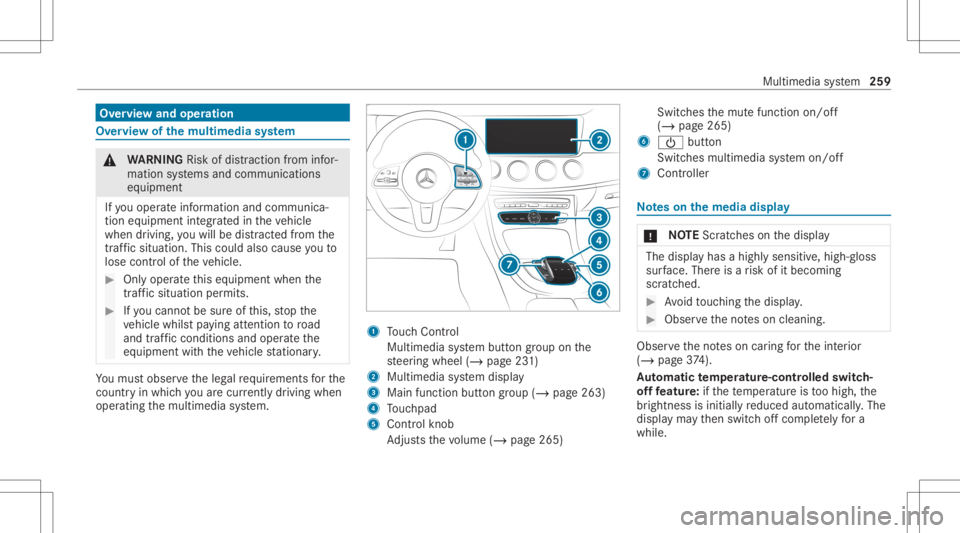
op erati ng themultimedia system. 1
Touc hCon trol
Mult imed iasystem butt ongroup onthe
st eer ing wheel (/page23 1)
2 Multimedia system displa y
3 Main function buttongroup (/page263)
4 Touc hpad
5 Con trol kn ob
Ad jus tsthevo lume (/page265 ) Swit
ches themut efunc tion on/off
(/ page265)
6 00D0 button
Switc hesmultimedia system on/ off
7 Contr oller No
teson themed iadisp lay *
NO
TEScr atches onthedispla y The
displa yhas ahighly sensitive, high-g loss
sur face. Thereisarisk ofitbecoming
scr atc hed. #
Avoid touc hin gth edispla y. #
Obser vetheno teson cleaning. Obser
vetheno teson car ing forth eint erior
(/ page37 4).
Au tomatic temp eratur e-cont rolled switc h-
of ffe atur e:ifth ete mp eratur eis toohigh, the
br ightn essisinitiall yre duced automatic ally.The
displa yma yth en switc hof fcom pletely fora
whi le. Mul
timedi asy stem 259
Page 268 of 550
On
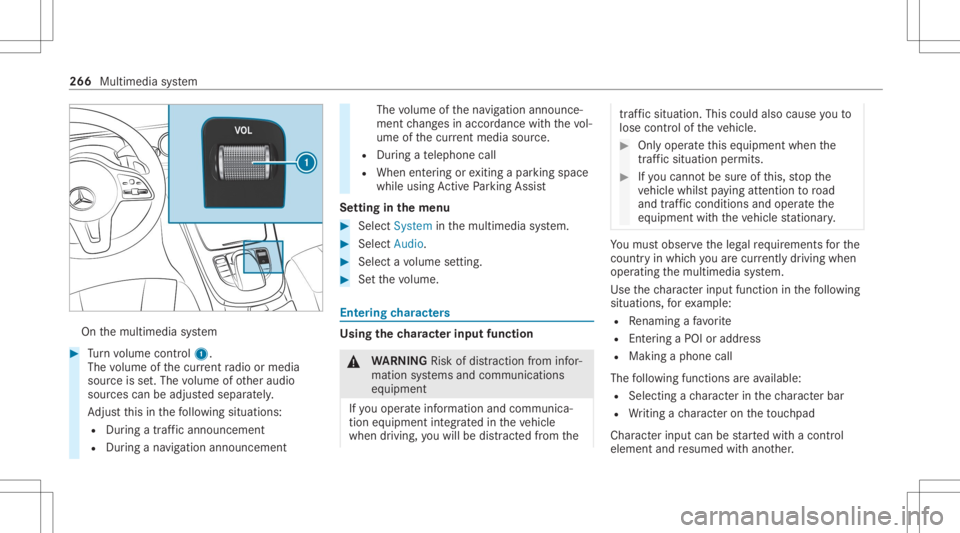
themultimedia system #
Turn volume control 1.
The volume ofthecur rent radio ormedia
sour ceisset.The volume ofother audi o
sour cescan beadjus tedsepar ately.
Ad jus tth is in thefo llo wing situat ions:
R Dur ing atraf fic annou ncement
R Dur ing ana vig ation annou ncement The
volume ofthena vig ation announ ce‐
ment chang esinacc ordanc ewit hth evo l‐
ume ofthecur rent med iasou rce.
R Dur ing ate lephon ecall
R When entering orexitin gapar kingspace
while using ActivePa rking Assist
Se tting inthemenu #
Sele ctSyst eminthemultimedia system. #
Select Audio. #
Select avo lume setting. #
Setth evo lume. Ent
ering charact ers Usi
ngthech aract erinput functi on &
WARNIN GRisk ofdist ra ction from infor‐
mati onsystems andcomm unication s
eq uipment
If yo uoper ateinf ormat ionand comm unic a‐
tio neq uipme ntintegratedin theve hicle
when driving, youwill bedistract ed from the tr
af fic situ ation. Thiscou ldalso cau seyouto
lose control of theve hicle. #
Onlyoper ateth is eq uipmen twhen the
tr af fic situ ation per mits. #
Ifyo ucan notbe sur eof this, stop the
ve hicle whilstpa ying attention toroad
and traffic condi tions andoperate the
eq uipment withth eve hicle statio nary. Yo
umus tobse rveth eleg alrequ iremen tsforth e
cou ntryin whi chyouar ecur rentl ydr ivi ng when
op erati ng themultimedia system.
Use thech aract erinput function inthefo llo wing
situat ions,fo rex am ple:
R Renam ingafa vo rite
R Entering aPOI oraddres s
R Making aph one call
The follo wing functionsar eav ailable:
R Select ing ach aract erinthech aract erbar
R Writin gach aract eron theto uc hpad
Charact erinput can bestar tedwit hacon trol
element andresumed withano ther. 266
Multimedia system
Page 269 of 550
#
On theTo uc hCon trol and contr oller:
sele ctthech aract ersin thech aract erbar .
De pen dingon theta rget ent ry,th efo llo wing
ch aract ersar eav ailable:
R The fullsetof charact ersis sho wn
R Onlythose charact erswhic har eusef ul
fo rth ecur rent inpu tst ring are shown
Ot her charact ersar egr ay ed out. #
On theto uc hpad: selectthech aract ersin
th ech aract erbar .
or #
Write th ech aract erson theto uc h-sen sitive
sur face oftheto uc hpad.
Han dwriting recogni tionsuppo rts yo uby
means ofcharact ersugg estio ns and are ad-
aloud function .
Ex am ples ofcharact erent ry:
R Renam ingafa vo rite
R Entering aPOI oran address using free or
st ep-b y-step sear ch
R Entering awe baddr ess Ent
ering charact ersusin gth econtr oller
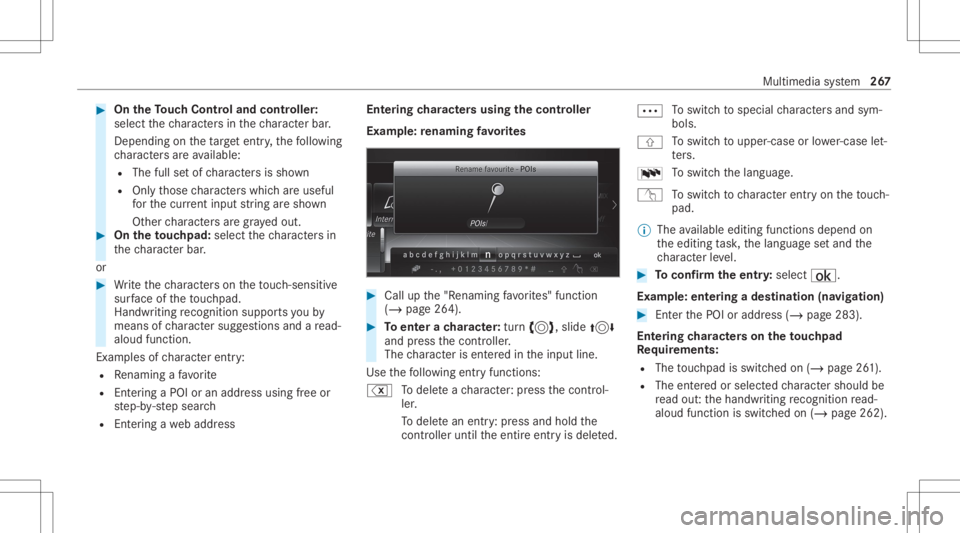
Ex am ple: renaming favo rite s #
Call upthe"R enaming favo rite s" function
(/ page26 4). #
Toent erach aract er:tur n3, slide 4
and press thecon troller .
The charact erisent ered intheinput line.
Use thefo llo wing entryfunctions:
% Todele teach aract er:pr ess thecon trol‐
ler .
To dele tean ent ry:pr ess and holdth e
contr oller unti lth eent ire ent ryisdele ted. 0062
To
switc hto special charact ersand sym‐
bols.
006A To
switc hto upper -case orlowe r-case let‐
te rs.
0054 To
switc hth elanguag e.
v Toswitc hto charact erent ryon theto uc h‐
pad.
% The available editingfunction sdepen don
th eediting task ,th elanguag ese tand the
ch aract erleve l. #
Toconf irm theentr y:select ¡.
Ex am ple: entering ades tination (navigation) #
EnterthePOI oraddr ess(/ page283).
Ent ering charact erson theto uc hpad
Re quirement s:
R The touc hpad isswit ched on (/ page26 1).
R The entered orselect edcharact ershoul dbe
re ad out :th ehandwr itingrecogni tionread-
aloud function isswit ched on (/ page262). Multimedia
system 26
7
Page 270 of 550
Ex
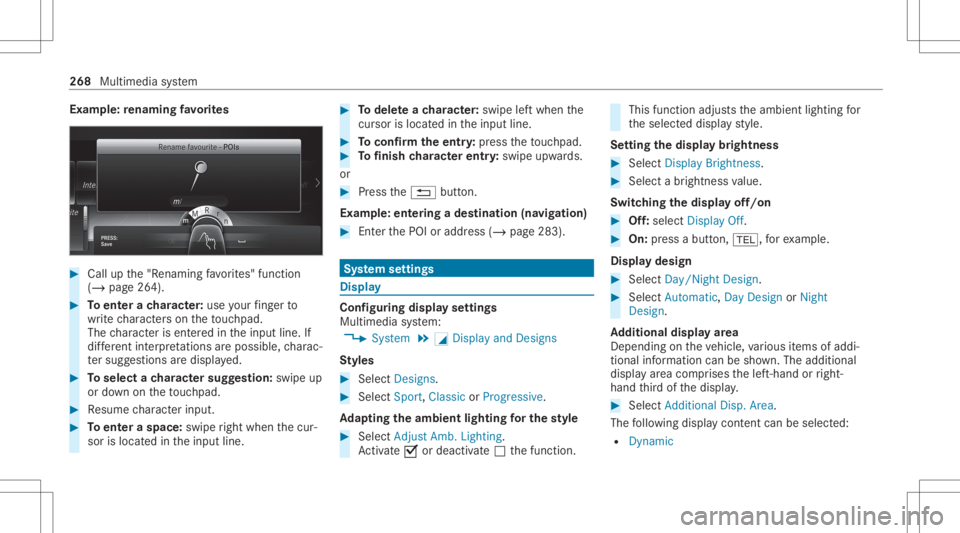
am ple: renaming favo rite s #
Call upthe"R enaming favo rite s" function
(/ page26 4). #
Toent erach aract er:use your fing er to
wr ite ch aract erson theto uc hpad.
The charact erisent ered intheinput line. If
dif fere nt interpr etatio nsareposs ible, charac‐
te rsugg estions aredisp laye d. #
Toselect ach aract ersugg estion :swi peup
or down ontheto uc hpad. #
Resume charact erinput. #
Toent eraspa ce:swipe right when thecur‐
sor islocat edintheinput line. #
Todel eteach aract er:swi peleftwhe nth e
cur sor isloca tedin theinput line. #
Toconf irm theentr y:press theto uc hpad. #
Tofinish charact erentr y:swipe upwards.
or #
Press the0038 button.
Ex am ple: entering ades tinat ion(navigation) #
Enterth ePOI oraddr ess(/ page283). Sy
stem settings Displa
y Conf
iguringdisp layse ttings
Multi media system:
4 System 5
0043 Display andDesign s
St yles #
Sele ctDes igns. #
Sele ctSpo rt,Classic orProg ressive.
Ad apting theam bient lightingforthe style #
Select Adju stAmb. Lighting .
Ac tivate0073 ordeacti vate 0053 thefunc tion. This
function adjus tstheambient lightingfor
th eselect eddispla yst yle.
Se tting thedisp laybr ight ness #
Sele ctDis play Bright ness. #
Sele ctabr ight nessva lue.
Switc hingthedisp layof f/on #
Off:selec tDis play Off. #
On: press abutt on,002B, forex am ple.
Displ aydes ign #
Select Day /Nig htDesi gn. #
Select Autom atic,Day DesignorNig ht
Desi gn.
Ad diti onaldispl ayarea
Dependi ngon theve hicle, various items ofaddi‐
tional information canbesho wn. The additional
displa yar ea com prises thelef t-hand orright-
hand third of thedispla y. #
Select Addi tiona lDisp .Area .
The follo wing displa ycon tent can beselect ed:
R Dyna mic 26
8
Mu ltimed iasystem
Page 272 of 550
#
Con firm chang eswhen exitin gth emenu.
The dateis setaut omaticall yvia GPS. Connectivity
Switc
hingtransmission oftheve hicl eposi ‐
tion on/off
Mul timedi asy stem:
4 System 5
ö Connec tivity #
Select Transm itVehicle Pos.. #
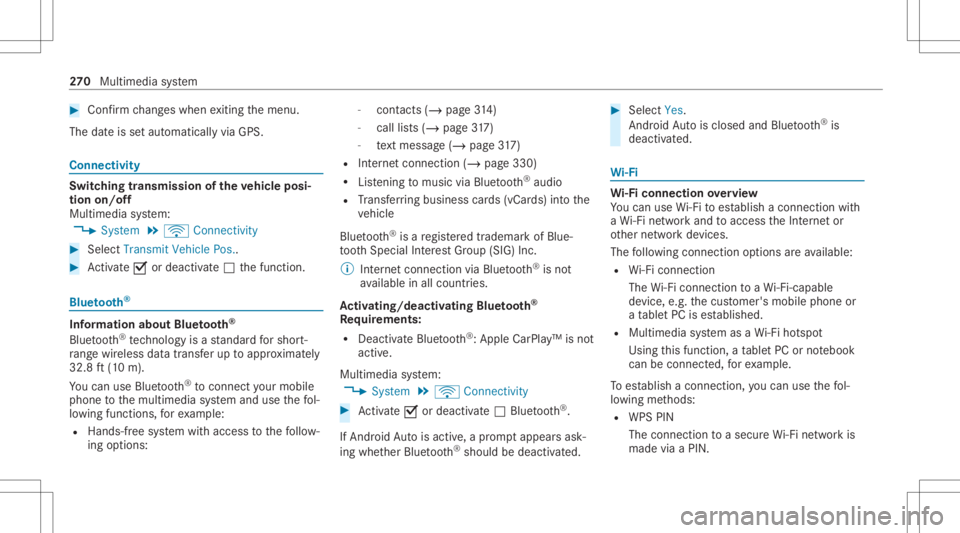
Activate0073 ordeacti vate 0053 thefunc tion. Blue
tooth® Inf
orma tion abou tBlu etoo th®
Bl ue tooth®
tech nol ogy isast andar dfo rshor t-
ra ng ewi reless datatransf erup toappr oximat ely
32. 8ft (10 m).
Yo ucan useBlue tooth®
to connect your mob ile
phon eto themultimedia system and usethefo l‐
lo wing functions,forex am ple:
R Han ds-free system withaccess tothefo llo w‐
ing option s: -
con tacts (/ page 314)
- calllist s(/ page31 7)
- text mes sage (/ pag e31 7)
R Interne tconnection (/page330)
R Listening tomusi cvia Blue tooth®
audio
R Trans ferring busine sscar ds(vCar ds)intoth e
ve hicle
Blue tooth®
is are gis tere dtrademar kof Blue‐
to othSpecial Interes tGr oup (SIG) Inc.
% Interne tconn ection viaBlue tooth®
is no t
av ailable inall coun tries.
Ac tiv atin g/deac tivatin gBlue tooth®
Re quirement s:
R Deac tivateBlue tooth®
:Appl eCa rPlay™ isno t
activ e.
Mul timed iasystem:
4 System 5
ö Connec tivity #
Activate0073 ordeacti vate 0053 Bluetoo th®
.
If Andr oidAutoisact ive, apr om ptappear sask ‐
ing whe ther Blue tooth®
should bedeactiv ated. #
Select Yes.
Andr oidAutoisclos edand Bluetooth®
is
deact ivat ed. Wi
-Fi Wi
-Fico nne ctio nove rview
Yo ucan useWi-Fi toestablish acon nection with
a Wi -Fi networkand toacc ess theInt erne tor
ot her networkde vices.
The follo wing connection option sar eav ailable:
R Wi-Fi conne ction
The Wi-Fi conne ctionto aWi -Fi-ca pable
de vice ,e.g .th ecus tomer's mobilephone or
a ta ble tPC ises tablished.
R Multimedia system asaWi -Fi hotspo t
Usi ngthis func tion,a ta ble tPC ornotebook
can becon nected, forex am ple.
To establish acon nection ,yo ucan usethefo l‐
lo wing methods:
R WPS PIN
The conn ection toasec ureWi -Fi networkis
mad evia aPIN . 27
0
Multimedia system
Page 273 of 550
R
WPS PBC
The conn ection toasec ureWi -Fi networkis
mad eby pressing abutt on(push button).
R Secur itykey
The conn ection toasec ureWi -Fi networkis
mad evia asecu rity key.
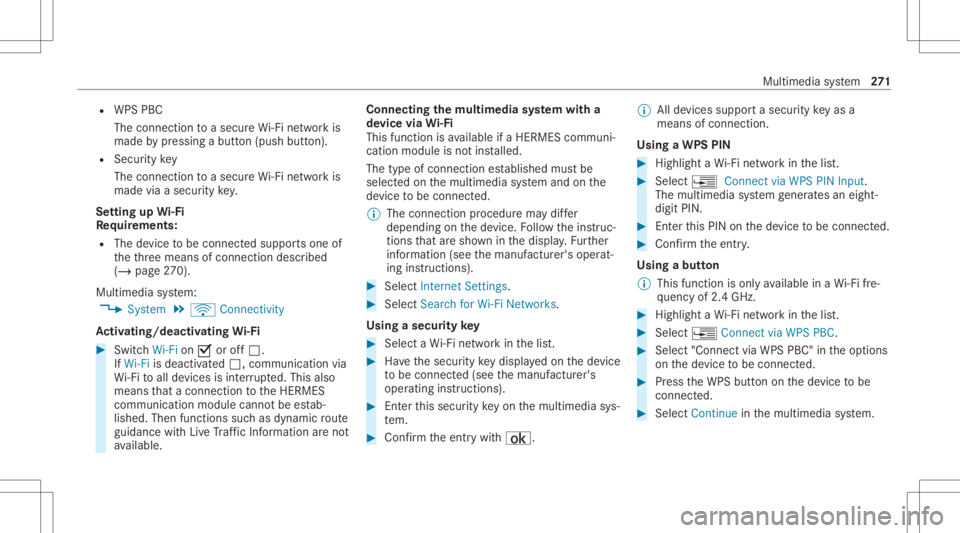
Se tting upWi-Fi
Re quirement s:
R The device tobe con nectedsuppor tsone of
th eth re emeans ofcon nect iondescr ibed
(/ page27 0).
Mul timediasystem:
4 System 5
ö Connec tivity
Ac tiv atin g/deac tivatin gWi -Fi #
Switc hWi-Fi on0073 oroff0053.
If Wi-Fi isdea ctivated 0053, communi cationvia
Wi -Fi toall devic es isint erru pte d.This also
means that acon nectionto theHERME S
comm unication modulecannotbe estab‐
lished. Thenfunctionssuc has dynamic route
guidan cewithLiv eTr af fic Inf ormati onareno t
av ailable. Connect
ingthemu ltim edia system witha
de vice viaWi-Fi
Thi sfunction isavailable ifaHE RME Scom mun i‐
cat ion modul eis no tins talled.
The type ofcon nection established mustbe
select edon themultimedia system and onthe
de vice tobe con nected.
% The connection procedur ema ydif fer
dependin gon thede vice. Followtheins truc‐
tion sth at aresho wninthedispla y.Fu rther
inf ormation (seethemanuf acturer'soper at‐
ing instruction s). #
Select Internet Setting s. #
Select Search forWi-Fi Network s.
Using asecur itykey #
Select aWi -Fi networkin thelis t. #
Have thesecur itykeydisp laye don thede vice
to be con nected(see themanuf acturer's
oper ating instruction s). #
Enterth is secur itykeyon themultimedia sys‐
te m. #
Conf irm theent rywit h¡. %
Alldevic es suppor ta sec urity keyas a
mean sof conn ection .
Usin gaWPS PIN #
Highlig htaWi -Fi networkin thelis t. #
Select ¥Connec tvia WPS PINInput.
The multimedia system gener ates an eight-
di gitPIN . #
Enterthis PIN onthede vice tobe con nected. #
Conf irm theent ry.
Using abutt on
% This function isonl yav ailable inaWi -Fi fre‐
qu ency of2.4 GHz. #
Highlight aWi -Fi networkin thelis t. #
Select ¥Connec tvia WPS PBC. #
Select "Connec tvia WPS PBC" intheop tion s
on thede vice tobe con nected. #
Press theWPS buttononthede vice tobe
con nected. #
Select Continueinthemultimedia system. Multimedia
system 27
1
Page 274 of 550
De
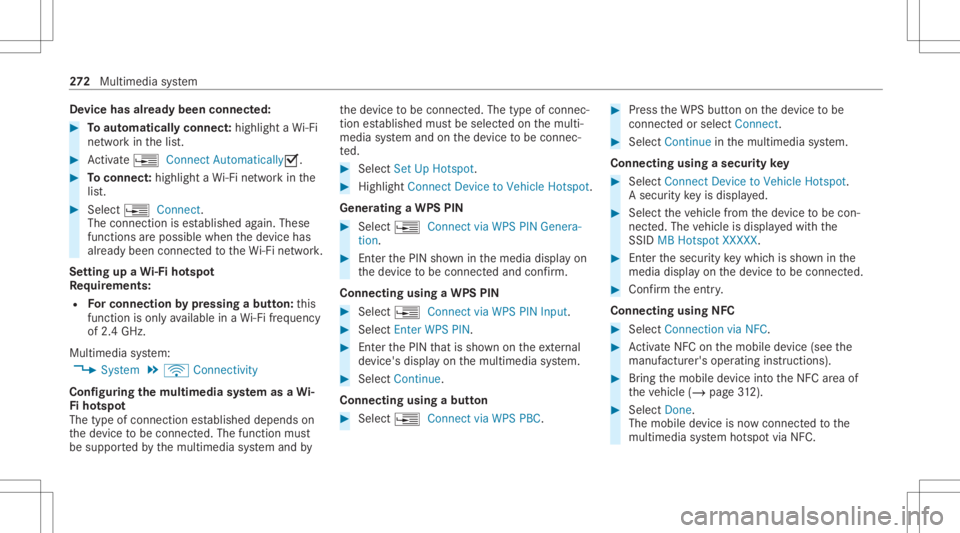
vice hasalr ead ybeen connect ed: #
Toaut omatic allyco nne ct:high light aWi -Fi
ne tworkin thelis t. #
Activate¥ Connect Automatica lly0073 . #
Toconnect :high light aWi -Fi networkin the
lis t. #
Selec t¥ Connect.
The connection ises tablished again. These
func tionsar epossible whenthede vice has
alr eady been connect edtotheWi -Fi network.
Se tting upaWi -Fiho tspo t
Re quirement s:
R Forco nn ectio nby pres sin gabutt on:th is
func tion isonl yav ailable inaWi -Fi frequency
of 2.4 GHz.
Mu ltimed iasystem:
4 System 5
ö Connec tivity
Conf iguringthemu ltim edia system asaWi -
Fi ho tspo t
The type ofconnection established depends on
th ede vice tobe con nected. The func tion must
be suppor tedby themultimedia system and by th
ede vice tobe con nected. The type ofcon nec‐
tion established mustbe select edon themulti‐
media system and onthede vice tobe con nec‐
te d. #
Select SetUpHot spot. #
Highlight ConnectDevic eto Vehicle Hotspot.
Gener atingaWPS PIN #
Select ¥Connec tvia WPS PINGenera-
tion . #
Enterth ePIN showninthemedia displayon
th ede vice tobe con nectedand confirm .
Connect ingusin gaWPS PIN #
Sele ct¥ ConnectviaWPS PINInput. #
Sele ctEnter WPS PIN. #
Enterth ePIN that issho wnontheex tern al
de vic e's displa yon themultimedia system. #
Select Continue.
Connecting usingabutt on #
Select ¥Connec tvia WPS PBC. #
Press theWPS buttonon thede vice tobe
con nectedor select Connec t. #
Select Continueinthemultimedia system.
Connecting usingasecur itykey #
Select Connect DevicetoVeh icleHotsp ot.
A secu rity keyis disp laye d. #
Select theve hicle from thede vice tobe con ‐
nec ted. The vehicle isdispla yedwit hth e
SSID MBHotsp otXXX XX. #
Enterthesecur itykeywhic his sho wninthe
media display on thede vice tobe con nected. #
Conf irm theent ry.
Connect ingusin gNFC #
Sele ctConn ection viaNFC. #
ActivateNFC onthemobile device (see the
manuf acturer'soper ating instructions). #
Bring themobile device intoth eNFC area of
th eve hicle (/page31 2). #
Select Done.
The mobi lede vice isno wconnect edtothe
multime diasystem hotspo tvia NFC. 27
2
Multimedia system
Page 275 of 550
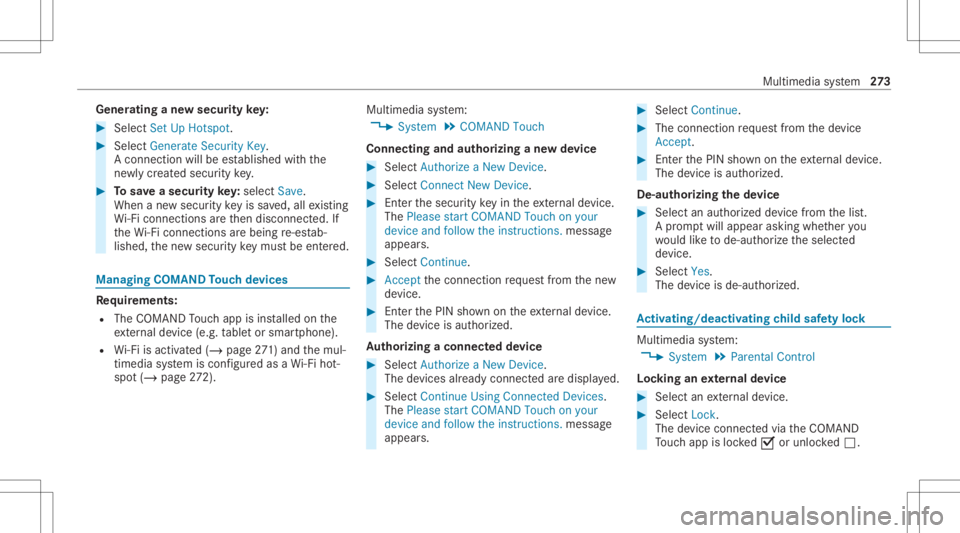
Gene
ratin gane wse cur itykey: #
Select Set UpHotsp ot. #
Select Genera teSecu rityKey.
A connecti onwillbe established withth e
ne wly crea tedsecur itykey. #
Tosave asec urity key:select Save.
When ane wsecur itykeyis save d, all existin g
Wi -Fi conne ctionsareth en discon nected.If
th eWi -Fi conne ctionsarebe ing re-es tab‐
lished, thene wsecur itykeymus tbe entere d. Mana
gingCOMAND Touc hde vic es Re
quirement s:
R The COMAND Touc happ isins talled onthe
ex tern al de vic e(e. g.table tor smar tphon e).
R Wi-Fi isacti vated(/ page27 1) andth emul‐
timedia system iscon figur edasaWi -Fi hot‐
spo t(/ page 272). Mul
timediasystem:
4 System 5
COMAND Touch
Connecting andauthor izing ane wde vice #
Select AuthorizeaNew Devic e. #
Select Connec tNew Devic e. #
Enterth esecur itykeyin theex tern al de vic e.
The Please start COMA NDTouc hon your
devi ceand follow theins truct ions.mes sage
appear s. #
Select Con tinue. #
Accep tth econ nect ionrequ estfr om thene w
de vice. #
Enterth ePIN shownontheex tern al de vic e.
The devic eis aut hor ized.
Au thorizing aconnect eddevice #
Sele ctAut hori zeaNew Device.
The devic es already connectedar edispla yed. #
Select Continue Using Connec tedDevic es.
The Please startCOMAND Touchonyour
device andfollow theinstruct ions. messag e
appear s. #
Select Continue. #
The connection requ estfr om thede vice
Acc ept. #
Enterth ePIN shownontheex tern al de vic e.
The devic eis aut hor ized.
De-a uthor izin gth ede vice #
Sele ctan aut hor ized devic efrom thelis t.
A pr om ptwill appear askingwhe ther you
wo uld liketo de-aut horize theselect ed
de vice. #
Select Yes.
The device isde-aut horized. Ac
tiv atin g/deac tivatin gch ild safetyloc k Multimedi
asy stem:
4 System 5
Parent alContr ol
Loc king anextern al de vic e #
Select anextern al de vic e. #
Select Lock.
The devic econ nectedvia theCO MAND
To uc happ isloc ked0073 orunloc ked0053. Multimedia
system 27
3
Page 277 of 550
or
iginat esfrom another vehicle, this isrecog‐
nized during data readin g.
The mult imed iasystem isrestar tedonc eth e
dat ahas been impor ted.
% Current vehicle settin gscan beedit edafte r
th eim por t.
Expor ting
If PIN protect ion isactiv ated, your PIN isrequ es‐
te d. #
Enterth efo ur -di git PIN. #
Select adat ast or ag emedium.
The datais ex por ted. The dataex por tma y
ta ke severalmin utes. Ac
tiv atin g/deac tivatin gPI N protection Re
quirement s
To unlo ckthePIN:
R Ther eis an Interne tcon nect ion.
R AMer cedes meaccount exists at htt p:/ /
www .mercedes.me.
R The Person alization service isactiv e
(/ page27 6). Mul
timediasystem:
4 System 5
PIN Protec tion
Se tting thePIN #
Sele ctSet PIN. #
Entera fo ur -di git PIN. #
Enterth efo ur -di git PIN again.
If bo th PINs match,PIN protect ion isactiv e.
Changing thePIN #
Sele ctChang eSet tings. #
Enterth ecur rent PIN . #
Select Chang ePIN . #
Seta ne wPIN .
Ac tiv atin gPI N protection fordat aex por t #
Select Change Setting s.
Co nfirm with thePIN. #
Select ProtectData Export .
Ac tivate0073 ordeacti vate 0053 thefunc tion.
Un bloc king thePIN
If th ePIN has been entered incor rectl yth re e
tim es,th ePIN willbebloc ked. Youcan have a sing
le-use passwordsent toyouvia the
Mer cedes meconn ectonline portalto rese tth e
PIN protect ion. #
Select Unbloc kPIN. #
Enterth esing le-use password.
PIN protect ion isrese t,and youcan seta
ne wPIN.
% The availabilit yof this func tion iscoun try
depen dentandmayno tbe available inyour
co unt ry.
Alt ernati vely,yo ucan have PIN protect ion
re se tat an aut hor ized Mercedes-Benz Cen‐
te r. User
profile Se
tting auser profile
Multimedia system:
4 System 5
g Person alization
Displa yingauser profile when star ting
If th is func tion isact ive, apr om ptappear swhen
st ar tin gth esy stem asking whichuser profile to
use. Mult
imed iasystem 27
5
Page 280 of 550
Multimedia
system:
4 System 5
Soft ware Update
Au tomatic update #
Swi tchAuto matic Onl ine Update on 0073.
Up dat esareper form ed.
The current status oftheupdat esisdis‐
pla yed.
Manu alupd ate #
Deact ivat e0053 Auto matic OnlineUpdate. #
Select anupdat efrom thelis tand star tth e
updat e.
Ac tiv atin gthe softwa reupdat e #
Restar tth esy stem.
Fu nction ofimpor tant system updates
Im por tant system updat esma ybe neces saryfo r
th esecur ityofyour mult imed iasystem's data.
Please installth ese updat es,other wise the
secur ityofyour mult imed iasystem cann otbe
ensur ed. %
Ifaut omatic softwareupdat esareactiv ated,
th esy stem updat eswill bedownloaded auto‐
maticall y(/ page27 7).
As soo nas an update isavailable fordo wnloa d,
a cor responding messageappea rson themedia
displa y.
Yo uha ve thefo llo wing selectionoption s:
R Down load
The updat ewill bedownloaded inthebac k‐
gr ound.
R Det ails
Inf ormation aboutthepending system
updat eis displa yed.
R Later
The updat ecan bedownloaded manuallyata
lat er time (/page27 7).
If th edo wnload iscom pletedand theupdat eis
re ady forins tallation ,yo uwill beinformed ofthis
af te rth ene xt ignition cycle, forex am ple.
% Park theve hicle safely inasuit able location
bef orest ar tin gth eins tallation . Re
quiremen tsforth eins tallation :
R The ignit ionisswitc hedon.
R The engin eis no tru nning .
R Notesand warnings have been read and
acc epted.
R The parkingbr ak eis applied.
If all requ iremen tsareme t,th eupdat ewill be
ins talled. Themultim ediasystem cann otbe
oper ated while theupdat eis being installed and
ve hicle functionsarere strict ed.
If er ro rs should occurduring theins tallation ,th e
multime diasystem automatic allyatt em ptsto
re stor eth epr ev ious version. Ifre stor ation ofthe
pr ev ious version isno tpossible ,a symbol
appear son themultimedia system displa y.
Please consultaqu alif ied spec ialistwo rkshop to
re solv eth epr oblem. 27
8
Multimedia system