wheel MERCEDES-BENZ E CLASS 2020 Repair Manual
[x] Cancel search | Manufacturer: MERCEDES-BENZ, Model Year: 2020, Model line: E CLASS, Model: MERCEDES-BENZ E CLASS 2020Pages: 550, PDF Size: 20.08 MB
Page 298 of 550
%
Youcan add andcallupthis func tion asa
fa vo rite und erVoic eGuidan ceOn/O ff.
Swit ching navig ation announ cement son/of f
dur ing aphone call #
Selec tSyst em. #
Selec tõ Audio. #
Selec tNavigat ionand Traff icAn noun ce-
men ts. #
Swit chVoice Guidance During Callon 0073 or
of f0053.
Ad jus tingthe volum eof navig ation
announ cement s
Re quirement s:
R Routeguidan ceisact ive. #
On themu ltifunct ionsteer ing wheel or
on themu ltim edia system: turnth evo lume
con trol on themultifunc tionsteer ing wheel
dur ing ana vig ation announ cement.
or #
Turn thevo lume control on thecent ercon ‐
sole during ana vig ation announ cement
(/ page265). %
Inthefo llo wing situat ions,th evo lume is
ra ised tothemaximum volume orlowe redto
th eminimum volume:
R Ane wrouteguidan ceisstar ted.
R The routeis recal cul ated.
% The mini mum volume canbeindiv iduall yse t
at an aut hor ized Mercedes -Benz Cent er. #
Viasy stem settings: selectSyst em. #
Sele ctõ Audio. #
Sele ctNavig ation andTrafficAnnoun ce-
men ts. #
Sele ctVoic eGuidanc eVolume . #
Setth evo lume. #
Toswitc haud iofadeo uton/o ffdur ing
na vig atio nanno unceme nts: select System . #
Select õ Audio. #
Select Nav igation andTraffic Announce -
ments . #
Swi tchAud ioFad eou tDuri ngVoi ceGuidance
on 0073 oroff0053. Re
peati ngnavig atio nann oun cements
Re quirement s:
R Aro utehas already been creat ed.
R Routeguidan ceisact ive.
Mult imed iasystem:
4 Navigation #
Select !Voice Guidance . #
Select #Voice Guidance .
The current navig ation anno uncement is
re peat ed.
% Youcan add andcallupthis func tion asa
fa vo rite und erRepeat VoiceGuidan ce.
Cancel ingrout eguidanc e
Re quirement s:
R Aro utehas already been creat ed.
R Routeguidan ceisact ive.
Mult imed iasystem:
4 Navigation #
Select %Cancel RouteGuidance . 296
Multimedia system
Page 315 of 550
#
Tochang emobi lephone s:pla cetheNFC
ar ea ofthemobile phone(seemanuf actur‐
er's oper ating instruction s)on NFC logo2.
If th emobile phonehasalready been author‐
ized onthemultimedia system, itis no wcon ‐
nect ed.
If th emobile phoneisaut hor ized onthemul‐
timedia system forth efirs ttim e,itis conne c‐
te daf te rconf irming themobile phone
ins truction s(see themanuf acturer'soper at‐
ing instruction s).
Fu rther information canbefound at:ht tp :/ /
www .merced es-ben z.co m/ conn ect
Se tting there cep tion andtrans mis sion vol‐
um e
Re quirement s:
R Amobile phoneis aut hor ized (/page31 0).
Mul timediasystem:
4 Phone 5
Z Option s5
Phone
This function ensur esoptimal languag equ alit y. #
Select Recepti onVol ume orTra nsmi ssion
Vol ume. #
Setth evo lume.
Fu rther information onthere comme ndedrecep‐
tion andtransm ission volume: http:/ /
www .mercedes-ben z.com/ connect
Ad jus tingthe calland ringt one volum e
Multime diasystem:
4 System 5
õ Audio 5
Phone #
Select CallVolume orRington eVolume. #
Setth evo lume.
St arting/ stopping mobilephon evo ice recog‐
nit ion
Re quirement s:
R The mobile phoneis con nectedto themulti‐
media system (/ page31 0).
St arting mobi lephone voice recognit ion #
Press and hold the00E3 buttononthemulti‐
func tion steer ing wheel formor eth an one
sec ond.
Yo ucan usemob ilephon evo ice recogni tion. St
opp ingmobil eph one voice recognit ion #
Press the0063 or0076 buttononthemulti‐
func tion steer ing wheel. Calls
Using
thete lephone
Multime diasystem:
4 Phone 5
ª Contac ts
Making acall #
Select Numerical Keypad. #
Enterth enumber . #
Select 0097.
The callismade.
Ac cep tingacall #
Select Accep t.
Re jec tingaca ll #
Select Reject .
En din gaca ll #
Select 005A. Mu
ltimed iasystem 31
3
Page 322 of 550
The
mobile phonecontinues tobe supplied
wit helect ricity .
or #
Disco nnect thecon nect ingcable between
th eMer cedes- BenzLinkcontrol bo xand the
multime diasystem.
% Mer cedes- Benzrecomme ndsdisconnecti ng
th econ nect ingcable onlywhen theve hicle
is statio nary. App
leCar Play® Ov
ervie wof App leCar Play® &
WARNIN GRisk ofdist ra ction from infor‐
mati onsystems andcomm unication s
eq uipment
If yo uoper ateinf ormat ionand comm unic a‐
tio neq uipme ntintegratedin theve hicle
when driving, youwill bedistract edfrom the
tr af fic situ ation. Thiscou ldalso cau seyouto
lose control of theve hicle. #
Onlyoper ateth is eq uipmen twhen the
tr af fic situ ation per mits. #
Ifyo ucan notbe sur eof this, stop the
ve hicle whilstpa ying attention toroad
and traffic condi tions andoperate the
eq uipment withth eve hicle statio nary. Yo
umus tobse rveth eleg alrequ iremen tsforth e
cou ntryin whi chyouar ecur rentl ydr ivi ng when
op erati ng themultimedia system.
iPhone ®
func tionscan beused viathemultime‐
dia system using Apple CarPla y®
.The yar eoper‐
at ed using thecent ralcon trol elemen tor the
Sir i®
vo ice- oper ated con trol system. Youcan
act ivat eth evo ice- oper ated con trol system by
pr essing andholding the00E3 buttononthe
multifu nctionsteer ing wheel.
When usingApple CarPla y®
via thevo ice- oper‐
at ed con trol system, themultimedia system can
st ill be oper ated via theVo ice Cont rolSy stem
(/ page24 5).
Onl yone mobi lephone atatime canbeconnec‐
te dvia Apple CarPla y®
to themultimedia sys‐
te m. The
availabilit yof App leCarPla y®
ma yva ry
acc ordin gto thecount ry.
The service prov ider isresponsible forth is appli‐
cat ion and theser vices andcontent conne cted
to it.
Apple CarPla y®
is are gis tere dtra demar kof
Apple Inc.
Inf ormat iononApple CarPla y®
While usingApple CarPla y®
va rious funct ionsof
th emultimedia system, e.g.telephon yor the
media sourcesBlue tooth®
audio andiPod ®
,ar e
una vailable.
Onl yone routeguidan cecan beact ive at atim e.
If ro uteguidan ceisact ive on themultimedia sys‐
te m, itis closed whenrouteguidan ceisstar ted
on themobile phone.
Connecting aniPhone ®
via Apple CarPla y®
Re quirement s:
R Apple ®
oper atingsy stem version iOS 8.3or
abo veisins talled ontheiPhone ®
.
R AnInterne tcon nect ionisrequ ired forth efull
ra ng eof func tions forApple CarPla y®
. 320
Multimedi asy stem
Page 323 of 550
R
The iPhone ®
is conn ectedtothemultimedia
sy stem viatheUSB portç using asuit a‐
ble cable (/page339).
Multimedia system:
4 Connec t5
Apple CarPlay
Se tting automat icor manu alstar t
A messa geappear swhen connectedfo rth efirs t
tim e. #
Automatic star t:select Automatically.
Start Automatically isactiv ated 0073.
Apple CarPla y®
will nowstar timm ediat ely
af te rth eiPhone ®
is con nect edtothemulti‐
media system using aUSB cable. #
Manua lst ar t:select Manual ly. #
Select theiPhone ®
in thede vice list.
Ac cep ting/r eject ingtheda ta protection reg‐
ulat ions
A messag ewit hth edat apr otect ion regulations
appear s. #
Select Accept &Start .
or #
Select Decline &End.
Exiting AppleCarPla y® #
Press the00E2 buttononthemultifunc tion
st eer ing wheel, forex am ple.
% IfApp leCarPla y®
wa sno tdispla yedin the
fo re grou nd before discon necting,theappli‐
cation star ts inthebac kground when recon‐
nect ed.Youcan callupApple CarPla y®
in
th emain menu.
Calling upApple CarPla y®
sound settings
Multimedia system:
4 Connec t5
Apple CarPlay 5
Sound #
Select thesound menu(/page356).
Ending AppleCarPla y®
Multimedia system:
4 Connec t5
Apple CarPlay #
Select Disconnect.
The connect ionisended.
The mobile phonecontinues tobe supplied
wit helect ricity .
or #
Disco nnect thecon nect ingcable between
th emobile phoneandmultimedia system.
Mer cedes- Benzrecomme ndsdisconnecti ng
th econ nect ingcable onlywhen theve hicle is
st atio nary. Andr
oidAuto Andr
oidAutoove rview &
WARNIN GRisk ofdist ra ction from infor‐
mati onsystems andcomm unication s
eq uipment
If yo uoper ateinf ormat ionand comm unic a‐
tio neq uipme ntintegratedin theve hicle
when driving, youwill bedistract ed from the
tr af fic situ ation. Thiscou ldalso cau seyouto
lose control of theve hicle. #
Onlyoper ateth is eq uipmen twhen the
tr af fic situ ation per mits. #
Ifyo ucan notbe sur eof this, stop the
ve hicle whilstpa ying attention toroad
and traffic condi tions andoperate the
eq uipment withth eve hicle statio nary. Multimedia
system 32
1
Page 324 of 550
Yo
umus tobse rveth eleg alrequ iremen tsforth e
cou ntryin whi chyouar ecur rentl ydr ivi ng when
op erati ng themultimedia system.
Mobile phonefunctionscan beused with
An droid Autousin gth eAn droid oper ating sys‐
te m on themultimedia system. Itis oper ated
using thecent ralcon trol elemen tor thevo ice
con trol. Youcan activat eth evo ice- opera tedcon ‐
tr ol system bypressing andholding the00E3
butt ononthemultifunc tionsteer ing wheel.
When usingAndroid Autovia thevo ice- opera ted
contr olsystem, themultimedia system can still
be opera tedvia theVo ice Cont rolSy stem
(/ page24 5).
Onl yone mobi lephone atatime canbeconnec‐
te dvia Android Autotothemultimedia system.
The availabilit yof An droid Autoand Android Auto
App sma yva ry acc ordin gto thecount ry.
The service prov ider isresponsible forth is appli‐
cat ion and theser vices andcontent conne cted
to it. Inf
orma tion onAndr oidAuto
While usingAndroid Auto,va rious funct ionsof
th emultimedia system, forex am ple themedia
sour ceBlue tooth®
audio, areno tav ailable.
On lyone routeguidan cecan beact ive at atim e.
If ro uteguidan ceisact ive on themultimedia sys‐
te m, itis closed whenrouteguidan ceisstar ted
on themobile phone.
Connecting amobile phoneviaAndr oidAuto
Re quirement s:
R The firs tacti vatio nof Andr oid Au toon the
multime diasystem mus tbe car ried out when
th eve hicle isstatio naryfo rsaf etyre ason s.
R The mobi lephon esuppo rts Andr oidAuto
fr om Andr oid5.0.
R The Andr oidAutoapp isins talled onthe
mobil ephone.
R Inorder touse thete lephon efunc tions,the
mobil ephone mustbe connect edtothemul‐
timedia system viaBlue tooth®
(/ pag e31 0).
If th er ewa sno prior Interne tconn ection, this
is es tablished withth euse ofthemobile
phone withAn droid Auto. R
The mobile phoneisconn ectedtothemulti‐
media system viatheUSB portç using a
suit able cable (/page339).
R AnInterne tcon nect ionisrequ ired forth efull
ra ng eof func tions forAndr oidAuto.
Multimedia system:
4 Connec t5
Android Auto #
Select themobile phonefrom thede vice list.
Ac cep ting/r eject ingtheda ta protection reg‐
ulat ions
A messag ewit hth edat apr otect ion regulations
appear s. #
Select Accept &Start .
or #
Select Decline &End.
Ac tiv atin gaut omati cst ar t #
Select StartAutoma tically0073.
St arting manuall y #
Select themobile phonefrom thede vice list. 322
Multimedia system
Page 325 of 550
Exit
ingAndr oidAuto #
Press the00E2 buttononthemultifunc tion
st eer ing wheel, forex am ple.
% IfAn droid Autowa sno tdispla yedin thefo re ‐
gr ound beforedisconn ecting,theapplication
st ar ts inthebac kground when reconnect ed.
Yo ucan callupAndroid Autointhemain
menu.
Calling uptheAndr oidAutosound settings
Multimedia system:
4 Connec t5
Android Auto 5
Sound #
Select theto ne menu (/page 356).
Endi ngAndr oidAuto
Multimedia system:
4 Connec t5
Android Auto #
Select Disconnect.
The connect ionisended.
The mobile phonecontinues tobe supplied
wit helect ricity .
or #
Disco nnect thecon nect ingcable between
th emobile phoneandmultimedia system.
Mer cedes- Benzrecomme ndsdisconnecti ng
th econ nect ingcable onlywhen theve hicle is
st atio nary. Tr
ansf erre dve hicl edata withAndroidAuto
and Apple CarPla y® Ov
ervie wof transf erre dve hicl edata
When using Andr oidAutoor Apple CarPla y®
,cer‐
ta in vehicle datais transf erredto themobile
phone. Thisenables youto getth ebes tout of
select edmobile phoneservices. Vehicle datais
no tdir ectl yaccessible.
The follo wing system information istransmit ted:
R Softwarere lease ofthemultimedia system
R System ID(anon ymized)
The transf erofthis dat ais used tooptimize com‐
munication between theve hicle andthemobile
phone.
To do this, and toassig nse veralve hicles tothe
mobil ephone, ave hicle identif ierisrando mly
ge ner ated . Thi
sha sno conne ctionto theve hicle identif ica‐
tion number (VIN)andisdele tedwhen themulti‐
media system isrese t(/ page27 9).
Th efo llo wing drivin gst atus datais trans mitted:
R Trans miss ionposit ionengaged
R Distinction between parked, stands till,ro lling
and drivin g
R Day/n ight mode oftheins trument cluster
The transf erofthis dat ais used toalter how
con tent isdispl ayed tocor respond tothedr iving
situation .
The follo wing positiondatais transmit ted:
R Coor dinat es
R Speed
R Com pass direct ion
R Accel erati on dire ction
Thi sda ta isonl ytransf erredwhile thena vig ation
sy stem isactiv ein order toimprove it(e.g. soit
can continue func tioningwhen inatun nel). Multim
ediasystem 323
Page 331 of 550
If
an emerg encycallhas been initiat ed:
R Remain intheve hicle ifth ero ad and traffic
condi tions permit youto do sountil avo ice
con nection ises tablished withth eemer‐
ge ncy callcent eroperator.
R Bas edon thecall, theoper ator decides
whe ther itis neces saryto cal lre scue teams
and/ orthepolice totheacciden tsit e.
R Ifno vehicle occupant answers, an ambu‐
lance issent totheve hicle immediat ely.
Tr igg ering ama nual emer gency call #
Press and hold theSOS buttonintheove r‐
head controlpanel forat lea stone second.
The emer gency callha sbe en ma de:
R Avo ice con nection ismade totheMer cedes-
Benz emergency callcent er.
R Ames sage withacc iden tdat ais transm itted
to theMer cedes- Benzemergency callcent er.
The Mercedes-B enzeme rgency callcent er
can trans mit theve hicle position datato one
of theemer gency callcent ers. R
Remain intheve hicle ifth ero ad and traffic
condi tions permit youto do sountil avo ice
con nection ises tablished withth eemer‐
ge ncy callcent erser vice prov ider .
R Onthebasis ofthecall, theser vice prov ider
decide swhe ther itis neces saryto cal lre s‐
cue teams and/ orthepolice totheacciden t
sit e.
If no con nect ioncan bemade totheemer gency
ser vice sei th er,a cor responding message
appea rsinthemedia display. #
Dialth elocal emergency num beron your
mob ilephon e.
End inganunin tentional emergency call #
Select 0076onthemultifunc tionsteer ing
wheel. Depressbutt onforse veralseco nds.
Data transf eroftheMer cedes- Benzemer‐
ge ncy callsystem
In theeve ntofan automatic ormanua lemer‐
ge ncy callth efo llo wing datais transmit ted, for
ex am ple:
R Vehicle's GPSposition data R
GPS position dataon thero ute(a few
(hun dred meters)be fore theinciden t)
R Direct ion oftra vel
R Vehicle identif ication number
R Vehicle drive type
R Number ofpeop lede term ined tobe inthe
ve hicle
R Whe ther Mer cedes meconnect isavailable
or not
R Whe ther theemer gency callwa sinitiat ed
manually oraut omatically
R Time oftheacciden t
R Languag ese tting onthemultimedia system
Dat atra nsmit tedis vehicle information. Foran y
qu estion sabout thecollect ion,useand shar ing
of theeCall system data,please contact MBU‐
SA 'sCus tomer Assis tance Center at800-F OR-
MER C.
Fo rCa nada ,plea secont actMBC's Customer
Assis tance Center at1-800-38 7-0100.
Cu stomer requ ests forco veredinf ormation
should besubmitt edvia thesame chann els. Mult
imed iasystem 329
Page 361 of 550
ASS
YSTPL US service interva ldisp lay Fu
nction oftheASS YSTPL US service interva l
displ ay The
ASSYSTPL US service interva ldispla yon the
Ins trument Displaypr ov ides informatio non the
re maini ngtime ordis tance before thene xt
ser vice duedate.
Yo ucan hide this ser vice displa yusing thebac k
butt ononthelef t-hand sideofthesteer ing
wheel.
Depen dingonhowtheve hicle isused, the
ASS YSTPL US service interva ldispla yma y
shor tenth eser vice interva l,e.g. inthefo llo wing
cases :
R Mainl yshor t-dis tance drivi ng
R Whe nth eengine isoftenleft idling forlong
per iods
R Intheeve ntoffreq uent col dstar tphase s
Mer cedes-Ben zre comme ndsavoiding such
oper ating condit ions.
Yo ucan obtain informat ionconcernin gth eser v‐
icing ofyour vehicle from aqu alif ied spec ialist wo
rkshop, e.g.anaut hor ized Mercedes-Benz
Cent er. Displa
yingtheser vice dueda te On-boar
dcom puter:
4 Service 5
ASS YST PLUS
The next ser vice duedateis displa yed. #
Toexitth edisp lay: press thebac kbutt on
on thelef t-hand sideofthesteer ing wheel.
Be sureto also payatt ent ion tothefo llo wing
re lat ed topic:
R Oper ating theon- boar dcom puter
(/ page232). Inf
ormat iononregular maintenance work *
NO
TEPrema turewe arthro ugh failur eto
obser veser vice duedates Ser
vice workwhic his no tcar ried out atthe
ri ght time orincom pletely can lead to
inc reased wearand damag eto theve hicle. #
Alw aysobser vethepr escr ibed service
int erva ls. #
Alw aysha ve thepr escr ibed service
wo rkcar ried out ataqu alif ied spec ialist
wo rkshop. Special
service requ irement s The
prescr ibed service interva lis based onnor ‐
mal opera tionoftheve hicle. Maintenance work
will needto be per form ed mor eof tenif th eve hi‐
cle isoper ated under arduous conditions or
incr eased loads.
The ASSYSTPL US service interva ldispla yis onl y
an aid. Thedriver oftheve hicle bearsre sponsi‐
bility asrega rdsto whe ther maint enanc ewo rk
nee dstobe per form ed mor eof tenth an spec i‐
fi ed based ontheactual operating conditions
and/or loads.
Ex am ples ofarduous operating conditions :
R regular citydriving withfreq uent intermedi‐
at estops
R mainly short-distance drivi ng Ma
intena nce and care35
9
Page 372 of 550
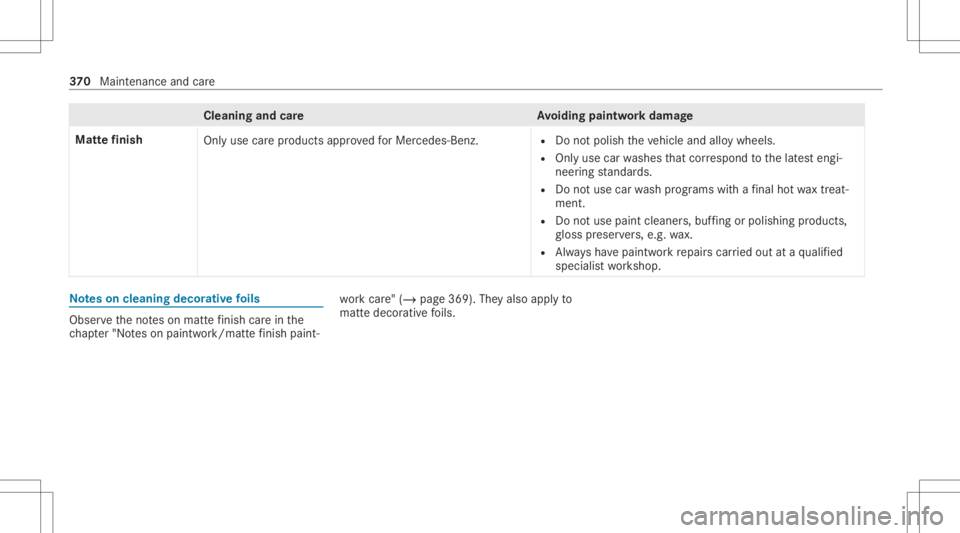
Cleani
ngand careA voiding paintworkdam age
Mat tefinish
Onlyuse carepr oducts approvedfo rMer cedes-Benz. R
Donotpoli shtheve hicle andalloywheels.
R Onlyuse carwashes that cor respond tothelat estengi‐
neer ingstandar ds.
R Donotuse carwash progr ams withafinal hotwa xtrea t‐
ment.
R Donotus epa int cleane rs,buf fing orpolishi ng prod ucts ,
gl oss preser vers,e.g. wax.
R Alw aysha ve paintw orkre pair scar ried out ataqu alif ied
spec ialistwo rkshop. No
teson cleaning decorativefo ils Obser
vetheno teson matt efinis hcar ein the
ch ap ter"No teson paintw ork/matt efinis hpa int‐ wo
rkcar e"(/ page 369). Theyal so app lyto
matt edecor ativefo ils. 37
0
Maint enance andcare
Page 374 of 550
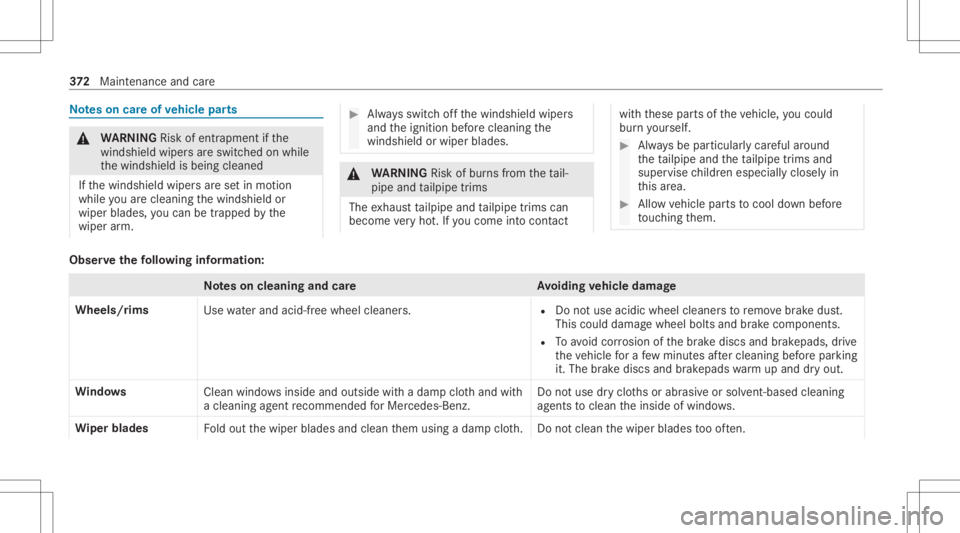
No
teson car eof vehicl epar ts &
WARNIN GRisk ofentr apment ifth e
winds hieldwiper sar eswit ched on while
th ewindshield isbeing cleaned
If th ewindshield wipersar ese tin mo tion
while youar ecle anin gth ewindshield or
wiper blades, youcan betrapped bythe
wiper arm. #
Alw aysswitc hof fth ewindshield wipers
and theignition beforecleanin gth e
winds hieldorwiper blades. &
WARNIN GRisk ofburnsfrom theta il‐
pipe andtailpipe trims
The exhaus tta ilpipe andtailpipe trims can
becom eve ry hot.Ifyo uco me intoco ntact wit
hth ese partsof theve hicle, youco uld
bur nyo urself . #
Alw aysbe par ticular lycareful arou nd
th eta ilpipe andtheta ilpipe trims and
super visechildr enespec iallycloselyin
th is area. #
Allo wvehicle partsto cool down before
to uc hin gth em. Obser
vethefo llo wing informa tion: No
teson cleaning andcareA voiding vehicl edamag e
Wheel s/rims
Usewaterand acid-free whee lclea ners. R
Donotuse acidicwhee lclea nersto remo vebrak edus t.
This could damag ewheel boltsandbrak ecom ponen ts.
R Toavoid corrosion ofthebr ak ediscs andbrak epads, drive
th eve hicle fora fe w min utes afte rclea ning beforepar king
it. The brak ediscs andbrak epa dswarm upand dryout .
Wi ndo ws
Cleanwindowsinside andouts idewithadam pclo thand with
a cle anin gag ent recomme ndedforMer cedes-Benz. Do
notuse dryclo thsor abr asiv eor sol vent-ba sedcleani ng
ag ents tocle an theinside ofwindo ws.
Wi per blades
Foldout thewiper blades andclean them using adam pclo th.D ono tclean thewiper blades tooof ten. 37
2
Maint enance andcare