fog light MERCEDES-BENZ E-CLASS CABRIOLET 2011 User Guide
[x] Cancel search | Manufacturer: MERCEDES-BENZ, Model Year: 2011, Model line: E-CLASS CABRIOLET, Model: MERCEDES-BENZ E-CLASS CABRIOLET 2011Pages: 353, PDF Size: 8.42 MB
Page 205 of 353
R
ad riving safety system intervenes, suc has
ESP ®
or PRE-SAFE ®
Brake.
R ESP ®
is deactivated.
R al oss of tyr epressure or adefective tyr eis
detected.
Activating Activ eBlind Spot Assist
X Mak esure that th eradar sensor system
(Y page 229) and Activ eBlindS potA ssist
(Y page 224) are activated in th eon-bo ard
computer.
X Turn th ekeyto position 2in th eignition
lock.
Warning lamps :light up red in th eexte-
rior mirror sfor approximately 1. 5seconds
and then tur nyellow.
Trailer towing
If you attac hatrailer, make sure you have
correctly established the electrical connec-
tion .This can be accomplished by checking
the trailer lighting. Active Blind Spot Assist is
then deactivated. The indicator lamp in the
exterior mirrors lights up yellow, and the
Active Blind Spot Assist currently unavailable See Owner's Manual mes-
sage appears in the multifunction display.
Active Lane Keeping Assist Important safety notes
Active Lane Keeping Assist monitors the area
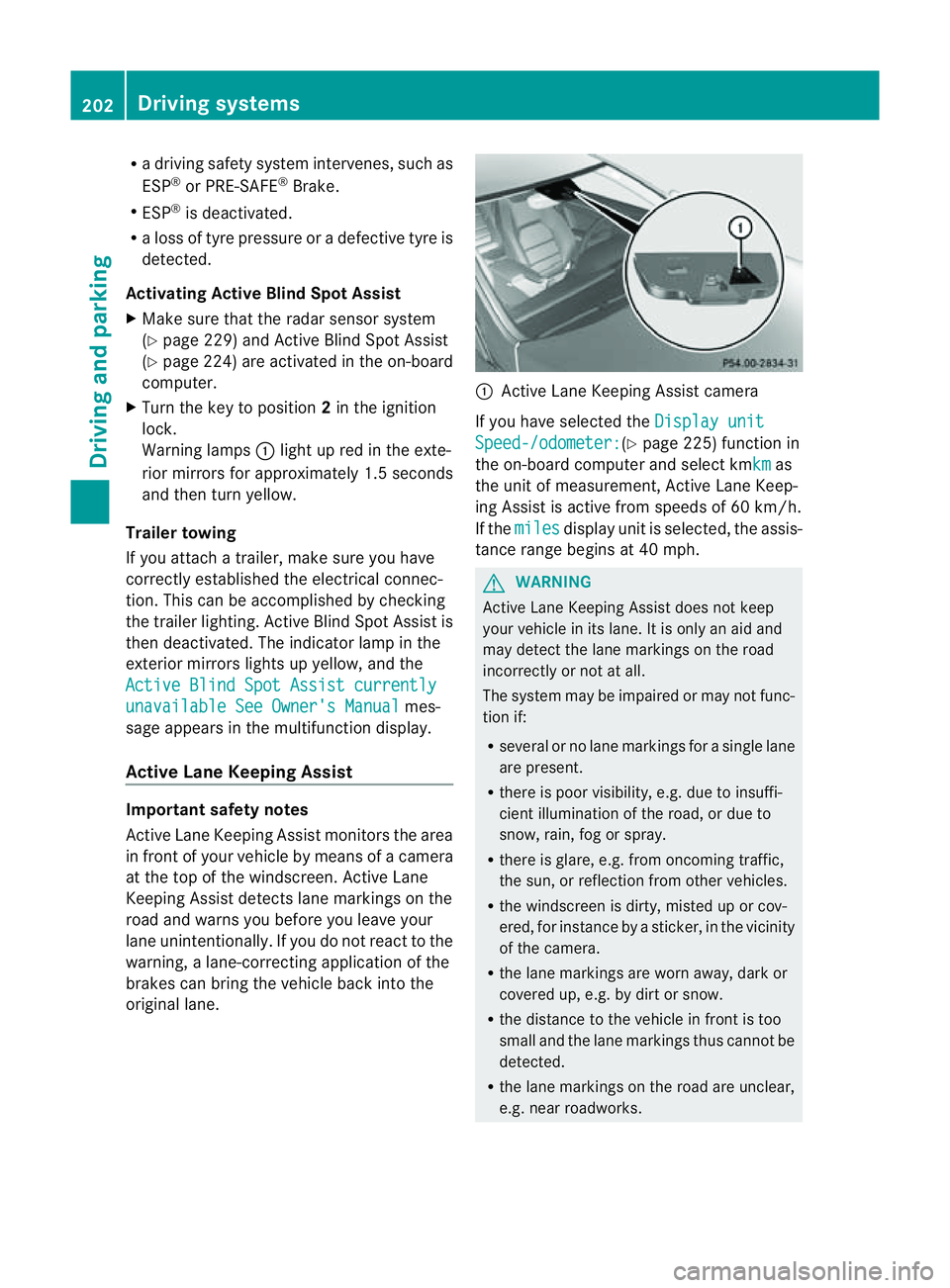
in front of your vehicle by means of
acamera
at the top of the windscreen. Active Lane
Keeping Assist detectsl ane markings on the
road and warns you before you leave your
lane unintentionally. If you do not react to the
warning, alane-correcting application of the
brakes can bring the vehicle back into the
original lane. :
Active Lane Keeping Assist camera
If you have selected the Display unit Speed-/odometer: (Y
page 225) function in
the on-board computer and select kmkm as
the unit of measurement, Active Lane Keep-
ing Assist is active from speeds of 60 km/h.
If the miles displayu
nit is selected, the assis-
tance range begins at 40 mph. G
WARNING
Active Lane Keeping Assist does not keep
your vehicle in its lane. It is only an aid and
may detect the lane markings on the road
incorrectly or not at all.
The system may be impaired or may not func-
tion if:
R several or no lane markings for asingle lane
are present.
R there is poor visibility, e.g. due to insuffi-
cient illumination of the road, or due to
snow, rain, fog or spray.
R there is glare, e.g. from oncomingt raffic,
the sun, or reflection from other vehicles.
R the windscreen is dirty, misted up or cov-
ered, for instancebyas ticker, in the vicinity
of the camera.
R the lane markings are worn away,d ark or
covered up, e.g. by dirt or snow.
R the distance to the vehicle in front is too
small and the lane markings thus cannot be
detected.
R the lane markings on the road are unclear,
e.g. near roadworks. 202
Driving systemsDriving and parking
Page 229 of 353
Time/date
Thi
ssubmenu is onl yavailable on vehicles
with Audio 20.
In the Time/date submenu, yo
ucan se tthe
time and date.
Your vehicle could have the following audio
equipment:
A: Audio 20
B: Audio 50 APS
C: COMAND APS
X Refer to the separate operating instruc-
tions to find out which audios ystem is fit-
ted in your vehicle.
Depending on the audios ystem, the time and
date are received from GPS satellites and
cannot be set using the on-board computer
(see the following table). A B C
Setting using the on-board com-
puter X
Automatic GPS satellite recep-
tion X X
Setting the time zone once; see
the separate operating instruc-
tions X X
X
Press the =or; button on the steer-
ing wheel to select the Settings menu.
X Press the :or9 button to select the
Time/Date submenu.
X Press the abutton to confirm.
X Press the :or9 button to select
Time: or
Date: .
The current time or date set is displayed.
X Press ato change the setting.
X Press the =or; button to select the
displayy ou want to change: hour, minute,
day, month, year.
X Press the :or9 button to set the
selected display.
X Press the abutton to store the entry. Lights Switching the daytime driving lights on/
off
If you have activated the
Day lights func-
tion and the light switch is set to Ã,the
daytime driving lights are automatically
switched on during daylight hours when the
engine is running. When it is dark, the side
lamps and the dipped-beamh eadlamps are
also switched on automatically.
X Switc hoff the engine.
X Press the =or; button on the steer-
ing wheel to select the Settings menu.
X Press the :or9 button to select the
Light submenu.
X Press the abutton to confirm.
X Press the :or9 button to select the
Day lights function.
If the Day lights have been switched on,
the coneofl ight and the Wsymbol in
the multifunction display are shown in red.
X Press the abutton to save the setting.
Activating/deactivating the Intelligent
Light System
If you activat ethe Intell. Light Sys. function
,you activat ethe following functions:
R motorway mode
R activ elight function
R cornering light function
R extended range foglamps
X Press the =or; button on the steer-
ing wheel to select the Settings menu.
X Press the :or9 button to select the
Light submenu.
X Press the abutton to confirm.
X Press :or9 to select the Intell. Light Sys. function.
If the Intell. Light Sys. function has
been switched on, the coneofl ight and the
L symbol in the multifunction display
are shown in red.
X Press the abutton to save the setting. 226
Menus and submenusOn-boar
dcomputer and displays
Page 230 of 353
If you set the dipped-bea
mheadlamps for
driving on the right/left (Y page 227), the
multifunction display shows the Systeminoperative display message under the
image of the vehicle for the Intell. Light
Sys. function in the
Light submenu.
Setting the dipped-beam headlampsf or
driving on the right/left
This function is only available on vehicles with
the Intelligent Light System.
You can use this function to switch between
symmetrical beam and asymmetrical dipped
beam (Y page 114).
If you set the dipped-beam headlamps for
driving on the right/left, then motorway
mode and the extended range foglamps are
not available.
X Press the =or; button on the steer-
ing wheel to select the Settings menu.
X Press the :or9 button to select the
Light submenu.
X Press the abutton to confirm.
X Press :or9 to select the Dipped beams Setting for: function.
You will see the selected setting: Right-side traffic or
Left-side traffic .
X Press the abutton to save the setting.
When you change the setting, conversion
does not take place until the nextt ime the
vehicle is stationary.
You can also have the dipped-beam head-
lamps set for drivin gonthe right/lef tata
qualified specialist workshop, e.g. a
Mercedes-Ben zServic eCentre.
Switching Adaptive Highbeam Assist on/
off
X Press the =or; button on the steer-
ing wheel to selec tthe Settings menu.
X Press the :or9 button to select the
Light submenu.
X Press the abutton to confirm. X
Press :or9 to select the Adapt. main beam function.
If the Adapt. main beam function has
been switched on, the cone of light and the
_ symbol in the multifunction display
are shown in red.
X Press the abutton to save the setting.
Activating/deactivating the surround
lighting and exterior lighting delayed
switch-off
If you have activated the Surround light‐ ing function and the light switch is in the
à position,
R the exterior lighting remains on for another
40 seconds after you unlock the vehicle
using the key.
The exterior lighting switches off when you
open the driver’s door.
R the exterior lighting remains on for another
15 seconds after closing the doors when it
is dark.
If the engine is switched off and then none
of the doors are opened, or if an open door
is not closed, the exterior lighting goes out
after 60 seconds.
If you activate the Surround lighting func-
tion, the following light up depending on the
vehicle's equipment:
R the side lamps
R the foglamps
R the daytime driving lights
R the surround lighting in the exterior mirrors
X Press the =or; button on the steer-
ing wheel to select the Settings menu.
X Press the :or9 button to select the
Light submenu.
X Press the abutton to confirm.
X Press the :or9 button to select the
Surround lighting function.
When the Surround lighting function is
activated, the light cone and the area Menus and submenus
227On-board computer and displays Z
Page 244 of 353
Display messages Possible causes/consequences and
M Solutions
b
Intell
.Light Sys‐ tem inoperative The Intelligent Light Syste
misfaulty. The lights remain available
without the Intelligent Light System.
X Visit aqualified specialist workshop. b
Malfunction See
Owner's Manual The exterior lighting is faulty.
X
Visit aqualified specialist workshop. Vehicles with trailer tow hitch:
afuse may have blown.
X Check the fuses (Y page 313).
X If necessary, replace the blown fuse. Observe the warning notes
as you do so.
If the displaym essage continues to be displayed:
X Visit aqualified specialist workshop. b
AUTO
lights inoper‐
ative The light sensor is faulty.
X
Visit aqualified specialist workshop. b
Switch off lights The lights are still switched on when you leave the vehicle. A
warning tone also sounds.
X
Turn the light switch to Ã.Adaptive Main-beam
Assist inoperative Adaptive Highbeam Assist is faulty.
X
Visit aqualified specialist workshop. Adaptive Main-beam
Assist currently
unavailable See
Owner's Manual Adaptive Highbeam Assist is deactivated and temporarily inoper-
ative if:
R
the windscreen is dirty in the camera's field of vision.
R visibility is impaired due to heavy rain, snow or fog.
X Cleant he windscreen.
Adaptive Highbeam Assist is available again if:
R the dirt (e.g. slush) drops away while the vehicle is in motion.
R the system detectst hat the camera is fully operational again.
The Adaptive Main-beam Assist available again message
is displayed. Display messages
241On-board computer and displays Z
Page 248 of 353
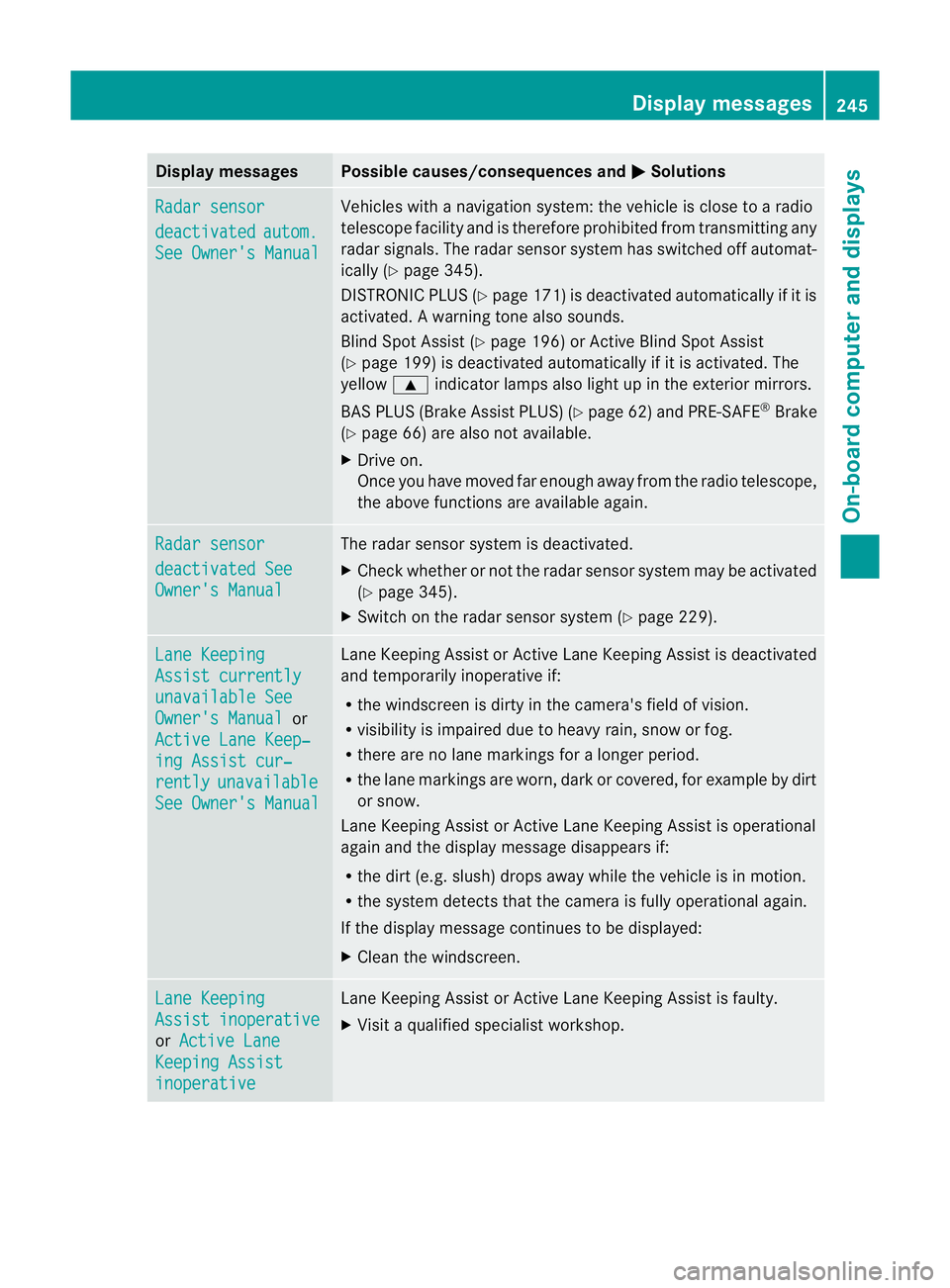
Display messages Possible causes/consequences and
M Solutions
Radar sensor
deactivated autom.
See Owner'
sManual Vehicles wit
hanavigation system: th evehicl eisc lose to aradio
telescope facilit yand is therefore prohibite dfromt ransmitting any
rada rsignals .The radar sensor system has switched off automat-
ically (Y page 345).
DISTRONIC PLUS (Y page 171) is deactivated automatically if it is
activated. Awarning tone also sounds.
Blin dSpotA ssist (Y page 196) or Active Blind Spot Assist
(Y page 199) is deactivated automaticallyifitisa ctivated. The
yellow 9indicator lamps also light up in the exterior mirrors.
BAS PLUS (Brake Assist PLUS) (Y page 62) and PRE-SAFE®
Brake
(Y page 66) are also not available.
X Drive on.
Once you have moved far enough awayf rom the radio telescope,
the above functionsa re available again.Radar sensor
deactivated See
Owner's Manual The radar sensor system is deactivated.
X
Check whether or not the radar sensor system may be activated
(Y page 345).
X Switch on the radar sensor system (Y page 229).Lane Keeping
Assist currently
unavailable See
Owner's Manual or
Active Lane Keep‐ ing Assist cur‐
rently unavailable
See Owner's Manual Lane Keeping Assist or Active Lane Keeping Assist is deactivated
and temporarily inoperative if:
R the windscreen is dirty in the camera's field of vision.
R visibility is impaired due to heavy rain, snow or fog.
R there are no lane markings for alonger period.
R the lane markings are worn, dark or covered, for example by dirt
or snow.
Lane Keeping Assist or Active Lane Keeping Assist is operational
againa nd the display message disappears if:
R the dirt (e.g. slush) drops away whil ethe vehicl eisinmotion.
R the system detects tha tthe camera is fully operational again.
If the displaym essage continues to be displayed:
X Cleant he windscreen. Lane Keeping
Assist inoperative
or
Active Lane Keeping Assist
inoperative Lane Keeping Assist or Active Lane Keeping Assist is faulty.
X
Visit aqualified specialist workshop. Display messages
245On-board computer and displays Z