change time MERCEDES-BENZ E-Class CABRIOLET 2014 C207 User Guide
[x] Cancel search | Manufacturer: MERCEDES-BENZ, Model Year: 2014, Model line: E-Class CABRIOLET, Model: MERCEDES-BENZ E-Class CABRIOLET 2014 C207Pages: 394, PDF Size: 5.28 MB
Page 178 of 394
E
Economy Comfortable, economical
driving
S
Sport Sporty driving style
M
Manual Manual gear shifting
i
For further information on the automatic
drive program, see (Y page 176).
Only change fro mautomatic drive program
E or Sto manual drive program Mwhen the
vehicle is stationary.
i The automatic transmission shifts to
automatic drive program Eeach time the
engine is started. Steering wheel paddle shifters
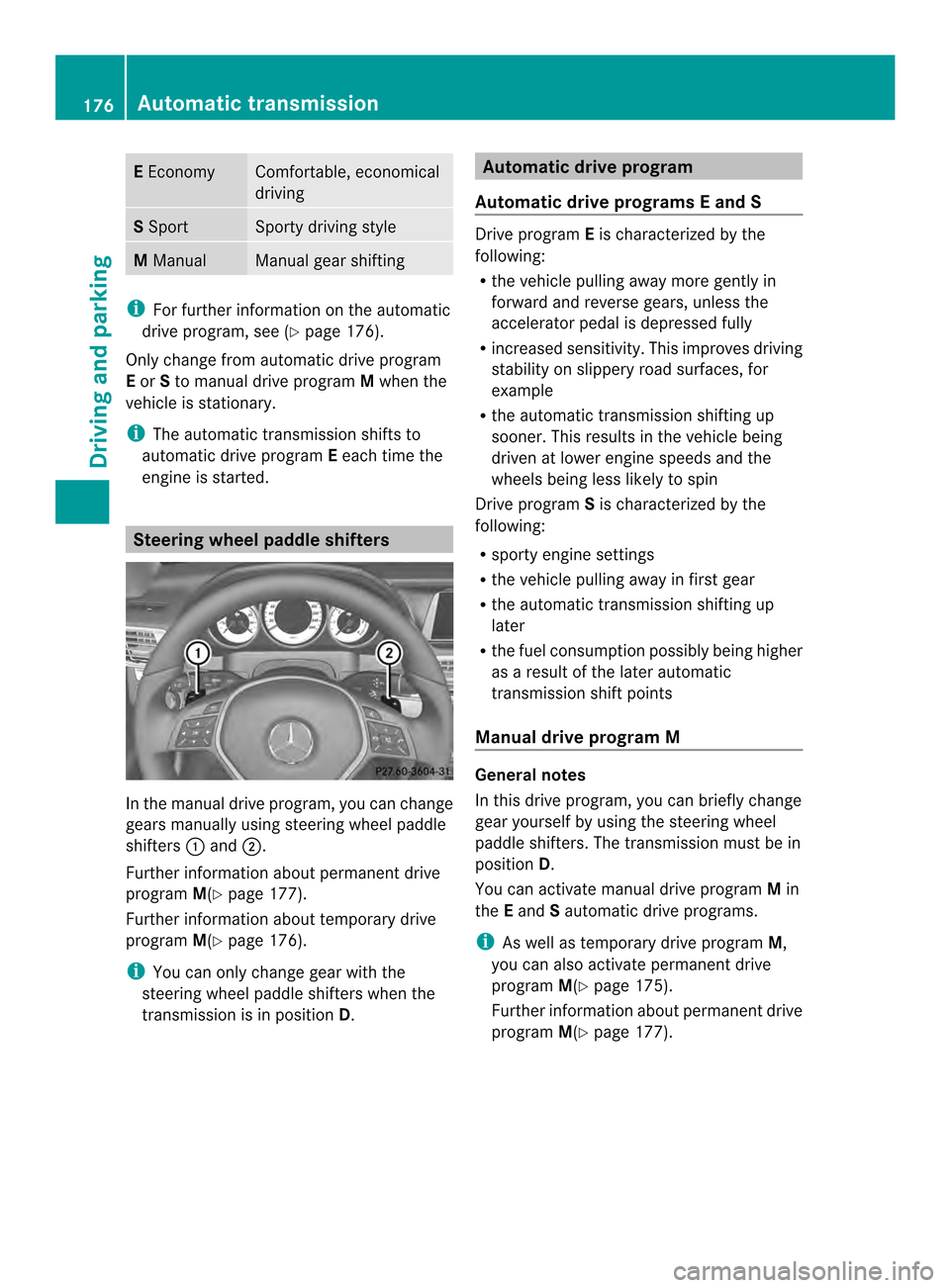
In the manual drive program, you can change
gears manually using steering wheel paddle
shifters
0002and 0003.
Further information about permanent drive
program M(Ypage 177).
Further information about temporary drive
program M(Ypage 176).
i You can only change gear with the
steering wheel paddle shifters when the
transmission is in position D. Automatic drive program
Automatic drive program sEand S Drive program
Eis characterized by the
following:
R the vehicle pulling away more gently in
forward and reverse gears, unless the
accelerator pedal is depressed fully
R increased sensitivity .This improves driving
stability on slippery road surfaces, for
example
R the automatic transmission shifting up
sooner. This results in the vehicle being
driven at lower engine speeds and the
wheels being less likely to spin
Drive program Sis characterized by the
following:
R sporty engine settings
R the vehicle pulling away in first gear
R the automatic transmission shifting up
later
R the fuel consumption possibly being higher
as a result of the later automatic
transmission shift points
Manual drive program M General notes
In this drive program, you can briefly change
gear yourself by using the steering wheel
paddle shifters. The transmission must be in
position
D.
You can activate manual drive program Min
the Eand Sautomatic drive programs.
i As well as temporary drive program M,
you can also activate permanent drive
program M(Ypage 175).
Further information about permanent drive
program M(Ypage 177). 176
Automatic transmissionDriving and parking
Page 179 of 394
Activating
X
Shift the transmission to position D.
X Pull the left or right steering wheel paddle
shifte r(Ypage 176).
Manual drive program Mis temporarily
activated. The selected gear and Mappear
in the multifunction display.
Shifting gears
If you pull on the left or right steering wheel
paddle shifter, the automatic transmission
switches to manual drive program Mfor a
limited amount of time. Depending on which
paddle shifter is pulled, the automatic
transmission immediately shifts into the next
gear down or up, if permitted.
X To shift up: pull the right-hand steering
wheel paddle shifter (Y page 176).
The automatic transmission shifts up to the
next gear.
i If the maximum engine speed on the
currently engaged gear is reached and you
continue to accelerate, the automatic
transmission automatically shifts up in
order to preven tengine damage.
X To shift down: pull on the left-hand
steering wheel paddle shifter
(Y page 176).
The automatic transmission shifts down to
the next gear.
i If the engine exceeds the maximum
engine speed when shifting down, the
automatic transmission protects against
engine damage by not shifting down.
i Automatic down shifting occurs when
coasting.
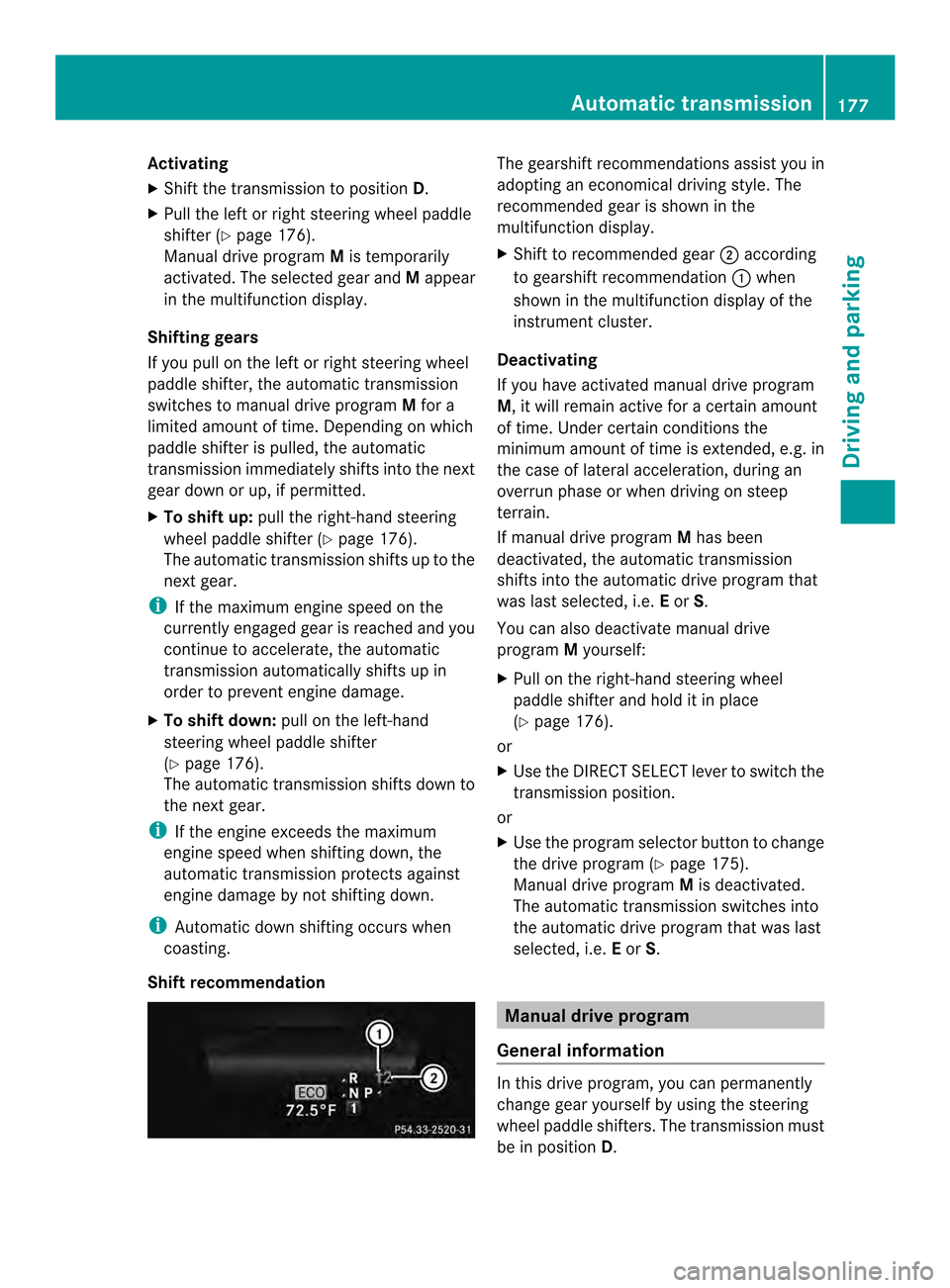
Shift recommendation The gearshift recommendations assist you in
adopting an economical driving style
.The
recommended gear is shown in the
multifunction display.
X Shift to recommended gear 0003according
to gearshift recommendation 0002when
shown in the multifunction display of the
instrument cluster.
Deactivating
If you have activated manual drive program
M, it will remain active for a certain amount
of time. Under certain conditions the
minimum amount of time is extended, e.g. in
the case of lateral acceleration, during an
overrun phase or when driving on steep
terrain.
If manual drive program Mhas been
deactivated, the automatic transmission
shifts into the automatic drive program that
was last selected, i.e. Eor S.
You can also deactivate manual drive
program Myourself:
X Pull on the right-hand steering wheel
paddle shifter and hold it in place
(Y page 176).
or
X Use the DIRECT SELECT lever to switch the
transmission position.
or
X Use the program selector button to change
the drive program (Y page 175).
Manual drive program Mis deactivated.
The automatic transmission switches into
the automatic drive program that was last
selected, i.e. Eor S. Manual drive program
General information In this drive program, you can permanently
change gear yourself by using the steering
wheel paddle shifters. The transmission must
be in position
D. Automatic transmission
177Driving and parking Z
Page 188 of 394
R
Acceleration (evaluation of all
acceleration processes):
- The bar fills up: moderate acceleration,
especially at higher speeds
- The bar empties: sporty acceleration
R Constant (assessment of driving behavior
at all times):
- The bar fills up: constant speed and
avoidance of unnecessary acceleration
and deceleration
- The bar empties: fluctuations in speed
R Coasting (assessment of all deceleration
processes):
- The bar fills up: anticipatory driving,
keeping your distance and early release
of the accelerator. The vehicle can coast
without use of the brakes.
- The bar empties: frequent braking
i An economical driving style specially
requires driving at moderate engine
speeds.
To achieve a higher value in the categories
Acceleration and
Constant :
R observe the gearshift recommendations.
R drive in drive program E.
i On long journeys at a constant speed, e.g.
on the highway, only the bar for Constantwill change.
i The ECO display summaries the driving
characteristics from the start of the journey
to its completion. For this reason, the bars
change dynamically at the beginning of the
journey. On longer journeys, there are
fewer changes. For more dynamic changes,
carry out a manual reset.
Further information on the ECO display
(Y page 236). Braking
Important safety notes G
WARNING
If you shift down on a slippery road surface in
an attempt to increase the engine's braking
effect, the drive wheels could lose their grip.
There is an increased danger of skidding and
accidents.
Do not shift down for additional engine
braking on a slippery road surface.
Downhill gradients !
On long and steep gradients, you must
reduce the load on the brakes by shifting
early to a lower gear. This allows you to take
advantage of the engine braking effect and
helps avoid overheating and excessive
wear of the brakes.
When you take advantage of the engine
braking effect, a drive wheel may not turn
for some time, e.g. on a slippery road
surface. This could cause damage to the
drive train. This type of damage is not
covered by the Mercedes-Benz warranty.
Do not depress the brake pedal continuously
while the vehicle is in motion, e.g. causing the
brakes to rub by constantly applying light
pressure to the pedal.T his results in
excessive and premature wear to the brake
pads.
Heavy and light loads G
WARNING
If you rest your foot on the brake pedal while
driving, the braking system can overheat. This
increases the stopping distance and can even
cause the braking system to fail. There is a
risk of an accident.
Never use the brake pedal as a footrest.N ever
depress the brake pedal and the accelerator
pedal at the same time. 186
Driving tipsDriving and parking
Page 191 of 394

If the vehicle threatens to skid or cannot be
stopped when moving at low speed:
X Shift the transmission to position N.
Drive particularly carefully on slippery road
surfaces .Avoid sudden acceleration, steering
and braking maneuvers. Do not use the cruise
control or DISTRONIC PLUS.
i For more information on driving with
snow chains, see (Y page 347).
The outside temperature indicator is not
designed to serve as an ice-warning device
and is therefore unsuitable for that purpose.
Changes in the outside temperature are
displayed after a short delay.
Indicated temperatures just above the
freezing point do not guarantee that the road
surface is free of ice. The road may still be icy,
especially in wooded areas or on bridges. The
vehicle could skid if you fail to adapt your
driving style .Always adapt your driving style
and drive at a speed to suit the prevailing
weathe rconditions.
You should pay special attention to road
conditions when temperatures are around
freezing point. Driving systems
Cruise control
General notes Cruise control maintains a constant road
speed for you. It brakes automatically in order
to avoid exceeding the set speed. On long and
steep downhill gradients, especially if the
vehicle is laden, you must shift to a lower gear
in time. By doing so, you will make use of the
braking effect of the engine. This relieves the
load on the brake system and prevents the
brakes from overheating and wearing too
quickly.
Use cruise control only if road and traffic
conditions make it appropriate to maintain a
steady speed for a prolonged period. You can store any road speed above 20 mph
(30 km/h).
Important safety notes If you fail to adapt your driving style, cruise
control can neither reduce the risk of an
accident nor override the laws of physics.
Cruise control cannot take into account the
road, traffic and weather conditions. Cruise
control is only an aid. You are responsible for
the distance to the vehicle in front, for vehicle
speed, for braking in good time and for
staying in your lane.
Do not use cruise control:
R
in road and traffic conditions which do not
allow you to maintain a constant speed e.g.
in heavy traffic or on winding roads
R on slippery road surfaces. Braking or
accelerating could cause the drive wheels
to lose traction and the vehicle could then
skid
R when there is poor visibility, e.g. due to fog,
heavy rain or snow
If there is a change of drivers, advise the new
driver of the speed stored.
Cruise control lever 0002
To activate or increase speed
0003 To activate or reduce speed
0023 To deactivate cruise control
0022 To activate at the current speed/last
stored speed Driving systems
189Driving and parking Z
Page 193 of 394

X
Press the cruise control lever up 0002for a
higher speed or down 0003for a lower speed.
X To adjust the set speed in 1 mph
increments (1 km/h increments): briefly
press the cruise control lever up 0002or
down 0003to the pressure point.
Every time the cruise control lever is
pressed up 0002or down 0003the last speed
stored is increased or reduced.
X To adjust the set speed in 5 mph
increments (10 km/h increments):
briefly press the cruise control lever
up 0002 or down 0003to the pressure point.
Every time the cruise control lever is
pressed up 0002or down 0003the last speed
stored is increased or reduced.
i Cruise control is not deactivated if you
depress the accelerator pedal. For
example, if you accelerate briefly to
overtake, cruise control adjusts the
vehicle's speed to the last speed stored
after you have finished overtaking.
Deactivating cruise control There are several ways to deactivate cruise
control:
X Briefly press the cruise control lever
forwards 0002.
or
X Brake. Cruise control is automatically deactivated if:
R
you depress the parking brake
R you are driving at less than 20 mph
(30 km/h)
R ESP ®
intervenes or you deactivate ESP ®
R you shift the transmission to position N
while driving
If cruise control is deactivated, you will hear
a warning tone. You will see the Cruise Control Off message in the multifunction
display for approximately five seconds.
i When you switch off the engine, the last
speed stored is cleared. DISTRONIC PLUS
General notes DISTRONIC PLUS regulates the speed and
automatically helps you maintain the
distance to the vehicle detected in front.
Vehicles are detected with the aid of the radar
sensor system. DISTRONIC PLUS brakes
automatically so that the set speed is not
exceeded.
Change into a lower gear in good time on long
and steep downhill gradients. This is
especially importan
tifthe vehicle is laden. By
doing so, you will make use of the braking
effect of the engine. This relieves the load on
the brake system and prevents the brakes
from overheating and wearing too quickly.
If DISTRONIC PLUS detects that there is a risk
of a collision, you will be warned visually and
acoustically. DISTRONIC PLUS cannot
prevent a collision without your intervention.
An intermittent warning tone will then sound
and the distance warning lamp will light up in
the instrument cluster. Brake immediately in
order to increase the distance to the vehicle
in front or take evasive action provided it is
safe to do so.
For DISTRONIC PLUS to assist you, the radar
sensor system must be operational. Driving systems
191Driving and parking Z
Page 195 of 394

front, for vehicle speed, for braking in good
time and for staying in you
rlane.
Do not use DISTRONIC PLUS:
R in road and traffic conditions which do not
allow you to maintain a constan tspeed e.g.
in heavy traffic or on winding roads
R on slippery road surfaces .Braking or
accelerating could cause the drive wheels
to lose traction and the vehicle could then
skid
R when there is poor visibility, e.g. due to fog,
heavy rain or snow
DISTRONIC PLUS may not detect narrow
vehicles driving in front, e.g. motorcycles, or
vehicles driving on a different line.
In particular, the detection of obstacles can
be impaired if:
R dirt on the sensors or anything else
covering the sensors
R snow or heavy rain
R interference by other rada rsources
R strong radar reflections, for example, in
parking garages
If DISTRONIC PLUS no longer detects a
vehicle in front, DISTRONIC PLUS may
unexpectedly accelerate the vehicle to the
stored speed.
This speed may:
R be too high if you are driving in a filter lane
or an exit lane
R be so high in the right lane that you pass
vehicles driving on the left (left-hand drive
countries)
R be so high in the left lane that you pass
vehicles driving on the right (right-hand
drive countries)
If there is a change of drivers, advise the new
driver of the speed stored. Cruise control lever 0002
To store the current speed or a higher
speed
0003 To store the current speed or a lower
speed
0023 To deactivate DISTRONIC PLUS
0022 To store the current speed or call up the
last stored speed
0020 To set the specified minimum distance
Activating DISTRONIC PLUS Activation conditions
In order to activate DISTRONIC PLUS, the
following conditions must be fulfilled:
R
the engine must be started. It may take up
to two minutes after pulling away before
DISTRONIC PLUS is operational.
R the parking brake must be released.
R ESP ®
must be active, but not intervening.
R Active Parking Assist must not be
activated.
R the transmission must be in position D.
R the driver's door must be closed when you
shift from Pto Dor your seat belt must be
fastened.
R the front-passenger door must be closed.
R the vehicle must not skid. Driving systems
193Driving and parking Z
Page 197 of 394
X
If you want to pull away with
DISTRONIC PLUS: remove your foot from
the brake pedal.
X Briefly pull the cruise control leve rtowards
you 0002.
or
X Accelerate briefly.
Your vehicle pulls away and adapts its
speed to that of the vehicle in front.
If no vehicle is detected in front, your
vehicle accelerates to the set speed.
i The vehicle can also pull away when it is
facing an unidentified obstacle or is driving
on a different line from another vehicle. The
vehicle then brakes automatically. There is
a risk of an accident. Be ready to brake at
all times.
If there is no vehicle in front, DISTRONIC
PLUS operates in the same way as cruise
control.
If DISTRONIC PLUS detects that the vehicle
in front has slowed down, it brakes your
vehicle. In this way, the distance you have
selected is maintained.
If DISTRONIC PLUS detects a faster-moving
vehicle in front, it increases the driving speed.
However, the vehicle is only accelerated up
to the speed you have stored.
Selecting the drive program
DISTRONIC Plus supports a sporty driving
style when you have selected the Sdriving
program (Y page 175). Acceleration behind
the vehicle in front or to the set speed is then
noticeably more dynamic. If you have
selected the Edriving program, the vehicle
accelerates more gently. This setting is
recommended in stop-and-start traffic. Changing lanes
If you change to the passing lane, DISTRONIC
PLUS supports you when:
R you are driving faster than 45 mph
(70 km/h)
R DISTRONIC PLUS is maintaining the
distance to a vehicle in front
R you switch on the appropriate turn signal
R DISTRONIC PLUS does not detect a danger
of collision
If these conditions are fulfilled, your vehicle
is accelerated. Acceleration will be
interrupted if changing lanes takes too long
or if the distance between your vehicle and
the vehicle in front becomes too small.
i When changing lanes, DISTRONIC PLUS
monitors the left lane on left-hand drive
vehicles and the right lane on right-hand
drive vehicles.
Stopping G
WARNING
When leaving the vehicle, even if it is braked
only by DISTRONIC PLUS, it could roll away if:
R there is a malfunction in the system or in
the voltage supply.
R DISTRONIC PLUS has been deactivated
with the cruise control lever, e.g. by a
vehicle occupant or from outside the
vehicle.
R the electrical system in the engine
compartment, the battery or the fuses have
been tampered with.
R the battery is disconnected.
R the accelerator pedal has been depressed,
e.g. by a vehicle occupant.
There is a risk of an accident.
If you wish to exit the vehicle, always turn off
DISTRONIC PLUS and secure the vehicle
against rolling away.
Deactivating DISTRONIC PLUS
(Y page 198). Driving systems
195Driving and parking Z
Page 202 of 394
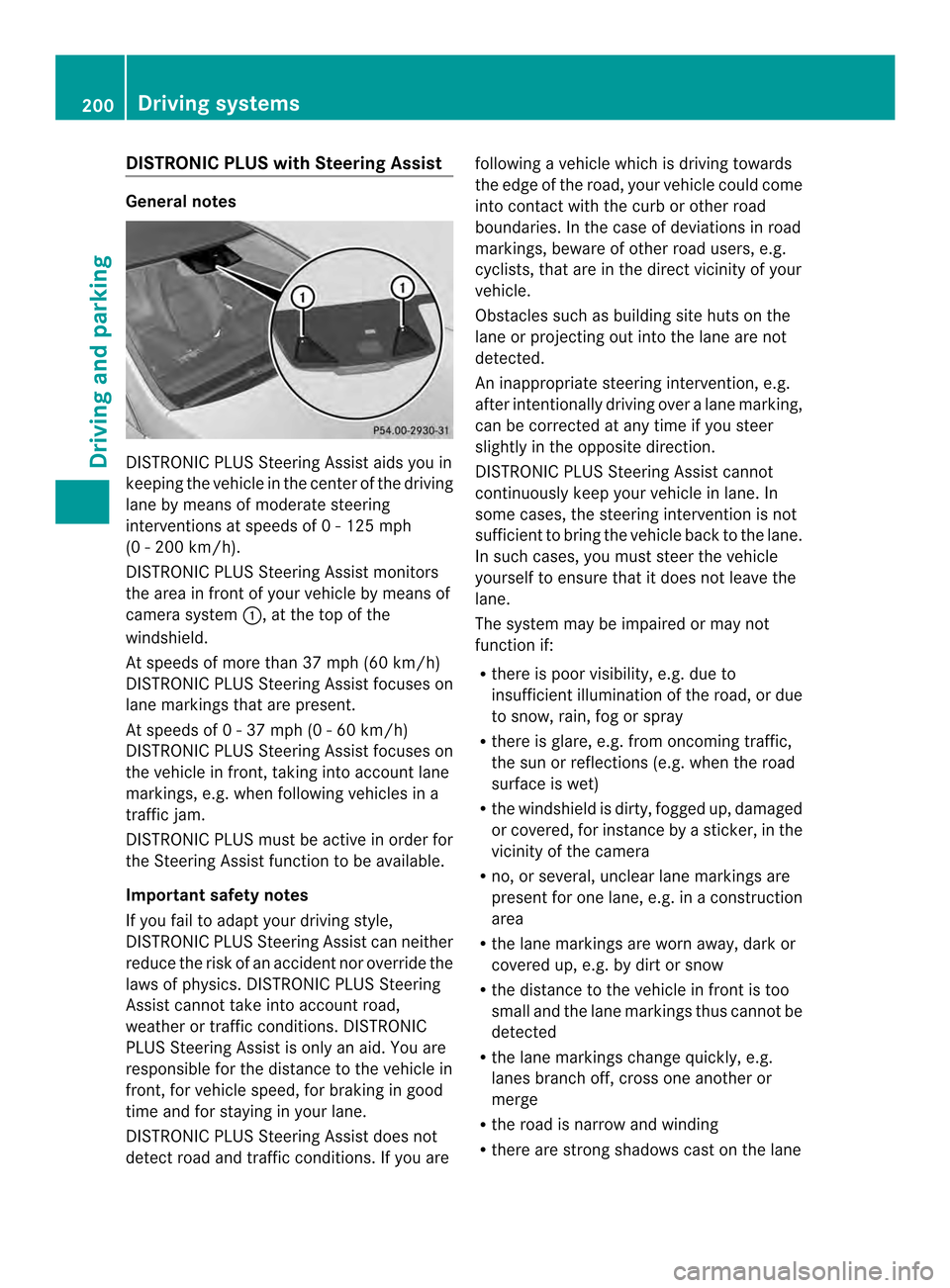
DISTRONIC PLUS wit
hSteering Assist General notes
DISTRONIC PLU
SSteering Assist aids you in
keeping the vehicle in the cente rofthe driving
lane by means of moderate steering
interventions at speeds of 0 - 125 mph
(0 - 200 km/h).
DISTRONIC PLUS Steering Assist monitors
the area in front of your vehicle by means of
camera system 0002, at the top of the
windshield.
At speeds of more than 37 mph (60 km/h)
DISTRONIC PLUS Steering Assist focuses on
lane markings that are present.
At speeds of 0 - 37 mph (0 - 60 km/h)
DISTRONIC PLUS Steering Assist focuses on
the vehicle in front, taking into account lane
markings, e.g. when following vehicles in a
traffic jam.
DISTRONIC PLUS must be active in order for
the Steering Assist function to be available.
Important safety notes
If you fail to adapt your driving style,
DISTRONIC PLUS SteeringA ssist can neither
reduce the risk of an accident nor override the
laws of physics. DISTRONIC PLUS Steering
Assist cannot take into account road,
weather or traffic conditions. DISTRONIC
PLUS Steering Assist is only an aid. You are
responsible for the distance to the vehicle in
front, for vehicle speed, for braking in good
time and for staying in your lane.
DISTRONIC PLUS Steering Assist does not
detect road and traffic conditions. If you are following a vehicle which is driving towards
the edge of the road, your vehicle could come
into contact with the curb or other road
boundaries. In the case of deviations in road
markings, beware of other road users, e.g.
cyclists, that are in the direct vicinity of your
vehicle.
Obstacles such as building site huts on the
lane or projecting out into the lane are not
detected.
An inappropriate steering intervention, e.g.
after intentionally driving over a lane marking,
can be corrected at any time if you steer
slightly in the opposite direction.
DISTRONIC PLUS Steering Assist cannot
continuously keep your vehicle in lane. In
some cases, the steering intervention is not
sufficient to bring the vehicle back to the lane.
In such cases, you must steer the vehicle
yourselft
o ensure that it does not leave the
lane.
The system may be impaired or may not
function if:
R there is poor visibility, e.g. due to
insufficient illumination of the road, or due
to snow, rain, fog or spray
R there is glare, e.g. from oncoming traffic,
the sun or reflections (e.g. when the road
surface is wet)
R the windshield is dirty, fogged up, damaged
or covered, for instance by a sticker, in the
vicinity of the camera
R no, or several, unclear lane markings are
present for one lane, e.g. in a construction
area
R the lane markings are worn away, dark or
covered up, e.g. by dirt or snow
R the distance to the vehicle in front is too
small and the lane markings thus cannot be
detected
R the lane markings change quickly, e.g.
lanes branch off, cross one another or
merge
R the road is narrow and winding
R there are strong shadows cast on the lane 200
Driving systemsDriving and parking
Page 203 of 394
Pay attention also to the importan
tsafety
notes for DISTRONIC PLUS (Y page 192).
The steering interventions are carried out
with a limited steering moment. The system
requires the driver to keep his hands on the
steering wheel and to steer himself.
If you do no tstee ryourself or if take your
hands off the steering wheel for a prolonged
period of time, the system will first alert you
with a visual warning. Asteering wheel
symbol appears in the multifunctio ndisplay.
If you have still not started to steer and have
not taken hold of the steering wheel after five
seconds, a warning tone also sounds to
remind you to take control of the vehicle.
DISTRONIC PLUS Steering Assist is then
switched to passive .DISTRONIC PLUS
remains active.
The system is switched to passive and no
longer assists you by performing steering
interventions if:
R you actively change lanes
R you switch on the turn signal
R take yourh ands off the steering wheel or
do no tstee rfor a prolonged period of time
i After you have finished changing lanes,
DISTRONIC PLUS Steering Assist is
automatically active once more.
DISTRONIC PLUS Steering Assist does not
provide assistance:
R on very sharp corners
R if no lane markings or no clear lane
markings have been detected
R if the vehicle in front is not detected at
speeds below 37 mph (60 km/h)
R in tire run-flat mode
Activating Steering Assist
X Select the DISTRONIC PLUS with Steering
Assist function using the on-board
computer (Y page 242).
The DTR+: Steering Assistant On message appears in the multifunction
display .DISTRONIC PLUS Steering Assist
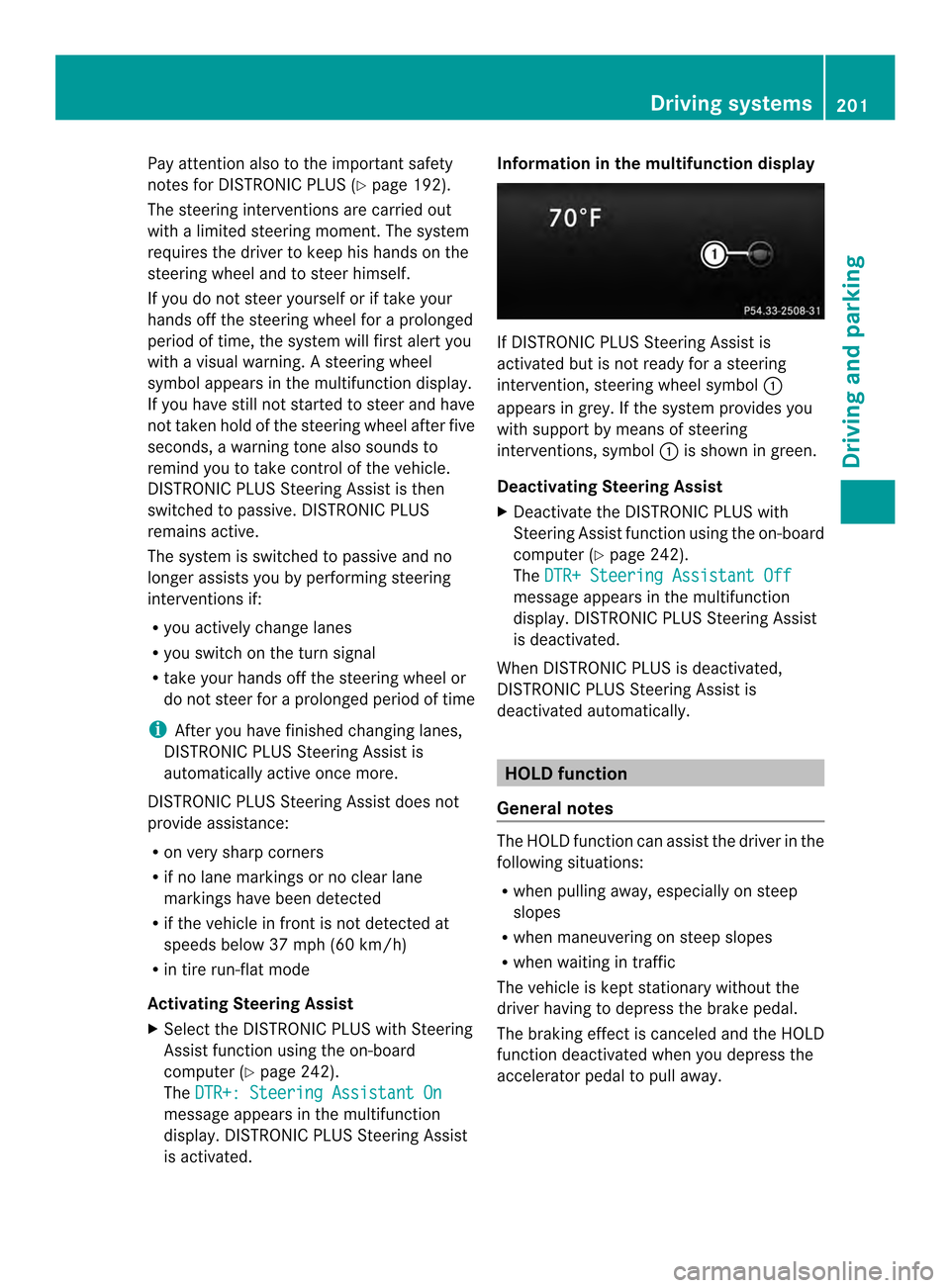
is activated. Information in the multifunction display
If DISTRONIC PLUS Steering Assist is
activated but is not ready for a steering
intervention, steering wheels
ymbol0002
appears in grey. If th esystem provides you
with suppor tby means of steering
interventions, symbol 0002is shown in green.
Deactivating Steering Assist
X Deactivate the DISTRONIC PLUS with
Steering Assis tfunction using the on-board
computer (Y page 242).
The DTR+ Steering Assistant Off message appears in the multifunction
display. DISTRONIC PLU
SSteering Assist
is deactivated.
When DISTRONIC PLU Sis deactivated,
DISTRONIC PLUS Steering Assist is
deactivated automatically. HOLD function
General notes The HOLD function can assist the driver in the
following situations:
R
when pulling away, especially on steep
slopes
R when maneuvering on steep slopes
R when waiting in traffic
The vehicle is kept stationary without the
driver having to depress the brake pedal.
The braking effect is canceled and the HOLD
function deactivated when you depress the
accelerator pedal to pull away. Driving systems
201Driving and parking Z
Page 212 of 394
The
Park Assist Active Accelerate and Brake Observe Surroundings
message appears in the multifunction
display.
i You will achieve the best results by
waiting for the steering procedure to
complete before pulling away.
X Drive forwards and be ready to brake at all
times.
Active Parking Assist brakes the vehicle to
a standstill.
The Park Assist Active Select R Observe Surroundings message appears in
the multifunction display.
Further transmission shifts may be
necessary.
As soon as the parking procedure is
complete, the Park Assist Disabled message appears in the multifunction display
and you will hear a tone. The vehicle is now
parked. The vehicle is kept stationary without
the driver having to depress the brake pedal.
The braking effect is canceled when you
depress the accelerator pedal.
Active Parking Assist no longer supports you
with steering interventions and brake
applications. When Active Parking Assist is
finished, you must steer and brake again
yourself. PARKTRONIC is still available.
X
Maneuver if necessary.
X Always observe the warning messages
displayed by PARKTRONIC (Y page 205).
Parking tips:
R The way your vehicle is positioned in the
parking space after parking is dependent
on various factors. These include the
position and shape of the vehicles parked
in fronta nd behind it and the conditions of
the location. It may be the case tha tActive
Parking Assist guides you too far into a
parking space, or not far enough into it. In
some cases, it may also lead you across or
onto the curb .Ifnecessary, you should cancel the parking procedure with Active
Parking Assist.
R You can also engage forward gear
prematurely. The vehicle redirects and
does not drive as far into the parking space.
Should a gear be changed too early, the
parking procedure will be canceled. A
sensible parking position can no longer be
achieved from this position.
Exiting aparking space In order that Active Parking Assist can
support you whe
nyou exit the parking space:
R the border of the parking space must be
high enough at the front and the rear. A
curb is too small, for example.
R the border of the parking space must not
be too wide, as the position of the vehicle
must not exceed an angle of 45° to the
starting position as it is maneuvering into
the parking space.
R a maneuvering distance of at least 3.3 ft
(1.0 m) must be available.
i Vehicles with automatic transmission:
If PARKTRONIC detects obstacles, Active
Parking Assist brakes automatically whilst
the vehicle exits the parking space. You are
responsible for braking in good time.
Active Parking Assist can only assist you with
exiting a parking space if you have parked the
vehicle parallel to the direction of travel using
Active Parking Assist.
X Start the engine.
X Switch on the turn signal in the direction
you are pulling away.
X Shift the transmission to position Dor R.
The Start Park Assist? Yes: OK No: 0007
message appears in the multifunction
display.
X To cancel the procedure: press the
0007 button on the multifunction steering
wheel or pull away.
or 210
Driving systemsDriving and parking