USB port MERCEDES-BENZ E-CLASS CABRIOLET 2017 Owners Manual
[x] Cancel search | Manufacturer: MERCEDES-BENZ, Model Year: 2017, Model line: E-CLASS CABRIOLET, Model: MERCEDES-BENZ E-CLASS CABRIOLET 2017Pages: 521, PDF Size: 10.64 MB
Page 107 of 521
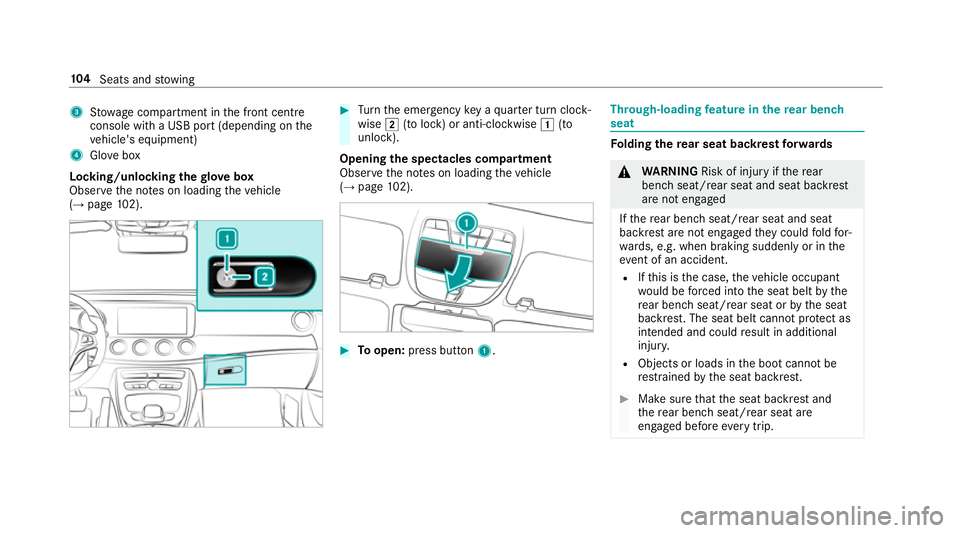
3
Stow age compartment in the front cent re
console wi tha USB port (depending on the
ve hicle's equipment)
4 Glovebox
Locking/unlocking thegl ove box
Obser vethe no tes on loading theve hicle
(→ page 102). #
Turn the emer gency key a quarter turn clock‐
wise 2(to lock) or anti-clockwise 1(to
unlock).
Opening the spectacles compa rtment
Obse rveth e no tes on loading theve hicle
(→ page 102). #
Toopen: press button 1. Th
rough-loading feature in there ar ben ch
seat Fo
lding there ar seat backrest forw ards &
WARNING Risk of inju ryifth ere ar
ben chseat/rear seat and seat backrest
are not engaged
If th ere ar ben chseat/rear seat and seat
backrest are not engaged they could fold for‐
wa rds, e.g. when braking suddenly or in the
ev ent of an accident.
R Ifth is is the case, theve hicle occupant
wo uld be forc ed into the seat belt bythe
re ar ben chseat/rear seat or bythe seat
backrest. The seat belt cann otprotect as
intended and could result in additional
injur y.
R Objects or loads in the boot cann otbe
re stra ined bythe seat backrest. #
Make sure that the seat backrest and
th ere ar ben chseat/rear seat are
engaged before everytrip. 104
Seats and stowing
Page 243 of 521
Vo
ice prom pting #
Tostart or continue a dialogue: pressthe
ó button on the multifunction steering
wheel.
Yo u can say a voice command af ter an
acou stic signal. #
Tocor rect an ent ry:say theCorrection
vo ice command. #
Toselect an entry from the selection lis t:
say the line number or the conte nts. #
Tobrows eth e selection lis t:say theCon-
tinue orBack voice command. #
Tointer rupt the dialogue: saythePause
vo ice command. #
Tocancel the dialogue: saytheCancel
vo ice command or press the8 button on
th e multifunction steering wheel. Operable functions
Yo
u can use the LINGU ATRO NIC voice control
sy stem tooperate thefo llowing equipment
re ga rdless of thefe atures: R
Telephone
R Text messa ges
R Navigation
R Address book
R Radio
R Audio (memory card, Media Inter face, USB
and Blu etoo th®
audio)
R TV
R Vehicle Ty
pes of voice commands A distinction is made between
thefo llowing
vo ice commands:
R Global voice commands can be said at any
time and rega rdless of the cur rent applica‐
tion, e.g. theNavigate to, CallorText mes-
sage to voice commands.
R Application-specific voice commands are
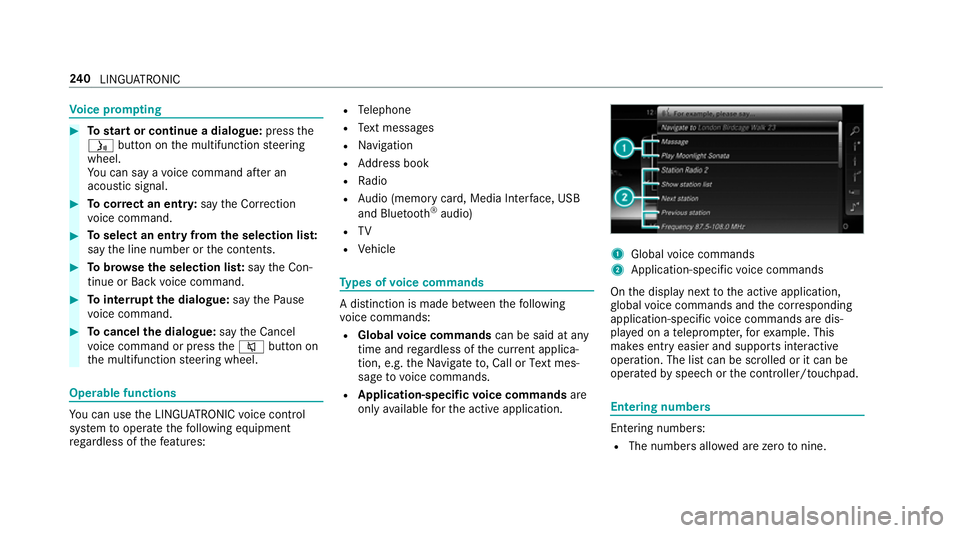
only available forth e active application. 1
Global voice commands
2 Application-specific voice commands
On the display next tothe active application,
gl obal voice commands and the cor responding
application-specific voice commands are dis‐
pla yed on a teleprom pter,fo rex ample. This
makes ent ryeasier and supports interactive
operation. The list can be scrolled or it can be
operated byspeech or the controller/touchpad. Entering numbers
Ente
ring numbe rs:
R The numbers allo wed are zerotonine . 240
LINGU ATRO NIC
Page 266 of 521
%
Ifyo u are using Arabic map data, thete xt
information can also be shown in Arabic on
th e navigation map. Todo so, select ةيبرعلاas
th e language from the language list. Naviga‐
tion announcements are then also made in
Arabic. Setting
the distance unit Multimedia sy
stem:
, System .
Units #
Select kmormi. #
Switch Additional speedometer onO todis‐
play in the instrument clus ter's multifunction
displa y. Data import and
export Data import/export function
The
following functions are possible:
R transfer ring da tafrom one sy stem or vehicle
to ano ther sy stem or vehicle.
R creating a bac kup copy of your personal data
and loading it again. R
protecting your personal data against un wan‐
te dex port with PIN pr otection.
Yo u can either use an SD card or a USB storage
device as temp orary storage.
% Please no tethat the NTFS file sy stem is not
suppor ted. The FAT32 file sy stem is recom‐
mended.
Importing/exporting data
* NO
TEData loss #
Do not remo vethe data storage
medium when data is being expor ted.
Mercedes-Benz is not liable for any loss of
data. Re
quirements:
R The vehicle is stationar y.
R The ignition is switched on or theve hicle has
been star ted.
R The SD card is inser ted (→ page 320) or the
USB device is connecte d (→page 323). Multimedia sy
stem:
, System .
System backup #
Select Import data orExport data.
Importing #
Select a data storage medium.
A prom ptappears asking whe ther youre ally
wish to overwrite the cur rent da ta. If da ta
originates from ano ther vehicle, this is recog‐
nised du ring da tareading.
The multimedia sy stem is restar ted once the
data has been impor ted.
% Current vehicle settings can be edited af ter
th e import.
Exporting
If PIN pr otection is activated, your PIN is reques‐
te d. #
Ente ryo ur four-digit PIN. #
Select a data storage medium.
The data is expor ted. The data export may
ta ke several minutes. Multimedia sy
stem 263
Page 268 of 521
#
Expor t:select Export profiles to the server.
User profiles are expor ted.
% Certain settings such as address book
ent ries or pr evious destinations from the
navigation sy stem are not expor ted.
User profile options
Multimedia sy stem:
, System .
g Personalisation #
Highlight a profile. #
¥ Select an option.
The following options are available:
R Rename
R Delete
R Reset
% The guest profile cannot be dele ted or
re named. So
ftwa reupdate Information on software updates
The multimedia sy
stem pr ovides a message
when an update is available. Depending on
the source, you can per form vari‐
ous updates:
Software update Source of
the
update Up
date type
Interne tN avigation maps, sys‐
te m updates
External storage
medium, e.g. USB
st ick Na
vigation maps Pe
rforming a software upda te
Re quirement:
An Internet connection is requ ired for updates
which are obtained online (→ page312).
Multimedia sy stem:
, System .
Software update
Au tomatically #
Activate Othe automatic software update.
Up dates are per form ed. The cur
rent status of the updates is dis‐
pla yed.
The automatic software update is not availa‐
ble in all countries.
Manually #
Deactivate ªthe automatic software
update. #
Select an update from the list and start the
update.
Ac tivating the so ftwa reupdate #
Restart the sy stem. Re
set function Multimedia sy
stem:
, System .
Reset
The multimedia sy stem is reset tothefa ctory
settings.
Pe rsonal data is dele ted, forex ample:
R station presets
R connec ted mobile phones Multimedia sy
stem 265
Page 298 of 521
R
geo-coordinates
Editing thefo rm at of a contact's name
Multimedia sy stem:
, Telephone .
Z Options .
Name
format
The following options are available:
R Surname, first name
R Surname First name
R First name Surname #
Select an option.
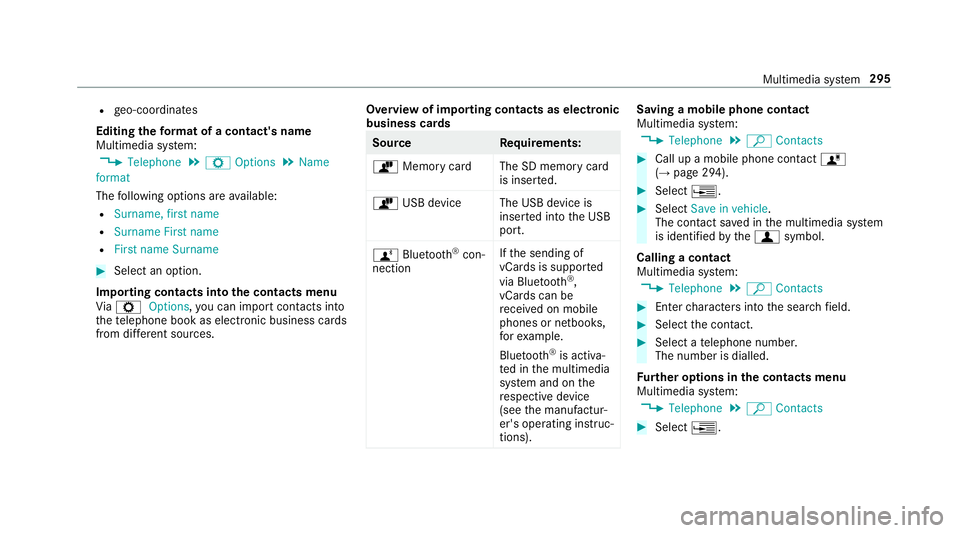
Importing contacts into the contacts menu
Vi aZ Options, you can import contacts into
th ete lephone book as elect ronic business cards
from di fferent sources. Overview of importing contacts as electronic
business cards Source
Requirements:
ò Memory car dThe SD memory card
is inser ted.
ò USB device The USB device is
inserted into the USB
port.
ñ Bluetooth ®
con‐
nection If
th e sending of
vCards is suppor ted
via Blue tooth®
,
vCard s can be
re cei ved on mobile
phones or netbooks,
fo rex ample.
Blue tooth ®
is activa‐
te d in the multimedia
sy stem and on the
re spective device
(see the manufactur‐
er's operating instruc‐
tions). Saving a mobile phone contact
Multimedia sy
stem:
, Telephone .
ª Contacts #
Call up a mobile phone conta ctó
(→ page 294). #
Select ¥. #
Select Save in vehicle.
The contact sa ved in the multimedia sy stem
is identified bythef symbol.
Calling a contact
Multimedia sy stem:
, Telephone .
ª Contacts #
Ente rch aracters into the sear chfield. #
Select the conta ct. #
Select a telephone number.
The number is dialled.
Fu rther options in the contacts menu
Multimedia sy stem:
, Telephone .
ª Contacts #
Select ¥. Multimedia sy
stem 295
Page 305 of 521
R
depending on the mobile phone, text mes‐
sa ge s are not directly visible and must first
be selected (see the manufacturer's operat‐
ing instructions).
A list of mobile phones which are compatible
with thete lephone module with Blue tooth®
(SAP
profile) can be found on the Internet at:
http://www.mercedes-benz.com/connect
Deleting call lists in thete lephone module
Call lists are only available in thete lephone mod‐
ule if the connected mobile phone supports the
Blu etoo th®
PA P (Phonebook AccessProfile) pro‐
fi le.
Deleting call lists Nu mbe rF unction
0002 Call lists inthete le‐
phone module are
dele ted Te
rm inating the connection between the
mo bile phone and thete lephone module
There are two waysof disconnecting the
mo bile phone and module:
Au tomatic discon‐
nection Occu
rsafte r leaving
th ere ception range
Manual disconnec‐
tion Occu
rsby term inating
th e Blue tooth®
con‐
nection on the mobile
phone (see the manu‐
fa cturer's ope rating
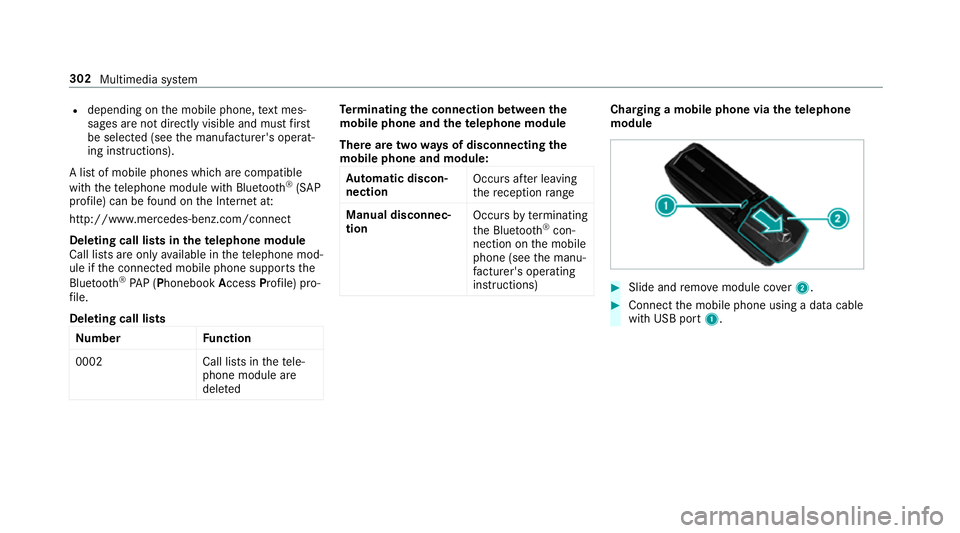
instructions) Charging a mobile phone via the
telephone
module #
Slide and remo vemodule co ver2. #
Connect the mobile phone using a data cable
with USB port 1.302
Multimedia sy stem
Page 306 of 521
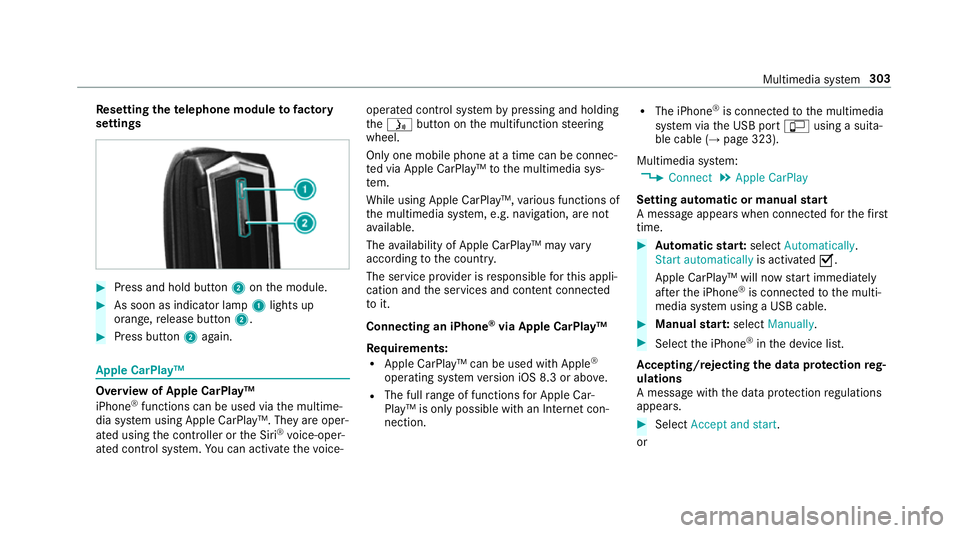
Re
setting thete lephone module to factory
settings #
Press and hold button 2onthe module. #
As soon as indicator lamp 1lights up
orange, release button 2. #
Press button 2again. Apple CarPlay™
Overview of Apple CarPlay™
iPhone
®
functions can be used via the multime‐
dia sy stem using Apple CarPlay™. They are oper‐
ated using the controller or the Siri ®
vo ice-oper‐
ated control sy stem. You can activate thevo ice- operated control sy
stem bypressing and holding
th eó button on the multifunction steering
wheel.
Only one mobile phone at a time can be connec‐
te d via Apple CarPlay™ tothe multimedia sys‐
te m.
While using Apple CarPlay™, various functions of
th e multimedia sy stem, e.g. navigation, are not
av ailable.
The availability of Apple CarPlay™ may vary
according tothe count ry.
The service pr ovider is responsible forth is appli‐
cation and the services and conte nt connected
to it.
Connecting an iPhone ®
via Apple CarPlay™
Re quirements:
R Apple CarPlay™ can be used with Apple ®
operating sy stem version iOS 8.3 or abo ve.
R The full range of functions for Apple Car‐
Play™ is only possible with an Internet con‐
nection. R
The iPhone ®
is connected tothe multimedia
sy stem via the USB port çusing a suita‐
ble cable (→ page 323).
Multimedia sy stem:
, Connect .
Apple CarPlay
Setting automatic or manual start
A messa geappears when connec tedfo rth efirst
time. #
Automatic star t:select Automatically.
Start automatically is activatedO.
Apple CarPlay™ will now start immediately
af te rth e iPhone ®
is connected tothe multi‐
media sy stem using a USB cable. #
Manual star t:select Manually . #
Select the iPhone ®
in the device list.
Ac cepting/rejecting the data pr otection reg‐
ulations
A message with the data pr otection regulations
appears. #
Select Accept and start.
or Multimedia sy
stem 303
Page 307 of 521
#
Select Reject and end .
If yo u selected automatic start, you will ha ve
to start Apple CarPlay™ manually the next
time youwa nttouse it.
Exiting Apple CarPlay™ #
Select Úin Apple CarPlay™.
Calling up Apple CarPlay™ tone settings
Multimedia sy stem:
, Connect .
Apple CarPlay .
Sound #
Select theto ne menu (→ page 343).
Ending Apple CarPlay™
Multimedia sy stem:
, Connect .
Apple CarPlay #
Select Disconnect.
The connection is ended.
The mobile phone continues tobe supplied
with elect ricity.
or #
Disconnect the connecting cable between
th e mobile phone and multimedia sy stem.
Mercedes-Benz recommends disconnecting
th e connecting cable only when theve hicle is
st ationar y. Android
Auto Android
Autoove rview
Mobile phone functions can be used with
Android Autousing the Android operating sys‐
te m on the multimedia sy stem. It is operated
using the controller or thevo ice-operated con‐
trol sy stem. You can activate thevo ice-opera ted
control sy stem bypressing and holding theó
button on the multifunction steering wheel.
Only one mobile phone at a time can be connec‐
te d via Android Auto to the multimedia sy stem.
Va rious multimedia sy stem functions, e.g. navi‐
ga tion, are una vailable while using Android Auto.
The availability of Android Autoand Android Auto
Apps may vary according tothe count ry. The service pr
ovider is responsible forth is appli‐
cation and the services and conte nt connected
to it.
Connecting a mobile phone via Android Auto
Requ irements:
R The firs t acti vation of Android Autoon the
multimedia sy stem must be car ried out when
th eve hicle is stationary for saf etyre asons.
R The mobile phone suppo rts Android Auto
from Android 5.0.
R The Android AutoApp is ins talled on the
mobile phone.
R In order touse thete lephone functions, a
mobile phone must be connec tedto the mul‐
timedia sy stem via Blue tooth®
(→ page 290).
If th ere was no prior internet connection, this
is es tablished with the use of the mobile
phone with Android Auto.
R The mobile phone is connected tothe multi‐
media sy stem via the USB port çusing a
suitable cable (→ page 323).304
Multimedia sy stem
Page 322 of 521
#
Press and hold theto uchpad or cont roller
until an audible signal sounds.
The ß symbol appears bythest ation
name. #
Select ßFavourites.
The list of sa vedfavo urite stations appears.
or #
Create an account forth e online pr ovider
(TuneIn radio) and then log in on the multi‐
media sy stem.
Yo ur favo urites are impor tedto the multime‐
dia sy stem.
Deleting favo urites #
Select ßFavourites. #
Select a station. #
Press and hold theto uchpad or cont roller
until an audible signal sounds.
The ß symbol bythest ation name disap‐
pears. Setting
the Internet radio options
Multimedia sy stem:
, Radio .
Ý Internet radio .
TuneIn
radio .
Z Options
The following options are available:
R Select stream: select thest re am qualit y.
R Login to TuneIn account : loginto yourTuneIn
user account.
R Log out of account: log out of your TuneIn
user account. #
Select an option. Media
Au
dio mode In
fo rm ation on audio mode &
WARNING Risk of di stra ction when han‐
dling da tastorage medium
If yo u handle a data storage medium while
driving, your attention is diver ted from the traf
fic conditions. This could also cause you
to lose control of theve hicle. #
Only handle a data storage medium
when theve hicle is stationar y. Pe
rm issible file sy stems:
R FAT32
R exFAT
R NTFS
Pe rm issible data storage medium:
R SD card
R USB storage device
R iPod/iPhone
R MTP devices
R Blue tooth ®
audio equipment
% The multimedia sy stem supports a total of
up to50,000 files.
Suppor tedfo rm ats:
R MP3
R WMA Multimedia sy
stem 319
Page 323 of 521
R
AAC form ats
R WAV (up to16-bit resolution)
R FLAC (up to16-bit resolution)
R ALAC (up to16-bit resolution)
% Obser vethefo llowing no tes:
R Due tothe lar gevariet y of available
music files rega rding encoders, sampling
ra tes and bit rates, playback cannot
alw ays be guaranteed.
R Due tothe wide range of USB devices
av ailable on the mar ket, pl ayback cann ot
be guaranteed for all USB devices.
R Cop y-pr otected music files or DRM
enc rypte dfiles cannot be pla yed bac k.
R MP3 pla yers must support Media Trans‐
fe r Pr otocol (MTP). Produced under licence
byDol byLaboratories.
Dolby and the double-D symbol are trademar ks
of Dolby Laboratories. Graceno
te,th e Graceno telogo and the lettering
are brands or regis tere d brands of Graceno te,
Inc. in the USA and/or other countries.
Note s on copyright
Au dio files that you create or reproduce yourself
fo r playback aregeneral lysubject tocopyright
pr otection. In many count ries, reproductions,
eve nfo r private use, are not permitted without
th e prior consent of the copyright holder. Make
sure that you kn owabout the applicable copy‐
ri ght regulations and that you co mply withthese.
Ac tivating media mode
Multimedia sy stem:
, Media .
à Devices #
Select the media source.
Pla yable music files are pla yed bac k.
Inserting/removing an SD card &
DANG ER Risk of fata l injury from swal‐
lowing SD cards
SD cards are small parts. 320
Multimedia sy stem