trailer MERCEDES-BENZ E-CLASS CABRIOLET 2018 Service Manual
[x] Cancel search | Manufacturer: MERCEDES-BENZ, Model Year: 2018, Model line: E-CLASS CABRIOLET, Model: MERCEDES-BENZ E-CLASS CABRIOLET 2018Pages: 589, PDF Size: 10.56 MB
Page 521 of 589
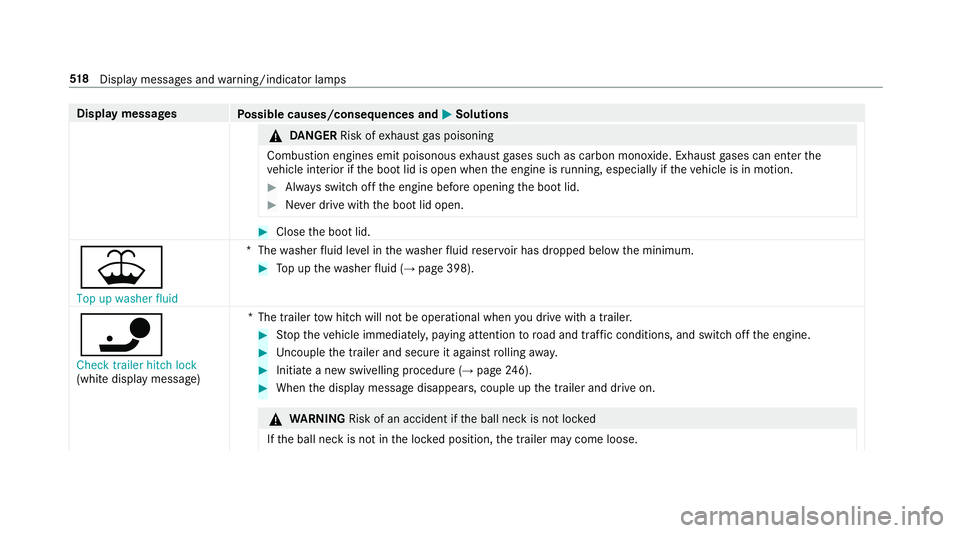
Display messages
Possible causes/consequences and M
MSolutions &
DANG ER Risk of exhaust gas poisoning
Combustion engines emit poisonous exhaust gases such as carbon monoxide. Exhaust gases can enter the
ve hicle interior if the boot lid is open when the engine is running, especially if theve hicle is in motion. #
Alw ays switch off the engine before opening the boot lid. #
Never drive with the boot lid open. #
Close the boot lid.
¥ Top up washer fluid *T
hewasher fluid le vel in thewa sher fluid reser voir has dropped below the minimum. #
Top up thewa sher fluid (→ page 398).
ï Check trailer hitch lock
(white displ aymessa ge) *T
he trailer tow hit chwill not be operational when you drive with a trailer. #
Stop theve hicle immediately, paying attention toroad and traf fic conditions, and switch off the engine. #
Uncouple the trailer and secure it against rolling away. #
Initiate a new swivelling procedure (→ page246). #
When the display message disappears, couple up the trailer and drive on. &
WARNING Risk of an accident if the ball neck is not loc ked
If th e ball neck is not in the loc ked position, the trailer may come loose. 518
Displaymessa ges and warning/indicator lamps
Page 522 of 589
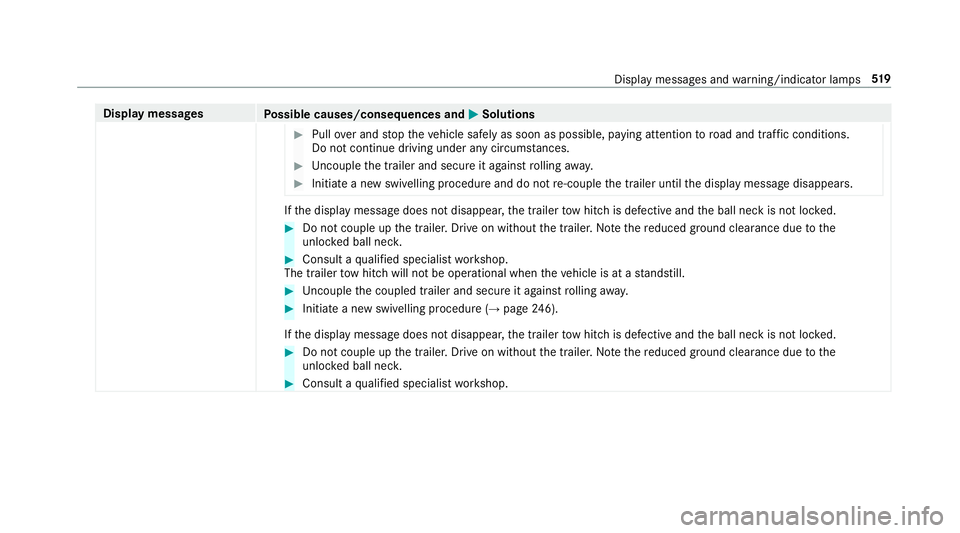
Display messages
Possible causes/consequences and M
MSolutions #
Pull over and stop theve hicle safely as soon as possible, paying attention toroad and traf fic conditions.
Do not continue driving under any circums tances. #
Uncouple the trailer and secure it against rolling away. #
Initiate a new swivelling procedure and do not re-couple the trailer until the display message disappears. If
th e display message does not disappear, the trailer tow hit chis defective and the ball neck is not loc ked. #
Do not couple up the trailer. Drive on without the trailer. No tethere duced ground clearance due tothe
unlo cked ball nec k. #
Consult a qualified specialist workshop.
The trailer tow hit chwill not be operational when theve hicle is at a standstill. #
Uncouple the coupled trailer and secure it against rolling away. #
Initiate a new swivelling procedure (→ page246).
If th e display message does not disappear, the trailer tow hit chis defective and the ball neck is not loc ked. #
Do not couple up the trailer. Drive on without the trailer. No tethere duced ground clearance due tothe
unlo cked ball nec k. #
Consult a qualified specialist workshop. Display messages and
warning/indicator lamps 519
Page 527 of 589

Display messages
Possible causes/consequences and M
MSolutions
b Malfunction See Owner's
Manual *T
heexterior lighting is faulty. #
Consult a qualified specialist workshop.
Ve hicles with a trailer hitch: a fuse may haveblown. #
Pull over and stop theve hicle, paying attention toroad and traf fic conditions. #
Check the fuses and replace them if necessary (→ page 431).
b
Switch on headlamps *Y
ou are driving without lo w-beam headlamps. #
Turn the light switch totheL orà position.
b
Automatic driving lights
inoperative *T
he light sensor is faulty. #
Consult a qualified specialist workshop.
b Hazard warning lamps mal-
functioning *T
he hazard warning lamp switch is faulty. #
Consult a qualified specialist workshop.
*A daptive Highbeam Assist Plus is faulty. 524
Display messages and warning/indicator lamps
Page 542 of 589
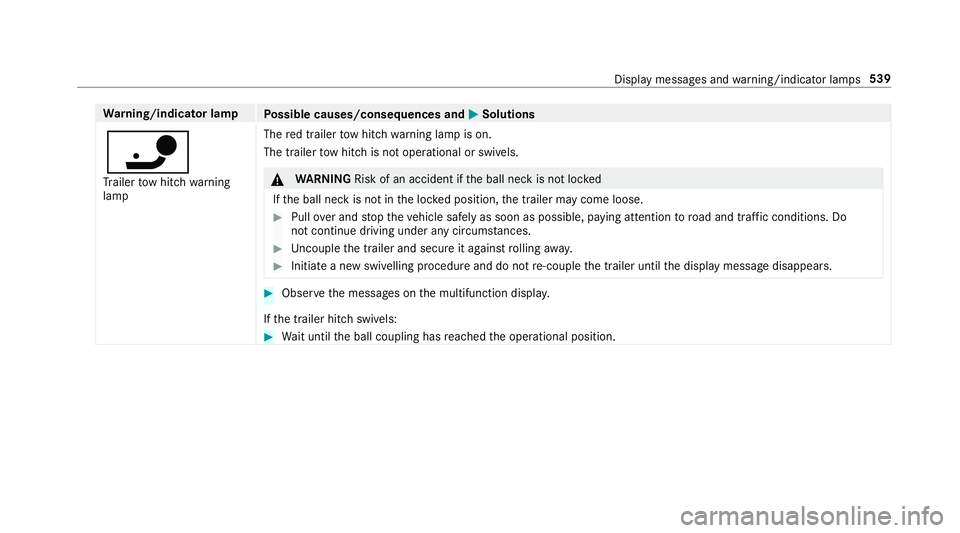
Wa
rning/indicator lamp
Possible causes/consequences and M
MSolutions
ï Tr ailer tow hit chwarning
lamp The
red trailer tow hit chwarning lamp is on.
The trailer tow hit chis not operational or swivels. &
WARNING Risk of an accident if the ball neck is not loc ked
If th e ball neck is not in the loc ked position, the trailer may come loose. #
Pull over and stop theve hicle safely as soon as possible, paying attention toroad and traf fic conditions. Do
not continue driving under any circums tances. #
Uncouple the trailer and secure it against rolling away. #
Initiate a new swivelling procedure and do not re-couple the trailer until the display message disappears. #
Obser vethe messages on the multifunction displa y.
If th e trailer hitch swivels: #
Wait until the ball coupling has reached the operational position. Display messages and
warning/indicator lamps 539
Page 553 of 589
Display content
Setting the additional value range ....... 255
Displ aymessage ...................................... 472
Calling up (on-board co mputer) .......... .472
No tes ................................................... 472
Display messages ¯ - - - km/h .................................. .493
ç - - - km/h ................................... 492
È - - - km/h ................................... 494
#12 V battery See Owner's Man‐
ual ....................................................... 498
K 12V battery See Owner's Man‐
ual ....................................................... 521
#48 V battery See Owner's Man‐
ual ....................................................... 500
Ac tive Blind Spot Assi stcur rently
una vailable See Owner's Manual .........496
Ac tive Blind Spot Assi stinope rative .... 492
Ac tive Blind Spot Assi stnot available
when towing a trailer See Owner's
Manual ................................................ 487 Ac
tive bonnet malfunction See Own‐
er's Manual .......................................... 517
Ac tive Brake Assi stFunctions cur‐
re ntly limited See Owner's Manual ...... 485
Ac tive Brake Assi stFunctions limited
See Owner's Manual ........................... 483
Ac tive Dis tance Assi stavailable
again .................................................. .493
Ac tive Dis tance Assi stcur rently
una vailable See Owner's Manual .........493
Ac tive Dis tance Assi stinope rative ...... 493
Ac tive Lane Keeping Assist Camera
view restricted See Owner's Manual ... 495
Ac tive Lane Keeping Assist cur rently
una vailable See Owner's Manual .........489
Ac tive Lane Keeping Assist inopera‐
tive ...................................................... 490
bAc tive Light Sy stem inoperative .. 523Ac
tive Parking Assist and
PA RKTRONIC inoperati veSee Own‐
er's Manual ......................................... 495
Ac tive Steering Assist cur rently
una vailable See Owner's Manual .........488
Ac tive Steering Assist inoperative .......487
Ad aptive Highbeam Assist Plus Cam‐
era view restricted See Owner's
Manual ................................................ 525
Ad aptive Highbeam Assist Plus cur‐
re ntly una vailable See Owner's Man‐
ual ...................................................... .525
Ad aptive Highbeam Assist Plus inop‐
erative ................................................ .524
¯ AdBlue sy stem fault Engine
st art not possible ................................ 505
¯ AdBlue sy stem fault Perf.
re duced in XXX km See Owner's
Manual ................................................ 504 550
Index
Page 554 of 589
¯
AdBlue sy stem fault Perf.
re duced: XXX mph No start in XXX
miles .................................................. .505
¯ AdBlue sy stem fault See Own‐
er's Manual ........................................ .504
4Ad d 1 litre engine oil when next
re fuelling ............................................. 503
Air conditioning Malfunction See
Owner's Manual .................................. 520
Apply brake todeselect Park (P)
position ...............................................5 07
App lybrake toselect R ....................... 508
ÀAT TENTION ASSIST inoperative ... 492
ÀAT TENTION ASSIS T:Take a
break! .................................................. 488
bAu tomatic driving lights inoper‐
ative .................................................... 524
Au xilia rybattery malfunction .............. 508
Beginning emer gency stop .................. 484 Blind Spot Assist cur
rently una vaila‐
ble See Owner's Manual ...................... 494
Blind Spot Assist inope rative ............... 488
Blind Spot Assi stnot available when
to wing a trailer See Owner's Manual ...4 91
Cann otstart engine See Owner's
Manual ................................................ 498
ÁChan gekey bat teries ...................5 14
J Check brake fluid le vel................ 477
Check brake pads See Owner's Man‐
ual ...................................................... .486
4Che ckeng. oil le v.when next
re fuelling ............................................. 503
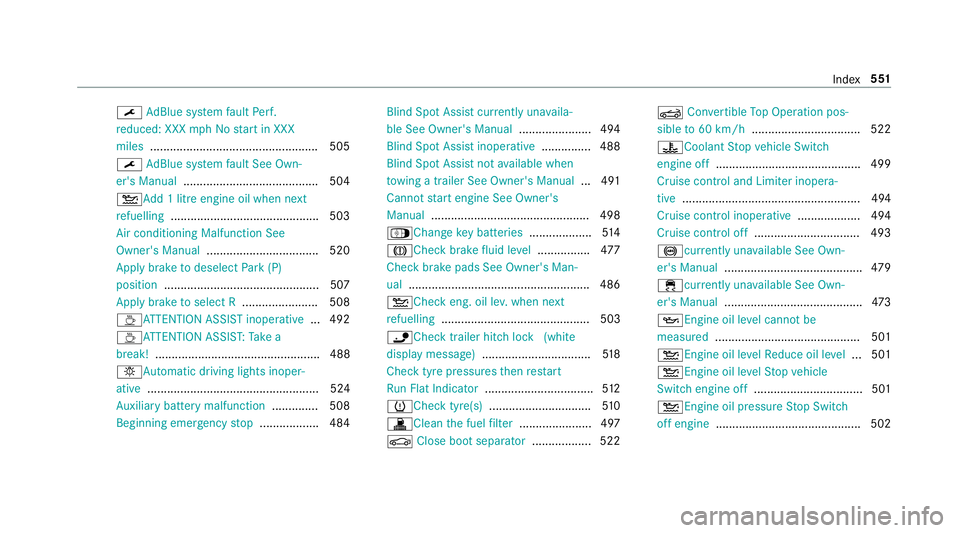
ïChe cktrailer hitch lo ck(white
display message) .................................5 18
Check tyre pressures then restart
Ru n Flat Indicator ................................. 512
h Check tyre(s) .............................. .510
! Clean the fuel filter ...................... 497
J Close boot separator .................. 522 K
Convertible Top Operation pos‐
sible to60 km/h ................................. 522
?Coolant Stop vehicle Switch
engine off ............................................ 499
Cruise contro l and Limiter inope ra‐
tive ...................................................... 494
Cruise control inope rative ................... 494
Cruise control off ................................ 493
!cu rrently unavailable See Own‐
er's Manual .......................................... 479
÷ currently una vailable See Own‐
er's Manual .......................................... 473
5 Engine oil le vel cannot be
measured ............................................ 501
4Engine oil le velRe duce oil le vel...5 01
4 Engine oil le velSt op vehicle
Switch engine off ................................. 501
4Engine oil pressure Stop Switch
off engine ............................................ 502 Index
551
Page 557 of 589

!Tu
rnon the ignition torelease
th e parking brake ................................ 473
h Tyre press. monitor cur rently
una vailable .......................................... .511
h Tyre press. monitor inoperative
No wheel sensors ................................ .511
h Tyre press. monitor inoperative ....511
Ty re pressure Check tyres ...................508
Ty re(s) ove rheated ...............................5 12
É Vehicle rising Please wait............ 488
ÉVe hiclerising ...............................4 90
hWa rning tyre defect .....................509
hWheel sensor(s) missing ..............511
K While stationar y,apply the
brakes before operating the soft top.
.............................................................5 22
Wi thout changing gear, consult work‐
shop ....................................................5 07
Display on the windscreen
see Head-up display Distance control
see Active Dis tance Assi stDISTRONIC
Di stance recorder
see Trip dis tance
DI STRO NIC
see Active Dis tance Assi stDISTRONIC
Door Additional door lock ...............................76
Locking (emergency key) ...................... .80
Opening (from the inside) ......................76
Un locking (emer gency key) .................. .80
Un locking (from the inside) .................... 76
Door cont rol panel .................................... .14
Draught stop
Care .................................................... 406
Dr aw bar
see Tow- bar sy stem
Drive Away Assist .................................... 234
Drive position Engaging .............................................. 17 0
Drive prog ram display ............................. 16 8
Drive prog rams
see DYNA MIC SELECT Driver's seat
see Seat
Driving abroad Symmetrical dipped beam ...................1 27
Driving lights see Automatic driving lights
Driving saf ety sy stem ............................ .186
ABS (Anti-lock Braking Sy stem) ........... 187
Ac tive Brake Assi st.............................. 19 3
Ad aptive brake lights .......................... .198
BA S (Brake Assi stSystem) .................. 188
EBD (Electronic Brake forc e Distribu‐
tion) ..................................................... 19 2
ESP ®
Crosswind Assi st........................ 19 2
ESP ®
trailer stabilisation .................... .192
Overview .............................................. 187
Ra dar sensors ...................................... 187
Re sponsibility ...................................... 186
ST EER CONTROL ................................. 19 3
Driving sy stem
DY NA MIC BODY CONTROL .................. 215
Driving sy stem
see 360° Camera
see Active Blind Spot Assi st554
Index
Page 577 of 589
Setting
the time and date automati‐
cally ..................................................... 291
Setting the time zone .......................... 291
Setting the time/date form at .............. 291
Swit ching transmission of theve hicle
position on/off .................................... 292
Sy stem settings
see Blue tooth®
see Data import/export
see Language
see Software update
see Wi-Fi T
Ta ilpipes (Care) ........................................ 407
Ta ke -back of end-of-life vehicles .............. 19
Pr otection of the environment ............... 19
Ta nk content
Ad Blue ®
............................................... 464
Fu el ..................................................... 463
Re ser ve(fuel) ...................................... 463
Te ch nical data
Axle load (trailer operation) ................. 471
Fa stening points (trailer hitch) .............4 70Information .......................................... 455
Mounting dimensions (trailer hitch) ..... 470
No tes (trailer hitch) ............................. 470
Overhang dimension (trailer hitch) ...... 470
To ngue weight ...................................... 471
To wing capacity (trailer operation) ...... 470
Ty re pressure monitoring sy stem ........ 440
Ve hicle identification plate .................. 457
Te lephone ........................................ .262, 331
Ac tivating functions du ring a call ........ 339
Business telephony settings ................ 336
Call and ringtone volume .................... .338
Calls with se veral participants ............ .339
Connecting a mobile phone (busi‐
ness telephony) .................................. .334
Connecting a mobile phone (Near
Field Communication (NFC)) .............. .337
Connecting a mobile phone (Pass‐
ke y) .................................................... .332
Connecting a mobile phone (Secu re
Simple Pairing) .................................... 332
De-authorising a mobile phone ............ 337
Disconnecting a mobile phone ............ 337
Importing con tacts .............................. 341
Importing contacts (o verview) ............ .341 Incoming call during an
existing call .... 339
Information .......................................... 332
Inter changing mobile phones .............. 336
Locking theve hicle (mobile phone) .......77
Menu (on-board computer) .................. 262
Mobile phone voice recognition .......... 338
No tes .................................................. 330
Operating modes ................................. 332
Re ception and transmission volume .... 338
St arting theve hicle (mobile phone) ..... 15 8
Switching mobile phones (Near Field
Communication (NFC)) ........................ 337
Symbols for business telephony .......... 335
Te lephone menu overview ...................3 31
Te lephone operation ............................ 338
Un locking theve hicle (mobile phone) ....77
Using a SIM card for business tel‐
ephony ................................................ 334
Using Near Field Communication
(NFC) .................................................. .337
Vo ice commands (LINGU ATRO NIC) ...... 274
Wi reless charging (mobile phone) ........ 12 5
Te lephone
see Second telephone 574
Index
Page 579 of 589
To
w- bar sy stem ........................................ 251
To w- starting ............................................. 431
To wing away ............................................ 427
To wing eye
Ins talling .............................................. 430
St orage location ..................................4 30
To wing me thods ...................................... 426
Tr ack
Selecting (audio mode) ....................... 368
Tr af fic announcements
Ac tivating/deactivating ...................... .380
Tr af fic information .................................. 321
Displaying the tra ffic map .................. .322
Displ aying traf fic incidents .................. 323
Extending a Live Traf fic Information
subscription ......................................... 321
Issuing hazard warnings ...................... 323
Live Traf fic Information ........................ 321
Overview .............................................. 321
Re gis tering Live Traf fic Information ..... 321
Tr af fic information service volume
increase
Setting ................................................ .380 Tr
af fic map
see Map
Tr af fic Sign Assist .................................. .237
Fu nction/no tes ................................... 237
Setting .................................................2 38
Sy stem limitations ...............................2 37
Tr ailer hitch
Axle load .............................................. 471
Bicycle rack ......................................... 24 9
Care .................................................... 407
Coupling up/uncoupling a trailer ........ .247
Fa stening points ..................................4 70
Fo lding the ball neck out/in ................2 46
Gene ral no tes ...................................... 470
Mounting dimensions .......................... 470
No tes ................................................... 24 5
Overhang dimension ............................4 70
Soc ket ................................................. 247
To ngue weight ...................................... 471
To wing capacity .................................. .470
Tr ailer operation
Ac tive Blind Spot Assi st....................... 24 0
Bicycle rack ......................................... 24 9
Coupling up/uncoupling a trailer ........ .247
Fo lding the ball neck out/in ................2 46No
tes ................................................... 24 5
Soc ket ................................................. 247
Tr ailer stabilisation
Fu nction/no tes ................................... 19 2
Tr ansfer redve hicle data
Android Auto ....................................... 349
Apple CarPl ay™ ................................... 349
Tr ansmission position display ................16 9
Tr anspo rting
Ve hicle ................................................ 429
Tr im element (Care) ................................ 409
Tr ip
Menu (on-board computer) .................. 258
Tr ip computer
Displaying ............................................ 258
Re setting ............................................. 260
Tr ip distance ............................................ 258
Displaying ............................................ 258
Re setting ............................................. 260
Tr ip me ter
see Trip dis tance
Tu rn signal indicator
see Turn signal lights 576
Index