ESP MERCEDES-BENZ E-CLASS CABRIOLET 2018 Repair Manual
[x] Cancel search | Manufacturer: MERCEDES-BENZ, Model Year: 2018, Model line: E-CLASS CABRIOLET, Model: MERCEDES-BENZ E-CLASS CABRIOLET 2018Pages: 589, PDF Size: 10.56 MB
Page 236 of 589
#
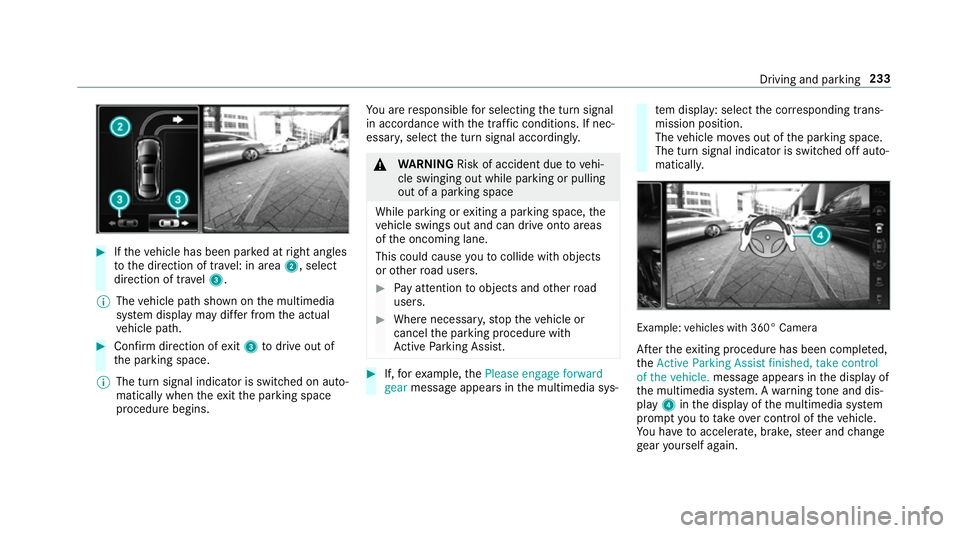
Ifth eve hicle has been par ked at right angles
to the direction of tra vel: in area 2, select
direction of tra vel3.
% The vehicle path shown on the multimedia
sy stem display may dif fer from the actual
ve hicle path. #
Confirm direction of exit3 todrive out of
th e parking space.
% The turn signal indicator is switched on auto‐
matically when theex itth e parking space
procedure begins. Yo
u are responsible for selecting the turn signal
in accordance with the traf fic conditions. If nec‐
essar y,select the turn signal accordingly. &
WARNING Risk of accident due tovehi‐
cle swinging out while parking or pulling
out of a parking space
While parking or exiting a parking space, the
ve hicle swings out and can drive onto areas
of the oncoming lane.
This could cause youto collide wi thobjects
or other road users. #
Pay attention toobjects and other road
users. #
Where necessar y,stop theve hicle or
cancel the parking procedure with
Ac tive Parking Assist. #
If,forex ample, thePlease engage forward
gear message appears in the multimedia sys‐ te
m display: select the cor responding trans‐
mission position.
The vehicle mo ves out of the parking space.
The turn signal indicator is switched off auto‐
maticall y. Example:
vehicles with 360° Camera
Af terth eex iting procedure has been comple ted,
th eActive Parking Assist finished, take control
of the vehicle. message appears in the display of
th e multimedia sy stem. A warning tone and dis‐
pl ay 4 inthe display of the multimedia sy stem
prom ptyouto take ove r control of theve hicle.
Yo u ha vetoaccelerate, brake, steer and change
ge ar yourself again. Driving and parking
233
Page 237 of 589
Fu
nction of Drive Away Assist
Drive AwayAssi stcan reduce the se verity of an
impact when pulling away. If an obs tacle is
de tected in the direction of tr avel, theve hicle's
speed is brief lyreduced toappr ox. 2 km/h. If a
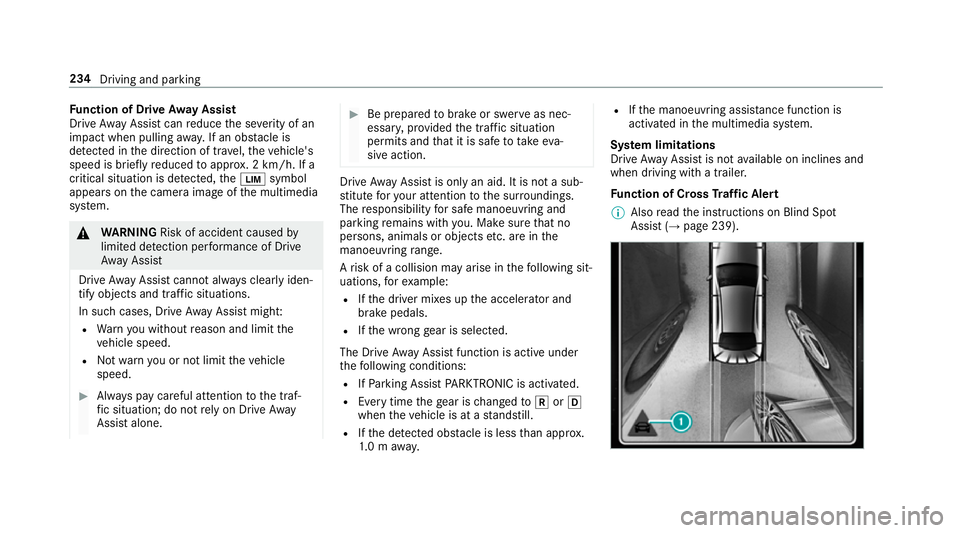
critical situation is de tected, theÈ symbol
appears on the camera image of the multimedia
sy stem. &
WARNING Risk of accident caused by
limited de tection per form ance of Drive
Aw ayAssi st
Drive AwayAssi stcannot al ways clearly iden‐
tify objects and traf fic situations.
In su chcases, Drive AwayAssi stmight:
R Warnyou without reason and limit the
ve hicle speed.
R Not warnyou or not limit theve hicle
speed. #
Alw ays pay careful attention tothe traf‐
fi c situation; do not rely on Drive Away
Assi stalone. #
Be prepared tobrake or swer veas nec‐
essar y,prov ided the tra ffic situation
permits and that it is safe totake eva‐
sive action. Drive
AwayAssi stis only an aid. It is not a sub‐
st itute foryo ur attention tothe sur roundings.
The responsibility for safe manoeuvring and
parking remains with you. Make sure that no
persons, animals or objects etc. are in the
manoeuvring range.
A risk of a collision may arise in thefo llowing sit‐
uations, forex ample:
R Ifth e driver mixes up the accelera tor and
brake pedals.
R Ifth e wrong gear is selec ted.
The Drive AwayAssi stfunction is active under
th efo llowing conditions:
R IfPa rking Assist PARKTRONIC is activated.
R Every time thege ar is changed tok orh
when theve hicle is at a standstill.
R Ifth e de tected obs tacle is less than appr ox.
1. 0 m away. R
Ifth e manoeuvring assis tance function is
acti vated in the multimedia sy stem.
Sy stem limitations
Drive AwayAssi stis not available on inclines and
when driving with a trailer.
Fu nction of Cross Traf fic Alert
% Also read the instructions on Blind Spot
Assist (→ page 239). 234
Driving and parking
Page 242 of 589
#
Select Adopt limit . #
Activate Oor deacti vate ª the function.
The speed limits de tected byTraf fic Sign
Assi stare automatically adop tedby Active
Dis tance Assi stDISTRONIC.
Displ aying de tected traf fic signs in the
media display #
Select Display in COMAND .#
Activate Oor deacti vate ª the function.
% When DISTRONIC, cruise control or theva ri‐
able limiter are activated, the speed de tec‐
te d can be manually adop ted as the speed
limit (→ page 204).
Ad justing the type of warning #
Select Visual & audible ,Visual orNone.
Ad justing the warning threshold
This value de term ines the speed at which a
wa rning is issued when exceeded. #
Select Warning threshold. #
Set the desired speed. Blind Spot Assist and
Active Blind Spot
Assi st Fu
nction of Blind Spot Assist and Active
Blind Spot Assi stwith exitwa rning
Blind Spot Assist and Active Blind Spot Assi st
use two lateral, rear-facing radar sensors to
monitor the area up to40 m behind your vehicle
and 3 m directly next to yourvehicle.
If a vehicle is de tected at speeds ab ove appr ox‐
imately 12km/h and this vehicle subsequently
enters the monitoring range di rectly next to your
ve hicle, thewa rning lamp in the outside mir ror
lights up red.
If a vehicle is de tected close tothe side of your
ve hicle, there dwa rning lamp in the outside mir‐
ro rflashes. If you swit chon the turn signal indi‐
cator in the cor responding direction, a warning
to ne sounds once. If the turn signal indicator
re mains switched on, all other de tected vehicles
are indicated only bytheflashing of thered
wa rning lamp.
If yo uove rtake a vehicle quickl y,no warning is
given. &
WARNING Risk of accident despi teBlind
Spot Assi st
Blind Spot Assi stdoes not react tovehicles
approaching and overtaking you at a greatly
di fferent speed.
As a result, Blind Spot Assist cannot warn
drivers in this situation. #
Alw ays pay careful attention tothe traf‐
fi c situation and maintain a safe dis‐
ta nce at the side of theve hicle. Blind Spot Assist and
Active Blind Spot Assi st
are on lyaids. They may failto detect some vehi‐
cles and are no substitute for attentive driving.
Alw ays ensure that there is suf ficient di stance to
th e side forot her road users and obs tacles.
Exit warning
The exitwa rning is an additional function of
Blind Spot Assist and can warnvehicle occu‐
pants about approaching vehicles when leaving
th eve hicle when stationar y. Driving and pa
rking 239
Page 243 of 589
&
WARNING Risk of accident despi teexit
wa rning
The exitwa rning reacts nei ther tostationary
objects nor tovehicles approaching you at a
great lydif fere nt speed.
As a result, theex itwa rning cannot warn
drivers in these situations. #
Alw ays pay particular attention tothe
traf fic situation when opening the doors
and make sure there is suf ficient clear‐
ance. If
th ere is a vehicle in the monitoring range, this
is indicated in the outside mir ror.If a vehicle
occupant opens the door on the side with the
wa rning, a warning tone sounds and thewa rning
lamp in the outside mir rorst arts toflash.
This additional function is on lyavailable when
Blind Spot Assist is activated and up toa maxi‐
mum of thre e minutes af terth e ignition has
been switched off. The exitwa rning is no longer
av ailable once thewa rning lamp in the outside
mir rorflashes thre e times. The
exitwa rning is only an aid and not a substi‐
tute forth e attention of vehicle occupants. The
re sponsibility for opening and closing the doors
and for leaving theve hicle remains with theve hi‐
cle occupants.
Sy stem limitations
Blind Spot Assist and Active Blind Spot Assi st
may be limi ted in thefo llowing situations:
R ifth ere is dirt on the sensors or the sensors
are obscured
R in poor visibility, e.g. due tofog, heavy rain or
snow
R ifth ere are nar row vehicles, e.g. bicycles or
mo torbikes
R ifth ero ad has very wide or nar rowlanes
R ifve hicles are not driving in the middle of
th eir lane
Wa rnings may be issued in er ror when driving
close tocrash ba rriers or similar solid lane bor‐
ders. Alw ays make sure that there is suf ficient
di st ance tothe side forot her traf fic or obs ta‐
cles. Wa
rnings may be inter rupte d when driving along‐
side long vehicles, forex ample lor ries, for a pro‐
longed time.
Blind Spot Assist is not operational when reve rse
ge ar is engaged.
Blind Spot Assist is not operational when a
trailer is coupled totheve hicle and the electrical
connection has been cor rectly es tablished.
The exitwa rning may be limited in thefo llowing
situations:
R When the sensors are co veredby adjacent
ve hicles in nar row parking spaces.
R When people approach theve hicle.
R Intheeve nt of stationary or slowly moving
objects.
Fu nction of brake application (Active Blind
Spot Assist)
The brake application function is only available
fo rve hicles with a Driving Assis tance Pack age.
If Ac tive Blind Spot Assi stdetects a risk of a side
impact in the monitoring range, a cou rse-cor‐
re cting brake application is car ried out. This is
designed tohelp youavo id a collision. 240
Driving and pa rking
Page 244 of 589
The course-cor
recting brake application is availa‐
ble in the speed range between appr oximately
30 km/h and 200 km/h. &
WARNING Risk of accident despi te
brake application of Active Blind Spot
Assi st
A cou rse-co rrecting brake application cann ot
alw ays pr event a collision. #
Alw aysst eer, brake or accelera teyour‐
self, especially if Active Blind Spot
Assi stwa rnsyo u or makes a course-
co rrecting brake application. #
Alw ays maintain a safe dis tance at the
sides. &
WARNING Risk of accident despi te
Ac tive Blind Spot Assi st
Ac tive Blind Spot Assi stdoes not react tothe
fo llowing:
R ifve hicles overtake too closely on the
side, placing them in the blind spot area R
vehicles approaching and overtaking you
at a greatly di fferent speed
As a result, Active Blind Spot Assi stmay nei‐
th er give warnings nor inter vene in su chsit‐
uations. #
Alw ays pay careful attention tothe traf‐
fi c situation and maintain a safe dis‐
ta nce at the side of theve hicle. If a course-cor
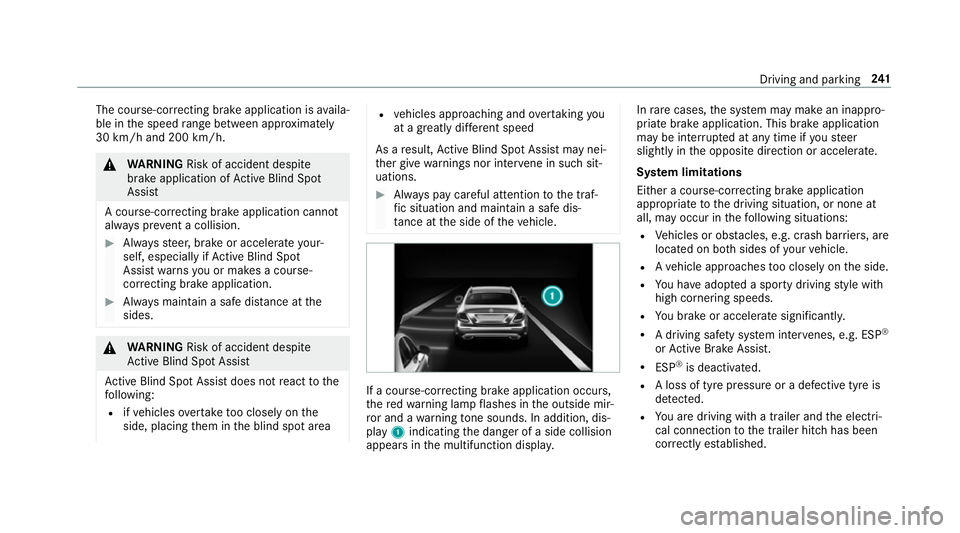
recting brake application occu rs,
th ere dwa rning lamp flashes in the outside mir‐
ro r and a warning tone sounds. In addition, dis‐
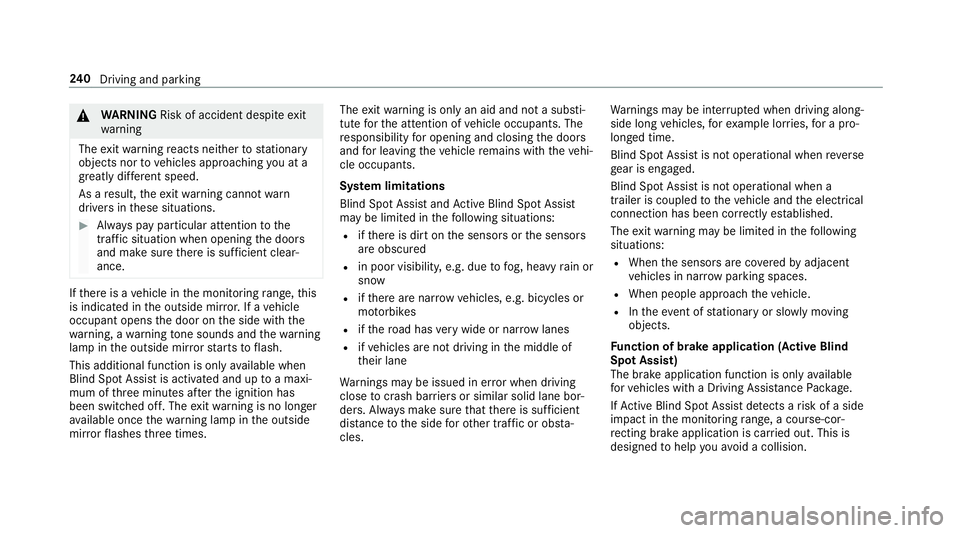
pl ay 1 indicating the danger of a side collision
appears in the multifunction displa y.In
rare cases, the sy stem may make an inappro‐
priate brake application. This brake application
may be inter rupte d at any time if yousteer
slightly in the opposite direction or accelera te.
Sy stem limitations
Either a course-cor recting brake application
appropria teto the driving situation, or none at
all, may occur in thefo llowing situations:
R Vehicles or obs tacles, e.g. crash ba rriers, are
located on bo thsides of your vehicle.
R Ave hicle approaches too closely on the side.
R You ha veadop ted a sporty driving style with
high cornering speeds.
R You brake or accelerate significantl y.
R A driving sa fety sy stem inter venes, e.g. ESP ®
or Active Brake Assi st.
R ESP ®
is deacti vated.
R A loss of tyre pressure or a defective tyre is
detected.
R You are driving with a trailer and the electri‐
cal connection tothe trailer hitch has been
cor rectly es tablished. Driving and parking
241
Page 245 of 589
Ac
tivating/deactivating Blind Spot Assi stor
Ac tive Blind Spot Assi st
Multimedia sy stem:
Vehicle kAssistance Blind Spot
Assist #
Activate Oor deacti vate ª the function. Ac
tive Lane Keeping Assist Fu
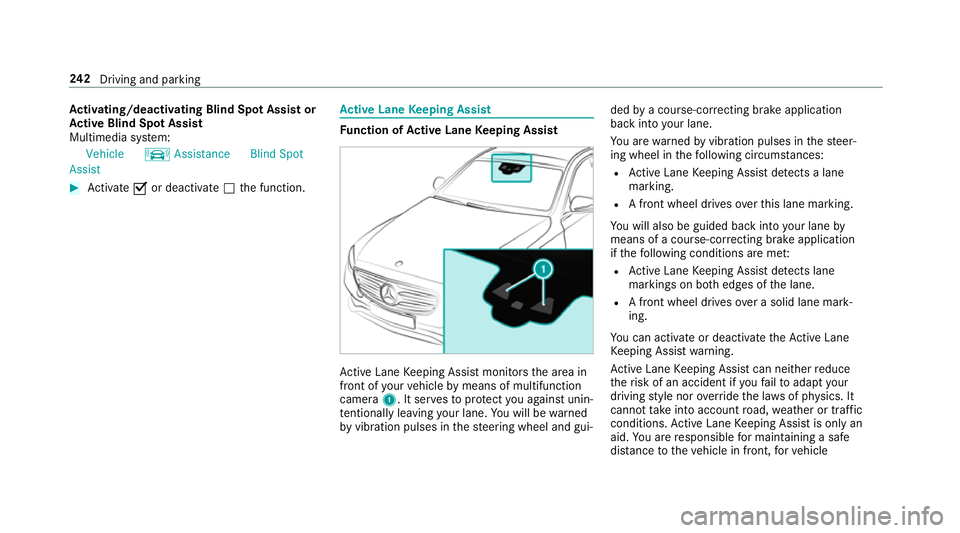
nction of Active Lane Keeping Assist Ac
tive Lane Keeping Assist monitors the area in
front of your vehicle bymeans of multifunction
camera 1. It ser vesto protect you against unin‐
te ntional lyleaving your lane. You will be warned
by vibration pulses in thesteering wheel and gui‐ ded
bya course-cor recting brake application
ba ck into your lane.
Yo u are warned byvibration pulses in thesteer‐
ing wheel in thefo llowing circums tances:
R Active Lane Keeping Assist de tects a lane
marking.
R A front wheel drives overth is lane marking.
Yo u will also be guided back into your lane by
means of a course-cor recting brake application
if th efo llowing conditions are me t:
R Active Lane Keeping Assist de tects lane
markings on bo thedges of the lane.
R A front wheel drives over a solid lane mark‐
ing.
Yo u can activate or deactivate theAc tive Lane
Ke eping Assist warning.
Ac tive Lane Keeping Assist can neither reduce
th erisk of an accident if youfa ilto adapt your
driving style nor override the la wsof ph ysics. It
cannot take into account road, weather or traf fic
conditions. Active Lane Keeping Assist is only an
aid. You are responsible for maintaining a safe
dis tance totheve hicle in front, forve hicle 242
Driving and pa rking
Page 246 of 589
speed,
for braking in good time and forst ay ing
in lane.
Ac tive Lane Keeping Assist can bring theve hicle
back into the lane with a lane-cor recting brake
application. In the case of a broken lane marking
being de tected, a brake application will only be
made if a vehicle has been de tected in the adja‐
cent lane. Oncoming tra ffic can be de tected.
Ve hicles with Driving Assistance pac kageor
Driving Assistance Plus pa ckage: overtaking
ve hicles and vehicles in adjacent lanes can also
be de tected.
Ac tive Lane Keeping Assist is available in the
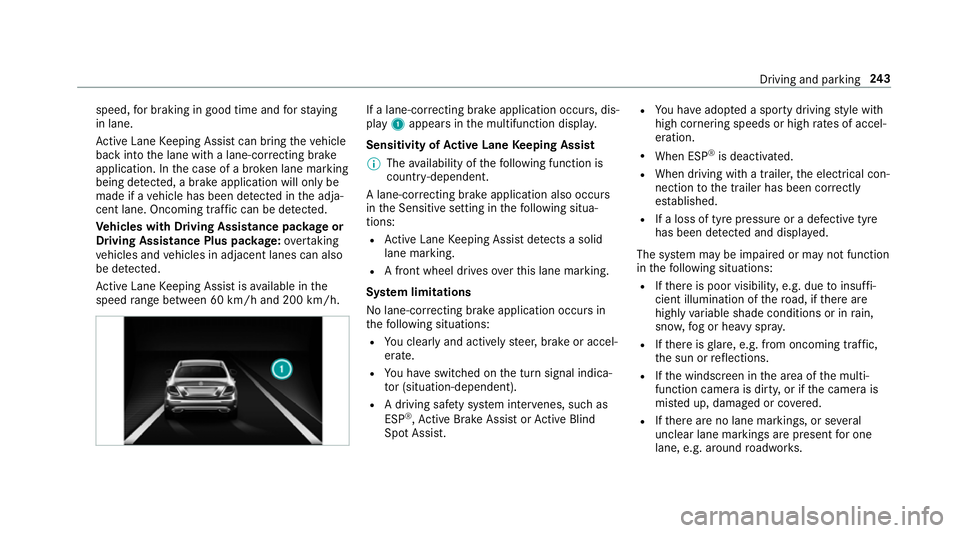
speed range between 60 km/h and 200 km/h. If a lane-co
rrecting brake application occurs, dis‐
play 1appears in the multifunction displa y.
Sensitivity of Active Lane Keeping Assist
% The availability of thefo llowing function is
countr y-dependent.
A lane-cor recting brake application also occu rs
in the Sensitive setting in thefo llowing situa‐
tions:
R Active Lane Keeping Assist de tects a solid
lane marking.
R A front wheel drives overth is lane marking.
Sy stem limitations
No lane-cor recting brake application occu rsin
th efo llowing situations:
R You clear lyand actively steer, brake or accel‐
erate.
R You ha veswitched on the turn signal indica‐
to r (situation-dependent).
R A driving saf ety sy stem inter venes, su chas
ESP ®
,Ac tive Brake Assi stor Active Blind
Spot Assi st. R
You ha veadop ted a sporty driving style with
high cornering speeds or high rates of accel‐
eration.
R When ESP ®
is deactivated.
R When driving with a trailer, the electrical con‐
nection tothe trailer has been cor rectly
es tablished.
R If a loss of tyre pressure or a defective tyre
has been de tected and displ ayed.
The sy stem may be impaired or may not function
in thefo llowing situations:
R Ifth ere is poor visibility, e.g. due toinsuf fi‐
cient illumination of thero ad, if there are
highly variable shade conditions or in rain,
sno w,fog or heavy spr ay.
R Ifth ere is glare, e.g. from oncoming traf fic,
th e sun or reflections.
R Ifth e windscreen in the area of the multi‐
function camera is dirty, or if the camera is
mis ted up, damaged or co vered.
R Ifth ere are no lane markings, or se veral
unclear lane markings are present for one
lane, e.g. around roadwor ks. Driving and pa
rking 243
Page 247 of 589
R
Ifth e lane markings are worn, dark or cov‐
ered.
R Ifth e dis tance totheve hicle in front is too
short and thus the lane markings cann otbe
de tected.
R Ifth e lane markings change quickl y,e.g.
lanes branch off, cross one ano ther or
mer ge.
R Ifth e car riag ewa y is very nar row and wind‐
ing.
Ve hicles with Driving Assistance pac kage or
Driving Assistance Plus pa ckage: Active Lane
Ke eping Assist uses radar sensors tomonitor
se veral areas around theve hicle. If thera dar
sensors in there ar bumper are dirty or co vered
with sn ow,th e sy stem may be impaired or may
not function. If an obs tacle in the lane in which
yo u are driving has been de tected, no lane-cor‐
re cting brake application occu rs.Ac
tivating/deactivating Active Lane Keeping
Assist (vehicles with Parking Assist
PA RKTRONIC) &
WARNING Risk of accident despi te
Ac tive Lane Keeping Assist warning
A lane-cor recting brake application cannot
al wa ys bring theve hicle back into the origi‐
nal lane. #
Alw aysst eer, brake or accelera teyour‐
self, especially if Active Lane Keeping
Assist warnsyo u or makes a lane-cor‐
re cting brake application. &
WARNING Risk of accident despi teinter‐
ve ntion of Active Lane Keeping Assist
Ac tive Lane Keeping Assist does not de tect
traf fic conditions or road users. In very rare
cases, the sy stem may make an inappropri‐
ate brake application, e.g. af ter intentional ly
driving over a solid lane marking.
The brake application can be inter rupte d at
any time if yousteer slightly in the opposite
direction. #
Alw ays make sure that there is suf fi‐
cient di stance tothe side forot her traf‐
fi c or obs tacles. &
WARNING Risk of accident despi teLane
Ke eping Assist
Lane Keeping Assist cann otalw ays clearly
de tect lane markings.
In su chcases, Lane Keeping Assist can:
R give an unnecessary warning
R not give a warning #
Alw ays pay particular attention tothe
traf fic situation and keep within the
lane, especially if Active Lane Keeping
Assist alerts you. Be sure
toobser vethe sy stem limitations of
Ac tive Lane Keeping Assist. 244
Driving and pa rking
Page 251 of 589
Re
quirements:
R the ball neck must be extended fully electri‐
cal lyand engaged in the securely loc ked
position.
Tr ailers with a 7-pin plug can be connec tedto
th eve hicle with thefo llowing adap ters:
R adap ter plug
R adapte r cable
The trailer will be cor rectly de tected bytheve hi‐
cle only if thefo llowing conditions are me t:
R the trailer is connected cor rectly
R the trailer lighting sy stem is in working order
The operation of thefo llowing sy stems depends
on the trailer being connected cor rectly:
R Active Lane Keeping Assist
R ESP ®
R Parking Assist PARKTRONIC
R Active Parking Assist
R Blind Spot Assist or Active Blind Spot Assi stCoupling up a trailer
* NO
TEDama getotheve hicle battery due
to full dischar ge Charging
the trailer battery using the po wer
supply of the trailer can damage theve hicle
batter y. #
Do not use theve hicle's po wer supply
to charge the trailer batter y. #
Remo vethe co ver from the ball head and
st ore it in a safe place (→ page114). #
Position the trailer on a le vel sur face behind
th eve hicle and couple it up totheve hicle. #
Open the soc ket cap. #
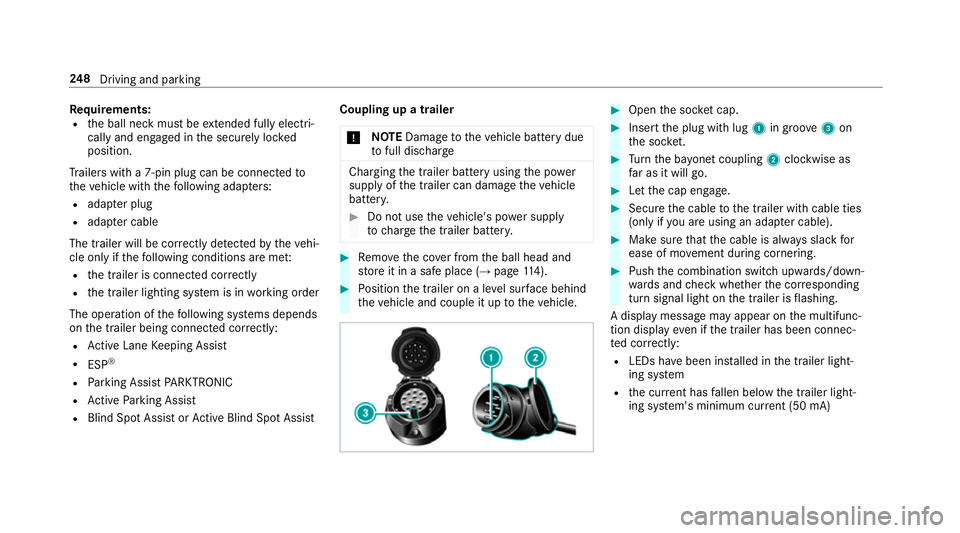
Inse rtthe plug with lug 1in groo ve3 on
th e soc ket. #
Turn the ba yonet coupling 2clockwise as
fa r as it will go. #
Let the cap engage. #
Secure the cable tothe trailer with cable ties
(only if you are using an adap ter cable). #
Make sure that the cable is alw ays slack for
ease of mo vement during cornering. #
Push the combination switch upwards/down‐
wa rds and check whe ther the cor responding
turn signal light on the trailer is flashing.
A display message may appear on the multifunc‐
tion display even if the trailer has been connec‐
te d cor rectly:
R LEDs ha vebeen ins talled in the trailer light‐
ing sy stem
R the cur rent has fallen below the trailer light‐
ing sy stem's minimum cur rent (50 mA) 248
Driving and pa rking
Page 269 of 589
Note
s on operating saf ety&
WARNING Risk of di stra ction from infor‐
mation sy stems and communications
equipment
If yo u operate information and communica‐
tion equipment integ rated in theve hicle
when driving, you will be distracted from the
traf fic situation. This could also cause youto
lose control of theve hicle. #
Only operate this equipment when the
traf fic situation permits. #
Ifyo u cannot be sure of this, stop the
ve hicle whilst paying attention toroad
and traf fic conditions and ope rate the
equipment with theve hicle stationar y. &
WARNING Risk of di stra ction from oper‐
ating mobile communication equipment
while theve hicle is in motion
If yo u operate mobile communication equip‐
ment when driving, you will be distracted from
the tra ffic situation. This could also
cause youto lose control of theve hicle. #
Only operate this equipment when the
ve hicle is stationar y. Fo
ryo ur ow n sa fety, al ways obser vethefo llow‐
ing points when operating mobile communica‐
tions equipment and especially your voice con‐
trol sy stem:
R Obser vethe legal requ irements forth e coun‐
try in which you are driving.
R While driving, on ly operate mobile communi‐
cations equipment and your voice control
sy stem when the tra ffic conditions permit it.
Yo u may otherwise be distracted from the
traf fic conditions and cause an accident,
inju ring yourself and others.
R Ifyo u use thevo ice control sy stem in an
emer gency your voice can change and your
te lephone call, e.g. an emer gency call, can
th ereby be unnecessarily dela yed.
R Familiarise yourself with thevo ice control
sy stem functions before starting the journe y. Operation
Overview of operation of LINGU
ATRO NIC on
the multifunction steering wheel LINGU
ATRO NIC is operational appr oximately
th irty seconds af terth e ignition is switched on. 266
LINGU ATRO NIC