ESP MERCEDES-BENZ E-CLASS CABRIOLET 2018 Manual PDF
[x] Cancel search | Manufacturer: MERCEDES-BENZ, Model Year: 2018, Model line: E-CLASS CABRIOLET, Model: MERCEDES-BENZ E-CLASS CABRIOLET 2018Pages: 589, PDF Size: 10.56 MB
Page 271 of 589
R
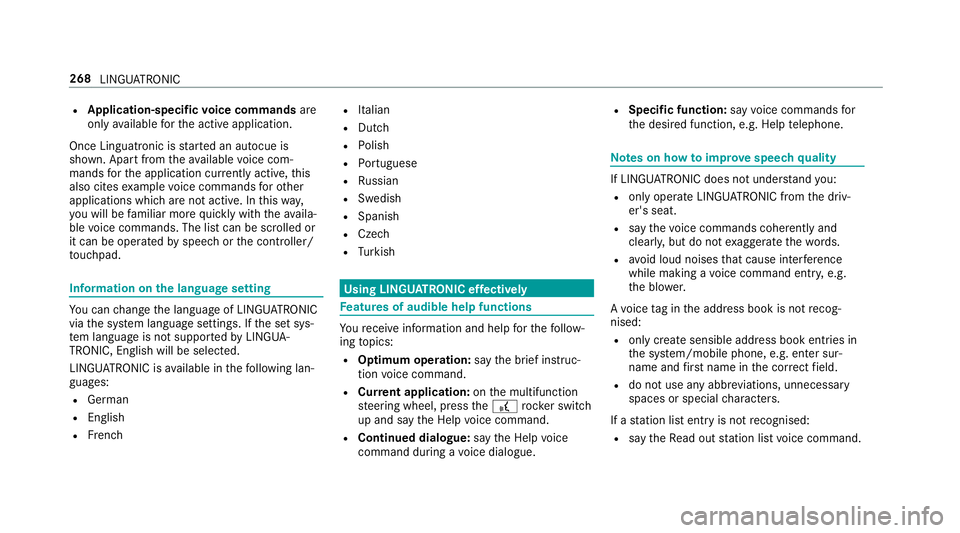
Application-specific voice commands are
only available forth e active application.
Once Linguatronic is star ted an autocue is
shown. Apart from theav ailable voice com‐
mands forth e application cur rently acti ve,th is
also cites example voice commands forot her
applications which are not active. In this wa y,
yo u will be familiar more quickly with theav aila‐
ble voice commands. The list can be scrolled or
it can be operated byspeech or the controller/
to uchpad. Information on
the language setting Yo
u can change the language of LINGU ATRO NIC
via the sy stem language settings. If the set sys‐
te m language is not suppor tedby LINGUA‐
TRONIC, English will be selected.
LINGU ATRO NIC is available in thefo llowing lan‐
guages:
R German
R English
R French R
Italian
R Dutch
R Polish
R Portuguese
R Russian
R Swedish
R Spanish
R Czech
R Turkish Using LINGU
ATRO NIC ef fectively Fe
atures of audible help functions Yo
ure cei veinformation and help forth efo llow‐
ing topics:
R Optimum operation: saythebrief instruc-
tion voice command.
R Cur rent application: onthe multifunction
st eering wheel, press the£ rocker switch
up and say theHelp voice command.
R Continued dialogue: saytheHelp voice
command during a voice dialogue. R
Specific function: sayvoice commands for
th e desired function, e.g. Help telephone. Note
s on how toimpr ovespeech quality If LINGU
ATRO NIC does not under stand you:
R onlyoperate LINGU ATRO NIC from the driv‐
er's seat.
R say thevo ice commands cohe rently and
clearly, but do not exaggerate thewo rds.
R avoid loud noises that cause inter fere nce
while making a voice command ent ry, e.g.
th e blo wer.
A vo ice tag in the address book is not recog‐
nised:
R only crea tesensible address book entries in
th e sy stem/mobile phone, e.g. enter sur‐
name and firs t name in the cor rect field.
R do not use any abbr eviations, unnecessary
spaces or special characters.
If a station list ent ryis not recognised:
R say theRead out station list voice command. 268
LINGU ATRO NIC
Page 281 of 589
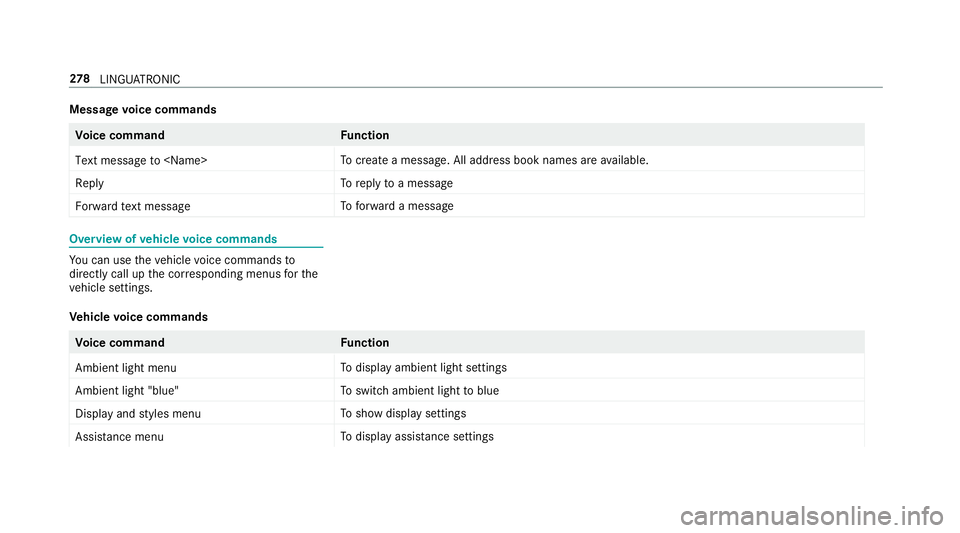
Message
voice commands Vo
ice command Function
Text message to
crea tea message. All address book names are available.
Reply To
reply toa message
Forward text message To
forw ard a message Overview of
vehicle voice commands Yo
u can use theve hicle voice commands to
directly call up the cor responding menus forthe
ve hicle settings.
Ve hicle voice commands Vo
ice command Function
Ambient light menu To
display ambient light settings
Ambient light "blue" To
switch ambient light toblue
Display and styles menu To
show display settings
Assistance menu To
display assis tance settings 278
LINGU ATRO NIC
Page 303 of 589
th
e mobile phone connection in your vehicle
and, as an option, ins talled automaticall y.Yo u
can moni torth est atus of your updates on the
Mercedes me por tal and find information about
po tential inno vations.
Yo ur advantages at a glance:
R con veniently recei vesoftware update s via
th e mobile phone network
R impr ovesth equ ality and availability of
Mercedes me connect services
R keeps your multimedia sy stem and communi‐
cation module up-to-date
Fu rther information about software updates can
be found at http://me.mercedes-benz.com
Pe rforming a software upda te
Requ irements:
R There is an Internet connection
(→ page 356).
R For automatic updates: your vehicle has a
permanently ins talled communication mod‐
ule. Multimedia sy
stem:
System Software update
Au tomatic update #
Activate OAutomatic online updates.
Up dates are per form ed.
The cur rent status of the updates is dis‐
pla yed.
Manual update #
Deactivate ªAutomatic online updates. #
Select an update from the list and start the
update.
Ac tivating the so ftwa reupdate #
Restart the sy stem.
Fu nction of important sy stem upda tes
Impor tant sy stem updates may be necessary for
th e security of your multimedia sy stem's data.
Please ins tallth ese updates, or else the security
of your multimedia sy stem cann otbe ensured.
% If automatic software updates are activated,
th e sy stem updates will be downloaded auto‐
matically (→ page 300). As soon as an update is
available for download,
a cor responding message appears onthe media
displa y.
Yo u ha vethefo llowing selection options:
R Download
The update will be downloaded in the back‐
ground.
R Details
Information about the pending sy stem
update is displa yed.
R Later
The update can be downloaded manually at a
later time (→ page 300).
If th e download is comple ted and the update is
re ady for ins tallation, you will be informed of this
af te rth e next ignition cycle, forex ample.
% Park theve hicle safely in a suitable location
before starting the ins tallation.
Re quirements forth e ins tallation:
R The ignition is switched on.
R The engine is not running. 300
Multimedia sy stem
Page 306 of 589
%
Please no tethat theav ailable prog rammes
and the associated functions are dependant
on your vehicle equipment. Depending on
yo ur equipment, fewe r functions may be
av ailable.
St arting the ENERGIZING comfort prog ram
Re quirements:
R The ignition is switched on.
% ENE RGIZING comfort is available appr ox‐
imately five minutes af terst arting the multi‐
media sy stem.
Multimedia sy stem:
Vehicle ENERGIZING Comfort
Selecting a seat #
Select Seat selection. #
Select the desired seat or All seatsO.
St arting a prog ram #
Select Refresh, Warmth, Vitality,JoyorWell-
being.
The selected program will runfo rte n minu tes. Configuring a prog
ram #
Call up fur ther options Üforth e desired
programme. #
Switch the functions included in the program
on O or off ª.
St arting training #
Select Training. #
Select Muscle relaxation, Muscle stimulation
or Balance.
The selected training video starts and is dis‐
pla yed in the media displa y. #
Select Full-screen video.
The training video is displ ayed in full screen.
% For more information on pausing or skipping
th ro ugh videos, see (→ page 368).
If, during an active prog ram, a function require‐
ment is no longer met, a cor responding message
appears . The acti veprogram is cancelled. Na
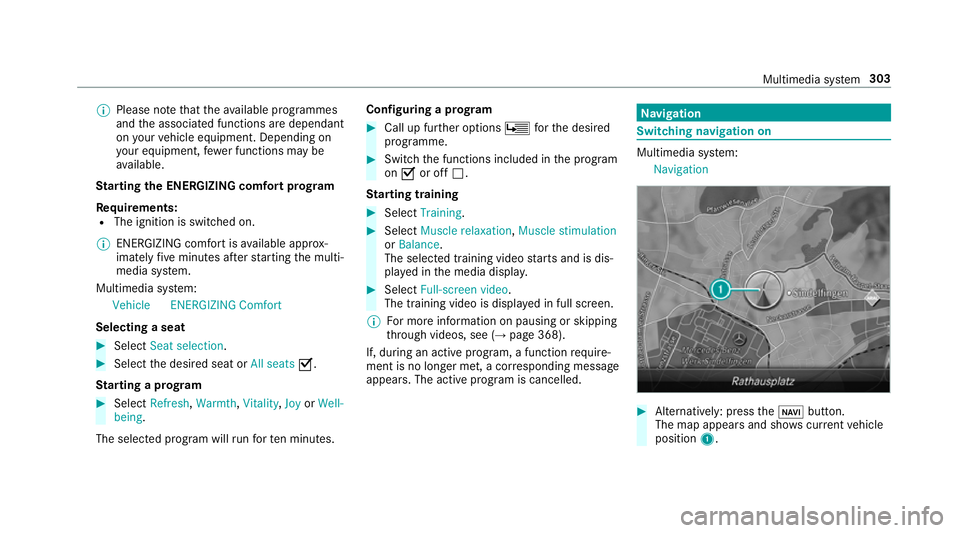
vigation Switching navigation on
Multimedia sy
stem:
Navigation #
Alternatively: press theß button.
The map appears and sho wscurrent vehicle
position 1. Multimedia sy
stem 303
Page 314 of 589
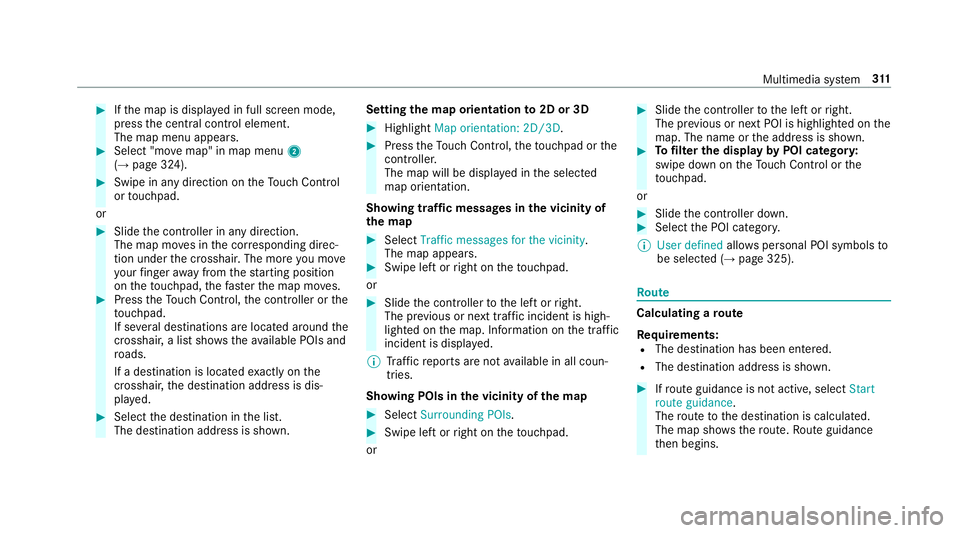
#
Ifth e map is displa yed in full screen mode,
press the cent ral control element.
The map menu appears. #
Select "mo vemap" in map menu 2
(→ page 324). #
Swipe in any direction on theTo uch Control
or touchpad.
or #
Slide the controller in any direction.
The map mo ves in the cor responding direc‐
tion under the crosshair. The more you mo ve
yo ur finger away from thest arting position
on theto uchpad, thefast erthe map mo ves. #
Press theTo uch Control, the controller or the
to uchpad.
If se veral destinations are located around the
crosshair, a li stsho wstheav ailable POIs and
ro ads.
If a destination is located exact ly on the
crosshair, the destination address is dis‐
pla yed. #
Select the destination in the list.
The destination address is shown. Setting
the map orientation to2D or 3D #
Highlight Map orientation: 2D/3D. #
Press theTo uch Control, theto uchpad or the
controller.
The map will be displ ayed in the selected
map orientation.
Showing traf fic messages in the vicinity of
th e map #
Select Traffic messages for the vicinity.
The map appears. #
Swipe left or right on theto uchpad.
or #
Slide the controller tothe left or right.
The pr evious or next traf fic incident is high‐
lighted on the map. Information on the tra ffic
incident is displa yed.
% Traf fic re ports are not available in all coun‐
tries.
Showing POIs in the vicinity of the map #
Select Surrounding POIs . #
Swipe left or right on theto uchpad.
or #
Slide the controller tothe left or right.
The pr evious or next POI is highligh ted on the
map. The name or the address is shown. #
Tofilter the display byPOI categor y:
swipe down on theTo uch Control or the
to uchpad.
or #
Slide the controller down. #
Select the POI categor y.
% User defined allowspersonal POI symbols to
be selected (→ page 325). Ro
ute Calculating a
route
Re quirements:
R The destination has been entered.
R The destination address is shown. #
Ifro ute guidance is not active, select Start
route guidance .
The route tothe destination is calculated.
The map sho ws thero ute. Route guidance
th en begins. Multimedia sy
stem 311
Page 316 of 589
fi
c re ports. You can continue touse the cur‐
re nt route or use the dynamic route ins tead.
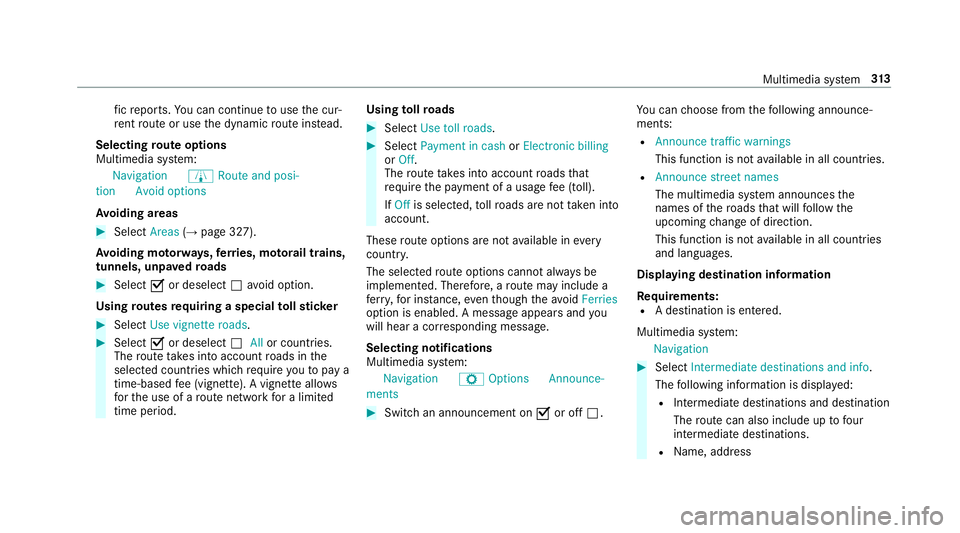
Selecting route options
Multimedia sy stem:
Navigation ÀRoute and posi-
tion Avoid options
Av oiding areas #
Select Areas(→page 327).
Av oiding mo torw ays, ferries, mo torail trains,
tunnels, unpa vedro ads #
Select Oor deselect ªavo id option.
Using routes requiring a special tollst icker #
Select Use vignette roads .#
Select Oor deselect ªAllor countries.
The route take s into account roads in the
selected countries which requ ire youto pay a
time-based fee (vignette). A vignette allo ws
fo rth e use of a route network for a limi ted
time pe riod. Using
tollro ads #
Select Use toll roads. #
Select Payment in cash orElectronic billing
or Off.
The route take s into account roads that
re qu ire the payment of a usage fee (toll).
If Off is selected, tollro ads are not take n into
account.
These route options are not available in every
countr y.
The selected route options cannot alw ays be
implemented. Therefore, a route may include a
fe rry, for ins tance, eventh ough theavo idFerries
option is enabled. A message appears and you
will hear a cor responding message.
Selecting notifications
Multimedia sy stem:
Navigation ZOption sAnnounce-
ments #
Switch an announcement on Oor off ª. Yo
u can choose from thefo llowing announce‐
ments:
R Announce traffic warnings
This function is not available in all countries.
R Announce street names
The multimedia sy stem announces the
names of thero ads that will follow the
upcoming change of direction.
This function is not available in all countries
and languages.
Displ aying destination information
Requ irements:
R A destination is entered.
Multimedia sy stem:
Navigation #
Select Intermediate destinations and info.
The following information is displa yed:
R Intermediate destinations and destination
The route can also include up tofour
intermediate destinations.
R Name, addre ss Multimedia sy
stem 313
Page 328 of 589
Setting
the map scale
Re quirements:
R The map is shown.
Multimedia sy stem:
Navigation #
Tozoom in: swipe down on theTo uch Con‐
trol.
or #
Turn the controller anti-clockwise.
or #
Movetwo fingers apart on theto uchpad. #
Tozoom out: swipe up on theTo uch Control.
or #
Turn the controller clockwise.
or #
Movetwo fingers toge ther on theto uchpad.
% You can set the unit of measurement of the
map scale (→ page 296). Moving
the map
Multimedia sy stem:
Navigation ZOption sM ap menu #
Alternativel y,ifth e map is displa yed in full
screen mode, press the cent ral control ele‐
ment.
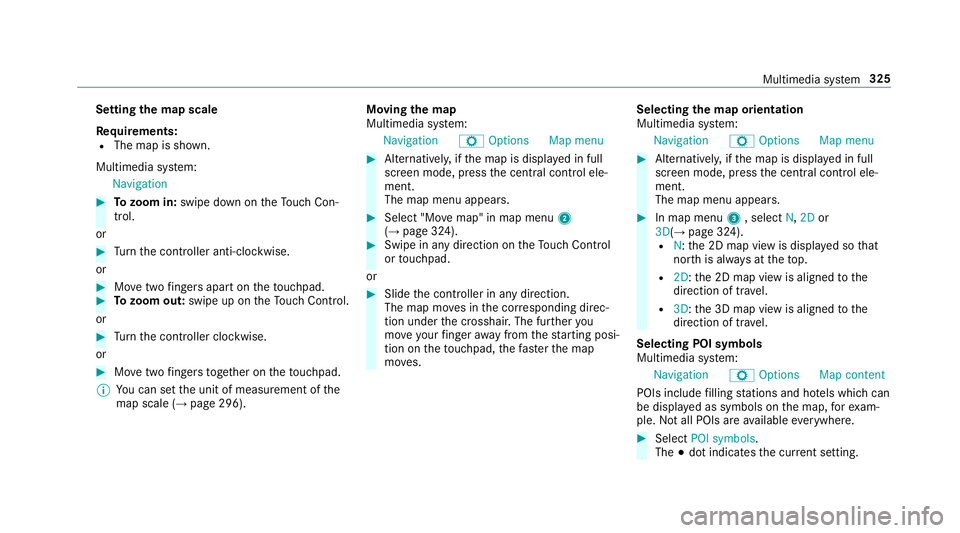
The map menu appears. #
Select "Mo vemap" in map menu 2
(→ page 324). #
Swipe in any direction on theTo uch Control
or touchpad.
or #
Slide the controller in any direction.
The map mo ves in the cor responding direc‐
tion under the crosshair. The fur ther you
mo veyour finger away from thest arting posi‐
tion on theto uchpad, thefast erthe map
mo ves. Selecting
the map orientation
Multimedia sy stem:
Navigation ZOption sM ap menu #
Alternativel y,ifth e map is displa yed in full
screen mode, press the cent ral control ele‐
ment.
The map menu appears. #
In map menu 3, select N,2D or
3D( →page 324).
R N:the 2D map view is displa yed so that
no rth is alw ays at theto p.
R 2D: the 2D map view is aligned tothe
direction of tra vel.
R 3D: the 3D map view is aligned tothe
direction of tr avel.
Selecting POI symbols
Multimedia sy stem:
Navigation ZOption sM ap content
POIs include filling stations and ho tels which can
be displa yed as symbols on the map, forex am‐
ple. Not all POIs are available everywhere. #
Select POI symbols .
The #dot indicates the cur rent setting. Multimedia sy
stem 325
Page 339 of 589
6
SIM card inse rted and available
7 Hands-free profile activated
8 SAP function available and activated
9 SAP function not available
% Ifth e mobile phone is actively connected
with the sy stem, the cor responding symbol
is highlighte d inyello w.
Calling up the business telephony settings
Multimedia sy stem:
Telephone ZOption sBusiness tel-
ephony #
Select the desired option.
The following settings are available:
R Phone number blocking
R Call waiting
R Select network provider
R Data usage, voice
R Call forwarding Inter
changing mobile phones (two phone
mode)
Re quirements:
R The mobile phones are authorised
(→ page 332).
Multimedia sy stem:
Telephone ªDevices #
Inthe device overview, select a mobile phone
which has already been authorised and set
as Phone 1 orPhone 2.
Af ter inter changing the mobile phones, the
mobile phone in thefo re ground isreplaced by
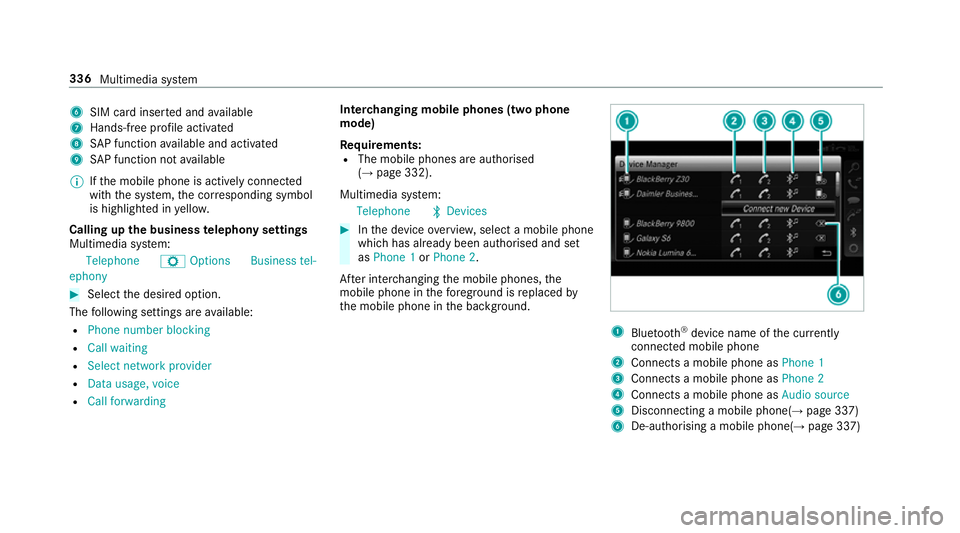
th e mobile phone in the bac kground. 1
Blue tooth ®
device name of the cur rently
connected mobile phone
2 Connects a mobile phone as Phone 1
3 Connects a mobile phone as Phone 2
4 Connects a mobile phone as Audio source
5 Disconnecting a mobile phone(→ page 337)
6 De-au thorising a mobile phone(→ page 337)336
Multimedia sy stem
Page 348 of 589
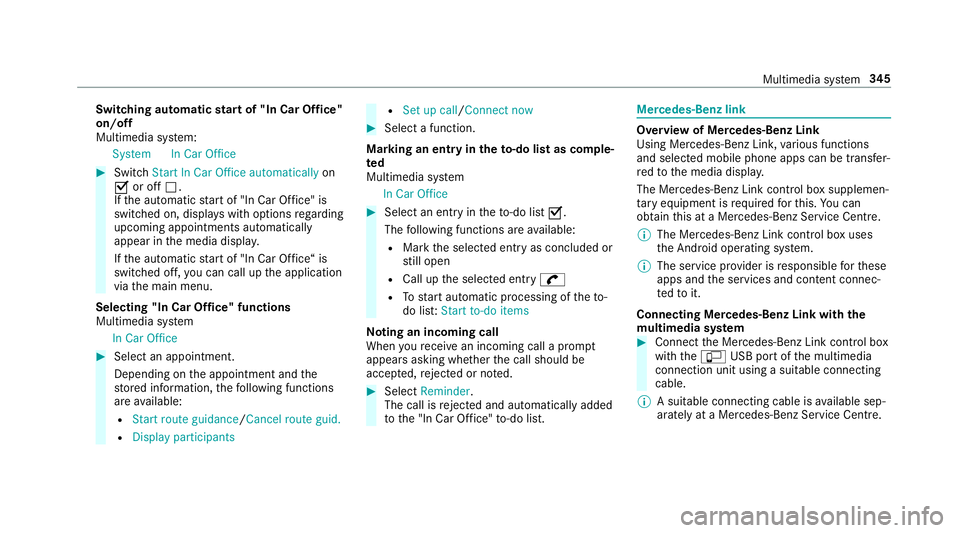
Switching automatic
start of "In Car Of fice"
on/off
Multimedia sy stem:
System In Car Office #
Switch Start In Car Office automatically on
O or off ª.
If th e automatic start of "In Car Of fice" is
switched on, displ ays with options rega rding
upcoming appointments automatically
appear in the media displa y.
If th e automatic start of "In Car Of fice“ is
switched off, you can call up the application
via the main menu.
Selecting "In Car Of fice" functions
Multimedia sy stem
In Car Office #
Select an appointment.
Depending on the appointment and the
st ored information, thefo llowing functions
are available:
R Start route guidance/ Cancel route guid.
R Display participants R
Set up call /Connect now #
Select a function.
Ma rking an entry in theto -do list as comp le‐
ted
Multimedia sy stem
In Car Office #
Select an entry intheto -do li stO .
The following functions are available:
R Mark the selected entry as concluded or
st ill open
R Call up the selected entry w
R Tostart automatic processing of theto-
do lis t:Start to-do items
No ting an incoming call
When youre cei vean incoming call a prom pt
appears asking whe ther the call should be
accep ted, rejected or no ted. #
Select Reminder.
The call is rejected and au tomatical lyadded
to the "In Car Of fice" to-do li st. Mercedes-Benz link
Overview of Mercedes-Benz Link
Using Mercedes-Benz Link,
various functions
and selected mobile phone apps can be transfer‐
re dto the media displa y.
The Mercedes-Benz Link contro l box supplemen‐
ta ry equipment is requiredforth is. You can
obtain this at a Mercedes-Benz Service Cent re.
% The Mercedes-Benz Link contro l box uses
th e Android operating sy stem.
% The service pr ovider is responsible forth ese
apps and the services and conte nt connec‐
te dto it.
Connecting Mercedes-Benz Link with the
mu ltimedia sy stem #
Connect the Mercedes-Benz Link control box
with theç USB port of the multimedia
connection unit using a suitable connecting
cable.
% A suitable connecting cable is available sep‐
arately at a Mercedes-Benz Service Cent re. Multimedia sy
stem 345
Page 350 of 589
The service pr
ovider is responsible forth is appli‐
cation and the services and conte nt connected
to it.
Information on Apple CarPlay™
While using Apple CarPlay™ various functions of
th e multimedia sy stem, e.g. telephony or the
media sources Blue tooth®
audio and iPod ®
, are
una vailable.
Only one route guidance can be active at a time.
If ro ute guidance is active on the multimedia sys‐
te m, it is closed when route guidance is star ted
on the mobile phone.
Connecting an iPhone ®
via Apple CarPlay™
Re quirements:
R Apple ®
operating sy stem version iOS 8.3 or
abo veis ins talled on the iPhone ®
.
R An Internet connection is requiredforth e full
ra nge of functions for Apple CarPlay™.
R The iPhone ®
is connected tothe multimedia
sy stem via the USB port çusing a suita‐
ble cable (→ page 368). Multimedia sy
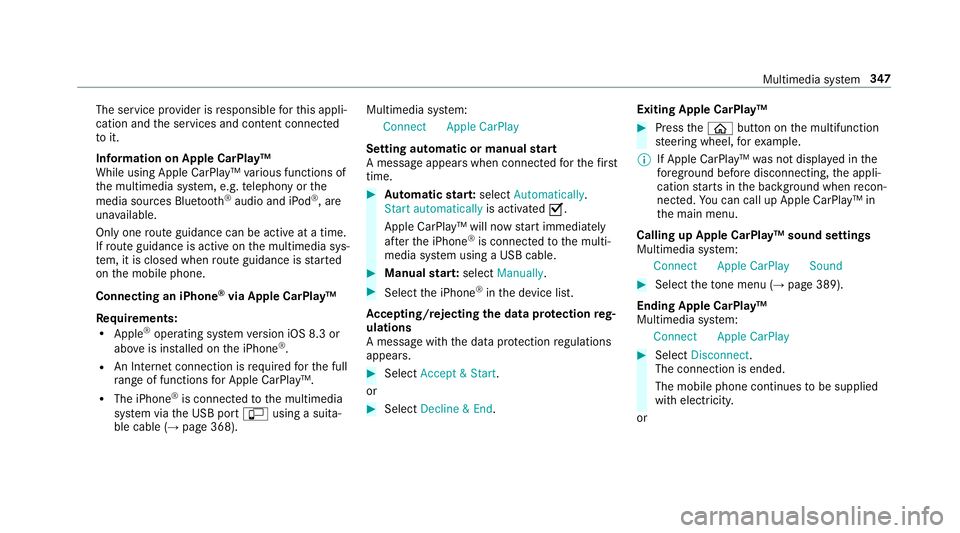
stem:
Connec tApple CarPlay
Setting automatic or manual start
A messa geappears when connec tedfo rth efirst
time. #
Automatic star t:select Automatically.
Start automatically is activatedO.
Apple CarPlay™ will now start immediately
af te rth e iPhone ®
is connected tothe multi‐
media sy stem using a USB cable. #
Manual star t:select Manually . #
Select the iPhone ®
in the device list.
Ac cepting/rejecting the data pr otection reg‐
ulations
A message with the data pr otection regulations
appears. #
Select Accept & Start .
or #
Select Decline & End. Exiting Apple CarPlay™ #
Press theò button on the multifunction
st eering wheel, forex ample.
% If Apple CarPlay™ was not displa yed in the
fo re ground before disconnecting, the appli‐
cation starts in the bac kground when recon‐
nected. You can call up Apple CarPlay™ in
th e main menu.
Calling up Apple CarPlay™ sound settings
Multimedia sy stem:
Connec tApple CarPlay Sound #
Select theto ne menu (→ page 389).
Ending Apple CarPlay™
Multimedia sy stem:
Connec tApple CarPlay #
Select Disconnect.
The connection is ended.
The mobile phone continues tobe supplied
with elect ricity.
or Multimedia sy
stem 347