phone MERCEDES-BENZ E-CLASS CABRIOLET 2018 Manual PDF
[x] Cancel search | Manufacturer: MERCEDES-BENZ, Model Year: 2018, Model line: E-CLASS CABRIOLET, Model: MERCEDES-BENZ E-CLASS CABRIOLET 2018Pages: 589, PDF Size: 10.56 MB
Page 379 of 589
Ac
tivating Blue tooth ®
audio
Multimedia sy stem:
Media àMedia sources #
Select áBluetooth audio.
The multimedia sy stem activates the connec‐
te d Blue tooth®
audio equipment.
Selecting the media pla yer on the Blue tooth ®
audio device
Multimedia sy stem:
Media ª #
Select theBluetooth audio players category.
If multiple media pla yers are present on the
Blu etoo th®
audio equipment a list appears. #
Select a media pla yer.
Playback starts.
% The function is not suppo rted byeve ry
mobile phone. Sear
ching for a music track on the Blue‐
to oth ®
audio device
Multimedia sy stem:
Media àMedia sources áBlue-
tooth audio #
Select ª. #
Select a categor y.
A track li stappears. #
Select a trac k.
% The function is only available when the
mobile phone and the media pla yer selected
on the mobile phone support this function.
Switching Blu etoo th®
audio equipment via
NFC
Requ irements:
R Obser vethe no tes on using NFC
(→ page 337).
R The Blue tooth®
audio overview is displa yed
( → page 374). #
Ligh tly press the NFC area on the mobile
phone (see the manufacturer's operating
instructions).
If th e mobile phone has already been author‐
ised on the multimedia sy stem as Blue tooth®
audio equipment, it is now connec ted.
If th e mobile phone is authorised on the mul‐
timedia sy stem as Blue tooth ®
audio equip‐
ment forth efirs t time, it is connected af ter
confirming the instructions forth e mobile
phone (see the manufacturer's operating
instructions).
Disconnecting Blue tooth ®
audio equipment
Multimedia sy stem:
Telephone áMedia sources #
Select thei symbol in the line of the
mobile phone.
The disconnection of the mobile phone takes
place without a con firm ation prom pt. The
mobile phone remains auth orised inthe sys‐
te m. 376
Multimedia sy stem
Page 423 of 589
&
WARNING Risk of accident due tothe
specified tyre pressure not being ach‐
ie ved
If th e specified tyre pressure is not achie ved
af te r a brief drive, the tyre is too badly dam‐
aged. The tyre sealant cannot repair the tyre
in this ins tance.
Dama ged tyres and a tyre pressure that is
to o low can significantly impair braking and
handling characteristics. #
Do not drive on. #
Consult a qualified specialist workshop. Countries
that ha veMercedes-Benz
Service24h: you will find a sticke r with thete le‐
phone number, e.g. on the B‑pillar on the driver's
side. #
Cor rect the tyre pressure if it is still at least
13 0 kPa (1.3 bar/19 psi). See the tyre pres‐
sure table on the fuel filler flap forva lues. #
Toincrease the ty repressure: switch on
th e tyre inflation compressor. #
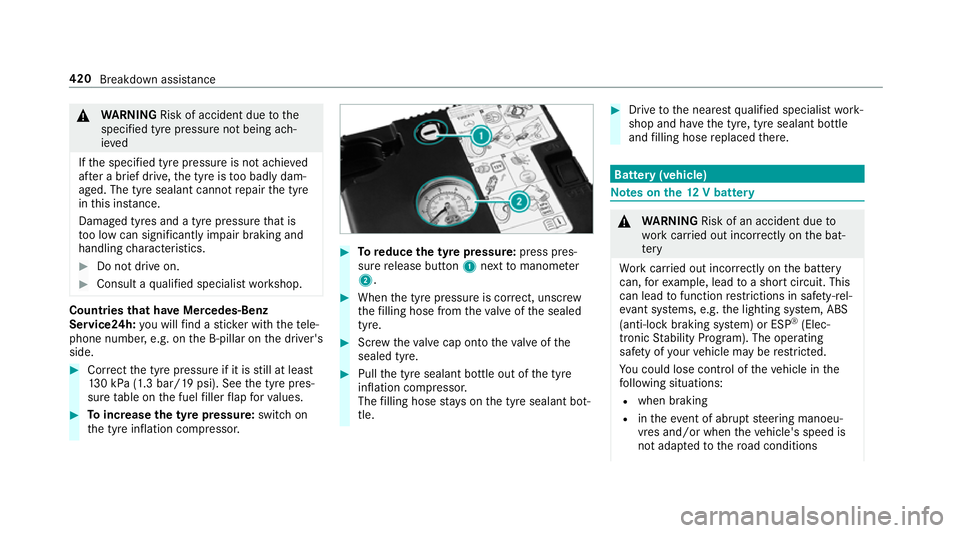
Toreduce the tyre pressure: press pres‐
su re re lease button 1next tomanome ter
2 . #
When the tyre pressure is cor rect, unscr ew
th efilling hose from theva lve of the sealed
tyre. #
Screw theva lve cap onto theva lve of the
sealed tyre. #
Pull the tyre sealant bottle out of the tyre
inflation compressor.
The filling hose stay s on the tyre sealant bot‐
tle. #
Drive tothe nearest qualified specialist work‐
shop and ha vethe tyre, tyre sealant bottle
and filling hose replaced there. Batte
ry(vehicle) Note
s onthe12 V battery &
WARNING Risk of an accident due to
wo rkcar ried out incor rectly on the bat‐
te ry
Wo rkcar ried out incor rectly on the battery
can, forex ample, lead toa short circuit. This
can lead tofunction restrictions in saf ety-re l‐
eva nt sy stems, e.g. the lighting sy stem, ABS
(anti-lock braking sy stem) or ESP ®
(Elec‐
tronic Stability Prog ram). The operating
saf ety of your vehicle may be restricted.
Yo u could lose cont rol of theve hicle in the
fo llowing situations:
R when braking
R intheeve nt of ab rupt steering manoeu‐
vres and/or when theve hicle's speed is
not adap tedto thero ad conditions 420
Breakdown assis tance
Page 460 of 589
Fr
equency band Maximum transmis‐
sion output
2 m waveband
14 4 - 174 MHz 25 W
trunked radio sys‐
te m/T etra
380 - 460 MHz 10 W
70 cm waveband
420 - 450 MHz 15 W
Tw o-w ayradio
(2G/3G/4G) 10 WThe
following devices can be used in theve hicle
without restrictions:
R two-w ayradios with a maximum transmission
output of up to100 mW
R two-w ayradios with transmit ter frequencies
in the 380 - 410 MHz frequency band and a
maximum transmission output of up to2 W
(trunked radio sy stem/T etra)
R mobile phones (2G/3G/4G) There are no
restrictions when positioning the
aerial on the outside of theve hicle forth efo llow‐
ing frequency bands:
R trunked radio sy stem/T etra
R 70 cm waveband
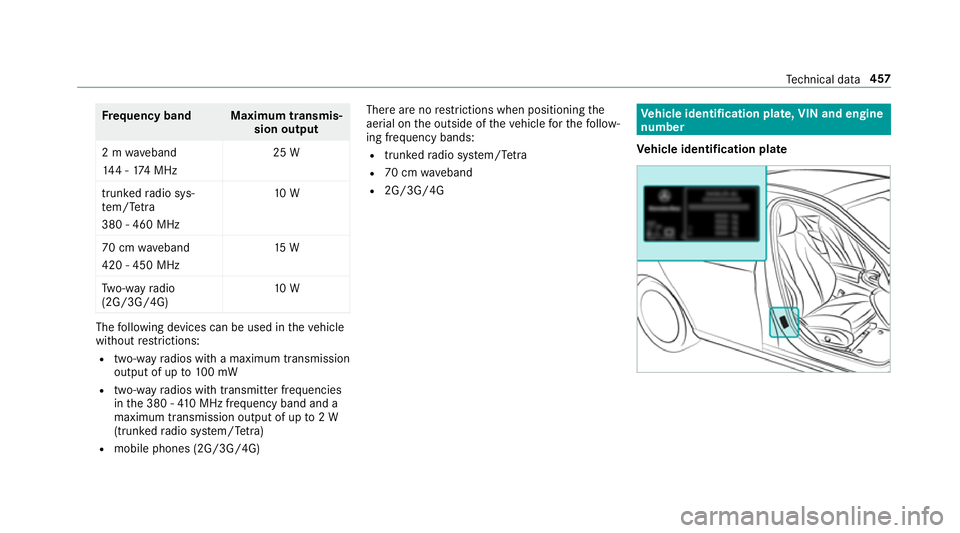
R 2G/3G/4G Ve
hicle identification plate, VIN and engine
number
Ve hicle identification plate Te
ch nical da ta457
Page 504 of 589

Display messages
Possible causes/consequences and M
MSolutions
Reserve fuel level Engine oil
Display messages
Possible causes/consequences and M
MSolutions
5 Engine oil level cannot be
measured *T
he electrical connection tothe oil le vel sensor has been inter rupte d or the oil le vel sensor is faulty. #
Consult a qualified specialist workshop.
4 Engine oil level Reduce oil
level *D
isplay message only for cer tain engines:
The engine oil le vel is too high.
* NO
TEEngine dama gecaused bydriving with excess engine oil #
Avoid long journe yswith excess engine oil. #
Consult a qualified specialist workshop immediately and ha vethe engine oil siphoned off.
4 *D
isplay message only for cer tain engines:
The engine oil le vel is too lo w. Displ
aymessa ges and warning/indicator lamps 501
Page 517 of 589
Display messages
Possible causes/consequences and M
MSolutions
Á Change key batteries *T
hekey bat tery is dischar ged. #
Replace the battery (→ page74).
Á
Pl ace the key in the
marked space See Owner's
Manual *T
hekey de tection function is malfunctioning. #
Change the location of theke y in theve hicle. #
Start theve hicle with theke y in the slot (→ page159).
À
Replace key See Owner's
Manual *
Ve hicles with a digital vehicle key:only a few or no authorisations remain forst arting the engine. #
Make sure that the internet connection is not limited bycer tain mobile phone settings. #
Open the Mercedes me connect http://www.mercedes.me and call up the digital vehicle key service. #
Deactivate the service firs t and then activate it again. #
Ifth e display message still appears, con tact the Mercedes-Benz Cus tomer Assis tance Center (C AC).
Ve hicles with a digital vehicle keyst icke r:on lyafe w or no authorisations remain forst arting the engine. #
Order a new digital vehicle keyst icke r from a Mercedes-Benz Service Centre or at http://www.mercedes-
benz.com/connect. 514
Displaymessa ges and warning/indicator lamps
Page 545 of 589
AIR
BODY CONT ROL................................ .215
Setting ................................................. 217
Suspension .......................................... 215
Air conditioning sy stem
see Climate control
Air distribution Setting ................................................ .143
Air freshener sy stem
see Fragrance sy stem
Air inlet see Air-water duct
Air pressure see Tyre pressure
Air suspension see AIR BODY CONTROL
Air vents ................................................... 15 3
Ad justing (front) .................................. 15 3
Ad justing (rear) .................................... 15 3
Ad justing the AIRSCARF vents ............. 154
Glo vebox .............................................1 54
Air vents
see Air vents
Ai r-re circulation mode ............................ 14 6Air-water duct
.......................................... 399
Ke eping free ........................................3 99
Airbag ........................................................ .38
Ac tivation .............................................. 31
Fr ont airbag ...........................................38
Head airbag ........................................... 38
Ins tallation locations ............................ .38
Knee airbag ........................................... 38
Overview ............................................... 38
PA SSENGER AIR BAG indicator lamp .... .42
Pr otection ..............................................38
Re duced pr otection ...............................40
Side impact airbag ................................ 38
AI RC AP
Ac tivating .............................................. 92
Deactivating .......................................... 92
Ai rflow
Setting ................................................ .143
AIRSCARF Adjusting the outlets ........................... 154
Switching on/off ................................. 109
Alarm see Panic alarm Alarm sy
stem
see ATA (anti-theft alarm sy stem)
All-wheel drive see 4MATIC
Alternative route
see Route
Ambient lighting Setting (multimedia sy stem) ................1 34
Android Auto ............................................ 348
Connecting a mobile phone ................. 348
Ending ................................................. 349
Information .......................................... 348
Overview ............................................. 348
Sound settings .................................... 349
Tr ans ferred vehicle data ......................3 49
Animals Pets in theve hicle ................................. 70
Anti-lock braking sy stem
see ABS (Anti-lock Braking Sy stem)
Anti-skid chains
see Snow chains
Anti-theft ala rmsystem
see ATA (anti-theft alarm sy stem) 542
Index
Page 546 of 589
Anti-theft pr
otection
Ad ditional door lock ...............................76
Immobiliser ........................................... 96
Anti-theft pr otection
see ATA (anti-theft alarm sy stem)
Anticipatory occupant pr otection
see PRE- SAFE®
(anticipatory occu‐
pant pr otection)
see PRE-SAFE ®
PLUS (anticipatory
occupant pr otection plus)
Apple CarPlay™ ....................................... 346
Connecting an iPhone ®
....................... 347
Ending .................................................3 47
No tes ................................................... 347
Overview ............................................. 346
Sound settings .................................... 347
Tr ans ferred vehicle data ......................3 49
Ashtr ay
Fr ont centre console ........................... 12 2
Re ar passenger compartment ............ .122
Assistance sy stems
see Driving saf ety sy stem Assistant display
Menu (on-board computer) .................. 257
ASS YST PLUS ........................................... 391
Battery disconnection pe riods .............3 92
Displ aying the service due date ........... 391
Fu nction/no tes ................................... 391
Re gular maintenance work .................. 391
Special service requ irements .............. 391
ATA (anti-theft ala rmsystem) .................. 96
Deactivating the alarm .......................... 97
Fu nction ................................................ 96
Fu nction of interior pr otection ............... 98
Priming/deactivating interior pr otec‐
tion ........................................................ 98
Priming/deactivating tow- aw ay pro‐
te ction ................................................... 98
To w- aw ay protection function ................97
AT TENTION ASSI ST......................... 235, 236
Fu nction .............................................. 235
Setting ................................................. 236
Sy stem limitations ...............................2 35
At tention assistant
see ATTENTION ASSIST Au
dio mode
Connecting USB devices ..................... 368
Co pyrights ...........................................3 65
Information .......................................... 364
Inserting/removing an SD card ........... 366
Media sea rch ....................................... 371
Overview ............................................. 367
Pa use and playback function .............. .368
Selecting a track ................................. 368
Selecting playba ckoptions .................. 368
Switching on media mode ...................3 66
Tr ack list .............................................. 368
Au thorised workshop
see Qualified specialist workshop
Au tomatic distance control
see Active Dis tance Assi stDISTRONIC
Au tomatic driving lights .........................12 8
Au tomatic engine start (ECO start/
st op function) .......................................... 16 3
Au tomatic engine stop (ECO start/
st op function) .......................................... 16 3 Index
543
Page 549 of 589
Calls with se
veral participants ............ .339
Declining ............................................. 338
Ending a call ........................................ 338
Incoming call during an existing call .... 339
Making ................................................ 338
Vi ath eove rhead control panel
(Mercedes me connect) ....................... 351
Camera see 360° Camera
see Reversing camera
Car key
see Key
Car wash
see Care
Car wash (care) ....................................... 399
Care ..........................................................4 09
Air-water duct ...................................... 399
Car wash ............................................. 399
Carpet .................................................4 09
Decorative foil .................................... .403
Displ ay................................................ 409
Draught stop ....................................... 406
Exterior lighting ................................... 407
Fo lding draught stop ........................... 407 High-pressure cleaner .........................4
00
Matt finish ........................................... 402
Pa int wo rk ............................................ 402
Plastic trim .......................................... 409
Re alwo od/trim elements ...................4 09
Re versing camera ................................ 407
Ro of lining ...........................................4 09
Seat belt .............................................. 409
Seat co ver ........................................... 409
Sensors ............................................... 407
Soft top ...............................................4 05
Ta ilpipes .............................................. 407
Tr ailer hit ch......................................... 407
Wa shing byhand ................................. 401
Wheels/rims ....................................... 407
Wi nd de flector .....................................4 05
Wi ndo ws .............................................. 407
Wi per blades .......................................4 07
Carpet (Care) .......................................... .409
Changing gears ........................................ 171
Manually ..............................................1 71
Changing hub caps .................................448 Changing
the lights
Driving abroad (symm etrical dipped
beam) .................................................. 127
Cha rging
Bat tery (vehicle) .................................. 424
Mobile phone (wireless) .......................1 23
Chassis Damping characteristics ...................... 215
DY NA MIC BODY CONTROL .................. 215
Chassis le vel (AIR BODY CONT ROL)
Setting ................................................ .217
Child saf ety lock
Ac tivating/deactivating (multimedia
sy stem) ............................................... 296
Re ar side wind ows................................. 69
Child seat Appr oval categories .............................. .54
At tach ing (no tes) ................................... 53
Basic instructions ..................................47
Fr ont passenger seat (no tes) ................. 67
Fr ont passenger seat (without auto‐
matic airbag shutoff) ............................. 67
ISOFIX/i-Size (fitting) ............................ 59
No tes on risks and dangers ...................48 546
Index
Page 551 of 589
COMAND Online
see Multimedia sy stem
COMAND Touch
Managing devices ................................ 295
Combination switch ................................12 9
Compass .................................................. 329
Compu ter
see On-board computer
Connection status
Displ aying ............................................ 360
Overview ............................................ .360
Connectivity Setting up a hotspot via business tel‐
ephony ................................................ 292
Swit ching transmission of theve hicle
position on/off .................................... 292
Contacts ................................................... 339
Calling up ............................................ 340
Deleting ............................................... 342
Downloading (from mobile phone) ...... 340
Importing ............................................. 341
Importing (o verview) ............................ 341
Information .......................................... 339 Making a call ......................................
.341
Na me form at ...................................... .340
Options ................................................ 341
St oring .................................................3 41
Controller Operating ............................................ 283
Con venience closing ................................. 87
Con venience opening ................................ 86
Coolant (engine) Check le vel .......................................... 398
No tes ................................................... 467
Cooling see Climate control
Co pyright ...................................................29
Cornering light ........................................ .131
Cross Traf fic Alert .................................. .234
Crosswind Assist Function/no tes ................................... 19 2
Cruise control .......................................... 19 8
Ac tivating ............................................ 200
Buttons ................................................ 200
Calling up a speed ............................... 200 Deactivating ........................................ 200
Fu
nction .............................................. 19 8
Re quirements ...................................... 200
Selecting ............................................ .200
Setting a speed ................................... 200
St oring a speed ................................... 200
Sy stem limitations ...............................1 98
Cup holder Rear ben chseat ................................... 121
Cup holder in the centre console
ins talling/ removing (auto matic
transmission) ....................................... 121 D
Dashboa rd
see Cockpit
Dashboard lighting see Instrument lighting
Data acquisition Vehicle .................................................. 26
Data import/export ................................ 296
Fu nction/no tes ................................... 296
Importing/exporting ............................2 97548
Index
Page 559 of 589
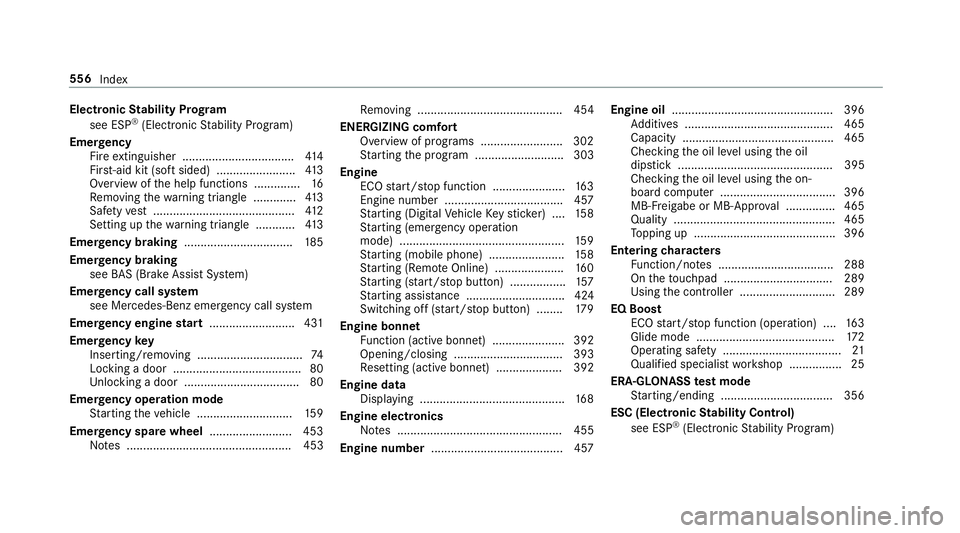
Electronic
Stability Prog ram
see ESP ®
(Electronic Stability Prog ram)
Emer gency
Fire extinguisher ................................. .414
Fir st-aid kit (so ftsided) ........................ 413
Overview of the help functions .............. 16
Re moving thewa rning triangle ............ .413
Saf etyve st ........................................... 412
Setting up thewa rning triangle ............ 413
Emer gency braking ................................. 185
Emer gency braking
see BAS (Brake Assi stSystem)
Emer gency call sy stem
see Mercedes-Benz emer gency call sy stem
Emer gency engine start .......................... 431
Emer gency key
Inserting/removing ................................ 74
Locking a door ....................................... 80
Un locking a door .................................. .80
Emer gency operation mode
St arting theve hicle ............................. 15 9
Emer gency spare wheel .........................4 53
No tes .................................................. 453 Re
moving ............................................ 454
ENERGIZI NGcomfort
Overview of programs ........................ .302
St arting the program ........................... 303
Engine ECO start/ stop function ......................1 63
Engine number ................................... .457
St arting (Digital Vehicle Keyst icke r) .... 15 8
St arting (eme rgency operation
mode) .................................................. 15 9
St arting (mobile phone) ...................... .158
St arting (Remo teOnline) ..................... 16 0
St arting (s tart/s top button) .................1 57
St arting assis tance .............................. 424
Switching off (s tart/s top button) ........ 17 9
Engine bonnet Function (active bonnet) ...................... 392
Opening/closing ................................. 393
Re setting (active bonnet) .................... 392
Engine data Displaying ............................................ 16 8
Engine electronics Notes .................................................. 455
Engine number ........................................4 57Engine oil
................................................ .396
Ad ditives .............................................4 65
Capacity .............................................. 465
Che cking the oil le vel using the oil
dipstick ............................................... 395
Checking the oil le vel using the on-
board computer ................................... 396
MB-Fr eigabe or MB-Appr oval .............. .465
Quality ................................................. 465
To pping up ...........................................3 96
Entering characters
Fu nction/no tes ................................... 288
On theto uchpad ................................ .289
Using the controller ............................. 289
EQ Boost ECO start/ stop function (operation) ....1 63
Glide mode .......................................... 172
Operating saf ety .................................... 21
Qualified specialist workshop ................25
ERA-GLONASS test mode
St arting/ending .................................. 356
ESC (Elect ronic Stability Control)
see ESP ®
(Electronic Stability Prog ram) 556
Index