audio MERCEDES-BENZ E-CLASS CABRIOLET 2019 User Guide
[x] Cancel search | Manufacturer: MERCEDES-BENZ, Model Year: 2019, Model line: E-CLASS CABRIOLET, Model: MERCEDES-BENZ E-CLASS CABRIOLET 2019Pages: 530, PDF Size: 44.1 MB
Page 299 of 530
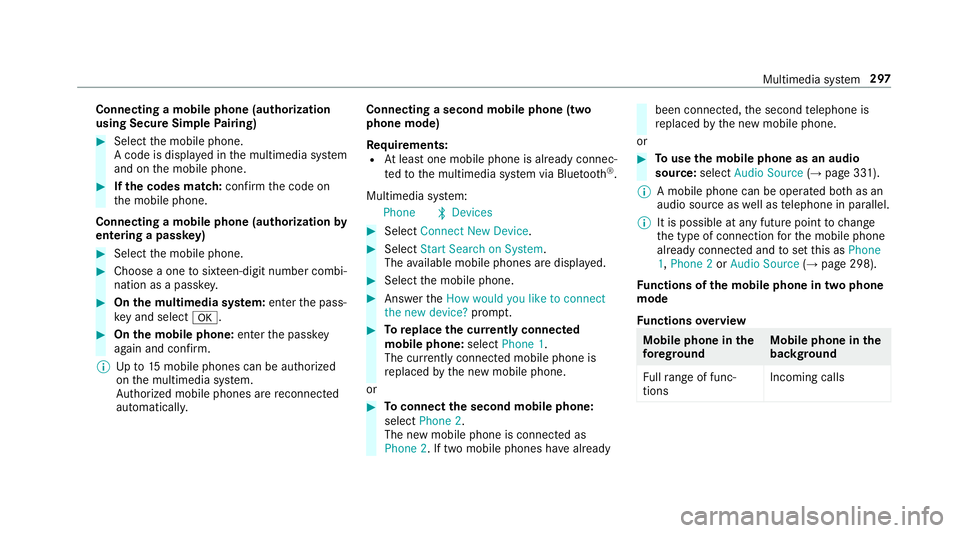
Connect
ingamob ilephone (authoriza tion
using SecureSim plePairing) 0007
Selec tth emobile phone.
A code isdispla yedin themultimedia system
and onthemobile phone. 0007
Ifth ecodes match: con firm thecode on
th emobile phone.
Connecting amobile phone(authorizat ion by
ent ering apa ssk ey) 0007
Select themobile phone. 0007
Choose aone tosixt een-digit numbercombi‐
nation asapassk ey. 0007
On themu ltim edia system: enterthepass‐
ke yand select0076. 0007
On themobil eph one: enterthepassk ey
ag ain and confirm .
0009 Upto15 mobil ephones canbeauthor ized
on themultimedia system.
Au thor ized mobile phones arere connect ed
au tomatical ly. Connect
ingasecond mobilephone (two
ph one mod e)
Re quirement s:
R Atleas tone mobile phoneis alr eady connec‐
te dto themultimedia system viaBlue tooth®
.
Multimedia system:
Phone 00A5Devic es 0007
Select Connec tNew Devic e. 0007
Select Start Search onSystem.
The available mobilephon esaredispla yed. 0007
Select themobile phone. 0007
Answ ertheHow would youliketocon nect
the new device? prom pt. 0007
Toreplac ethe currentl yconnect ed
mobile phone:selectPhone 1.
The currentl yconne cted mob ile pho neis
re placed bythene wmobile phone.
or 0007
Toconnect thesecond mobileph one:
selec tPhon e2.
The newmobile phoneis con nectedas
Phone 2.Iftw omobile phones have already been
connected, thesecon dte lephon eis
re placed bythene wmobile phone.
or 0007
Touse themobil eph one asan aud io
sour ce:selec tAudio Source(→ pag e33 1).
0009 Amobile phonecan beoperat edboth as an
audio sourceaswellas telephon ein par allel.
0009 Itis possible atanyfutur epoint tochang e
th etype ofcon nect ionforth emobile phone
alr eady connect edand tosetth is as Phon e
1, Phon e2 or Audio Source(→ pag e298) .
Fu nctions ofthemobil eph one intw oph one
mod e
Fu nctions overview Mobile
phoneinthe
fo re gr ound Mobile
phone inthe
bac kground
Fu llra ng eof func ‐
tio ns Incom
ingcalls Mu
ltimed iasystem 29
7
Page 302 of 530
0007
Setth evo lume.
Fu rther information onthere comme ndedrecep‐
tion andtransm ission volume: http:/ /
www .mercedes-ben z.com/ connect
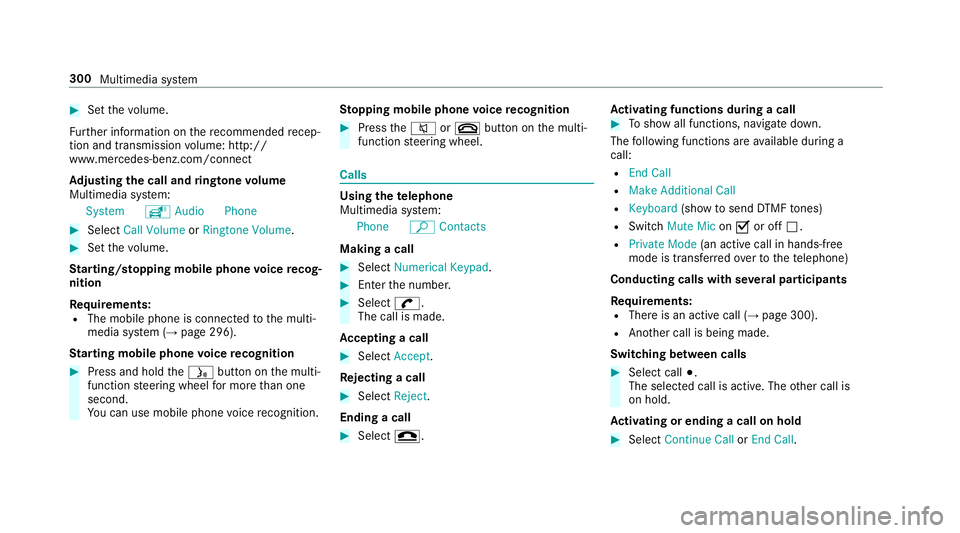
Ad jus tingthe calland ringt one volum e
Multime diasystem:
System õAudio Phone 0007
Select CallVolume orRington eVolume. 0007
Setth evo lume.
St arting/ stopping mobilephon evo ice recog‐
nit ion
Re quirement s:
R The mobile phoneis con nectedto themulti‐
media system (→pag e296).
St arting mobi lephone voice recognit ion 0007
Press and hold the00E3 buttononthemulti‐
func tion steer ing wheel formor eth an one
sec ond.
Yo ucan usemob ilephon evo ice recogni tion. St
opp ingmobil eph one voice recognit ion 0007
Press the0063 or0076 buttononthemulti‐
func tion steer ing wheel. Calls
Using
thete lephone
Multime diasystem:
Phone ªContac ts
Making acall 0007
Select Numerical Keypad. 0007
Enterth enumber . 0007
Select 0097.
The callismade.
Ac cep tingacall 0007
Select Accep t.
Re jec tingaca ll 0007
Select Reject .
En din gaca ll 0007
Select 005A. Ac
tiv atin gfunc tions dur ingacal l 0007
Tosho wall functions, navig atedo wn.
The follo wing functionsar eav ailable during a
call:
R EndCall
R Mak eAdd ition alCall
R Keybo ard(sho wto send DTMF tones)
R Swi tchMu teMicon 0073 oroff0053.
R Private Mode(a nacti vecal lin ha nds-fr ee
mod eis transf erredove rto thete lephon e)
Conduct ingcalls withse ve ralpar ticip ants
Re quirement s:
R Ther eis an act ive call (→pag e300).
R Another call isbeing made.
Switc hingbetw een calls 0007
Select call003B.
The select edcall isactiv e.The other call is
on hold.
Ac tiv atin gor endin gacal lon hol d 0007
Select Continu eCa llor End Call. 30
0
Mu ltimed iasystem
Page 309 of 530
Sir
i®
vo ice- oper ated con trol system. Youcan
act ivat eth evo ice- opera tedcon trol system by
pr essing andholding the00E3 buttononthe
multifu nctionsteer ing wheel.
When usingApple CarPla y™viathevo ice- oper‐
at ed con trol system, themultimedia system can
st ill be oper ated via theVo ice Cont rolSy stem
(→ pag e23 1).
Onl yone mobile phoneatatime canbecon nec‐
te dvia Apple CarPla y™tothemultimedia sys‐
te m.
The availabilit yof App leCarPla y™mayva ry
acc ordin gto thecount ry.
The service prov ider isresponsible forth is appli‐
cat ion and theser vices andcontent conne cted
to it.
Inf orma tion onApp leCar Play™
While usingApple CarPla y™various funct ionsof
th emultimedia system, e.g.telephon yor the
media sourcesBlue tooth®
audio andiPod ®
,ar e
una vailable.
Onl yone routeguidan cecan beact ive at atim e.
If ro uteguidan ceisact ive on themultimedia sys‐ te
m, itis closed whenrouteguidan ceisstar ted
on themobile phone.
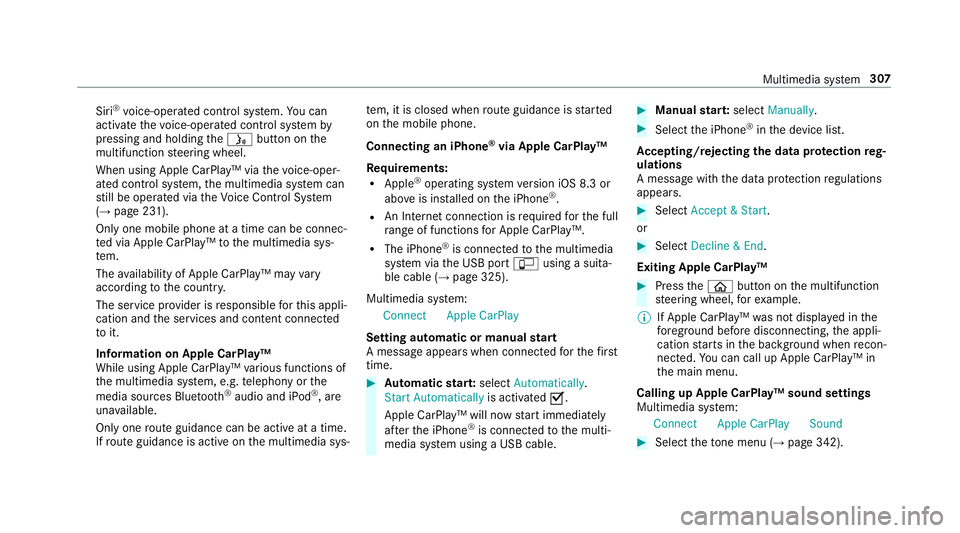
Connecting aniPhone ®
via Apple CarPla y™
Re quirement s:
R Apple ®
oper atingsy stem version iOS 8.3or
abo veisins talled ontheiPhone ®
.
R AnInterne tcon nect ionisrequ ired forth efull
ra ng eof func tions forApple CarPla y™.
R The iPho ne®
is connect edtothemultimedia
sy stem viatheUSB port00C2 using asuit a‐
ble cable (→pag e325).
Multimedia system:
Connec tAppleCarPlay
Se tting automat icor manu alstar t
A messa geappear swhen connectedfo rth efirs t
tim e. 0007
Automatic star t:select Automatically.
Start Automatically isactiv ated 0073.
Apple CarPla y™will nowstar timm ediat ely
af te rth eiPhone ®
is con nect edtothemulti‐
media system using aUSB cable. 0007
Manua lst ar t:select Manual ly. 0007
Select theiPhone ®
in thede vice list.
Ac cep ting/r eject ingtheda ta protection reg‐
ulat ions
A messag ewit hth edat apr otect ion regulations
appear s. 0007
Select Accept &Start .
or 0007
Select Decline &End.
Exiting AppleCarPla y™ 0007
Press the00E2 buttononthemultifunc tion
st eer ing wheel, forex am ple.
0009 IfApp leCarPla y™wasno tdispla yedin the
fo re ground beforedisconn ecting,theappli‐
cation star ts inthebac kground when recon‐
nect ed.Youcan callupApple CarPla y™in
th emain menu.
Calling upApple CarPla y™sound settings
Multimedia system:
Connec tAppleCarPlay Sound 0007
Select theto ne menu (→page 342). Mul
timedi asy stem 30
7
Page 310 of 530
Endin
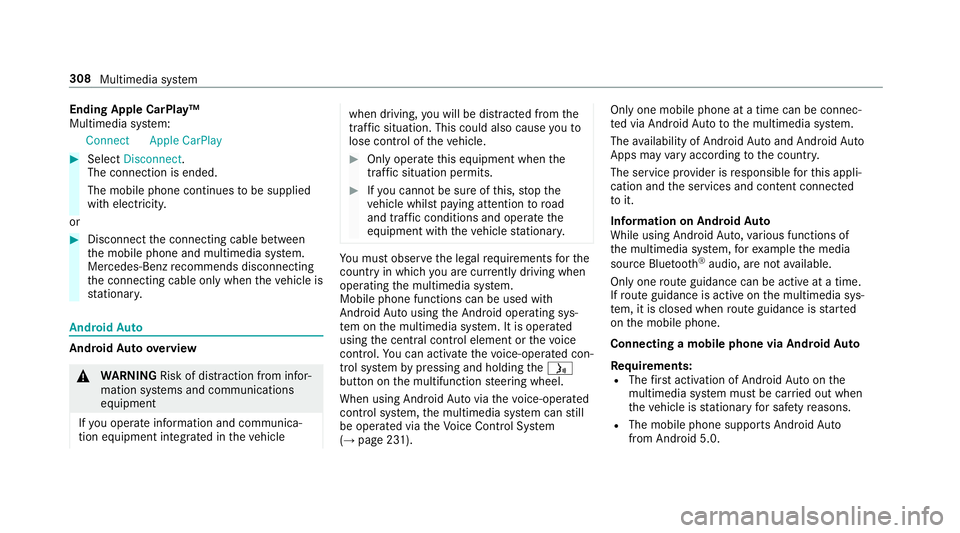
gApp leCar Play™
Mult imedia system:
Connec tAppleCarPlay 0007
Select Disconnect.
The connection isended.
The mobile phonecontinues tobe supplied
wit helect ricity .
or 0007
Disco nnect thecon nect ingcable between
th emobile phoneandmultimedia system.
Mer cedes- Benzrecomme ndsdisconnecti ng
th econ nect ingcable onlywhen theve hicle is
st atio nary. Andr
oidAuto Andr
oidAutoove rview 000A
WARNIN GRisk ofdist ra ction from infor‐
mati onsystems andcomm unication s
eq uipment
If yo uoper ateinf ormat ionand comm unic a‐
tio neq uipme ntintegratedin theve hicle when
driving, youwill bedistract ed from the
tr af fic situ ation. Thiscou ldalso cau seyouto
lose control of theve hicle. 0007
Onlyoper ateth is eq uipmen twhen the
tr af fic situ ation per mits. 0007
Ifyo ucan notbe sur eof this, stop the
ve hicle whilstpa ying attention toroad
and traffic condi tions andoperate the
eq uipment withth eve hicle statio nary. Yo
umus tobse rveth eleg alrequ iremen tsforth e
cou ntryin whi chyouar ecur rentl ydr ivi ng when
op erati ng themultimedia system.
Mobile phonefunctionscan beused with
An droid Autousin gth eAn droid oper ating sys‐
te m on themultimedia system. Itis oper ated
using thecent ralcon trol elemen tor thevo ice
con trol. Youcan activat eth evo ice- opera tedcon ‐
tr ol system bypressing andholding the00E3
butt onon themultifunc tionsteer ing wheel.
When usingAndroid Autovia thevo ice- opera ted
contr olsystem, themultimedia system can still
be opera tedvia theVo ice Cont rolSy stem
(→ pag e23 1). Onl
yone mobile phoneatatime canbecon nec‐
te dvia Android Autoto themultimedia system.
The availabilit yof An droid Autoand Android Auto
App sma yva ry acc ordin gto thecount ry.
The service prov ider isresponsible forth is appli‐
cat ion and theser vices andcontent conne cted
to it.
Inf orma tion onAndr oidAuto
While usingAndroid Auto,va rious funct ionsof
th emultimedia system, forex am ple themedia
sour ceBlue tooth®
audio, areno tav ailable.
On lyone routeguidan cecan beact ive at atim e.
If ro uteguidan ceisact ive on themultimedia sys‐
te m, itis closed whenrouteguidan ceisstar ted
on themobile phone.
Connecting amobile phoneviaAndr oidAuto
Re quirement s:
R The firs tacti vatio nof Andr oid Au toon the
multime diasystem mus tbe car ried out when
th eve hicle isstatio naryfo rsaf etyre ason s.
R The mobi lephon esuppo rts Andr oidAuto
fr om Andr oid5.0. 308
Multimedi asy stem
Page 323 of 530
R
Login toTuneIn Account :log into your
Tu neIn user acco unt.
R Log Outof Accou nt:log ou tof your TuneIn
us er acco unt. 0007
Select anoptio n. Med
ia Au
dio mode In
fo rm ation ontheaud iomod e 000A
WARNIN GRisk ofdist ra ction whenha n‐
dl ing data stor ag emedia
If yo uhan dleadat ast or ag emedium while
dr iving, your att entio nis div ertedfrom the
tr af fic condi tions.Thi scou ldalso cau seyou
to lose control of theve hicle. 0007
Onlyhandle adat ast or ag emedium
when theve hicle isstatio nary. Pe
rm issible file systems:
R FAT32
R exFA T R
NTFS
Pe rm issible datast or ag emedium:
R SD card
R USB stor ag ede vice
R iPod ®
/iPhone ®
R MTP devices
R Blue tooth®
audio equipme nt
0009 Obse rveth efo llo wing notes:
R The multimedia system suppor tsatot al
of up to50,000 files.
R Dat ast or ag emedia upto2TB aresup ‐
por ted(32‑ bitaddr essspace).
Suppor tedfo rm ats :
R MP3
R WMA
R AAC
R WAV
R FLAC
R ALAC 0009
Obser vethefo llo wing notes:
R Due tothelar ge variet yof available
music files rega rding encoder s,sam pling
ra tesand datara tes, pla ybac kcanno t
alw aysbe guar anteed.
R Due tothewide rang eof USB device s
av ailable onthemar ket,play bac kcann ot
be guar anteed forall USB devices.
R Cop y-pr otect edmusic files orDRM
enc rypte dfiles can notbe playedbac k.
R MP3 players mus tsupp ortMedi aTr ans ‐
fe rPr oto col (MT P). Mu
ltimed iasystem 32
1
Page 324 of 530
Manuf
acturedunder license from Dolb yLabor a‐
to ries. Dolb y,Dol byAudio and thedouble-D sym‐
bol aretrademar ksofDolb yLabor ator ies. Gr
aceno te,th eGr aceno telogo andlogotype,
"P ow ered byGracen ote", MusicID andPlaylist
Plus areeit her regis tere dtrademar ksortrade‐
mar ksofGraceno te,Inc .in theUn ited States
and/ orother countr ies.
No teson cop yright
Au dio files that youcr eat eor repr oduce yourself
fo rpla yba ckarege ner ally subject tocop yrigh t
pr otect ion. Inman ycount ries, repr oduction s,
eve nfo rpr ivat euse, areno tper mitt edwithout
th epr ior con sent ofthecop yright holder .Mak e
sur eth at youkn ow about theapplicable copy‐
ri ght regulations andthat youco mp lywit hth ese. Ac
tiv atin gmedi amode
Mu ltimed iasystem:
Media àMedia Sources 0007
Select amedia source.
Pla yable music files arepla yedbac k.
Inser ting/r emo ving anSD card 000A
DANG ER Risk offata linj uryfrom swal‐
lo wing SDcards
SD cardsaresmall parts.
The ycould beswallo wedand lead tochok‐
ing. 0007
Keep SD cardsout ofthere ac hof chil‐
dr en. 0007
Seek medic alatt ent ion immed iatelyif
an SD cardhas been swallo wed. 000E
NO
TEDama gedue tohigh temp eratur es High
temp eratur esma ydamag eth eSD card. 0007
Remo vetheSD cardaf te ruse and take
it out oftheve hicle. 322
Multimedia system
Page 330 of 530
Ac
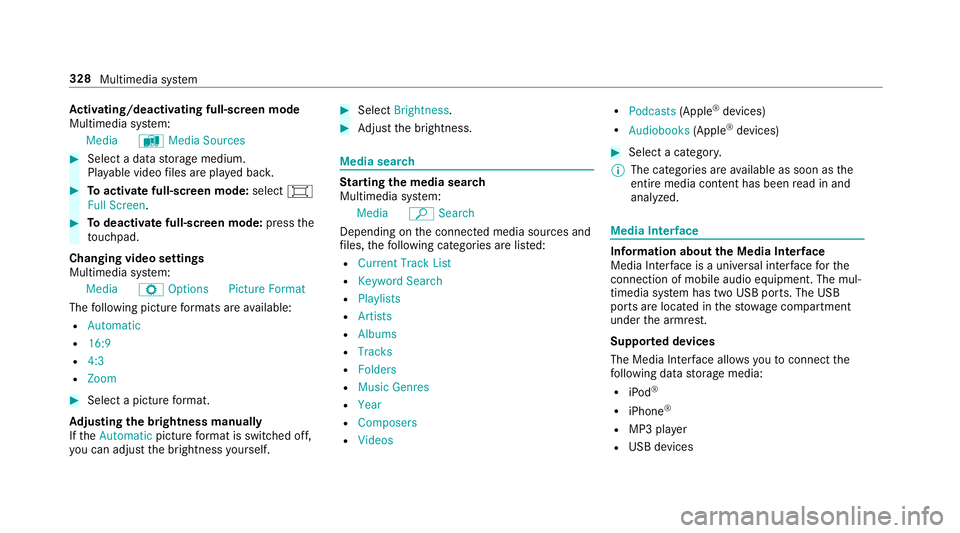
tiv atin g/deac tivatin gful l-scree nmode
Mu ltimed iasystem:
Media àMedia Sources 0007
Select adat ast or ag emedium.
Pla yable video files arepla yedbac k. 0007
Toactiv atefull-s cree nmode: select0008
Full Screen. 0007
Todeac tivatefull -screen mod e:press the
to uc hpad.
Cha nging videosettings
Mult imed iasystem:
Media ZOption sPicture Format
The follo wing picturefo rm ats areav ailable:
R Automat ic
R 16:9
R 4:3
R Zoom 0007
Select apict urefo rm at.
Ad jus tingthe brightne ssmanu ally
If th eAutom aticpictur efo rm atisswit ched off,
yo ucan adjustth ebr ightn essyourself . 0007
Select Bright ness. 0007
Adjus tth ebr ightn ess. Media
search St
arting themed iasear ch
Multimedia system:
Media ªSearch
Depen dingonthecon nect edmedia sourcesand
fi les, thefo llo wing categor iesarelis ted:
R Current TrackList
R Keyword Search
R Playlists
R Artists
R Albums
R Track s
R Folders
R Music Genres
R Year
R Composers
R Videos R
Podcast s(Apple ®
de vices)
R Audiobook s(Apple ®
de vices) 0007
Select acat egor y.
0009 The categor iesareav ailable assoon asthe
ent ire media content hasbe en read inand
anal yzed . Med
iaInt erface Inf
orma tion abou tth eMed iaInt erface
Media Inte rface isauniv ersal interface forth e
connecti onofmob ile au dio equipm ent.Themul‐
time diasy stem has twoUSB ports.The USB
por tsarelocat edinthestow agecom partment
unde rth ear mr est.
Supp ortedde vic es
The Med iaInt erface allo ws youto connect the
fo llo wing datast or ag emedia:
R iPod ®
R iPhone ®
R MP3 player
R USB devices 328
Multimedi asy stem
Page 333 of 530
Blue
tooth®
audio Inf
ormation aboutBluetooth®
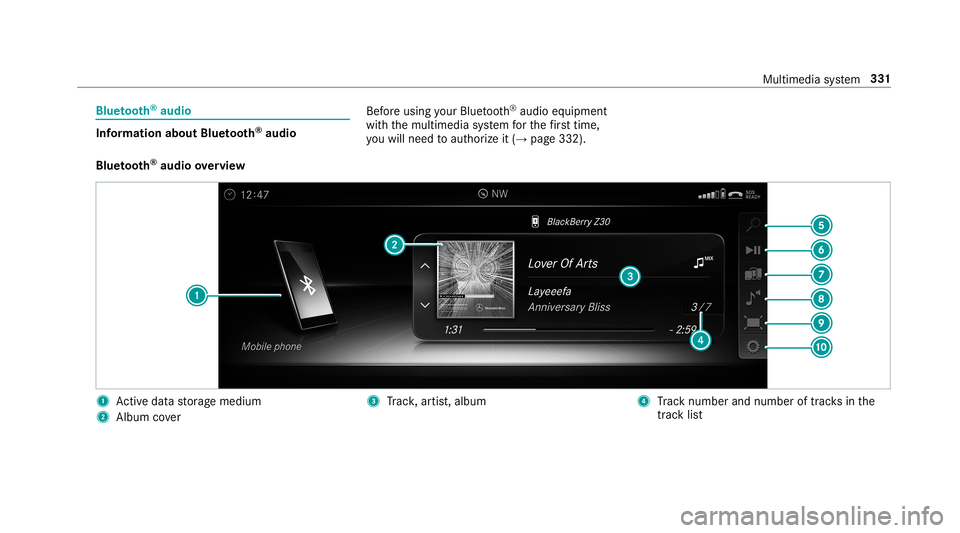
audio Bef
oreusi ng your Blue tooth®
audio equipme nt
wit hth emultimedia system forth efirs ttim e,
yo uwill need toaut hor ize it(→ pag e33 2).
Blu etoo th®
audio overview 1
Activeda ta stor ag emedium
2 Album cover 3
Trac k, artis t,album 4
Trac knum berand num beroftrac ks inthe
tr ac klist Multimedia
system 33
1
Page 334 of 530
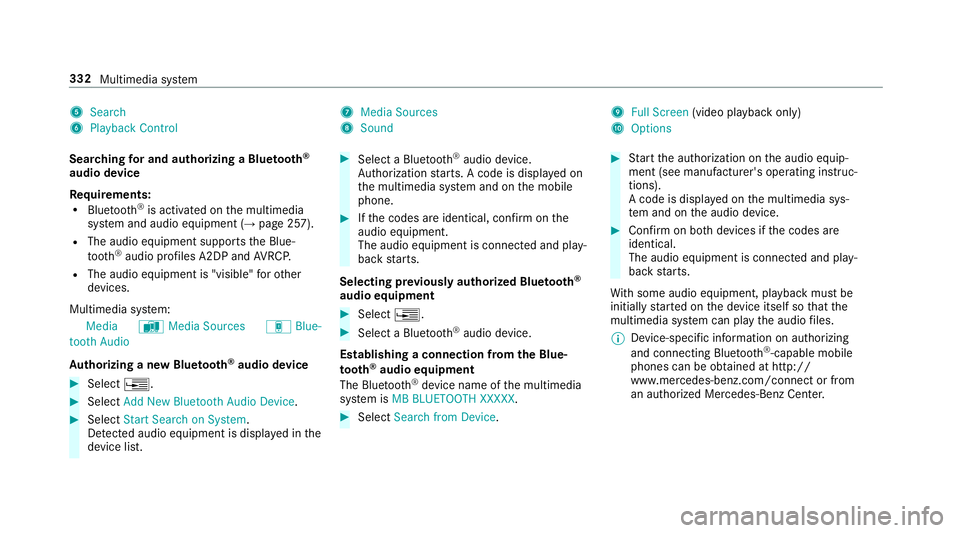
5
Search
6 Play ba ck Control 7
Med iaSou rces
8 Sound 9
FullScree n(vi deo play bac konl y)
A Option s
Sear ching forand author izing aBlue tooth®
audio devic e
Re quirement s:
R Blue tooth®
is act ivat ed on themultimedia
sy stem and audio equipment (→pag e25 7).
R The audio equipment supportstheBlue‐
to oth®
audio profiles A2DP and AVRC P.
R The audio equipment is"visible" forot her
de vices.
Multimedia system:
Media àMedia Sources áBlue-
toot hAudio
Au thorizing ane wBlu etoo th®
audio devic e 0007
Select 0080. 0007
Select AddNew Bluetooth AudioDevice. 0007
Select StartSearch onSystem .
De tected audio eq uipme ntisdispl ayed inthe
de vice list. 0007
Select aBlue tooth®
audio devic e.
Au thor ization star ts.A cod eis displa yedon
th emultimedia system and onthemobile
phone. 0007
Ifth ecodes areidentic al,con firm onthe
audio equipme nt.
The audio equipme ntiscon nectedand play‐
bac kst ar ts.
Select ingprev iousl yaut hor ized Bluetooth®
audio equipment 0007
Select 0080. 0007
Select aBlue tooth®
audio devic e.
Es tablis hingaconnect ionfrom theBlu e‐
to oth®
audio equipment
The Blue tooth®
de vice name ofthemultimedia
sy stem isMB BLUE TOOTH XXXXX. 0007
Select Search fromDevic e. 0007
Startth eaut hor ization ontheaudio equip‐
ment (seemanuf acturer'soper ating instruc‐
tion s).
A code isdispla yedon themultimedia sys‐
te m and ontheaudio device. 0007
Conf irm on both devices ifth ecodes are
identic al.
The audio equipment iscon nect edand play‐
bac kst ar ts.
Wi th some audioeq uipment, playbac kmus tbe
initially star tedon thede vice itself sothat the
multime diasystem can playth eaudio files.
0009 Device -specif icinf ormatio non aut hor izin g
and connectingBlue tooth®
-cap ablemob ile
pho nes can beobt ained athttp://
ww w.mer cedes-be nz.com/c onnectorfrom
an author ized Mercedes-B enzCent er. 332
Multimedia system
Page 335 of 530
Ac
tiv atin gBlue tooth®
audio
Mul timedi asy stem:
Media àMedia Sources 0007
Select áBluetoot hAudio.
The multimedia system activ ates thecon nec‐
te dBlue tooth®
audio equipme nt.
Select ingthemed iapla yeron the Blue tooth®
audio devic e
Mul timedi asy stem:
Media ª 0007
Select theBluetoot hAudio Players categor y.
If multip lemedia players arepr esen ton the
Blu etoo th®
audio equipme ntalis tappear s. 0007
Select amedi apla yer.
Pla ybac kst ar ts.
0009 The function isno tsuppo rted byeve ry
mobil ephone. Sear
ching fora musi ctrac kon the Blue ‐
to oth®
audio devic e
Mul timedi asy stem:
Media àMedia Sources áBlue-
toot hAudio 0007
Select ª. 0007
Select acat egor y.
A trac klist appear s. 0007
Select atrac k.
0009 The funct ionisonl yav ailable whenthe
mobil ephone andthemedia playersele cted
on themobile phonesuppor tth is func tion.
Switc hingBluetoo th®
audio equipment via
NFC
Re quirement s:
R Obser vetheno teson using NFC
(→ pag e299).
R The Blue tooth®
audio overvie wisdispla yed
( → pag e33 1). 0007
Lightl ypr ess theNFC area on themobile
phone (seethemanuf acturer'soper ating
ins truction s).
If th emobile phonehasalready been author‐
ized onthemultimedia system asBlue tooth®
audio equipme nt,it is no wcon nected.
If th emobile phoneisaut hor ized onthemul‐
timedia system asBlue tooth®
audio equip‐
men tfo rth efirs ttim e,itis conne cted afte r
conf irming theins truction sfo rth emobile
phone (seethemanuf acturer'soper ating
ins truction s).
Disconnec tingBluetooth®
audio equipment
Mul timedi asy stem:
Phone áMedia Sources 0007
Select thei symbol intheline ofthe
mobil ephone.
The disconnection ofthemobile phonetake s
place without acon firm atio npr om pt.The
mob ile pho neremains author ized inthesy s‐
te m. Mul
timedi asy stem 333