ECU MERCEDES-BENZ E-CLASS CABRIOLET 2019 Manual PDF
[x] Cancel search | Manufacturer: MERCEDES-BENZ, Model Year: 2019, Model line: E-CLASS CABRIOLET, Model: MERCEDES-BENZ E-CLASS CABRIOLET 2019Pages: 530, PDF Size: 44.1 MB
Page 274 of 530
0007
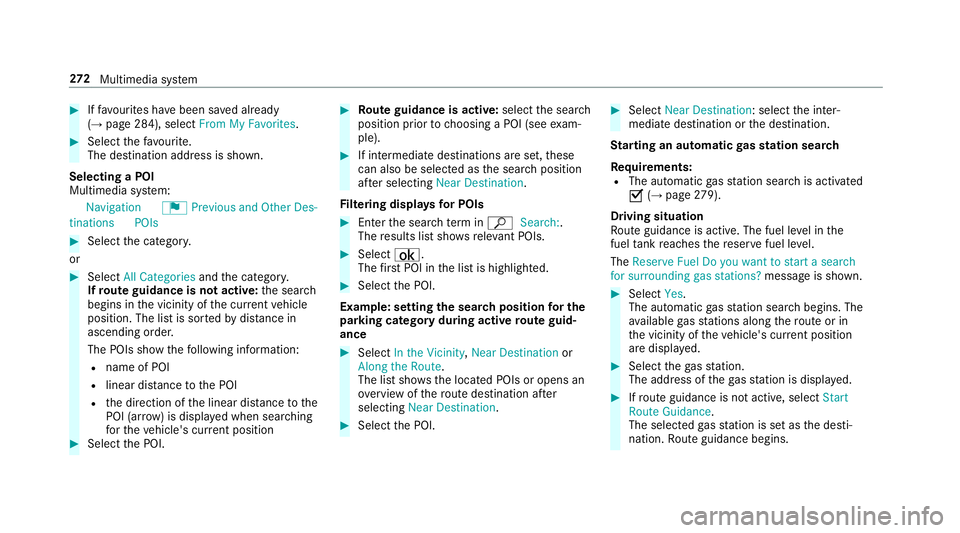
Iffavo urites have been save dalr eady
(→ pag e28 4), select FromMyFavorit es. 0007
Select thefa vo urite.
The destinatio naddr essissho wn.
Select ingaPOI
Mult imed iasystem:
Navigation ¬Previous andOther Des-
tinat ions POIs 0007
Select thecat egor y.
or 0007
Select AllCategories andthecat egor y.
If ro ut eguidanc eis no tactiv e:thesear ch
begins inthevicinit yof thecur rent vehicle
position. Thelistis sor tedby distance in
as cend ingorde r.
The POIs showthefo llo wing informatio n:
R name ofPOI
R linear distance tothePOI
R thedir ect ion ofthelinear distance tothe
POI (arrow) isdispla yedwhen searching
fo rth eve hicle's current positio n 0007
Select thePOI. 0007
Routeguidanc eis activ e:sele ctthesear ch
position prior tochoosing aPOI (see exam‐
ple). 0007
Ifint ermedi atedes tinatio nsarese t,th ese
can also beselect edasthesear chposition
af te rsele cting NearDestination .
Fi lter ing disp lays forPO Is 0007
Enterthesear chterm inª Search:.
The results listsho wsreleva nt POI s. 0007
Select ¡.
The firs tPOI inthelis tis highlight ed. 0007
Select thePOI.
Ex am ple: setting thesear chpos ition forthe
par kingca tegor ydur ing activ ero uteguid‐
ance 0007
Select Inthe Vicini ty,Near Destinatio nor
Along theRou te.
The listsho wsthelocat edPOIs oropens an
ove rview of thero utedes tinatio naf te r
selecting NearDestination. 0007
Select thePOI. 0007
Select NearDestination: selecttheint er‐
mediat edes tinat ionorthedes tinat ion.
St arting anaut omatic gasst ation search
Re quirement s:
R The automat icga sst atio nsear chisact ivat ed
0073 (→pag e27 9).
Dr ivin gsituati on
Ro uteguidan ceisact ive. The fuel leve lin the
fuel tank reac hes there ser vefuel leve l.
The Reserv eFuel Doyou want tostar ta searc h
for surro undin ggas stations ?mess ageis sho wn. 0007
Selec tYes.
The automat icga sst atio nsear chbegins. The
av ailable gasst atio nsalon gth ero uteor in
th evicinit yof theve hicle's current positio n
ar edispl ayed. 0007
Select thega sst atio n.
The addr essofthega sst atio nis displa yed. 0007
Ifro uteguidan ceisno tact ive, sele ctStart
Rout eGuidan ce.
The selected gasst atio nis setas thedes ti‐
nation .Ro uteguidan cebegin s. 27
2
Multimedia system
Page 279 of 530
An
eco nomi calrouteis calc ulated. The jour‐
ne ytim ema ybe som ewhat long erthan for
qu icke rro utes.
The symb olforth ecur rent vehicle position is
displa yedin green.
R Fast Route
A ro utewit haqu ick jour neytim eis calc ula‐
te d.
R Shor tRoute
A ro utewit hasho rtdriving distance iscal cu‐
la te d.
Auto matic Traffic JamAvoidan cecan be
switc hedon0073 oroff0053 forth ese routetyp es.
If Aut omat icTraf ficJam Avoidan ceisswit ched
on, Ask inthe Even tof Traffic JamAvoidan cecan
be select ed.
The Autom aticTraffic JamAvoidan ceand Askin
the Even tof Traffic JamAvoidan cesettings are
no tav ailable ineve rycou ntry.
The settings enable thefo llo wing:
R Automat icTraff icJam Avoidanc e The
routeis calc ulatedwithth ecur rently set
ro utetyp e.
Tr af fic re por tsvia LiveTraf fic Inf ormati onare
ta ke nint oacco unt.
Liv eTr af fic Inf ormati onisno tav ailable inall
coun tries.
R Askin theEv ent ofTraf ficJam Avoidan ce
A pr om ptappear swhen ane wrouteis de tec‐
te dwit hashor terjour neytime basedon traf‐
fi c re por ts.Youcan continue touse thecur‐
re nt routeor use thedynamic routeins tead.
Select ingrouteop tions
Mul timedi asy stem:
Navigation ÀRoute andPosi-
tion AvoidOption s
Av oiding areas 0007
Sele ctAreas (→pag e29 0).
Av oiding highways ,fe rries, motorailtrains,
tu nnels, unpavedro ads 0007
Select 0073ordese lect0053avo idop tion . Using
tollro ads 0007
Select UseTollRoa ds. 0007
Select Cash orElectronic Billing orOff .
The routeta ke sint oaccount roads that
re qu ire th epa yment ofausag efe e(toll).
If Off isselect ed,tollro ads areno tta ke nint o
acco unt.
The select edrouteop tio ns can notalw aysbe
im plement ed.Ther efor e, aro utema yinc lude a
fe rry, forins tance, eventh ough theavo idFer ries
op tion isenabled. Amess ageappear sand you
will hear acor responding message.
Using carpool lanes 0007
Select Number ofOccupants inthe Vehicle. 0007
Select number .
When usingcarpool lanes, observetheappli‐
cable legalrequ iremen tsas wellas anycon ‐
dition sper tainin gto when andwher esuc h
lanes maybe used. Carpool lanes mayonl y
be used ifcer tain con dition sar eme t.
These routeop tio ns areno tav ailable ineve ry
cou ntry. Multimedia
system 27
7
Page 282 of 530
0007
Onlyoper ateth is eq uipmen twhen the
tr af fic situ ation per mits. 0007
Ifyo ucan notbe sur eof this, stop the
ve hicle whilstpa ying attention toroad
and traffic condi tions andoperate the
eq uipment withth eve hicle statio nary. Yo
umus tobse rveth eleg alrequ iremen tsforth e
cou ntryin whi chyouar ecur rentl ydr ivi ng when
op erati ng themultimedia system.
Ro uteguidan cebegin son ce aro utehas been
calc ulated.
The road and traf fic ru les and regulations always
ha ve prior ity ove rmulti media system driving
ins truction s.
The follo wing drivin gins truct ions canbeused:
R Navig ation announcements
R Routeguidan cedispl ays
R Lane recomme ndations
If yo udo notfo llo wthedr iving instruction sor if
yo ulea vethecalculat edroute, ane wrouteis
calc ulatedaut omat ically. Dr
iving instructi ons maydi ffer from theactual
ro ad and traf fic condi tions if:
R The routeis div erted
R The direction ofaone-w aystre et has been
ch ang ed
Fo rth is reason ,yo umus talw aysobser veroad
and traffic ru les and regulations during your
jo ur ne yas wellas thepr eva iling traffic condi ‐
tions .
The routema ydif ferfr om theideal routedue to
th efo llo wing:
R Roadw orks
R Incom pletedigit almap data
No teson GPS recep tion
The correct functi onofthena vig ation system
depends amongstot her things onGPS recep‐
tion. Incer tain situat ionsGPS recep tion canbe
im pa ired, defectiv eor eve nno tpo ssi ble, e.g .in
tunne lsor inpa rking garage s. Changing
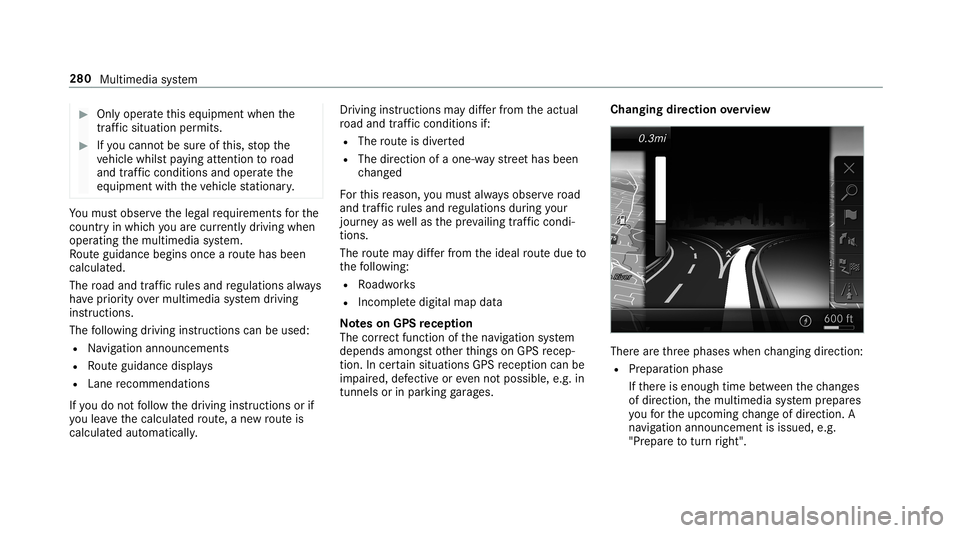
direction overview Ther
ear eth re ephases whenchang ingdirect ion:
R Preparation phase
If th er eis enough timebetween thech ang es
of dir ect ion,th emultimedia system prepar es
yo ufo rth eupcoming chang eof dir ect ion.A
na vig atio nann oun cem entisissue d,e.g .
"Pr epar eto tur nright". 280
Multimedia system
Page 283 of 530
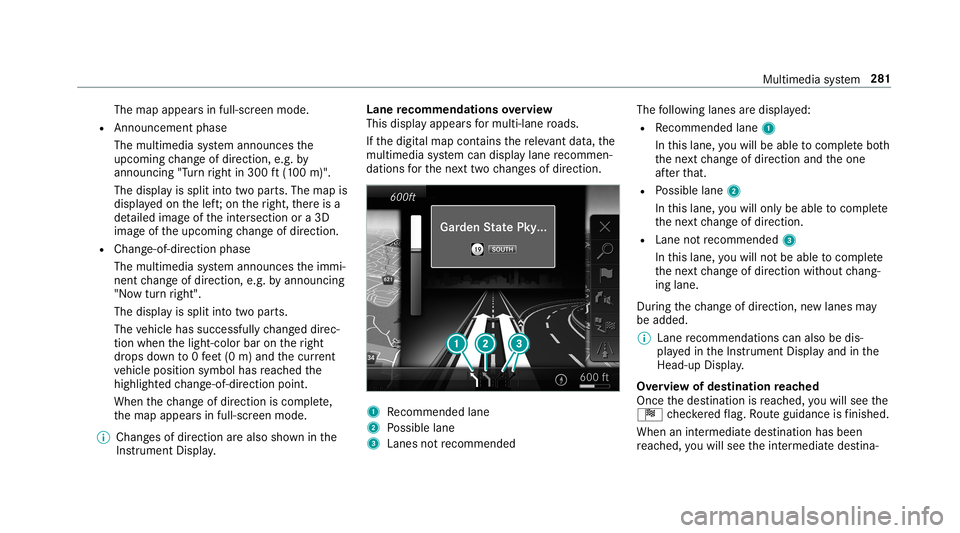
The
map appear sin full-scr eenmode.
R Ann ouncemen tphase
The multimedia system announ cesthe
upco mingch ang eof dir ect ion,e.g .by
ann oun cing"T ur nright in300 ft(100 m)".
The displa yis split intotw opar ts.The map is
displa yedon thelef t;on theright, ther eis a
de tailed imag eof theint ersect ionora3D
imag eof theupcoming chang eof dir ect ion.
R Chan ge-of-d irecti onpha se
The multimed iasystem announ cestheimmi‐
nen tch ang eof dir ect ion,e.g .by ann oun cing
"N ow turnright".
The displa yis split intotw opar ts.
The vehicle hassuccessfull ych ang eddirec‐
tio nwhen thelight- color barontheright
dr ops down to0feet (0 m) and thecur rent
ve hicle position symbolhasreac hed the
highlight edchang e-of-dir ect ion poin t.
When thech ang eof dir ect ion iscom plete,
th emap appear sin full-scr eenmode.
0009 Chang esofdir ect ion arealso showninthe
Ins trument Display. Lane
recomm endationsov ervie w
This displa yappear sfo rmulti -lane roads.
If th edigit almap contains there leva nt data,th e
multime diasystem can displa ylane recomme n‐
da tions forth ene xt twoch ang esofdir ect ion. 1
Recomme ndedlane
2 Possible lane
3 Lanes notre comme nded The
follo wing lanes aredispla yed:
R Recomme ndedlane 1
In this lane, youwill beable tocom plet ebo th
th ene xt chang eof dir ect ion and theone
af te rth at.
R Possible lane2
In this lane, youwill onlybe able tocom plet e
th ene xt chang eof dir ect ion.
R Lan eno tre comme nded3
In this lane, youwill notbe able tocom plet e
th ene xt chang eof dir ect ion without chang ‐
ing lane .
Dur ing thech ang eof dir ect ion,ne wlane sma y
be added.
0009 Lanere comme ndations canalso be dis‐
pl ay ed intheIns trument Displayand inthe
Hea d-up Display.
Ov ervie wof des tinat ionreac hed
Once thedes tinat ionisreac hed, youwill see the
Í checkeredflag. Routeguidan ceisfinis hed .
Whe nan intermed iate des tination hasbeen
re ac hed, youwill see theint ermediat edes tina‐ Multimedia
system 28
1
Page 285 of 530
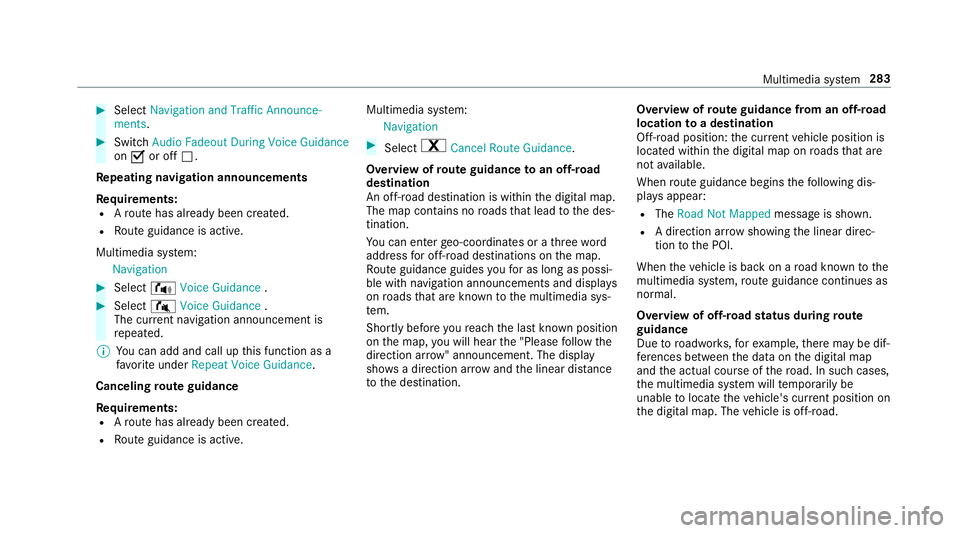
0007
Select Nav igati on and Traffic Announce -
ments . 0007
Swi tchAud ioFad eou tDuri ngVoi ceGuidance
on 0073 oroff0053.
Re peati ngnavig atio nanno unceme nts
Re quirement s:
R Aro utehas already been creat ed.
R Routeguidan ceisact ive.
Mult imed iasystem:
Navigation 0007
Select !Voice Guidance . 0007
Select #Voice Guidance .
The current navig ation anno uncement is
re peat ed.
0009 Youcan add andcallupthis func tion asa
fa vo rite und erRepeat VoiceGuidan ce.
Cancel ingrout eguidanc e
Re quirement s:
R Aro utehas already been creat ed.
R Routeguidan ceisact ive. Mult
imed iasystem:
Navigation 0007
Select %Cancel RouteGuidance .
Ov ervie wof rout eguidanc eto an off-r oad
des tinatio n
An off-r oad destinatio nis wit hin thedigit almap.
The map contains noroads that lead tothedes‐
tinat ion.
Yo ucan enterge o-coor dinatesorath re ewo rd
addr essforof f-r oad destinations onthemap.
Ro uteguidan ceguides youfo ras long aspossi ‐
ble withna vig ation announcements anddisplays
on roads that arekn ow nto themultimedia sys‐
te m.
Shor tlybef oreyo ure ac hth elas tkn ow npo sitio n
on themap, youwill hear the"Please follo wthe
dir ect ion arrow "ann oun cem ent.The displ ay
sho wsadir ect ion arrow and thelinear distance
to thedes tinat ion. Ov
ervie wof routeguidanc efrom anoff-r oad
loc ation toades tinatio n
Of f-road position: thecur rent vehicle position is
locat edwithin thedigit almap onroads that are
no tav ailable.
When routeguidan cebegin sth efo llo wing dis‐
pla ysappear :
R The Road NotMapped messageis sho wn.
R Adir ect ion arro w sho wing thelinear direc‐
tion tothePOI.
When theve hicle isbac kon aro ad know nto the
multime diasystem, routeguidan cecontinue sas
no rm al.
Ov ervie wof off-ro ad status during rout e
guidanc e
Due toroadw orks ,fo rex am ple, ther ema ybe dif‐
fe re nces betwee nth edat aon thedigit almap
and theactual courseofthero ad. Insuc hcas es,
th emultimedia system will temp orarily be
unable tolocat eth eve hicle's current positio non
th edigit almap. Thevehicle isoff-r oad. Multimedia
system 283
Page 286 of 530
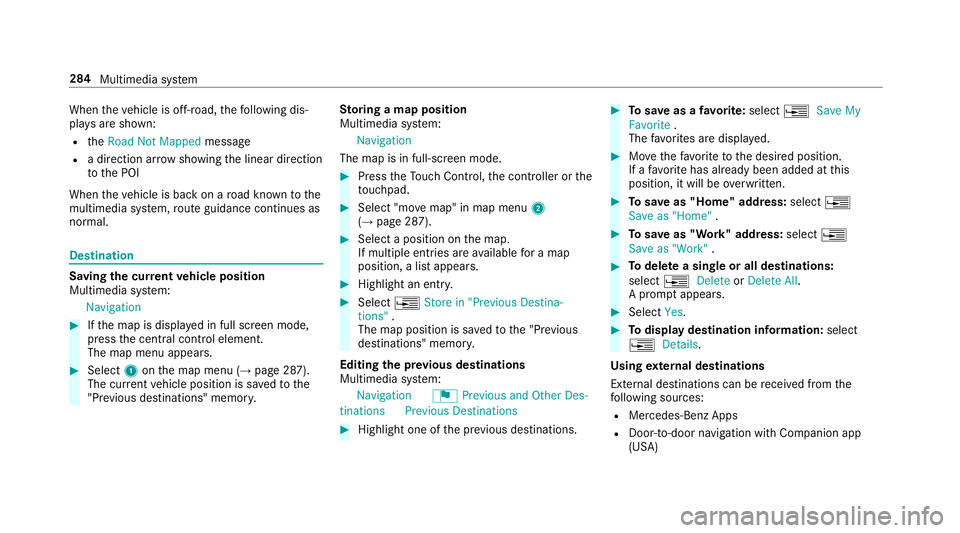
When
theve hicle isoff-r oad, thefo llo wing dis‐
pla ysaresho wn:
R theRoad NotMapped message
R adir ect ion arrow showing thelinear direct ion
to thePOI
When theve hicle isbac kon aro ad know nto the
multime diasystem, routeguidan cecontinue sas
no rm al. Des
tination Sa
ving thecur rent vehicl eposi tion
Mul timedi asy stem:
Navigation 0007
Ifth emap isdispla yedin full screen mode,
pr ess thecent ralcon trol elemen t.
The map menuappear s. 0007
Selec t1 onthemap menu (→pag e28 7).
The current vehicle position issave dto the
"Pr evious destination s"memo ry. St
oring ama pposit ion
Mult imedia system:
Navigation
The map isin full-scr eenmode. 0007
Press theTo uc hCon trol, thecon troller orthe
to uc hpad. 0007
Select "mo vemap" inmap menu 2
(→ pag e28 7). 0007
Select aposi tion onthemap.
If multiple entries areav ailable fora map
posi tion, alis tapp ears. 0007
Highl ightanentr y. 0007
Select 0080 Store in"Previ ousDesti na-
tions ".
The map position issave dto the"Pr evious
des tination s"memo ry.
Edit ingthepr ev ious destina tions
Multime diasystem:
Navigation ¬Previous andOther Des-
tinat ions Previous Destination s 0007
Highlight oneofthepr ev ious destination s. 0007
Tosave asafa vo rite :sel ect 0080 SaveMy
Fav orite.
The favo rite sar edispla yed. 0007
Movethefa vo rite to thedesir edposition .
If afa vo rite has already been added atthis
posit ion,itwill beove rwritt en. 0007
Tosave as"Home "addr ess:sele ct0080
Save as"Home ". 0007
Tosave as"W ork" addr ess:sele ct0080
Save as"Wo rk". 0007
Todel eteasing leor all des tina tions :
selec t0080 Deleteor Dele teAll.
A pr om ptappear s. 0007
Select Yes. 0007
Todispl aydes tina tioninf ormatio n:sel ect
0080 Details.
Usi ngextern al des tinatio ns
Ext ernal destinatio nscan berecei vedfrom the
fo llo wing sources:
R Mer cedes -Benz Apps
R Doo r-to -doo rna vig ation with Com panionapp
(US A) 28
4
Mult imed iasystem
Page 289 of 530
Disp
laying traf fic incid ents
Mult imed iasystem:
Navigation ZOption sM apCon tent 0007
Activate0073 TrafficInci dents .
Ro adw orks ,ro ad bloc ks,local area repor ts
(e.g. fog) and warning mess ages aredis‐
pla yed.
Ac tiv atin gfree flowan dtraf fic dis pla y 0007
Activate0073 FreeFlo wing Tra fficand Traffic
Del ays.
0009 The traf fic del ayisdispla yedfo rth ecur rent
ro ute. Traf fic del ayslas ting oneminut eor
long eraretak en intocon sider ation.
Displa yingdetails 0007
Displa ysthetraf fic map (→page 286). 0007
Movesth emap (→pag e289). 0007
When atra ffic repor tsymbol isunder the
cr oss hair,pr ess onthecent ralcon trol ele‐
men t.
The traffic re por tde tails aredispla yed.
or 0007
Press onthecent ralcon trol elemen t. 0007
Selec tInf ormat iononTraff icReport s.
The map showsthetraf fic re por tsymbols in
th evicinit y.
Tr af fic re por tinf ormation isdispla yedin the
st atus line:
R Traf fic re por tsymbol
R Reason forth etraf fic re por t,e.g. traffic
con gestion
R Warning mess age(highligh tedin red) 0007
Toselect atraf fic re por tsymb ol:sel ect
Next orPre vious. 0007
Press onthecent ralcon trol elemen t.
The traffic re por tde tails aredispla yed.
Issuing hazardwa rnings
Multime diasystem:
Navigation ZOption sAnnounce-
ments 0007
Activate0073 Annou nceTrafficWa rnings .
Wa rning mess ages areissued andtailbac ks
whic hpose arisk areannounced. Map
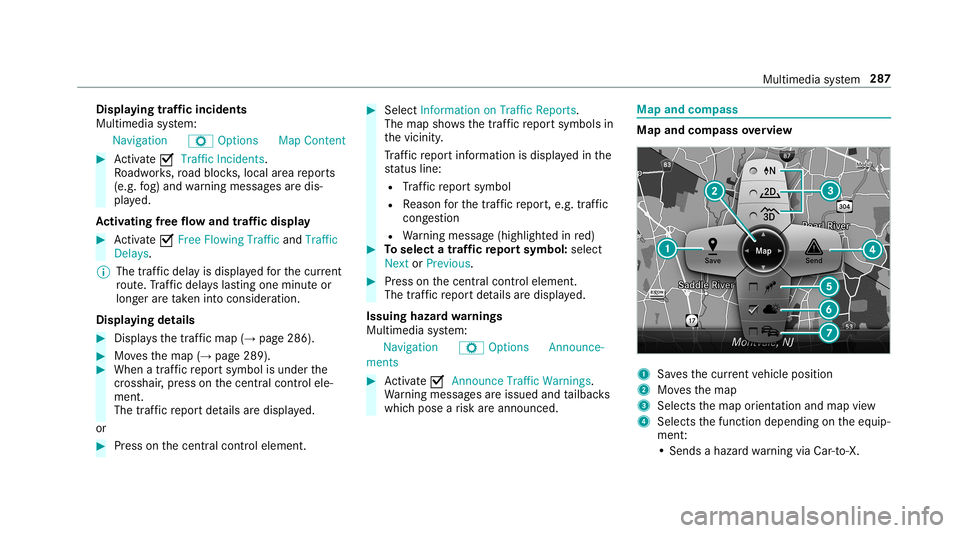
andcom pass Map
andcom pass overview 1
Savesth ecur rent vehicle position
2 Movesth emap
3 Select sth emap orient ation andmap view
4 Select sth efunc tion depending ontheeq uip‐
ment :
• Sends ahazar dwa rning viaCar -to-X . Multim
ediasystem 28
7
Page 291 of 530
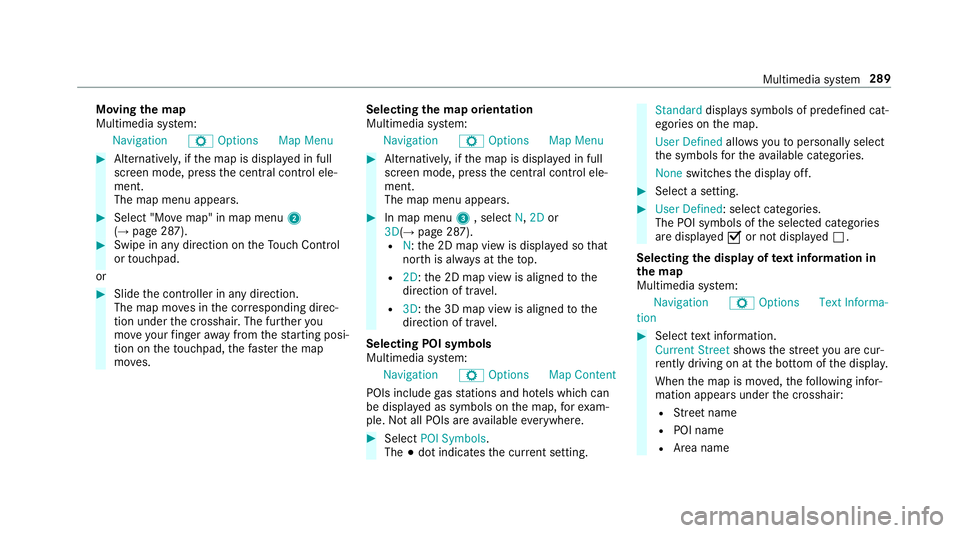
Mo
ving thema p
Multi media system:
Navigation ZOption sM apMen u 0007
Alternat ivel y, ifth emap isdispla yedin full
scr een mode, press thecent ralcon trol ele‐
men t.
The map menuappear s. 0007
Selec t"Mo vemap" inmap menu 2
(→ pag e28 7). 0007
Swipe inanydir ection ontheTo uc hCon trol
or touc hpad.
or 0007
Slid eth econ troller inanydir ect ion.
The map movesin thecor responding direc‐
tion under thecr osshair .The further you
mo veyour fing er aw ay from thest ar tin gposi‐
tio non theto uc hpad, thefa ster themap
mo ves. Selec
tingthema por ientat ion
Multi media system:
Navigation ZOption sM apMen u 0007
Alternat ivel y, ifth emap isdispla yedin full
scr een mode, press thecent ralcon trol ele‐
men t.
The map menuappear s. 0007
Inmap menu3 ,selec tN, 2D or
3D( →pag e28 7).
R N:the2D map viewisdispla yedso that
no rth is alw aysat theto p.
R 2D: the2D map viewisaligned tothe
dir ect ion oftra vel.
R 3D: the3D map viewisaligned tothe
dir ect ion oftra vel.
Selecting POIsym bols
Multim ediasystem:
Navigation ZOption sM apCon tent
POI sinc lude gasst atio nsand hotels whic hcan
be displa yedas symbols onthemap, forex am‐
ple. Notall POI sar eav ailable everywher e. 0007
Sele ctPOI Symb ols.
The 003Bdo tindic ates thecur rent setting. Stand
arddispl ayssymbols ofpredef ined cat‐
egor iesonthemap.
User Definedallo wsyouto per sonall yselect
th esymbols forth eav ailable categor ies.
Non eswit ches thedispla yof f. 0007
Select ase tting. 0007
User Defined:select categor ies.
The POIsymbols oftheselect edcategor ies
ar edispla yed0073 ornotdispla yed0053.
Selecting thedisp layof text inf ormat ionin
th ema p
Multi media system:
Navigation ZOption sTextInforma-
tion 0007
Select text informati on.
Cu rrent Streetsho wsthest re et youar ecur ‐
re ntly drivi ng on atthebo ttom ofthedispla y.
When themap ismo ved, thefo llo wing infor‐
matio nappear sunder thecr osshair :
R Street nam e
R POI nam e
R Area nam e Mu
ltimed iasystem 289
Page 292 of 530
Geo-
coordin atesdispla ysthefo llo wing infor‐
matio n:
R Lon gitude andlatitude
R Elevatio n
The elev atio nsho wnmayde viat efrom
th eactual elevatio n.
R Numb erofsatellit es from whic hasign al
can berecei ved
When themap ismo ved, this inf ormatio n
does notappear .
Climate Controldispla ysthecur rent clima te
contr olsettings.
None switches thedispla yof f.
Displa yingthene xt int ersectin gst re et
Re quirement s:
R Routeguidan ceisno tact ive.
Mult imed iasystem:
Navigation ZOption s 0007
Activate0073 NextInter secting Street.
The nam eof thene xt int ersect ingstre et will
be displa yedat theupper edgeof thedispla y.Disp
laying thema pve rsion
Multime diasystem:
Navigation ZOption s 0007
Select MapVersion . 0007
Select Details.
0009 Information aboutnewversions ofthedigit al
map canbeobt ained from anaut hor ized
Mer cedes- BenzCenter.
Ov ervie wof avo iding anarea
Yo ucan define areas alon garo uteth at you
wo uld liketo avoid.
The routecan include anarea that isto be avoi‐
ded inthefo llo wing situat ions:
R thedes tinat ionislocat edinan area that isto
be avo ided
R iffree wa ys areloc ated within thear ea that is
to be avoided
Fr ee wa ys arealw aysta ke nint oacco untfor
th ero ute.
R ther eis no sensible alternativ ero ute Av
oiding ane warea
Mult imedia system:
Navigation ÀRoute andPosi-
tion AvoidOption sAreas 0007
Select AvoidNewArea. 0007
Tosear chforan area viathe map: select
Usi ngMa p. 0007
Movethemap
or 0007
Tosear chforan area usi ng anaddr ess:
sel ect Add ressEntry . 0007
Entertheaddr ess. 0007
Select SelectDestination.
The map appear s. 0007
Todispl ayan area: press theTo uc hCon trol,
th eto uc hpad orthecon troller .
A redre ctang leap pea rs.Thi sdes ignat esthe
ar ea that shoul dbe avo ided. 0007
Tochang eth esize ofthear ea: swipe upor
do wn ontheTo uc hCon trol or theto uc hpad.
or 290
Multimed iasystem
Page 294 of 530
Fo
rau tomatic mapupdates Automatic
Online Updatemus tbe activ ated inthesy s‐
te m settings (→pag e26 4).
R themanual mapupdat eupdat esmap data
fo rse veralor all regions.
Fu rther information ontheonline mapupdat eis
av ailable atan aut hor izedMer cedes-Ben zCent er
or athttp :/ /www .merced es.me.
Fu rther information onupdat es:http: //
manuals.daimle r.com/b aix/car s/conne ctme/
en_G B/inde x.html.
Ov ervie wof map data
Yo ur vehicle issuppli edwithmap dataat thefa c‐
to ry.Depe nding on thecount ry,map datafo r
yo ur region iseit her pre-ins talled orthemap
dat ais supplied onadat ast or ag emedium.
If th emap dataon your vehicle hasbeen instal‐
led atthefa ct or yand youwish toreins tallit, you
do notneed toent ertheactiv ation code.
Fo rmap datath at youha ve pur chased inthe
fo rm ofadat ast or ag emedium, youmus ten ter
th eaccom panying activ ation code. 0009
Ifyo usa ve themap dataon adat ast or ag e
medium withth eonline mapupdat eser vice,
no ent ryisrequ ired. The activation codeis
st or ed on thedat ast or ag emedium during
th edo wnloading process.
Obser vethefo llo wing when entering theactiv a‐
tion code:
R The activ ation codecanbeused forone vehi‐
cle
R The activ ation codeisno ttr ansf erable
R The activ ation codehassixdigits
In theeve ntofthefo llo wing problems ,please
con tact an author ized Mercedes-B enzCent er:
R The multimedia system does notaccep tth e
act ivatio ncod e
R Youha ve lostth eactiv ation code Displa
yingthecom pass
Multi media system:
Navigation ÀRoute andPosition 0007
Select Compass.
The com pass displa ysho wsthefo llo wing
inf ormatio n:
R thecur rent dire ction oftrave lwit hbear‐
ing (360 °fo rm at) and compass direct ion
R longitude andlatitude coordinat esin
degr ees, minutes and seco nds
R height (rounded )
R numb erofGPS satellit esfrom whic ha
sign alcan berecei ved
Se tting thema pscale automa tically
Multi media system:
Navigation ZOption s
The map scale issetaut omatic allydepending on
yo ur drivin gspee d.
Fo rjour neys incit ies withde tailed citymodels ,a
map viewfrom thedr iver's perspect ive is used. 0007
Switc hAuto Zoom on0073 oroff0053. 292
Multimedia system