steering MERCEDES-BENZ E-CLASS COUPE 2009 Owner's Manual
[x] Cancel search | Manufacturer: MERCEDES-BENZ, Model Year: 2009, Model line: E-CLASS COUPE, Model: MERCEDES-BENZ E-CLASS COUPE 2009Pages: 313, PDF Size: 7.76 MB
Page 89 of 313
Not active:
if youaredrivin gatspeeds above
70 km/h or switch off the indicator lamp or
tur nthe steering whee ltothe straight-ahead
position.
Th ec ornering light functio nmayremai nlitfor
as hort time ,but is automaticall yswitched off
after no mor ethant hre em inutes.
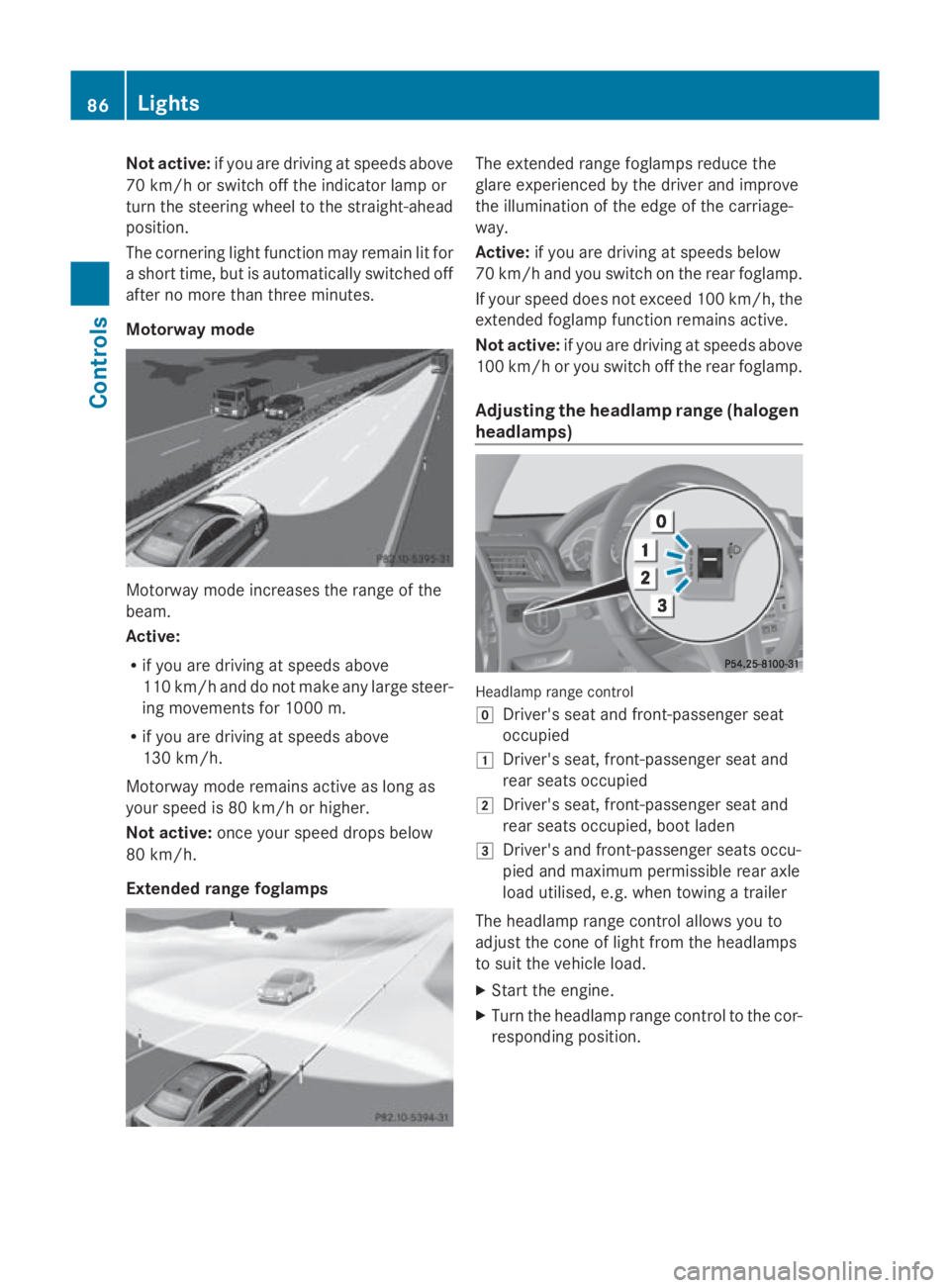
Motorway mode Motorway mod
eincrease sthe range of the
beam.
Active:
R if yo uaredrivin gatspeeds above
110 km/h and do not make any large steer-
ing movements for 1000 m.
R if yo uaredrivin gatspeeds above
130 km/h.
Motorway mod eremains active as long as
your spee dis80km/h or higher.
Not active: once your spee ddrops below
80 km/h.
Extended rang efoglam ps Th
ee xtende drange foglamps reduce the
glar eexperience dbythe driver and improve
the illumination of the edge of the carriage-
way.
Active: if youaredrivin gatspeeds below
70 km/h and yo uswitch on the rea rfoglamp.
If your spee ddoesn ot exceed 100 km/h, the
extende dfoglamp functio nremains active.
Not active: if youaredrivin gatspeeds above
100 km/h or yo uswitch off the rea rfoglamp.
Adjusting the headlamp rang e(ha logen
headlamps) Headlam
prange control
005D Driver' sseata nd front-passenge rseat
occupied
004A Driver' sseat, front-passenge rseata nd
rea rseats occupied
004B Driver' sseat, front-passenge rseata nd
rea rseats occupied ,boo tladen
004C Driver' sand front-passenge rseats occu-
pied and maximum permissibl ereara xle
load utilised, e.g .whent owing atrailer
Th eh eadlam prange contro lallow syou to
adjus tthe cone of light fro mthe headlamps
to suit the vehicl eload.
X Star tthe engine.
X Turn the headlamp range contro ltothe cor-
responding position. 86
LightsControls
207_AKB; 2; 3, en-GB
mkalafa
,V ersion: 2.11.8.1
2009-07-23T10:23:49+02:00
-Seite 86
Page 95 of 313
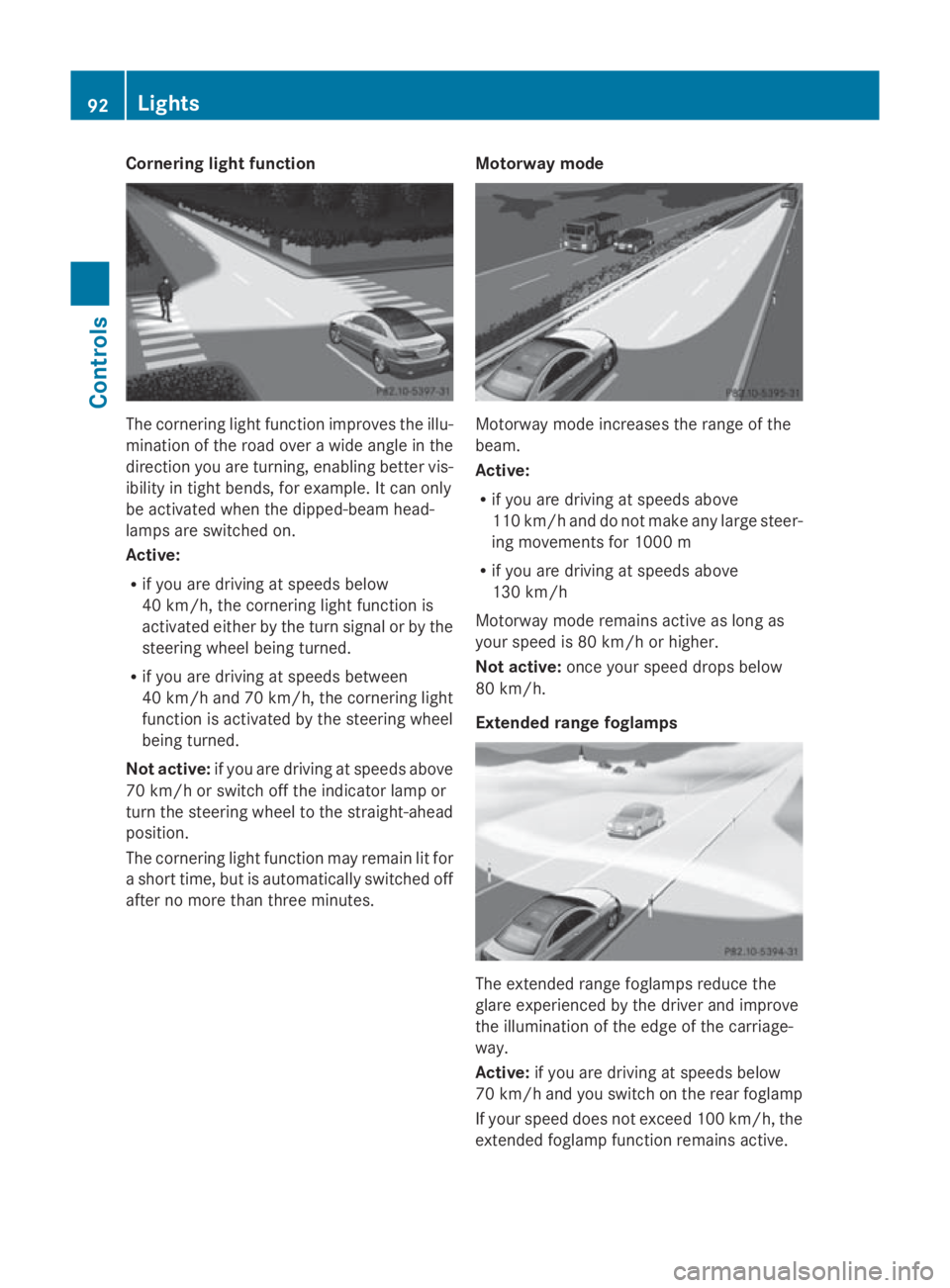
Cornerin
glight function The cornering light function improve
sthe illu-
minatio noftheroad ove rawide angle in the
direction you are turning, enabling bette rvis-
ibilit yint ight bends, for example. It can only
be activated when th edipped-beam head-
lamps are switched on.
Active:
R if you are driving at speed sbelow
40 km/h, th ecornering light function is
activated either by th eturns ignal or by the
steering wheel bein gturned.
R if you are driving at speed sbetween
40 km/h and 70 km/h ,the cornering light
function is activated by th esteering wheel
bein gturned.
Not active: if you are driving at speed sabove
70 km/h or switch off th eindicator lamp or
tur nthe steering wheel to th estraight-ahead
position.
The cornering light function may remain lit for
as hor ttime, but is automatically switched off
after no mor ethant hree minutes. Motorwa
ymode Motorway mode increases th
erange of the
beam.
Active:
R if you are driving at speed sabove
11 0k m/ hand do no tmakea ny large steer-
ing movements for 1000 m
R if you are driving at speed sabove
13 0k m/h
Motorway mode remains active as lon gas
your speed is 80 km/h or higher.
Not active: once your speed drop sbelow
80 km/h.
Extende drange foglamps The extended range foglamps reduc
ethe
glare experienced by th edriver and improve
th ei lluminatio noftheedge of th ecarriage-
way.
Active: if you are driving at speed sbelow
70 km/h and you switch on th erear foglamp
If your speed does no texceed 10 0km/h, the
extended foglamp function remains active. 92
LightsControls
207_AKB
;2;3,en-GB
mkalafa, Version:2.11.8.1
2009-07-23T10:23:49+02:00
-Seite 92
Page 104 of 313
Switching off the engine
G
Risk of accident
If the engine is not running, there is no power
assistance for the steering and brakes. Steer-
ing and braking will then require significantly
greater effort.
As aresult, you might lose control of the vehi-
cle, cause an accident and injure yourself and
others.
Therefore, do not switch off the engine while
you are driving.
Vehicles with manualt ransmission X
Shift to either first or reverse gear.
X Turn the key to position 0in the ignition
lock and remove it.
The immobiliser is activated.
Vehicles with automatic transmission* X
Shift the transmission to position P.
Using the key
X Turn the key to position 0in the ignition
lock and remove it.
The immobiliser is activated.
i The key can only be removed when the
selector lever is in position P.
Using KEYLESS GO*
X Press the Start/Stop button (Y page 66).
The engine stops and all the indicator
lamps in the instrumen tcluster go out
(Y page 25).
i The engine can be turned off while the
vehicle is in motion by pressing and holding
the Start/Stop button for three seconds. Transmission
Notes on the transmission
G
Risk of accident
The movement of the pedals must not be
impaired in any way. Do not keep any objects
in the driver's footwell. Make sure that floor-
mats or carpets are correctly secured and
that there is sufficient clearance for the ped-
als.
Do not place several floormats on top of one
another. G
Risk of accident
Do not change down for additional engine
braking on aslippery road surface. This could
cause the drive wheels to lose their grip and
the vehicle could skid. This could cause you
to lose control of your vehicle and cause an
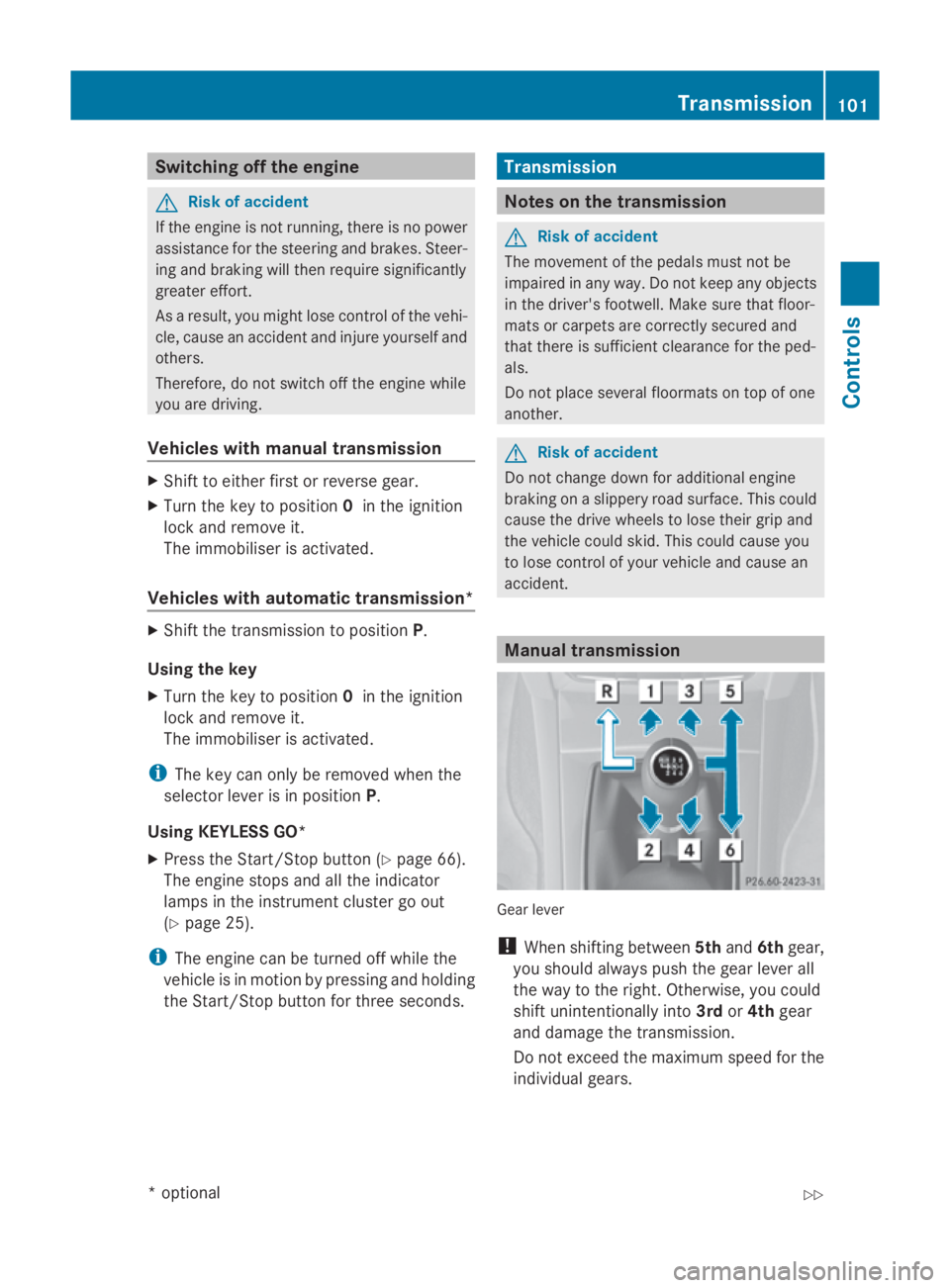
accident. Manual transmission
Gear lever
!
When shifting between 5thand 6thgear,
you should always push the gear lever all
the way to the right. Otherwise, you could
shift unintentionally into 3rdor4th gear
and damage the transmission.
Do not exceed the maximum speed for the
individual gears. Transmission
101Controls
*optional
207_AKB; 2; 3, en-GB
mkalafa,
Version: 2.11.8.1 2009-07-23T10:23:49+02:00-Seite 101 Z
Page 106 of 313
0044
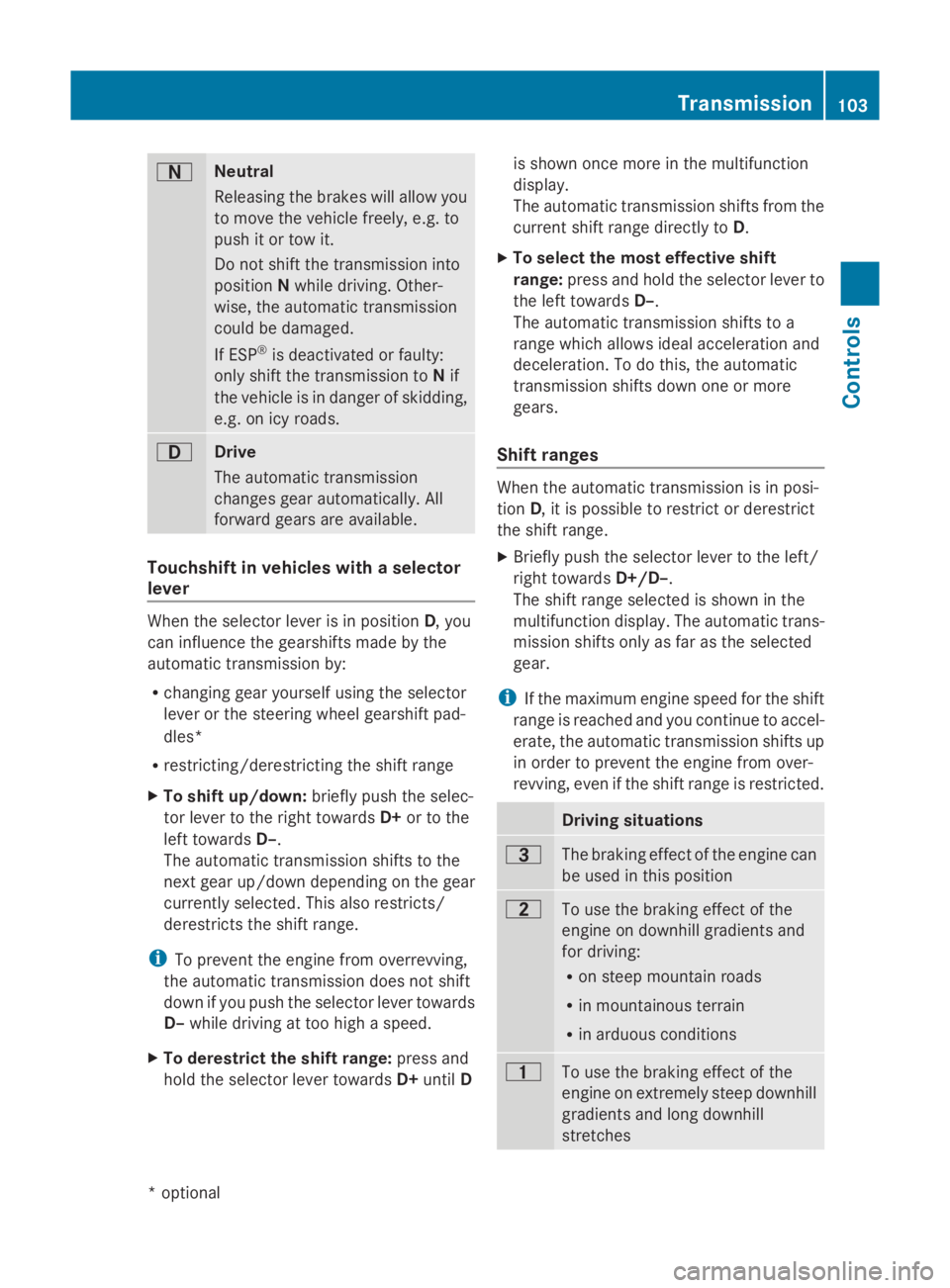
Neutral
Releasing the brakes will allo
wyou
to mov ethe vehicl efreely, e.g .to
push it or tow it.
Do not shift the transmission into
position Nwhil edriving. Other-
wise ,the automatic transmission
could be damaged.
If ESP ®
is deactivated or faulty:
onl yshift the transmission to Nif
the vehicl eisindangerofs kidding,
e.g .oni cy roads. 003A
Drive
Th
ea utomatic transmission
change sgeara utomatically. All
forward gear sareavailable. Touchshift in vehicle
swithas elector
lever When the selector lever is in position
D,you
can influence the gearshifts made by the
automatic transmission by:
R changing gear yourself using the selector
lever or the steering whee lgears hift pad-
dles*
R restricting/derestricting the shift range
X To shift up/down: brieflypusht he selec-
tor lever to the right towards D+or to the
left towards D–.
Th ea utomatic transmission shifts to the
next gear up/down depending on the gear
currentl yselect ed.Thisa lsor estricts/
derestricts the shift range.
i To prevent the engine fro moverrevving,
the automatic transmission does not shift
down if yo upusht he selector lever towards
D– whil edrivin gatt oo high aspeed.
X To derestrict the shift range: press and
hol dthe selector lever towards D+until D is shown once mor
einthe multifunction
display.
Th ea utomatic transmission shifts fro mthe
current shift range directl ytoD.
X To select the mos teffec tive shift
range: press and hol dthe selector lever to
the left towards D–.
Th ea utomatic transmission shifts to a
range which allows idea lacceleratio nand
deceleration. To do this, the automatic
transmission shifts down one or more
gears.
Shift ranges When the automatic transmission is in posi-
tion
D,itisp ossibl etor estric torderestrict
the shift range.
X Briefl ypusht he selector lever to the left/
right towards D+/D–.
Th es hift range selected is shown in the
multifunctio ndisplay .The automatic trans-
mission shifts onl yasfaras the selected
gear.
i If the maximum engine spee dfor the shift
range is reache dand yo ucontinue to accel-
erate, the automatic transmission shifts up
in order to prevent the engine fro mover-
revving, eve nifthe shift range is restricted. Driving situations
0040
Th
eb raking effect of the engine can
be used in thi sposit ion 0038
To us
ethe braking effect of the
engine on downhil lgradients and
for driving:
R on steep mountai nroads
R in mountainou sterrain
R in arduou sconditions 0037
To us
ethe braking effect of the
engine on extremel ysteep downhill
gradients and long downhill
stretches Transmission
103Controls
*optional
207_AKB; 2; 3, en-GB
mkalafa
,V ersion: 2.11.8.1
2009-07-23T10:23:49+02:00
-Seite 103 Z
Page 107 of 313
i
On vehicles with steering wheel gearshift
paddles* ,you can restrict or derestrict the
shift range in the same way as with Touch-
shift (Y page 103).
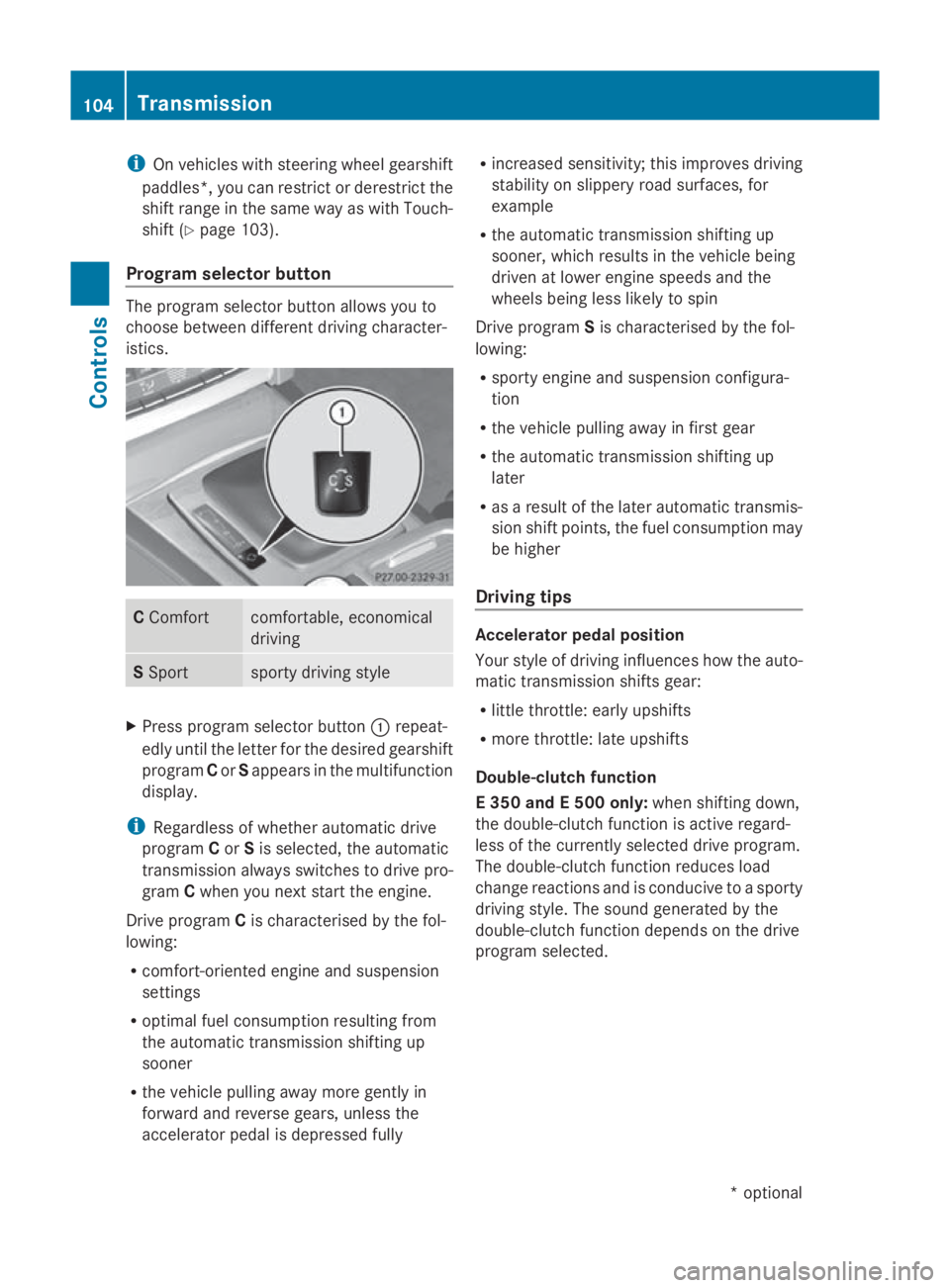
Program selector button The program selector button allows you to
choose between different driving character-
istics. C
Comfort comfortable, economical
driving
S
Sport sporty driving style
X
Press program selector button 0046repeat-
edly until the letter for the desired gearshift
program Cor Sappears in the multifunction
display.
i Regardless of whether automatic drive
program Cor Sis selected, the automatic
transmission always switches to drive pro-
gram Cwhen you next start the engine.
Drive program Cis characterised by the fol-
lowing:
R comfort-oriented engine and suspension
settings
R optimal fuel consumption resulting from
the automatic transmission shifting up
sooner
R the vehicle pulling awaym ore gently in
forward and reverse gears, unless the
accelerator pedal is depressed fully R
increased sensitivity; this improves driving
stability on slippery road surfaces, for
example
R the automatic transmission shifting up
sooner, which results in the vehicle being
driven at lower engine speeds and the
wheels being less likely to spin
Drive program Sis characterised by the fol-
lowing:
R sporty engine and suspension configura-
tion
R the vehicle pulling awayinf irst gear
R the automatic transmission shifting up
later
R as aresult of the later automatic transmis-
sion shift points, the fuel consumption may
be higher
Driving tips Accelerator pedal position
Your style of driving influences how the auto-
matic transmission shifts gear:
R
little throttle: early upshifts
R more throttle: late upshifts
Double-clutch function
E3 50 and E500 only: when shifting down,
the double-clutch function is active regard-
less of the currently selected drive program.
The double-clutch function reduces load
change reactions and is conducive to asporty
driving style. The sound generated by the
double-clutch function depends on the drive
program selected. 104
TransmissionControls
*o
ptional
207_AKB;2;3,e
n-GB
mkalafa, Version: 2.11.8.1 2009-07-23T10:23:49+02:00-Seite 104
Page 108 of 313
Kickdown
Use kickdown for maximum acceleration.
X Depress th eaccelerato rpedal beyon dthe
pressur epoint.
The transmission shifts to alower gear
depending on th eengines peed.
X Eas eoff th eaccelerato rpedal once the
desired spee disreached.
The automatic transmission shifts bac kup.
Traile rtowing
X When driving up gradients ,kee ptot hemid-
dle of th eengines pee drange.
X Shift down to shif trange 3or
2 (Y page 103) depending on th einclin eof
th eu phill or downhill gradient, eve nif
cruise control is activated. Steering wheel gearshift paddles*
and manua ldrive program* G
Ris
kofa ccident
Do no tchang ed own for additional engine
braking on aslippery road surface .This could
caus ethe driv ewheels to lose their gri pand
th ev ehicl ecould skid.
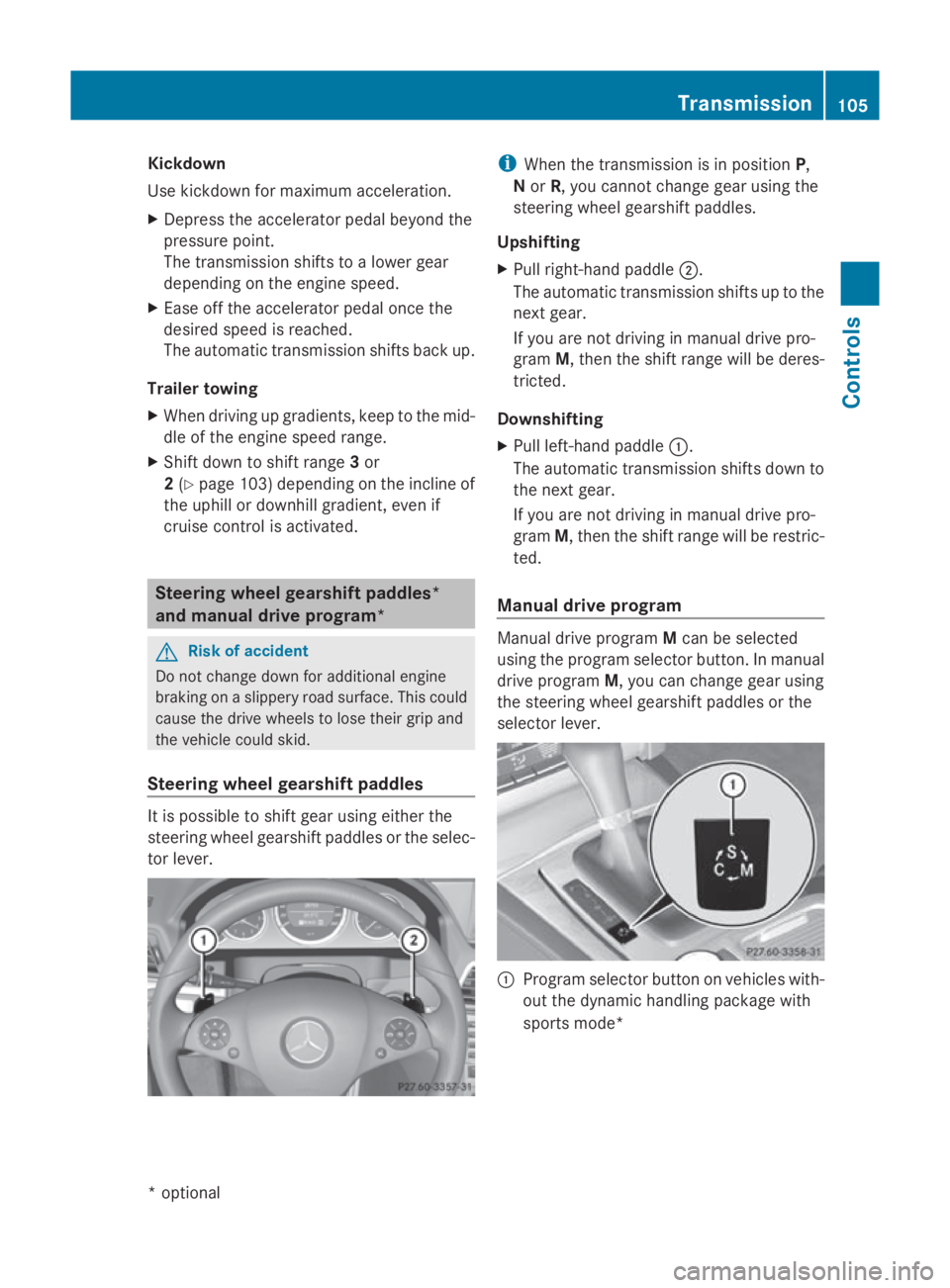
Steering wheel gearshift paddles It is possible to shif
tgear usin geither the
steering wheel gearshif tpaddle sortheselec-
to rlever. i
When th etransmission is in position P,
N or R,y ou canno tchang eg ear usin gthe
steering wheel gearshif tpaddles.
Upshifting
X Pull right-hand paddle 0047.
The automatic transmission shifts up to the
next gear.
If you are no tdriving in manual driv epro-
gram M,thent he shif trange will be deres-
tricted.
Downshifting
X Pull left-hand paddle 0046.
The automatic transmission shifts down to
th en extg ear.
If you are no tdriving in manual driv epro-
gram M,thent he shif trange will be restric-
ted.
Manua ldrive program Manual driv
eprogram Mcan be selected
usin gthe program selector button. In manual
driv eprogram M,you can chang egear using
th es teering wheel gearshif tpaddle sorthe
selector lever. 0046
Program selector butto nonvehicles with-
out th edynamic handlin gpackage with
sports mode* Transmission
105Controls
*optio nal
207_AKB; 2; 3, en-GB
mkalafa
,V ersion: 2.11.8.1
2009-07-23T10:23:49+02:00
-Seite 105 Z
Page 110 of 313
lamps, display messages or system failures.
The vehicle's handlin gcharacteristics may be
affected. Adjust your drivin gstyle and speed
accordingly.
Immediately consult aqualified specialist
workshop which has the necessary specialist
knowledge and tools to carr yout the work
required. Mercedes-Ben zrecommends that
you use aMercedes-Ben zService Centre for
this purpose .Inparticular, work relevant to
safet yoro nsafety-related systems must be
carried out at aqualified specialist workshop. Coolant temperatur
egauge
The coolan ttemperature gauge is in the
instrumen tcluster on the right-han dside.
Under normal operating condition sand with
the specified coolan tlevel, the coolan ttem-
perature may rise to 120 †. The coolan ttem-
perature may rise to the top end of the scale
at high outside temperatures and on long
uphill stretches. Speedometer with segments
The segment sinthe speedometer indicate
which speed rang eisavailable.
Cruise control mode:
The segment slight up fro mthe stored speed
to the maximum speed.
Variable Speedtronic mode:
The segment slight up fro mthe star tofthe
scale to the selected limit speed.
Distronic Plus* mode:
One or two segment saround the stored
speed light up. Rev counter
The red band in the rev counter indicates the
engine's overrevving range. The fuel supply is
interrupted to protect the engin ewhen the
red band is reached. !
Do not drive in the overrevving range.
Doin gsow ill damage the engine. Outside temperatur
edisplay G
Risk of accident
At temperatures just above freezin gpoint ,the
street may be icy, especially in wooded areas
or on bridges .Ifyou do not adapt your driving
style to the conditions, the vehicle could skid.
For this reason ,adapt your drivin gstyle and
speed to the weathe rconditions.
Changes in the outside temperature are dis-
played after ashor tdelay. On-board computer
Points to remember
The on-board computer is activate dassoon
as you turn the key to position 1in the ignition
lock. G
Risk of accident
Only use the on-board computer when road
and traffic condition spermit. You would oth-
erwise be distracted and unable to concen-
trate properly on driving, and could cause an
accident. Multifunction steering wheel
You can control the multi-function display and
the settings in the on-board computer using On-board computer
107Controls
*optional
207_AKB; 2; 3, en-GB
mkalafa,
Version: 2.11.8.1 2009-07-23T10:23:49+02:00-Seite1 07 Z
Page 111 of 313
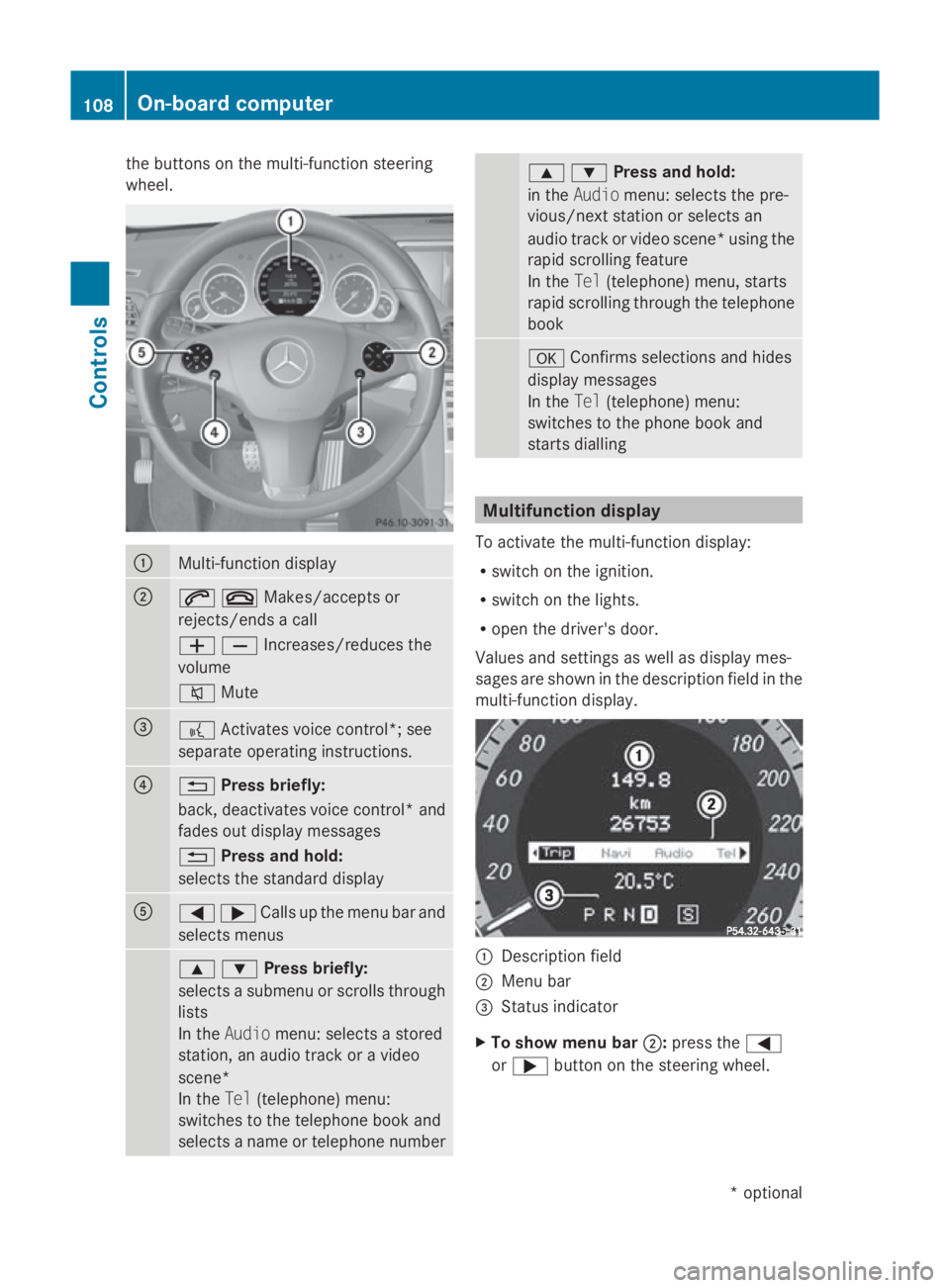
the buttons on the multi-functio
nsteering
wheel. 0046
Multi-functio
ndisplay 0047
006A007FMakes/accept
sor
rejects/ends acall
005A005BIncreases/reduces the
volume
006C Mute 008A
0062
Activates voice control*; see
separate operating instructions. 0088
0041
Press briefly:
back, deactivates voice control* and
fades out display messages
0041 Press and hold:
selects the standard display 0086
0040003ECalls up th
emenub ar and
select smenus 003C003DPress briefly:
selects
asubmenu or scrolls through
lists
In the Audio menu: selects astored
station, an audiot rack oravideo
scene*
In the Tel(telephone) menu:
switches to the telephone book and
selects aname or telephone number 003C003DPress and hold:
in the
Audio menu: selects the pre-
vious/next station or selects an
audiot rack or video scene* using the
rapid scrolling feature
In the Tel(telephone) menu, starts
rapid scrolling through the telephone
book 0064
Confirms selections and hides
display messages
In the Tel(telephone) menu:
switches to the phone book and
starts dialling Multifunction display
To activate the multi-function display:
R switch on the ignition.
R switch on the lights.
R open the driver's door.
Values and settings as well as display mes-
sages are shown in the description field in the
multi-function display. 0046
Description field
0047 Menu bar
008A Status indicator
X To show menu bar 0047:press the 0040
or 003E button on the steering wheel. 108
On-board computerControls
*o
ptional
207_AKB; 2; 3, en-GB
mkalafa,
Version: 2.11.8.1 2009-07-23T10:23:49+02:00-Seite 108
Page 113 of 313
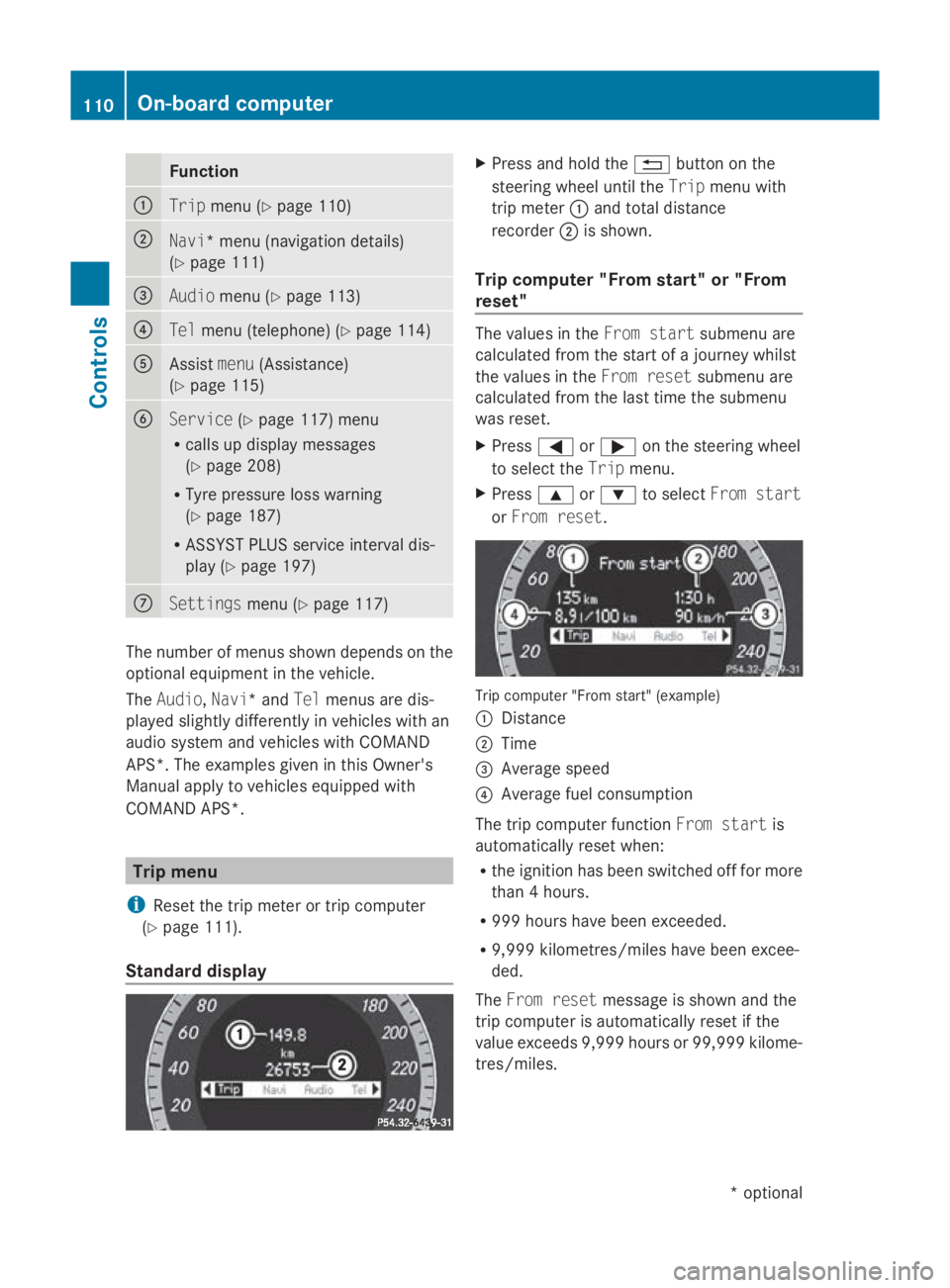
Function
0046
Trip
menu(Ypage 110) 0047
Navi*m
enu( navigation details)
(Y page 111) 008A
Audio
menu(Ypage 113) 0088
Tel
men u(telephone) ( Ypage 114) 0086
Assist
menu(Assistance)
(Y page 115) 0087
Service
(Ypage 117) menu
R calls up display messages
(Y page 208)
R Tyre pressur eloss warning
(Y page 187)
R ASSYS TPLUSs ervic einterval dis-
play (Y page 197) 006E
Settings
menu(Ypage 117) The number of menus shown depends on the
optional equipmen tinthevehicle.
The Audio, Navi*a ndTel menus are dis-
played slightly differently in vehicle swithan
audio system and vehicle swithC OMAND
APS* .The example sgivenint hisO wner's
Manual apply to vehicle sequipped with
COMAND APS*. Trip menu
i Reset th etripm eter or trip computer
(Y page 111).
Standar ddisplay X
Press and hold the 0041buttonont he
steering wheel until the Tripmenuwith
trip meter 0046and total distance
recorder 0047is shown.
Trip computer "From start" or "From
reset" The values in the
Froms tart submen uare
calculate dfromt hestart of ajou rney whilst
th ev alues in the Fromr eset submen uare
calculate dfromt helast tim ethe submenu
was reset.
X Press 0040or003E on thesteering wheel
to select the Tripmenu.
X Press 003Cor003D to select Froms tart
or Fro mr eset. Trip computer "From start
"(example)
0046 Distance
0047 Time
008A Averag espeed
0088 Averag efuel consumption
The trip computer function Froms tart is
automaticall yreset when:
R thei gnition has been switched off for more
than 4hours.
R 99 9h our shave been exceeded.
R 9,999 kilometres/mile shave been excee-
ded.
The Fromr eset message is shown and the
trip computer is automaticall yreset if the
value exceeds 9,999 hour sor99,99 9k ilome-
tres/miles. 110
On-boar
dcomputerControls
*optional
207_AKB
;2;3,en-GB
mkalafa ,V ersion: 2.11.8.1
2009-07-23T10:23:49+02:00
-Seite 110
Page 118 of 313
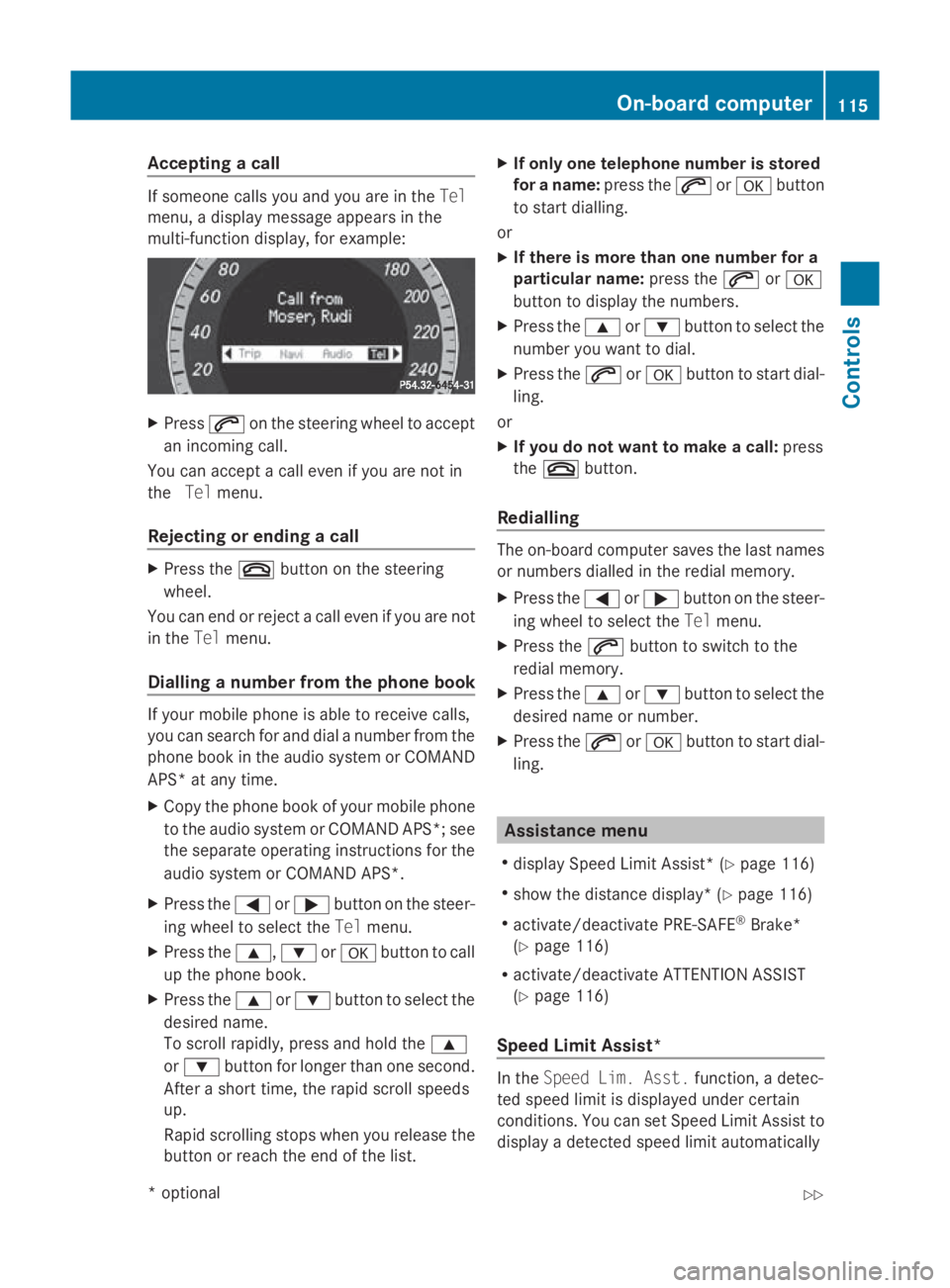
Accepting
acall If someon
ecallsy ou and you are in the Tel
menu, adisplay message appear sinthe
multi-function display, for example: X
Press 006Aon thesteering whee ltoa ccept
an incoming call.
You can accept acall eve nifyou are no tin
the Telmenu.
Rejecting or ending acall X
Press the 007Fbuttonont hesteering
wheel.
You can en dorrejectacall eve nifyou are not
in the Telmenu.
Dialling anumber from th ephone book If your mobile phone is able to receiv
ecalls,
you can search for and dial anumber from the
phone book in th eaudio system or COMAND
APS* at any time.
X Copy th ephone book of your mobile phone
to th eaudio system or COMAND APS* ;see
th es eparat eoperating instruction sfor the
audio system or COMAND APS*.
X Press the 0040or003E buttononthesteer-
ing whee ltos elect the Telmenu.
X Press the 003C,003Dor0064 buttontocall
up th ephone book.
X Press the 003Cor003D buttontoselect the
desired name.
To scrol lrapidly, press and hold the 003C
or 003D buttonfor longer than on esecond.
Afte ras hort time, th erapi dscrolls peeds
up.
Rapid scrollin gstops when you release the
butto norr eachthe endoft helist. X
If only one telephone number is stored
for aname: press the 006Aor0064 button
to start dialling.
or
X If there is mor ethano ne number for a
particular name: press the006Aor0064
butto ntod isplay th enumbers.
X Press the 003Cor003D buttontoselect the
number you want to dial.
X Press the 006Aor0064 buttontostart dial-
ling.
or
X If you do not want to make acall: press
the 007F button.
Redialling The on-board computer saves th
elast names
or number sdialle dint heredial memory.
X Press the 0040or003E buttononthesteer-
ing whee ltos elect the Telmenu.
X Press the 006Abuttontos witch to the
redial memory.
X Press the 003Cor003D buttontoselect the
desired nam eornumber.
X Press the 006Aor0064 buttontostart dial-
ling. Assistance menu
R display Speed Limit Assist* (Y page 116)
R sho wthe distanc edisplay* ( Ypage 116)
R activate/deactivat ePRE-SAFE ®
Brake*
(Y page 116)
R activate/deactivat eATTEN TION ASSIST
(Y page 116)
Speed Limit Assist* In the
Speed Lim .Asst. function ,adetec-
te ds pee dlimi tisd isplayed under certain
conditions. You can set Speed Limit Assis tto
display adetecte dspee dlimi tautomatically On-boar
dcomputer
115Controls
*optio nal
207_AKB; 2; 3, en-GB
mkalafa
,V ersion: 2.11.8.1
2009-07-23T10:23:49+02:00
-Seite 115 Z