brake light MERCEDES-BENZ E-CLASS COUPE 2009 Owners Manual
[x] Cancel search | Manufacturer: MERCEDES-BENZ, Model Year: 2009, Model line: E-CLASS COUPE, Model: MERCEDES-BENZ E-CLASS COUPE 2009Pages: 313, PDF Size: 7.76 MB
Page 7 of 313
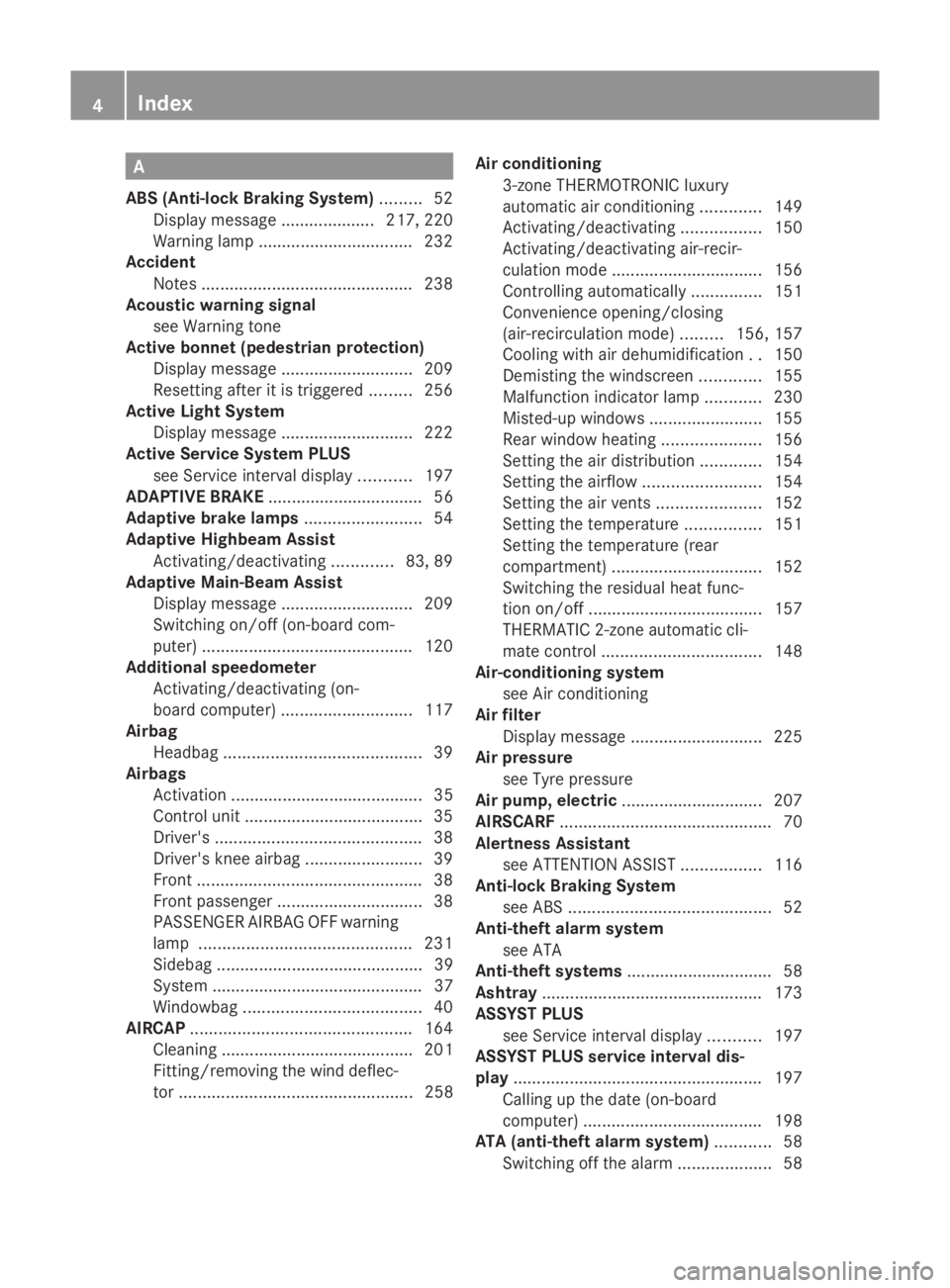
A
ABS (Anti-lock Braking System) .........52
Display message .................... 217, 220
Warning lamp ................................. 232
Accident
Notes ............................................. 238
Acousti cwarning signal
see Warning tone
Active bonnet (pedestrian protection)
Display message ............................ 209
Resetting after it is triggered .........256
Active Light System
Display message ............................ 222
Active Service Syste mPLUS
see Service interva ldispla y........... 197
ADAPTIVE BRAKE ................................. 56
Adaptive brake lamps .........................54
Adaptive Highbeam Assist Activating/deactivating .............83, 89
Adaptive Main-Beam Assist
Display message ............................ 209
Switching on/off (on-board com-
puter) ............................................. 120
Additional speedometer
Activating/deactivating (on-
board computer) ............................ 117
Airbag
Headbag .......................................... 39
Airbags
Activatio n......................................... 35
Control unit ...................................... 35
Driver's ............................................ 38
Driver's knee airba g......................... 39
Front ................................................ 38
Front passenger ............................... 38
PASSENGER AIRBAG OFF warning
lamp ............................................. 231
Sidebag ............................................ 39
System ............................................. 37
Windowba g...................................... 40
AIRCAP ............................................... 164
Cleaning ......................................... 201
Fitting/removing the wind deflec-
tor .................................................. 258 Airc
onditioning
3-zone THERMOTRONIC luxury
automatic airc onditioning.............149
Activating/deactivating .................150
Activating/deactivating air-recir-
culation mode ................................ 156
Controlling automatically ...............151
Convenience opening/closing
(air-recirculatio nmode)......... 156, 157
Cooling with aird ehumidification..150
Demisting the windscreen .............155
Malfunction indicator lamp ............230
Misted-up windows ........................155
Rea rwindow heating ..................... 156
Setting the aird istribution.............154
Setting the airflow .........................154
Setting the airv ents...................... 152
Setting the temperature ................151
Setting the temperature (rear
compartment) ................................ 152
Switching the residua lheatfunc-
tion on/off ..................................... 157
THERMATI C2-zone automatic cli-
mate control .................................. 148
Air-conditionin gsystem
see Air conditioning
Airf ilter
Display message ............................ 225
Airp ressure
see Tyr epressure
Airp ump, electric .............................. 207
AIRSCARF ............................................. 70
Alertnes sAssistant
see ATTENTION ASSIST .................116
Anti-loc kBraking System
see ABS ........................................... 52
Anti-theft alarm system
see ATA
Anti-theft systems ............................... 58
Ashtray ............................................... 173
ASSYST PLUS see Service interva ldispla y........... 197
ASSYST PLU Sservice interval dis-
play ..................................................... 197
Calling up the date (on-board
computer) ...................................... 198
ATA (anti-theft alarm system) ............58
Switching off the alarm ....................584
Index 207_AKB; 2; 3, en-GB
mkalafa,
Version: 2.11.8.1 2009-07-23T10:23:49+02:00-Seite 4
Page 8 of 313
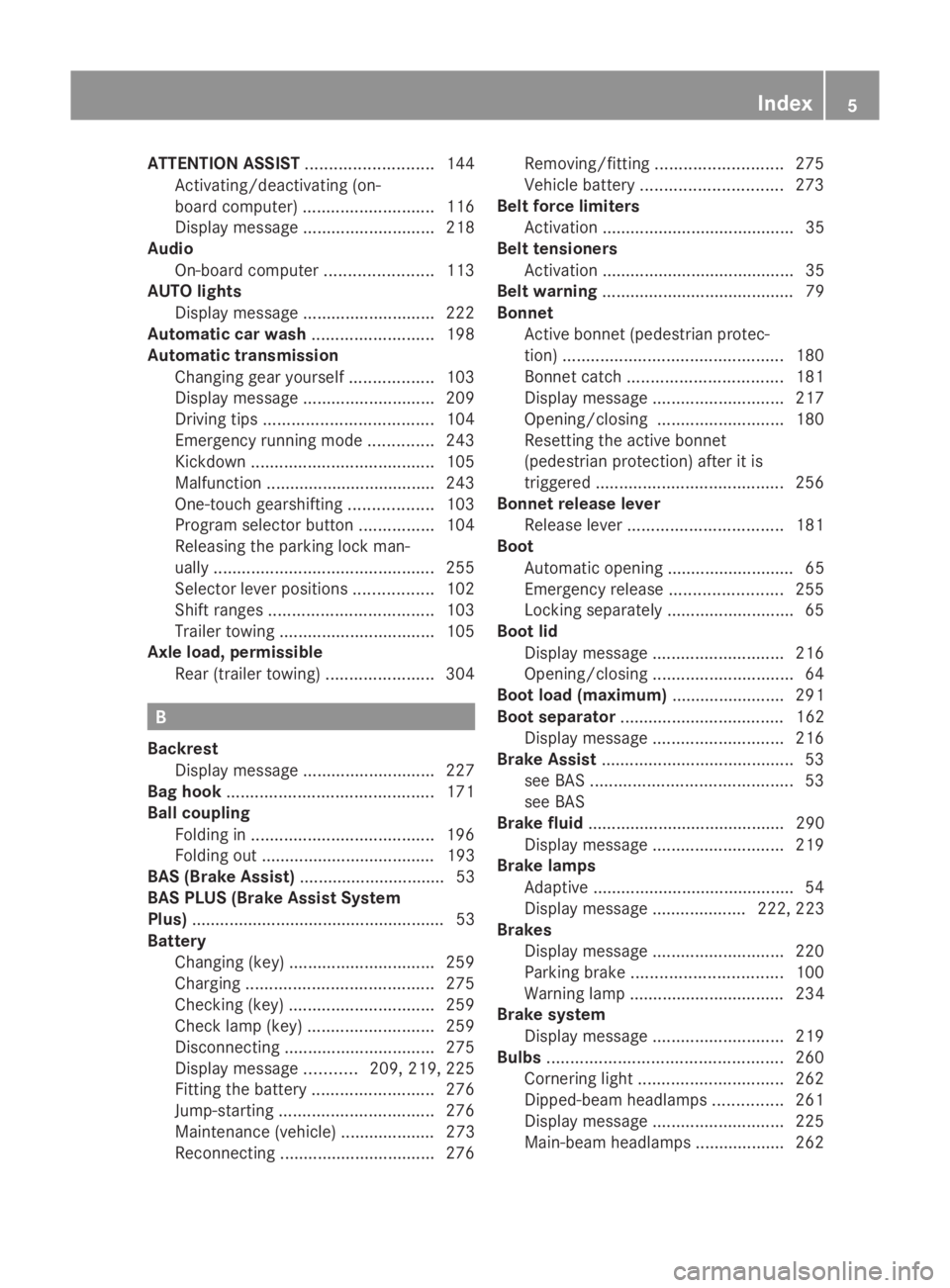
ATTENTION ASSIST
...........................144
Activating/deactivating (on-
board computer) ............................ 116
Display message ............................ 218
Audio
On-board computer .......................113
AUTO lights
Display message ............................ 222
Automatic car wash ..........................198
Automatic transmission Changing gea ryoursel f.................. 103
Display message ............................ 209
Driving tips .................................... 104
Emergency running mode ..............243
Kickdow n....................................... 105
Malfunction ................................... .243
One-touch gearshifting ..................103
Progra mselector button ................104
Releasing the parking lock man-
ually ............................................... 255
Selector leve rpositions ................. 102
Shift range s................................... 103
Trailer towing ................................. 105
Axl eload, permissible
Rea r(trailer towing) ....................... 304 B
Backrest Display message ............................ 227
Bag hook ............................................ 171
Ball coupling Folding in ....................................... 196
Folding out ..................................... 193
BAS (Brake Assist) ............................... 53
BAS PLU S(Brake Assist System
Plus) ...................................................... 53
Battery Changing (key )............................... 259
Charging ........................................ 275
Checking (key )............................... 259
Check lamp (key )........................... 259
Disconnecting ................................ 275
Display message ...........209, 219, 225
Fitting the battery ..........................276
Jump-starting ................................. 276
Maintenance (vehicle ).................... 273
Reconnecting ................................. 276Removing/fitting
........................... 275
Vehicle battery .............................. 273
Belt force limiters
Activatio n......................................... 35
Belt tensioners
Activatio n......................................... 35
Belt warning ......................................... 79
Bonnet Active bonnet (pedestrian protec-
tion) ............................................... 180
Bonnet catch ................................. 181
Display message ............................ 217
Opening/closing ........................... 180
Resetting the active bonnet
(pedestrian protection) after it is
triggered ........................................ 256
Bonnet release lever
Releas eleve r................................. 181
Boot
Automatic opening ........................... 65
Emergency release ........................255
Locking separatel y........................... 65
Boot lid
Display message ............................ 216
Opening/closing .............................. 64
Boot load (maximum) ........................ 291
Boot separator ................................... 162
Display message ............................ 216
Brake Assist ......................................... 53
see BAS ........................................... 53
see BAS
Brake fluid .......................................... 290
Display message ............................ 219
Brake lamps
Adaptive .......................................... .54
Display message .................... 222, 223
Brakes
Display message ............................ 220
Parking brake ................................ 100
Warning lamp ................................. 234
Brake system
Display message ............................ 219
Bulbs .................................................. 260
Cornering light ............................... 262
Dipped-bea mheadlamps ............... 261
Display message ............................ 225
Main-beam headlamps ................... 262 Index
5 207_AKB; 2; 3, en-GB
mkalafa,
Version: 2.11.8.1 2009-07-23T10:23:49+02:00-Seite 5
Page 10 of 313
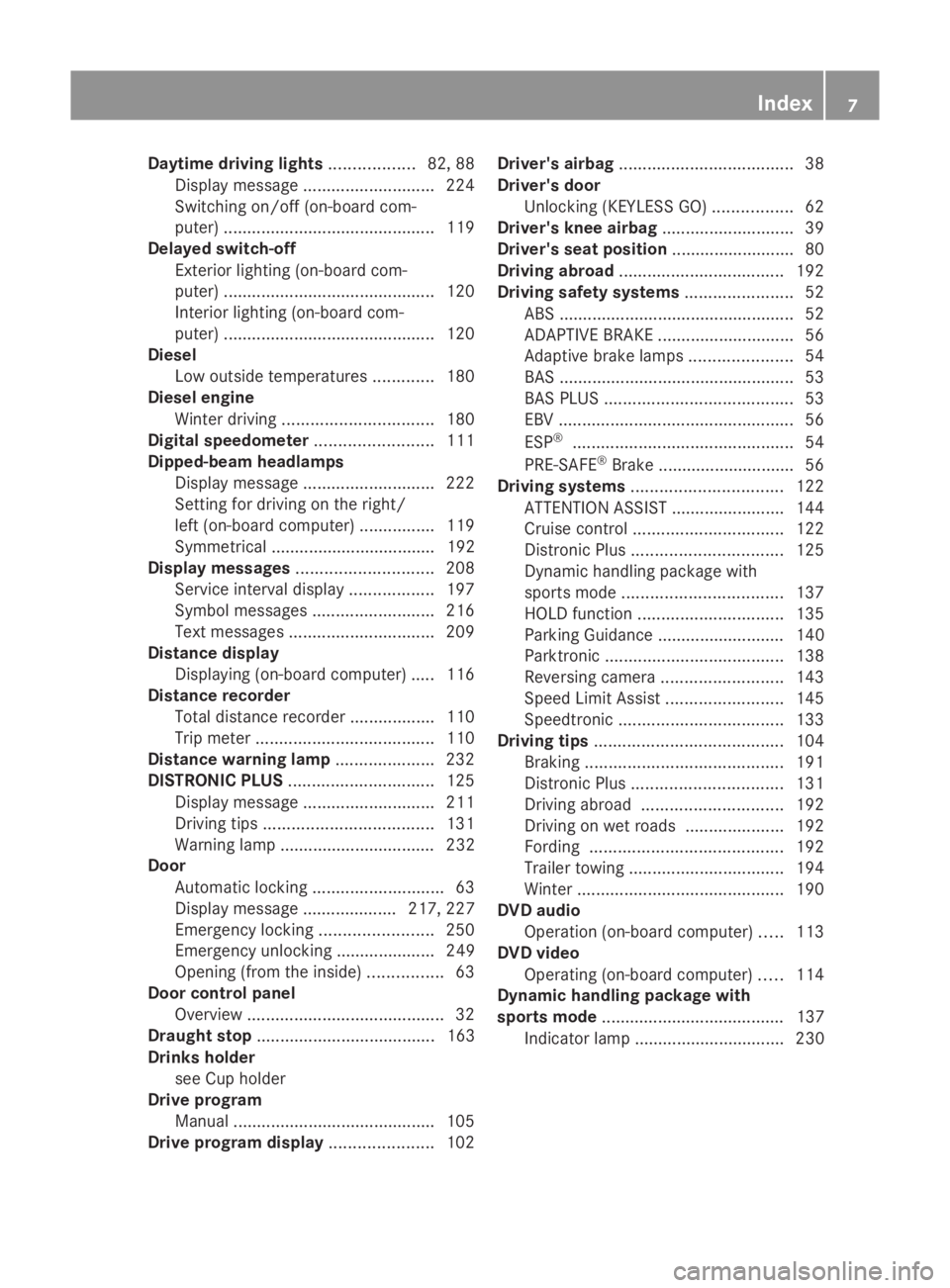
Daytime drivin
glights .................. 82, 88
Display message ............................ 224
Switching on/off (on-board com-
puter) ............................................. 119
Delaye dswitch-off
Exterior lighting (on-board com-
puter) ............................................. 120
Interior lighting (on-board com-
puter) ............................................. 120
Diesel
Low outside temperatures .............180
Diese lengine
Winter driving ................................ 180
Digital speedometer .........................111
Dipped-beam headlamps Display message ............................ 222
Setting for driving on the right/
left (on-board computer) ................119
Symmetrical ................................... 192
Display messages ............................. 208
Service interva ldispla y.................. 197
Symbo lmessages .......................... 216
Text messages ............................... 209
Distanc edisplay
Displaying (on-board computer) ..... 116
Distanc erecorder
Total distance recorde r.................. 110
Trip meter ...................................... 110
Distanc ewarning lamp ..................... 232
DISTRONIC PLUS ............................... 125
Display message ............................ 211
Driving tips .................................... 131
Warning lamp ................................. 232
Door
Automatic locking ............................ 63
Display message .................... 217, 227
Emergency locking ........................250
Emergency unlocking ..................... 249
Opening (from the inside) ................63
Door control panel
Overview .......................................... 32
Draught stop ...................................... 163
Drinks holder see Cuph older
Driv eprogram
Manual .......................................... .105
Driv eprogram display ......................102Driver's airbag
..................................... 38
Driver's door Unlocking (KEYLESS GO) .................62
Driver's knee airbag ............................39
Driver's seat position ..........................80
Driving abroad ................................... 192
Driving safety systems .......................52
ABS .................................................. 52
ADAPTIVE BRAKE ............................. 56
Adaptive brake lamps ......................54
BAS .................................................. 53
BAS PLUS ........................................ 53
EBV .................................................. 56
ESP ®
............................................... 54
PRE-SAFE ®
Brake ............................ .56
Driving systems ................................ 122
ATTENTION ASSIST ........................144
Cruise control ................................ 122
Distronic Plu s................................ 125
Dynami chandling package with
sports mode .................................. 137
HOLD function ............................... 135
Parking Guidance ........................... 140
Parktroni c...................................... 138
Reversing camera ..........................143
Speed Limi tAssist ......................... 145
Speedtronic ................................... 133
Driving tips ........................................ 104
Braking .......................................... 191
Distronic Plu s................................ 131
Driving abroad .............................. 192
Driving on wet road s..................... 192
Fording ......................................... 192
Trailer towing ................................. 194
Winter ............................................ 190
DVD audio
Operation (on-board computer) .....113
DVD video
Operating (on-board computer) .....114
Dynamic handling package with
sports mode ....................................... 137
Indicator lamp ................................ 230 Index
7 207_AKB; 2; 3, en-GB
mkalafa,
Version: 2.11.8.1 2009-07-23T10:23:49+02:00-Seite 7
Page 11 of 313
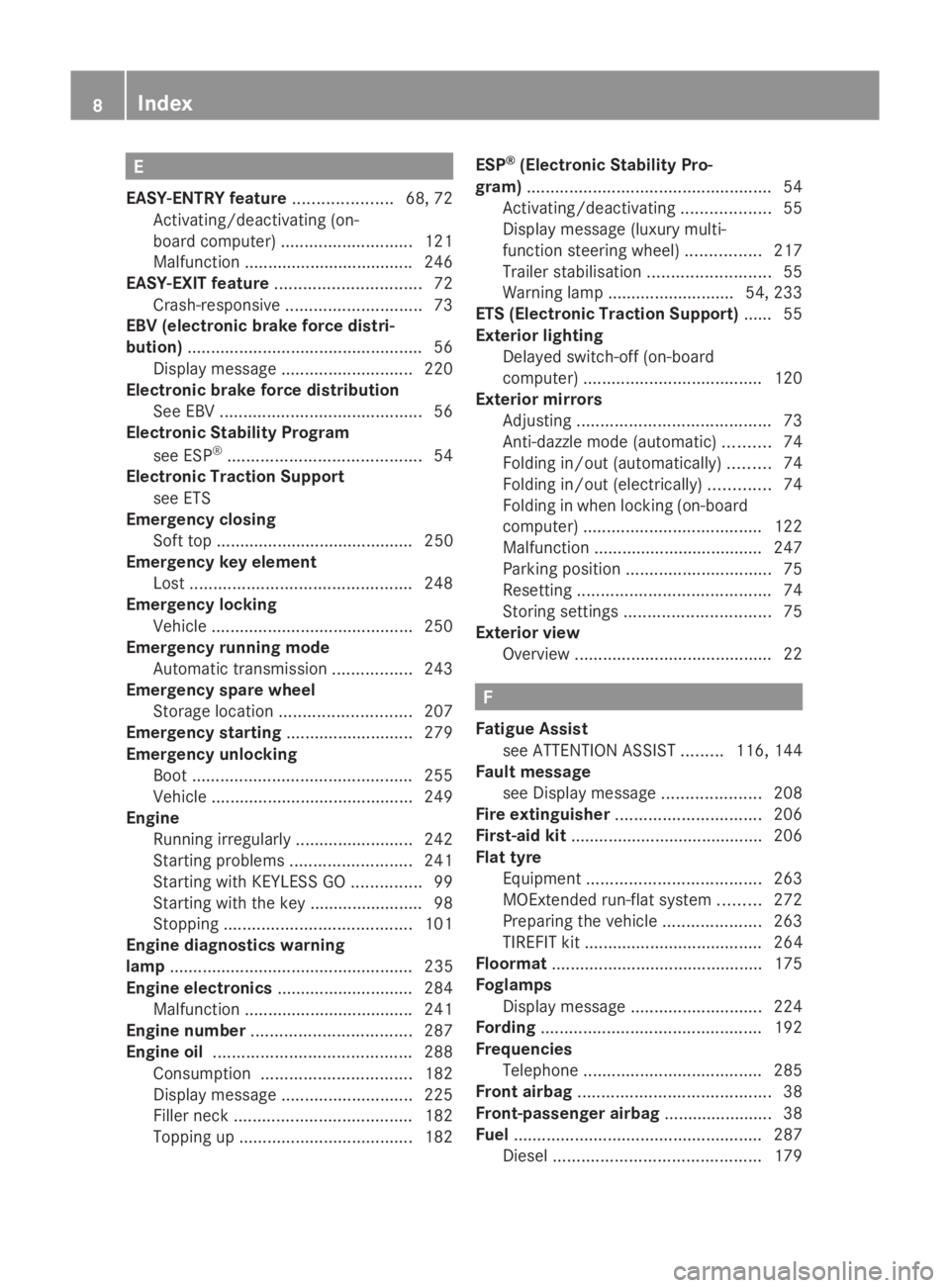
E
EASY-ENTR Yfeature ..................... 68, 72
Activating/deactivating (on-
board computer) ............................ 121
Malfunction ................................... .246
EASY-EXIT feature ............................... 72
Crash-responsive ............................. 73
EBV (electronic brake force distri-
bution) .................................................. 56
Display message ............................ 220
Electroni cbrake force distribution
See EBV ........................................... 56
Electroni cStability Program
see ESP ®
......................................... 54
Electroni cTraction Support
see ETS
Emergency closing
Soft top .......................................... 250
Emergency key element
Lost ............................................... 248
Emergency locking
Vehicle .......................................... .250
Emergency runnin gmode
Automatic transmission .................243
Emergency spare wheel
Storage location ............................ 207
Emergency starting ...........................279
Emergency unlocking Boot ............................................... 255
Vehicle .......................................... .249
Engine
Running irregularl y......................... 242
Starting problems ..........................241
Starting with KEYLESS GO ...............99
Starting with the key ........................ 98
Stopping ........................................ 101
Engine diagnostics warning
lamp .................................................... 235
Engine electronics .............................284
Malfunction ................................... .241
Engine number .................................. 287
Engine oil .......................................... 288
Consumption ................................ 182
Display message ............................ 225
Filler neck ...................................... 182
Topping up ..................................... 182ESP
®
(Electronic Stability Pro-
gram) .................................................... 54
Activating/deactivating ...................55
Display message (luxury multi-
function steering wheel) ................217
Trailer stabilisatio n.......................... 55
Warning lamp ........................... 54, 233
ETS (Electronic Traction Support) ...... 55
Exterior lighting Delayeds witch-off (on-board
computer) ...................................... 120
Exterior mirrors
Adjusting ......................................... 73
Anti-dazzle mode (automatic) ..........74
Folding in/ou t(au tomatically). ........74
Folding in/ou t(electrically). ............74
Folding in whe nlocking (on-board
computer) ...................................... 122
Malfunction ................................... .247
Parking position ............................... 75
Resetting ......................................... 74
Storing settings ............................... 75
Exterior view
Overview .......................................... 22 F
Fatigue Assist see ATTENTION ASSIST .........116, 144
Faul tmessage
see Display message .....................208
Fire extinguisher ............................... 206
First-aid kit ......................................... 206
Flat tyre Equipment ..................................... 263
MOExtended run-fla tsystem ......... 272
Preparing the vehicle .....................263
TIREFIT kit ...................................... 264
Floormat ............................................ .175
Foglamps Display message ............................ 224
Fording ............................................... 192
Frequencies Telephone ...................................... 285
Fron tairbag ......................................... 38
Front-passenger airbag ....................... 38
Fuel ..................................................... 287
Diese l............................................ 1798
Index 207_AKB; 2; 3, en-GB
mkalafa,
Version: 2.11.8.1 2009-07-23T10:23:49+02:00-Seite 8
Page 12 of 313
Loss
............................................... 239
Petrol ............................................. 179
Fue lcon sumption
Current (on-board computer) .........111
Notes ............................................. 288
Fue lfiller flap
Opening/closing ........................... 178
Fue lfilter
Display message ............................ 221
Fue lgauge ............................................ 25
Fue llevel
Calling up the range (on-board
computer) ...................................... 111
Gauge .............................................. 25
Fue lline
Malfunction ................................... .239
Fue ltank
Defect ............................................ 239
Fuse allocatio nchart ........................ 280
Fuse box Boot ............................................... 281
Dashboard ..................................... 281
Engine compartment .....................281
Fuses .................................................. 280G
Gear indicator .................................... 102
Genuine Mercedes-Benz parts .........284
Glove compartment ..........................166 H
Headbag ............................................... 39
Headlamp cleaning system ..............183
Headlamps Cleaning ......................................... 202
Cleaning system .............................. 93
Misting up ...................................... 244
Head restraint
Lowering manually (rear) ...............257
Head restraints
Adjusting (front) ............................... 68
Adjusting (rear) ................................ 69
NECK-PR O....................................... 41
Resetting triggered NECK-PRO
hea drestraints .............................. 257Heating
see Air conditioning
High-pressure cleaners ....................199
Hill start assist .................................. 100
HOLD function ................................... 135
Display message ...........210, 212, 220
Hook ................................................... 171 I
Immobiliser .......................................... 58
Indicator and warning lamps ...........232
Automatic chil dseatrecognition
(malfunction) ................................. 231
Brakes (red )................................... 234
Coolant .......................................... 234
Engine diagnostics .........................235
PASSENGER AIRBAG OFF ........44, 231
Reserve fuel ................................... 237
Seat bel t........................................ 236
SRS .......................................... 35, 233
THERMOTRONIC (malfunction) ......230
Indicator lamps
see Indicator and warning lamps
Instrument cluster ............................106
On-board computer .......................117
Overview .......................................... 25
Instrument lighting .............................25
see Instrument cluster lighting
Intelligen tLight System
Display message ............................ 223
On-board computer .......................119
Setting dipped-bea mheadlamps
for driving on the right/left (on-
board computer) ............................ 119
Interior lighting
Automatic control system ................93
Delayeds witch-off (on-board
computer) ...................................... 120
Emergency lighting ..........................93
Manual control ................................ .93
Readin glamp ................................... 93
Interior motio nsensor ........................ 59
ISOFIXc hild seat securing system ....50 Index
9 207_AKB; 2; 3, en-GB
mkalafa,
Version: 2.11.8.1 2009-07-23T10:23:49+02:00-Seite 9
Page 55 of 313
X
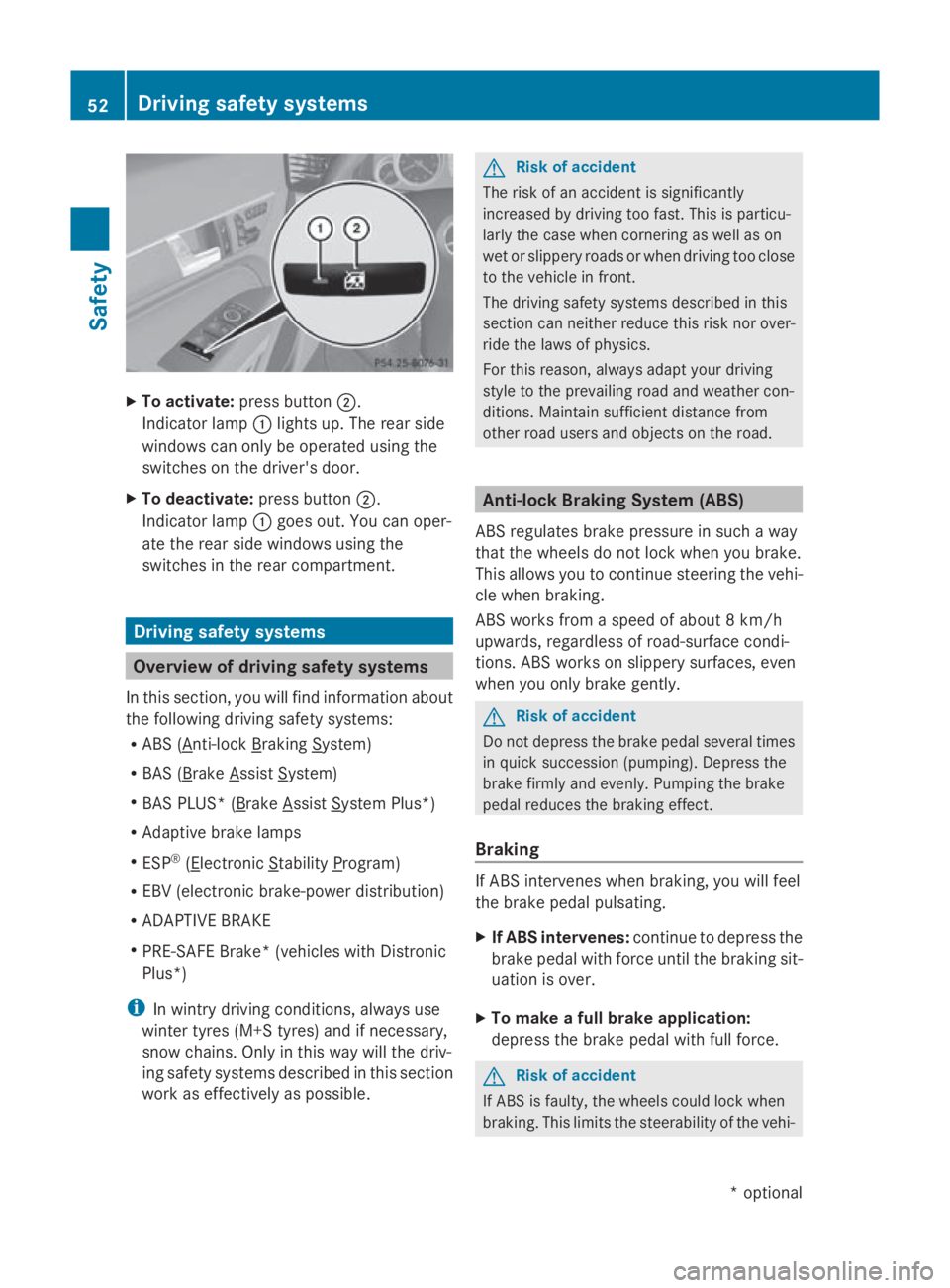
To activate: press button 0047.
Indicato rlamp 0046lights up .The rea rside
windows can onl ybeoperated using the
switches on the driver's door.
X To deactivate: press button0047.
Indicato rlamp 0046goe sout.Y ou can oper-
ate the rea rsidew indows using the
switches in the rea rcompartment. Driving safety systems
Overview of drivin
gsafety systems
In thi ssection, yo uwillf ind informatio nabout
the following driving safety systems:
R ABS ( Anti-lock Braking System)
R BAS ( Brake Assist System)
R BAS PLUS* ( Brake Assist System Plus*)
R Adaptive brake lamps
R ESP ®
( Electronic Stability Program)
R EBV (electroni cbrake-power distribution)
R ADAPTIVE BRAKE
R PRE-SAFE Brake* (vehicle swithD istronic
Plus*)
i In wintry driving conditions, always use
winter tyres (M+S tyres) and if necessary,
snow chains .Onlyint hisw aywill the driv-
ing safety system sdescribe dinthiss ection
work as effectivel yaspossible. G
Ris
kofa ccident
The ris kofana ccident is significantly
increased by driving too fast. Thi sisparticu-
larly the cas ewhenc ornering as well as on
we tors lipper yroads or when driving too close
to the vehicl einfront.
The driving safety system sdescribe dint his
sectio ncan neither reduce thi sriskn or over-
rid ethe laws of physics.
For thi sreason, always adap tyou rd riving
style to the prevailing roa dand weather con-
ditions. Maintain sufficient distance from
othe rroa du sers and objects on the road. Anti-loc
kBraking System (ABS)
ABS regulate sbrake pressure in such away
tha tthe wheels do not lock when yo ubrake.
Thi sallow syou to continue steering the vehi-
cle when braking.
ABS works from aspeed of abou t8km/h
upwards ,regardless of road-surface condi-
tions. ABS works on slippery surfaces ,even
when yo uonlyb rake gently. G
Ris
kofa ccident
Do not depress the brake peda lsevera ltimes
in quick succession (pumping) .Depres sthe
brake firmly and evenly .Pum ping the brake
peda lreduce sthe braking effect.
Braking If ABS intervenes when braking
,you will feel
the brake peda lpulsa ting.
X If ABS intervenes: continue to depress the
brake peda lwithf orc euntilthe braking sit-
uatio niso ver.
X To make afullb rake application:
depress the brake peda lwithf ullf orce. G
Ris
kofa ccident
If ABS is faulty, the wheels could lock when
braking .Thisl im its the steerability of the vehi- 52
Driving safety systemsSafety
*o
ptional
207_AKB; 2; 3, en-GB
mkalafa,
Version: 2.11.8.1 2009-07-23T10:23:49+02:00-Seite 52
Page 57 of 313
R
dirt on the sensor sorthe sensor sare cov-
ered
R snow or heavy rain
R interferencebyo ther radar sources
R strong radar reflections, for example in
multi-storey car parks
BASP LUS does not react to people or ani-
mals, oncoming vehicles and crossing traffic.
BASP LUS may not detec tnarro wvehicles
such as motorcycles and vehicles driving on
ad ifferen tline.
Following acollision or crash-related damage
to the fron tend of the vehicle, have the con-
figuration and operation of the radar sensors
checked at aMercedes-Benz Service Centre.
If BASP LUS is not available due to amalfunc-
tion in the radar sensor system, the braking
system remains available with full brake
boostin geffec tand BAS. Adaptive brake lamps
i Adaptiv ebrake lamps are only available in
certain countries.
If you brake sharply from aspeed of more
than 50 km/ horifb raking is assisted by BAS
or BAS PLUS* ,the brake lamp sflashr apidly.
In this way, traffic travelling behind you is
warned in an even more noticeable manner.
If you brake sharply from aspee dofm ore
than 70 km/h to astandstill, the hazard warn-
ing lamp sare activated automatically.Ift he
brakes are applieda gain, the brake lamps
light up continuously.T he hazard warning
lamp sswitch off automatically if you travel
faster than 10 km/h .You can alsos witch off
the hazard warning lamp susing the hazard
warning switch button (Y page84). ESP
®
(Electronic Stability Program)
ESP ®
monitors driving stability and traction,
i.e. power transmission between tyres and
the road surface.
If ESP ®
detects that the vehicl eisdeviating
from the direction desired by the driver, one
or more wheels are braked to stabilise the
vehicle. If necessary ,the engine outpu tisalso
modified to keep the vehicl eonthe desired
course withi nphysical limits. ESP ®
assists
the drive rwhen pulling away on wet or slip-
pery roads. ESP ®
can alsos tabilise the vehi-
cle during braking.
When ESP ®
intervenes, the 00C6warning
lamp flashes in the instrument cluster. G
Risk of accident
If the 00C6 warning lamp in the instrument
cluster flashes, proceed as follows:
R do not deactivate ESP ®
under any circum-
stances.
R only depress the accelerator peda lasfar as
necessary when pulling away.
R adapt yourd riving style to suitt he prevail-
ing road and weather conditions.
Otherwise, the vehicl ecoulds kid.
ESP ®
cannot reduce the risk of an accident if
you drive too fast. ESP ®
cannot overrid ethe
lawsofp hysics.
! If the vehicl eistobetowed with the front
or rear axle raised, the ignitio nmust be
switched off (key in position 0or 1in the
ignitio nlock). Application of the brakes by
ESP ®
coul dotherwise destroy the brake
system on the front or rear axle.
i Only use wheels with the recommended
tyre sizes. Only then willE SP®
function
properly. 54
Driving safety systemsSafety
*o
ptional
207_AKB; 2; 3, en-GB
mkalafa,
Version: 2.11.8.1 2009-07-23T10:23:49+02:00-Seite 54
Page 58 of 313
ESP
®
trailer stabilisation If your trailer begin
stolurch, you can only
stabilise th evehicle/trailer combinatio nby
depressing th ebrak efirmly.
In this situation, ESP ®
assists you and can
detect when th etrailer begin stolurch.
ESP ®
slows th evehicle down by braking and
limiting th eengineo utput until th evehicle/
trailer combinatio nhas stabilised.
Traile rstabilisation is active above speeds of
about 65 km/h. G
Ris
kofa ccident
If road and weather condition sare poor,
trailer stabilisation will no tbeable to prevent
th et railer from swervin gand will thus be
unabl etoreducethe risk of an accident. Trail-
ers with ahigh centr eofgravity can tip over
before ESP ®
can detect this.
Traile rstabilisation does no twork if ESP ®
is
deactivate dordisable dbecause of amal-
function.
ETS (Electronic Traction Support) Tractio
ncontrol is part of ESP ®
.
Tractio ncontrol brakes th edrivew heels indi-
vidually if they spin .This enables you to pull
away and accelerate on slippery surfaces ,for
example, if th eroad surface is slippery on one
side.
Tractio ncontrol remains active when you
deactivate ESP ®
. G
Ris
kofa ccident
Tractio ncontrol canno treduc ethe risk of an
acciden tifyou driv etoo fast .Tractio ncontrol
canno toverride th elaws of physics.
Activating/deactivatin gESP® ESP
®
is activated automatically when the
engin eisrunning. It may be best to deactivate ESP
®
in th efol-
lowin gsituations:
R when usin gsnowc hains
R in deep snow
R on san dorgravel G
Ris
kofa ccident
Activate ESP ®
as soon as th esituations
describe dabov enol onger apply. ESP ®
will
otherwise no tbeable to stabilise th evehicle
if th evehicle start stoskidoraw heel starts
to spin.
If you deactivate ESP ®
:
R ESP ®
no longer improve sdriving stability.
R engin etorque is no tlimited and th edrive
wheels are able to spin .The spinning
wheels produce acuttin geffect for better
traction.
R traction control is still activated.
R ESP ®
still provide ssupport when you
brake.
i If ESP ®
is deactivate dand on eorm ore
wheels start to spin ,the 00C6 warning lamp
in th einstrumen tcluste rflashes. In such
situations ,ESP ®
will no tstabilise th evehi-
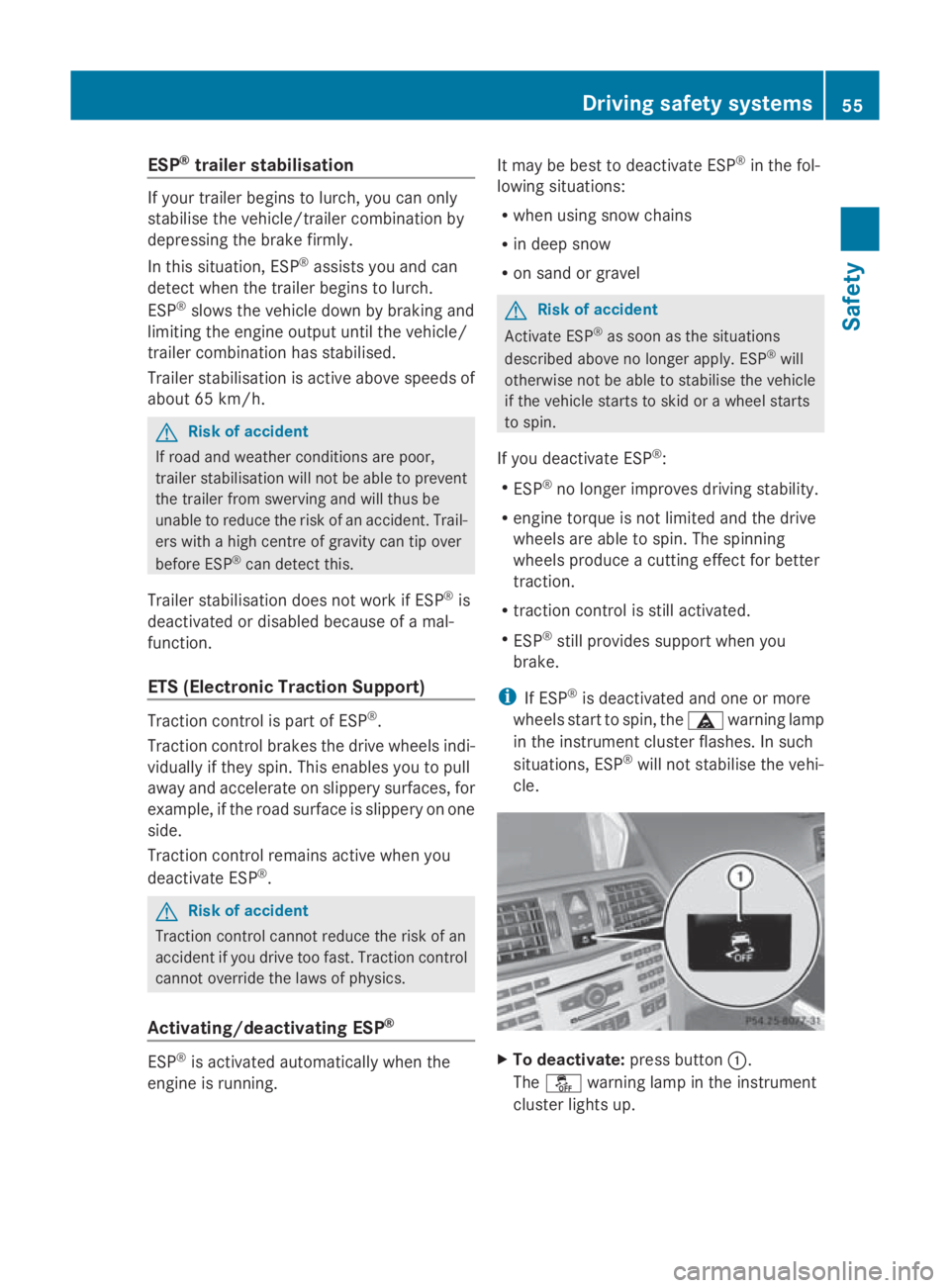
cle. X
To deactivate: pressbutton 0046.
The 00C7 warning lamp in th einstrument
cluste rlight sup. Driving safety systems
55Safety
207_AKB;2;3,en-GB
mkalafa, Version:2.11.8.1
2009-07-23T10:23:49+02:00
-Seite 55 Z
Page 59 of 313
G
Risk of accident
If the 00C7 warning lamp in the instrument
cluster lights up whe nthe engine is running,
ESP ®
is deactivated or is unavailabl edueto a
malfunction. The ris kthat your vehicle may
star ttos kid then increase sincertain situa-
tions.
Alway sadapt your driving styl etothe prevail-
ing roa dand weathe rconditions.
X To activate: press button 0046.
The 00C7 warning lamp in the instrument
cluster goe sout. EBV (electroni
cbrake forc edistribu-
tion)
EBV monitors and control sthe brake pres-
sure on the rea rwheel stoi mprove driving
stability whe nbraking. G
Risk of accident
If EBV is malfunctioning ,the brake system is
stil lavailable with ful lbrake boosting effect.
However, the rea rwheel scan stil llock, e.g.
under ful lbraking. Thi scould cause yo uto
los econtrol of your vehicle and cause an acci-
dent. You shoul dtherefore adap tyou rd riving
styl etot he different handling characteristics. ADAPTIVE BRAKE
ADAPTIVE BRAKE enhances braking safety
and offers increased braking comfort. In addi-
tion to the braking function, ADAPTIVE BRAKE
also ha sthe HOLD function (Y page 135) and
hil lstar tassist( Ypage 100). For further
information, see Driving tips (Y page 191).PRE-SAFE
®
Brake (vehicle swithD IS-
TRONIC PLUS)*
PRE-SAFE ®
Brake can hel pyou to minimise
the ris kofafrontalcollision with avehicle ahea
dorr educe the effects of such acolli-
sion.
Thi sfunction will issue awarning at speeds of
around 30 km/h or more if:
R for aperiod of several seconds, the dis-
tance to the vehicle in front is too short for
the speed at which yo uare travelling. The
00BA distance warning lamp in the instru-
ment cluster lights up.
R yo ua re approaching the vehicle in front too
rapidly .Anintermittent warning tone
sounds and the 00BAdistance warning
lamp lights up in the instrument cluster.
Due to the nature of the system, particularly
complicated driving conditions may cause the
system to display an unnecessary warning. G
Risk of accident
Pa yp articula rattention to the traffi ccondi-
tions if the 00BAdistance warning lamp in the
instrument cluster lights up or an intermittent
warning tone sounds. If necessary, brake or
manoeuvre to avoid an obstacle.
If the driver and passengers have fastened
thei rseatb elts, PRE-SAFE ®
Brake can also
can also perform the following at speeds of
above approximately 30 km/h:
R brake the vehicle automaticall yfrom a
speed of up to approximately 200 km/h
R trigger preventative passenger protection
measures (PRE-SAFE ®
) G
Risk of accident
PRE-SAFE ®
Brake is only an ai dtoassist you
whe ndriving .You are responsibl efor main-
taining asafed istance from othe rvehicles,
the vehicle's speed and for braking in good
time .Alway spayattention to the traffi ccon-
ditions .Otherwise, yo umay recognise dan-
gers too late, cause an accident and injure
yoursel fand others.
With the hel pofthe radar senso rsystem,
PRE-SAFE ®
Brake can detect obstacles that
are in front of your vehicle for an extended 56
Drivin
gsafety systemsSafety
*optional
207_AKB
;2;3,en-GB
mkalafa ,V ersion: 2.11.8.1
2009-07-23T10:23:49+02:00
-Seite 56
Page 60 of 313
period of time. If you approach an obstacle
and PRE-SAFE ®
Brak edetects arisk of acol-
lision, the system will initially alert you both
visually and acoustically. If you do not brake
or steer ,the vehicle will at first automatically
brake slightly. In the event of an increased
risk of acollision, PRE-SAFE ®
is activated
(Y page 40). If the risk of collision persist sand
you do not brake, manoeuvr eoraccelerate
significantly yourself, an automatic full brake
application may be carried out. G
Risk of accident
Only clearly detected obstacles will trigger a
warning and initiat ebrakin gassistance by
PRE-SAFE ®
Brake.
In particular, the detection of obstacles can
be impaired if ther eis:
R dirt on the sensors or the sensors are cov-
ered
R snow or heavy rain
R interferenc ebyother radar sources
R the possibility of strong radar reflections,
for example in multi-storey car parks
PRE-SAFE ®
Brak edoes not react to persons,
animals, oncoming vehicles, crossing traffic
or when cornering.
PRE-SAFE ®
Brak emay not detec tnarrow
vehicles such as motorcycles and vehicles
drivin gonad ifferentline. G
Risk of accident
Depending on the curren tspeed, PRE-SAFE ®
Brak edecelerates your vehicle by up to
4m /s2
before performing possible emer-
genc ybraking. This is equivalent to approx-
imately 40 %ofthe maximum brakin gpower
of the vehicle. You must additionally apply the
brakes yourself in order to preven tacollision
or minimis eanimpact .Automatic emergency
brakin gisnot performed until immediately
prior to an acciden tinthe event that you are
unable to avoid one by, for instance, taking
evasive action. In order to maintain the appropriate distance
to the vehicle in fron
tand thus preven ta
crash, you must apply the brakes yourself.
At speeds up to approximately 70 km/h,
PRE-SAFE ®
Brak ecan also detec tstationary
obstacles, for example stopped or parked
vehicles. G
Risk of accident
If, in acritical drivin gsituation ,you do not
receiv eavisual and acoustic warning:
R PRE-SAFE ®
Brak edid not detec tthe risk of
ac ollision
R PRE-SAFE ®
Brak eiss witched off
R PRE-SAFE ®
Brak ehas failed
You must then brake to avoid acollision.
X To activate: activate PRE-SAFE ®
Brak ein
the on-board computer (Y page 116).
The 00C7 symbol appears in the lower
multi-function display, as long as the HOLD
function is not activated (Y page 135).
On vehicles with parkin gguidance* ,drive
range Pmust be engaged for the symbol to
be displayed.
The radar sensors are automatically deacti-
vated in the vicinity of radio telescope facili-
ties (Y page 304).
For PRE-SAFE ®
Brak etoa ssist you when driv-
ing, the radar senso rsystem must be
switched on and operational.
PRE-SAFE ®
Brak edoes not always detect
complex traffic situation sproperly. You can
terminate the brakin gaction of PRE-SAFE ®
Brak einan on-critical drivin gsituation at any
time if:
R an acoustic and visual warning occurs
R the vehicle brakes
To end this you can either depress the accel-
erator pedal further, activate kickdown or
release the brake pedal. Driving safet
ysystems
57Safety
*optional
207_AKB
;2;3,en-GB
mkalafa, Version:2.11.8.1
2009-07-23T10:23:49+02:0
0-Seite 57 Z