language MERCEDES-BENZ E-Class COUPE 2010 C212 Comand Manual
[x] Cancel search | Manufacturer: MERCEDES-BENZ, Model Year: 2010, Model line: E-Class COUPE, Model: MERCEDES-BENZ E-Class COUPE 2010 C212Pages: 224, PDF Size: 7.4 MB
Page 116 of 224

symbol 2 contain complete address data
from the navigation system, which support
navigation and are covered by the digital map
data. You can quickly start route guidance to
this kind of entry ( Y page 116).
Switching from the Predictive Speller
to the ListXSlide mq or press n and hold it until the
predictive speller is hidden.
or
XSelect d.
Switching from the List to the
Predictive Speller
XSelect Back from the list.
or
XPress the k button next to the
COMAND controller.
Searching
Searching via Predictive Speller
XSwitch from the list to the predictive speller
if necessary.XTo change the language of the
predictive speller: Select !.XTo switch the character set of the
predictive speller : Select k.
Depending on the previous setting, you will
change to letters with special characters or
to numbers with special characters.XTo enter characters: Select the
characters for the required entry one after
another.XTo delete individual characters: Select
õ and briefly press n.
or
XPress the 2 button next to the
COMAND controller.
Each time you enter or delete a character,
the closest match will be displayed at the
top of the list.XTo delete an entire entry: Select õ
and press n until the entire entry has been
deleted.
or
XPress the 2 button next to the
COMAND controller and hold it until the
entire entry is deleted.XTo end search: Switch from the predictive
speller to the list.
The top list entry is highlighted
automatically.XBack to the address book: If necessary,
switch from the list to the predictive speller
and select á in the predictive speller.
or
XPress the k button next to the
COMAND controller.
Searching via the List
XIf necessary, switch from the predictive
speller to the list ( Y page 113).XTurn ym z or slide qm r until the desired
entry is highlighted in the list.
Deleting Entry
XSearch for the required entry
( Y page 113).XSelect Options £Delete .
or
XSelect Delete from the address book
( Y page 112).
A deletion prompt appears.XSelect Yes or No.
The entry will be deleted or retained on the
basis of the selection.
i Deleting an entry in the phone book on
the mobile phone does not delete the entry
in the address book.
114Address BookTelephone
Page 164 of 224
Back to the MovieXPress the k button repeatedly until you
see the film.
orXSelect the corresponding menu item in the
DVD menu.XSelect the Back (to movie) menu item
from the selection menu.
i Depending on the DVD, the Back (to
movie) menu item may not function in
general or may not function at certain
points in the DVD menu.
Setting the Language and Audio
Format
i This function is not available on all DVDs.
Where available, you can set the DVD menu
language and the audio language or audio
format. The number of possible settings is
dependent on the DVD content. It is
possible that the settings may also be
accessed in the DVD menu ( Y page 160).
XDisplay the menu system if necessary
( Y page 158).XSelect DVD-Video £DVD Functions .XSelect Menu Language or Audio
Language .
Both of these will bring up a selection menu
after a few seconds. The R dot in front of
an entry indicates the currently selected
language.XTo change the setting: Rotate ym z or
slide qm r until the desired setting is
reached.XTo save the setting: Press n.
Subtitles and Camera Angle
i These functions are not available on all
DVDs. The number of subtitle languages
and camera angles available depends on
the content of the DVD. The settings may
also be accessed in the DVD menu
( Y page 160).XDisplay the menu system if necessary
( Y page 158).XSelect DVD-Video £ DVD Functions .XSelect Subtitles or Camera Angle .
Both of these will bring up a selection
menu. The R dot in front of an entry
indicates the current setting.XTo change the setting: Rotate ym z or
slide qm r until the desired setting is
reached.XTo save the setting: Press n.
Interactive Content
DVDs may have interactive content (e.g. a
video game).
In a video game, for example, you can control
the play by selecting or triggering actions. The
type and number of actions is dependent on
the DVD.
XTo select an action: Slide qm r or om p.XTo trigger an action: Press n.
A menu appears and the first entry,
Select , is highlighted.XPress n.
or
XIn DVD Video mode, if necessary display
the control menu ( Y page 158).XSelect Menu£DVD-Video £DVD
Functions .XSelect a directional arrow to select or
trigger an action.162DVD VideoVideo
Page 173 of 224
In Aux mode you can play external video
sources that are connected either to the
display screens or to the CD/DVD drive. In
addition you can play the active audio or
video source of COMAND ( Y page 181).
With the system settings menu you can set
display design and language for each screen
separately ( Y page 172).
Wireless Headset Operation
i Vehicles sold in the US are equipped with
wireless headsets. Vehicles sold in Canada
and elsewhere are equipped with wired
headsets.
You can use the wireless headset and/or two
wired headsets connected to the display
screens ( Y page 168).
XSwitch on the wireless headset
( Y page 169).XSet the volume of the headset
( Y page 169).XSelect the display screen for the headset
( Y page 169).
Main Loudspeaker Operation
i This function is available in connection
with COMAND.
The sound of a medium which is played in the
RSE disc drive can also be heard over the
vehicle loudspeakers. For this, at least on one
of the display screens the operating mode
Disc has to be active.
XSwitching to Audio menu: Select Audio
£ Audio in COMAND.XSelect Rear.
The volume control of the headsets has no
impact on the volume of the loudspeakers.
Setting Treble and Bass XSwitch to the menu of the respective
operating mode
R CD Audio ( Y page 174)
R DVD Audio ( Y page 174)
R MP3 ( Y page 174)
R DVD Video ( Y page 177)
R Aux ( Y page 182)XSelect Treble or Bass .
A setting scale appears.XTo change the value: Press the n or
ý button on the remote control.XTo confirm the setting: Press the 9
button on the remote control.
Multiuser Operation
The two display screens can be operated
almost entirely independent from each other.
For some menus, however, there can arise
conflicts if the two display screens are used
simultaneously.
Simultaneous Use of the Rear-
Compartment Disc Drive
If on both display screens the disc drive is
used, the selection of certain settings on one
screen will have an impact on the other
screen as well.
The following functions affect both screens:
R Changing the playback options
R Selecting a track (from track list or folder)
R Using the Play, Stop or Pause function.
R Using the fast forward/rewind function
R Switching to DVD menu and and navigating
through it
R Setting language, subtitle and camera
angle
R Calling up interactive DVD content
Basic Functions171Rear Seat EntertainmentZ
Page 174 of 224
The following functions affect only one
screen:
R Changing Audio, Video or screen settings
R Switching between full screen and menu
system.
Switching Operating Modes
When you leave an operation mode, e.g. CD
Audio, its current settings are stored. If you
call up this operation mode later, there are
two possibilities:
R The operation mode settings have been
changed on the other display screen.
R The operation mode settings have not been
changed.
In the first case the operation mode settings
will be as they are on the other display screen.
In the second case the settings remain as
they were before you left the operation mode.
Functional Restrictions in DVD Video
Mode
Some functions may temporarily or
permanently not be available. If you use such
functions, you will see the symbol 7.
System Settings
All system settings can be set for each display
screen independently.
Calling up the System Menu
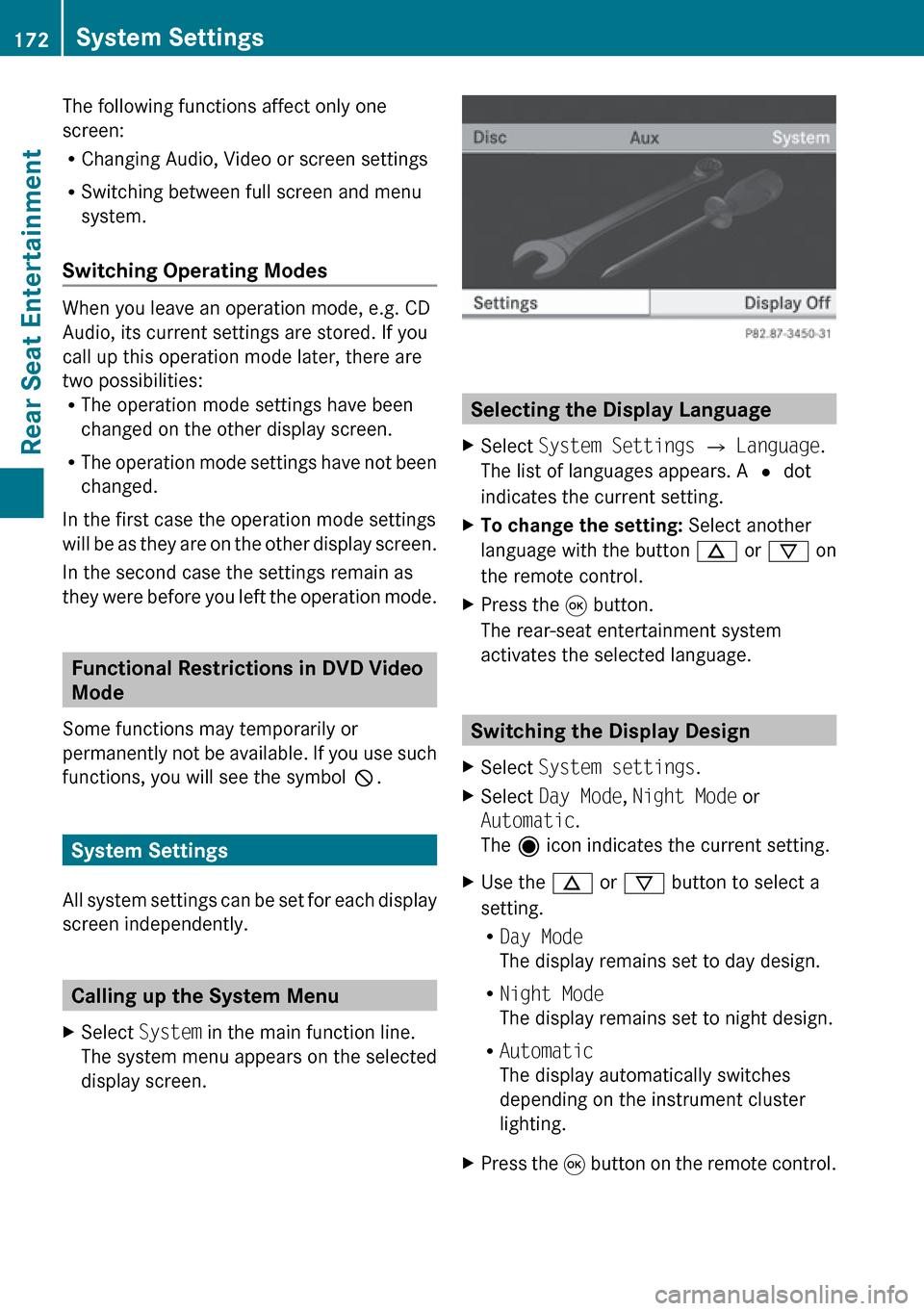
XSelect System in the main function line.
The system menu appears on the selected
display screen.
Selecting the Display Language
XSelect System Settings £ Language .
The list of languages appears. A R dot
indicates the current setting.XTo change the setting: Select another
language with the button n or ý on
the remote control.XPress the 9 button.
The rear-seat entertainment system
activates the selected language.
Switching the Display Design
XSelect System settings .XSelect Day Mode , Night Mode or
Automatic .
The ä icon indicates the current setting.XUse the n or ý button to select a
setting.
R Day Mode
The display remains set to day design.
R Night Mode
The display remains set to night design.
R Automatic
The display automatically switches
depending on the instrument cluster
lighting.XPress the 9 button on the remote control.172System SettingsRear Seat Entertainment
Page 182 of 224
optimized, 4:3 or Wide Screen indicates
the currently selected format.XTo switch formats: Press n or ý
until the desired format is selected.XTo save setting: Press 9.
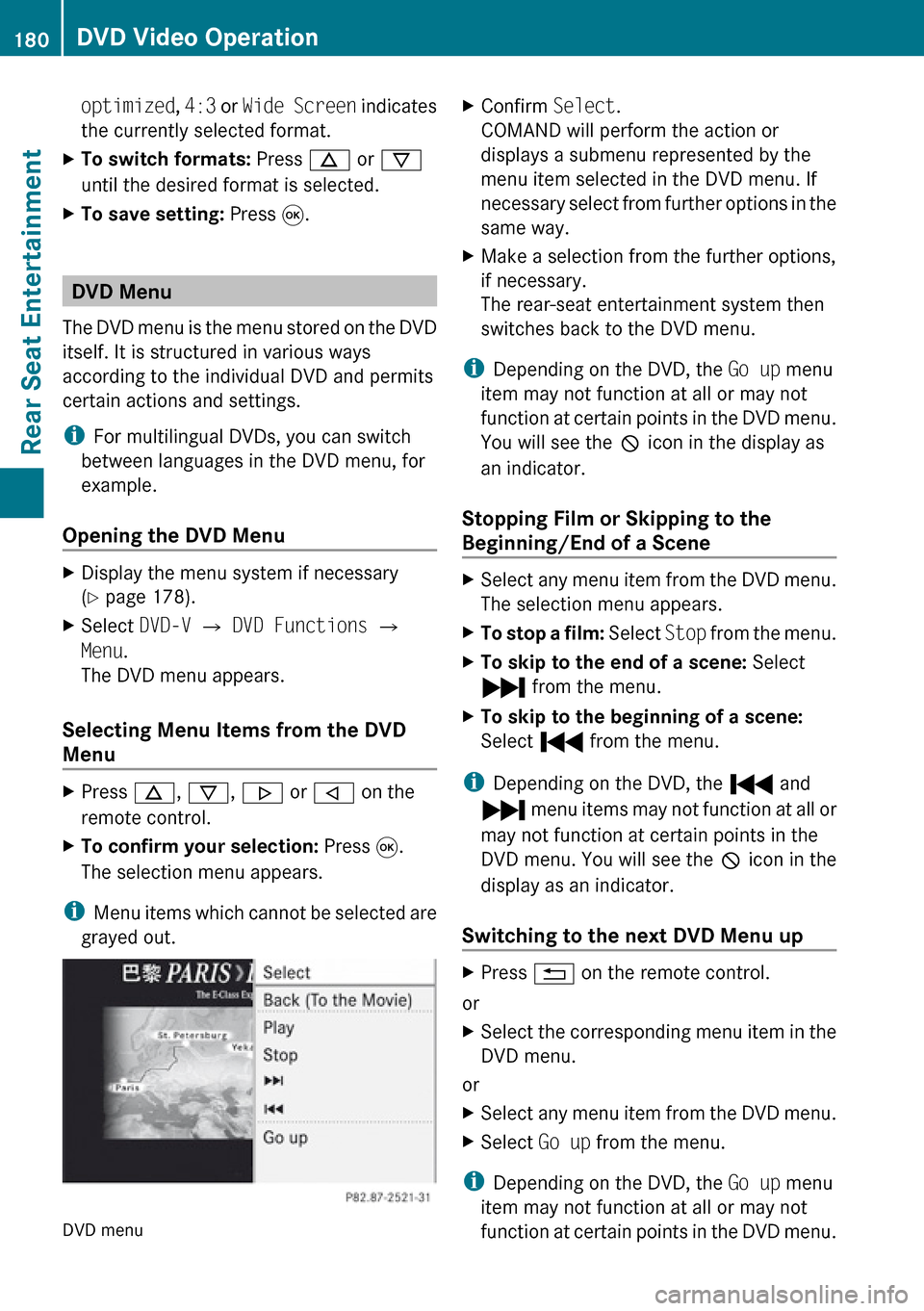
DVD Menu
The DVD menu is the menu stored on the DVD
itself. It is structured in various ways
according to the individual DVD and permits
certain actions and settings.
i For multilingual DVDs, you can switch
between languages in the DVD menu, for
example.
Opening the DVD Menu
XDisplay the menu system if necessary
( Y page 178).XSelect DVD-V £ DVD Functions £
Menu .
The DVD menu appears.
Selecting Menu Items from the DVD
Menu
XPress n, ý , . or , on the
remote control.XTo confirm your selection: Press 9.
The selection menu appears.
i Menu items which cannot be selected are
grayed out.
DVD menu
XConfirm Select.
COMAND will perform the action or
displays a submenu represented by the
menu item selected in the DVD menu. If
necessary select from further options in the
same way.XMake a selection from the further options,
if necessary.
The rear-seat entertainment system then
switches back to the DVD menu.
i Depending on the DVD, the Go up menu
item may not function at all or may not
function at certain points in the DVD menu.
You will see the 7 icon in the display as
an indicator.
Stopping Film or Skipping to the
Beginning/End of a Scene
XSelect any menu item from the DVD menu.
The selection menu appears.XTo stop a film: Select Stop from the menu.XTo skip to the end of a scene: Select
Ô from the menu.XTo skip to the beginning of a scene:
Select Ó from the menu.
i
Depending on the DVD, the Ó and
Ô menu items may not function at all or
may not function at certain points in the
DVD menu. You will see the 7 icon in the
display as an indicator.
Switching to the next DVD Menu up
XPress % on the remote control.
or
XSelect the corresponding menu item in the
DVD menu.
or
XSelect any menu item from the DVD menu.XSelect Go up from the menu.
i
Depending on the DVD, the Go up menu
item may not function at all or may not
function at certain points in the DVD menu.
180DVD Video OperationRear Seat Entertainment
Page 183 of 224
You will see the 7 icon in the display as
an indicator.
Back to MovieXPress % on the remote control
repeatedly until you see the film.
or
XSelect the corresponding menu item in the
DVD menu.
or
XSelect any menu item from the DVD menu.XSelect the Back (To the Movie) menu
item from the selection menu.
i Depending on the DVD, the Back (To
the Movie) menu item may not function
in general or may not function at certain
points in the DVD menu. You will see the
7 icon in the display as an indicator.
Setting the Language
i This function is not available on all DVDs.
If it is available, you can set the audio
language or the audio format. The number
of settings is determined by the DVD
content. The settings may also be
accessible in the DVD menu ( Y page 180).
XDisplay the menu system if necessary
( Y page 178).XSelect DVD-V £ DVD Functions .XSelect Audio Language .
A selection menu appears after a short
while. The R dot in front of an entry
indicates the currently selected language.XTo change a setting: Press n or ý
until the desired setting has been reached.XTo save setting: Press 9.XTo exit the menu without changes:
Press . or , .Subtitles and Camera Angle
i These functions are not available on all
DVDs. The number of subtitle languages
and camera angles available depends on
the content of the DVD. The settings may
also be accessible in the DVD menu.XDisplay the menu system if necessary
( Y page 178).XSelect DVD-V £ DVD functions .XSelect Subtitles or Camera angle .
Both of these will call up a selection menu
after a few seconds. The R dot in front of
an entry indicates the current setting.XTo change a setting: Press n or ý
until the desired setting has been attained.XTo save setting: Press 9.XTo exit the menu without changes:
Press . or , .
Interactive content
DVDs can also contain interactive content
(e.g. a video game). In a video game, you may
be able to influence events by selecting and
triggering actions. The type and number of
actions depend on the DVD.
XTo select an action: Press n,
ý , . or , on the remote control.XTo trigger an action: Press 9 on the
remote control.
A menu appears and the first entry,
Select , is highlighted.XPress 9 on the remote control.
Aux Operation
i You can connect two external video
sources to the display screens (Display
Aux) and additionally one video source to
the DVD drive (Drive Aux).
Aux Operation181Rear Seat EntertainmentZ