heating MERCEDES-BENZ E-CLASS COUPE 2011 User Guide
[x] Cancel search | Manufacturer: MERCEDES-BENZ, Model Year: 2011, Model line: E-CLASS COUPE, Model: MERCEDES-BENZ E-CLASS COUPE 2011Pages: 353, PDF Size: 8.42 MB
Page 109 of 353
Switching the seat heating on/off
Switching on/off G
WARNING
Repeatedly settingt he seat heating to level
3 may result in excessive seat temperatures.
The health of passengers that have limited
temperature sensitivity or alimited ability to
react to excessively high temperatures may
be affected or they may even suffer burn-like
injuries. Therefore, do not use seat heating
level 3repeatedly.
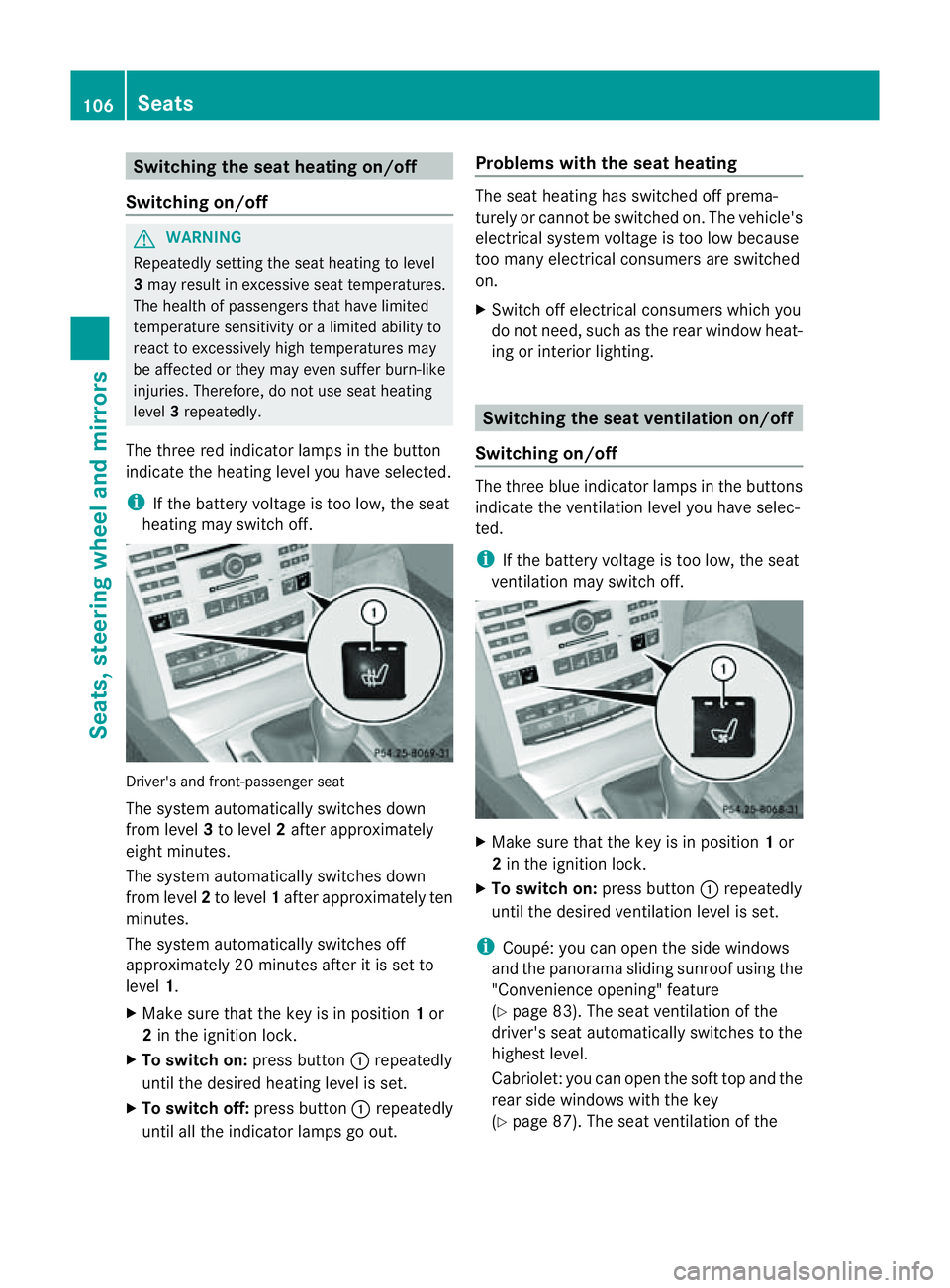
The three red indicator lamps in the button
indicate the heating level you have selected.
i If the battery voltage is too low, the seat
heating may switch off. Driver's and front-passenger seat
The system automatically switches down
from level 3to level 2after approximately
eight minutes.
The system automatically switches down
from level 2to level 1after approximately ten
minutes.
The system automatically switches off
approximately 20 minutes after it is set to
level 1.
X Make sure that the key is in position 1or
2 in the ignition lock.
X To switch on: press button:repeatedly
until the desired heating level is set.
X To switch off: press button:repeatedly
until all the indicator lamps go out. Problems with the seat heating The seat heating has switched off prema-
turely or cannot be switched on. The vehicle's
electrical system voltage is too low because
too many electrical consumers are switched
on.
X
Switch off electrical consumers which you
do not need, such as the rear window heat-
ing or interior lighting. Switching the seat ventilation on/off
Switching on/off The three blue indicator lamps in the buttons
indicate the ventilation level you have selec-
ted.
i
If the battery voltage is too low, the seat
ventilation may switch off. X
Make sure that the key is in position 1or
2 in the ignition lock.
X To switch on: press button:repeatedly
until the desired ventilation level is set.
i Coupé: you can open the side windows
and the panorama sliding sunroof using the
"Convenience opening" feature
(Y page 83). The seat ventilation of the
driver's seat automatically switches to the
highest level.
Cabriolet: you can open the soft top and the
rear side windows with the key
(Y page 87). The seat ventilation of the 106
SeatsSeats, steering wheela
nd mirrors
Page 110 of 353
driver'
sseat automatically switches to the
highest level.
X To switch off: press button:repeatedly
until all the indicator lamps go out.
Problems with the seat ventilation The seat ventilation has switched off prema-
turely or cannot be switched on. The vehicle's
electrical system voltage is too low because
too many electrical consumers are switched
on.
X Switc hoff electrical consumers which you
do not need, such as the rear window heat-
ing or interior lighting. AIRSCARF (Cabriolet)
Switching on/off G
WARNING
Very hot air can flow out of the AIRSCARF
vent sint he head restraint swhen AIRSCARF
is in operation .This can cause burns on unpro-
tected skin near the AIRSCARF vents.L ower
the heating output in good time, when neces-
sary.
The AIRSCARF function warms the head and
neck area of vehicle occupants with warm air.
The warm air flows out of the holes in the head
restraints.
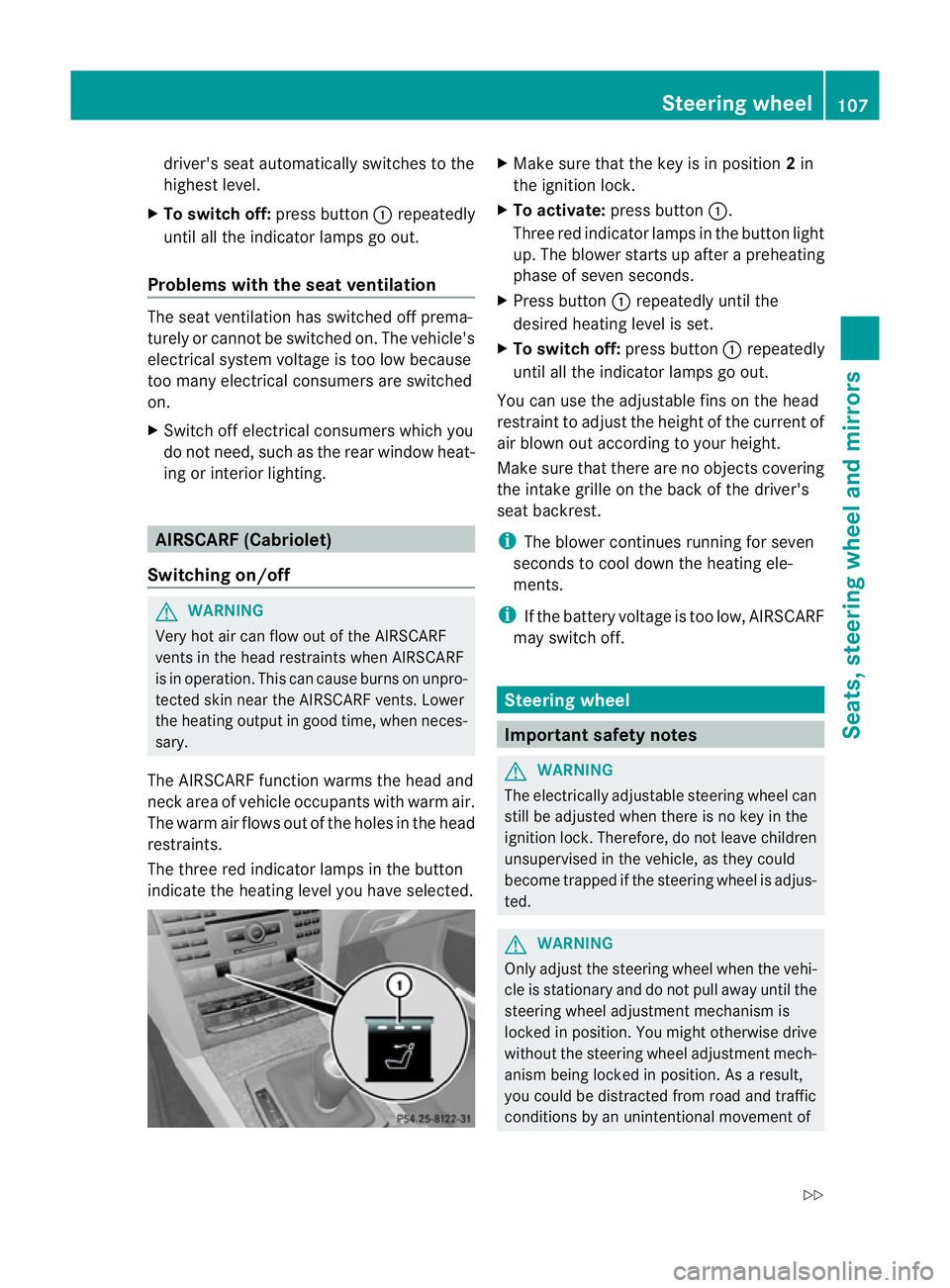
The three red indicator lamps in the button
indicate the heating level you have selected. X
Make sure that the key is in position 2in
the ignition lock.
X To activate: press button :.
Three red indicator lamps in the button light
up. The blower starts up after apreheating
phase of seven seconds.
X Press button :repeatedly until the
desired heating level is set.
X To switch off: press button:repeatedly
until all the indicator lamps go out.
You can use the adjustable fins on the head
restraint to adjust the height of the current of
air blown out according to your height.
Make sure that there are no objectsc overing
the intake grille on the back of the driver's
seat backrest.
i The blower continues running for seven
seconds to cool down the heating ele-
ments.
i If the battery voltage is too low, AIRSCARF
may switch off. Steering wheel
Important safety notes
G
WARNING
The electrically adjustable steering wheel can
still be adjusted when there is no key in the
ignition lock. Therefore, do not leave children
unsupervised in the vehicle, as they could
become trapped if the steering wheel is adjus-
ted. G
WARNING
Only adjust the steering wheel when the vehi-
cle is stationary and do not pull away until the
steering wheel adjustment mechanism is
locked in position. You might otherwise drive
without the steering wheel adjustment mech-
anism being locked in position. As aresult,
you could be distracted from road and traffic
conditions by an unintentional movement of Steering wheel
107Seats, steering wheela nd mirrors
Z
Page 112 of 353
thereb
yunintentionall yactivate the EASY-
ENTRY/EXIT featur eand become trapped.
Positio nofthe steering whee lwhent he
EASY-ENTRY/EXI Tfeatur eisactive The steerin
gwheel tilts upwards if you:
R remove the key from the ignition lock
R open the driver's door and the key is in
position 0or 1in the ignition lock
i The steerin gwheel only moves upwards if
it has not already reached the upper end
stop.
If you insert the key into the ignition lock with
the driver's door closed, the steerin gwheel is
automatically moved to the previously set
position.
Position of the steering wheel for driv-
ing The steerin
gwheel is moved to the previously
set position if:
R the driver's door is closed
R you insert the key into the ignition lock
or
R you press the Start/Stop button onceon
vehicles with KEYLESS-GO.
If you close the driver's door with the key
inserted into the ignition lock, the steering
wheel is automatically moved to the previ-
ously set position.
The last position of the steerin gwheel is
stored after each manual setting or when you
stor ethe setting with the memory function
(Y page 112).
Crash-responsive EASY-EXIT feature If the crash-responsive EASY-EXIT feature is
triggered in an accident ,the steerin gcolumn
will move upwards when the driver's door is
opened. This occurs irrespective of the posi-
tion of the key in the ignition lock. This makes
it easier to exit the vehicle and rescue the
occupants. The crash-responsive EASY-EXIT feature is
only operational if the EASY-EXIT/ENTRY fea-
ture is activated in the on-board computer. Mirrors
Rear-view mirror
Rear-view mirror (manual anti-dazzle) X
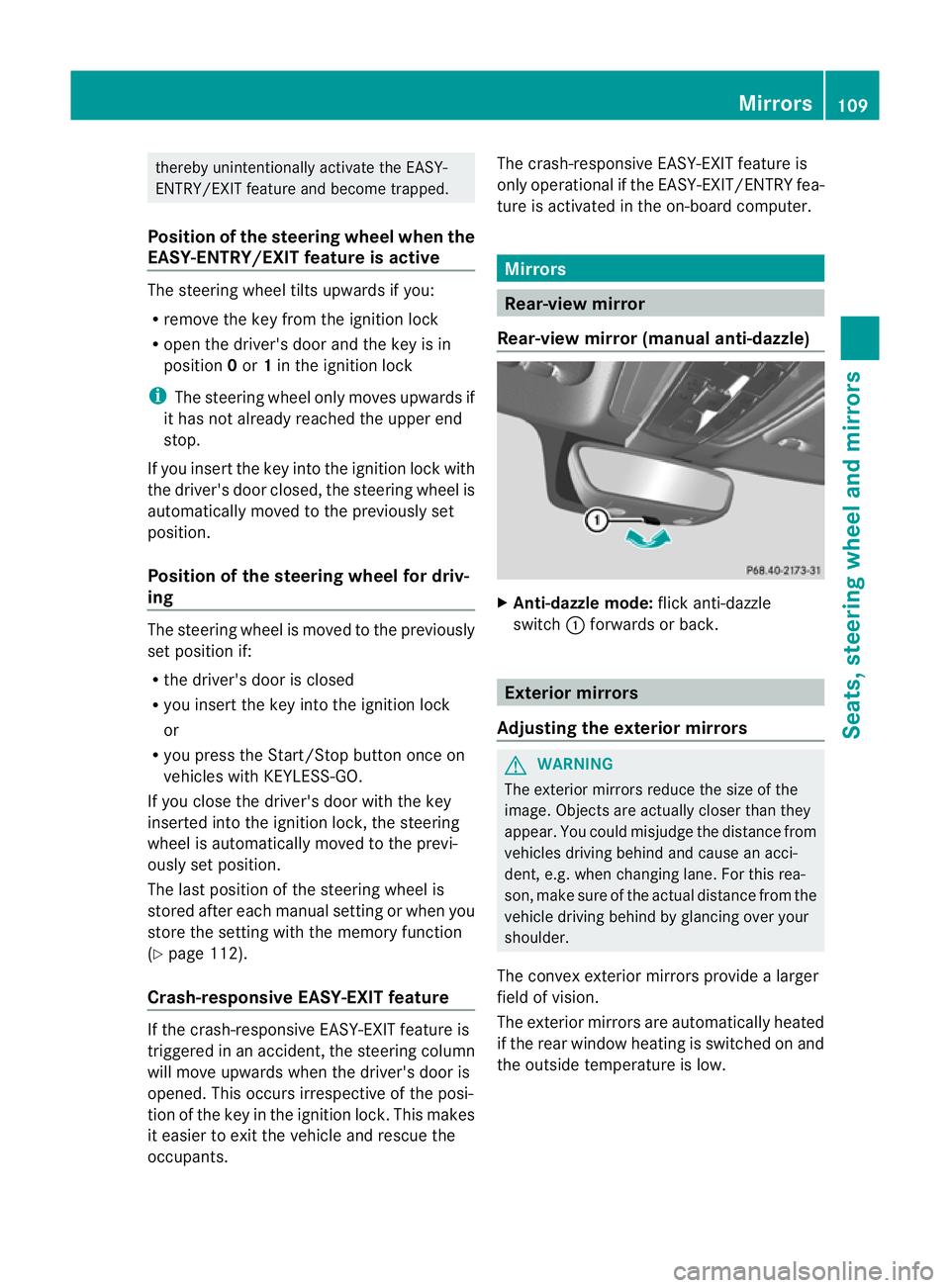
Anti-dazzle mode: flick anti-dazzle
switch :forwards or back. Exterior mirrors
Adjusting the exterior mirrors G
WARNING
The exterior mirrors reduce the size of the
image. Objects are actually closer than they
appear. You could misjudge the distanc efrom
vehicles driving behind and cause an acci-
dent ,e.g. when changin glane. For this rea-
son ,makes ure of th eactual distanc efromt he
vehicle driving behin dbyglancingovery our
shoulder.
The convex exterior mirrors provide alarger
field of vision.
The exterior mirrors are automatically heated
if the rear window heating is switched on and
the outside temperature is low. Mirrors
109Seats, steering wheel and mirrors Z
Page 133 of 353
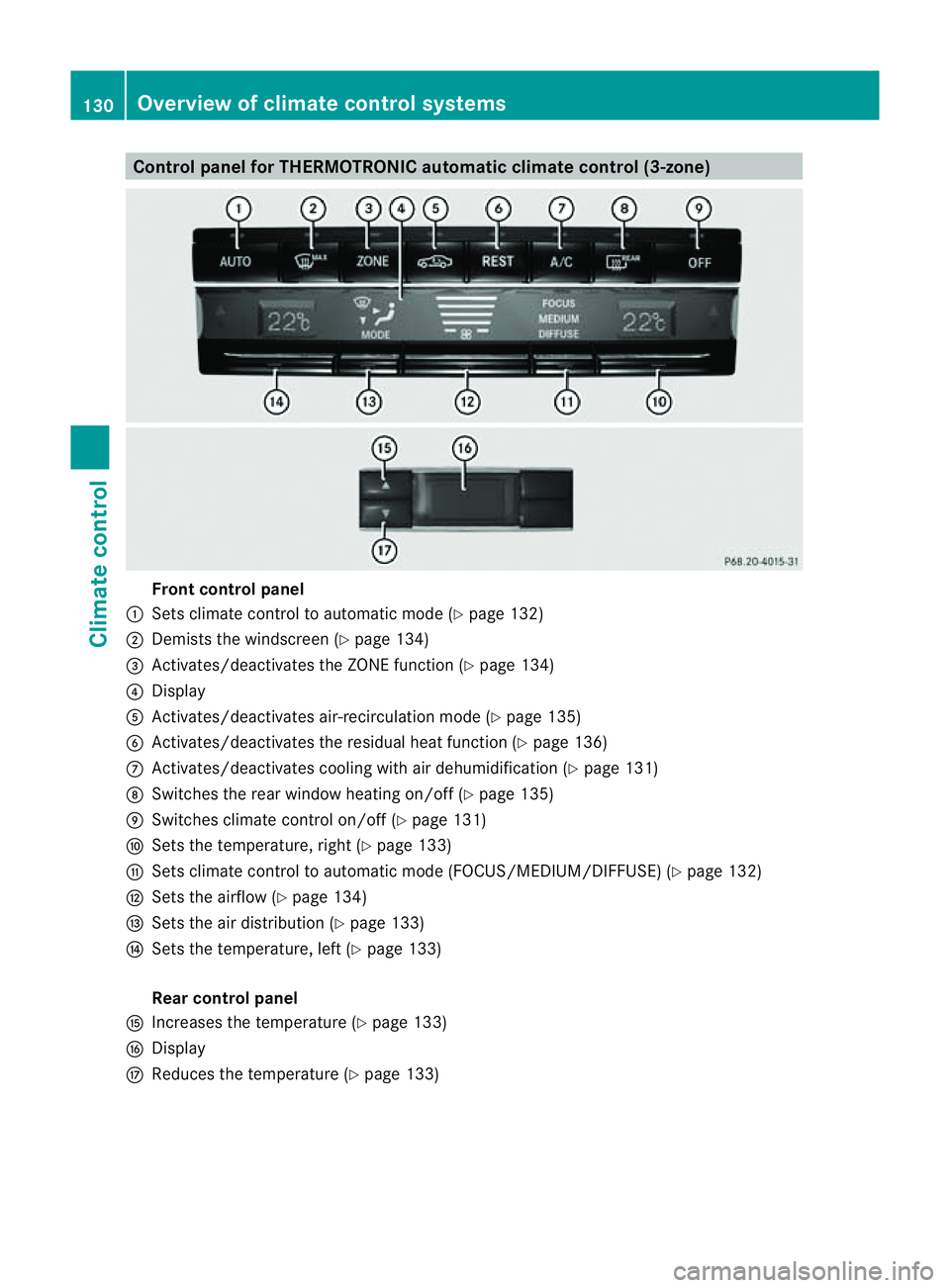
Control panel for THERMOTRONIC automatic climat
econtrol (3-zone) Fron
tcontrol panel
: Setsclimate control to automatic mode (Y page 132)
; Demist sthe windscreen (Y page 134)
= Activates/deactivates th eZONE function (Y page 134)
? Display
A Activates/deactivates air-recirculatio nmode (Y page 135)
B Activates/deactivates the residual heat function (Y page 136)
C Activates/deactivates cooling with air dehumidification ( Ypage 131)
D Switches the rear window heating on/off( Ypage 135)
E Switches climat econtro lon/off (Y page 131)
F Setsthe temperature, right (Y page 133)
G Setsclimat econtro ltoautomatic mode (FOCUS/MEDIUM/DIFFUSE )(Y page 132)
H Setsthe airflow (Y page 134)
I Setsthe air distribution (Y page 133)
J Setsthe temperature, left (Y page 133)
Rear control panel
K Increases the temperature (Y page 133)
L Display
M Reduces the temperature ( Ypage 133) 130
Overview of climat
econtrol systemsClimat econtrol
Page 138 of 353
X
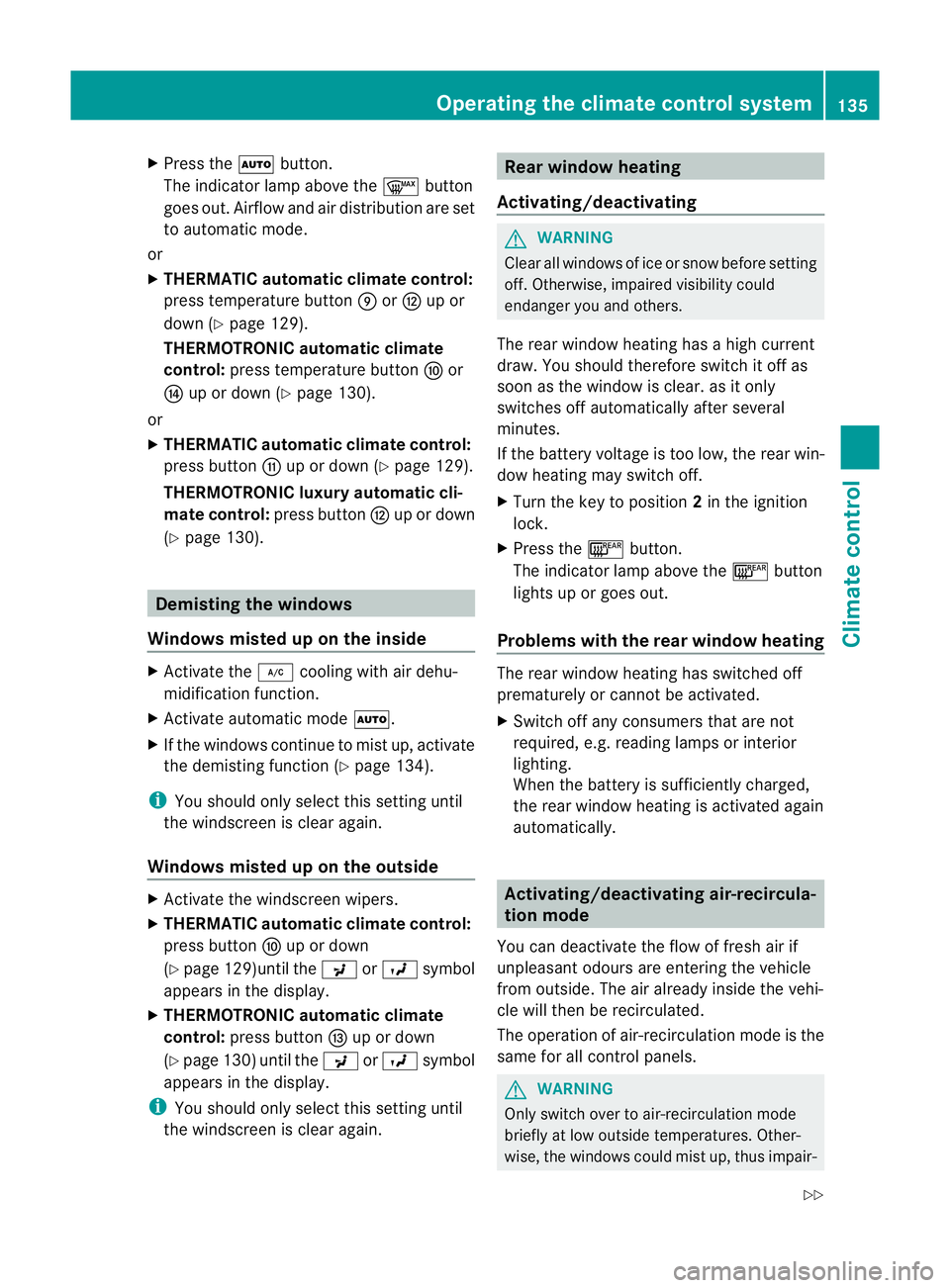
Press the Ãbutton.
The indicator lamp above the ¬button
goes out. Airflow and air distribution are set
to automatic mode.
or
X THERMATIC automatic climate control:
press temperature button EorH up or
down (Y page 129).
THERMOTRONIC automatic climate
control: press temperature button For
J up or down (Y page 130).
or
X THERMATIC automatic climate control:
press button Gup or down (Y page 129).
THERMOTRONIC luxur yautomatic cli-
matec ontrol: press button Hup or down
(Y page 130). Demisting the windows
Windows misted up on the inside X
Activate the ¿cooling with air dehu-
midification function.
X Activate automatic mode Ã.
X If the windows continue to mist up, activate
the demisting function (Y page 134).
i You should only select this setting until
the windscreen is clear again.
Windows misted up on the outside X
Activate the windscreen wipers.
X THERMATIC automatic climate control:
press button Fup or down
(Y page 129)until the PorO symbol
appears in the display.
X THERMOTRONIC automatic climate
control: press button Iup or down
(Y page 130) until the PorO symbol
appears in the display.
i You should only select this setting until
the windscreen is clear again. Rear window heating
Activating/deactivating G
WARNING
Clear all windows of ice or snow before setting
off. Otherwise, impaired visibility could
endanger you and others.
The rear window heating has ahigh current
draw. You should therefore switc hitoff as
soon as the window is clear .asitonly
switches off automaticallya fter several
minutes.
If the battery voltage is too low, the rear win-
dow heating may switch off.
X Turn the key to position 2in the ignition
lock.
X Press the ¤button.
The indicator lamp above the ¤button
lights up or goes out.
Problems with the rear window heating The rear window heating has switched off
prematurely or cannot be activated.
X
Switch off any consumers that are not
required, e.g. reading lamps or interior
lighting.
When the battery is sufficiently charged,
the rear window heating is activated again
automatically. Activating/deactivating air-recircula-
tion mode
You can deactivate the flow of fresh air if
unpleasant odours are entering the vehicle
from outside. The air already inside the vehi-
cle will then be recirculated.
The operation of air-recirculation mode is the
same for all control panels. G
WARNING
Only switch over to air-recirculation mode
briefly at low outside temperatures. Other-
wise, the windows could mist up, thus impair- Operating the climatec
ontrol system
135Climatecontrol
Z
Page 140 of 353
It is possible to make use of the residual heat
of the engine to continue heating the station-
ary vehicle for up to 30 minutes after the
engine has been switched off. The heating
time depends on the temperature that has
been set.
Coupé: the residual heat function only works
optimally when the side window sand pano-
rama sliding sunroo fare closed.
Cabriolet: the residualh eatfunction only
work soptimally when th esoftt op is closed.
i The blower will run at alow speed regard-
less of the airflow setting.
i If you activate the residual heat function
at high temperatures, only the ventilation
will be activated. The blower runs at
medium speed.
i It is possible that the residual heat func-
tion may be activated automatically an hour
after the key is removed. The vehicle is then
ventilated for 30 minutes to dry the air-
conditioning system.
X Turn the key to position 0in the ignition
lock or remove it.
X To activate: press theÌbutton.
The indicator lamp above the Ìbutton
lights up.
X To switch off: press theÌbutton.
The indicator lamp above the Ìbutton
goes out.
i Residua lheat is deactivated automati-
cally:
R after about 30 minutes
R when the ignition is switched on
R if the battery voltage drops
R if the coolant temperature is too low Auxiliary heating
Important safety notes G
WARNING
Exhaust fumes are produced when the auxili-
ary heating is in operation. Inhaling these
exhaust fumes can be poisonous. You should
therefor eswitch off the auxiliary heating in
confined spaces without an extraction sys-
tem, e.g. agarage. G
WARNING
When operating the auxiliary heating, parts of
the vehicle may become very hot, and highly
inflammable material such as fuels could be
ignited. Operating the auxiliary heating is thus
prohibited at filling station sorwhen your vehi-
cle is being refuelled. You must therefore
switch off the auxiliary heating at filling sta-
tions.
! Operating the auxiliary heating/ventila-
tion draws on the vehicle battery. After you
have heated or ventilated the vehicle a
maximum of two times, drive for alonger
distance.
i Switch on the auxiliary heating regularly,
e.g. for about ten minutes every month.
The auxiliary heating heats the air in the vehi-
cle interior to the set temperature without
using the heat of the running engine. The aux-
iliary heating is operated directly using the
vehicle's fuel. For this reason, the tank con-
tent must be at least at reserve fuel level to
ensure that the auxiliary heating functions.
The auxiliary heating/ventilation automati-
cally adjusts to changes in temperature and
weather conditions. For this reason, the aux-
iliary heating could switch from ventilation
mode to heating mode or from heating mode
to ventilation mode.
The auxiliary heating switches off automati-
cally after 50 minutes. This time limit can be
altered. To do this, visit aqualified specialist
workshop, e.g. aMercedes-BenzS ervice
Centre. Operating thec
limatecontrol system
137Climatecontrol Z
Page 141 of 353
You cannot use the auxiliary ventilation to
cool the vehicle interior to atemperature
lower than the outsid etemperature.
Befor eswitchin gon X
Turn the key to position 2in the ignition
lock.
X Set the temperature.
The auxiliary heating/ventilation can be acti-
vated even when the climat econtrol is being
controlled manually. Optimum comfor tcan
be attained when the system is set to auto-
matic mode. Set the temperature to 22 †.
The auxiliary heating/ventilation can be acti-
vated or deactivate dusing the remote control
or the button on the centr econsole.
The on-board computer can be used to spec-
ify up to three departure times, one of which
may be preselected (Y page 229).
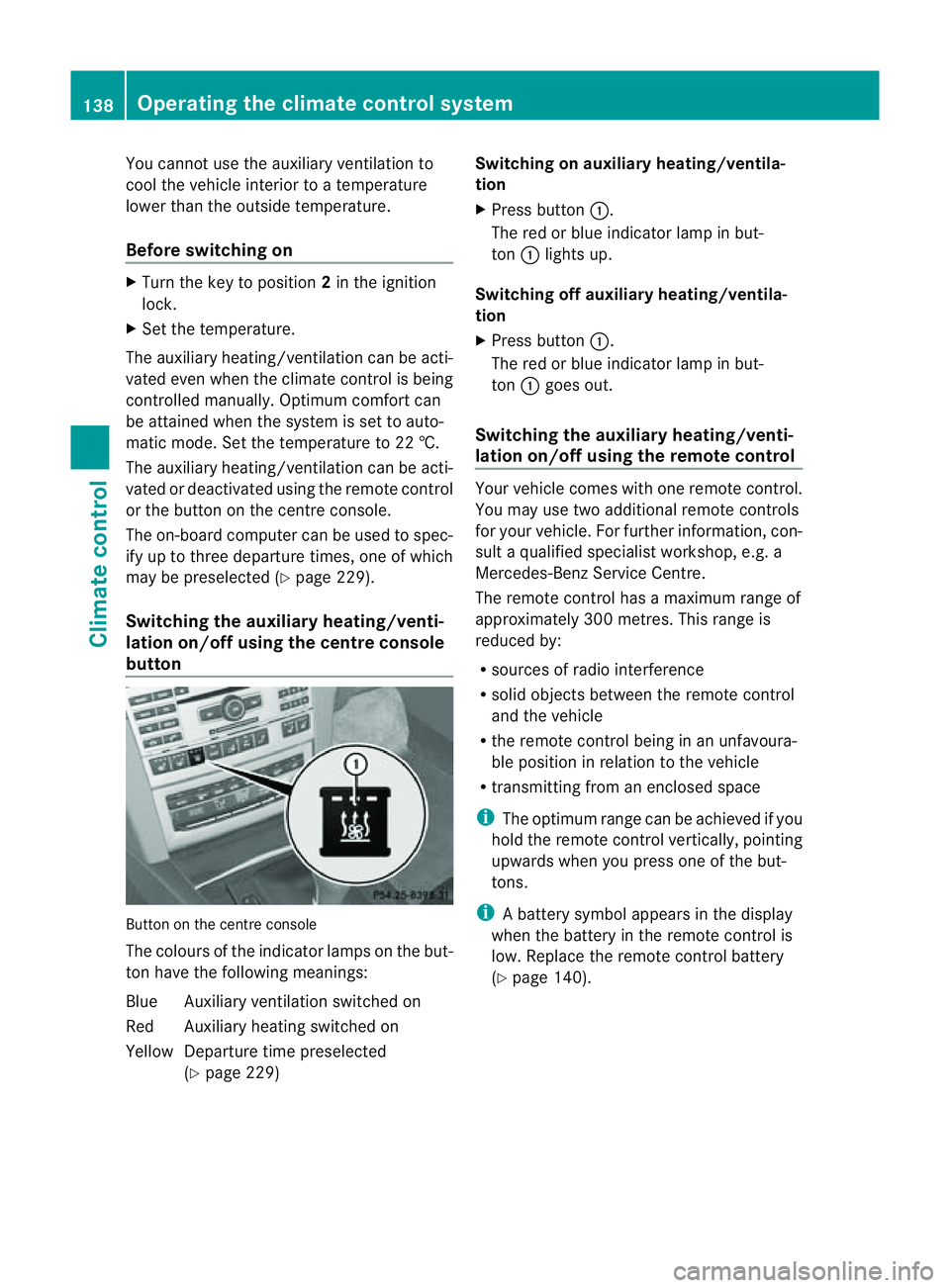
Switchin gthe auxiliar yheating/venti-
lation on/off usin gthe centr econsole
button Butto
nont hecentr econsole
The colours of th eindicator lamps on th ebut-
to nh ave th efollowin gmeanings:
Blue Auxiliary ventilatio nswitched on
Red Auxiliary heating switche don
Yellow Departure tim epreselected
(Y page 229) Switching on auxiliary heating/ventila-
tion
X
Pres sbutton :.
The red or blue indicator lamp in but-
ton :light sup.
Switching off auxiliary heating/ventila-
tion
X Pres sbutton :.
The red or blue indicator lamp in but-
ton :goes out.
Switching th eauxiliary heating/venti-
lation on/off using th eremote control Your vehicle comes with one remot
econtrol.
You may use two additional remot econtrols
for your vehicle. For further information, con-
sult aqualified specialist workshop ,e.g.a
Mercedes-Ben zService Centre.
The remote control has amaximum range of
approximately 300 metres. This range is
reduced by:
R sources of radio interference
R solid objectsb etween the remote control
and the vehicle
R the remote control being in an unfavoura-
ble position in relation to the vehicle
R transmitting from an enclosed space
i The optimum range can be achieved if you
hold the remote control vertically, pointing
upwards when you press one of the but-
tons.
i Abattery symbol appear sinthedisplay
when th ebattery in th eremot econtro lis
low. Replac ethe remot econtro lbattery
(Y page 140). 138
Operatin
gthe climat econtrol systemClimat econtrol
Page 142 of 353
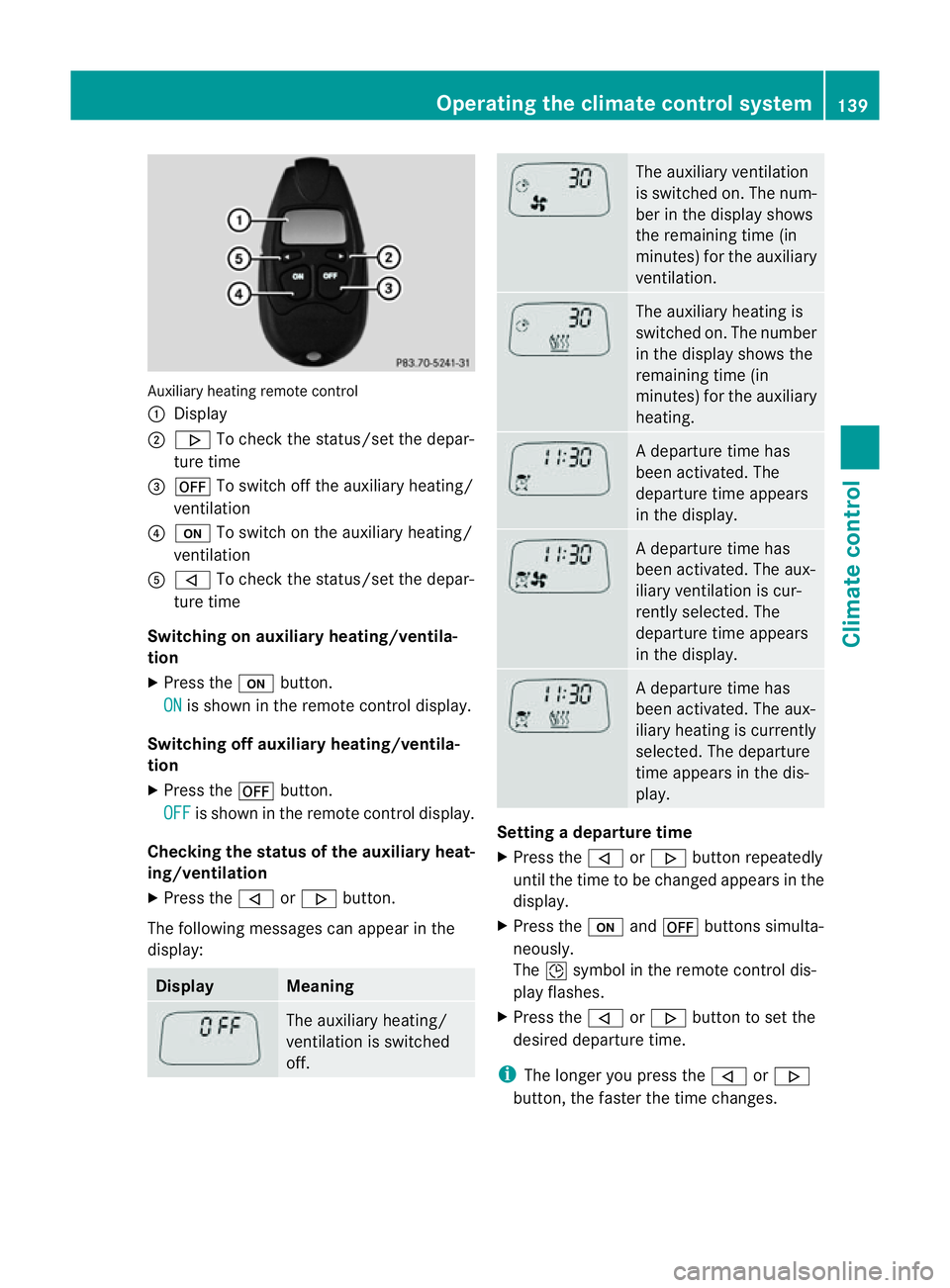
Auxiliary heating remote control
:
Display
; . To chec kthe status/set the depar-
ture time
= ^ To switch off the auxiliary heating/
ventilation
? u To switch on the auxiliary heating/
ventilation
A , To check the status/set the depar-
ture time
Switching on auxiliary heating/ventila-
tion
X Press the ubutton.
ON is shown in the remote control display.
Switching off auxiliary heating/ventila-
tion
X Press the ^button.
OFF is shown in the remote control display.
Checking the status of the auxiliary heat-
ing/ventilation
X Press the ,or. button.
The following messages can appearint he
display: Display Meaning
The auxiliary heating/
ventilation is switched
off. The auxiliary ventilation
is switched on. The num-
ber in the displays
hows
the remaining time (in
minutes) for the auxiliary
ventilation. The auxiliary heating is
switched on. The number
in the displays
hows the
remaining time (in
minutes) for the auxiliary
heating. Ad
eparture time has
been activated. The
departure time appears
in the display. Ad
eparture time has
been activated. The aux-
iliary ventilation is cur-
rently selected. The
departure time appears
in the display. Ad
eparture time has
been activated. The aux-
iliary heating is currently
selected. The departure
time appears in the dis-
play. Setting
adeparture time
X Press the ,or. button repeatedly
until the time to be changed appears in the
display.
X Press the uand^ button ssimulta-
neously.
The Îsymbol in the remot econtrol dis-
play flashes.
X Press the ,or. button to set the
desired departure time.
i The longer you press the ,or.
button ,the faster the time changes. Operating thec
limatecontrol system
139Climatecontrol Z
Page 143 of 353
X
Press the uand^ button ssimulta-
neously.
The new departure time is stored.
Activating aset departuret ime
X Press the ,or. button repeatedly
until the desired departure time appears in
the display.
X Press the ubutton.
The Ísymbol and the departure time
appear in the display.
Deactivating aset departuret ime
X Press the ,or. button.
The status of the auxiliary heating is shown
in the display.
X Press the .button.
The first departure time stored appears in
the display.
X Press the ^button.
The display message OFF appears in the
display.
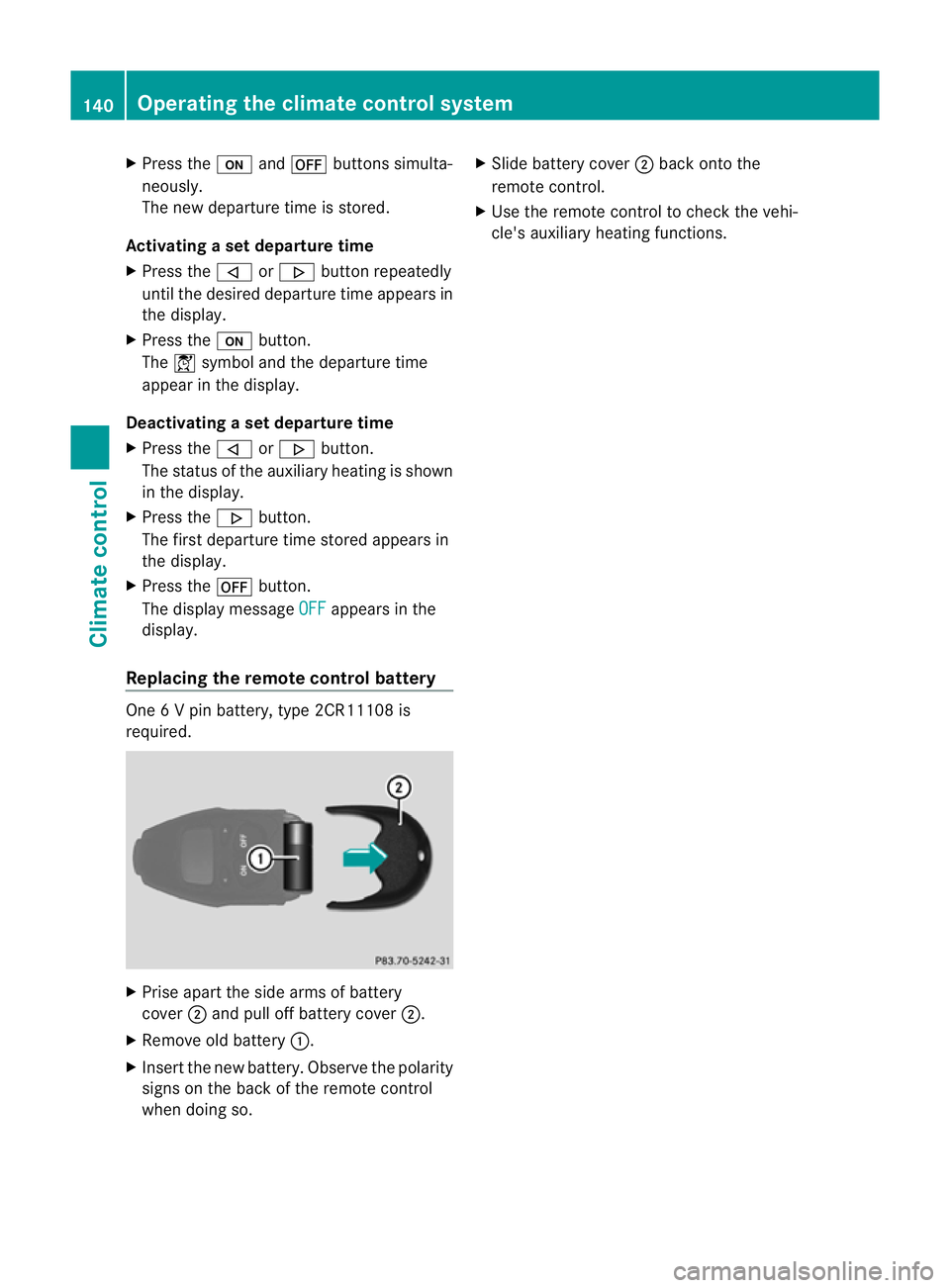
Replacing the remot econtrol battery One
6Vp in battery, type 2CR11108 is
required. X
Prise apart the side arms of battery
cover ;and pull off batter ycover ;.
X Remove old battery :.
X Inser tthe new battery. Observe the polarity
signs on the back of the remote control
when doing so. X
Slide battery cover ;back onto the
remote control.
X Use the remote control to check the vehi-
cle's auxiliary heating functions. 140
Operating the climate control systemClimatec
ontrol
Page 144 of 353
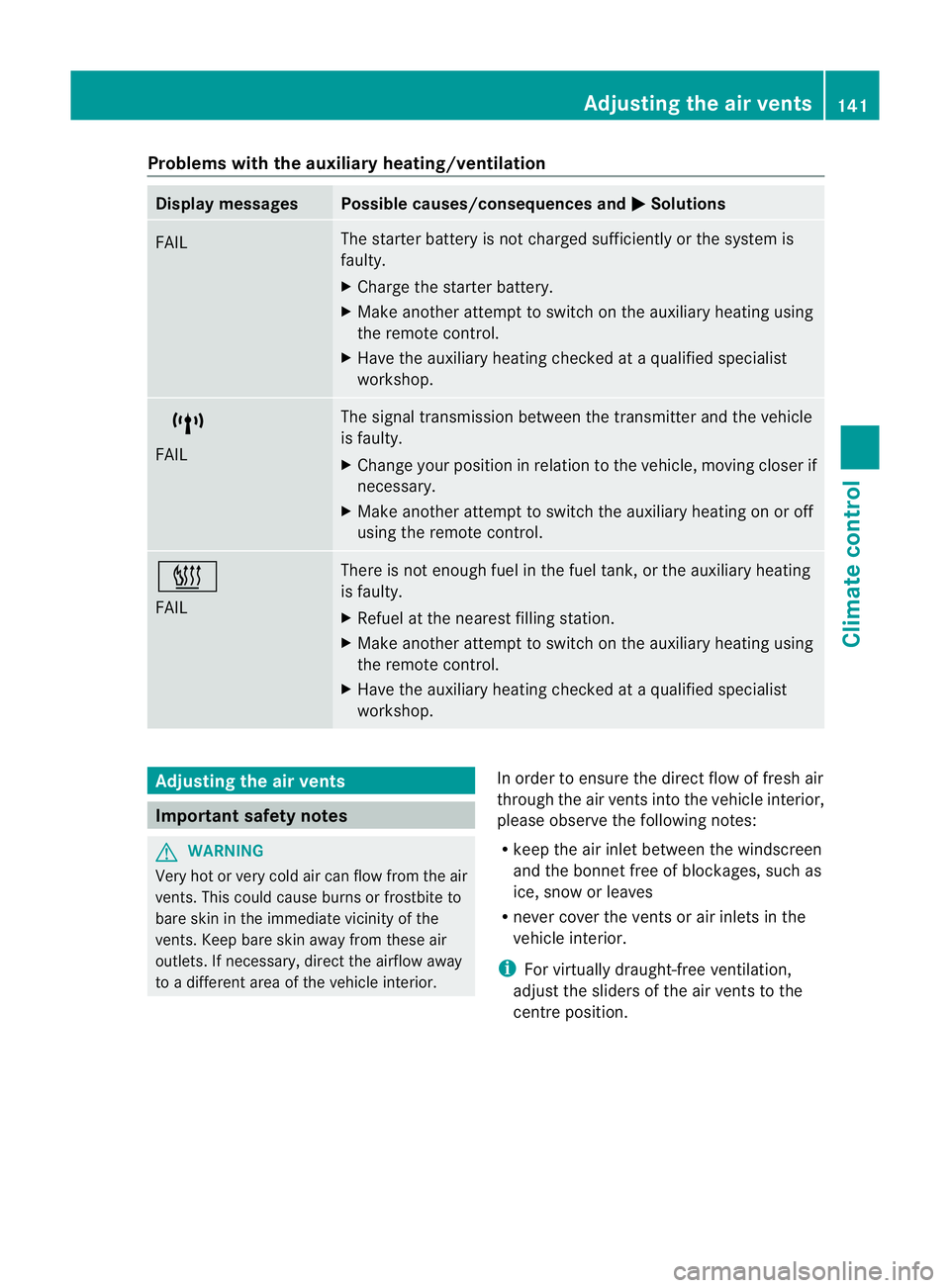
Problems with the auxiliary heating/ventilation
Display messages Possible causes/consequences and
M Solutions
FAIL The starter battery is not charged sufficiently or the system is
faulty.
X
Charge the starter battery.
X Make another attempt to switch on the auxiliary heating using
the remote control.
X Have the auxiliary heating checked at aqualified specialist
workshop. $
FAIL The signal transmission between the transmitter and the vehicle
is faulty.
X
Change your position in relation to the vehicle, moving closer if
necessary.
X Make another attempt to switch the auxiliary heating on or off
using the remote control. ©
FAIL There is not enough fuel in the fuel tank,ort
he auxiliary heating
is faulty.
X Refuel at the nearest filling station.
X Make another attempt to switch on the auxiliary heating using
the remote control.
X Have the auxiliary heating checked at aqualified specialist
workshop. Adjusting the air vents
Important safety notes
G
WARNING
Very hot or very cold air can flow from the air
vents. This could cause burns or frostbit eto
bare skin in the immediate vicinity of the
vents. Keep bare skin away from these air
outlets. If necessary, direct the airflow away
to ad ifferent area of the vehicle interior. In order to ensure the direct flow of fresh air
through the air ventsi
nto the vehicle interior,
please observe the following notes:
R keep the air inlet between the windscreen
and the bonnet free of blockages, such as
ice, snow or leaves
R never cover the ventsora ir inlets in the
vehicle interior.
i For virtually draught-free ventilation,
adjust the sliders of the air ventstot he
centre position. Adjusting the air vents
141Climate control Z