service MERCEDES-BENZ E-Class COUPE 2014 C207 User Guide
[x] Cancel search | Manufacturer: MERCEDES-BENZ, Model Year: 2014, Model line: E-Class COUPE, Model: MERCEDES-BENZ E-Class COUPE 2014 C207Pages: 394, PDF Size: 5.28 MB
Page 28 of 394
qualifications to correctly carry out the work
required on your vehicle. This is especially the
case for work relevant to safety.
Observe the notes in the Maintenance
Booklet.
Always have the following work carried out at
an authorized Mercedes-Benz Center:
R
work relevant to safety
R service and maintenance work
R repair work
R alterations, installation work and
modifications
R work on electronic components Correct use
If you remove any warning stickers, you or
others could fail to recognize certain dangers.
Leave warning stickers in position.
Observe the following information when
driving your vehicle:
R the safety notes in this manual
R the Technical Data section in this manual
R traffic rules and regulations
R laws and safety standards pertaining to
motor vehicles Problems with your vehicle
If you should experience aproble mwith your
vehicle, particularly one that you believe may
affec tits safe operation, we urge you to
contact an authorized Mercedes-Benz Center
immediately to have the problem diagnosed
and rectified. If the problem is not resolved to
your satisfaction, please discuss the problem
agai nwith a Mercedes-Ben zCenter or
contact us at one of the following addresses.
In the USA
Customer Assistance Center
Mercedes-Benz USA, LLC
One Mercedes Drive
Montvale, NJ 07645-0350 In Canada
Customer Relations Department
Mercedes-BenzC
anada, Inc.
98 Vanderhoof Avenue
Toronto, Ontario M4G 4C9 Reporting safety defects
USA only:
The following text is published as required of
manufacturers under Title 49, Code of U.S.
Federal Regulations, Part 57 5pursuan tto the
"National Traffic and Motor Vehicle Safety Act
of 1966".
If you believe that your vehicle has a defect
which could cause a crash or could cause
injury or death, you should immediately
inform the National Highway Traffic Safety
Administration (NHTSA )in addition to
notifying Mercedes-Benz USA, LLC.
If NHTSA receives similar complaints, it may
open an investigation, and if it finds tha ta
safety defect exists in a group of vehicles, it
may order a recall and remedy campaign.
However, NHTSA cannot become involved in
individual problems between you, your
dealer, or Mercedes-Benz USA, LLC.
To contact NHTSA, you may call the Vehicle
Safety Hotline toll-free at
1-888-327-4236(TTY: 1-800-424-9153); go
to http://www.safercar.gov; or write to:
Administrator, NHTSA, 400 Seventh Street,
SW., Washington, DC 20590.
You can also obtain other information about
motor vehicle safety from
http://www.safercar.gov Limited Warranty
! Follow the instructions in this manual
aboutt he proper operation of your vehicle
as well as about possible vehicle damage.
Damage to your vehicle that arises from
culpable contraventions against these
instructions is not covered either by the 26
Introduction
Page 29 of 394
Mercedes-Ben
zLimited Warranty or by the
New or Used-Vehicle Warranty. Data stored in the vehicle
Information about electronic data
acquisition in the vehicle
(Including notice pursuan tto California Code
§ 9951)
Please note that your vehicle is equipped with
devices that can record vehicle systems data.
If your vehicle is equipped with mbrace
(Canada: TELE AID), data is transmitted in the
event of an accident.
This information helps, for example, to test
vehicle systems after an accident and to
continually improve vehicle safety.
Daimler AG can access these data and submit
them:
R for safety research or vehicle diagnosis
purposes
R with the consen tofthe vehicle owner
R on the instruction of prosecuting
authorities
R for use in arbitration of disputes that
involve Daimler AG, its subsidiaries or its
sales and service organizations
R as otherwise required or permitted by law
Please check your mbrace (Canada:T ELE
AID) purchase agreement to find out more
abou tdata that can be recorded and
transmitted by this system.
This vehicle is equipped with an event data
recorder (EDR). The main purpose of an EDR
is to record data that will assis tin
understanding how a vehicle’s systems
performed in certain crash or near crash-like
situations, such as during air bag deployment
or when hitting a road obstacle .The EDR is
designed to record data related to vehicle
dynamics and safety systems for a short
period of time, typically 30 seconds or less. The EDR in this vehicle is designed to record
such data as:
R
how various systems in your vehicle are
operating
R whether or not the driver and passenger
seat belts are fastened
R how far (if at all) the driver is depressing the
accelerator and/or brake pedal and
R how fast the vehicle is traveling
This data can help provide abetter
understanding of the circumstances in which
crashes and injuries occur. NOTE: EDR data
is recorded by your vehicle only if a non-trivial
crash situation occurs; no data is recorded by
the EDR under normal driving conditions and
no personal data (e.g., name, gender, age,
and crash location) are recorded. However,
other parties, such as law enforcement, can
combine the EDR data with the type of
personal identification data routinely
acquired during a crash investigation.
To read data recorded by an EDR, special
equipment is required, and access to the
vehicle or the EDR is needed. In addition to
the vehicle manufacturer, other parties, such
as law enforcement, who have the special
equipment, can read the information if they
have access to the vehicle or the EDR. Information on copyright
General information
Information on license for free and open-
source software used in your vehicle and its
electronic components is available on the
following website:
http://www.mercedes-benz.com/
opensource Introduction
27 Z
Page 57 of 394
Problem Possible causes/consequences and
0001 Solutions
The PASSENGER AIR
BAG OFF indicator
lamp does not light up
and/or stays on.
The front-passenger
seat is:
R
unoccupied
R occupied with the
weight of a child up
to twelve months old
in a child restraint
system The OCS is malfunctioning.
X
Make sure there is nothing between the seat cushion and the
child seat.
X Make sure that the backrest and base of the child restraint
system are resting securely on the front-passenger seat. If
necessary, adjust the position of the front-passenger seat.
X When installing the child restraint system, make sure that the
seat belt is tight. Do not pull the seat belt tight with the front-
passenger seat adjustment .This could result in the seat belt
being pulled too tightly.
X Check the installation of the child restraint system.
X Make sure that no objectsa re applying additional weight onto
the seat.
X If the PASSENGER AIR BAG OFF indicator lamp remains off, have
the OCS checked immediatel yataqualified specialist
workshop. Do not transport a child on the front-passenger seat
until the OCS has been repaired.
X Observe the additional display messages in the multifunction
display ( Ypage 256). Roll bar (Cabriolet)
G
DANGER
If the roll bar is malfunctioning, the 0013
Malfunction Service Required message
appears in the multifunction display. The roll
bars will then possibly not be extended in the
event of an accident. This could result in
severe or even fatal injuries to you and other
occupants. In this case, visit a qualified
specialist workshop immediately and have
the roll bar checked. G
WARNING
Ensure that the area around the roll bars/rear
head restraints is kept clear. Otherwise,
someone could be injured by the roll bars
when they are triggered.
The roll bars are under the rear head
restraints. They are extended if systems
detec tthat the vehicle is in danger of
overturning. When the roll bars are extended, the rear
head restraints also extend automatically.
Once the roll bars are extended, you can no
longer lower the rear head restraints. The soft
top can no longer be closed. In this case, visit
the nearest qualified specialist workshop. NECK-PRO head restraints
Important safety notes G
WARNING
Do not secure any objects (e.g. coat hangers)
on the NECK-PRO head restraints. Otherwise,
the NECK-PRO head restraints may not
function properly, or in the event of a rear-end
collision may not be able offer the level of
protection they are designed to provide. G
WARNING
Seat or head restraint covers can cause a
malfunction when the NECK-PRO head Occupant safety
55Safety
Z
Page 81 of 394
X
To turn the alarm off with the
SmartKey: press the000Eor000D button
on the SmartKey.
The alar mis switched off.
or
X Insert the SmartKey into the ignition lock.
The alarm is switched off.
X To stop the alarm using KEYLESS-GO:
grasp the outside door handle. The
SmartKey must be outside the vehicle.
The alarm is switched off.
or
X Press the Start/Stop button on the
dashboard. The SmartKey must be inside
the vehicle.
The alarm is switched off.
The alarm is not switched off, even if you
close the open door that triggered it, for
example.
i If the alarm continues for more than
30 seconds, the mbrace emergency call
system automatically notifies the
Customer Assistance Center. This is done
either by text message or data connection.
The emergency call system sends the
message or data provided that:
R you have subscribed to the mbrace
service.
R the mbrace service has been activated
properly.
R the necessary mobile phone network is
available. Theft deterrent locking system
79Safety Z
Page 144 of 394
The interior lighting automatically switches
on if you:
R unlock the vehicle
R open a door
R remove the SmartKey from the ignition
lock.
The interior light is activated for a short while
when the SmartKey is removed from the
ignition lock. You can activate this delayed
switch-off using the on-board computer
(Y page 245).
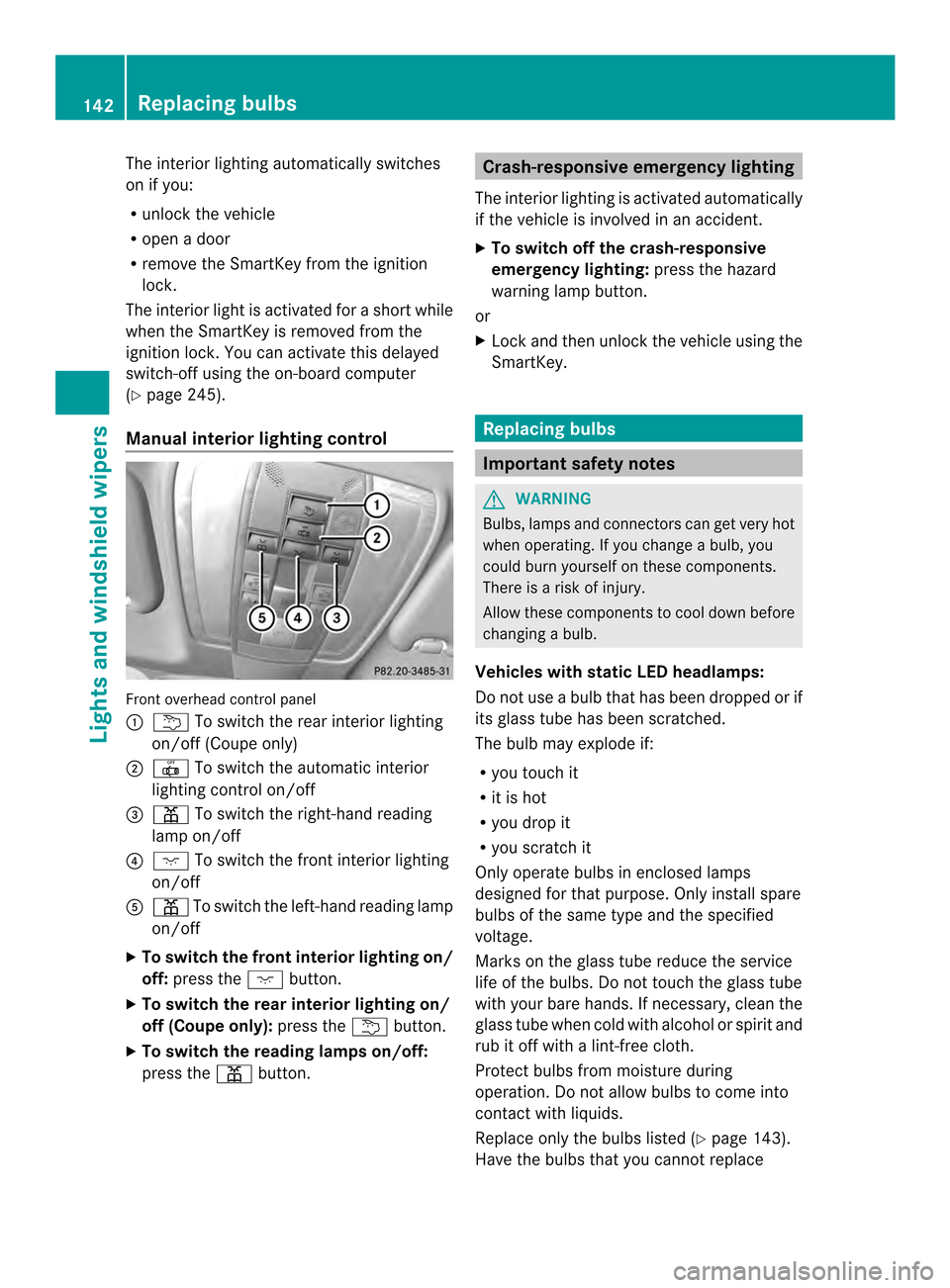
Manual interior lighting control Front overhead control panel
0002
0001 To switch the rear interior lighting
on/of f(Coupe only)
0003 001B To switch the automatic interior
lighting control on/off
0023 0012 To switch the right-hand reading
lamp on/off
0022 0004 To switch the front interior lighting
on/off
0020 0012 To switch the left-hand reading lamp
on/off
X To switch the front interior lighting on/
off: press the 0004button.
X To switch the rea rinterior lighting on/
off (Coupe only): press the0001button.
X To switch the reading lamps on/off:
press the 0012button. Crash-responsive emergency lighting
The interior lighting is activated automatically
if the vehicle is involved in an accident.
X To switch off the crash-responsive
emergency lighting: press the hazard
warning lamp button.
or
X Lock and then unlock the vehicle using the
SmartKey. Replacing bulbs
Important safety notes
G
WARNING
Bulbs, lamps and connectors can get very hot
when operating. If you change a bulb, you
could burn yourself on these components.
There is a risk of injury.
Allow these components to cool down before
changing a bulb.
Vehicles with static LED headlamps:
Do not use a bulb that has been dropped or if
its glass tube has been scratched.
The bulb may explode if:
R you touch it
R it is hot
R you drop it
R you scratch it
Only operate bulbs in enclosed lamps
designed for that purpose. Only install spare
bulbs of the same type and the specified
voltage.
Marks on the glass tube reduce the service
life of the bulbs. Do not touch the glass tube
with your bare hands. If necessary, clean the
glass tube when cold with alcohol or spirit and
rub it off with a lint-free cloth.
Protec tbulbs from moisture during
operation .Do not allow bulbs to come into
contact with liquids.
Replace only the bulbs listed (Y page 143).
Have the bulbs that you cannot replace 142
Replacing bulbsLights and windshiel
dwipers
Page 185 of 394

!
Always secure the vehicle correctly
against rolling away. Otherwise, the vehicle
or its drivetrain could be damaged.
To ensure that the vehicle is secured against
rolling away unintentionally:
R the parking brake must be applied.
R the transmission must be in position Pand
the SmartKey must be removed from the
ignition lock.
R on uphill or downhill gradients, the front
wheels must be turned towards the curb. Switching off the engine
Important safety notes G
WARNING
The automatic transmission switches to
neutral position Nwhen you switch off the
engine. The vehicle may roll away. There is a
risk of an accident.
After switching off the engine, always switch
to parking position P. Prevent the parked
vehicle from rolling away by applying the
parking brake.
Vehicles with automatic transmission X
Apply the parking brake firmly.
X Shift the transmission to position P.
Using the SmartKey
X Turn the SmartKey to position 0in the
ignition lock and remove it.
The immobilizer is activated.
i The SmartKey can only be removed if the
transmission is in position P.
Using KEYLESS-GO
X Press the Start/Stop button (Y page 165).
The engine stops and all the indicator
lamps in the instrument cluster go out.
i When the driver's door is closed, this
corresponds to key position 1. When the
driver's door is open, this corresponds to
key position 0:"key removed". If you try to switch off the engine when the
transmission is not in position
P, a message
appears in the multifunctio ndisplay. Asignal
sounds. Parking brake
G
WARNING
If you must brake the vehicle with the parking
brake, the braking distanc eis considerably
longer and the wheels could lock. There is an
increased danger of skidding and accidents.
Only use the parking brake to brake the
vehicle when the service brake is faulty. Do
not apply the parking brake too firmly. If the
wheels lock, release the parking brake until
the wheels begin turning again. G
WARNING
If you leave children unsupervised in the
vehicle, they could set it in motion by, for
example:
R releasing the parking brake
R shifting the automatic transmission out of
the parking position P
R starting the engine.
They could also operate the vehicle's
equipment. There is a risk of an accident and
injury.
When leaving the vehicle, always take the
SmartKey with you and lock the vehicle. Never
leave children unsupervised in the vehicle. If you brake the vehicle with the parking
brake, the brake lamps will not light up. Parking
183Driving and parking Z
Page 186 of 394
X
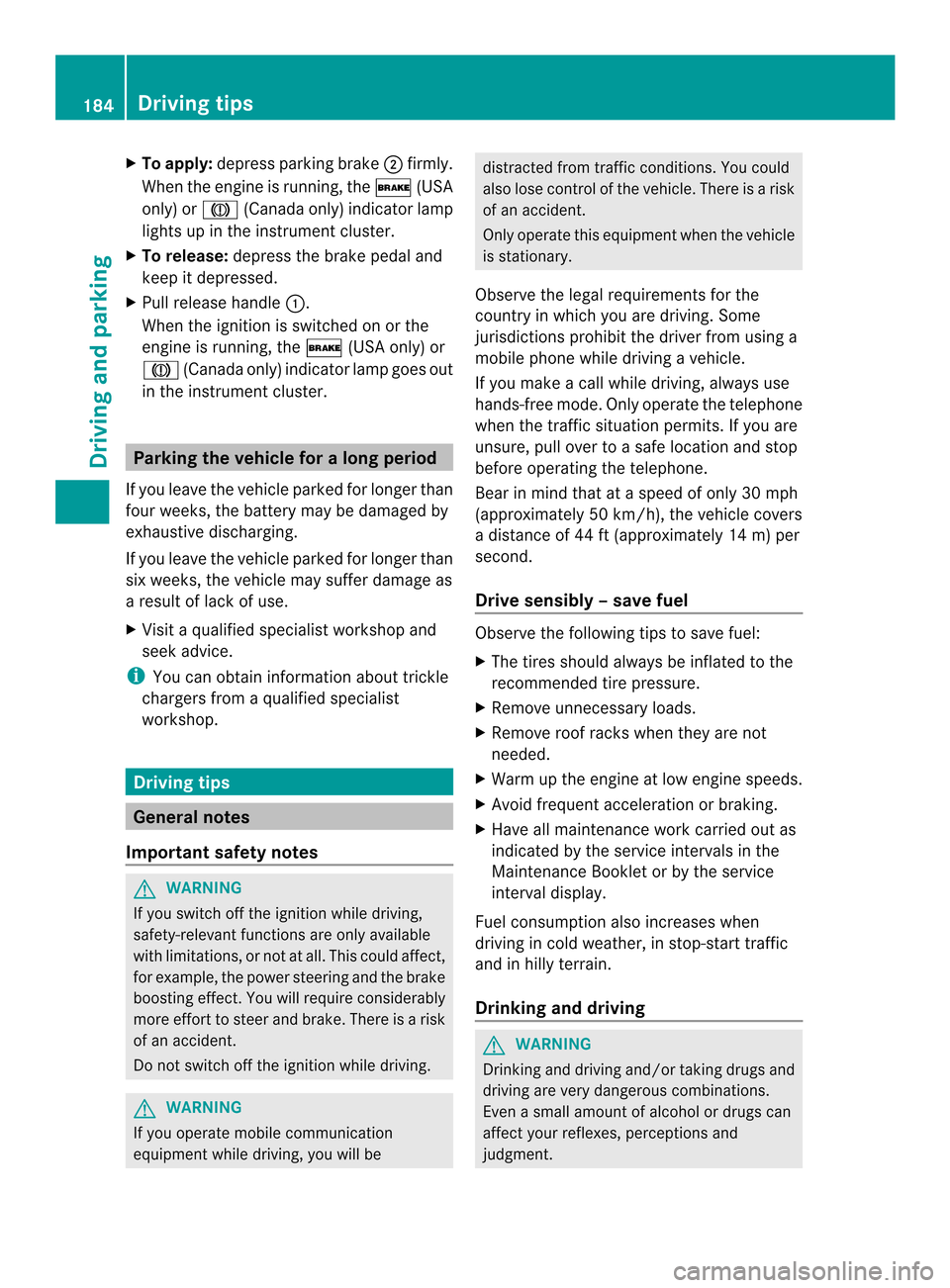
To apply: depress parking brake 0003firmly.
Whe nthe engine is running, the 000B(USA
only) or 0005(Canada only) indicator lamp
lights up in the instrumentc luster.
X To release: depress the brake pedal and
keep it depressed.
X Pull release handle 0002.
When the ignition is switched on or the
engine is running, the 000B(USA only) or
0005 (Canada only) indicator lamp goes out
in the instrument cluster. Parking the vehicle for
along period
If you leave the vehicle parked for longer than
four weeks, the battery may be damaged by
exhaustive discharging.
If you leave the vehicle parked for longer than
six weeks, the vehicle may suffer damage as
a result of lack of use.
X Visit a qualified specialist workshop and
seek advice.
i You can obtain information about trickle
chargers from a qualified specialist
workshop. Driving tips
General notes
Important safety notes G
WARNING
If you switch off the ignitio nwhile driving,
safety-relevant functions are only available
with limitations, or not at all. This could affect,
for example, the power steering and the brake
boosting effect.Y ou will require considerably
more effort to steer and brake. There is a risk
of an accident.
Do not switch off the ignition while driving. G
WARNING
If you operate mobile communication
equipment while driving, you will be distracted from traffic conditions. You could
also lose control of the vehicle. There is a risk
of an accident.
Only operate this equipment when the vehicle
is stationary.
Observe the legal requirements for the
country in which you are driving. Some
jurisdictions prohibit the driver from using a
mobile phone while driving a vehicle.
If you make a call while driving, always use
hands-free mode. Only operate the telephone
when the traffic situation permits. If you are
unsure, pull over to a safe location and stop
before operating the telephone.
Bear in mind that at a speed of only 30 mph
(approximately 50 km/h), the vehicle covers
a distance of 44 ft (approximately 14 m) per
second.
Drive sensibly –save fuel Observe the following tips to save fuel:
X
The tires should always be inflated to the
recommended tire pressure.
X Remove unnecessary loads.
X Remove roof racks whe nthey are not
needed.
X Warm up the engine at low engine speeds.
X Avoid frequent acceleration or braking.
X Have all maintenance work carried out as
indicated by the service intervals in the
Maintenance Booklet or by the service
interval display.
Fuel consumption also increases when
driving in cold weather, in stop-start traffic
and in hilly terrain.
Drinking and driving G
WARNING
Drinking and driving and/or taking drugs and
driving are very dangerous combinations.
Even a small amount of alcohol or drugs can
affect your reflexes, perceptions and
judgment. 184
Driving tipsDriving and parking
Page 187 of 394
The possibility of a serious or even fatal
accident is greatly increased when you drink
or take drugs and drive.
Do not drink or take drugs and drive or allow
anyone to drive who has been drinking or
taking drugs.
Emission control G
WARNING
Combustion engines emit poisonous exhaust
gases such as carbon monoxide. Inhaling
these exhaust gases leads to poisoning. There
is a risk of fatal injury. Therefore never leave
the engine running in enclosed spaces
without sufficient ventilation.
Certain engine systems are designed to keep
the level of poisonous components in exhaust
fumes within legal limits.
These systems only work at peak efficiency if
they are serviced exactly in accordance with
the manufacturer's specifications. For this
reason, only have work on the engine carried
out by qualified and authorized Mercedes-
Benz technicians.
The engine settings must not be changed
under any circumstances. Furthermore, all
specific service work must be carried out at
regular intervals and in accordance with the
Mercedes-Benz service requirements. Details
can be found in the Maintenance Booklet. ECO display
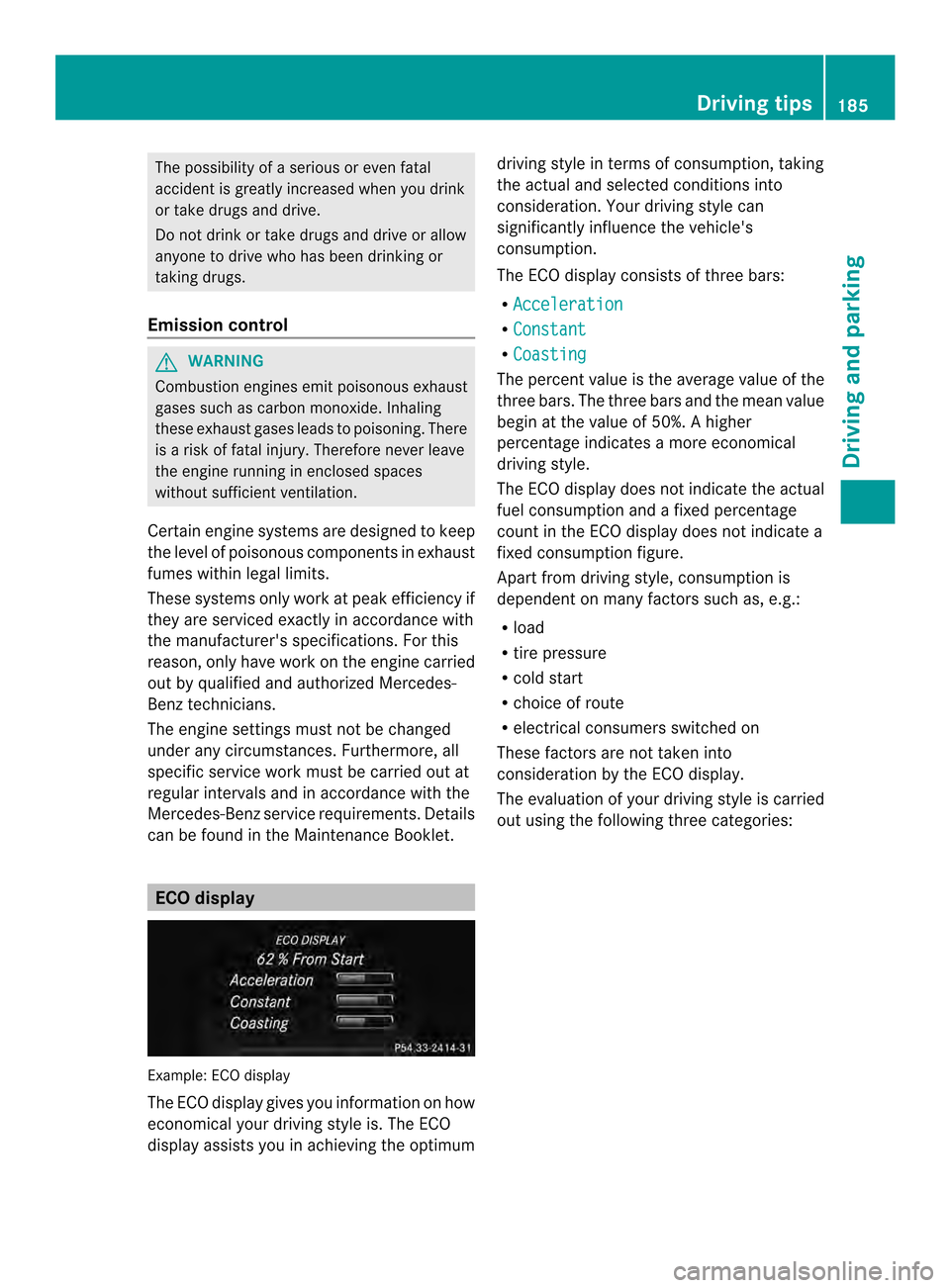
Example: ECO display
The ECO display gives you information on how
economical your driving style is. The ECO
display assists you in achieving the optimum driving style in terms of consumption, taking
the actual and selected conditions into
consideration. Your driving style can
significantly influence the vehicle's
consumption.
The ECO display consists of three bars:
R Acceleration R
Constant R
Coasting The percent value is the average value of the
three bars. The three bars and the mean value
begin at the value of 50%.
Ahigher
percentage indicates a mor eeconomical
driving style.
The ECO display does not indicate the actual
fuel consumption and a fixed percentage
count in the ECO display does not indicate a
fixed consumption figure.
Apart from driving style, consumption is
dependent on many factors such as, e.g.:
R load
R tire pressure
R cold start
R choice of route
R electrical consumers switched on
These factors are not taken into
consideration by the ECO display.
The evaluation of your driving style is carried
ou tu sing the following three categories: Driving tips
185Driving and parking Z
Page 234 of 394
Useful information
i This Operator's Manual describes all
models and all standard and optional
equipment of your vehicle available at the
time of publication of the Operator's
Manual. Country-specific differences are
possible. Please note that your vehicle may
not be equipped with all features
described. This also applies to safety-
related systems and functions.
i Read the information on qualified
specialist workshops: (Y page 25).Important safety notes
G
WARNING
If you operate information systems and
communication equipment integrated in the
vehicle while driving, you will be distracted
from traffic conditions. You could also lose
control of the vehicle. There is a risk of an
accident.
Only operate the equipment when the traffic
situatio npermits .Ifyou are not sure that this
is possible, park the vehicle paying attention
to traffic conditions and operate the
equipment when the vehicle is stationary. G
WARNING
If the instrument cluster has failed or
malfunctioned, you may not recognize
function restrictions in systems relevant to
safety. The operating safety of your vehicle
may be impaired. There is a risk of an
accident.
Drive on carefully. Have the vehicle checked
at a qualified specialist workshop
immediately.
You must observe the legal requirements for
the country in which you are currently driving
when operating the on-board computer.
The on-board computer only shows messages
or warnings from certain systems in the multifunction display
.You should therefore
make sure your vehicle is operating safely at
all times. Otherwise, a vehicle that is not
operating safely may cause an accident.
For an overview, see the instrument panel
illustration (Y page 31). Displays and operation
Coolant temperature display
G
WARNING
Opening the hood when the engine is
overheated or when there is a fire in the
engine compartment could expose you to hot
gases or other service products. There is a
risk of injury.
Let an overheated engine cool down before
opening the hood. If there is a fire in the
engine compartment, keep the hood closed
and contact the fire department.
! Adisplay message is shown if the coolant
temperature is too high.
If the coolant temperature is over
248 ‡(120 †), do not continue driving. The
engine will otherwise be damaged.
The coolan ttemperature gauge is in the
instrument cluster on the left-hand side
(Y page 31).
Under normal operating conditions and with
the specified coolant level, the coolant
temperature may rise to 248 ‡ (120 †). Tachometer
! Do not drive in the overrevving range, as
this could damage the engine.
The red band in the tachometer indicates the
engine's overrevving range.
The fuel supply is interrupted to protec tthe
engine when the red band is reached. 232
Displays and operationOn-board computer and displays
Page 241 of 394
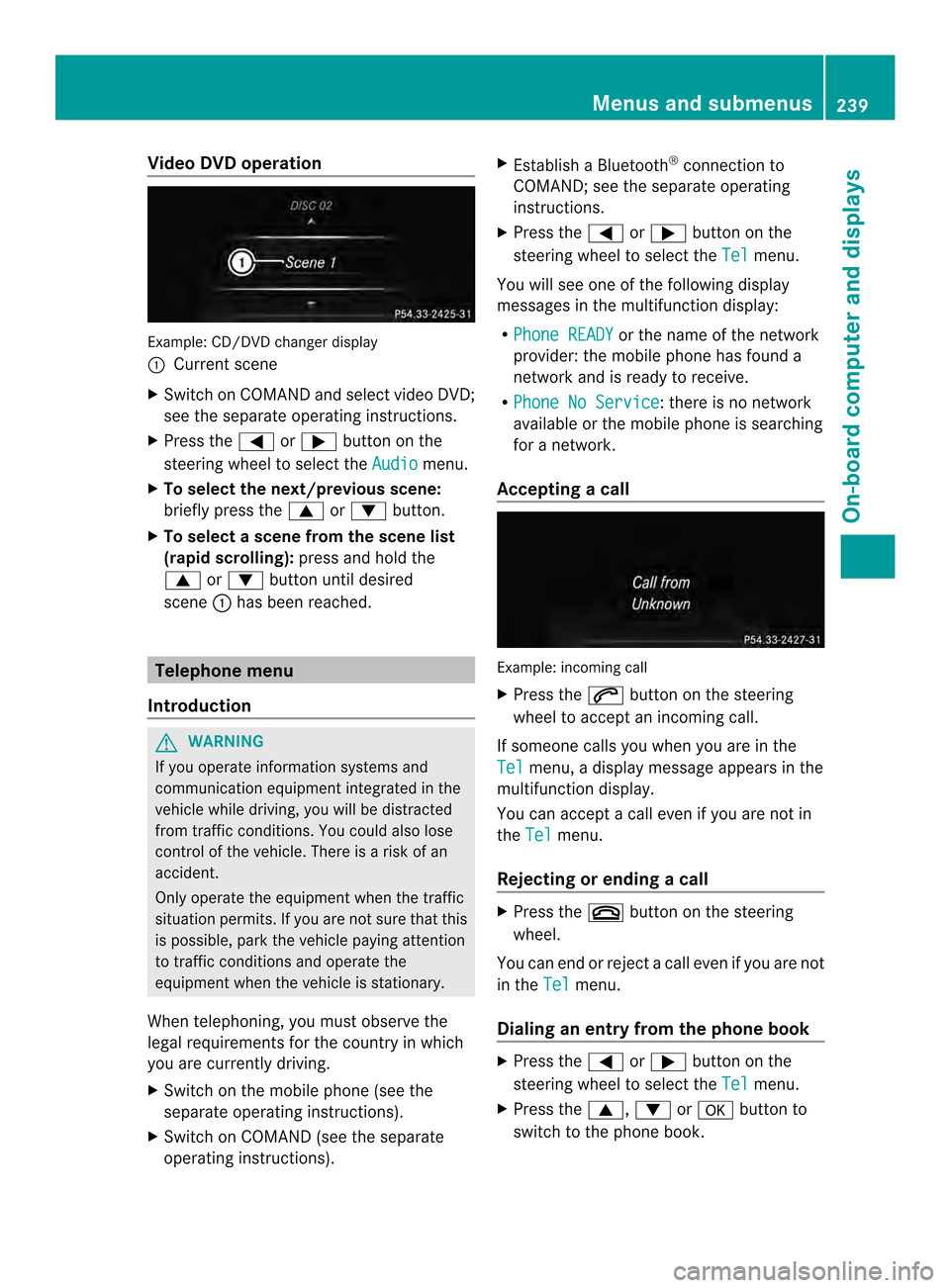
Video DVD operation
Example
:CD/DVD change rdisplay
0002 Current scene
X Switch on COMAN Dand select video DVD;
see the separate operating instructions.
X Press the 0002or0005 button on the
steering wheel to select the Audio menu.
X To select the next/previous scene:
briefly press the 0003or0004 button.
X To select ascene from the scene list
(rapid scrolling): press and hold the
0003 or0004 buttonuntil desired
scene 0002has been reached. Telephone menu
Introduction G
WARNING
If you operate informatio nsystems and
communication equipment integrated in the
vehicle while driving, you will be distracted
from traffic conditions. You could also lose
control of the vehicle. There is a risk of an
accident.
Only operate the equipmen twhen the traffic
situation permits. If you are not sure that this
is possible, park the vehicle paying attention
to traffic conditions and operate the
equipment when the vehicle is stationary.
When telephoning, you must observe the
legal requirements for the country in which
you are currently driving.
X Switch on the mobile phone (see the
separate operating instructions).
X Switch on COMAND (see the separate
operating instructions). X
Establish a Bluetooth ®
connection to
COMAND; see the separate operating
instructions.
X Press the 0002or0005 button on the
steering wheel to select the Tel menu.
You will see one of the following display
messages in the multifunction display:
R Phone READY or the name of the network
provider: the mobile phone has found a
network and is ready to receive.
R Phone No Service : there is no network
available or the mobile phone is searching
for a network.
Accepting acall Example: incoming call
X
Press the 0004button on the steering
wheel to accep tanincoming call.
If someone calls you when you are in the
Tel menu, a display message appears in the
multifunctio ndisplay.
You can accept a call even if you are not in
the Tel menu.
Rejecting or ending acall X
Press the 000Dbutton on the steering
wheel.
You can end or reject a call even if you are not
in the Tel menu.
Dialing an entry from the phone book X
Press the 0002or0005 button on the
steering wheel to select the Tel menu.
X Press the 0003,0004or000B button to
switch to the phone book. Menus and submenus
239On-board computer and displays Z