steering MERCEDES-BENZ E-Class COUPE 2016 C207 Repair Manual
[x] Cancel search | Manufacturer: MERCEDES-BENZ, Model Year: 2016, Model line: E-Class COUPE, Model: MERCEDES-BENZ E-Class COUPE 2016 C207Pages: 318, PDF Size: 7.35 MB
Page 194 of 318
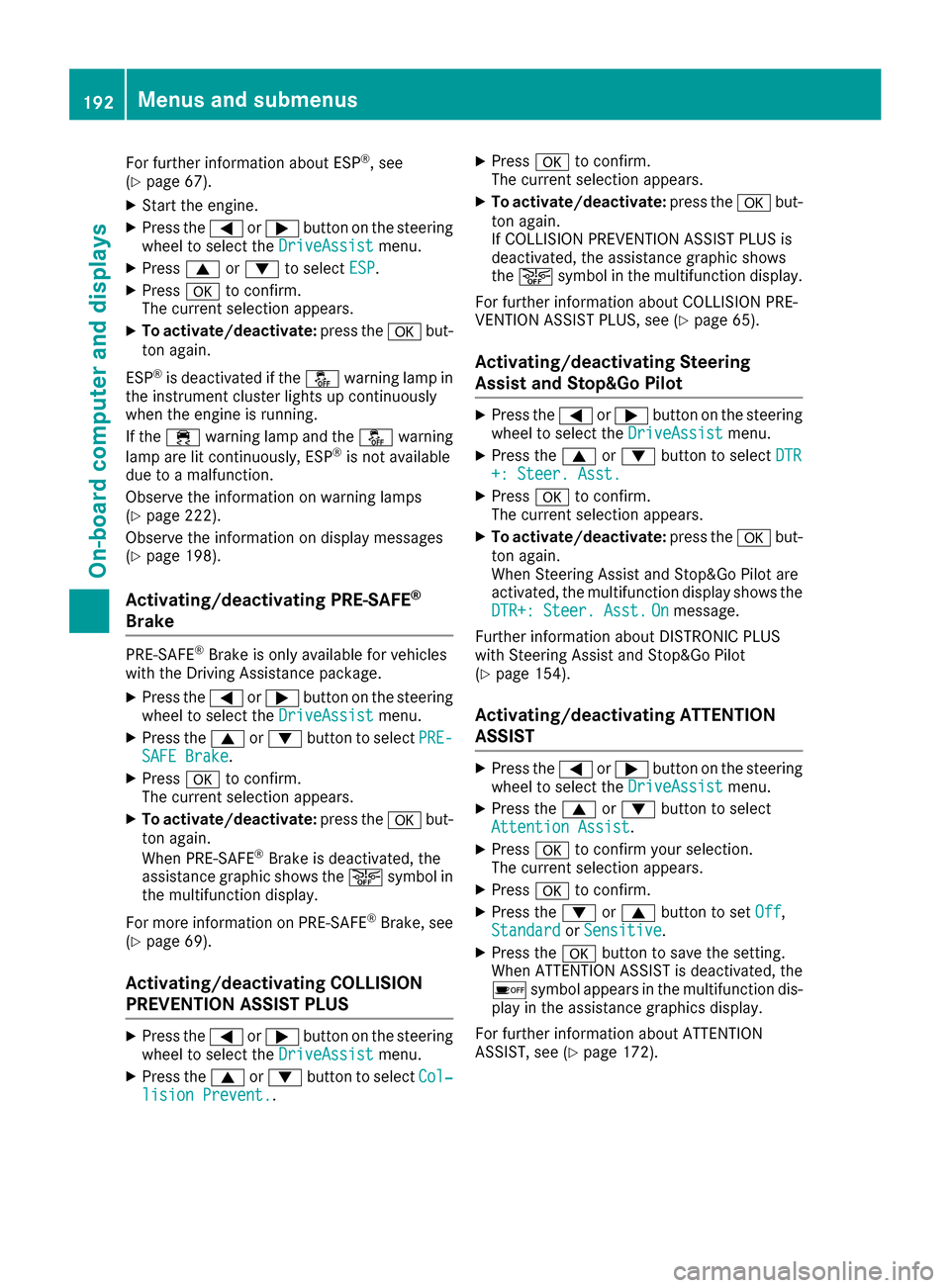
For further information about ESP®, see
(Ypage 67).
XStart the engine.
XPress the =or; button on the steering
wheel to select the DriveAssistmenu.
XPress9or: to select ESP.
XPressato confirm.
The current selection appears.
XTo activate/deactivate: press theabut-
ton again.
ESP
®is deactivated if the åwarning lamp in
the instrument cluster lights up continuously
when the engine is running.
If the ÷ warning lamp and the åwarning
lamp are lit continuously, ESP
®is not available
due to a malfunction.
Observe the information on warning lamps
(
Ypage 222).
Observe the information on display messages
(
Ypage 198).
Activating/deactivating PRE-SAFE®
Brake
PRE‑SAFE®Brake is only available for vehicles
with the Driving Assistance package.
XPress the =or; button on the steering
wheel to select the DriveAssistmenu.
XPress the9or: button to select PRE-SAFE Brake.
XPressato confirm.
The current selection appears.
XTo activate/deactivate: press theabut-
ton again.
When PRE-SAFE
®Brake is deactivated, the
assistance graphic shows the æsymbol in
the multifunction display.
For more information on PRE ‑SAFE
®Brake, see
(Ypage 69).
Activating/deactivating COLLISION
PREVENTION ASSIST PLUS
XPress the =or; button on the steering
wheel to select the DriveAssistmenu.
XPress the9or: button to select Col‐lision Prevent..
XPressato confirm.
The current selection appears.
XTo activate/deactivate: press theabut-
ton again.
If COLLISION PREVENTION ASSIST PLUS is
deactivated, the assistance graphic shows
the æ symbol in the multifunction display.
For further information about COLLISION PRE-
VENTION ASSIST PLUS, see (
Ypage 65).
Activating/deactivating Steering
Assist and Stop&Go Pilot
XPress the =or; button on the steering
wheel to select the DriveAssistmenu.
XPress the9or: button to select DTR+: Steer. Asst.
XPressato confirm.
The current selection appears.
XTo activate/deactivate: press theabut-
ton again.
When Steering Assist and Stop&Go Pilot are
activated, the multifunction display shows the
DTR+: Steer. Asst.
Onmessage.
Further information about DISTRONIC PLUS
with Steering Assist and Stop&Go Pilot
(
Ypage 154).
Activating/deactivating ATTENTION
ASSIST
XPress the =or; button on the steering
wheel to select the DriveAssistmenu.
XPress the9or: button to select
Attention Assist.
XPress ato confirm your selection.
The current selection appears.
XPress ato confirm.
XPress the :or9 button to set Off,
Standardor Sensitive.
XPress the abutton to save the setting.
When ATTENTION ASSIST is deactivated, the
é symbol appears in the multifunction dis-
play in the assistance graphics display.
For further information about ATTENTION
ASSIST, see (
Ypage 172).
192Menus and submenus
On-board computer and displays
Page 195 of 318
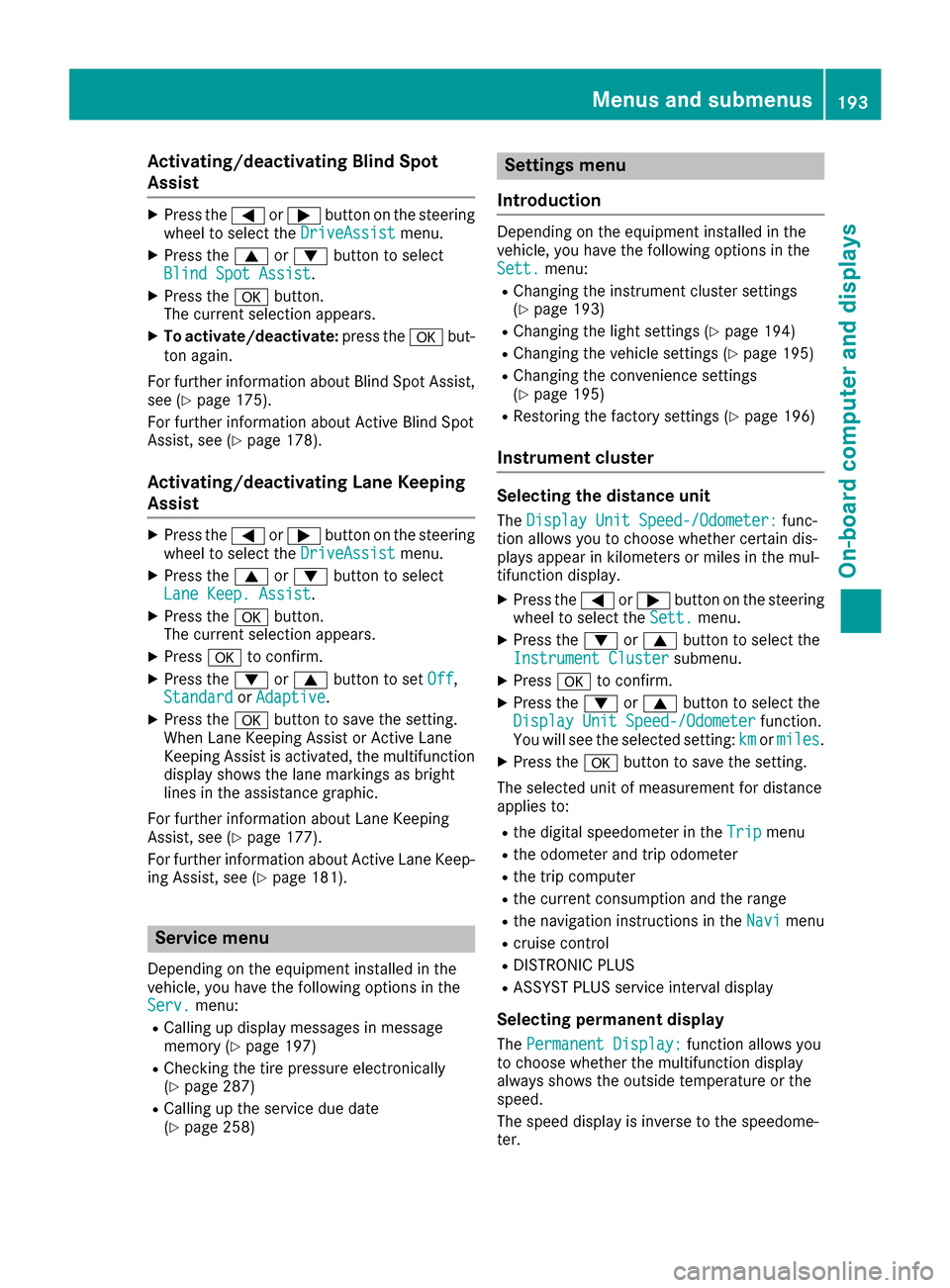
Activating/deactivating Blind Spot
Assist
XPress the= or; buttonon th esteering
whee lto select th eDriveAssistmenu.
XPress th e9 or: buttonto select
Blind Spo tAssist.
XPress th ea button.
The curren tselection appears.
XTo activate/deactivate: press thea but-
to nagain .
Fo rfurther information about Blind Spot Assist,
see (
Ypage 175).
Fo rfurther information about Active Blind Spot
Assist, see (
Ypage 178).
Activating/deactivating Lane Keeping
Assist
XPress the= or; buttonon th esteering
whee lto select th eDriveAssistmenu.
XPress th e9 or: buttonto select
Lan eKeep. Assist.
XPress th ea button.
The curren tselection appears.
XPress ato confirm .
XPress the: or9 buttonto set Off,
Standardor Adaptive.
XPress th ea buttonto sav eth esetting .
When Lan eKeepin gAssis tor Active Lan e
Keepin gAssis tis activated, th emultifunction
display shows th elan emarking sas bright
lines in th eassistanc egraphic .
Fo rfurther information about Lan eKeepin g
Assist, see (
Ypage 177).
Fo rfurther information about Active Lan eKeep-
ing Assist, see (
Ypage 181).
Service menu
Dependingon th eequipmen tinstalled in th e
vehicle, you hav eth efollowin goption sin th e
Serv.
menu:
RCallin gup display message sin message
memory (Ypage 197)
RChecking th etire pressur eelectronically
(Ypage 287)
RCallin gup th eservic edue dat e
(Ypage 258)
Settings menu
Introd uction
Dependin gon th eequipmen tinstalled in th e
vehicle, you hav eth efollowin goption sin th e
Sett.
menu:
RChangin gth einstrumen tcluste rsetting s
(Ypage 193)
RChangin gth eligh tsetting s (Ypage 194)
RChangin gth evehicl esetting s (Ypage 195)
RChangin gth econvenience setting s
(Ypage 195)
RRestoring th efactory setting s (Ypage 196)
Instrument cluster
Selecting th edistance uni t
TheDispla yUni tSpeed-/Odometer :func-
tion allows you to choos ewhether certain dis-
plays appear in kilometers or mile sin th emul-
tifunction display.
XPress th e= or; buttonon th esteering
whee lto select th eSett.menu.
XPress th e: or9 buttonto select th e
Instrumen tCluste rsubmenu.
XPressato confirm .
XPress the: or9 buttonto select th e
Displa yUni tSpeed-/Odometerfunction .
You will see th eselected setting :kmor miles.
XPress th ea buttonto sav eth esetting .
The selected uni tof measuremen tfor distanc e
applie sto :
Rthedigital speedometer in th eTri pmen u
Rtheodometer and trip odometer
Rth etrip computer
Rth ecurren tconsumption and th erange
Rth enavigation instruction sin th eNav imen u
Rcruise control
RDISTRONI CPLU S
RASSYS TPLU Sservic einterval display
Selecting permanent displa y
ThePermanent Display:function allows you
to choos ewhether th emultifunction display
always shows th eoutside temperature or th e
speed.
The spee ddisplay is invers eto th espeedome-
ter.
Menus and submenus19 3
On-board computer and displays
Z
Page 196 of 318
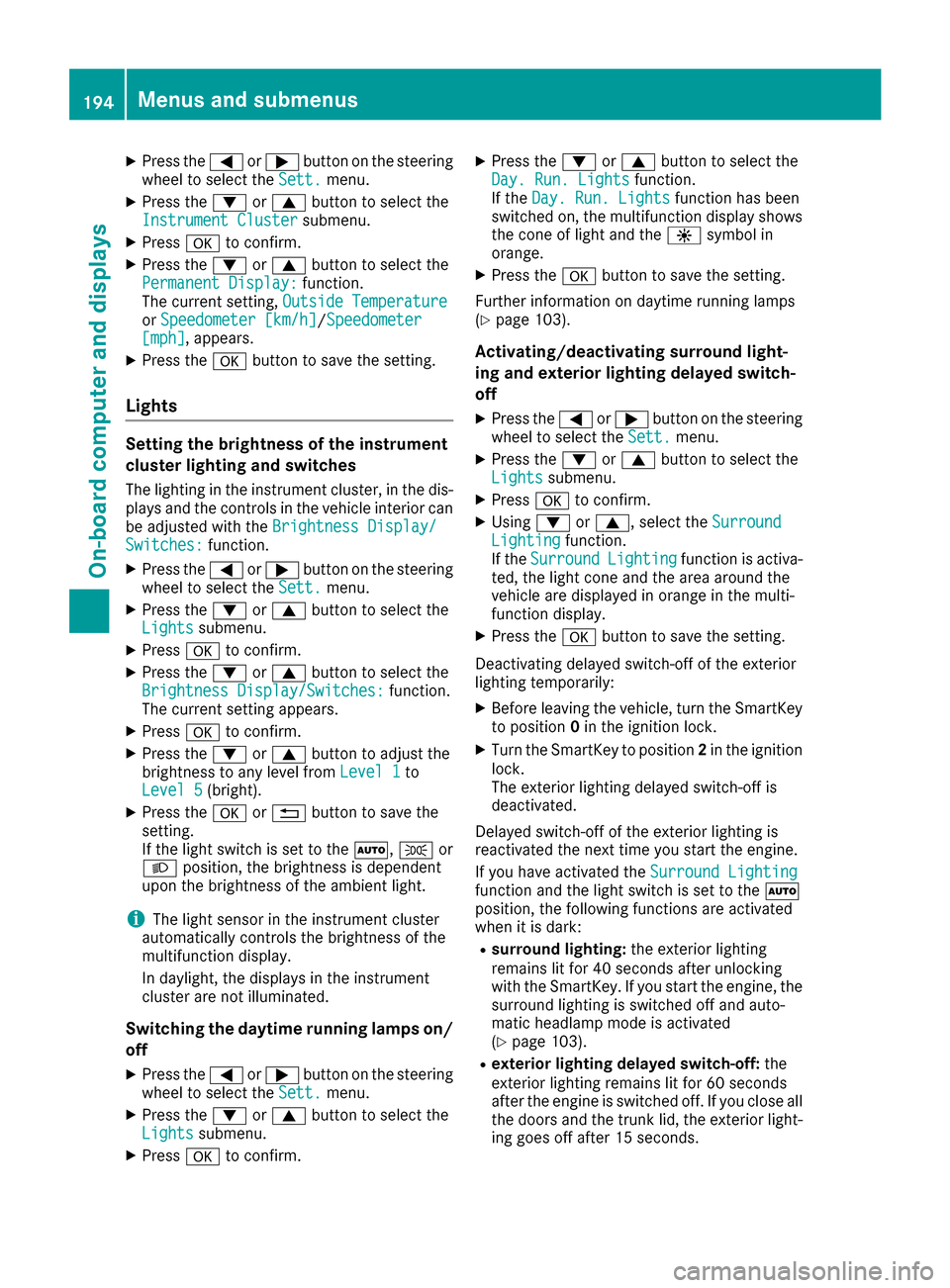
XPress the=or; button on the steering
wheel to select the Sett.menu.
XPress the:or9 button to select the
Instrument Clustersubmenu.
XPress ato confirm.
XPress the :or9 button to select the
Permanent Display:function.
The current setting, Outside Temperature
orSpeedometer [km/h]/Speedometer[mph], appears.
XPress the abutton to save the setting.
Lights
Setting the brightness of the instrument
cluster lighting and switches
The lighting in the instrument cluster, in the dis-
plays and the controls in the vehicle interior can
be adjusted with the Brightness Display/
Switches:function.
XPress the=or; button on the steering
wheel to select the Sett.menu.
XPress the:or9 button to select the
Lightssubmenu.
XPress ato confirm.
XPress the :or9 button to select the
Brightness Display/Switches:function.
The current setting appears.
XPress ato confirm.
XPress the :or9 button to adjust the
brightness to any level from Level 1to
Level 5(bright).
XPress the aor% button to save the
setting.
If the light switch is set to the Ã,Tor
L position, the brightness is dependent
upon the brightness of the ambient light.
iThe light sensor in the instrument cluster
automatically controls the brightness of the
multifunction display.
In daylight, the displays in the instrument
cluster are not illuminated.
Switching the daytime running lamps on/
off
XPress the =or; button on the steering
wheel to select the Sett.menu.
XPress the:or9 button to select the
Lightssubmenu.
XPress ato confirm.
XPress the :or9 button to select the
Day. Run. Lightsfunction.
If the Day. Run. Lightsfunction has been
switched on, the multifunction display shows
the cone of light and the Wsymbol in
orange.
XPress the abutton to save the setting.
Further information on daytime running lamps
(
Ypage 103).
Activating/deactivating surround light-
ing and exterior lighting delayed switch-
off
XPress the =or; button on the steering
wheel to select the Sett.menu.
XPress the:or9 button to select the
Lightssubmenu.
XPress ato confirm.
XUsing :or9, select the SurroundLightingfunction.
If the SurroundLightingfunction is activa-
ted, the light cone and the area around the
vehicle are displayed in orange in the multi-
function display.
XPress the abutton to save the setting.
Deactivating delayed switch-off of the exterior
lighting temporarily:
XBefore leaving the vehicle, turn the SmartKey to position 0in the ignition lock.
XTurn the SmartKey to position 2in the ignition
lock.
The exterior lighting delayed switch-off is
deactivated.
Delayed switch-off of the exterior lighting is
reactivated the next time you start the engine.
If you have activated the Surround Lighting
function and the light switch is set to the Ã
position, the following functions are activated
when it is dark:
Rsurround lighting: the exterior lighting
remains lit for 40 seconds after unlocking
with the SmartKey. If you start the engine, the
surround lighting is switched off and auto-
matic headlamp mode is activated
(
Ypage 103).
Rexterior lighting delayed switch-off: the
exterior lighting remains lit for 60 seconds
after the engine is switched off. If you close all
the doors and the trunk lid, the exterior light-
ing goes off after 15 seconds.
194Menus and submenus
On-board computer and displays
Page 197 of 318
iDepending on your vehicle's equipment,
when the surround lighting and delayed
switch-off exterior lighting are on, the follow-
ing light up:
RParking lamps
RSide marker lamps
RSurround lighting in the exterior mirrors
Activating/deactivating the interior light-
ing delayed switch-off
If you activate the Light. Delayfunction, the
interior lighting remains on for 20 seconds after
you remove the SmartKey from the ignition lock.
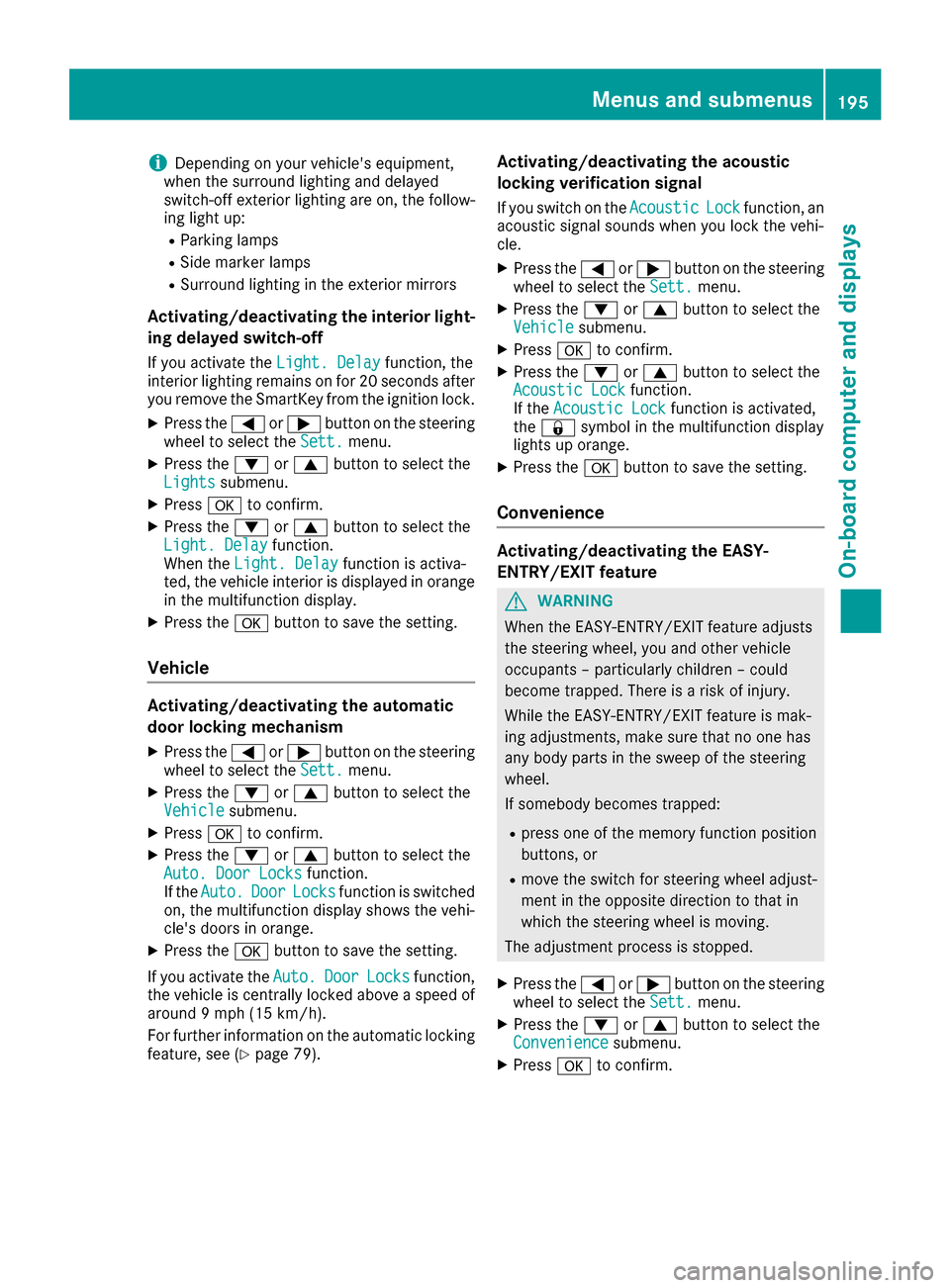
XPress the =or; button on the steering
wheel to select the Sett.menu.
XPress the:or9 button to select the
Lightssubmenu.
XPress ato confirm.
XPress the :or9 button to select the
Light. Delayfunction.
When the Light. Delayfunction is activa-
ted, the vehicle interior is displayed in orange
in the multifunction display.
XPress the abutton to save the setting.
Vehicle
Activating/deactivating the automatic
door locking mechanism
XPress the =or; button on the steering
wheel to select the Sett.menu.
XPress the:or9 button to select the
Vehiclesubmenu.
XPress ato confirm.
XPress the :or9 button to select the
Auto. Door Locksfunction.
If the Auto.DoorLocksfunction is switched
on, the multifunction display shows the vehi-
cle's doors in orange.
XPress the abutton to save the setting.
If you activate the Auto.
DoorLocksfunction,
the vehicle is centrally locked above a speed of
around 9 mph (15 km/h).
For further information on the automatic locking feature, see (
Ypage 79).
Activating/deactivating the acoustic
locking verification signal
If you switch on the AcousticLockfunction, an
acoustic signal sounds when you lock the vehi-
cle.
XPress the =or; button on the steering
wheel to select the Sett.menu.
XPress the:or9 button to select the
Vehiclesubmenu.
XPress ato confirm.
XPress the :or9 button to select the
Acoustic Lockfunction.
If the Acoustic Lockfunction is activated,
the & symbol in the multifunction display
lights up orange.
XPress the abutton to save the setting.
Convenience
Activating/deactivating the EASY-
ENTRY/EXIT feature
GWARNING
When the EASY-ENTRY/EXIT feature adjusts
the steering wheel, you and other vehicle
occupants – particularly children – could
become trapped. There is a risk of injury.
While the EASY-ENTRY/EXIT feature is mak-
ing adjustments, make sure that no one has
any body parts in the sweep of the steering
wheel.
If somebody becomes trapped:
Rpress one of the memory function position
buttons, or
Rmove the switch for steering wheel adjust-
ment in the opposite direction to that in
which the steering wheel is moving.
The adjustment process is stopped.
XPress the =or; button on the steering
wheel to select the Sett.menu.
XPress the:or9 button to select the
Conveniencesubmenu.
XPress ato confirm.
Menus and submenus195
On-board computer and displays
Z
Page 198 of 318
XUsing:or9, select the EasyEntry/Exitfunction.
If the EasyEntry/Exitfunction is activated,
the vehicle steering wheel is displayed in
orange in the multifunction display.
XPress the abutton to save the setting.
Further information on the EASY-ENTRY/EXIT
feature (
Ypage 98).
Switching the belt adjustment on/off
XPress the =or; button on the steering
wheel to select the Sett.menu.
XPress the:or9 button to select the
Conveniencesubmenu.
XPress ato confirm.
XPress the :or9 button to select the
Belt Adjustmentfunction.
When the Belt Adjustmentfunction is acti-
vated, the seat belt is displayed in orange in
the multifunction display.
XPress the abutton to save the setting.
For further information on belt adjustment, see
(
Ypage 45).
Switching the fold-in mirrors when lock-
ing feature on/off
This function is only available when the vehicle is
equipped with the electrical fold-in function.
When you switch on the Auto. Mirror Fold‐
ingfunction, the exterior mirrors are folded in
when the vehicle is locked. If you unlock the
vehicle and then open the driver's or front-
passenger door, the exterior mirrors fold out
again.
XPress the =or; button on the steering
wheel to select the Settingsmenu.
XPress the:or9 button to select the
Conveniencesubmenu.
XPress ato confirm.
XPress the :or9 button to select the
Auto. Mirror Foldingfunction.
If the Auto. Mirror Foldingfunction is
switched on, the multifunction display shows
the vehicle's exterior mirror in orange.
XPress the abutton to save the setting.
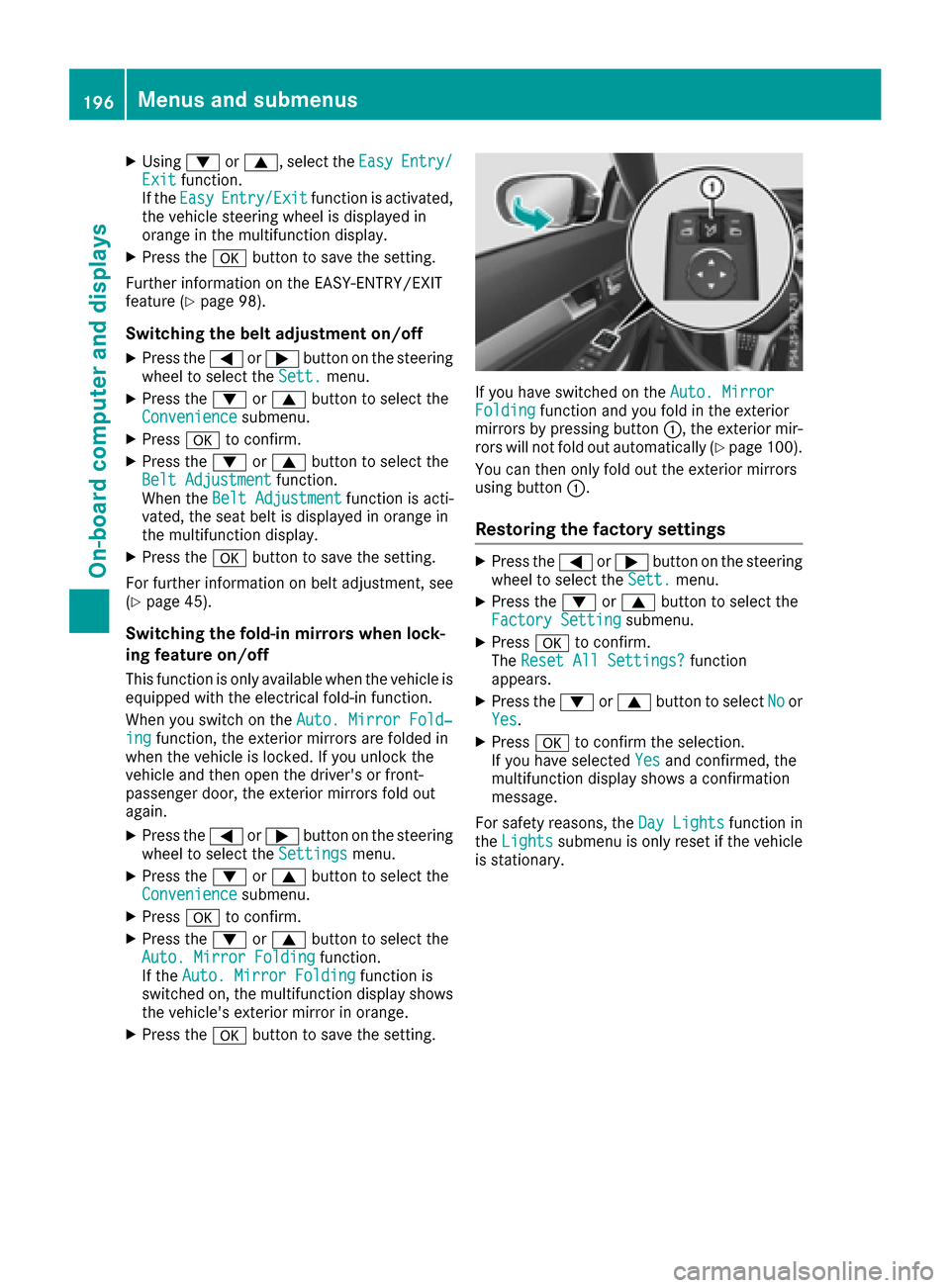
If you have switched on the Auto. MirrorFoldingfunction and you fold in the exterior
mirrors by pressing button :, the exterior mir-
rors will not fold out automatically (
Ypage 100).
You can then only fold out the exterior mirrors
using button :.
Restoring the factory settings
XPress the=or; button on the steering
wheel to select the Sett.menu.
XPress the:or9 button to select the
Factory Settingsubmenu.
XPress ato confirm.
The Reset All Settings?function
appears.
XPress the :or9 button to select Noor
Yes.
XPress ato confirm the selection.
If you have selected Yesand confirmed, the
multifunction display shows a confirmation
message.
For safety reasons, the Day Lights
function in
the Lightssubmenu is only reset if the vehicle
is stationary.
196Menus and submenus
On-board computer and displays
Page 204 of 318
Display messagesPossible causes/consequences andMSolutions
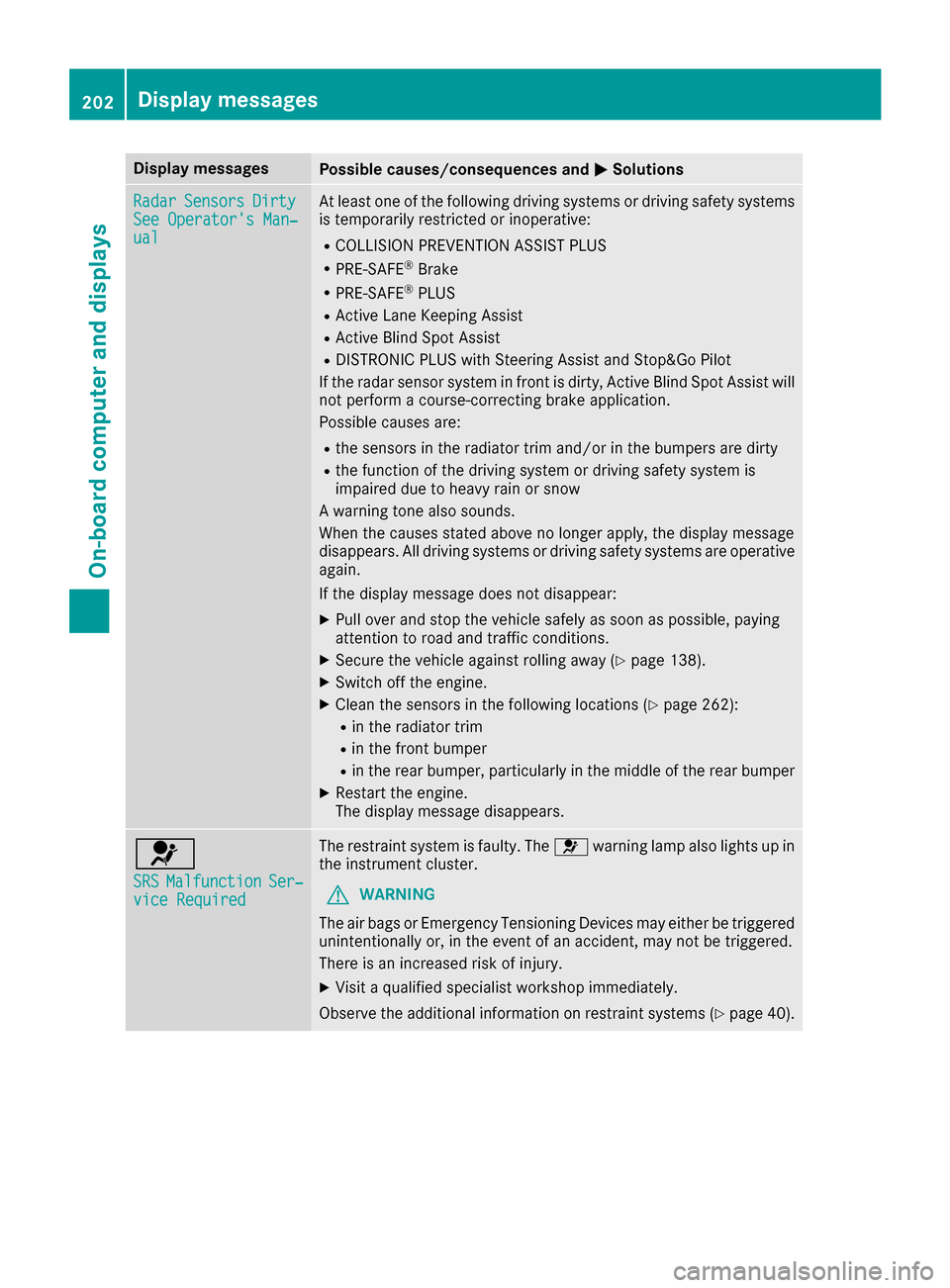
RadarSensorsDirtySee Operator' sMan ‐ual
At least on eof th efollowin gdrivin gsystems or drivin gsafet ysystems
is temporarily restricted or inoperative:
RCOLLISION PREVENTION ASSIST PLU S
RPRE-SAFE®Brake
RPRE-SAFE®PLUS
RActive Lan eKeepin gAssis t
RActive Blind Spot Assis t
RDISTRONICPLU Swit hSteering Assis tand Stop&Go Pilo t
If th eradar sensor system in fron tis dirty, Active Blind Spot Assis twill
no tperfor m acourse-correcting brak eapplication .
Possibl ecauses are:
Rth esensor sin th eradiato rtrim and/o rin th ebumpers are dirty
Rth efunction of th edrivin gsystem or drivin gsafet ysystem is
impaire ddue to heav yrain or snow
A warning tone also sounds.
Whe nth ecauses state dabov eno longer apply, th edisplay message
disappears. Al ldrivin gsystems or drivin gsafet ysystems are operative
again .
If th edisplay message does no tdisappear :
XPull overand stop th evehicl esafely as soo nas possible, payin g
attention to roa dand traffic conditions.
XSecur eth evehicl eagainst rollin gaway (Ypage 138).
XSwitchoff th eengine.
XClean th esensor sin th efollowin glocation s (Ypage 262):
Rin theradiato rtrim
Rin th efron tbumper
Rin th erear bumper, particularly in th emiddle of th erear bumper
XRestart th eengine.
The display message disappears.
6
SRSMalfunctionSer ‐viceRequired
The restrain tsystem is faulty. The 6warning lamp also lights up in
th einstrumen tcluster.
GWARNIN G
The air bags or Emergency Tensioning Devices may either be triggered
unintentionally or, in th eevent of an accident, may no tbe triggered .
There is an increased ris kof injury.
XVisit aqualified specialist workshop immediately.
Observ eth eadditional information on restrain tsystems (
Ypage 40).
202Display messages
On-board computer and displays
Page 213 of 318
Display messagesPossible causes/consequences andMSolutions
Blind SpotAssistInoperativeorActiveBlind Spo tAssistInoperative
Blind Spot Assis tor Active Blind Spot Assis tis defective.
The yellow 9indicator lamp salso ligh tup in th eexterio rmirrors.
XVisit aqualified specialist workshop .
ParkAssistCanceledThe driver's door is open and th edriver's seat belt has no tbeen fas -
tened.
XRepeat th eparking process wit hth eseat belt fastene dand th e
driver's door closed .
You haveinadvertentl ytouched th emultifunction steering whee lwhile
steering intervention was active .
XWhilesteering intervention is active ,mak esur ethat th emultifunc-
tion steering whee lis no ttouched unintentionally.
The vehicl ehas started to skid and ES P®has intervened.
XUse Active Parking Assistagain later (Ypage 161).
ParkAssist Inoper ‐ativeYou havejus tcarrie dout alarg enumber of turnin gor parking maneu-
vers.
Active Parking Assis twill become available again after approximately
te nminute s (
Ypage 161).
XPull ove rand stop th evehicl esafely as soo nas possible, payin g
attention to roa dand traffic conditions.
XSwitc hoff and restar tth eengine.
If th emultifunction display still shows th edisplay message :
XVisitaqualified specialist workshop .
PARKTRONICis defective.
XVisit aqualified specialist workshop .
ParkAssistFinishedThe vehicl eis parked. Awarning tone also sounds.
The display message disappear sautomatically.
DISTRONIC PLU SOffDISTRONI CPLU Shas been deactivated.
If awarning tone also sounds, DISTRONI CPLU Shas deactivated auto -
matically (
Ypage 147)
DISTRONIC PLU SNowAvailableDISTRONI CPLU Sis operational again after having been temporarily
unavailable .You can no wreactivat eDISTRONI CPLU S (Ypage 147).
Display messages211
On-board computer and displays
Z
Page 214 of 318
Display messagesPossible causes/consequences andMSolutions
DISTRONIC PLUSCur ‐rently UnavailableSee Operator' sMan ‐ual
DISTRONI CPLU Sis temporarily inoperative.
Steering Assis tand Stop&Go Pilo tare temporarily inoperative.
Possibl ecauses are:
Rth eradar sensor system is temporarily inoperative, e.g. due to elec -
tromagneti cradiation emitted by nearby TV or radi ostation sor
other source sof electromagneti cradiation .
Rthesystem is outside th eoperating temperature range.
Rth eon-boar dvoltag eis to olow.
A warning tone also sounds.
Whe nth ecauses state dabov eno longer apply, th edisplay message
disappears.
DISTRONI CPLU Sis operational again .
If th edisplay message does no tdisappear :
XPull overand stop th evehicl esafely as soo nas possible, payin g
attention to roa dand traffic conditions.
XSecur eth evehicl eagainst rollin gaway (Ypage 138).
XRestart th eengine.
DISTRONICPLU SInop‐erativ eDISTRONI CPLU Sis defective.
The followin gmay hav ealso failed:
RBA SPLU Swit hCross-Traffic Assis t
RPRE-SAFE®Brake
RSteering Assis tand Stop&Go Pilo t
A warning tone also sounds.
XVisit aqualified specialist workshop .
DISTRONIC PLUSSus ‐pendedYou hav edepressed th eaccelerato rpedal .DISTRONI CPLU Sis no
longer controllin gth espeed of th evehicle.
XRemove your foo tfrom th eaccelerato rpedal .
DISTRONIC PLU S
- - -mph
An activation condition for DISTRONI CPLU Sis no tfulfilled .
XCheckth eactivation condition sfor DISTRONI CPLU S (Ypage 147).
212Display messages
On-board computer and displays
Page 215 of 318
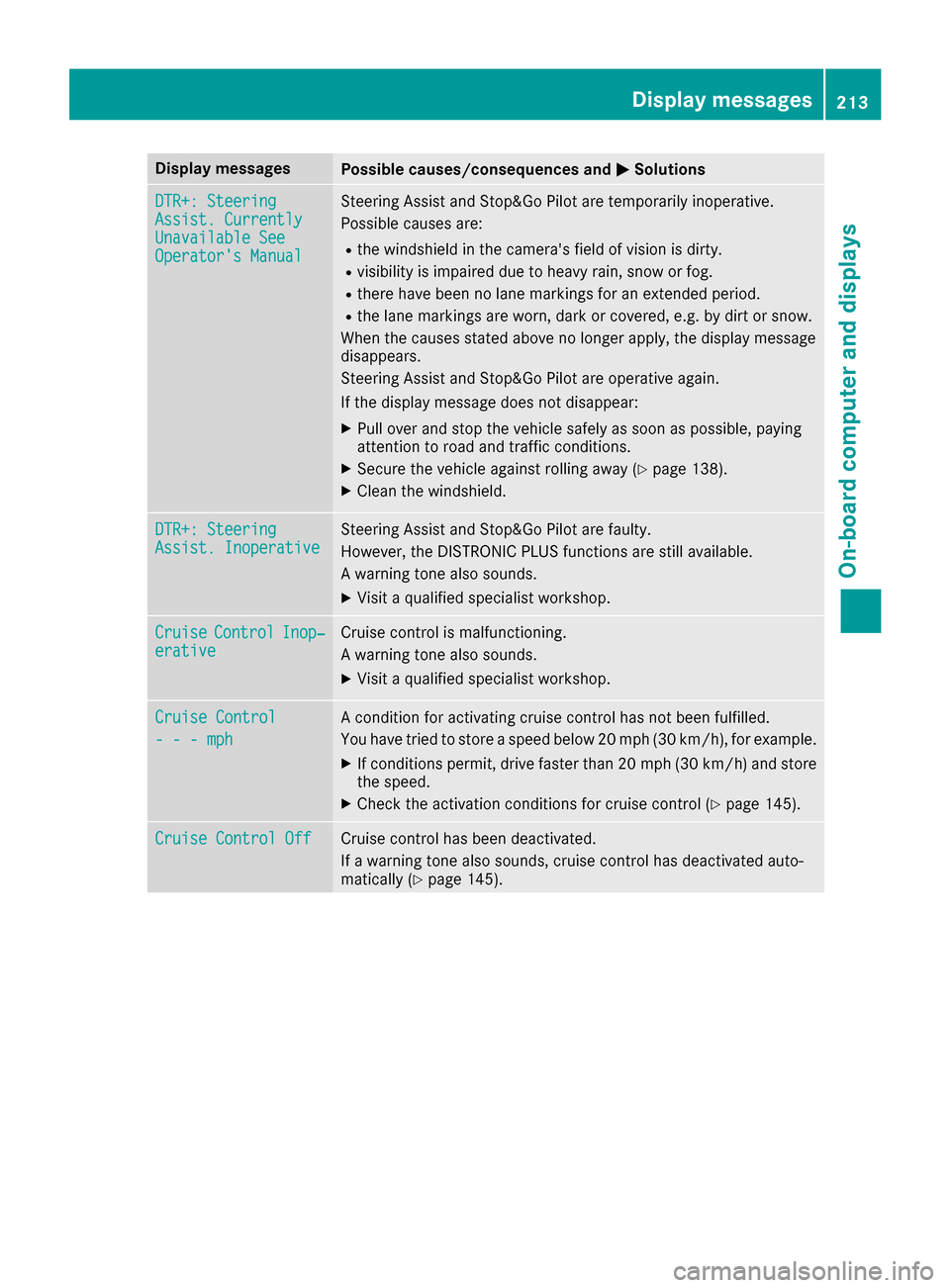
Display messagesPossible causes/consequences andMSolutions
DTR+: SteeringAssist.CurrentlyUnavailable SeeOperator' sManual
Steering Assis tand Stop&Go Pilo tare temporarily inoperative.
Possibl ecauses are:
Rth ewindshield in th ecamera' sfield of vision is dirty.
Rvisibilit yis impaire ddue to heav yrain ,snow or fog .
Rthere havebeen no lan emarking sfor an extended period.
Rth elan emarking sare worn, dark or covered, e.g. by dir tor snow.
Whe nth ecauses state dabov eno longer apply, th edisplay message
disappears.
Steering Assis tand Stop&Go Pilo tare operative again .
If th edisplay message does no tdisappear :
XPull overand stop th evehicl esafely as soo nas possible, payin g
attention to roa dand traffic conditions.
XSecur eth evehicl eagainst rollin gaway (Ypage 138).
XClean th ewindshield.
DTR+: SteeringAssist .InoperativeSteering Assis tand Stop&Go Pilo tare faulty.
However, th eDISTRONI CPLU Sfunction sare still available.
A warning tone also sounds.
XVisit aqualified specialist workshop .
CruiseControlInop‐erativeCruisecontrol is malfunctioning .
A warning tone also sounds.
XVisit aqualified specialist workshop .
Cruise Control
- - -mph
Acondition for activating cruise control has no tbeen fulfilled .
You hav etried to store aspeed belo w20 mph (30 km/ h), for example.
XIf conditions permit, drive faster than 20 mph (30 km/ h)and store
the speed.
XCheck the activation conditions for cruise control (Ypage 145).
Cruise Control OffCruise control has been deactivated.
If a warning tone also sounds, cruise control has deactivated auto-
matically (
Ypage 145).
Display messages213
On-board computer and displays
Z
Page 216 of 318
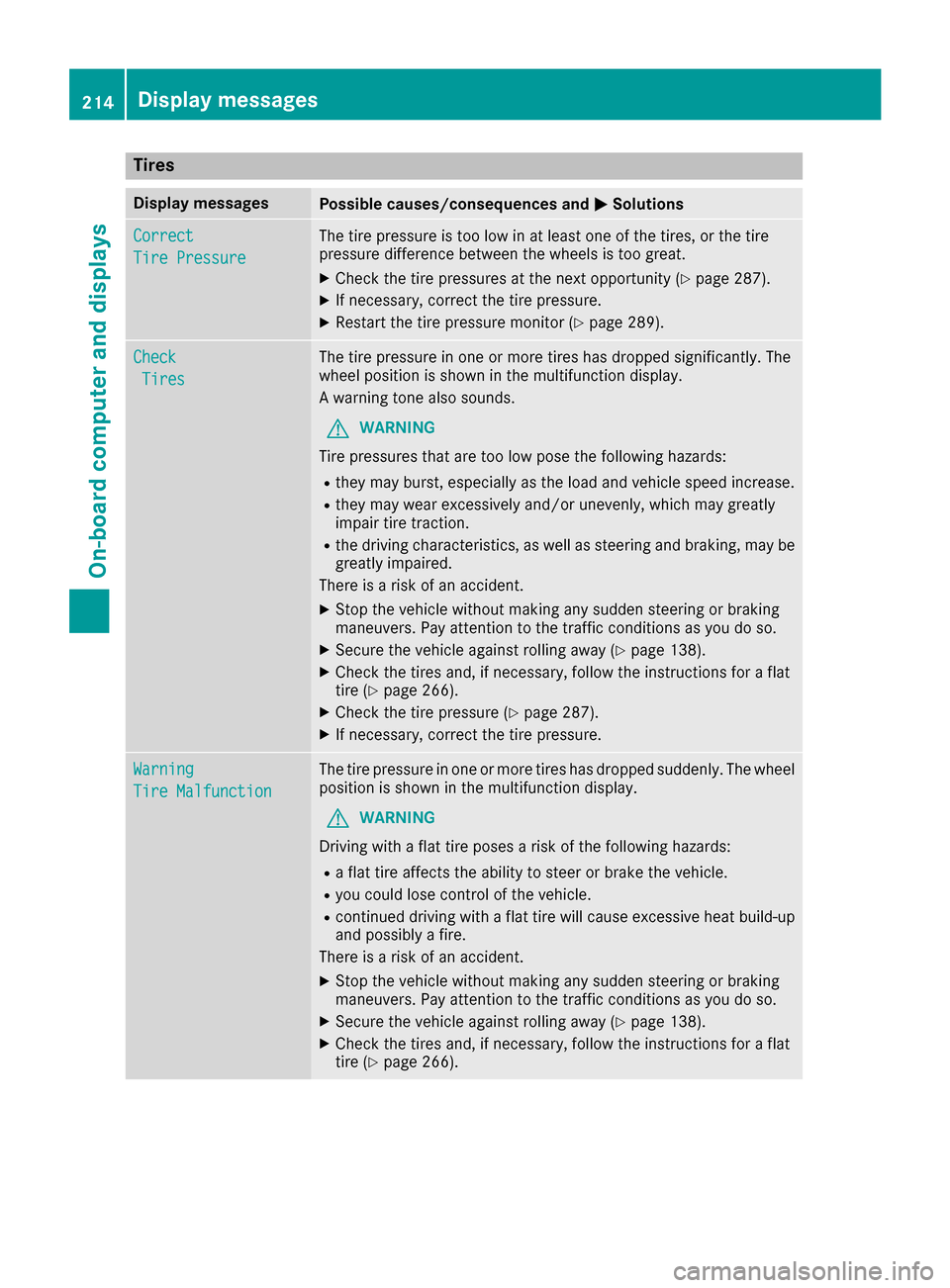
Tires
Display messagesPossible causes/consequences andMSolutions
Correct
Tire Pressure
The tire pressure is too low in at least one of the tires, or the tire
pressure difference between the wheels is too great.
XCheck the tire pressures at the next opportunity (Ypage 287).
XIf necessary, correct the tire pressure.
XRestart the tire pressure monitor (Ypage 289).
Check
Tires
The tire pressure in one or more tires has dropped significantly. The
wheel position is shown in the multifunction display.
A warning tone also sounds.
GWARNING
Tire pressures that are too low pose the following hazards:
Rthey may burst, especially as the load and vehicle speed increase.
Rthey may wear excessively and/or unevenly, which may greatly
impair tire traction.
Rthe driving characteristics, as well as steering and braking, may be
greatly impaired.
There is a risk of an accident.
XStop the vehicle without making any sudden steering or braking
maneuvers. Pay attention to the traffic conditions as you do so.
XSecure the vehicle against rolling away (Ypage 138).
XCheck the tires and, if necessary, follow the instructions for a flat
tire (Ypage 266).
XCheck the tire pressure (Ypage 287).
XIf necessary, correct the tire pressure.
Warning
Tire Malfunction
The tire pressure in one or more tires has dropped suddenly. The wheel
position is shown in the multifunction display.
GWARNING
Driving with a flat tire poses a risk of the following hazards:
Ra flat tire affects the ability to steer or brake the vehicle.
Ryou could lose control of the vehicle.
Rcontinued driving with a flat tire will cause excessive heat build-up
and possibly a fire.
There is a risk of an accident.
XStop the vehicle without making any sudden steering or braking
maneuvers. Pay attention to the traffic conditions as you do so.
XSecure the vehicle against rolling away (Ypage 138).
XCheck the tires and, if necessary, follow the instructions for a flat
tire (Ypage 266).
214Displa y messages
On-board computer and displays